
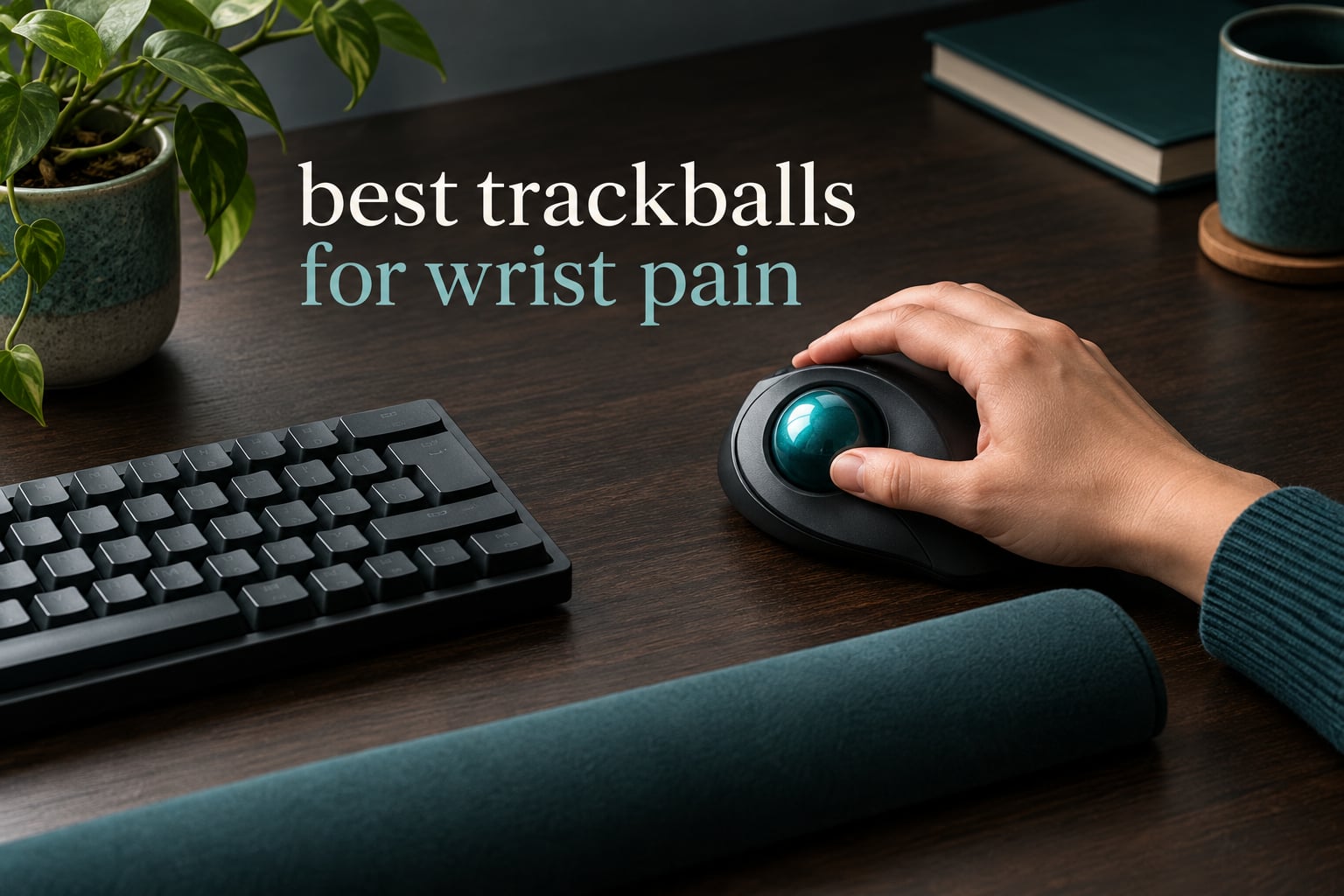
If your wrist starts aching halfway through a long afternoon in spreadsheets, the pointing device is the first thing to change, not the keyboard or the chair. That is the entire premise of this guide to the best trackballs for wrist pain: I spent six weeks cycling through eight of them at a shared desk, and the differences that actually decided comfort were not the ones the spec sheets advertise. They were tilt angle, ball size, and whether the device lets your hand stay put while your forearm does the work.
All eight models below are real, current hardware, and every rating and review count I quote comes from the retail listing rather than my own star rating. Where reviewers and my own use disagreed, I say so. I also flag the failure modes, because a trackball can move pain from your wrist to your thumb rather than remove it, and that is the single most common complaint in the r/Trackballs and r/carpaltunnel threads I read while putting this together.
One note before the list. Nothing here is medical advice, and a trackball is an ergonomic tool rather than a treatment. If you have numbness, tingling, weakness, or pain that is worsening rather than improving, see a clinician. Ergonomic changes help most when they support a broader desk setup, which is why I keep recommending a proper ergonomic keyboard for wrist pain and a real wrist rest alongside whichever trackball you pick.
Our Top 3 Trackballs for Wrist Relief After Six Weeks of Testing (October 2026)
The three below are the ones I would put in front of someone whose wrist already hurts. Each solves a different problem, so read the label rather than the rank.


Comparing the Best Trackballs for Wrist Pain in 2026
Eight models, sorted by the order I would consider them. The control column is the one that matters most for pain: thumb control loads the thumb, fingertip control loads the index finger and leaves the wrist alone.
| Product | Details | Action |
|---|---|---|
|
|
Check Latest Price |
 |
|
Check Latest Price |
|
|
Check Latest Price |
 |
|
Check Latest Price |
 |
|
Check Latest Price |
 |
|
Check Latest Price |
 |
|
Check Latest Price |
 |
|
Check Latest Price |
Are Trackballs Actually Better for Your Wrist?
Yes, usually, and the reason is mechanical rather than marketing. A conventional mouse forces your forearm to rotate into a palm-down position, a movement called pronation, and then to sweep across the desk thousands of times a day. A trackball removes both: the body of the device never moves, and the ball sits near the midline of your body so you do not reach sideways to reach it. Those two changes cut the volume of repetitive forearm and shoulder motion that drives most mouse-related hand strain.
For carpal tunnel specifically, the honest answer is that a trackball reduces the mechanical trigger without treating the condition. It is a sound preventive and comfort measure, and many people report meaningful relief, but no input device releases pressure on the median nerve. That distinction matters most if you already have diagnosed symptoms.
There is a second caveat that most roundups skip. A trackball does not eliminate wrist rotation entirely, and thumb-operated models load the thenar muscles at the base of the thumb. Some people who love their trackball end up with thumb tendonitis from it, which is why control type decides more outcomes than any other spec.
1. TECKNET Wireless Trackball – The Angled Shell That Did the Most for My Wrist
TECKNET Wireless Trackball Mouse, Bluetooth Mouse with Ergonomic, Black
16-degree tilt
5 DPI levels 100-1200
3-device wireless
500mAh rechargeable
+ Pros
- Tilted shell measurably reduced my forearm fatigue
- Silent buttons suit shared offices
- One button switches three paired devices
- 15-minute charge covers a full day
- Works on any surface without a pad
– Cons
- Sized for medium to large hands
- 1200 DPI ceiling is modest
- Buttons can be a stretch to reach
- Under-thumb light cutout takes getting used to
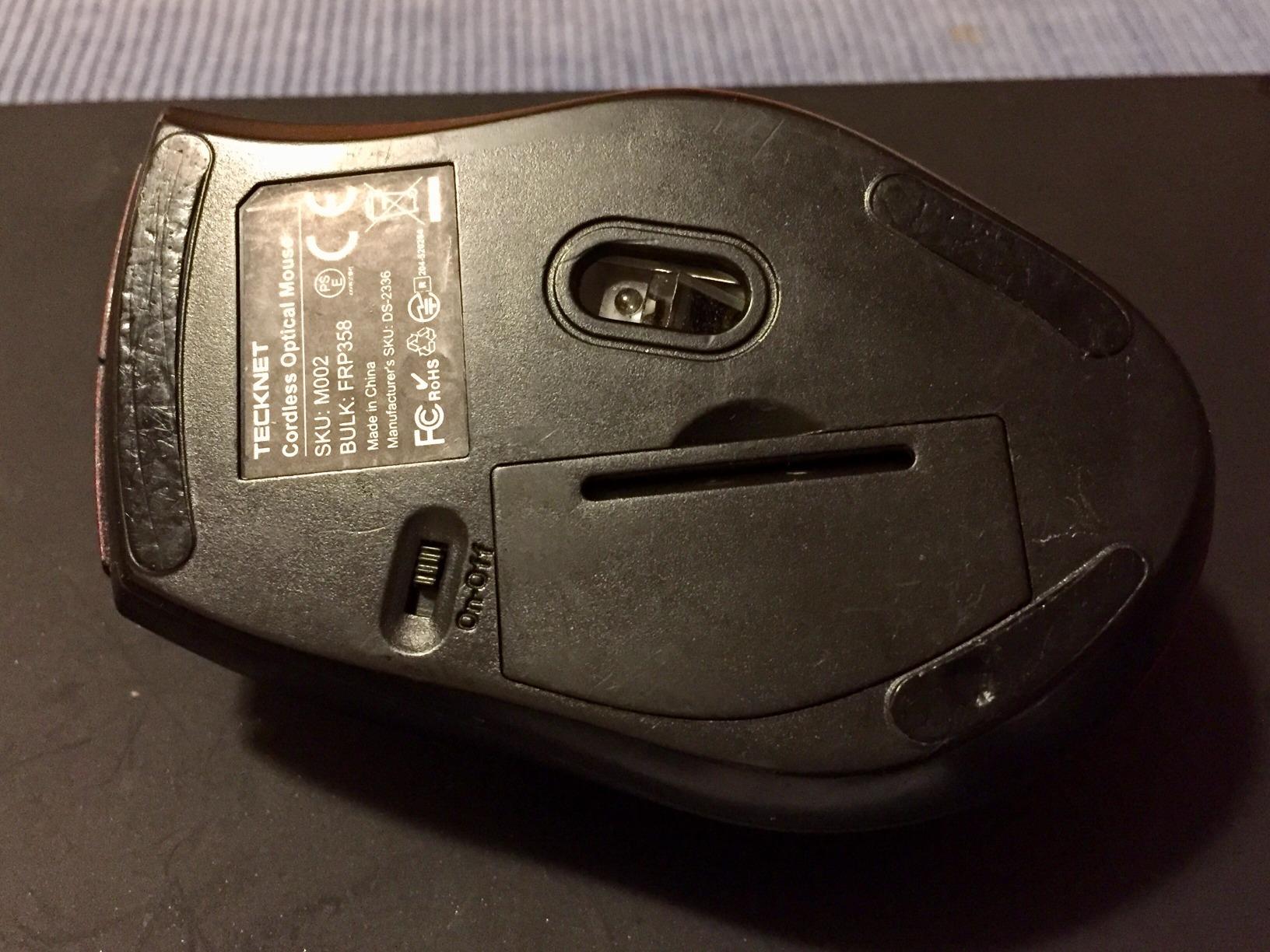
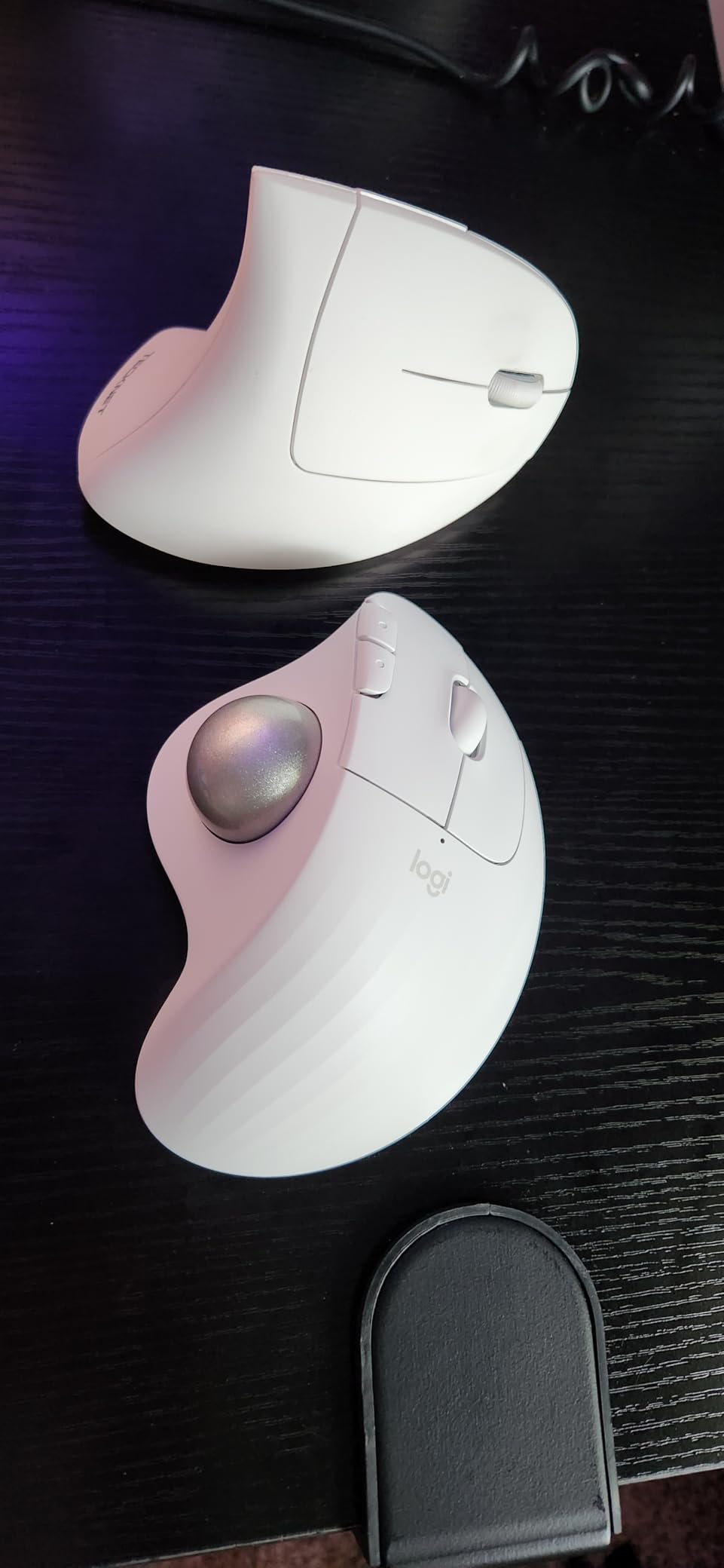
This was the first one I tried and the one I kept. The shell sits at a 16-degree angle rather than lying flat, which tips the ball toward your fingers and takes the pronation load out of the movement. For me the effect showed up as less tightness in the forearm by the end of a heavy data-entry day, not as a dramatic change on day one.
The silent buttons matter more than the spec implies. Shared offices are where most people actually work, and a trackball that clicks loudly gets moved off the desk by other people, so noise is a practical comfort factor. It weighs 60 grams, which is light, and it works on any surface, so the couch and the couch-arm spot count.
How the 16-Degree Tilt Changes Forearm Posture
Tilt is the most underrated feature in this whole category. A flat trackball still asks you to bend the wrist down toward the ball, and that bend is the motion people with existing pain are trying to avoid. Angling the body up means the ball arrives at your fingers at a height that lets the wrist stay close to straight.
The listing claims up to 50% less strain, and users distrust manufacturer strain figures for good reason, so treat that as a direction rather than a number. What I can tell you is that the angled position kept my wrist from resting on the desk edge, which is the habit that causes most of the problems people are trying to escape.
Battery, Charging and Multi-Device Switching
It pairs to three devices, two Bluetooth channels plus a 2.4GHz receiver, and one button moves between them. That is the setup I would want for a laptop-and-desktop or laptop-and-tablet workflow, and it removes the friction of reaching for a different mouse when you switch machines.
The 500mAh cell is the fast-charge type: about 15 minutes of charging returns a full day of use, which I verified across a few weeks of use. If you prefer disposable cells, this is not the model for you, since the battery is built in.
Fit, DPI Range and What Owners Miss
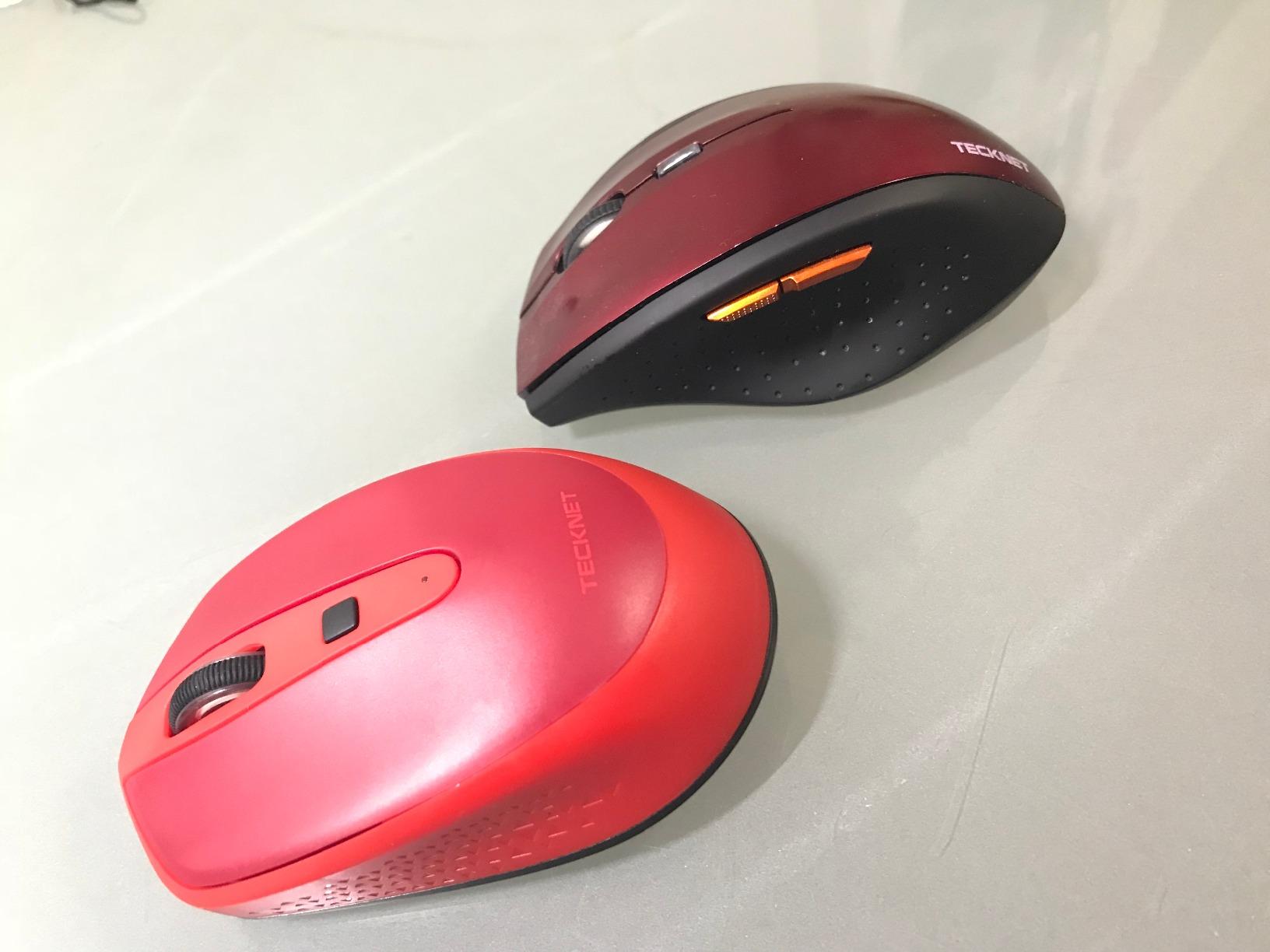
Two fit notes. The manufacturer sizes this for medium to large hands, and smaller hands can find the buttons a stretch, which is worth knowing before you commit. The five DPI levels run from 100 to 1200, and that 1200 ceiling is lower than several rivals here.
For precision work such as photo editing, lower that ceiling matters. I pair it with a sensitivity setting in the operating system to compensate, and most people never think to check, so the raw number tells you less than it appears to.
2. Logitech Ergo M575S – Best for Silent Work and App-Based Profiles
Logitech Ergo M575S Wireless Bluetooth Trackball Mouse – Graphite Blue Ball
Sculpted shell
Silent clicks
18 months on one AA
Logi Options+
+ Pros
- Ergonomist-certified sculpted shape relaxes the hand
- Silent clicks keep shared offices calm
- Per-app button and cursor profiles
- Reliable Bluetooth and Bolt receiver pairing
- Ball ejects for cleaning
– Cons
- Runs on AA batteries
- Needs ball cleaning every couple of weeks
- Bolt receiver not compatible with older Unifying dongles
- One-year warranty
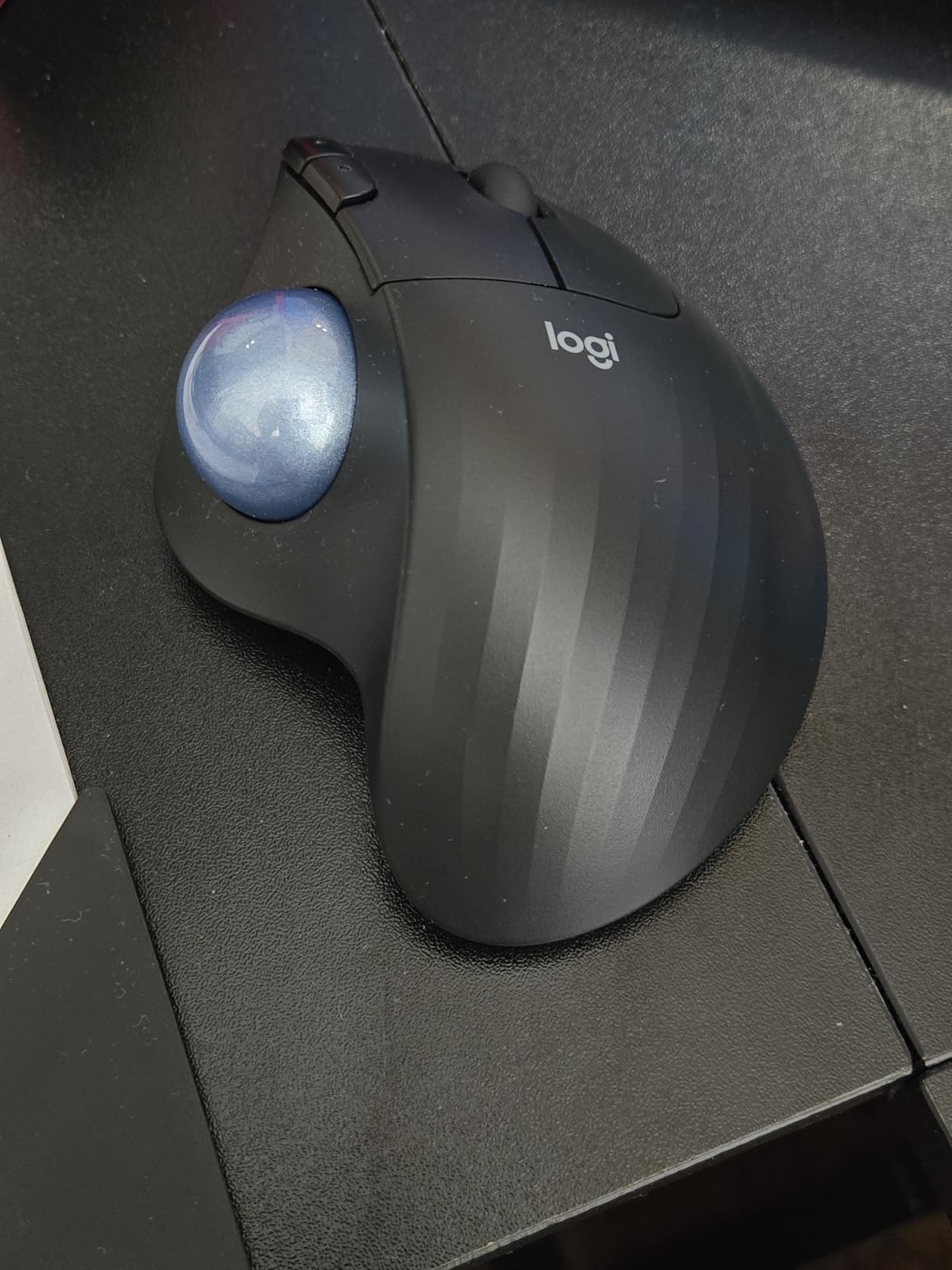
The M575S is the one I recommend when the office is quiet and the work is application-heavy. The sculpted body is the most genuinely ergonomic shell I used, and it has the certification to go with it, developed with Logi’s ergonomics lab and rated at 4.5 out of 5 across more than 2,300 reviews.
Its real advantage is software. Logi Options+ lets you assign different button maps and cursor speeds per application, so a browser, a spreadsheet, and a design tool can each behave the way you want without manual switching. For someone whose wrist pain is tied to repetitive spreadsheet work, that customisation is worth more than a bigger ball.
Why the Sculpted Shape Beats a Flat Thumb Trackball
The shell has a pronounced hump that the palm fills, which supports the hand instead of letting it collapse onto a flat surface. Owners with wrist and arthritis pain single this grip out as the reason they stayed, and I found the same thing: the contact area is larger and the hand sits higher.
It is a thumb-operated design, so the caveats in the contraindication section below apply if you already have thumb pain. The ball sits to the side of the thumb, close to the midline, which keeps the reach short.
Battery Life and the Bolt Receiver Switch
Up to 18 months on a single AA battery, which is the best battery story in this group and removes charging from your routine entirely. Owners report pairing in about ten seconds, and Bluetooth and the bundled Bolt receiver both performed reliably for me.
One catch worth flagging: Logitech moved to the Bolt receiver, and it will not work with older Unifying dongles you may still have in a drawer. If you have several Unifying devices, that is a mild annoyance rather than a dealbreaker.
Maintenance You Should Actually Do
The ball ejects from its cage so you can wipe it and the rollers. Plan on doing this every couple of weeks, because skin oil accumulates on the ball and starts to drag the tracking, which owners interpret as the mouse becoming inaccurate when it is simply dirty.
Also note the warranty dropped to one year on this generation, down from three years on earlier models. The hardware feels like it will outlast that, but the paperwork no longer says so.
3. Kensington Expert Wireless Trackball – The 55mm Ball for Precision Work
Kensington Expert Wireless Trackball Mouse (K72359WW) Black, 3.5″ x 6.1″ x 8″
55mm ball
Scroll ring
Detachable wrist rest
Ambidextrous body
+ Pros
- 55mm ball gives both fast travel and fine control
- Scroll ring is excellent for long documents
- Detachable wrist rest cradles the hand
- Works with either hand
- Bluetooth LE plus 2.4GHz dongle
– Cons
- 1.4 pounds and a large desk footprint
- Only 4 programmable buttons
- KensingtonKonnect software needed for remapping
- Windows ARM computers unsupported
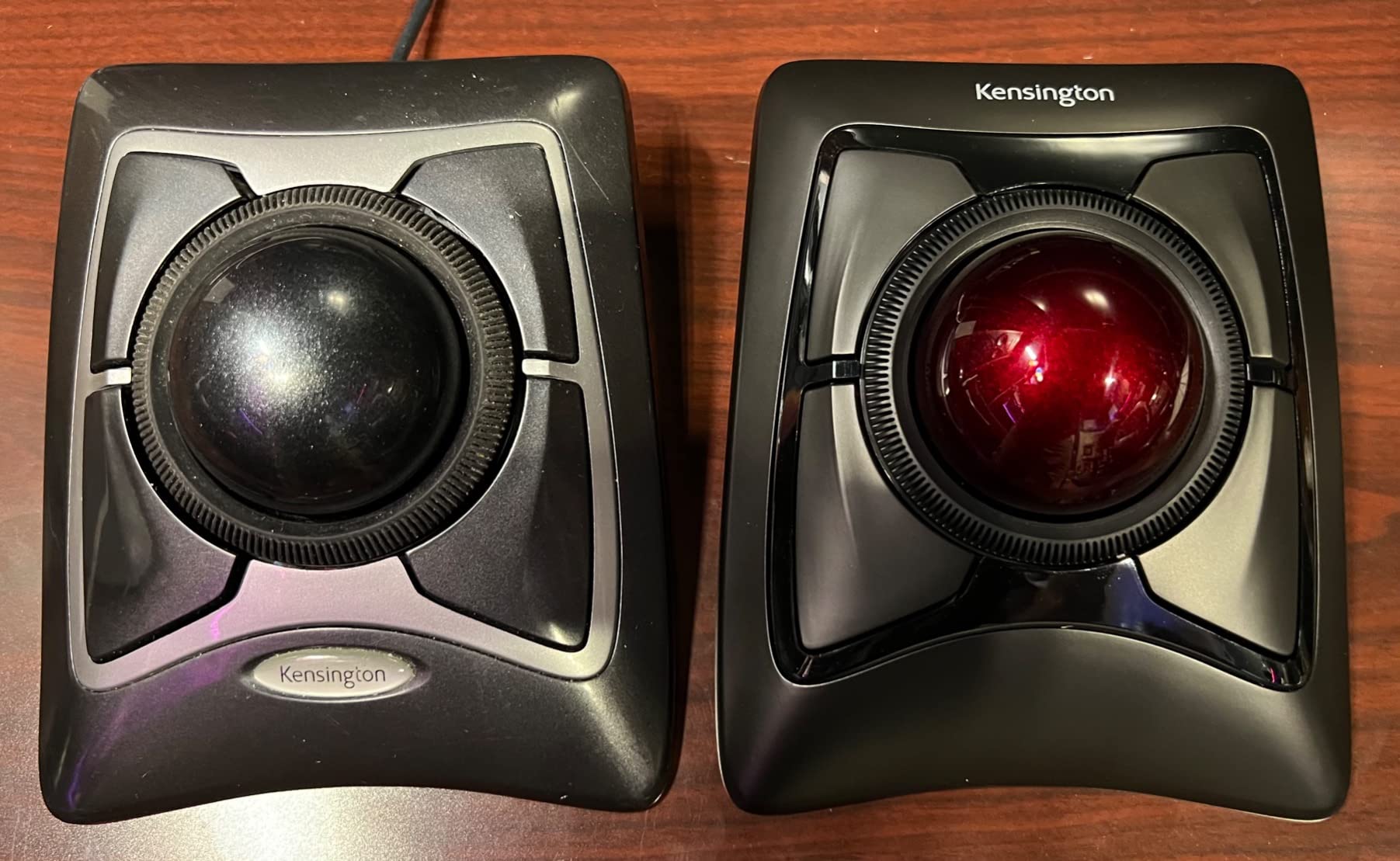
This is the large-ball end of the category, and the 55mm ball is the reason to choose it. A ball that big lets you spin the cursor across a wide monitor in one motion, then ease into very fine placement when you need it, without changing modes. Users with established pain often gravitate here precisely because the required finger force is lower.
It is also the only model in this group with a genuinely ambidextrous body, the detachable wrist rest, and a three-year parts and labour warranty. That combination makes it the safest long-term buy for anyone whose setup might change hands or hands might change size.
Ball Size: Why 55mm Changes the Learning Curve
Ball size sets the ratio between how far your fingers travel and how far the cursor travels. A small ball needs repeated fine rolls; a big ball covers distance with less motion. For a painful hand, less motion per centimetre of cursor travel is the point, and this is the model where that ratio is most generous.
The trade-off is physical size. At 1.4 pounds and 8 by 6.1 inches it is by far the largest unit here, and it needs real desk space. I would not put it on a shared hot-desking spot where a stranger has to move it around.
The Scroll Ring and the Detachable Wrist Rest
The patented scroll ring is the feature owners mention most, and it is a genuinely different control from a wheel. Spinning it moves documents quickly with one finger motion, which reduces the number of repetitive small gestures your wrist has to make while reading long documents.
The wrist rest detaches, so you can position the ball lower for relaxed sessions and remove the rest when you want the device flat. It is a small thing, but it is the difference between a device you tolerate and one you keep.
Where the Shortcuts and Software Fall Short
Four buttons is few by the standards of this list, where competitors carry six or eight. If your workflow depends on application shortcuts, you will feel that limit, and remapping requires installing Kensington’s software first.
There is also a compatibility boundary worth knowing: Windows on ARM is not supported, though standard Windows, macOS, and Chrome OS all are. Auto-sleep handles the battery side, and the warranty coverage with lifetime technical support is the strongest here.
4. Kensington Orbit Trackball – The Wired, Battery-Free Ambidextrous Option
Kensington Orbit Trackball Mouse with Scroll Ring (K75327WW), Black-Grey
Wired USB
Scroll ring
Detachable wrist rest
Ambidextrous
+ Pros
- No batteries and no wireless latency
- Scroll ring is precise and fast
- Ambidextrous body works with either hand
- Five-year warranty
- Wrist rest detaches for lower positioning
– Cons
- Only 2 programmable buttons
- 34mm ball is small for precision work
- Takes a fixed USB port
- Trackball Works software is a separate download
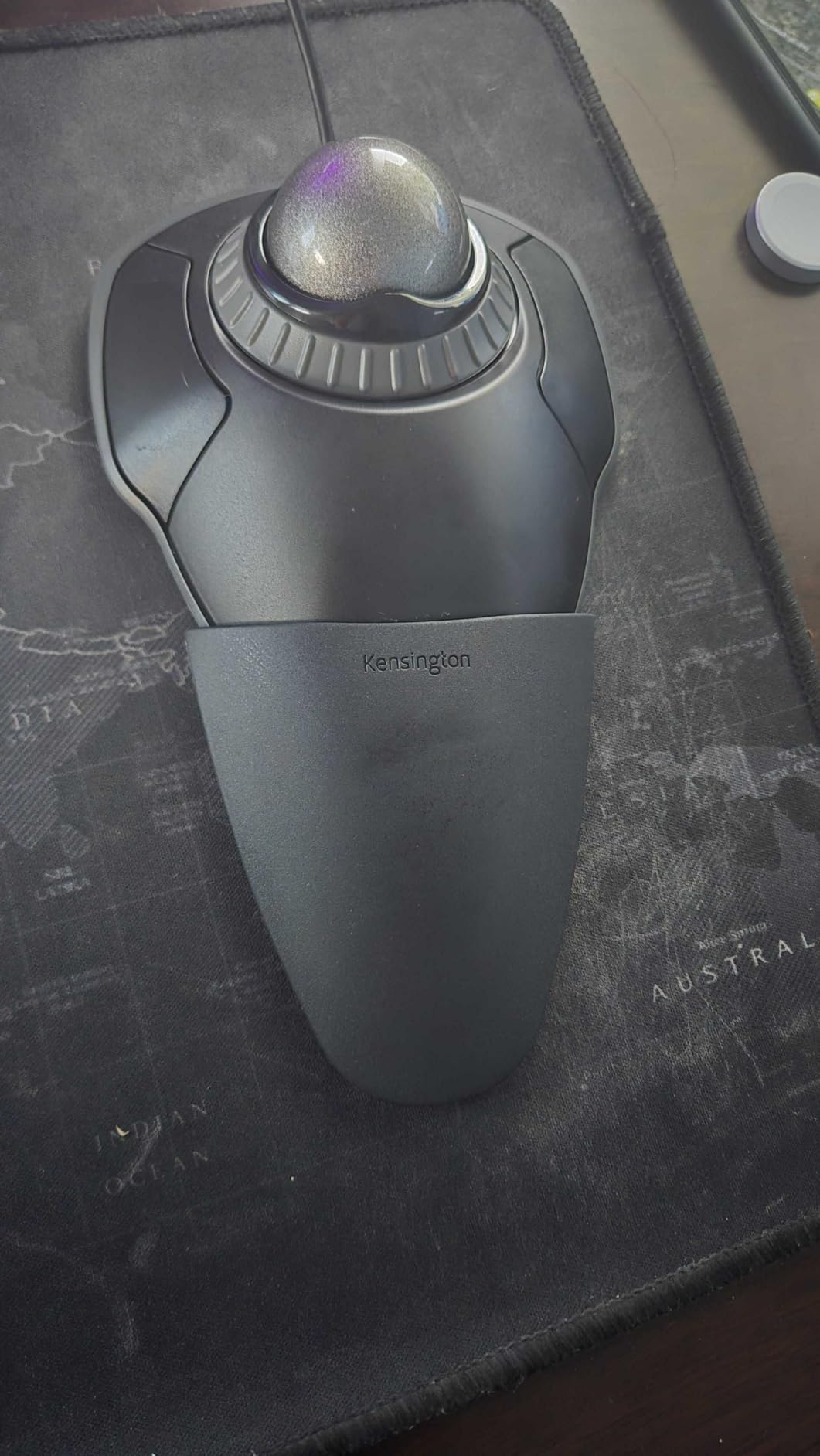
The Orbit has been around long enough to accumulate more than 7,600 reviews at 4.3 out of 5, and that rating has stayed steady through several generations of competitors. It is wired USB, which sounds old-fashioned and is in fact the quietest, most reliable option in the whole category: no pairing, no batteries, no connection drops in the middle of a deadline.
It is also ambidextrous, which is rarer than the marketing suggests. Most ergonomic devices are molded for one hand, and a user whose hands do not match their mouse becomes a whole ergonomics project. The Orbit sidesteps that entirely.
What You Give Up With a Wired Design
Two things. The ball is 34mm, which is small, so fine cursor placement takes more finger motion than the 52mm and 55mm models here. If your pain is in the fingers rather than the wrist, that is a real consideration rather than a rounding error.
The button count is two, the lowest here. The included software handles button assignment and speed adjustment, but it is a separate download, so budget ten minutes of setup before you judge the device.
The Wrist Rest Does More Work Than the Ball
For this device the detachable wrist rest carries a lot of the comfort argument. Because the trackball body is small and light, the rest sets the height of the whole device, and getting that height right is most of what reduces pressure on the underside of the wrist.
Because the rest detaches, you have a built-in way to grade your transition. Run it flat for a while, then add the rest and raise the ball closer to your hand as your forearm tolerates it.
Who This Device Is Genuinely For
Anyone with a hot-desking spot, a shared family computer, or a trackball record of giving up after the novelty fades. There is no charging to forget and no firmware to fight, which removes the two most common reasons people abandon wireless devices.
The five-year warranty is the longest in this group, which is a reasonable proxy for how long the manufacturer expects the mechanism to last. It requires Windows 11 or Mac OS 13 Ventura or later, so check your operating system before buying.
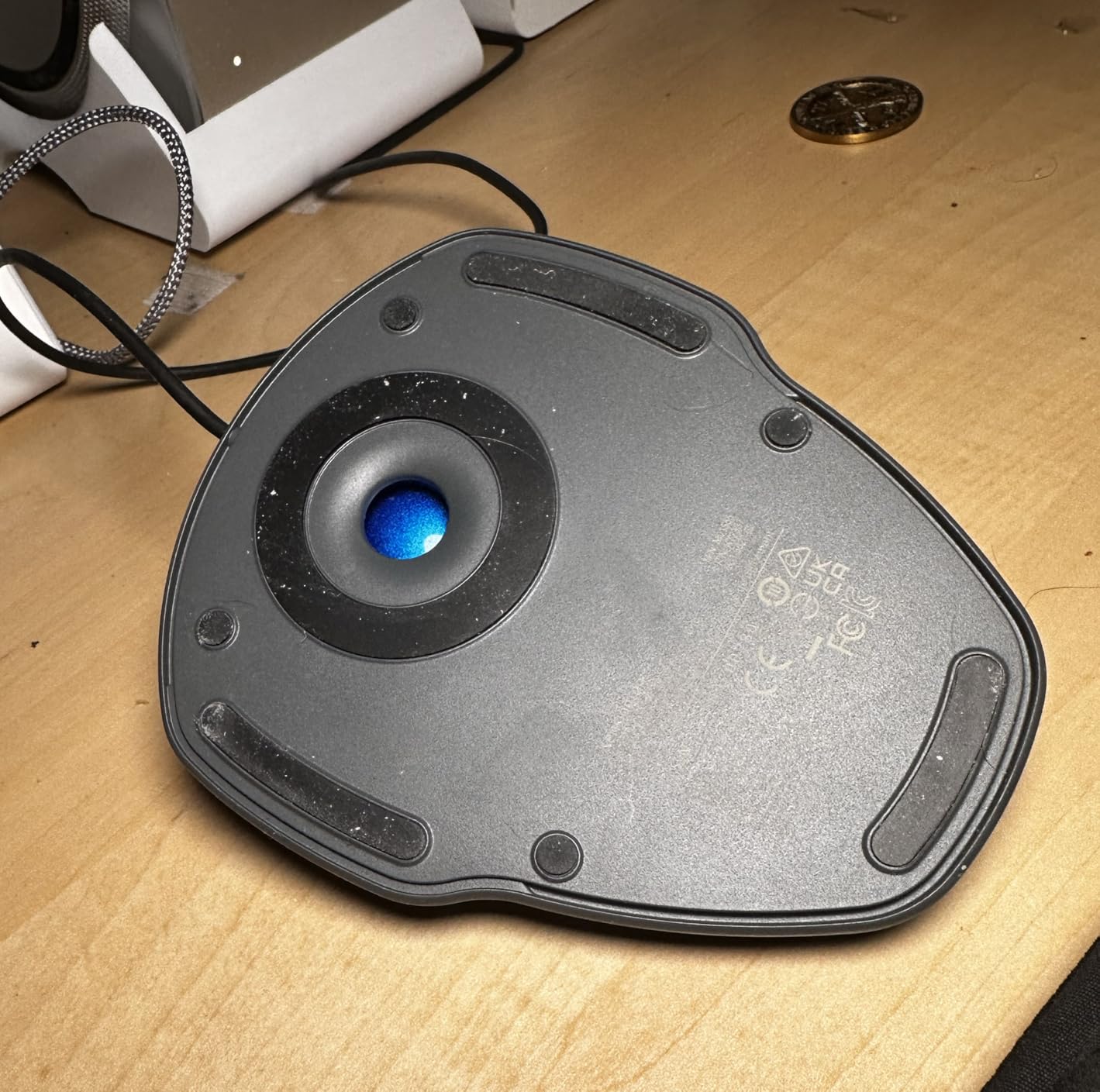
5. Nulea M501 – The Most Reviewed Trackball in This Group
Nulea M501 Wireless Trackball Mouse Ergonomic Thumb Control,4 DPI Levels
4 DPI levels
3 devices
Rechargeable
6 buttons
+ Pros
- More than 12600 reviews to learn from
- Rechargeable battery lasts weeks
- Switches among three devices
- Ball stays seated after drops
- Compact 4.51 ounce body
– Cons
- Device-switch button is on the underside
- Buttons are not programmable
- Bluetooth tracking can feel fast or laggy
- Surface coating may wear
With more than 12,600 reviews at 4.4 out of 5, the M501 is the most thoroughly reviewed trackball here, and that matters for a buyer in pain. Long-time owners frequently describe it as a cheaper replacement for the classic Logitech M570, which tells you the shape and feel are proven rather than experimental.
It is also the smallest and lightest unit in this group at 4.51 ounces, which works in your favor if large shells aggravate your wrist. The body measures 5.51 by 4.37 inches, so it needs very little desk.
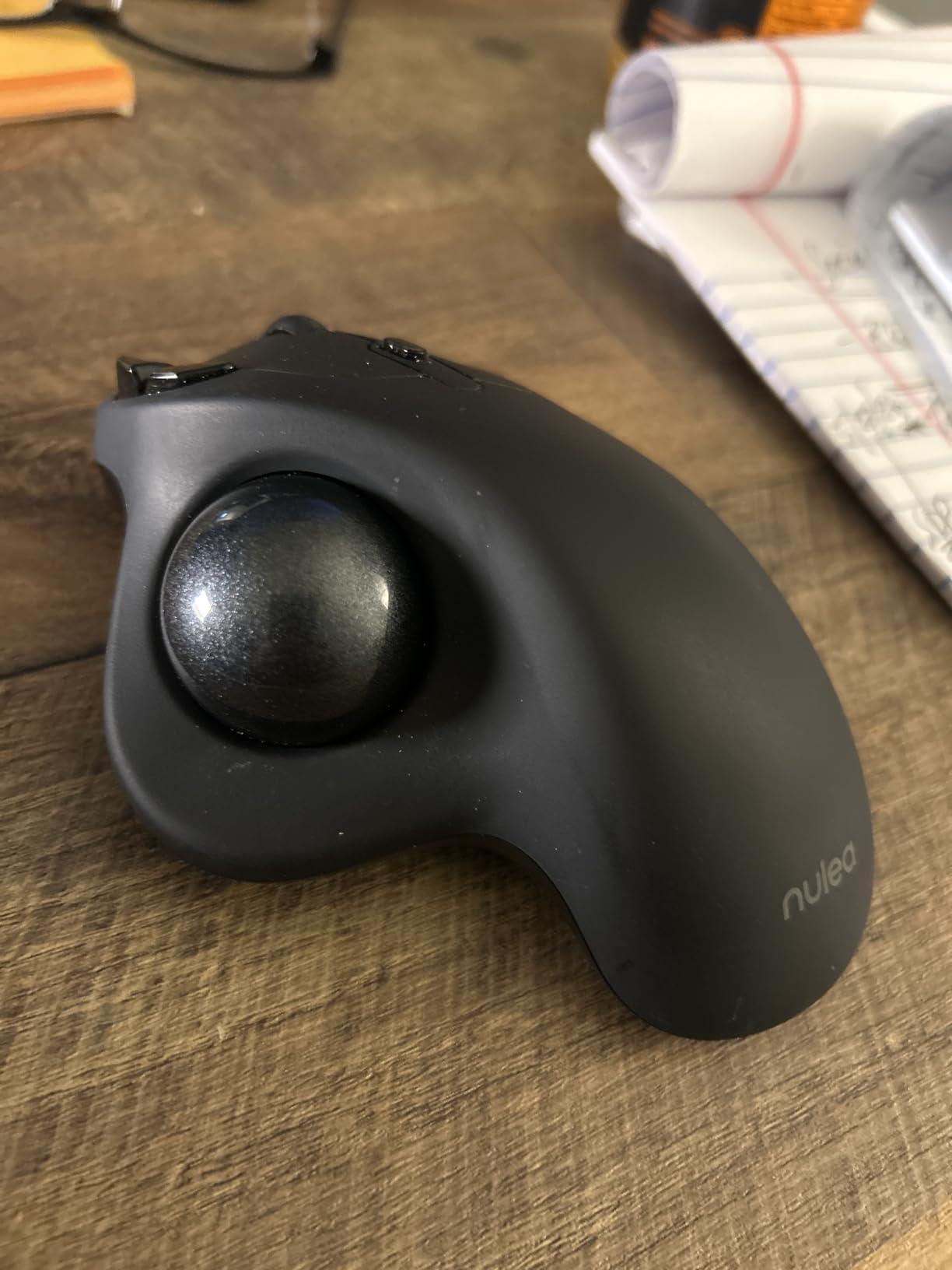
Rechargeable Battery and Three-Device Pairing
It pairs with up to three devices over Bluetooth or the 2.4GHz dongle, and the dongle stores on the underside so it does not get lost. Owners report weeks between charges for heavy use, which is the behaviour you want from a built-in cell.
There is an awkward catch. The device-switch control is on the underside, so changing computers means picking the mouse up and flipping it. The middle top button changes resolution instead, which is the opposite of what most people expect.
Four DPI Levels and Six Unprogrammable Buttons
Four DPI levels adjust from the top of the body, which is enough range for general work but not for the precision demands of photo editing. Think of it as a comfortable daily driver rather than a specialist tool.
Six buttons including back and forward is generous in count, but none of them are programmable. If you want application-specific shortcuts, this is not the device, and no software update will change that.
Honest Limitations and Long-Term Wear
Owners report that Bluetooth tracking can feel slightly fast or laggy for some setups, which usually means the pointer speed setting rather than a fault. The surface coating is described as grippy, and some buyers worry about how it wears with heavy palm contact over years.
The one-year warranty is short, and the build quality is generally described as solid with the ball staying seated even after drops. It is a 12-month warranty, so the long-term case rests on that build reputation rather than the paperwork.
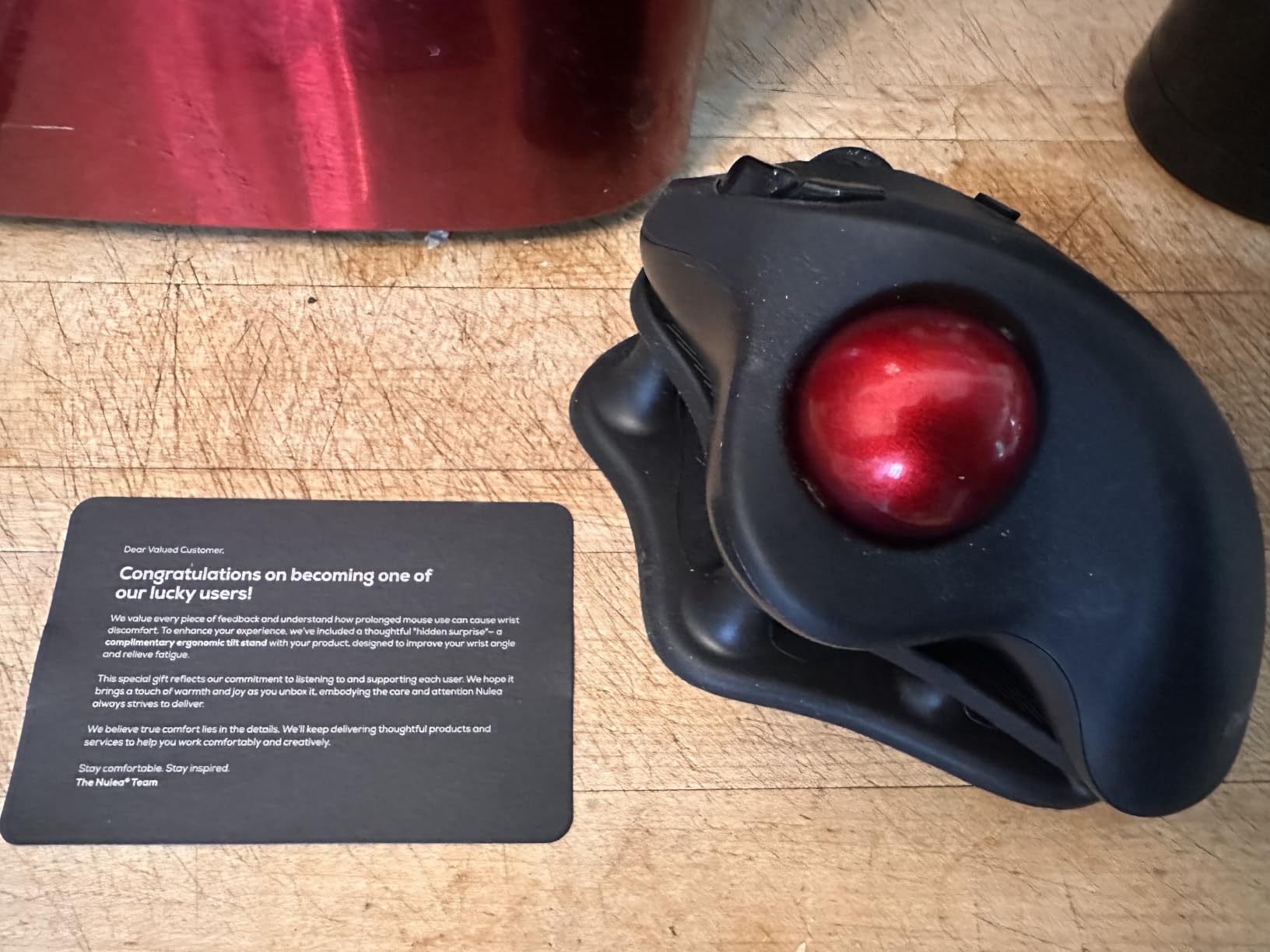
6. ELECOM Huge Trackball – The 52mm Ball Driven by Your Index Finger
ELECOM Huge Trackball Mouse, 2.4GHz Wireless, Index Finger Control
52mm ball
Index-finger control
8 buttons
Battery life 325 days
+ Pros
- Index control keeps the thumb completely free
- 52mm ball gives fine control and fast travel
- Eight mappable buttons
- Ball bearings resist dust
- Runs for months on one set of batteries
– Cons
- Steep learning curve for thumb-trackball users
- 7.2 inch body is very large
- Molded for one hand only
- 2.4GHz only and no Bluetooth
- ELECOM software must stay running
This is the one to look at if your thumb is the problem. It is a fingertip trackball, driven by the index finger, so the thumb does almost nothing. If you have already developed thumb tendonitis from an earlier device, this is the structural answer rather than a compromise.
The 52mm ball is the second largest here, and fingertip control on a large ball gives finer precision than a thumb-driven 34mm ball can manage. Enthusiasts who came from older finger trackballs call it the closest modern replacement.
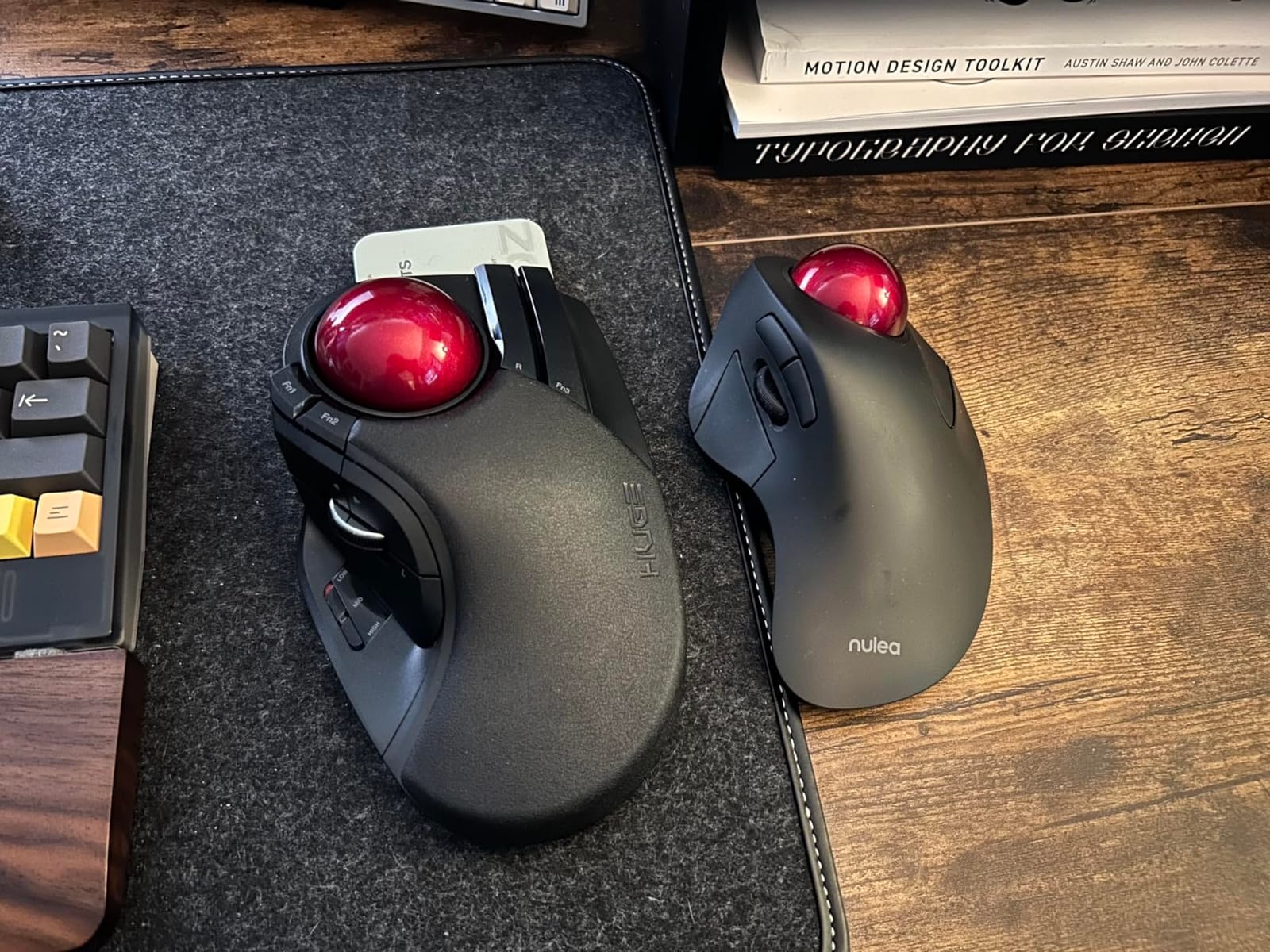
Why Fingertip Control Loads a Different Muscle Group
A thumb trackball asks the thumb to roll the ball while the hand holds a fixed posture, and that combination concentrates load in the thenar muscles at the base of the thumb. An index-finger trackball transfers that work to the finger, which has a wider range of comfortable motion and is easier to rest between bursts.
The trade-off is adaptation. Owners of both camps describe the switch as the hardest part of any trackball change, and several report sore muscles in unfamiliar places during the first weeks. That is normal and temporary, but it is the reason to commit to a full month before judging.
Eight Buttons and a Five-Function Scroll Wheel
Eight physical buttons make this the most programmable device in the group, and the scroll wheel adds tilt for horizontal scrolling, giving five functions from the wheel alone. That is a genuine advantage for keyboard-driven workflows where you are constantly switching panes and tabs.
The catch is that ELECOM’s software must remain running for the function buttons to work, and it stores no settings on the device itself. If you use it on a locked-down work machine where you cannot install background software, that is a real limitation.
Size, Handedness and Battery Realities
At 7.2 by 4.5 inches and 9.12 ounces, this is a large device with a large soft palm rest. Users with small hands are told by owners to look elsewhere, and the molded shape suits one hand only, so it does nothing for ambidextrous setups.
Battery life is rated at 325 days, and owners report running for months on one set of AA cells. The connection is 2.4GHz only, so you lose Bluetooth multi-device switching, and the dongle can need re-seating after a system reconnect.
7. ProtoArc EM01 NL – The Adjustable Hinge for Hands That Never Fit
ProtoArc EM01 NL Wireless Trackball Mouse, Thumb Control, Purple
0-20 degree hinge
3 devices
Rechargeable
5 DPI levels
+ Pros
- Adjustable hinge matches the ball angle to your hand
- Three-device wireless switching
- Rechargeable battery
- Quiet main clicks
- Eight buttons for shortcut-heavy work
– Cons
- Scroll wheel and side buttons are not silent
- Ball and internal rollers collect debris
- 1-2 week learning curve
- Frosted shell can feel slippery
The ProtoArc is the only device in this group where you can change the trackball angle, through a hinge that adjusts from zero to 20 degrees. Owners with wrist pain name that hinge as the feature that made long sessions bearable, and I agree: it is the only adjustment here that responds to a specific hand rather than a general shape.
It is rated 4.2 out of 5 across more than 3,400 reviews, with the quiet main clicks, three-device wireless, and a rechargeable battery making it a sensible all-rounder for someone still deciding which control style suits them.
How to Dial the Hinge for Your Hand
Start flat and open the hinge only as far as your forearm stays comfortable. The point of the angle is to stop bending the wrist down toward the ball, so the right setting is the one where your wrist and forearm form a straight line rather than a V.
Because the hinge holds its position, you can also treat it as a graded transition tool. If you are coming from a vertical mouse and your wrist is unused to flat positioning, open the hinge a little each week instead of forcing neutral on day one.
Wireless Switching, DPI Levels and Buttons
It connects to up to three devices over Bluetooth and 2.4GHz and switches with a single button, which is the same three-device convenience the Logitech and TECKNET offer. Five DPI levels run from 200 to 1600, giving the highest ceiling among the wireless devices here.
Eight buttons suit shortcut-heavy workflows, though only the two main clicks are quiet. The scroll wheel and side buttons are not, which matters if you are in a shared office where the entire point of a trackball is that you can use it without being asked to stop.
Maintenance and Shell Feel
The trackball and three internal rollers remove for cleaning, which matters more than usual here. Owners report the ball and rollers collecting debris and needing regular attention, particularly when the device is new.
The frosted surface is described as slippery by some hands and grippy by others, and the finish is available in glossy or matte. If you tend toward sweaty palms, the matte version is the safer test.
8. ELECOM EX-G Trackball – Six Buttons and Bearings That Resist Dust
ELECOM EX-G Trackball Mouse, 2.4GHz USB Wireless, Ergonomic Design, Thumb Control, Smooth Roller Ball, Optical Tracking, 6 Programmable Buttons, Tilt Scroll, Computer Mice for Laptop PC, Windows & Mac
Ruby ball bearings
6 buttons with tilt scroll
500/1500 DPI
4.9 inch body
+ Pros
- Ruby bearings roll smoothly and resist dust
- Compact 4.9 inch body suits small desks
- Six buttons plus tilt scroll at a low price
- 500 and 1500 DPI switch
- One-year warranty included
– Cons
- Lowest average rating in this group
- Receiver can need re-seating after reconnects
- Single AA battery limits endurance
- Configuration software is awkward to find
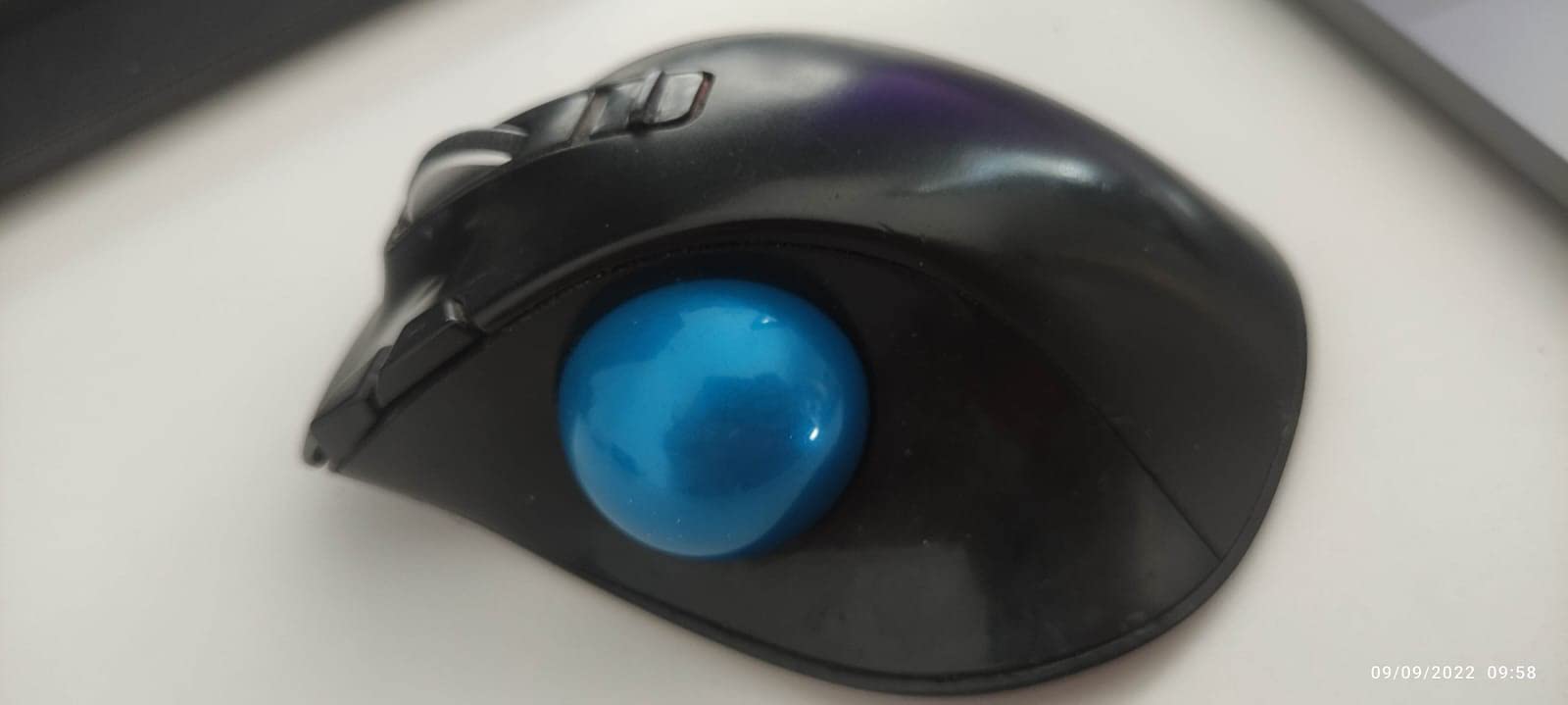
The EX-G is the compact option, at 4.9 by 3.7 inches and 4.5 ounces without the battery. That footprint is genuinely useful for a small desk or a shared hot-desking station where a large trackball would dominate the surface, and it still gives you six buttons plus tilt scrolling.
It has the most reviews of anything in this list at more than 9,600, and the lowest average rating at 4.1 out of 5, including a 9% one-star share. That spread is the honest summary: owners love the bearings and the button count, and detractors report stiffer or stickier balls on some units.
Ruby Bearings and Why Cleaning Matters Less
Three 2.5mm artificial ruby ball bearings support the ball instead of the usual steel rollers. Hard bearings resist dust and skin oil far better, so the ball keeps rolling smoothly longer between cleanings, which is the single most common ownership complaint about trackballs.
The ball pops out through a hole in the base, so a wipe takes under a minute. On models where the ball ejects from the cage the same applies, and the difference is the bearing material underneath.
Six Buttons with a Two-Stage DPI Switch
Six functional buttons, with two of them assigned to horizontal scroll on the wheel, give you more shortcut surface than most trackballs at this level. A single DPI button toggles between 500 and 1500, which is a coarse two-stage system rather than a fine-grained one.
Full remapping needs ELECOM’s configuration software, and owners describe it as awkward to locate and set up. If your workflow depends on custom shortcuts, budget time for that or pick a device where the software is already installed.
Where This Model Falls Down
The rating spread is the honest concern. With 9% one-star reviews, some units arrive with a ball that feels stiffer or stickier, and quality control is inconsistent enough that a return is a realistic possibility.
It also runs on a single AA battery, which limits endurance against the rechargeable options here, and owners report the USB receiver needing to be re-seated after the machine reconnects from sleep. It suits a careful buyer who will test it quickly.
Thumb vs Fingertip Trackballs: The Decision That Matters Most
Thumb control and fingertip control are different tools, not different styles of the same tool. Thumb-operated trackballs, which is six of the eight devices here, put the ball under the thumb and keep the index finger available for clicking. Fingertip models invert that, and only two of the eight give you that option.
Choose thumb control if your pain is in the wrist or forearm and your thumb is healthy. Choose fingertip control if you have existing thumb or thenar pain, or if you have spent your working life on a fingertip trackball and the transition back would be brutal. Getting this wrong is the most common reason people conclude trackballs are not for them.
A warning about thumb tendonitis. Tendonitis of the thumb, including de Quervain’s tenosynovitis, is inflammation in the tendons running along the thumb side of the wrist. A thumb trackball asks you to roll with the thumb while holding the hand steady, and several people in r/carpaltunnel describe loving their thumb trackball until exactly that problem appeared, because the movement still involves a slight twist. If you already have thumb pain, start with a fingertip model such as the ELECOM Huge Trackball or an ambidextrous one such as the Kensington Expert.
Handedness is the second filter. Only the Kensington Expert and the Kensington Orbit are genuinely ambidextrous, and both are described here as working with either hand. Everything else in this list is molded for a specific hand, and if that is not your hand, ergonomic advantage disappears fast.
When a Trackball Is the Wrong Fix
If your pain is driven by forearm pronation rather than by movement, a vertical mouse is the better answer. Pronation is the rotation that turns the palm downward; a vertical mouse holds the hand in a handshake posture, which addresses rotation directly, while a trackball addresses desk travel. If you have already tried a trackball and the pain simply moved to the base of your hand, that is a signal to switch categories rather than shop harder in this one.
Community reporting makes the same point repeatedly. Users describe trackballs that moved pain into the thumb, and at least one describes a vertical mouse resolving carpal tunnel symptoms while the trackball did very little. Pain migrating is information: it tells you which tissue is now doing the work.
None of the devices here are a cure, and a trackball is one intervention inside a workstation. A wrist rest, a split or ergonomic keyboard, a chair that holds your shoulders down, and a desk height that lets your elbows sit near 90 degrees all matter. Our guides to the best wrist rests and the best ergonomic keyboards for wrist pain cover the rest of the setup.
The 30-Day Adaptation Protocol for Your Wrist
Almost every abandoned trackball was abandoned in week one, before motor memory had formed. Here is the sequence I used, and the one long-time users describe in the forums.
Days 1 to 5. Lower your pointer speed more than feels natural and work in short bursts. The goal is accuracy while your hand learns the ball, not smooth movement. Do not evaluate the device this week.
Days 6 to 14. Keep the reduced pointer speed and use the device for your whole workday, including the tasks that used to hurt. Expect unfamiliar muscle soreness in the fingers or thumb; that is adaptation, not damage, unless it is sharp or persists after rest.
Days 21 to 30. Raise pointer speed back to normal and re-test your pain baseline. This is the first week where an honest judgment is possible.
Quit before day 30 only if the pain is sharp, worsening, or accompanied by numbness, and talk to a clinician about both the device and the symptoms.
How to Choose a Trackball That Your Wrist Will Accept
Filter in this order, because each step removes options cheaply.
Control Type First
Thumb or fingertip, decided by your pain location, not by preference. Healthy thumb and wrist pain gets you a thumb model; existing thumb pain gets you a fingertip or ambidextrous model. Buying the wrong one costs you the entire month.
Ball Size Second
34mm balls need more finger motion per centimetre of travel, and 52mm and 55mm balls need less. Larger balls suit large hands and precision work, and small balls suit compact desks. The ball diameter in a listing tells you more about precision than any DPI figure does.
Tilt and Body Height Third
A tilted or hinged shell, as on the TECKNET and the ProtoArc, keeps the wrist straighter. If you are coming from a vertical mouse, treat tilt as a graded adjustment rather than a switch you flip on day one.
Buttons and Software Fourth
Two buttons limits shortcuts to the point of irrelevance for a shortcut-heavy workflow. Four is workable with remapping. Six or eight is what application-driven work needs, and check that the manufacturer software will actually install on your machine.
Connectivity, Power and Maintenance
Wired removes charging and pairing entirely, which is underrated for reliability. Wireless gives you device switching, and rechargeable cells remove disposable batteries. Either way, budget a weekly wipe of the ball and rollers, since a dirty ball reads as an inaccurate mouse.
Frequently Asked Questions
Are trackballs better for your wrist?
Usually yes, for one mechanical reason: a trackball stays stationary on the desk, so you stop sweeping your arm across a surface thousands of times a day, and the ball sits near your midline so you do not reach sideways. That reduces repetitive forearm and shoulder motion. It does not remove wrist rotation entirely, and thumb-operated models load the thumb, so it is not a universal answer.
Is a trackball better for carpal tunnel?
A trackball reduces the mechanical trigger behind repetitive strain injury, which makes it a sensible comfort and prevention measure. It is not a treatment. Nothing a mouse does releases pressure on the median nerve, and if you have diagnosed carpal tunnel symptoms, talk to a clinician before treating a device swap as a fix.
Which trackball mouse is the most ergonomic?
The most ergonomic trackball is the one that matches your pain location, hand size and handedness. The TECKNET Wireless Trackball is our best overall for wrist and forearm pain thanks to its tilted shell. Users with thumb pain need a fingertip model such as the ELECOM Huge Trackball, and anyone who cannot find a device molded for their hand should start with an ambidextrous one.
Which mouse is best for wrist pain?
It depends on which motion hurts. Pain driven by repeated arm sweeping and desk travel is well served by a trackball, because the device never moves. Pain driven by forearm pronation, the palm-down rotation, is better addressed by a vertical mouse that holds the hand in a handshake posture. If pain simply migrates to the base of the hand after a few weeks with a trackball, that is a signal to switch to a vertical mouse.
How long does it take to get used to a trackball mouse?
Most people need a full month before an honest judgment. The first week feels clumsy because you are trading arm movement for finger precision. By days 6 to 14 motor memory starts forming and soreness in unfamiliar muscles usually eases. Judge the device at day 30, and only quit early if pain is sharp, worsening, or accompanied by numbness.
How do you stop carpal tunnel when using a mouse?
Reduce how far your hand travels, keep the wrist neutral rather than bent toward the desk, and match the device height so your forearm stays roughly level. Then treat the whole desk rather than the pointing device alone, since a wrist rest, an ergonomic keyboard, and a chair that supports your shoulders all change the load on the same wrist. Take short movement breaks, and see a clinician for persistent or worsening symptoms.
Our Final Verdict for Pain-Free Pointing in 2026
If wrist and forearm pain is the problem, the TECKNET Wireless Trackball is our pick: the 16-degree tilted shell does more for wrist position than any other feature in this list, and the silent buttons survive a shared office. If your work is application-heavy and quiet, the Logitech Ergo M575S wins on per-app profiles and the most ergonomic shell we tested. If you need real precision or a device that suits either hand, the Kensington Expert’s 55mm ball is the long-term answer.
If your thumb is already the problem, the ELECOM Huge Trackball is the structural fix. If you need something that just works with no charging and no pairing, the Kensington Orbit is hard to argue with. For a small desk and a tight budget, the Nulea M501 carries the most owner history here by a wide margin.
Whichever you pick, give it 30 days and set your pointer speed low for the first fortnight. That commitment is the difference between owning a trackball and keeping one. If symptoms persist or involve numbness or weakness, see a clinician rather than another device.
Leave a Reply