

If you’ve been waiting to upgrade your typing setup, the Prime Big Deal Days sale running October 6-7, 2026 is one of the best windows of the year to grab a mechanical keyboard. The Redragon K580 takes the top spot on our list because it pairs hot-swappable clicky switches with five dedicated macro keys, a full-size layout, and a healthy review base that owners keep pointing to as their daily gaming driver.
If you want something simpler and cheaper, the Redragon K671 is the budget first-timer pick thanks to its hot-swappable red switches and rainbow backlight. For shoppers who care about a premium aluminum frame over RGB flash, the Logitech G413 SE is the quiet, sturdy option. Below you’ll find all ten picks worth watching during the sale, plus a quick buying guide to help you pick the right switch type, layout and connectivity for your setup.
Our Top 3 Picks for Mechanical Keyboard Deals for Prime Big Deal Days

Redragon K580
- Switch: Clicky Outemu Blue
- Layout: Full-size 104-key
- Connectivity: USB-C wired
- Extras: 5 macro keys and double-shot keycaps

Redragon K671
- Switch: Linear red
- Layout: Full-size 104-key
- Connectivity: Wired
- Extras: 11 RGB modes and spare switches

Logitech G413 SE
- Switch: Tactile
- Layout: Full-size 108-key
- Connectivity: USB 2.0 wired
- Extras: PBT keycaps and aluminum-magnesium frame
Mechanical Keyboard Deals for Prime Big Deal Days Compared (October 2026)
| Product | Details | Action |
|---|---|---|
|
|
Check Deal Price |
|
|
Check Deal Price |
|
|
Check Deal Price |
 |
|
Check Deal Price |
 |
|
Check Deal Price |
 |
|
Check Deal Price |
 |
|
Check Deal Price |
 |
|
Check Deal Price |
 |
|
Check Deal Price |
 |
|
Check Deal Price |
How We Chose
For this list we pulled Amazon specs, owner reviews and star ratings for every keyboard, then checked the data in October 2026 to make sure the picks still hold up.
The deciding factors were switch type, layout size, connectivity options and build quality. We also looked at review volume so popular picks with thousands of owner reports rank above one-off listings.
1. Redragon K580: Best for MMO Macros
Redragon K580 Wired RGB Mechanical Gaming Keyboard, Macro Key & Media Wheel
Switch: Outemu Blue clicky
Layout: Full-size 104-key
Connectivity: USB-C wired
Extras: 5 macro keys
+ Pros
- Five dedicated macro keys for combos
- Double-shot keycaps rated for 50M keystrokes
- Full anti-ghosting for fast gaming
- Hot-swappable clicky switches
- Built-in media wheel
– Cons
- Blue switches are clicky (may be loud for some)
Anyone running MMOs or complex keybind-heavy games will appreciate the five G1-G5 macro keys plus a media wheel on the side.
The K580 stands out because it ships with Outemu Blue clicky switches that you can swap without soldering. Owners report the double-shot keycaps hold up well after months of daily use, and the dedicated media wheel is the kind of small touch that turns a gaming board into a useful all-day driver.
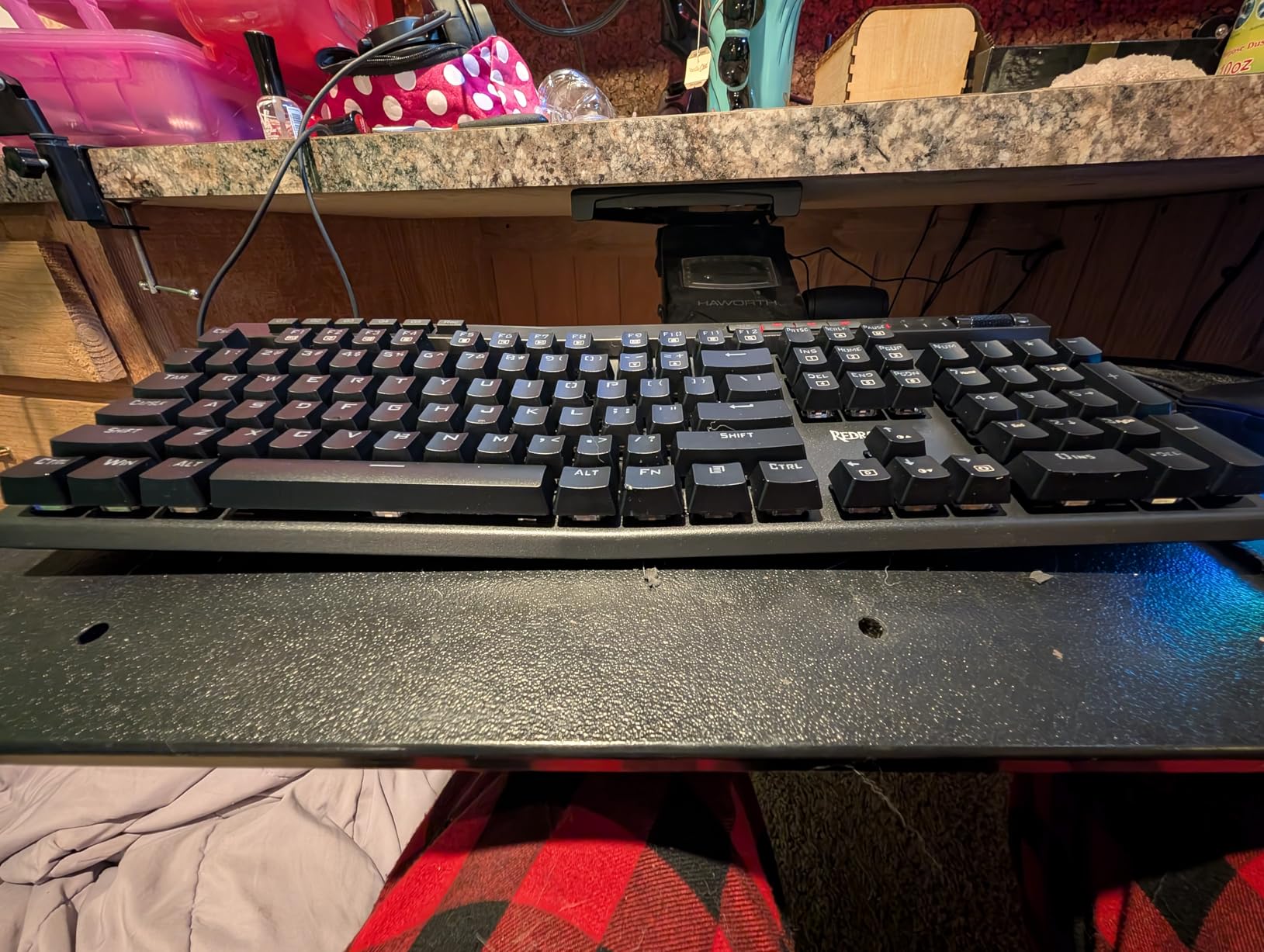
Owners mention the clicky sound takes some getting used to in shared spaces. If you need something quieter, the Logitech G413 SE uses tactile switches with a softer profile and is the most natural swap within the list.
The software is Windows-only and works best on a desktop tower. On a laptop the onboard macro recording on the G1-G5 keys covers most of what you need without installing anything.
2. Redragon K671: Best for Budget First-Timers
Redragon Mechanical Gaming Keyboard Wired, 11 Programmable Backlit Modes, Hot-Swappable Red Switch, Anti-Ghosting, Double-Shot PBT Keycaps, Light Up Keyboard for PC Mac
Switch: Linear red
Layout: Full-size 104-key
Connectivity: Wired
Extras: 11 RGB modes
+ Pros
- Hot-swappable linear red switches
- 11 programmable RGB backlight modes
- Full anti-ghosting across all keys
- Includes spare switches and 12 multimedia shortcuts
- 24-month warranty
– Cons
- Rainbow color cannot be changed
- Driver software is Windows only
First-time mechanical shoppers will find this to be the easiest entry: hot-swap flexibility and a rainbow look without overspending.
The K671 is one of the most-reviewed budget boards on Amazon, and the hot-swap socket lets you swap in Gateron or Cherry-style switches later. The 11 backlight modes are preset effects rather than per-key colors, but they look bright enough for late-night gaming.
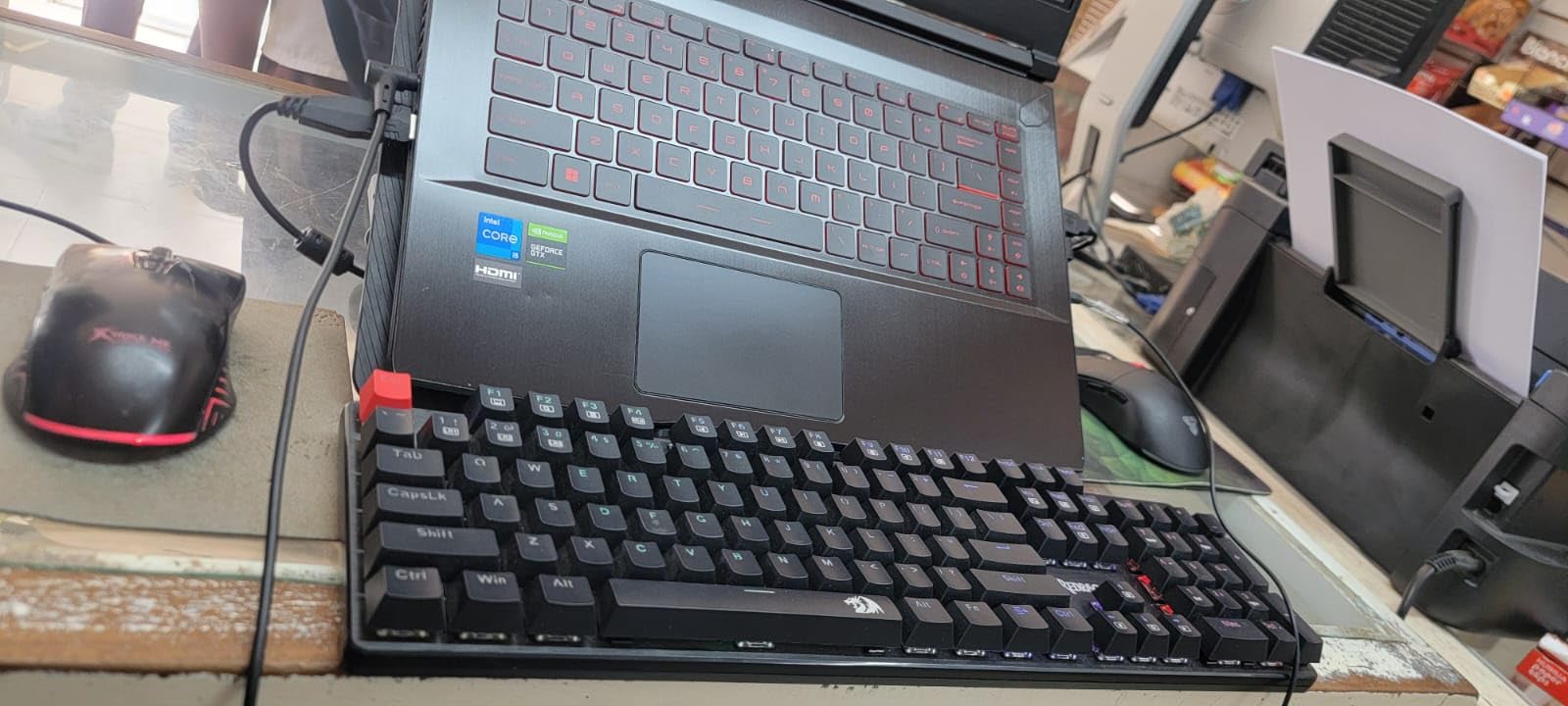
Owners note that the ABS keycaps will eventually get a slight shine after heavy use. If that matters to you, the AULA F75 Pro uses side-printed PBT keycaps and is a sensible step up.
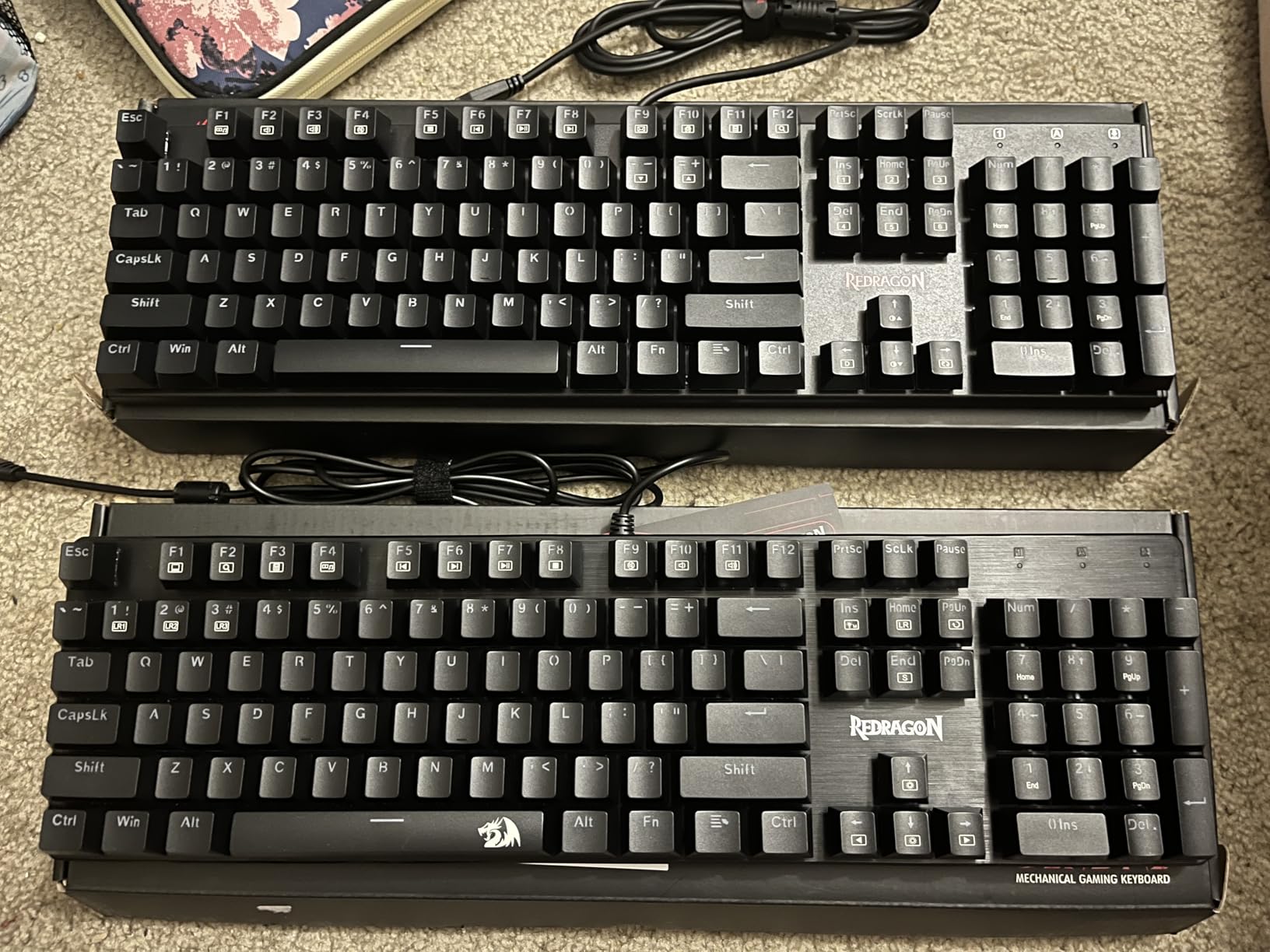
For shoppers who want wireless at a similar budget, the AULA F75 Pro is the cheapest wireless pick in this lineup; the Redragon K580 above stays wired but adds the macro keys.
3. Logitech G413 SE: Best for Aluminum Build
Logitech G413 SE Full-Size Mechanical Gaming Keyboard – Black
Switch: Tactile
Layout: Full-size 108-key
Connectivity: USB 2.0 wired
Extras: PBT keycaps
+ Pros
- PBT keycaps resist heat and shine over years
- Tactile switches with a quiet bump
- Brushed aluminum-magnesium alloy top case
- 6-key rollover anti-ghosting
- FN row shortcuts for media and lighting
– Cons
- White LED only (no RGB)
- No dedicated macro keys
Shoppers who want a clean tactile board with a metal frame and PBT keycaps that will age well should put this one on the shortlist.
The G413 SE skips RGB entirely and goes for a brushed aluminum-magnesium top case that gives it real heft on the desk. Owners describe the PBT keycaps as noticeably thicker than the ABS caps on cheaper boards, and the tactile switches feel firm without being clicky.
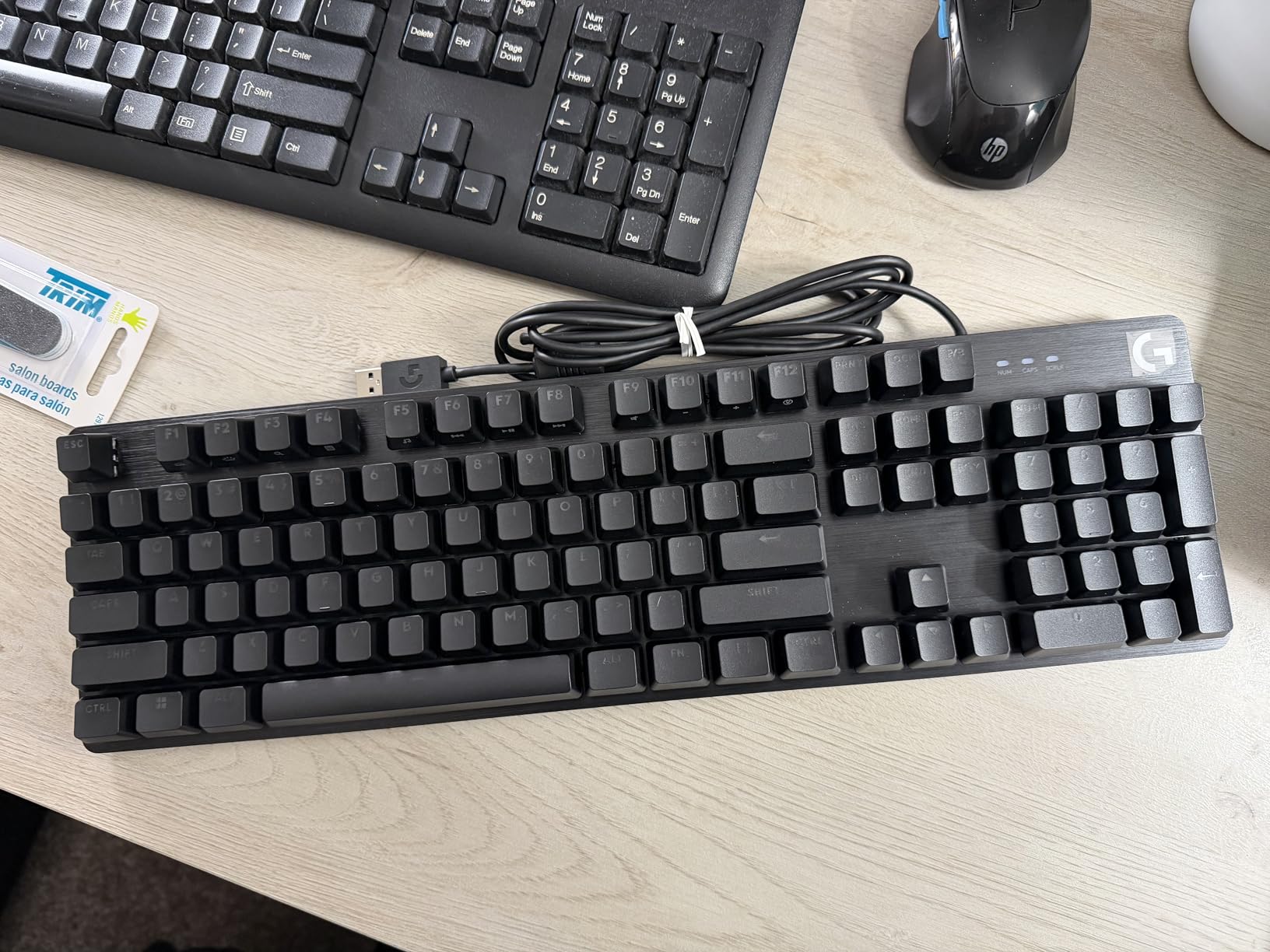
It pairs naturally with a Logitech G mouse and Logitech G HUB software. Several reviewers mention using G HUB to remap the FN row shortcuts.
The G413 SE trades the macro keys and RGB of the Redragon K580 above for sturdier keycaps and a metal frame. Pick the G413 SE if typing comfort matters more than in-game macros.
4. Logitech G213: Best for RGB Beginners
Logitech G213 Prodigy Wired RGB Gaming Keyboard – Black
Switch: Tactile mech-dome
Layout: Full-size 104-key
Connectivity: USB wired
Extras: 5 RGB zones
+ Pros
- Five customizable RGB lighting zones with LIGHTSYNC
- Integrated palm rest
- Spill-resistant construction
- Dedicated media controls
- Logitech G HUB software support
– Cons
- Mech-dome keys feel softer than true mechanical
- Some quality control reports from owners
RGB fans who want Logitech G HUB software sync without moving to a full mechanical board yet will find the G213 an easy fit.
The G213 uses Logitech’s mech-dome keys, which give a tactile bump with a softer landing than a real Cherry-style switch. The five-zone RGB lighting syncs with other Logitech G gear, and the integrated palm rest is a small perk most budget boards skip.
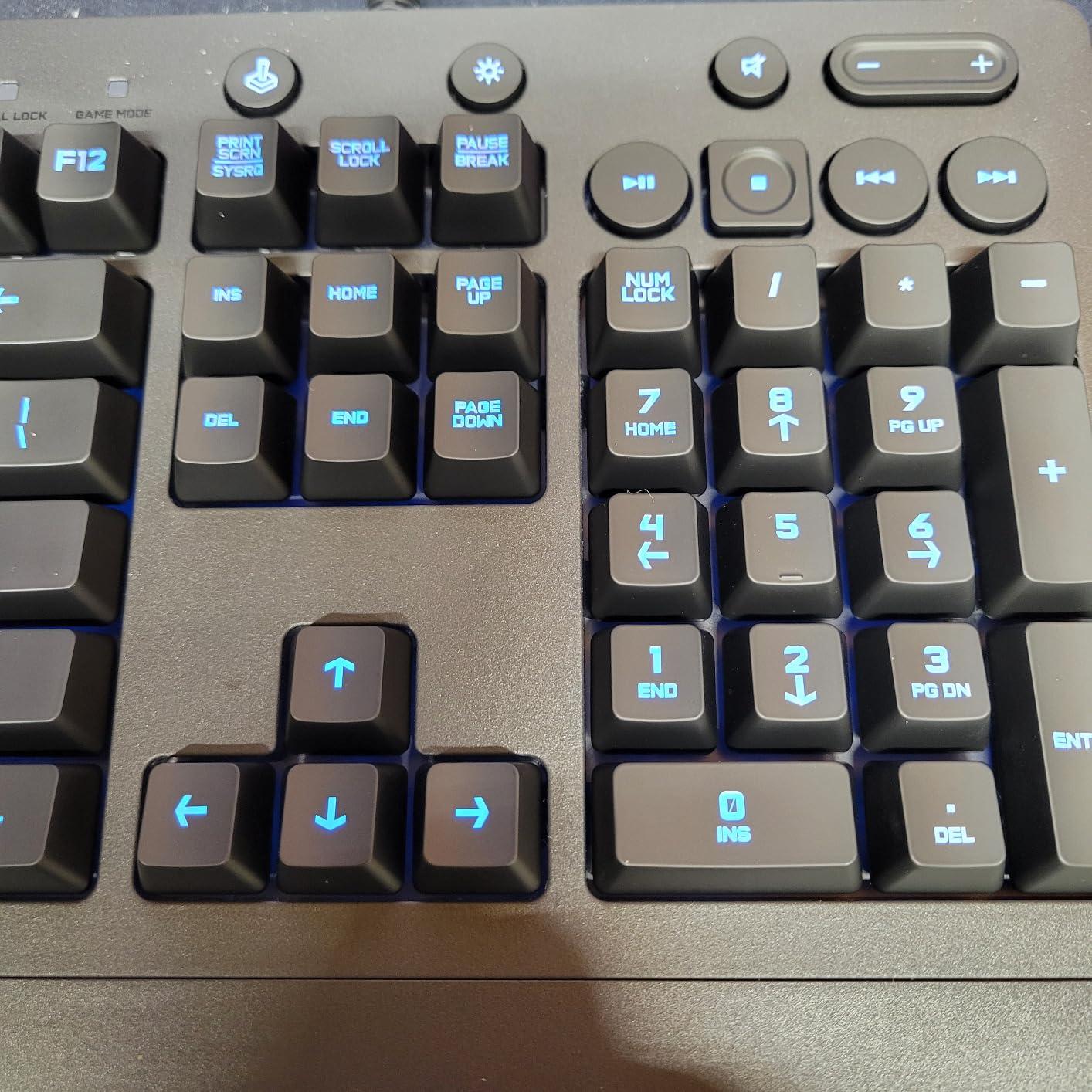
Owners note the keys feel a touch mushy compared to true mechanical switches. If a firm tactile bump is what you want, the Logitech G413 SE is the natural upgrade path within the list.
G HUB software handles lighting profiles and macro recording, so the G213 is an easy entry into Logitech’s wider ecosystem.
5. AULA F75 Pro: Best for Custom Switch Fans
AULA F75 Pro Wireless Mechanical Keyboard,75% Hot Swappable Custom Keyboard with Knob,RGB Backlit,Pre-lubed Reaper Switches,Side Printed PBT Keycaps,2.4GHz/USB-C/BT5.0 Mechanical Gaming Keyboards
Switch: Linear Reaper
Layout: 75% 81-key
Connectivity: Tri-mode
Extras: Hot-swap
+ Pros
- Tri-mode: Bluetooth 5.0 and 2.4GHz and USB-C
- Hot-swappable for 3-pin and 5-pin switches
- Pre-lubed Reaper switches and stabilizers
- Multi-function control knob
- Side-printed PBT keycaps
– Cons
- QWERTZ layout in some regions
- Windows-only driver software
Enthusiasts looking for a small-footprint 75% board with tri-mode wireless and pre-lubed switches ready to swap will land on the F75 Pro.
The F75 Pro is the smallest layout in this roundup and one of the cheapest wireless boards. Owners highlight the multi-function control knob as a smart replacement for a cluster of media keys, and the side-printed PBT keycaps keep the legends clean even after the RGB shines through.
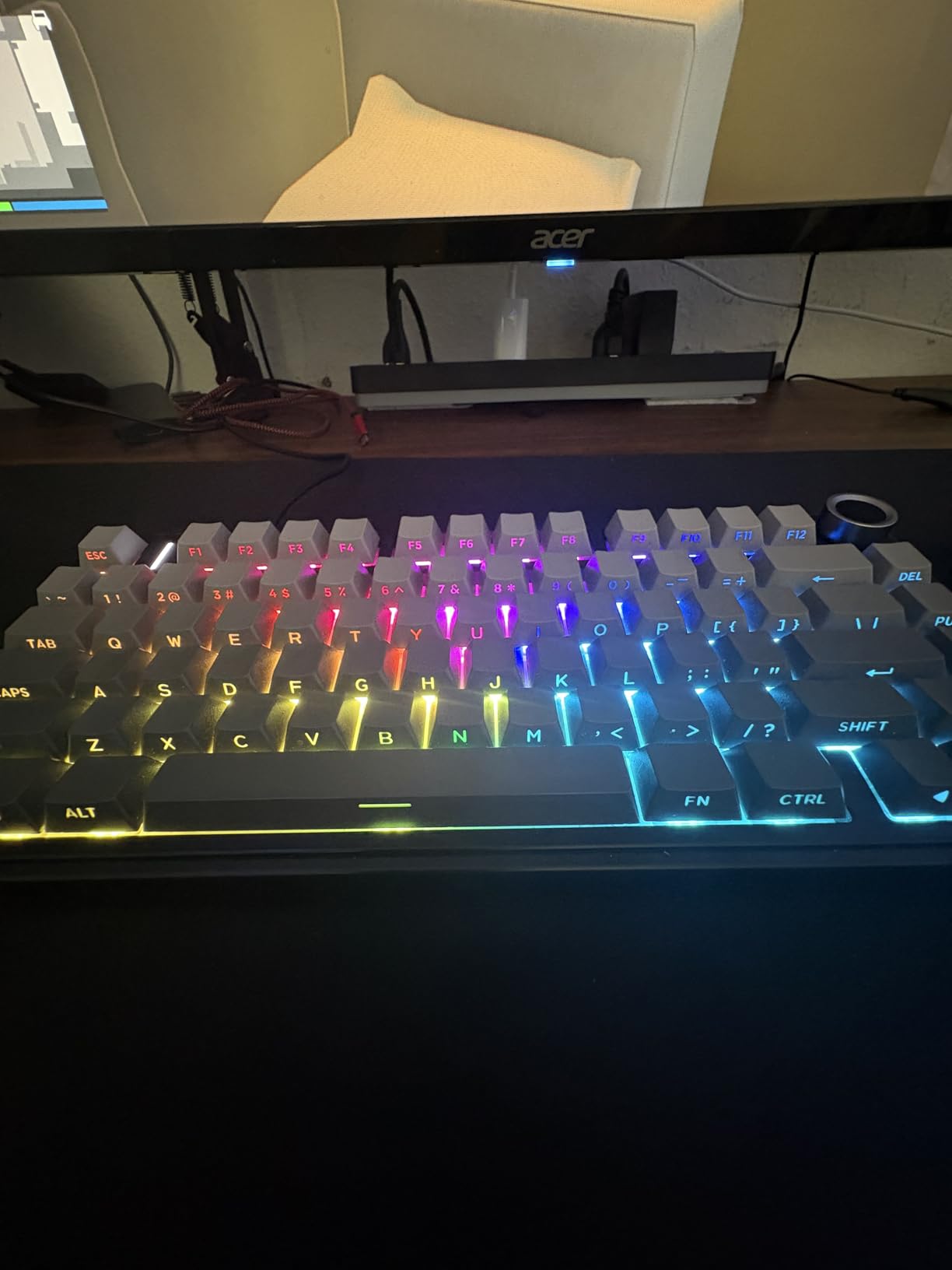
Among our picks it sits between budget wired boards and the premium Logitech MX Mechanical. Pick it if you want wireless freedom on a smaller desk footprint.
Tri-mode here means Bluetooth 5.0, 2.4GHz wireless and a USB-C cable. You can pair the keyboard with up to five devices and switch between them with a key combo.
6. AULA F99: Best for Numpad Lovers
AULA F99 Wireless Mechanical Keyboard,Tri-Mode BT5.0/2.4GHz/USB-C Hot Swappable Custom Keyboard,Pre-lubed Linear Switches,RGB Backlit Computer Gaming Keyboards for PC/Tablet/PS/Xbox
Switch: Linear
Layout: 96% 99-key
Connectivity: Tri-mode
Extras: 8000mAh battery
+ Pros
- 96% layout keeps the numpad on a smaller frame
- Pre-lubed linear switches with gasket mount
- Tri-mode wireless and USB-C wired
- 8000mAh battery
- Hot-swappable PCB
– Cons
- Spacebar can sound loud to some reviewers
- RGB does not shine through keycaps
Spreadsheet users and accountants who want the numpad but a smaller footprint than full-size will find the F99 sized just right.
The F99’s 96% layout is the sweet spot for data entry: it keeps the numpad while shrinking the arrows and the function row. The 8000mAh battery is the largest in our roundup, and owners report it lasting weeks between charges.
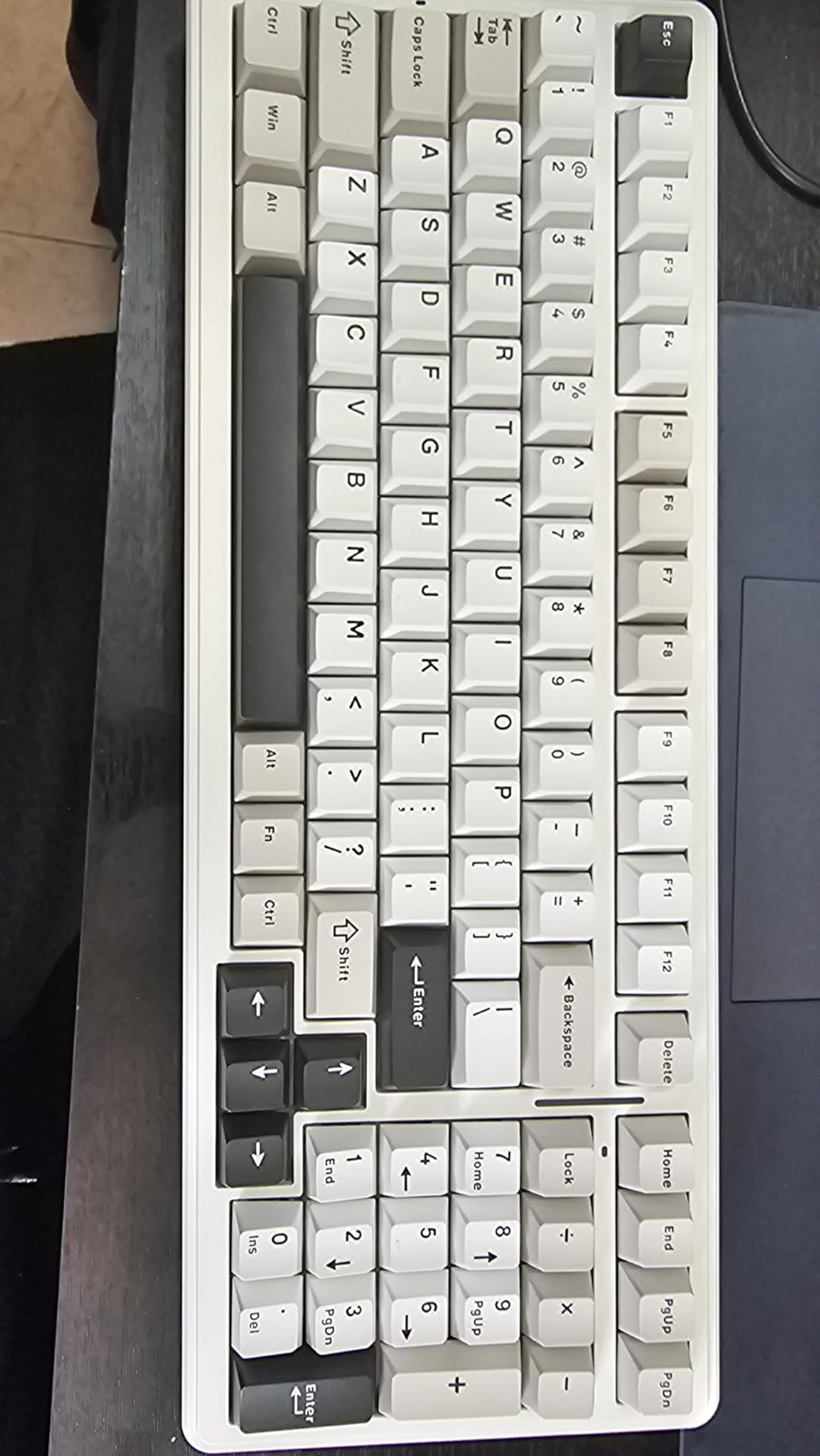
The F99 trades the 75% compact form factor of the AULA F75 Pro above for the numpad. If you live in Excel, this is the case to pick the F99.
Shoppers who want a quieter spacebar should look at the Logitech MX Mechanical instead, since some F99 owners report spacebar rattle until they mod the stabilizers.
7. Logitech MX Mechanical: Best for Quiet Office
Logitech MX Mechanical Wireless Illuminated Keyboard Tactile – Graphite
Switch: Low-profile tactile
Layout: Full-size 104-key
Connectivity: Logi Bolt
Extras: 15-day battery
+ Pros
- Low-profile tactile quiet switches
- Smart illumination auto on and off
- Multi-device pairing across three devices
- Logi Flow cross-computer control
- 15 days or 10 months battery
– Cons
- Backlight issues reported by a small number of owners
- Stabilizer squeak on spacebar reported
- No hot-swap (soldered switches)
Office workers, writers and Mac users who want a quiet low-profile mechanical that pairs across laptops will find the MX Mechanical purpose-built for it.
The MX Mechanical is the quietest board in this roundup thanks to Logitech’s low-profile tactile switches. Owners consistently mention the smart backlight that adjusts to room lighting, and the Logi Flow feature that lets one keyboard control two computers at once.
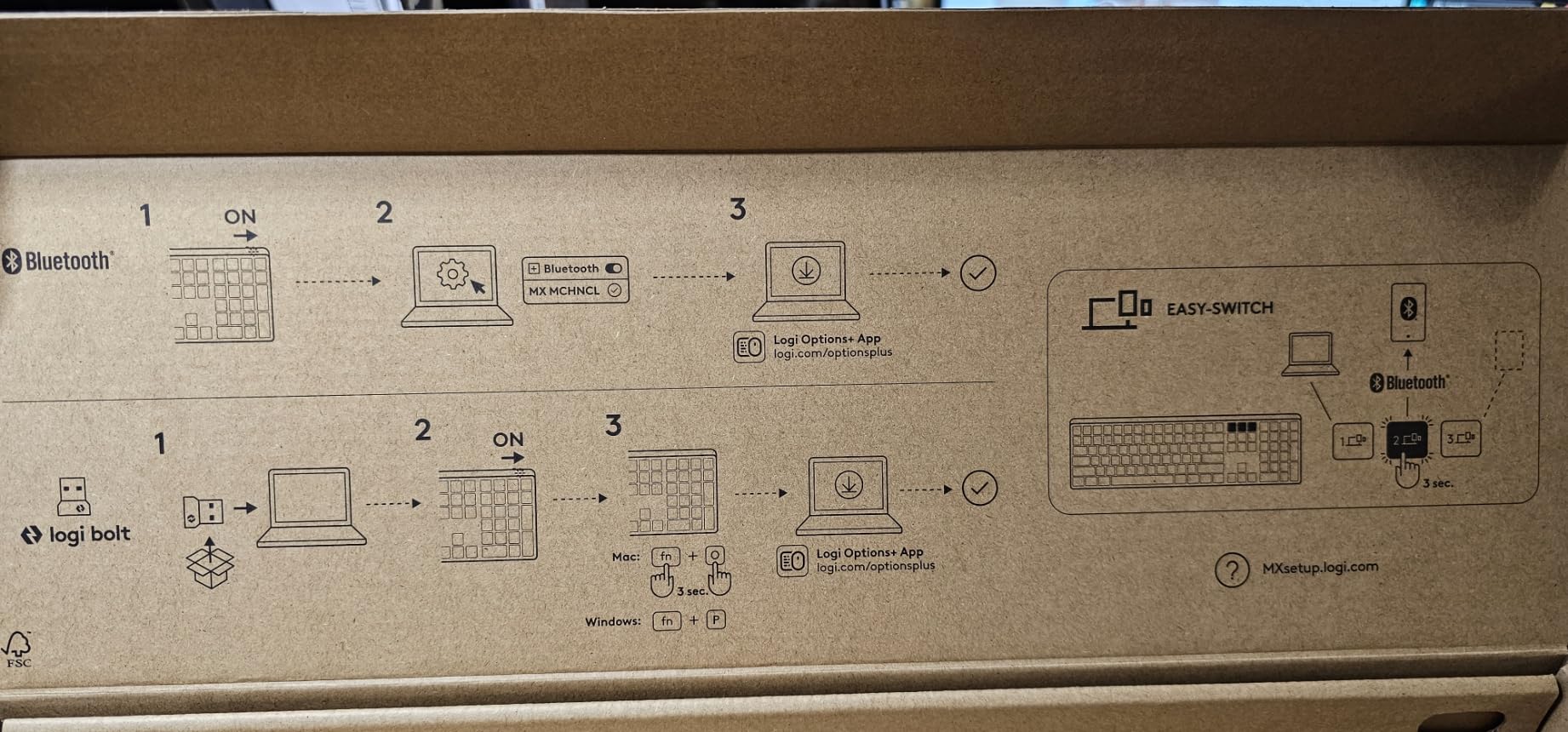
It pairs naturally with a Logitech MX Master mouse for a quiet productivity setup. For shoppers hunting wireless mechanical keyboards, this is the office-friendly pick.
The switches are soldered in, so if you want to customize later, the AULA F75 Pro is the better option.
8. SteelSeries Apex 5: Best for OLED Display Fans
SteelSeries USB Apex 5 Hybrid Mechanical Gaming Keyboard – Per-Key RGB Illumination – Aircraft Grade Aluminum Alloy Frame – OLED Smart Display (Hybrid Blue Switch)
Switch: Hybrid tactile
Layout: Full-size 104-key
Connectivity: USB
Extras: OLED display
+ Pros
- OLED smart display for game info and gifs
- Aircraft-grade aluminum alloy frame
- Per-key RGB illumination
- Hybrid tactile switches with smooth travel
- Magnetic wrist rest included
– Cons
- Hybrid switches may not satisfy switch purists
- AZERTY layout in some listings
Shoppers who want a distinctive OLED display, per-key lighting and a wrist rest in one package will find the Apex 5 hard to skip.
The Apex 5 stands out for the OLED smart display built into the top right corner. Owners use it to show Discord mute status, in-game stats and even small GIFs through SteelSeries Engine software.
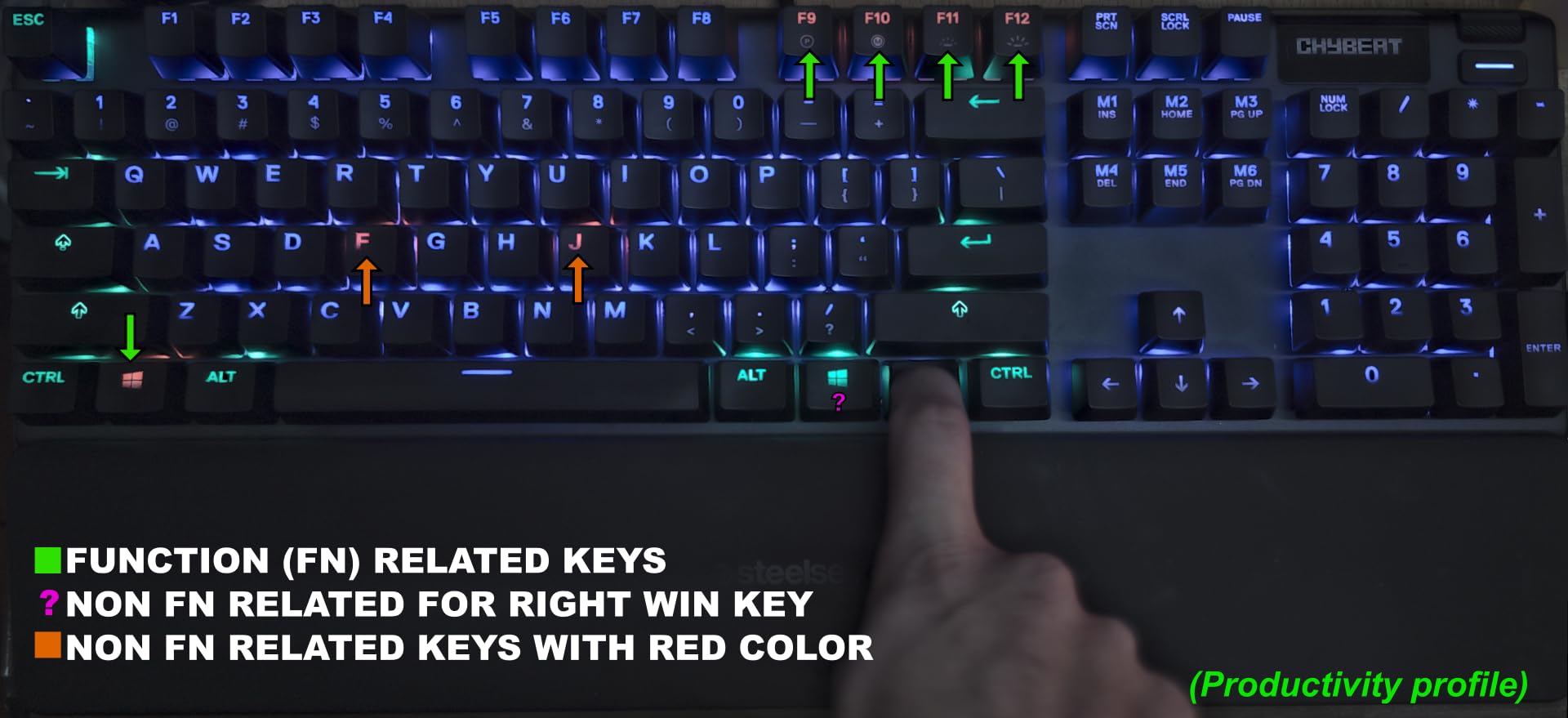
The aircraft-grade aluminum frame adds real heft, and the included magnetic wrist rest is a nice touch most boards skip. Pick the Apex 5 if you want the most premium presentation in this list.
Where the Logitech G413 SE keeps things white-only, the Apex 5 adds full per-key RGB plus the OLED display. It’s also a heavier board at 2 pounds.
9. RisoPhy Mechanical: Best for Ultra-Budget
RisoPhy Mechanical Gaming Keyboard, RGB 104 Keys Ultra-Slim LED Backlit USB Wired Keyboard with Blue Switch, Durable Abs Keycaps/Anti-Ghosting/Spill-Resistant Computer Keyboard for PC Mac Xbox Gamer
Switch: Clicky blue
Layout: Full-size 104-key
Connectivity: USB-A
Extras: 9 RGB modes
+ Pros
- Clicky blue switches with real mechanical feel
- Nine backlight modes with five brightness levels
- Ultra-slim design
- Full anti-ghosting on all keys
- Spill-resistant with hydrophobic holes
– Cons
- Clicky switches are loud
- ABS keycaps (not PBT)
- Fixed rainbow backlight
Budget shoppers who want real clicky switches and a slim profile for a small desk will feel at home on this RisoPhy.
The RisoPhy Mechanical is one of the more affordable real mechanical boards in this roundup, and one of the slimmest. Owners highlight the spill-resistant hydrophobic drain holes as a nice insurance policy for late-night coffee sessions.
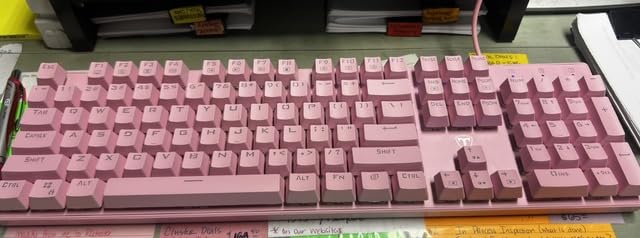
The Redragon K521 below uses a membrane mech-feel design, while the RisoPhy uses real mechanical switches. If the click and bump of mechanical matter, pick the RisoPhy.
The backlight is a fixed rainbow cycle with no per-key color control. If you want a board you can tune, the AULA F75 Pro is the next step up.
10. Redragon K521: Best for Casual Setups
Redragon K521 Upgrade Rainbow LED Gaming Keyboard, 104 Keys Wired Mechanical Feeling Keyboard with Multimedia Keys, One-Touch Backlit, Anti-Ghosting, Compatible with PC, Mac, PS4/5, Xbox
Switch: Membrane
Layout: Full-size 104-key
Connectivity: USB-A
Extras: Wide console support
+ Pros
- Lowest price in our roundup
- Mechanical-feeling membrane keys
- Rainbow LED backlight with brightness levels
- Wide compatibility: PC and Mac and PS4 and PS5 and Xbox
- 19-key anti-ghosting
– Cons
- Membrane keys (not true mechanical switches)
- Keys can feel mushy to mechanical users
Console gamers and casual PC users who want an inexpensive full-size board with rainbow LED and wide device support will find the K521 fits the bill.
The K521 is the cheapest pick on our list and has the largest review base. It’s a membrane mech-feel design rather than true mechanical, so the typing feel is softer than every other board here. The wide console compatibility (PC, Mac, PS4, PS5, Xbox) is the real draw.
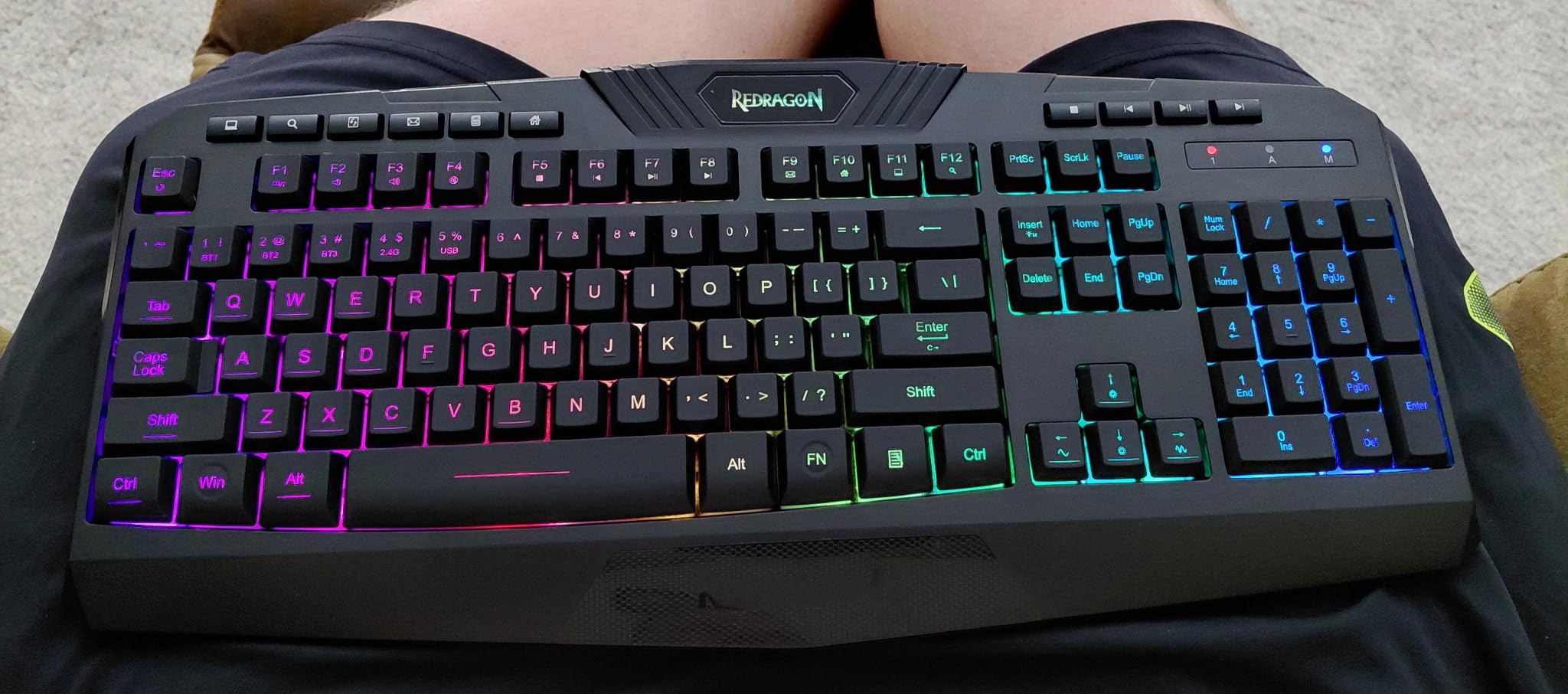
If you only play on a console or share the keyboard across a TV setup, this is the case where the K521 earns its slot. For pure mechanical feel, the RisoPhy above is the next step up at a similar price.
The one-touch lighting button on the top right cycles between rainbow, breathing and off without any extra software needed.
How to Choose Mechanical Keyboards During Prime Big Deal Days
Pick the right switch type for how you type and play
Linear switches (red) are smooth and quiet, which makes them popular for gaming and fast typing. Tactile switches (brown) have a small bump without the loud click, and clicky switches (blue) add an audible click on top of the bump. Most shoppers in our list who want an all-day typing experience end up on tactile, while clicky remains the gaming classic.
Match the layout to the space on your desk
Full-size boards include the numpad and are great for spreadsheets. 75% boards drop the numpad for a smaller footprint, while 96% boards keep the numpad but shrink the function row. For shoppers considering low profile mechanical keyboards specifically, the Logitech MX Mechanical in this list is the office pick.
Choose between wired and wireless during the sale
Wired boards tend to be cheaper and never need charging, which is why most budget picks here stay wired. Wireless boards like the AULA F75 Pro and the Logitech MX Mechanical pair with multiple devices and clean up the desk. For shoppers who want wired keyboards for gaming and work, the Redragon K580 and the SteelSeries Apex 5 are the strongest picks.
Look for hot-swap if you want to customize later
Hot-swap boards let you change switches without soldering. Several picks here, including the Redragon K671, the AULA F75 Pro and the AULA F99, ship with hot-swap sockets. If you think you’ll want to try new switches later, that’s a feature worth waiting for during the sale.
Decide if RGB lighting matters
Per-key RGB adds an element of view but also cost. Some boards like the G413 SE skip RGB for a clean white look, while boards like the Apex 5 offer full per-key customization. If lighting doesn’t matter, the G413 SE is the better pick.
How to shop mechanical keyboard deals during the sale
Look at the listing for the model number and the switch color before you add a board to your cart. Listings sometimes change switches without updating the photo, so the spec sheet is the most reliable place to confirm. Check who sells and ships the board; third-party sellers can mean different return terms. Most Prime Big Deal Days offers need a Prime membership, and prices change through the event.
- Confirm the model number and switch color on the spec sheet.
- Check that the seller ships and that returns go through Amazon.
- Compare list prices before the sale so you can spot the real discount.
- Add the picks you want to your cart early; stock can swing during the event.
- Have a backup pick ready in case your top choice sells out.
Frequently Asked Questions
When does the Prime Big Deal Days mechanical keyboard sale run?
Amazon’s Prime Big Deal Days runs October 6-7, 2026. Mechanical keyboard deals appear during that two-day window, with prices sometimes shifting across the event so it pays to check both days.
Do I need Prime to get mechanical keyboard deals during Prime Big Deal Days?
Most Prime Big Deal Days offers need a Prime membership, and a free trial counts. A handful of mechanical keyboards may stay available without Prime, but the deepest prices during the sale are usually gated behind a membership.
Are mechanical keyboards usually discounted during Prime Big Deal Days?
Yes. Prime Big Deal Days is one of the better times of year to find mechanical keyboard deals, including on premium models. Stock and pricing change by the hour, so it helps to add a shortlist before the sale opens.
Which switch type should I pick on a mechanical keyboard deal?
Tactile switches are a safe default for typing and office work. Linear switches feel smoother and are popular for gaming. Clicky switches add the loudest feedback and work best in a private space where noise is not a concern.
What layout should I look for in a mechanical keyboard deal?
Full-size boards include the numpad and suit data entry. 75 percent boards drop the numpad for a smaller footprint, and 96 percent boards keep the numpad while shrinking the function row. Pick the layout that matches your desk and your daily workload.
How much should I spend on a mechanical keyboard during Prime Big Deal Days?
Entry-level mechanical keyboards with hot-swap and RGB can be found at budget prices during the sale. Mid-range boards with hot-swap, wireless and pre-lubed switches land a step higher. Premium boards with low-profile switches or aluminum frames sit at the top of the price band.
Final Verdict: Mechanical Keyboard Deals for Prime Big Deal Days
Buy the Redragon K580 if you want the best overall pick with macro keys, hot-swap switches and a wired gaming build. Buy the Redragon K671 as a budget-friendly alternative if you want hot-swap and RGB without overspending. Buy the Logitech G413 SE if aluminum build and PBT keycaps matter more than RGB, and the AULA F75 Pro if you want a wireless 75% board with pre-lubed switches.
For shoppers hunting mechanical keyboard deals for Prime Big Deal Days, add your top picks to your cart on October 6-7, 2026 and watch the prices through both days of the sale.
Leave a Reply