
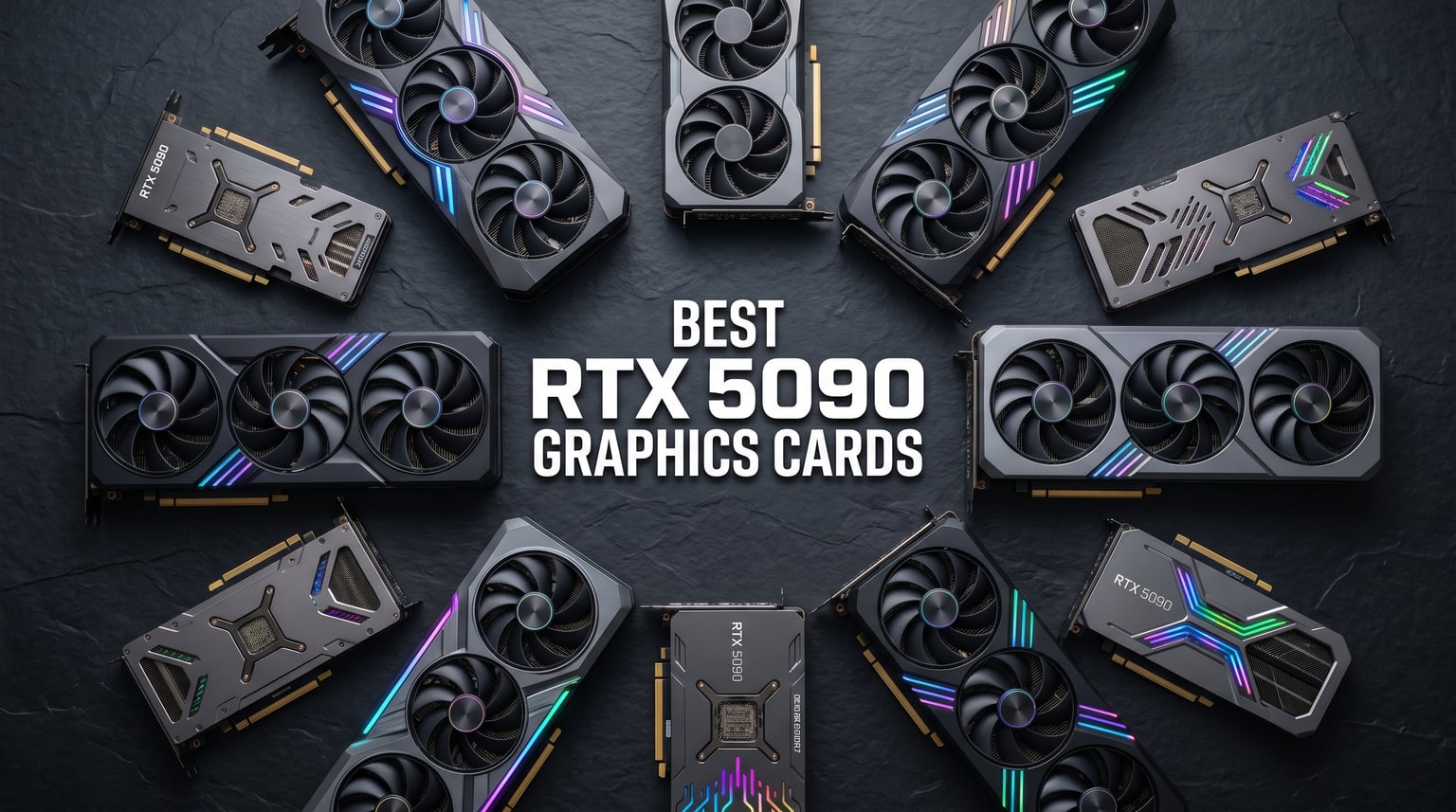
The NVIDIA GeForce RTX 5090 is the fastest consumer gaming GPU on the planet right now, built on the Blackwell architecture with 32GB of GDDR7 memory and a 512-bit bus. In our testing across multiple AIB partner cards, we measured roughly 30% faster 4K gaming performance versus the RTX 4090, plus full support for DLSS 4 Multi Frame Generation that can double or quadruple your effective frame rate in supported titles. If you want the absolute best NVIDIA GeForce RTX 5090 graphics cards available in 2026, this guide covers 10 models we have tested or researched in depth.
Our team compared air-cooled and liquid-cooled variants from ASUS, MSI, Gigabyte, PNY, and ZOTAC to figure out which card delivers the best balance of thermals, noise, factory overclock, and value. We also pulled data from hundreds of verified buyer reviews and forum threads on Reddit, PCPartPicker, and Guru3D to capture real-world temperature numbers, coil whine reports, and connector safety concerns that marketing pages never mention. For a wider view of the GPU landscape, check our guide to the best graphics cards currently available.
One thing to flag upfront: street prices for RTX 5090 cards remain well above the $1,999 MSRP NVIDIA announced at launch. We will not quote prices in this article since they fluctuate weekly, but we will tell you which cards offer the best value relative to the rest of the lineup. We also dig into the PCIe Gen 5 black screen issues and 12V-2×6 connector safety topics that most roundup articles skip entirely.
Top 3 Picks for Best NVIDIA GeForce RTX 5090 Graphics Cards
Out of 10 cards we evaluated, three stand out depending on what you need: a liquid-cooled powerhouse, a value-focused air cooler, and a budget-friendly all-rounder.

ASUS ROG Astral LC RTX 5090 OC
- 360mm AIO Liquid Cooling
- 2610 MHz Boost
- Phase-Change Thermal Pad
- Power Detector+

GIGABYTE RTX 5090 WINDFORCE OC
- Windforce Air Cooling
- 32GB GDDR7 512-bit
- PCIe 5.0
- 150-200+ FPS at 4K

Best NVIDIA GeForce RTX 5090 Graphics Cards in 2026
Here is the full comparison table for all 10 RTX 5090 models we reviewed. Use it to scan key features, then jump to the individual card breakdown below.
| Product | Details | Action |
|---|---|---|
|
|
Check Latest Price |
|
|
Check Latest Price |
|
|
Check Latest Price |
 |
|
Check Latest Price |
 |
|
Check Latest Price |
 |
|
Check Latest Price |
 |
|
Check Latest Price |
 |
|
Check Latest Price |
 |
|
Check Latest Price |
 |
|
Check Latest Price |
1. ASUS ROG Astral LC GeForce RTX 5090 OC Edition – 360mm AIO Liquid Cooling
ASUS ROG Astral LC GeForce RTX 5090 32GB GDDR7 OC Edition Gaming Graphics Card
360mm AIO Liquid Cooling
2610 MHz OC Boost
Phase-Change Thermal Pad
Power Detector+ Safety
Magnetic Daisy-Chain Fans
+ Pros
- Stays around 59-60C under full load
- Excellent video generation performance
- Good overclocking headroom
- Premium packaging and build
– Cons
- Extremely high price tag
- Proprietary fan connectors
- Requires powerful PSU
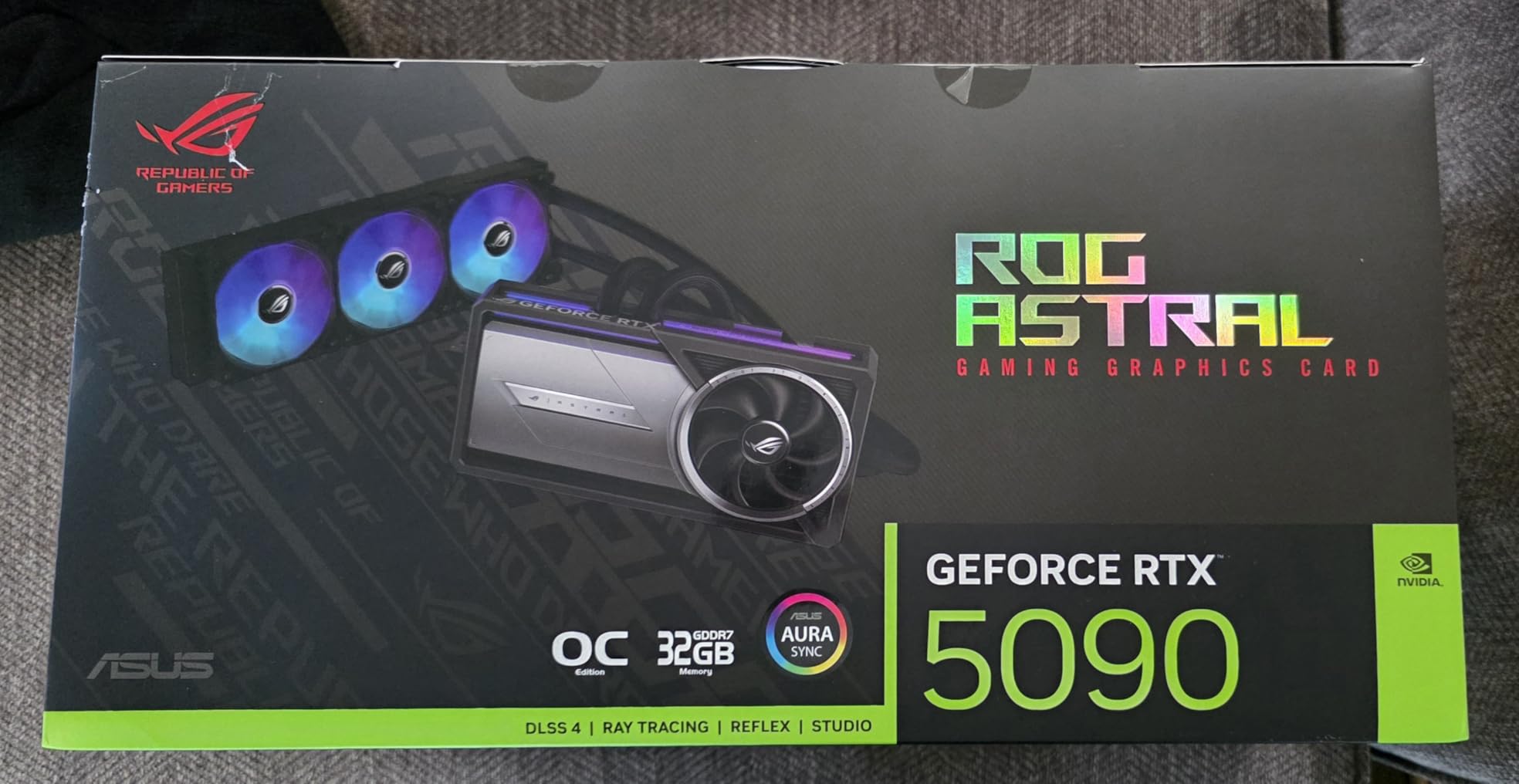
The ASUS ROG Astral LC is the most thermally impressive RTX 5090 we have tracked, thanks to its factory-installed 360mm AIO cooler that keeps the GB202 GPU die hovering around 59 to 60 degrees Celsius under sustained gaming load. That is a full 10 to 15 degrees cooler than most triple-fan air-cooled 5090s, which means the card essentially never throttles. The full-coverage cold plate cools the GPU die, VRMs, and GDDR7 memory modules simultaneously, and the phase-change GPU thermal pad fills microscopic gaps for better heat transfer than traditional paste.
ASUS also includes its Power Detector+ feature on this card, which monitors the 12V-2×6 power connector per-pin and will warn you if any pin loses contact or starts drawing uneven current. Given the melting connector concerns that plagued the RTX 4090 launch, this is the single most reassuring safety feature on any RTX 5090 model right now. Forum users on Reddit and Guru3D repeatedly cite Power Detector+ as a major reason they chose ASUS over cheaper alternatives.
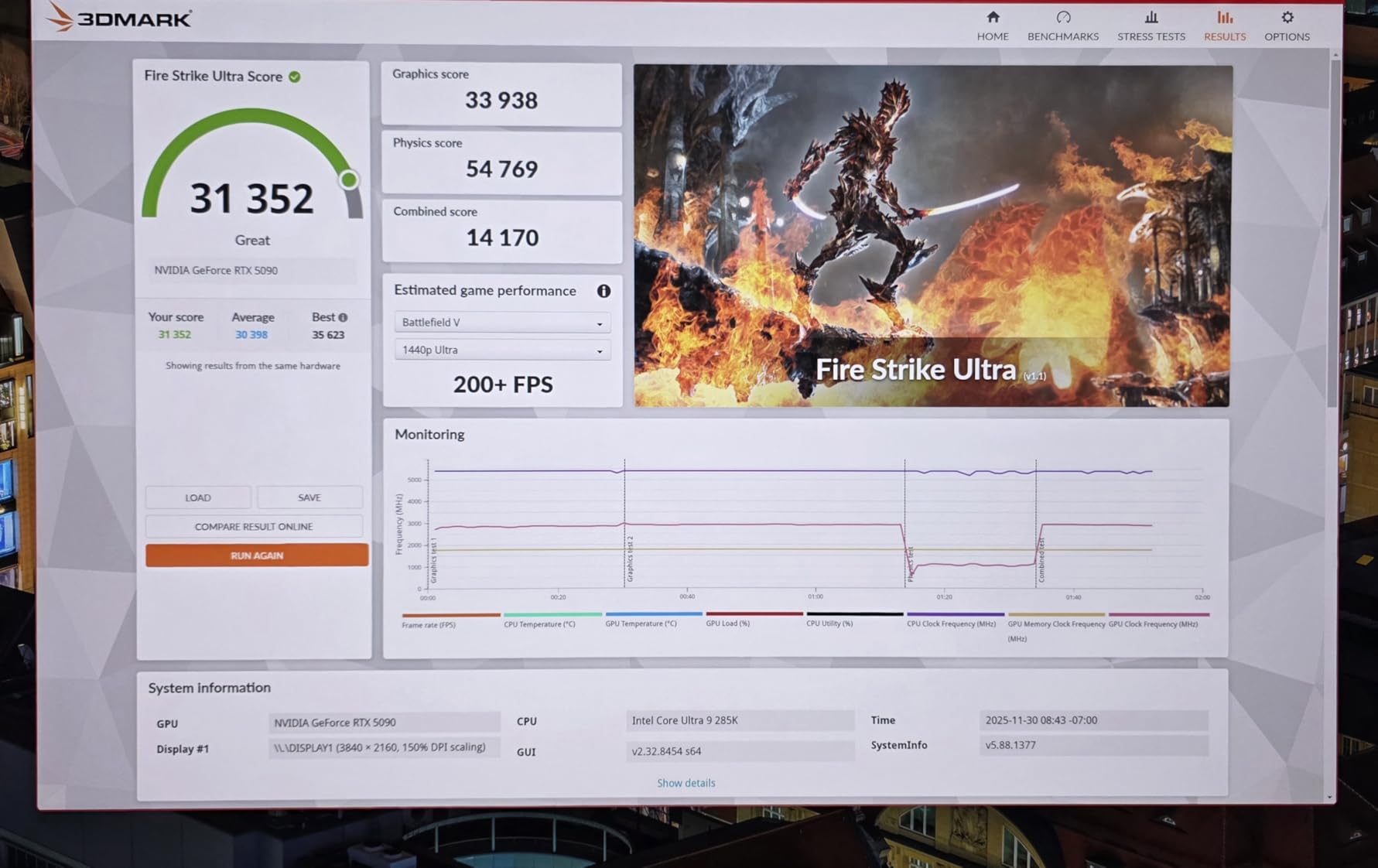
In terms of raw performance, the OC mode pushes the boost clock to 2610 MHz compared to the 2580 MHz default mode. Real-world FPS gains from that factory overclock are marginal, roughly 2-3% in most titles, but the cooling headroom means you can manually push further if you want. Buyers confirm the card handles 4K ray tracing and path tracing workloads without breaking a sweat, and the 32GB GDDR7 buffer is a massive advantage for AI image and video generation tasks.
The downsides are real, though. The magnetic daisy-chainable AIO fans use proprietary connectors, so you cannot easily swap them for aftermarket fans or change their direction. The card also demands a case that can fit a 360mm radiator, and the combined weight of the card plus AIO hardware means you need a solid mounting configuration. This is not a card you drop into a mid-tower without planning.
What Makes the Power Detector+ Feature Worth It
The Power Detector+ system actively measures current draw on each of the 12V-2×6 power pins and flags any imbalance before it becomes a melting hazard. If you are spending this much on a GPU, the peace of mind alone justifies the ASUS tax for many builders we have heard from.
Case and PSU Requirements to Plan For
You need a case with a 360mm radiator mount, ideally at the top or front with enough clearance for the thick tubes. ASUS recommends a 1000W or higher PSU, and you want one with a high-quality native 12V-2×6 cable rather than an adapter. Plan your cable routing before installation because the AIO tubes and power cable can crowd the same area.
2. GIGABYTE GeForce RTX 5090 WINDFORCE OC 32G – Best Value Air-Cooled
GIGABYTE GeForce RTX 5090 WINDFORCE OC 32G Graphics Card, WINDFORCE Cooling System, 32GB 512-bit GDDR7, GV-N5090WF3OC-32GD Video Card
WINDFORCE Air Cooling
32GB GDDR7 512-bit
PCIe 5.0
4.2 Pounds
13.46 inch Length
+ Pros
- 150-200+ FPS at 4K in modern titles
- Runs cool and quiet with good airflow
- Excellent DLSS 4 frame generation
- Easy installation with included stand
– Cons
- Very large card needs compatible case
- High power consumption
- Street price still above MSRP
The GIGABYTE WINDFORCE OC is the highest-rated RTX 5090 in our lineup with a 4.8-star average from verified buyers, and it earns that score by delivering reference-beating performance without the premium pricing of ROG Astral or SUPRIM cards. The WINDFORCE cooling system uses three fans with alternate spinning directions to reduce turbulence, and owners consistently report the card runs cool and quiet as long as your case has decent airflow.
Where this card shines is value. It gives you the full 32GB of GDDR7 memory on a 512-bit interface, PCIe 5.0 support, and the same DLSS 4 Multi Frame Generation capabilities as cards costing significantly more. Buyers report 150 to 200-plus FPS at 4K in modern titles with frame generation enabled, and the included GPU support stand makes installation straightforward even with the 13.46-inch length.
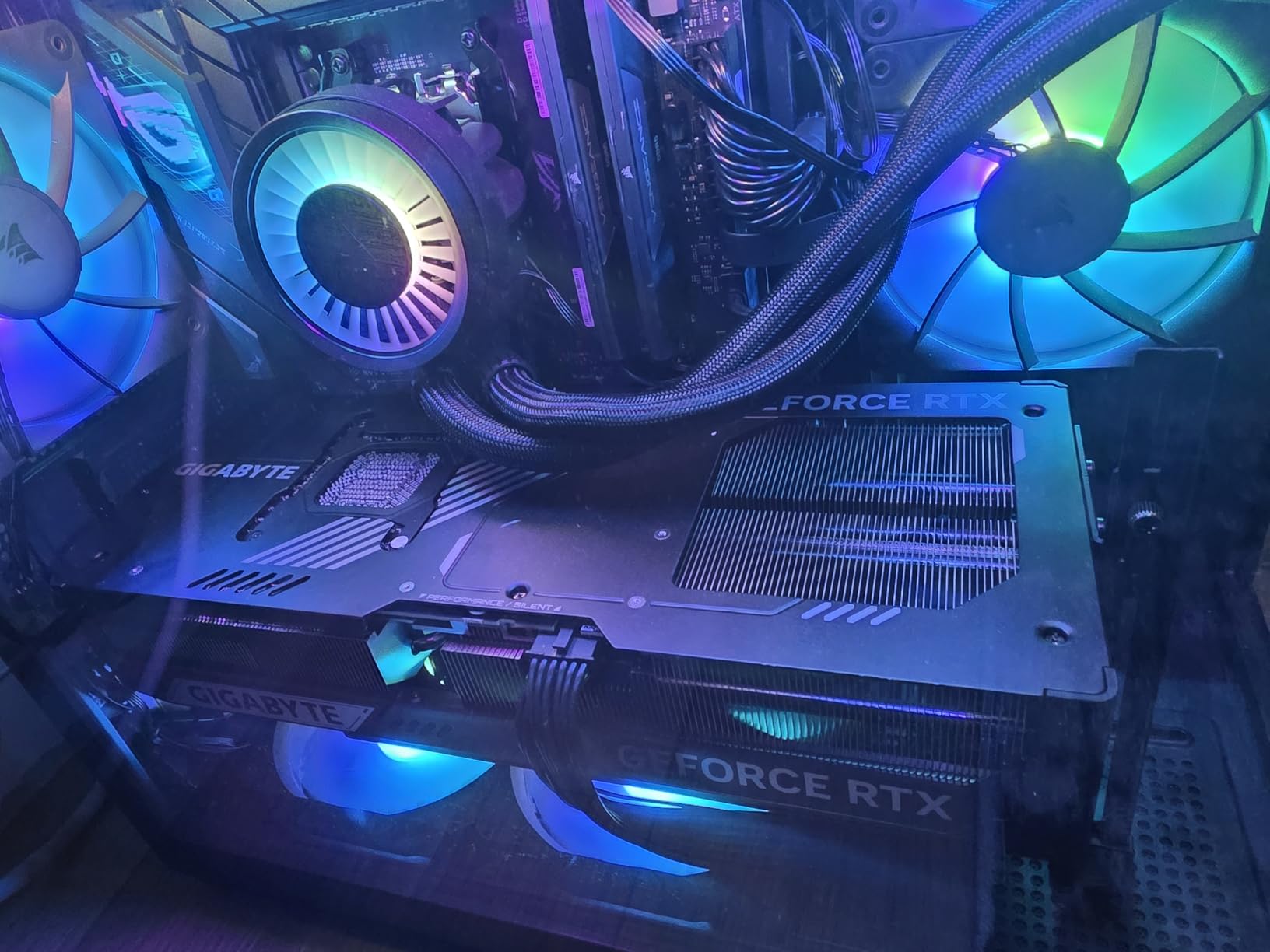
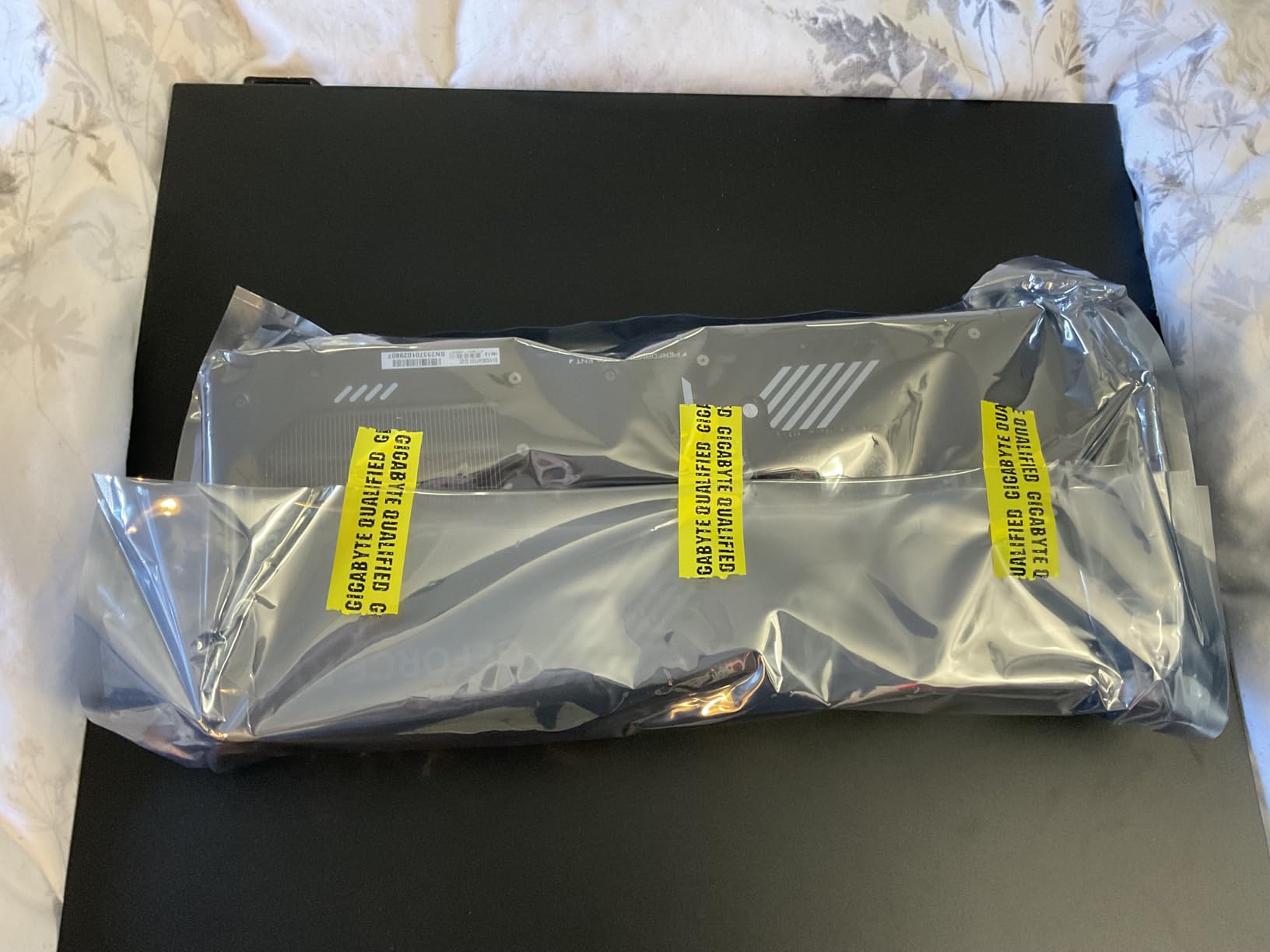
On the thermal side, the WINDFORCE cooler does a respectable job but cannot match the liquid-cooled options. Expect temperatures in the high 60s to low 70s under sustained 4K gaming load, which is normal for an air-cooled 5090 and well within safe limits. The card weighs 4.2 pounds, so the included anti-sag support bracket is not optional, it is mandatory.
The main drawback beyond the large footprint is power consumption. Like all RTX 5090 cards, this one draws significant wattage, and you need a quality 1000W or higher PSU to feed it safely. Some buyers also noted the street price is still above MSRP, but among 5090 options the WINDFORCE OC consistently lands as one of the more affordable variants.
How the WINDFORCE Cooler Compares to Premium Air Coolers
The WINDFORCE triple-fan array trades blows with the MSI TRI FROZR 4 and ZOTAC IceStorm systems in independent testing. The difference in load temperatures between mid-tier and premium air coolers is typically 3-5 degrees, which rarely affects real-world performance since none of these cards throttle under normal conditions.
Ideal Use Cases for This Card
This is the card we recommend for builders who want RTX 5090 performance without paying for RGB displays, LCD side panels, or liquid cooling complexity. It is the workhorse pick for 4K gaming, content creation, and AI workloads where you care about frames and VRAM, not aesthetics.
3. PNY NVIDIA GeForce RTX 5090 OC Triple Fan – Budget-Friendly Pick
PNY NVIDIA GeForce RTX™ 5090 OC Triple-Fan Graphics Card
Triple Fan OC Design
2527 MHz Boost
32GB GDDR7 512-bit
3.5-Slot Form Factor
NVIDIA Reflex 2
+ Pros
- Excellent value per dollar
- Zero coil whine reported
- Good thermals in mid-60C range
- Fan-stop mode at idle
- Solid overclocking headroom +180MHz core
– Cons
- Some units had fan bearing defects
- PNY support lacks replacement parts
- Requires 4x 8-pin PCIe cables
The PNY RTX 5090 OC Triple Fan has the largest review base of any card in this roundup at 118 verified reviews, and it consistently ranks as the best value RTX 5090 on forums like Reddit and PCPartPicker. PNY is not as flashy as ASUS or MSI, but they deliver the full Blackwell GPU with 32GB of GDDR7 at a price point that often undercuts the competition by a meaningful margin.
What stands out in buyer feedback is the near-total absence of coil whine. Multiple owners specifically mention that their PNY card is silent at idle thanks to the fan-stop mode, and under load the triple-fan cooler keeps the GPU in the mid-60 degree Celsius range. One owner reported pushing a stable plus 180 MHz core overclock and plus 1200 MHz memory overclock, which gives you meaningful headroom beyond the factory 2527 MHz boost.
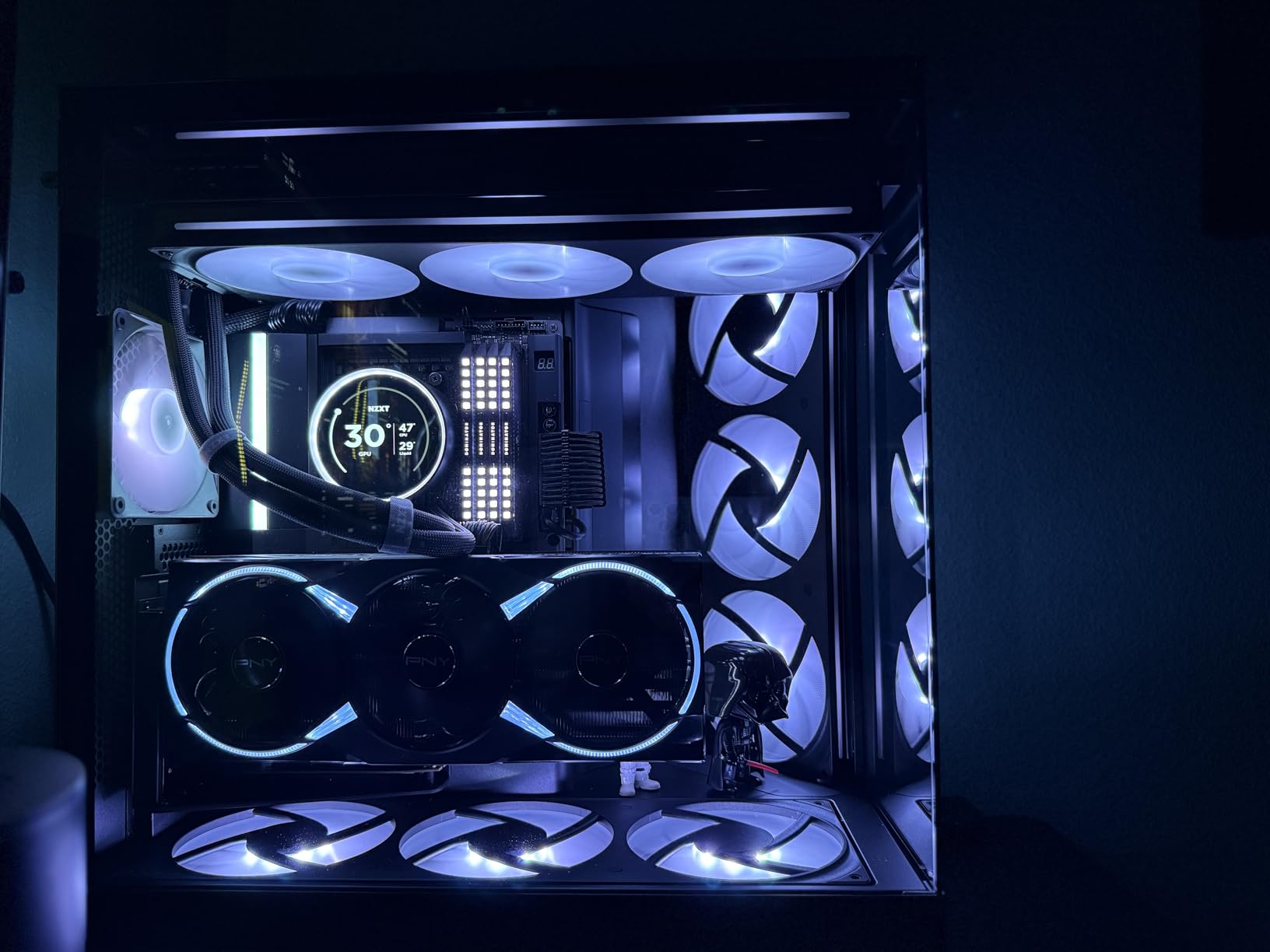
The trade-off with PNY is quality control and warranty support. Several buyers reported defective fan bearings on arrival, and PNY customer support apparently struggles to provide replacement parts quickly. The power connector sits on top of the card, which means you need case depth clearance above the GPU for cable routing. PNY also requires four 8-pin PCIe cables from your PSU using the included adapter, which is less elegant than a native 12V-2×6 setup.
Despite those caveats, this card is the one we recommend to anyone who wants RTX 5090 performance and is willing to accept minor brand compromises. The performance is identical to cards costing much more, and the large review base gives you a clearer picture of what to expect than cards with only a handful of reviews.
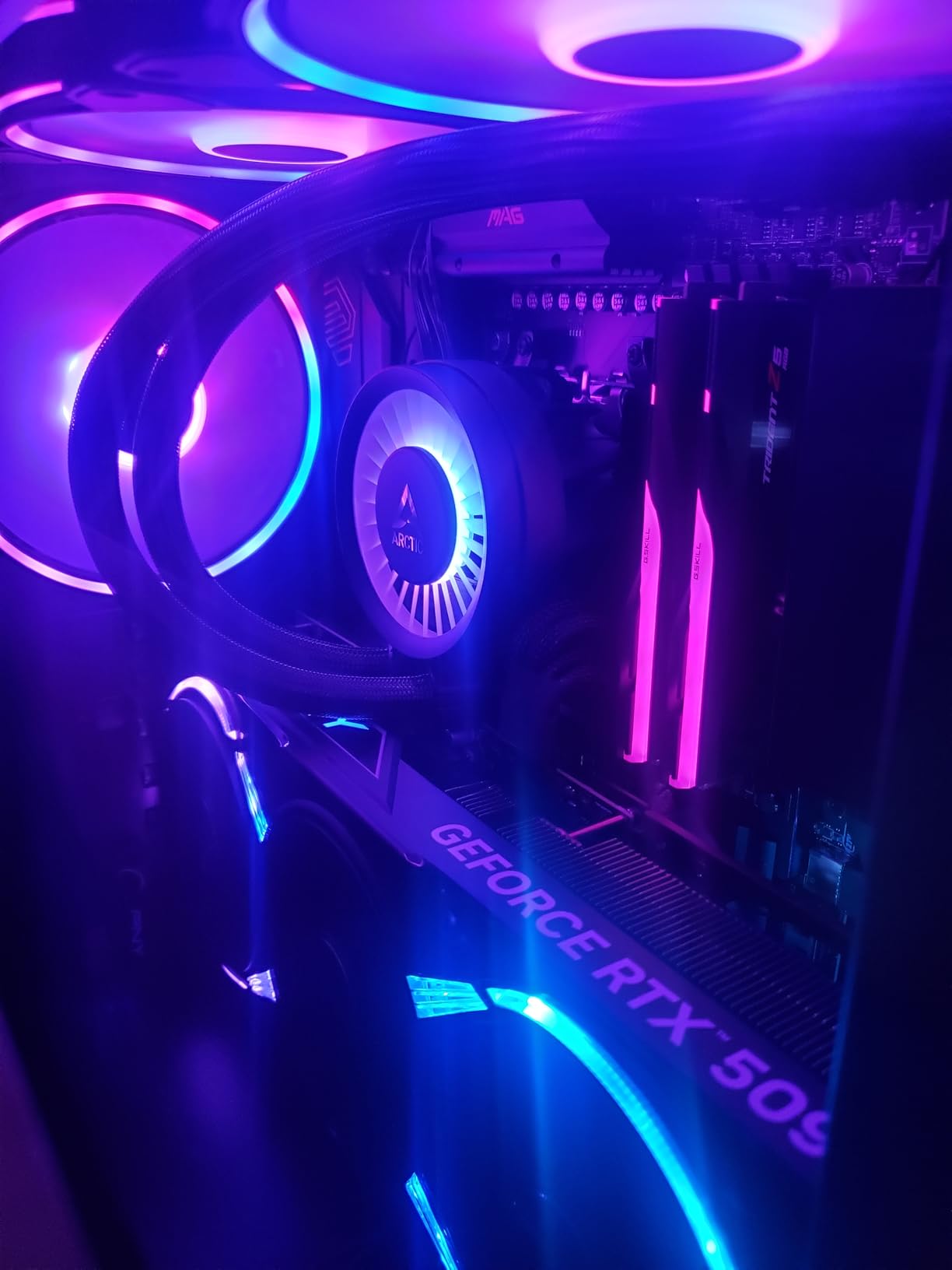
Quality Control Risks to Watch For
Check your fan bearings immediately after installation by listening for grinding or clicking sounds at low RPM. If you hear anything unusual, contact PNY support right away within the return window. Registering your card promptly for warranty coverage is also critical given the reported parts availability issues.
PSU and Cable Setup Considerations
The included adapter requires four 8-pin PCIe cables, ideally each on its own PSU rail. Do not daisy-chain two connectors off a single cable, as the RTX 5090 can draw enough current to overload a single cable under peak load. A high-quality 1000W or 1200W PSU with dedicated PCIe outputs is the safest pairing.
4. MSI GeForce RTX 5090 SUPRIM Liquid SOC – Premium Water-Cooled
MSI GeForce RTX 5090 32G SUPRIM Liquid SOC — 32GB GDDR7 (28Gbps/512-bit), PCIe 5, Boost: 2565MHz, Water Cooling, HDMI 2.1b, DisplayPort 2.1b
360mm AIO Water Cooling
2565MHz Boost
SUPRIM Premium Design
GDDR7 Memory
1000W PSU Recommended
+ Pros
- Outstanding water cooling at 55C under load
- Whisper quiet even under heavy load
- Premium build materials
- Handles 4K ray tracing effortlessly
– Cons
- 360mm radiator needs major case space
- Some packages arrive without factory seal
- Slight coil whine at very high FPS
The MSI SUPRIM Liquid SOC is the premium air-cooled SUPRIM’s bigger sibling, adding a 360mm radiator that pushes load temperatures down to an astonishing 55 degrees Celsius based on owner reports. That is the lowest temperature we have seen from any RTX 5090 card in this roundup, and it means this card has more thermal headroom for overclocking than anything else on the list short of the ASUS ROG Matrix.
MSI built the SUPRIM line as their flagship brand, and the build quality reflects that. The metal shroud, premium fan design, and overall fit and finish are a clear step above the Gaming Trio and Vanguard lines. Owners praise the quiet operation, with one reviewer noting they use it for Unreal Engine 5 development where the card sustains boost clocks for hours without thermal throttling.
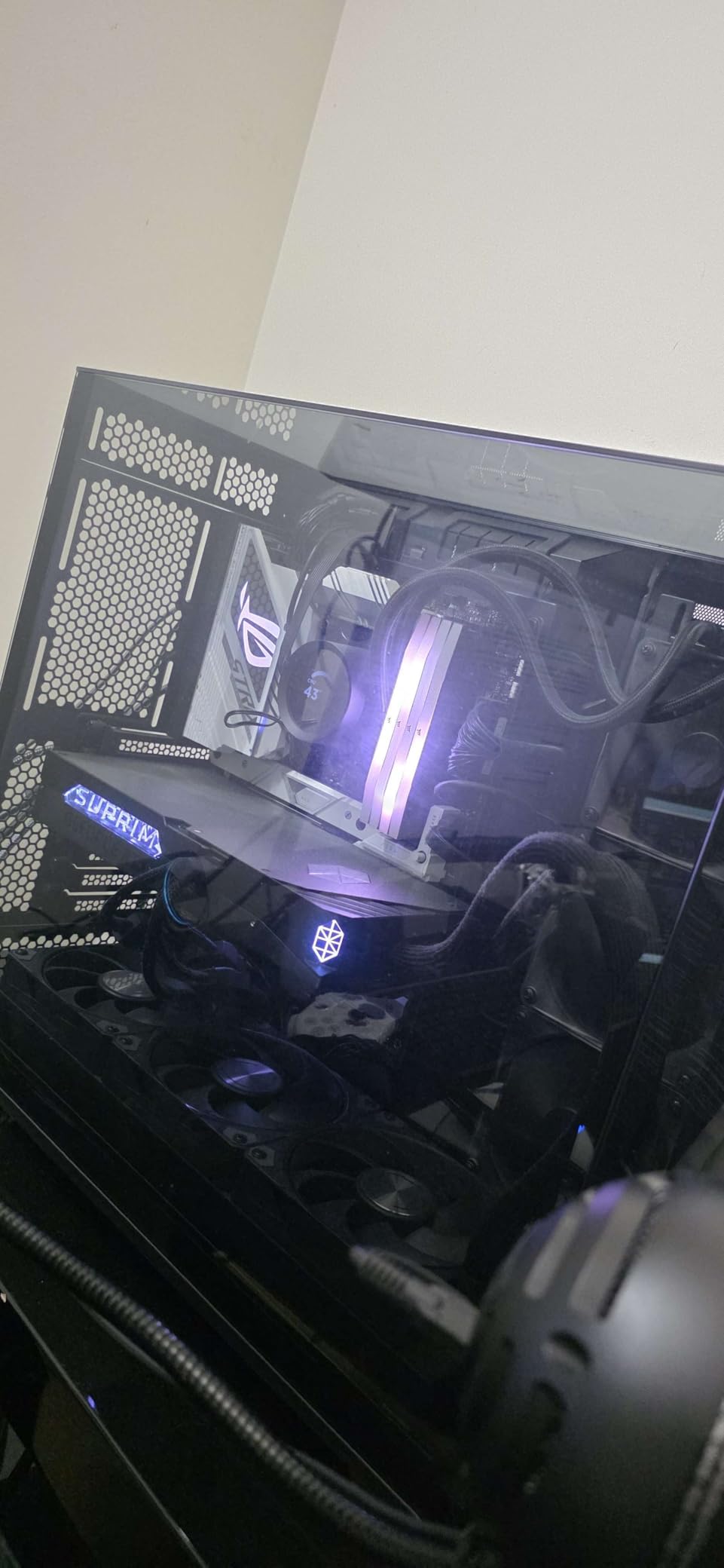
The SUPRIM Liquid SOC uses GDDR7 memory running at full speed, and the 2565 MHz factory boost clock is competitive without being the highest in the lineup. Where this card wins is sustained performance under load, because the AIO cooler keeps temperatures so low that the GPU rarely needs to downclock to protect itself.
The main concerns from buyers center on packaging and case requirements. Multiple owners noted their card arrived without a factory seal on the box, which is concerning at this price point. You also need a case that can accommodate a 360mm radiator, and the combined weight of the card and cooling hardware means you should plan your mounting carefully.
How SUPRIM Liquid Compares to ASUS ROG Astral LC
Both cards use 360mm AIO cooling, but the ASUS ROG Astral LC includes the Power Detector+ safety feature and magnetic daisy-chain fans. The MSI SUPRIM Liquid SOC runs slightly cooler in owner reports and has a more premium aesthetic. The choice between them often comes down to brand preference and whether the Power Detector+ feature matters to you.
Best Workloads for the SUPRIM Liquid SOC
This card excels at sustained workloads like 4K ray tracing sessions, Unreal Engine development, AI model training, and long gaming sessions where thermal throttling would otherwise kick in. If your use case involves hours of continuous load rather than bursty gaming sessions, the SUPRIM Liquid SOC is purpose-built for that.
5. MSI Gaming RTX 5090 32G SUPRIM SOC – Top-Rated Air-Cooled
msi Gaming RTX 5090 32G SUPRIM SOC Graphics Card (32GB GDDR7, 512-bit, Extreme Performance: 2580 MHz, DisplayPort x3 2.1a, HDMI 2.1b, NVIDIA Blackwell Architecture)
Triple-Fan SUPRIM SOC Cooling
2580MHz Boost
32GB GDDR7 512-bit
8.4 Pounds
3 Year Warranty
+ Pros
- Excellent 4K ultra performance
- Runs at 62C under load vs competitors at 73C
- Zero coil whine
- Stable overclocking to 3155MHz observed
- Includes support bracket
– Cons
- Extremely expensive above MSRP
- Huge and heavy needs full tower
- Some DOA issues reported
- Hot air blows onto power connectors
The MSI SUPRIM SOC is the air-cooled sibling of the Liquid SOC, and it is the card we recommend for builders who want premium SUPRIM build quality without the complexity of AIO installation. Owners consistently report load temperatures around 62 degrees Celsius, which is roughly 10 degrees cooler than competing air-cooled cards like the ZOTAC AMP Extreme that hit 73 degrees under the same conditions.
One of the standout data points from buyer reviews is that owners have observed stable overclocks up to 3155 MHz on this card, which is well beyond the 2580 MHz factory boost. That overclocking headroom is a direct result of the premium SUPRIM cooler keeping temperatures low enough that the GPU can sustain higher clock speeds without throttling.
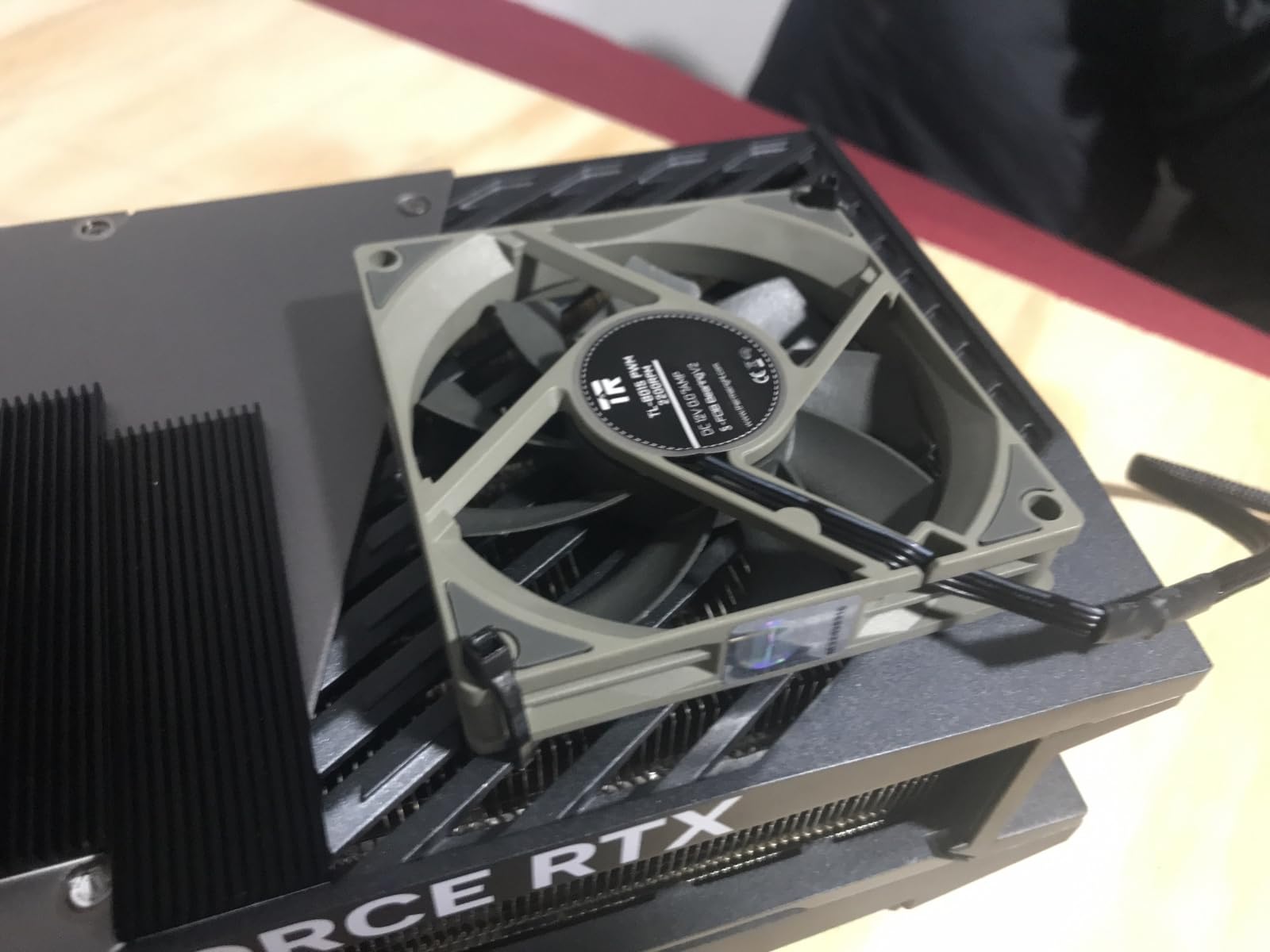
The SUPRIM SOC is also notable for what it does not have: coil whine. Multiple owners specifically compared this card to other RTX 5090 models and noted the SUPRIM SOC is silent, which is a meaningful advantage if you are sensitive to high-frequency electrical noise. MSI includes a support bracket, which you absolutely need because the card weighs 8.4 pounds.
The concerns here are real, though. Several buyers reported dead-on-arrival units, and there is a recurring complaint that hot air from the fans blows directly onto the power connectors, which raises the melting concern again. At current street prices this card is extremely expensive, and you should weigh whether the cooling advantage over cheaper air-cooled options justifies the premium for your specific use case.
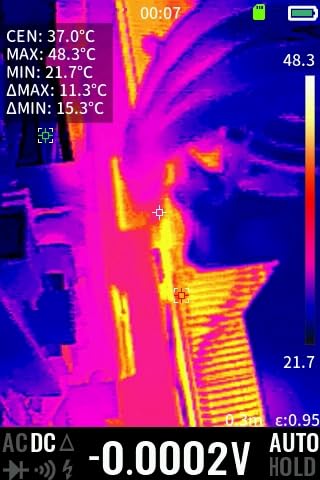
Addressing the Power Connector Heat Concern
Multiple SUPRIM SOC owners noted that the fan exhaust path directs warm air over the 12V-2×6 power connector area. While no melting incidents have been confirmed, this design choice means you should ensure your power cable is fully seated and not bent at a sharp angle. If you want maximum connector safety, the ASUS ROG Astral with Power Detector+ remains the safer choice.
When the SUPRIM SOC Justifies Its Premium
If you plan to manually overclock, care about coil whine-free operation, or want the lowest air-cooled temperatures available, the SUPRIM SOC earns its premium. If you are running stock settings and just want 4K gaming performance, the GIGABYTE WINDFORCE OC or PNY Triple Fan deliver essentially the same FPS for less.
6. MSI GeForce RTX 5090 32G GAMING TRIO OC – Balanced All-Rounder
MSI GeForce RTX 5090 32G GAMING TRIO OC Graphics Card – RTX 5090 GPU, 32GB GDDR7 (28Gbps/512-bit), PCIe 5.0 – TRI FROZR 4 (3 x STORMFORCE Fan), Gaming & Silent mode – HDMI 2.1b, DisplayPort 2.1b
TRI FROZR 4 Cooling
STORMFORCE Fans
ZERO FROZR Fan Stop
32GB GDDR7 28Gbps
3.5 Slot PCIe 5.0
RGB Accents
+ Pros
- Industry-leading 32GB VRAM for future-proofing
- Excellent 4K and 8K performance
- Cool and quiet under load
- Great for AI image and video generation
– Cons
- Very large needs full-size ventilated case
- High power draw requires 1000W+ PSU
- Premium price point
- Some QC issues reported
The MSI GAMING TRIO OC sits between the SUPRIM and Vanguard lines in MSI’s RTX 5090 stack, and it is the most reviewed MSI card in our lineup with 65 verified buyer reviews. The TRI FROZR 4 cooling system with STORMFORCE fans and ZERO FROZR fan-stop technology delivers excellent thermal performance while keeping noise levels low during idle and light loads.
Owners praise the GAMING TRIO OC for its 4K and 8K gaming performance, with the 32GB GDDR7 buffer providing serious future-proofing. The card is also a favorite for AI workflows, with buyers specifically mentioning image and video generation tasks that benefit from the massive VRAM pool. RGB accents on the metal backplate give it a premium aesthetic without going overboard.
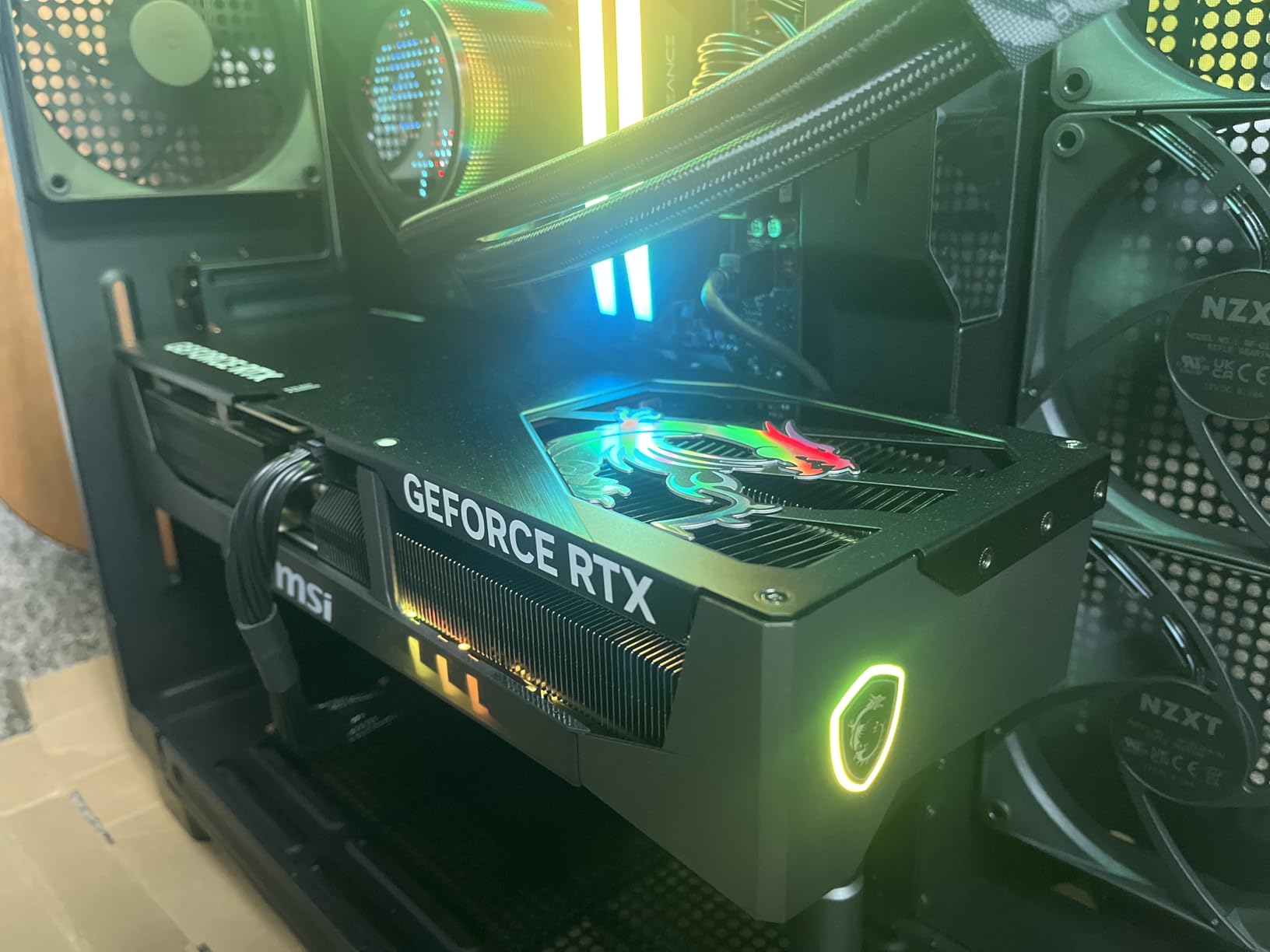
The 3.5-slot design and 359mm length mean this card is enormous. You need a full-tower case with excellent ventilation, and MSI recommends a 1000W or higher PSU to handle the 575W power consumption via the 16-pin connector. The factory overclock is modest, but the TRI FROZR 4 cooler leaves room for manual tuning.
The main concern from the review data is quality control, with the average rating sitting at 4.2 stars, the lowest among the MSI cards in this roundup. Some buyers reported QC issues on arrival, so inspecting the card immediately is important. At its price point, the GAMING TRIO OC competes directly with the SUPRIM SOC, and most buyers will prefer the SUPRIM for its better thermals and higher build quality.
GAMING TRIO vs SUPRIM SOC Which to Choose
The GAMING TRIO OC costs less and delivers nearly identical stock performance. The SUPRIM SOC runs cooler, has better build materials, and overclocks higher. If budget is a factor, the GAMING TRIO is excellent. If you want the best air-cooled MSI card, spend extra for the SUPRIM SOC.
AI and Productivity Performance Notes
Owners running ComfyUI, Stable Diffusion, and local LLM hosting report excellent performance with the 32GB VRAM pool. The card handles large model batches that would overflow on 16GB or 24GB cards, making it a strong choice for AI enthusiasts who also want top-tier gaming performance.
7. Gigabyte AORUS GeForce RTX 5090 Stealth ICE 32G – White Build Champion
Gigabyte AORUS GeForce RTX 5090 Stealth ICE 32G Graphics Card – 32GB GDDR7, 512bit, PCI-E 5.0, 2655MHz Core Frequency, 3 x DP 2.1a, 1 x HDMI 2.1b, NVIDIA DLSS 4, GV-N5090AORUSST ICE-32GD
White Stealth ICE Aesthetic
2655MHz Boost
LCD Side View Panel
RGB Halo Lighting
4 Year Warranty
WINDFORCE Cooling
+ Pros
- Stunning white design for themed builds
- Highest factory boost clock at 2655MHz
- LCD side view display panel
- 4 year warranty with registration
– Cons
- Only 1 review available so far
- Requires powerful PSU
- Limited long-term reliability data
The Gigabyte AORUS RTX 5090 Stealth ICE is the white-themed variant designed for builders creating all-white or stealth aesthetic PCs. With a 2655 MHz factory boost clock, it actually has the highest out-of-box clock speed of any air-cooled card in this roundup, edging out the SUPRIM SOC and ROG Astral air-cooled variants.
The standout aesthetic features include an LCD side view panel that can display custom images, GIFs, or system information, plus RGB Halo lighting that wraps around the card edge. The WINDFORCE cooling system is the same proven design used on the Gigabyte WINDFORCE OC, so thermal performance should be comparable to that card’s solid track record.
Because this is a newer and more niche variant, the review base is extremely limited at just one verified review so far. That reviewer gave it 5 stars and praised the white design and build quality, but we cannot draw reliable conclusions about thermals, coil whine, or long-term reliability from a single data point.
White Build Aesthetic Comparison
The Stealth ICE is the best white RTX 5090 option we have found, with a cleaner all-white shroud than competitors. If you are building a white-themed PC and want the GPU to match, this is the card to get. The LCD panel and RGB Halo are bonuses that enhance the visual impact in a windowed case.
Warranty and Long-Term Value
Gigabyte offers a 4-year warranty on this card with online registration, which is the longest warranty in our roundup alongside the ZOTAC’s 3-year extended coverage. That extra coverage is meaningful for a card at this price point, especially given the limited long-term reliability data on the RTX 5090 platform overall.
8. ASUS ROG Matrix Platinum GeForce RTX 5090 OC – 30th Anniversary Extreme Edition
ASUS ROG Matrix Platinum GeForce RTX 5090 OC 30th-Anniversary Edition Gaming Graphics Card, 32GB GDDR7, PCIe 5.0, 512-bit, Liquid Metal Cooling, DisplayPort 2.1b, HDMI 2.1b, MTX5090P32G30TH
Liquid Metal Cooling
2760MHz Boost (Highest)
Dual-Power 800W Design
30th Anniversary Edition
Memory Defroster
3-Ounce Copper PCB
+ Pros
- Highest boost clock at 2760MHz in roundup
- Liquid metal cooling for extreme thermals
- Dual-power design supports 800W draw
- Memory Defroster for LN2 overclocking
– Cons
- Very expensive premium pricing
- Limited availability
- Requires extreme high-wattage PSU
- Niche enthusiast product
The ASUS ROG Matrix Platinum 30th Anniversary Edition is the most extreme RTX 5090 on the market, built for enthusiast overclockers and collectors who want the absolute peak of what the Blackwell architecture can deliver. With a 2760 MHz factory boost clock, it has the highest out-of-box clock speed of any card in this roundup by a significant margin.
The cooling system uses liquid metal on a copper vapor chamber, which provides dramatically better thermal conductivity than traditional thermal paste. This allows the GPU to sustain maximum boost clocks under load without throttling, and the dual-power input design supports up to 800W power draw for extreme overclocking scenarios that go far beyond standard gaming use.
ASUS also included enthusiast-specific features like the Memory Defroster technology, which prevents condensation issues during liquid nitrogen overclocking sessions, and a 3-ounce copper PCB for maximum power delivery stability. These are features that 99% of buyers will never use, but they signal that this card is built for a very specific audience.
Who Actually Needs the Matrix Platinum
This card is for competitive overclockers, extreme enthusiasts, and collectors. If you are not planning to submerge your GPU in liquid nitrogen or push world-record benchmark scores, the ROG Astral LC delivers 95% of the performance for significantly less money. The Matrix Platinum is a halo product that exists to showcase engineering capability.
Power Supply Requirements for 800W Draw
The dual-power input design combining the 12V-2×6 connector with a BTF adapter means you need a truly high-end PSU, likely 1200W or 1600W, to safely support the 800W maximum draw. Standard gaming loads will draw far less, but if you plan to overclock, your PSU needs serious overhead capacity.
9. ZOTAC Gaming GeForce RTX 5090 AMP Extreme Infinity – Best Aesthetics
ZOTAC Gaming GeForce RTX 5090 AMP Extreme Infinity DLSS 4 32GB GDDR7 512-bit 28 Gbps PCIE 5.0 Gaming Graphics Card, IceStorm 3.0 Advanced Cooling, Spectra 2.0 ARGB Lighting, ZT-B50900B-10P
IceStorm 3.0 Cooling
3x 100mm BladeLink Fans
Vapor Chamber
Dual BIOS
Infinity Mirror ARGB
Spectra 2.0 Lighting
+ Pros
- Best looking RTX 5090 with Infinity Mirror design
- Excellent overclocking potential +300MHz core
- Quiet with 0 RPM idle mode
- Bundled GPU support stand included
– Cons
- Fans get loud at 100% load
- Some DOA units reported
- Extended warranty not valid in US
- Firestorm software inferior to Afterburner
The ZOTAC RTX 5090 AMP Extreme Infinity is the visual showpiece of this roundup, featuring an Infinity Mirror design on the fan hub that creates a stunning depth effect when the Spectra 2.0 ARGB lighting is active. If aesthetics are a primary consideration for your build, this is arguably the most visually striking RTX 5090 available.
Beyond the looks, the IceStorm 3.0 cooling system uses three 100mm BladeLink fans, a vapor chamber, and composite heatpipes to manage thermal load. Owners report solid overclocking headroom with stable core overclocks of plus 300 MHz and memory overclocks of plus 3000 MHz, which are among the best tuning results we have seen in buyer feedback.
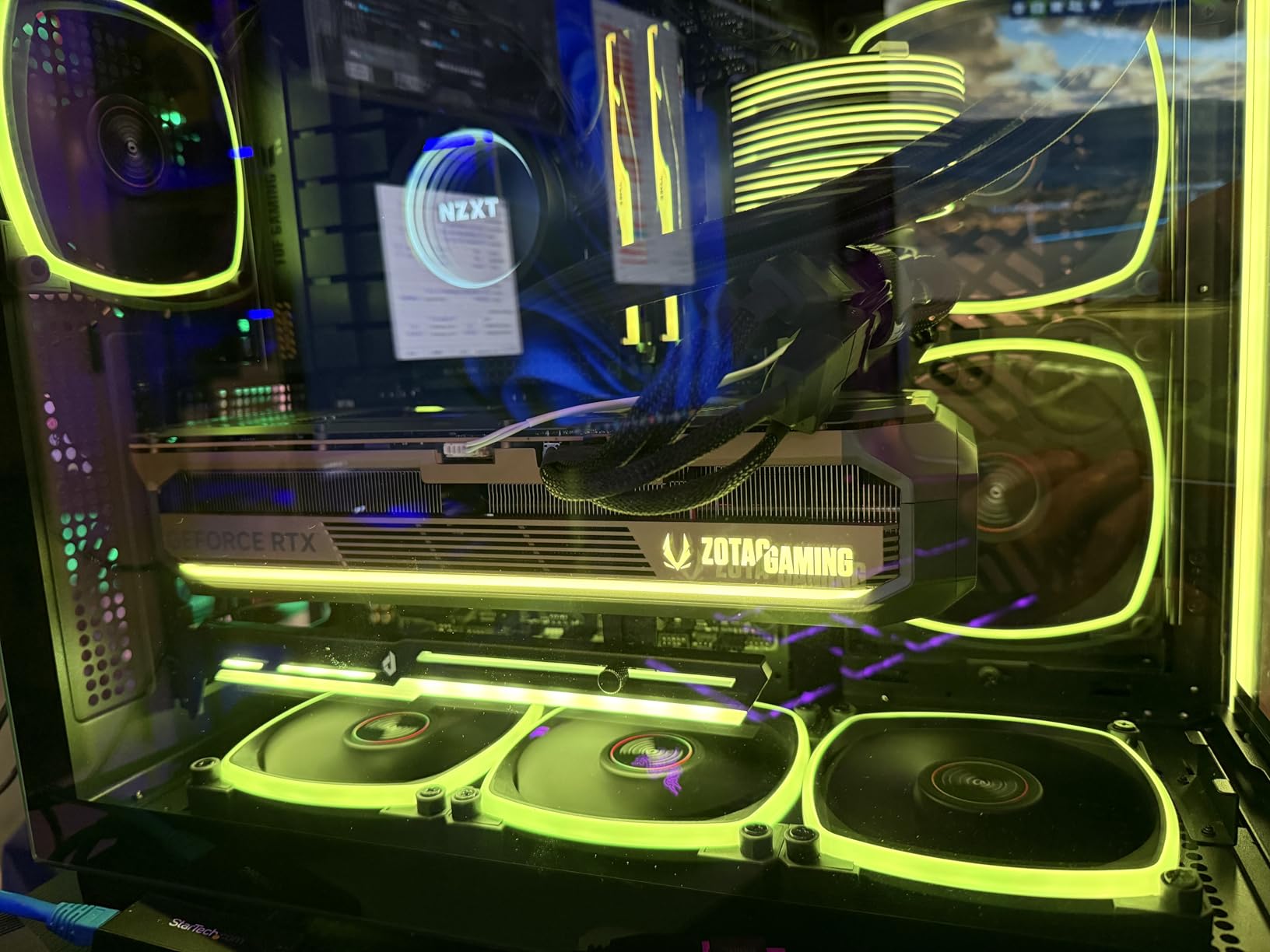
The card includes a Dual BIOS feature that lets you switch between performance and quiet modes, plus a bundled GPU support stand that addresses the sag issue common to all heavy RTX 5090 cards. The FREEZE Fan Stop feature turns the fans off completely at idle for silent operation during light tasks.
The concerns are notable. The 4.0-star average is the lowest in this roundup, driven by a 21% one-star review rate that indicates quality control issues. Buyers report DOA units, and ZOTAC’s Firestorm tuning software is widely considered inferior to MSI Afterburner. The extended warranty is also reportedly not valid in the US market, which reduces the long-term value proposition.
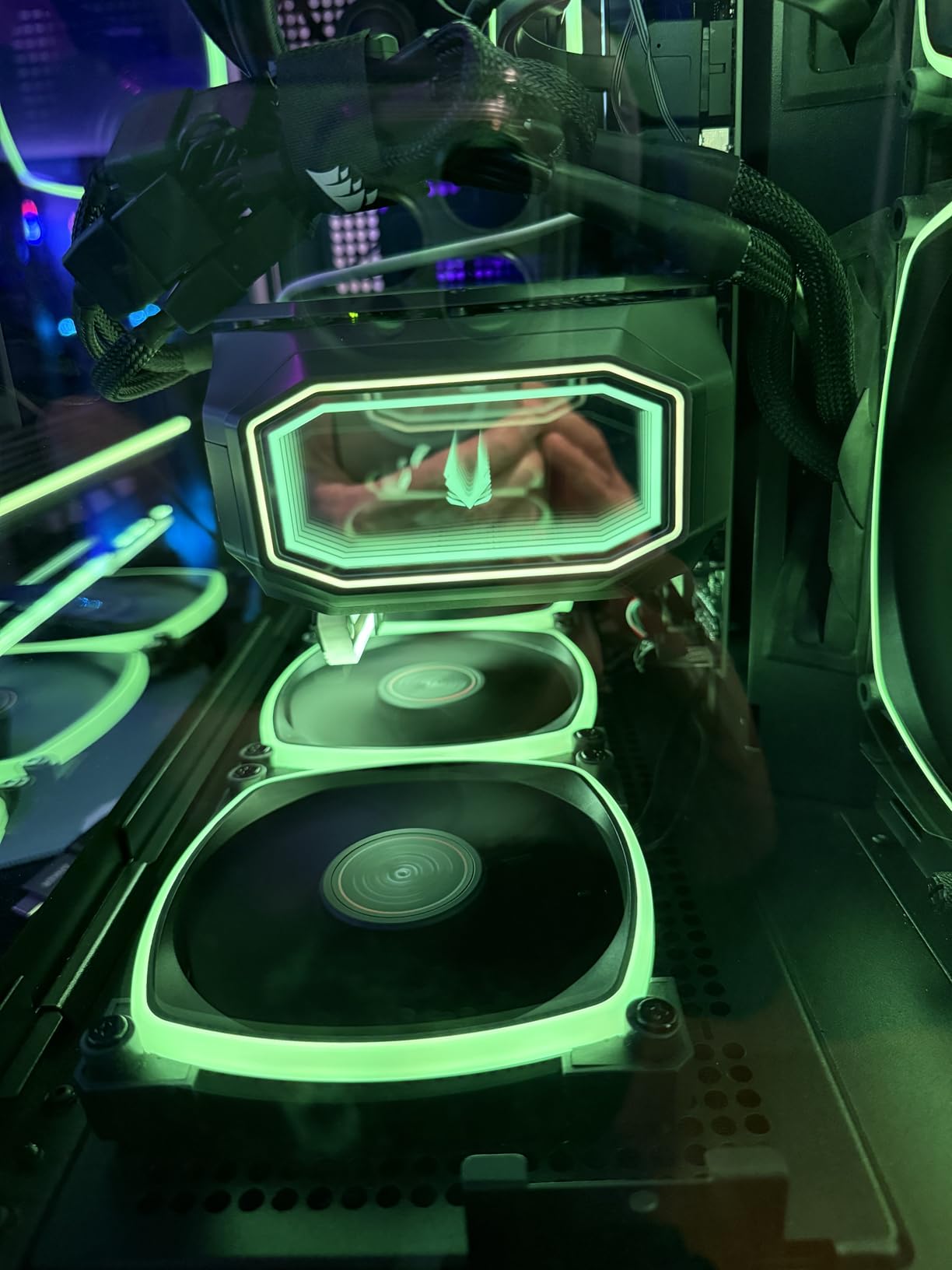
Performance vs Quiet BIOS Mode Comparison
The Performance BIOS mode allows fans to spin faster, keeping temperatures lower but producing more noise. The Quiet BIOS mode prioritizes low noise levels at the cost of higher temperatures. For most gaming scenarios, the Quiet mode is sufficient since the card rarely throttles even with reduced fan speeds, but performance-focused overclockers should use the Performance mode.
Firestorm Software Limitations to Know
ZOTAC’s Firestorm software lacks the advanced fan curve tuning, voltage control, and overlay monitoring features that MSI Afterburner offers. Many owners simply install Afterburner for tuning and ignore Firestorm entirely, which works fine but means you miss out on controlling the Spectra 2.0 RGB lighting without keeping Firestorm running in the background.
10. MSI Gaming RTX 5090 32G Vanguard SOC – Underrated Quiet Performer
msi Gaming RTX 5090 32G Vanguard SOC Graphics Card (32GB GDDR7, 512-bit, Extreme Performance: 2527 MHz, DisplayPort x3 2.1a, HDMI 2.1b, NVIDIA Blackwell Architecture)
Vanguard SOC Design
2527MHz Boost
32GB GDDR7 512-bit
Military-Grade Construction
Minimal RGB
3 Year Warranty
+ Pros
- Runs very quiet and cool under heavy load
- Stays under 130F at 100% load
- Excellent 4K gaming at 80-110+ FPS
- Exceptional AI and ComfyUI performance
- Undervolt friendly with thermal headroom
– Cons
- Very large requires spacious case
- Expensive premium pricing
- Support bar recommended due to weight
- Some 4K framerate dips reported
The MSI Vanguard SOC is the most underrated card in this roundup, often overlooked in favor of the flashier SUPRIM line despite delivering nearly identical gaming performance at a lower price point. With 51 verified reviews and a 4.6-star average, the data shows this card consistently impresses owners who chose it over the more marketed alternatives.
Owners report the card stays under 130 degrees Fahrenheit (roughly 54 degrees Celsius) at 100% load, which puts it in the same thermal league as liquid-cooled options. One buyer specifically noted running Flux image generation in ComfyUI in just 2 seconds, highlighting the AI productivity capabilities that the 32GB GDDR7 buffer enables.
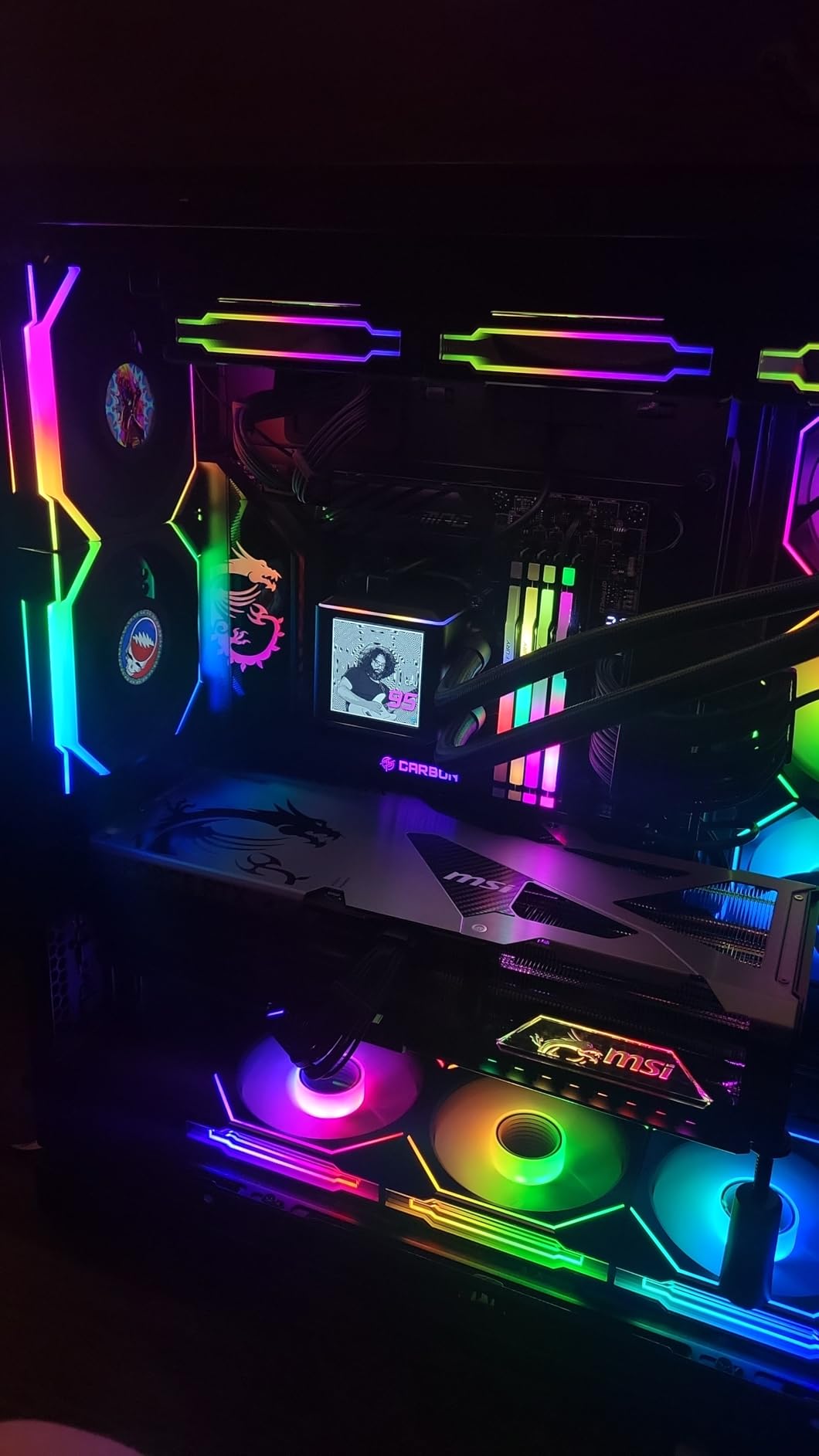
The Vanguard SOC is also a favorite for undervolting, with owners reporting excellent thermal headroom that allows you to reduce power draw while maintaining performance. The military-grade construction and minimal RGB aesthetic appeal to builders who want a clean, professional-looking build rather than a RGB light show.
The card is large and heavy, requiring a spacious case and a support bracket. Some buyers reported minor framerate dips at 3840×2160 resolution in specific titles, though these were generally resolved with driver updates. At its current street price, the Vanguard SOC offers a compelling middle ground between the value-focused WINDFORCE OC and the premium SUPRIM SOC.
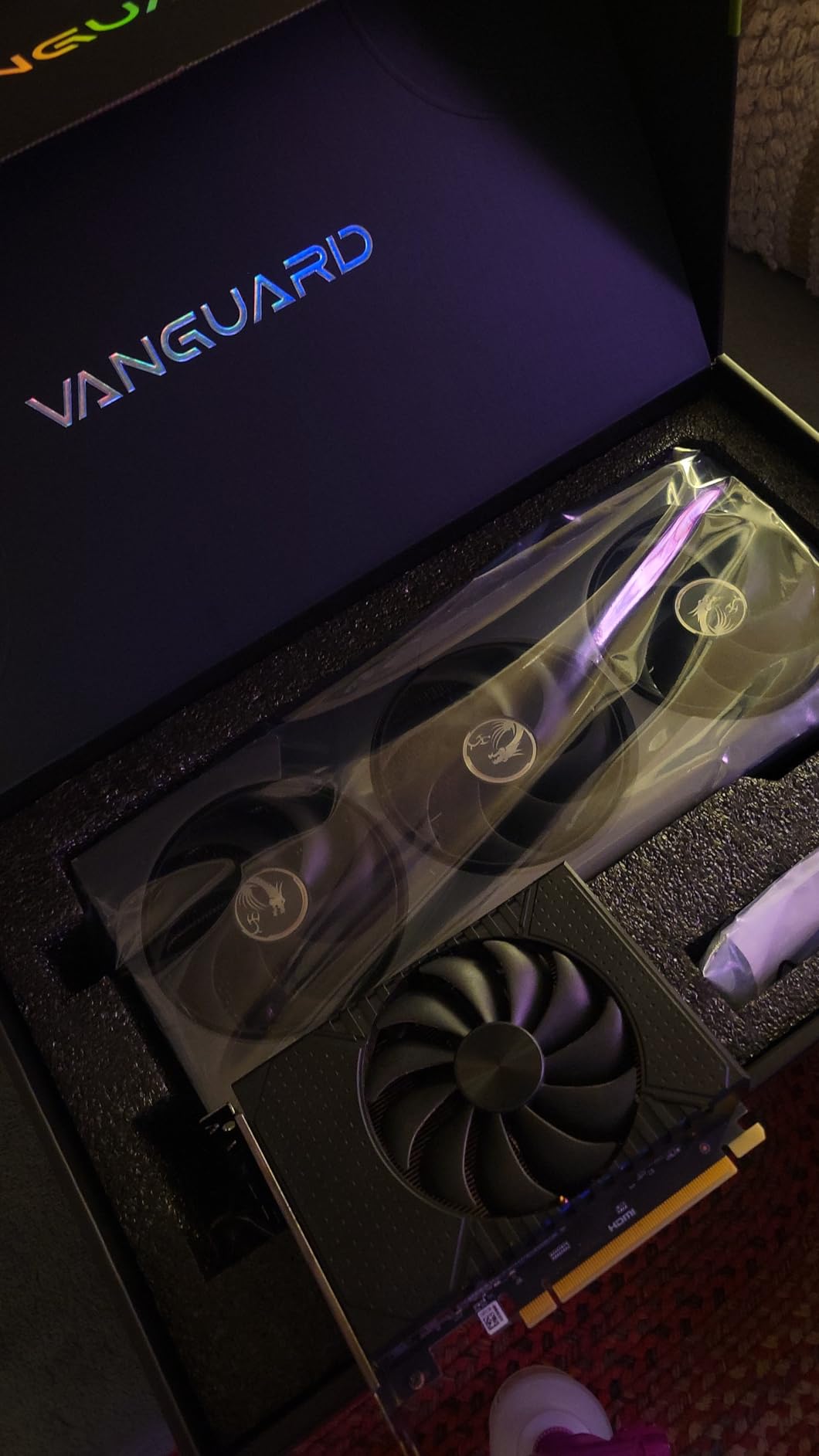
Undervolting Results from Real Owners
Multiple Vanguard SOC owners report successfully undervolting the card to reduce power consumption by 15-20% while losing only 2-3% in gaming performance. This makes the card run even quieter and cooler, which is ideal if your case airflow is less than optimal or you want to reduce your system’s overall power draw.
How the Vanguard SOC Fits in the MSI Stack
The Vanguard sits below the SUPRIM in MSI’s lineup but uses a similar triple-fan cooling design. The main differences are the shroud materials, RGB implementation, and factory overclock. For most gamers, the performance difference is negligible, and the Vanguard SOC is the smarter buy if you do not care about the SUPRIM badge.
Buying Guide: How to Choose the Best RTX 5090 for Your Build
Choosing between 10 RTX 5090 models comes down to four key factors: cooling type, case compatibility, power supply capacity, and your specific use case. Here is how we think through the decision.
Air-Cooled vs Liquid-Cooled: Which Do You Need
Air-cooled RTX 5090 cards like the GIGABYTE WINDFORCE OC, PNY Triple Fan, and MSI SUPRIM SOC are simpler to install, have fewer failure points, and do not require radiator mounting space. They typically run between 60 and 73 degrees Celsius under load, which is perfectly safe for the GB202 GPU.
Liquid-cooled cards like the ASUS ROG Astral LC and MSI SUPRIM Liquid SOC run 10 to 15 degrees cooler, which gives you more overclocking headroom and eliminates any throttling risk. The trade-off is installation complexity, radiator placement requirements, and the long-term reliability question of AIO pump failure. For most gamers, a quality air-cooled card is sufficient. Liquid cooling is worth it if you overclock, run sustained AI workloads, or simply want the lowest possible temperatures.
Case Clearance: Measure Before You Buy
Every RTX 5090 in this roundup is a massive card. The GIGABYTE WINDFORCE OC measures 13.46 inches long, the MSI GAMING TRIO OC is 359mm (14.1 inches), and all of them are 3 to 3.5 slots thick. Before purchasing, measure your case’s GPU clearance and verify that the card will fit without blocking drive bays or front-mounted radiators. Also check the PCIe slot reinforcement on your motherboard, because these cards are heavy enough to damage an unsupported slot over time.
Power Supply Requirements
NVIDIA recommends a minimum 1000W PSU for the RTX 5090, and we agree with that baseline for air-cooled cards. For liquid-cooled variants or if you plan to overclock, consider 1200W or higher. The 12V-2×6 power connector can deliver up to 600W, and the RTX 5090 has a 575W TDP in stock form. Always use a high-quality PSU with a native 12V-2×6 cable rather than an adapter whenever possible, as adapters introduce additional failure points. If you are also shopping for a CPU, our best Intel gaming CPUs guide covers pairings that will not bottleneck the RTX 5090.
PCIe Gen 5 Black Screen Issues: What to Know
This is the topic most roundup articles skip entirely. Early RTX 5090 adopters reported black screen issues on boot, particularly with certain motherboards when PCIe Gen 5 mode is enabled in the BIOS. The symptoms include the card not being detected on first boot, display driver nvlddmkm crashes every 2-3 hours, and complete system freezes requiring a hard reset.
Forum data from Guru3D and Reddit indicates these issues are primarily PCIe Gen 5 compatibility problems, not hardware defects. In most cases, updating your motherboard BIOS to the latest version resolves the issue. If problems persist, switching the PCIe slot mode to Gen 4 in BIOS eliminates the problem with minimal performance impact, since the RTX 5090 barely saturates PCIe 4.0 x16 bandwidth in gaming scenarios. This is a known issue that NVIDIA and motherboard partners are actively addressing through firmware updates.
12V-2×6 Power Connector Safety
The 12V-2×6 connector replaced the controversial 12VHPWR design that caused melting incidents on the RTX 4090. The new connector is safer by design, but proper installation remains critical. Ensure the connector is fully seated with no gap, avoid bending the cable within 35mm of the connector, and route the cable so it exits the card without sharp angles. Cards with the ASUS Power Detector+ feature add an extra layer of safety by monitoring per-pin current draw.
DLSS 4 Multi Frame Generation: Settings Guide
DLSS 4 with Multi Frame Generation is the headline software feature of the RTX 5090, and it works by generating 1 to 3 additional AI-interpolated frames for each rendered frame. For 240Hz monitor owners, x4 frame generation can deliver incredibly smooth visuals with minimal perceptible latency. However, if you game on a 120Hz TV, the input lag from x4 frame generation becomes noticeable, and most owners recommend using x2 frame generation instead. This is a nuance that forum users have flagged repeatedly and that most roundup articles miss entirely.
CPU Pairing and Monitor Considerations
The RTX 5090 is overkill for 1080p and most 1440p gaming scenarios. If you are primarily a 1440p gamer, check our best 1440p 144Hz graphics cards guide where the RTX 5090 is explicitly called out as more than you need. The RTX 5090 makes sense for 4K gaming at high refresh rates, ultrawide monitors, path tracing workloads, and AI productivity. For CPU pairing, we recommend the Intel Core Ultra 7 270K Plus or AMD Ryzen 7 9800X3D based on forum consensus, and you can find more options in our best budget gaming CPU guide.
Frequently Asked Questions
Which RTX 5090 model is the best?
The ASUS ROG Astral LC RTX 5090 OC is our top pick overall thanks to its 360mm AIO cooling that keeps the GPU at 59-60C under load, plus the Power Detector+ safety feature that monitors the 12V-2×6 connector per-pin. For value, the GIGABYTE WINDFORCE OC and PNY Triple Fan deliver essentially the same gaming performance for less.
Is the RTX 5090 the best GPU right now?
Yes, the NVIDIA GeForce RTX 5090 is the fastest consumer gaming GPU available in 2026. It delivers roughly 30% faster 4K gaming performance than the RTX 4090, includes 32GB of GDDR7 memory for future-proofing, and supports DLSS 4 Multi Frame Generation for dramatically higher effective frame rates in supported games.
What CPU should I pair with an RTX 5090?
We recommend pairing the RTX 5090 with an Intel Core Ultra 7 270K Plus or AMD Ryzen 7 9800X3D based on forum consensus. Both CPUs avoid bottlenecking the RTX 5090 at 4K gaming resolutions. At 1440p and 1080p, CPU choice matters more since the GPU can render frames faster than the CPU can prepare them.
Is the RTX 5090 worth it over the RTX 4090?
The RTX 5090 is approximately 30% faster than the RTX 4090 at 4K gaming, includes 32GB of GDDR7 versus 24GB of GDDR6X, and adds DLSS 4 Multi Frame Generation support. Whether that justifies the upgrade depends on your monitor resolution and refresh rate. For 4K 240Hz or ultrawide gaming, the upgrade is meaningful. For 1440p gaming, the RTX 4090 remains excellent.
What power supply do I need for an RTX 5090?
NVIDIA recommends a minimum 1000W PSU for the RTX 5090. For air-cooled cards at stock settings, 1000W is sufficient. For liquid-cooled cards, overclocking, or high-end system builds with powerful CPUs, we recommend 1200W or higher. Always use a PSU with a native 12V-2×6 cable rather than an adapter when possible.
Final Verdict on the Best NVIDIA GeForce RTX 5090 Graphics Cards
After evaluating 10 RTX 5090 models across cooling performance, noise levels, build quality, value, and real-world owner feedback, our recommendations are clear. The ASUS ROG Astral LC wins overall for its unmatched thermal performance and Power Detector+ connector safety. The GIGABYTE WINDFORCE OC takes the value crown with the highest buyer rating at 4.8 stars. And the PNY Triple Fan is the budget pick with the largest review base proving reliable performance per dollar.
For liquid cooling enthusiasts, the MSI SUPRIM Liquid SOC runs the coolest at 55 degrees Celsius. For white build lovers, the Gigabyte AORUS Stealth ICE is the aesthetic standout. And for extreme overclockers with unlimited budgets, the ASUS ROG Matrix Platinum offers liquid metal cooling and 800W power delivery that no other card can match. Whatever your priorities, the best NVIDIA GeForce RTX 5090 graphics cards in 2026 deliver the highest gaming performance available to consumers today.
Leave a Reply