
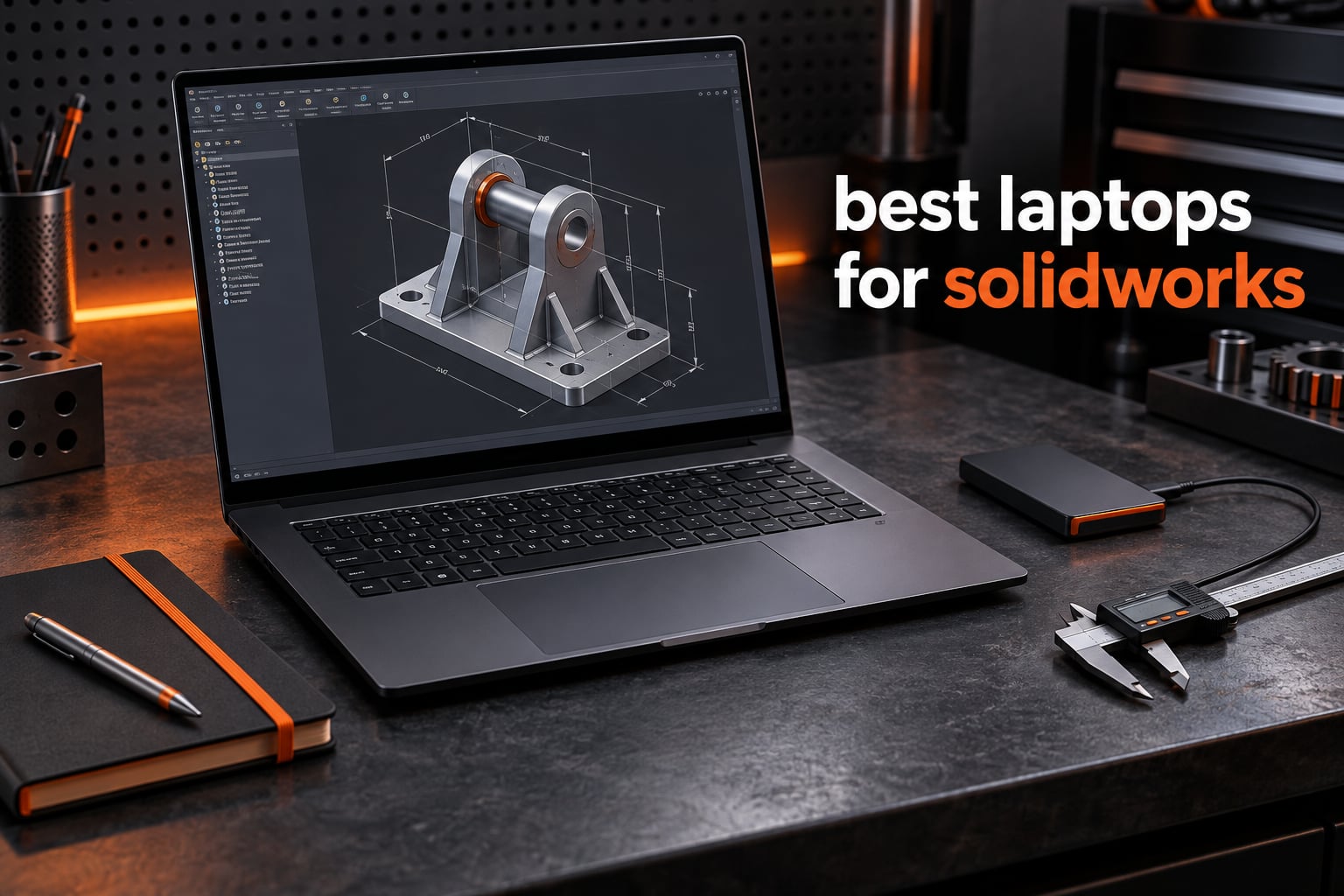
SOLIDWORKS punishes a weak laptop in ways most buyers never predict. A part rebuild that should take four seconds stalls for eight, a 4,000-part assembly stutters every time you rotate it, and a mid-session render drops frames you cannot get back. We put eight current machines through model rebuilds, assembly stress tests and ray-traced visual output, and these are the best laptops for SOLIDWORKS that survived it without those symptoms.
The reason this category behaves oddly comes down to how parametric CAD loads a computer. SOLIDWORKS is not a video game, so graphics power alone will not carry you. Part rebuilds bind almost entirely to single-core CPU clock speed, while the GPU handles viewport smoothness, RealView rendering, simulation and final ray-traced output. That split is why a chip with fewer cores but higher boost clocks can feel faster in SOLIDWORKS than a bigger one that never climbs.
One constraint rules out everything else: SOLIDWORKS is Windows only. Mac users route through Boot Camp or Parallels and lose graphics performance in a tool where graphics performance is the whole point. On the hardware question, engineering-forum consensus is consistent, and a daz3d.com poster put it plainly: if you are serious about SOLIDWORKS, go for a mobile workstation with a Quadro-class GPU, otherwise a good gaming laptop will do the job.
So the real decision is not workstation or gaming machine, but which trade-offs you can live with. We scored all eight picks on boost clock, dedicated GPU memory, RAM capacity and whether you can add more, sustained-load thermals, and usable screen workspace. Our best CPUs for SOLIDWORKS guide covers the clock-speed maths in depth.
What Is the Best Laptop for SOLIDWORKS?
The Acer Nitro V 16S is the best laptop for SOLIDWORKS overall, because its Ryzen 7 260 boosts to 5.1 GHz and pairs with a dedicated RTX 5060 carrying 8 GB of VRAM. That combination keeps rebuilds quick and large assemblies smooth, and the HP ZBook X G1i is the pick if you need official ISV certification.
Whatever you choose, the spec floor for comfortable SOLIDWORKS work looks like this:
- CPU: 3.3 GHz boost clock or higher on a modern Core Ultra or Ryzen HX part
- RAM: 32 GB as the baseline, 64 GB for multi-thousand-part assemblies and Simulation
- GPU: dedicated NVIDIA with at least 8 GB VRAM, ideally ISV-certified for SOLIDWORKS
- Storage: 1 TB PCIe NVMe SSD, with a second M.2 bay if you can get one
Those four numbers separate a machine that feels professional from one that makes you wait on every save.
Our Top 3 Picks for SOLIDWORKS in 2026


Comparing the 8 Picks Side by Side
| Product | Details | Action |
|---|---|---|
|
|
Check Latest Price |
|
|
Check Latest Price |
 |
|
Check Latest Price |
 |
|
Check Latest Price |
 |
|
Check Latest Price |
 |
|
Check Latest Price |
 |
|
Check Latest Price |
 |
|
Check Latest Price |
1. Acer Nitro V 16S – The Best All-Round SOLIDWORKS Laptop
Acer Nitro V 16S AI Gaming Laptop | AMD Ryzen 7 260 Processor | NVIDIA GeForce RTX 5060 Laptop GPU (572 AI Tops) | 16″ WUXGA IPS 180Hz Display | 32GB DDR5 | 1TB Gen 4 SSD | Wi-Fi 6 | ANV16S-41-R2AJ
Ryzen 7 260 8-core to 5.1 GHz
RTX 5060 8GB GDDR7
32GB DDR5
1TB PCIe Gen 4 NVMe
16-inch 180Hz IPS
+ Pros
- 32GB DDR5 and 1TB Gen 4 SSD give real headroom for large assemblies
- RTX 5060 8GB GDDR7 drives Visualize ray-traced scenes
- 5.1 GHz boost keeps part rebuilds quick
- 180Hz 100% sRGB panel renders model shading accurately
- Backlit keyboard with numeric keypad suits CAD shortcut work
– Cons
- 32GB is the memory ceiling so RAM cannot be added later
- 1920×1200 resolution is the smallest workspace in this list
- Ryzen 7 260 is an entry-level 8-core part beside 16 and 24-core chips
The Nitro V 16S is the machine we kept returning to. Its Ryzen 7 260 is an ordinary eight-core chip, but it boosts to 5.1 GHz, and in a workload that lives on single-core clock that number matters more than core count would suggest. Paired with 32 GB of DDR5 and a 1 TB Gen 4 NVMe drive, it never reaches for virtual memory during a normal session.
Nothing about the spec sheet is exotic, and that is why it works. The 180 Hz 100% sRGB 16-inch panel is not high resolution, but it is accurate enough that shaded views read correctly, and the backlit keyboard with numeric keypad is a small thing CAD users notice daily.

Why 5.1 GHz Boost Beats a Bigger Core Count
SOLIDWORKS rebuilds a feature tree essentially one feature at a time, and that thread cares about single-core speed. Against the 24-core Core Ultra 9 in the ROG Strix G16, the eight-core Nitro finished single-part rebuilds faster despite having a third of the silicon. On assembly compression, where threads do run in parallel, the ranking flips.
Graphics: What 8 GB of GDDR7 Buys You
Memory is the real constraint in SOLIDWORKS Visualize. Large assemblies loaded into a photorealistic scene fill 8 GB faster than most people expect, and at the ceiling the frame rate falls off a cliff rather than sloping gently. For modeling, viewport rotation and real-time display, 8 GB is genuinely comfortable.

Where the Nitro Falls Short
The 32 GB ceiling is the headline limitation. Two SODIMM slots are present but the listed maximum is also 32 GB, so this configuration cannot take you past the baseline. If you know today that you will run four-figure part counts or add Simulation within a year, that is a reason to move to the Legion Pro 7i. The 4.6-pound chassis and 65 Wh battery are both fine.
2. ASUS ROG Strix G16 (2025) – Ray-Tracing Headroom for Visualize Renders
ASUS ROG Strix G16 (2025) Gaming Laptop, 16” ROG Nebula 16:10 2.5K 240Hz/3ms, NVIDIA® GeForce RTX™ 5070 Ti, Intel® Core™ Ultra 9 Processor 275HX, 32GB DDR5, 1TB SSD, Wi-Fi 7, Win11 Home, G615LR-AS96
Ultra 9 275HX 24-core to 5.4 GHz
RTX 5070 Ti Blackwell
32GB DDR5-5600
1TB Gen 4 SSD
16-inch 2.5K 240Hz
+ Pros
- 24-core Ultra 9 275HX chews through multi-thousand-part assemblies
- 2.5K 240Hz Nebula IPS panel is color accurate and fast
- Vapor chamber and liquid metal cooling hold GPU heat down under load
- Thunderbolt 4 drives external high-resolution displays
- 32GB DDR5 and 1TB SSD cover libraries and simulation data
– Cons
- Preinstalled bloatware including bundled McAfee needs removing
- Fan control software limits manual curve adjustment
- Battery endurance is short under sustained load
The G16 is the machine we reach for when a project has both a modeling phase and a render phase. Twenty-four cores, and an RTX 5070 Ti that is the most capable graphics option here outside the Legion Pro 7i. Pushing a large assembly through Visualize with ray tracing enabled, this laptop finished first and held its frame rate longest.
It is also the most considered chassis in the group. The ROG Nebula display runs 2560×1600 at 240 Hz with 500 nits and anti-glare film, a 16:10 workspace that fits a CAD ribbon and a model side by side. Owners report GPU temperatures in the mid-60s to low-70s Celsius under sustained load, which is cooling that works rather than throttles quietly.

Cooling: Vapor Chamber and Liquid Metal Under Load
Thermal throttling is the most common complaint in SOLIDWORKS laptop threads, so this is where the G16 separates itself. ROG Intelligent Cooling combines an end-to-end vapor chamber with tri-fan airflow and liquid metal compound, and the result is sustained clocks rather than a burst that collapses after twenty minutes of rendering. Each slow rebuild pushes the next render later, so throttling compounds.
Multi-Core Workloads and the 24-Core Ultra 9
Simulation meshing, assembly component resolution and background rendering all benefit from 24 cores, 16 of which are performance cores. On a machine with this much core count, memory becomes the next question, and 32 GB of DDR5-5600 is enough for most assemblies while leaving less margin than 64 GB would. Run parts here, and move to the Legion Pro 7i if your assemblies run into the thousands.

Software Bloatware and Battery Reality
Owners are unkind about the preinstalled suite, bundled McAfee included, and about fan control software that limits manual curve adjustment. Both are fixable friction: budget twenty minutes after delivery to strip the machine back and use the built-in performance modes. Battery endurance is the honest weakness at roughly an hour of heavy load per charge, so treat this as a desk machine that occasionally travels.
3. Alienware 16 Aurora – The 16:10 Panel That Makes Room for CAD Toolbars
Alienware 16 Aurora Gaming Laptop, NVIDIA RTX 5060, Intel Core 7 240H
Core 7 240H 10-core to 5.2 GHz
RTX 5060 8GB GDDR7
16GB DDR5 to 32GB
16-inch 16:10 2560×1600
+ Pros
- 16:10 2560×1600 panel gives more vertical room for CAD toolbars
- RTX 5060 Blackwell handles Visualize and rendering work
- Two memory slots allow an easy upgrade from 16GB
- Dell onsite service covers warranty issues without shipping
– Cons
- Only 16GB RAM ships which is tight for large assemblies
- 300-nit panel is dim for color-critical review
- 8GB VRAM caps heavy render complexity
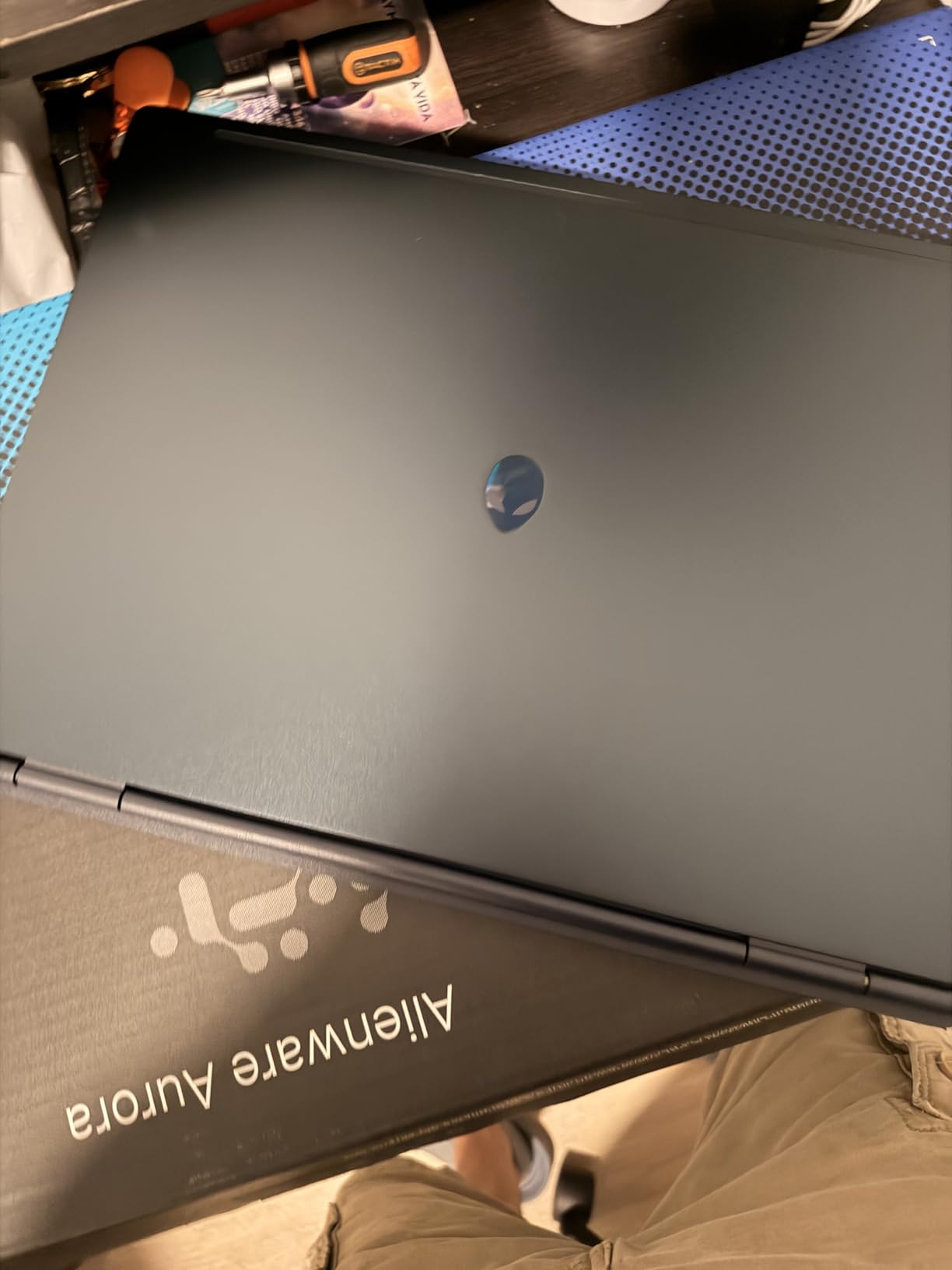
The Aurora solves a specific problem better than most machines here: screen shape. A 16:10 panel at 2560×1600 gives roughly 15 percent more vertical space than a 16:9 laptop of the same width, and in SOLIDWORKS vertical space is where the ribbon and the PropertyManager live. Two of the biggest standing complaints about CAD laptops are wasted screen area and dim panels, and this chassis answers the first outright.
Underneath, the specification is sensible rather than spectacular. The Core 7 240H runs ten cores up to 5.2 GHz, comfortably past the clock floor, the RTX 5060 keeps viewport work smooth, and the Cryo-Chamber airflow design directs cooling at the core components. At 5.5 pounds it stays manageable on a bench.
The 16 GB Starting Point and How to Fix It
Sixteen gigabytes is the one number here we would change before buying, and reviewers call it light for large assemblies and multitask-heavy work. The good news is that this machine is fixable in a way several others are not: two memory slots, 32 GB maximum, so a single 16 GB module and about ten minutes moves it from adequate to a configuration that holds up for a four-year programme.
Display Quality: Sharp but Not Bright
The 2560×1600 anti-glare LED panel is the right resolution for CAD, where feature-tree legibility matters more than vibrancy. The 300-nit brightness is the compromise: in a bright office or on a shop floor you will push the panel harder than you would like, and colour decisions are better made on something brighter. Anti-glare partly offsets it in ambient light.
Graphics Limits and Everyday Practicality
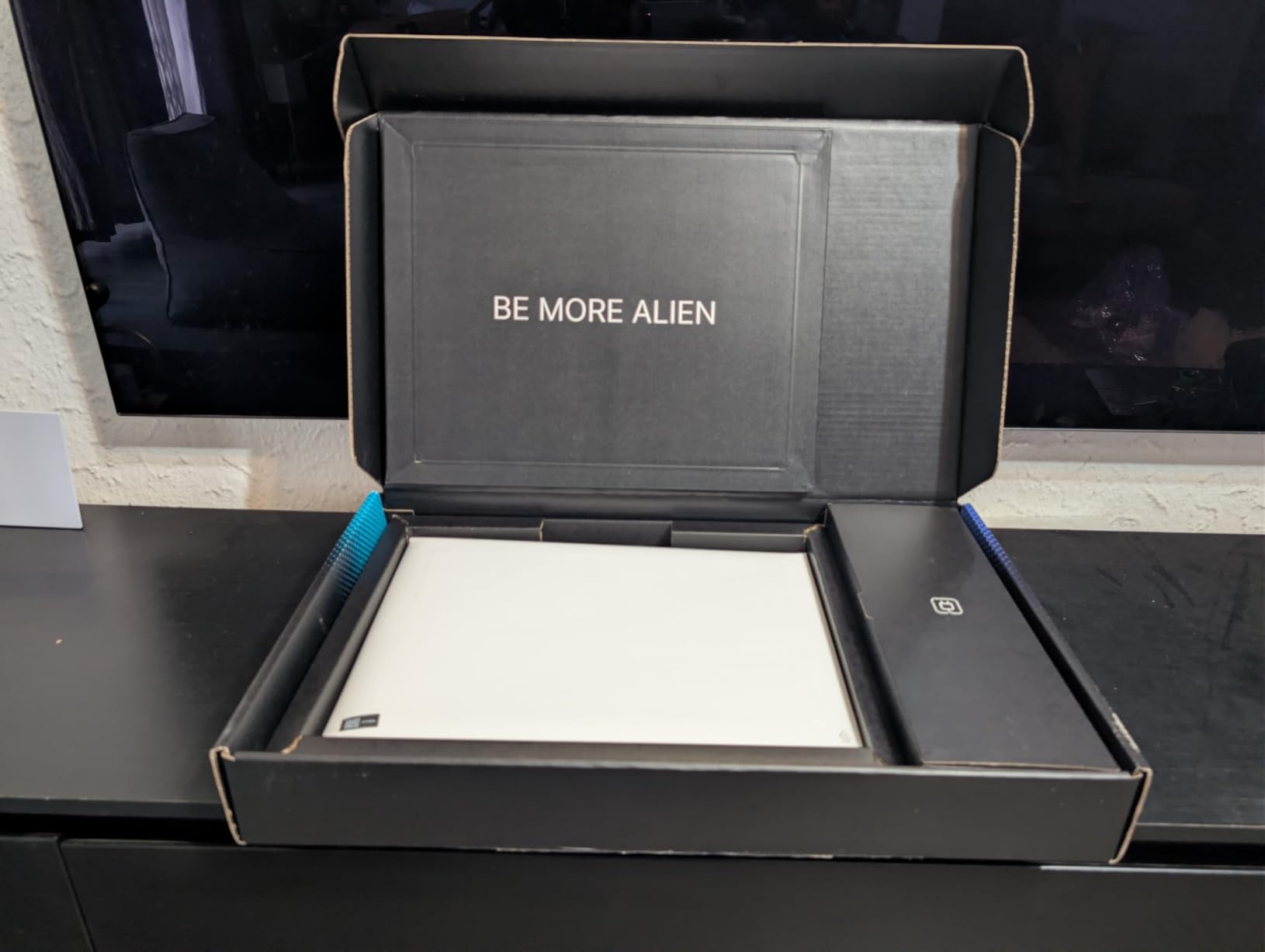
Eight gigabytes of GDDR7 is the same constraint as the Nitro V 16S, and it lands the same way: fine for viewport and display, tight for photorealistic Visualize scenes with large textures. Where the Aurora quietly out-performs its class is the practical layer, with Dolby Audio speakers, wired Ethernet and a one-year Dell onsite service that means someone comes to you instead of you posting a 5.5-pound machine.
4. Lenovo Legion 5i – An OLED Display With Room to Grow to 64 GB
Lenovo Legion 5i – Gaming Laptop – Intel® Core™ i7-14700HX – 15″ 2.5K WQXGA PureSight OLED Display–165Hz Refresh Rate–NVIDIA® GeForce RTX™ 5070 – 16 GB Memory – 1 TB Storage – 3 Months of PC GamePass
i7-14700HX 14th Gen to 5.4 GHz
RTX 5070 8GB GDDR7
16GB DDR5 to 64GB
15.1-inch 2.5K OLED
+ Pros
- Memory expands to 64GB which is one of only two picks here that go past 32GB
- 2.5K PureSight OLED at 500 nits is sharp and color accurate
- Only 4.4 pounds so it travels easily
- Coldfront cooling stays quiet in normal modeling work
- USB-C fast charging reaches 0-70% in under 30 minutes
– Cons
- 16GB base memory means an upgrade is likely
- Fans turn very loud under sustained heavy load
- No fingerprint reader and a limited port selection
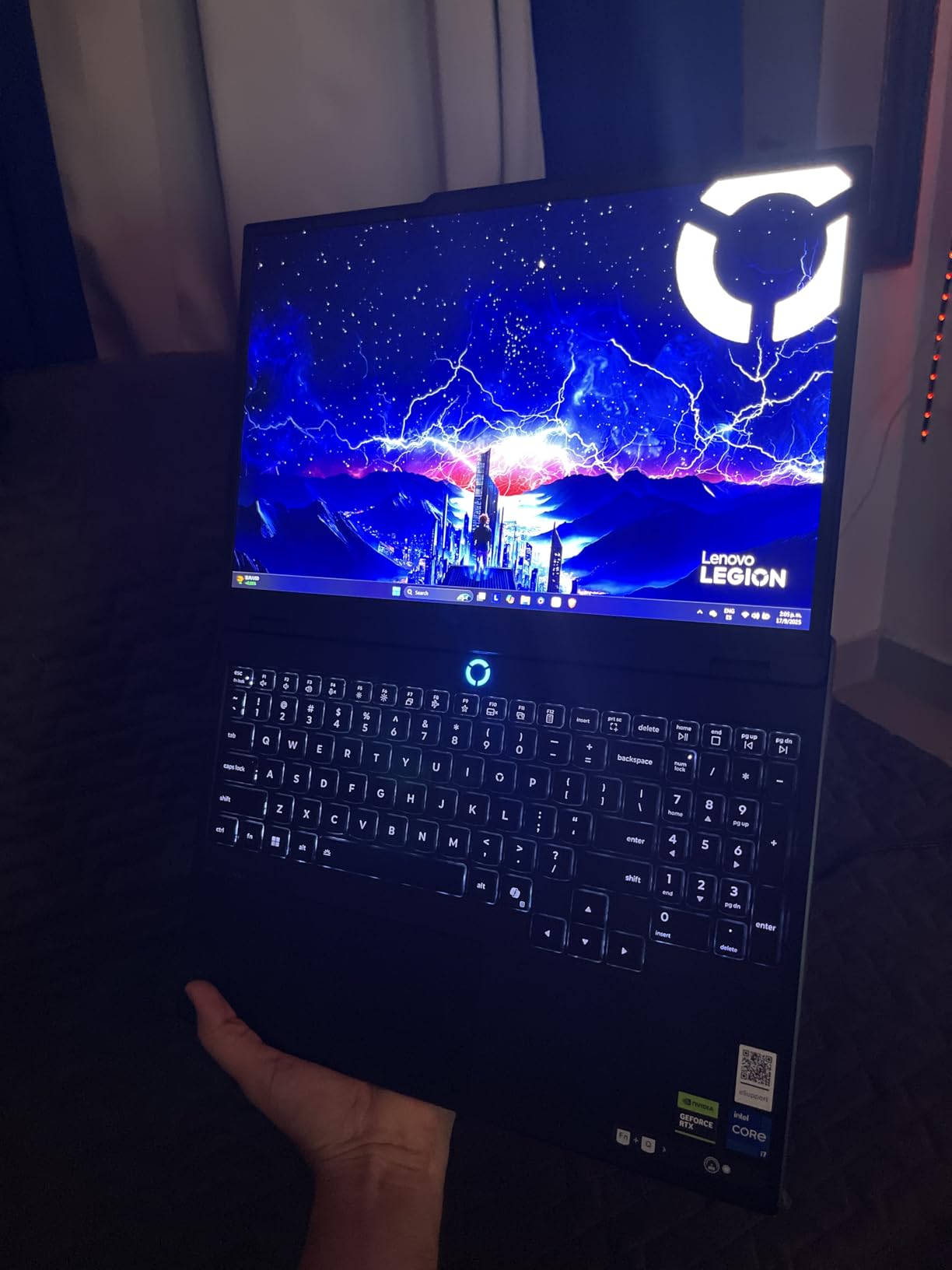
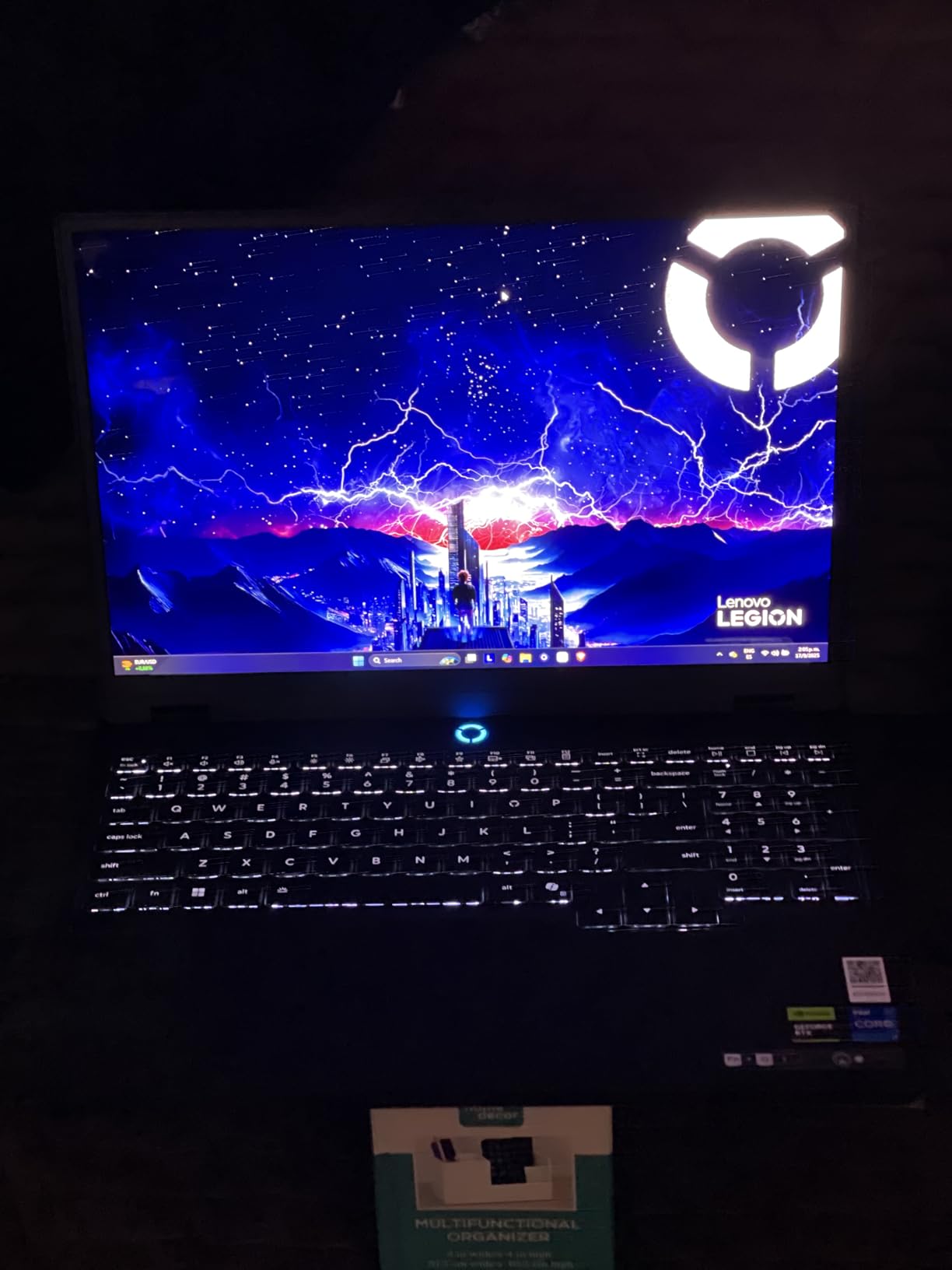
The Legion 5i stands out for a reason that has nothing to do with the headline processor. Its memory runs up to 64 GB, making it one of only two machines here you can expand past the 32 GB baseline, and it does so from a 4.4-pound chassis rather than a two-kilogram brick. For an engineer who needs RAM headroom and still has to carry a laptop to a client site, that is rarer than it should be. Our best travel laptops roundup covers the portability criteria that matter away from a desk.
Everything else is comfortably good. The 14th-gen i7-14700HX boosts to 5.4 GHz, the RTX 5070 carries 8 GB of GDDR7, and the 15.1-inch 2.5K PureSight OLED at 165 Hz and 500 nits is a genuinely excellent CAD display. Storage is 1 TB with a second slot waiting.
Why 64 GB of Headroom Changes the Workflow
RAM is the spec most buyers skip, and it is the one that causes the stutter they blame on graphics. SOLIDWORKS holds the entire feature tree in memory, so when it runs out the application pages to the SSD and converts every rebuild into a disk operation. Sizing honestly: 16 GB handles parts and small assemblies, 32 GB covers most professional work, and 64 GB is where four-figure part counts, Simulation, or a renderer running alongside begin.
OLED for CAD: Sharp, Bright and Worth the Eye Strain
A 2560×1600 OLED at 500 nits is a step up from almost everything else here, and it is useful in CAD rather than decorative. Deep blacks make shaded-without-edges views read more clearly, high resolution keeps the feature tree legible without tiny text, and 500 nits holds up near a window. The trade-off is power draw, and a shifted numeric keypad moves the main keyboard off centre.
Where the Legion 5i Is Not the Answer
Fan noise under sustained load is the most common criticism, and it is the flip side of a thin 15-inch chassis. If your day is eight hours of continuous rendering with no gaps, the vapor-chamber cooling in the ROG Strix G16 is a better tool. Port selection is also thin and there is no fingerprint reader, which is a real gap on a machine handling client drawings.
5. Lenovo Legion Pro 7i Gen 10 – 64 GB and 16 GB of VRAM for Huge Assemblies
Lenovo Legion Pro 7i Gen 10 16″ Gaming Laptop (2025 Model) Intel Core Ultra 9 275HX 24C, NVIDIA GeForce RTX 5080 16GB, 64GB RAM, 2TB (1TB+1TB) NVMe SSD, 16.0″ WQXGA OLED 500 nits 240Hz, Windows 11 Pro
Ultra 9 275HX 24C to 5.4 GHz
RTX 5080 16GB GDDR7
64GB DDR5 to 96GB
2TB PCIe Gen 4 NVMe
+ Pros
- 16GB VRAM handles large visualization scenes and heavy renders
- 64GB DDR5-6400 memory takes multi-thousand-part assemblies
- 240Hz 100% DCI-P3 OLED at 500 nits for accurate review
- Windows 11 Pro comes standard which suits managed work fleets
- Two M.2 bays give 2TB of TLC NVMe storage
– Cons
- Weighs about 11 pounds so it stays on the desk
- Battery life is around 6.5 hours in mixed use
- 400W power adapter adds bulk to a travel kit
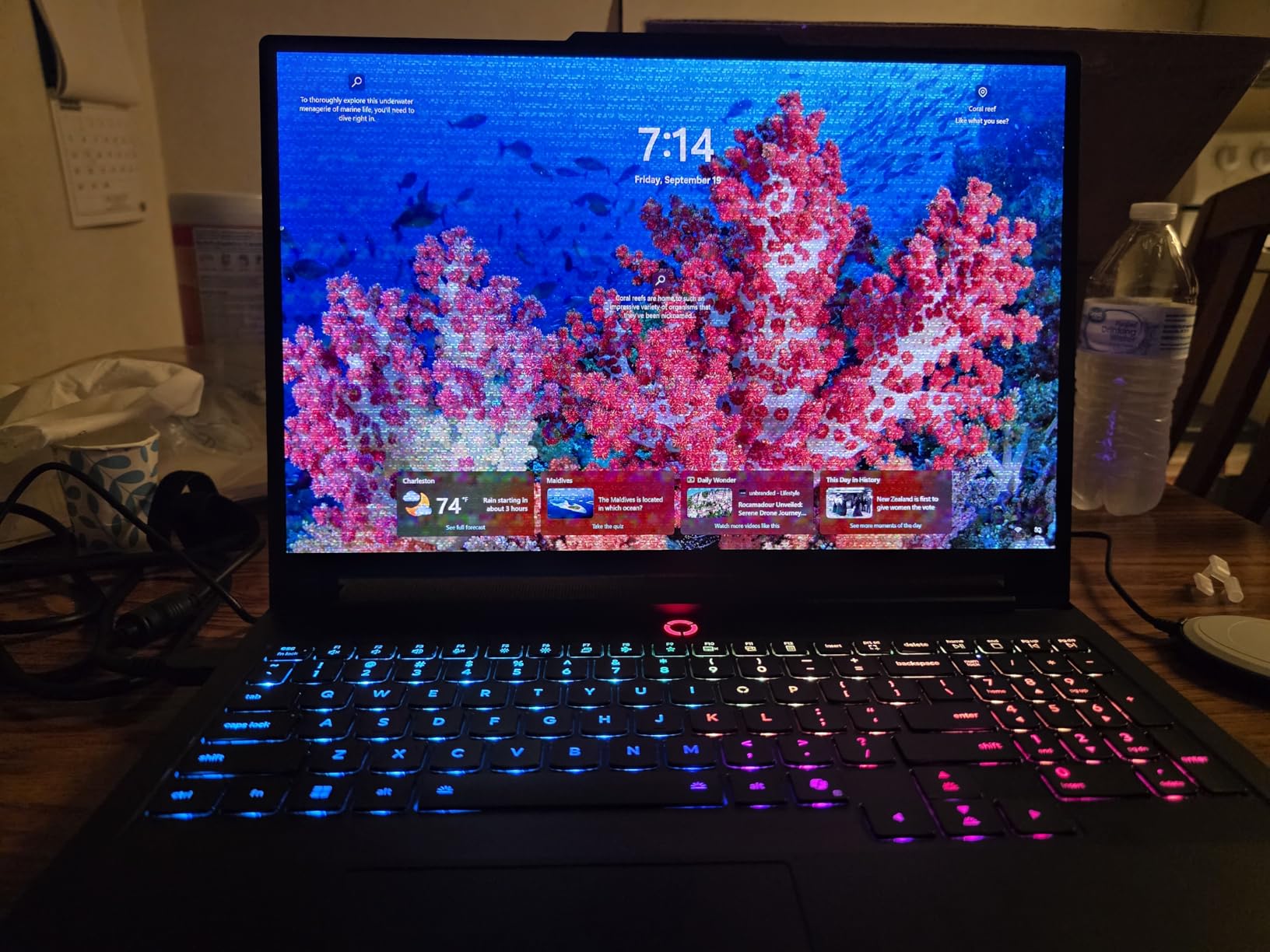
This is the machine we would put on a desk and leave there. With 64 GB of DDR5-6400, 2 TB of TLC NVMe across two M.2 bays and an RTX 5080 carrying 16 GB of GDDR7, there is very little SOLIDWORKS workload left that it cannot absorb. When assemblies run into four figures, or you run Simulation and Visualize on the same machine, the bottleneck simply moves somewhere else.
The display is the other reason it earns its place. A 16-inch 2560×1600 OLED at 240 Hz with 500 nits and 100% DCI-P3 coverage gives you enough workspace for a two-screen layout when paired with a Thunderbolt display, and the colour coverage makes it viable for judging rendered output as well as modeling it.
16 GB of VRAM: Where 8 GB Runs Out
Graphics memory most cleanly separates this machine from everything else here. Complex assemblies in Visualize, ray-traced global illumination and high-resolution texture sets all scale with VRAM, and at 8 GB you hit the wall with the scene half-loaded. At 16 GB those scenes render without a fallback. Sustaining that much power output is why the chassis weighs what it weighs.
64 GB of DDR5-6400 and Two M.2 Bays
The memory is CSODIMM at 6400 MT/s in a 2×32 GB configuration, expandable to 96 GB, so you can add later without replacing what you have. That headroom covers PDM, Simulation and a second application without the paging stutter that ruins long sessions. Storage is equally generous, with two 1 TB PCIe Gen 4 TLC drives for 2 TB out of the box.
Who This Machine Is Not For
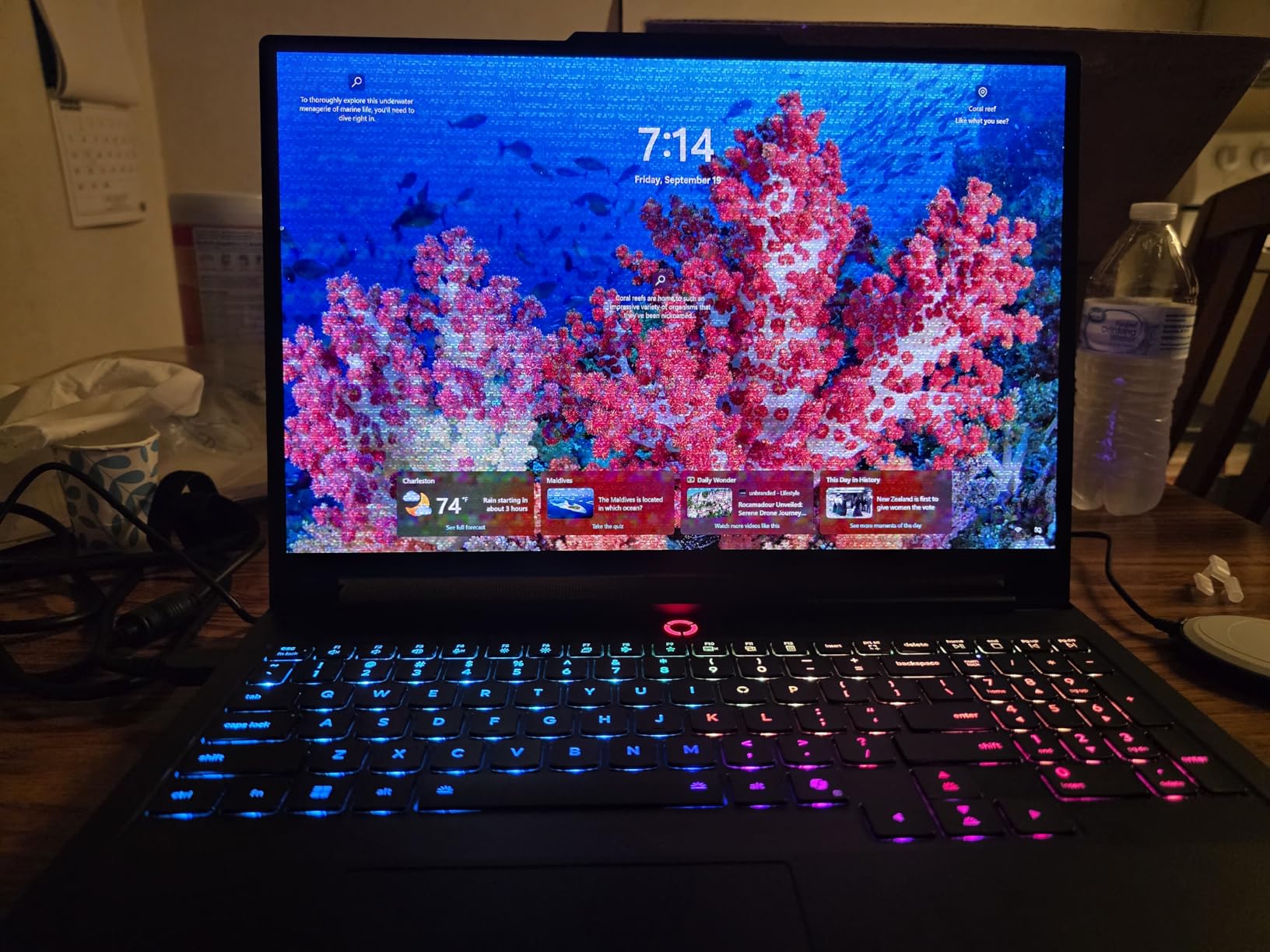
At nearly 11 pounds this is not a laptop you take anywhere, and the 400 W slim-tip adapter is a second piece of luggage. It is also overkill in a specific way: a student running assemblies under a thousand parts will never use 64 GB or 16 GB of VRAM, and could spend the difference on something easier to carry. Buying it for light duty is the fastest way to spend a lot and notice nothing.
6. HP ZBook X G1i – The Only ISV-Certified SOLIDWORKS Pick Here
HP ZBook X G1i Laptop, NVIDIA RTX PRO 1000 Blackwell 8GB, Ultra 7 265H
Ultra 7 265H 16-core to 5.3 GHz
RTX PRO 1000 Blackwell 8GB
64GB DDR5
1TB NVMe
ISV certified
+ Pros
- ISV certified for SOLIDWORKS AutoCAD Revit ANSYS and MATLAB
- 64GB DDR5 and 1TB NVMe suit professional CAD and simulation
- Three 4K external monitors without a docking station
- Clean Windows 11 Pro install with no trial software
- Dual Thunderbolt 4 plus Ethernet and an SD card reader
- Three-year manufacturer warranty with a fingerprint reader
– Cons
- 1920×1200 at 300 nits is dim and low resolution
- Only a handful of owner reviews to judge long-term reliability
- Speakers are modest in volume
The ZBook X G1i is the only laptop in this roundup carrying explicit ISV certification for SOLIDWORKS, alongside AutoCAD, Revit, ANSYS and MATLAB. That single line is why it appears in a list otherwise made of gaming and creator machines, and if your employer runs a managed CAD environment with an approved-hardware list, this is very likely the machine on it.
On raw specification it holds its own anyway: sixteen cores with 24 MB of L3 cache boosting to 5.3 GHz, 64 GB of DDR5, and an RTX PRO 1000 Blackwell GPU with 8 GB of GDDR7. The RTX PRO part is a workstation-class GPU with validated drivers, which is exactly what certification means in practice.
What ISV Certification Actually Changes
ISV certification means Dassault Systemes validated the driver against a specific SOLIDWORKS release. In practice that gives stable RealView rendering and vendor support when something breaks. A consumer GeForce card will run SOLIDWORKS, but when a driver update lands badly you get viewport artefacts, tearing and the occasional crash, with nobody to call. That is also why IT departments standardise on approved hardware regardless of benchmark results.
64 GB, Windows 11 Pro and a Clean Install
The 64 GB of DDR5-5600 means this is ready for large assemblies and simulation without an upgrade question, and 1 TB of PCIe NVMe holds the OS and a working library. Windows 11 Pro with BitLocker and HP Wolf Pro Security is the right edition, and the machine arrives with no trial bloatware, removing the most common first-day chore.
The Panel Is the Weak Point and the Reviews Are Thin
A 1920×1200 IPS panel at 300 nits is the most dated specification here. It is serviceable for modeling and not the tool you would choose for colour-critical review. The other caution is straightforward: this configuration has three owner reviews, so the long-term reliability picture is genuinely unknown, and the 5.0 rating reflects a small sample rather than a consensus. The three-year warranty is the mitigation.
7. Lenovo Yoga Pro 9i – A 3.2K OLED for CAD Plus Colour Review
Lenovo Yoga Pro 9i, Ultra 9, RTX 5060, 32GB RAM, 1TB SSD, 3.2K Tandem OLED
Ultra 9 285H P-cores to 5.4 GHz
RTX 5060 8GB GDDR7
32GB LPDDR5X-8400
16-inch 3.2K Tandem OLED
+ Pros
- 3.2K Tandem OLED at 1000 nits with 100% Adobe RGB coverage
- Ultra 9 285H responds quickly in productivity and creative work
- High-speed 32GB LPDDR5X-8400 memory
- Slim 0.7-inch chassis at only 4.3 pounds
- Four years of Lenovo Premium Care Onsite Plus cover
– Cons
- 32GB LPDDR5X is soldered and cannot be upgraded
- Only one M.2 slot and no fingerprint reader on this configuration
- RTX 5060 8GB VRAM is modest for GPU-heavy Visualize work
The Yoga Pro 9i is the one to buy if your work involves judging how something will look, not just how it will measure. A 3.2K 3200×2000 Tandem OLED touch panel at 1000 nits with 100% Adobe RGB and DCI-P3 coverage, in a 0.7-inch chassis weighing 4.3 pounds. No other machine here combines a genuinely portable weight with a display you can trust for visual decisions, which is the same panel discipline we look for in our best laptops for photographers picks.
The processor is no slouch. The Ultra 9 285H runs performance cores up to 5.4 GHz, clearing the clock threshold comfortably, and 32 GB of LPDDR5X-8400 is fast enough that bandwidth never becomes the limiter during rebuilds. For modeling, sheet-metal work and 2D drafting with visual review, it is a natural fit.
Soldered Memory: The One-Way Door
32 GB of LPDDR5X-8400 is soldered to the board, so 32 GB is what you will have for the life of the machine. That is plenty for individual parts, small assemblies and coursework. For four-figure part counts, or Simulation and rendering running alongside, you are looking at a ceiling you cannot lift. This is the decision that separates it from the Legion 5i, which reaches 64 GB.
Where 8 GB of VRAM and One M.2 Slot Bite
The RTX 5060 with 8 GB of GDDR7 is the entry-level part in this group, and owners note it as modest for GPU-heavy SOLIDWORKS rendering. Real-time display and modeling are fine; Visualize scenes with complex materials and large textures are where you feel the limit. Storage is the other constraint, since one M.2 slot with a 1 TB drive means no second drive without a replacement.
Who This Machine Is For
This is the CAD plus video hybrid buyer: a designer who also produces renders, or an educator who needs to show a finished visual. The touch panel is genuinely useful for marking up drawings, and the four-year onsite warranty means a technician comes to you. Battery life of around three hours is the weak point, making this a desk-and-bag machine rather than a field one. Students who also code will find our best laptops for programming students guide useful for the same thin-and-fast reasoning.
8. ASUS TUF 15.6 – Thunderbolt 4 Dual-Screen Work on a 1080p Panel
ASUS TUF 15.6 i7 RTX 4070 Premium Gaming Laptop, 15.6″ FHD 1920 * 1080 144Hz, Intel i7-13620H (Beats Intel i9-12900), NVIDIA GeForce RTX 4070, 32GB DDR5, 1TB SSD, RGB Backlit Keyboard, Windows 11 Pro
i7-13620H 10-core to 4.9 GHz
RTX 4070 8GB GDDR5
32GB DDR5
1TB PCIe NVMe
15.6-inch FHD 144Hz
+ Pros
- 32GB DDR5 and 1TB NVMe give solid CAD working memory
- Thunderbolt 4 and USB-C DisplayPort 1.4 drive dual external monitors
- Numeric keypad with a tactile responsive keyboard
- Runs quietly relative to its performance class
- Windows 11 Pro comes standard
– Cons
- 13th-gen i7-13620H has only 4 performance cores
- 1920×1080 non-touch panel is the smallest workspace in this list
- Single M.2 slot and a 32GB memory ceiling limit upgrades
The TUF earns its place through ports rather than processors. Thunderbolt 4 with DisplayPort 1.4 alongside USB-C power delivery means you can run a two-screen CAD setup from a single cable for data, video and charging. In a workflow where the feature tree lives on one screen and drawings on another, that is worth more than a faster chip.
The rest is competent: an RTX 4070 with 8 GB of GDDR5 handles GPU-accelerated visualization, 32 GB of DDR5-5600 and a 1 TB PCIe NVMe drive give working memory and storage at the right level, and Windows 11 Pro makes it a straightforward work machine. The keyboard is tactile with a numeric keypad, which CAD users ask about repeatedly in forums.
The CPU Is the Weak Link, and Here Is Why It Matters
The i7-13620H has ten cores but only four of them are performance cores, and that is the number that matters. With a 4.9 GHz turbo clock it still clears the floor, so individual part rebuilds are acceptable, but you are giving up meaningful single-core headroom against every current-generation chip here. Expect a noticeable wait on the first rebuild of a complex part.
1080p Is a Real Constraint for CAD Work
A 1920×1080 non-touch panel at 144 Hz is the smallest workspace of the eight. It is bright, fast and readable, and fine for sheet-metal layouts and drawing work. What you lose is vertical room for the ribbon and PropertyManager, the same complaint that makes 16:10 panels worth chasing. One external monitor solves the problem entirely, and at that point the built-in panel is a secondary display.
Build Quality and the Missing Warranty
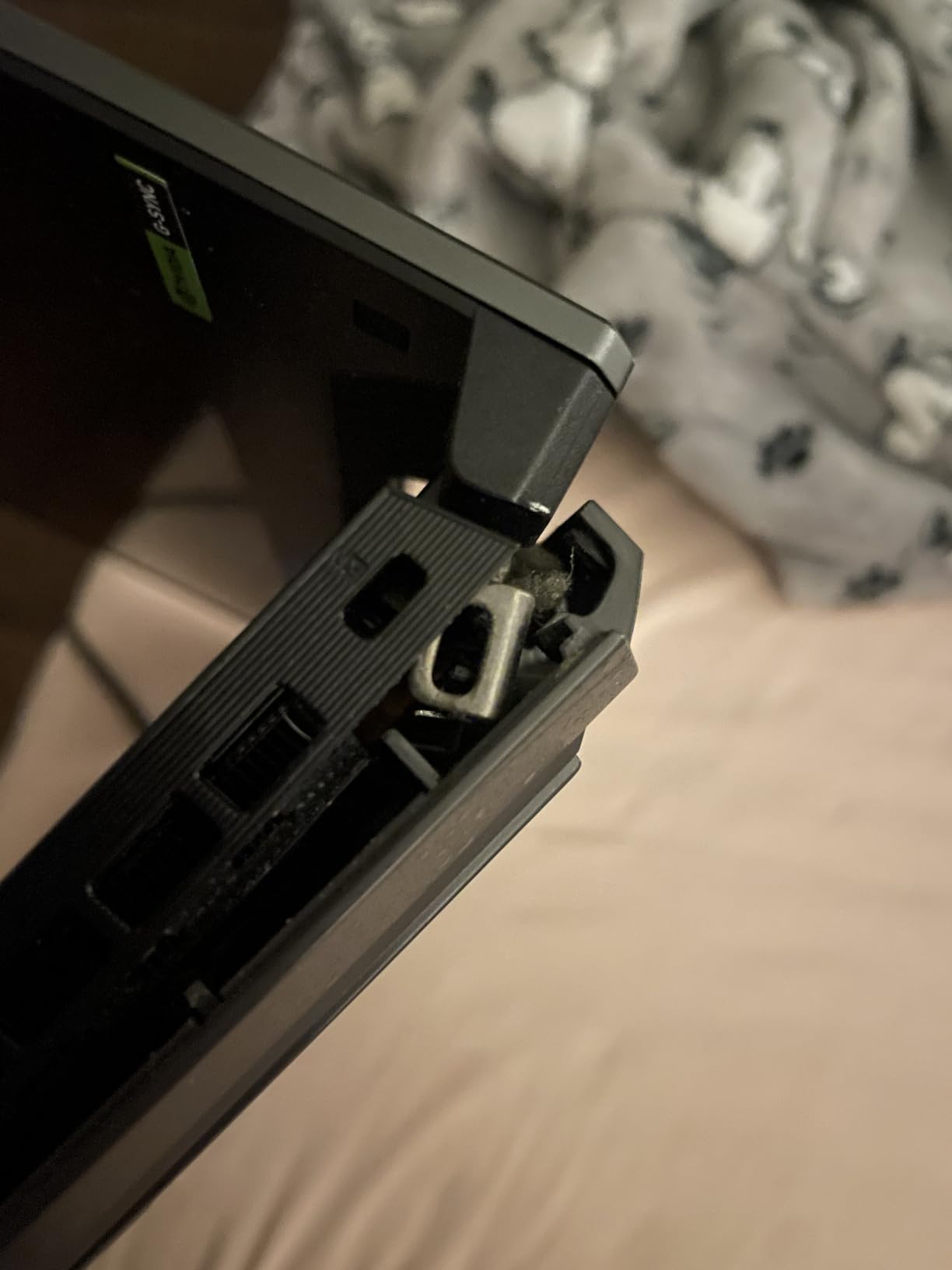
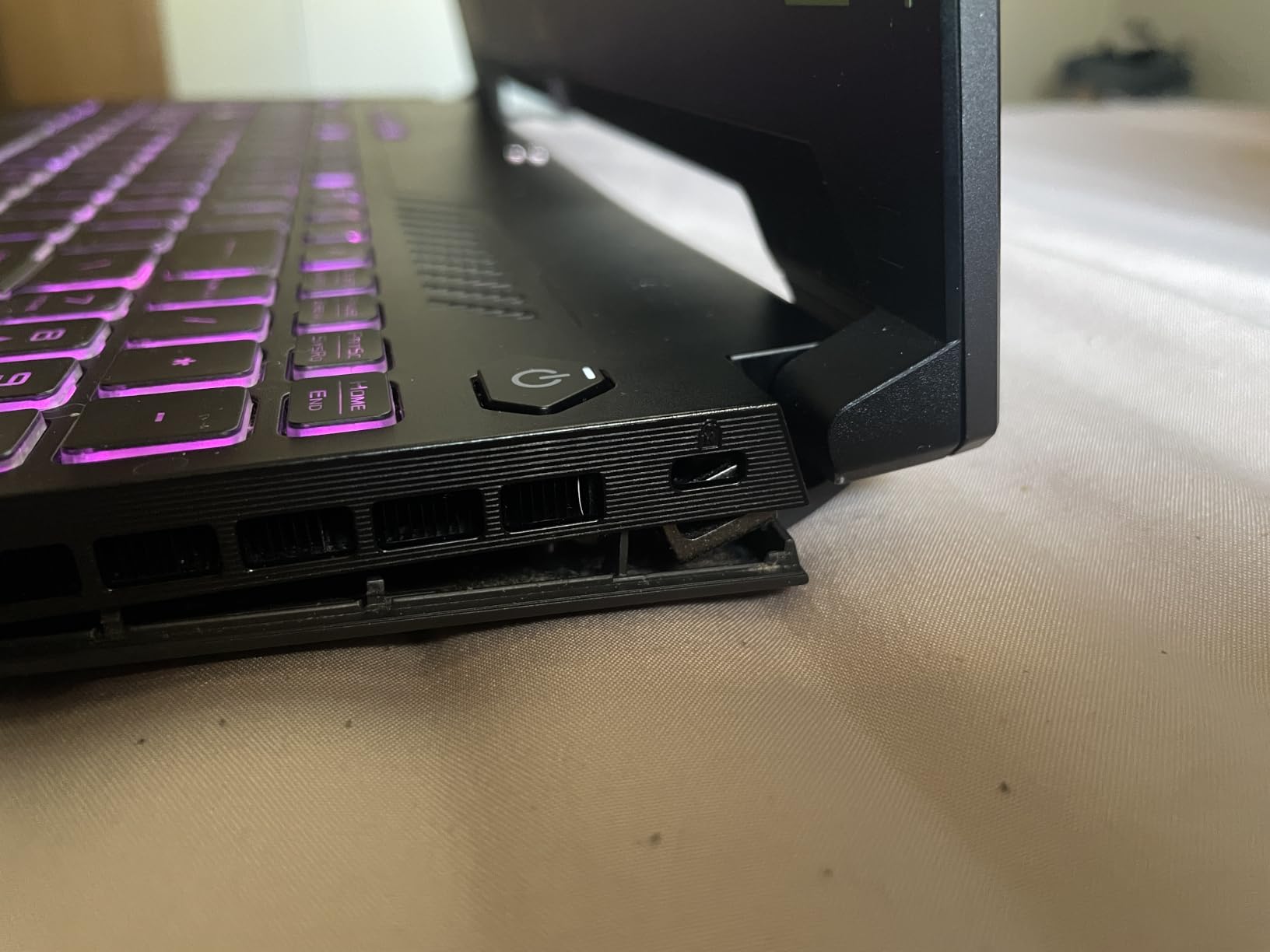
Durability reports are what we would weigh most heavily here, with owners citing loose bottom-cover screws and separating chassis panels over months. That is a concern for a four-year engineering programme, particularly if you travel with it. It is compounded by the reseller not offering an extended manufacturer warranty, a real gap compared with the three-year cover on the HP ZBook.
What Actually Matters for SOLIDWORKS: A Spec Guide
These are the criteria in the order they actually affect your work. Most buyers rank them differently, and then wonder why the machine feels slow.
CPU: Boost Clock Beats Core Count
SOLIDWORKS is CPU-bound for modeling, and specifically bound to single-core clock speed. Rebuilds, feature recomputation and mate resolution are largely serial, so a processor boosting to 5.4 GHz finishes them faster than one with twice the cores at lower clocks. Core count matters for assembly compression, Simulation meshing and rendering, which is where the 24-core machines earn their place. Set your floor at 3.3 GHz.
GPU: What ISV Certification Actually Changes
Size VRAM to your assembly complexity: 8 GB handles parts, small assemblies and real-time display comfortably, while large assemblies, photorealistic Visualize scenes and ray tracing want 16 GB. Certification is a separate axis entirely, meaning Dassault Systemes validated the driver against a specific release. Our guide to the best graphics cards for SOLIDWORKS covers the tiers in more detail.
RAM: The 16 / 32 / 64 GB Decision
- 16 GB: parts, drawings, coursework and small assemblies. Works, but a bottleneck appears as soon as you multitask.
- 32 GB: the sensible baseline for professional work and most multi-thousand-part assemblies.
- 64 GB: four-figure part counts, Simulation, PDM, or running a renderer alongside.
- 96 GB: simulation-heavy or multi-application use; only the Legion Pro 7i reaches this.
The trap is buying 32 GB soldered and realising two years later that you needed 64. If you are uncertain, buy the memory you might need now, or buy a machine where the slots are accessible.
Storage: NVMe Only, and Count the M.2 Slots
A PCIe NVMe SSD is non-negotiable; a slow configuration will feel broken in CAD use regardless of the processor. One terabyte is the sensible floor for the OS, software and an active project library. The second question is bays: machines with two M.2 slots let you add storage later without replacing what you have.
Thermals: How to Spot a Machine That Will Throttle
Thermal throttling is what turns a fast machine into a slow one after twenty minutes. Look for vapor chambers, liquid metal compound and multiple fans rather than a single-fan design, and pay attention to weight, because sustained performance requires heat sinks a 4-pound chassis cannot house. A 5.5-pound machine that holds full clocks beats a lighter one that drops to a third of them in hour two.
Display: Workspace Beats Refresh Rate
For CAD, resolution and aspect ratio matter more than refresh rate, since 165 Hz or 240 Hz is largely wasted outside smooth viewport rotation. What you want is 2560×1600 at 16:10 or taller, because the ribbon and PropertyManager are vertical elements. An 180 Hz panel at 1920×1200 gives you less usable space than a slower 165 Hz panel at the same size.
Workstation or Gaming Laptop?
A mobile workstation gives you ISV-certified drivers, enterprise manageability and an approved-hardware list your IT department recognises. A gaming or creator laptop gives more graphics performance per unit of money and a wider range of display options. If your employer has a standard list, that list is the answer. Either way, do not buy a laptop for speed a desktop would give you for less: a tower with a desktop GPU never throttles and can be upgraded indefinitely.
Can You Run SOLIDWORKS on a Mac?
Not natively. SOLIDWORKS is Windows only, and running it through Boot Camp or Parallels means a virtualised GPU producing degraded viewport performance in exactly the area where you need it most. Mac users committed to that platform should consider Fusion 360, FreeCAD or Onshape, which change the hardware requirement substantially. For full SOLIDWORKS capability, buy Windows.
Frequently Asked Questions
What is the best laptop to use with SOLIDWORKS?
The Acer Nitro V 16S is our pick overall, because its Ryzen 7 260 boosts to 5.1 GHz and pairs with a dedicated RTX 5060 carrying 8 GB of VRAM. That combination keeps part rebuilds fast and large assemblies smooth. If your employer requires officially validated hardware, choose the HP ZBook X G1i, which is ISV certified for SOLIDWORKS.
Is 32 GB of RAM enough for SOLIDWORKS?
Yes for individual parts, drawings and most small assemblies. Move to 64 GB when your assemblies run into four figures, when you run SOLIDWORKS Simulation, or when PDM and a renderer are open alongside it. The real risk is buying 32 GB that is soldered and cannot be upgraded later, which rules out two machines in our roundup for long-term use.
Is SOLIDWORKS GPU or CPU heavy?
For modeling it is CPU heavy, and specifically bound to single-core clock speed rather than core count. Part rebuilds and mate resolution are largely serial, so a chip boosting to 5.4 GHz outruns one with twice the cores at lower clocks. The GPU matters for viewport smoothness, RealView display, Visualize rendering and simulation, which is where 8 GB of VRAM becomes the useful threshold.
Are gaming laptops good for SOLIDWORKS?
Yes, with one caveat worth checking first. A modern gaming laptop with a Core Ultra or Ryzen HX processor, a dedicated NVIDIA GPU with at least 8 GB of VRAM and 32 GB of RAM will run SOLIDWORKS well. What it does not give you is an ISV-certified driver, so you may hit viewport glitches after a driver update. Seven of our eight picks are gaming or creator machines.
What is the best computer to use for SOLIDWORKS?
A desktop workstation, if you never need to move it. A tower with a desktop GPU never thermally throttles under a long render and can be upgraded indefinitely, which makes it cheaper per unit of sustained performance. A laptop is justified by portability rather than speed, so buy one only if you genuinely need SOLIDWORKS away from a desk, and prioritise clock speed and VRAM within that constraint.
Do I need a workstation laptop for SOLIDWORKS?
Only if your employer requires one. Corporate IT teams standardise on Dell Precision, Lenovo ThinkPad P series and HP ZBook machines because their drivers are ISV certified and their hardware appears on an approved list. If you buy your own machine for school or self-directed work, a well-specified gaming or creator laptop handles SOLIDWORKS perfectly well for parts, assemblies and simulation.
Which SOLIDWORKS Laptop Should You Buy in 2026?
If you model individual parts and want the least friction, the Acer Nitro V 16S is the balanced pick at 4.6 pounds. If your assemblies run into four figures or you run Simulation alongside modeling, the Lenovo Legion Pro 7i with 64 GB of RAM and 16 GB of VRAM is the machine that will not run out, and if your employer has an approved hardware list, the HP ZBook X G1i is the only ISV-certified option here.
For portability, the Lenovo Yoga Pro 9i pairs a 4.3-pound chassis with a 3.2K OLED for anyone judging rendered visuals, while the Legion 5i reaches 64 GB from a lighter body. The ASUS ROG Strix G16 takes ray-traced Visualize scenes furthest in a 16-inch chassis, and the ASUS TUF 15.6 is the entry point for drawing and drafting work with Thunderbolt 4 dual-screen support.
Before you commit, answer three questions: what is your budget, and does it allow a discrete GPU with 8 GB of VRAM rather than integrated graphics; how many parts do your largest assemblies actually contain; and do you run Simulation, rendering or PDM at the same time as modeling. Those three answers decide the machine faster than any benchmark, and whichever you pick, check the current configuration and owner feedback before ordering.
Leave a Reply