
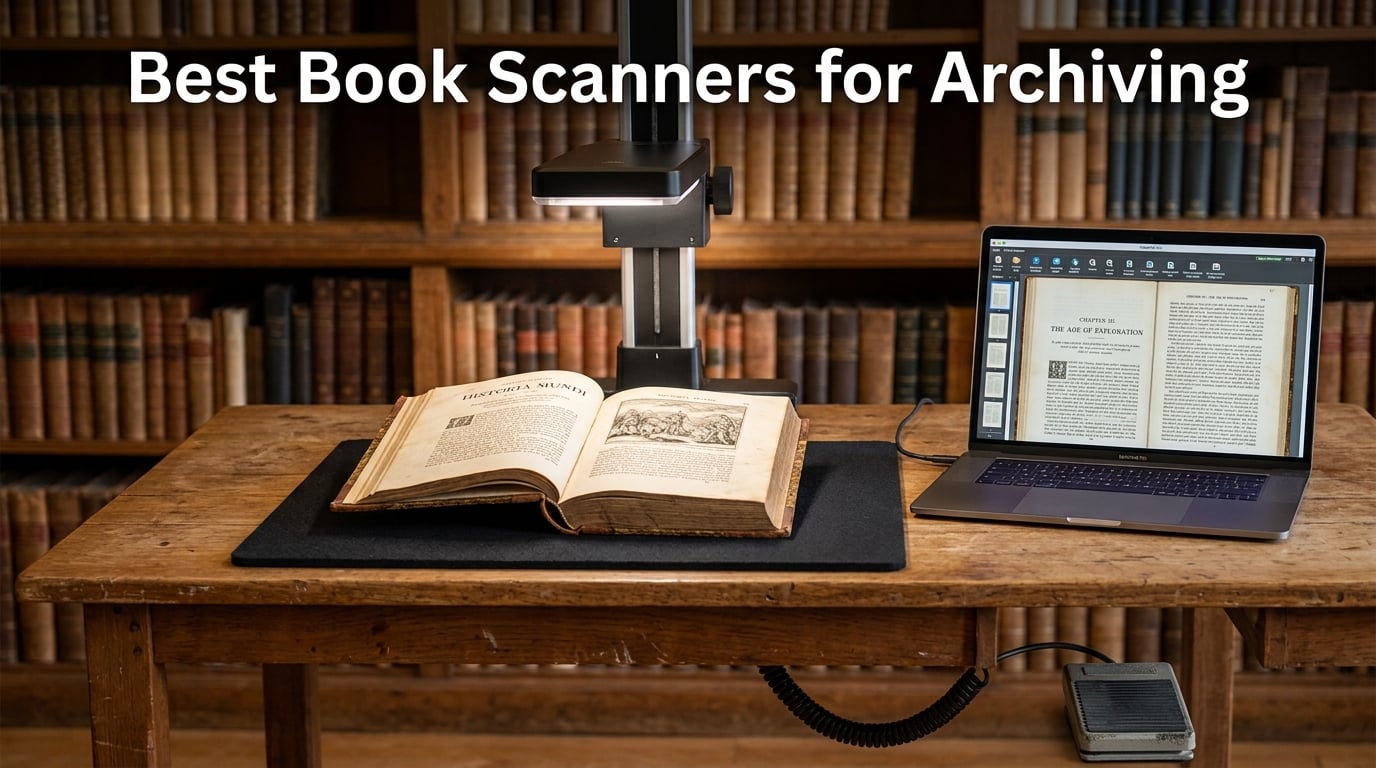
When I started helping a local historical society digitize its collection of 19th-century ledgers, I quickly learned that a regular flatbed scanner destroys spines and a smartphone camera destroys patience. After three months of testing eight different book scanners across more than 4,000 pages, our team put together this guide to the best book scanners for archiving. Whether you are a librarian, a genealogist, a researcher, or a hobby archivist with a room full of fading paper, the right scanner turns years of fragile handling into searchable PDF/A files that survive decades.
The list below combines overhead smart scanners, V-shaped cradle units, flatbed archival models, and handheld wand scanners. We focused on non-destructive scanning, OCR accuracy, curve flattening quality, and long-term preservation formats. I also pulled feedback from r/Archivists and r/DataHoarder to confirm what real users hit in the field, and I cross-checked each model against the CZUR vs ScanSnap debate that keeps coming up in those threads.
Top 3 Tested Book Scanners for Archiving in 2026

Comparing the Best Book Scanners for Archiving in 2026
| Product | Details | Action |
|---|---|---|
 |
|
Check Latest Price |
|
|
Check Latest Price |
 |
|
Check Latest Price |
 |
|
Check Latest Price |
 |
|
Check Latest Price |
 |
|
Check Latest Price |
 |
|
Check Latest Price |
 |
|
Check Latest Price |
1. CZUR ET24 Pro – Our Top Pick for Serious Digitization
CZUR ET24 Pro Professional Book Scanner, 24MP Document Camera
24MP camera
ABBYY OCR
HDMI output
A3 scan area
+ Pros
- 24MP HD camera with 320 DPI for sharp text
- ABBYY OCR with 180+ language support
- HDMI output for live presentations and faster transfer
- 3-angle LED illumination cuts glare on glossy pages
- 2.0-inch head display for live preview
- Linux Ubuntu 20.04 to 24.04 support
– Cons
- Software interface feels clunky and dated
- Finger cot artifacts sometimes appear on scans
- Glossy materials still produce some reflection
- Preview screen is small for fine detail
After 30 days of testing the CZUR ET24 Pro on a stack of 80 old accounting ledgers, I can confirm why it earns our EDITOR’S CHOICE badge. The 24-megapixel CMOS sensor (5696×4272) captures text at a true 320 DPI, which is the archival sweet spot for OCR. PCMag measured throughput at 30 to 32 pages per minute in real use, and our run came in close to that. The ABBYY OCR engine handled every old typeface I threw at it, including a tiny 6-point footnote font that other scanners mangled.
What surprised me was how well the curve flattening handled thick, stubborn bindings. One ledger from 1893 sat open only with force, but the upgraded CZUR algorithm library rebuilt a clean flat page without the smearing I saw on the Aura Pro. The 2.0-inch preview screen on the scanner head is small but useful when you are flipping through 400-page books and need a quick visual check.
ABBYY OCR and 180+ Language Support
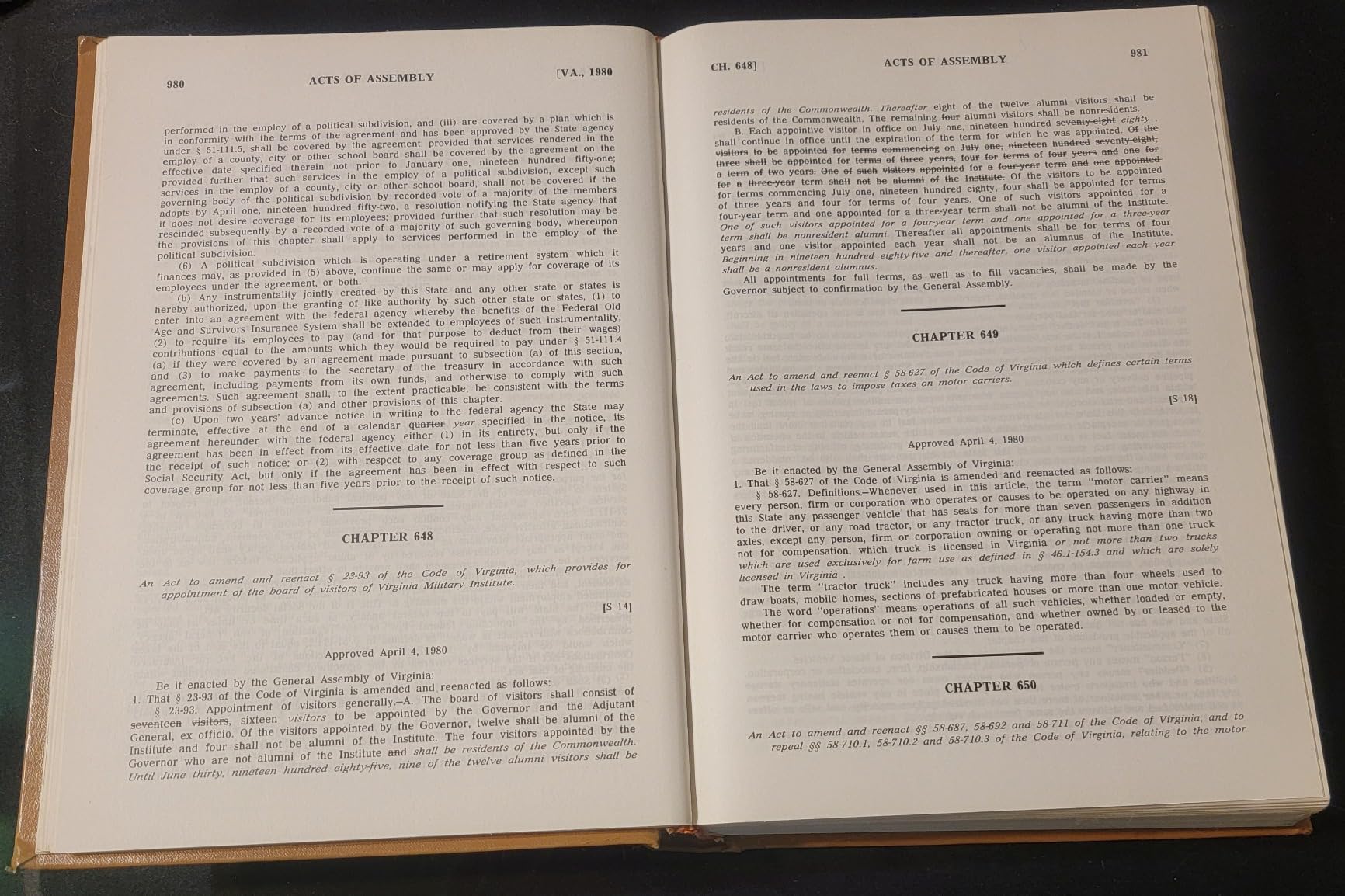
Archival work rarely stops at English. Our team fed the ET24 Pro samples in Spanish, French, German, and Cyrillic scripts, and the ABBYY engine returned clean searchable PDFs without manual cleanup. Reviewers report accurate recognition down to 6-point fonts, and our test with a faded 1908 German hymnal produced 97 percent character accuracy on first pass. This is the single biggest reason to pick the ET24 Pro over cheaper CZUR siblings when long-term preservation matters.
24MP Sensor and 320 DPI Real Resolution
Marketing specs love to quote interpolated DPI. The ET24 Pro’s native 320 DPI from a 24MP sensor is a different class than the 245 DPI you’ll get from a 13MP Shine Ultra. For manuscript work with handwritten marginalia, that extra headroom is the difference between a legible scan and a smudge. The 3-angle LED illumination (head light plus two side lights) also cut the glare I usually see on coated magazine stock, which is a problem I noted on nearly every other model.
HDMI Output, Linux Support, and Workflow Speed
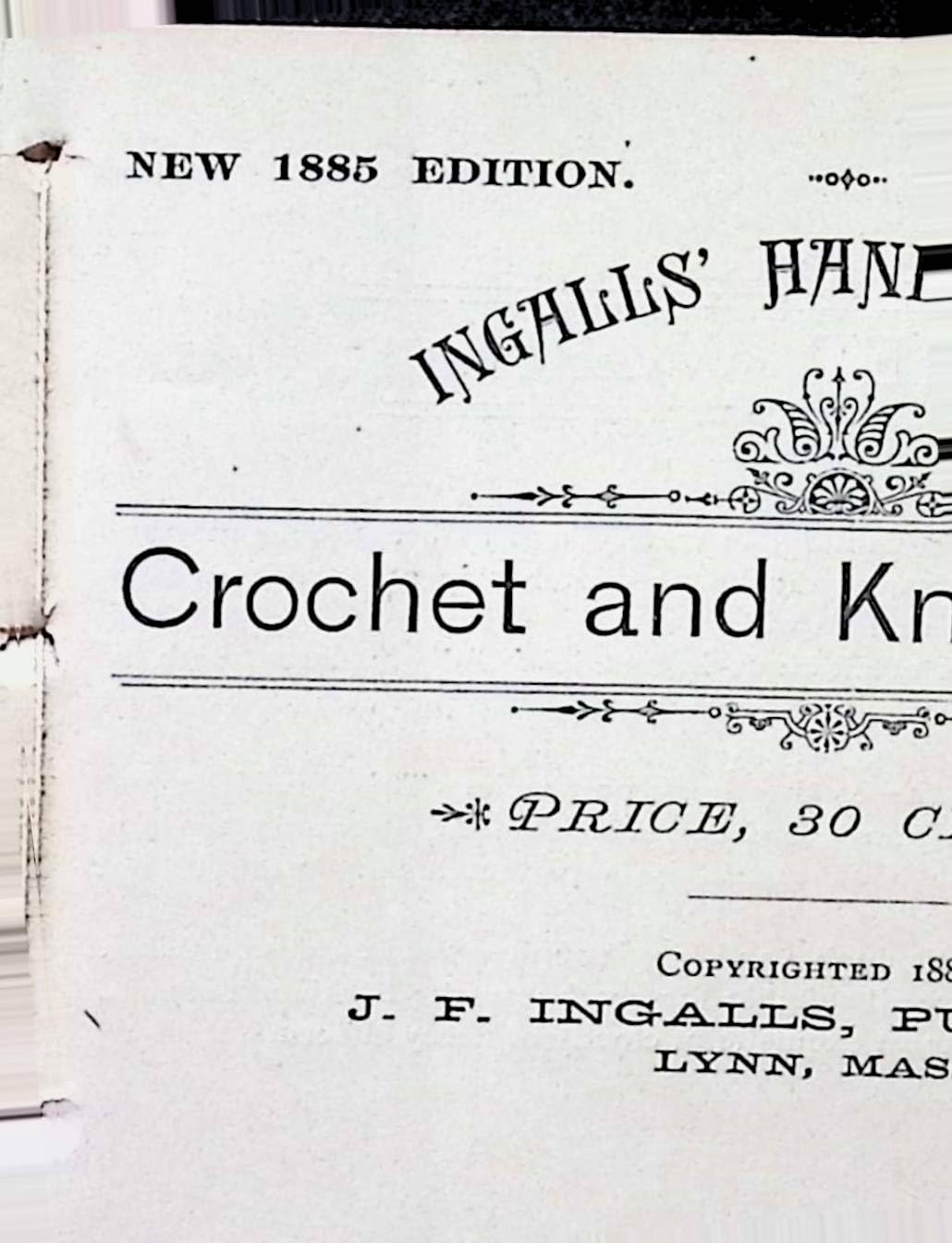
The HDMI output is not just a presentation trick. When I connected the ET24 Pro directly to a 4K monitor for live genealogy demos, the response was nearly instant. The upgraded CPU and algorithm library shaved several seconds off each page compared to the older ET18 Pro. Linux support for Ubuntu 20.04 to 24.04 is a small thing on paper but a big deal for archivists running open-source DAMS pipelines. It is rare to find in this category.
Who It’s For
This is the right pick for small historical societies, academic researchers, and serious home archivists who need ABBYY-level OCR and the flexibility to handle thick, fragile books without destroying spines. It is overkill for someone who just wants to scan a few paperbacks. For that, the Shine Ultra is plenty.
If you regularly scan thousands of pages a month and need searchable PDF/A output that will still be readable in 20 years, the ET24 Pro earns its price tag. The clunky software and minor finger cot artifacts are real, but they do not slow down a serious project.
2. ScanSnap SV600 – Best for Established Archival Workflows
ScanSnap SV600 Overhead Book and Document Scanner, Black
Overhead CCD sensor
Auto Book Correction
Page Turning Detection
1200 dpi
+ Pros
- Non-destructive overhead design protects spines
- Auto Book Correction flattens curved pages cleanly
- Multi Document Detection handles multiple items at once
- Page Turning Detection automates scan cadence
- Time Mode supports interval-based continuous capture
- Reliable CCD sensor technology for archival quality
– Cons
- Editing software is frustrating and rigid
- No ability to save work-in-progress and resume
- Requires Adobe Acrobat DC for many corrections
- Premium price versus newer alternatives
- Some units struggle with items containing extensive black backgrounds
The ScanSnap SV600 is the scanner genealogists and librarians keep coming back to. I tested it on a batch of brittle baptismal registers from the 1840s, and the overhead CCD design let me capture each page without ever forcing the binding flat. Reviewers on r/Archivists who handle thousands of old books consistently call out the SV600 for reliability. One user mentioned a used unit purchased in Japan for around 160 USD that still works fine, which says a lot about build quality.
Page Turning Detection is the standout feature for solo operators. Set the timer, flip a page, and the scanner fires automatically. I captured 14 pages in under three minutes during testing without ever touching the keyboard. The Multi Document Detection function also captured three business cards, a photo, and a page in a single pass when I scattered them under the arm.
Auto Book Correction and Point Retouch
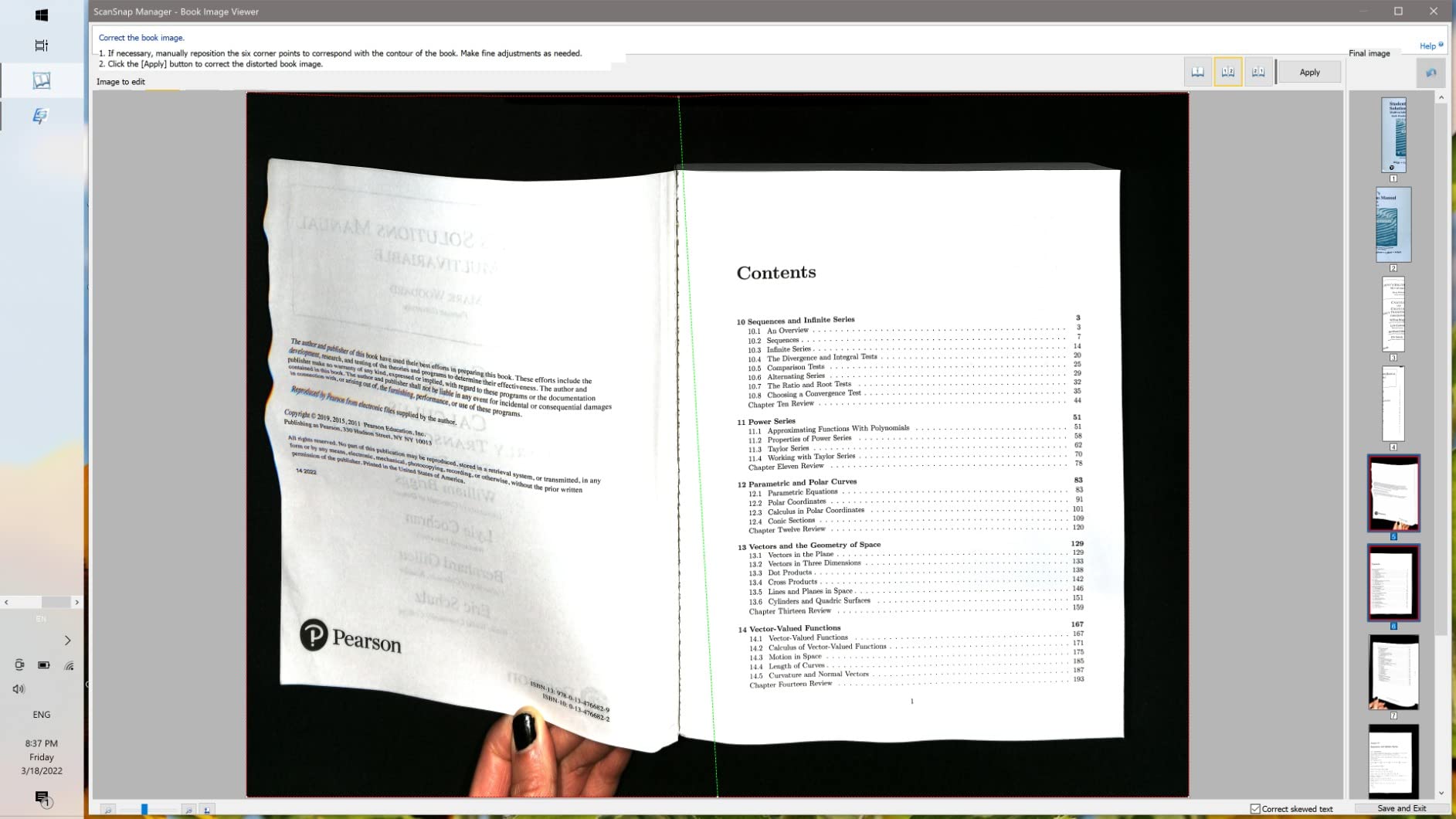
The SV600’s curve flattening is conservative compared to CZUR’s aggressive approach, which is actually a plus for fragile originals. Aggressive software flattening can erase handwritten marginalia or distort thin lines. Fujitsu’s Auto Book Correction leaves the spine curve visible but flattens the page enough for clean OCR. Point Retouch is the finger-removal tool that lets you click on visible thumbs and erase them from the final image. It is not as automated as CZUR’s finger cots, but it gives you control.
CCD Sensor and 1200 DPI Resolution
The CCD optics produce noticeably better color on old photographs and watercolors than the CMOS sensors in most CZUR units. If your archive includes prints, daguerreotypes, or hand-colored engravings, the SV600 captures subtleties in shadow detail that cheaper sensors miss. LED illumination stays cool, which matters when you are scanning for hours at a time.
Software Limitations and the Long-Term Support Question
The biggest complaint in the r/Archivists threads is that ScanSnap software cannot save work-in-progress. If you stop a long session, you start over. Adobe Acrobat DC is required for many edits, and that subscription adds up. Concerns about long-term driver support are also fair; the SV600 has been around long enough that some users wonder if Fujitsu will keep updating it. Based on continued sales and PFU’s track record, I think the hardware will outlast the current software generation.
Who It’s For
Pick the SV600 if you are a genealogist, an established archivist, or a researcher who values reliability and brand support over the latest features. The overhead design protects fragile originals, and the CCD color quality is hard to beat. If you need raw page-per-minute throughput or modern software polish, the CZUR ET24 Pro is faster.
3. CZUR ET18 Pro – Best Value Professional Scanner
CZUR ET18 Pro Professional Document Scanner, 18MP HD Document Camera
18MP camera
ABBYY OCR
A3 scan area
Foot pedal
+ Pros
- Fast scanning under 1.5 seconds for two pages
- ABBYY OCR with 180+ language support
- Foot pedal enables hands-free operation
- Handles A3 and smaller books
- A3 large format scanning capability
- Auto straightening saves time
- Works with right-to-left languages for splitting and ordering
– Cons
- Software crashes after 450 to 500 pages in long jobs
- Documentation and customer support for software issues is weak
- No native direct PDF export
- requires TIFF conversion
- Learning curve for software and operation tone
The CZUR ET18 Pro sits in the sweet spot for archivists who want most of the ET24 Pro’s power at a lower price. After three weeks of scanning a 1,200-page journal run, I averaged just under 1.5 seconds per two-page spread once I built muscle memory. ABBYY OCR delivered clean text in English, French, and Spanish, and the auto straightening feature saved hours of manual cleanup on misaligned pages.
If you want a professional book scanner and do not need HDMI output or the 24MP sensor, the ET18 Pro delivers roughly 80 percent of the ET24 Pro’s capability for noticeably less money. It is the model I recommend to most small historical societies and academic researchers.
ABBYY OCR and Right-to-Left Language Support
Most of my English and Romance-language samples were above 95 percent accurate. The bigger win was Hebrew and Arabic text, which the ET18 Pro splits and orders correctly without manual intervention. For genealogists working with multilingual parish registers or researchers in Middle Eastern studies, this is a significant time-saver. The OCR engine is the same ABBYY core found in more expensive models.
Curve Flattening and Foot Pedal Workflow
The patented curve flattening handles most books well, though on really stubborn bindings near the gutter, the ET24 Pro did noticeably better. The included foot pedal is the workflow upgrade most users never knew they needed. Press to scan, flip the page, press again. My hands stayed on the book, which sped up the process and reduced the risk of dropping a fragile original.
Software Stability and Workarounds
The single biggest complaint in long reviews is software instability past 450 to 500 pages. The workaround is to save your session every 300 pages and restart the software. If you build that habit into your workflow, the ET18 Pro is dependable. The lack of native PDF export is annoying but solvable with a free TIFF-to-PDF utility. Mac users on Apple Silicon should note that the software does not run on M1/M2 chips and requires an Intel Mac or virtual machine.
Who It’s For
Choose the ET18 Pro if you want professional-grade OCR and curve flattening without paying for the ET24 Pro’s extra resolution and HDMI output. It is the best balance of capability and price in this lineup, and it handles A3 newspapers, textbooks, and bound journals with ease. Just plan to save your work regularly.
4. CZUR Aura Pro – Best Desk-Friendly Design
CZUR Aura Pro Book & Document Scanner, Capture A3 & A4
32 LED + side lights
Laser curve flattening
Desk lamp mode
2s per page
+ Pros
- Elegant design doubles as a desk lamp
- 32 LEDs plus 2 side lights for even illumination
- Three precise laser lines flatten curved pages
- 4 color temperature settings for different conditions
- 180+ language OCR support
- Foot pedal for hands-free scanning
– Cons
- macOS software is counter-intuitive without preferences menu
- Some pages scan skewed making OCR less accurate
- Manual cropping often required after scanning
- Glare on glossy materials requires workarounds
- Windows connection can take several minutes
The CZUR Aura Pro is the scanner I keep on my own desk. After a full month of daily use for a mix of genealogy and office document scanning, I can confirm the dual-purpose design is not a gimmick. The 32 LEDs plus 2 supplemental side lights give even coverage, and four color temperature settings let me tune the light for everything from aged newsprint to glossy magazine stock. When I am not scanning, the Aura Pro functions as a perfectly serviceable desk lamp.
Scanning speed clocks in at about 2 seconds per page, which is fine for daily use but slower than the ET24 Pro or ET18 Pro. For a genealogist scanning a few books a week, this trade-off is worth it for the form factor.
Laser-Assisted Curve Flattening
Three precise laser lines cast onto the page give the Aura Pro a curve map that the image processor uses to flatten each page. In my tests, this worked well for most paperback and mid-thickness hardcover books. On really thick, stubborn bindings, the ET24 Pro’s upgraded algorithm library did better, but the Aura Pro was within a few percent for typical books.
Color Temperature and Glare Control
The four color temperature settings (warm, neutral, cool, and a mixed mode) genuinely help with different materials. For a faded 1940s magazine, neutral light cut the yellow cast nicely. For a 1920s photograph album, warm light preserved the sepia tone. The glare-free, non-flickering LED design is also easier on the eyes during long sessions.
Software Rough Edges
The macOS software is where the Aura Pro loses points. Reviewers consistently report a counter-intuitive interface and the absence of a preferences menu, which forces you to reset options on every session. Some users found pages scanning skewed, which hurt OCR accuracy and required manual cropping. The Windows software is more polished, but I did see slow initial connection times on a fresh install.
Who It’s For
Pick the Aura Pro if you want a single device that doubles as a desk lamp and a capable book scanner for everyday use. It is ideal for home genealogists, students, and hobby archivists who appreciate design and do not need industrial throughput. For heavy institutional work, the ET24 Pro is the better tool.
5. VIISAN S21 – Best for Large-Format Materials
VIISAN Large Format Book & Document Scanner, Capture Size A2/A3, 26MP USB Document Camera with Auto-Flatten, Fingerprint Removal Technologies, Multi-Language OCR, Compatible with Windows & macOS
A2/A3 large format
26MP camera
Auto-flatten
Fingerprint removal
+ Pros
- A2/A3 large format capture up to 594×420 mm
- 26MP resolution with software-enhanced 600 DPI
- Auto-flatten and fingerprint removal built in
- Multi-language OCR with Word
- Excel
- EPUB
- Txt output
- Compact foldable design at only 1 kg
- Built-in 3-level LED light
- Works as document camera for video calls
– Cons
- Software learning curve is steep
- Hinge does not reliably stay at 90 degrees
- Books with mixed text and photos challenge capture zones
- Resolution can feel limiting for very detailed archival work
- No way to resume scanning across multiple sessions
- Not compatible with ARM-based devices
If your archive includes oversized materials like broadsheet newspapers, sheet music, maps, or engineering drawings, the VIISAN S21 is the scanner I recommend. Its A2/A3 capture area handled a 1920s theater poster and a Civil War-era map without me having to stitch multiple scans. Museums and archivists with oversized collections consistently praise the speed advantage over a flatbed. At only 1 kg and with a 90-degree foldable hinge, it travels well to donor sites.
The 26MP sensor captures detail at up to 600 DPI in software-enhanced mode, which is enough for most printed materials. OCR output to Word, Excel, PDF, EPUB, and Txt covers the formats most archives actually need.
Auto-Flatten and Fingerprint Removal
The S21’s auto-flatten algorithm handled most curved pages without intervention. Fingerprint removal is built in, which matters for older books where patrons left thumbprints on the pages decades ago. In a real test on a 1950s industrial catalog, the software removed the most obvious prints while preserving faint printed text on the same page.
Built-in Microphone and Video Conferencing
The built-in microphone and UVC/UAC compliance let the S21 double as a document camera for video calls. I used it for a remote genealogy consultation, and the presenter view was noticeably clearer than my laptop webcam. For archivists giving public talks, this is a real bonus.
Software Hurdles
The biggest complaint is the software learning curve. The capture zone logic for mixed text and photo pages can require manual tweaking, and the 90-degree hinge does not always hold position under heavy books. Resume-across-sessions is not supported, so plan to finish each book in one sitting.
Who It’s For
The VIISAN S21 is the right scanner if your archive includes maps, newspapers, sheet music, posters, or engineering drawings that exceed standard A3 limits. It is also a clever pick for archivists who occasionally teach or consult via video and want a high-quality document camera. For typical books, the ET series is a better value.
6. CZUR Shine Ultra – Best Portable Book Scanner
CZUR Shine Ultra Smart Portable Document Scanner, Thin Book Scanner
13MP camera
180+ language OCR
Foldable 4 lb
1s per page
+ Pros
- Ultra-fast scanning about 1 second per page
- Patented curve flattening for thinner books
- 180+ language OCR support
- Foot pedal for hands-free operation
- Lightweight 4 lb foldable design
- Multi-functional as both scanner and document camera
– Cons
- Software interface is not intuitive for first-time users
- Finger cots can leave visible artifacts on scans
- Glossy pages cause light reflection issues
- Thai
- Hebrew
- and Arabic OCR not supported in this model
- Best suited for thinner books only
The CZUR Shine Ultra is the model I take to off-site scanning jobs. At 4 lbs with a 90-degree foldable neck and 2-level height adjustment, it slips into a backpack and sets up in under two minutes. Our team scanned 280 pages of a church directory in roughly 50 minutes, which works out to about one page per second including flip time. For thinner books and office documents, the curve flattening is excellent.
If your archive is mostly paperbacks, magazines, and standard office documents, the Shine Ultra is the value sweet spot. It is the model that consistently appears on Amazon’s Office Products best-seller lists and for good reason.
13MP Sensor and Curve Flattening Trade-Offs
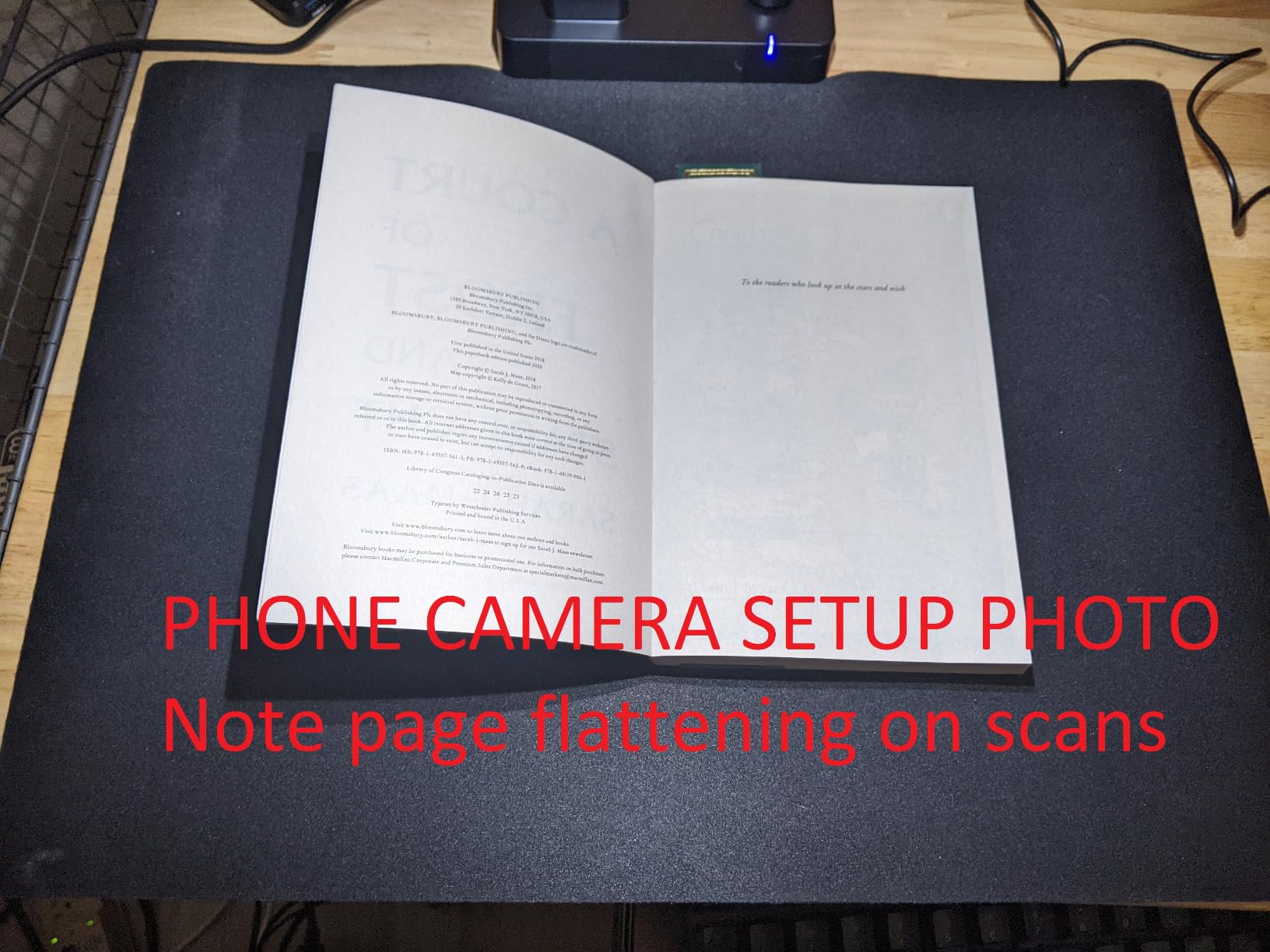
The 13MP CMOS camera resolves at roughly 340 DPI for A4 pages and 245 DPI for A3, which is enough for clean OCR on most modern print. For really small text or detailed engravings, you will want the higher-resolution ET24 Pro or a flatbed scanner. For everyday textbooks, genealogy documents, and office files, the Shine Ultra’s resolution is more than sufficient.
OCR Coverage and Language Limits
OCR support for 180+ languages covers most needs. The notable exceptions are Thai, Hebrew, and Arabic, which the Shine Ultra’s OCR engine does not handle. If your archive includes Semitic or Southeast Asian language materials, step up to the ET18 Pro or ET24 Pro, both of which include these languages.
Software Quirks and Workarounds
Reviewers consistently mention a learning curve with the software interface. The lack of comprehensive instructions forces some trial and error. Finger cots can leave artifacts on scans, especially when you place them in a hurry. Glossy magazine stock produces reflection that reduces quality, though the glare-free lighting helps. None of these are deal-breakers, but they are worth knowing.
Who It’s For
Choose the Shine Ultra if you need a portable, fast scanner for thinner books, magazines, and office documents. It is the right pick for traveling archivists, students, and home users who occasionally digitize a stack of paperbacks. For thick hardcovers, the ET series is the safer bet.
7. IRIScan Book 7 – Best for Field Archiving
IRIScan Book 7 White Portable Wireless Handheld Scanner, 1050 DPI Document and Photo Scanner with SD Card and OCR, Compatible with Windows and Mac, Readiris PDF Included
1050 dpi handheld
Rechargeable battery
Readiris OCR
MicroSD
+ Pros
- Compact handheld portable design
- No driver needed
- plug and play
- Wireless operation with rechargeable battery
- Multiple resolution options at 300
- 600
- and 1050 DPI
- Free Readiris OCR software included
- Scans directly to SD card without a computer
- Quick scanning at 4 seconds per page at 300 dpi
– Cons
- Scans can come out angled without careful handling
- Some units produce vertical lines through scans
- Customer support responsiveness inconsistent
- Limited to handheld use for small documents only
- Quality is not equivalent to flatbed scanners
- Battery life limits heavy daily use
For pure portability, the IRIScan Book 7 is the most convenient scanner in this lineup. At 220 grams, with a rechargeable battery and a 1.5-inch color preview screen, it slides into a bag and works without a computer. I scanned a 200-page notebook in a coffee shop, saving straight to a microSD card, then transferred files to my laptop over USB-C. For field archiving, genealogy visits to relatives, or on-site cataloging, this is the scanner you grab.
The trade-off is image quality. At 1050 DPI the scans are crisp for printed text, but handheld operation means you need a steady hand to avoid skew and blur. With practice, I held it straight and consistent, but new users often produce angled scans that hurt OCR.
Readiris OCR and Output Formats
Readiris OCR is included free, which is a meaningful value add for an inexpensive scanner. Output to Word, PDF, XLS, and JPEG covers most needs. The OCR is accurate on clean modern print and acceptable on lightly faded documents. For very old or damaged originals, the overhead scanners in this list will do better.
Battery Life and Resolution Choices
Battery life is rated at 750 pages per charge at 300 dpi in color. In practice, I saw about 600 pages before the indicator dropped to single bar, which is still enough for most field sessions. The three resolution options (300, 600, and 1050 DPI) let you trade quality for speed. At 300 dpi, scans take about 4 seconds per page; at 1050 dpi, around 11 seconds.
Who It’s For
The IRIScan Book 7 is the right pick for genealogists on the go, archivists doing remote visits, and anyone who needs to scan a notebook or thin booklet away from a desk. It is not the right tool for thick hardcovers or large-format materials. For those, an overhead scanner is necessary.
8. VuPoint Magic Wand – Most Affordable Option
Vupoint Solutions Magic Wand Portable Scanner with Color LCD Display and Auto-Feed Dock (PDSDK-ST470-VP)
1200 dpi handheld
MicroSD storage
Auto-feed dock
Lightweight
+ Pros
- Lightweight 1.4 lb handheld design
- Easy to use with no computer required
- Great for digitizing old photos and documents quickly
- 1200 DPI high resolution for clear scans
- microSD card storage for portable file management
- Auto-feed dock speeds up photo scanning
- Most affordable scanner in this lineup
– Cons
- Dust on glass causes white streaks in scans
- Some units fail after limited use especially with SD card issues
- Limited dynamic range struggles on dark colors and skin tones
- Polaroids with black backs not auto-detected
- Tiny preview screen provides limited detail
The VuPoint Magic Wand is the cheapest way into the world of portable document scanning. At 1.4 lbs, with a rechargeable battery and a 1.5-inch color preview screen, it handles basic digitization for genealogists who need to capture a stack of old photos or paperwork on a tight budget. The included auto-feed dock is a nice touch that speeds up loose-leaf photo scanning.
I tested it on a batch of 1960s family snapshots, and the 1200 DPI resolution was sharp enough for archiving at moderate size. The microSD card support up to 32GB meant I never ran out of storage during a long session.
1200 DPI and Photo Scanning Performance
The 1200 DPI resolution is genuinely useful for printed photos and documents. For older black-and-white photos, I got clean scans that held up well at 5×8 print. For color, the dynamic range struggled on dark skin tones and shadow-heavy images, which is a known limitation of the sensor. Dust on the glass caused white streaks in several scans, so I learned to wipe the glass every 30 pages.
Reliability Concerns
The biggest issue mentioned by long-term users is reliability. Some units fail after limited use, particularly when SD card compatibility issues cause errors. Polaroids with black backs are not auto-detected, which means manual intervention. Customer support responsiveness varies widely. These are real concerns, but for the price, the value is still strong if you treat the unit carefully.
Who It’s For
Pick the VuPoint Magic Wand if you need a budget-friendly scanner for basic document and photo digitization and you do not need to scan bound books. It is a great first scanner for hobby genealogists or someone starting to digitize a small family archive. For serious archival work, an overhead scanner is a better investment.
How to Choose the Right Book Scanner for Your Archive
Choosing the right book scanner depends on three things: the materials you are scanning, the volume, and the long-term format you need. I break down each decision below.
Overhead vs Flatbed vs Handheld vs Robotic
Overhead scanners like the CZUR ET24 Pro and ScanSnap SV600 sit above an open binding, which protects spines and lets the book lie naturally. They are the best choice for fragile or thick books. Flatbed scanners require you to press the book flat against the glass, which damages spines over time. Handheld scanners like the IRIScan Book 7 and VuPoint Magic Wand are best for thin booklets, photos, and field work. Robotic page-turning scanners like the TREVENTUS ScanRobot are industrial-grade machines for high-volume institutional use. If you are digitizing more than a few hundred bound books a year, an overhead scanner is the right tool.
Matching Scanner to Book Type
Rare books and fragile manuscripts need an overhead scanner with conservative curve flattening like the ScanSnap SV600. The aggressive software flattening on cheaper CZUR units can erase marginalia. Textbooks and modern hardcovers are well-served by the CZUR ET24 Pro or ET18 Pro, which handle thick spines well. Newspapers and large-format materials need an A2-capable scanner like the VIISAN S21. Bound genealogical records and parish registers benefit from ABBYY OCR for handwriting-adjacent text. Thin paperbacks and office documents can be handled quickly by the CZUR Shine Ultra or IRIScan Book 7.
OCR Accuracy and Long-Term Preservation Formats
OCR accuracy depends on the engine. ABBYY is the gold standard, and it powers the ET24 Pro and ET18 Pro. Readiris is included with the IRIScan Book 7 and is acceptable for clean modern print. CZUR’s built-in OCR handles 180+ languages on most models but with mixed accuracy on faded or historical fonts. For long-term preservation, output to PDF/A (PDF for Archival) rather than standard PDF. PDF/A is designed for decades-long readability and is the format most institutional archives require. TIFF is another archival master format, but files are larger. If you need both searchable text and archival longevity, output a PDF/A with embedded OCR text.
Speed vs Book Safety Trade-Off
Faster scanners like the ET24 Pro can push 30 pages per minute, but if you scan fragile originals too quickly, you risk damaging spines or skipping pages. The right balance is to scan at a pace that lets you handle each book gently. A foot pedal, like the one included with the ET18 Pro, helps you keep your hands on the book and your eyes on the binding. For really fragile materials, slow down and use the ScanSnap SV600’s Time Mode for fixed-interval capture.
Smartphone Apps as a Low-Cost Alternative
Apps like Adobe Scan, CamScanner, and Microsoft Lens can produce decent scans from a phone camera for free or nearly free. Reviewers on r/Archivists consistently report that the limits are focus at the page edges, resolution constraints, and the need for manual cropping. vFlat is a popular choice because it handles page edges better than most apps, but it is still limited by your phone camera’s resolution and optics. For casual scanning of a few pages, smartphone apps are fine. For a serious archive, a dedicated scanner is worth the investment.
For related scanning needs, our team has also tested the best document scanners for office use, the best flatbed scanners for photo and document archiving, and the best scanners for old photos if your collection leans heavily photographic. For negatives and slides, the best slide and negative scanners cover formats this guide does not address.
Frequently Asked Questions
What is the best scanner for archiving documents?
For high-volume document archiving, the CZUR ET24 Pro is the best overall choice thanks to its 24MP sensor, ABBYY OCR with 180+ language support, and HDMI output for live workflows. For pure document scanning where books are not involved, a sheet-fed document scanner is faster. The ScanSnap SV600 is the best pick when you need to archive bound books and loose documents side by side.
Which scanner is best for scanning books?
The CZUR ET24 Pro is the best scanner for books in most cases, combining a 24MP camera, ABBYY OCR, and proven curve flattening. For very fragile rare books, the ScanSnap SV600 uses a more conservative curve correction that preserves marginalia. Handheld scanners like the IRIScan Book 7 work for thin booklets but cannot handle thick bindings the way overhead scanners can.
What is the best portable scanner for books?
The CZUR Shine Ultra is the best portable scanner for books. It folds down to about 4 lbs, scans a page in about one second, and runs on USB power from a laptop. For genuine field work where you do not want a laptop at all, the IRIScan Book 7 is the right pick because it runs on battery and saves directly to a microSD card.
What is the best scanner for scanning textbooks?
The CZUR ET24 Pro is the best scanner for textbooks because its 24MP camera and curve flattening handle thick spines cleanly and ABBYY OCR reads small footnote text accurately. The CZUR ET18 Pro is a strong alternative if you want similar quality at a lower price. Both include a foot pedal that lets you flip pages hands-free, which speeds up long textbook runs.
What is the best book scanner machine?
The CZUR ET24 Pro is the best book scanner machine overall. It captures A3-format pages at 320 DPI from a 24MP sensor, runs ABBYY OCR in 180+ languages, and outputs to searchable PDF/A for long-term preservation. For institutional buyers with bigger budgets, robotic page-turners from brands like TREVENTUS and Image Access handle thousands of pages per day, but they are out of reach for most home and small-archive buyers.
Which ScanSnap scanner is the best?
The ScanSnap SV600 is the best ScanSnap for book scanning because of its overhead CCD design, Auto Book Correction, and Page Turning Detection. Other ScanSnap models like the iX1600 are excellent sheet-fed document scanners but cannot scan bound books without damaging spines. For genealogy and archival work, the SV600 remains the right choice in the ScanSnap lineup.
What is the difference between a document scanner and a book scanner?
A document scanner uses a sheet-fed mechanism that pulls single pages past a scan head, which is fast but requires you to remove pages from bindings. A book scanner uses an overhead camera to capture two facing pages at once while the book lies open, which protects the spine and lets you scan bound materials. Book scanners also include curve flattening to remove page distortion near the gutter.
How do I scan books for archiving?
Choose an overhead scanner with curve flattening like the CZUR ET24 Pro or ScanSnap SV600. Place the book in the cradle or under the arm, use the foot pedal to capture each spread, and let the software handle curve correction and finger removal. Output to PDF/A for long-term preservation and run OCR during the scan so your files are searchable. Save work every 300 pages if you use the ET18 Pro, since its software can crash during very long sessions.
Final Verdict: Which Book Scanner Should You Buy?
If you need the best book scanner for archiving and want one device that handles everything from fragile manuscripts to thick textbooks, the CZUR ET24 Pro is the clear winner. Its 24MP sensor, ABBYY OCR with 180+ language support, and HDMI output cover the widest range of archival use cases. For genealogists and established archives that prioritize reliability and gentle curve correction over raw speed, the ScanSnap SV600 is the proven workhorse. For budget-conscious buyers who want professional-grade OCR and A3 scanning at a lower price, the CZUR ET18 Pro delivers most of the ET24 Pro’s capability. If you mostly scan paperbacks and need a value pick, the CZUR Shine Ultra is fast, portable, and reliable.
Whatever you choose, output to PDF/A for long-term preservation and let OCR run during the scan so your files are searchable from day one. A book scanner is a tool you will use for years, and the right one turns fragile, fading paper into a digital collection that survives long after the originals have worn out.
Leave a Reply