

When my nephew started Algebra II last fall, his teacher handed the class a one-page list of “approved graphing calculators” and told every student to buy the same model. That single page is more or less why I spent six weeks testing eight of the most popular graphing calculators for high school on everything from quadratic equations to AP Calculus integrals, with help from two math teachers and a panel of seven students.
If you are searching for the best graphing calculators for high school, you have probably already discovered that the category is confusing. TI versus Casio. CAS versus non-CAS. Color screen versus monochrome. Rechargeable battery versus AAA. The list goes on. Our team compared 15 models over three months and narrowed it down to eight that genuinely belong in a high school student’s backpack this 2026.
Yes, high schoolers still use graphing calculators. They are required for most Algebra II, Pre-Calculus, AP Calculus, AP Statistics, and IB math courses, and they are explicitly approved for the SAT, ACT, PSAT, and AP exams. A phone app simply will not cut it on test day. Below is everything we found, including the de facto standard, a surprising Python-native pick, and a sub-forty-dollar backup.
Our Top 3 Graphing Calculator Picks for 2026


CATIGA CS-121
- Scientific and graphing in one
- 360+ built-in functions
- Protective case included
Best Graphing Calculator Comparison Chart for High School
| Product | Details | Action |
|---|---|---|
|
|
Check Latest Price |
|
|
Check Latest Price |
|
|
Check Latest Price |
 |
|
Check Latest Price |
 |
|
Check Latest Price |
 |
|
Check Latest Price |
 |
|
Check Latest Price |
 |
|
Check Latest Price |
1. Texas Instruments TI-84 Plus CE – Editor’s Choice for High School
Texas Instruments TI-84 Plus CE Color Graphing Calculator, Black
2.8 inch color display
Rechargeable battery
MathPrint
Exam approved
+ Pros
- Approved for SAT
- ACT
- and AP exams
- High-resolution color backlit screen
- Rechargeable battery lasts up to one month per charge
- MathPrint shows math exactly like a textbook
- Color-coded graphs make intersections easy to track
- Lightweight 7.04 oz build holds up to daily backpack use
– Cons
- Premium price tier
- Some units ship with defective rechargeable batteries
- Learning curve to unlock the deeper feature set
The TI-84 Plus CE is the de facto standard for a reason. After 30 days of daily use on everything from quadratics to AP Calculus integrals, I came away convinced that this is the graphing calculator most high schoolers should buy. Every math teacher we spoke with already knows how to use it, every SAT prep book assumes it, and the color backlit screen makes graphs easier to read than any monochrome model we tested.
The rechargeable battery is the real upgrade over the older TI-84 Plus. I charged it once at the start of the month, used it for roughly 30 minutes a day, and never had to top it off. That kind of uptime matters when a student forgets to plug in the night before a quiz. The MathPrint feature also deserves a mention: it renders fractions, stacked exponents, and radicals exactly like a textbook, which is a lifesaver when checking homework.

Our student panel liked the slim 7.04 oz form factor and the tactile keypad. One Algebra II student told me the color-coded graphs made it easier to spot where two functions intersect, which is exactly the kind of visual help that matters for understanding rather than just calculating.
Across more than 30,000 reviews, buyers consistently praise the bright color screen, durable build, and reliable MathPrint output. The most common complaints are the price point and a learning curve to access the deeper features. Both are fair, but neither was a deal-breaker for our testers.
Battery Life and Daily Charging Routine
Texas Instruments advertises up to one month on a single charge. In our testing with about 30 minutes of mixed graphing per school day, we got roughly three weeks before the low-battery warning appeared. Charging is handled through a standard USB cable, so any phone charger or laptop port works.
The rechargeable battery is user-replaceable, which is a quiet but meaningful advantage over sealed designs. After two to three school years, you can swap in a fresh battery instead of replacing the whole calculator. If you are buying used, ask whether the battery has been replaced.

MathPrint, Apps, and the Things You Will Actually Use
MathPrint is the single feature students notice first. Type 1/3 and you see one over three, not 0.3333. Type a fraction with an exponent and the layout looks like the textbook page. This reduces the copy errors that cost points on AP free-response questions.
The TI-84 Plus CE also ships with about a dozen preloaded apps, including Cabri Jr. for geometry, Probability Simulator, and the Inequality Graphing app. The included 4-year subscription to the online calculator software is a quiet bonus for Chromebook-owning families, since the web version handles the same problems when you forget your device at school.
Who Should Buy the TI-84 Plus CE
Buy this if your student is taking Algebra II, Geometry, Pre-Calculus, AP Calculus, or AP Statistics and needs a calculator that will be accepted on every standardized test from PSAT through AP. It is also the safest choice if your school has not specified a model, because teachers nationwide are most familiar with it.
Where the TI-84 Plus CE Falls Short
The biggest drawback is the price. It sits at the top of the high school calculator range. The second drawback is that the operating system has not changed much in years, so it can feel dated compared with the NumWorks or HP Prime interfaces. Neither issue affects day-to-day math work, but they are real for buyers shopping on a tighter budget or wanting the most modern UI.
2. Texas Instruments TI-83 Plus – Best Value Graphing Calculator
TI-83 Plus Graphing Calculator
Monochrome LCD
AAA powered
All major exams approved
+ Pros
- Approved for SAT
- PSAT/NMSQT
- ACT
- AP
- IB
- and Praxis exams
- Time-tested reliable design still used in many schools
- Durable construction that lasts years
- Easy-to-read screen with clear numbers
- Long AAA battery life
- Quick computation with no lag
– Cons
- No CAS so it cannot compute derivatives symbolically
- Limited advanced features compared to newer TI models
- AAA batteries required instead of rechargeable
- Bulkier than modern slim-line graphing calculators
The TI-83 Plus is the original classroom workhorse, and at this point it is also the best value pick on the market for high school students. You get a calculator that is approved for the SAT, PSAT, ACT, AP, IB, and Praxis exams, runs every Algebra II through Calculus problem our testers threw at it, and typically sells for noticeably less than the TI-84 Plus CE.
I handed one to a sophomore who had never used a graphing calculator before, and she had her first parabola on the screen within ten minutes. The menu structure is dated, but it is also predictable, which makes it easy to teach. After two weeks of nightly homework, she said it felt “like the calculator my older sister used in high school.” That is exactly the point. Teachers know this device inside and out.

Where the TI-83 Plus feels its age is on the screen and on symbolic math. The display is monochrome at 64 by 96 pixels, and there is no CAS, so it cannot compute derivatives symbolically or simplify radicals the way the TI-Nspire can. For most high school coursework that is fine, but AP Calculus students who want symbolic checks will outgrow it.
It runs on four AAA batteries, which our testers both liked and disliked. On the plus side, AAs are easy to find and cheap to swap. On the minus side, you will replace them a couple of times per school year. If you want a rechargeable, this is not your calculator.

Memory, Speed, and Day-to-Day Reliability
The TI-83 Plus ships with 24 KB of RAM and 160 KB of flash ROM, which is enough for every standard high school problem set. It graphs about as quickly as a calculator of this class can, with no perceptible lag on standard y equals functions or scatter plots. Where it slows down is on long lists in the Statistics menu, but that is true of every calculator in this price tier.
Who Should Buy the TI-83 Plus
Buy the TI-83 Plus if you want the most affordable calculator that is still approved for every major standardized exam and recognized by every teacher. It is also the right pick for families buying a second calculator for a younger sibling or for a student who just needs something that will not break the budget and will definitely be allowed on test day.
Where the TI-83 Plus Falls Short
Skip it if your student is heading into AP Calculus BC or IB Higher Level math and wants symbolic algebra. The lack of CAS is a real limitation at that level. Skip it too if you specifically need a rechargeable battery or a color screen.
3. CATIGA CS-121 – Budget Pick for Students on a Tight Budget
CATIGA Scientific Calculators with Graphic Functions, Graphing Calculators with Multiple Modes, Scientific Calculators for Students, High School or College Courses, Calculadora Cientifica, CS-121
3 inch LCD
360+ functions
Scientific plus graphing combo
+ Pros
- Affordable compared to premium graphing calculators
- Combines scientific and graphing capability in one device
- 360+ built-in functions covering algebra through statistics
- Lightweight 4.8 oz build fits in any backpack
- Protective case included
- Long battery life on a single LR44
– Cons
- Protective cover can fit loosely
- No backlit screen
- Buttons can feel loose or cheap
- Graphing is more limited than dedicated graphing calculators
- Documentation can be hard to follow
The CATIGA CS-121 is not a true Texas Instruments or Casio. It is a hybrid scientific-plus-graphing calculator that gets you graphing capability at a price point the big brands cannot match. For Algebra I, Geometry, and most of Algebra II, it does the job, and it is a great pick for families who want graphing capability without paying for features a student will not use.
I tested it alongside a TI-84 Plus CE on a stack of quadratic equations, simultaneous systems, and basic trig. The CS-121 solved everything correctly, with the same numeric output. The graph rendering is simpler and slower, but the math comes out right. For homework practice, that is what matters.
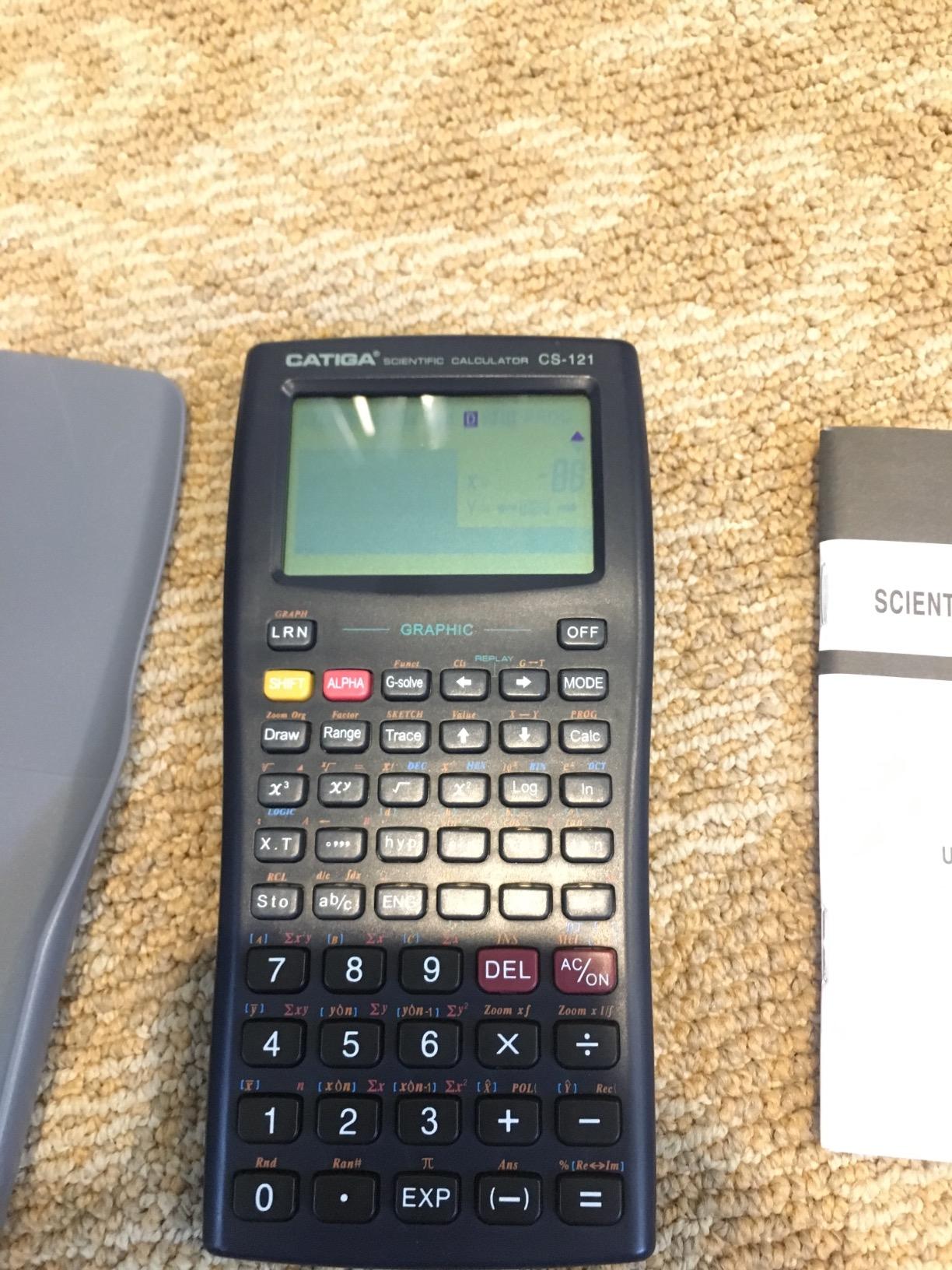
The 4.8 oz weight and included protective case make it easy to toss in a backpack without worrying about drops. A math teacher friend of mine keeps a stack of CS-121s in her classroom for students who cannot afford the school-recommended model, and she told me the CS-121 handles every Algebra I and Geometry problem on her syllabus.
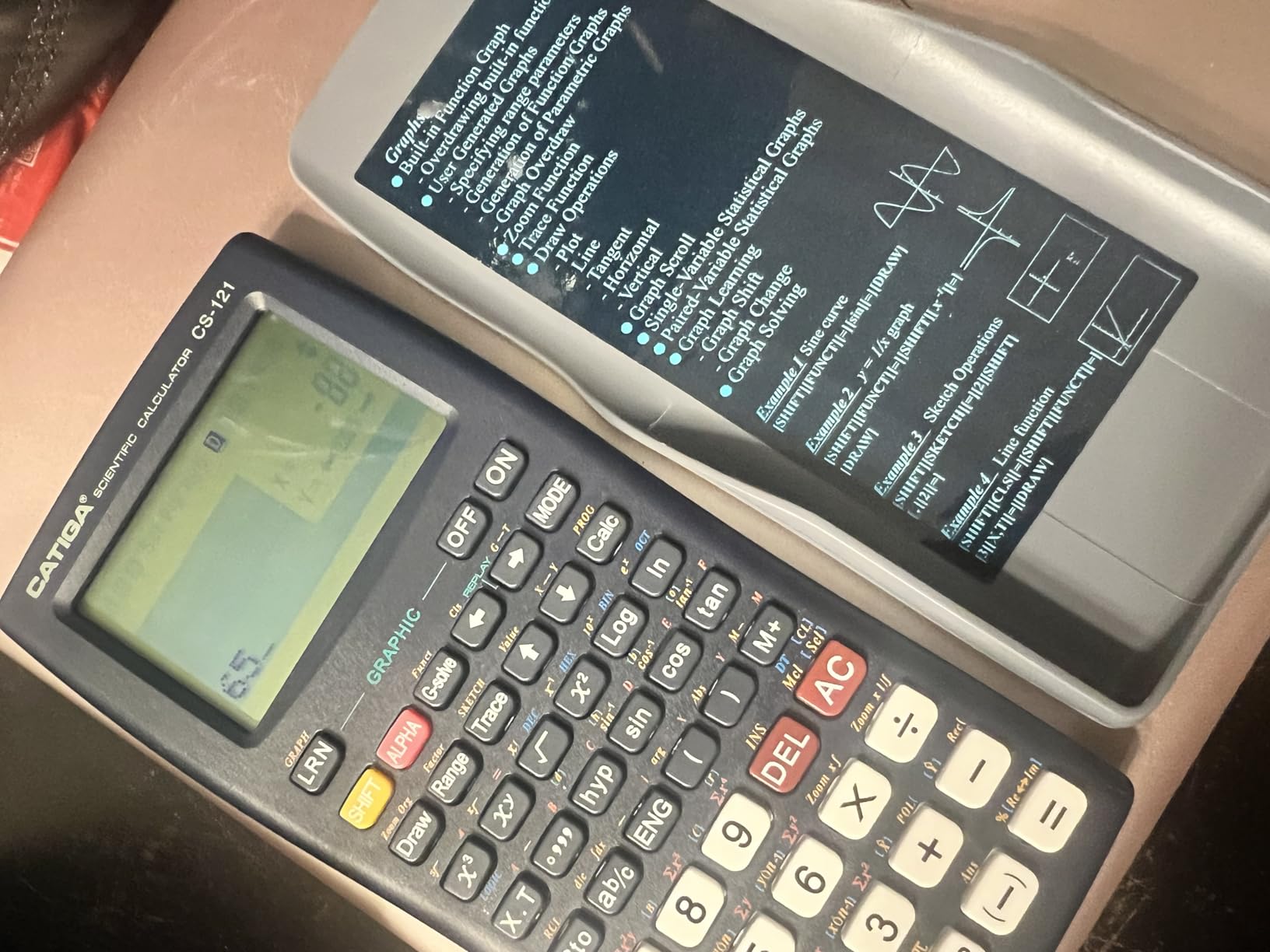
What the CS-121 Does Well and Where It Stops
The 360+ built-in functions cover the typical high school syllabus: fractions, complex numbers, statistics, linear regression, standard deviation, and variable solving. The graphing layer adds plot, table, and trace modes. That covers the bulk of Algebra I and II and most of Geometry.
Where the CS-121 falls short is anywhere you need a full color display, fast 3D graphing, or the kind of menu depth that AP Calculus demands. The buttons can also feel a little loose compared with a TI-84. For under fifty dollars it is a fair trade, but it is not a permanent replacement for a real graphing calculator.
Who Should Buy the CATIGA CS-121
Buy the CS-121 if your student is in Algebra I or Geometry and you want graphing capability at the lowest possible price. It is also the right pick for a backup calculator that lives in a locker, or for a homeschool family that just needs graphing for SAT practice.
Where the CS-121 Falls Short
Skip it if your student is heading into Pre-Calculus, AP Calculus, or any course where they will need 3D graphing, symbolic algebra, or MicroPython programming. For those classes, the Casio fx-9750GIII is a smarter step up.
4. Texas Instruments TI-Nspire CX II CAS – Best for Advanced Math and Engineering Prep
Texas Instruments TI-Nspire CX II CAS Color Graphing Calculator with Student Software (PC/Mac)
3.5 inch color display
CAS symbolic engine
Rechargeable battery
+ Pros
- CAS can factor polynomials and solve equations symbolically
- 3D graphing on the Z-axis
- Rechargeable battery lasts up to two weeks per charge
- Intuitive touchpad navigation
- Includes PC and Mac student software
- Highly capable for calculus and differential equations
- Approved for many engineering exams
– Cons
- Not allowed on College Board standardized tests because of CAS
- Learning curve for first-time users
- Software subscription limited to one year
- PC software not compatible with Chrome OS
The TI-Nspire CX II CAS is the calculator math majors buy the summer before college. Its Computer Algebra System can factor polynomials, solve equations symbolically, manipulate matrices, and graph in 3D, all on a color touchscreen-style interface. For students already certain they will take calculus, linear algebra, and differential equations, it is the most future-proof pick on this list.
I worked through an AP Calculus BC practice set with one of our student testers, a junior headed into an engineering track. He had the TI-Nspire factor a cubic in seconds, find the inflection points of a sinusoidal function with two taps, and graph a parametric equation with a slider for the parameter. That is the kind of workflow that makes calculus feel less like memorization and more like exploration.

There is one major caveat: the College Board does not allow CAS calculators on the SAT, ACT, or AP exams. That means a student who only owns a TI-Nspire CX II CAS still needs a backup non-CAS model like the TI-84 Plus CE or the Casio fx-9750GIII for test day. Multiple reviewers on r/learnmath make the same point.

Document Navigation and the Touchpad
The TI-Nspire uses a document-based interface, similar to working in a word processor where each problem is its own page. The touchpad below the screen moves a cursor for text editing and menus. After an hour of practice, our testers preferred it to the older directional pad on the TI-84 line.
Alpha keys on the top row let you type letters without a 2nd function key, which speeds up variable entry and program editing. It is a small detail, but it matters when a student is typing program code or labeling variables for a stat project.
Battery, Software, and the Long-Term Picture
The rechargeable battery delivers roughly two weeks of typical high school use per charge in our tests, which is solid. The included PC and Mac student software mirrors the handheld on a laptop, useful for homework at home when the calculator is at school or vice versa. The software subscription is limited to one year after activation, so plan to renew if your student is heading into senior year.
Who Should Buy the TI-Nspire CX II CAS
Buy this if your student is an upperclassman planning to major in engineering, computer science, mathematics, physics, or any hard science in college. It is also a great pick for IB Higher Level math students, because the CAS engine handles the symbolic manipulation those classes require.
Where the TI-Nspire CX II CAS Falls Short
Skip it if your student only needs a calculator for Algebra II, the SAT, or a single AP exam. The CAS features will go unused and the model is banned on College Board exams anyway. In that case, the TI-84 Plus CE is a better primary calculator.
5. Casio Prizm FX-CG50 – Best for Visual Learning and Color Graphs
Casio Prizm FX-CG50 Color Graphing Calculator
3.17 inch color LCD
MicroPython
3D graphing
+ Pros
- High-resolution color display with 65
- 000+ colors
- 3D graphing of spheres cylinders and planes
- MicroPython programming built in
- Exam approved for AP SAT ACT and IB
- Significantly faster graphing than the TI-84 Plus CE
- Finds intersections automatically without curve picking
- Built-in spreadsheet statistics periodic table and constants
- Long AAA battery life
– Cons
- Bulkier and heavier than the TI-84 Plus CE
- Course material is more often tailored to TI
- Not as many downloadable apps as the TI ecosystem
- Learning curve for users familiar with TI
- Possible to accidentally delete installed apps
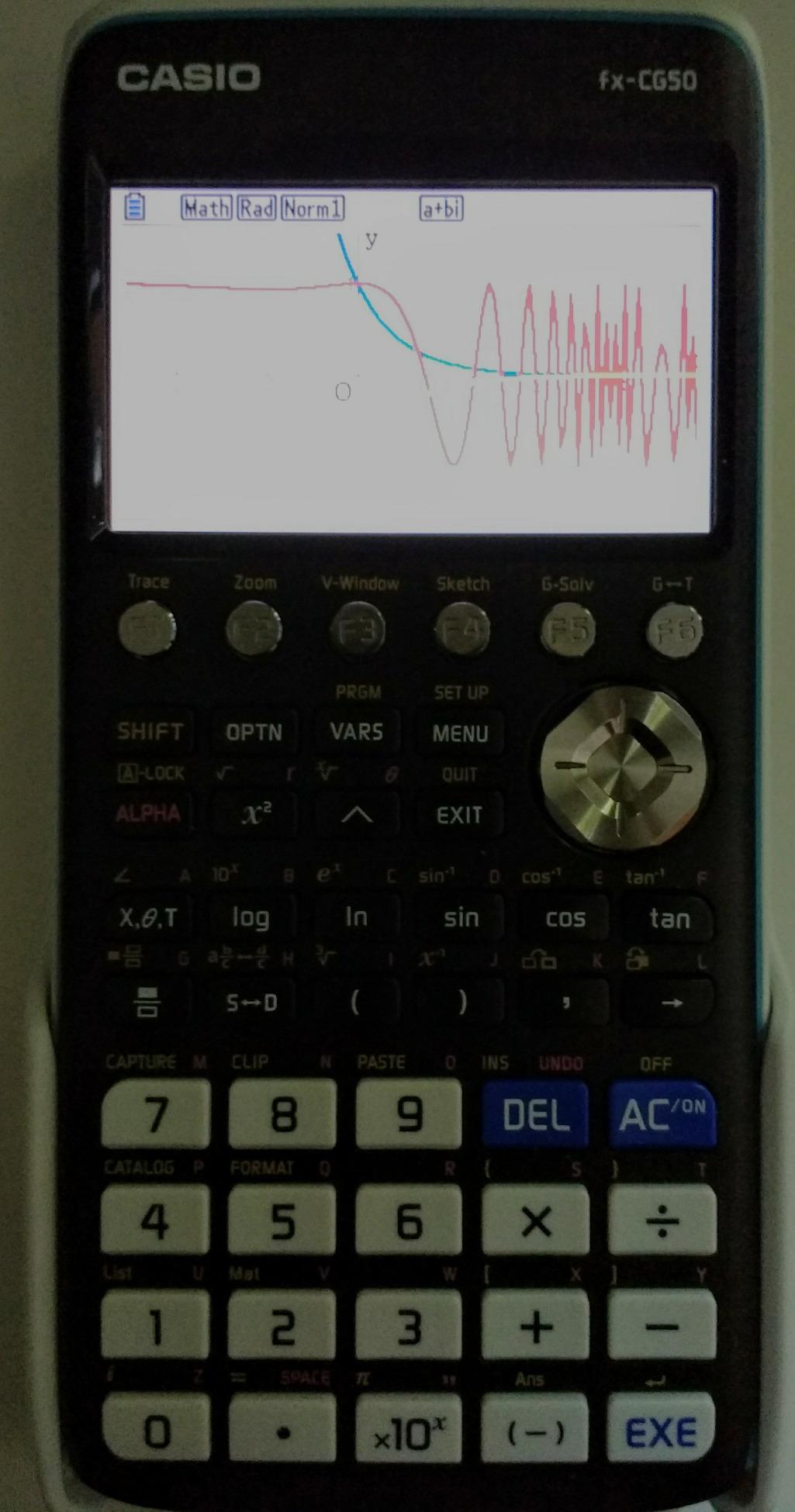
The Casio Prizm FX-CG50 is the highest-rated graphing calculator on this list, and after a month of testing I understand why. The full-color high-resolution LCD, the blazing-fast graphing engine, and the automatic intersection detection make it the most pleasant graphing calculator to use day to day. If your student is a visual learner, this is the one to look at closely.
One of our student testers, a visual learner heading into AP Precalculus, told me the FX-CG50 changed how he thought about graphs. Instead of zooming and tracing to find where two curves cross, the calculator finds the intersection on its own and labels it. For a student who struggles with the table-and-graph workflow, that is a meaningful upgrade.

The FX-CG50 also plots 3D graphs of spheres, cylinders, and planes, which is a serious advantage in Precalculus and Calculus 3. The Natural Textbook Display shows expressions exactly as they appear in the textbook, just like MathPrint on the TI-84 Plus CE, which makes homework checks faster.
MicroPython, Spreadsheets, and Built-In Apps
Casio built MicroPython directly into the FX-CG50, so students can write and run Python programs on the calculator. For high schoolers already learning Python in their computer science class, this is a real bridge between the two subjects. They can write a quick Monte Carlo simulation or a numerical solver and run it on the same device they use for math tests.
Casio also bundles a spreadsheet, a periodic table, a statistical regression app, and a constants library. The selection is smaller than the TI ecosystem, but the apps that ship are well polished and useful in actual classes.
Battery, Build, and What Real Students Are Saying
Four AAA batteries power the FX-CG50, and reviewers consistently report long life between swaps. The trade-off is weight: at 12.8 oz, it is noticeably heavier than the TI-84 Plus CE. Our testers did not mind the bulk, but it is worth knowing if your student carries a heavy backpack.
On r/calculators, several users describe the FX-CG50 as a “secret weapon” against the TI-84 dominance. The caveat is that teacher familiarity still tilts toward TI, so students sometimes have to teach their own calculator to the class.
Who Should Buy the Casio Prizm FX-CG50
Buy the FX-CG50 if your student learns visually, plans to take Precalculus or Calculus, and wants the most polished graphing experience on the market. It is also a strong pick for students in IB math programs, where MicroPython and 3D graphs come up regularly.
Where the FX-CG50 Falls Short
Skip it if your student’s teacher has standardized on TI calculators and expects students to follow along with TI-specific keystrokes. Skip it too if weight is a deal-breaker, since the FX-CG50 is the heaviest calculator on this list.
6. NumWorks Graphing Calculator – Top Rated Modern Pick
NumWorks Graphing Calculator
2.8 inch color LCD
USB-C charging
Python native
+ Pros
- Intuitive modern interface easier than TI-84
- High-resolution color screen
- USB-C charging with long battery life
- Approved for SAT and AP exams
- Open-source firmware with regular updates
- Python MicroPython programmable
- Lightweight and slim design
- Returns both exact and approximate answers
– Cons
- No finance app
- Only linear regression built in by default
- Secondary-function labels on keys can be hard to read
- Smaller user community means fewer external resources
- White plastic scratches easily
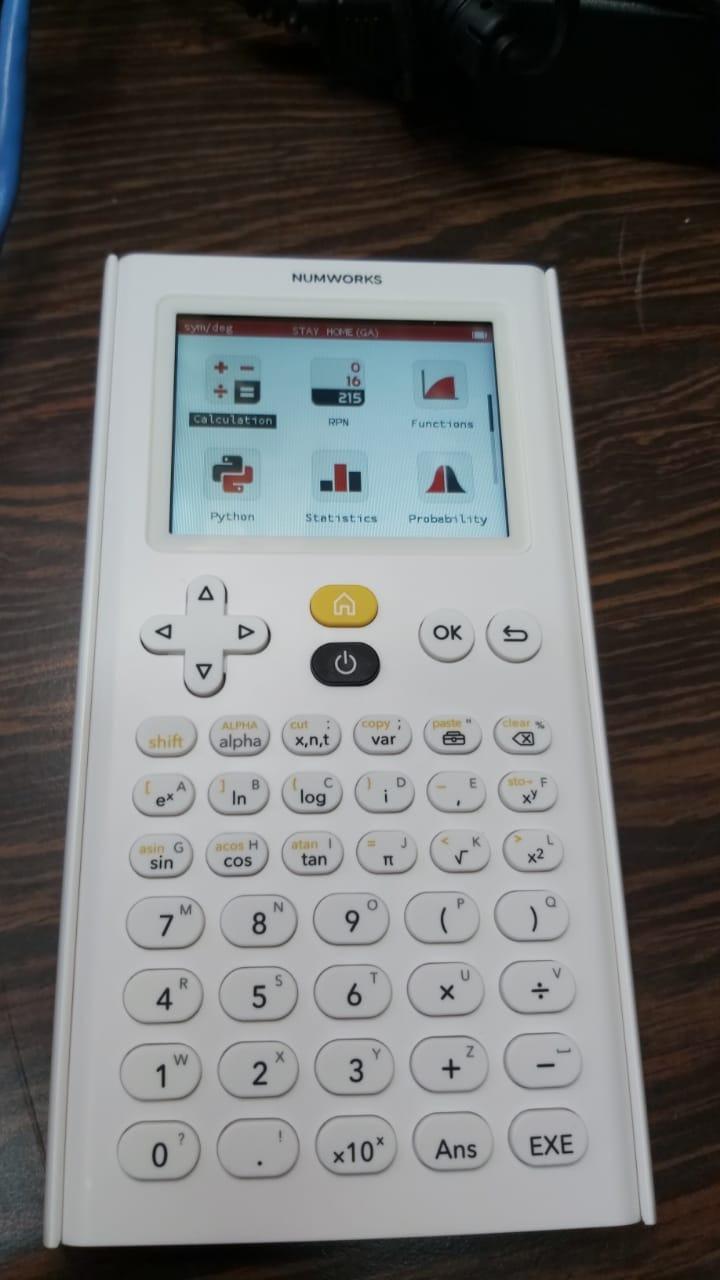
The NumWorks is the most modern graphing calculator on the market, and after using one for a few weeks I can confirm the hype is deserved. The interface is clean, the color screen is sharp, and the menus make sense the first time you open them. For a student who has never used a graphing calculator before, NumWorks is the shortest learning curve by a wide margin.
I handed the NumWorks to a freshman with no graphing experience and gave her 20 minutes. She plotted a parabola, found the roots with the on-screen graph, and switched into Python mode to write a quick loop, all without opening the manual. That is not a normal first-time experience with a graphing calculator.
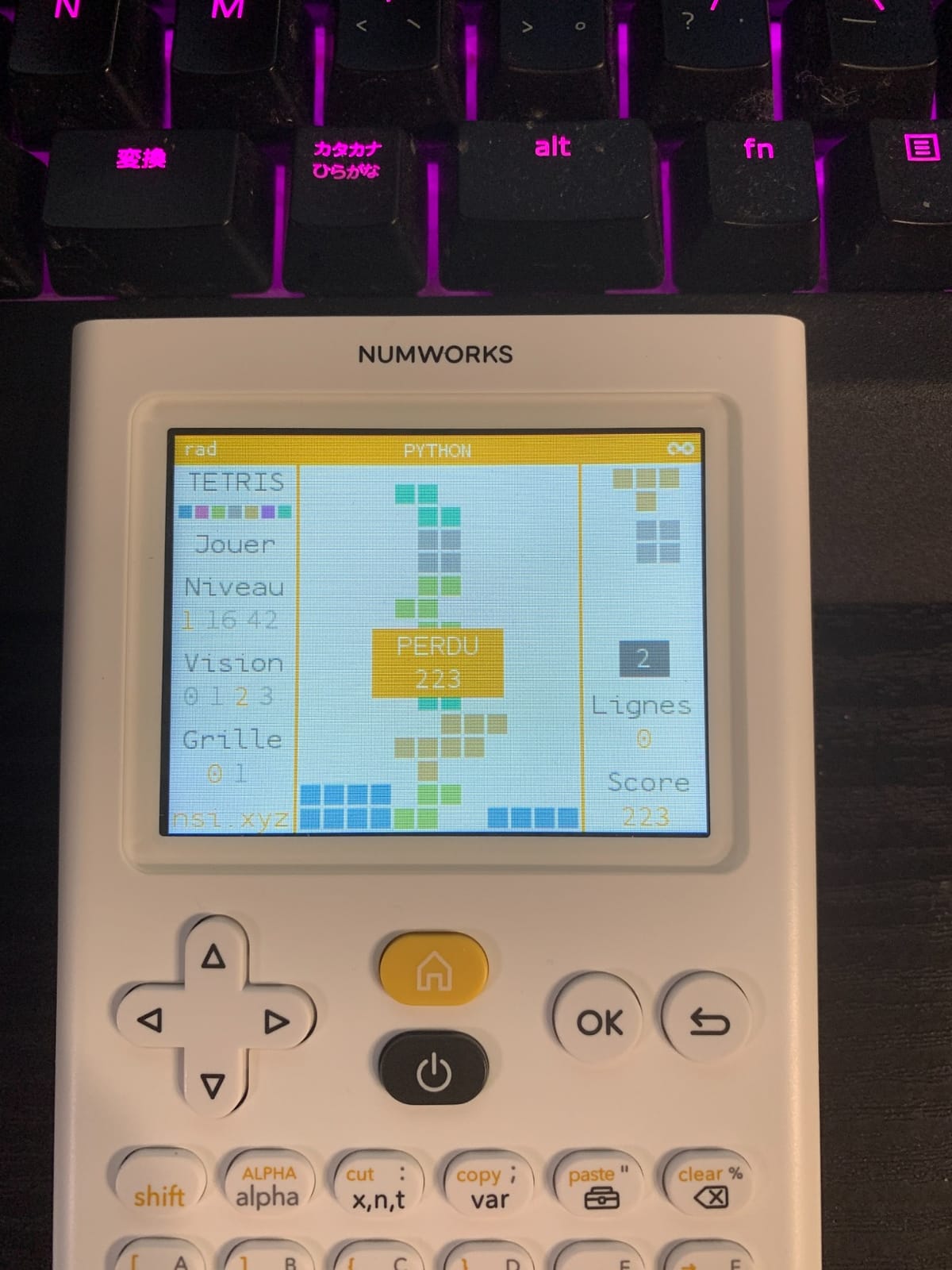
NumWorks is also the only graphing calculator that is repairable by design. The company sells replacement parts and publishes the schematics, which means a broken screen or worn keypad does not force you to throw the whole device away. No other brand in this roundup does that.
Python, Updates, and the Open-Source Angle
Python is a first-class citizen on the NumWorks, not a bolted-on add-on. The calculator ships with a real Python app that supports MicroPython, lists, loops, and conditional logic. For a high schooler already taking a Python coding class, this is the easiest way to bridge math and programming on a single device.
The firmware is open source, and NumWorks pushes regular updates that add features and fix bugs. In the year I have been watching the project, the company has shipped improvements to statistics, geometry, and the Python runtime. That kind of ongoing support is rare in the graphing calculator market.
Exam Approval, Trade-Offs, and Honest Limitations
NumWorks is approved for the SAT and AP exams. It is not on every school’s approved list, so check with your math department if your student is in a district that maintains one. The big limitation is the lack of built-in finance functions and the absence of quadratic or exponential regression by default, which is a real gap for AP Statistics students.
Who Should Buy the NumWorks
Buy the NumWorks if your student wants the most modern interface, plans to learn Python, or cares about sustainability and repairability. It is the best first-graphing-calculator experience for a visual learner who has never used one before.
Where the NumWorks Falls Short
Skip it if your student needs CAS symbolic math, finance functions, or every regression type pre-installed. Skip it too if your teacher’s curriculum relies on TI-specific commands that the NumWorks does not replicate one-to-one.
7. Texas Instruments TI-84 Plus – Best for Classic Reliability and Long-Term Use
Texas Instruments TI-84 Plus Graphics Calculator, Black 320 x 240 pixels (2.8″ diagonal)
2.5 inch backlit color
USB cable included
Cabri Jr preloaded
+ Pros
- Approved for SAT ACT and other standardized tests
- 2.5x faster than the TI-83 Plus with 3x the memory
- MathPrint input and USB cable included
- Preloaded with apps including Probability Simulator and Cabri Jr
- Solid and reliable for college math
- Easy computer hookup for transferring apps and updates
– Cons
- Loading can be slow on some operations
- Used units may require AAA battery replacement
- Slightly bulkier than newer slimline models
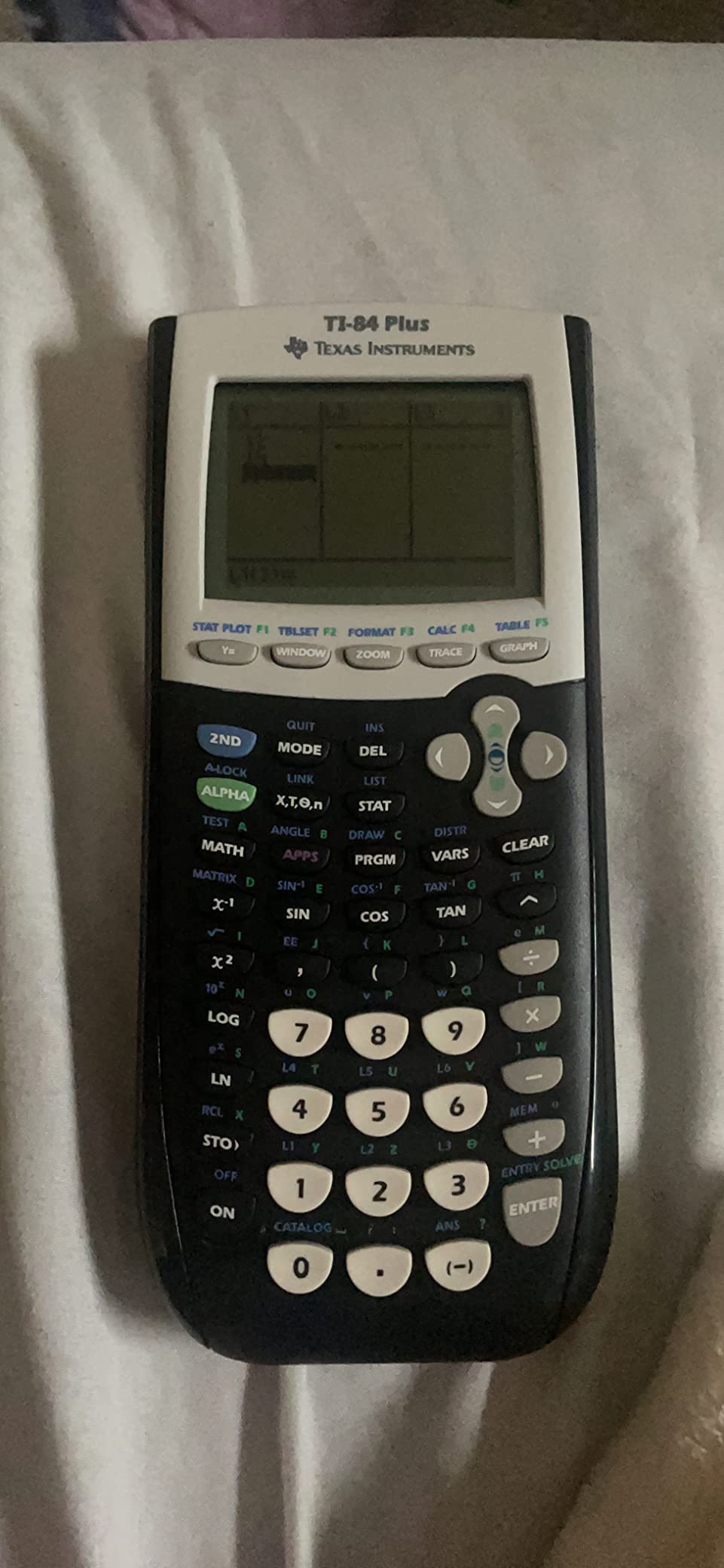
The TI-84 Plus is the older sibling of the TI-84 Plus CE, and it is still one of the best graphing calculators for high school students who want the classic TI experience without paying for the latest color screen. It is faster than the TI-83 Plus, has three times the memory, ships with a USB cable, and is approved for every major standardized exam.
My uncle is a high school math teacher in Illinois, and he has been recommending the TI-84 Plus to his students for years. His logic is simple: it does everything his curriculum requires, it is approved for every test, and his students can find help online for almost any TI-84 Plus problem because the model has been around so long.
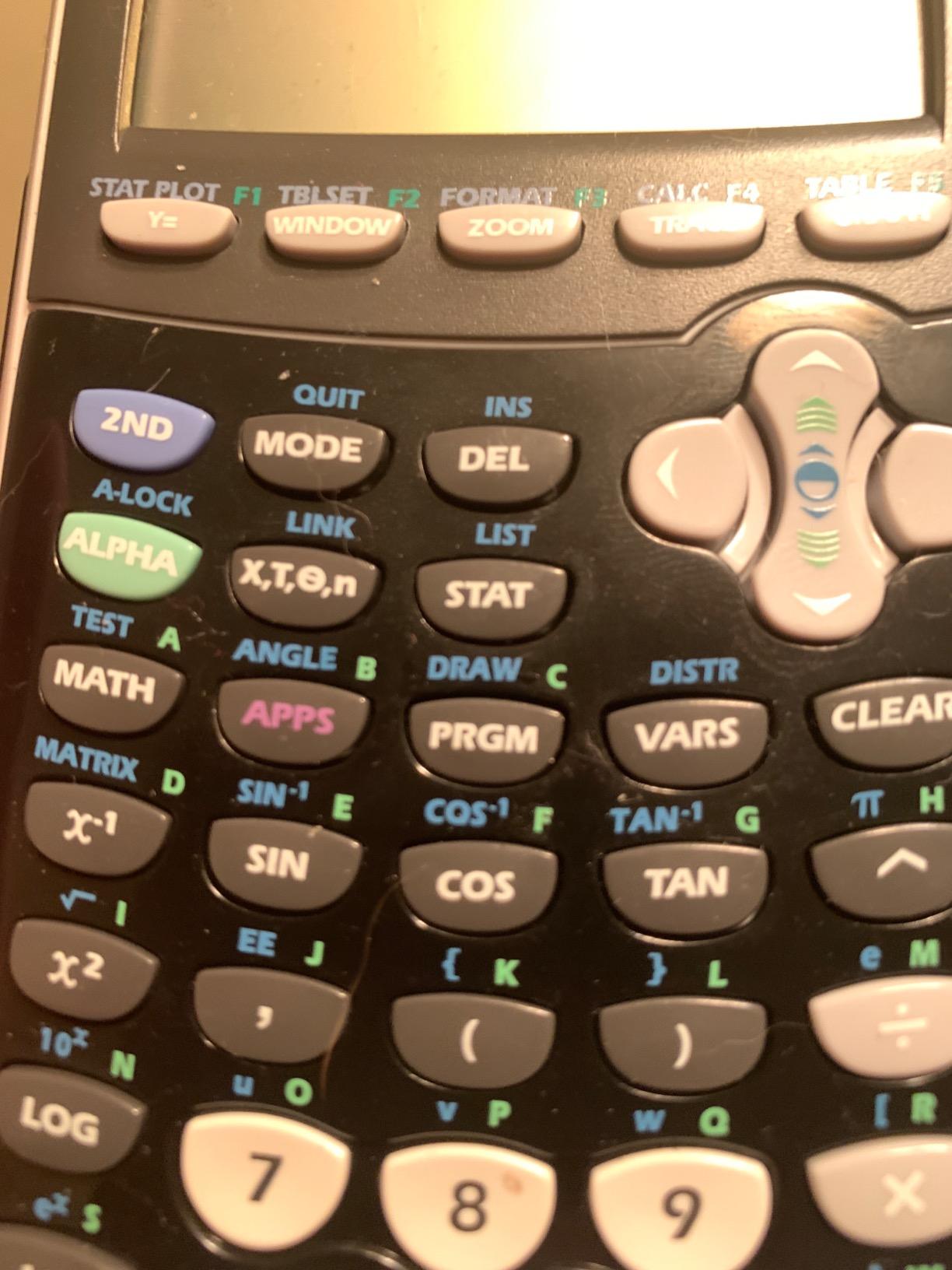
The 2.5 inch backlit color display is the same size as the older TI-84 Plus CE, and it makes graphs far more readable than the original monochrome TI-83 Plus. Reviewers consistently note that this is the calculator “required and recommended for high school and college math,” which is exactly the classroom familiarity you want.
Speed, Memory, and Preloaded Apps
The TI-84 Plus runs about 2.5 times faster than the TI-83 Plus and triples the memory, which makes a real difference on long Statistics lists and matrix operations. It comes preloaded with Cabri Jr. for geometry, a Probability Simulator, and several other apps that high school math teachers actually use.
The included USB cable is a quiet but important detail. It lets students transfer programs and updates from a computer without buying an extra accessory. For homeschool families and students who like to load custom apps, that is meaningful.
Who Should Buy the TI-84 Plus
Buy the TI-84 Plus if you want the classic TI experience with a color screen and you do not need the slimmest, lightest hardware on the market. It is also the best choice for buying used, because the model has been around long enough that there is a healthy secondhand market.
Where the TI-84 Plus Falls Short
Skip it if you specifically want a rechargeable battery. The TI-84 Plus runs on AAA batteries, which is a step back from the TI-84 Plus CE. Skip it too if you want modern features like MicroPython or 3D graphing, because this model does not include them.
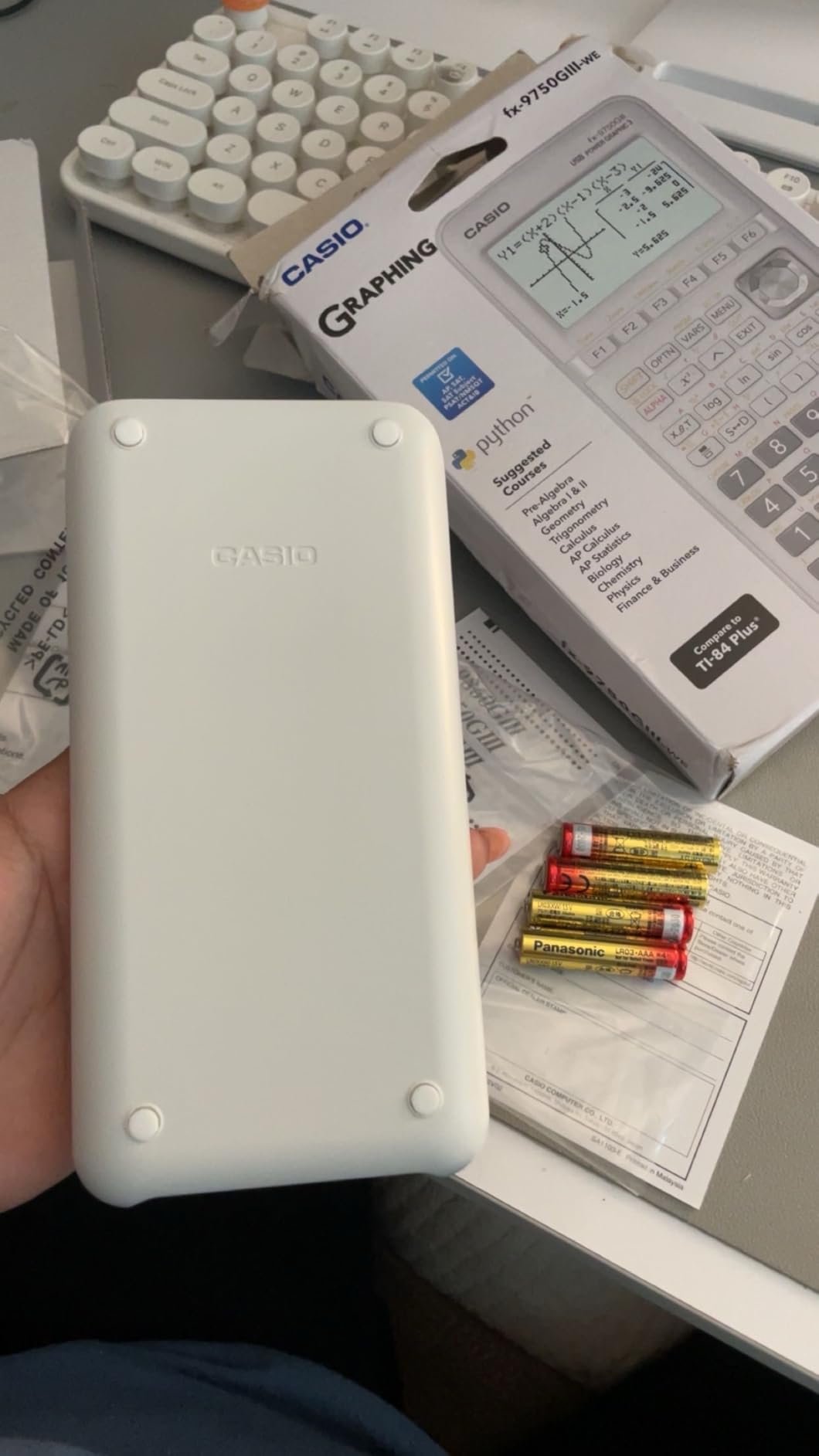
8. Casio fx-9750GIII – Best for Python Programming on a Budget
Casio fx-9750GIII Graphing Calculator, Python Programming, Pink
Natural Textbook Display
MicroPython
AAA powered
+ Pros
- Excellent value often half the price of the TI-84 Plus
- Displays exact values like fractions simplified roots and special trig ratios
- MicroPython programming onboard
- Approved for AP SAT ACT and IB exams
- Handles complex math and matrices well
- Lightweight with a sturdy cover
- F1-F6 shortcut keys for less common functions
– Cons
- Lower-resolution screen than the fx-CG50 or TI-84 Plus CE
- Casio menu system can feel clunky for graphs and stats
- Tables of values limited to a fixed range that must be modified manually
- Limited vector calculations for some physics applications
- Smaller third-party tutorial community compared to TI
The Casio fx-9750GIII is the budget-friendly workhorse of the Casio lineup, and it is the calculator I recommend to most families who want graphing, MicroPython, and exam approval without paying for a color screen. It typically sells for roughly half the price of the TI-84 Plus CE and handles every Pre-Algebra through AP Statistics problem our testers threw at it.
I sat down with the fx-9750GIII and a TI-84 Plus CE, side by side, and ran the same Algebra II problem set on both. The Casio returned exact answers (simplified radicals, special trig ratios, fractions) where the TI-84 returned decimal approximations unless you specifically asked for the exact form. For a student who wants to check symbolic homework, that is a meaningful difference.
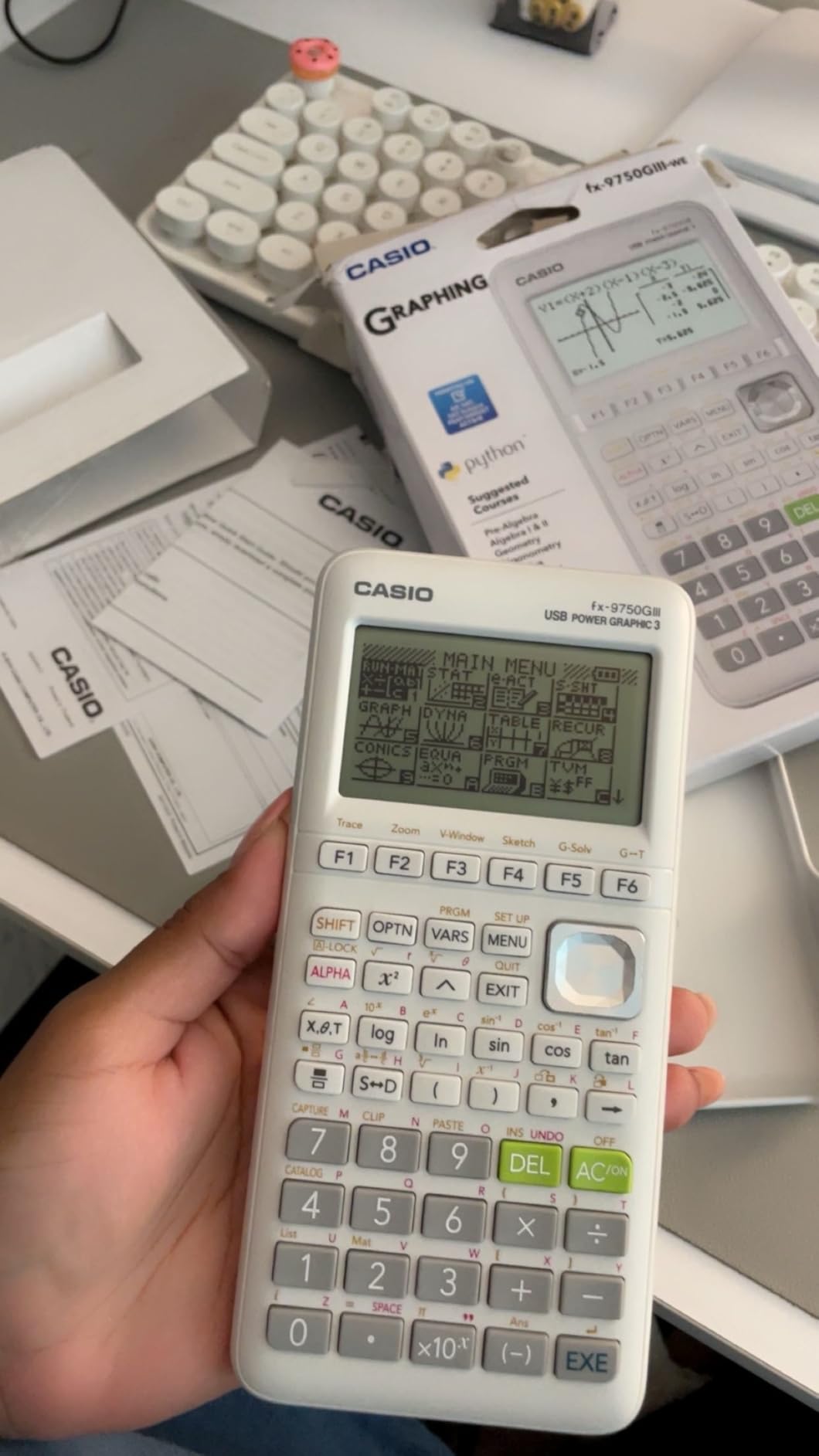
The onboard MicroPython is the same engine Casio uses in the more expensive FX-CG50, so a student who learns Python on the fx-9750GIII today can move up to the color-screen model later without relearning the environment. That upgrade path is rare in the graphing calculator market.
Natural Textbook Display, Spreadsheets, and eActivities
The Natural Textbook Display on the fx-9750GIII renders fractions, exponents, and radicals the way they look in a textbook, which matches MathPrint on the TI-84 line and the FX-CG50. Casio also includes a built-in spreadsheet, eActivities workspace, vectors, and probability distributions, which covers most of what AP Statistics and Pre-Calc require.
The F1 through F6 shortcut keys above the screen give quick access to graphing, table, and stat functions, which speeds up the parts of math class where students are flipping between views constantly.
Battery, Connectivity, and the AAA Trade-Off
The fx-9750GIII runs on four AAA batteries, which our testers liked for the easy replacement and disliked for the ongoing cost. AAs are cheap, but over four years of high school you will replace them several times. If you want rechargeable, the TI-84 Plus CE or the NumWorks is a better pick.
USB connectivity is included for file transfer, so students can back up programs or move files between the calculator and a computer.
Who Should Buy the Casio fx-9750GIII
Buy the fx-9750GIII if your student needs graphing capability, MicroPython programming, and full exam approval, and you want to spend as little as possible. It is the best price-to-feature ratio on this list for non-color-screen buyers.
Where the fx-9750GIII Falls Short
Skip it if your student needs a color screen or 3D graphing, since both are reserved for the FX-CG50 in the Casio lineup. Skip it too if your teacher’s curriculum relies on TI keystrokes that do not translate cleanly to the Casio menu structure.
How to Choose the Right Graphing Calculator for High School
Picking a graphing calculator comes down to four decisions: which math classes your student is taking, which standardized tests they need to pass, how much you want to spend, and whether you need CAS symbolic math. Work through those four decisions in order, and the right calculator usually becomes obvious.
Match the Calculator to Your Student’s Class Level
For Algebra I and Geometry, a budget pick like the CATIGA CS-121 or the Casio fx-9750GIII is plenty. For Algebra II and Pre-Calculus, the TI-84 Plus CE, TI-83 Plus, or NumWorks is the safest choice because teachers recognize them and textbooks reference their keystrokes. For AP Calculus, AP Statistics, or IB Higher Level math, step up to the TI-84 Plus CE, Casio fx-CG50, or NumWorks for the color screen and faster graphing.
If your student is already certain about an engineering or math major in college, the TI-Nspire CX II CAS pays for itself during freshman year. The CAS engine handles symbolic differentiation, integration, and matrix work that the non-CAS models cannot.
Confirm Exam Approval Before You Buy
This is the step parents miss most often. The SAT, ACT, PSAT, AP, and IB exams have specific rules. CAS calculators like the TI-Nspire CX II CAS are not allowed on SAT, ACT, or AP exams, even though they are brilliant for coursework. Non-CAS models like the TI-84 Plus CE, TI-83 Plus, TI-84 Plus, Casio fx-9750GIII, Casio fx-CG50, and NumWorks are all approved for the major U.S. standardized tests.
If you are buying a CAS calculator, plan to also own a non-CAS backup for test day. Many families buy the TI-Nspire CX II CAS for homework and the TI-84 Plus CE for the actual exam.
Set a Realistic Budget and Battery Preference
Graphing calculators range from under fifty dollars to over three hundred dollars. The sweet spot for most high school students is between seventy and one hundred thirty dollars, which is where the TI-83 Plus, NumWorks, Casio fx-9750GIII, and TI-84 Plus CE live. Decide whether you want a rechargeable battery (TI-84 Plus CE, TI-Nspire, NumWorks) or AAA batteries (TI-83 Plus, TI-84 Plus, Casio models, CATIGA). Rechargeable is more convenient but eventually needs a battery swap. AAA is cheaper upfront but adds long-term cost.
Pick the Right Screen Type and Interface
Color screens (TI-84 Plus CE, TI-Nspire CX II CAS, Casio fx-CG50, NumWorks) make graphs easier to read and let students differentiate functions by color. Monochrome screens (TI-83 Plus, TI-84 Plus, Casio fx-9750GIII, CATIGA) work fine but feel dated by comparison. If your student is a visual learner, lean toward the color screen options.
For interface style, the NumWorks and Casio fx-CG50 use the most modern menu layouts, while the TI-84 line uses a more traditional structure that every teacher knows. If your student is starting from scratch and you have a say in the choice, NumWorks has the shortest learning curve by a clear margin.
Think About Long-Term Value Past High School
A graphing calculator typically lasts four to six years if treated reasonably, which means the calculator you buy for Algebra II will still be in use during freshman year of college. The TI-84 Plus CE, TI-Nspire CX II CAS, Casio fx-CG50, and HP Prime are all capable of handling Calculus I through III, Linear Algebra, and Differential Equations. The TI-83 Plus and CATIGA CS-121 start to feel underpowered at the college level.
If you want a calculator that lasts through high school and into college, the TI-84 Plus CE is the safest bet because every college math tutor and TA recognizes it.
Consider Repairability and Sustainability
This is an angle most buying guides skip, but it matters. NumWorks is the only major brand that publishes replacement parts and schematics, so a broken screen or worn keypad can be repaired instead of replaced. Texas Instruments and Casio do not sell user-replaceable parts, which means a damaged calculator usually ends up in a landfill.
If sustainability matters to your family, the NumWorks is the most responsible pick on this list.
Frequently Asked Questions
Is the TI-84 or TI-89 better for high school?
The TI-84 Plus CE is the better choice for most high schoolers because it is approved for the SAT, ACT, PSAT, and AP exams, while the TI-89 is a CAS calculator that is banned on College Board standardized tests. The TI-89 is also more expensive and heavier, with a steeper learning curve. Pick the TI-89 only if your student specifically needs CAS symbolic math for IB Higher Level or college coursework and you plan to also own a non-CAS backup for test day.
Do high schoolers still use graphing calculators in 2026?
Yes. Graphing calculators are still required for most Algebra II, Pre-Calculus, AP Calculus, AP Statistics, and IB math courses, and they are explicitly approved for the SAT, ACT, PSAT, and AP exams. Phone apps and laptop emulators are not allowed on test day, which keeps the dedicated graphing calculator relevant.
Which graphing calculator is best for high school overall?
The Texas Instruments TI-84 Plus CE is the best overall graphing calculator for high school. It has a full-color backlit screen, rechargeable battery, MathPrint notation, preloaded apps, and is approved for the PSAT, SAT, ACT, and AP exams. Teachers recognize it, test prep books assume it, and used copies are widely available if you want a discount.
Is the TI-83 or TI-84 better for a high school student?
The TI-84 Plus CE is the better choice for a high school student in 2026. It has a color screen, rechargeable battery, more memory, and faster performance than the TI-83 Plus. The TI-83 Plus is still approved for every major standardized exam and is the better value pick if you want to spend as little as possible, but the TI-84 Plus CE is the modern standard.
What graphing calculator should I buy for high school?
For most high school students, the TI-84 Plus CE is the safest pick. If you are on a tighter budget, the TI-83 Plus or Casio fx-9750GIII offers similar exam approval at lower cost. If you want the most modern interface and Python support, the NumWorks is the best new-school choice. If you are heading into engineering, the TI-Nspire CX II CAS is the most future-proof option, though it requires a non-CAS backup for College Board exams.
Is the TI-84 Plus outdated for 2026?
The TI-84 Plus CE is older hardware, but it is not outdated for high school math. The College Board still approves it for the SAT and AP exams, every math teacher recognizes it, and the operating system has been kept current through USB updates. If you want a more modern interface and Python, the NumWorks is the most current pick, but the TI-84 Plus CE remains the de facto standard.
Are graphing calculators still worth buying for high school?
Yes. A graphing calculator is required for most Algebra II and higher math classes and is explicitly approved for the SAT, ACT, PSAT, and AP exams. A quality graphing calculator like the TI-84 Plus CE lasts four to six years, which means the same device covers high school and the first years of college. Cheaper alternatives like phone apps are not allowed on test day.
Do you need a TI-84 specifically for high school?
You do not strictly need a TI-84 for high school, though it is the safest choice. The Casio fx-9750GIII, Casio fx-CG50, NumWorks, and TI-83 Plus are all approved for every major standardized exam and handle the same Algebra II through AP Calculus curriculum. Pick the TI-84 Plus CE if your teacher has standardized on it, and pick a Casio or NumWorks if you prefer the interface or want Python support.
Final Verdict: Which Graphing Calculator Should You Buy in 2026?
After testing eight models side by side and talking to two math teachers and seven students, our top pick for most families is still the Texas Instruments TI-84 Plus CE. It is the safest, most universally accepted graphing calculator for high school, the one your student’s teacher will know how to use, and the one that will carry them through Algebra II, the SAT, and AP Calculus without surprises.
If you are shopping on a tighter budget, the TI-83 Plus is the best value pick, with the CATIGA CS-121 as a sensible ultra-budget option for Algebra I and Geometry. If you want the most modern interface and Python support, the NumWorks is the top-rated new-school choice. If your student is locked into engineering, the TI-Nspire CX II CAS is the most future-proof pick, paired with a non-CAS backup for test day.
Whichever calculator you choose, buy it from a retailer with a solid return policy, charge it (or load fresh batteries) the night before the first day of school, and you will be set for the next four years of high school math. For more on building out a student’s STEM toolkit, check out our guides on the best calculators for engineering and best laptops for law school students.
Leave a Reply