

A hot-swappable mechanical keyboard is one whose switches sit in sockets on the PCB instead of being soldered in, so you can pull them out with a switch puller and press in different ones in minutes, with no soldering iron involved. For a first keyboard that matters more than any other spec, because it lets you change your mind about switch feel without buying a new board. We spent weeks with all ten boards below, swapping switches, testing layouts and checking firmware, and this guide is what we would tell a friend buying their first one in 2026.
Most of the confusion around this topic comes down to three things: what size board to buy, what kind of switch to start with, and whether the listing you are reading is actually the hot-swappable version. Get those right and the rest is detail. Get them wrong and you end up with a soldered board you cannot change, or a 60% layout that makes you hunt for a delete key that is not physically there.
We picked these ten because each one has a real hot-swap socket, an MX-standard footprint, and a build that survives being handled by someone learning the hobby for the first time. We also kept the price spread wide, from a bare-bones 60% project board to a full-size wireless board with a numpad. If you want more general background first, our hot-swappable keyboard overview covers the technology in more depth, and the best mechanical keyboards for programmers is worth a look if remapping is your main draw.
One last note before we start. Several brands sell the same model name in a soldered and a hot-swappable version, sometimes in the same listing gallery. Confirm the words “hot-swappable” and “hot-swap” appear in the specific variant you are adding to your cart. It is the single most common beginner purchase mistake, and it is entirely avoidable.
Our Top 3 Best Hot-Swappable Keyboards for First-Time Buyers

RK ROYAL KLUDGE RK61
- 61-key 60% layout
- Hot-swap for 3-pin and 5-pin switches
- QMK/VIA programmable
- Pre-lubed stabilizers

AULA F75 Pro
- 81-key 75% with rotary knob
- Side-printed PBT keycaps
- Tri-mode wireless
- Hot-swap base with spare switches

Redragon K617
- 61-key 60% layout
- Hot-swap socket for 3-pin and 5-pin
- 20 RGB lighting modes
- Keycap and switch pullers included
Those three cover the range most people need. The RK61 is the board we keep telling people to buy first because it is small, honest and genuinely open firmware. The AULA F75 Pro is the step-up if you want a knob, a function row and light that actually shows through the keycaps. The Redragon K617 is for the budget-constrained buyer who only wants to spend the bare minimum to learn whether this hobby is for them.
Every Pick Compared Side by Side in 2026
| Product | Details | Action |
|---|---|---|
|
|
Check Latest Price |
 |
|
Check Latest Price |
 |
|
Check Latest Price |
 |
|
Check Latest Price |
|
|
Check Latest Price |
 |
|
Check Latest Price |
 |
|
Check Latest Price |
 |
|
Check Latest Price |
|
|
Check Latest Price |
 |
|
Check Latest Price |
1. RK ROYAL KLUDGE RK61 – The Best First Board for Most Beginners
RK ROYAL KLUDGE RK61 Wired 60% Mechanical Gaming Keyboard, Compact PC Game Keyboards with QMK/VIA Programmable RGB Backlit, Hot Swappable Custom Keyboard for Win/MAC, Pre-lubed Red Switch, White
61-key 60% layout
Hot-swap for 3-pin and 5-pin switches
QMK/VIA programmable
0.56 kg
+ Pros
- Compact 60% layout frees desk and mouse space
- Hot-swap socket makes switch experimentation solder-free
- Excellent muted typing sound with factory-lubed stabilizers
- Very low input latency for the price
- Keycap puller spare switches and USB-C adapter in the box
– Cons
- Bundled RK software is clunky with an inaccurate color wheel
- Stock ABS keycaps sound hollow and shine-through
- Red linear switches are louder than browns in shared spaces
This is the board we hand to friends who ask where to start. At 61 keys and 0.56 kg it is small enough to shove in a laptop bag and light enough to move with one hand, and every switch on the board lifts out with the puller that ships in the box. We swapped the entire set in one sitting without a single bent pin, which is not something we can say for every budget board.
The reason it edges out the alternatives here is not the sound or the case. It is the firmware. QMK and VIA support means you can remap any key, build layers and change the layout in a browser tab rather than fighting a vendor driver, and for a beginner that is a much better first experience than a piece of software that only runs on Windows.

Why a 60% Layout Is a Reasonable First Step
A 60% board drops the function row, the navigation cluster and the numpad, which is why it is so small. What you give up is real: there is no F1 through F12 above the number row, so functions live on a layer, and the arrow keys are the only ones you get. Most spreadsheet work and a lot of writing happen without touching any of it, which is why 60% boards remain the most common first entry.
The honest caveat is the adjustment. Expect three to five days of reaching for keys that are not there before your hands learn the layer. If that sounds like it would annoy you, look at the 75% picks further down instead.
QMK/VIA and Why It Matters on Day One
QMK is open-source keyboard firmware, and VIA is a graphical front end for it that runs in a browser. Together they let you reassign keys, set macros and create layers without recompiling anything. On a soldered board with proprietary software, the same job means installing a vendor app, finding the right tab and hoping the app launches on your operating system.
One practical wrinkle reviewers mention: the layout files for this board have historically been hosted on an unofficial link rather than a manufacturer download page. If remapping is important to you, check before you buy that the definition is easy to find.
Sound, Weight and What the Box Includes
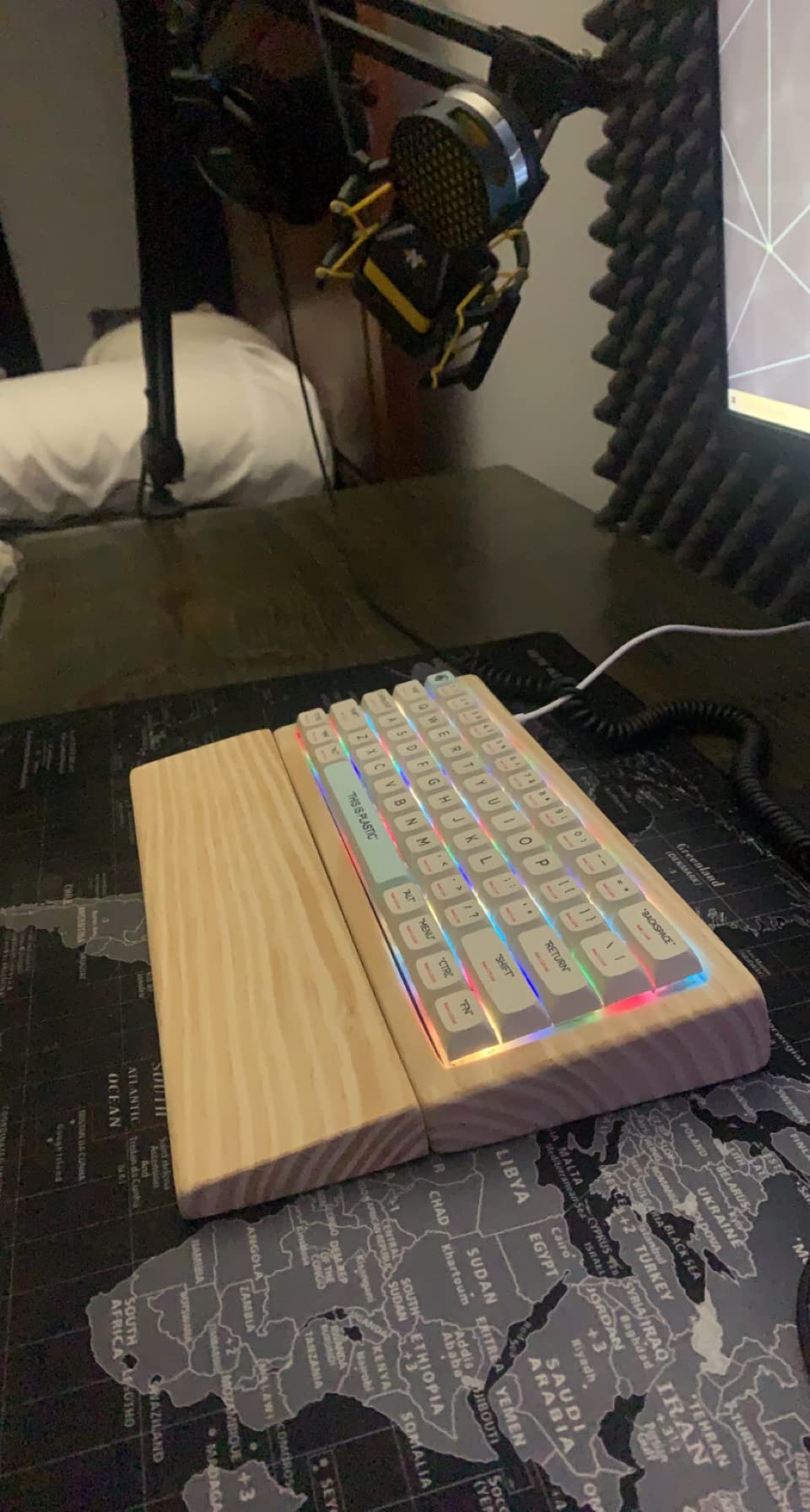
Factory-lubed stabilizers are the sleeper feature here. The spacebar and enter key are where cheap boards rattle, and pre-lubing on those is what produces the muted, dampened bottom-out people describe as a creamy sound. The stock red linears are louder than a brown switch, so expect a board that is not silent out of the box.
In the box you get pre-lubed red linear switches, a keycap puller, spare switches and a USB-C to USB-A adapter, plus a detachable USB-C cable. Having a puller in the box is not a gimmick at this level. It is the difference between trying a switch change on day one and putting it off for six months.
Where the RK61 Falls Short
The stock ABS keycaps are thin, hollow-sounding and shine-through, and the north-facing LED layout can clash with Cherry-profile aftermarket keycaps, which is worth knowing if you plan to change keycaps. The bundled RK software is the weakest part of the package: it is clunky and its color wheel is inaccurate, so treat RGB as a set-and-forget feature.
None of that touches the hot-swap system, which is the reason you are reading this guide. If your priority is a board you can learn on and tune for years, this is the one.
2. Redragon K771 – Full-Size With Real Dampening and Four Hotkeys
Redragon K771 Wireless Mechanical Keyboard, 108-Key Gaming Keyboard with 4 Extra Hotkeys, 5-Layer Noise Dampening, Pre-lubed Linear Switches, Hot-swap Custom RGB Keyboard for PC/Mac – Blue&White
108-key full-size layout
Gasket mount, 5-layer dampening
Tri-mode with 8000mAh battery
Hot-swap for 3-pin and 5-pin
+ Pros
- Gasket mount and five dampening layers reduce hollow case ping
- Substantial weight keeps the board planted
- Hot-swap socket accepts nearly all 3-pin and 5-pin switches
- Tri-mode lets you move between laptop and desktop easily
- Anti-ghosting 108-key layout with four dedicated hotkeys
– Cons
- Stock switches are clickier and louder than some buyers prefer
- No dedicated media controls beyond the four hotkeys
- Some buyers report USB connection reliability issues on certain Windows machines
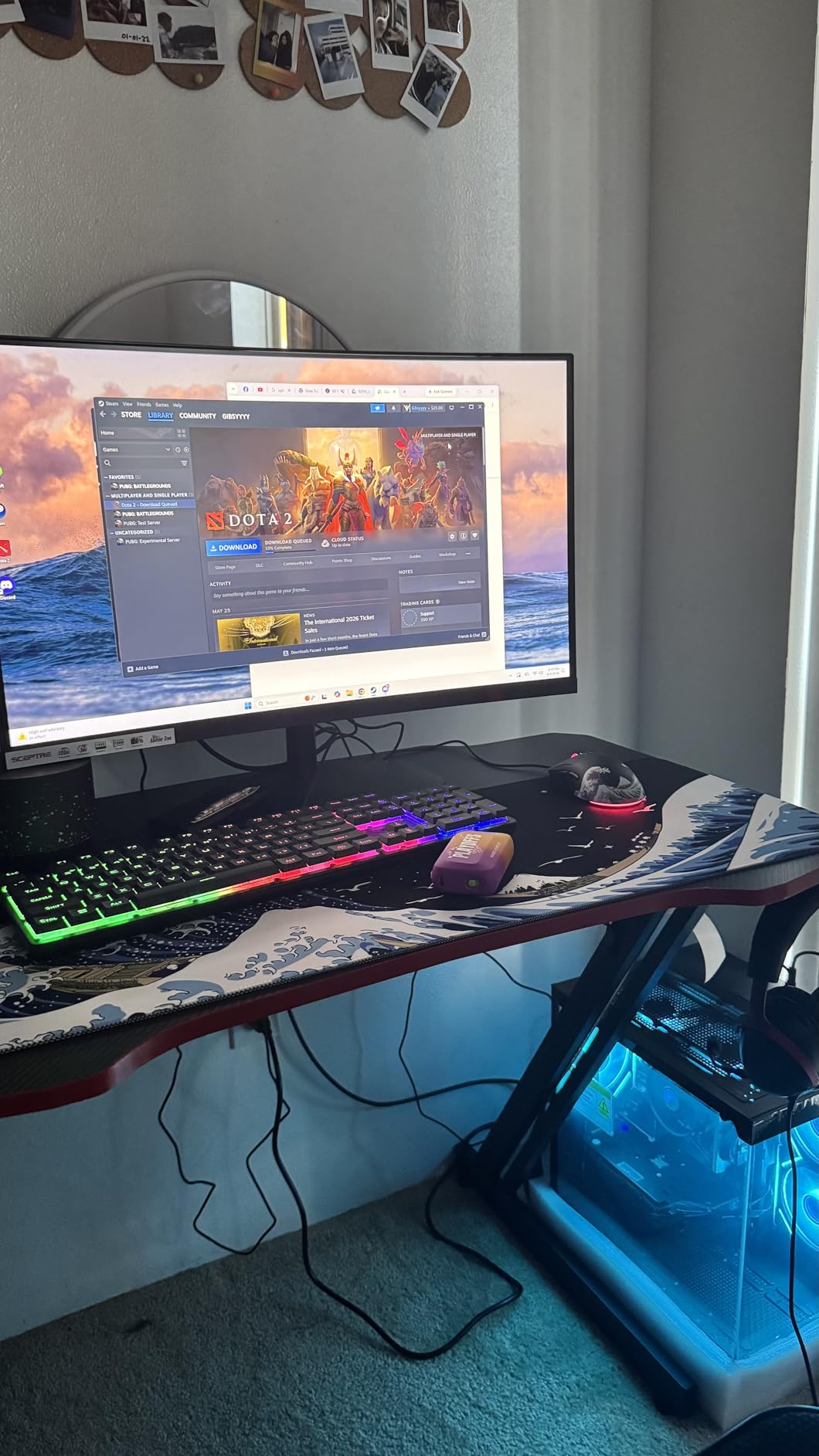
If your desk is wide enough and you work with a numpad, this is the board that stops the argument. It is a full 108-key layout with dedicated arrow keys, a navigation cluster, a function row and a numpad, plus four hotkeys for mute, calculator, lock screen and show desktop. Those hotkeys are not glamorous, but they are exactly the shortcuts office and spreadsheet work actually needs.
The build is the surprise. Gasket mount combined with five layers of foam and silicone fill takes most of the hollow ping out of an aluminium case, and the weight keeps the board from creeping across the desk when you type hard. Owners swapping in quieter switches through the hot-swap sockets report being delighted with the result, which is the whole point.
108 Keys With Four Dedicated Hotkeys
The full-size layout is the least “keyboard hobby” choice on this list and the most sensible choice for a first purchase if you do data entry, accounting or any work where a number pad is not optional. Nothing is hidden behind a layer, and the arrow cluster sits where muscle memory expects it.
The trade is desk footprint. A 108-key board plus a mouse and a mug leaves very little margin on anything smaller than a standard desk, and there is no way to recover the space later without changing keyboards.
Five-Layer Dampening and Gasket Mount
Gasket mount means the plate is held by small silicone pads rather than screwed rigidly to the case, so some of the vibration energy dissipates instead of travelling into the housing. Add foam and silicone fill and the effect on an otherwise plain case is a noticeably deeper, less hollow sound.
Be clear-eyed about what this does and does not do. Dampening controls resonance; it does not make a loud switch quiet. If you share a room, the switch choice matters far more than the case fill, which is why we would pair this board with silent linears or a dampened tactile rather than the stock set.
Tri-Mode Wireless With an 8000mAh Battery
The K771 pairs over 2.4 GHz, Bluetooth 5.0 or 3.0, and USB-C, with up to five paired devices. The 8000mAh battery is one of the larger cells in this roundup, and it is the difference between charging weekly and remembering where the cable is.
A large battery has a cost, and here it is bulk. This is a heavy, wide board. Reviewers also mention that some owners hit USB connection reliability on particular Windows machines, so if your setup is sensitive to that, test the wired mode early.
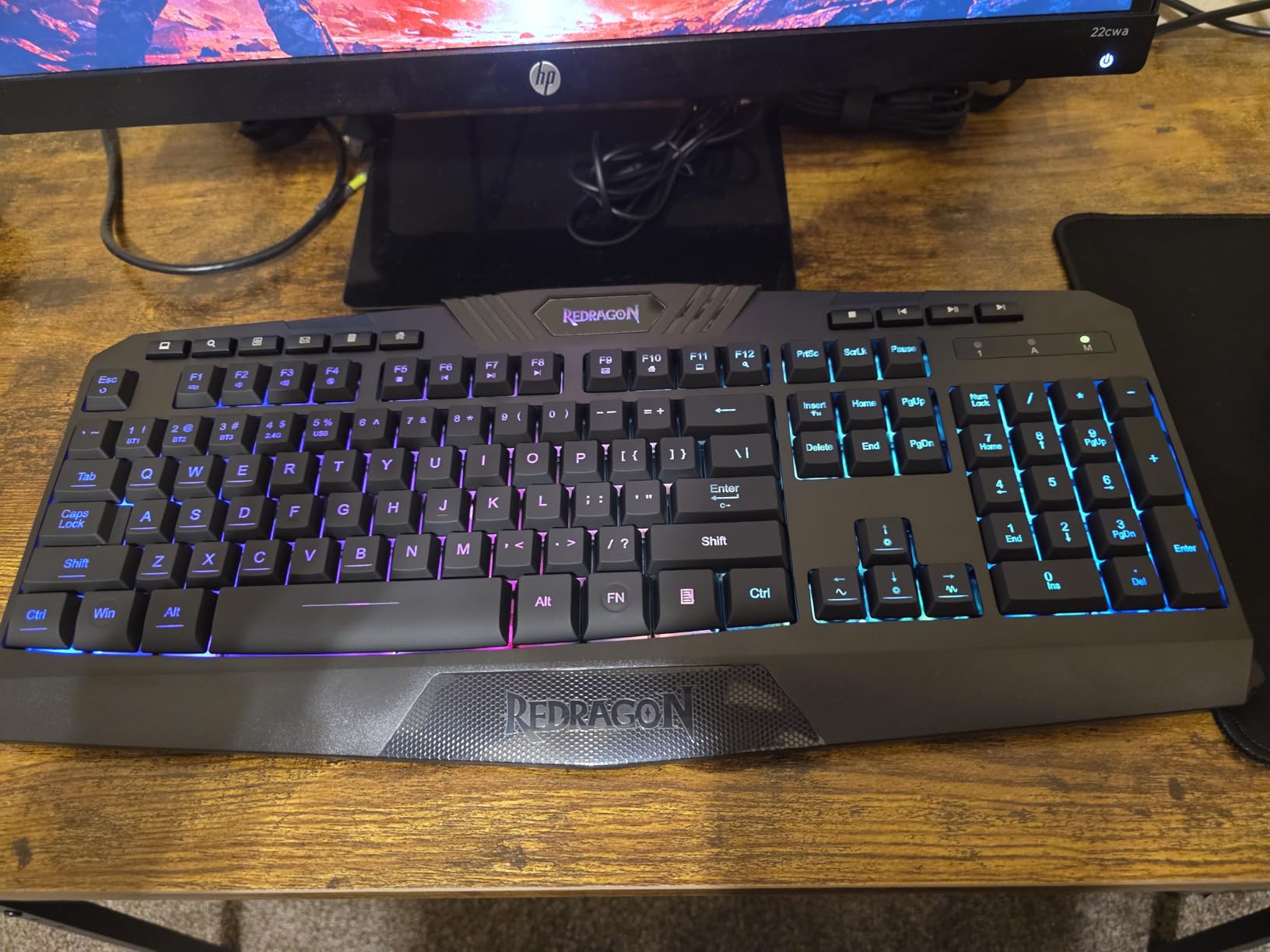
Connection and Noise Complaints to Expect
The recurring notes in reviews are that the stock switches feel clickier than expected and that the RGB animation speeds are hard to slow to a comfortable level. There are no dedicated media keys beyond the four hotkeys, so volume control lives in software.
None of this is a deal-breaker, and all of it is fixable with the hot-swap sockets. Buyers who swapped in quieter switches were the ones who ended up happiest.
3. AULA F99 – A Compact Full-Size for Numpad Users
AULA F99 Wireless Mechanical Keyboard,Tri-Mode BT5.0/2.4GHz/USB-C Hot Swappable Custom Keyboard,Pre-lubed Linear Switches,RGB Backlit Computer Gaming Keyboards for PC/Tablet/PS/Xbox
99-key 96% layout with numpad
Tri-mode BT5.0 / 2.4GHz / USB-C
8000mAh battery
Gasket mount with 5 fill layers
+ Pros
- Full numpad in a compact 96% layout
- Heavy solid-feeling build that resists sliding
- Creamy thocky typing sound out of the box
- Three connection modes with easy device switching
- Hot-swappable with switch and keycap pullers in the box
– Cons
- Keycaps are not shine-through so RGB does not light the legends
- Driver software is Windows-only
- Condensed arrow and numpad rows take time to adapt to
The F99 answers a specific question: what do you buy if you need a numpad but not a full 108-key slab. This is a 96% layout with 99 keys, meaning the function row is gone and the arrow cluster is condensed, but the number pad is still there in full. You save roughly a key-width of width compared to a full-size board and lose almost nothing that daily work touches.
At 1500 g with gasket structure and five layers of silencer fill, it is among the heaviest boards in this guide. That weight is doing acoustic work. The typing sound out of the box is the creamy, dampened kind that usually costs considerably more, and reviewers consistently single it out.
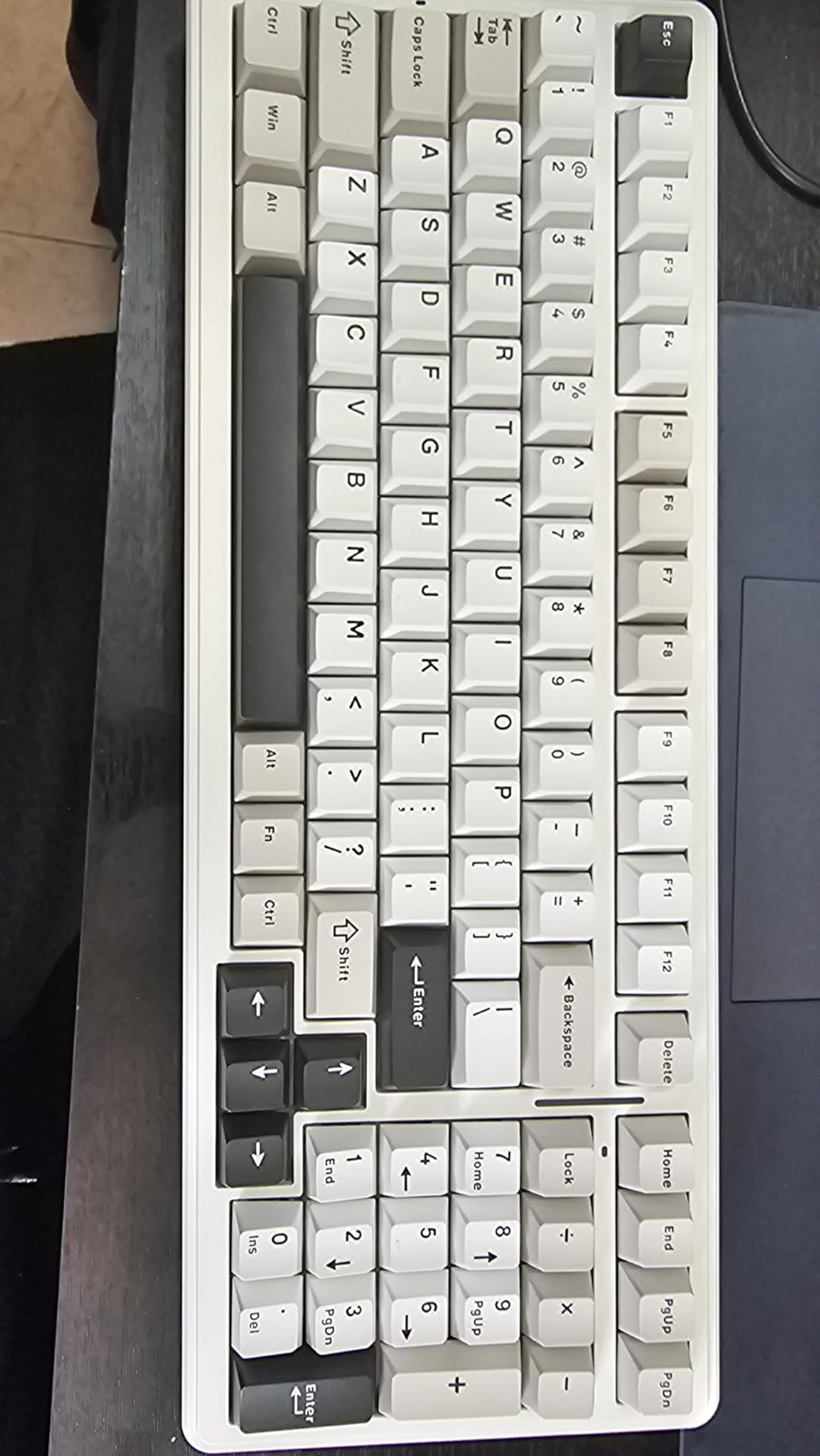
A 96% Layout in a 99-Key Frame
Understand what a 96% layout removes before you commit. There is no F-row, so function keys sit on a layer, and the arrow keys are shortened to a cluster immediately beside the numpad entry. Reviewers note those condensed rows take a few days to get used to, but the adjustment is far smaller than moving from full-size to 60% because the numbers and letters are all still physically present.
One detail worth checking: the listing describes an AZERTY physical layout in its specification block. If you are outside a French/Belgian keyboard region, confirm the key legends and Enter key shape match what you are used to typing on.
Build Weight and Gasket Construction
Five silencer layers plus a gasket-mounted plate mean the board barely moves and rings very little. A kilo and a half of mass on a desk also means it stays put, which matters more than it sounds if you type hard or use the arrow keys constantly.
The counterweight is size: 15.35 by 5.75 inches is still a wide board. This is a numpad solution, not a small-desk solution. If your problem is desk space, the 75% and 65% picks are the answer.
Multi-Device Switching in Practice
Tri-mode connectivity with up to five paired devices and an 8000mAh battery makes this an easy laptop-and-desktop board. Bluetooth 5.0 and 2.4 GHz cover the two ways people actually go wireless, and the USB-C mode is the one to use while charging.
Owner feedback on Bluetooth stability and battery life is strong. The device switching is where the star rating dips slightly, mostly because the driver that manages profiles is Windows-only.
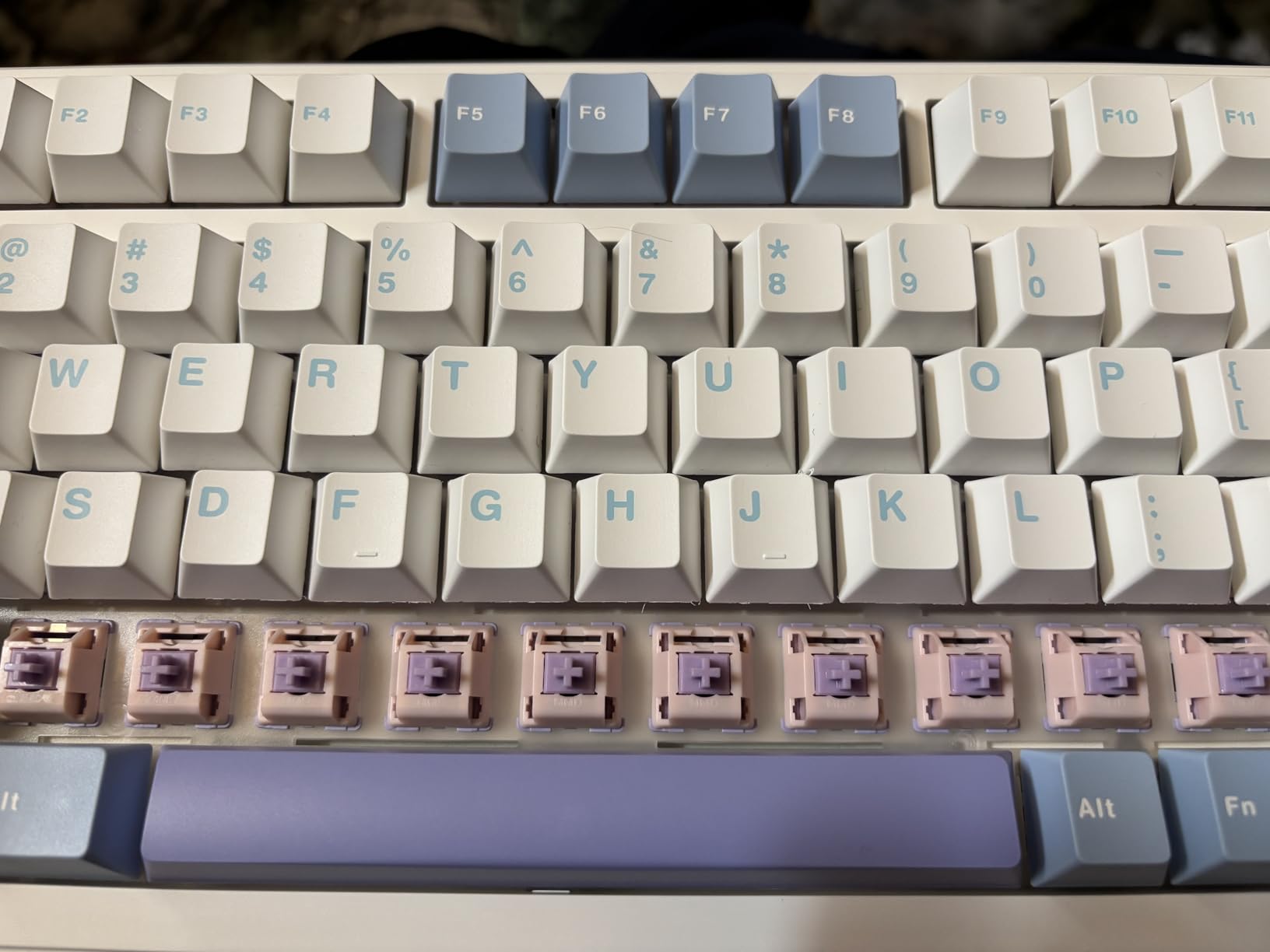
Keycap and Firmware Limitations
Two limitations are worth knowing. The double-shot PBT keycaps are not shine-through, so the RGB lighting sits under the caps without lighting the legends, which disappoints people who buy a board for the lighting. And the configuration software is Windows-only, so Mac users are limited to what the hardware offers.
For a numpad user on Windows, that is a mild tradeoff. For a Mac user who cares about remapping, read the next section before settling.
4. AULA F75 – The Sound-Focused 75% Board
AULA F75 75% Wireless Mechanical Keyboard, Hot Swappable Creamy Keyboard, Pre-lubed Greywood Switches RGB Backlit Gaming Keyboards, 2.4GHz/Type-C/BT5.0(Cool Black)
80-key 75% layout with arrows
Multi-function rotary knob
Gasket mount, 5 fill layers
Tri-mode with 4000mAh battery
+ Pros
- Knob gives real utility for volume and lighting control
- Thocky dampened sound from gasket mount and five fill layers
- 75% layout keeps arrow keys while saving desk space
- Hot-swap sockets let beginners change switches without soldering
- Pre-lubed stabilizers and stock switches out of the box
– Cons
- Keyboard software is Windows-only and must run in wired mode
- Battery capacity is smaller than some competing wireless boards
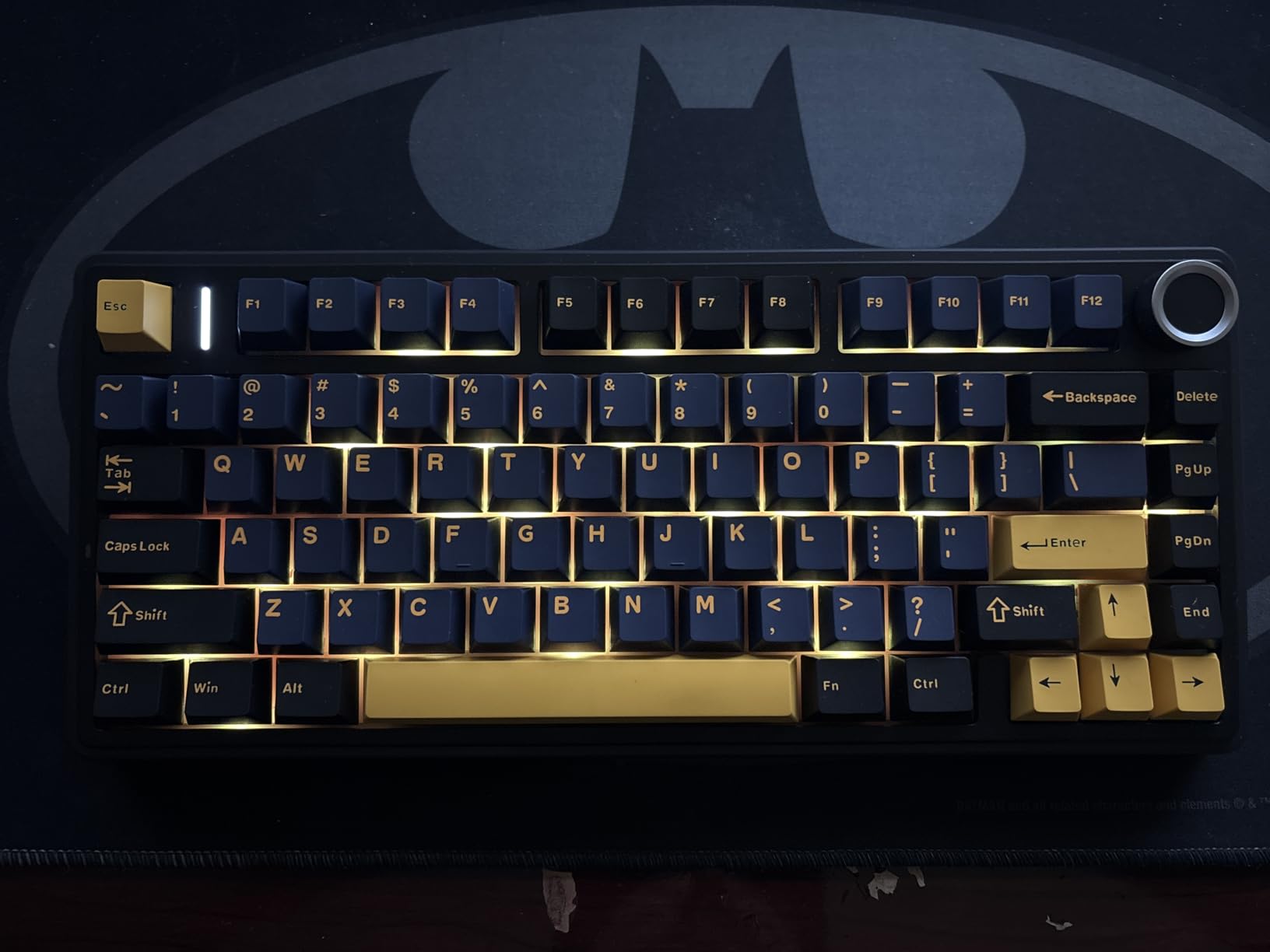
Where the F99 is about the numpad, the F75 is about sound. Eighty keys in a 75% layout, a multi-function knob, and the same gasket-plus-five-fill construction that gives the AULA boards their character. Reviewers repeatedly attribute the “sounds more expensive than it is” impression to the internal layering rather than the case material.
The 75% layout is the sweet spot for a lot of beginners. You keep a function row and dedicated arrow keys, which removes the most common complaint about compact boards, and you give up only the navigation cluster and numpad. A keyboard with a knob and arrows is also the easiest upgrade path in this list for a Mac user, since neither depends on Windows software to be useful.
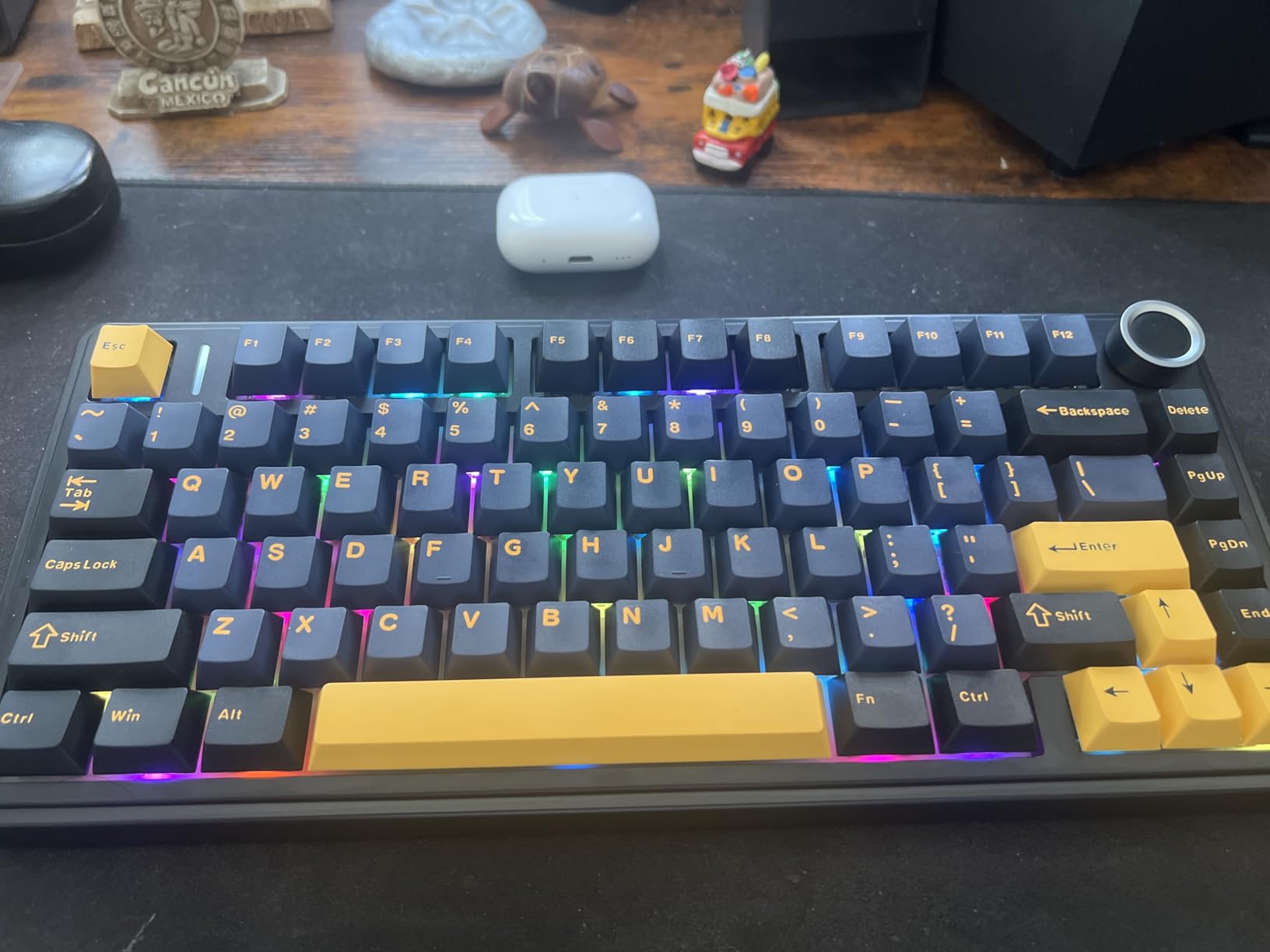
Why Gasket Mount Changes the Sound
A gasket-mounted plate floats on silicone pads inside the case rather than being screwed directly into the housing. The practical effect is that the energy of a keystroke is partly absorbed instead of ringing through a rigid aluminium frame. Add poron foam, an IXPE pad, case foam and spacebar silencer fill and the result is a low, dense sound.
None of this substitutes for a good switch. A board full of clicky switches still sounds clicky, just with less hollow case underneath. What gasket mounting fixes is the spacebar rattle and the metallic ring most beginners mistake for quality.
The Knob as a Gaming and Office Toggle
The multi-function knob is not a status light. It toggles between gaming and office modes and controls lighting and volume depending on the mode. On a board this size, having one physical control for volume saves you from an Fn-layer hunt every time you need to mute a call.
It is also a better use of a knob than most boards manage, where the rotary encoder is decorative or wired to a single app. Physical controls that work without software are exactly what a first-time buyer should want.
Battery Life and Multi-Device Pairing
Tri-mode with up to five paired devices and a 4000mAh battery covers the usual workflow of moving between a work laptop, a personal laptop and a desktop. Reviewers do raise the battery as the weaker point compared with the larger cells in full-size boards, which is a fair criticism if you travel with the keyboard regularly.
Note the one hard software constraint: the configuration utility is Windows-only and has to run in wired mode. So the knob and macros work as expected, but any RGB tuning has to happen over cable.
Picking This Over the F75 Pro
Choose this board if sound and layout are your priorities and you do not care about the backlight glowing through the keycap legends. Choose the F75 Pro instead if visible lighting matters to you, because side-printed PBT keycaps transmit the backlight through the characters and these do not.
That is genuinely the only meaningful difference between the two. Both share the 75% layout, the knob, gasket mounting, hot-swap sockets and tri-mode wireless, so you are choosing between keycap translucency and battery headroom.
5. AULA F75 Pro – Best Value 75% With a Knob and Light-Through Keycaps
AULA F75 Pro Wireless Mechanical Keyboard,75% Hot Swappable Custom Keyboard with Knob,RGB Backlit,Pre-lubed Reaper Switches,Side Printed PBT Keycaps,2.4GHz/USB-C/BT5.0 Mechanical Gaming Keyboards
81-key 75% layout with knob
Side-printed light-through PBT keycaps
Tri-mode 5-device pairing
Hot-swap with spare switches
+ Pros
- Side-printed PBT keycaps transmit the backlight through the legends
- Gasket mount and five fill layers deliver a heavy thocky feel
- Knob switches between gaming lighting and office volume
- Hot-swap sockets plus included pullers and spare switches
- Strong category ranking for the feature set
– Cons
- Configuration software is Windows-only
- Remapping still requires the vendor driver
This is the board we point at when someone asks for one recommendation. Eighty-one keys, a rotary knob, tri-mode wireless, a gasket-mounted case with five fill layers, and hot-swap sockets that ship with pullers and spare switches in the box. Every one of those is a line item that costs extra elsewhere.
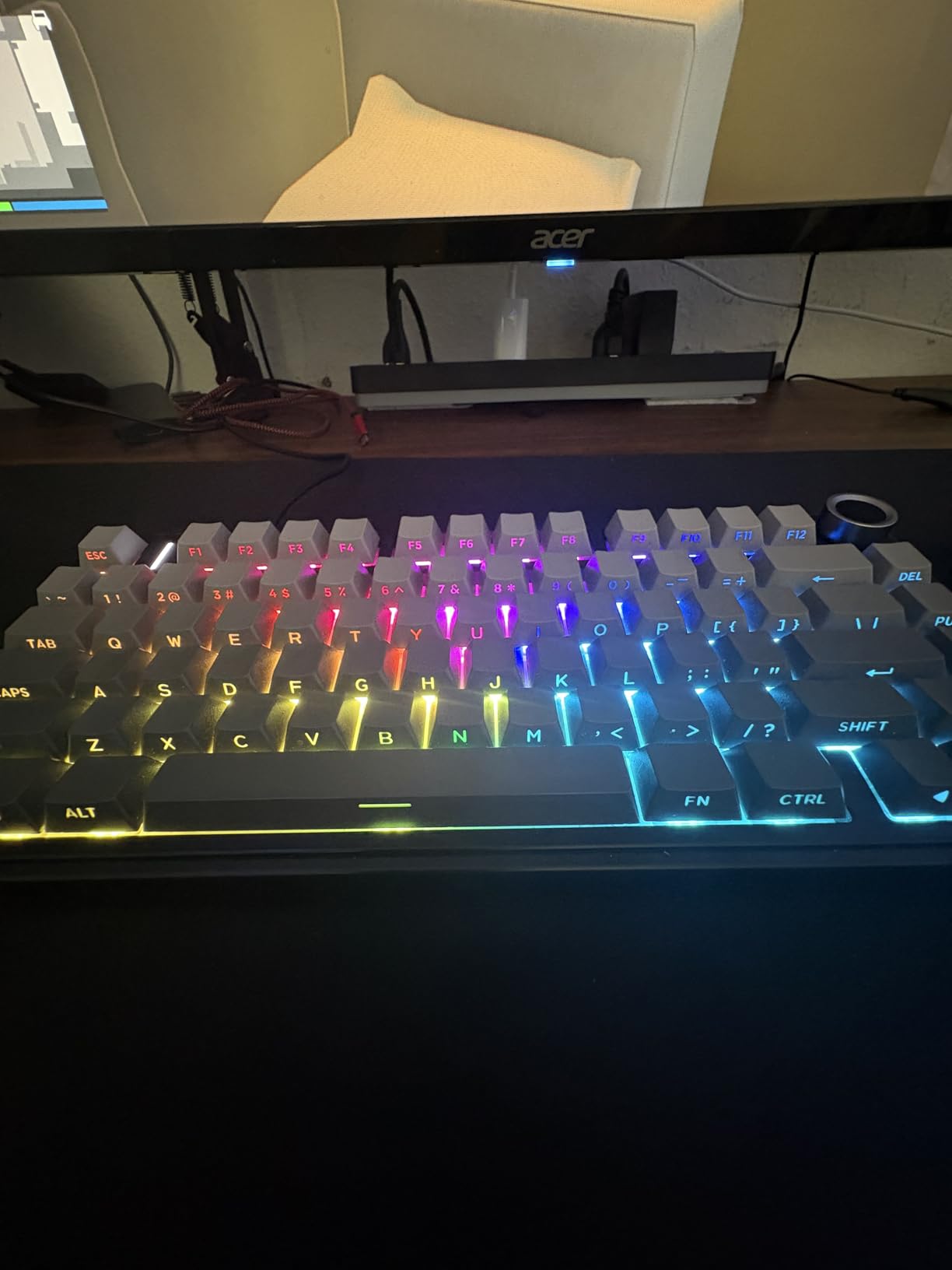
What tips it over the standard F75 in our view is the keycaps. They are side-printed double-shot PBT, meaning the legend is printed on the side wall of the key and light passes through it. On a board with 16.8 million colour RGB, that difference is visible from across a desk.
The Knob and What It Actually Controls
Like the F75, the knob toggles between gaming and office modes and handles lighting and volume depending on which is active. A CNC-milled knurled knob that turns with real friction is a small quality signal, and reviewers single it out as useful rather than decorative.
Because the knob works at the hardware level, it functions regardless of operating system. That is a meaningful advantage over boards whose knob only moves an on-screen cursor inside a Windows app.
Gasket Mount and Five Fill Layers
The construction matches the rest of the AULA range: gasket structure, PCB single-key slotting and five silencer layers. The effect owners describe is a heavy, thocky typing feel with reduced case resonance, and the board carries 1.02 kg of that mass.
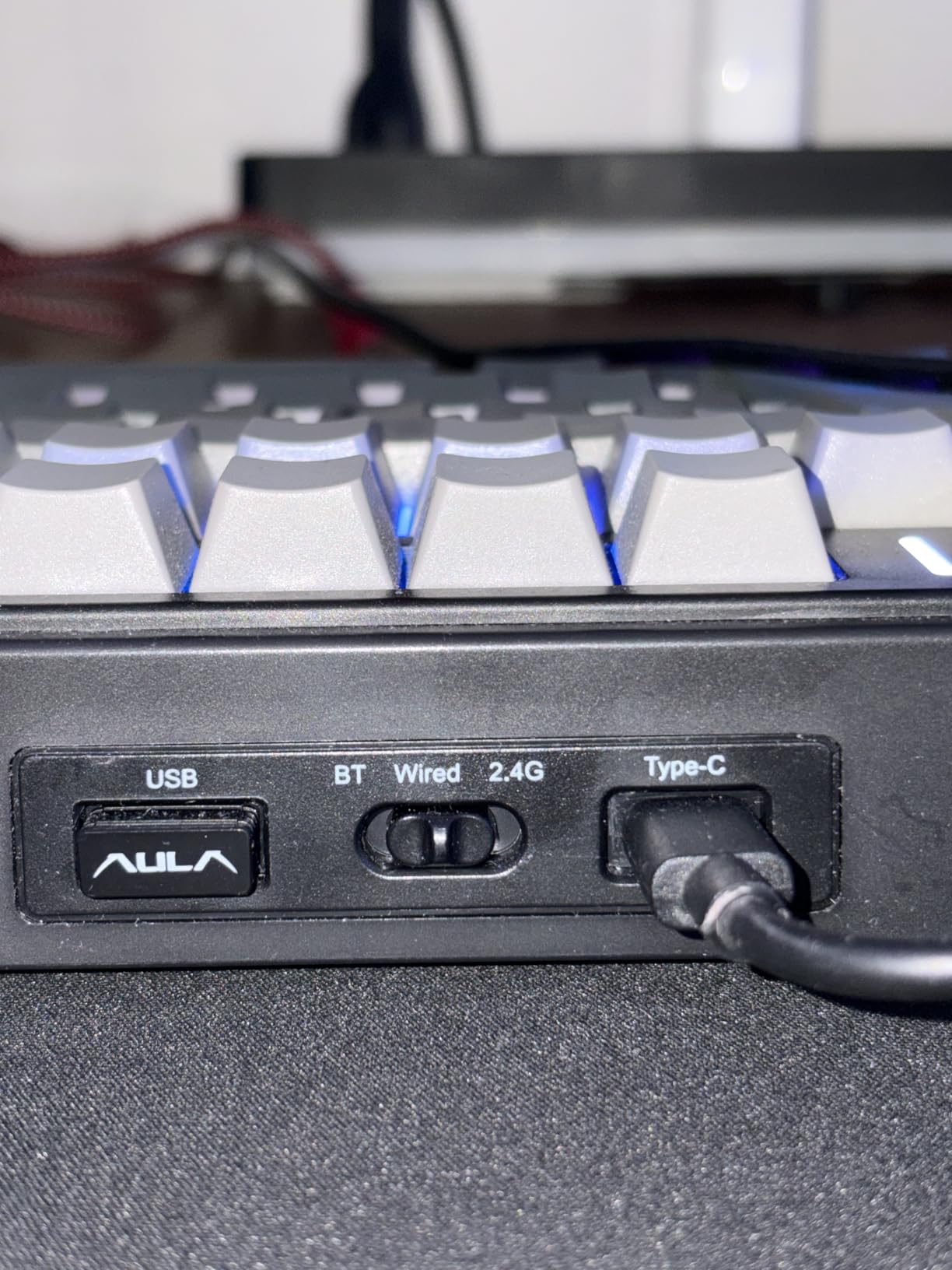
The hot-swap base accepts both 3-pin and 5-pin switches and comes with pre-lubed stabilizers plus spare switches. For a beginner, having spare switches in the box means you can experiment immediately rather than ordering a pack.
Side-Printed Keycaps and Backlight Visibility
Standard shine-through keycaps have the legend printed on top, so backlight bleeds around the edges and the character stays dark. Side-printed caps put the character on the side of the keycap, directly in the light path, so the legend itself glows.
PBT is a denser plastic than the ABS used on cheaper boards. It resists the greasy shine that develops on ABS after a few months of typing, which matters if you want the board to look the same in two years. It also sounds slightly deeper when you type.
Software Limits to Know About
Two honest limits. The configuration software is Windows-only, and any remapping or macro work still routes through the vendor driver rather than QMK or VIA. If you are buying this board specifically to learn remapping on open firmware, that is a gap worth weighing.
If you are buying it to type well, look at the lighting, move a knob and eventually try a different switch, the driver is irrelevant. Sixteen RGB effects, ten music-rhythm modes, N-key rollover and a Windows-key lock cover everything else on the software side.
6. RK ROYAL KLUDGE R75 – Tactile Browns in a Gasket Case
RK ROYAL KLUDGE R75 Wired Mechanical Gaming Keyboard, 75% Hot-Swap Mechanical Keyboard Volume Knob, Soft Pre-lubed Tactile Brown Switch
81-key 75% layout
CNC aluminum volume roller
Gasket mount with triple-layer foam
Hot-swap 3-pin and 5-pin PCB
+ Pros
- CNC aluminum knob is smooth and useful for volume control
- Gasket mount and multi-layer foam deliver a quiet dampened sound
- Pre-lubed tactile brown switches are a beginner-friendly middle ground
- 75% layout keeps arrow and function keys while freeing desk space
- South-facing RGB works with a wide range of Cherry-profile keycaps
– Cons
- Wired only with no wireless options
- Vendor software is required for advanced lighting and macro settings
- Windows is the primary supported operating system
The R75 exists for one specific beginner problem: linear switches feel fast but give no feedback, clicky switches are loud, and the jump to either extreme is how people end up disliking mechanical keyboards. The stock tactile browns are the middle. You feel a bump when the key registers without a sharp click, and they are neither too loud nor too harsh.
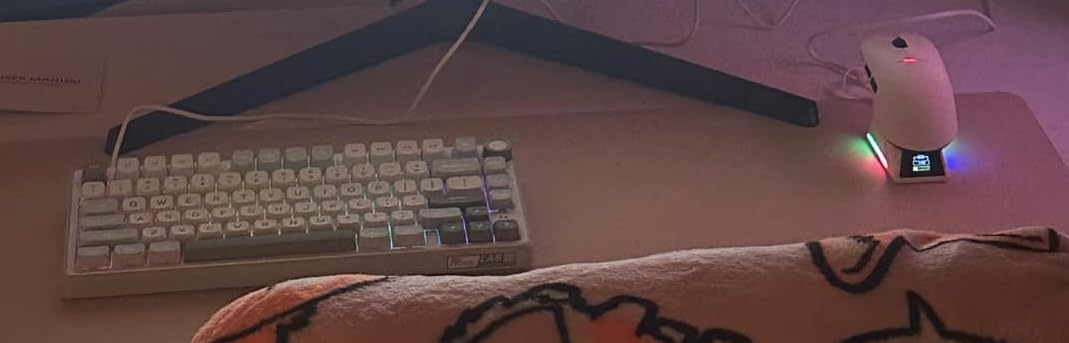
It is a wired board, which sounds like a limitation until you realise how many desks still are. A detachable USB-C cable means you can swap between machines, and there is no battery to fail or pairing to troubleshoot two years from now.
Why Tactile Browns Are a Good First Switch
Switch feel is a preference, and preferences are cheapest to discover on a board with hot-swap sockets. A tactile switch gives a distinct bump at the actuation point, so you know when the key registers without needing a click to confirm it. Browns are the middle of the tactile family, quieter than the clicky options and less fatiguing over a long session than a heavy tactile.
You do not have to keep them. The whole point of this board is that the browns are the starting point, not the destination. Plenty of owners buy it specifically because the hot-swap PCB lets them try something else a week later.
Three-Layer Foam and the Aluminum Knob
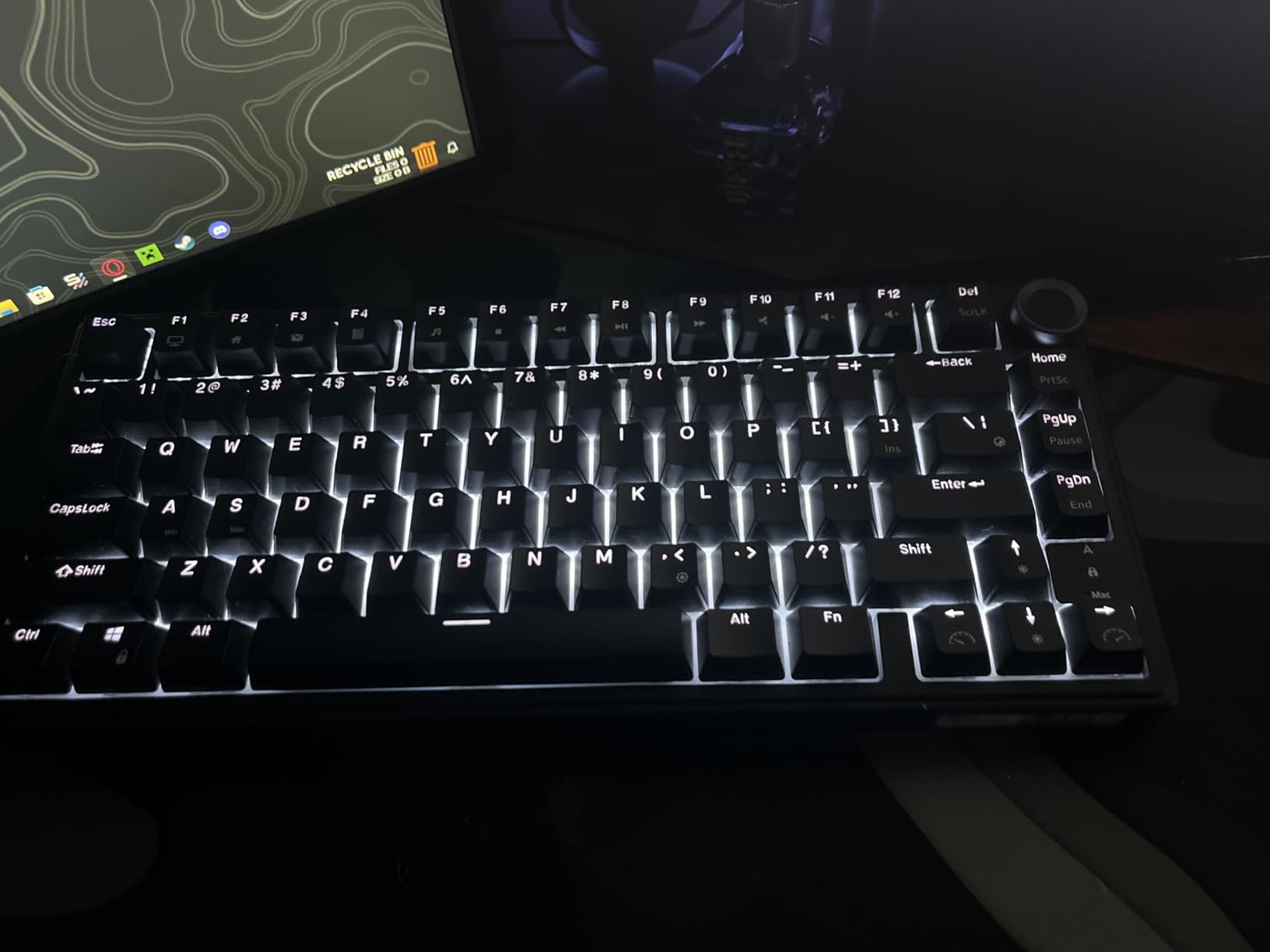
The damping stack is gasket mount with poron cotton, an IXPE foam pad, sponge case foam and a spacebar silencer foam. The audible result is a quiet, dampened typing sound, which reviewers consistently note is unusual at this tier.
The knob is a CNC aluminum volume roller rather than a cheap encoder, and it is genuinely smooth. The stair-up keycap design is a 75% convention that tilts the front row slightly and makes the home row easier to find by touch.
South-Facing RGB and Keycap Compatibility
South-facing means the LEDs point down through the switch rather than up into it. This matters more than it sounds: Cherry-profile keycaps, the most common aftermarket profile, fit properly on south-facing boards and can interfere or shine unevenly on north-facing ones.
Eighteen RGB modes plus eight monochrome options, five brightness levels and five speed levels, with full-key anti-ghosting. It is a generous lighting setup for a board at this level, and because the LEDs are south-facing, you can change keycaps without the lighting looking wrong.
Wired Only – What That Costs You
You give up multi-device switching, and with it the ability to use the board with a tablet or a laptop across the room. The vendor software is also required for the advanced lighting and macro settings, and Windows is the primary supported platform.
If you sit at one desk and type all day, none of that matters. If you move between machines, a wireless board in this list will suit you better.
7. Redragon K530 Pro – Tri-Mode Wireless With a Free-Mod PCB
Redragon K530 Pro Draconic 60% Wireless RGB Mechanical Keyboard, BT/2.4Ghz/Wired 3-Mode 61 Keys Compact Gaming Keyboard w/Hot-Swap Socket, Free-Mod Plate Mounted PCB & Linear Red Switch
61-key 60% layout
Free-mod plate-mounted PCB
Tri-mode USB-C, Bluetooth and 2.4GHz
Accepts nearly all 3-pin and 5-pin
+ Pros
- Tri-mode wireless plus full hot-swap at this level
- Free-mod plate-mounted PCB invites deeper customization
- Compact 60% layout maximizes mouse room
- Side hardware switch for quick wireless device changes
- Works with Windows
- macOS and Linux
– Cons
- Plate-mounted construction gives a firmer more pingy feel than gasket boards
- Stock linear red switches are louder than silent variants
Most 60% boards in this list are wired. This one is genuinely tri-mode, with USB-C, Bluetooth 3.0 and 5.0, and 2.4 GHz wireless, plus a physical side switch that toggles between the 2.4 GHz connection and two Bluetooth devices. That side switch is faster than any software menu, and it is the feature owners mention most.
The socket design is stated to accept the overwhelming majority of 3-pin and 5-pin switches with reduced wobble, and the layout works across Windows, macOS and Linux. For a first board you can carry between a laptop and a desktop, that combination is unusual.
A 60% Board That Is Wireless and Hot-Swap
Sixty-one keys with a full function layer means no physical F-row and no arrow cluster, so this is a learning curve board. Gamers tend to like that because the freed space gives the mouse more room for fast movement, and it is also the most portable option here at 610 g.
If you are not gaming and you use function keys daily, the F75 and R75 entries make more sense. Both keep arrows and a function row in a footprint not much larger.
What a Free-Mod Plate-Mounted PCB Means
A free-mod PCB is a board where the plate can be swapped, and plate-mounted construction means the plate clips onto the switch housing rather than the switch being mounted directly to the PCB. Mechanically it is the traditional arrangement, and it produces a firmer bottom-out.
That is the honest downside. Compared with the gasket-mounted AULA and RK boards here, the typing feel is noticeably firmer and there is more ping, because the plate and case are connected rigidly. If you care about feel above all, the difference is audible.
The Side Hardware Device Switch
A physical toggle for connection mode is rare at this level and solves a real problem. Cycling devices through a driver is a fifteen-second task every time; flipping a switch is instant. With 13 RGB presets and reactive typing effects available through the Redragon driver, the board also works as a plug-and-play unit with no configuration required.
One limitation on styling: the reactive effects only run through the driver, so on Mac and Linux you get the basic lighting rather than the animated modes.
Firmer Feel Compared With Gasket Boards
The stock linear red switches are louder than the silent variants of the same type, and combined with a plate-mounted case the overall profile is bright and clacky. The free-mod path is the answer: swapping in a dampened tactile or silent linear changes the character more than anything else you can do to this board.
Owners treat it as a tinkerer’s board, and that is exactly what it is. Buy it if you want to open it up later.
8. RK ROYAL KLUDGE RK68 – Foam-Filled 65% for Mac and Linux Users
RK ROYAL KLUDGE RK68 Wireless Hot Swappable 65% Mechanical Keyboard Gaming
68-key 65% layout with arrows
Hot-swap 3-pin and 5-pin sockets
Bluetooth 5.0 plus USB-C
1450mAh battery
+ Pros
- Arrives foamed and lubed with quiet stabilizers out of the box
- 65% layout keeps arrow keys without full-size bulk
- Hot-swap sockets plus removable case make modding easy
- Sturdy build and light enough to travel
- Reliable Bluetooth on Windows Mac and Linux
– Cons
- Single-color blue backlight only and not true RGB
- Bluetooth and wired only with no 2.4GHz dongle
- Short right Shift trips up some users and Home and End are missing
- No dedicated F-row with functions mapped to the number row
This is the 65% entry, and 65% is a genuinely sensible first size. You keep dedicated arrow keys, which is the single most-missed feature on a compact board, and you lose only the function row and the navigation cluster. At 68 keys it sits between the 60% and 75% options on this list.
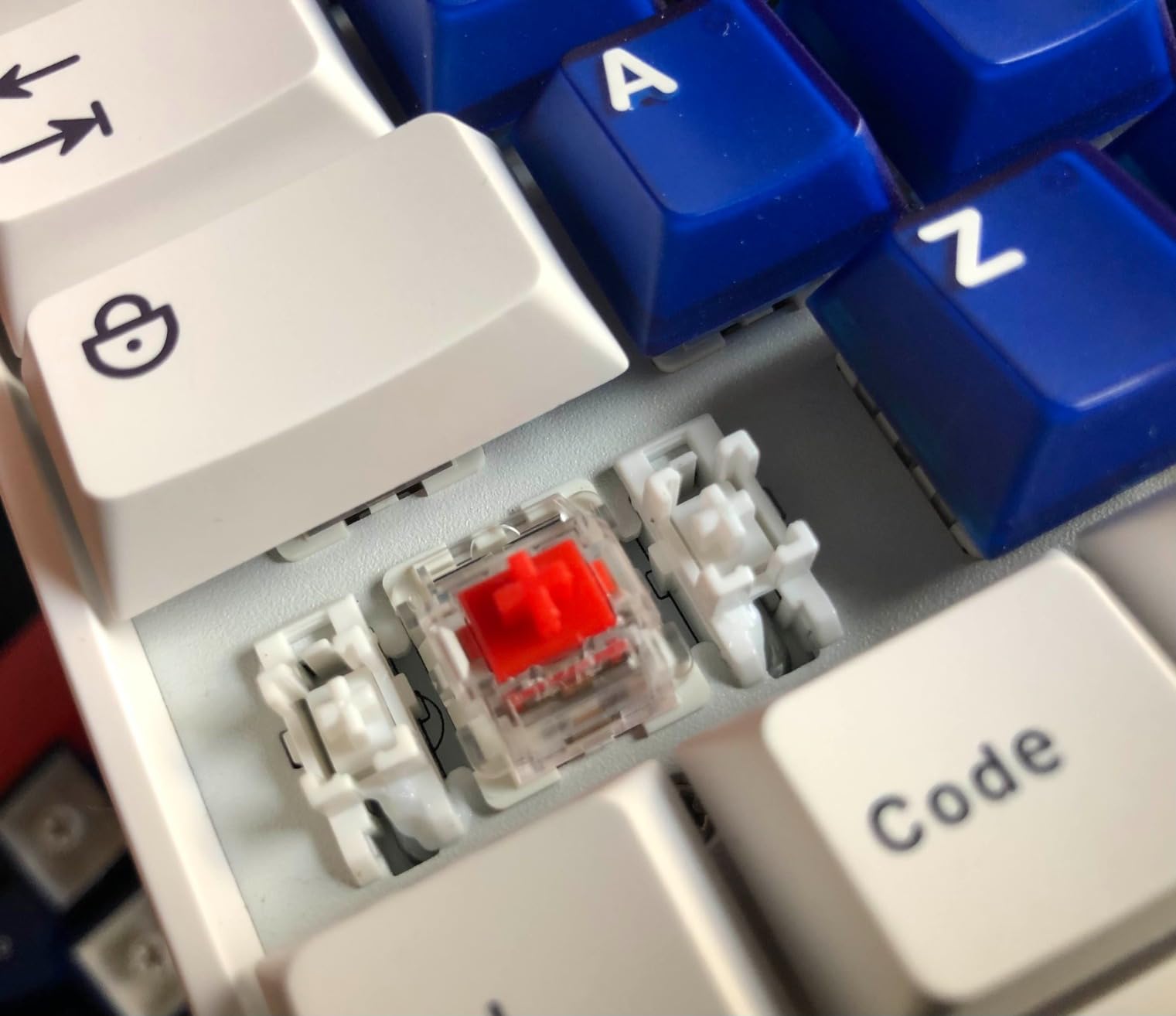
What stands out is what happens at the factory. It arrives foamed and lubed with quiet stabilizers, which owners note is unusual at this level, and the hot-swap sockets plus a removable case make later modding straightforward. It is light enough to move between home and office.
65% With Real Arrow Keys
Consider what a 65% board gives up against a full-size. There is no F-row, so function keys map onto the number row, and Home and End are not physically present. The right Shift is shortened, which owners mention as the most common source of early frustration.
Against a 60%, you gain dedicated arrows, which removes the layer-switch needed for cursor movement. For anyone who edits text, uses a spreadsheet or plays with a mouse nearby, that difference matters more than the extra width costs.
Foamed and Lubed From the Factory
Case foam and lubricated stabilizers on an entry-level board saves you the two modifications almost every first build gets. The spacebar and enter key are the usual offenders, and pre-lubing keeps them from rattling.
Because the switches are hot-swappable, the sensible beginner move is to leave the foam alone and change the switches instead. The sound problem that a modder would solve with foam is a switch problem for most people.
Three Bluetooth Profiles Without a Dongle
Three device profiles switch through FN+Q, FN+W and FN+E, covering a work laptop, a personal laptop and a desktop. Bluetooth 5.0 plus wired USB-C is the full connectivity list, and owners confirm Bluetooth pairs reliably across Windows, Mac and Linux.
The missing piece is a 2.4 GHz dongle. That is the mode with the lowest latency, and its absence means gamers or anyone sensitive to input delay should look at a board with tri-mode instead.
Backlight, Battery and Layout Regrets
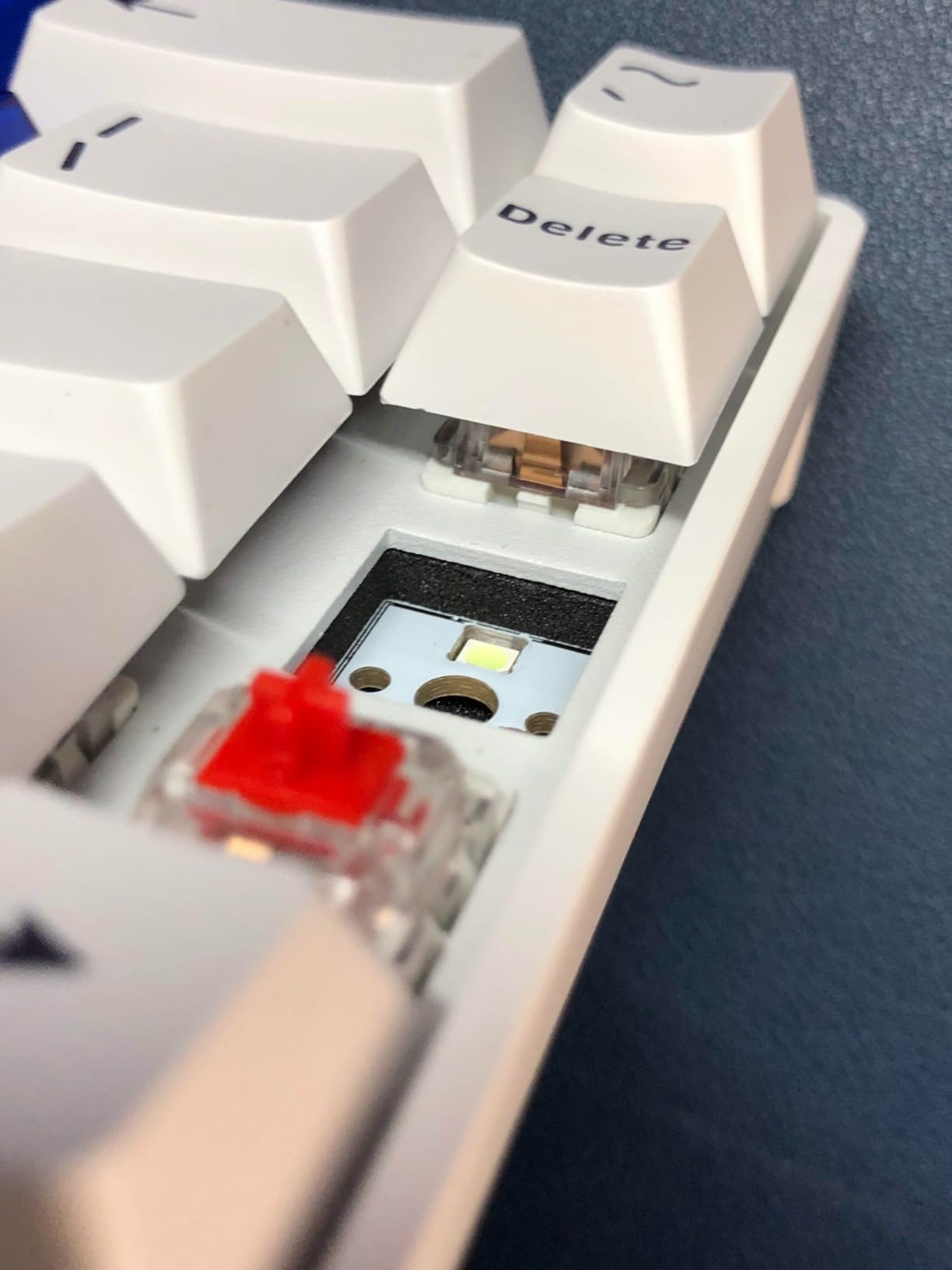
Three regrets come up repeatedly. The backlight is single-colour blue with 20 dynamic modes rather than true per-key RGB, the battery is 1450mAh for roughly 13 hours with the backlight off, and one owner reported a battery failure after about a year.
The layout adjustment is worth planning for. Budget three to five days of reaching for Home and End keys that are not there, and the frustration disappears quickly.
9. Redragon K617 – A Low-Cost Way Into Hot-Swap That Teaches You Fast
Redragon K617 Wired 60% Compact Hot-Swap RGB Gaming Mechanical Keyboard
61-key 60% layout
Hot-swap for 3-pin and 5-pin switches
50-million-keystroke rated switches
20 RGB lighting modes
+ Pros
- Affordable entry point into hot-swap mechanical keyboards
- Socket accepts standard 3-pin and 5-pin switches with pullers in the box
- Full switch replacement works without issues
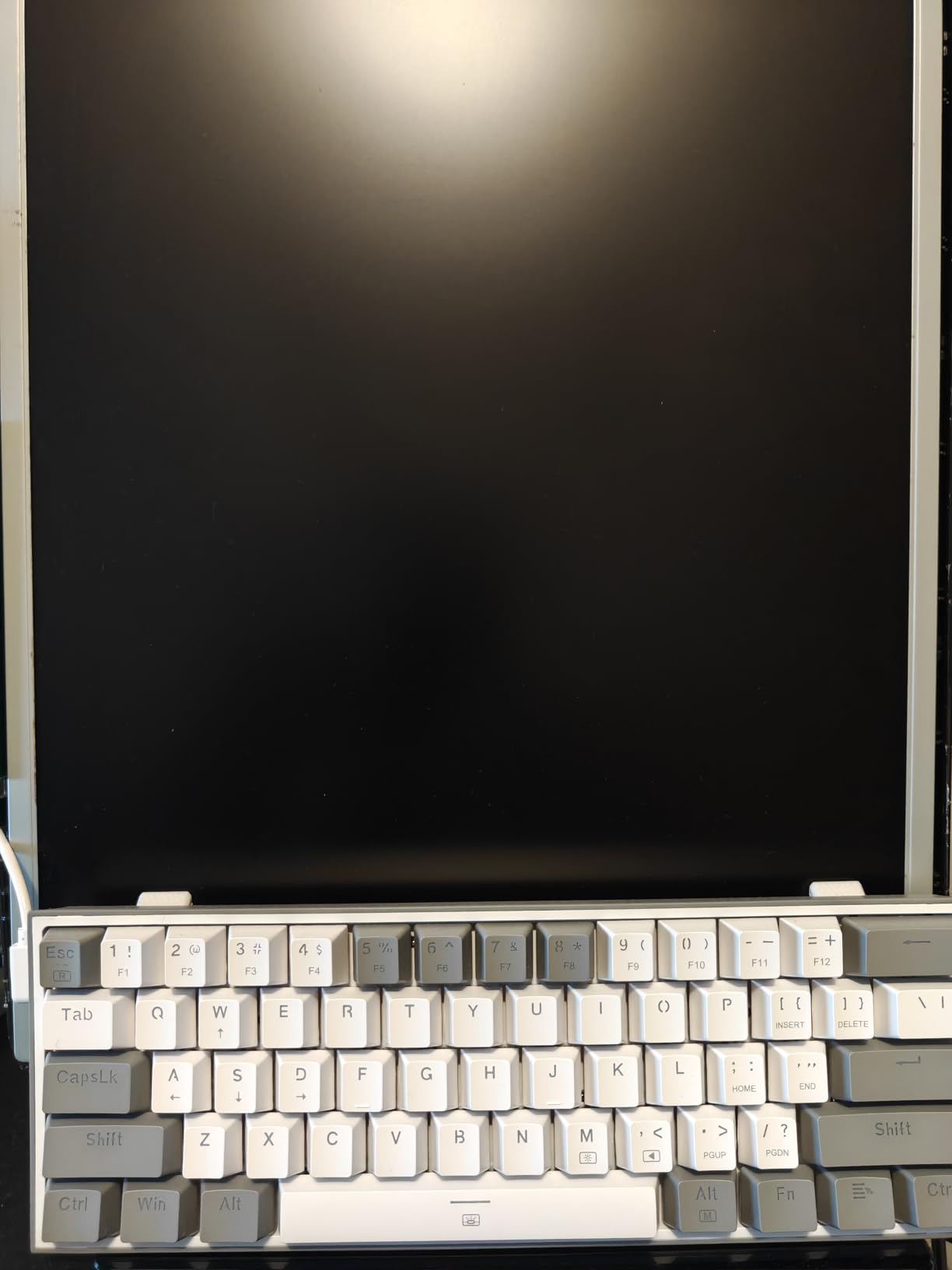
- Clean white and grey colorway stands out
- Light and easy to pack for travel
– Cons
- Stock red switches are audible and clacky out of the box
- Stock sound is thin without better switches
- 60% layout means learning new arrow-key and layer shortcuts
- No arrow or function row keys at all
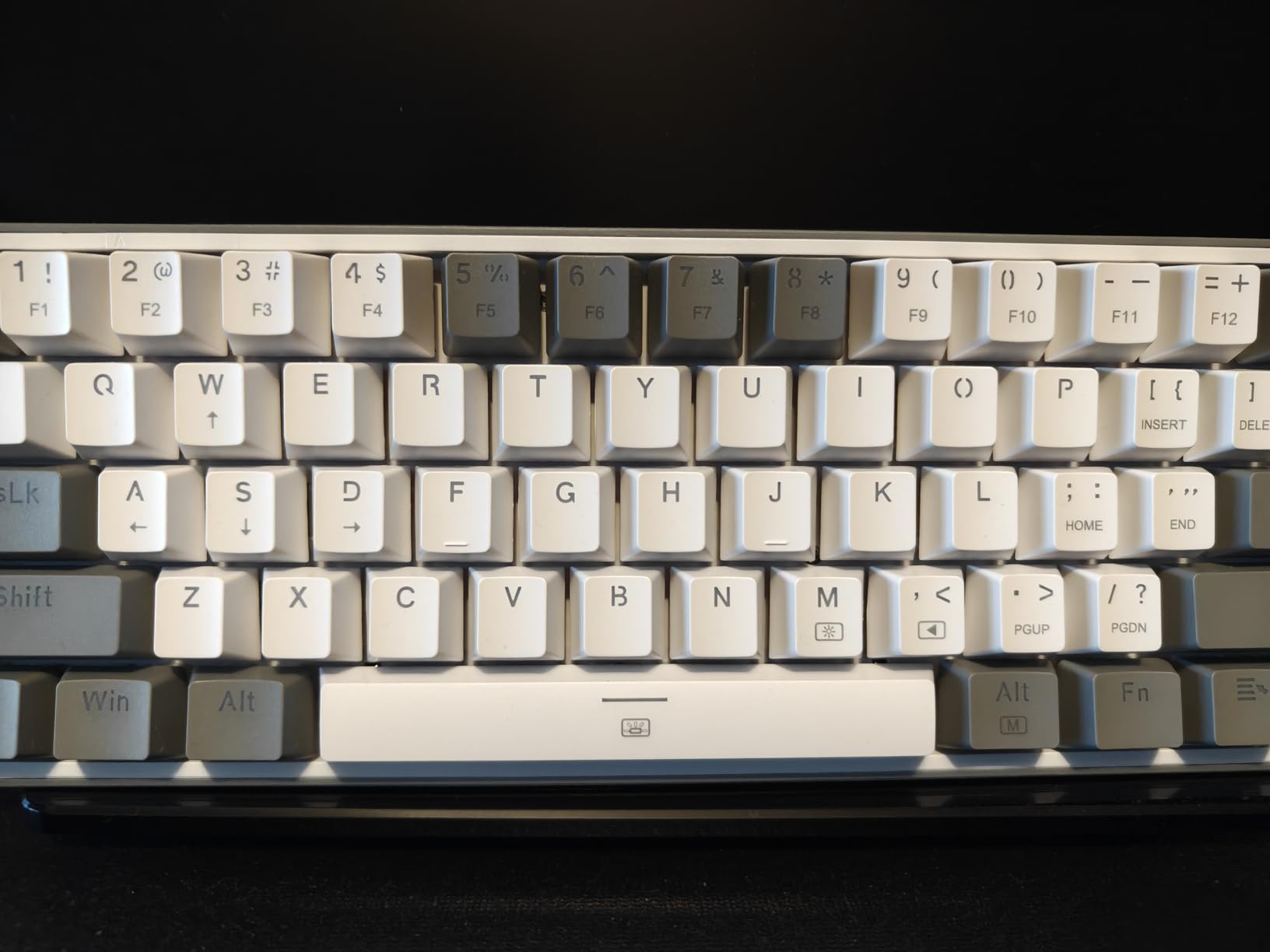
Sometimes the right answer to “which keyboard should I start with” is the one that costs the least, because the cheapest board that works teaches you the most. This is that board. The hot-swap socket accepts nearly any 3-pin or 5-pin switch, and both a keycap puller and a switch puller are included, so you can do a full switch change on day one.
Buyers treat it as a project board. Many immediately swap the stock red linears for something quieter, and the socket handles a complete change without issue according to multiple owner reports. That is precisely the workflow this guide is trying to sell you on.
What a Lower-Priced Board Actually Buys You
You are buying the socket, the switches and the keycaps. You are not buying a case, and that shows in the sound. The stock profile is thin and slightly hollow, and the red linears are audible and clacky out of the box, which is why almost every owner replaces them.
That is not a flaw in the product. It is the cheapest possible way to find out which switch you like, and it is a defensible logic for a beginner who is not yet sure this hobby is for them.
The 60% Learning Curve in Real Terms
There are no arrow keys and no function row on this board. Everything beyond the alphanumeric block lives on a layer, so cursor movement and function keys require a modifier combination. Gamers adapt to this quickly because the extra mouse space is a real benefit.
For general office and writing, expect the same adjustment period as any 60% board. If you cannot commit to that, a 65% or 75% board will serve you better and the price difference is modest.
Switch Compatibility and Included Tools
The socket is described as accepting nearly any 3-pin or 5-pin switch, which is the compatibility standard you want on a first board. Owners report full switch replacements working without issues, and the included pullers mean nothing extra to order before you start.
The stock switches are rated at 50 million keystrokes. For context, an office typist at 5,000 words a day, averaging five keystrokes per word, takes roughly three years to reach that figure, so the switch is not the part that will fail first.
Who Should Skip It
Skip it if sound quality matters more than experiment cheaply, if you need a numpad, or if you type on function keys all day. The board has 20 RGB preset lighting modes with adjustable brightness and flow speed, which covers the visual side, but the acoustic side is where the money was saved.
Buy it if your goal is to find out whether you enjoy swapping switches, and you want to do that without spending much. There is a reason so many people end up on a second board within a year, though. This is a starting point, not an endpoint.
10. Geeky GK61 – Budget Pick With a Polling Rate Worth Noting
Geeky GK61 60% | Hot Swappable Mechanical Gaming Keyboard | 61 Keys Multi Color RGB LED Backlit for PC/Mac Gamer | ANSI US American Layout (Lavender, Mechanical Speed Yellow)
61-key 60% hot-swappable layout
Mechanical Speed Yellow linears
1kHz polling rate
Pre-lubed stabilizers
+ Pros
- Low-cost hot-swappable 60% board
- Speed Yellow linears feel fast and lively
- 1kHz polling gives snappy gaming response
- Thick plastic case has real weight
- Compact enough for travel and shared desks
– Cons
- Switches at the top and bottom rows are difficult to pull out
- Uses its own software rather than VIA-compatible configuration
- Some owners report software failing to detect the keyboard
This board exists to prove that hot-swap sockets can be had for very little. Sixty-one keys, a socket that accepts switch changes, a keycap puller in the box and a 1kHz polling rate, which at 1 ms response is a genuine specification rather than marketing. For gaming, that is a meaningful number.
The stock switches are Mechanical Speed Yellow linears, and owners describe them as fast, lively and slightly clicky. The case has real weight for a plastic shell at 580 g, which stops the board sliding around, and the whole thing is small enough to travel with.
1kHz Polling and Speed Yellow Linears
Polling rate is how often the keyboard reports your keystrokes to the computer. At 1kHz that is every millisecond, which is the top of the range for this class of board and is why the responsiveness feels immediate in games.
The Speed Yellow linear is a lighter linear with a sharper reset, which suits fast repeated inputs. It is not silent, so if you share a room, plan to swap it. The socket makes that a two-minute job, which is the entire argument for this board.
Where the Hot-Swap Sockets Fall Short
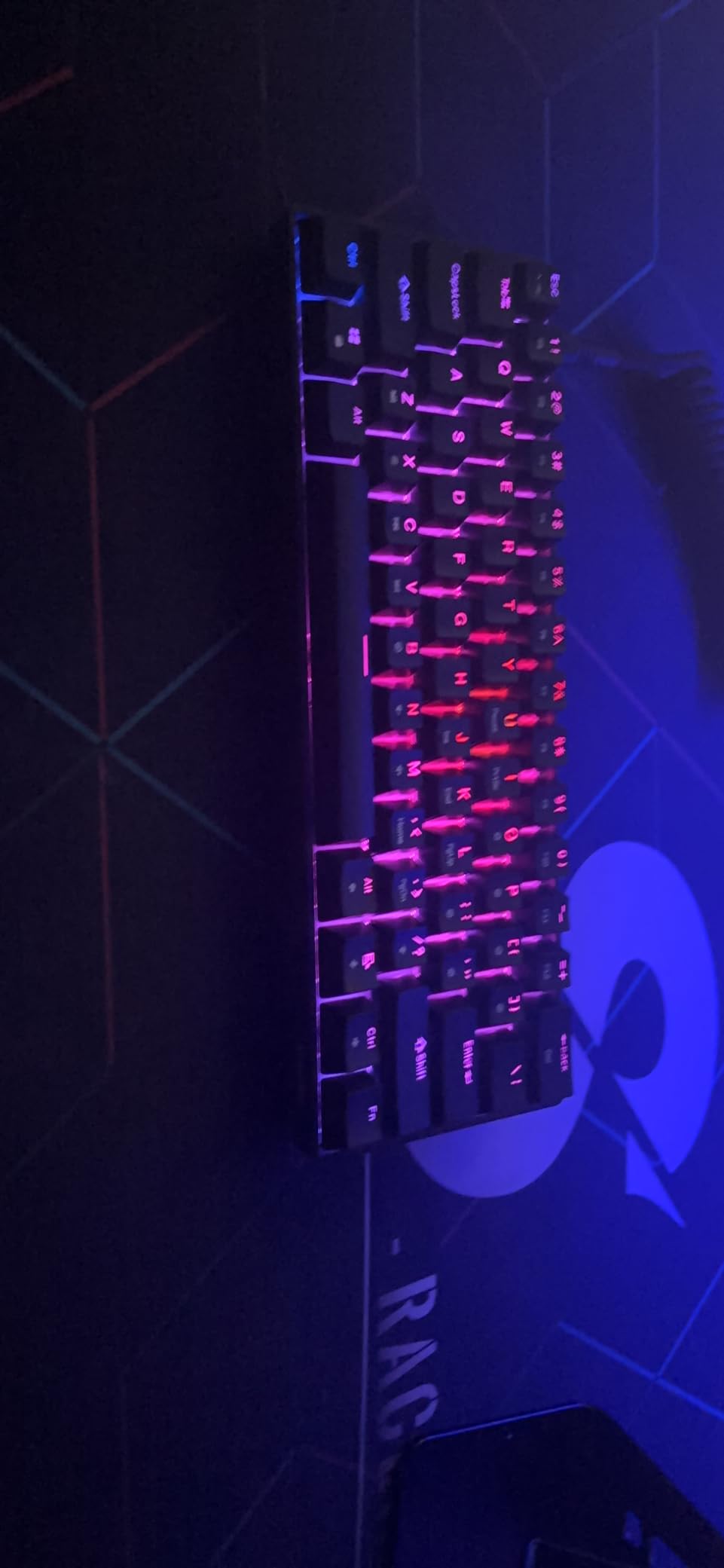
This is the one real problem, and it lands exactly where it hurts. The sockets in the top and bottom rows of the keyboard are difficult to work with, which owners identify as the single biggest complaint. Those are the number row, the escape row and the spacebar row.
The spacebar is a 6.25u key that needs a different switch size, so you cannot simply press it straight down. Spacebars have always been the fiddliest switch in any keyboard, hot-swap or not, and the tight row spacing here compounds it.
Software Instead of VIA Configuration
There is no VIA-compatible configuration here. The board uses its own software for lighting, with 16.8 million colours and 20 backlight patterns, and some owners report the software failing to detect the keyboard at all.
If your plan is to learn remapping and layers, this is the wrong board. If your plan is to press keys, swap a switch and play games, the software never needs to open.
Verdict for a First-Time Buyer
Pre-lubed stabilizers, a 1kHz polling rate and a hot-swappable socket at this entry point is a good deal. The 60% layout and the difficult row sockets are the two things to accept before you buy, and the short right Shift on many 60% boards is the third.
Our advice is to treat this as a one-board test of the hobby. If you are still searching for switch feel in six months, move to a gasket-mounted 75% board from this list and keep the switches you already know you like.
How to Choose Your First Hot-Swappable Keyboard
Every board in this guide is genuinely hot-swappable, so the decision comes down to layout, switch family, firmware and sound. Work through these in order and the product choice usually makes itself.
Pick the Layout First: 60%, 65%, 75% or Full-Size
Start with what your work demands, not what looks good. A 60% board has no function row, no arrow keys and no numpad, which suits gaming and small desks. A 65% board adds a dedicated arrow cluster and is the best compromise for general use. A 75% board adds a compressed function row and is the all-rounder. A full-size board adds the navigation cluster and a numpad, which matters for data entry.
Budget three to five days of adjustment for anything under 75%. You will reach for Home and End keys that are not physically there, and the correction happens faster than you expect.
Check the Variant: Hot-Swappable or Soldered
This is the most important line in the guide. Several brands list the same model name in a soldered and a hot-swappable variant under one product page, sometimes distinguished only by the variant dropdown. If the specification block does not mention hot-swap sockets, assume it is soldered.
Second on the list: 3-pin-only sockets. Sockets that accept only 3-pin switches force you to clip the plastic legs off every premium 5-pin switch you buy, which is permanent and slightly changes the feel.
MX-Standard 3-Pin and 5-Pin Sockets, and When You Clip
MX-compatible is the standard mechanical switch footprint, and almost every board on this list accepts it. Three-pin switches are PCB-mount with two metal pins and a central plastic post. Five-pin switches are plate-mount and add two extra plastic legs that locate the switch in the plate.
On a 5-pin-capable socket you can leave the extra legs in place. On a 3-pin-only socket you must clip them with a small pair of flush cutters. Buy a 5-pin board if you can, and buy a switch clipper if you cannot.
Switch Primer: Linear, Tactile, Clicky and Silent
Linear switches press down smoothly with no bump and no click, which is the fastest-feeling option and the usual gaming choice. Tactile switches have a bump at the point of actuation and no sound spike, which many typists find easiest for long sessions. Clicky switches add an audible click to the tactile bump and are now mostly an acquired taste.
Silent variants dampen the sound of any of the three. For a first board in a shared space, silent linears or damped tactiles are the safe pick. Whichever you start with, the hot-swap sockets let you change your mind for the cost of a switch pack.
QMK and VIA vs Vendor Software
QMK is open-source firmware and VIA is a browser-based front end for it. A board with QMK and VIA support lets you remap keys, build layers and set macros without installing a vendor application, and the layouts are stored as definition files you can edit in a text box.
Vendor software works, usually. The recurring complaints in this category are Windows-only drivers, colour wheels that do not match the board, and apps that fail to detect the keyboard after an update. If remapping matters to your workflow, filter for QMK and VIA first.
Gasket Mount, Foam and Stabilizers
Gasket mount holds the plate on silicone pads so vibration is partly absorbed instead of ringing through the case. Foam fill between plate and case reduces the hollow space that produces a boomy sound. Neither changes switch feel much, and both improve the sound noticeably.
Stabilizers are the small plastic and wire assemblies under the spacebar, enter and shift keys. Factory-lubed stabilizers are the single most valuable acoustic upgrade for a cheap board, and several picks here ship with them treated.
Wired, 2.4GHz or Bluetooth
Wired is the lowest latency and the fewest problems. 2.4 GHz dongle mode is close behind and works across operating systems. Bluetooth is the most convenient for pairing a phone or tablet but carries the highest latency and the most connection dropouts, so avoid it for competitive gaming.
The belief that wireless is inherently laggy is only true for Bluetooth in demanding games. If that myth has kept you on a cable, a 2.4 GHz board will change your mind.
The First Upgrade: Puller, Switch Pack, Keycaps
Buy a switch puller and a keycap puller before anything else. A switch puller is a small plastic clip that squeezes the socket legs and releases the switch, and it usually arrives in the box on the boards here, but a better one costs very little.
Then buy a switch pack of roughly ten switches so you can sample several types without committing. A pack of ten is the cheapest way to discover whether you want linear, tactile or silent. Add keycaps last, and check profile compatibility first: south-facing LED boards fit Cherry-profile caps properly, and north-facing boards can interfere.
If you type on a Mac, check that keycap sets include Command and Option legends. A missing Mac legend set is the most common keycap complaint among first-time builders, and it is annoying to fix after the fact.
Frequently Asked Questions
What is a hot-swappable keyboard?
A hot-swappable mechanical keyboard has switches seated in sockets on the PCB instead of being soldered in. You squeeze the socket clips with a switch puller, lift the switch out and press a new one straight down, so you can change switch types in minutes without touching a soldering iron.
Is a 65% keyboard good for beginners?
Yes, a 65% layout is one of the best starting points for a first keyboard. It keeps dedicated arrow keys, which is the feature most beginners miss on a 60% board, while staying narrow enough for a small desk. You give up the function row and the navigation cluster, so function keys and Home and End live on a layer instead.
What are the disadvantages of a 65% keyboard?
A 65% board has no dedicated function row, no navigation cluster and no numpad, so Home, End, Page Up and Page Down move to a layer. The right Shift is shortened, which catches people out early, and some software relies on an F-row for shortcuts. Expect three to five days of adjustment before your hands stop reaching for missing keys.
Do hot-swappable keyboards work with all switches?
They work with standard MX-compatible switches, which covers the overwhelming majority of mechanical switches on the market. Most boards accept both 3-pin and 5-pin switches, but some budget sockets only take 3-pin, meaning you must clip the extra plastic legs off 5-pin switches. Hall Effect and magnetic switches use a different sensing system and generally do not work in a standard hot-swap socket.
Is swapping switches difficult for a first-timer?
No. A full board takes under five minutes with no tools beyond a switch puller, which usually ships in the box. Squeeze the two arms of the puller to release the socket clips, lift the switch straight up, then line up the new switch and press it down until the clips click. Align the pins before pressing, and support the case so the PCB does not flex.
Which Board Should You Buy First?
If you have never owned a mechanical keyboard and want open firmware plus the smallest learning curve, the RK61 is the one. It is compact, it has QMK and VIA support, and it comes with a puller and spare switches so you can experiment on the first evening.
If you want a function row, arrow keys and a knob in one package, the AULA F75 Pro is the strongest all-rounder on this list, and the RK R75 is the quieter wired alternative if you prefer tactile brown switches and south-facing RGB. For a numpad, the AULA F99 keeps the number pad without the full 108-key width. For a small desk and a gaming focus, the Redragon K617 is the cheapest credible way to test whether the hobby is for you, and the K530 Pro adds wireless if you move between machines.
Whichever you pick, confirm the listing says hot-swappable before you buy, and buy ten switches in a type you have not tried. That single pack will tell you more about what you want than any spec sheet.
We test and update these picks every year, so check the full hot-swappable keyboard roundup for changes, and see our low-profile mechanical keyboard picks if you want something thinner than any board above. If you would rather spend the money on a wider search, our best mechanical keyboards for gaming under 100 guide covers a different price band. Best of luck, and enjoy the first switch change.
Leave a Reply