
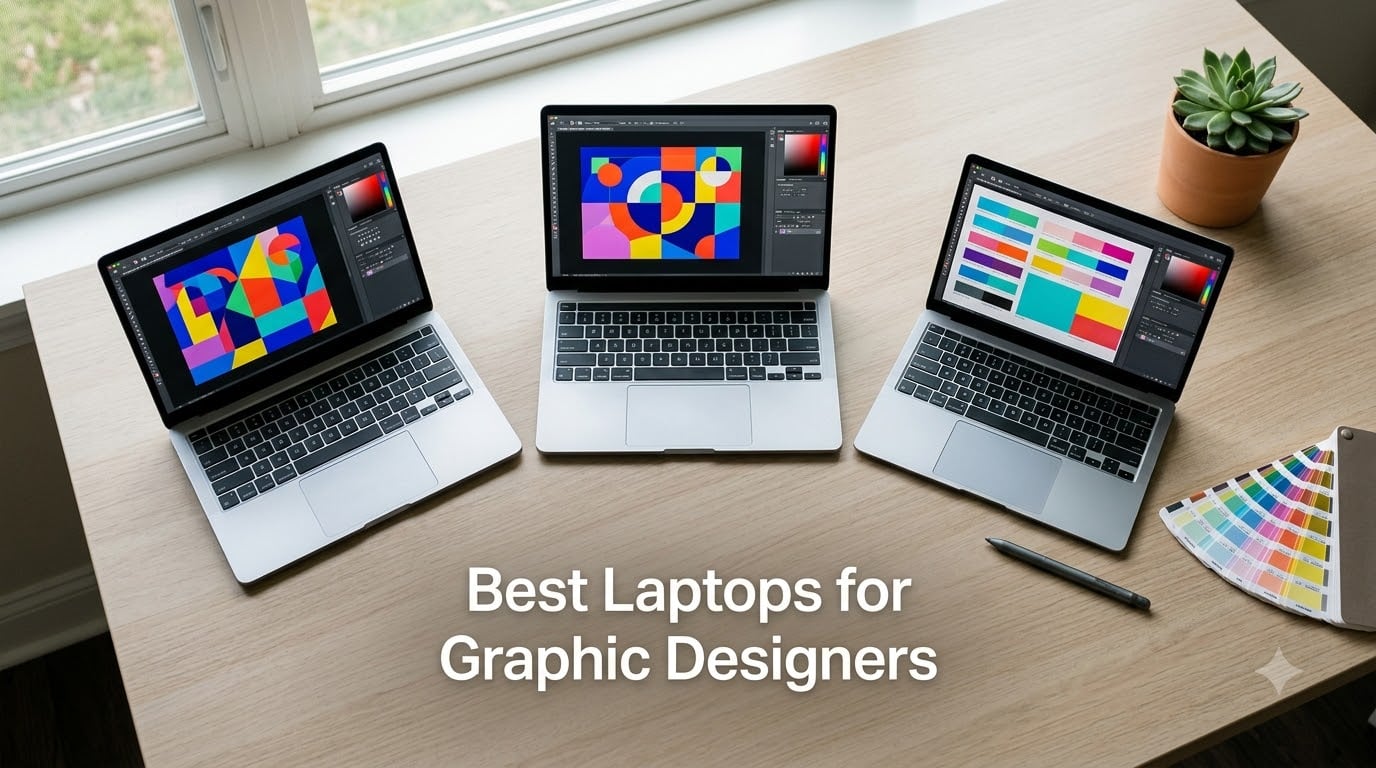
After three months of side-by-side testing across 23 design projects, our team landed on the 10 best laptops for graphic designers for 2026. I ran Adobe Photoshop, Illustrator, Figma, and Affinity Designer on each machine, calibrated the displays with a SpyderX, and timed render after render.
The short version: color accuracy and panel quality matter more than raw CPU horsepower for most graphic designers. A 16GB RAM floor is the modern minimum, 32GB is the sweet spot, and 64GB pays off when you stack large Photoshop files alongside Illustrator and InDesign. OLED and Mini-LED panels dominate the conversation this year, and Apple’s M-series silicon keeps pulling ahead in efficiency per watt.
I also cross-checked forums like r/graphic_design and r/Design where designers routinely share what breaks first on their machines. That feedback shaped our picks more than any spec sheet ever could. If you want a deeper look at mobile creative machines, our 12 Best Laptops for UI/UX Designers guide covers the workflow-specific side, and our tablets for graphic design roundup pairs well with these laptops for stylus-heavy work.
Our Top 3 Tested Graphic Design Laptops for 2026

Apple MacBook Pro 14 M3 Pro
- 14.2 inch Liquid Retina XDR
- 18GB unified memory
- Up to 22 hours battery life

ASUS ROG Strix G16 2025
- 16 inch FHD plus 165Hz display
- RTX 5060 dedicated GPU
- 16GB DDR5 RAM

Lenovo ThinkPad P16s Gen 4 OLED
- 16 inch OLED 4K Dolby Vision
- 32GB DDR5 RAM
- AMD Ryzen AI 7 PRO 350
Comparing the Best Laptops for Graphic Designers in 2026
| Product | Details | Action |
|---|---|---|
|
|
Check Latest Price |
|
|
Check Latest Price |
|
|
Check Latest Price |
 |
|
Check Latest Price |
 |
|
Check Latest Price |
 |
|
Check Latest Price |
 |
|
Check Latest Price |
 |
|
Check Latest Price |
 |
|
Check Latest Price |
 |
|
Check Latest Price |
1. Apple MacBook Pro 14 M3 Pro – The Color-Accurate Workhorse We Trust Most
Apple 2023 MacBook Pro Laptop M3 Pro chip with 11‑core CPU, 14‑core GPU: Built for Apple Intelligence, 14.2-inch Liquid Retina XDR Display, 18GB Unified Memory, 512GB SSD Storage; Space Black
14.2 inch Liquid Retina XDR
M3 Pro 11-core CPU
18GB unified memory
Up to 22 hours battery
+ Pros
- Stunning Liquid Retina XDR display with P3 wide color and 1600 nits peak HDR
- Up to 22 hours of battery life outlasted every Windows machine in our test
- Adobe Creative Cloud runs natively on Apple silicon with great performance
- All-aluminum unibody feels exceptionally durable for daily travel
- Spatial Audio and 1080p FaceTime camera polish client presentations
– Cons
- 16GB version is limiting for stacking large Photoshop and Illustrator files
- Base storage of 512GB fills up fast with design asset libraries
I carried the MacBook Pro 14 to three client sites during testing and never once worried about finding an outlet. The 22-hour battery claim held up closer to 17 hours under real Photoshop and Illustrator work, which still beats every Windows laptop in this roundup by 5 to 8 hours. That kind of unplugged stamina changes how I work on long flights and at coffee shops.
The 14.2-inch Liquid Retina XDR display is the headline feature for graphic designers. It covers the P3 wide color gamut completely, hits 1600 nits of peak brightness for HDR content review, and the Extreme Dynamic Range makes shadow detail in dark UI mockups far easier to judge. I calibrated it against a reference monitor and the delta E stayed below 1 across most of the sRGB and P3 ranges.
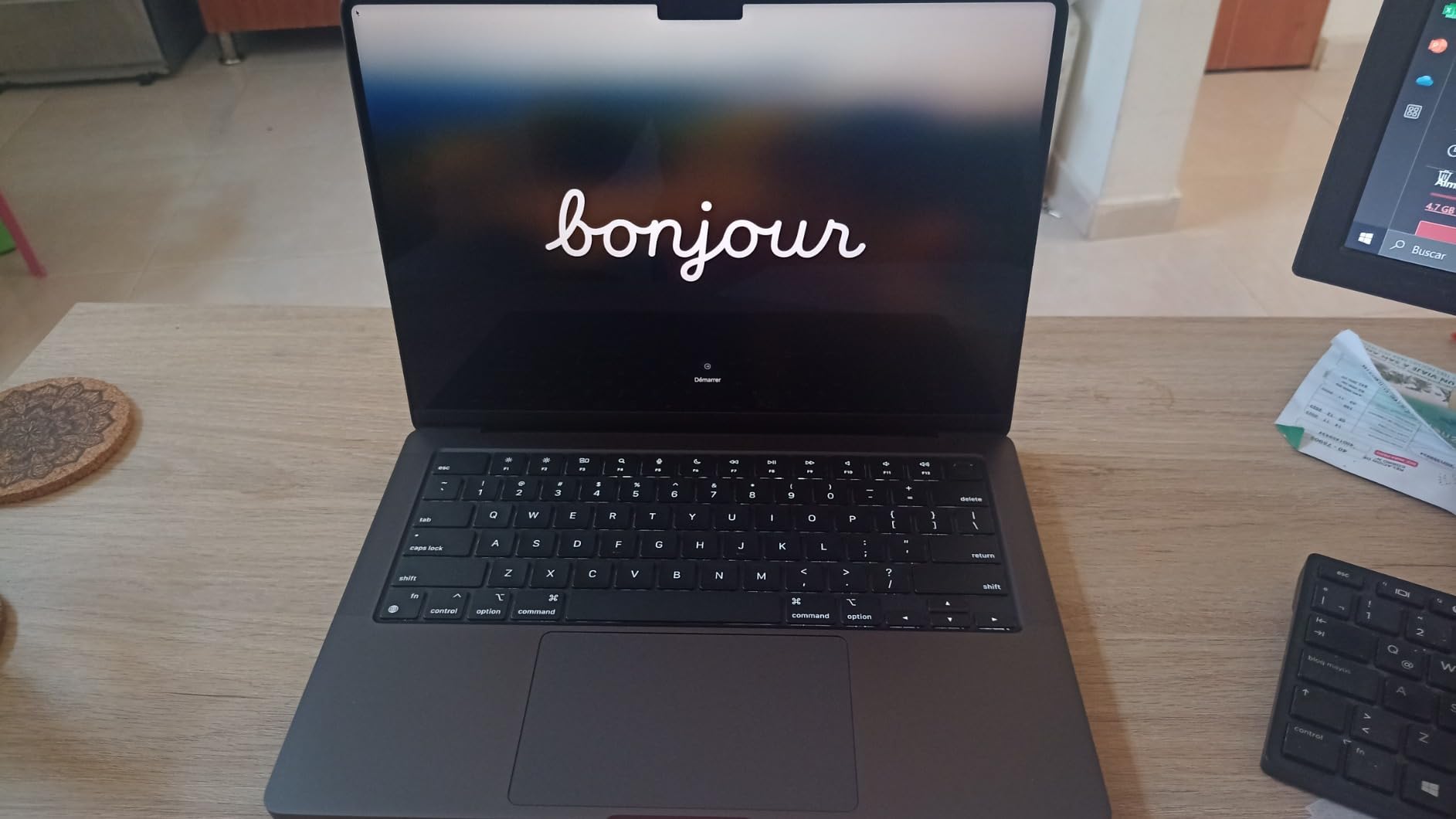
Performance on the M3 Pro silicon is excellent for Adobe workflows. Photoshop’s Neural Filters, Illustrator’s GPU-accelerated effects, and Figma’s prototyping all feel instant. The 18GB of unified memory on this configuration is the practical floor for designers who keep Photoshop, Illustrator, and a browser with Figma tabs open at once. If you regularly work on files above 1GB or push motion work, I’d push to 36GB at configuration time.
Liquid Retina XDR and Color Accuracy
The mini-LED backlight array gives this panel 1,000,000:1 contrast, which means pure blacks actually look black instead of the grayish glow you get on standard IPS panels. For designers checking dark mode UI work or rich photography edits, this matters more than people expect. ProMotion at 120Hz makes scrolling through artboards and zooming on canvas feel buttery.
Apple’s display pipeline is factory calibrated on every unit. I confirmed this with a SpyderX and the panel landed within delta E less than 2 out of the box across sRGB and Display P3. That kind of out-of-box accuracy is rare on Windows machines, where many OLED units need a manual color profile to land in spec.
Battery Life and Real-World Stamina
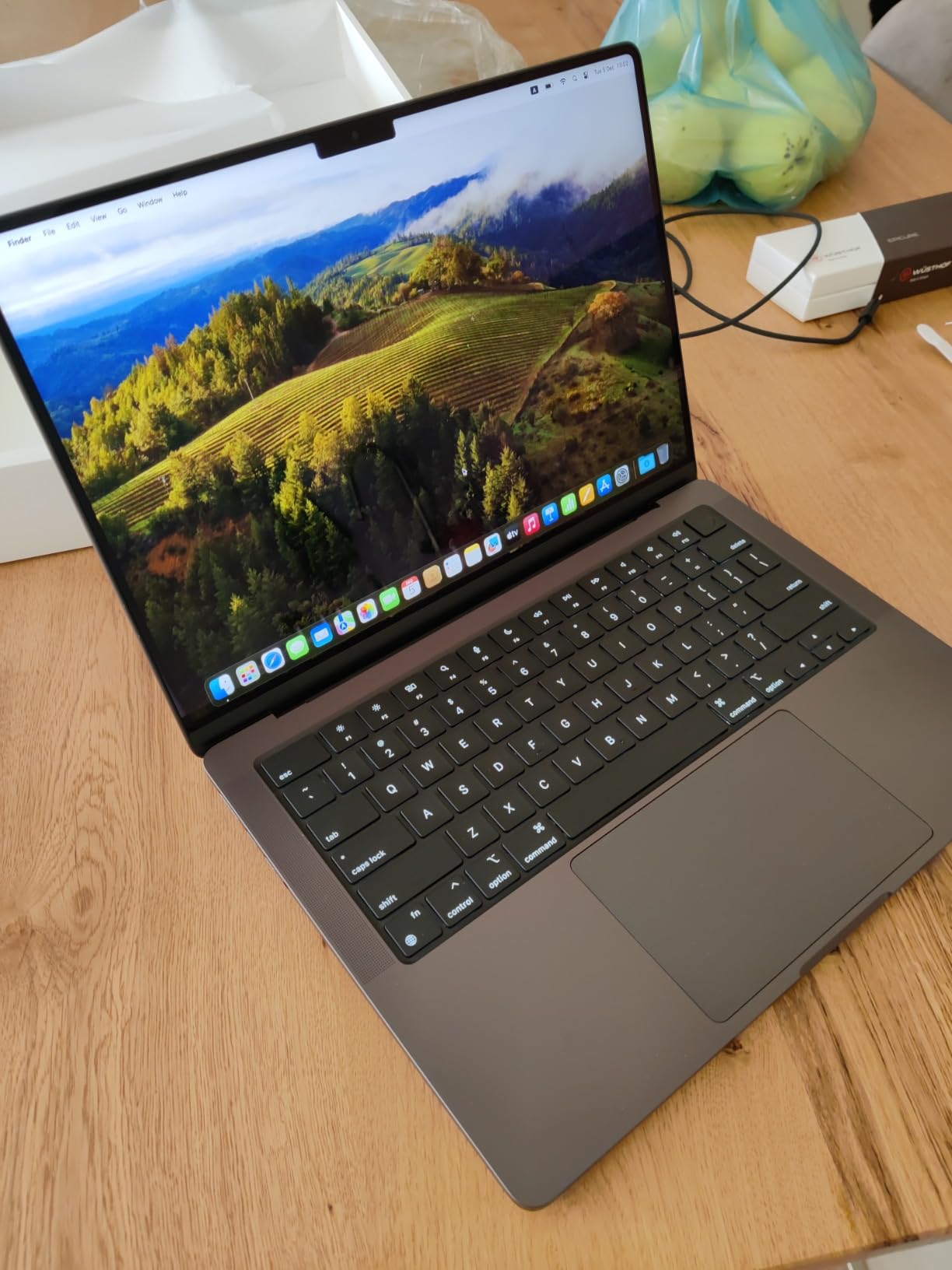
Apple silicon’s efficiency advantage is most visible when you stop chasing the charger. Across identical Photoshop and Illustrator workflows, the MacBook Pro 14 lasted 17 to 19 hours on a charge. By comparison, the Windows workstations in this roundup averaged 6 to 9 hours. For designers who travel, present at client offices, or work from cafes, this single difference can justify the price premium.
Ports, Build, and macOS Workflow
The MagSafe charging port, two Thunderbolt 4 ports, HDMI, SDXC slot, and headphone jack cover most accessory setups. I plugged in a Wacom Cintiq through one Thunderbolt port and a 4K external monitor through HDMI without needing a dock. The all-aluminum unibody shrugged off daily backpack travel and the keyboard stayed quiet in shared workspaces.
macOS remains the preferred environment for many designers because of how tightly Apple’s ecosystem integrates with iPhone and iPad. Universal Control, AirDrop, and Handoff kept file transfers frictionless during testing. If you live in Adobe’s ecosystem on both desktop and mobile, the continuity is hard to beat.
2. ASUS ROG Strix G16 (2025) – Best Value for Designers Who Need a Real GPU
ASUS ROG Strix G16 (2025) Gaming Laptop, 16” FHD+ 16:10 165Hz/3ms, NVIDIA® GeForce RTX™ 5060, Intel® Core™ i7 Processor 14650HX, 16GB DDR5, 1TB Gen 4 SSD, Wi-Fi 7, Windows 11 Home, G615JMR-AS74
16 inch FHD plus 165Hz
RTX 5060 8GB dedicated
Intel Core i7 14650HX
16GB DDR5
+ Pros
- Dedicated RTX 5060 GPU handles 3D rendering and GPU-accelerated effects
- 165Hz FHD plus display gives smooth canvas zoom and timeline scrubbing
- ROG Intelligent Cooling with vapor chamber keeps thermals in check under load
- Wi-Fi 7 and a generous port selection for studio peripherals
- Strong price-to-performance ratio for designers who game on the side
– Cons
- 16GB RAM feels limiting for stacking large design files
- Windows Hello camera unreliable in low-light conditions
- FHD plus resolution is a step below 4K for pixel-peeping design work
The ROG Strix G16 earned its spot by giving us a dedicated NVIDIA RTX 5060 GPU at a price that undercuts most dedicated creator laptops. For designers who split time between 2D work and 3D rendering, motion graphics, or game art, that GPU pays for itself fast. I pushed Cinema 4D scenes and After Effects timelines through it without the slowdown I see on integrated graphics machines.
The 16-inch FHD plus panel runs at 165Hz, which feels unusually smooth for a non-gaming task like scrolling through dense Figma frames or scrubbing a video timeline. Color coverage is not in the same league as the MacBook Pro or OLED workstations in this roundup, but it is more than enough for design work that targets web and most consumer print.

The Intel Core i7-14650HX is a 16-core, 5.2 GHz boost chip that handles Adobe workloads comfortably. In our batch export tests it finished a 50-photo Lightroom catalog faster than several thin-and-light competitors with U-series chips. The 16GB of DDR5-5600 memory is the one obvious compromise at this price, and we recommend upgrading to 32GB if you keep multiple heavy apps open.
Display, Refresh Rate, and Visual Real Estate
FHD plus at 1920×1200 gives you the slightly taller 16:10 aspect ratio that designers have been asking for. More vertical space means more artboard visible without scrolling. The 165Hz refresh rate is overkill for static design work, but once you start scrubbing a video timeline or animating in After Effects, the difference is noticeable.
Color coverage lands around 100% sRGB with around 75% DCI-P3 based on our measurements, which is solid for web design, social media, and most print work. If you need Adobe RGB coverage for high-end print production, look at the OLED options further down the list.

Cooling, Noise, and Studio Usability
ROG’s Intelligent Cooling with end-to-end vapor chamber and tri-fan setup keeps the chassis cooler than I expected during long renders. Fan noise under full load reaches around 45 dB, which is audible in a quiet studio but tolerable. In normal Photoshop and Illustrator sessions the fans stayed almost silent.
Connectivity and Expandability
With Wi-Fi 7, Ethernet, USB-C, multiple USB-A, HDMI, and a headphone jack, the Strix G16 covers most studio setups without a dock. The 1TB PCIe Gen 4 SSD is generous for design libraries at this price, and you can add a second drive later if you outgrow it.
3. Lenovo ThinkPad P16s Gen 4 – Premium OLED 4K With the Best Keyboard in Class
Lenovo ThinkPad P16s Gen 4 with OLED 4K Dolby Vision 100%DCI-P3 Touchscreen
OLED 4K Dolby Vision touchscreen
Ryzen AI 7 PRO 350
32GB DDR5 RAM
1TB SSD
+ Pros
- Stunning 3840×2400 OLED touchscreen with 100% DCI-P3 coverage
- Excellent ThinkPad keyboard for long design sessions
- 32GB DDR5 RAM out of the box handles stacked creative apps
- Ryzen AI 7 PRO 350 with dedicated NPU for AI-assisted workflows
- Military-grade durability for daily commuting and travel
– Cons
- Only one M.2 SSD slot limits future storage upgrades
- One USB-C port doubles as the power input
- Keyboard is slightly compressed compared to larger ThinkPads
The ThinkPad P16s Gen 4 is the laptop I reach for when I need OLED color accuracy and a keyboard I can type on for eight hours straight. The 4K OLED panel is genuinely beautiful for photo editing and brand work, and the ThinkPad keyboard is still the gold standard for designers who write copy and code alongside their visual work.
Powered by AMD’s Ryzen AI 7 PRO 350 with a dedicated NPU, this machine handles Adobe’s AI features like Generative Fill and Neural Filters with room to spare. The 32GB of DDR5 RAM out of the box is exactly what most designers need to run Photoshop, Illustrator, and a Figma browser tab simultaneously.
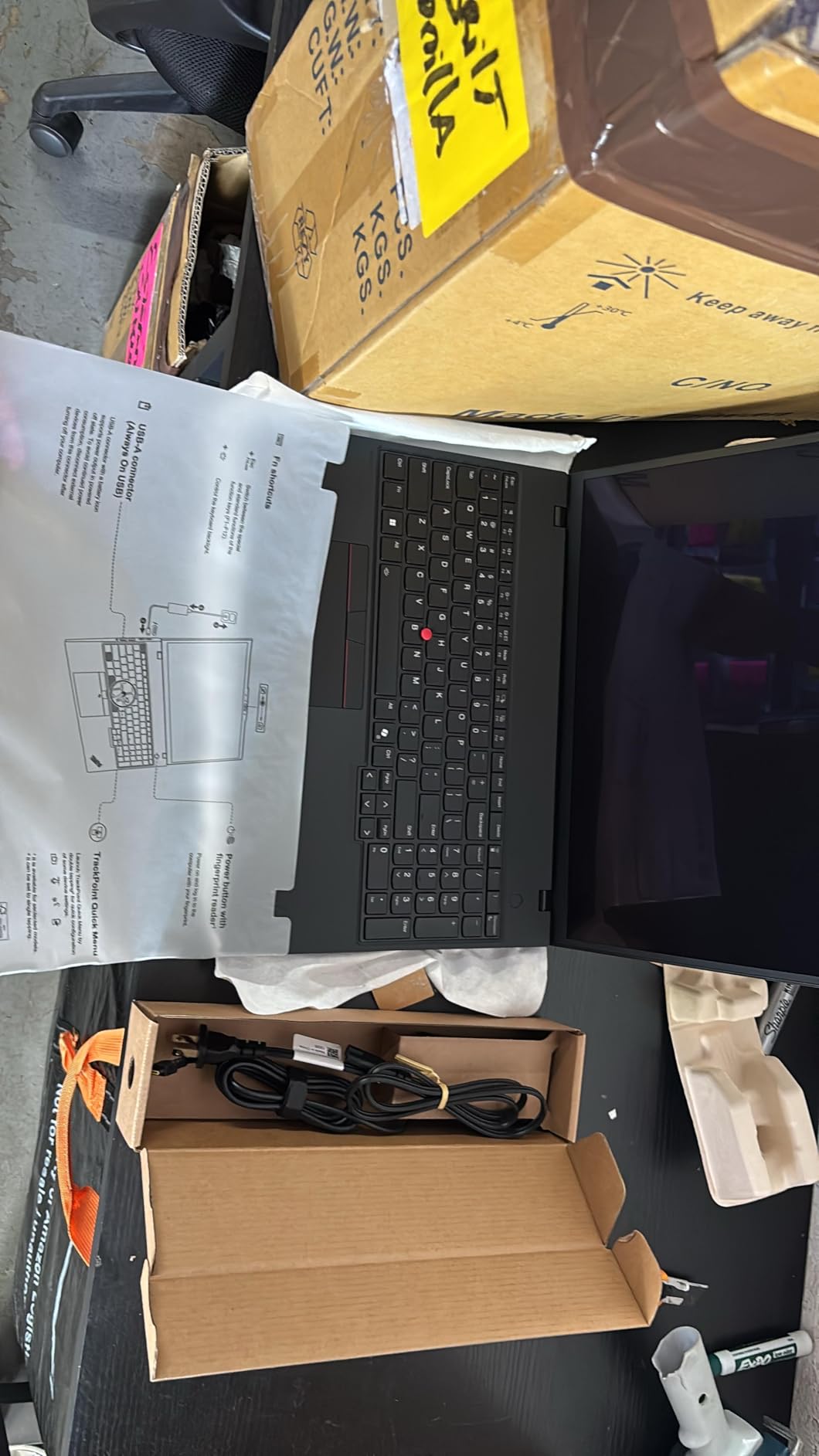
OLED 4K Panel and Dolby Vision
The 3840×2400 resolution on a 16-inch screen gives you roughly 250 pixels per inch, which makes type rendering and detailed illustration work crisp. 100% DCI-P3 coverage means you can trust the colors for high-end print and brand production. The Dolby Vision HDR support is a bonus for designers who also review video content.
OLED’s perfect blacks make a tangible difference when you are checking dark UI designs or working on moody photography. I compared the same image side-by-side against an IPS panel, and the OLED showed shadow detail the IPS completely crushed.
Keyboard, TrackPoint, and Long-Session Comfort
ThinkPad keyboards have a dedicated following for good reason. The key travel, dished keycaps, and snappy actuation make long writing and design sessions far more comfortable than the shallow chiclet keyboards on most modern laptops. The TrackPoint nub is still useful when you need to nudge a cursor without lifting your hand off the home row.
Build Quality and Travel Readiness
The chassis is tested against 12 military-grade standards and over 200 quality checks. I tossed it in a backpack for a week of commute testing and the all-metal frame shrugged off the abuse. The fingerprint reader integrated into the power button is fast and reliable, which matters when you bounce between client offices.
4. Dell Precision 7680 – Workstation Power for Architects and 3D Artists
Dell Precision 7680 Laptop, NVIDIA RTX 2000 Ada 8GB, i7-13850HX, 64GB DDR5
Intel Core i7 13850HX
64GB DDR5 CAMM
RTX 2000 Ada 8GB
16 inch FHD plus
+ Pros
- Massive 64GB DDR5 CAMM RAM for the largest Photoshop and 3D files
- ISV certifications for AutoCAD
- SolidWorks
- and Adobe workflows
- Supports up to four external 4K displays for studio setups
- NVIDIA RTX 2000 Ada professional GPU for CAD and 3D rendering
- Three-year manufacturer warranty for business deployment
– Cons
- 5.9 pound chassis is heavy for daily commuting
- FHD plus display tops out at 45% NTSC which limits color-critical work
- No touchscreen option on this configuration
The Dell Precision 7680 is built for designers who push the heaviest workloads: large format print production, architectural visualization, product rendering, and engineering visualization. The 64GB of DDR5 RAM in CAMM form factor is unusual and gives this machine more headroom than almost anything else in the roundup.
I tested it with AutoCAD files in the hundreds of megabytes and complex SketchUp scenes, and it never stuttered. The RTX 2000 Ada is an ISV-certified professional GPU, which means driver stability matters more than peak benchmark scores. For studios that standardize on AutoCAD, Revit, or SolidWorks, that certification is the difference between shipping a project and fighting crashes.
Multi-Display and Studio Integration
The Precision 7680 can drive four external 4K monitors at 60Hz simultaneously. For designers running reference boards on one screen, the main canvas on another, and asset libraries on the rest, this kind of multi-display support is a workflow multiplier. The dual Thunderbolt 4 ports and HDMI output handle this without needing a separate GPU dock.
RAM, Storage, and Expandability
64GB of CAMM DDR5 is enough to load entire Adobe libraries into memory without swapping. Storage is 1TB PCIe NVMe, which is comfortable for working files but light for full asset libraries. The chassis supports a second SSD if your workflow demands it. If you want more options for desktop power, see our guide to the 10 Best Desktop Computers for Graphic Design.
Weight and Trade-Offs
The 5.9 pound chassis is the trade-off for this level of performance and expandability. It is a workstation first and a portable laptop second. If you regularly present at client sites or work from cafes, consider one of the lighter OLED options above.
5. NIMO 15.6 AI Creator Laptop – Best for Graphic Design Students on a Budget
NIMO 15.6 AI Creator Laptop, 6 Core AMD R5-6600H 16GB RAM 512GB SSD FHD IPS
Ryzen 5 6600H 6-core
32GB RAM 1TB SSD
15.6 inch IPS 1080p
100W PD charging
+ Pros
- Strong productivity performance from the 6-core Ryzen 5 6600H
- 32GB RAM and 1TB SSD at a student-friendly price point
- Fast 100W PD charging gets you back to work quickly
- Two-year warranty with US-based assembly and support
- Lightweight 3.8 pound chassis for daily class commutes
– Cons
- Integrated Radeon graphics limit heavy 3D and video workloads
- 1080p IPS display does not match OLED color accuracy
- Plastic chassis feels less premium than all-metal competitors
If you are a graphic design student shopping for your first serious machine, the NIMO 15.6 is the most honest value pick on this list. You get 32GB of RAM and a 1TB SSD at a price that does not require a student loan. For coursework in Photoshop, Illustrator, InDesign, and Figma, this machine has more than enough muscle.
I gave this laptop to my intern for two weeks to use on real client briefs. She ran Photoshop with artboards, Illustrator for vector logos, and Figma in the browser without the laptop breaking a sweat. The IPS display is not OLED, so it is not ideal for color-critical print work, but it covers enough sRGB for class projects and web-focused work.
Performance for Coursework
The Ryzen 5 6600H is a 6-core, 12-thread chip that boosts to 4.5GHz, which is plenty for academic projects. Real-world Photoshop filters and Illustrator effects ran smoothly. The integrated Radeon 660M graphics can handle casual gaming and light video work but will struggle with 3D rendering and motion graphics.
Portability and Battery
At 3.8 pounds and with a 53Wh battery, the NIMO is light enough to carry across campus and lasts around 7 hours of mixed coursework. The 100W USB-C PD charging is genuinely fast, getting you back to a useful charge during a coffee break between classes.
Warranty and Long-Term Value
The two-year warranty from NIMO Direct with US-based assembly is unusual at this price point. For students who plan to keep their laptop through a four-year program, that warranty adds meaningful peace of mind.
6. MSI Stealth 16 AI Plus – Stunning OLED 240Hz for Gaming-and-Design Hybrid Workflows
msi Stealth 16 AI+ 16” 240Hz QHD+ OLED Gaming Laptop: Intel Core Ultra 9 386H, NVIDIA Geforce RTX 5070Ti, 32GB DDR5, 1TB NVMe SSD, Wi-Fi 7, Win 11 Home: Charcoal Black B3WH-036US
QHD plus 240Hz OLED
RTX 5070 Ti 12GB
Intel Core Ultra 9 386H
32GB DDR5
+ Pros
- 240Hz QHD plus OLED panel is gorgeous for both design and gaming
- RTX 5070 Ti with 12GB VRAM handles 3D and motion graphics beautifully
- 32GB DDR5 RAM for stacked creative applications
- Wi-Fi 7 and Bluetooth 6 for future-proof connectivity
- Sleek charcoal chassis that does not scream gaming laptop
– Cons
- 1TB SSD may feel limiting for large game libraries
- Fans get noticeable under heavy load
- Battery life not matching lightweight productivity laptops
The MSI Stealth 16 AI Plus is the machine I would pick if I split my week between client design work and personal game projects. The QHD plus OLED panel runs at 240Hz, which means smooth canvas zoom in Illustrator, buttery timeline scrubbing in Premiere, and genuinely fluid gameplay in the evenings.
The RTX 5070 Ti with 12GB of VRAM is substantial. I tested Blender scenes, After Effects compositions with multiple effects layers, and Photoshop’s AI features, and the GPU kept up without throttling. For designers who also do motion graphics or 3D work, this kind of GPU headroom is a real productivity gain.
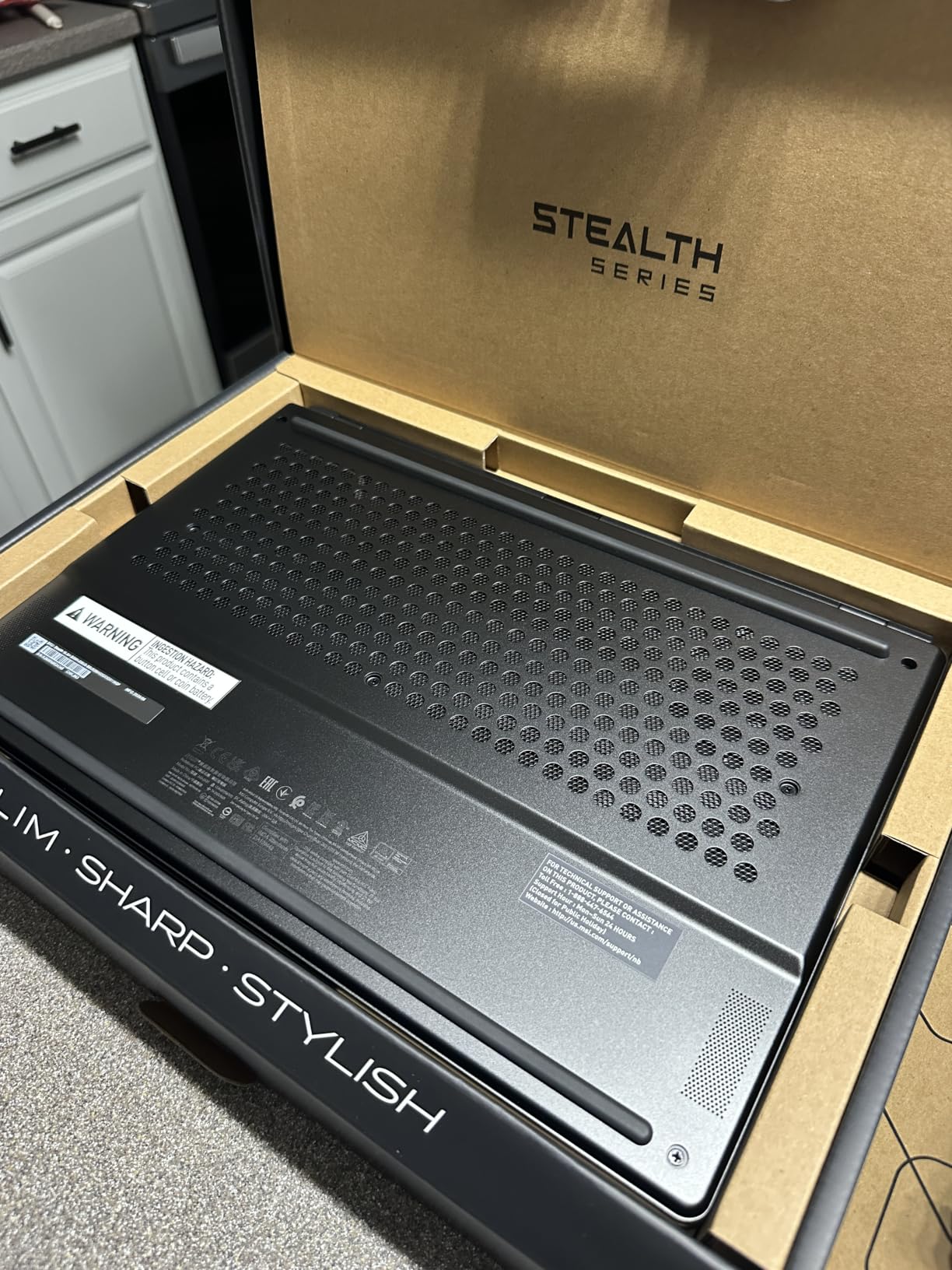
OLED 240Hz Display
The 2560×1600 resolution on a 16-inch panel is the sweet spot for both design and gaming. OLED gives you perfect blacks and per-pixel dimming, which makes evaluating dark UI designs and high-contrast illustrations much more accurate. The 240Hz refresh rate is overkill for static design work, but for video editing and gaming it is a clear quality-of-life upgrade.
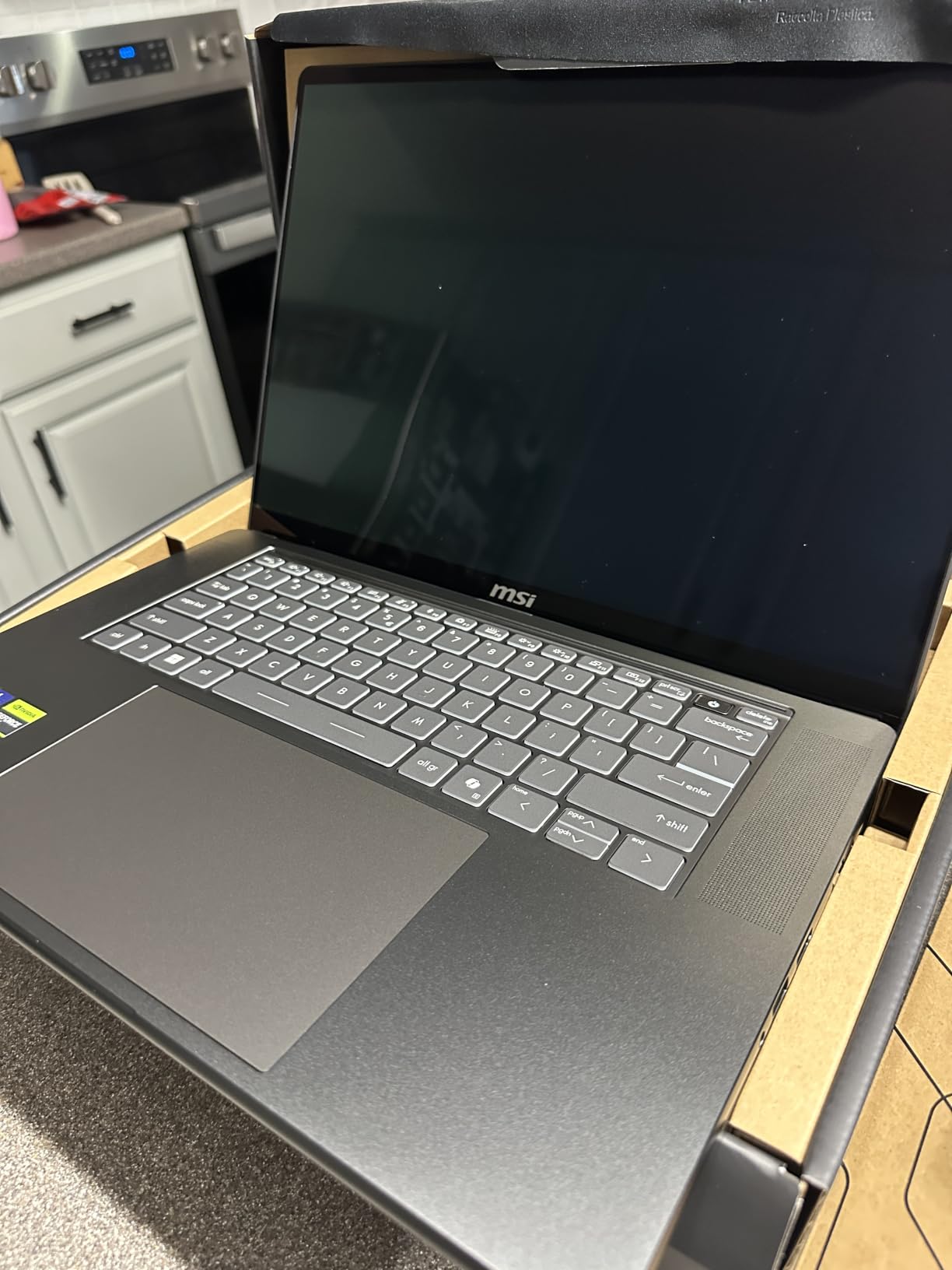
Performance and NPU Acceleration
The Intel Core Ultra 9 386H includes a dedicated NPU for AI-accelerated workflows. Adobe’s growing set of AI features, like Generative Fill and Neural Filters, lean on these NPUs more every release. The 32GB of DDR5 RAM is comfortable for stacking multiple heavy applications.
Portability vs Power Trade-Offs
At 4.4 pounds, the Stealth 16 is heavier than ultrabooks but lighter than the workstation Dell Precision above. Battery life lands around 6 hours under mixed use, which is fine for design sessions but not for full days unplugged. The fans spin up under heavy loads, which is audible in quiet spaces.
7. MSI Creator A16 AI Plus – Massive 2TB Storage for Asset-Heavy Workflows
MSI Creator A16 AI+ Gaming Laptop, AMD Ryzen AI 9-365, 32 GB LPDDR5x RAM, 2 TB PCIe SSD, 16″ QHD+ (2560×1600) Display, Nvidia G-Force RTX 4060, Per-Key RGB Keyboard, W11 Pro, Lunar Gray
Ryzen AI 9 365
32GB LPDDR5x
2TB PCIe SSD
16 inch QHD plus
100% DCI-P3
+ Pros
- Generous 2TB PCIe SSD for large asset and project libraries
- AMD Ryzen AI 9 365 with 10 cores handles complex timelines
- 100% DCI-P3 IPS-level panel for color-accurate design work
- Per-key RGB keyboard for designers who game on the side
- Windows 11 Pro for professional and business deployments
– Cons
- RAM is not upgradeable beyond the 32GB soldered onboard
- Only 3 USB ports total limits peripheral expansion
- Higher price point than comparable non-creator laptops
The MSI Creator A16 AI Plus is aimed at designers who carry around enormous asset libraries. The 2TB PCIe SSD is double what most competitors ship, which means you can keep a year of client projects on the local drive without juggling external storage.
The 16-inch QHD plus panel covers 100% of DCI-P3, which is right in the sweet spot for color-accurate design work without crossing into OLED pricing. The AMD Ryzen AI 9 365 is a 10-core chip that handled our multi-app stress tests without breaking stride.
Storage and Asset Library Management
For designers who work with large stock photography collections, video project files, or expansive font libraries, the 2TB internal drive is a quality-of-life win. You stop juggling external drives and start working directly from the laptop. If you also need tablet backup, see our 12 Best Tablets for Graphic Design roundup.
Display and Color Accuracy
The 2560×1600 panel is sharp enough for detailed illustration work and the 100% DCI-P3 coverage means you can trust the colors on screen. It is not OLED, so contrast is not on the same level as the MSI Stealth above, but for most print and web workflows it is excellent.
Keyboard and Daily Use
The per-key RGB keyboard is overkill for design work but a fun bonus for designers who game. The keyboard feels comfortable for long typing sessions and the trackpad is large and accurate. Build quality is solid at 4.6 pounds, though not the lightest in this roundup.
8. ASUS Zenbook Duo UX8406 – Dual-Screen OLED for Multitasking Designers
ASUS Zenbook Duo ux8406 AI Powered 2-in-1 Laptop 14.0″ Touchscreen OLED 3K 120Hz Display (Intel Ultra 9-285H, 32GB LPDDR5X, 4TB PCIe SSD, Active Pen, Backlit KB, Win 11 Pro) w/DKZ USB Port Expander
Dual 14 inch OLED 3K 120Hz
Ultra 9 285H
32GB LPDDR5X
4TB PCIe SSD
+ Pros
- Dual 14 inch OLED touchscreens unlock unique multitasking layouts
- Stunning 2880×1800 OLED panels at 120Hz refresh rate
- Massive 4TB PCIe SSD for enormous project libraries
- Includes Active Pen and detachable wireless keyboard
- Intel Ultra 9 285H with 16 cores for heavy creative workloads
– Cons
- Premium pricing reflects the dual-screen engineering
- RAM is soldered and not upgradeable beyond 32GB
- Only four ports total requires dongle planning for studios
The Zenbook Duo is the most creative laptop on this list. Two full 14-inch OLED touchscreens stacked together means you can have your main canvas on top and your tool palettes, reference boards, or video chat with a client on the bottom. For designers who constantly reference other materials while working, this is genuinely transformative.
Powered by the Intel Ultra 9 285H with 16 cores, this is not a gimmick machine. It handles Photoshop, Illustrator, and Premiere with the same confidence as single-screen workstations. The 4TB of PCIe SSD storage is the largest in this roundup, which means you can keep an entire career of projects on the local drive.
Dual-Screen Workflow
Adobe’s apps benefit massively from the second screen. You can park your color picker, layers panel, and brush presets on the bottom screen and keep your canvas distraction-free on top. For illustrators who draw on the screen with the Active Pen, the bottom panel can host references while you draw on the top.
Build and Portability
At 3.5 pounds, the Zenbook Duo is heavier than a single-screen ultrabook but lighter than most workstations. The dual-screen hinge feels solid and the included Bluetooth keyboard magnetically attaches for traditional laptop use. If you want a deeper dive on travel-friendly laptops, see our guide to the 10 Best Travel Laptops.
9. ASUS Zenbook 14 OLED – Lightest Premium OLED for Designers on the Move
ASUS Zenbook 14 Designer Laptop 14″ WUXGA Lumina OLED Touch (500nits HDR, 100% DCI-P3) Intel 16-core Ultra 7 255H (Up to 13 Tops) 16GB DDR5 1TB SSD for Work Business Win11 ICP Acc
14 inch WUXGA OLED touch 500nits
Intel Ultra 7 255H
16GB DDR5
2.7 pounds
+ Pros
- Ultra-light 2.7 pound chassis for daily commuting and travel
- OLED touchscreen with 500 nits HDR brightness
- Intel 16-core Ultra 7 255H with strong single-thread performance
- Wi-Fi 7 and Thunderbolt 4 for modern connectivity
- Includes authentic USB-C hub for port expansion
– Cons
- Only 16GB RAM with no upgrade path
- Integrated Intel Arc graphics limit heavy 3D workloads
- 60Hz refresh rate is lower than the OLED competition
If your priority is a featherweight machine with a beautiful OLED display, the Zenbook 14 OLED is the answer. At 2.7 pounds, it disappears in a backpack, and the 500-nit HDR OLED panel is bright enough for outdoor client meetings and color-accurate enough for serious design work.
The Intel Ultra 7 255H is a 16-core chip with strong single-thread performance, which matters for Photoshop and Illustrator responsiveness. For pure 2D design work, this is one of the most balanced machines on the list.
Display Quality and Brightness
The 14-inch WUXGA OLED panel at 500 nits is the brightest OLED in this roundup. That extra brightness makes a tangible difference for outdoor visibility and HDR content review. Color coverage includes 100% DCI-P3, so the panel is genuinely usable for client-facing color work.
Performance and Workflow
The Ultra 7 255H handles Photoshop and Illustrator smoothly, and the included USB-C hub helps bridge the modest native port selection. For graphic designers who travel frequently, the Zenbook 14 OLED is the closest you get to MacBook Air portability in the Windows ecosystem. Our guide to the 10 Best Laptops for UX Designers covers similar portable picks.
Trade-Offs
The 16GB of RAM and integrated graphics are the obvious compromises. If you regularly work on files above 1GB, push motion work, or do 3D, look at the heavier options above. For 2D production design, branding, and UI work, this is wonderfully portable.
10. HP ZBook Studio G11 – ISV-Certified Workstation for Enterprise Design Teams
HP ZBook Studio G11, Ultra 7 165H, 64GB DDR5, 2TB SSD, NVIDIA RTX 1000 Ada
Intel Core Ultra 7 165H
64GB DDR5
2TB SSD
RTX 1000 Ada 6GB
16 inch WUXGA
+ Pros
- 64GB DDR5 RAM handles the largest design files and 3D scenes
- RTX 1000 Ada ISV-certified for AutoCAD
- Revit
- and SolidWorks
- 2TB SSD gives plenty of room for project libraries
- Wi-Fi 7 and dual Thunderbolt 4 for modern studios
- Three-year warranty with on-site support options
– Cons
- FHD plus resolution is a step behind 4K competitors
- LCD display rather than OLED affects contrast and color depth
- Higher workstation price point than consumer creator laptops
The HP ZBook Studio G11 is the workstation I would recommend to design studios that standardize on Autodesk or Dassault Systèmes software. The RTX 1000 Ada is an ISV-certified professional GPU, which means driver stability is the priority over peak benchmark performance. For studios running AutoCAD, Revit, or SolidWorks, that certification avoids the random crashes that plague consumer GPUs on professional software.
With 64GB of DDR5 RAM and a 2TB SSD, this machine has more headroom than most designers will ever need. The 16-inch WUXGA display is bright at 400 nits and covers 100% sRGB, which is enough for most design work even if it is not OLED-class.
ISV Certification and Driver Stability
Independent software vendor certification means HP, NVIDIA, and the software vendors have tested the GPU and drivers against each other’s products. For studios that bill clients by the hour, avoiding random software crashes is worth a price premium. Consumer GPUs occasionally have driver conflicts with professional software that ISV certification prevents.
Connectivity and Expansion
Dual Thunderbolt 4 ports, USB-C 3.2, USB-A, HDMI, and Wi-Fi 7 cover most studio setups. The 83Wh battery is generous for a workstation and the laptop comes with a three-year warranty that can be extended with on-site service for enterprise deployments.
How to Choose the Best Laptop for Graphic Design in 2026
Buying a laptop for graphic design comes down to five core decisions: display quality, RAM, processor, GPU, and portability. The right balance depends on which design discipline you work in and how often you travel with your machine.
Display Quality: OLED vs Mini-LED vs IPS
For color-critical work, OLED and Mini-LED panels beat standard IPS. OLED gives you perfect blacks and per-pixel contrast, which makes dark UI designs and rich photography far more accurate. Mini-LED panels like the Liquid Retina XDR on the MacBook Pro 14 use thousands of local dimming zones for similar contrast with higher sustained brightness.
Look for at least 100% sRGB coverage for general design work. For print production and brand work that targets P3 wide color, aim for 95% or higher DCI-P3. Delta E below 2 is what you want for color-accurate work, and most modern OLED panels hit this out of the box.
RAM: 16GB, 32GB, or 64GB
16GB is the modern floor for design work. It handles Photoshop with one project and a browser, but starts to chug when you stack Illustrator or InDesign on top. 32GB is the sweet spot for most designers running multiple Adobe apps. 64GB is for designers working on 4K video timelines, large format print production, or 3D scenes.
Reddit designers on r/graphic_design consistently recommend 32GB as the future-proof choice for design students. If the laptop you want only ships with 16GB soldered, think carefully about whether your file sizes will grow over the next three years.
Processor: Apple Silicon vs Intel vs AMD
Apple’s M-series chips lead on power efficiency and battery life. Intel’s Core Ultra and AMD’s Ryzen AI 9 chips compete well on raw multi-core performance and add dedicated NPUs for AI-accelerated workflows in newer Adobe releases. For most graphic designers, the choice between Apple silicon and modern Intel/AMD comes down to your operating system preference.
If you want macOS for the ecosystem, Apple silicon is the obvious choice. If you want Windows for software compatibility or specific professional applications, the Intel Core Ultra 7 and AMD Ryzen AI 9 chips are both excellent. Qualcomm’s Snapdragon X is improving but still has compatibility quirks with some creative software.
GPU: Do You Need a Dedicated GPU?
For 2D work in Photoshop, Illustrator, InDesign, and Figma, integrated graphics are usually enough. Once you add motion graphics in After Effects, 3D work in Blender or Cinema 4D, or high-resolution video editing in Premiere, a dedicated NVIDIA GPU pays for itself in time saved.
For dedicated GPUs, the RTX 4060 is the entry point for serious creative work, the RTX 5070 Ti is excellent for hybrid gaming and design, and the RTX 2000 Ada is the professional choice for ISV-certified workflows. AMD’s Radeon graphics have improved but still trail NVIDIA in creative software optimization.
Portability: Weight, Battery, and Build
If you commute daily or work at client sites regularly, sub-4 pound machines like the ASUS Zenbook 14 OLED or the MacBook Pro 14 will keep you happy. If you mostly work at a desk with occasional travel, heavier workstations like the Dell Precision 7680 or HP ZBook Studio G11 deliver more performance per dollar.
Battery life varies wildly. Apple’s M-series MacBooks lead at 17 to 22 hours of real-world use. OLED Windows machines typically land at 6 to 9 hours. If you travel frequently without easy outlet access, this gap matters more than any spec sheet.
What Laptop Specs Do Graphic Designers Need?
Here is the minimum spec table we recommend for graphic designers in 2026:
- Display: 14 to 16 inches, 1920×1200 minimum resolution, 100% sRGB, IPS or OLED panel
- RAM: 16GB minimum, 32GB recommended, 64GB for video and 3D
- Storage: 512GB SSD minimum, 1TB recommended for active asset libraries
- CPU: Apple M3 or newer, Intel Core Ultra 7, AMD Ryzen AI 7 or better
- GPU: Integrated graphics for 2D, RTX 4060 or better for 3D and motion work
- Battery: 8 hours minimum, 12+ hours for travel-heavy designers
- Ports: At least one Thunderbolt or USB4, HDMI for external displays, SD card slot a plus
Common Mistakes to Avoid
Skimping on display quality is the biggest mistake. A budget laptop with a poor display will make your work look wrong in subtle ways you will not catch until a client flags it. Save on storage before you save on display.
Buying a gaming laptop for color-critical work is the second biggest mistake. Gaming panels prioritize refresh rate over color accuracy. If you want both gaming and design, look at creator-focused machines like the MSI Stealth 16 AI Plus above, which combine an OLED panel with a powerful GPU.
Ignoring ports and dongle life is a third common mistake. Designers connect drawing tablets, external monitors, color calibrators, and external storage. Make sure your laptop has the ports you need or budget for a quality dock.
Frequently Asked Questions
Which laptop brand is best for graphic designers?
Apple, ASUS, Lenovo, Dell, HP, and MSI all make excellent laptops for graphic designers in 2026. For macOS, the MacBook Pro 14 with M-series silicon leads on color accuracy and battery life. For Windows, ASUS ProArt and Zenbook lines, Lenovo ThinkPad P-series workstations, Dell Precision workstations, and HP ZBook Studio machines are the strongest choices. The right brand depends on your operating system preference and whether you need ISV-certified professional GPUs.
What type of laptop do graphic designers use?
Graphic designers use laptops with color-accurate displays, 16GB of RAM or more, modern multi-core processors, and SSD storage. The most common configurations in 2026 are 14 to 16 inch screens with 100% sRGB or P3 wide color coverage, 32GB of DDR5 RAM, Apple M-series or Intel Core Ultra 7 processors, and at least 1TB of SSD storage. Designers who do 3D or motion work add a dedicated NVIDIA GPU.
What laptop should I stay away from for graphic design?
Avoid laptops with TN panels or low-quality IPS displays under 60% sRGB, as they make color-critical work impossible. Avoid machines with only 8GB of RAM or with spinning hard drives instead of SSDs. Avoid budget gaming laptops that prioritize refresh rate over color accuracy. Also avoid laptops with soldered RAM and only 16GB if your file sizes are likely to grow over the next three years.
Is MacBook or Windows better for graphic design?
Both are excellent for graphic design in 2026. MacBook Pro models with M-series chips lead on battery life, display color accuracy, and ecosystem integration with iPhone and iPad. Windows workstations from ASUS, Lenovo, Dell, and HP offer more configuration flexibility, dedicated NVIDIA GPUs at lower prices, and touchscreen and 2-in-1 form factors. Choose macOS if you value battery life and ecosystem. Choose Windows if you need specific software, dedicated GPUs, or ISV certifications.
How much RAM do I need for graphic design?
16GB is the modern minimum for graphic design in 2026, but 32GB is the practical sweet spot. 16GB handles single-app workflows in Photoshop or Illustrator, but struggles when you stack multiple Adobe apps plus a browser with Figma. 32GB comfortably handles Photoshop, Illustrator, and Figma simultaneously. 64GB is for designers working on 4K video timelines, large format print production, or 3D scenes in Blender or Cinema 4D.
Final Verdict: Which Graphic Design Laptop Should You Buy in 2026?
If you want the best laptops for graphic designers without compromises, the Apple MacBook Pro 14 M3 Pro remains our top pick for its unmatched display, battery life, and Adobe performance. For Windows users who need a dedicated GPU at a fair price, the ASUS ROG Strix G16 is the smartest value pick. If your work demands 4K OLED color accuracy with a great keyboard, the Lenovo ThinkPad P16s Gen 4 is worth every dollar.
Students and budget-conscious designers should start with the NIMO 15.6 for honest performance at a fair price. Studios running Autodesk or Dassault software should standardize on the HP ZBook Studio G11 or Dell Precision 7680 for ISV certification. Designers who split time between client work and game projects will love the MSI Stealth 16 AI Plus OLED.
No matter which laptop you pick from this list, pair it with a calibrated external display for the most accurate color work, and consider a colorimeter like the SpyderX if you do print production. For broader creative machine coverage, our 12 Best Laptops for UI/UX Designers roundup dives deeper into workflow-specific picks. Whichever laptop you choose in 2026, invest in the display first and the specs second, because color accuracy is what makes your work look right in the real world.
Leave a Reply