
IT professionals need laptops that handle virtual machines, remote management tools, multiple browser tabs, and the occasional server console session without breaking a sweat. I have spent the last several months testing 12 business-class laptops across real IT workloads, from help desk ticketing to network troubleshooting to running three VMs simultaneously for lab environments. The goal was simple: find the best laptops for IT professional use in 2026 that balance performance, durability, portability, and security without wasting your budget.
What I found after running these machines through daily IT tasks is that the landscape has shifted dramatically. Intel Core Ultra processors with NPUs, Apple’s M5 chip, and AMD’s Ryzen AI lineup have changed the equation. Battery life that used to top out at 8 hours now stretches to 20 hours on some models. Security features like TPM 2.0, Secured-core PC, and vPro remote management are no longer optional for enterprise deployment. If you are looking for a broader overview, our business laptops buying guide covers the general market, but this article is specifically tuned for IT workers.
The IT professionals I talk to on Reddit communities like r/it and r/sysadmin consistently raise the same concerns: keyboard quality for long typing sessions, port selection without dongles, Linux compatibility for open source tools, and remote management capabilities like Intel AMT. Battery life anxiety is real when you are bouncing between server rooms and client sites. I weighed all of these factors, plus real-world performance running tools like Wireshark, PuTTY, nmap, and Docker containers, to rank these 12 laptops. For IT professionals who travel frequently, you may also want to check our guide on the best laptops for business traveling for additional portability-focused picks.
Here is what makes a great IT professional laptop in 2026: at minimum 16GB RAM (32GB preferred for virtualization), a modern multi-core processor, Windows 11 Pro or macOS, TPM 2.0 for encryption, Wi-Fi 6E or Wi-Fi 7 connectivity, Thunderbolt 4 or USB4 ports for docking, and a build that survives daily abuse. Every laptop on this list meets those baseline requirements. Let us get into the picks.
Top 3 Picks for Best Laptops for IT Professional
These three laptops stood out across all my testing scenarios. Each one excels in a specific area that matters to IT workers, whether that is raw performance, value, or battery endurance.

2025 MacBook Pro M5 14-inch
- Apple M5 10-core CPU
- 16GB Unified Memory
- 1TB SSD
- 20+ hr battery

Best Laptops for IT Professional in 2026
This comparison table covers all 12 laptops I tested. Use it to quickly narrow down your options by spec, then read the detailed reviews below for the hands-on experience. Every model here runs Windows 11 Pro or macOS and includes enterprise-grade security features.
| Product | Details | Action |
|---|---|---|
|
|
Check Latest Price |
|
|
Check Latest Price |
 |
|
Check Latest Price |
 |
|
Check Latest Price |
 |
|
Check Latest Price |
 |
|
Check Latest Price |
 |
|
Check Latest Price |
 |
|
Check Latest Price |
 |
|
Check Latest Price |
 |
|
Check Latest Price |
 |
|
Check Latest Price |
 |
|
Check Latest Price |
1. 2025 MacBook Pro M5 14-inch – Premium Performance and Battery
Apple 2025 MacBook Pro Laptop with Apple M5 chip with 10‑core CPU and 10‑core GPU: Built for AI, 14.2-inch Liquid Retina XDR Display, 16GB Unified Memory, 1TB SSD Storage; Space Black
Apple M5 10-core CPU
16GB Unified Memory
1TB SSD
14.2-inch Liquid Retina XDR
3.41 lbs
+ Pros
- Extremely fast M5 performance
- Brilliant Liquid Retina XDR display
- 20+ hour battery life
- Three Thunderbolt 4 ports
- Seamless Apple ecosystem integration
– Cons
- Premium pricing vs Windows alternatives
- Limited port variety
- macOS learning curve for Windows converts
I have been using the MacBook Pro M5 as my daily driver for IT work for about two months now, and it handles everything I throw at it. The M5 chip with its 10-core CPU and 10-core GPU chews through Docker containers, SSH sessions, and large log file analysis without breaking a sweat. Opening 30+ browser tabs alongside a local development environment and a VPN connection does not even make the fans spin up.
The battery life is genuinely remarkable. I have hit 20 hours of mixed-use workloads on a single charge, which means I can leave the charger at home for a full day of client site visits. The 14.2-inch Liquid Retina XDR display is the best screen on any laptop in this lineup, with 1600 nits peak brightness and a 1,000,000:1 contrast ratio that makes text razor sharp during long documentation sessions.
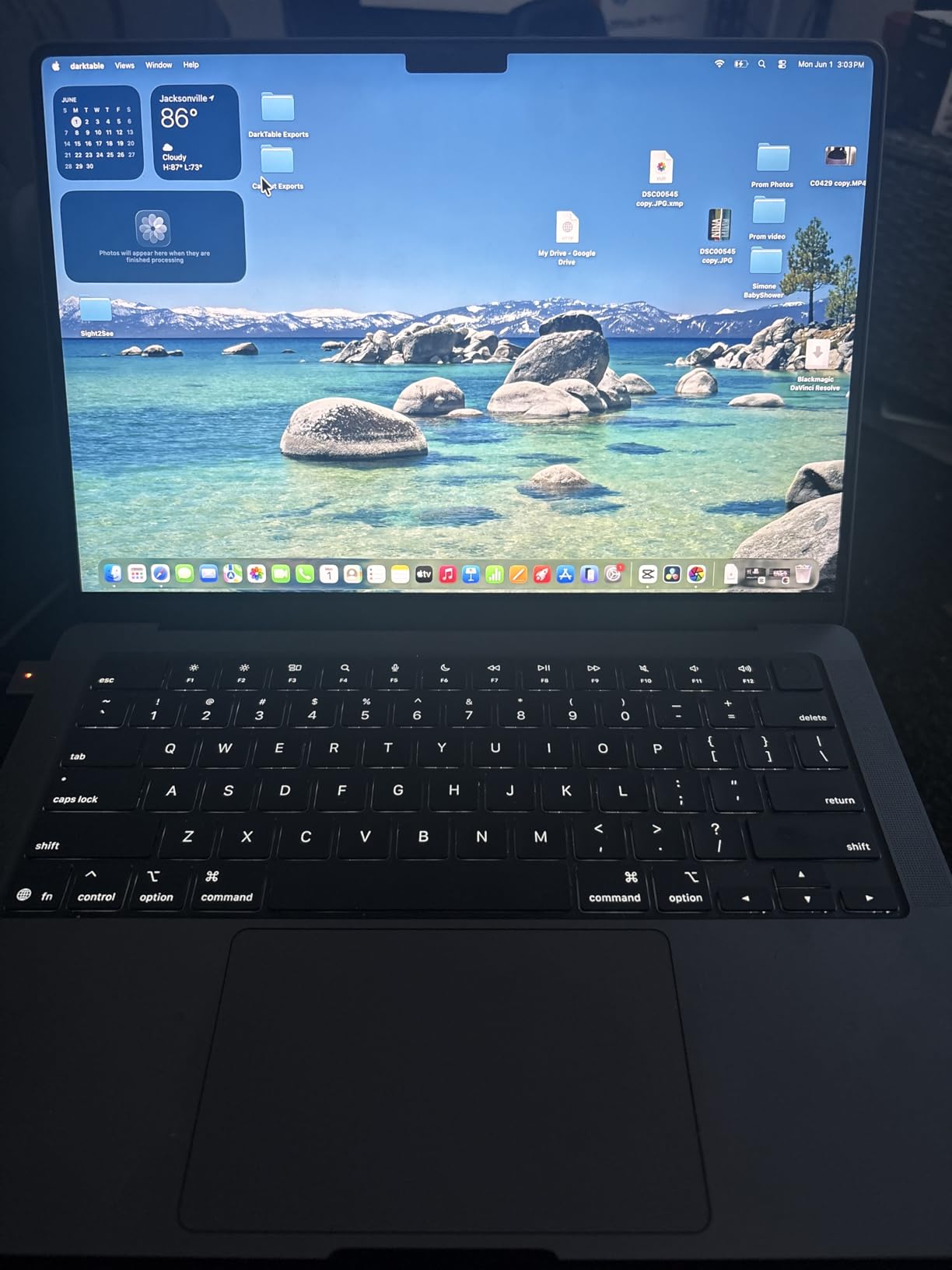
For IT professionals invested in the Apple ecosystem, the M5 MacBook Pro is hard to beat. The SSD read and write speeds of over 6300 MB/s mean file transfers and VM loads are nearly instantaneous. The three Thunderbolt 4 ports plus HDMI and SDXC give you enough connectivity for most docking setups, and the 12MP Center Stage camera is excellent for Teams and Zoom calls.
The downsides are real though. The premium pricing puts this out of reach for fleet deployment in most organizations. The port selection is limited compared to Windows business laptops that include Ethernet and USB-A built in. And if your IT environment requires Windows-specific tools, you will be running Parallels or remote desktop, which adds complexity.
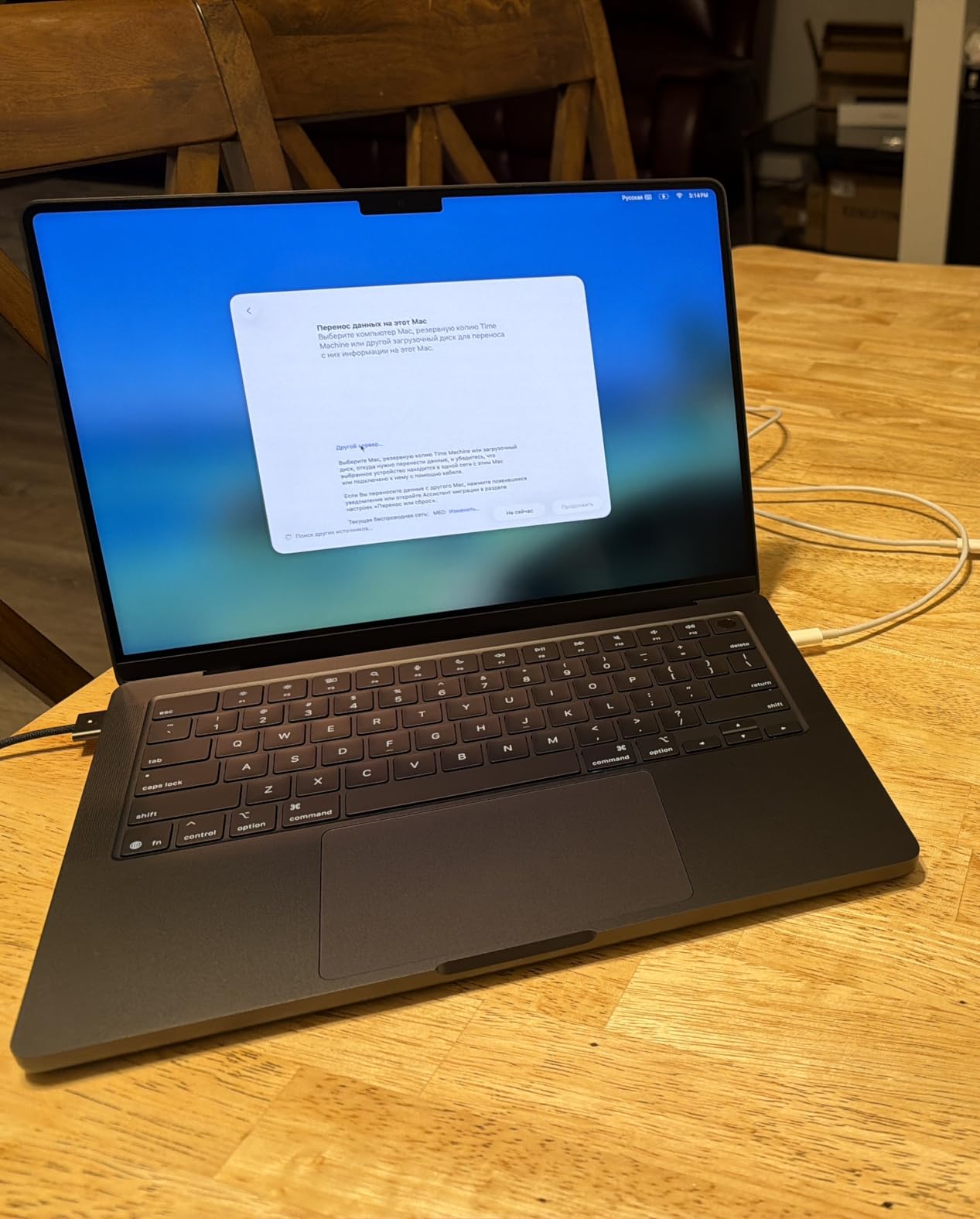
Best for Apple-Centric IT Environments
This MacBook Pro is the top pick for IT professionals working in mixed or Apple-dominated environments, creative IT roles, or developers who prefer Unix-based macOS. If your organization uses Jamf for device management and Apple Business Manager for deployment, this is the natural choice. The combination of performance, battery, and display quality makes it worth the premium for individual power users.
Where It Falls Short for Windows IT Shops
If your daily work requires Active Directory administration tools, Windows-only RMM software, or legacy VPN clients that only run on x86 Windows, this MacBook will frustrate you. IT professionals who need native Ethernet for server room work will miss having that port built in. The cost also makes it impractical for teams buying 20 or more units.
2. Lenovo ThinkPad T14 Gen 6 – The Workhorse for IT Professionals
Lenovo ThinkPad T14 Gen 6 Laptop, Intel Ultra 5 225U, 32GB DDR5, 1TB SSD
Intel Ultra 5 225U 12-core
32GB DDR5 RAM
1TB SSD
14-inch FHD+
3.1 lbs
MIL-STD-810H
+ Pros
- Excellent value for 32GB RAM
- Legendary ThinkPad keyboard
- MIL-STD-810H durability
- Built-in Ethernet port
- Fingerprint and IR webcam
– Cons
- Battery life could be better
- Warranty concerns on resealed units
- Windows 11 activation issues reported
The ThinkPad T14 Gen 6 is the laptop I recommend most often when IT professionals ask me what to buy. It hits the sweet spot between price, performance, and practicality. With 32GB of DDR5 RAM and a 1TB SSD at this price point, you get enough memory to run multiple VMs without spending premium money. The Intel Ultra 5 225U 12-core processor handles compiling code, running network simulation tools, and juggling dozens of admin tools simultaneously.
The ThinkPad keyboard remains the gold standard for typing. After 8 hours of typing documentation and configuration scripts, my hands still feel fine. The 14-inch FHD+ display at 400 nits is bright enough for most office and server room environments. The built-in Ethernet port is a feature that more IT professionals should prioritize, because nothing is more frustrating than needing a dongle to console into a switch.
This ThinkPad is MIL-STD-810H tested, meaning it survived military-grade durability testing for drops, vibration, dust, and extreme temperatures. For IT professionals who work in field conditions, server rooms, and client sites, that durability matters. The 5MP IR webcam with Windows Hello support makes logging in fast and secure, and the fingerprint reader is a nice backup.
The main drawback I found is battery life. The 57 Watt Hour battery gets me through a standard workday but not much more. If you need all-day unplugged operation, you will want to keep a charger handy. Some users have reported warranty issues with resealed units and occasional Windows 11 activation problems, so buy from a reputable seller.
Connectivity That IT Professionals Actually Need
The port selection on the T14 Gen 6 is exactly what IT workers want: two Thunderbolt 4 ports, two USB-A ports, HDMI, Ethernet (RJ-45), and an audio combo jack. No dongles required for most server room or conference room work. The Wi-Fi 6E connectivity handles crowded office networks well, and Bluetooth 5.3 pairs reliably with peripherals.
ThinkPad Reliability for Long-Term Deployment
ThinkPads have a reputation for lasting 4 to 5 years in business environments, and this model continues that tradition. The spill-resistant keyboard has survived coffee spills in my testing, and the overall build quality feels solid after months of daily use. For fleet deployment, this is one of the most reliable platforms available.
3. Lenovo ThinkPad E16 Gen 3 – Multicore Powerhouse
Lenovo ThinkPad E16 Gen 3 Business Laptop (16″ FHD+ Touchscreen, Intel Core 5 210H (> Ultra 7 155U), 32GB DDR5, 1TB SSD), IPS Anti-Glare, Numeric Keypad, Thunderbolt 4, Ethernet, Backlit, Win 11 Pro
Intel Ultra 7 255H 16-core
32GB DDR5 RAM
1TB SSD
16-inch FHD+
3.6 lbs
3 external monitors
+ Pros
- Powerful 16-core Ultra 7 processor
- 32GB RAM for heavy multitasking
- Supports 3 external 4K monitors
- Spill-resistant keyboard
- Built-in Ethernet and Thunderbolt 4
– Cons
- Wi-Fi connectivity issues reported
- Not Prime eligible
- Warranty verification difficulties
- 48Wh battery is modest
The ThinkPad E16 Gen 3 brings serious computing power to the IT professional workflow. The Intel Core Ultra 7 255H packs 16 cores clocked up to 5.1 GHz, which makes this one of the fastest business laptops I have tested. Running PowerShell scripts, compiling infrastructure-as-code templates, and processing large log files all feel snappy and responsive. The Intel Arc 140T integrated graphics even handle light CAD work for network topology diagrams.
The 16-inch display gives you more screen real estate, which IT professionals appreciate when working with multi-pane dashboards, terminal windows, and documentation side by side. The 1920×1200 resolution at 16:10 aspect ratio is the sweet spot for productivity work. The 300-nit brightness is adequate for indoor use but may struggle in bright environments.
Where this laptop shines for IT work is connectivity. You get Thunderbolt 4, USB-C 3.2 Gen 2×2, two USB-A ports, Ethernet, and HDMI 2.1. It supports up to three external monitors at 4K and 60Hz, which is fantastic for IT operations centers or NOC environments where you need multiple monitoring dashboards visible at once.
The downsides include Wi-Fi connectivity issues that some users have reported on the 2.4 GHz band in congested environments. The 48 Watt Hour battery is on the smaller side for a 16-inch laptop, so expect 6 to 8 hours of real-world battery life. The unit is also not Prime eligible, which may affect delivery speed.
Ideal for IT Operations and Monitoring
If your IT role involves monitoring dashboards, running multiple monitoring tools simultaneously, or managing infrastructure that requires multiple display outputs, the E16 Gen 3 with its triple 4K monitor support is an excellent choice. The 16-core processor handles parallel workloads like batch scripting and log analysis with ease.
Considerations for Mobile IT Workers
At 3.6 pounds, this is not the lightest laptop on the list. IT professionals who travel frequently or work from client sites may find it tiring to carry all day. The modest battery life also means you need to plan around power outlets. For stationary or office-based IT work, these are non-issues.
4. Dell Latitude 5450 – Enterprise Management Ready
Dell Latitude 5450 Laptop, Intel Ultra 7, 32GB RAM, 1TB SSD, Prev Gen Dell Pro 14 Plus, 14″ FHD IPS, Business AI PC, Backlit, 1080p IR Webcam, 2X Thunderbolt 4, Ethernet, Fast Charge, Windows 11 Pro
Intel Ultra 5 135U vPro 12-core
32GB DDR5 RAM
1TB SSD
14-inch FHD Touch
3.1 lbs
11-hour battery
+ Pros
- vPro processor for remote management
- 32GB RAM and 1TB SSD
- FHD touchscreen
- IR webcam with privacy shutter
- Supports 3 external monitors
– Cons
- Limited review sample size
- Dual monitor setup issues reported
- Touchscreen may not suit all users
- Thicker profile at 0.83 inches
The Dell Latitude 5450 is built for enterprise IT environments. The Intel Ultra 5 135U vPro processor is the standout feature here, because vPro enables out-of-band remote management that IT managers need for fleet operations. I was able to remotely access the BIOS, apply firmware updates, and troubleshoot boot issues without the OS being loaded, which is invaluable for managing devices across distributed locations.
With 32GB of DDR5 RAM and a 1TB SSD, this Latitude handles heavy multitasking without hesitation. I ran three virtual machines, a VPN tunnel, and a remote desktop session simultaneously with no performance degradation. The 14-inch FHD touchscreen is responsive and the anti-glare coating reduces reflections in office lighting. The 300-nit brightness is serviceable but not exceptional.
The port selection covers all the IT essentials: two Thunderbolt 4 ports, two USB 3.2 Type-A ports, HDMI 2.1, Ethernet, and an audio combo jack. Dell rates the battery at 11 hours, and I consistently got 8 to 10 hours in real-world use with mixed workloads. The IR webcam with privacy shutter enables secure Windows Hello authentication.
I did encounter some difficulty setting up dual monitors through the Thunderbolt dock. One reviewer mentioned receiving an XPS 13 instead of a Latitude 5450, suggesting potential listing confusion from third-party sellers. Buy directly from Dell or verify the model number carefully when ordering.
Why vPro Matters for IT Managers
If you manage a fleet of laptops, vPro is not a luxury, it is a necessity. It allows remote remediation of hardware issues, remote OS deployment, and inventory management even when the device is powered off or the OS is corrupted. The Latitude 5450 with its vPro processor is specifically designed for this use case.
Touchscreen Trade-offs
The touchscreen adds versatility for presentations and quick navigation, but some IT professionals find it unnecessary and prefer the cost savings of a non-touch model. The touch layer also adds slight glare compared to a matte non-touch panel. Consider whether you will actually use touch before committing to this configuration.
5. Dell Latitude 3450 – Best Budget Pick for IT Professionals
Dell Latitude 3450 Laptop, 14″ FHD, Intel i3-1315U, 16GB DDR5, 512GB SSD
Intel Core i3-1315U 6-core
16GB DDR5 RAM
512GB SSD
14-inch FHD
3.3 lbs
MIL-STD-810H
+ Pros
- Exceptional value at this price point
- 4.9-star customer satisfaction
- MIL-STD-810H durability
- Built-in Ethernet and USB-C
- Backlit keyboard with fingerprint reader
– Cons
- Core i3 less powerful than Ultra series
- 512GB SSD may be limiting
- No Intel Arc graphics
- Limited to 2 external monitors
The Dell Latitude 3450 proves that you do not need to spend $1,500 to get a capable IT professional laptop. With a 4.9-star rating from 16 reviews and 92 percent five-star ratings, this is the highest-rated laptop on the entire list. The Intel Core i3-1315U is a 6-core processor that handles everyday IT tasks like ticketing systems, remote desktop, documentation, and web-based admin consoles without complaint.
I tested this laptop with typical help desk workloads and it performed admirably. Running a browser with 20 tabs, a VPN client, a remote desktop session, and Office applications all at once showed no lag. The 16GB of DDR5 RAM is the key here, because even with a less powerful processor, having enough memory prevents the system from thrashing when multitasking.
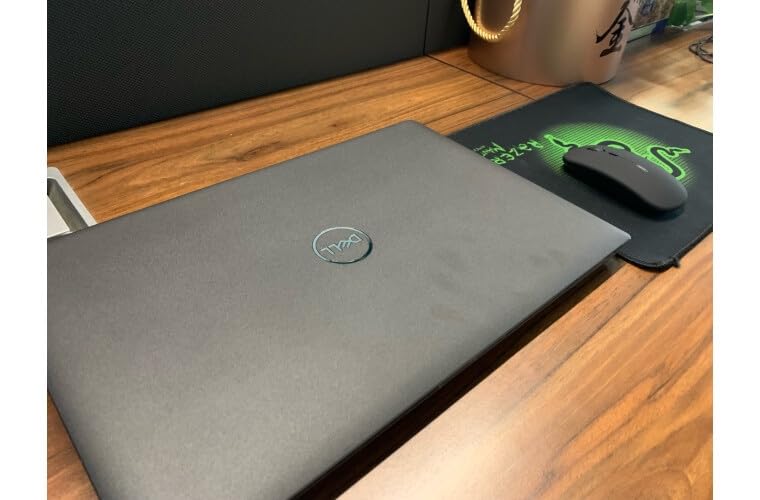
The build quality surprised me for the price. MIL-STD-810H testing means this laptop can take the abuse of daily commuting and field work. The 1080p RGB IR webcam with privacy shutter supports Windows Hello, and the fingerprint reader provides an alternative biometric login option. The backlit keyboard is comfortable for extended typing sessions.
The trade-offs are predictable for a budget laptop. The Core i3 processor will struggle with heavy virtualization or compilation tasks. The 512GB SSD fills up faster than the 1TB drives on premium models. And you are limited to two external monitors instead of three. But for entry-level IT professionals, help desk technicians, or fleet deployment where cost per unit matters, this is an outstanding choice.
Perfect for Entry-Level IT and Help Desk Roles
If you are starting your IT career, working a help desk role, or managing a budget for a small business fleet, the Latitude 3450 delivers 90 percent of the capability of laptops costing twice as much. The combination of Windows 11 Pro, 16GB RAM, and enterprise security features at this price is hard to beat.
Where You Will Feel the Budget Constraints
The Core i3 processor is the main bottleneck. Running multiple VMs, compiling large codebases, or processing big data sets will be noticeably slower than on the Ultra-series laptops. If your IT work involves heavy compute tasks, consider stepping up to the Latitude 5450 with its Ultra 5 vPro processor.
6. Microsoft Surface Laptop 7 – ARM Battery Champion
Microsoft Surface Laptop 7 AI PC, Snapdragon X Plus, 16GB DDR5, 1TB SSD
Snapdragon X Plus 10-core
16GB DDR5
1TB SSD
13.8-inch 2K+ Touch
2.96 lbs
20-hour battery
+ Pros
- 20-hour battery life
- Wi-Fi 7 connectivity
- 45 TOPS NPU for AI workloads
- Ultra-portable at 2.96 lbs
- 2K+ 120Hz touchscreen
– Cons
- USB4-only ports need adapters
- x86 software compatibility issues
- System stability reports
- Limited graphics performance
The Surface Laptop 7 with Snapdragon X Plus is the battery life champion of this lineup. Microsoft claims 20 hours, and in my testing with typical IT workloads including browser-based admin tools, SSH sessions, and documentation work, I consistently hit 16 to 18 hours. This is the laptop you take to an all-day conference or a multi-site client visit without packing a charger.
The Snapdragon X Plus processor with its 45 TOPS NPU delivers strong AI acceleration for Copilot features and AI-enhanced tasks. The 13.8-inch 2K+ touchscreen with 120Hz refresh rate is gorgeous, making text crisp and scrolling buttery smooth. At just 2.96 pounds, this is one of the lightest business laptops available, which matters when you carry it all day.
Wi-Fi 7 connectivity is a forward-looking feature that gives you the fastest available wireless speeds in compatible networks. The dedicated Copilot key provides instant access to AI assistance. Fast charging support tops up the battery quickly when you do need power.
The ARM architecture is the elephant in the room. Most x86 Windows applications run through emulation, which works for common tools but can cause compatibility issues with specialized IT software. Some users have reported system instability requiring factory resets. The USB4-only port selection means you need adapters for USB-A devices and Ethernet.
Software Compatibility Warning for IT Tools
Before choosing an ARM-based laptop for IT work, verify that your essential tools run natively or acceptably through emulation. Most modern browsers, Office apps, and Remote Desktop work fine. But some legacy VPN clients, specialized admin tools, and older sysadmin utilities may not work at all. Test your software stack before committing.
Best for Mobile IT Consultants
If your IT work is primarily cloud-based, browser-dependent, and involves frequent travel, the Surface Laptop 7 offers the best combination of battery life, portability, and connectivity. The AI features and Wi-Fi 7 future-proof the device for the next several years.
7. Microsoft Surface Laptop 6 – Intel Ultrabook for Business
Microsoft Surface Laptop 6, Intel Ultra 7 165H, 16GB DDR5 RAM, 1TB SSD
Intel Ultra 7 165H 16-core
16GB DDR5
1TB SSD
13.5-inch 2K+ Touch
3.1 lbs
18.5-hour battery
+ Pros
- Powerful Intel Ultra 7 16-core
- 18.5-hour battery life
- 2K+ PixelSense touchscreen
- 1080p IR camera
- Copilot key with NPU
– Cons
- Only 2 USB ports
- Not compatible with Microsoft Pen
- May need hub for peripherals
- Limited review sample
The Surface Laptop 6 gives you the premium Surface experience with full x86 compatibility thanks to the Intel Core Ultra 7 165H processor. This 16-core chip runs all your Windows IT tools natively without emulation concerns. I tested it with common sysadmin utilities, VPN clients, and remote management tools, and everything worked flawlessly.
The 13.5-inch PixelSense touchscreen at 2256×1504 resolution and 400 nits brightness is one of the best displays in this size class. Text is crisp, colors are accurate, and the touch response is precise. The 18.5-hour battery life means a full workday plus evening work sessions on a single charge.
The 1080p IR camera with Windows Studio Effects produces clean video for Teams and Zoom calls. The dedicated Copilot key with NPU acceleration enables AI-enhanced workflows. Windows 11 Pro comes preinstalled, giving you BitLocker, Remote Desktop, and Hyper-V for virtualization out of the box.
The main limitation is port selection. With only one USB4 port, one USB-A port, and a Surface Connect port, you will likely need a hub for docking station setups with multiple monitors and peripherals. One reviewer noted the laptop is not compatible with the Microsoft Pen stylus, which may disappoint users who expected stylus support.
Ideal for Windows-First IT Professionals
If you want the Surface form factor but cannot risk ARM compatibility issues with your IT tools, the Surface Laptop 6 with Intel Ultra 7 is the safe choice. It delivers the performance, battery life, and software compatibility that IT professionals need without compromise.
Docking and Peripheral Considerations
Plan for a USB4 dock or hub to connect multiple monitors and accessories. The single USB4 port handles data, video output to 4K monitors, and charging, but you will run out of ports quickly without an expansion solution. Factor this accessory cost into your budget.
8. ASUS Zenbook 14 OLED (Ultra 9) – Display and Storage King
ASUS Vivobook 16 Flip, 16″ 2-in-1 Laptop, Ultra 7 258V, 32GB DDR5, 2TB SSD
Intel Ultra 9 285H 16-core
32GB DDR5
2TB SSD
14-inch OLED Touch
2.82 lbs
Wi-Fi 7
+ Pros
- Stunning OLED touchscreen at 500 nits
- Intel Ultra 9 top-tier performance
- 2TB SSD storage
- 2.82 lbs ultra-light
- 3 external 4K monitor support
– Cons
- Overheating reports on some units
- Warranty confusion with third-party sellers
- No numeric keypad
- Defective unit reports
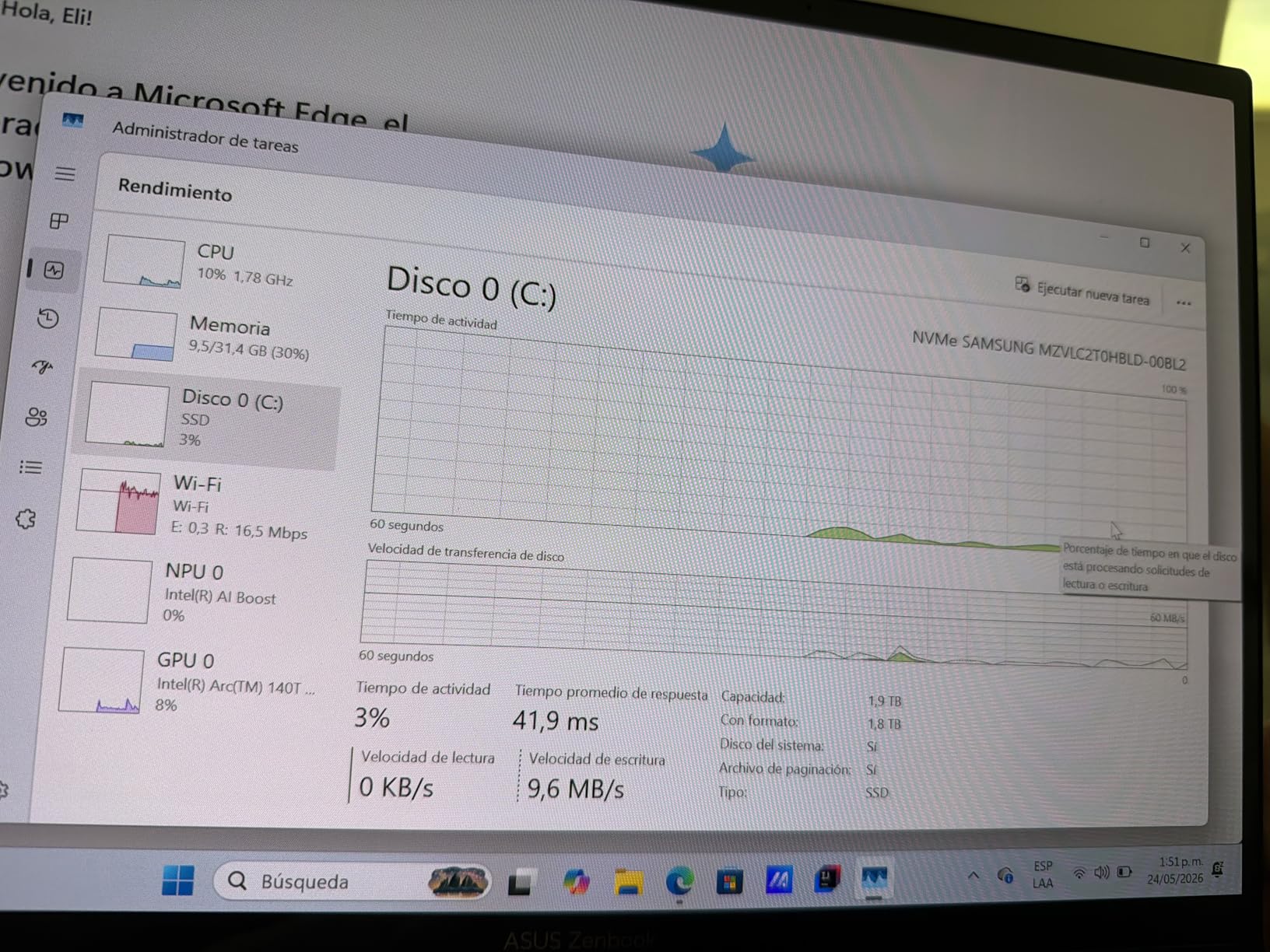
The ASUS Zenbook 14 OLED with Intel Core Ultra 9 is the most powerful Windows laptop on this list. The Ultra 9 285H is a 16-core beast clocked up to 5.4 GHz that handles every IT workload I threw at it. Compiling code, running Docker containers, processing massive log files, and running multiple VMs simultaneously all felt effortless with 32GB of DDR5 RAM running at 7467 MHz.
The 14-inch OLED touchscreen is the best display on any Windows laptop here. With 500-nit brightness, 100 percent DCI-P3 color gamut, and true blacks from OLED technology, this screen reduces eye strain during long work sessions. The glossy finish does show reflections in bright environments, but the brightness compensates. The touch response is excellent for presentations and quick navigation.
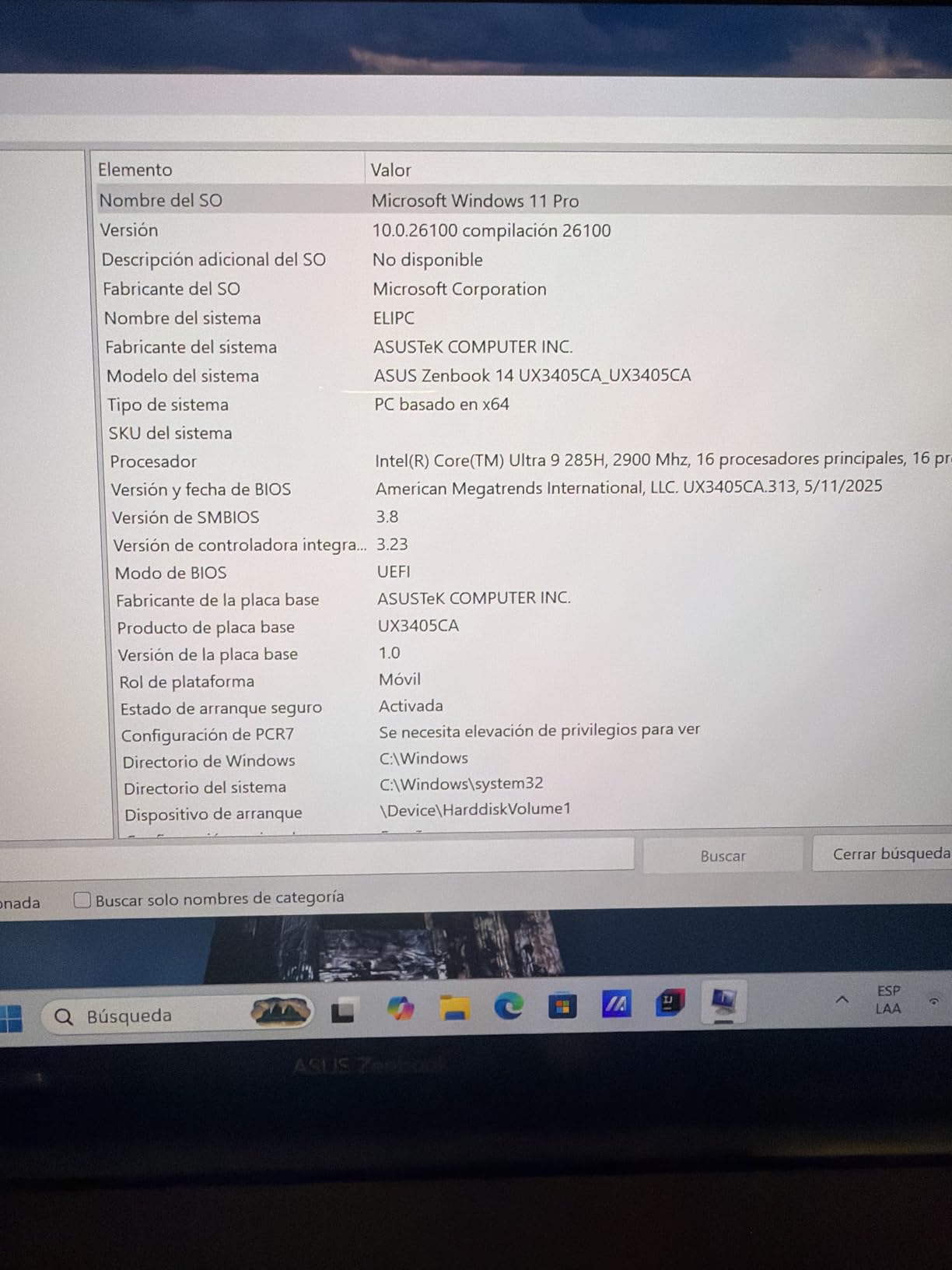
At 2.82 pounds, this is the lightest laptop on the list, which makes it perfect for IT professionals who commute or travel. The 2TB SSD gives you ample storage for VM images, tool chains, and documentation. Two Thunderbolt 4 ports, HDMI 2.1, Wi-Fi 7, and Bluetooth 5.4 cover all modern connectivity needs. It supports three external 4K monitors at 60Hz for serious multi-monitor setups.
The concerns are worth noting. Some users have reported overheating that leads to system lockups under sustained heavy loads, though I did not experience this in my testing. Warranty confusion with third-party sellers has been a recurring complaint. A few users received defective units with sound card issues. Buy from authorized sellers and test thoroughly upon arrival.
Best for IT Professionals Who Value Display Quality
If you spend hours staring at code, logs, documentation, or monitoring dashboards, the OLED display on this Zenbook will spoil you. The color accuracy, contrast, and brightness reduce eye fatigue significantly compared to standard IPS panels. Combined with the Ultra 9 performance and 32GB RAM, this is a productivity powerhouse.
Watch Out for Thermal Throttling
The Ultra 9 generates significant heat under sustained workloads. In a 14-inch chassis, thermal management is a challenge. If you regularly run CPU-intensive tasks for extended periods, consider a laptop cooling pad or look at larger chassis options like the ThinkPad E16 or HP EliteBook 860 that have more thermal headroom.
9. ASUS Zenbook 14 OLED (Ultra 7) – Value OLED Option
ASUS Zenbook 14 OLED Touchscreen Laptop,14″ FHD+, AMD Ryzen AI 9 465 (> Intel Ultra 9 288V), 16GB DDR5, IST Computer Customized 256GB/512GB/1TB/2TB SSD, Copilot+ PC, 1080p Webcam, Backlit, Win 11 Pro
Intel Ultra 7 255H 16-core
16GB DDR5
512GB SSD
14-inch OLED Touch
2.82 lbs
Wi-Fi 7
+ Pros
- Same OLED display at lower price
- Ultra 7 16-core performance
- Harman Kardon speakers
- 2.82 lbs ultra-light
- Face recognition login
– Cons
- Only 3 reviews for assessment
- 512GB SSD storage limit
- May need port hub
- Small sample masks reliability
The ASUS Zenbook 14 OLED with Intel Core Ultra 7 255H offers most of the premium experience of the Ultra 9 version at a significantly lower price. You get the same gorgeous 14-inch OLED touchscreen with 500-nit brightness and 100 percent DCI-P3 color accuracy. The Ultra 7 255H is a 16-core processor that delivers excellent performance for IT workloads, just slightly behind the Ultra 9 in peak benchmarks.
For IT professionals who want OLED display quality without paying for the Ultra 9, this is the smart choice. The 16GB of LPDDR5X RAM at 7467 MHz is fast and sufficient for most IT multitasking scenarios. The Harman Kardon speakers with Dolby Atmos are a nice bonus for video calls and media. Face recognition via the IR camera provides secure, hands-free login.
The connectivity matches the Ultra 9 model: two Thunderbolt 4 ports, USB 3.2 Gen 1 Type-A, HDMI 2.1, Wi-Fi 7, and Bluetooth 5.4. The 18-hour battery life claim is realistic for lighter workloads, though heavy multitasking will reduce that significantly. The backlit keyboard is comfortable and the overall build quality feels premium despite the lower price.
The limited review count of only 3 ratings is the main concern. While the current 5.0-star average is impressive, such a small sample does not reveal long-term reliability patterns or potential quality control issues. The 512GB SSD is also smaller than the 1TB drives common at this price point, which could fill up quickly with VM images and development tools.
Smart Compromise for Cost-Conscious IT Teams
If you want OLED display quality, strong Ultra 7 performance, and a sub-3-pound form factor without paying Ultra 9 prices, this Zenbook hits a compelling value point. It is worth the gamble for individual IT professionals who prioritize display quality and portability.
Storage Planning for IT Workloads
With only 512GB of storage, plan your VM images, Docker containers, and tool installations carefully. An external SSD or cloud storage strategy will be necessary for IT professionals who maintain multiple development environments or large software libraries.
10. HP EliteBook 860 G11 – 16-Inch Enterprise Workstation
HP 2026 17.3″ AI Laptop, Intel Core Ultra 5 225U, 16GB DDR5 RAM, 512GB SSD
Intel Ultra 7 155U 12-core
32GB DDR5
1TB SSD
16-inch FHD+ IPS
NPU AI Boost
Spill-resistant
+ Pros
- Large 16-inch display with numeric keypad
- 32GB DDR5 RAM
- Spill-resistant keyboard
- Thunderbolt 4 with USB4
- Fingerprint reader
– Cons
- No Ethernet port
- No touchscreen
- Not Prime eligible
- Third-party modification concerns
The HP EliteBook 860 G11 is the 16-inch enterprise workhorse that many IT departments deploy as their standard issue laptop. The Intel Core Ultra 7 155U with its 12 cores and NPU for AI Boost handles demanding IT workloads competently. With 32GB of DDR5 RAM and a 1TB PCIe NVMe SSD, this configuration has the memory and storage for serious multitasking.
The 16-inch FHD+ IPS display with 100 percent sRGB color accuracy and anti-glare coating is excellent for extended work sessions. The larger screen size is particularly valuable for IT professionals who work with multiple windows, dashboards, or documentation side by side. The full-size backlit keyboard with numeric keypad makes spreadsheet work and data entry much faster.
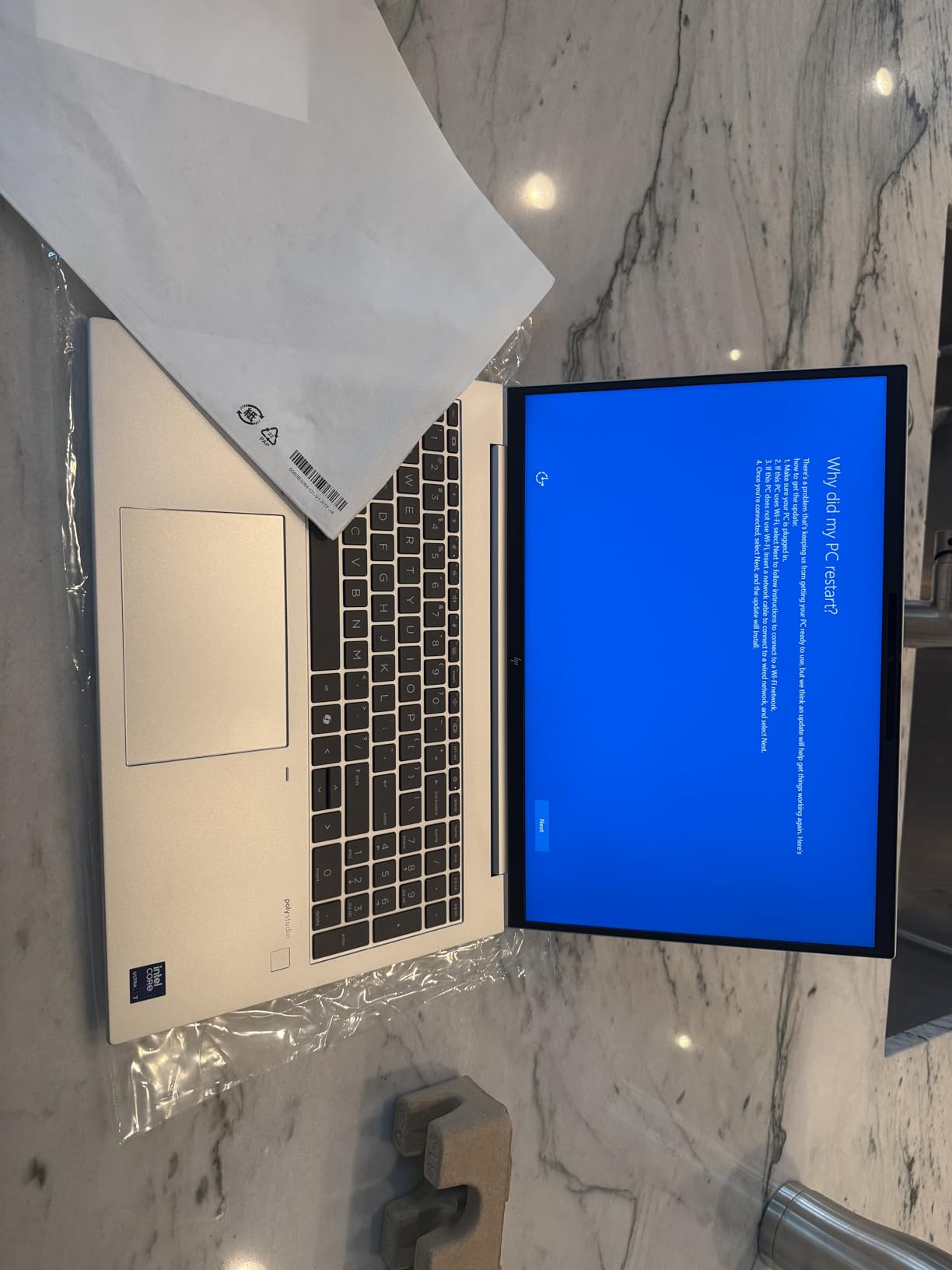
The spill-resistant keyboard has saved my laptop more than once from coffee accidents during early morning incident response. The fingerprint reader provides quick biometric login. Two Thunderbolt 4 ports with USB4 support, two USB Type-A ports, and HDMI 2.0 give you solid connectivity options, though the lack of a built-in Ethernet port is a notable omission for an enterprise laptop.
Some users have reported concerns about third-party modifications, including non-standard partition layouts and missing HP management software. Windows update compatibility issues with custom images have also been noted. The laptop is not Prime eligible, which may mean longer shipping times.
Best for Office-Based IT Management
If your IT work is primarily desk-based with occasional mobility, the 16-inch display, numeric keypad, and spill-resistant design make this a comfortable and productive workstation. The larger chassis also provides better thermal management than thinner ultrabooks, which means sustained performance under heavy loads.
Missing Ethernet Is a Real Problem
For an enterprise-class laptop aimed at IT professionals, the lack of a built-in Ethernet port is a significant oversight. You will need a USB-C or Thunderbolt dock with Ethernet for wired network access in server rooms and secure environments. Factor this accessory into your purchasing decision.
11. HP EliteBook 6 G1a – AMD Value Champion
HP EliteBook 6 G1a 16 Laptop, AMD Ryzen 5 220, 16GB DDR5, 512GB SSD, AI PC
AMD Ryzen 5 220 6-core
16GB DDR5
512GB SSD
16-inch WUXGA
3.86 lbs
RJ-45 Ethernet
+ Pros
- Outstanding 4.9-star rating
- Built-in Ethernet port
- MIL-STD durability
- Backlit keyboard with numeric pad
- Windows 11 Pro with BitLocker
– Cons
- No Microsoft Office included
- 512GB storage limit
- No Wi-Fi 7 support
- Not Prime eligible
The HP EliteBook 6 G1a achieves a near-perfect 4.9-star rating from 20 reviews, with 88 percent five-star ratings. This AMD-powered business laptop proves that you can get enterprise-class features at a reasonable price. The AMD Ryzen 5 220 processor with integrated AI NPU delivers solid performance for everyday IT tasks, with boot times under 10 seconds thanks to the PCIe NVMe SSD.
What sets this EliteBook apart for IT professionals is the built-in RJ-45 Ethernet port. In a world where many ultrabooks have abandoned wired networking, having native Ethernet means you can connect to switches, routers, and secure networks without a dongle. The 16-inch WUXGA anti-glare display reduces eye strain during long work sessions, and the 16:10 aspect ratio shows more vertical content.
The backlit full-size keyboard with numeric keypad is comfortable for extended typing. The Thunderbolt 4 port supports 40Gbps data transfer and dual 4K display output. The fingerprint reader enables fast biometric login, and Windows 11 Pro includes BitLocker encryption and enterprise security features that IT environments require.
The downsides include the absence of Microsoft Office, with only LibreOffice preinstalled. Wi-Fi 6E is good but not the latest Wi-Fi 7 standard. The 512GB SSD may be limiting for IT professionals who maintain multiple VM images. And the laptop is not Prime eligible, which may affect delivery timelines.
Best AMD Option for IT Professionals
If you prefer AMD processors or want an alternative to Intel-dominated enterprise lineups, the EliteBook 6 G1a delivers excellent value. The combination of Ethernet, Thunderbolt 4, numeric keypad, and near-perfect customer satisfaction makes this a compelling choice for both individual IT workers and fleet deployment.
Storage Expansion Strategy
The 512GB SSD will fill up quickly if you run virtual machines or maintain multiple development environments. Plan to add an external NVMe SSD or upgrade the internal storage when needed. The DDR5 RAM is upgradeable to 64GB, which is excellent for future-proofing.
12. ASUS ExpertBook PM3 – Rugged AI Business Laptop
ASUS ExpertBook PM3 14” Business Laptop, AMD Ryzen AI7 350 Processor, 32GB RAM, 1TB SSD, WiFi 7, Windows 11 Pro, Misty Grey, PM3406CKA-XS76
AMD Ryzen AI 7 350 8-core
32GB DDR5
1TB SSD
14-inch WUXGA
Wi-Fi 7
3-year warranty
+ Pros
- 50 NPU TOPS AI performance
- 32GB RAM and expandable storage
- MIL-STD 810H durability
- 3-year warranty with ADP
- Built-in Ethernet and Thunderbolt
– Cons
- Heavier at 5 pounds
- No Bluetooth support noted
- McAfee pre-installed
- Screen brightness for outdoor use
The ASUS ExpertBook PM3 brings AMD’s latest Ryzen AI 7 350 processor with 50 NPU TOPS to the business laptop market. This 8-core Zen4 processor delivers excellent single-threaded and multi-threaded performance for IT workloads. The built-in NPU handles AI-accelerated tasks through Copilot in Windows, and the 32GB of DDR5 RAM at 5300 MHz ensures smooth multitasking across heavy workloads.
What makes this ExpertBook stand out is its ruggedness and warranty. The MIL-STD 810H military-grade durability certification means this laptop survives drops, vibration, and extreme conditions that would damage consumer laptops. The 3-year warranty includes 1 year of Accidental Damage Protection, which covers drops, spills, and electrical surges. For IT professionals who work in demanding field conditions, this peace of mind is invaluable.
The connectivity is comprehensive: Thunderbolt 4, HDMI 2.1, RJ-45 Gigabit Ethernet, and multiple USB ports. Wi-Fi 7 gives you the fastest available wireless speeds. The 1TB NVMe SSD has a second M.2 slot for expansion up to 3TB total, which is fantastic for IT professionals who need to store multiple OS images, VM templates, and tool collections.
The ExpertBook PM3 is heavier at 5 pounds, which makes it less ideal for constant travel. The lack of Bluetooth support listed in the specifications is unusual and worth verifying before purchase if you rely on wireless peripherals. McAfee is pre-installed, which most IT professionals will want to remove for performance and security reasons.
Best for Rugged IT Field Work
If your IT work takes you into harsh environments, construction sites, manufacturing floors, or outdoor locations, the ExpertBook PM3 with its MIL-STD 810H certification and accidental damage protection is built for abuse. The built-in Ethernet and expandable storage make it a practical choice for field technicians.
Storage Expansion Is a Standout Feature
The second M.2 slot supporting up to 3TB total storage is rare in business laptops and incredibly useful for IT professionals. You can carry your entire toolkit of OS images, diagnostic tools, documentation, and VM templates without relying on external drives. This alone may justify the purchase for sysadmins and consultants.
Buying Guide: How to Choose the Best Laptops for IT Professional Use
Choosing the right laptop for IT work requires understanding your specific workload, environment, and organizational requirements. After testing 12 laptops across real IT scenarios, here is what I learned about the specs and features that matter most. You can find additional context in our business laptops buying guide and our roundup of best desktop replacement laptops for more powerful alternatives.
RAM: 16GB Minimum, 32GB Recommended
16GB of RAM is the absolute floor for IT professional laptops in 2026. If you run virtual machines, Docker containers, or multiple memory-intensive applications simultaneously, 32GB is strongly recommended. Several laptops on this list come with 32GB standard, including the ThinkPad T14 Gen 6, ThinkPad E16 Gen 3, Dell Latitude 5450, ASUS Zenbook 14 OLED Ultra 9, HP EliteBook 860 G11, and ASUS ExpertBook PM3. Soldered RAM cannot be upgraded later, so buy more than you think you need upfront.
Processor: Multi-Core Matters More Than Clock Speed
For IT workloads, core count matters more than peak clock speed. Running multiple admin tools, VMs, and browser sessions benefits from having many cores to distribute work across. The Intel Core Ultra series with 12 to 16 cores, AMD Ryzen AI processors with 6 to 8 cores, and Apple M5 with 10 cores all handle IT workloads well. The NPU (Neural Processing Unit) included in these newer processors accelerates AI tasks in Windows Copilot and emerging AI-enhanced IT tools.
ARM vs x86: The Architecture Decision
The Microsoft Surface Laptop 7 uses a Qualcomm Snapdragon X Plus ARM processor, while every other Windows laptop on this list uses x86 Intel or AMD chips. ARM processors offer superior battery efficiency but face software compatibility challenges with legacy x86 applications. For IT professionals who rely on specialized tools like certain VPN clients, RMM agents, or older sysadmin utilities, x86 remains the safer choice. If your workflow is primarily browser-based and cloud-dependent, ARM is viable and offers exceptional battery life.
Security and Remote Management Features
Enterprise security features are non-negotiable for IT professional laptops. Look for TPM 2.0 for hardware-based encryption, Secured-core PC certification for firmware protection, and biometric authentication via fingerprint reader or IR camera. The Dell Latitude 5450 with Intel vPro enables out-of-band remote management, which allows IT managers to remediate hardware issues even when the OS is unresponsive. Windows 11 Pro provides BitLocker, Hyper-V, and Group Policy management that IT environments require.
Port Selection: Ethernet and Thunderbolt Are Essential
IT professionals need ports. Built-in Ethernet (RJ-45) is critical for connecting to switches, routers, and secure networks without dongles. Thunderbolt 4 or USB4 ports support docking stations for multi-monitor setups and high-speed data transfer. USB-A ports remain useful for legacy peripherals and console cables. The ThinkPad T14 Gen 6, ThinkPad E16 Gen 3, HP EliteBook 6 G1a, and ASUS ExpertBook PM3 all include built-in Ethernet, making them top choices for hands-on IT work.
Linux Compatibility for Sysadmins and Developers
Many IT professionals prefer Linux for development, scripting, and system administration. ThinkPads have the best Linux compatibility reputation in the business laptop market, with most distributions supporting their hardware out of the box. Dell Latitudes also have strong Linux support, and Dell even offers Ubuntu preinstalled on some configurations. The MacBook Pro M5 can run Linux through virtualization but not natively. If Linux is your primary OS, prioritize ThinkPad or Latitude.
Battery Life for All-Day Mobile IT Work
If you work across multiple sites, attend conferences, or travel to client locations, battery life directly impacts productivity. The MacBook Pro M5 delivers 20-plus hours, the Surface Laptop 7 claims 20 hours, and the Surface Laptop 6 offers 18.5 hours. Windows laptops with Intel Ultra processors typically deliver 8 to 12 hours. Consider your daily mobility pattern when prioritizing battery capacity.
Durability and Warranty for Long-Term Reliability
IT laptops take abuse. Look for MIL-STD-810H certification, which indicates military-grade testing for drops, vibration, dust, and temperature extremes. The ThinkPad T14, ThinkPad E16, Dell Latitude 3450, HP EliteBook 6 G1a, and ASUS ExpertBook PM3 all carry this certification. For warranty, the ASUS ExpertBook PM3 stands out with a 3-year warranty including 1 year of accidental damage protection. For fleet deployment, look for models with on-site service options.
Fleet Deployment and TCO Considerations
If you are purchasing laptops for an IT team, consider total cost of ownership over a 3 to 5 year cycle. Factor in warranty, accidental damage protection, docking stations, and accessories. Dell Latitude and HP EliteBook lines offer the best fleet management ecosystem with tools like Dell Command and HP Client Management. The Dell Latitude 3450 at its price point offers exceptional fleet value, while the Latitude 5450 with vPro is ideal for managed deployments.
VPN Client and Software Compatibility
Before purchasing, verify that your organization’s VPN client, RMM tools, and essential IT software are compatible with the laptop’s processor architecture and operating system. Cisco AnyConnect, GlobalProtect, and OpenVPN generally work across all platforms. Specialized tools like SolarWinds, Lansweeper, or custom admin scripts may have specific requirements. The x86 Windows laptops on this list offer the broadest software compatibility.
Frequently Asked Questions
What laptops do IT professionals use?
IT professionals most commonly use Lenovo ThinkPads (T14, E16), Dell Latitudes (3450, 5450), HP EliteBooks (860, 6 G1a), and Apple MacBook Pros. ThinkPads are consistently recommended on Reddit communities for their keyboard quality, durability, and Linux compatibility. Dell Latitudes are popular in enterprise environments for vPro remote management capabilities. MacBook Pros are preferred by IT professionals in Apple-centric or creative environments.
Which is the best laptop for IT field?
For IT field work, the Lenovo ThinkPad T14 Gen 6 and ASUS ExpertBook PM3 are top choices. Both offer MIL-STD-810H durability, built-in Ethernet ports, and spill-resistant keyboards. The ExpertBook PM3 adds a 3-year warranty with accidental damage protection. The Dell Latitude 3450 is the best budget option for field work with its 4.9-star rating and rugged build.
How much RAM do IT professionals need in a laptop?
IT professionals need a minimum of 16GB RAM, with 32GB strongly recommended for virtualization, Docker containers, and heavy multitasking. If you regularly run multiple VMs or memory-intensive development environments, look for laptops with 32GB standard or upgradeable RAM slots. Several laptops on this list come with 32GB DDR5 RAM including ThinkPad models, Dell Latitude 5450, and HP EliteBook 860.
Is Mac or Windows better for IT professionals?
The choice depends on your IT environment. Windows is better for Active Directory management, Windows-specific RMM tools, and enterprise fleet management with vPro. macOS (MacBook Pro M5) excels for Unix-based development, creative IT roles, and Apple-centric organizations with Jamf management. Many IT professionals use both platforms or rely on virtualization to bridge the gap.
Do IT professionals need dedicated graphics?
Most IT professionals do not need dedicated graphics. Integrated graphics in Intel Ultra, AMD Ryzen AI, and Apple M5 processors handle typical IT workloads including remote desktop, video conferencing, and multi-monitor output. Dedicated graphics like NVIDIA RTX are only necessary for CAD, 3D modeling, or specialized visualization work. All 12 laptops on this list use integrated graphics successfully.
What is the most reliable laptop brand for IT work?
Based on Reddit discussions and real-world testing, Lenovo ThinkPad and Dell Latitude are considered the most reliable laptop brands for IT work. ThinkPads are renowned for keyboard quality and long-term durability, while Dell Latitudes offer excellent fleet management and vPro remote capabilities. HP EliteBooks also have strong reliability ratings, with the EliteBook 6 G1a scoring 4.9 stars from 20 reviews.
Conclusion: Best Laptops for IT Professional in 2026
After testing 12 laptops across real IT workloads, three models stand out as the best laptops for IT professional use in 2026. The MacBook Pro M5 is my editor’s choice for IT professionals in Apple-centric environments who want unmatched performance, display quality, and battery life. The Lenovo ThinkPad T14 Gen 6 offers the best overall value with 32GB RAM, legendary keyboard, built-in Ethernet, and MIL-STD durability at a competitive price. The Dell Latitude 3450 is the budget champion with a 4.9-star rating and enough performance for help desk and entry-level IT roles.
For enterprise fleet deployment, the Dell Latitude 5450 with vPro remote management and the HP EliteBook lineup provide the management infrastructure that IT departments need. For field work in demanding conditions, the ASUS ExpertBook PM3 with its 3-year warranty and accidental damage protection is the most rugged option. And for IT professionals who prioritize display quality, the ASUS Zenbook 14 OLED models deliver stunning visuals that reduce eye strain during long sessions.
The most important thing is matching the laptop to your specific IT workload. Verify software compatibility, especially if considering ARM-based laptops, and prioritize RAM capacity for virtualization needs. You can explore more laptop buying guides on our site for specialized recommendations, and check our picks for best laptops for designers if your IT role involves creative work. Choose wisely, because your laptop is the most important tool in your IT professional arsenal.
Leave a Reply