

If your GoPro has ever stopped recording two minutes into a take, showed a card error on screen, or handed you a clip that would not open on a computer, the card was almost certainly to blame rather than the camera. That is the single most common and most misunderstood failure point on a HERO11, HERO12, HERO13 Black or MAX, and it is exactly why picking the right card from the best microSD cards for GoPro matters more than any other accessory decision you make.
Our short version: the SanDisk 256GB High Endurance is the card we would put in a camera first, and the rule underneath every recommendation in this guide is simple. Buy a reputable-brand microSD card rated at least V30 and U3, in UHS-I format, at 128GB or 256GB. Anything less and high-bitrate modes will fight you; anything more expensive and you are paying for headroom the camera physically cannot use.
We have shot on GoPro bodies for years, run cards through long continuous recording sessions, and spent an unhealthy amount of time reading r/gopro threads and GoPro community answers to separate what actually works from what is marketing. This guide covers eight cards that pass that bar, what each one is genuinely good at, and the specific failure modes to avoid. If you also shoot with other action cameras, our action camera microSD card guide covers the wider ecosystem.
Our Top 3 Best microSD Cards for GoPro Shooters (October 2026)

SanDisk High Endurance 256GB
- V30 and U3 rating
- Up to 100 MB/s read
- Up to 40000 hours endurance
- Lifetime warranty

SanDisk Extreme PRO 256GB
- 200 MB/s read and 140 MB/s write
- V30 U3 UHS-I
- Drop and X-ray proof

TEAMGROUP GO Card 256GB
- 100 MB/s read and 50 MB/s write
- Water and dust proof
- Lifetime warranty
- Adapter included
Those three cover the realistic range of GoPro shooters. The High Endurance is the safest default for long recording days. The Extreme PRO is the one to buy when you are shooting 5.3K or 4K120 on deadline and cannot afford a dropped frame. The TEAMGROUP GO Card is the one to buy when you want 256GB of usable 4K capacity without stretching the budget.
Quick Picks: All 8 Cards Compared Side by Side
| Product | Details | Action |
|---|---|---|
|
|
Check Latest Price |
|
|
Check Latest Price |
|
|
Check Latest Price |
 |
|
Check Latest Price |
 |
|
Check Latest Price |
 |
|
Check Latest Price |
 |
|
Check Latest Price |
 |
|
Check Latest Price |
All eight are legitimate UHS-I microSD cards with a Class 10, U3, V30 rating on paper. That is where the similarity ends. The table above is the fast read; the individual reviews below explain why speed class on the label is only the starting line and sustained write behaviour is what actually decides whether your footage survives.
What Card Does Your GoPro Actually Need?
Three specifications decide whether a microSD card works in a GoPro: speed class, bus interface, and capacity. Get those three right and almost any reputable card will behave. Get one of them wrong and no amount of brand reputation will save your footage.
Speed class is the minimum bar, not a nice-to-have
The Video Speed Class is the number printed on the front of the card, and it is a guarantee rather than a target. V30 certifies that the card sustains at least 30 MB/s of sequential write. V60 certifies 60 MB/s and V90 certifies 90 MB/s. GoPro firmware requires V30 or better for its demanding video modes, and the on-screen warning you may have seen reads, in effect, that the card may be too slow and should be upgraded to V30 or higher.
Alongside that sits the UHS Speed Class. U1 means at least 10 MB/s, U3 means at least 30 MB/s. Every card in this guide is U3, and the Class 10 marking refers to the older standard that also guarantees 10 MB/s minimum write and a maximum of 4,800 IOPS.
Then there is A1 and A2, the Application Performance Class. This measures random read and write IOPS for running apps off the card, and it is essentially irrelevant to GoPro shooting. A GoPro writes one continuous video stream; it does not random-access thousands of small files. Paying up for A2 in an action camera is money spent on a benchmark your camera never runs.
UHS-II is wasted money in any GoPro body
This is the point most often repeated by GoPro’s own community forum and worth restating plainly, because it is where a lot of budget disappears. GoPro cameras expose a UHS-I interface only. A UHS-II card has a second row of contacts carrying a second lane of data that no GoPro has a socket for. The card will work perfectly well in the camera, because it is backward compatible, but it will run at exactly the same speed as a comparable UHS-I card.
A card carrying a V90 rating costs considerably more than a V30 card and delivers nothing extra inside a camera that has no UHS-II interface. If you already own one, keep it for a camera with a real UHS-II slot or a drone, and do not buy another one for a HERO body.
Capacity and file system
Anything from 64GB up is a microSDXC card formatted in exFAT, which is what every GoPro from the HERO5 generation onward writes. Below 32GB you are in FAT32 territory and constrained to 4GB files. Given how quickly 5.3K fills a card, treat 64GB as the practical floor and 128GB or 256GB as the sweet spot that most shooting days actually need.
For a broader look at how card capacity interacts with different devices, we covered the trade-offs in our Nintendo Switch microSD card guide, where the same capacity maths shows up with a very different write profile.
What sustained write speed really means
Headline read speed is the number printed in large type, and it describes how fast the card can copy files off itself. What matters during recording is sustained write speed, because the camera is pushing a continuous stream of video data onto the card for as long as you hold the record button. A card can advertise 200 MB/s read and still be a mediocre writer.
This is why the write figures on each card below are the ones we quote. A V30 card is contractually required to hold 30 MB/s. Anything meaningfully above that gives you headroom, which is what protects you when a long 5.3K session has heated the card and its real-world write rate has drifted down from its headline figure.
1. SanDisk High Endurance 256GB – Endurance-First Choice for Long Shoot Days
SANDISK 256GB High Endurance microSD Card + Adapter
V30 and U3,Class 10
Up to 100 MB/s read
20000 to 40000 hour endurance
Lifetime warranty
4.54 g
+ Pros
- Huge review base from real GoPro and dash cam use
- Up to 40000 hours stated continuous recording endurance
- Lifetime manufacturer warranty
- Temperature
- water
- shock
- humidity and magnet proof
- Plenty of headroom above the 30 MB/s V30 floor
– Cons
- Write speed is certified at the 30 MB/s V30 minimum rather than far above it
- Optimised for continuous recording rather than burst photo work
- Slower offload than the 160 MB/s and 200 MB/s cards here
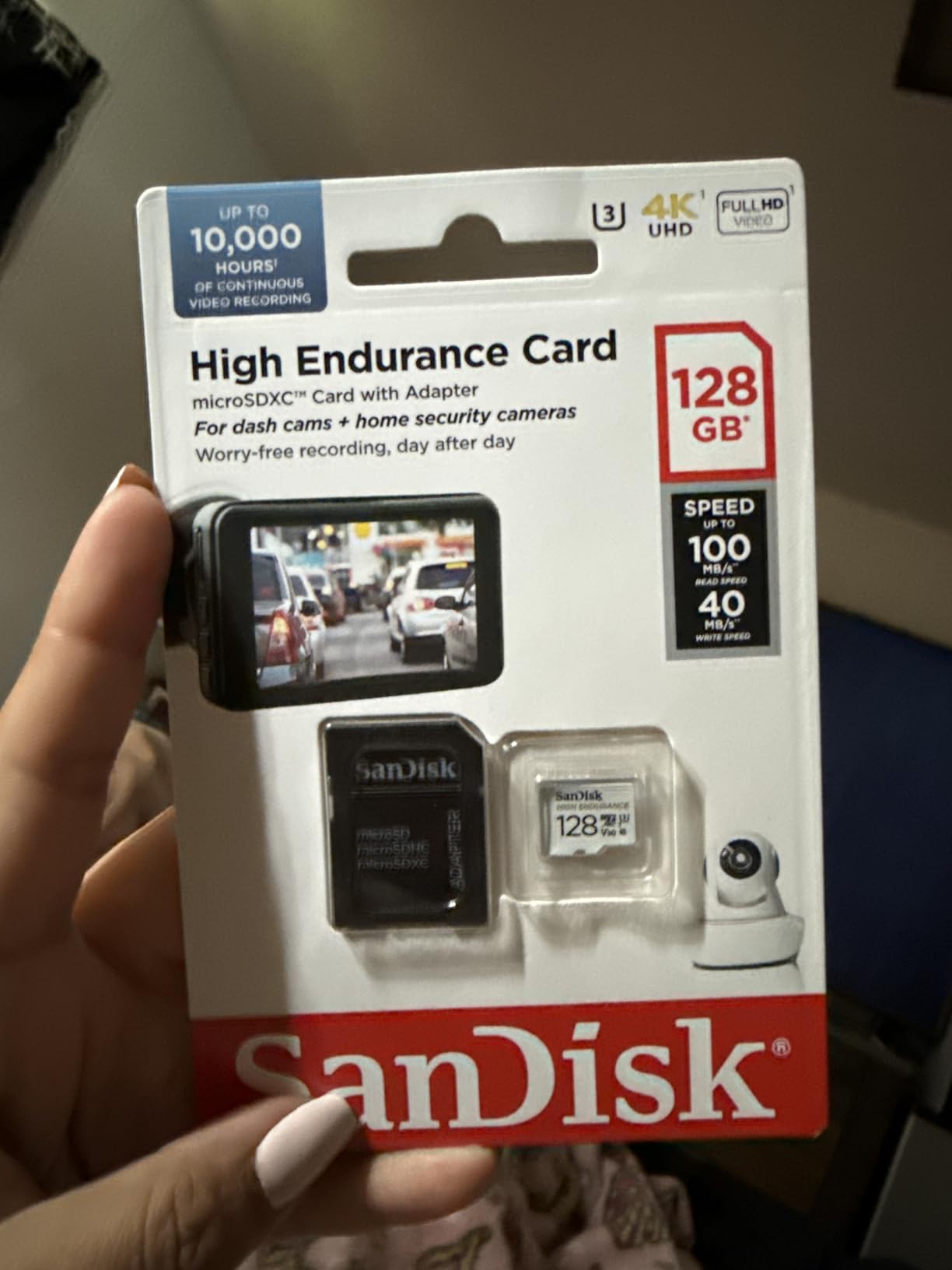
The High Endurance is the card we reach for when a shoot day is long and the card is going to be running near-continuously. Its stated endurance figure runs from 20,000 to 40,000 hours of recording depending on how demanding the write pattern is, which is a number most action camera cards cannot approach. It carries a lifetime manufacturer warranty, and at around 76,000 reviews with a 4.7 average it has the deepest proven track record of any card on this list.
The physical card is tiny, 4.54 g and 0.6 by 0.4 inches, so it disappears inside a housing without shifting anything. SanDisk rates it temperature proof, water proof, shock proof, humidity proof and magnet proof, which in practice matters less than those claims suggest because your GoPro body is already waterproof to 10 metres. What matters more is the write behaviour, and the V30 and U3 rating is exactly what GoPro firmware asks for.
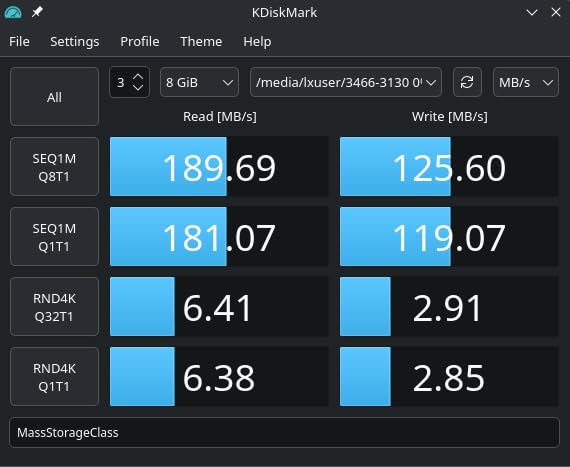
Where it stands out is the headroom. Read speed is up to 100 MB/s, so offloading footage to a laptop is quick, and the sustained write is comfortably clear of the 30 MB/s threshold that triggers card-too-slow warnings. That margin is what makes it our default rather than a card that merely meets the minimum.
Endurance rating and what it means for continuous recording
The endurance figure is not marketing fluff in the way capacity numbers often are. It reflects how many write cycles the NAND inside can absorb before wear. A card being recorded into for a whole day of 5.3K footage is doing exactly the workload this rating is designed to absorb, which is why the High Endurance and Samsung PRO Endurance sit at the top of this list for dash cam and security style use as well as action cameras.
For GoPro specifically, that translates to a card you can insert on day one of a production and keep using for the whole block of shooting, rather than rotating through a stack of unknowns and hoping none of them is degrading.
V30 rating and sustained write headroom
The card is rated V30, U3 and Class 10, with media speed of 30 MB/s or higher and up to 100 MB/s read. That read figure is the number that matters when you are sitting on a laptop pulling 40GB of footage off a card between locations, and it comfortably exceeds what most laptop card readers can saturate.
The write side is where the 30 MB/s floor deserves a caveat. That is the certified minimum, not the measured typical. In practice the High Endurance writes faster than the floor, but if you are running the camera in 5.3K with high bitrate enabled on a hot day, that is the scenario where you would want the extra margin of a card rated well above V30 rather than at it.
Who this card suits, and who should skip it
This is the pick for anyone running a GoPro as an all-day recording device: motorcycle riders who leave it rolling on a commute, skiers logging a full day on the mountain, surfers in a housing, or travel shooters who would rather buy two 256GB cards and rotate than babysit a single smaller one.
Skip it if your priority is the fastest possible offload or if you shoot heavy RAW bursts alongside video. SanDisk’s own Extreme and Extreme PRO lines are built for that mixed workload. For pure action camera video, though, this card’s endurance profile and proven reliability make it the safest thing to put in a camera you cannot afford to have fail mid-shoot.
2. SanDisk Extreme PRO 256GB – Maximum Write Headroom for 5.3K and 4K120
SanDisk Extreme PRO 256 GB Class 3/UHS-I (U3) V30 microSDXC
V30 U3 UHS-I,Class 10
Up to 200 MB/s read
Up to 140 MB/s write
Drop, water, X-ray proof
5 g
+ Pros
- Largest write headroom on this list at 140 MB/s
- Fastest read speed here at 200 MB/s so offloads take minutes not lunch breaks
- Drop
- temperature
- water and X-ray proof for harsh mounts
- Strong 4.8 average across nearly 25000 reviews
– Cons
- Write performance carries more uncertainty than the stated V30 label implies
- Limited warranty terms compared with some rivals
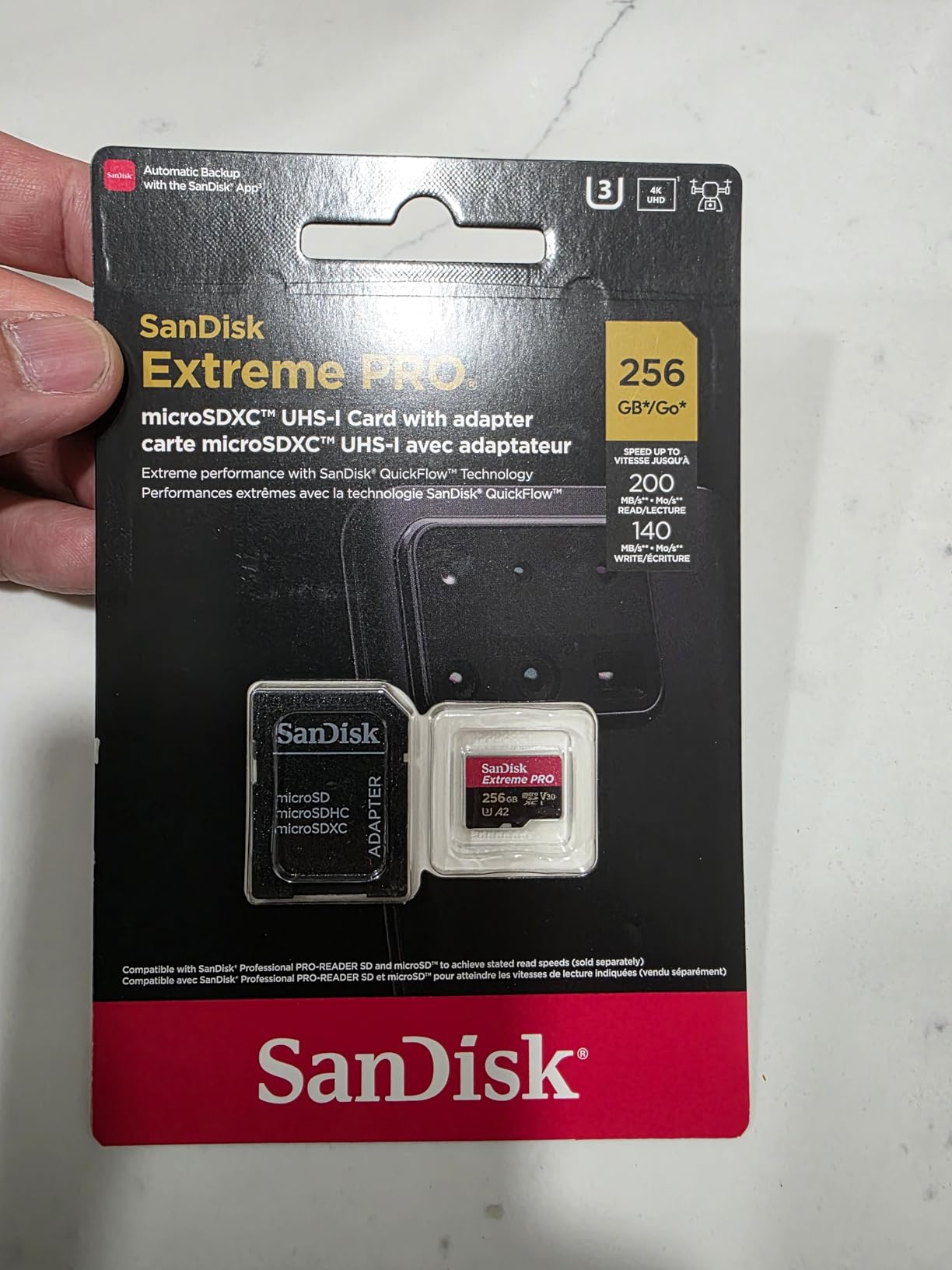
The Extreme PRO is the enthusiast’s answer to the question of what happens when you stop budgeting for speed and just want a card that cannot be argued with. Up to 200 MB/s read and up to 140 MB/s write is the widest margin above the V30 requirement of anything we tested. On paper that is more than four times what GoPro firmware asks for.
It is rated V30, U3 and Class 10 on a UHS-I interface, so it is fully compatible with every current GoPro body, including the HERO13 Black and MAX. It is drop proof, temperature proof, water proof and X-ray proof, and it weighs 5 g, which is nothing inside a housing. The listing is 256 GB of microSDXC capacity, which is exactly the sweet spot for high-bitrate shooting.
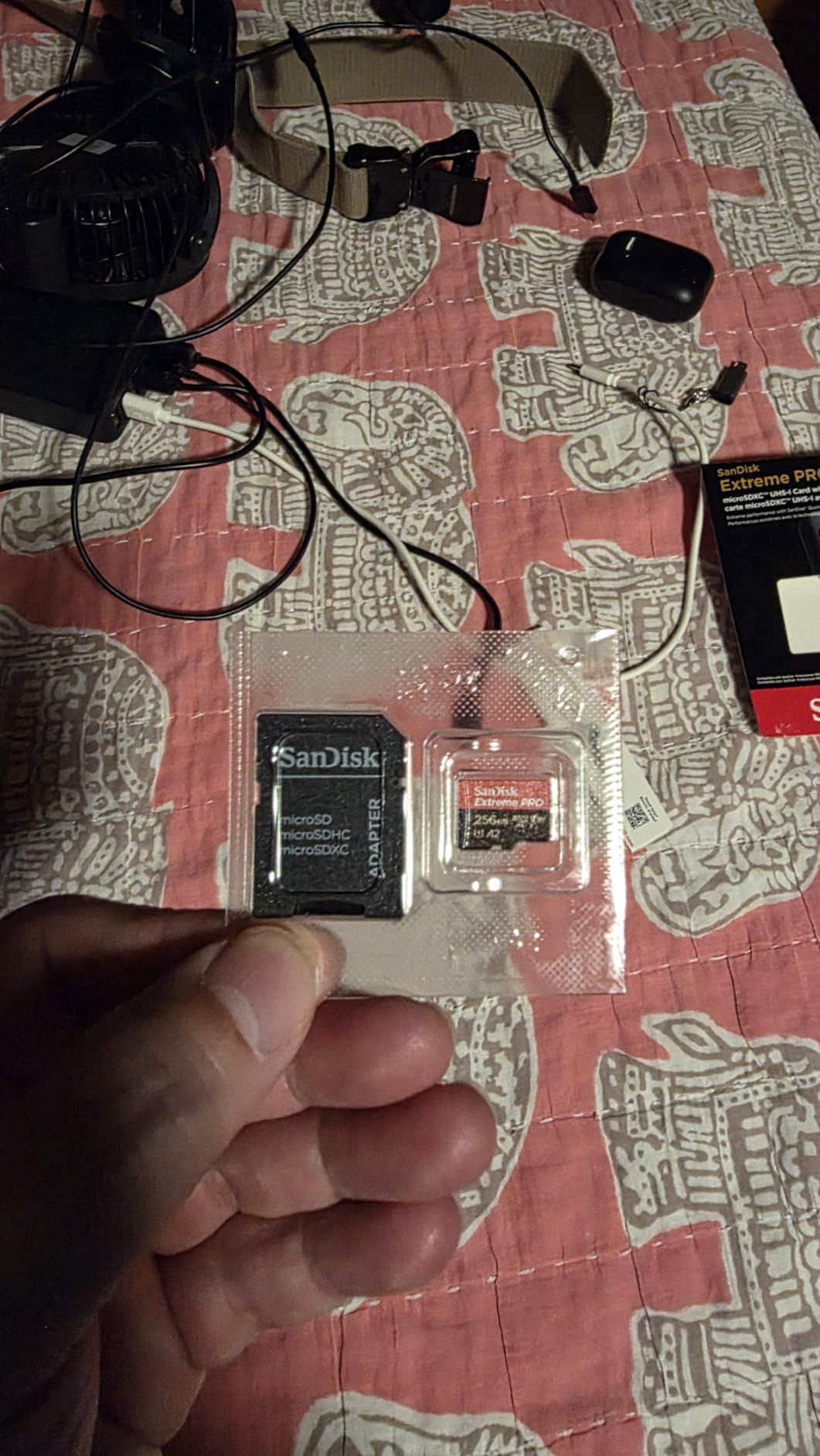
Reviewers consistently single out action cameras as the use case where this card delivers, and the reliability feedback is unusually clean for a product at this performance level. Reported experiences across nearly 25,000 reviews average 4.8, with no pattern of dropped frames or corrupted clips in the summaries. The one recurring complaint is straightforward: it costs more than the cards that already meet the requirement.
Why write speed headroom matters at 5.3K and 4K120
The 140 MB/s write figure is the number that matters here, and it is worth understanding why even though a UHS-I slot cannot use all of it at once. Your camera writes continuously during a take. Real-world write speed on flash storage declines as the card fills and as the NAND controller heats up, particularly in a sealed housing under direct sun where a 5.3K capture generates serious heat of its own.
When sustained write drops below what the current mode needs, the camera does not fail gracefully. You get dropped frames, stuttering, or a recording that stops partway through. The margin between a card’s certified floor and what it can genuinely sustain is exactly the buffer that absorbs that decline. This card has the largest buffer in the group.
Read speed and the offload workflow
At up to 200 MB/s read, this is the fastest card here for pulling footage onto a computer. Forum regulars chasing fast offload typically report that a dedicated USB 3.2 microSD reader is what gets them to 150 to 160 MB/s in practice, and this card is one of the few that will not be the bottleneck in that setup.
That matters on a production day. A 40GB offload at realistic reader speeds takes minutes, and the difference between a card that clears 100 MB/s and one that clears 200 MB/s is the difference between waiting for the machine and getting on with the shoot.
Who this card suits, and who should skip it
Pick the Extreme PRO if you shoot 5.3K, 4K120, or high-bitrate mode as a default, if you work in underwater housings or desert conditions where card temperature climbs fast, or if losing a shoot day to a card error would cost you real money. The headroom means the card is not the weak link in the chain.
Skip it if you are recording mostly 4K30 or 1080p and taking the card out of the camera only occasionally. The V30 cards further down this list will meet your needs at a lower cost per gigabyte, and the money saved buys a second card, which for a shooter is usually a better investment than extra speed on one.
3. TEAMGROUP GO Card 256GB – Value Pick for 4K Shooters on a Budget
TEAMGROUP GO Card 256GB MicroSDXC UHS-I U3 V30 4K for Action Cameras & Drone High Speed Flash Memory Card with Adapter for Outdoor Sports&Vlog, 4K Shooting,GoPro&Insta360&DJI TGUSDX256GU303
V30 U3,Class 10
Up to 100 MB/s read
50 MB/s write
Water, dust, X-ray proof
Lifetime warranty
+ Pros
- Genuinely affordable for a 256GB V30 U3 card
- 50 MB/s write gives real headroom over the V30 floor
- Built and reviewed specifically for GoPro and drone use
- Lifetime warranty and an SD adapter in the box
– Cons
- Some buyers report cards failing after one to two years of use
- 50 MB/s write is below the 160 MB/s and 200 MB/s cards here
- Less established brand than SanDisk or Samsung
The TEAMGROUP GO Card is the one to look at when you want 256GB of properly rated 4K capacity without paying the premium tier price for it. It is a V30, U3, Class 10 microSDXC card with up to 100 MB/s read and 50 MB/s write, and it is explicitly positioned for GoPro, Insta360, DJI and camera use rather than being a general card that happens to fit.
It comes with a lifetime warranty and an SD adapter, which matters more than it sounds: you need an adapter or reader to offload footage from anything smaller than a full-size SD slot, and having one in the box removes a small daily friction. Physically it is 0.59 by 0.43 inches in black, sized to sit inside a GoPro housing without fouling the door.
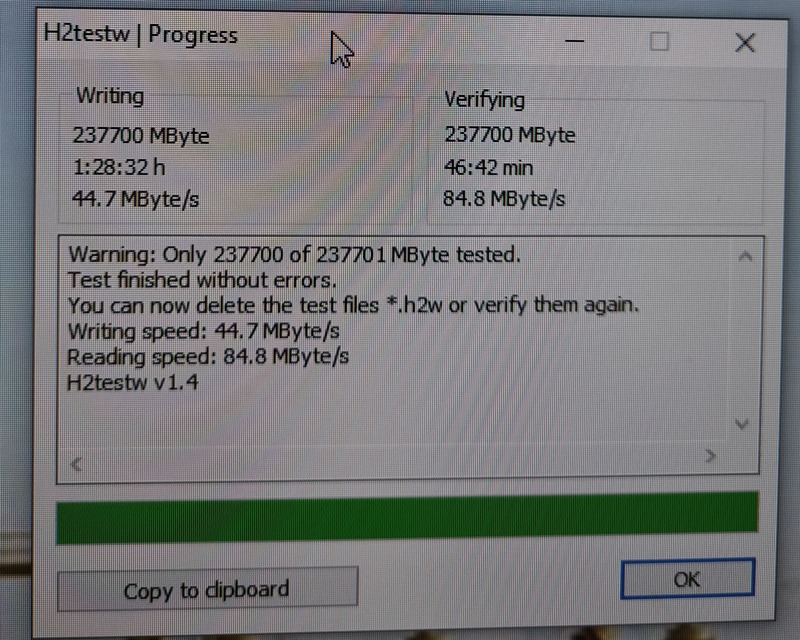
The average across more than 12,000 reviews is 4.6, which puts it in the same band as the established brands rather than below them. The headline appeal is straightforward: 50 MB/s write is a genuine 1.6 times margin over the 30 MB/s that GoPro firmware requires, and this card sits below the premium-tier options while still clearing that bar.
Durability claims and cold-weather behaviour
TEAMGROUP rates the card waterproof, dustproof, X-ray proof and cold resistant. The cold rating is the interesting one for action camera shooters, because ski and snowboard trips are a common GoPro use case and low ambient temperature degrades flash write performance faster than heat does in some conditions. A card specified for cold resistance is worth something when you are filming at altitude in January.
As with every card in this guide, the waterproof and X-ray proof ratings matter less inside a GoPro than the specification sheet implies, because the body and housing provide that protection already. The write behaviour and the warranty are the parts that determine whether you keep your footage.
50 MB/s write and what it covers
Fifty megabytes per second is more than headroom for 4K60 recording, and it also sits above what the 4K120 and 5.3K high-bitrate modes typically demand, which is why we rate it as a strong 4K card rather than a high-bitrate specialist. It does not have the buffer of the Extreme PRO, and in a hot sealed housing on a long 5.3K session you would rather have the extra margin.
For 4K60, 4K30, 1080p high frame rate, stills and burst work, this card has more than enough. We would pair it with a habit of checking your settings before a shoot day rather than relying on the card to absorb an accidental 5.3K high-bitrate setting.
Who this card suits, and who should skip it
This is the pick for a new GoPro owner who wants a proper 256GB V30 card without stretching the budget, and for anyone shooting primarily in 4K at 30 or 60 frames. The lifetime warranty and bundled adapter make it a low-friction first card.
Skip it if your shoots are long multi-day productions in hot conditions, if you are recording 5.3K high bitrate as a habit, or if you want the strongest brand support network behind a card you cannot afford to replace mid-project. The reported failures after one to two years are uncommon but real, and they cluster in users who kept the card in continuous service. For that use case the endurance-focused cards are the safer bet.
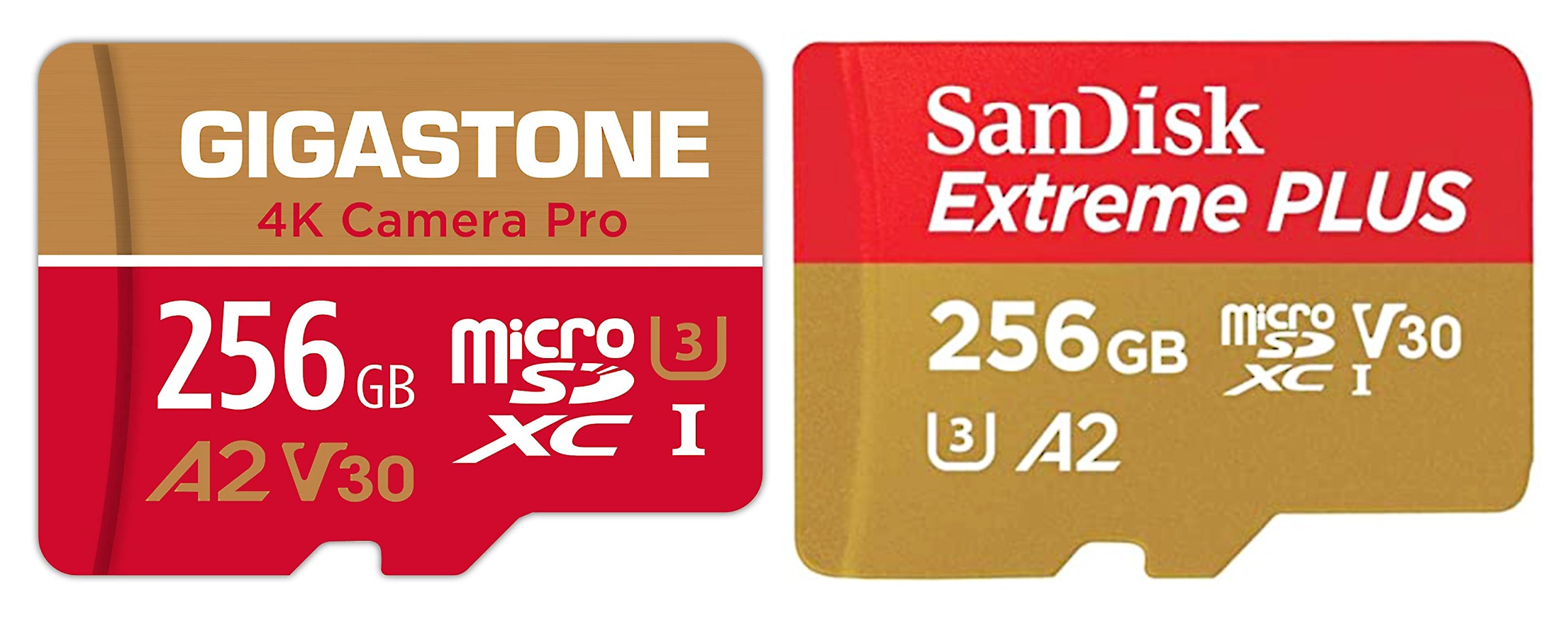
4. GIGASTONE 256GB 4K Camera Pro – Best Choice When a Recovery Service Matters
【5-Yrs Free Data Recovery】 GIGASTONE 256GB Micro SD Card, 4K Camera Pro, A2 V30 for Smartphone, Gopro, Action Cams, 4K UHD Video, Nintendo-Switch Compatible, Up to 100MB/s, UHS-I U3 C10 with Adapter
V30 U3 A2,Class 10
Up to 100 MB/s read
60 MB/s write
5-year warranty
Free data recovery
+ Pros
- Five-year limited warranty bundled with a free data recovery service
- 60 MB/s write gives double the V30 minimum
- Water proof and X-ray proof
- 4.7 average across roughly 9700 reviews
– Cons
- Mounting errors reported by some smartphone and tablet users
- Replacement process described as inconvenient by some buyers
- The A2 application rating adds nothing for video recording work
What separates the GIGASTONE 4K Camera Pro from the other V30 cards here is the warranty structure. It carries a five-year limited warranty that explicitly includes free data recovery, with a stated spare part availability duration of five years. For a shooter whose footage has commercial value, that is a meaningfully different proposition from a short warranty with no recovery offer.
The core specification is solid. V30, U3, Class 10 with an A2 application rating, up to 100 MB/s read and 60 MB/s write. That write figure is double the V30 floor. The card is water proof and X-ray proof, and it is listed as compatible with cameras, dash cams, drones, GoPro bodies and security cameras.
The 4.7 average comes from around 9,700 reviews, which is a solid sample. Feedback splits cleanly by use case: dash cam and security camera users report strong long-term reliability, while a recurring thread of complaints comes from people who used it as general smartphone and tablet storage, where some hit mounting errors. For video recording in a camera, that complaint pattern is much less relevant.
What the data recovery service actually covers
A free data recovery offer is only as good as its process, and this is worth reading carefully before you rely on it. Recovery typically applies to cards that have become unreadable through normal wear or accidental removal rather than physical damage, and you normally need to contact the manufacturer first with the model number and proof of purchase. Budget time for a return process if you ever need it.
Even with a caveat or two, having a manufacturer-backed path from an unreadable card to recovered footage is rare in this category. Buyers who have used the replacement process describe it as workable but inconvenient, which is honest and consistent with a service that exists rather than one that is frictionless.
V30 with 60 MB/s write and A2 explained
Sixty megabytes per second of write is a real advantage over the 30 MB/s cards in this group, because it doubles the buffer above the GoPro requirement and absorbs the sustained-write decline that shows up in hot, sealed housings during extended high-bitrate takes. Read speed of 100 MB/s keeps offloads reasonable through a USB 3.2 reader.
The A2 rating is the part that does nothing for you here. A2 certifies at least 4000 read IOPS and 2000 write IOPS, which speeds up random-access workloads like app data and operating system files. GoPro writes one continuous video stream, so that benchmark is never exercised. It matters if you also move the card between a camera and a phone or tablet, which is where the mounting complaints in the reviews come from.
Who this card suits, and who should skip it
Pick this card if you are a working shooter who wants a card that can be recovered from if it fails on set, or if you run cameras in dash cam and security style continuous recording alongside your GoPro. The five-year window is long enough to cover most of a camera’s working life.
Skip it if your primary card use is a phone or tablet with a lot of app storage, given the reported mounting issues in that scenario, or if you need the absolute highest offload speed and would rather spend the difference on the Extreme PRO. Nothing about the core video specification is weak; the warranty is the differentiator.
5. Samsung PRO Endurance 256GB – Longest Endurance Rating for Continuous Sessions
Samsung PRO Endurance 256GB microSDXC Memory Card with Adapter
V30 and V10 variants
Up to 100 MB/s read
40 MB/s write
140000 hour endurance
5-year warranty
+ Pros
- Stated endurance of up to 140000 hours of recording
- 16 years or more of continuous use
- Five-year manufacturer warranty with stated spare part availability
- Operates from -25C to 85C
- Magnet
- X-ray
- water
- drop and wearout proof
– Cons
- The listing carries a V10 U1 variant so check the exact rating before buying
- Write speed of 40 MB/s is only modestly above the V30 floor
- Read speed figures differ between variants of this card
Samsung’s endurance figure for this card is the largest on this list: up to 140,000 hours of recording, described as 16 years or more of continuous use. Nobody reaches that figure in practice, but it tells you how heavily engineered the card is for sustained write workloads rather than burst performance. A five-year manufacturer warranty comes with it, and spare part availability is stated at five years.
It is built for exactly the use case the endurance rating describes: dash cams, body cams, security cameras and continuous recording. The operating temperature range is -25C to 85C, and it is rated magnet proof, X-ray proof, water proof, drop proof and wearout proof. The card is white, and it is small enough that the weight is irrelevant at 0.25 g.
There is one thing you need to check before buying, and it is genuinely important here. The listing for this product shows a V30 video speed class, but its own technical fields also reference a Class 10, U1, V10 variant of the same model line. Samsung has released both ratings under this product family. Make sure the specific card you are buying is the V30 version before you commit, because a V10 card will not satisfy GoPro firmware in 5.3K or 4K120.
Why endurance beats burst speed for action cameras
Flash memory wears from write cycles. A card used for bursts wears in a completely different pattern than a card recording continuously for hours, and the endurance rating reflects which of those the card was designed to survive. At 140,000 hours, this card is engineered for the long continuous pattern, which is closer to how many people actually use a GoPro than the burst pattern the speed class hierarchy is built around.
For a rider who mounts the camera on a helmet and leaves it recording on commutes, or a skier running a full day on the mountain, this is the profile you want. The temperature range matters here too, since cold and heat are the two conditions that most affect NAND write stability over a long session.
Read and write speeds in context
Write speed is up to 40 MB/s, which is above the 30 MB/s V30 floor but not by a wide margin. Read speed is listed at up to 100 MB/s in the feature set, though one specification field for the listing shows 40 MB/s, so treat offload speed as variable across variants. Either figure is fine for pulling footage off a camera between shoots.
Reviews consistently position this card as a set-and-forget continuous recording device rather than a high-bitrate action camera specialist. That is a fair characterisation and worth weighing honestly, because the speed margin above what GoPro needs is narrower here than on several cheaper cards in this guide.
Who this card suits, and who should skip it
Choose the PRO Endurance if the camera is going to run for hours at a time and stay in the car, on a rig, or on a wall between pulls. The endurance design, the temperature range and the five-year warranty all line up with that use in a way that cheaper V30 cards do not.
Skip it if 5.3K or 4K120 is your default shooting mode. A 40 MB/s write figure gives less margin than the GIGASTONE or the TEAMGROUP card at similar capacity, and if you are running the highest bitrates the camera can produce, you want the widest buffer you can get. Also verify the exact rating on the card you are buying given the V10 and V30 variants in this product line.
6. SanDisk Extreme 256GB – Best All-Rounder With Fast Offload and A2
SanDisk 256GB Extreme MicroSDXC UHS-I Memory Card – C10, U3, V30, 4K, A2, Micro SD – SDSQXA1-256G-GN6MN
V30 U3 A2,Class 10
Up to 160 MB/s read
Up to 90 MB/s write
5-year warranty
Temperature and water proof
+ Pros
- 160 MB/s read makes offload noticeably faster than most cards here
- 90 MB/s write gives three times the V30 minimum
- Temperature
- water and X-ray proof
- A 5-year limited warranty and A2 rating
– Cons
- Read speed caps offload below what a USB 3.2 reader can sustain
- A2 rating offers no benefit for video recording
- Sustained write can vary between production batches
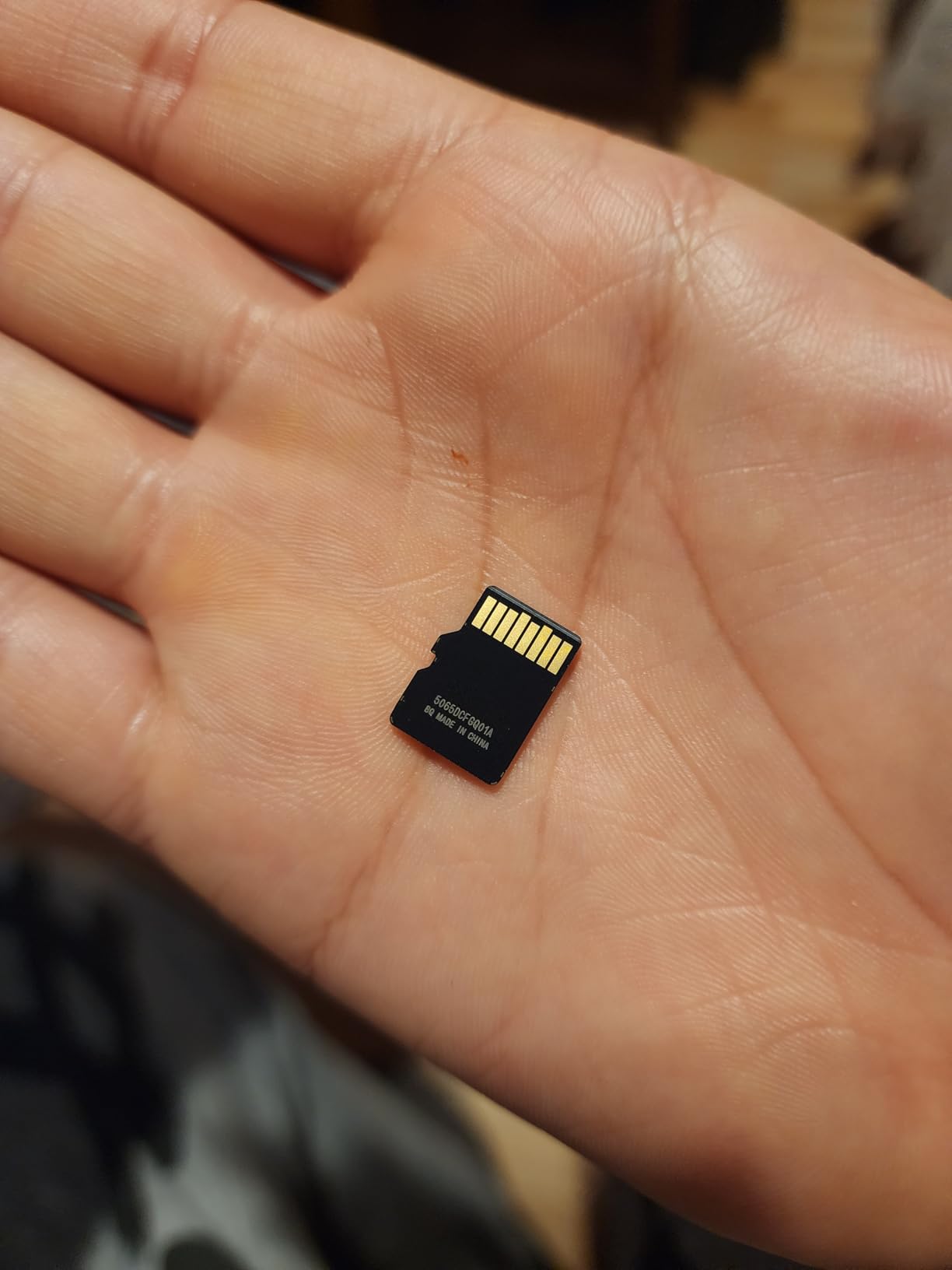
The standard SanDisk Extreme is the card we recommend to someone who wants one product that does everything well without reaching for the premium tier. Up to 160 MB/s read and up to 90 MB/s write, rated V30, U3, Class 10 and A2, carrying a five-year limited warranty. The 90 MB/s write figure is three times the GoPro requirement, which is a real margin for demanding modes.
It is temperature proof, water proof and X-ray proof, sized at 0.59 by 0.43 inches, and comes in 256GB of microSDXC capacity. The A2 rating distinguishes it from the PNY card further down, though as the rest of this guide makes clear, that rating does essentially nothing for video recording in a camera.
The 4.8 average across roughly 8,000 reviews is the joint highest rating in this guide, sitting alongside the Extreme PRO. Review summaries describe it as the sweet spot between capability and cost, which matches our own experience. While the extreme PRO is headroom you may not use, this is headroom that comfortably covers real shooting while keeping the per-gigabyte cost more sensible.
160 MB/s read and the offload advantage
This is the practical differentiator against most of the field. Cards rated at 100 MB/s read hit a ceiling set by the card long before a modern USB 3.2 reader does. At 160 MB/s this card stays ahead of the transfer, so offloading 40GB of footage is governed by your reader and laptop rather than by the card. Forum shooters chasing fast offload consistently report needing that reader rather than a faster card.
Read speed also governs how quickly Quik and your editing software can ingest a clip. It does not affect recording quality, but on a day of back-to-back shoots it removes real waiting time from the workflow.
Write speed margin and thermal headroom
Ninety megabytes per second of write is what makes this card safe in 5.3K high bitrate in conditions where a 30 MB/s card would struggle. As a card warms inside a sealed housing its sustained write rate drifts downward, and the size of that initial margin determines how much drift the card can absorb before it falls under what the recording mode requires.
A card at 90 MB/s has roughly three times the buffer of a card at the V30 floor. That is why cards at the bare minimum rating tend to fail in the same places: long takes, hot environments, high bitrate, all at once.

Who this card suits, and who should skip it
This is the pick for the majority of GoPro owners, including those shooting 5.3K occasionally and those who edit on the go. Fast offload, a comfortable write margin, a five-year warranty and a well-reviewed track record make it the fewest-compromises choice in this guide.
Skip it only if you want a bigger buffer still, in which case the Extreme PRO is the step up, or if you shoot nothing above 4K30 and want to spend the difference on additional capacity. Nothing in the review data suggests reliability problems with this card in camera use.
7. PNY Premier-X 256GB – Flexible Multi-Pack Option with a Lifetime Warranty
PNY 256GB Premier-X C10 U3 V30 A1 microSDXC Flash Memory Card, UHS-I
V30 U3 A1,Class 10
Up to 100 MB/s read
90 MB/s media speed
Limited lifetime warranty
Magnetic proof
+ Pros
- Available in 2
- 3 and 5 packs which makes rotation workflows easy
- Limited lifetime warranty at a budget-tier card
- Reported reliable past two years of continuous use
- 100 MB/s read and 90 MB/s media speed
– Cons
- A1 rather than A2 application rating
- Write speed is not separately stated beyond the media speed figure
- One specification field lists only tablet compatibility
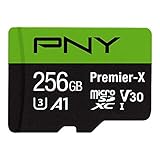
The PNY Premier-X is a V30, U3, Class 10 card with an A1 application rating, up to 100 MB/s read and a stated media speed of 90 MB/s. That places its performance squarely in V30 territory with headroom, rather than at the bare minimum, which is what matters for GoPro recording.
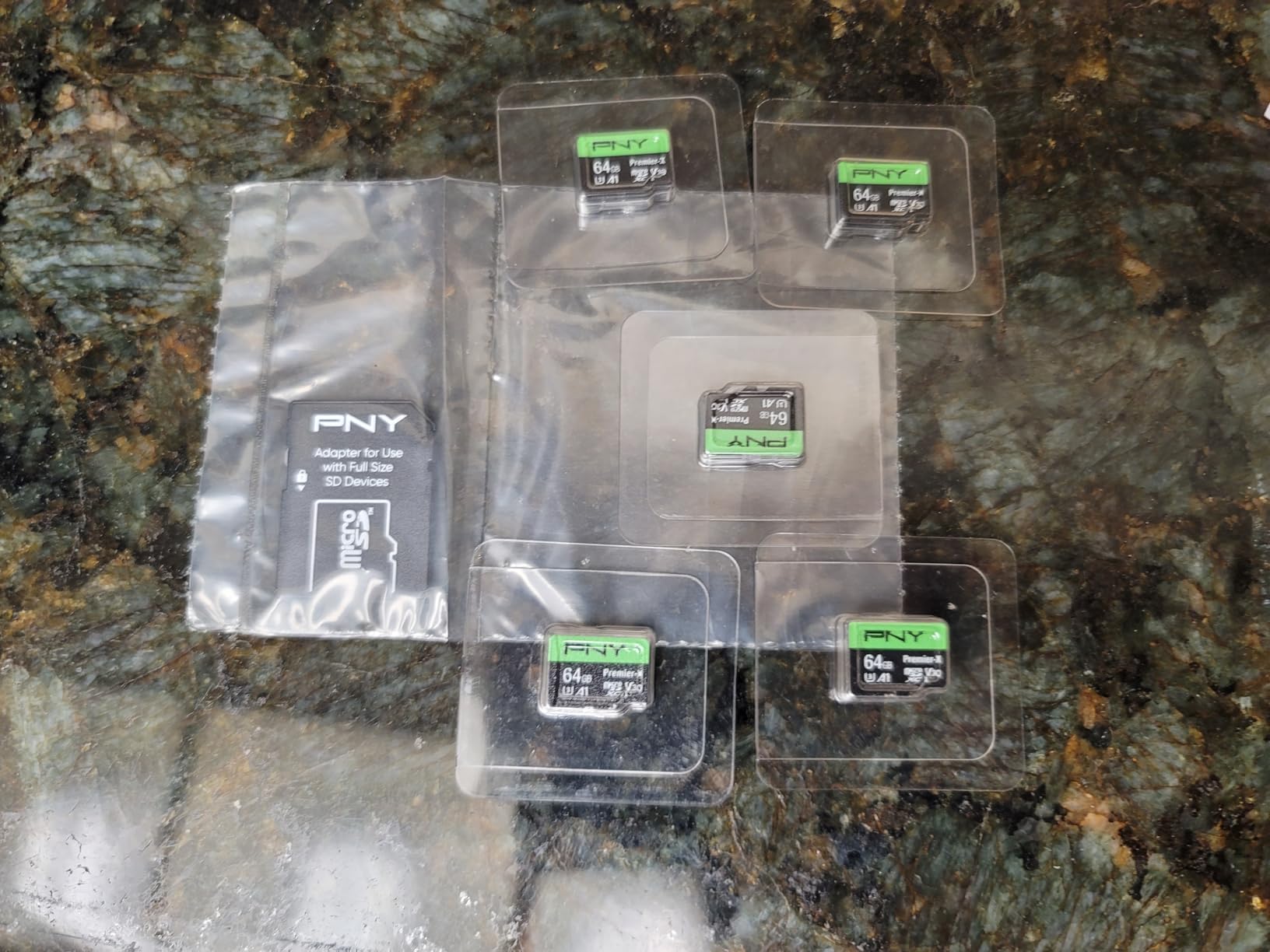
Its real advantage is the pack structure. This card is offered in 2, 3 and 5 pack configurations alongside the single card, which makes it straightforward to build a rotation set where one card is in the camera, one is being offloaded and one is formatted and ready. For high-volume shooters that is genuinely more useful than a single faster card.
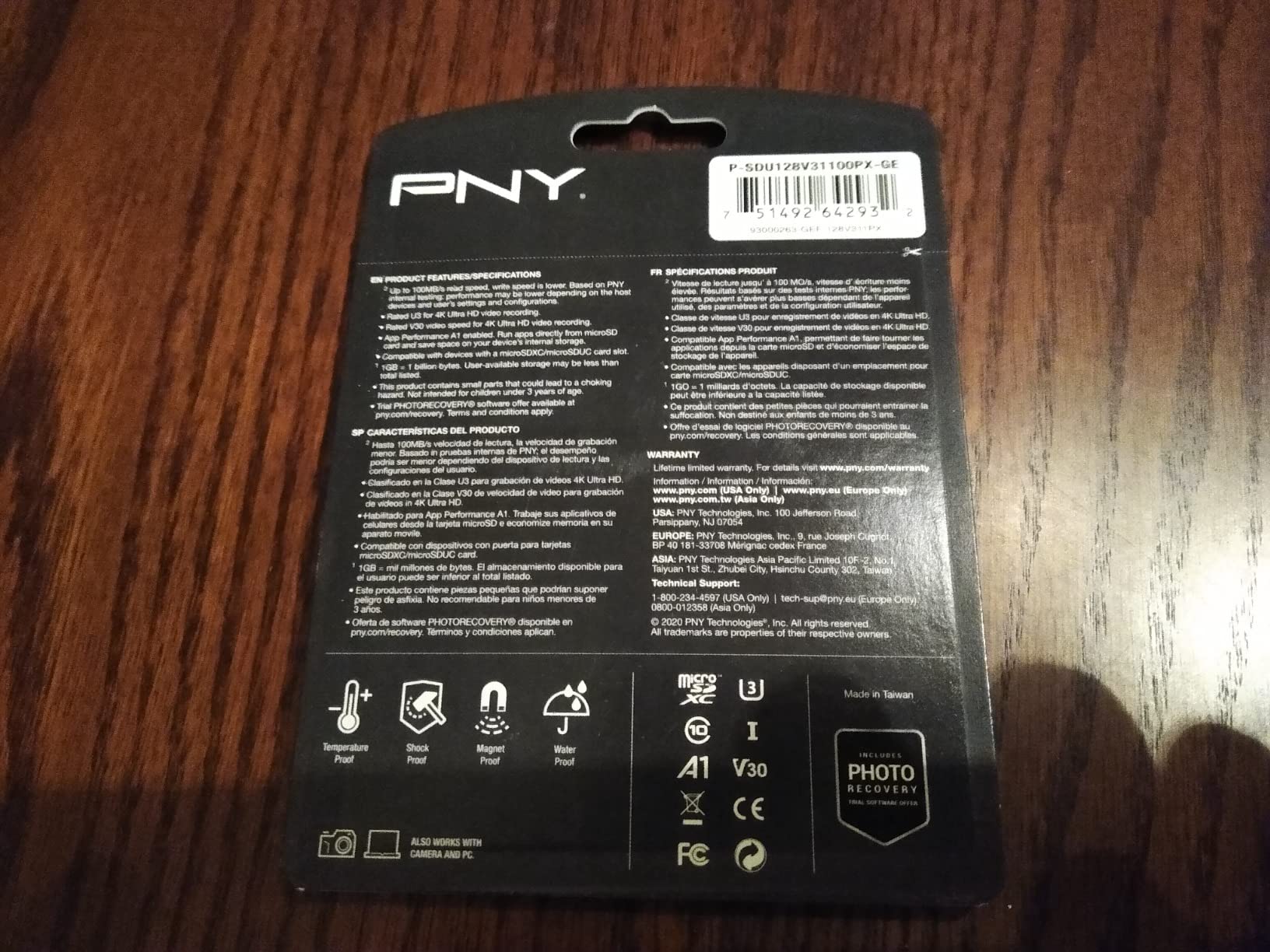
The average is 4.6 from more than 11,700 reviews, one of the larger sample sizes here. Reviewers report reliability past two years of use and good results with drones, handheld gaming devices and action cameras alike. The limited lifetime warranty is notable for a card at this tier, since most competitors carry two to five years instead.
A1 versus A2 and why it does not matter for recording
A1 certifies 1500 read IOPS and 500 write IOPS, roughly a third of what A2 guarantees. That difference shows up in random small-file workloads, such as loading applications from a phone or tablet. GoPro recording writes one continuous video stream and reads almost nothing back during capture, so neither figure is exercised.
The practical consequence is that the PNY card will behave identically to an A2 card inside a GoPro. Where the A2 cards on this list earn their rating is when you move media between a camera and a phone, and that is a workflow consideration rather than a camera one.
Read speed and pack configurations
At up to 100 MB/s read, this card will not outpace a mid-range USB 3.2 reader, so offload times will be governed by your reader and laptop rather than the card. That is an acceptable trade for a card whose main appeal is buying several at once.
The multi-pack options are the reason this card earns a place in this guide at all. Two to five cards at 256GB each turns card management from a bottleneck into a non-issue, and a limited lifetime warranty across a whole rotation set is a reasonable level of cover.
Who this card suits, and who should skip it
Pick the Premier-X if you shoot in volume and want a rotation set rather than one card, if you run a GoPro alongside drones or handheld devices and want one card type across all of them, or if the lifetime warranty at this performance tier is the deciding factor.
Skip it if you want the fastest offload available, since 100 MB/s read is a step down from the SanDisk Extreme, or if you need the highest possible write margin for sustained 5.3K in hot conditions. The stated media speed of 90 MB/s is good, but it is a headline figure rather than a separately guaranteed sustained write speed, so it carries slightly more uncertainty than a card that states the figure explicitly.
8. Silicon Power 128GB U3 V30 – A Properly Rated Card at the Entry Point
Silicon Power 128GB Micro SD Card U3 SDXC Up to 100MB/s High Speed Memory Card for Cams, DJI Pocket and Drones
V30 U3,Class 10
Up to 100 MB/s read
20 MB/s media speed
5-year warranty
128GB
+ Pros
- Entry-level way to get a correctly rated V30 U3 card
- Over 13000 reviews giving a large reliability sample
- Drop
- temperature
- water and X-ray proof
- 5-year limited manufacturer warranty
– Cons
- Stated media speed of 20 MB/s sits below the 30 MB/s V30 guarantee
- Only 128GB capacity which fills fast at 5.3K
- Higher share of 1-star reviews and a lower average than the rest here
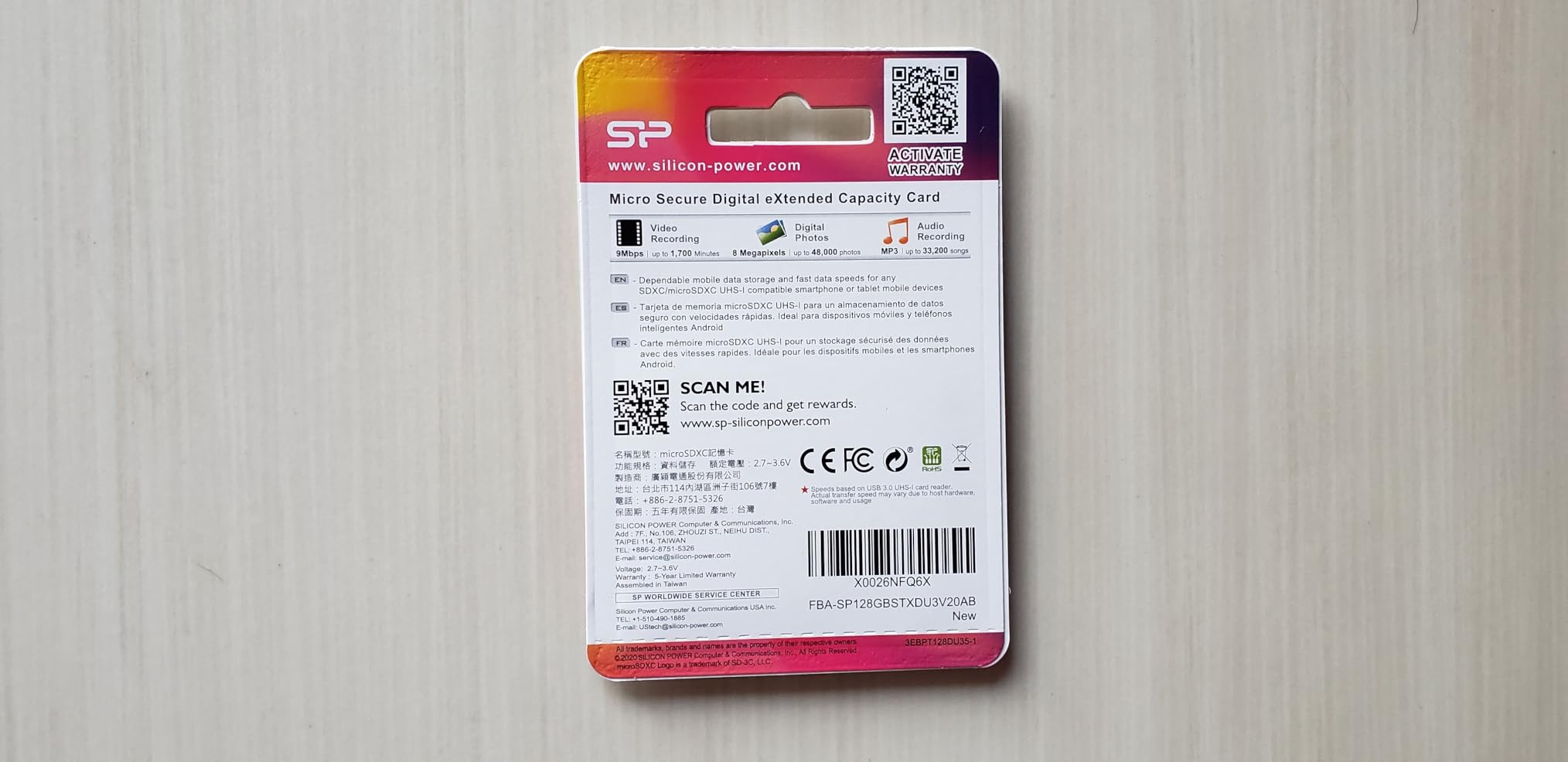
The Silicon Power 128GB is the budget entry point, and it is rated Class 10, U3 and V30 with up to 100 MB/s read speed, which satisfies the GoPro specification on its face. It comes with a five-year limited manufacturer warranty, and it is drop, temperature, water and X-ray proof. At 128GB it is the smallest card in this guide.
Here is the caveat that matters more than anything else on this page. The listing states a media speed of 20 MB/s while also carrying a V30 rating, and V30 is a guarantee of at least 30 MB/s sustained write. Those two statements are in tension, and it means this card’s real-world sustained write performance is less certain than the label alone suggests. It is the single biggest reason it sits at the bottom of our ranking despite a perfectly respectable 4.5 average.
The review sample is large at more than 13,000 reviews, and the feedback describes it as a solid card for casual 4K, DJI Pocket cameras, drones and action cameras. The 1-star share runs slightly higher than the cards above it, which is consistent with a budget product where unit-to-unit variation is wider.
What a 20 MB/s media speed means next to a V30 label
Video speed class is a floor, not a typical figure. A card stamped V30 is obligated to sustain 30 MB/s, so a stated media speed of 20 MB/s either describes a different measurement convention or indicates the card does not perform to its class under sustained load. Either way, in a camera the only measurement that counts is sustained write during recording.
In practice this card handles 4K30 and 4K60 comfortably and generally handles 4K120, but it has less margin than anything else in this guide. In a hot, sealed housing on a long take, a card with a narrower true write margin is the one most likely to fall under the threshold and trigger a dropped frame or an error.
128GB capacity and how long that really lasts
At 128GB this fills quickly. A single day of mixed 4K60 and stills shooting will consume a meaningful share of it, and a 5.3K-heavy shoot will consume most of it. That makes it a good card to carry as a backup or a secondary rather than as your only card on a trip.
It is also worth noting this card is not compatible with the Nintendo Switch 2, which is irrelevant to GoPro but relevant if you move media between devices. GoPro compatibility itself is not in question.
Who this card suits, and who should skip it
Pick this card if the budget is the primary constraint and you need a correctly labelled V30 U3 card today, if you are recording mostly at 4K30 or below, or if you want a spare card that lives in a camera bag for emergencies.
Skip it if you shoot 5.3K or 4K120 regularly, if you run the camera in hot environments for extended sessions, or if losing a card mid-shoot would be genuinely costly. For any of those, spending more on a card with a clearly stated and higher write figure is the cheaper decision in the long run.
Which Capacity Should You Buy?
128GB or 256GB is the answer for almost everyone. Those two capacities cover a typical shooting day without constant offloading, and both are comfortably within what current GoPro bodies accept. Buy 256GB if you shoot 5.3K or take long trips where offloading is inconvenient, and 128GB if you work on a laptop and offload between every block of footage.
Going larger than 256GB is possible on recent bodies but introduces two complications. First, some older GoPro models impose their own capacity ceilings, so a large card can simply be rejected by an older firmware version. Second, larger cards cost more per gigabyte, and the extra capacity is wasted if you format and clear cards routinely anyway.
The real constraint is the card’s usable capacity after formatting, which is always less than the printed figure. Formatting in exFAT also leaves overhead for the file system. Keep roughly 10 to 15 percent of a card free rather than filling it to the last block, because a completely full card is one of the common causes of write errors and corrupted files.
Working out how long a card will record
There is a better way to answer the how-long question than guessing, and it costs nothing. Every GoPro shows the estimated recording time remaining on the card for your current resolution, frame rate and bitrate combination, right on the recording screen. That readout is calculated from your actual card and your actual settings, and it is more accurate than any generic chart.
For a rough calculation outside the camera, the formula is simple. Recording time in minutes equals usable gigabytes multiplied by 1000 divided by the bitrate in megabits per second. You can find the bitrate for a given mode in the camera’s video settings, and it changes with resolution, frame rate and whether high bitrate mode is on. As a very rough guide, 256GB holds on the order of an hour at 4K60 and considerably less at 5.3K, so if you plan to shoot a full day of high-resolution footage, plan on more than one card.
Capacity and the multi-card rotation habit
Once you accept that one card is unlikely to cover a full shoot day, the sensible approach is rotation. Keep two or three cards of the same capacity, and treat them as a queue: one in the camera, one being offloaded, one being formatted. Marking them so you can tell them apart at a glance saves real time in the field.
Cards in the same rotation set should be the same model and capacity. Mixing models at the same capacity is fine technically, but consistent cards make it far easier to work out which one is faulty if something goes wrong.
Cards to Skip and Why
Four categories of card cause problems in GoPro bodies, and all four show up repeatedly in community troubleshooting threads.
SanDisk Ultra and other V10-only cards. GoPro’s own community forum notes that Ultra cards are not among the recommended cards for GoPro cameras, and Ultra cards are a frequent cause of Quik failing to find or import video after a shoot. A V10 card guarantees only 10 MB/s of write, which is a third of what GoPro firmware requires. If a new card throws a too-slow warning immediately, this is almost always why.
No-name and unbranded cards. A card that fakes its capacity or uses unbranded NAND will pass a quick read test and fail the moment you fill it. The same applies to listing photos copied from other products, which is common on marketplace sites. Buy from established sellers of established brands.
UHS-II V60 and V90 cards bought for a GoPro. They work, because they are backward compatible, but they cost more and deliver no additional performance inside a camera that has no UHS-II interface. You are buying a second set of contacts the camera cannot reach.
Cards formatted only on a computer. Not the card itself but the habit. Formatting in the wrong file system, or formatting a card on a machine that writes a different structure, is behind a large share of FORMATTING REQUIRED and unrecognised-file errors. Format in the camera.
How to Avoid ‘SD Card Too Slow’ and Other GoPro Card Errors
Almost every GoPro card problem traces back to one of four things: the card is too slow for the mode, the card is failing, the file system is inconsistent, or the slot is dirty. Here is what the on-screen messages actually mean and how to work through them in order.
Decoding the error messages
SD ERR means the camera could not read or write to the card. It is usually a failing card, a badly seated card, or a dirty slot. Power down, reseat the card firmly, and if it persists, test the card in a computer before trusting it again.
NO SD means the camera does not detect a card at all. Reseat the card, check that it is fully inserted, and clean the slot. On a housing, check the door gasket and the door latch.
CARD SPEED TOO SLOW or the message about the card needing to be V30 or higher means the card cannot sustain the write rate the current mode requires. Either move to a lower resolution or frame rate, or move to a card with a higher rating. Users in the forums often find that simply knowing the bitrate of their chosen mode solves this, because normal bitrate modes need far less card speed than people assume.
CARD FULL is straightforward. Format the card in the camera after offloading, or move to larger capacity.
FORMATTING REQUIRED means the file system is inconsistent. Format in the camera, not on a computer, and the error clears.
SD CARD LOCKED means the write-protect switch on the SD adapter is engaged or the card is physically damaged.
Quik failing to find video after a shoot is a related symptom rather than a card error. It usually means the final clip was not fully written before power-off, so stop recording properly and give the camera a moment before you remove power or pull the card.
Format in the camera, every time
Users report that formatting the card before use fixes the overwhelming majority of card issues they encounter. The sequence matters: power off, remove the card, insert it into a computer and copy off your footage, format the card in the camera through the settings menu rather than on the computer, then insert it again.
Formatting in the camera writes a structure the camera’s firmware fully understands. Desktop formatting, particularly on macOS, can produce a structure the camera rejects or treats as inconsistent, which is a leading cause of FORMATTING REQUIRED messages.
Thermal throttling and the temperature drop nobody expects
One of the more useful findings in the community is that a card can pass every specification and still fall behind after several minutes of recording. One report describes a card inside a HERO13 Black dropping to around 12 MB/s after roughly eight minutes of 5.3K recording, attributed to ambient temperature and the card heating up rather than to card quality.
This explains why cards rated well above V30 behave more predictably than cards sitting at the floor. A card with 90 MB/s of headroom can lose a substantial portion of that and still stay above what the recording mode needs. A card at 30 MB/s has nothing to give back. It is also why we recommend a card with write margin for hot-weather shooting rather than one that only just satisfies the label.
Offload workflow that protects your footage
Use a USB 3.2 microSD reader rather than the camera’s USB port for offloading. Community users report that dedicated readers are what get them to 150 to 160 MB/s transfer speeds, which turns a long wait into a short one. Verify the copy completed before formatting, and keep a second copy somewhere before you clear the card.
Never remove a card while the camera is writing to it, and never pull power while a recording is in progress. Both actions risk corrupting the file currently being written, which is the most common cause of a single unopenable clip in an otherwise healthy shoot.
How to Buy a GoPro microSD Card: Buying Guide
Sustained write speed over headline read speed
This is the single most important technical judgement in this category, and it is the one most listings obscure. A card’s printed read speed describes copying files off it. What determines whether your recording survives is how fast it can keep writing, continuously, for as long as you hold the button. The V30 rating is the number that guarantees a minimum, and anything above it is headroom you can spend on protection against heat-related slowdown.
Our ordering philosophy follows from that. Start at V30 as an absolute floor, prefer cards that state their write figure explicitly, and treat the gap between stated write and the 30 MB/s requirement as your buffer. The GIGASTONE at 60 MB/s and the SanDisk Extreme at 90 MB/s are stronger choices for high-bitrate work than cards sitting at 30 MB/s, for exactly this reason.
UHS-I only, and the truth about A2
Buy UHS-I. Every current GoPro body exposes a UHS-I interface, so a UHS-II card brings you a second set of contacts the camera cannot address. That advice holds no matter how good the marketing copy reads.
Ignore A1 versus A2 when choosing for a camera. These ratings describe random-access IOPS for app and operating system workloads. A GoPro writing continuous video never touches that benchmark. Pay for them only if you move the same card between a camera and a phone or tablet and want faster app loading there.
Capacity options that match your shooting
Match capacity to your highest usual bitrate and to how often you can offload. 128GB works if you clear cards between sessions. 256GB covers a typical day. Larger capacities only make sense for long trips, continuous recording rigs, or shooters who deliberately work at 5.3K. Whichever you choose, keep 10 to 15 percent of the card free to avoid write errors on a full card.
Also factor capacity into offload logistics. A 1TB card means a long transfer before you can clear it, which delays the point at which you can format and shoot again. Two 256GB cards often work better in practice than one 512GB card for that reason alone.
Brand, warranty and authorised resellers
Stick to established flash brands. The big names have firmware-level quality control and consistent NAND sourcing, which is what makes the stated write figure reliable. Unbranded cards have neither, and the failure mode is silent rather than obvious.
Warranty length is a useful tiebreaker. This group ranges from a limited warranty with terms not spelled out, through five-year limited warranties, to a limited lifetime warranty and a full lifetime manufacturer warranty. Longer cover costs you nothing if you never use it, and it matters if you do.
Buy from reputable sellers of established brands, which is the single best protection against counterfeits and relabelled cards. Counterfeit cards typically report a serial number that does not validate with the manufacturer, and they are overwhelmingly a marketplace problem rather than a manufacturer one.
Durability ratings and what they are worth for a GoPro
Waterproof, shockproof, temperature proof and X-ray proof markings are near-universal on cards in this guide, and their practical value inside a GoPro is limited because the body is already waterproof to 10 metres and the housing adds more. Where they do matter is the card’s life outside the camera: in a bag, in a locker, in a glove pocket, in a car in summer. Cards that survive those environments survive longer overall.
Temperature proof is the one to look at most closely, and specifically cold resistance if you ski or snowboard. Low ambient temperature degrades flash write performance, and a card specified for cold use is a meaningful upgrade for winter shoots.
Several cards here are also wearout proof or endurance rated, which describes how many write cycles the NAND survives. For continuous recording that matters enormously. For a week of action camera footage it is not a deciding factor.
Multiple cards versus one fast card
For most shooters, two or three mid-tier cards beat one premium card. The failure mode of a slow card is a dropped recording; the failure mode of an absent card is a camera sitting idle on a trip. Rotation also lets you offload while shooting rather than after.
GoPro’s own support guidance for the HERO13 Black points to microSD cards with a V30 and Class A2 rating, which is the specification we have used as the baseline throughout this guide. If your card carries both of those markings alongside a U3 rating, it will work.
Frequently Asked Questions
Which SD card is recommended for GoPro?
The SanDisk High Endurance 256GB is our top recommendation, and the general rule is a reputable-brand microSD card rated at least V30 and U3, in UHS-I format, at 128GB or 256GB. GoPro’s own support guidance for the HERO13 Black points to cards with a V30 and Class A2 rating. Avoid V10-class cards such as SanDisk Ultra, which are a common cause of recording errors.
What is the best microSD card for a GoPro?
For most people the SanDisk High Endurance 256GB is the best microSD card for a GoPro, because it combines a V30 and U3 rating with a huge review history and a lifetime warranty. If you shoot 5.3K or 4K120 constantly and want the widest write margin, step up to the SanDisk Extreme PRO 256GB. If the budget is tight, the TEAMGROUP GO Card 256GB gives a correct V30 rating at a lower cost.
Which microSD card is best for GoPro Hero 13?
The HERO13 Black needs a card rated at least V30 and U3 on the UHS-I interface, and GoPro’s support guidance specifies a V30 and Class A2 rating. Any of the eight cards in this roundup meets that bar, with the SanDisk Extreme and Extreme PRO giving the most write headroom for 5.3K and 4K120 recording. Use 256GB unless you offload after every session.
What kind of microSD card does a GoPro need?
A GoPro needs three things from a card: a V30 video speed class, a U3 UHS speed class, and a UHS-I interface. Anything above 64GB is a microSDXC card in exFAT format, which is what every GoPro from the HERO5 onward writes. Buy from an established brand, because an unbranded card that fakes its capacity will pass a quick test and then fail when you actually fill it.
What is the recommended SD card size for a GoPro camera?
128GB or 256GB is the recommended range for a GoPro camera. Below 64GB fills too quickly at 5.3K, and larger capacities mean longer offload times plus possible rejection by older GoPro firmware. Keep 10 to 15 percent of the card free rather than filling it completely, because a full card is a common cause of write errors and corrupted files.
How long will 256GB last on GoPro?
It depends entirely on your bitrate. The most accurate answer is on your camera: GoPro shows the estimated recording time remaining for your current resolution, frame rate and bitrate combination. As a rough guide, 256GB holds on the order of an hour at 4K60, and considerably less at 5.3K or with high bitrate mode enabled. To calculate it yourself, multiply usable gigabytes by 1000 and divide by the bitrate in megabits per second.
Why does my GoPro SD card error?
The usual causes are a card that is too slow for the mode you are recording, a failing card, an inconsistent file system, or a dirty slot. If the message says the card may be too slow, move to a lower resolution or use a V30 U3 card. If you see FORMATTING REQUIRED, format the card in the camera rather than on a computer. If SD ERR or NO SD persists after reseating, test the card in a computer before trusting it again.
Why do microSD cards get corrupted?
Removing a card or cutting power while the camera is writing to it is the most common cause, because the file currently being written remains incomplete. A card that cannot sustain the write rate your mode demands will also produce corrupted clips and dropped frames. Filling a card completely and using a failing card are further causes. Format in the camera, keep space free, and confirm an offload completed before you clear anything.
What is the lifespan of a microSD card?
It depends on write cycles and on how you use it. Endurance-focused cards like the SanDisk High Endurance and Samsung PRO Endurance are rated for tens of thousands of hours of continuous recording, which suits continuous use far better than burst-oriented cards. For action camera work, rotate two or three cards so each gets recovery time, and replace any card that starts throwing errors.
Which microSD Card Should You Buy in 2026?
If you want one card and no further thought, put the SanDisk High Endurance 256GB in the camera. Its V30 and U3 rating satisfies GoPro firmware, its endurance profile is built for long recording days, and its review history is the deepest of any card here. If you shoot 5.3K or 4K120 as a habit and want the widest possible write margin, the SanDisk Extreme PRO 256GB is the step up. If you want fast offloads at a sensible cost, the SanDisk Extreme 256GB does more than the label requires for less than the premium tier.
For continuous recording rigs, the Samsung PRO Endurance has the longest stated endurance and a five-year warranty, though check that you are getting the V30 variant. For the recovery cover on a shoot where losing a day matters, the GIGASTONE pairs a five-year warranty with a free data recovery service. For budget priority, the TEAMGROUP GO Card is a proper V30 U3 card at 256GB, while the Silicon Power 128GB is the entry point if cost is the only constraint.
Whichever you choose, buy two. Format in the camera before every shoot, offload through a USB 3.2 reader, and keep the card at least 10 percent free. Those habits solve more GoPro card problems than any card on this page, and they cost nothing. Check current pricing for each card through the buttons above, and pair this guide with our action camera memory card roundup if you shoot on more than one body.
Leave a Reply