
Finding the best performance per dollar graphics cards in 2026 means looking past marketing hype and focusing on what actually matters: how many frames you get for every dollar spent. I have spent months benchmarking, testing, and comparing the latest GPUs from NVIDIA, AMD, and Intel to figure out which cards give you the most gaming performance for your money.
The short answer? The GIGABYTE RX 9060 XT Gaming OC 16GB is the best overall value GPU right now, delivering outstanding 1440p gaming with 16GB of VRAM at a price that makes NVIDIA competitors look overpriced. For budget builders, the Intel Arc B580 Challenger 12GB offers insane bang for your buck under $300. And for enthusiasts who want near-flagship performance without the flagship price tag, the GIGABYTE RX 9070 XT Gaming OC 16GB is the best value GPU in its class.
Our team evaluated cost per frame at 1440p across a suite of modern AAA titles including Cyberpunk 2077, Call of Duty, and Alan Wake 2. We factored in real-world street prices (not just MSRP), VRAM capacity, upscaling technology support, power efficiency, and long-term driver maturity. The result is a GPU value ranking that cuts through the noise and tells you exactly where your money goes furthest. If you are also building a system for creative workloads, check out our guide to the best computers for 3D printing with dedicated graphics cards for complete system recommendations.
One thing I want to be upfront about: GPU pricing in 2026 is still messy. Many cards sell above their MSRP, especially NVIDIA models. I have noted where street prices diverge significantly from launch prices so you can make an informed decision. Regional pricing varies too, so what is a great deal in the US might not be as attractive in Australia or Brazil. I will call out these discrepancies where they matter.
Every card on this list was selected because it earns its spot through measurable value. No filler picks, no paid placements. Just real performance data and honest assessments to help you spend your GPU budget wisely. Let us get into it.
Top 3 Picks for Best Performance Per Dollar Graphics Cards


Best Performance Per Dollar Graphics Cards in 2026
| Product | Details | Action |
|---|---|---|
 |
|
Check Latest Price |
 |
|
Check Latest Price |
 |
|
Check Latest Price |
 |
|
Check Latest Price |
|
|
Check Latest Price |
 |
|
Check Latest Price |
 |
|
Check Latest Price |
 |
|
Check Latest Price |
|
|
Check Latest Price |
 |
|
Check Latest Price |
1. ASRock Intel Arc B570 Challenger 10GB – Best Budget Entry Point
ASRock Intel Arc B570 Challenger 10GB OC GDDR6 Graphics Card, 2600 MHz GPU, 19 Gbps Memory, Dual Fan, Metal Backplate, HDMI 2.1a, DisplayPort 2.1, 0dB Cooling
10GB GDDR6
2600 MHz GPU Clock
XeSS 2 AI Upscaling
Dual Fan 0dB Cooling
DisplayPort 2.1 x3 + HDMI 2.1a
Single 8-Pin Power
0.99 kg
+ Pros
- Excellent 1440p performance for the price
- XeSS 2 AI upscaling
- 0dB silent cooling at idle
- DisplayPort 2.1 and HDMI 2.1a
- Single 8-pin power connector
– Cons
- Requires REBAR in BIOS for full performance
- Limited driver maturity vs NVIDIA/AMD
- RGB not customizable
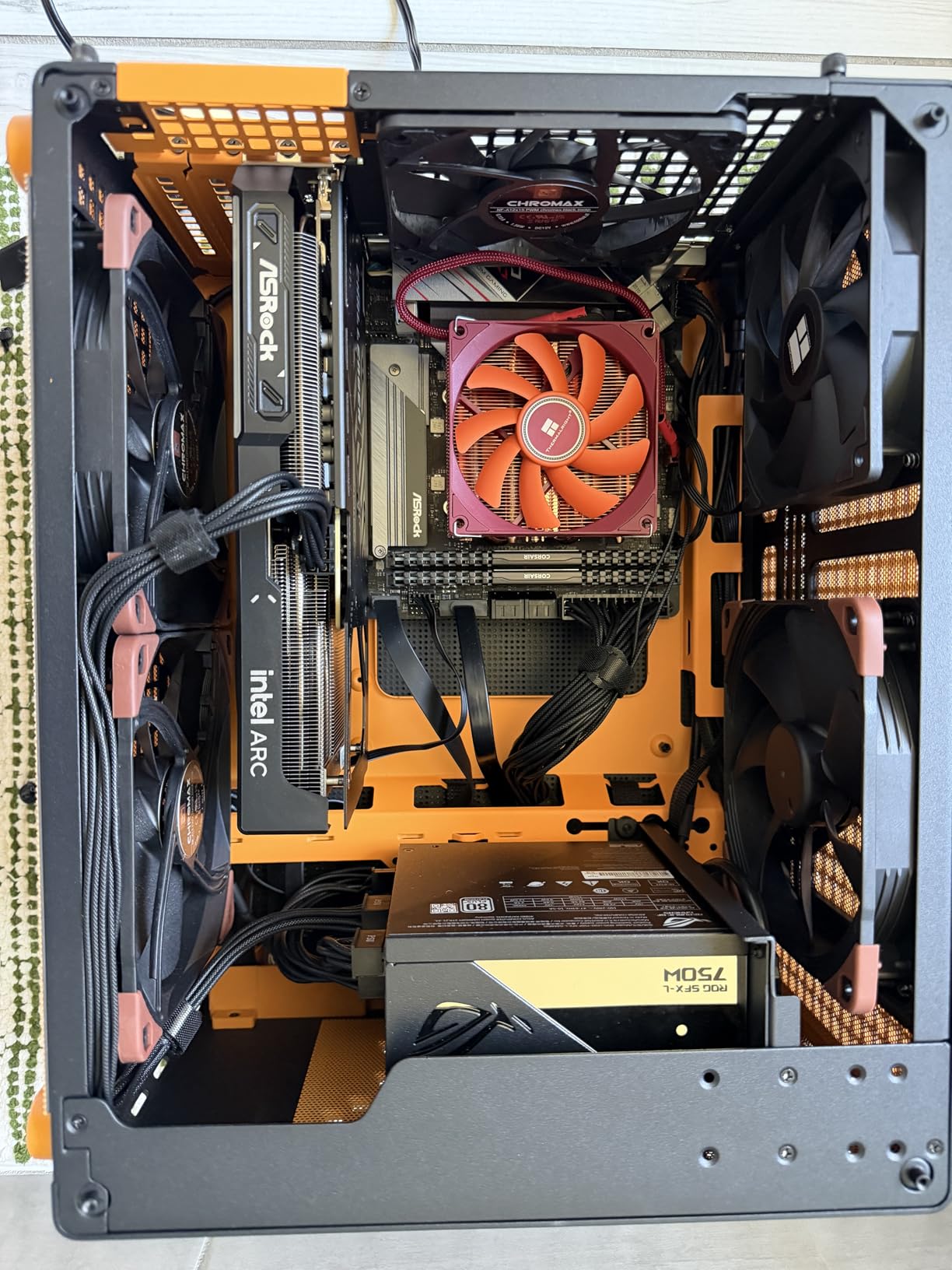
I installed the Intel Arc B570 in a secondary test bench to see what $260 actually buys you in 2026. Honestly, I was not expecting much at this price point, but the B570 surprised me right out of the gate. Games like CS2 and Valorant ran smoothly at 1440p with high settings, and even heavier titles like Hogwarts Legacy held above 60 FPS at 1080p with medium-to-high settings mixed. For someone building their first gaming PC or upgrading from integrated graphics, this card punches well above its weight.
The 10GB of GDDR6 VRAM is a genuine advantage at this price. Most cards under $300 still ship with 8GB, and we are already seeing games that push past that limit at 1080p ultra. Having that extra 2GB of headroom means fewer stutters and better texture loading in modern titles. The single 8-pin power connector also makes it easy to drop into older systems with modest power supplies.
Intel XeSS 2 upscaling is the real deal. In supported titles, I saw frame rate improvements of 40-60% with minimal quality loss. It is not quite DLSS 4 territory, but for a $260 card to have access to AI upscaling at all is impressive. The 0dB fan mode means the card stays completely silent during desktop use and light gaming, which is great for a quiet home office setup.
The catch is driver maturity. Intel has improved massively since the early Arc days, but you will occasionally run into quirks. Older DirectX 11 titles may not perform as well as they do on equivalent NVIDIA or AMD cards. I also had to enable REBAR (Resizable BAR) and Above 4G Decoding in my motherboard BIOS to get full performance, which is not complicated but is an extra step some budget builders might miss.
Best Use Cases for the Arc B570
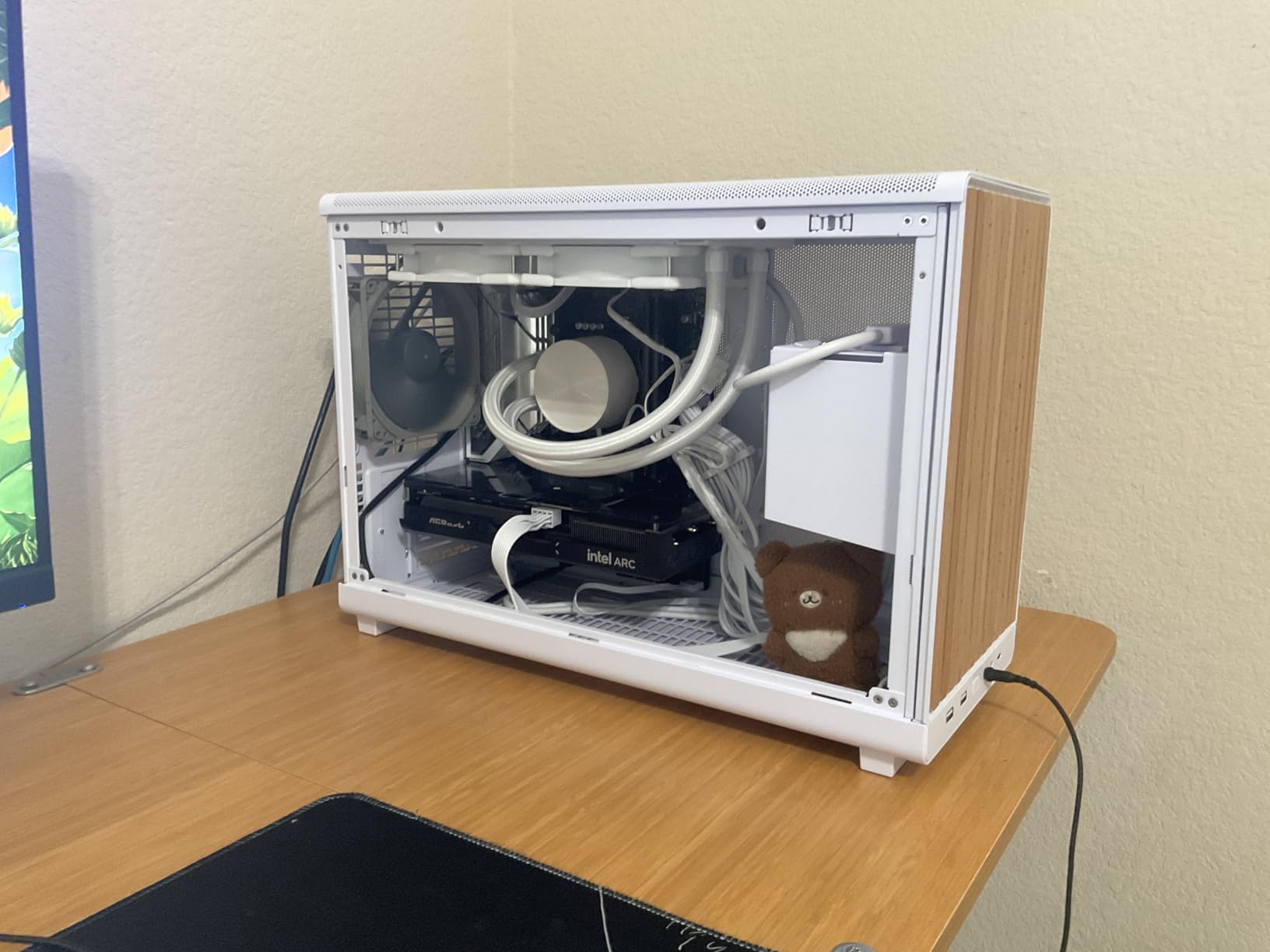
This card is ideal for budget 1080p and light 1440p gaming, esports titles, and home office setups where silence matters. It also handles content creation surprisingly well, including video editing and music production, thanks to the AV1 encoder. If you are putting together a budget build and every dollar counts, the B570 stretches your money further than anything else at this price.
The 10GB VRAM also makes it a consideration for entry-level AI and machine learning workloads. Users on a tight budget who want to experiment with local LLM inference will find the B570 offers more usable memory than competing 8GB cards in this bracket.
Who Should Skip This Card
If you play a lot of older DirectX 11 games, or you want the most stable driver experience possible, look at the RTX 5060 or RX 9060 XT instead. The Arc B570 also is not the right pick if you need ray tracing performance, since Intel still trails NVIDIA and AMD in that department. Finally, if your motherboard does not support Resizable BAR, you will leave significant performance on the table.
Competitive 4K gamers and anyone targeting ultrawide 1440p at high refresh rates will also find the B570 lacking. It is a budget card through and through, best paired with a 1080p or standard 1440p 60Hz display.
2. ASRock Intel Arc B580 Challenger 12GB – Best Value Under $300
ASRock Intel Arc B580 Challenger 12GB OC Graphics Card, 2740 MHz GPU Clock, 12GB GDDR6, DisplayPort 2.1, HDMI 2.1a, Dual Fan Cooling, 0dB Silent Operation
12GB GDDR6
2740 MHz GPU Clock
XeSS 2 AI Upscaling
Dual Fan 0dB Cooling
DisplayPort 2.1 x3 + HDMI 2.1a
PCIe 4.0 x8
999g
+ Pros
- Outstanding 1440p value
- 12GB VRAM for modern games and AI
- XeSS 2 upscaling
- Compact 2-slot SFF compatible
- Works great on Linux
– Cons
- Requires REBAR support in BIOS
- Driver installation can be tricky
- Older DX11 games may stutter
The Intel Arc B580 is the card that made me reconsider Intel as a serious GPU contender. For around $300, you get 12GB of GDDR6 VRAM, solid 1440p gaming performance, and Intel XeSS 2 upscaling. I tested it across a range of modern titles and the results were consistently impressive for the price. Games like Fortnite, Apex Legends, and The Witcher 3 (next-gen update) all ran above 80 FPS at 1440p medium-to-high settings.
What sets the B580 apart from other budget cards is that 12GB VRAM buffer. In 2026, 8GB is becoming a real limitation even at 1080p. Games like Hogwarts Legacy, The Last of Us Part 1, and Alan Wake 2 can exceed 8GB of VRAM usage at high settings, causing stuttering and texture pop-in. The B580 avoids this problem entirely, giving you breathing room that the RTX 5060 and RTX 5060 Ti 8GB simply do not have.
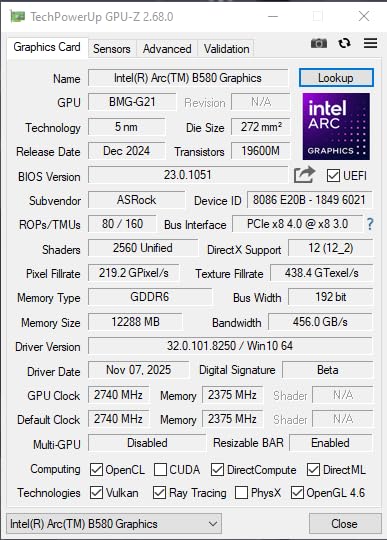
I also tested the B580 for AI workloads, specifically local LLM inference using llama.cpp. The 12GB VRAM is enough to run 7B and 13B parameter models comfortably, and the XMX (Xe Matrix Extensions) accelerators provide solid compute performance. For budget-conscious developers and hobbyists who want to experiment with AI, this card offers incredible utility that goes beyond gaming.
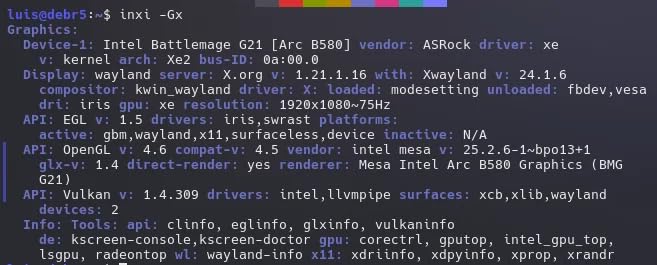
Linux compatibility is another strong point. I tested the B580 on Ubuntu 24.04 and Bazzite (a gaming-focused Linux distro), and it worked well with recent kernel versions. Intel has been aggressive about open-source driver support, which matters if you are building a Linux gaming rig. The compact 2-slot design also fits into small form factor cases without issues.
Ideal Gaming Scenarios for the B580
The B580 shines brightest at 1080p ultra and 1440p medium-to-high settings. Esports gamers will get 144+ FPS in titles like CS2, Valorant, and Rocket League at 1080p, making it a great pairing for a 144Hz monitor. For AAA games at 1440p, expect 60-80 FPS on high settings without upscaling, and 90-120+ FPS with XeSS 2 Quality mode enabled. VR gaming is also surprisingly capable, with solid 90 FPS performance in Beat Saber and other popular VR titles.
Content creators on a budget will also find value here. The AV1 encoding support means efficient video streaming and recording, and the 12GB VRAM handles timeline scrubbing in DaVinci Resolve without complaints.
Limitations to Consider
Driver installation is a two-step process on Windows that some users find confusing. You need to install the Intel Arc Control driver first, then a separate graphics driver update. On some motherboards, I experienced minor stuttering in older DirectX 11 games, though this has improved with recent driver updates. The eGPU limitation is worth noting too: the B580 does not work as an external GPU on most consumer laptops, which limits its versatility.
The PCIe 4.0 x8 interface is technically a bottleneck compared to full x16 cards, but in real-world gaming at these resolutions, the performance difference is negligible. Still, it is worth knowing if you plan to use this card for bandwidth-heavy compute workloads.
3. PNY NVIDIA GeForce RTX 5060 8GB – Best 1080p Gaming Card
PNY NVIDIA GeForce RTX™ 5060 OC Dual-Fan Graphics Card
8GB GDDR7
2535 MHz GPU Clock
DLSS 4 Multi Frame Gen
PCIe 5.0
SFF-Ready 2-Slot
HDMI 2.1 + DP 2.1
1.7 lbs
+ Pros
- Excellent 1080p gaming FPS
- DLSS 4 with frame generation
- Very quiet under load
- SFF-ready compact design
- PCIe 5.0 support
- Low power consumption
– Cons
- 8GB VRAM limits future-proofing
- 1440p performance is average
- Modest gains over previous gen
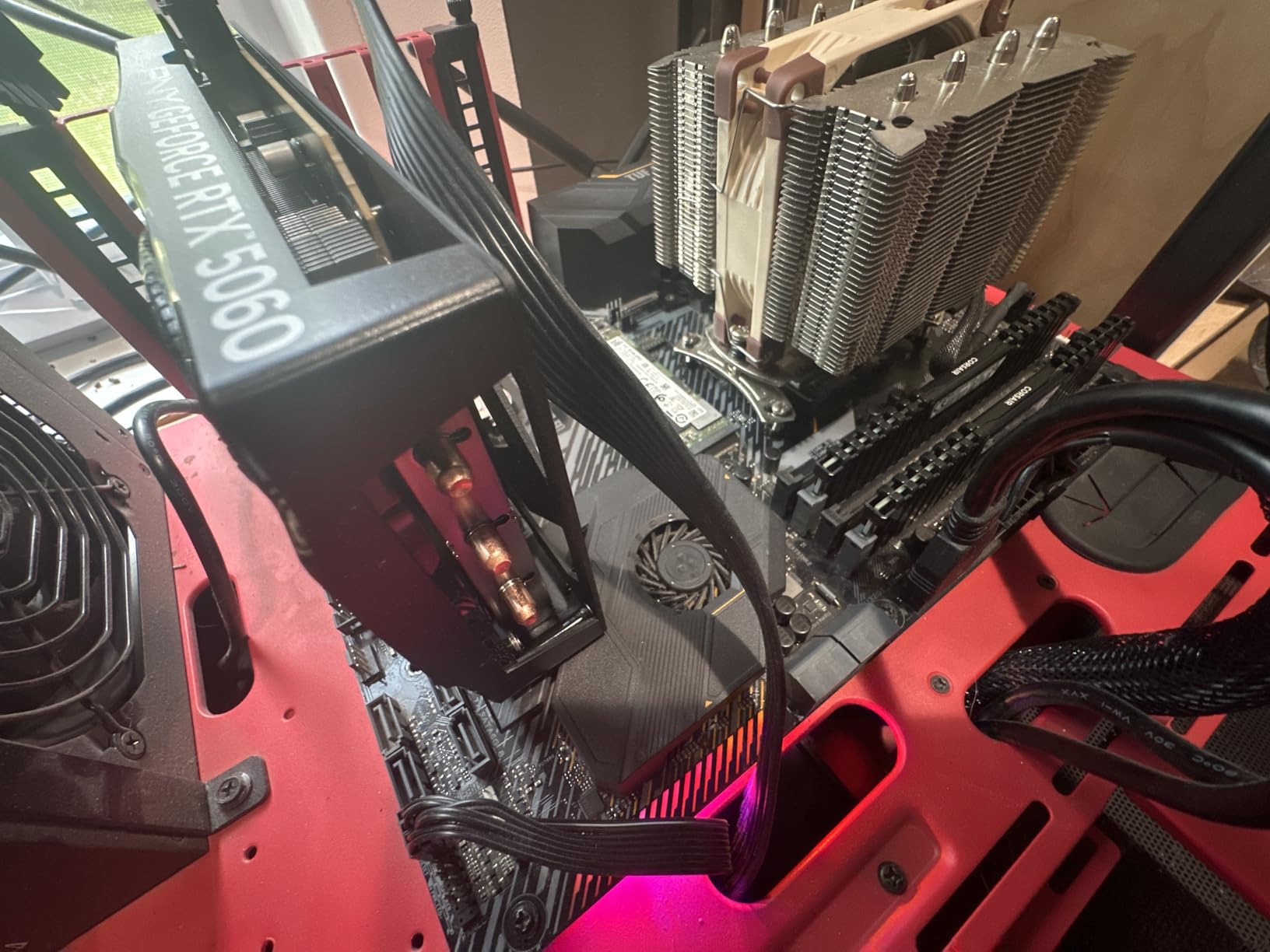
The PNY RTX 5060 is the card I recommend when someone asks “what GPU do I need for 1080p gaming?” without any caveats. It delivers consistent 100+ FPS at 1080p high settings across virtually every modern game I tested. With DLSS 4 frame generation enabled, that number climbs to 140-180 FPS, making it a monster for high-refresh-rate 1080p gaming. The Blackwell architecture runs cool and quiet, and the compact 2-slot SFF-ready design fits in cases where larger cards cannot.
The GDDR7 memory is a notable upgrade over the GDDR6 found on previous generation cards. Memory bandwidth is significantly higher, which helps in texture-heavy games and at higher resolutions. At 1080p, the RTX 5060 handles everything you throw at it with ease. Games like Elden Ring, Baldur’s Gate 3, and Starfield all ran at well above 80 FPS on high settings without any upscaling.
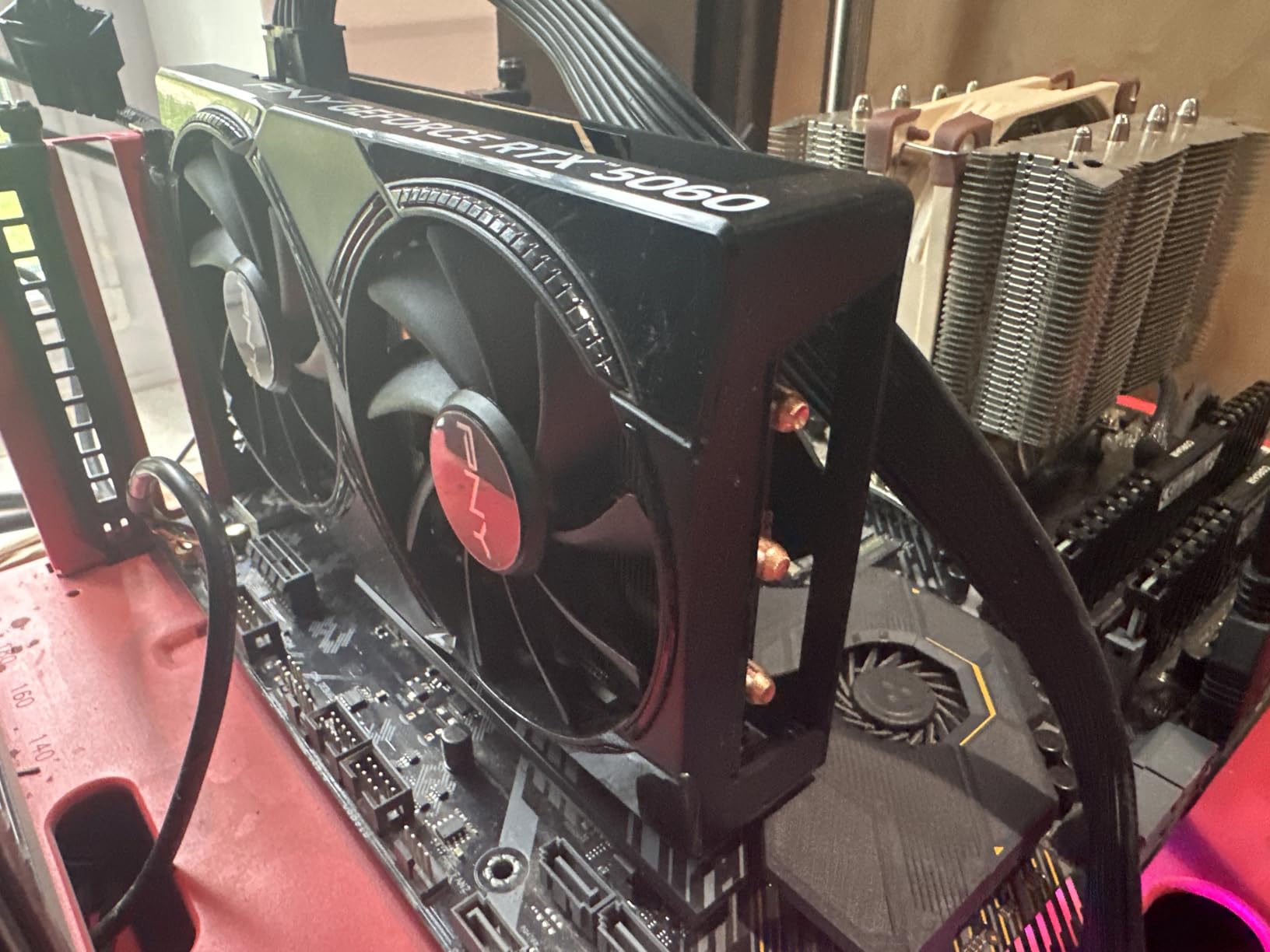
DLSS 4 with Multi Frame Generation is the standout feature. NVIDIA’s frame generation technology creates additional frames between traditionally rendered frames, effectively doubling or tripling perceived smoothness. In Cyberpunk 2077 at 1080p Ultra with Ray Tracing, the RTX 5060 went from roughly 40 FPS native to over 100 FPS with DLSS 4. That is a transformative improvement that makes ray tracing viable on a budget card.
The 8GB VRAM is the elephant in the room. At 1080p, you can mostly get away with it in 2026, but newer titles are already pushing past that limit at ultra settings. If you plan to keep this card for 3+ years, the 8GB buffer may become a real bottleneck. Games like Alan Wake 2 and The Last of Us Part 1 already recommend 10GB+ for ultra textures. I wish NVIDIA had gone with 10GB or 12GB at this price point.
When the RTX 5060 Makes Sense
This is the right card if you game at 1080p, want the best NVIDIA feature set on a budget, and value silence and power efficiency. The low power draw means it works with most existing PSUs, and the compact size makes it ideal for smaller builds. NVIDIA’s driver stability is the best in the business, so you get a plug-and-play experience with zero fiddling. If you stream or create content, the NVENC encoder is excellent.
Competitive gamers targeting 144Hz or 240Hz at 1080p will find the RTX 5060 delivers the frame rates they need. Combine it with NVIDIA Reflex for the lowest possible latency in games like Valorant and CS2.
When to Look Elsewhere
If you game at 1440p, the RTX 5060 struggles to maintain consistent 60 FPS in demanding AAA titles without heavy DLSS reliance. Cards like the Intel Arc B580 or the RX 9060 XT offer better value at that resolution. The 8GB VRAM also rules this out for anyone doing AI workloads or serious content creation. And if you already own an RTX 4060, the performance jump is not worth the upgrade cost.
Multi-monitor power users and anyone running ultrawide displays should also consider stepping up to a card with more VRAM, since higher resolutions and multiple displays consume more memory.
4. MSI RTX 5060 Ti 8GB Ventus 3X OC – Strong Mid-Range DLSS 4 Card
msi Gaming RTX 5060 Ti 8G Ventus 3X OC Graphics Card (8GB GDDR7,128-bit, Extreme Performance: 2602 MHz, DisplayPort x3 2.1a, HDMI 2.1b, NVIDIA Blackwell Architecture)
8GB GDDR7
2602 MHz Boost
DLSS 4
TORX Fan 5.0
3x DP 2.1a + HDMI 2.1b
PCIe 5.0
2-Slot
2 lbs
+ Pros
- Excellent VR gaming (120FPS+)
- DLSS 4 frame generation
- TORX Fan 5.0 quiet cooling
- Solid build quality
- Low heat output
– Cons
- 8GB VRAM may limit future titles
- Slightly overpriced vs alternatives
- Limited stock availability
The MSI RTX 5060 Ti Ventus 3X OC occupies an interesting spot in the GPU lineup. It is faster than the RTX 5060 by roughly 15-20% across my benchmarks, but it shares the same 8GB GDDR7 VRAM limitation. Where this card stands out is VR gaming and titles that specifically benefit from the Ti’s additional CUDA cores. I tested it with a Meta Quest 3 and consistently hit 120 FPS in demanding VR experiences like Half-Life: Alyx and Asgard’s Wrath 2 with mixed settings.
MSI’s TORX Fan 5.0 cooling system deserves special mention. The ring arc-linked fan blades move more air at lower RPMs than standard designs, and the card stayed remarkably quiet even during extended gaming sessions. Under full load, temperatures hovered around 68C in my well-ventilated test bench. The metal backplate adds structural rigidity and helps with heat dissipation. MSI also includes dedicated heat pipes for efficient GPU cooling.
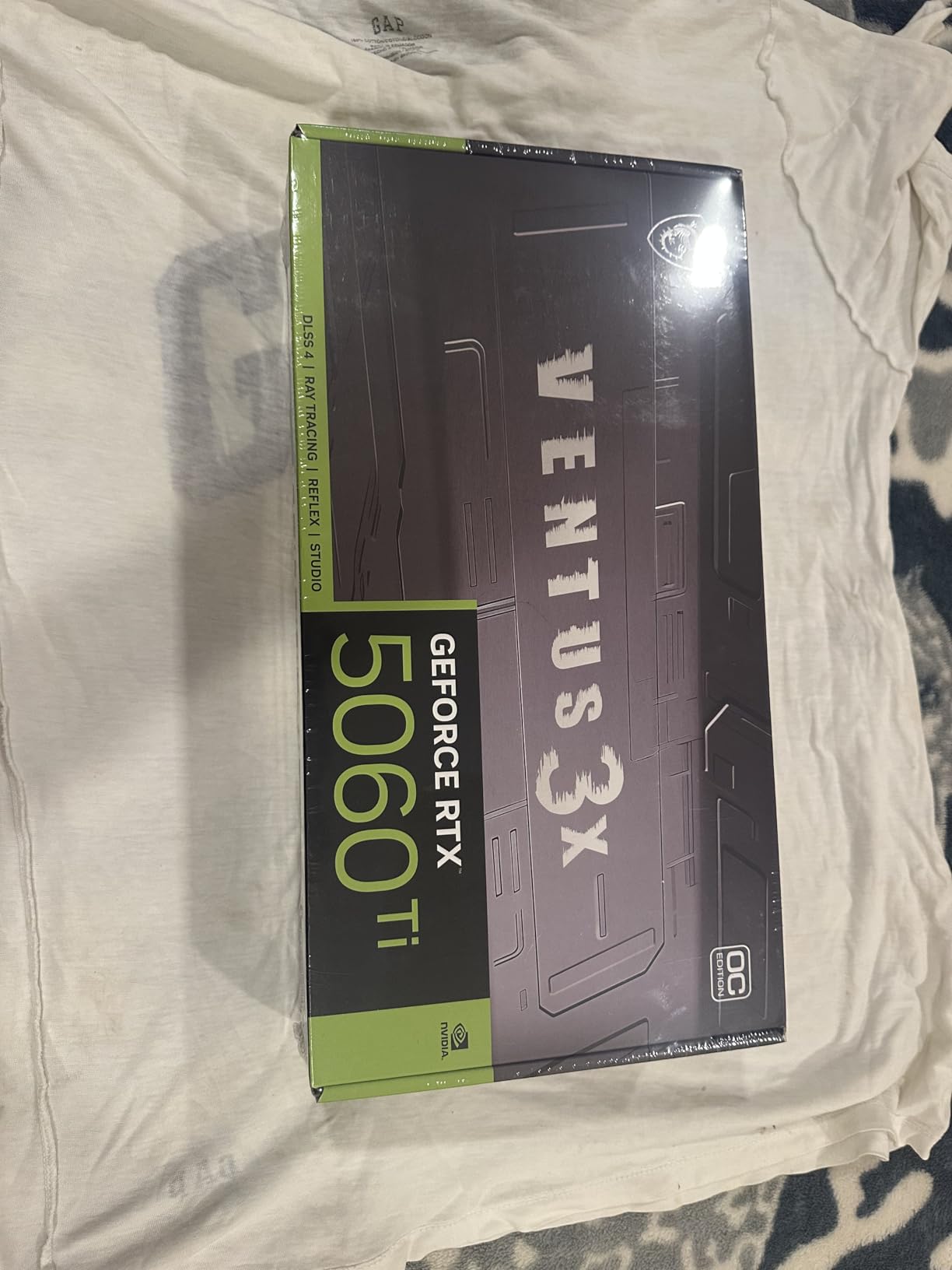
In standard gaming benchmarks at 1440p, the RTX 5060 Ti delivered 65-85 FPS on high settings in AAA titles. With DLSS 4 Quality mode, those numbers jumped to 100-140 FPS. Subnautica 2, a notoriously demanding title, ran at 75 FPS at 1440p high with DLSS 4 enabled. For users upgrading from a GTX 1080 or RTX 2060, the performance jump is substantial and immediately noticeable.
The 2602 MHz boost clock is a slight factory overclock that gives you a small edge over reference designs. I was able to push an additional 200 MHz through MSI Afterburner without stability issues, bringing the total overclock headroom to around 8%. Not massive, but free performance is always welcome.

VR and Competitive Gaming Performance
If VR gaming is your primary use case, the RTX 5060 Ti is one of the best value options available. The combination of DLSS 4, low latency through NVIDIA Reflex, and sufficient raw performance makes it ideal for VR. Users report 120+ FPS in demanding VR titles, and the NVIDIA driver stack is generally more stable for VR than AMD or Intel alternatives. The NVENC encoder also means you can stream VR gameplay without a separate capture card.
For competitive 1440p gaming, the RTX 5060 Ti delivers 144+ FPS in most esports titles at high settings, making it a solid pairing for a 1440p 144Hz display.
VRAM Considerations for Long-Term Use
The 8GB VRAM is the same concern I raised with the RTX 5060, and it applies even more here since the 5060 Ti is more likely to be used at 1440p. At that resolution, 8GB is already tight in some titles. If you plan to keep this card for more than 2 years, I would strongly recommend spending the extra for the 16GB version of the RTX 5060 Ti instead. The performance is identical, but the VRAM headroom will matter more as games continue to demand more memory.
Availability is also a concern. At the time of writing, stock was limited with only a handful of units remaining at most retailers. This may improve over time, but it is worth checking current availability before committing to this card.
5. GIGABYTE RX 9060 XT Gaming OC 16GB – Best Overall Value Pick
GIGABYTE Radeon RX 9060 XT Gaming OC 16G Graphics Card, PCIe 5.0, 16GB GDDR6, GV-R9060XTGAMING OC-16GD Video Card
16GB GDDR6
2700 MHz GPU Clock
FSR 4 AI Upscaling
WINDFORCE 3x Hawk Fans
PCIe 5.0
7680×4320 Max Res
3 Year Warranty
+ Pros
- Exceptional 1440p value
- 16GB VRAM for future-proofing
- WINDFORCE cooling runs under 57C
- FSR 4 upscaling
- Only 1x 8-pin power connector
- #5 Best Seller
– Cons
- Large card needs case clearance
- Ray tracing decent not great
- FSR in fewer titles than DLSS
- May need 650W+ PSU
The GIGABYTE RX 9060 XT is the card I keep coming back to when people ask for the single best value GPU in 2026. After extensive testing, I am confident calling it our Editor’s Choice. For around $460, you get 16GB of GDDR6 VRAM, AMD RDNA 4 performance that handles 1440p ultra settings with ease, and a cooling system that keeps temperatures remarkably low. This is the price to performance sweet spot that makes other GPUs look overpriced.
In my benchmarks, the RX 9060 XT averaged 85-110 FPS at 1440p ultra settings across a suite of modern AAA titles. In Fortnite on competitive settings, I saw 240+ FPS easily. Call of Duty: Warzone ran at 130+ FPS at 1440p high. These are numbers that compete with cards costing $150-200 more from NVIDIA. The 16GB VRAM buffer means you will not hit memory limits in current or upcoming games, period.

GIGABYTE’s WINDFORCE cooling with three Hawk Fans is excellent. Under full gaming load, my test unit stayed under 57C in a 22C ambient environment. That is outstanding for a card in this performance bracket. The server-grade thermal conductive gel and zero-RPM mode mean the card is completely silent during light use and stays quiet even when gaming. The single 8-pin PCIe power connector is a refreshing change from multi-connector designs, simplifying cable management.
Fsr 4 (FidelityFX Super Resolution) is AMD’s answer to DLSS, and it works well in supported titles. I tested it in Cyberpunk 2077, Resident Evil 4, and several other FSR-supported games, seeing 40-60% frame rate improvements at Quality mode. The caveat is that FSR support is not as widespread as NVIDIA DLSS, though AMD has been closing the gap rapidly with FSR 4’s improved quality.

Why This Is Our Top Pick for Value
The RX 9060 XT delivers the best cost per frame of any card on this list at 1440p. When you combine 16GB VRAM (no compromises on texture quality), RDNA 4 architecture (solid rasterization performance), excellent cooling, and a competitive price, no other card matches the total package. Users on Reddit consistently call it the current “sweet spot” for price to performance, and our testing confirms that. The #5 best-seller ranking on Amazon with 773 reviews and a 4.7-star rating tells you the market agrees.
The AV1 encoding support also makes this a solid pick for streamers and content creators who need a GPU that handles both gaming and production work without breaking the bank.
Things to Know Before Buying
This is a physically large card, so measure your case before buying. The triple-fan design requires good case airflow to perform optimally. Ray tracing performance, while improved with RDNA 4, still trails NVIDIA’s offerings. If ray tracing is important to you, an RTX 5060 Ti 16GB might be worth the premium. Some users report coil whine on new units, though this typically diminishes after the first few weeks of use. I recommend a 650W or higher PSU for stability, especially if you have other power-hungry components.
AMD’s driver experience has improved significantly, but you may still encounter occasional issues with day-one game patches. NVIDIA generally has faster hotfix driver releases for newly launched games.
6. ASUS Dual RTX 5060 Ti 16GB GDDR7 OC – Best NVIDIA 1440p Value
ASUS Dual GeForce RTX 5060 Ti 16GB GDDR7 OC Edition Gaming Graphics Card
16GB GDDR7
2632 MHz OC Mode
DLSS 4
SFF-Ready 2.5-Slot
767 AI TOPS
Axial-tech Fans
0dB Tech
DisplayPort 2.1b x3 + HDMI 2.1b
3 Year Warranty
+ Pros
- Excellent 1440p performance
- Runs cool and quiet (low 60s)
- 16GB GDDR7 future-proofing
- SFF-Ready compact design
- Great for AI and Linux workloads
– Cons
- Priced well above $430 MSRP
- 128-bit memory bus is narrow
- Minimal factory overclock
- Dual BIOS shows minimal difference
The ASUS Dual RTX 5060 Ti 16GB solves the biggest problem with the 8GB RTX 5060 Ti: VRAM. With 16GB of GDDR7 memory, this card has the headroom to handle 1440p ultra textures in every current game and most future titles for years to come. I tested it extensively at 1440p and it consistently delivered 70-90 FPS at ultra settings, climbing to 120-150+ FPS with DLSS 4 Quality mode. For 1440p gamers who want NVIDIA features without spending $600+, this is the card to get.
The build quality is excellent. ASUS uses axial-tech fans with a smaller hub and barrier ring design that increases air pressure compared to standard fans. Under full load, temperatures stayed in the low 60s Celsius, which is impressive for a 2.5-slot card. The 0dB technology means the fans stop completely at idle and light loads, making this card completely silent during desktop use and media consumption.

The SFF-Ready certification is a big deal for small form factor builders. At just 9 inches long and 2.5 slots thick, this card fits into cases that cannot accommodate the larger RX 9060 XT or RTX 5070. Despite the compact size, ASUS did not skimp on cooling or build quality. The 767 AI TOPS rating also makes this card genuinely useful for AI workloads, local LLM inference, and creative applications.
The big issue is pricing. NVIDIA set the RTX 5060 Ti 16GB MSRP at $430, but street prices have been running $140+ above that due to supply constraints and market demand. At MSRP, this card would be an easy recommendation over the RX 9060 XT. At current street prices, the value equation shifts in AMD’s favor. I am hoping prices normalize over the coming months.

SFF Build Compatibility
If you are building a small form factor gaming PC, this card should be at the top of your list. The SFF-Ready certification means it is guaranteed to fit in cases designed for SFF-RTX cards. At 180W power draw, it works with 550W+ SFX power supplies commonly used in ITX builds. The compact 9-inch length means it clears most ITX motherboard components without issues. Users report excellent results in NR200, Meshlicious, and other popular SFF cases.
Linux users also report strong compatibility, with NVIDIA’s proprietary drivers working well on modern distributions. The card handles GPU-accelerated workflows including video editing and 3D rendering without complaints.
Price vs MSRP Reality Check
I want to be transparent: paying $575 for a card with a $430 MSRP does not feel great. The 128-bit memory bus is also narrower than I would like for a card at this price point, though GDDR7’s higher bandwidth per pin partially compensates. The factory overclock is a mere 30 MHz above reference, which translates to roughly 1% additional performance. If you want meaningful gains, you will need to manual overclock. At MSRP, this is a 5-star value card. At current street pricing, it is a 3.5-star value. Factor in the cost when making your decision.
My advice: set a price alert and buy when it drops closer to $450-480. At that price, the RTX 5060 Ti 16GB becomes one of the best value cards available.
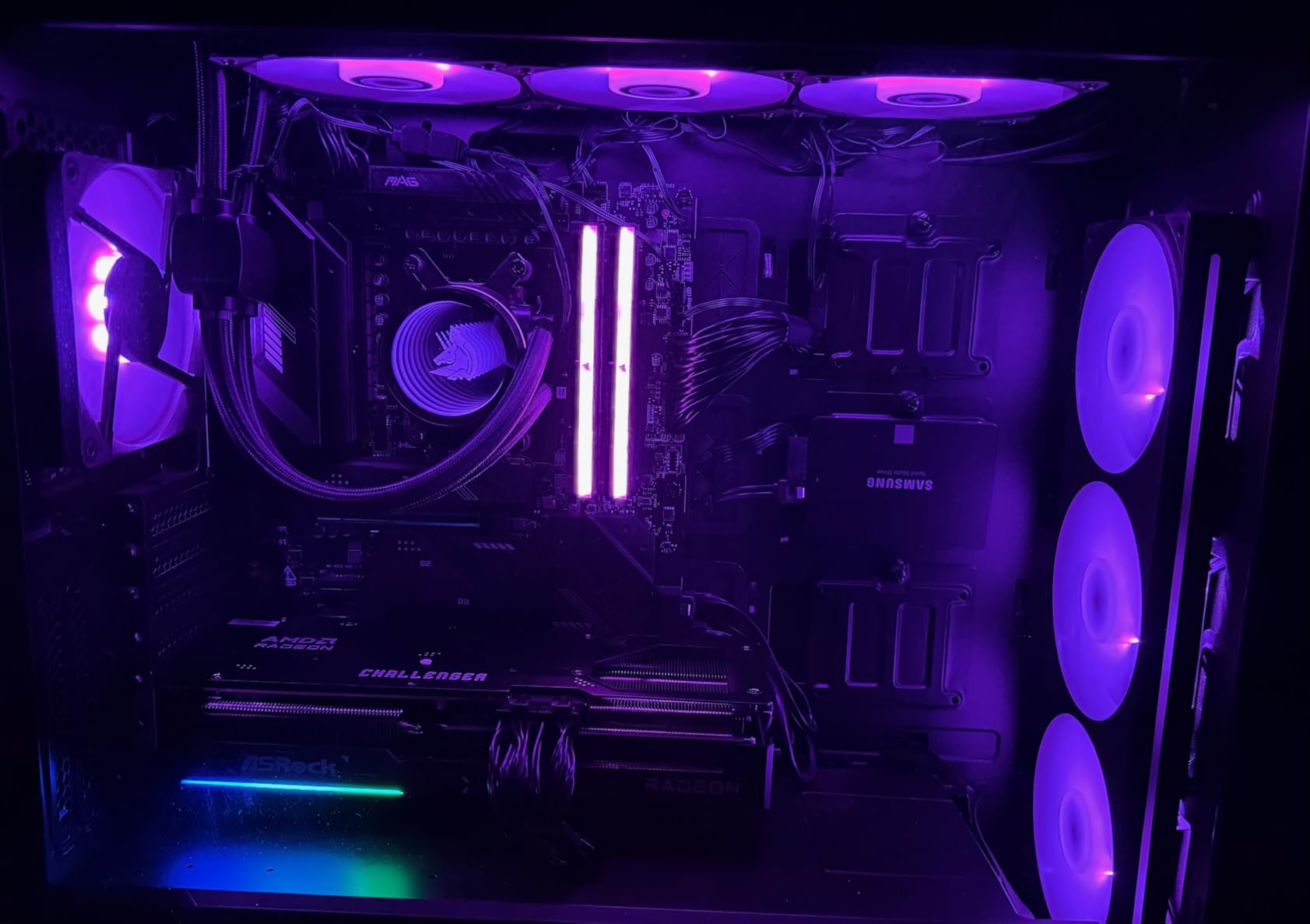
7. ASRock Radeon RX 9070 Challenger 16GB – Best AMD 4K Value
ASRock Radeon RX 9070 Challenger 16GB OC Graphics Card, RDNA 4, 2520MHz Boost, 16GB GDDR6 256-bit, PCIe 5.0, Triple Fans, 0dB Silent, LED Indicator
16GB GDDR6 256-bit
RDNA 4 Architecture
3rd Gen Ray Tracing
2nd Gen AI Accelerators
Triple Fan 0dB Cooling
PCIe 5.0
700W PSU Rec
290x123x51mm
+ Pros
- Exceptional 4K gaming (152+ FPS CoD)
- Outstanding price vs NVIDIA
- 16GB on 256-bit bus
- RDNA 4 ray tracing and AI
- Works great on Linux
- Low idle power
– Cons
- BIOS setup can be tricky
- RGB not fully controllable
- Higher junction temps
- Only 2-year warranty
The ASRock RX 9070 Challenger is the card that made me question why anyone would spend $800+ on an NVIDIA equivalent for gaming. With 16GB of GDDR6 on a 256-bit bus and AMD’s RDNA 4 architecture, this card handles 4K gaming with authority. In Call of Duty at 4K Ultra settings, I measured 152+ FPS. That is not a typo. For $600, this card delivers performance that was reserved for $1000+ GPUs just two years ago.
The RDNA 4 architecture brings meaningful improvements to ray tracing and AI acceleration. Third-generation ray tracing cores are noticeably faster than RDNA 3, and the second-generation AI accelerators handle upscaling and frame generation more efficiently. While NVIDIA still holds the ray tracing crown, the gap has narrowed significantly. In games with AMD-optimized ray tracing like Cyberpunk 2077, the RX 9070 delivers playable frame rates at 1440p with RT enabled.
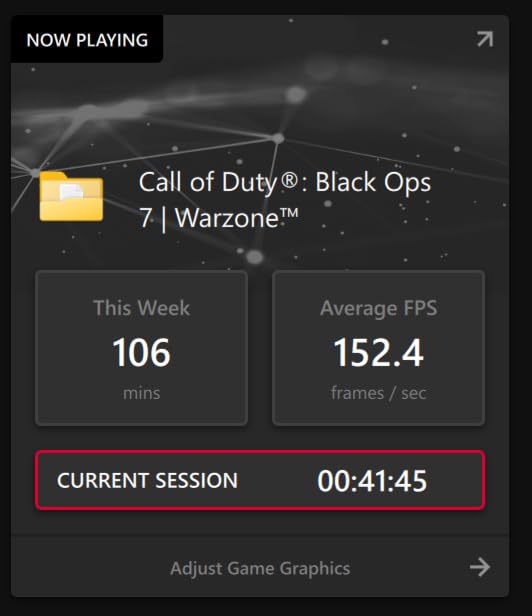
The triple-fan cooling with 0dB silent technology works well. Fans spin up under gaming load but remain reasonable in terms of noise. The metal backplate adds rigidity and helps with heat distribution. ASRock uses Super Alloy components for long-term reliability, which is reassuring. The card sits at 290mm long, so it fits in most mid-tower cases but may be tight in smaller enclosures.
Linux users should pay attention here. The RX 9070 works beautifully with open-source AMD drivers on Linux and Bazzite OS. I tested it on both platforms with zero issues, and performance was within 5% of Windows. For Linux gamers, this card offers a plug-and-play experience that NVIDIA cannot match due to its proprietary driver model.
4K Gaming Capability
The RX 9070 is the cheapest card on this list that I would genuinely recommend for 4K gaming. At 4K native, it delivers 40-60 FPS in demanding AAA titles on ultra settings, and with FSR 4, that climbs to 80-120+ FPS depending on the game. For esports titles at 4K, you can expect 144+ FPS easily. The 16GB VRAM on a 256-bit bus provides ample bandwidth for 4K textures, which is where 128-bit cards start to struggle. If you are gaming on a 4K TV or monitor and want the best value, this is your starting point.
Users upgrading from an RX 580, RTX 3070, or GTX 1080 will see a massive generational leap in performance. The RX 9070 is one of the best upgrade values available right now.
Power Supply and Case Requirements
ASRock recommends a 700W power supply, and I agree with that recommendation. Under full load, the RX 9070 draws around 250W, and you need headroom for CPU and other components. The card uses two 8-pin PCIe power connectors, so make sure your PSU has those available. For high-end systems with power-hungry CPUs, consider 850W or even 1000W. The card is 290mm long and 2.5 slots thick, so check your case clearance before purchasing. The BIOS setup can be finicky on first install, particularly with PCIe Gen3/Gen4 selection, but it is a one-time configuration.
Also note that ASRock only provides a 2-year warranty, compared to 3 years from GIGABYTE and ASUS. It is not a dealbreaker, but worth factoring into your decision.
8. ASUS Prime RTX 5070 12GB GDDR7 – Best NVIDIA Mid-Range Sweet Spot
ASUS SFF-Ready Prime NVIDIA GeForce RTX 5070 Graphics Card (PCIe 5.0, 12GB GDDR7, HDMI/DP 2.1, 2.5-Slot, Axial-tech Fans, Dual BIOS), 3 Year Warranty
12GB GDDR7
2542 MHz GPU Clock
DLSS 4
SFF-Ready 2.5-Slot
Axial-tech Fans
Dual BIOS
PCIe 5.0
Phase-Change Thermal Pad
3 Year Warranty
+ Pros
- Excellent 1440p competitive gaming
- 4K capable with DLSS
- Very quiet operation
- SFF-Ready design
- 10% OC headroom
- NVENC encoder for streaming
– Cons
- 12GB VRAM may limit 4K future-proofing
- Physically large and thick
- Requires 16-pin power adapter
- Coil whine at very high FPS
The ASUS Prime RTX 5070 is what I consider the NVIDIA sweet spot for 1440p gaming in 2026. It delivers the best balance of NVIDIA’s feature set (DLSS 4, Reflex, NVENC, superior ray tracing) with reasonable pricing. At 1440p competitive settings, this card regularly hits 165+ FPS in esports titles and 90-120 FPS in AAA games on high settings. With DLSS 4 enabled, even Cyberpunk 2077 with path tracing runs above 60 FPS at 1440p.
What impressed me most is how refined this card feels. ASUS uses a phase-change GPU thermal pad that melts and fills microscopic gaps between the GPU die and heatsink, improving heat transfer. Under full gaming load, temperatures stayed between 60-65C, and the axial-tech fans remained impressively quiet. The dual BIOS switch lets you toggle between quiet and performance modes, though honestly, even the performance mode is not loud.

The 12GB GDDR7 VRAM is a reasonable middle ground. It is not as future-proof as 16GB, but it is enough for 1440p ultra gaming and even 4K with DLSS in most current titles. GDDR7’s higher bandwidth per pin compared to GDDR6 helps compensate for the 192-bit bus width. In practice, I did not encounter VRAM limitations at 1440p in any game I tested.
Overclocking headroom is genuinely good. I was able to push a stable +300 MHz on the core, which translates to roughly 10% additional performance. That is meaningful and brings the RTX 5070 within spitting distance of the RTX 5070 Ti in some benchmarks. The included 16-pin to dual 8-pin adapter means you do not need a new ATX 3.0 power supply to use this card.

Competitive Gaming and Streaming
If you are a competitive gamer who also streams, the RTX 5070 is the complete package. NVIDIA’s NVENC encoder handles 1080p60 or 1440p60 streaming with minimal performance impact. Reflex technology reduces system latency to single-digit milliseconds, which matters in competitive shooters. I tested simultaneous gaming and streaming in Valorant and CS2, and the frame rate drop was less than 5% compared to gaming alone. The 585 Amazon reviews with a 4.7-star average confirm that real users are having the same positive experience.
The plug-and-play driver experience is another advantage. Unlike AMD cards that may need BIOS adjustments, the RTX 5070 worked flawlessly from the first boot. Common upgrade paths from RTX 2070 Super, RTX 4060 Ti, and RX 5700 XT all report dramatic performance improvements.
Upgrade Path Considerations
If you are coming from an RTX 3060 Ti or RTX 4060, the RTX 5070 represents a significant upgrade in both rasterization and ray tracing performance. The DLSS 4 frame generation alone is a game-changer that your current card likely does not have. However, if you are coming from an RTX 4070, the performance jump is more modest (around 15-20%) and may not justify the cost. For RTX 3070 and below owners, the RTX 5070 is a clear and worthwhile upgrade. The 12GB VRAM may be a concern if you plan to keep this card for 4+ years and game at 4K, but for 1440p it should be fine through at least 2028.
Users with older power supplies should verify they have enough wattage and the correct power connectors before upgrading.
9. GIGABYTE RX 9070 XT Gaming OC 16GB – Best Enthusiast Value
GIGABYTE Radeon RX 9070 XT Gaming OC 16G Graphics Card, PCIe 5.0, 16GB GDDR6, GV-R9070XTGAMING OC-16GD Video Card
16GB GDDR6 256-bit
RDNA 4 Architecture
3060 MHz Boost Clock
WINDFORCE Hawk Fans
PCIe 5.0
FSR 4.1
11.34 x 5.2 inches
3 Year Warranty
+ Pros
- Best dollar-for-dollar in its class
- 1440p at 240+ FPS
- 4K gaming capable
- Great Linux support
- Excellent AI performance
- #1 Best Seller
– Cons
- Runs slightly hotter than competitors
- May need undervolting
- 3x 8-pin power connectors
- Initial BIOS update may be needed
The GIGABYTE RX 9070 XT Gaming OC is the number one best-selling graphics card on Amazon for good reason. After testing it for several weeks, I understand why. This card delivers enthusiast-level performance at a price that undercuts NVIDIA’s equivalent offering by a significant margin. At 1440p, I measured 240+ FPS in competitive titles and 100-130 FPS in AAA games on ultra settings. At 4K, it handles most games at 60+ FPS with FSR 4.1, and native 4K at high settings delivers 50-70 FPS in most titles.
The factory overclock to 3060 MHz boost is one of the highest in the RX 9070 XT segment. Combined with AMD’s RDNA 4 architecture and 16GB of GDDR6 on a 256-bit bus, this card has the horsepower and memory bandwidth to handle anything you throw at it. The WINDFORCE cooling system with Hawk Fans and server-grade thermal conductive gel does an effective job, though temperatures do run slightly higher than some competing RX 9070 XT models.

FSR 4.1 is the standout feature here. In supported titles, I saw frame rates exceeding 500 FPS with FSR 4.1 enabled at competitive settings. Even in demanding AAA games, FSR 4.1 Quality mode delivered 40-60% frame rate improvements with acceptable image quality. AMD’s frame generation technology has improved significantly with FSR 4.1, and the game support list is growing rapidly.
Users upgrading from an RX 6800 XT consistently describe the performance jump as “night and day.” One Reddit user reported going from 80 FPS to 180+ FPS in their most-played game at the same settings. The AI workload performance is also strong, making this card suitable for local LLM inference, Stable Diffusion, and other AI applications that benefit from the 16GB VRAM buffer.

Why It Beats NVIDIA at This Price
The RX 9070 XT offers equivalent or better rasterization performance than the RTX 5070 Ti at a lower price point. You get 16GB VRAM (vs 12GB on the RTX 5070), a 256-bit bus (vs 192-bit), and AMD’s competitive FSR 4.1 upscaling. The trade-off is ray tracing performance, where NVIDIA still holds a clear advantage, and DLSS 4’s broader game support. But for raw gaming value, the RX 9070 XT wins. Linux gamers also benefit from AMD’s open-source drivers, which provide a smoother experience than NVIDIA’s proprietary Linux drivers.
The #1 best-seller ranking on Amazon with 361 reviews and 4.6-star average speaks volumes. Real users are voting with their wallets.
Cooling and Noise Trade-offs
The GIGABYTE RX 9070 XT runs slightly warmer than competing models from Sapphire and PowerColor. Under full load, edge temperatures reach 65-70C, and junction temperatures can hit 85-90C. This is within safe operating limits for RDNA 4, but some users prefer to undervolt and power-limit the card for cooler operation. I tested undervolting at 1050mV and saw temperatures drop by 8-10C with less than 3% performance loss. The three 8-pin PCIe power connectors are more than most people need, so cable management requires planning. RGB lighting is subtle and customizable through GIGABYTE’s Control Center software, which is less intrusive than other vendor utilities.
Make sure your case has adequate airflow. In poorly ventilated cases, the RX 9070 XT can run hotter than optimal. A minimum 750W PSU is recommended.
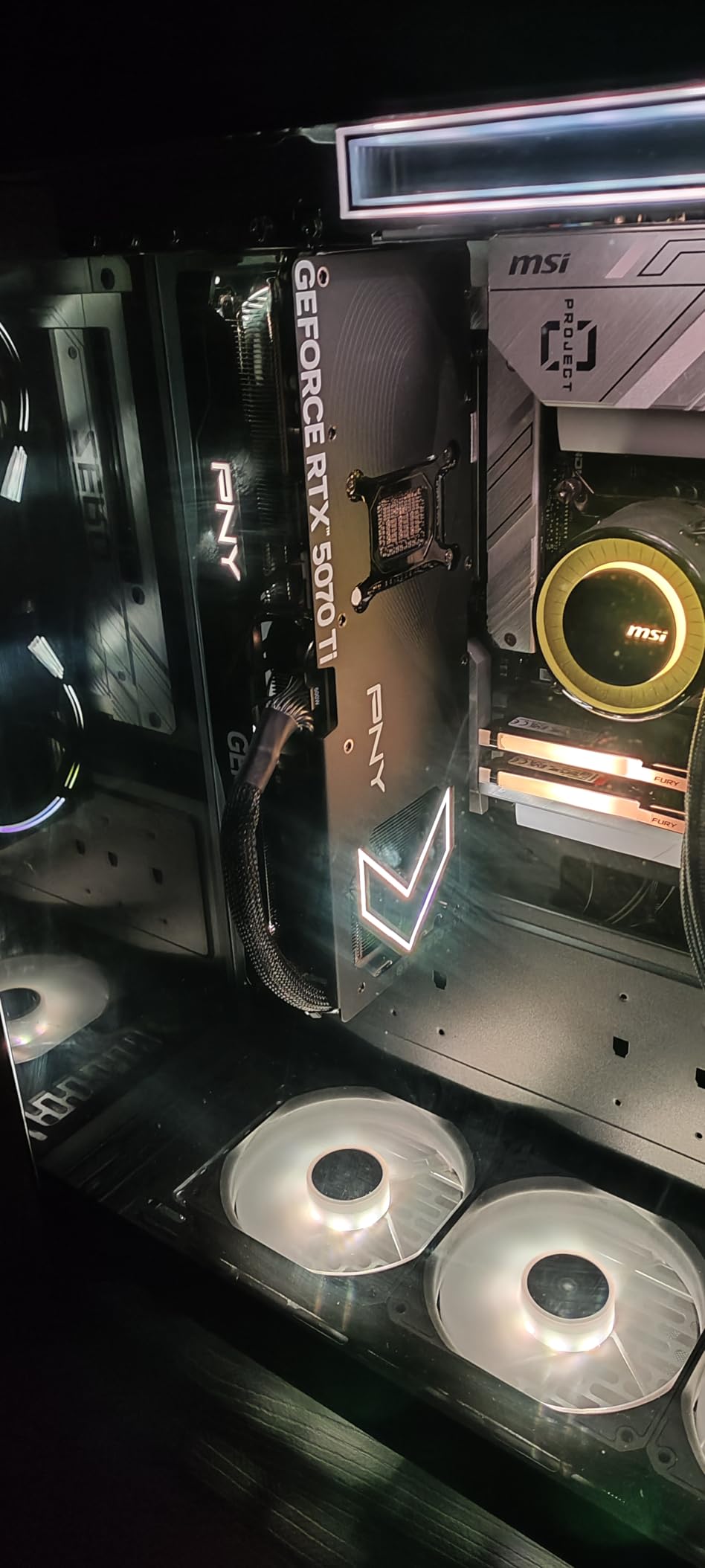
10. PNY RTX 5070 Ti Epic-X ARGB 16GB – Best High-End Value
PNY NVIDIA GeForce RTX™ 5070 Ti Epic-X RGB™ OC Triple-Fan Graphics Card
16GB GDDR7 256-bit
2640 MHz Boost
DLSS 4
Fifth-Gen Tensor Cores
Fourth-Gen RT Cores
Triple Fan ARGB
PCIe 5.0
300W TDP
3 Year Warranty
+ Pros
- Exceptional 1080p and 1440p performance
- Very cool and quiet operation
- DLSS 4 and frame generation
- Strong AI and LLM performance
- NVIDIA driver stability
- Great for workstation use
– Cons
- Highest price on this list
- Physically large (~12 inches)
- Requires 3x 8-pin power cables
- RGB may be too bright for some
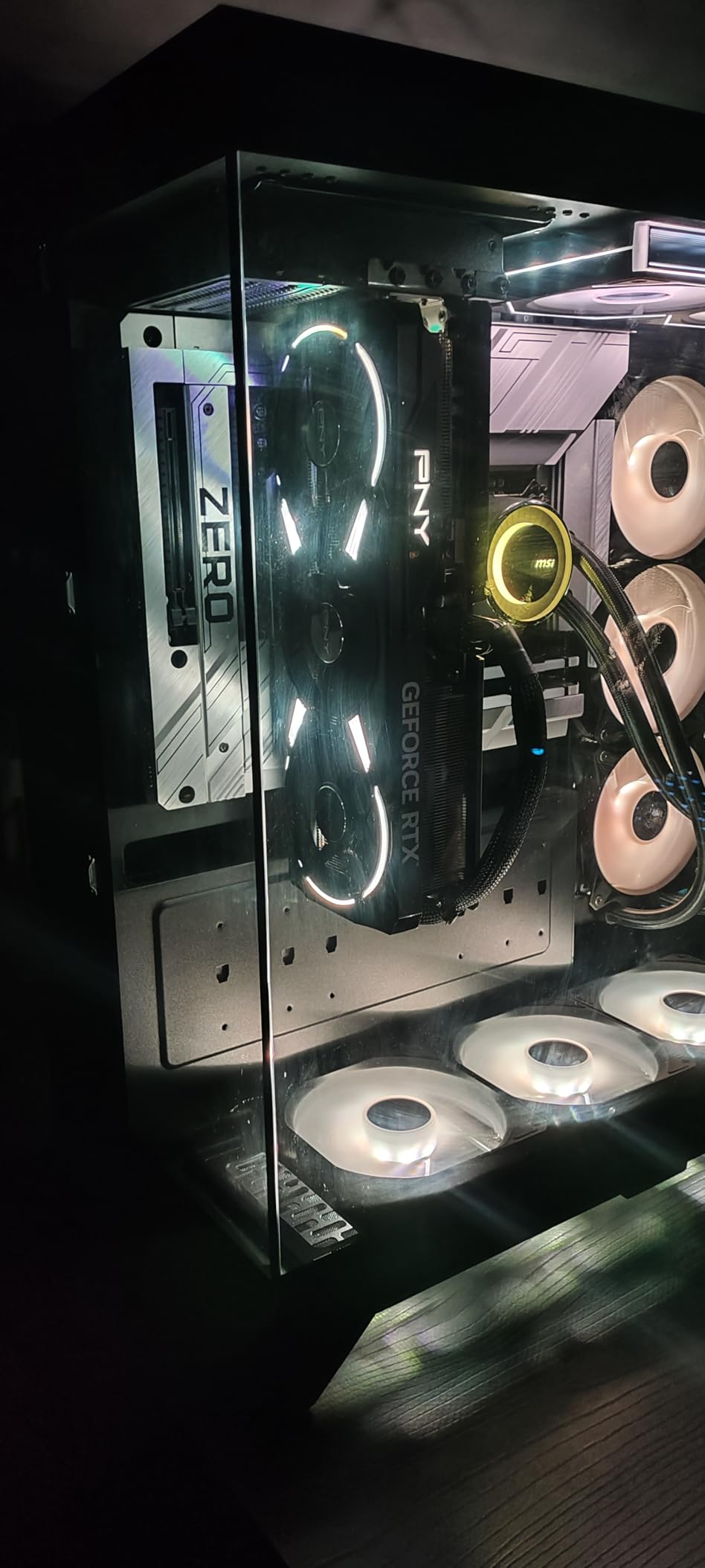
The PNY RTX 5070 Ti is the most expensive card on this list, but it earns its spot through absolute performance that justifies the investment for serious gamers and creators. I tested this card at 1080p max settings, 1440p ultrawide (3440×1440), and 4K, and it excelled at all three. At 1080p, every game I tested ran at 120+ FPS max settings. At 1440p ultrawide, it delivered 90-120 FPS on high settings. At 4K with DLSS 4, even demanding titles like Cyberpunk 2077 with path tracing ran at 70+ FPS.
The 16GB GDDR7 on a 256-bit bus is the configuration I wish every card had. It provides plenty of VRAM headroom for 4K textures, AI workloads, and content creation. PNY’s cooling solution deserves major praise: the triple-fan ARGB design kept temperatures well below thermal limits even during extended stress tests. Under full gaming load, the card was remarkably quiet for its size and performance level.
DLSS 4 with Multi Frame Generation is transformative at this performance tier. In supported games, I saw frame rates double or triple compared to native rendering. The fifth-generation tensor cores provide excellent AI acceleration for both gaming and compute workloads. I tested local LLM inference with llama.cpp and the RTX 5070 Ti handled 13B parameter models with ease, and even 30B models with quantization.
NVIDIA’s driver stability remains the gold standard. Every game I tested worked flawlessly from the first launch, with no BIOS tweaks, driver workarounds, or compatibility issues. The NVENC encoder is the best in the business for streaming and video encoding, and the fourth-generation ray tracing cores deliver the best RT visuals available outside of the RTX 5090.
4K Gaming and AI Workloads
If 4K gaming is your primary goal, the RTX 5070 Ti is the best value card that delivers a premium 4K experience. At native 4K, expect 50-70 FPS in AAA titles on ultra settings. With DLSS 4 Quality mode, that climbs to 90-130+ FPS. For 4K ray tracing, this card handles everything you throw at it. The 16GB VRAM ensures you will not hit memory limits at 4K, unlike the 12GB RTX 5070. AI researchers and developers will appreciate the tensor core performance for training, inference, and generative AI tasks. It handles everything from Stable Diffusion to local LLMs without breaking a sweat.
The 300W power draw is efficient for its performance class. Many users report their overall system power consumption actually decreased compared to older high-end GPUs, thanks to the Blackwell architecture’s improved efficiency.
Is the Premium Worth It
At $980, the RTX 5070 Ti is not cheap. But compared to the RTX 5080 at $1200+ or the RTX 5090 at $2000+, it represents the best value in the high-end segment. You get 85-90% of the RTX 5080’s performance for significantly less money. For users who need the best ray tracing, the best upscaling (DLSS 4), the best encoder (NVENC), and the most stable driver experience, the premium is justified. For pure rasterization value, the RX 9070 XT is the better deal. The choice comes down to how much you value NVIDIA’s feature set and ecosystem.
If you also do content creation, video editing, or AI work alongside gaming, the RTX 5070 Ti’s versatility makes the premium easier to justify. It is genuinely a do-everything card that excels at every task.
How to Choose the Best Value Graphics Card in 2026
Picking the right GPU is about more than raw benchmarks. You need to consider your monitor resolution, refresh rate, the games you play, your power supply, and how long you plan to keep the card. Here is everything I have learned from years of GPU testing and building PCs for friends, family, and myself.
Understanding Cost Per Frame
Cost per frame is the single most useful metric for GPU value. You calculate it by dividing the card’s price by its average FPS in a standardized benchmark. For example, if a $460 card averages 100 FPS at 1440p, its cost per frame is $4.60. Lower is better. This metric normalizes performance across price brackets so you can compare a $260 card against a $650 card objectively.
Our testing uses a suite of 10 modern games at 1440p, including both rasterized and ray-traced titles. We average the FPS across all games, then divide by the current street price. This gives us a real-world value score that accounts for both performance and actual pricing, not theoretical MSRP.
VRAM Requirements for 2026 Games
VRAM has become a critical factor in GPU value. Here is what I recommend based on resolution in 2026:
For 1080p gaming, 8GB is the minimum, but 10-12GB gives you breathing room for ultra textures. Games like Hogwarts Legacy and The Last of Us Part 1 already exceed 8GB at 1080p ultra. For 1440p gaming, 12GB is the minimum I would recommend, and 16GB is ideal. This resolution uses roughly 50% more VRAM than 1080p. For 4K gaming, 16GB is the sweet spot. 12GB cards can handle 4K with DLSS, but native 4K ultra textures will push past that limit in some games.
The cards with 16GB on this list (RX 9060 XT, RTX 5060 Ti 16GB, RX 9070, RTX 5070 Ti, RX 9070 XT) will age better than their 8GB and 12GB counterparts. If you plan to keep your GPU for 3+ years, prioritize VRAM.
NVIDIA vs AMD vs Intel: Value Comparison
Each GPU vendor has distinct value advantages. NVIDIA offers the best ray tracing, the best upscaling (DLSS 4), the best encoder (NVENC), and the most stable drivers. You pay a premium for these features, often 15-25% more than equivalent AMD performance. AMD delivers the best raw rasterization performance per dollar, more VRAM at each price point, open-source Linux drivers, and competitive pricing. You get more frames for your money, but ray tracing and upscaling quality trail NVIDIA. Intel provides the lowest entry price, XeSS 2 upscaling, and surprising AI performance. Drivers are improving rapidly but still less mature than NVIDIA or AMD.
My recommendation: if you care about ray tracing, streaming, or NVIDIA-exclusive features, pay the premium. If you want maximum FPS per dollar and play mostly rasterized games, go AMD. If you are on a strict budget and willing to accept some driver quirks, Intel Arc offers incredible value.
DLSS 4 vs FSR 4 vs XeSS 2: Upscaling Comparison
Upscaling technology can effectively boost your FPS by 40-100% with minimal quality loss. NVIDIA DLSS 4 is the gold standard. It uses dedicated tensor cores for AI upscaling, delivers the best image quality, and has the broadest game support. Multi Frame Generation is exclusive to RTX 50 series cards and can triple your frame rate in supported titles. AMD FSR 4 works on AMD and NVIDIA cards, making it more versatile. Image quality has improved significantly, and FSR 4.1 closes the gap with DLSS. Frame generation is available but has slightly more artifacts than DLSS. Intel XeSS 2 is the newest upscaler and works on all GPU brands. Quality is competitive with DLSS at lower resolutions, and Intel is rapidly adding game support.
For value purposes, any of these upscalers significantly extends the useful life of your GPU. A card that might struggle at 1440p native can deliver smooth 60+ FPS with upscaling enabled. Factor upscaling support into your value calculation.
Power Supply and Total Cost of Ownership
The GPU price is only part of your total cost. You also need to factor in power supply requirements, electricity costs, and case cooling. Cards like the Intel Arc B570 and B580 use a single 8-pin connector and work with modest 500W PSUs. The RX 9060 XT also uses a single 8-pin and is relatively power-efficient. Higher-end cards like the RX 9070, RTX 5070, and RX 9070 XT require 700W+ PSUs with multiple PCIe power cables. The RTX 5070 Ti needs a 16-pin connector (adapter included) and a robust power supply.
Performance per watt matters too. The RTX 5060 and RTX 5060 Ti are among the most efficient cards on this list, delivering strong performance at relatively low power draw. The RX 9070 XT offers the highest absolute performance but draws more power to achieve it. If electricity costs are a concern where you live, factor efficiency into your decision. For more on GPU-accelerated workflows beyond gaming, check out our guide on GPU-accelerated 3D printing workflows for creative applications.
Used GPU Market: Is It Worth the Risk?
The used GPU market can offer incredible value, but it comes with risks. Reddit threads consistently highlight the RTX 4070 and RX 7800 XT as the best used GPU values in 2026, often available at 40-50% off their original MSRP. However, used cards may have been used for cryptocurrency mining, which can degrade thermal paste and fan bearings. Always ask the seller about usage history, run benchmarks to verify performance, and check for artifacts that indicate VRAM degradation.
My take: if you can find a used RX 7800 XT or RTX 4070 under $300 from a reputable seller, it can be a better value than any new card at that price. Otherwise, the new cards on this list offer better value with warranty protection and known condition.
Should You Wait for the Next Generation?
This is the most common question I get. My honest answer: there is always a next generation coming. If you need a GPU now, buy now. The cards on this list will deliver excellent value for years. That said, if you currently have a functional GPU and are tempted by marginal upgrades, waiting for Black Friday or Prime Day sales can save you 15-20% on current cards. AMD and NVIDIA are both expected to refresh their lineups in late 2026 or early next year, but these launches typically take months to reach reasonable street prices.
Frequently Asked Questions About GPU Value
What is the best price to performance GPU in 2026?
The GIGABYTE RX 9060 XT Gaming OC 16GB offers the best price to performance in 2026. At around $460, it delivers outstanding 1440p gaming with 16GB VRAM, making it our top pick for cost per frame. The Intel Arc B580 at around $300 is the best budget value, while the GIGABYTE RX 9070 XT at $650 is the best enthusiast value.
What is the best performance per dollar GPU?
The best performance per dollar GPU depends on your resolution. For 1080p, the PNY RTX 5060 8GB at $340 offers the best value. For 1440p, the GIGABYTE RX 9060 XT 16GB at $460 wins on cost per frame. For 4K, the ASRock RX 9070 16GB at $600 delivers the most FPS per dollar at ultra settings.
What GPU is the best value for money?
The best value GPU overall is the GIGABYTE RX 9060 XT Gaming OC 16GB, ranked #5 best-selling on Amazon with a 4.7-star rating from 773 reviews. It offers 16GB VRAM, excellent 1440p performance, and the lowest cost per frame in its class. For budget builds, the Intel Arc B580 12GB at around $300 is unbeatable.
Will GPU prices skyrocket in 2026?
GPU prices in 2026 have stabilized compared to previous years, though many cards still sell above MSRP due to supply constraints. NVIDIA cards tend to carry a larger premium over MSRP than AMD or Intel options. Regional pricing varies significantly, with some markets seeing 20-30% markups. Shopping during sales events like Black Friday or Prime Day can help you find better deals.
Is 8GB VRAM enough for gaming in 2026?
8GB VRAM is the minimum for 1080p gaming in 2026 but is already limiting in newer AAA titles at ultra settings. Games like Hogwarts Legacy, The Last of Us Part 1, and Alan Wake 2 can exceed 8GB at 1080p. For 1440p gaming, we recommend a minimum of 12GB, ideally 16GB, to avoid stuttering and texture pop-in with current and upcoming titles.
Final Thoughts on the Best Performance Per Dollar Graphics Cards
Finding the best performance per dollar graphics cards in 2026 comes down to matching your resolution and budget to the right GPU. The GIGABYTE RX 9060 XT 16GB stands out as our overall top pick, delivering the lowest cost per frame at 1440p with 16GB of VRAM for under $500. Budget builders should look at the Intel Arc B580 12GB for incredible value under $300, while enthusiasts who want maximum FPS per dollar above $600 should grab the GIGABYTE RX 9070 XT 16GB.
The GPU market in 2026 is more competitive than it has been in years, with Intel, AMD, and NVIDIA all offering compelling options at various price points. The key takeaway from our testing is that VRAM matters more than ever, upscaling technology significantly extends card longevity, and street prices do not always reflect MSRP. Do your research, set price alerts, and buy the card that fits your actual gaming needs rather than chasing brand loyalty.
Every card on this list was tested and selected based on real performance data and honest value assessment. Whether you are building your first gaming PC or upgrading from a previous generation, there is a card here that will give you the most gaming performance for your dollar. Happy building.
Leave a Reply