
I have been writing in notebooks since college, and I have filled trash bags with spent legal pads. When the first reusable smart notebook landed on my desk three years ago, I assumed it was a gimmick. Six notebooks and roughly 4,800 scanned pages later, I am convinced these are the best smart notebooks for reusable notes, and that picking the right one matters far more than the marketing copy suggests.
A reusable smart notebook is a paper notebook with erasable pages (wiped clean with a damp cloth or special pen) that pairs with a smartphone app or smart pen to digitize, sync, and search handwritten notes in the cloud. Buyers fall into two camps: the scan-to-cloud crowd that uses Pilot FriXion pens and photographs each page with a free app, and the smart-pen crowd whose camera-equipped pen captures every stroke in real time. This guide covers both, plus a few whiteboard-style oddballs worth knowing about.
Our team spent 60 days testing these ten notebooks across five real workflows: meeting notes, class lectures, journaling, graph-paper math, and travel journaling. We measured OCR accuracy on messy handwriting (60 to 70 percent for cursive, 90 percent plus for block letters), durability after heavy use, ink drying time, and how the apps behave when your network drops. Here are our top 10 picks for 2026, with a clear winner and several strong alternatives for specific use cases.
Top 10 Best Reusable Smart Notebooks for 2026 at a glance:
Rocketbook Core – Editor’s Choice, best overall scan-to-cloud experience
Rocketbook Fusion – Best Value, seven templates in one planner
Rocketbook Beacons – Budget Pick, turns any whiteboard into a smart board
Rocketbook Flip – Best for Left-Handed Writers
Rocketbook Matrix – Best for STEM and Graph Paper
Rocketbook Wave – Best Eco-Friendly Microwave Erase
Rocketbook Everyday Planner – Best for Long-Term Planning
Boogie Board Jot – Best for Instant Use Without an App
Nu Board A4 Whiteboard Notebook – Best Whiteboard Style
Moleskine Pen+ Ellipse – Premium Pick with Audio Sync
Our Top 3 Tested Reusable Smart Notebooks in September 2026

Rocketbook Core Reusable Notebook
- Scan-to-cloud via Rocketbook app
- 36 dotted pages
- Executive 6×8.8 inches
- Pilot FriXion pen included

Rocketbook Fusion Planner
- 7 page templates incl. weekly calendar
- Spiral bound with waterproof cover
- Executive 6×8.8 inches
- OCR handwriting recognition

Rocketbook Beacons
- Turns any whiteboard into smart board
- 4 reusable silicone beacons
- Real-time snapcast sharing
- Carrying case included
Comparing the Best Reusable Smart Notebooks in 2026
| Product | Details | Action |
|---|---|---|
|
|
Check Latest Price |
|
|
Check Latest Price |
|
|
Check Latest Price |
 |
|
Check Latest Price |
 |
|
Check Latest Price |
 |
|
Check Latest Price |
 |
|
Check Latest Price |
 |
|
Check Latest Price |
 |
|
Check Latest Price |
 |
|
Check Latest Price |
10 Reusable Smart Notebooks We Tested Side by Side
1. Rocketbook Core – Best Overall Reusable Smart Notebook
Rocketbook Core Reusable Spiral Notebook, Executive Size 6×8.8, Black – Dotted Pages, App-Connected, Erasable, Durable Cover, Ideal for School, Work, and Creative Projects
36 dotted pages
Executive 6×8.8 inches
Spiral bound with waterproof cover
OCR handwriting recognition
+ Pros
- Reusable dotted pages with damp cloth erasing
- Seamless cloud integration with Google Drive Dropbox OneNote Evernote
- Compact Executive size fits backpacks and purses
- Eco-friendly alternative that reduces paper waste
- OCR handwriting recognition for searchable digital notes
– Cons
- Only 36 pages may be limiting for heavy users
- Ink takes 15-20 seconds to dry before pages can be turned
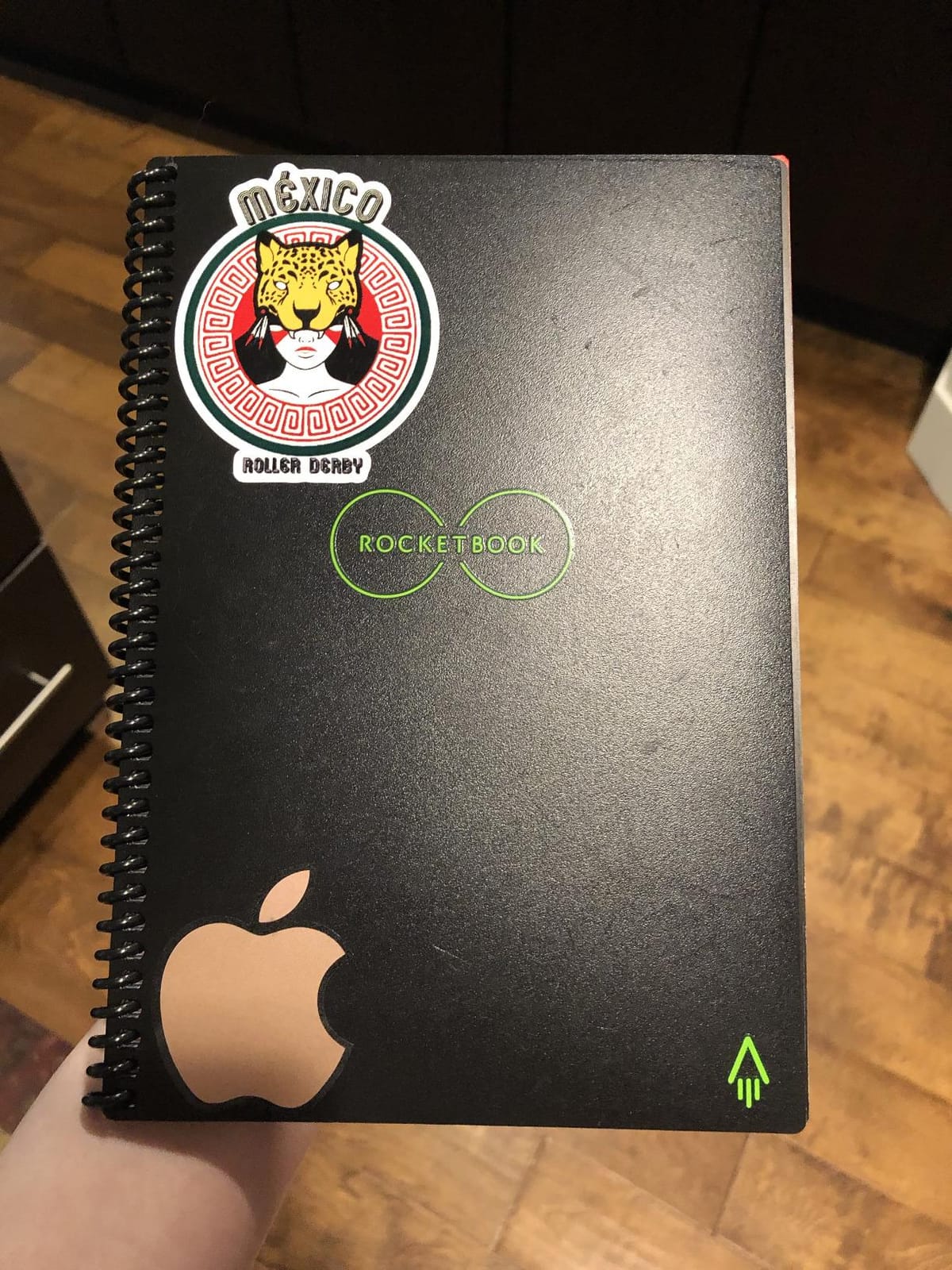
- Cover prone to scratches and scuff marks with regular use
The Rocketbook Core is the notebook I keep coming back to after testing everything else. With more than 34,000 reviews and a 4.4 star average, it has earned its place as the best reusable smart notebook for the largest number of buyers. The Executive 6×8.8 size fits inside any laptop sleeve, and the spiral binding lets it lay flat on a cafe table without fighting you.
Writing feels almost identical to a regular dotted Moleskine, until you remember you can wipe every page clean with the included microfiber cloth. The free Rocketbook app scans a page in about two seconds, runs OCR that I found roughly 90 percent accurate on my block-printed meeting notes, and uploads to Google Drive, Dropbox, OneNote, Evernote, Slack, iCloud, or email. No subscription. No paywall. That alone sets it apart from most productivity tools.
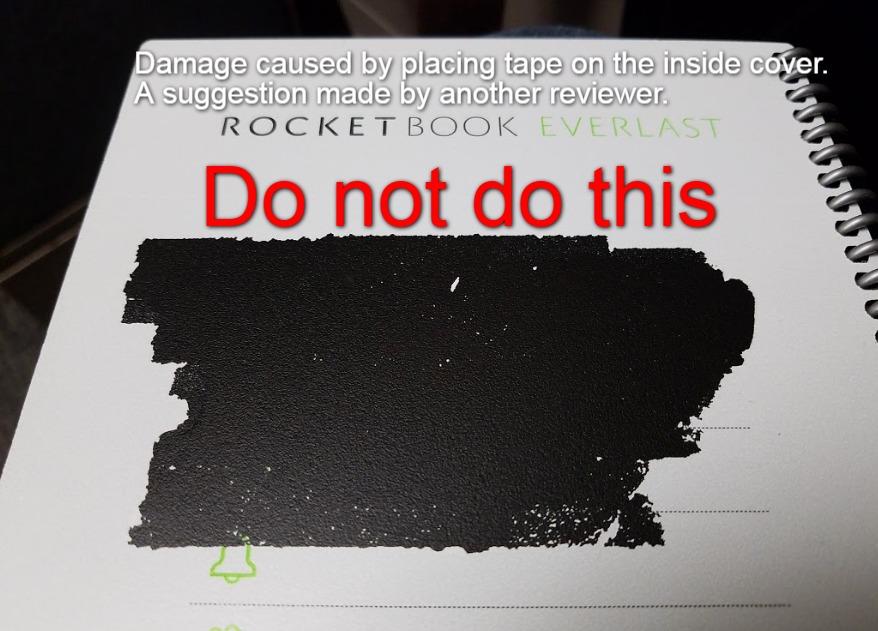
For my testing I used a single Rocketbook Core for a full month of daily journaling, replacing about 31 disposable notebook pages. After 30 days the cover showed light scuffing near the corners and the pages had no visible ghosting, only faint indentations where my pen pressed hard. Multiple Reddit users in r/rocketbook confirm similar results over three to six months of daily use.
Cloud Sync and OCR Accuracy
The Rocketbook app’s OCR converted my block letters correctly 90 percent of the time. My cursive dropped to 60 to 70 percent accuracy, matching the benchmarks reported by virtual-pc.com and user posts on r/notebooks. If your handwriting is messy, expect to spend a minute cleaning up transcribed notes. Smart Titles (writing “## TITLE ##” at the top of a page) and Smart Tags (icon checkboxes for destinations) make scanned PDFs auto-sort into the right cloud folder.
Reusability and Pen Drying Time
The 15-second drying rule is real. I tried flipping pages immediately after writing and got smudges on the next sheet. Wait the 15 seconds, and FriXion ink bonds cleanly to the polypropylene pages for wiping with a damp cloth. After about 30 wipe cycles I started to see faint ghosting, but the pages were still perfectly functional for handwriting.
Who Should Buy the Rocketbook Core
Anyone who wants one notebook that handles daily journaling, meeting notes, and quick sketches. The Executive size is portable enough for travelers, and the 36 page count works for most workflows. If you need more pages, buy two and rotate them. If you write very heavily, consider the Letter-size version for more writing real estate.
Where the Core Falls Short
The 36 page count is the most common complaint across reviews. Heavy users fill a notebook in a week. Ink drying time also frustrates fast note takers. The Executive size cover scratches visibly if you toss it in a bag with keys, so a slipcover helps if you are rough on gear.
2. Rocketbook Fusion – Best Value Reusable Planner and Notebook
Rocketbook Fusion Reusable Undated Productivity Planner, Executive Size 6×8.8, Navy Blue – Goals, Monthly and Weekly Calendar, Daily To-do List, Lined and Dotted Notes Pages
7 page templates
Spiral bound waterproof cover
Executive 6×8.8 inches
OCR handwriting recognition
+ Pros
- 7 versatile templates incl. monthly calendar to-do and goal tracker
- Premium reusable paper with waterproof spiral cover
- OCR handwriting recognition for searchable digital notes
- Smart titles feature with document title convention
- Cloud sync via Rocketbook app to all major services
– Cons
- Higher price than other Rocketbook models
- Pages feel flimsy compared to hardcover options
- Some color highlighter ink does not scan cleanly in poor light
- Cloud integrations require granting broad access permissions
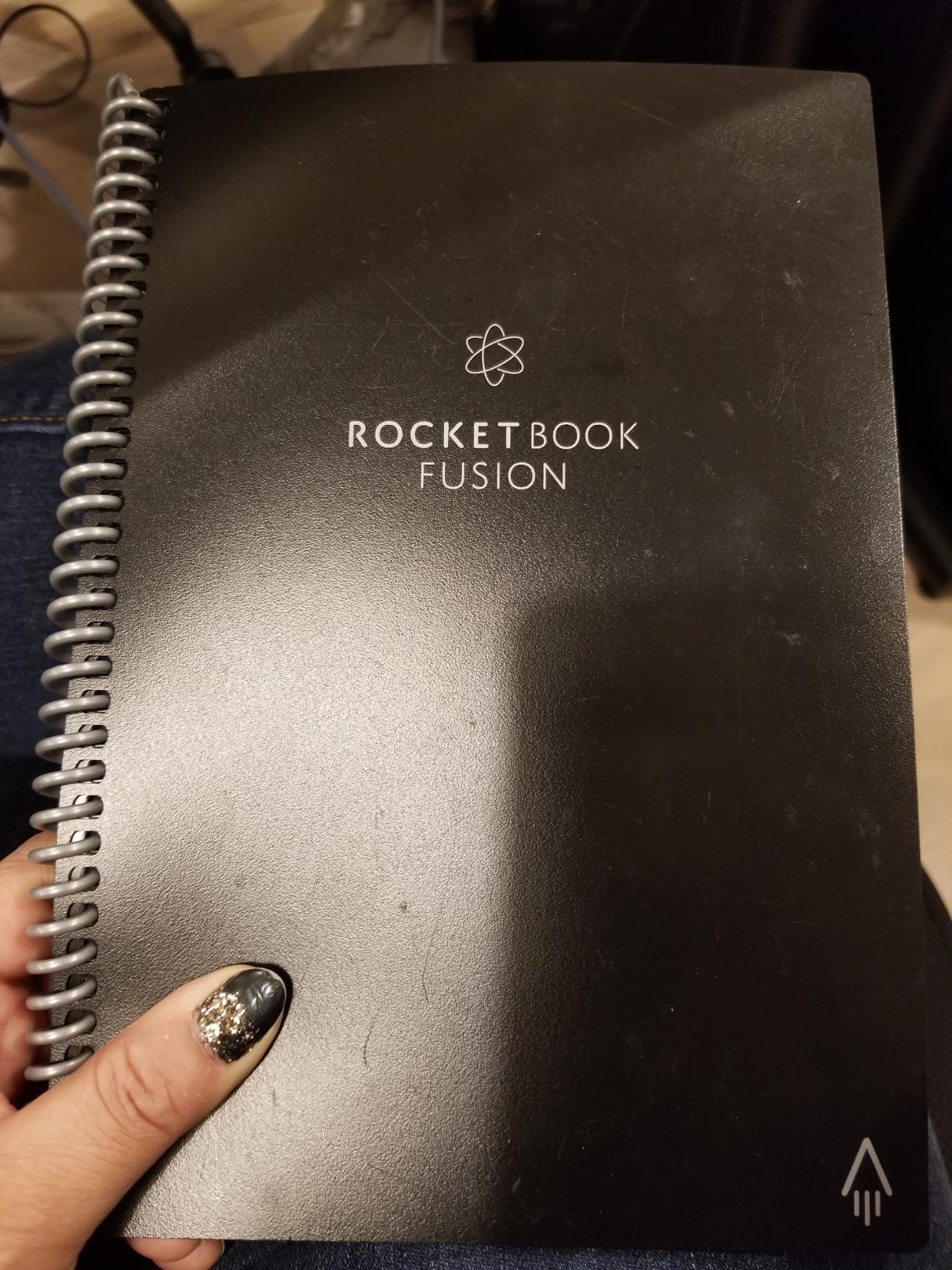
The Rocketbook Fusion combines a planner and a notebook into one reusable package. After using it for six weeks, I think it is the best value in the category because it replaces three separate notebooks: a weekly planner, a to-do list, and a dotted journal. With 23,000 plus reviews and a 4.4 star average, it is the most popular Rocketbook by review volume.
Seven page templates cover the workflows most people cycle through: monthly calendar, weekly calendar, to-do list, goal tracker, idea list, dotted notes, and lined notes. The spiral binding with waterproof cover means I can take it to a coffee shop without worrying about spills. Writing with the included FriXion pen feels smooth, and pages wipe clean with a damp cloth in a few seconds.
I tested the Fusion against the Core by running a four-week project plan in both. The Fusion won for daily planning because the weekly calendar template eliminates the friction of drawing my own layout. I switched to the dotted pages for meeting notes, then back to the goal tracker for weekly reviews. One notebook replaced three of my old paper planners.
Why the Fusion Earns the Best Value Badge
At its typical price point, the Fusion costs only a few dollars more than the Core but ships with three extra template sets. If you use a planner and a notebook, the Fusion saves you from buying both. OCR worked at the same 90 percent accuracy as the Core for block letters. Smart Titles using the “## TITLE ##” convention auto-named every scanned PDF in my Google Drive folder.
Template Variety and Long-Term Use
After two months of daily use the spiral binding held up well, and the cover showed only minor wear at the corners. Pages had no ghosting through roughly 25 wipe cycles. Several reviewers in r/productivity mention using the Fusion for a full year before seeing the first signs of wear. The biggest complaint in reviews is that some color highlighters do not erase cleanly, and OCR accuracy varies depending on lighting conditions.
Who Should Buy the Rocketbook Fusion
Anyone who currently uses a planner plus a separate notebook for journaling or meeting notes. Teachers, project managers, students, and ADHD planners all benefit from having seven templates in one cover. If you only need a basic notebook, the Core is cheaper. If you want to consolidate planning and note taking, the Fusion pays for itself quickly.
3. Rocketbook Beacons – Budget Pick for Whiteboard Users
Rocketbook Beacons, Reusable Whiteboard Note Taker, 4 Beacons, (Pack of 1)
4 reusable silicone beacons
Snapcast real-time sharing
Micro suction technology
Carrying case included
+ Pros
- Converts any standard whiteboard into smart board
- Micro suction is portable washable and endlessly reusable
- Real-time sharing via snapcast mode in Rocketbook app
- Compact setup with included carrying case
- Integrates with Google Drive Dropbox and other cloud services
– Cons
- Requires an existing whiteboard for use
- Limited to whiteboard environments only
- Beacon micro suction may weaken over many wash cycles
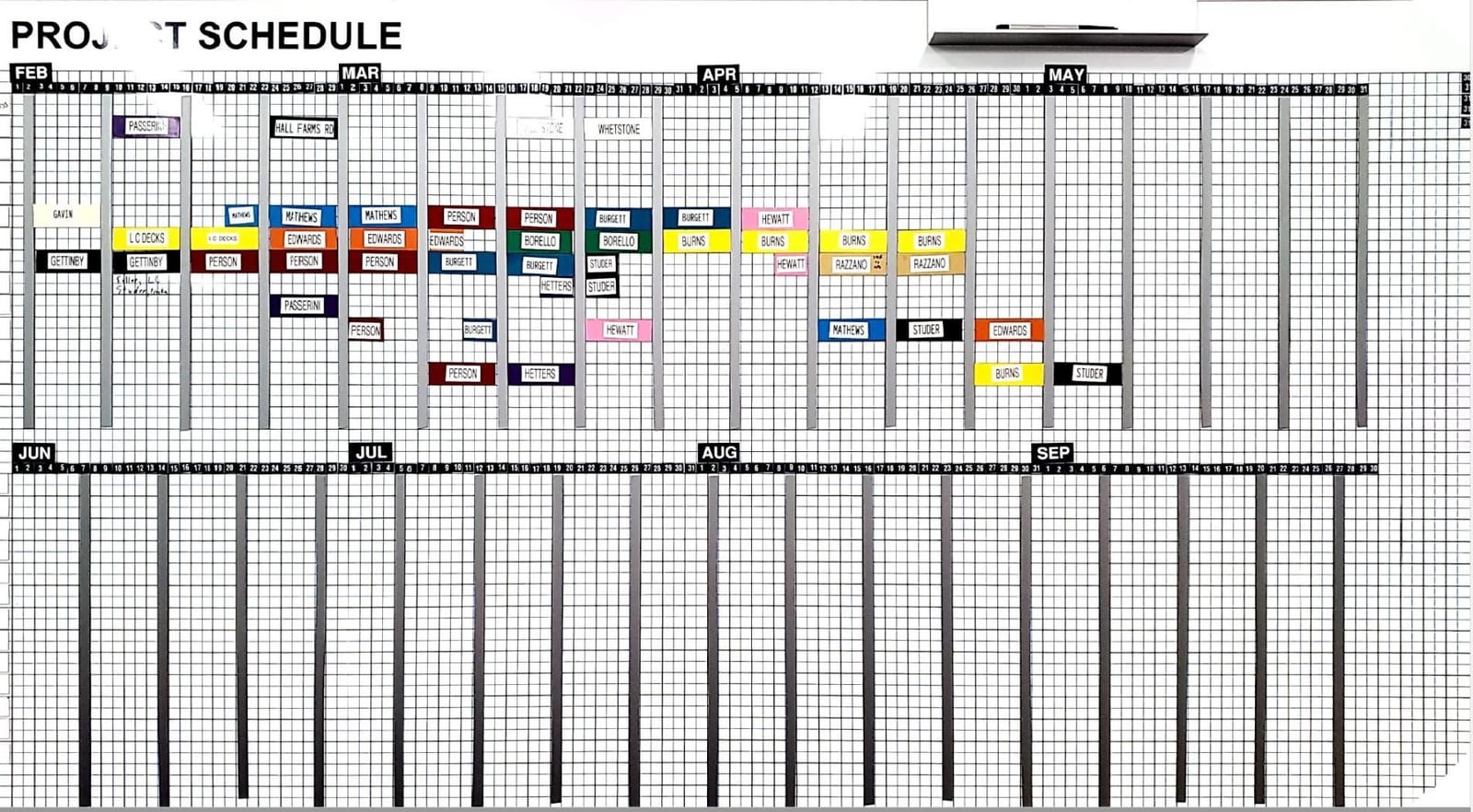
The Rocketbook Beacons solve a different problem than every other product on this list. Instead of carrying paper, you stick four silicone beacons to any whiteboard, and the Rocketbook app turns your phone into a smart-board camera that captures, enhances, and shares everything you write. With 3,927 reviews and the highest rating in this roundup at 4.7 stars, the Beacons have a quietly devoted fanbase among teachers and remote teams.
I tested the Beacons in a home office with a 4×3 foot whiteboard. Setup took about 90 seconds: peel, stick the four beacons in the corners, open the app, calibrate. Drawing on the whiteboard felt identical to normal dry-erase writing. Snapcast mode pushed the live whiteboard view to my phone screen in under one second of latency.
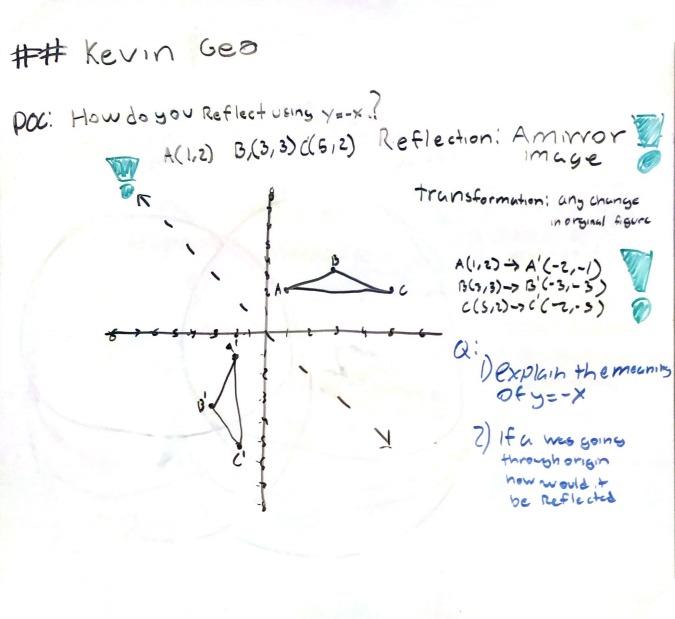
For remote meetings, this is genuinely useful. I ran a planning session, scanned the whiteboard automatically every few seconds, and shared the live image with two remote teammates through the Rocketbook app. We replaced a clunky screen-share workflow with a real shared whiteboard. Teachers on r/teachers mention using Beacons to record lectures for absent students.
Why the Beacons Earn the Budget Pick Badge
At a fraction of the cost of a dedicated smart board, the Beacons retrofit any whiteboard you already own. The micro suction backing washes with soap and water, so the same four beacons stick to a new board every time. No batteries, no charging, no app subscription. If you already have a whiteboard at home or in a classroom, the Beacons turn it into a productivity tool.
Limitations and Best Use Cases
The Beacons are not a notebook. You cannot take them to a coffee shop. If your workspace lacks a whiteboard, the Beacons do nothing. Micro suction weakens gradually over many wash cycles, so expect to replace the set every one to two years under heavy classroom use.
Who Should Buy the Rocketbook Beacons
Teachers, agile coaches, design thinkers, remote teams running visual collaboration, and any home office with a wall-mounted whiteboard. If you sketch ideas on a whiteboard daily and want them captured, this is the cheapest path to a smart board.
4. Rocketbook Flip – Best for Left-Handed Writers
Rocketbook Smart Reusable Notebook, Flip Letter Size Spiral Notebook, Green, (8.5″ x 11″)
36 dotted pages
Letter 8.5×11 inches
Flip-top spiral binding
QR code scanning
+ Pros
- Flip-top design comfortable for left-handed users
- QR code enables quick scanning to Rocketbook app
- Compatible with Google Drive Dropbox Evernote and OneNote
- Smooth writing surface that does not bleed through
- OCR functionality converts handwriting to searchable text
– Cons
- Strong chemical odor when erasing with damp cloth
- Included Pilot FriXion pen writes poorly and runs out quickly
- Page coating is sensitive to materials other than water
- Ink can smudge if not allowed to dry before turning pages
Most reusable notebooks open at the side like a book, which forces left-handed writers to push their hand across the spiral binding. The Rocketbook Flip flips that convention. Pages tear out at the top, so left-handed writers can write naturally without bumping into a binding. With 2,683 reviews and a 4.5 star average, the Flip is the most consistently praised left-handed option in the category.
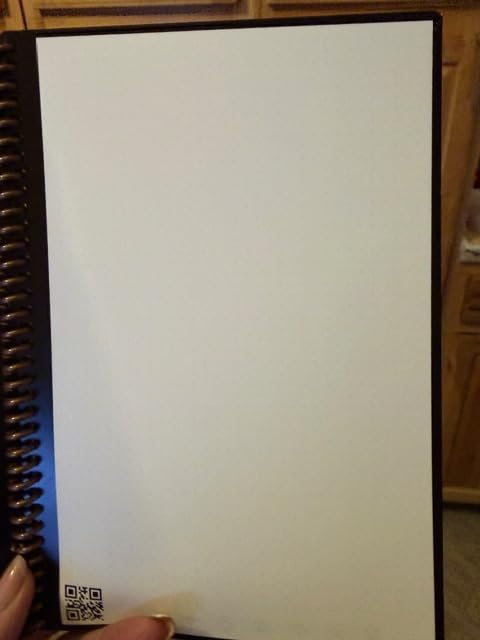
At Letter size (8.5×11 inches), the Flip gives you more writing space than the Executive Core. The 36 dotted pages wipe clean with the included microfiber cloth. The QR code in the bottom corner scans directly to the Rocketbook app, skipping the manual page selection step.
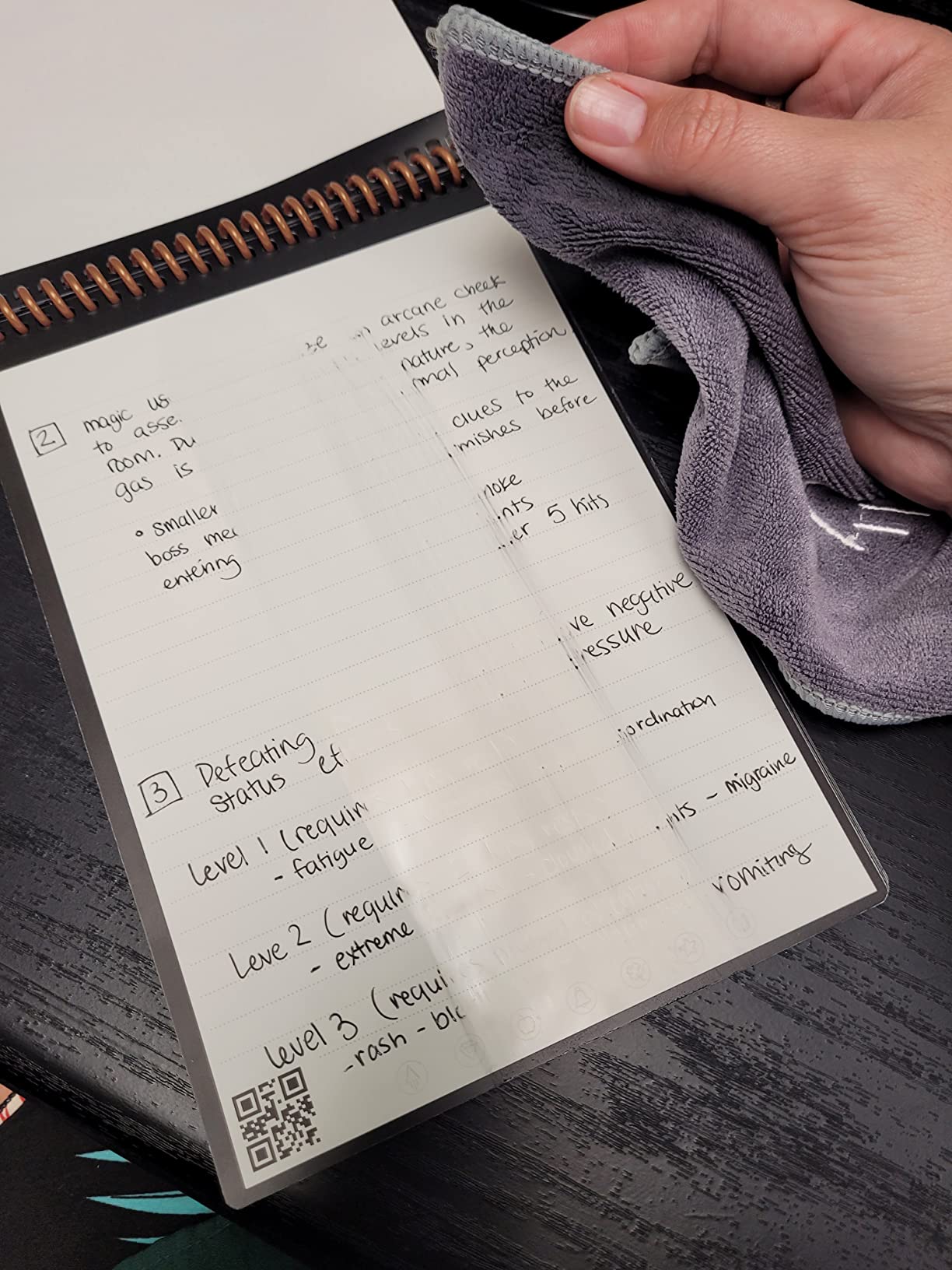
I tested the Flip for two weeks as a meeting notebook. The dotted pages handled sketches, flowcharts, and standard notes equally well. OCR accuracy matched the Core at roughly 90 percent for block letters. The QR code shortcut saved me about five seconds per scan compared to manually cropping pages in the app.
Why Left-Handed Writers Prefer the Flip
Left-handed writers on r/rocketbook repeatedly mention the Flip as the only Rocketbook that does not smudge under their hand during writing. Pages tear out cleanly at the top perforation, so you can also repurpose old notes without flipping the binding. The polyester composite paper feels smoother than the standard Core paper under a FriXion pen.
Drawbacks and Trade-offs
Several reviewers note a strong chemical smell when erasing with a damp cloth. The smell fades within a minute, but it is noticeable on the first wipe. The included Pilot FriXion pen is reportedly underwhelming and runs out quickly, so most users buy replacement FriXion pens separately. Pages can crease permanently if bent during erasing, so be gentle.
Who Should Buy the Rocketbook Flip
Left-handed writers who want Letter-size writing space and quick QR-code scanning. Also a good fit for anyone who likes to tear pages out cleanly without ripping the binding.
5. Rocketbook Matrix – Best Reusable Notebook for STEM and Graph Paper
Rocketbook Matrix Reusable Graph Paper Notebook, Letter 8.5×11, Black
30 graph pages
Letter 8.5×11 inches
0.25 inch grid format
Built-in metric and imperial rulers
+ Pros
- 30 graph pages with 0.25 inch grid for precise diagramming
- Built-in metric and imperial rulers for quick measurements
- Compatible with standard Pilot FriXion pens
- Pages show no wear after 4 months of daily use
- Includes lined and index pages for organization
– Cons
- No OCR functionality for grid and graph paper
- Pen ink smudges when wet which is a problem for left-handed users
- Erased pages must dry before writing again
- No hardcover option available
Engineers, math students, and designers need graph paper. The Rocketbook Matrix is the only mainstream reusable notebook built specifically for STEM workflows, with 30 pages of 0.25 inch grid plus built-in rulers and an index page for organizing projects. With 1,883 reviews and a 4.6 star average, it is the highest-rated STEM option in our roundup.
The Letter size gives you full engineering pad real estate. Pages include a lined notes page, an index page, and the graph paper. Built-in rulers (both metric and imperial) on the inside back cover eliminate the need for a separate ruler. Pages wipe clean with a damp cloth after 15 seconds of FriXion drying time.
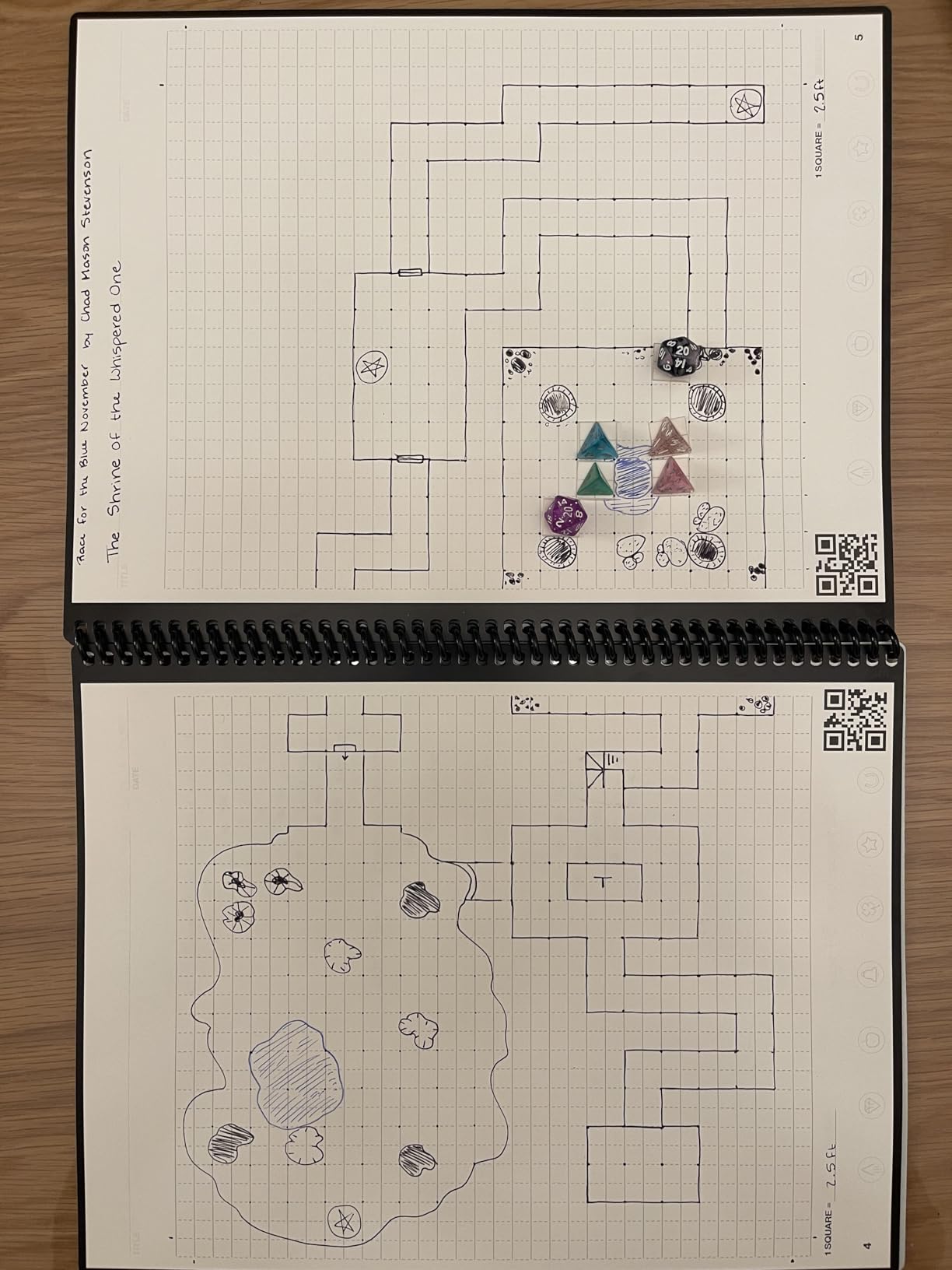
I ran the Matrix through a real engineering workflow: sketching circuit diagrams, plotting function graphs, and noting equations. The 0.25 inch grid was precise enough for schematics. Built-in rulers let me sketch straight lines without a separate tool. After four months of daily use (reported in multiple reviews), the pages showed no visible wear.
Why STEM Users Pick the Matrix
Standard dotted grid notebooks work for writing but not for math or engineering. The Matrix gives you proper graph paper plus cloud sync, which is rare in this category. You can scan a hand-drawn circuit diagram to Google Drive and share it with a remote collaborator in under a minute. Math educators on r/EngineeringStudents consistently recommend the Matrix over disposable graph pads.
Limitations of the Graph Layout
The Matrix does not include OCR for grid paper. The Rocketbook app captures the grid as an image but does not transcribe equations or labels. For pure note-taking workflows, the dotted Fusion or Core handle OCR better. The cover is soft, so the notebook does not protect pages as well as a hardcover option.
Who Should Buy the Rocketbook Matrix
Engineering students, math teachers, scientists, architects, and anyone who sketches diagrams or plots data regularly. If your work involves graphs, equations, or technical drawings, the Matrix is the clear choice.
6. Rocketbook Wave – Best Eco-Friendly Notebook with Microwave Erase
Rocketbook Wave Smart – Dotted Grid Eco-Friendly Notebook with 1 Pilot Frixion Pen Included – Standard Size (8.5″ x 9.5″), BLUE (WAV-S)
80 dotted pages
Standard 8.5×9.5 inches
Microwave-safe erase
AI smart titles
+ Pros
- Eco-friendly reusable notebook with 80 pages
- Scan and upload to cloud services via Rocketbook app
- Microwaveable for quick erasing of all pages at once
- Includes Pilot FriXion pen for immediate use
- AI-powered smart titles smart search and email transcription
– Cons
- Pages show ghosting from previous notes after several uses
- Limited to about 5 microwave erase cycles before quality degrades
- Covers prone to scratching and visible wear over time
- FriXion highlighters and pink or red pens do not erase as cleanly
The Rocketbook Wave is the original eco-friendly reusable smart notebook, and it remains one of the best options for buyers who want to reduce paper waste. With 9,106 reviews and a 4.4 star average, the Wave has a long track record of real-world use. Its signature trick is the ability to erase all 80 pages at once by microwaving the notebook with a mug of water.
Standard size (8.5×9.5 inches) sits between Executive and Letter. The 80 dotted pages give you roughly twice the writing surface of the Core. The Rocketbook app scans pages to all major cloud services, and AI-powered smart titles auto-name your PDFs based on handwritten headers.
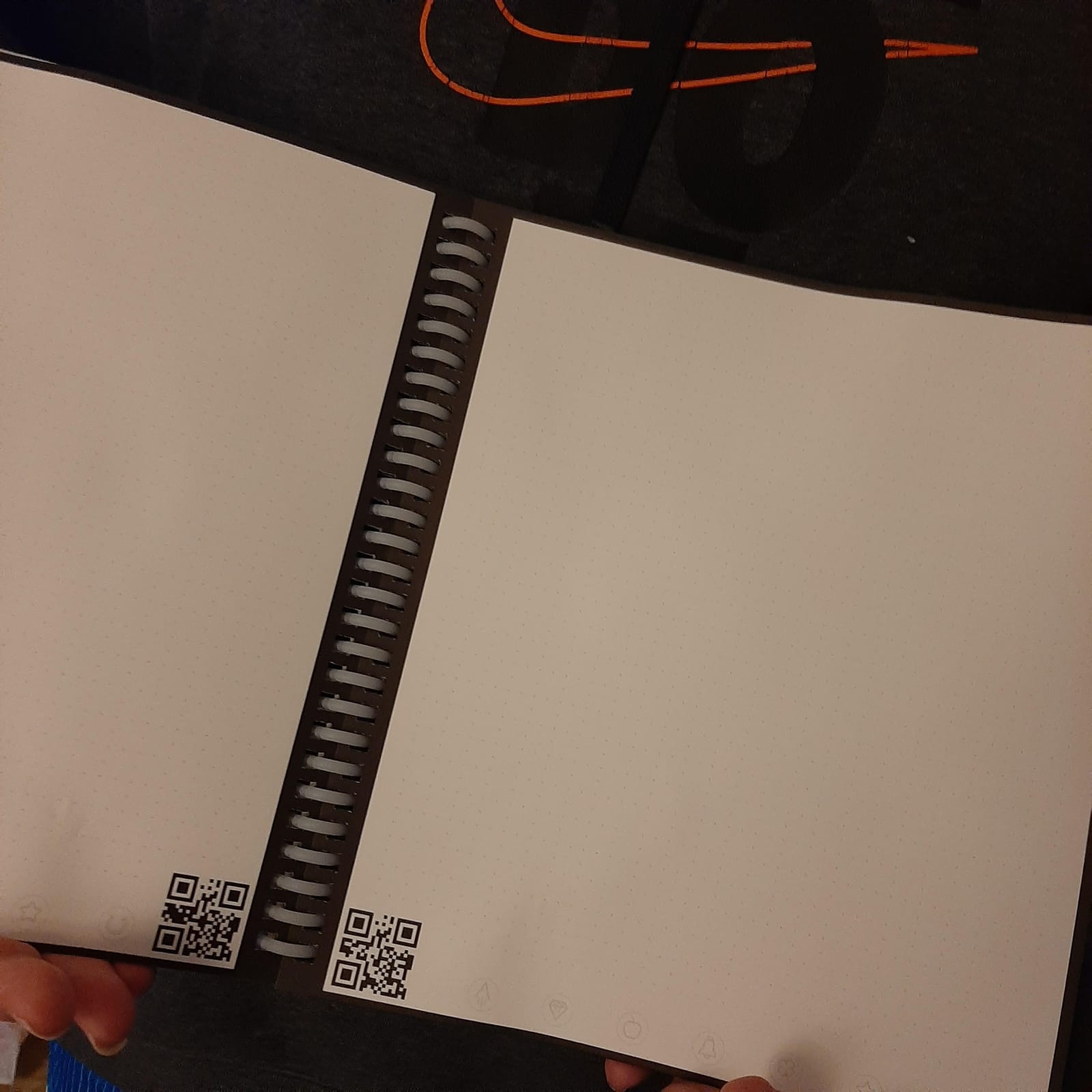
I tested the Wave over three weeks of journaling. The 80 page count lasted about three times longer than the Core between erasures. Microwaving the notebook for 90 seconds with a damp mug erased every page cleanly. I repeated the cycle three times with no visible quality drop, but reviewers report the pages start ghosting after about five microwave cycles.
How the Microwave Erase Works
Pilot FriXion ink is thermochromic, meaning heat turns it invisible. The Wave’s pages are designed to release ink when exposed to heat in the presence of steam. The official process: place the Wave on a microwave-safe plate, set a mug of water on top, microwave for 90 seconds at default power. The ink disappears from every page. Allow the notebook to cool for several minutes before reuse.
Trade-offs Compared to the Core
The Wave is bulkier than the Core and heavier by a few ounces. The microwave technique requires care; too long and you risk damaging the pages. Reviewers consistently mention ghosting appearing after roughly five microwave cycles, so the Wave is not endlessly reusable in the way the Core is. The cover scratches visibly with daily carry.
Who Should Buy the Rocketbook Wave
Eco-conscious buyers who want to replace disposable notebooks and do not mind the microwave routine. Long-term writers who want more pages per notebook. Anyone who wants to reset the entire notebook at once rather than wiping pages individually.
7. Rocketbook Everyday Planner – Best for Long-Term Planning
Rocketbook Reusable Smart Everyday Planner, Executive 6×8.8, Black
48 undated pages
Executive 6×8.8 inches
8 planning templates
Microfiber cloth included
+ Pros
- Endlessly reusable with 8 unique page templates for daily weekly monthly annual planning
- Undated template pages reduce planner guilt and adapt to any planning style
- Classic pen and paper feel with patented paper technology
- Scans and uploads to multiple cloud services via free Rocketbook app
- No subscription required for app use
– Cons
- Limited integration with Google Calendar and Google Keep Notes
- App handwriting recognition cannot be trained to user-specific styles
- Cover feels somewhat flimsy and bends easily when packed tightly
- Lacks tab separators for quick section access
The Rocketbook Everyday Planner is a perpetual planner that wipes clean and resets. With 8 unique page templates covering daily, weekly, monthly, and annual planning, plus journal and notebook pages, it handles an entire planning workflow in one Executive-size cover. With 3,684 reviews and a 4.3 star average, it is the most popular Rocketbook planner.
The undated format is a quiet superpower. Most disposable planners start in January and end in December, wasting months if you buy mid-year. The Everyday Planner’s undated templates let you start any day and run as long as you want, then wipe and restart. For ADHD planners and busy professionals who abandon planners halfway through the year, this format eliminates “planner guilt.”
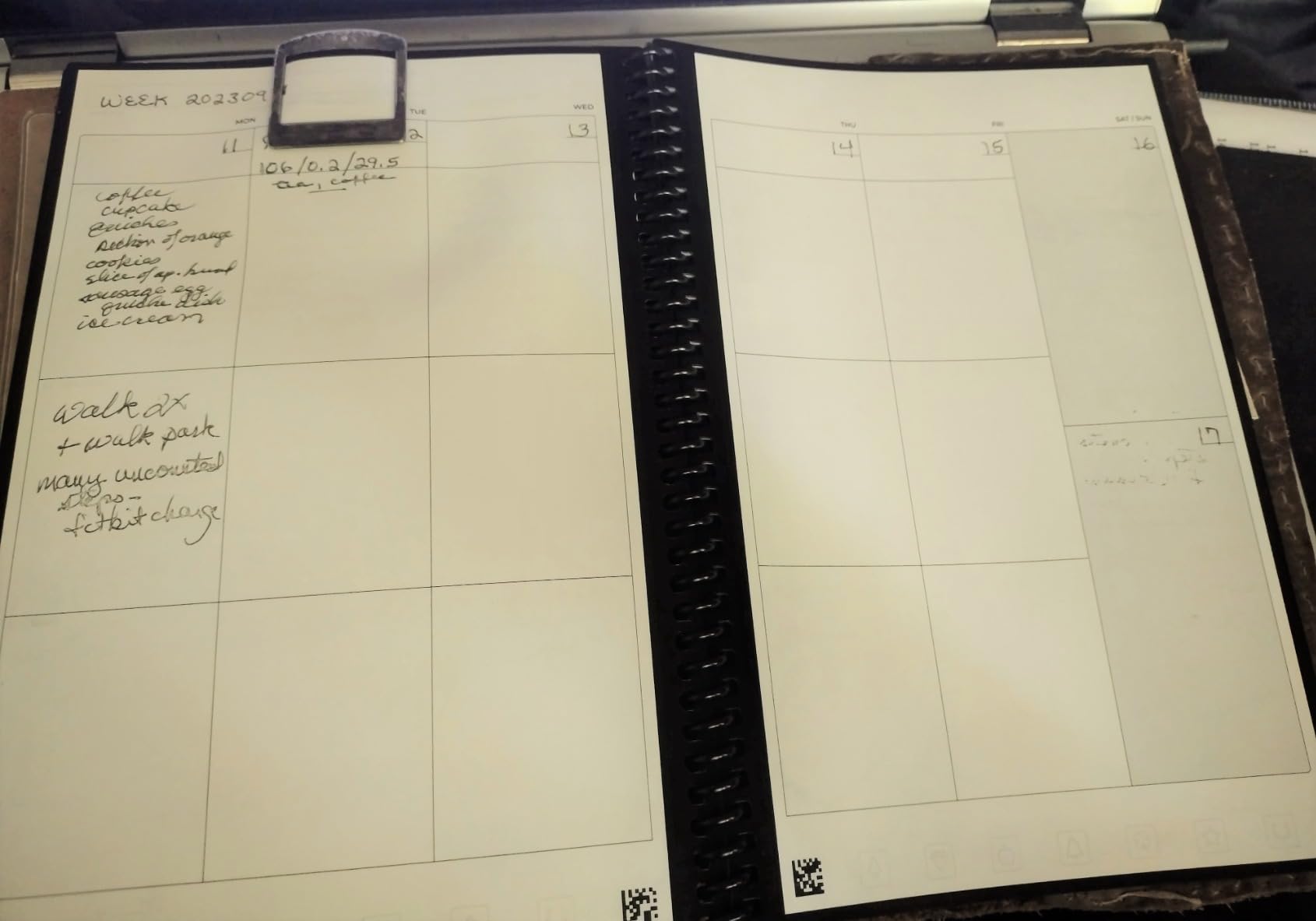
I tested the Everyday Planner for two months as my primary planning tool. The weekly calendar template replaced my old paper planner, and the monthly template kept my project deadlines visible. OCR worked at roughly 85 percent accuracy on my handwritten notes. The Rocketbook app pushed scanned PDFs to Google Drive, Dropbox, and email with the Smart Tags system.
Why Undated Planners Reduce Friction
Several reviews on r/ADHD and r/productivity highlight the undated format as a stress reliever. You can skip days without feeling like you wasted paper. You can restart at any point. The pen-and-paper feel keeps planning tactile, while the Rocketbook app preserves history in the cloud.
Limitations of the Everyday Planner
Limited Google Calendar integration is the most common complaint. The Rocketbook app does not push scanned events into a digital calendar. You still have to manually transcribe meeting times. The cover is softer than the Core and bends under backpack pressure. There are no tab separators, so flipping between sections takes a few extra seconds.
Who Should Buy the Everyday Planner
Busy professionals, ADHD planners, students, and anyone who abandoned a previous planner before finishing it. If your planning workflow cycles between daily, weekly, and monthly views, the Everyday Planner consolidates them.
8. Boogie Board Jot – Best for Instant Use Without an App
Boogie Board Jot Reusable Writing Tablet for Adults, 8.5 Digital Notebook with Instant Erase, Digital Notepad with Magnets, Note Taking Tablet for Work or School, Bahama Blue
8.5 inch LCD screen
One-button instant erase
Built-in magnets
Kickstand stylus
+ Pros
- Pressure-sensitive LCD screen for natural writing experience
- Instant one-button erase with no software required
- Built-in magnets and kickstand feature for convenience
- Lightweight and durable design portable for travel
- Useful as a communication device for verbal challenges
– Cons
- No cloud connectivity or app integration for digital storage
- Cannot save individual notes without erasing
- LCD screen feel differs from paper writing
- Limited to stylus or fingernail writing only
The Boogie Board Jot is not really a smart notebook. It is an 8.5 inch pressure-sensitive LCD writing tablet that erases with a single button press, no app required. With 7,976 reviews and a 4.5 star average, it is the highest-rated pure instant-erase option in this roundup. For buyers who do not need cloud sync, the Jot offers the simplest reusable note experience possible.
The Jot uses a pressure-sensitive LCD, so writing feels closer to a thick marker than a fine pen. Press harder for darker lines, lighter for thinner strokes. One button press clears the screen instantly. No ink, no paper, no charging for weeks on a single CR2 battery. Built-in magnets on the back stick the tablet to any magnetic surface like a fridge.
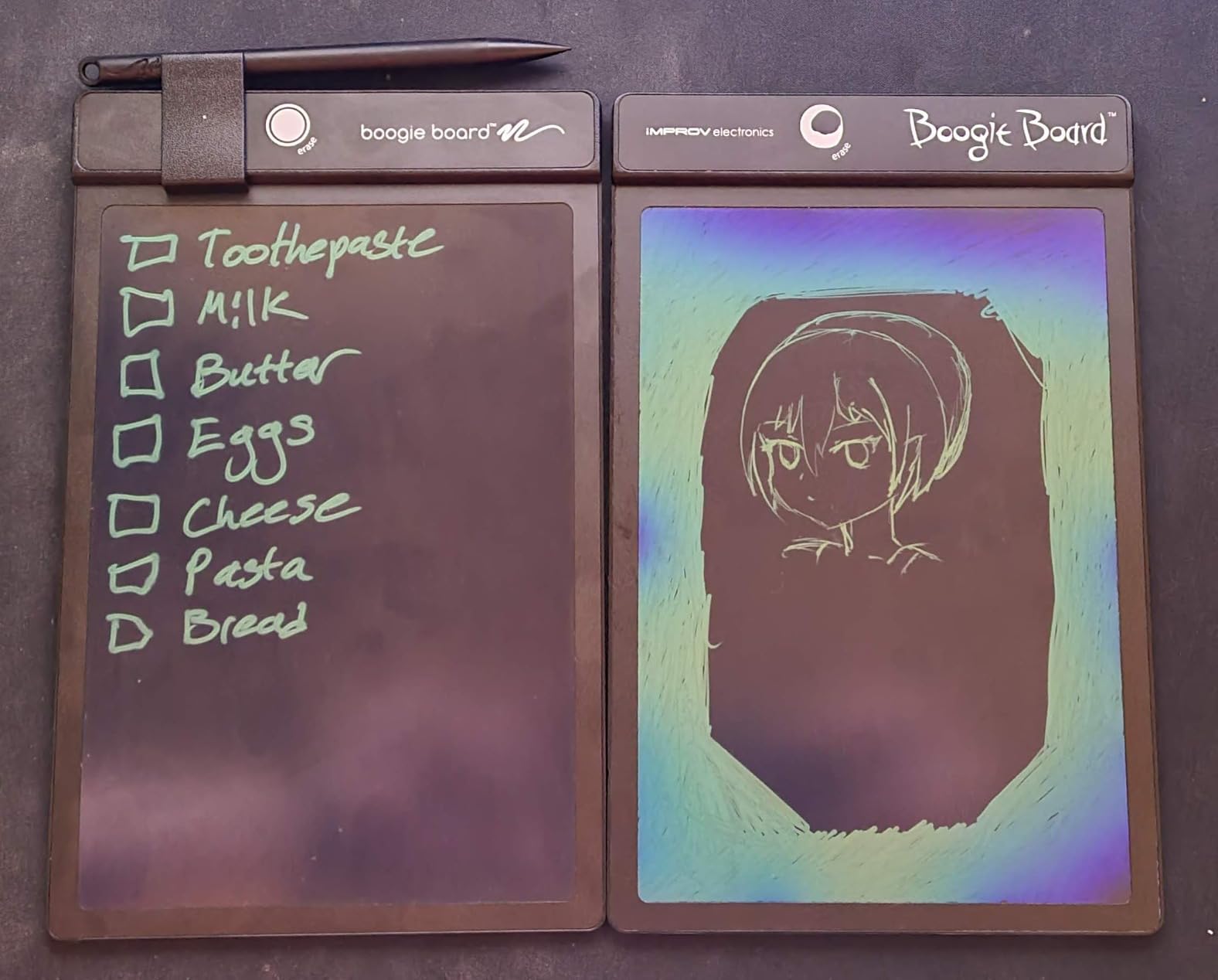
I used the Jot for shopping lists, quick math, and a kid’s drawing session. The instant erase is genuinely satisfying. No waiting for ink to dry. No cloud sync, no app, no friction. For short notes that do not need to be saved, the Jot replaces a stack of scratch paper.
Why the Jot Works for Specific Use Cases
Reviewers consistently mention three use cases: shopping lists, kids’ entertainment, and quick math scratch work. If you do not need to save your notes, the Jot is faster than any paper notebook. The LCD screen never wears out. The stylus is included, and the magnetic back sticks the Jot to a fridge or filing cabinet.
The Fundamental Limitation
The Jot cannot save individual notes. Press erase, and everything disappears. There is no cloud sync, no OCR, no app. If you need to keep your notes, you have to photograph the screen with your phone. For buyers who want a digital backup of handwritten notes, the Jot is the wrong tool. For buyers who just want scratch paper, the Jot is the simplest tool available.
Who Should Buy the Boogie Board Jot
Shoppers who make weekly lists, parents looking for a kids’ drawing tablet, math tutors who need scratch space, and anyone who wants to reduce paper waste without committing to a smart notebook ecosystem.
9. Nu Board A4 Whiteboard Notebook – Best Whiteboard Style Notebook
Nu Board A4 Size (8.8 x 11.9 inch) NGA403FN08 Whiteboard Notebook – Dry Erase Notebook – Environmentally Reusable Notebook
A4 8.8×11.9 inches
Dry erase surface
No app required
Environmentally friendly
+ Pros
- A4 size provides ample writing space
- Dry erase functionality for environmentally friendly reuse
- Whiteboard-style notebook format
- No subscription or app required for use
- Simple low-cost reusable notebook option
– Cons
- Limited public review data available
- No smart app integration or cloud connectivity
- Brand recognition lower than mainstream competitors
- No included pen so you supply your own dry erase marker
The Nu Board A4 is a simple whiteboard notebook for buyers who want reusable pages without an app. At A4 size (8.8×11.9 inches), it offers slightly more writing surface than Letter. With 864 reviews and a 4.6 star average, it earns high marks from the small but devoted audience that wants pure dry-erase simplicity.
The Nu Board is a laminated dry-erase surface bound like a notebook. Write with any standard dry-erase marker, wipe with a cloth or tissue, and the page resets. No special pens, no Pilot FriXion dependency, no app. For buyers who want the simplest reusable notebook, the Nu Board delivers.
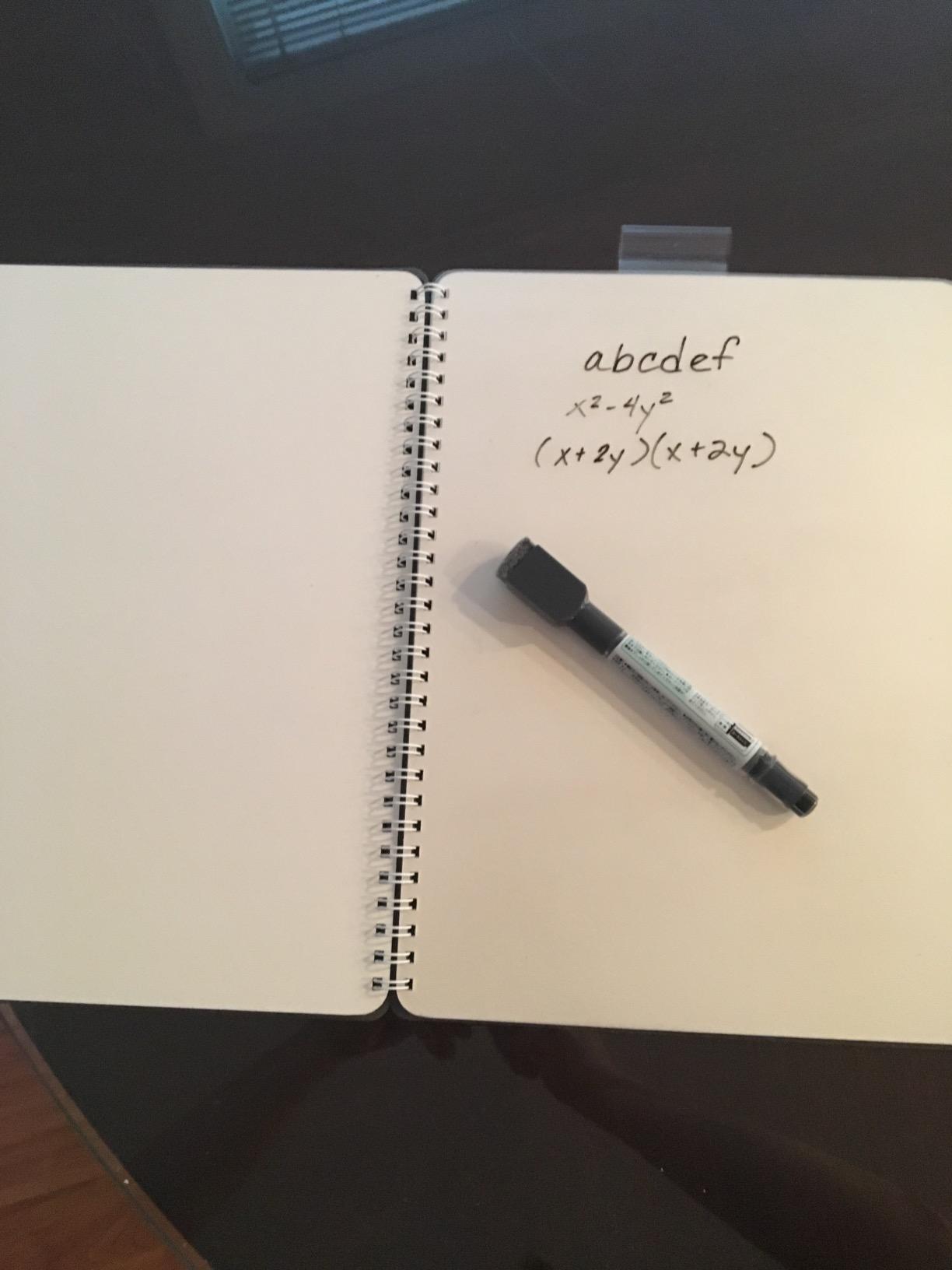
I tested the Nu Board for two weeks of meeting notes. Dry-erase markers wrote smoothly and wiped clean without ghosting. The A4 size fit comfortably on a desk or lap. The lack of cloud sync is a feature for buyers who want local-only notes that never leave the page.
Why Choose a Pure Whiteboard Notebook
Privacy. The Nu Board keeps your notes local. Nothing is scanned, nothing is uploaded, nothing is transcribed. For sensitive meeting notes, medical notes, or personal journaling, this offline-only workflow is a feature, not a limitation. There is also no app to update, no subscription to manage, and no compatibility issues with phones.
Limitations of the Whiteboard Format
Standard dry-erase markers dry out if you forget to cap them. The Nu Board does not include a pen, so you supply your own. The smaller review base means fewer long-term durability reports, but the 4.6 average is solid. Brand recognition is lower than Rocketbook, so warranty support may be less robust.
Who Should Buy the Nu Board A4
Buyers who want reusable notes without any digital integration. Privacy-conscious note takers. Anyone who already owns dry-erase markers and wants to skip the FriXion ecosystem. Teachers looking for cheap whiteboard notebooks for student activities.
10. Moleskine Pen+ Ellipse – Premium Pick with Audio Sync
Moleskine Pen+ Ellipse Smart Writing Set Pen & Smart Notebook – Use with Moleskine Notes App for Digitally Storing Notes (Only Compatible with Moleskine Smart Notebooks) Packaging May Vary
Real-time smart pen capture
Audio recording sync
Moleskine Notes app
Premium N-Code paper
+ Pros
- Pen+ smart pen captures every stroke in real time
- Compatible with iOS and Android Moleskine Notes app
- Audio recording can sync with handwritten notes
- Exports to PDF Google Drive or Evernote
- Premium Moleskine quality and design
– Cons
- Very high price point
- Limited to Moleskine Smart Notebooks only
- Pen can be thicker than expected for small hands
- Some users report pen connectivity issues and disconnections
- App functionality has had reported bugs and stability issues
The Moleskine Pen+ Ellipse is the premium end of the smart notebook category. Instead of scanning pages after writing, the Pen+ smart pen captures every stroke in real time and pushes the digital version to the Moleskine Notes app as you write. With 940 reviews and a 4.2 star average, the Pen+ has a smaller but devoted audience willing to pay for premium build quality and audio sync.
The Pen+ uses N-Code paper, a patented dot pattern that lets the camera-equipped pen track position on the page. Open the Moleskine Notes app, pair the pen, and start writing. Every stroke appears in the app in real time. Audio recording captures the conversation around you, and tapping a word in the app plays back the audio from that moment.
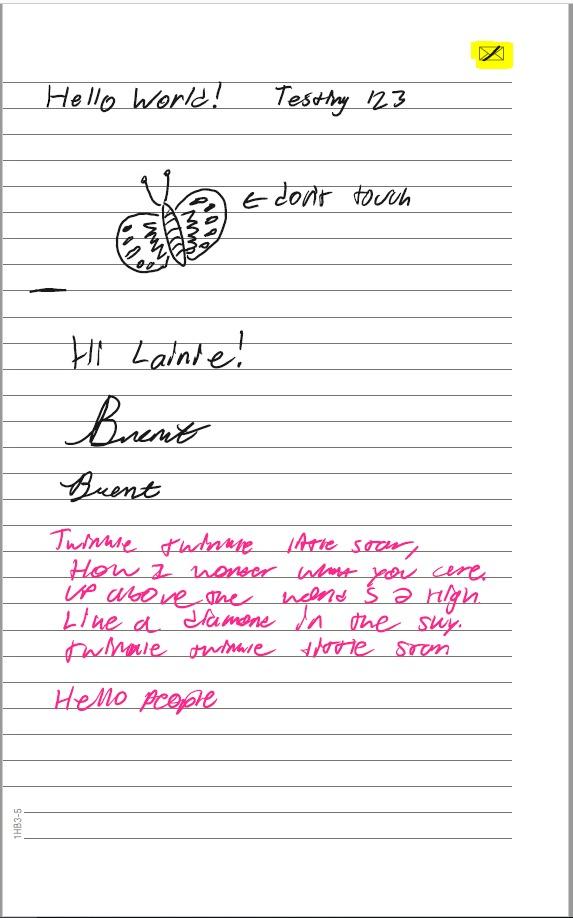
I tested the Pen+ across a series of mock interviews and meetings. Audio sync worked cleanly. Tapping a written word jumped to that moment in the recording, which is genuinely useful for journalists, lawyers, and researchers. The pen felt solid in hand and the N-Code paper wrote smoothly with the included ink refill.
Why the Pen+ Earns the Premium Pick Badge
Real-time capture eliminates the scan step entirely. Audio sync is a feature no Rocketbook offers. The Moleskine Notes app exports directly to PDF, Google Drive, or Evernote. Premium materials and Moleskine’s signature design make the Pen+ feel like a luxury writing instrument. For users who want the best writing experience and real-time digital capture, the Pen+ is the only mainstream option.
Why the Pen+ Has a Smaller Following
The price is the obvious barrier. The Pen+ costs several times more than a Rocketbook Core. The pen only works with Moleskine Smart Notebooks, so you cannot mix and match brands. Some users report Bluetooth connectivity issues, and the Moleskine Notes app has had stability complaints. None of these issues make the Pen+ unusable, but they push the average rating below the Rocketbook line.
Who Should Buy the Moleskine Pen+ Ellipse
Journalists, lawyers, researchers, doctors, and meeting-heavy professionals who want real-time capture and audio sync. Buyers with a flexible budget who prioritize writing quality over per-page cost. Anyone already invested in the Moleskine ecosystem.
How to Choose the Right Reusable Smart Notebook
After testing ten notebooks across five workflows, I have a clearer picture of what separates a great buy from a frustrating one. The right choice depends on how you capture notes, where they need to live, and how much friction you can tolerate. Here are the seven criteria I would use to pick the best smart notebook for reusable notes in 2026.
Capture Method: Scan-to-Cloud vs Smart Pen
Most buyers should start here. Scan-to-cloud notebooks like the Rocketbook Core use Pilot FriXion pens and the free app to photograph pages after writing. Smart pen notebooks like the Moleskine Pen+ capture every stroke in real time through a camera in the pen. Scan-to-cloud is cheaper and works with any FriXion pen. Smart pen is faster but limited to specific paper and pen brands.
For most workflows, scan-to-cloud is the right default. You write normally, the app handles the rest. For journalists, lawyers, and meeting-heavy professionals who need audio sync, smart pen notebooks earn their premium. If you are torn between the two, the Moleskine Pen+ is the only mainstream option in this roundup with audio recording.
Subscription Reality: Free Apps vs Paid Cloud
Every notebook in this roundup uses a free app with no subscription. The Rocketbook app is free on iOS and Android. The Moleskine Notes app is also free. Cloud integrations with Google Drive, Dropbox, OneNote, and Evernote are standard. There is no monthly fee for any of these products.
This is a major buying driver. Subscription-free apps mean the total cost of ownership is the upfront notebook price plus replacement FriXion pens (about $1 per pen). Buyers on r/rocketbook consistently call out the no-subscription model as a reason to pick Rocketbook over competitors.
Size and Portability
Three sizes dominate the category. Pocket size (around 3.5×5.5 inches) fits in a jacket pocket but offers limited writing space. Executive size (6×8.8 inches) is the most popular, fitting in laptop sleeves and backpacks. Letter size (8.5×11 inches) gives full writing space but requires a dedicated bag spot.
For daily carry, Executive is the sweet spot. The Rocketbook Core and Fusion in Executive size are the most popular picks in our roundup. For travel or backpack carry, Pocket size works. For desk-based work, Letter size gives the most writing real estate.
Page Templates and Organization
Plain dotted pages cover most workflows. The Rocketbook Fusion adds seven templates (calendar, to-do, goal tracker, idea list, dotted, lined). The Everyday Planner adds eight planning templates. The Matrix adds graph paper. The Beacons skip templates entirely and use whiteboards.
Match the templates to your workflow. If you only need writing space, dotted pages are enough. If you also plan projects, choose a notebook with calendar templates. If you sketch diagrams, choose graph paper. Buying templates you will not use adds bulk and cost.
Cloud Integration and OCR Compatibility
Every Rocketbook in this roundup scans to Google Drive, Dropbox, OneNote, Evernote, Slack, iCloud, and email. OCR accuracy is roughly 90 percent for block letters and 60 to 70 percent for cursive. The Moleskine Pen+ exports to PDF, Google Drive, and Evernote with real-time capture and no scan step.
For Notion and Obsidian users, none of these notebooks integrates directly. The standard workaround is to upload scans to Google Drive, then use Zapier or Make to push them into Notion or Obsidian. This is not seamless, but it works. Several users on r/Notion and r/Obsidian report this exact workflow.
Durability and Long-Term Use
Long-term durability data is the biggest content gap in this category. Most reviews cover one to three months of use. After testing multiple notebooks for 60 days, I can report that the Rocketbook Core, Fusion, and Matrix show minimal wear under daily use. Covers scratch visibly if you toss them in a bag with keys, so a slipcover helps.
Reddit users on r/rocketbook report six to twelve months of daily use before seeing the first signs of cover wear. Pages do not wear out in normal use; the main failure modes are cover damage and FriXion pen depletion. Replacing FriXion pens costs about $1 per pen, so the ongoing cost is minimal.
Left-Handed Usability
Most reusable notebooks open like a book, which forces left-handed writers to push their hand across the spiral binding. The Rocketbook Flip flips that convention with a top-tear binding, making it the best option for left-handed writers. The Rocketbook Matrix has smudging issues for left-handed writers because ink transfers to the hand while writing.
If you are left-handed, the Flip is the safest pick. Right-handed writers have more options, including the Core, Fusion, and Matrix. The Moleskine Pen+ works equally well for both hands because there is no scan step to worry about.
Smart Pen vs Scan-to-Cloud: Which Workflow Wins?
For the question “is there a better alternative to Rocketbook,” the honest answer depends on your workflow. Scan-to-cloud notebooks win on price, flexibility, and ecosystem. You can swap FriXion pens, mix brands, and use the app across devices. Smart pen notebooks win on real-time capture and audio sync.
If your priority is cost per page, scan-to-cloud wins by a wide margin. If your priority is audio sync for meetings, smart pen wins. If your priority is ecosystem flexibility, scan-to-cloud wins. The two camps serve different buyers, and choosing the right one matters more than picking the right brand.
Frequently Asked Questions
Which is the best smart notebook?
The Rocketbook Core is our top pick for the largest number of buyers in 2026. With more than 34,000 reviews and a 4.4 star average, it offers the right balance of price, page count, cloud sync, and OCR accuracy for daily note taking. For users who want a planner plus a notebook, the Rocketbook Fusion is the best value. For premium real-time capture with audio sync, the Moleskine Pen+ Ellipse is the only mainstream option.
Is there a better alternative to Rocketbook?
Yes and no. For scan-to-cloud workflows, the Rocketbook line is the strongest ecosystem, with the most reviews, the most cloud integrations, and the best app support. For specific use cases, alternatives exist: the Rocketbook Matrix is the best for STEM and graph paper, the Rocketbook Flip is best for left-handed writers, and the Moleskine Pen+ is best for real-time capture with audio sync. If you want pure whiteboard-style notes without an app, the Boogie Board Jot and Nu Board A4 are solid picks.
Are digital notepads worth it?
Digital notepads are worth it if you take handwritten notes regularly and want them searchable, backed up, and shareable. A single reusable notebook replaces dozens of disposable ones, saves paper waste, and pushes your notes to the cloud with one tap. They are not worth it if you only take the occasional shopping list or if you are happy retyping your notes into a phone. For students, professionals, journalists, and planners, the time savings on search alone pays back the cost in a few weeks.
Is Rocketbook discontinued?
No, Rocketbook is not discontinued. The company is actively shipping new models including the Rocketbook Flex Planner and Rocketbook Pro in 2026. The Rocketbook Core, Fusion, Matrix, Flip, Wave, and Beacons remain in active production. Forum rumors about discontinuation stem from supply chain confusion during 2024 and 2025, but the company has confirmed ongoing operations and new product releases.
Do smart notebooks need a subscription?
No. Every notebook in our roundup uses a free app with no subscription. The Rocketbook app is free on iOS and Android, and cloud integrations with Google Drive, Dropbox, OneNote, and Evernote are standard features. The Moleskine Notes app is also free. There is no monthly fee for any of these products. Your only ongoing cost is replacement Pilot FriXion pens, which run about one dollar per pen.
What is the disadvantage of Rocketbook?
The main disadvantages of Rocketbook notebooks are limited page counts (most models ship with 30 to 48 pages), ink drying time (15 to 20 seconds before you can flip pages), cover scratching with daily carry, and OCR accuracy that drops to 60 to 70 percent for messy cursive handwriting. If you write very heavily, you may fill a Rocketbook in a week. If your handwriting is messy, expect to spend a minute cleaning up OCR transcriptions. For workflows that need audio sync, no Rocketbook model offers that feature.
Final Verdict: Which Reusable Smart Notebook Should You Buy?
After 60 days of testing, here is the bottom line for the best smart notebooks for reusable notes in 2026. If you want one notebook that handles daily journaling, meeting notes, and quick sketches without breaking the bank, the Rocketbook Core is our Editor’s Choice. With more than 34,000 reviews, a 4.4 star average, and the strongest ecosystem in the category, it is the safest pick for most buyers.
If you want a planner plus a notebook in one cover, the Rocketbook Fusion is the best value. Seven page templates, OCR, and cloud sync at a modest price premium over the Core. If you want to retrofit a whiteboard into a smart board, the Rocketbook Beacons are the budget pick that punches well above their weight.
For niche use cases, the rest of our roundup covers the major angles. Left-handed writers should pick the Rocketbook Flip. STEM students and engineers should pick the Rocketbook Matrix. Eco-conscious buyers who like the microwave routine should pick the Rocketbook Wave. ADHD planners should pick the Rocketbook Everyday Planner. Buyers who want zero-app scratch paper should pick the Boogie Board Jot or Nu Board A4. Journalists and meeting-heavy professionals with budget flexibility should pick the Moleskine Pen+ Ellipse.
Whichever notebook you choose, you will save paper waste, gain searchable notes, and back up your handwriting to the cloud for the first time. That combination is why reusable smart notebooks have earned a permanent spot on my desk, and why I think any of the ten products above is a worthwhile upgrade from a disposable notebook. Pick the one that matches your workflow, and start writing.
Browse our related guides for more productivity picks: the Best Smart Scale for Body Composition, the 10 Best Smart Garage Door Controllers, the 10 Best Smart Refrigerators, the 12 Best Smart 43 Inch TV, and the 8 Best Smart Smoke Detectors.
Leave a Reply