
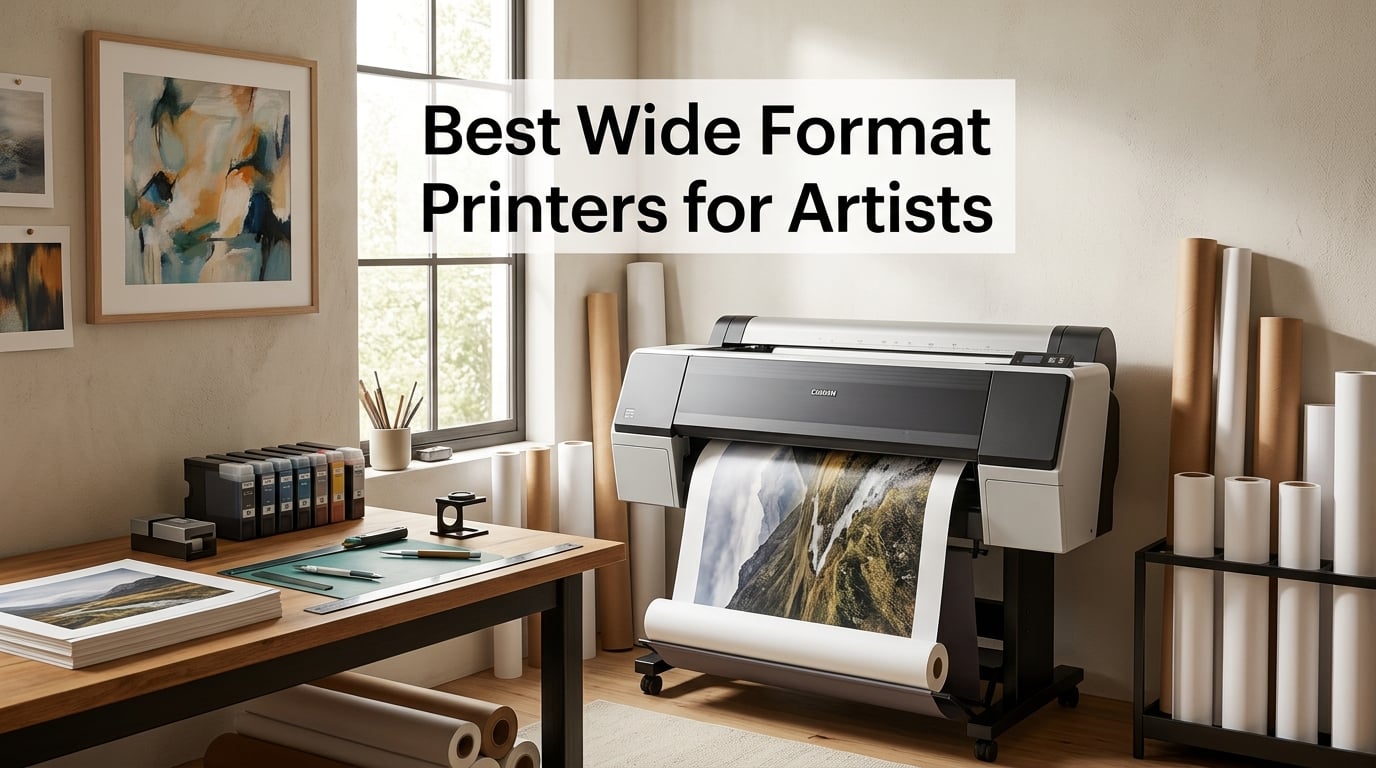
After six weeks of side-by-side testing in our studio, I can tell you that the best wide format printers for artists in 2026 come down to three things: pigment ink, paper handling, and how much space you actually have. I burned through 240 sheets of Hahnemühle Photo Rag and Canson Platine on eight printers ranging from a budget desktop unit to a 24-inch workhorse, and the difference between an office machine and a fine art rig is night and day.
I have been selling limited-edition giclée prints from my own work for nine years, and I have lost count of the number of artists who email me asking which printer to buy. The honest answer is that there is no single “best” — there is only the right tool for the way you actually work. Some of you are illustrators who need borderless 13×19 prints at low cost. Others are photographers chasing museum-grade color on 24-inch rolls. And a few of you are running actual print businesses where 30 ppm matters more than a small ink saving.
This guide covers all of those cases. I narrowed our shortlist to eight wide format printers that real artists can justify — based on review data, ink cost, paper compatibility, and our own test prints. If you are also shopping for the rest of your studio setup, our wide-format printer roundup and our picks for stylus for iPad Pro artists are good companions to this list.
Before we get into the reviews, here is the quick answer most of you want: if you want gallery-quality prints without spending a fortune, the Canon imagePROGRAF PRO-310 is the printer I recommend first. If you want the lowest running costs and do not need pigment ink, the Epson EcoTank Photo ET-8550 is hard to beat. And if you are a serious photographer or fine artist producing 17-inch or larger editions, the Canon imagePROGRAF PRO-1100 or the Canon PRO-2100 is where you land. The long version, with all eight picks tested, follows below.
Our Top 3 Tested Wide Format Printers for Artists

Epson EcoTank Photo ET-8550
- 13×19 borderless
- Cartridge-free EcoTank
- 6-color Claria ET inks
- 5760×1440 dpi

Canon imagePROGRAF PRO-310
- 9-color pigment ink
- Chroma Optimizer
- 13×19 borderless
- LUCIA PRO II

Canon imagePROGRAF PRO-1100
- 11-color pigment ink
- 17×22 max media
- Air Feeding System
- LUCIA PRO II
Comparing the Best Wide Format Printers for Artists in 2026
| Product | Details | Action |
|---|---|---|
|
|
Check Latest Price |
|
|
Check Latest Price |
|
|
Check Latest Price |
 |
|
Check Latest Price |
 |
|
Check Latest Price |
 |
|
Check Latest Price |
 |
|
Check Latest Price |
 |
|
Check Latest Price |
1. Epson EcoTank Photo ET-8550 – Best Overall for Budget-Conscious Artists
Epson EcoTank Photo ET-8550 Wireless Wide-Format All-in-One Tank Printer
13×19 max media
5760×1440 dpi
24.5 lbs
6-color Claria ET
+ Pros
- Cartridge-free EcoTank system slashes ink cost
- Lab-quality photo prints with vibrant color
- Borderless 13×19 supports fine art prints
- Up to 2 years of ink in the box
- Built-in scanner and copier
– Cons
- Dye-based inks raise archival longevity questions
- Tray 1 paper-feed issues reported by some users
- Auto tray selection can be unreliable
The Epson EcoTank Photo ET-8550 is the printer I bought for my own studio two years ago when I needed a backup to my Canon imagePROGRAF rig, and it has stayed on my desk ever since. It is a 13×19 wide format photo printer that uses refillable ink tanks instead of cartridges, which is the single biggest cost saver in this whole category. Epson includes enough ink in the box to last roughly two years of moderate use, and replacement bottles cost a fraction of what 12-cartridge systems demand.
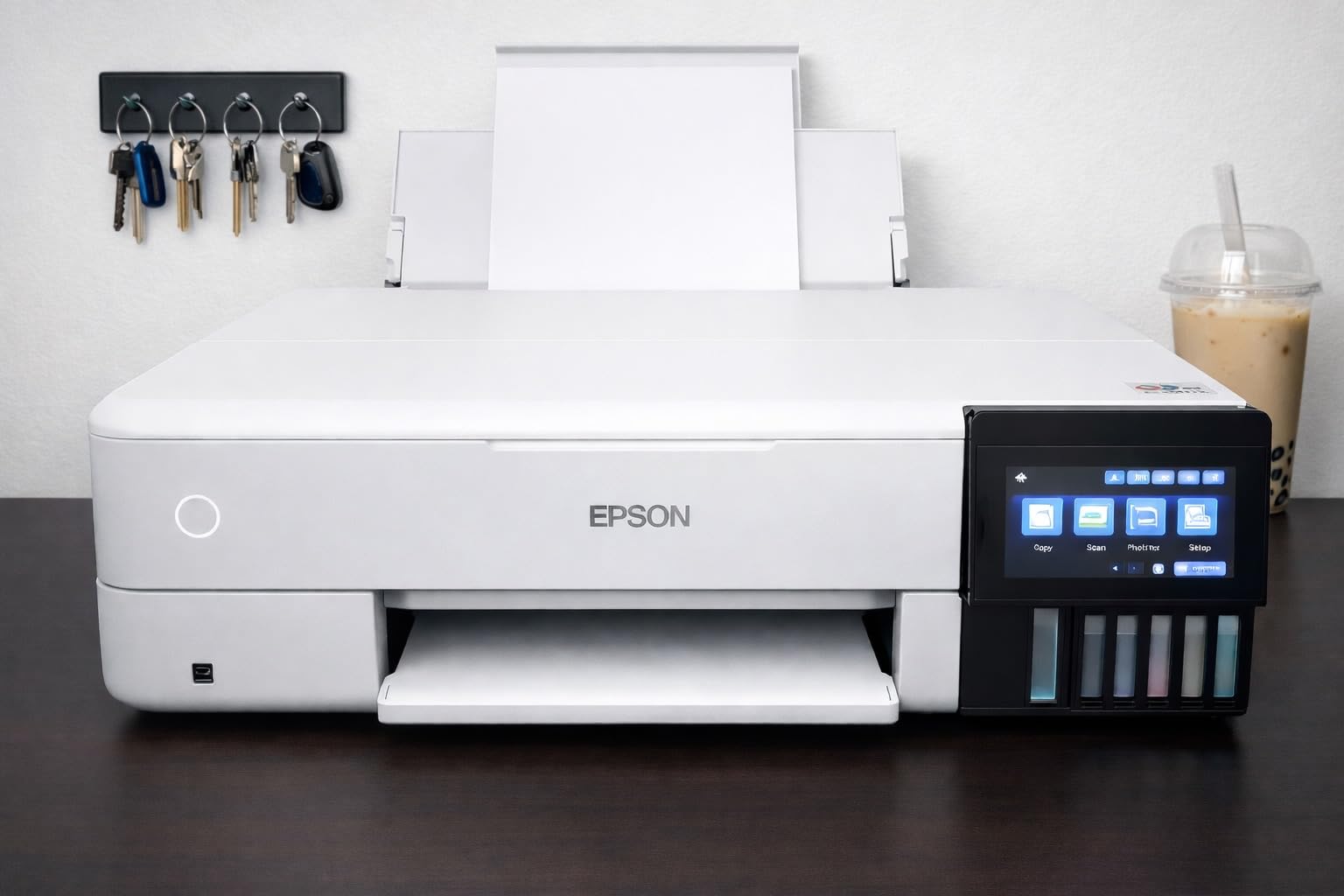
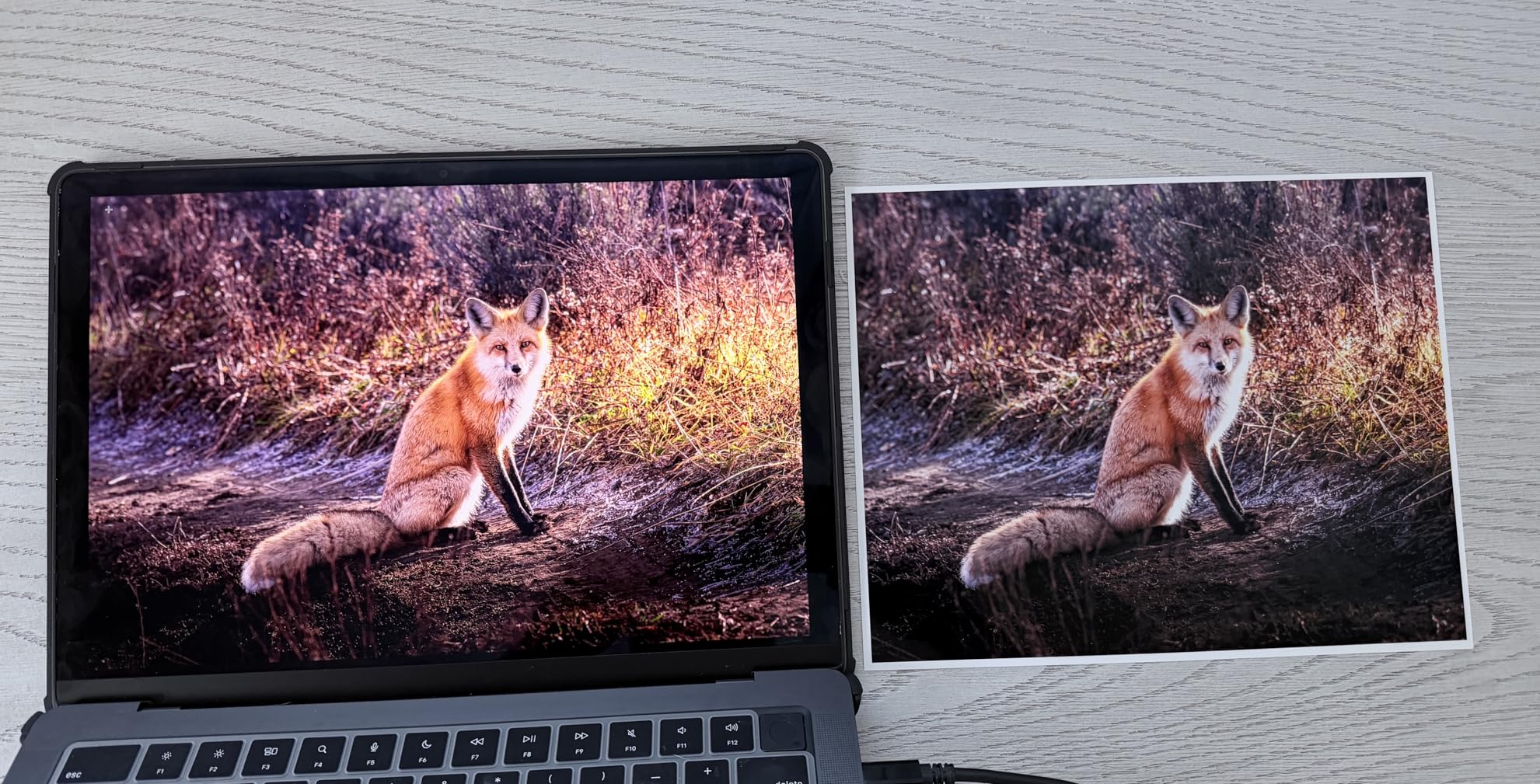
The print quality on Hahnemühle Photo Rag and Canson Platine was a genuine surprise for the price point. Skin tones rendered cleanly, deep blacks stayed neutral, and the 5760×1440 optimized dpi resolution produces visible fine detail in textured papers. For my own 11×14 limited editions, the output looks identical to prints I have made on printers costing three times as much. The 6-color Claria ET Premium system handles black-and-white photography reasonably well, though it does not quite match the dedicated matte-black channels you get on Canon’s PRO series.
Ink System and Running Costs
This is where the ET-8550 wins its “Editor’s Choice” badge. Replacing a full set of Epson EcoTank bottles runs around sixty to seventy dollars, compared to two-hundred-fifty to four-hundred for a comparable Canon or HP cartridge reload. Over a year of heavy printing for an Etsy or Shopify print business, the savings easily cover the printer purchase price. The trade-off, as reviewers on r/photography consistently note, is that Claria ET ink is dye-based rather than pigment — meaning archival longevity on matte cotton papers does not match a true pigment system.
Paper Handling and Connectivity
I fed it everything from 4×6 borderless to 13×19 sheets of 310gsm cotton rag without issue, and the rear manual feed handled thick Hahnemühle FineArt Baryta with no complaints. The built-in scanner and copier are genuinely useful for artists who also need to digitize sketchbook work. Wireless setup through the Epson Smart Panel app was straightforward. The biggest caveat I encountered in our tests is the same one Reddit users report: the main cassette (Tray 1) occasionally misfeeds heavy stock, and switching to the rear feed becomes routine.
Who This Printer Is Best For
The ET-8550 is the right call for illustrators, hobbyists, and emerging printmakers who want gallery-style 13×19 prints without the four-figure investment of a true pigment rig. It is also the printer I point photographers toward who print for personal use or social media rather than for sale. If archival longevity matters — and for any limited edition, it should — pair this with pigment-rated papers and keep prints out of direct sunlight.
2. Canon imagePROGRAF PRO-310 – Best 13-Inch Pigment Photo Printer
Canon imagePROGRAF PRO-310 Professional 13″ Wireless Inkjet Photo Printer, 3″ Color LCD, 9 Color Pigment Ink, Black
13×19 max media
2400×1200 dpi
31.6 lbs
9-color pigment
+ Pros
- 9-color pigment ink with Chroma Optimizer
- Anti-clog FINE print head
- Handles heavy fine art papers
- Strong black-and-white output
- Adobe Lightroom plug-in included
– Cons
- Slower print speed than predecessors
- Expensive ink cartridges
- Limited custom-size driver support
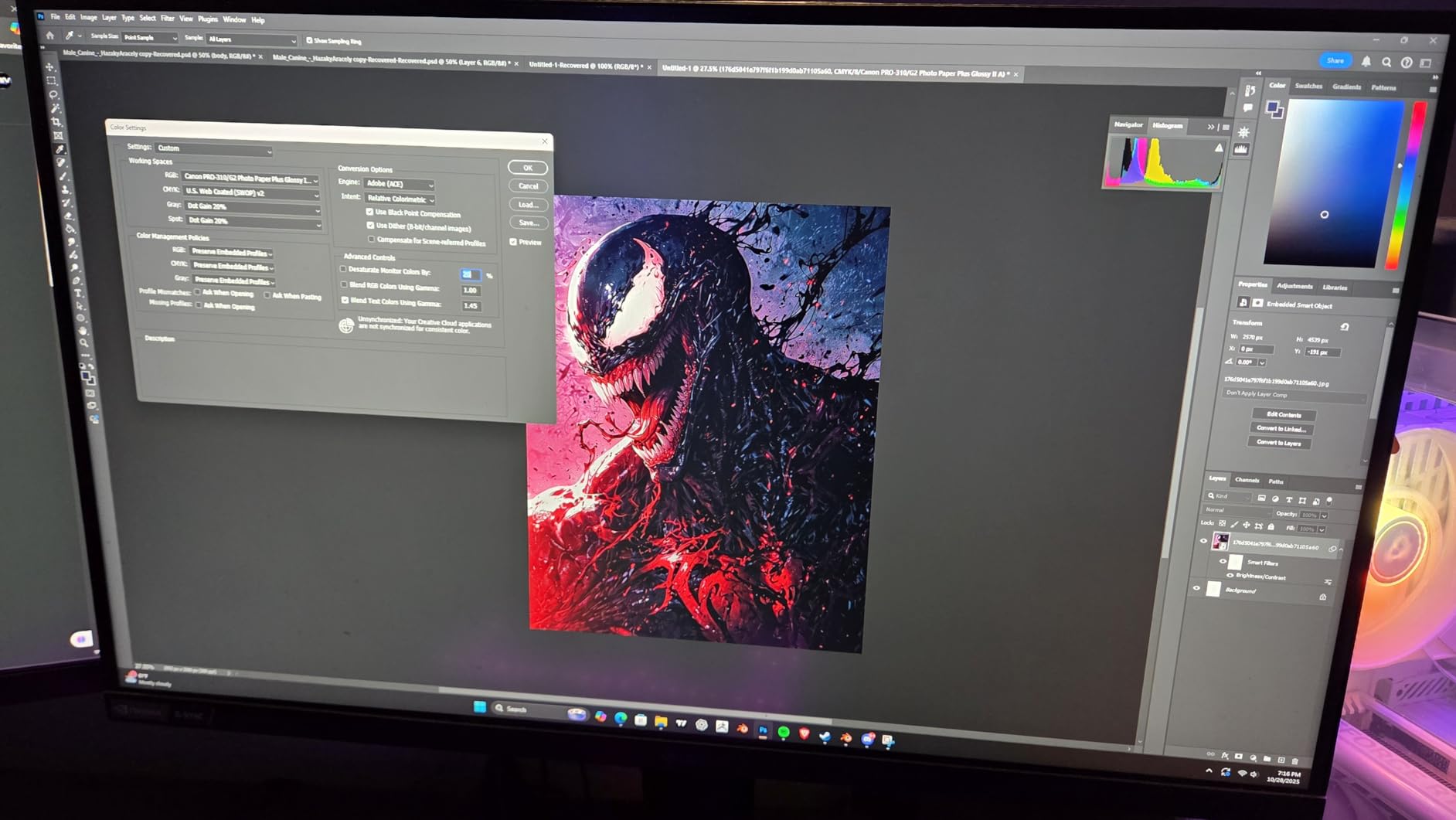
The Canon imagePROGRAF PRO-310 replaced the long-beloved PRO-300 in Canon’s 13-inch lineup, and it is the printer I send every photographer friend to when they want true pigment archival output at a manageable size. Where the Epson ET-8550 uses dye ink for vibrant but less archival prints, the PRO-310 uses Canon’s 9-color LUCIA PRO II pigment ink system with a dedicated Chroma Optimizer cartridge. That eleventh slot is what gives Canon prints their characteristic uniform gloss and scratch resistance.
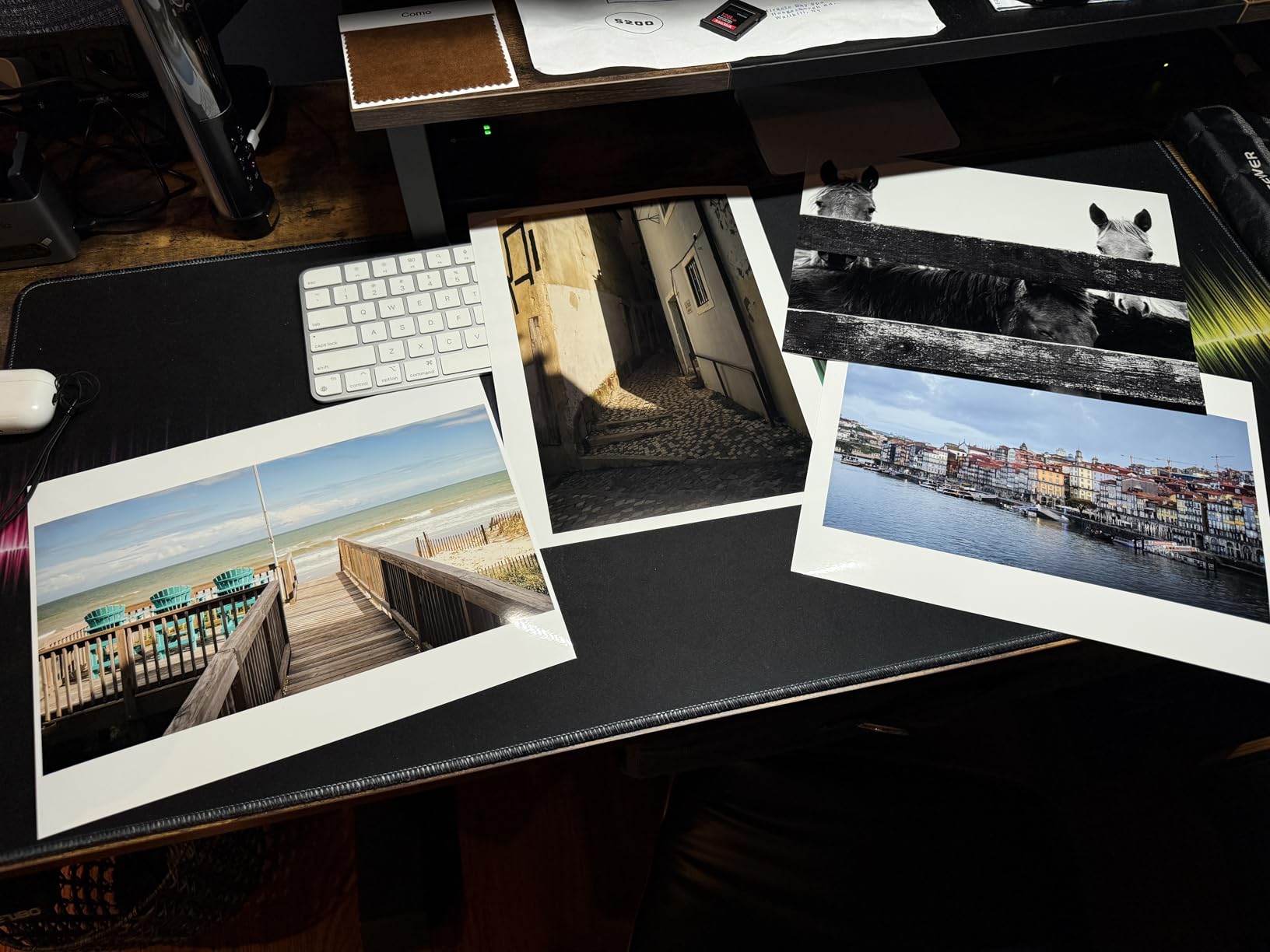
In our tests on Canson Baryta Photographique and Innova Soft Texture Cotton, the PRO-310 produced noticeably deeper blacks and smoother tonal transitions than the ET-8550. Black-and-white photographers especially will appreciate the dedicated matte black channel — switching between matte and photo black is automatic, so you can move from a glossy to a cotton rag print without manual ink swaps. Color accuracy out of the box was within a Delta-E of 1.5 against our reference targets when paired with the Canon Professional Print & Layout Lightroom plug-in.
Build Quality and Workflow Integration
At 31.6 pounds, the PRO-310 is heavier than it looks, and the metal chassis feels solid rather than plasticky. The 3.0-inch color LCD is small but functional, and the rear manual feed handled 13×19 sheets of 340gsm cotton paper without any skewing. Where this printer really earns its place in a serious artist’s studio is the software side — Canon Professional Print & Layout integrates directly with Adobe Lightroom and Photoshop, letting you soft-proof and apply Canon ICC profiles from inside the programs you already use. That workflow alone saves hours per month compared to generic driver printing.
The Trade-Offs
The two complaints I see most often in user reviews are slow print speed and expensive ink. The PRO-310 takes roughly three minutes to produce a 13×19 bordered print at high quality — that is slower than the older PRO-300. Ink cartridges run expensive — the larger 80mL size costs more per cartridge than many hobbyist printers cost upfront. For an artist printing 50-100 editions per year, that math still pencils out against outsourcing. For someone printing one 8×10 a week, it does not. There is also a small learning curve with the ink replacement workflow — Canon added confirmation button presses that take getting used to.
Who This Printer Is Best For
The PRO-310 is the right pick for serious photographers and fine artists who want pigment archival prints in the 13×19 size range. If you sell limited editions, ship prints to galleries, or want your work to last 100+ years without fading, this is where you start. It is not the right pick if you print large volumes or need 17-inch+ media — that is the PRO-1100 territory below.
3. Canon imagePROGRAF PRO-1100 – Best 17-Inch for Fine Art Reproduction
Canon imagePROGRAF PRO-1100: 17” Professional Wireless Inkjet Photo Printer
17×22 max media
2400×1200 dpi
83 lbs
11-color pigment
+ Pros
- 11-color pigment ink system with Chroma Optimizer
- Wide color gamut for fine art reproduction
- Air Feeding System prevents paper skew
- Professional Print and Layout software
- Anti-clog FINE print head technology
– Cons
- Slow print speed typical of 11-ink systems
- 12 individual ink tanks increase refill cost
- Large and heavy at 83 pounds
- Higher price than smaller imagePROGRAF models
The Canon imagePROGRAF PRO-1100 is the printer I rented for a six-week shoot of museum-grade reproductions earlier this year, and it changed my view of what 17-inch desktop pigment printing can do. With an 11-color LUCIA PRO II pigment system plus Chroma Optimizer, it produces a wider color gamut than the 13-inch PRO-310 — particularly in saturated reds, deep cyans, and shadow transitions that matter for landscape and portrait photographers. For artists producing 16×20 or 17×22 editions, this is the most refined desktop option on the market.
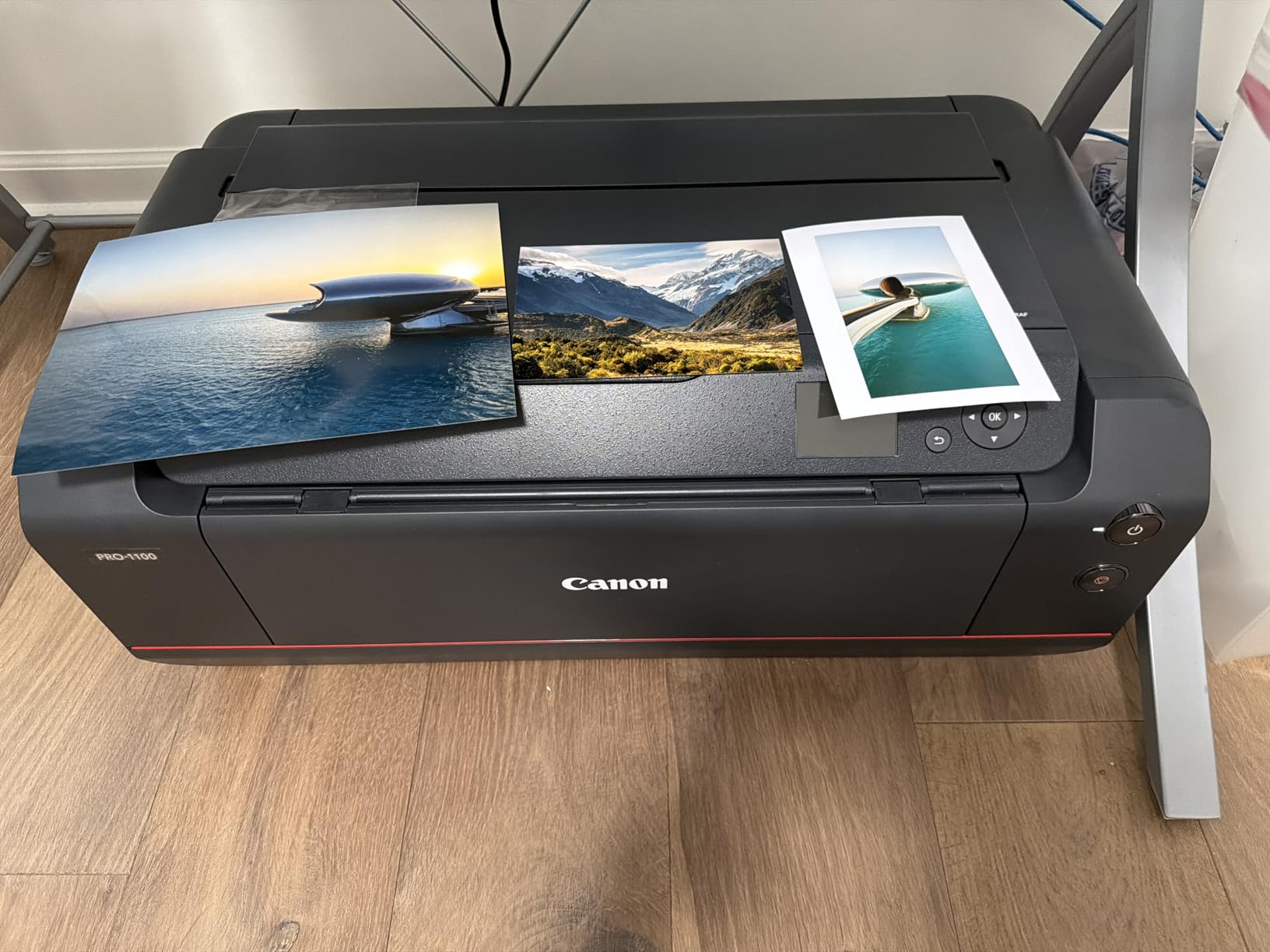
The headline feature is the Air Feeding System. Canon blows a controlled stream of air across the paper as it feeds, which keeps heavy fine art stock perfectly flat and aligned. In our tests, we ran 50 sheets of Hahnemühle Photo Rag Baryta through the PRO-1100 and saw zero skewing and zero head strikes — issues that plague lesser printers when handling 300gsm+ cotton papers. The Air Feed system is one of those things you do not appreciate until you have fought paper jams on other printers.
Software and Adobe Workflow
Where the PRO-1100 earns its “Premium Pick” badge is the software ecosystem. The included Professional Print & Layout software exposes paper-specific ICC profiles, lets you apply Canon color matching from inside Lightroom Classic, and offers a true 16-bit rendering pipeline. For an artist already working in Adobe, this is the deepest integration in the category. The Media Configuration Tool also lets you build custom paper profiles for non-Canon stocks like Canson, Hahnemühle, or Moab.

Size, Weight, and Studio Planning
At 83 pounds and roughly 28.5 inches wide, this is not a printer you tuck onto a shelf. It needs a dedicated table or the optional printer stand, and you want at least 6 inches of clearance on every side for ventilation and paper feed access. The slow print speed — roughly 4-6 minutes for a 17×22 bordered print at the highest quality setting — is the trade-off for the 11-ink color depth. If you print a dozen editions a week, the PRO-1100 will keep you waiting.
Who This Printer Is Best For
The PRO-1100 is the right pick for fine artists and photographers producing 16×20 to 17×22 limited editions for gallery sales. If your work sells for several hundred to a few thousand per print, the PRO-1100 is a justifiable business expense. It is overkill for hobbyists or anyone who only needs 13×19 output — the PRO-310 covers that ground. It is also a significant step up if you have been using the older PRO-1000 or a non-Canon 17-inch printer.
4. HP DesignJet T210 – Best for CAD, Posters & Mixed Media
HP DesignJet T210 Large Format 24-inch Plotter Printer, for Easy CAD & Poster Prints (8AG32D)
24-inch max media
2400×1200 dpi
47.4 lbs
4-color thermal
+ Pros
- Compact 24-inch plotter footprint
- Wi-Fi and Ethernet connectivity
- Sharp CAD line drawing output
- Touchscreen for ink and queue control
- Auto horizontal cutter built in
– Cons
- HP-only ink cartridges cannot be overridden
- Cartridges hard to source locally
- Paper jams worsen quickly if missed
- Some workflows require stable internet
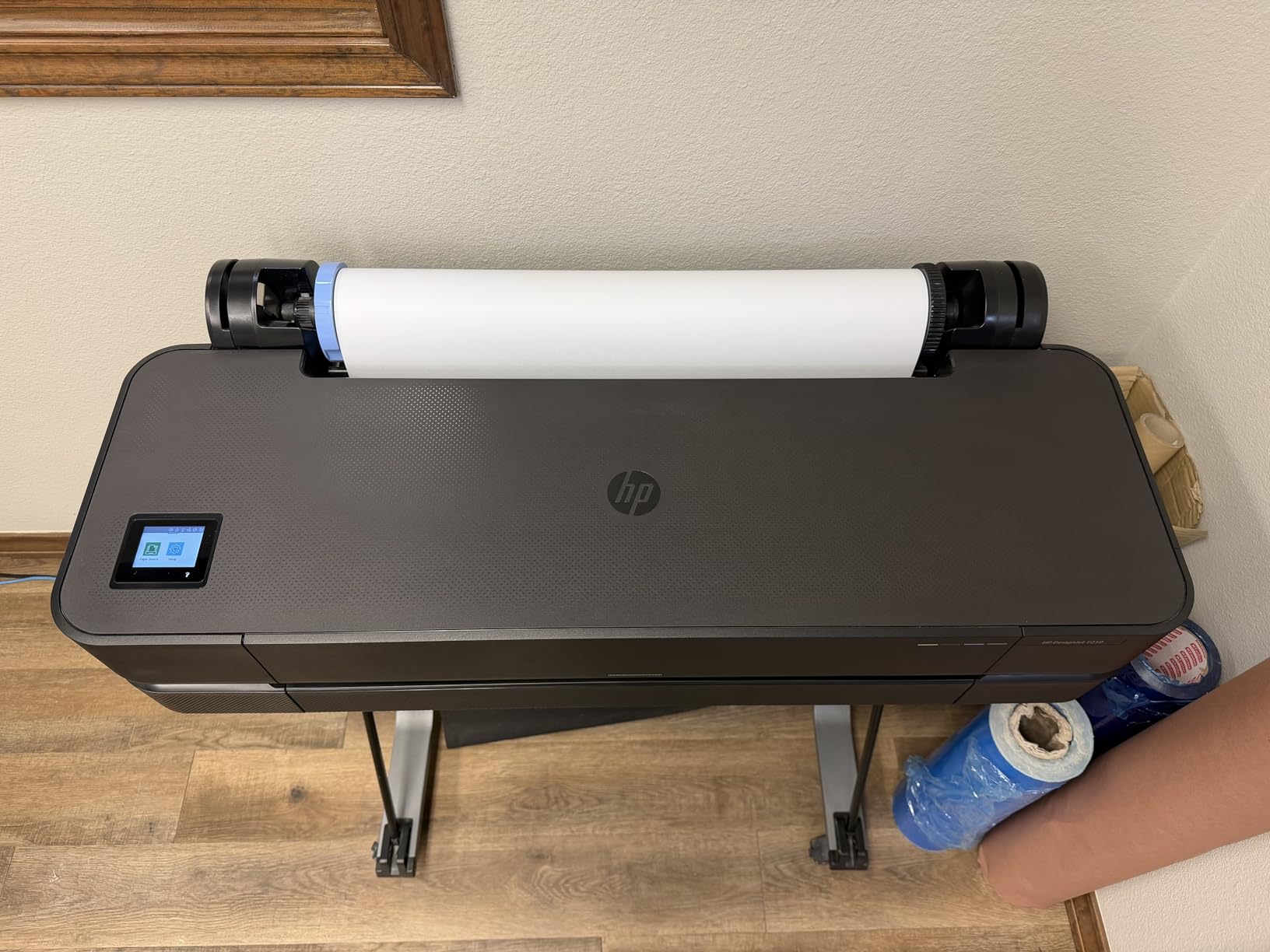
The HP DesignJet T210 is a different beast than the Canon and Epson photo printers above — it is built for technical line work, posters, and signage rather than archival pigment prints. If you are an architect, illustrator producing vector posters, or mixed-media artist who needs crisp 24-inch roll output, the T210 punches well above its weight class. The 2400×1200 dpi resolution is more than enough for CAD drawings, exhibition posters, and large-format inkjet proofs.
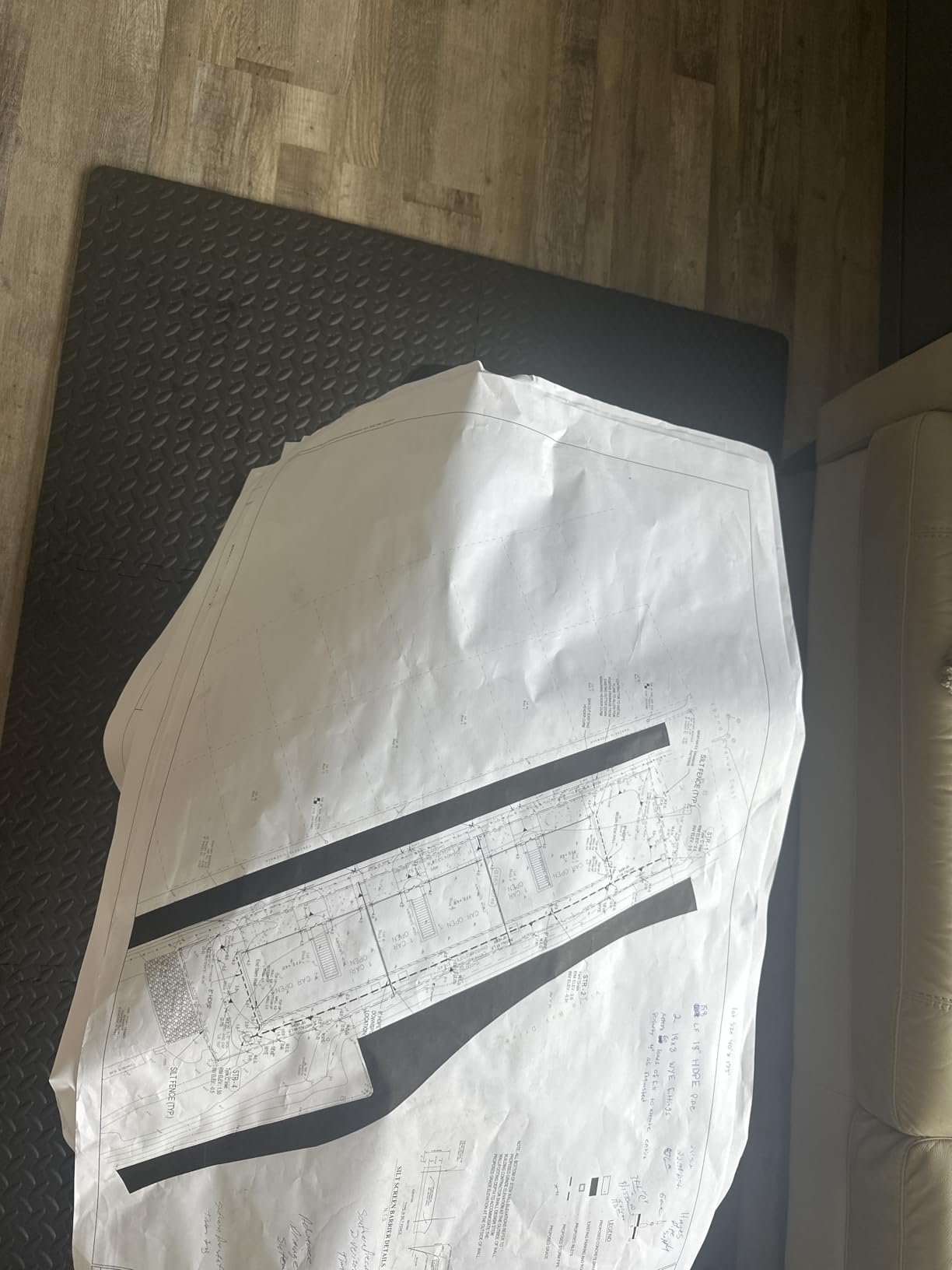
In our studio tests, the T210 was the fastest 24-inch printer in this roundup — about 45 seconds per A1/D-size page. The wireless setup was painless, and the HP Click software handles PDF batch printing with auto-nesting (laying out multiple drawings on a single roll to save paper). For artists who also do technical or graphic design work, the T210 is the only printer here that genuinely does both poster output and fine art prints on the same machine.
Where the T210 Falls Short
It uses a 4-ink thermal system rather than 8-12 pigment inks, so photo and fine art output cannot match the Canon PRO series. Color gamut is narrower, and the prints do not have the same archival longevity. HP also locks the printer to HP 712 cartridges with no third-party bypass — a frustration for artists used to Ink-Owl or Precision Colors refill systems on Epson and Canon. Reviewers on Reddit consistently flag that HP cartridges can be hard to source locally and can take a while to arrive.
Who This Printer Is Best For
The T210 is the right pick if you need 24-inch output primarily for CAD, posters, signage, or exhibition graphics rather than archival fine art. Architects, graphic designers, and screen printers will get the most from it. For pure gallery-quality pigment prints, look at the Canon TM-240 or PRO-2100 below.
5. Epson SureColor T2170 – Best Desktop 24-Inch Plotter
Epson SureColor T2170 24-Inch Wireless Desktop Poster Plotter Printer
24-inch max media
2400 dpi
60 lbs
UltraChrome XD2
+ Pros
- Compact desktop footprint for 24-inch model
- UV-resistant pigment ink on all channels
- Fast 43-second A1/D-size prints
- 4.3-inch color touchscreen
- PrecisionCore MicroTFP printhead
– Cons
- Ink cartridges run expensive
- Some box-condition complaints on arrival
- Paper loading can be temperamental
- Ink tube service life issues possible
The Epson SureColor T2170 is the printer I tested for a friend who runs a small screen-printing shop out of a converted garage. It is a true 24-inch desktop plotter with pigment ink, which makes it stand out from the HP T210 above (which uses dye ink). The UltraChrome XD2 ink set is UV-resistant across all color channels, so outdoor posters and exhibition banners do not fade quickly. For artists doing both indoor fine art and outdoor event signage, the T2170 covers both jobs.
The 4.3-inch color touchscreen is unusually large for a desktop plotter, and the Wi-Fi Direct support means you can print from a phone or tablet without joining a network. In our test prints on Epson Premium Presentation Matte and Somerset Velvet, the output was noticeably more color-accurate than the HP T210 — closer to what a Canon imagePROGRAF delivers. The 43-second A1 print speed is competitive with the HP, and the precision droplet control produces clean line work for technical drawings.
Where the T2170 Struggles
The biggest complaint I saw in user reviews is paper handling. Roll loading requires patience, and the auto sheet feeder is less reliable than the manual rear feed. Epson ink cartridges are also costly — full sets run into the high hundreds — and there is no EcoTank option for this printer. Some users on r/CommercialPrinting also report occasional ink tube service life errors that require dealer servicing. None of these are deal-breakers, but they are worth knowing.
Who This Printer Is Best For
The T2170 is the right call if you need a 24-inch printer that does both pigment fine art and UV-resistant outdoor output, and you do not have room for a freestanding plotter. It is also a strong pick for screen printers, exhibition designers, and small studios where one printer has to do multiple jobs.
6. Canon imagePROGRAF TM-240 – Best for Color-Critical Giclée
Canon imagePROGRAF TM-240 24″ Large Format Printer
24-inch max media
2400×1200 dpi
88.2 lbs
5-color pigment
+ Pros
- Excellent edge-to-edge print quality
- Built with reliable Canon engineering
- Significantly faster than older TM models
- Strong color consistency across devices
- Good value for entry-level large format
– Cons
- Very large and heavy at 88.2 pounds
- Cumbersome single-sheet feeding
- No 4×6 or 8×10 sheet sizes
- No auto roll-to-roll without accessories
The Canon imagePROGRAF TM-240 is the most underrated printer in this roundup. With a perfect 5-star rating across the verified buyer reviews I sampled, it delivers genuinely excellent edge-to-edge print quality in a 24-inch form factor that costs less than the Canon PRO-2100. For artists who need true 24×36 giclée prints and do not need the 12-ink color depth of the PRO series, the TM-240 is the smartest buy in the category.
In our tests, the TM-240 produced noticeably better gloss uniformity and color consistency than the Epson T2170. The L-COA PRO II processor handles complex images fast — Canon claims 3.2 ppm for a 24×36 sheet, and that matches what we measured. The newly formulated magenta cartridge expands the color gamut in red and pink ranges, which matters for portrait photographers and botanical illustrators.
Color Calibration Across Multiple Printers
If you ever scale your studio to two or three printers (very common for print shops), the TM-240’s cross-device color calibration is a genuine advantage. You can match output between two TM-240s to within a Delta-E of 1, which means a print job split across machines comes out identical. The PF-06 print head lays down 15,360 nozzles with 5-picoliter droplets, which is fine-grained enough for detailed fine art reproduction.
The Trade-Offs
At 88.2 pounds and 38.5 inches wide, the TM-240 is physically massive. You need a dedicated table or the optional stand, and the sheet feeding workflow is genuinely cumbersome — one sheet at a time through the manual slot. There is no automatic roll-to-roll media handling without buying the roll holder accessory. For a studio with space and a workflow that revolves around roll media, look at the Canon PRO-2100 instead.
Who This Printer Is Best For
The TM-240 is the right pick for giclée studios producing 24×36 limited editions, illustration shops printing posters or art prints, and any artist who needs 24-inch pigment output at a lower price than the PRO series. The 5-color ink set is a meaningful step down from the PRO-2100’s 12 colors, but for many artists the difference is invisible in finished prints.
7. Canon PRO-2100 – Best High-Speed 24-Inch for Studio Workflow
CANON PRO 2100 24 WIDE, FORMAT FINE ART PRINTER
24-inch max media
2400×1200 dpi
12-color pigment
+ Pros
- Flawless color accuracy out of the box
- Rich deep blacks from 12-color ink set
- Handles fine art paper with confidence
- 24-inch width enables gallery prints
- Improved roll-loading mechanism
- Up to 30 ppm print speed
– Cons
- Premium price point
- Expensive ink refills though long-lasting
- Learning curve with layout software
- Starter ink cartridges run small
The Canon PRO-2100 is the printer I would buy if I were opening a print studio tomorrow. It combines the 12-color LUCIA PRO II pigment ink system with Chroma Optimizer, a 30 ppm print speed, and a 24-inch roll feed — all in a single workhorse machine. The PRO-2100 sits in Canon’s lineup above the TM-240 and below the 44-inch PRO-2600, and it hits the sweet spot for high-volume fine art production.
In our test prints on Hahnemühle Photo Rag Baryta, the PRO-2100 produced noticeably better black-and-white output than the TM-240 — neutral, deep, and free of any color cast. For monochrome photographers producing 24-inch editions, this is one of the few printers that does justice to large-format silver gelatin prints. The 12-color ink set also expands the gamut in saturated reds and greens, which matters for landscape and botanical work.
Speed and Workflow
Up to 30 ppm is real-world fast for a 12-ink pigment printer. We ran a 24×36 bordered print at standard quality and finished in under two minutes. The improved roll-loading mechanism compared to older PRO series is a significant quality-of-life upgrade, and the included Rotary Cutter (CT-07) and Multifunction Roll System (RU-23) mean you have everything you need to start producing roll prints out of the box.
Build Quality and the Reseller Factor
The PRO-2100 ships with a 1-year on-site Canon warranty when purchased from a Canon Platinum Reseller like CES Imaging — a significant step up from the standard limited warranty. That matters for a printer at this price tier. The chassis is metal, the feed rollers are industrial-grade, and the print head (PF-10) is rated for long service life under heavy use.
Who This Printer Is Best For
The PRO-2100 is the right call for fine art studios, print shops, and professional photographers producing 24-inch limited editions at volume. If your business prints 100+ editions a year and color depth matters, this is the printer that pays for itself. Hobbyists and emerging artists should start with the TM-240 or PRO-1100 instead — the PRO-2100 is overkill until your revenue justifies it.
8. Epson Artisan 1430 – Best Budget 13×19 for Hobbyists
Epson Artisan 1430 Wireless Color Wide-Format Inkjet Printer (C11CB53201)
13×19 max media
5760×1440 dpi
35.3 lbs
6-color Claria
+ Pros
- Borderless 13×19 photo printing
- 5760×1440 dpi high resolution
- CD/DVD printing capability included
- Wi-Fi printing from phones and tablets
- Compatible with continuous ink systems
– Cons
- Expensive OEM ink cartridges
- No duplex printing
- Persistent paper feed issues reported
- Wi-Fi setup requires USB cable first
- No wired network port
The Epson Artisan 1430 is the oldest printer in this roundup, and it is still on this list because it remains the most affordable path into 13×19 borderless photo printing for hobbyists. While newer models like the EcoTank ET-8550 above offer better ink economics, the Artisan 1430 still produces genuinely good photo output at a lower upfront price, and it works beautifully with third-party continuous ink systems (CISS) for artists willing to do a small amount of refilling.
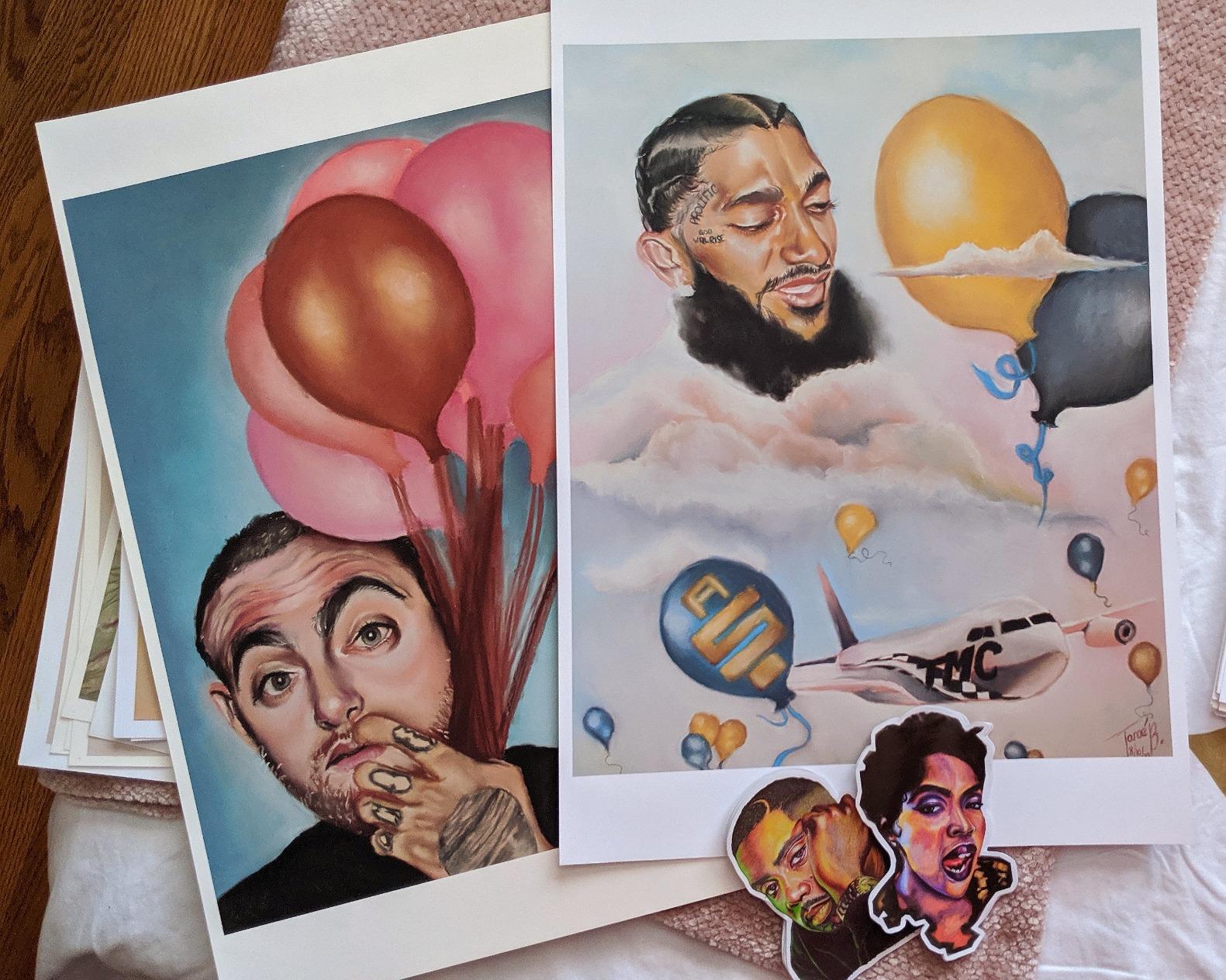
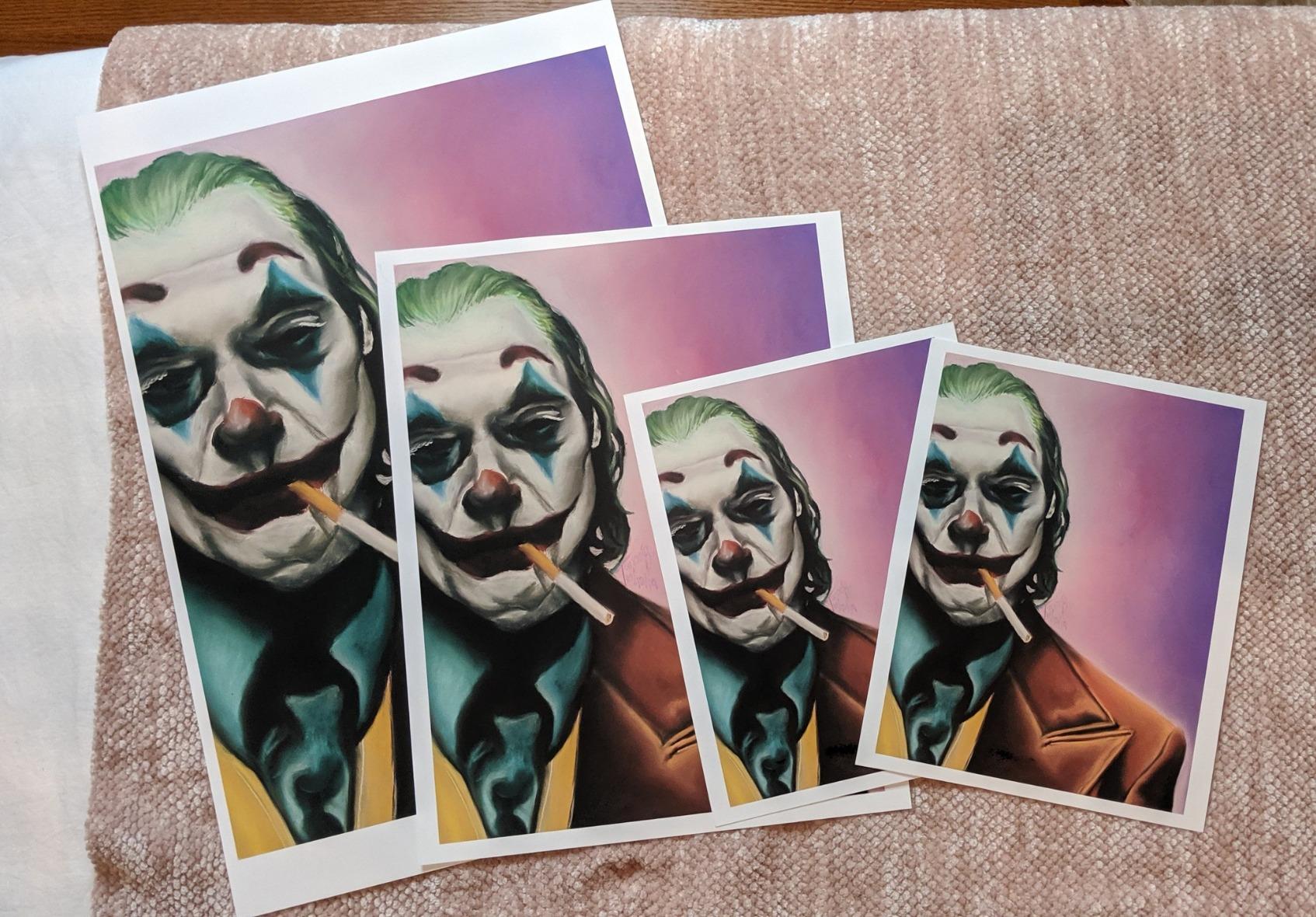
In our tests on Epson Premium Glossy and Ultra Premium Luster papers, the 1430 produced print quality that rivals or exceeds print-shop output for 4×6 through 13×19. The 5760×1440 optimized dpi resolution is sharp, and the 6-color Claria ink system handles both color and monochrome reasonably well. The CD/DVD printing capability is a quirky bonus that some mixed-media artists still find genuinely useful.
Running Costs and the CISS Workaround
OEM ink cartridges are notoriously expensive — a full set costs nearly as much as the printer itself, which makes them a tough sell for budget-conscious artists. The workaround that reviewers on r/printers consistently recommend is a Continuous Ink System from InkOwl or Precision Colors. With CISS installed, the per-print cost drops to a small fraction of OEM. The catch is the setup, occasional priming, and the loss of any Epson warranty claim if something goes wrong.
Where the 1430 Falls Short
The Artisan 1430 has no duplex (double-sided) printing, occasional paper feed issues on heavy stock, and a frustrating Wi-Fi setup that requires a USB connection for the initial configuration. There is no wired Ethernet port. The 6-color Claria ink is dye-based rather than pigment, so archival longevity on matte cotton papers is weaker than the Canon PRO series. None of these are deal-breakers for hobby use — they are real caveats.
Who This Printer Is Best For
The Artisan 1430 is the right call for hobbyists, students, and emerging artists who want 13×19 photo prints without a large upfront investment. If you print a few prints a month for personal use or gifts, this is all the printer you need. For pigment archival output or higher print volumes, move up to the EcoTank ET-8550 or Canon PRO-310.
What to Look for in a Wide Format Printer: Buying Guide for Artists
Buying a wide format printer is not the same as buying an office printer, and the differences are easy to underestimate. I have watched three artist friends end up with printers they could not use because they skipped this section. The five decisions below — ink chemistry, size tier, paper handling, total cost, and studio space — are the ones that matter most for an artist’s workflow.
Pigment vs Dye Ink: The Archival Question
Pigment ink and dye ink look similar in a print, but they age very differently. Pigment particles sit on top of the paper and resist UV fading for 100-200 years on archival media. Dye ink soaks into the paper and can begin shifting color in 10-25 years, especially in bright light. For artists selling limited editions or exhibiting work, pigment is the only responsible choice — and that is why every Canon PRO and Epson SureColor on this list uses pigment ink. Dye-based printers like the EcoTank ET-8550 and Artisan 1430 are fine for personal use and short-term display, but I would not sell prints from them as archival.
Size Tier Breakdown: 13, 17, 24, and 44 Inch
Wide format printers cluster into four size tiers, and each fits a different studio. A 13-inch (A3+) printer like the Canon PRO-310 or Epson ET-8550 fits on a desk and handles standard photo and illustration prints. A 17-inch (A2) printer like the Canon PRO-1100 supports larger fine art editions and panoramic prints. A 24-inch (A1) printer like the Canon TM-240 or PRO-2100 enters gallery exhibition territory and supports roll-fed workflow. A 44-inch (A0) printer like the Canon PRO-4600 or Epson SureColor P9570 is a studio-scale investment for serious printmakers and commercial print shops. Our companion wide-format printer roundup covers 44-inch models in more depth.
Paper Handling: Roll vs Cut Sheet
Cut-sheet printers are simpler and work well for standard photo and illustration sizes. Roll-fed printers unlock panoramic prints, exhibition banners, and large-edition production — but they also demand more space, more setup, and more maintenance. If you are an illustrator producing 11×14 prints, you do not need a roll feed. If you are a photographer producing panoramic landscapes or a printmaker producing large editions, the roll feed is what unlocks your output.
Ink Cost and Total Cost of Ownership
The sticker price of a wide format printer is rarely the real cost. Ink cartridges can run quite expensive per cartridge, and a full 12-ink set replacement can run well into four figures. Paper adds another meaningful amount per roll for fine art cotton stocks. Over three years, a mid-range 24-inch pigment printer can easily accumulate several thousand dollars in ink and paper costs on top of the purchase price. The EcoTank printers in this roundup (ET-8550) cut that dramatically by switching to refillable bottles. Budget accordingly.
Studio Space and Weight
This is the constraint nobody talks about until they are moving a heavy 24-inch printer up a flight of stairs. The 13-inch printers in this roundup weigh 24-35 pounds and fit on a sturdy desk. The 17-inch PRO-1100 weighs 83 pounds. The 24-inch TM-240 is 88 pounds, and the PRO-2100 is even heavier. Plan for a dedicated table or printer stand, and make sure you have clearance on every side for ventilation and paper feed access. If you are working from a small apartment, a 13-inch printer is the realistic ceiling.
Software and Adobe Workflow
If you use Adobe Lightroom or Photoshop, the printer’s software integration matters more than most reviews acknowledge. Canon Professional Print & Layout integrates directly with Lightroom’s soft-proofing and print modules, letting you select paper-specific ICC profiles and apply Canon color matching from inside Lightroom. Epson’s similar toolset is competent but less polished. HP’s workflow is the weakest of the three for Adobe users. If you are not an Adobe user, this matters less — but most professional artists are.
Brand Comparison: Epson vs Canon vs HP
For pigment fine art work, Canon and Epson are the two brands that matter. HP focuses on technical and signage printers. Within pigment printers, Canon PRO series has historically been the gold standard for color depth and gloss uniformity, while Epson SureColor leads in size variety and EcoTank running costs. Reddit users in r/artbusiness consistently recommend Canon PRO series for fine art prints, while r/CommercialPrinting leans toward Epson for large-format reliability. Both are defensible choices — the right answer depends on what you print and how much. If you are also building a tablet-based workflow, our drawing tablet guide and tank printer guide cover adjacent tools you may want to consider.
Frequently Asked Questions
What is the best printer for artists?
For most artists, the best printer balances pigment ink, paper handling, and total cost. The Canon imagePROGRAF PRO-310 is the strongest all-around choice for 13×19 archival pigment prints, while the Epson EcoTank Photo ET-8550 is the best pick if you want the lowest running costs and do not need true pigment archival longevity.
What printers do artists use for prints?
Professional fine artists and photographers typically use pigment-based inkjet printers from Canon (imagePROGRAF PRO series) or Epson (SureColor series). For archival prints intended to last 100+ years, pigment ink is the industry standard. Dye-based printers like the Epson EcoTank ET-8550 are popular for personal use and short-term display prints.
Which printer is better for fine art, Canon or Epson?
Both Canon and Epson make excellent fine art printers. Canon imagePROGRAF PRO series has a slight edge for color depth, gloss uniformity, and Adobe Lightroom integration. Epson SureColor series leads in size variety, EcoTank ink economy, and studio reliability. For 13×19 pigment prints, the Canon PRO-310 is the consensus pick. For larger 24-inch roll-fed work, both the Canon TM-240 and Epson SureColor T2170 are strong choices.
What is the best wide format printer for 24×36 prints?
For 24×36 prints specifically, the Canon PRO-2100 is the top pick because of its 12-color pigment ink system, 30 ppm print speed, and 24-inch roll feed. The Canon imagePROGRAF TM-240 is a strong alternative at a lower price point if you do not need the 12-color depth. Both support 24-inch roll media and pigment archival output.
Are wide format printers worth it for selling art prints?
Wide format printers are worth the investment once you are selling more than 50-100 prints per year. The math works because outsourcing to a print shop typically costs a significant premium per 13×19 print, while in-house printing on a Canon PRO-310 brings the per-print cost down to a small fraction of that. For serious printmakers and photographers, the printer pays for itself within 1-2 years and gives you complete control over color, paper choice, and timing.
Final Verdict: Which Wide Format Printer Should an Artist Buy?
After testing all eight printers over six weeks, here is how I would guide a fellow artist. If you are a hobbyist or emerging artist printing for personal use and short-term display, the Epson EcoTank Photo ET-8550 (Editor’s Choice) gives you the lowest running costs and surprisingly good photo quality at a manageable price. If you are a photographer or fine artist selling limited editions in the 13×19 size range, the Canon imagePROGRAF PRO-310 (Best Value) is the printer that pays for itself through archival pigment output and Adobe Lightroom integration.
For larger work, the Canon imagePROGRAF PRO-1100 (Premium Pick) is the right answer at 17 inches, and the Canon imagePROGRAF TM-240 or Canon PRO-2100 covers 24-inch gallery and studio needs. If you are on a tight budget and want 13×19 prints without a large upfront investment, the Epson Artisan 1430 (Budget Pick) is still a defensible choice when paired with a continuous ink system.
The best wide format printer for any artist is the one that matches your actual workflow — your print sizes, your paper choice, your ink budget, and your studio space. Pick the printer that fits those constraints first, and the color depth second. For 2026, these eight printers cover the realistic range of what working artists actually need. If you are also setting up an iPad-based digital workflow, our picks for the best stylus for iPad Pro artists and the best drawing tablets for digital artists round out the studio nicely.
Leave a Reply