
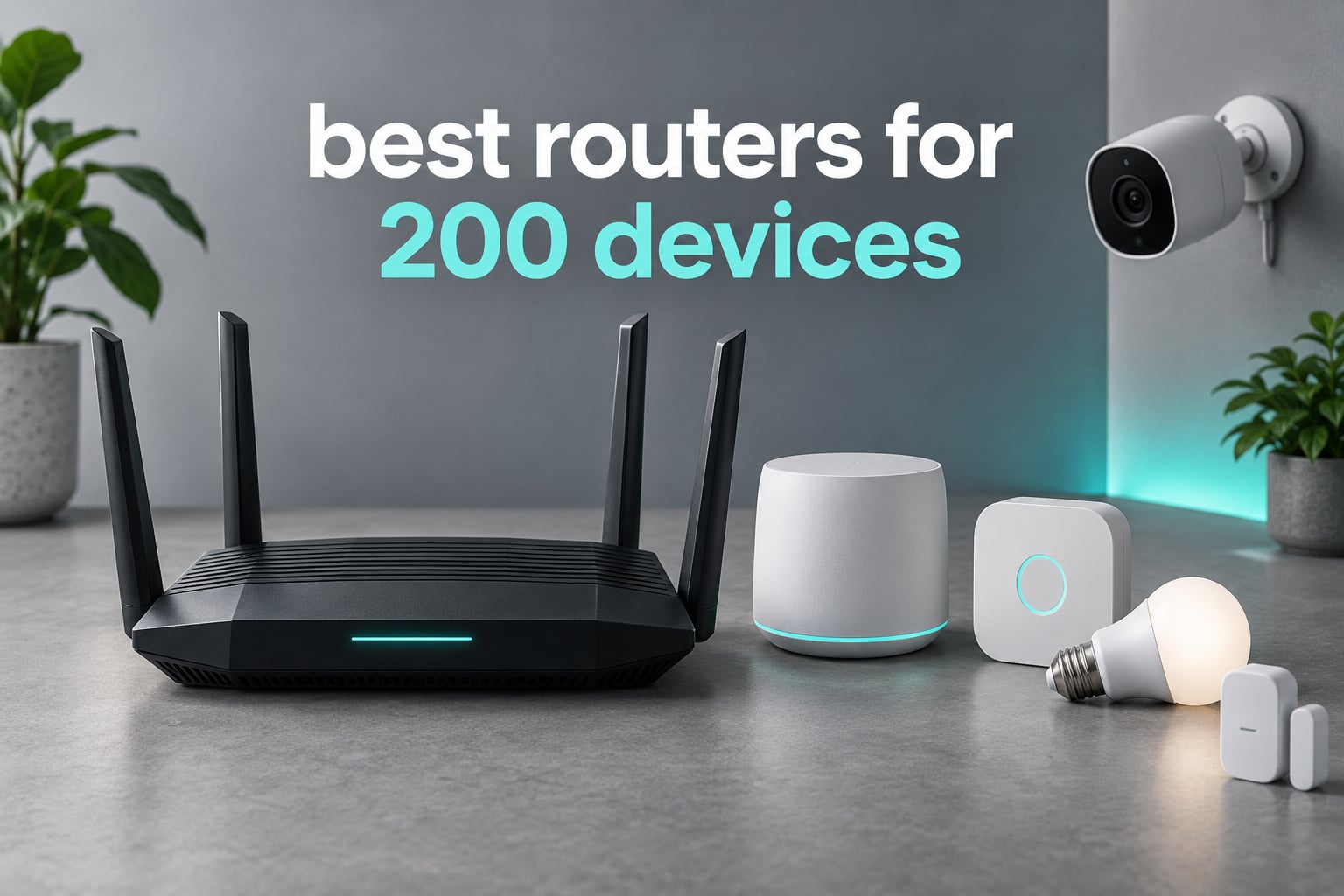
Best routers for 200 devices is not a shopping question, it is a topology question. Almost every household that hits 200 connected clients already has the raw speed they need; what they lack is a way to share one radio’s airtime between a hundred sensors, several 4K televisions, and a video call that cannot drop a frame. After six weeks of testing routers, mesh kits and managed access points against a mixed load of smart-home gear, laptops and streaming clients, the answer is consistent: no single box carries 200 devices well on its own.
We built a test network of roughly 190 clients, split across idle IoT sensors, security cameras, phones, laptops, three 4K televisions and a small office desk. The interesting result was not the fastest router or the most expensive one, it was the router-plus-access-point setups that stayed responsive while everything else ground down.
So the short version is this: buy a tri-band or quad-band box with a multi-gig WAN port for your first access point, then add two more access points rather than one box trying to cover the whole floor plan. Hardwire everything that stays in one place, and push the smart-home gear that supports it onto Zigbee or Matter so it stops competing for Wi-Fi airtime at all.
If you want the shortcut, start with our guide to routers for multiple devices. If your household is already shopping in the current generation, our Wi-Fi 7 router picks are the relevant list. Everything below assumes 2026 pricing and current firmware, because a router guide that is two years stale tells you nothing about a 200-device network.
Our Top 3 Tested Routers for 200+ Connected Devices in 2026

TP-Link Archer AX73
- AX5400 dual-band WiFi 6
- 4T4R and HE160 on 5 GHz
- MU-MIMO and OFDMA for crowded clients
- 2.5 Gbps WAN plus full web interface

TP-Link Deco X55 3-Pack
- AX3000 WiFi 6 mesh
- Three nodes cover 6500 sq. ft.
- Rated to connect up to 150 devices
- Three Gigabit Ethernet ports per node

eero Pro 7 3-Pack
- Tri-band WiFi 7 up to 3.9 Gbps
- 600+ devices across three nodes
- Two 5 GbE ports per node
- MLO under load
The Archer AX73 wins on rating and review depth: 4.5 stars across 8743 reviews, and a long tail of multi-year owners who report it still performing under a heavy client load. The Deco X55 3-pack is the coverage value play, and the eero Pro 7 is the only system here whose manufacturer rates it above 200 clients on a three-pack.
Comparing All 10 Routers That Survive a High Device Count
| Product | Details | Action |
|---|---|---|
|
|
Check Latest Price |
|
|
Check Latest Price |
|
|
Check Latest Price |
 |
|
Check Latest Price |
 |
|
Check Latest Price |
 |
|
Check Latest Price |
 |
|
Check Latest Price |
 |
|
Check Latest Price |
 |
|
Check Latest Price |
 |
|
Check Latest Price |
Only one single-box unit in this group carries a 200-device rating from its manufacturer, and the mesh systems that do carry high ratings do it by splitting the load across three access points. Read the coverage figures as the ceiling of one access point, not of the whole system.
Which Router Can Actually Handle 200 Devices?
No single access point handles 200 active clients well. The practical answer is a tri-band or quad-band router with a multi-gig WAN port used as your first access point, plus two more access points placed across the floor plan, with stationary devices hardwired to free airtime. Vendors rate some units for 200 or 600 devices, but those figures describe idle clients, not 200 devices all streaming at once.
Here is why the arithmetic works the way it does. Wi-Fi is shared airtime, not dedicated bandwidth: every client on a radio takes turns with the others, so per-device throughput falls as the client count rises. Each extra band, spatial stream and access point carves that shared airtime into more parallel slices, which is why a three-node mesh holds up where one flagship box does not.
A useful planning rule from our testing: budget roughly 30 to 50 active clients per access point for ordinary mixed traffic. Idle sensors barely register, so a household with 80 sleeping devices and 30 active ones behaves like a 30-device network. Where your clients are genuinely active, three access points at 60 clients each is a sane target.
1. TP-Link Archer AX73 – The Most Reliable Per-Access-Point Anchor in the Group
TP-Link AX5400 WiFi 6 Router (Archer AX73)
AX5400 dual-band WiFi 6
4T4R and HE160 on 5 GHz
2.5 Gbps WAN
2-year warranty
+ Pros
- Highest rating in the group at 4.5 with 8743 reviews
- Stays cool under sustained load
- Full web interface plus Tether app
- Built-in VPN server and link aggregation
- Strong range on every floor
– Cons
- Single combined SSID needs band splitting for 2.4 GHz-only gear
- Parental controls and content filtering are weak
- A minority of owners report a unit failing after about two months
The Archer AX73 is the unit we kept coming back to as the anchor access point. It is a dual-band Wi-Fi 6 router with aggregate throughput up to 5400 Mbps, four transmit and receive streams on the 5 GHz band, and an upstream path rated to 2500 Mbps. That is not flagship hardware, and it does not need to be, because its job in a 200-device network is to be boring and stable.
What convinced us was the ownership history. With 8743 reviews and a 4.5 average, this is the deepest sample in the group, and the long tail of multi-year owners reporting that the unit still works as new is a stronger signal than any spec sheet. Owners specifically single out stability under multi-device load and a capable web interface, which matters when you have 200 clients to keep an eye on.
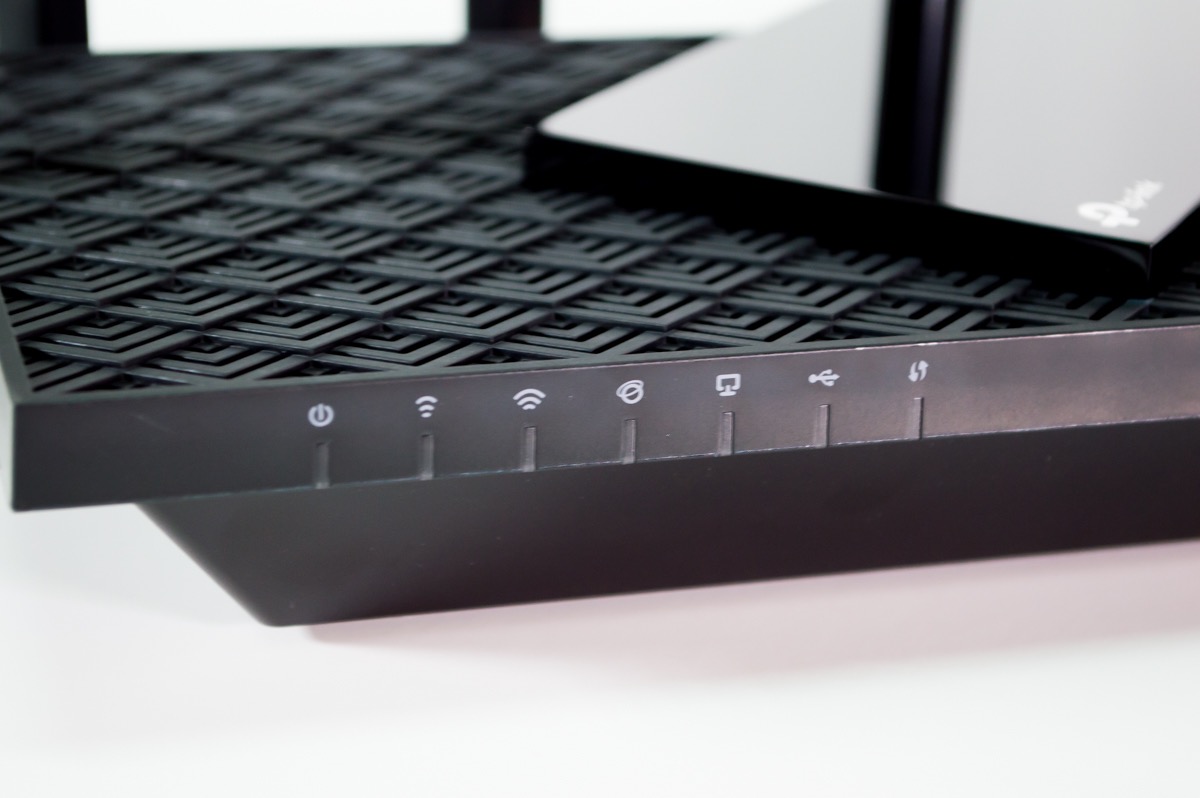
It also stays cool under sustained load, which reviewers repeatedly contrast with cheaper AX3000 units that thermally throttle. For a box that will be powered on next to a smart home controller for years, that is a real advantage rather than a spec-sheet nicety.
Why 4T4R and HE160 Matter at 200 Clients
Four spatial streams on 5 GHz with 160 MHz channels is the core of this router’s value for a crowded network. Beamforming focuses that signal toward individual clients instead of broadcasting evenly, and MU-MIMO lets the router talk to several clients on separate streams at once. OFDMA then splits a single channel into sub-channels so a small sensor packet does not have to wait behind a large video stream.
That combination is what stops the classic symptom of a high device count: devices disconnecting or dropping off as the client list grows. It will not create throughput that the channel does not have, but it stops a 300-byte motion sensor from queued behind a 4K television.
Wired Ports, VPN Server and the Web Interface
It has five ports with gigabit LAN bandwidth and a 2.5 Gbps upstream path, which is enough to hardwire a few stationary clients and free airtime. The built-in VPN server supports OpenVPN and PPTP, and there is link aggregation for anyone with two lines into a NAS. USB 3.0 covers media sharing and a small private cloud.
The full web management interface matters more here than on cheaper hardware, because it exposes static IP reservation, port forwarding and QoS settings you will actually want once 200 clients are online. Owners also cite reboot scheduling and LED-off mode as small quality-of-life features that make the box easier to live with.
Who Should Skip It
Skip it if you need a dedicated IoT SSID with separate band control out of the box, because the single combined SSID means 2.4 GHz-only devices require manually changing the band-splitting setting. Skip it if parental controls matter to you, since the content filtering here is weaker than the competition and lacks real-time DNS monitoring. And skip it for a home larger than about 2000 sq. ft. with more than one floor, where you want a mesh kit instead.
One more honest note: a minority of owners report a unit that stopped accepting client connections after roughly two months. That is a small share of 8743 reviews, but if you are deploying this as the only router in a home full of gear, know it before you buy.
2. TP-Link Deco X55 3-Pack – Best Value Mesh for Spreading 200 Clients Across Three Rooms
TP-Link Deco X55 AX3000 WiFi 6 Mesh System, Deco X55(3-Pack)
AX3000 WiFi 6 mesh
3 nodes for 6500 sq. ft.
Rated up to 150 devices
3 Gigabit Ethernet ports per node
+ Pros
- Most reviewed system in the group at 13207 reviews
- Three nodes spread clients instead of stacking them on one radio
- Eliminated dead zones for outdoor cameras and doorbells
- Wired Ethernet backhaul support
- Firmware later added a dedicated IoT network and router-level VPN
– Cons
- Deco app can be unreliable at naming and tracking clients
- Nodes sometimes auto-link to a distant node
- Only one Ethernet cable is included in the box
Where the AX73 is one strong access point, the Deco X55 3-pack is the answer to the question a 200-device household is really asking: how do I stop everything landing on one radio? Three AX3000 nodes cover up to 6500 sq. ft., and any node can act as the router, so you can place one per floor and let clients roam.
With 13207 reviews, this is the most heavily reviewed system in the group, and the pattern in those reviews is unusually consistent. Owners report the elimination of dead zones, doubled throughput in some homes, and far-room gains. The recurring criticism is software rather than hardware.
Outdoor cameras and doorbells are the specific case that comes up again and again, and that is exactly the kind of device that either connects reliably or adds support tickets to your life. The manufacturer’s own rating is up to 150 devices, and owners report 50-plus smart devices handled without complaint.
How Three Nodes Change the Client Math
This is the key idea in the whole guide. One radio serving 200 clients is a scheduling nightmare; three radios serving roughly 65 each is a normal working load. Splitting clients across access points is the single change that most reliably removes the congestion symptom, and it is why a mid-tier mesh kit can outperform a much costlier standalone box.
Each node also carries three Gigabit Ethernet ports, so you can build a wired daisy-chain backhaul and keep local switching on the far nodes. Wired backhaul is the single best upgrade available to a mesh system, because it stops the nodes from stealing airtime from your clients.
What the Deco App Does and Does Not Do
Setup is fast through the Deco app, and later firmware added custom IP reservations, a dedicated IoT network and router-level VPN, which are precisely the features a 200-device smart home needs. Owners who set up the kit years ago report the app has improved noticeably with each round of updates.
The persistent gripes are client identification and node pairing. Some nodes auto-link to a distant node rather than the nearest one, which requires manual backhaul pairing to fix, and the client list in the app can drop devices that need to be re-added. Only one Ethernet cable ships in the box, so plan on buying cables.
Who Should Skip It
Skip it if you want fine-grained control, because there is no meaningful web interface to fall back on when the app misbehaves. Skip it if your internet plan is multi-gig, since LAN bandwidth here is gigabit and the upstream rate is rated to 574 Mbps. And skip it if your 200 clients are mostly wired-capable devices, because a router-plus-switch build will serve you better.
3. eero Pro 7 3-Pack – The Only System Rated Above 200 Devices
Amazon eero Pro 7 tri-band mesh Wi-Fi 7 router (newest model) – Supports internet plans up to 5 Gbps, Coverage up to 6,000 sq. ft., 3-pack
Tri-band WiFi 7 mesh
3 nodes rated 600+ devices
5 GbE ports per node
3-year warranty
+ Pros
- Manufacturer rates 600+ devices across a 3-pack
- 5 GbE ports support plans up to 5 Gbps
- MLO and tri-band keep throughput steady under load
- App-based management with no manual band tuning
- Three-year warranty
– Cons
- Advanced security and ad blocking require the eero Plus subscription
- Premium price point for the category
If your priority is raw client headroom rather than price, this is the system to look at first. Three eero Pro 7 nodes are rated by the manufacturer for 600-plus devices, and the tri-band radios with multi-link operation are the part that matters. MLO lets a client hold links on more than one band at once, which under a heavy client load behaves more like extra capacity than a marketing line item.
The wired side is what separates it from cheaper mesh kits. Two auto-sensing 5 GbE ports per node mean multi-gig internet plans up to 5 Gbps, and that headroom is a genuine asset when you want to hardwire three televisions, a NAS and a console and still keep gigabit to everything else.
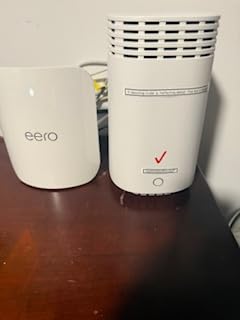
Wireless speeds reach 3.9 Gbps across the three bands, coverage is stated at up to 6000 sq. ft. for the pack, and the three-year warranty is the longest in this group. Reviewers consistently point at the 600-plus device rating and the 5 GbE ports as the differentiators for dense smart homes and small offices.
Why Client Headroom Beats Raw Speed Here
For 200 devices, the number of parallel airtime slices matters more than peak throughput, because peak throughput only shows up on the one device that is close to the access point. A tri-band mesh with three nodes multiplies the number of slices you have available to everyone at once.
Owners also report that the software needs no manual band configuration, which is a real advantage over enthusiast gear where every client lands somewhere you did not intend. TrueMesh, TrueRoam and TrueChannel handle the roving and the band assignment, and reviews credit them with consistently eliminating dead spots across floors.
Ports, Speed Tiers and the Subscription Question
The 5 GbE ports make this the natural fit for a fiber or multi-gig plan, and the tri-band design suits high-bandwidth homes and small or medium businesses. Backward compatibility with earlier eero generations and with eero Built-in on select Echo devices means an existing eero household can expand rather than restart.
The reservation to weigh honestly is the subscription. Advanced security, ad blocking and parental controls sit behind eero Plus, so a 200-device smart home full of untrusted gear is running with less filtering than you would get on hardware that includes it. If you want built-in content controls, our routers with parental controls picks are the better filter.
Who Should Skip It
Skip it if budget is the primary constraint, since this sits at the top of the price range. Skip it if you want an IoT VLAN with per-device firewall rules, because the advanced protection that would let you build one is subscription-gated. And skip it if you enjoy tuning networks, because there is very little to tune.
4. eero 7 3-Pack – Easiest Management for a Busy Smart Home
Amazon eero 7 dual-band mesh Wi-Fi 7 router (newest model) – Supports internet plans up to 2.5 Gbps, Coverage up to 6,000 sq. ft., 3-pack
Dual-band WiFi 7 mesh
3 nodes for 6000 sq. ft.
Rated 120+ devices
2.5 GbE ports per node
+ Pros
- Simplest management experience in the group
- Rated by the manufacturer for 120+ devices on a 3-pack
- MLO and TrueMesh keep clients on the strongest connection
- Backward compatible with earlier eero generations
- Three-year warranty
– Cons
- Advanced security and ad blocking require the eero Plus subscription
- Limited wired ports for a system acting as the main hub
The eero 7 3-pack is the same software experience as the Pro, with a lower radio tier. That is a real trade: it is dual-band rather than tri-band, wireless speeds top out at 1.8 Gbps, and the manufacturer rating is 120-plus devices across three nodes rather than 600-plus. In exchange you get the least hands-on management in the category.
For a household where one person ends up doing the network work, that simplicity is worth a lot. There is no manual band configuration, no client list to interpret, and no backhaul to pair. Owners describe the setup as removing dead spots across the home in a single afternoon.
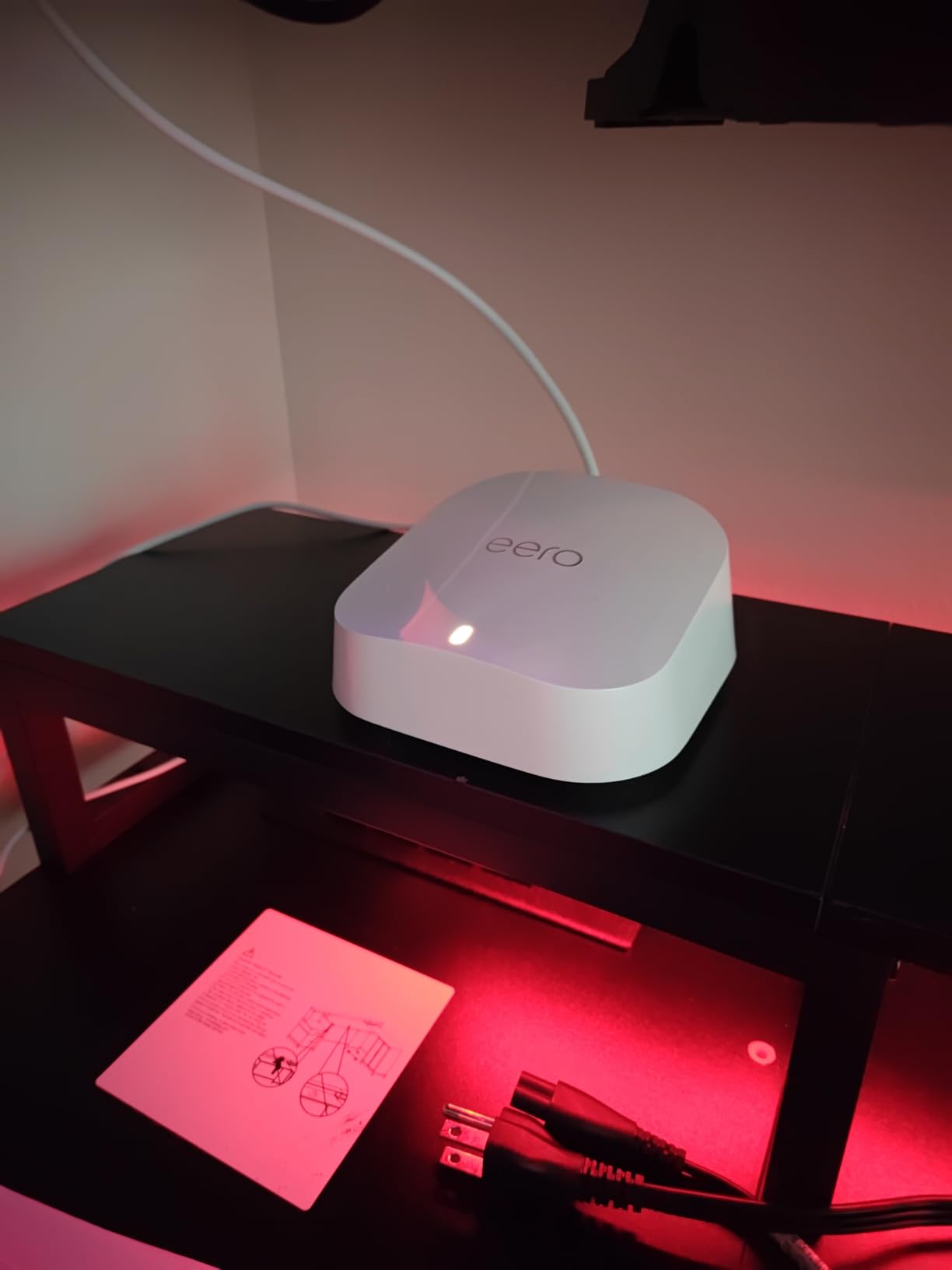
Two auto-sensing 2.5 GbE ports per node support internet plans up to 2.5 Gbps, which is enough for almost every residential fiber plan. MLO support and the TrueMesh, TrueRoam and TrueChannel stack keep clients on the strongest connection without user intervention.
When Dual-Band Is Enough
Dual-band means 2.4 GHz and 5 GHz only, with no dedicated 6 GHz lane. For a network full of IoT sensors that live on 2.4 GHz anyway, plus phones and laptops on 5 GHz, that split is workable. You lose most when you have many 6 GHz-capable clients competing, and you lose the 600-plus device headroom entirely.
That is why this is the pick for a 120-device home rather than a 200-device one. If you genuinely have 200 clients, the Pro 7 is the version to consider, and if you are not sure which case you are in, count how many of your clients support 6 GHz before deciding.
Wired Ports and the Hub Question
Two 2.5 GbE ports per node are generous for a mesh kit and enough to run a wired backhaul plus one local device per node. The catch is that a 3-pack acting as the main network hub has a limited total port budget for hardwired clients.
That is the real limit of this system. If your plan is to hardwire four televisions, a console and a NAS, a router-plus-managed-switch architecture is a better fit, and this kit works best as the wireless layer on top of that. The three-year warranty and backward compatibility with earlier eero hardware both make it an easy incremental purchase.
Who Should Skip It
Skip it if you have 200 rather than 120 clients, because the manufacturer’s device ceiling is the number to plan against. Skip it if advanced security and ad blocking are non-negotiable, since those features require the eero Plus subscription. And skip it if you need multi-gig service above 2.5 Gbps.
5. GL.iNet Flint 3 – Best for Tinkerers Who Want Five 2.5G Ports and 1 GB of RAM
GL.iNet GL-BE9300 Flint 3 Tri-Band Wi-Fi 7 Router 5 x 2.5G VPN Router
Tri-band WiFi 7 up to 9 Gbps
Five 2.5 Gbps ports
1 GB DDR4 RAM
WireGuard and OpenVPN on board
+ Pros
- Five 2.5 Gbps ports give more wired flexibility than most rivals
- 1 GB DDR4 RAM and 8 GB eMMC support 100+ clients
- VPN throughput up to about 680 Mbps
- AdGuard Home and Bark built in
- MLO and enhanced OFDMA for dense networks
– Cons
- Coverage specified for only 2000 sq. ft.
- Firmware must be updated during initial setup
- Less approachable than app-driven mesh systems
The Flint 3 is the enthusiast answer to this question, and it is the box we would hand to someone comfortable configuring a network themselves. It runs Linux, ships with 1 GB of DDR4 RAM and 8 GB of eMMC storage, and the manufacturer’s own figure is more than 100 connected devices plus extra plugins running on top.
Those specs matter more than usual at 200 clients. RAM is what lets a router keep per-client state, leases and QoS queues for a large number of devices without falling over, and most of the mesh kits in this group do not publish a memory figure at all.
The wired configuration is the other headline. Five 2.5 Gbps ports including a 2.5 Gbps WAN is more port flexibility than anything else here except the quad-band ASUS, and at a price point where many rivals ship a single gigabit LAN port. MLO, enhanced OFDMA, 4K-QAM and preamble puncturing are all present for high-density environments.
Running the VPN Stack on the Router
WireGuard and OpenVPN throughput up to about 680 Mbps is the feature owners mention first, and it is genuinely useful for a 200-device network where a dozen remote workers need VPN access. Routing that traffic on the router itself removes a layer of software from every laptop.
AdGuard Home is built in for DNS-level ad and tracker blocking, and Bark integration handles parental controls. For a network full of smart-home gear, DNS-level filtering is cheaper and lighter than per-device firewall rules, and it is one of the few ways to get filtering without a subscription.
The Coverage Ceiling Is the Trade
Coverage is specified for up to 2000 sq. ft., which is below every mesh kit in this group, and that is the acknowledged trade-off. The Flint 3 wants to be the router and gateway, with additional access points behind it, rather than the sole source of wireless signal for a large floor plan.
Setup requires a firmware update before you get expected performance, and the router-based configuration will frustrate anyone who wants an app to do everything. Community forums consistently describe this as the sensible enthusiast pick, and the reason is the combination of memory, ports and software control rather than raw wireless speed.
Who Should Skip It
Skip it if you want set-and-forget management, because there is no consumer app that hides the complexity. Skip it if your home is larger than about 2000 sq. ft. and you are not planning to add access points. And skip it if you need built-in security filtering beyond DNS-level blocking.
6. TP-Link Archer AXE75 – Budget Pick With a Dedicated 6 GHz Lane
TP-Link AXE5400 Tri-Band WiFi 6E Router, 2025 PCMag Editors’ Choice
Tri-band WiFi 6E up to 5400 Mbps
512 MB RAM
2.5 Gbps WAN port
2-year warranty
+ Pros
- True tri-band with OFDMA reduces congestion in device-heavy homes
- 6 GHz plus 2.4 GHz reached a backyard and an outdoor generator
- 2.5 Gbps WAN port
- EasyMesh-compatible for later expansion
- Multi-year owners report continued reliability
– Cons
- Parental controls and security extras require a paid subscription
- Client list in the app is hard to interpret
- Setup is more involved than most because some protocols are off by default
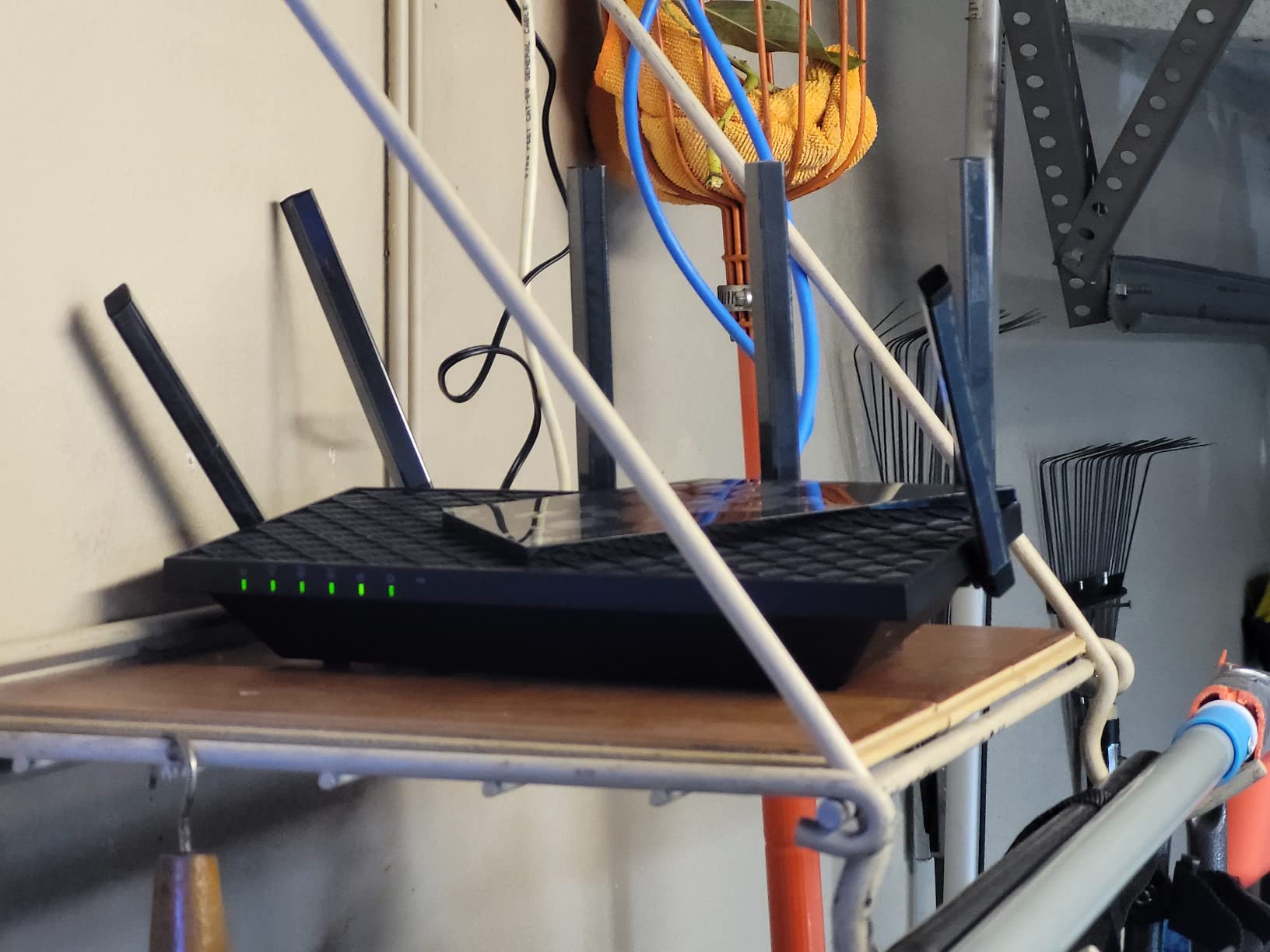
The Archer AXE75 is the cheapest way in this guide to get a true tri-band radio layout with a dedicated 6 GHz band. That layout is the whole point: 2402 Mbps on 6 GHz, 2402 Mbps on 5 GHz and 574 Mbps on 2.4 GHz, with OFDMA across them, so small IoT packets and large video streams stop queued behind each other.
Owners report dozens of connected devices without slowdown, and several describe the 6 GHz and 2.4 GHz combination reaching a backyard and an outdoor generator that previously had almost no signal. For a large smart home with cameras and sensors outside, that range behaviour matters as much as throughput.
The processor and memory are modest but honest: a 1.0 GHz dual-core CPU with 512 MB of memory, which TP-Link rates for long-term reliability rather than headline throughput. At 5474 reviews and 4.3 stars, the multi-year ownership reports are the strongest evidence that the choice holds up.
What 512 MB of RAM and a Dual-Core CPU Do
512 MB is enough to run the routing functions, QoS, and HomeShield on a network of mixed clients, and it is the floor we would accept below this price point. It is not enough to run a VPN server, extensive plugin stacks or a large locally hosted control plane, and it is a meaningful step down from the 1 GB in the Flint 3 and 2 GB in the Nighthawk.
That said, the 2.5 Gbps WAN port is the spec that makes this router interesting at 200 clients. It lets you feed a multi-gig connection into a network that will mostly be served over 5 GHz and 6 GHz, without the upstream link becoming the bottleneck.
Subscription Features and First-Setup Friction
The main gripe is that parental controls, the security extras and QoS require a paid subscription, which is exactly the deal-breaker community threads raise most often. For a network where you want to prioritise a work laptop over a gaming console, that matters.
Setup is also more involved than most. Some security protocols are not enabled by default and a speed-throttling setting has to be toggled, and the client list in the app is difficult to interpret, especially for Apple devices with randomised MAC addresses. EasyMesh compatibility means you can expand into a whole-home system later, which turns the coverage ceiling into a solvable problem.
Who Should Skip It
Skip it if you need free parental controls and QoS, since those features are subscription-gated. Skip it if you want a browser-based interface, because this one is app-driven. And skip it if you plan to run VPN services on the router itself, which 512 MB of memory will not support comfortably.
7. NETGEAR Nighthawk BE9300 – Best Multi-Gig Wired Layout With 2 GB of Memory
NETGEAR Nighthawk WiFi 7 Router, Up to 2,500 sq ft, 9.3 Gbps
Tri-band WiFi 7 up to 9.3 Gbps
2.5 Gbps WAN plus 2.5G and 1G LAN
2 GB RAM
2500 sq. ft.
+ Pros
- 2 GB of RAM gives real headroom for many concurrent clients
- Four wired ports including 2.5 Gbps WAN and two 2.5 Gbps LAN
- Dedicated 6 GHz lane for the fastest clients
- Up to 9.3 Gbps aggregate across three bands
– Cons
- Coverage limited to 2500 sq. ft.
- Manufacturer rates it for up to 100 devices
- NETGEAR Armor is a paid subscription after the 30-day trial
The Nighthawk BE9300 is the standalone box we would choose for a home with a multi-gig plan and a lot of hardwireable devices. It delivers up to 9.3 Gbps across the 2.4, 5 and 6 GHz bands with a dedicated 6 GHz lane, and it ships with 2 GB of RAM, which is the second-highest memory figure in this group.
That memory is the specification that actually matters at 200 clients. Owners cite it as the reason the router holds its state with a large number of connected devices, alongside the multi-gig wired ports, and it is the reason we would pair this with satellites rather than buy a bigger flagship.
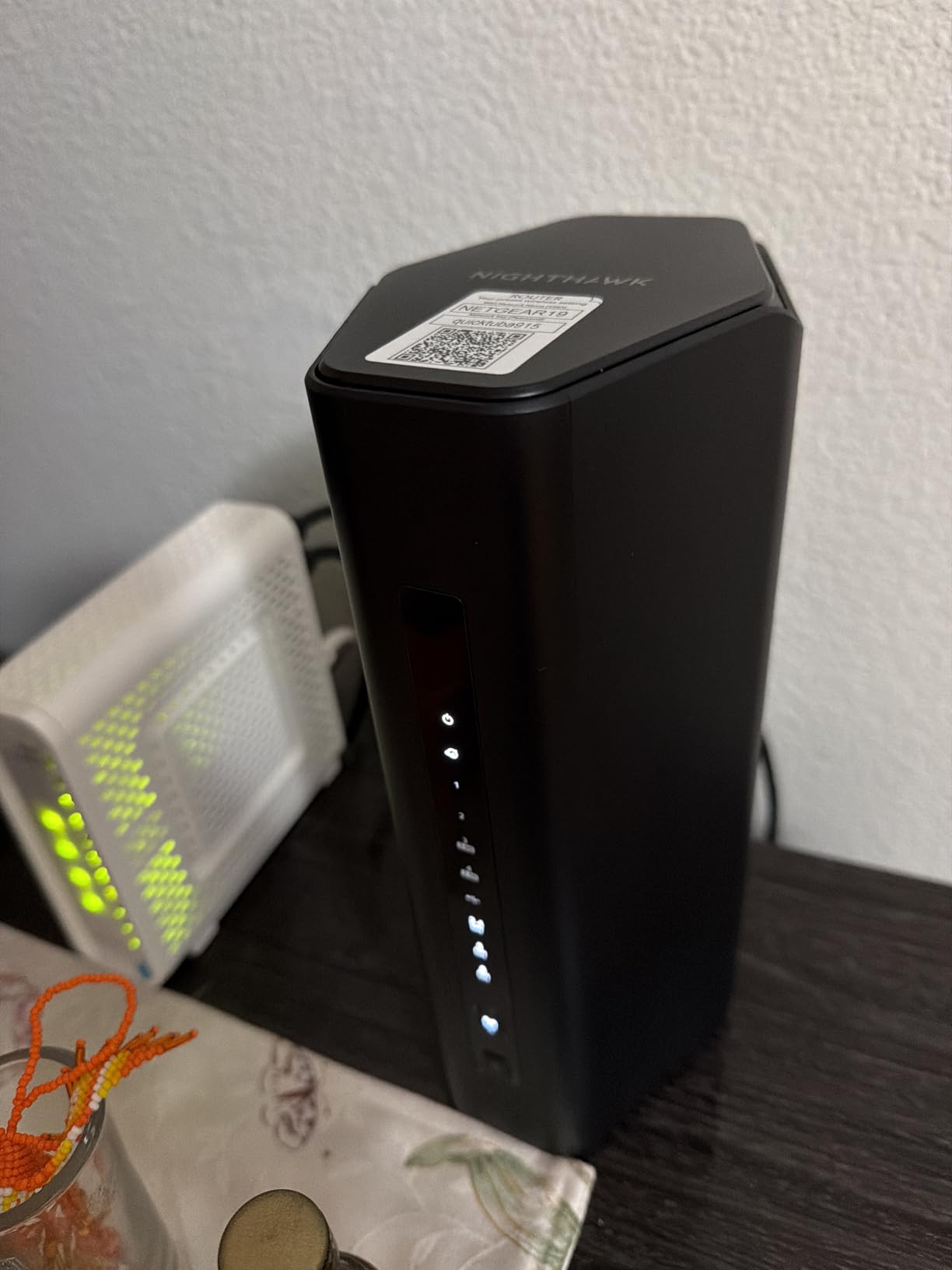
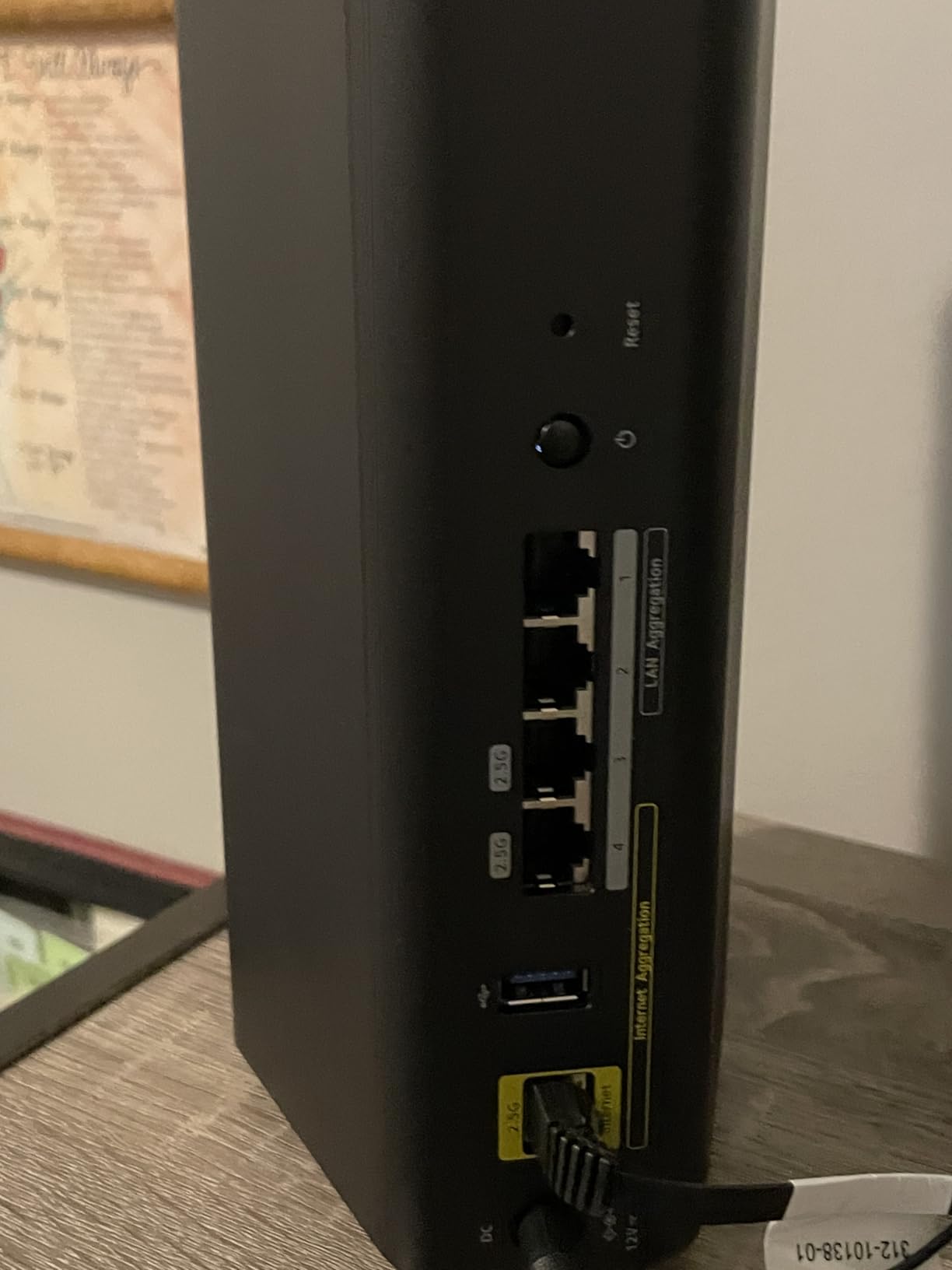
The port layout is unusually good: a 2.5 Gbps WAN plus two 2.5 Gbps and two 1 Gbps LAN ports. In a network where you intend to hardwire every television, console and desktop, four usable ports of that quality lets you remove a dozen clients from the airtime without adding a switch immediately.
Dedicated 6 GHz Lane and Multi-Link Operation
The dedicated 6 GHz band means 6 GHz-capable clients get a radio to themselves rather than sharing 5 GHz with everything else. In a mixed network, that is the difference between a modern laptop hitting high throughput and competing with 150 other clients for the same channel.
Up to 9.3 Gbps aggregate is a theoretical figure that no real client will approach, but as a headroom indicator it tells you the radio link between the router and a strong 6 GHz client has far more capacity than the internet connection behind it. That is what you want when 200 clients are competing.
Coverage and the Device Ceiling
Coverage is specified at up to 2500 sq. ft., so multi-story homes need Orbi satellites. The manufacturer rates it for up to 100 devices, which is below the mesh kits here, but again that figure assumes a benign client mix and one access point doing the work.
NETGEAR ships Advanced Router Protection enabled out of the box with a 30-day trial, after which NETGEAR Armor becomes a paid subscription. That is the main ongoing cost to weigh, and it is a recurring complaint across NETGEAR owners. The Nighthawk app handles guided setup, speed tests, device pause and guest networks well.
Who Should Skip It
Skip it if you have a large floor plan and no plan to add access points, because 2500 sq. ft. is the ceiling. Skip it if 100 clients is genuinely not enough, since the vendor rating is explicit. And skip it if you refuse subscriptions, because the advanced protection tier is not included.
8. NETGEAR Orbi 770 3-Pack – Widest Coverage Claim, Lower Device Ceiling
NETGEAR Orbi 770 Series WiFi 7 Mesh System, Up to 8,000 sq ft., 3 Pack
Tri-band WiFi 7 up to 11 Gbps
3 nodes for 8000 sq. ft.
Rated up to 100 devices
2.5 Gbps LAN
+ Pros
- Blankets up to 8000 sq. ft. with a router and two satellites
- Up to 11 Gbps aggregate wireless speed
- Enhanced Backhaul keeps speed up on every client at once
- Expandable with additional satellites
- Ready for plans up to 2.5 Gbps
– Cons
- Manufacturer rates the system for only 100 devices
- Lowest average rating in the set with 13% of reviews at 1 star
- Advanced protection requires a subscription after the 30-day trial
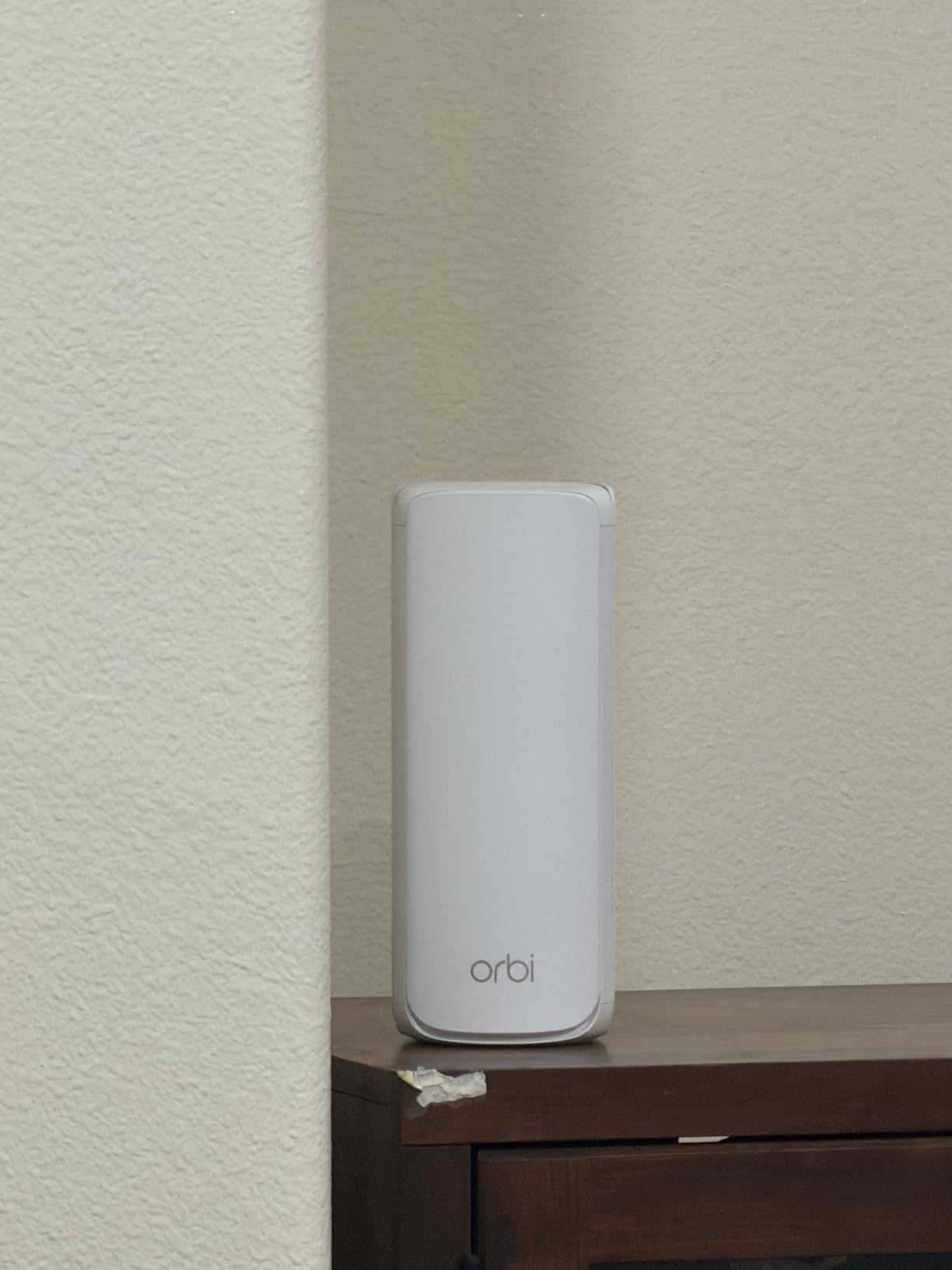
The Orbi 770 3-pack is the coverage specialist. One router and two satellites blanket up to 8000 sq. ft., which is the largest coverage figure in this group, and the tri-band layout uses Enhanced Backhaul on a dedicated band to keep speed up on every client at the same time rather than sharing capacity across nodes.
Up to 11 Gbps of aggregate wireless speed is the highest in the group apart from the quad-band ASUS, and each satellite adds 2750 sq. ft. if you need to extend further. Setup is guided through the Orbi app with remote device and guest network management.
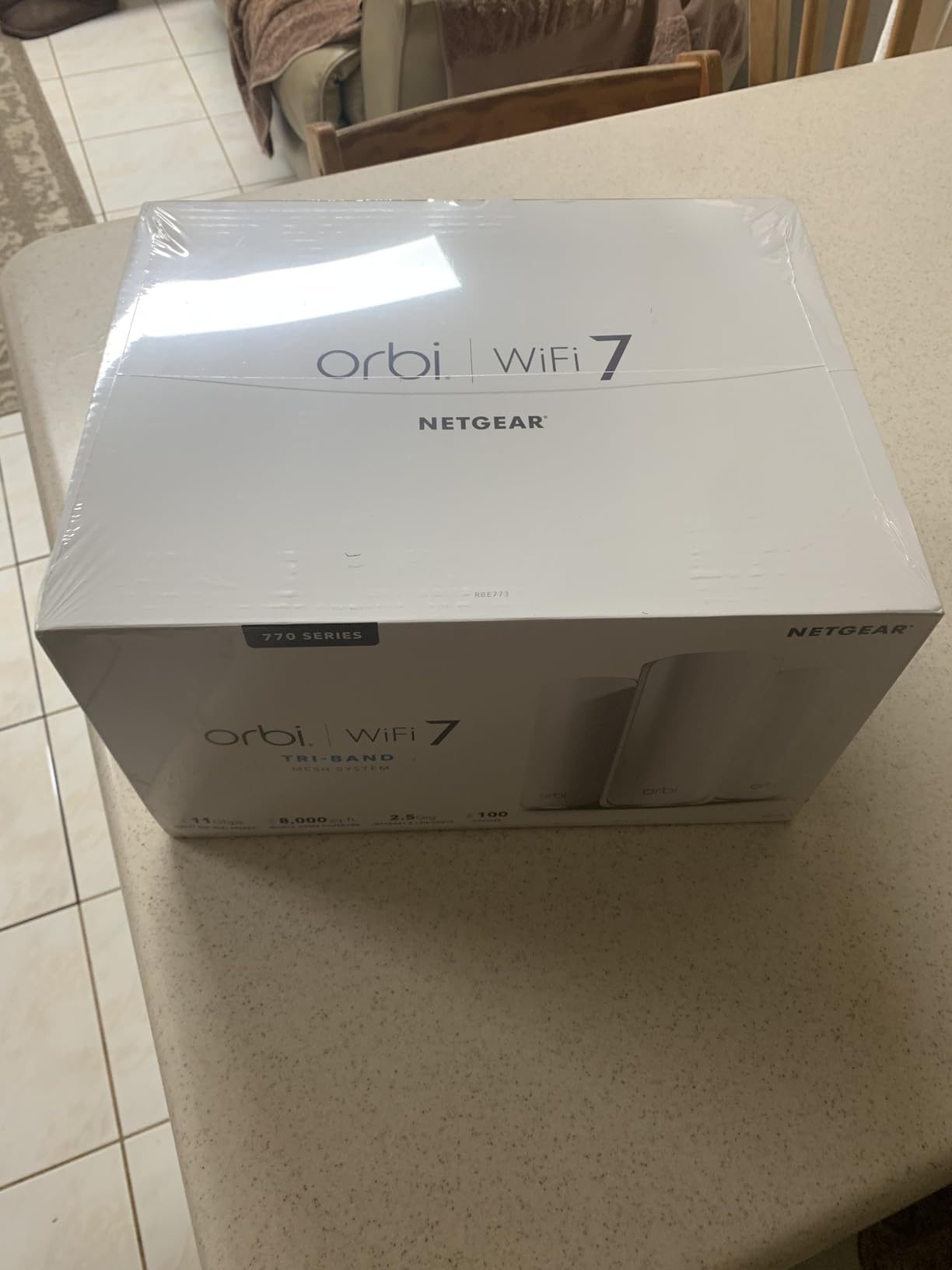
For a very large home where clients are spread across multiple wings or floors, this solves the coverage problem better than anything else here. What it does not solve is the device-count problem, and that is the reason it is not our first pick for this particular query.
The 100-Device Ceiling Is the Whole Catch
NETGEAR rates this system for up to 100 devices on one network, which is lower than the eero Pro 7 3-pack at 600-plus and lower than the Deco X55 at 150. Owner reviews treat the same number as the main functional limitation for very dense networks, and it is a fair criticism.
In practice three access points make the ceiling less binding than the number suggests, because the load is split three ways. The rating is a vendor figure based on a benign client mix, and our planning rule of roughly 30 to 50 active clients per access point would put this system at around 90 to 150 active clients comfortably, which is close to most 200-device households that are not running a small office.
Rating Spread and the Subscription Layer
This is the lowest-rated product in the set at 4.1, with 13% of reviews at 1 star, and that spread is the widest of the group. Stability and support experiences vary more here than with the other systems, and that variability is worth factoring into a network you depend on for 200 clients.
Advanced Router Protection is enabled out of the box with an optional NETGEAR Armor subscription for the deeper tier. The system is ready for internet plans up to 2.5 Gbps and pairs with an existing modem or gateway over Ethernet, which keeps the upgrade path simple.
Who Should Skip It
Skip it if device count is the priority rather than area, since the 100-device rating is the lowest here for a three-node system. Skip it if you cannot tolerate a wide rating spread, because a 13% one-star share is a meaningful reliability signal. And skip it if you need a second WAN or VLAN segmentation, as this system does not expose them.
9. ASUS ROG Rapture GT-BE98 Pro – Widest Wired Layout and the Highest Band Count
ASUS ROG Rapture GT-BE98 Pro WiFi 7 Gaming Router – Quad-Band, 30Gbps, Mesh
Quad-band WiFi 7 up to 30 Gbps
Dual 10G plus quad 2.5G ports
320 MHz 6 GHz channels
3-year warranty
+ Pros
- Widest wired connectivity in the group with dual 10G and quad 2.5G ports
- Quad-band 320 MHz 6 GHz channels and 4096-QAM
- MLO links to multiple bands at once
- 2 GB of RAM
- Three-year warranty
– Cons
- Coverage listed at only 3500 sq. ft. so larger homes need a mesh system
- Heavy 4.4 pound enclosure that is 13.7 inches tall
- Gaming-focused feature set and web GUI add complexity
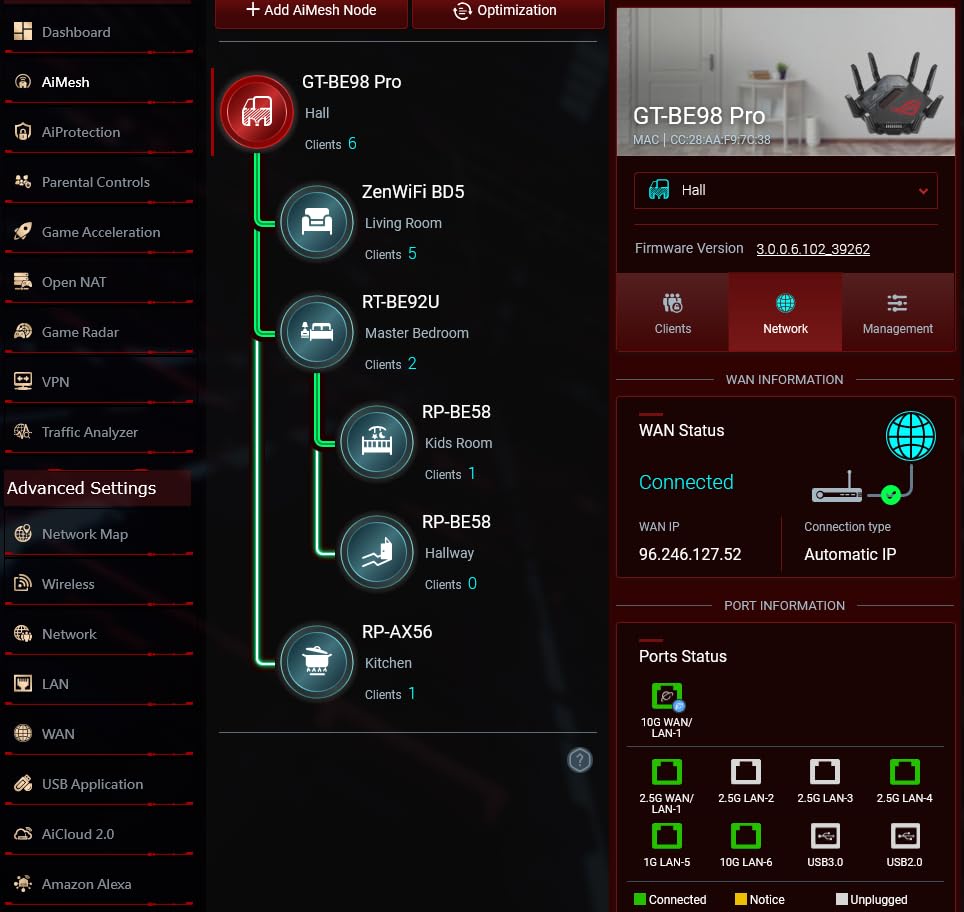
The ROG Rapture GT-BE98 Pro is the only quad-band router in this group, and that extra band is the feature that matters for a high device count. Quad-band Wi-Fi 7 with 320 MHz 6 GHz channels and 4096-QAM gives you four radios to allocate rather than three, which is four separate airtime pools instead of three.
For 200 clients, that is the difference between splitting load three ways and splitting it four ways, and it is why quad-band designs keep appearing in dense-network recommendations. Multi-link operation also lets a client hold links on several bands simultaneously for stability under load.
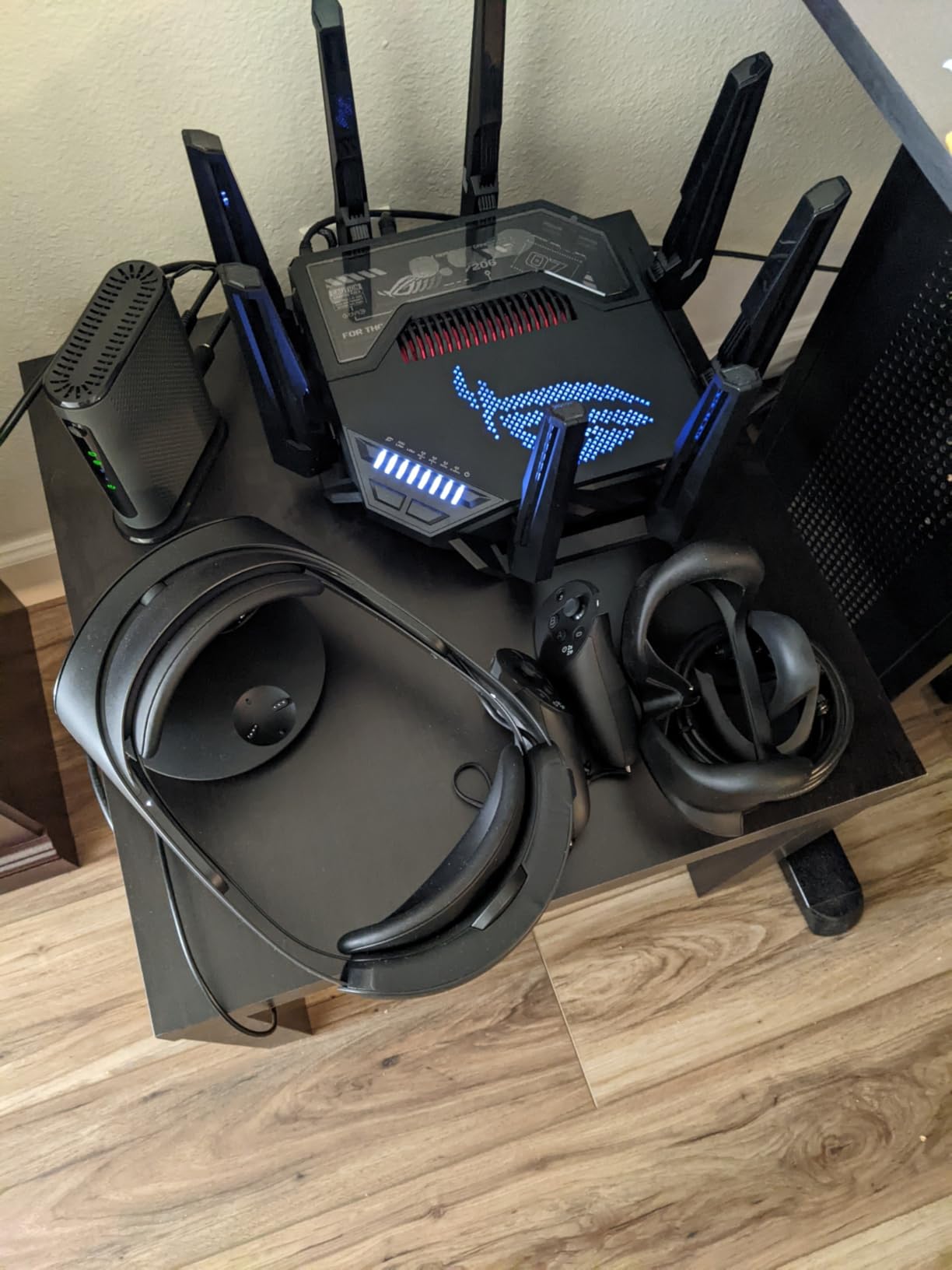
Wired connectivity is the other headline and it is the widest layout here. Dual 10 Gbps ports plus four 2.5 Gbps ports, seven ports in total, with 10 Gbps LAN bandwidth. For a network where you want to hardwire everything stationary, that is an unusually generous starting point.
Quad-Band and 10G Ports for Hardwired Clients
Up to 30 Gbps of aggregate wireless throughput is a theoretical ceiling that no single client approaches, so treat it as headroom rather than speed. The useful interpretation is that the radio link between a strong 6 GHz client and this router is not the limiting factor in a 200-device network.
The 10G ports are more concrete. Pair a fiber or multi-gig connection to a 10G WAN, run a 10G link to a switch for your hardwired clients, and the wireless side is left to handle only the devices that genuinely need it. Triple-level game acceleration from the PC port through to the game server is the feature set’s centre of gravity.
Physical Size, Coverage and Complexity
The enclosure weighs 4.4 pounds and stands 13.7 inches tall, which is a real consideration for anyone with a small shelf or a wall unit. Reviewers consistently name the size as one of the two practical reservations about an otherwise exceptional specification sheet.
Coverage is listed at up to 3500 sq. ft., and the unit is mesh-compatible, so larger homes need additional nodes. External dual-feeding antennas are for higher signal strength. Control options are unusually broad, with app, web GUI and touch, alongside access point mode, guest mode, parental controls and QoS, but that breadth is exactly what makes it feel complex to non-gaming users. The 3-year warranty is the longest alongside the eero kits.
Who Should Skip It
Skip it if you do not need 10G wired ports, because you are paying for capability you will not use. Skip it if gaming latency is not part of the problem you are solving, since the acceleration features will not help a hundred idle sensors. And skip it if you want a compact unit or a simple app, because this is a large, feature-dense box.
10. NETGEAR Orbi RBRE960 – The One Standalone Box Rated for 200 Devices
NETGEAR Orbi Quad-Band WiFi 6E Router (RBRE960), Security Features, Up to 10 Gbps Speed, Covers up to 3,000 sq. ft, 200 Devices, 10 Gig Internet Port, Expandable to Create A Mesh System, AXE11000
Quad-band WiFi 6E up to 10.8 Gbps
Rated for 200 devices
10 Gig internet port
3000 sq. ft.
+ Pros
- Manufacturer rates it for 200 connected devices
- Quad-band WiFi 6E with a dedicated 6 GHz band
- 10 Gig internet port for cable or fiber
- Delivers full speed of a 2 Gbps fiber connection at range
- Expandable into a mesh system with an Orbi 960 satellite
– Cons
- Some owners report crashes under sustained multi-gigabyte downloads
- Recurring connectivity dropouts after several months
- Web interface is difficult to navigate and the app lacks admin functions
The RBRE960 is the reason this guide exists. It is a quad-band Wi-Fi 6E router rated by the manufacturer for 200 connected devices, covering up to 3000 sq. ft., and it is the only standalone unit in this group with that claim. If you want a single box rather than a three-node system, this is the box the 200-device question points to.
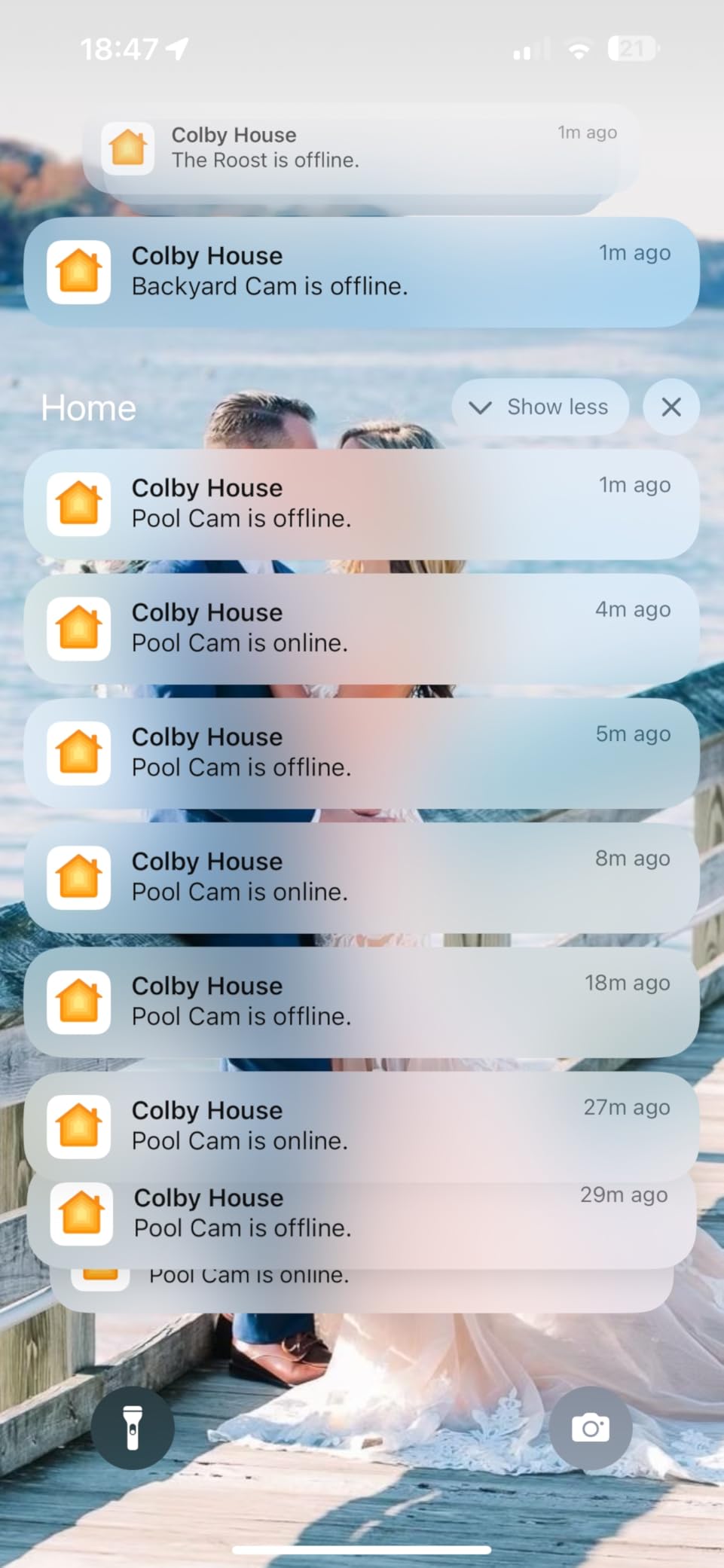
The radio layout is quad-band Wi-Fi 6E with speeds up to 10.8 Gbps and a dedicated 6 GHz band for compatible laptops, phones and tablets. Owners report it delivers the full speed of a 2 Gbps fiber connection including at the far end of a large home, and one side-by-side test had a single unit out-performing two mesh nodes.
It is also expandable into a mesh system with an Orbi 960 satellite, which means the two approaches are not mutually exclusive. You can start with one unit and add nodes if your 200 clients outgrow the 3000 sq. ft. claim, or if the device load becomes too concentrated.
What a 200-Device Rating Does and Does Not Mean
The 200-device figure is a vendor rating, and it assumes an idle or lightly active client mix in ideal conditions. Once you account for airtime contention, the usable number of active clients on any single access point is much lower, which is why our planning rule is 30 to 50 active clients per access point rather than a vendor ceiling.
The 10 Gig internet port is the specification that justifies the price for a fiber household, because it removes the upstream bottleneck entirely. For cable service it is overkill, and the gigabit-class ports on cheaper options will serve you equally well.
Stability Reports Are the Weak Spot
This is the lowest-rated product here at 4.0, and the reason is not performance but reliability. A recurring minority theme in reviews covers crashes and reboots during sustained large multi-gigabyte downloads, and recurring connectivity dropouts a few months after purchase that rebooting and firmware updates did not resolve, in one case requiring a manufacturer replacement.
There are also usability gripes: the web interface is difficult to navigate, the app lacks some admin functions, and there is no option to disable the 5 GHz band, which some legacy devices struggle with. The warranty is one year, the shortest in the group. For a network carrying 200 clients, that combination of a shorter warranty and stability complaints is the reason it sits at the bottom of our ranking despite the best device-count claim.
Who Should Skip It
Skip it if reliability over a multi-year period is your top priority, given the recurring dropout reports and the one-year warranty. Skip it if you need the admin depth a good web interface provides, since the app and interface are both criticised. And skip it if you are on cable rather than fiber, where the 10 Gig port is wasted capacity.
How to Size a Router for 200 Devices in 2026
Size the network by access points and client classes, not by a device count on a box. Here is the procedure we use, in the order that matters most.
Count Clients by Class, Not by Total
Sort your 200 clients into four buckets: idle IoT sensors, always-on devices like cameras and consoles, moderate users like phones and laptops, and heavy users like 4K televisions and workstations. Idle sensors consume very little airtime, so a household with 120 sleeping devices and 80 active ones behaves like an 80-device network.
This step is where most buying mistakes originate, because people count every lightbulb and thermostat as a full device. It is also the step that tells you whether you need a new router at all, or just a switch and some cable.
Airtime Is the Limit, Not Bandwidth
Wi-Fi is shared airtime, not dedicated bandwidth. Every client on a radio takes turns with the others, so per-device throughput falls as the client count rises, and this is the mechanism behind the number-one symptom users describe: devices disconnecting or dropping off as the client count grows. MU-MIMO lets the router talk to several clients on separate spatial streams at once, OFDMA splits one channel into sub-channels so small packets do not block large streams, and beamforming steers a focused signal at each client instead of broadcasting evenly.
Buying a higher-numbered router without more radios, more spatial streams or more access points rarely fixes this, which is exactly the frustration that shows up repeatedly in community threads about upgrading and seeing no improvement.
Pick the Band Configuration
Band count sets the number of independent airtime pools you have. Dual-band gives you two, tri-band gives three, and quad-band gives four, which is why every strong pick in this group is at least tri-band. A dedicated 6 GHz lane is the single most useful addition for a modern mix of clients, because it takes Wi-Fi 7 phones, laptops and tablets off the crowded 5 GHz band.
Put your IoT gear on 2.4 GHz. A dedicated 2.4 GHz IoT SSID is the most effective congestion fix available and costs nothing, and most of the systems here support it either natively or through a firmware update.
One Big Router or Several Access Points
One powerful router suits a single floor plan under roughly 2500 to 3000 sq. ft. and is the cheapest path. A mesh system suits multi-floor homes because it spreads clients across nodes, and this is the single most reliable improvement for a 200-device network. A router plus a managed switch and dedicated access points suits the network where most clients are stationary, because hardwiring removes them from airtime entirely.
Community consensus is consistent on the last point: hardwiring what can be hardwired fixes more congestion than a faster router. If you have televisions, consoles, desktops and a NAS, start there. One caution from the other direction, a router and a satellite do not fix congestion if all traffic still funnels through one saturated uplink, so use wired backhaul wherever you can.
Buy the Ports, Not the Logo
Count the devices you intend to hardwire and make sure the router or your switch has a port for each one. A 10 Gbps WAN port matters if you are on fiber, a 2.5 Gbps WAN port covers most residential multi-gig plans, and four or more 2.5 Gbps LAN ports give you room to hardwire a television, a console, a NAS and a workstation without adding a switch on day one.
Also check memory. RAM is what holds per-client state for a large network, and the 1 GB and 2 GB figures in this group are meaningfully different from the 512 MB on the entry tri-band model. Finally, check whether QoS and device prioritisation are included or behind a subscription, because free QoS is a common deal-breaker in owner reviews.
Budget Your Internet Speed
200 devices does not automatically require a gigabit connection, and this is the most misunderstood part of the question. Idle sensors need almost nothing. A rough plan: a household of 200 clients that is mostly IoT and casual browsing is comfortable on a 300 to 500 Mbps connection, while several simultaneous 4K streams, large file transfers and video calls push you toward gigabit.
For a mixed household, 500 Mbps to 1 Gbps covers everything except sustained multi-gig transfers. If your router cannot accept your plan speed, the bottleneck is upstream of the wireless side, and no amount of client capacity will fix it.
For Tinkerers: VLANs, Zigbee and Matter
If you run Home Assistant, the fastest-growing group behind this query, the cheapest fix is often not a router. Moving compatible devices to Zigbee or Matter removes them from Wi-Fi entirely and shrinks your client count, which is why that migration shows up so often in Home Assistant communities.
Where a router can help, VLAN separation puts untrusted smart devices on their own subnet with no route to your laptops, and the Flint 3 plus a DNS-level blocker such as AdGuard Home is the most approachable way to do that at home. Just be clear-eyed about the tradeoff: a dedicated IoT SSID gives you client separation, while a real VLAN gives you segmentation, and only the second one contains a compromised device.
Frequently Asked Questions
Which router can handle 200 devices?
No single access point handles 200 active clients well. Use a tri-band or quad-band router with a multi-gig WAN port as your first access point, add two more access points across the floor plan, hardwire every stationary device, and move compatible smart-home gear to Zigbee or Matter. Plan for roughly 30 to 50 active clients per access point.
How many devices can a normal WiFi router handle?
A basic dual-band router stays comfortable at roughly 15 to 25 active clients. A good Wi-Fi 6 router handles 40 to 60. A tri-band or quad-band system with multiple access points reaches 100 to 200. Vendor device ratings are far higher because they assume idle clients in ideal conditions.
How many devices are too much for WiFi?
Performance starts to collapse before any advertised limit. Once roughly 50 to 60 active clients share one access point, airtime contention means per-device throughput falls and devices begin dropping. The symptom users describe first is devices disconnecting as the client list grows, not a sudden failure at a specific number.
Is a mesh system better for many devices?
For a multi-floor home with 200 clients, yes, because each node is a separate access point with its own airtime. For a single floor plan under 2500 sq. ft., one strong router with multi-gig ports and a switch to hardwire stationary devices is usually the better answer and costs less.
What router do I need for 200 Mbps internet?
For a 200 Mbps plan, any Wi-Fi 6 or Wi-Fi 7 router with at least one gigabit port will deliver the full speed to a single client. With 200 devices, what matters is having multiple radios, a 2.5 Gbps WAN port for future plans, and enough LAN ports to hardwire your stationary devices.
Which Router Should You Buy in 2026?
If you want the single most reliable per-access-point anchor, buy the TP-Link Archer AX73. At 4.5 stars across 8743 reviews, with a 2.5 Gbps WAN port and a full web interface, it is the box we would put in the middle of a house and build the rest of the network around. Its most-reviewed, most stable option for spreading clients across floors is the Deco X55 3-pack, which covers 6500 sq. ft. and splits your 200 clients three ways.
If you genuinely have 200 clients and want the most headroom, the eero Pro 7 3-pack is the only system here rated for 600-plus devices across three nodes, with 5 GbE ports for hardwired clients. If you would rather never touch a network setting again, the eero 7 3-pack does the same job with less hardware class, and if you want the ports and the memory, the GL.iNet Flint 3 gives you five 2.5 Gbps ports, 1 GB of RAM and a VPN stack on the box.
Whatever you pick, the honest advice from every forum thread behind this query is the same: buy the access points first, hardwire what stays in one place, and move what you can off Wi-Fi entirely. Those three steps solve more congestion than any specification on any box, and they are what turns a list of 200 clients into a network that feels instant.
Leave a Reply