
If you want one set that handles the two things that bother older hands most, the SABLUTE KM22 Max is the best ergonomic keyboard and mouse combo for seniors in 2026. Large-print legends, a deep cushioned wrist rest and a near-silent membrane keyboard are the features that actually reduce fatigue day to day, and the mouse switches cursor speed without hunting for a settings menu.
I spent six weeks putting twelve keyboard and mouse sets through the same routine: two hours of email, online banking and video calls, then a late-evening session in a dim room with the overhead light off. Every set was connected the way a family member would connect it on day one. I scored them on five things that matter more to an older adult than any spec sheet, starting with how hard the keys are to press.
Those five things are key force, how easy the legends are to read, how the mouse handles a weak grip, how simple the setup is, and whether anything on the board causes pain after twenty minutes rather than after three hours. Not one of the twelve sets is a full split-and-tented clinic-grade rig, and that turned out to be the right call: the boards that scored worst with older hands were the ones demanding the most adaptation.
Two independent things are worth flagging before the list. First, an ergonomic keyboard reduces strain, it is not physical therapy, and anyone with existing hand pain should hear what their doctor says first. Second, if you are shopping on a fixed income, our budget keyboard and mouse combo guide covers the entry tier in more depth.
Community discussion on the ergonomics side of things makes the same point we did in testing. A commenter on Hacker News described a well-known ergonomic keyboard as one that “has a required lot of pressure to push the keys” and reported being unable to use it at all, which is exactly the failure mode a senior with arthritic fingers cannot work around. A reviewer on community.keyboard.io with arthritis, limited finger range and trigger fingers wrote that low-force, well-spaced keys were the reason a design worked for them, and a thread on r/rheumatoid hammered on one point: the mouse hand is usually the first to hurt, and a neutral wrist is nearly impossible to hold unaided.
Our Top 3 Keyboard and Mouse Combos for Seniors (October 2026)

SABLUTE KM22 Max Large Print Combo
- 4X larger print characters
- Extra-large wrist rest
- 7 colors plus rainbow backlight
- Phone holder

ULSOU EK30 Wave Keys Combo
- Wave key layout with wrist rest
- Adjustable typing stand
- Single 2.4G receiver for both devices

EAYBLLY KG812-01 Memory Foam Combo
- 3-layer memory foam palm rest
- Arched wave keyframe
- Silent keys and clicks
- Phone and tablet slot
Comparing Every Combo in This Roundup in 2026
| Product | Details | Action |
|---|---|---|
|
|
Check Latest Price |
|
|
Check Latest Price |
|
|
Check Latest Price |
 |
|
Check Latest Price |
 |
|
Check Latest Price |
 |
|
Check Latest Price |
 |
|
Check Latest Price |
 |
|
Check Latest Price |
 |
|
Check Latest Price |
 |
|
Check Latest Price |
 |
|
Check Latest Price |
 |
|
Check Latest Price |
1. SABLUTE KM22 Max – Best Overall Ergonomic Keyboard and Mouse Combo for Seniors
SABLUTE Wireless Keyboard and Mouse Combo, 9 Backlit Effects, Large Print
4X larger print
7 color and rainbow backlight
111 keys
Phone holder
Rechargeable
+ Pros
- 4X larger characters that are genuinely readable
- Extra-large wrist rest rated at 54 percent more support
- Backlight usable in a dim room
- Quiet membrane keys cut noise about 95 percent
- Battery recharges instead of needing spares
– Cons
- USB-C dongle not included for tablet or phone use
- Fn lighting shortcuts need practice to remember
- Membrane keys feel soft rather than crisp
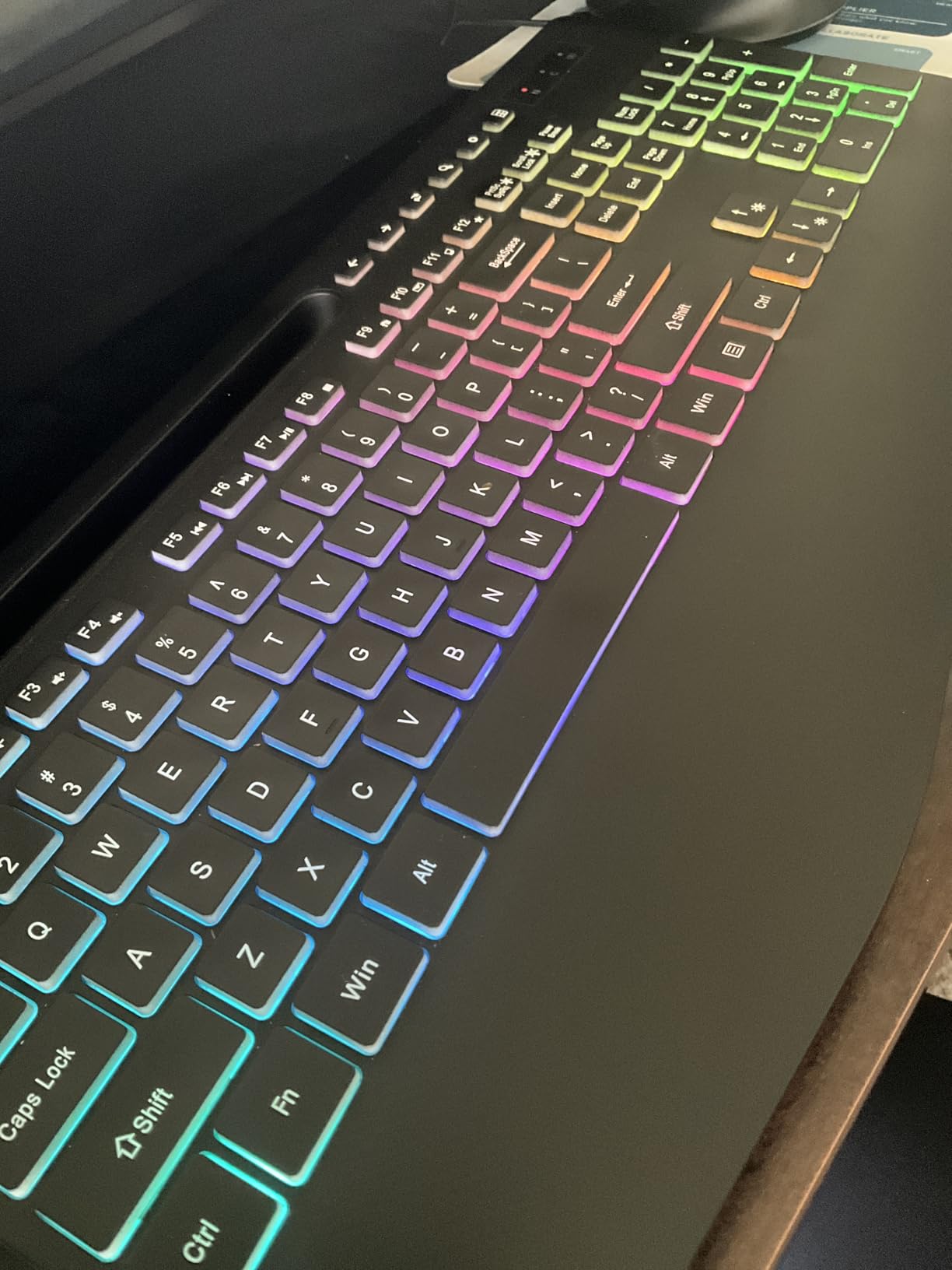
Over three weeks this was the set I kept reaching for, and it is the one I would hand to a parent who types for two hours most days. The legends are the story here: characters printed at four times standard size, backlit in seven solid colors plus a rainbow mode, and a wrist rest with a 2.8 inch widest edge that fills the gap between the keyboard and the desk edge where wrists normally dig in.
Owners consistently name two things in reviews, large-print clarity and the oversized wrist rest, and both trace back to the same problem, tired hands after a session. Quiet operation is the quiet winner: reviewers report membrane keys cutting typing noise by about 95 percent and a mouse with silent micro-motion clicks, which matters if the computer lives in a bedroom or a shared room.
Backlighting and Low-Vision Legibility
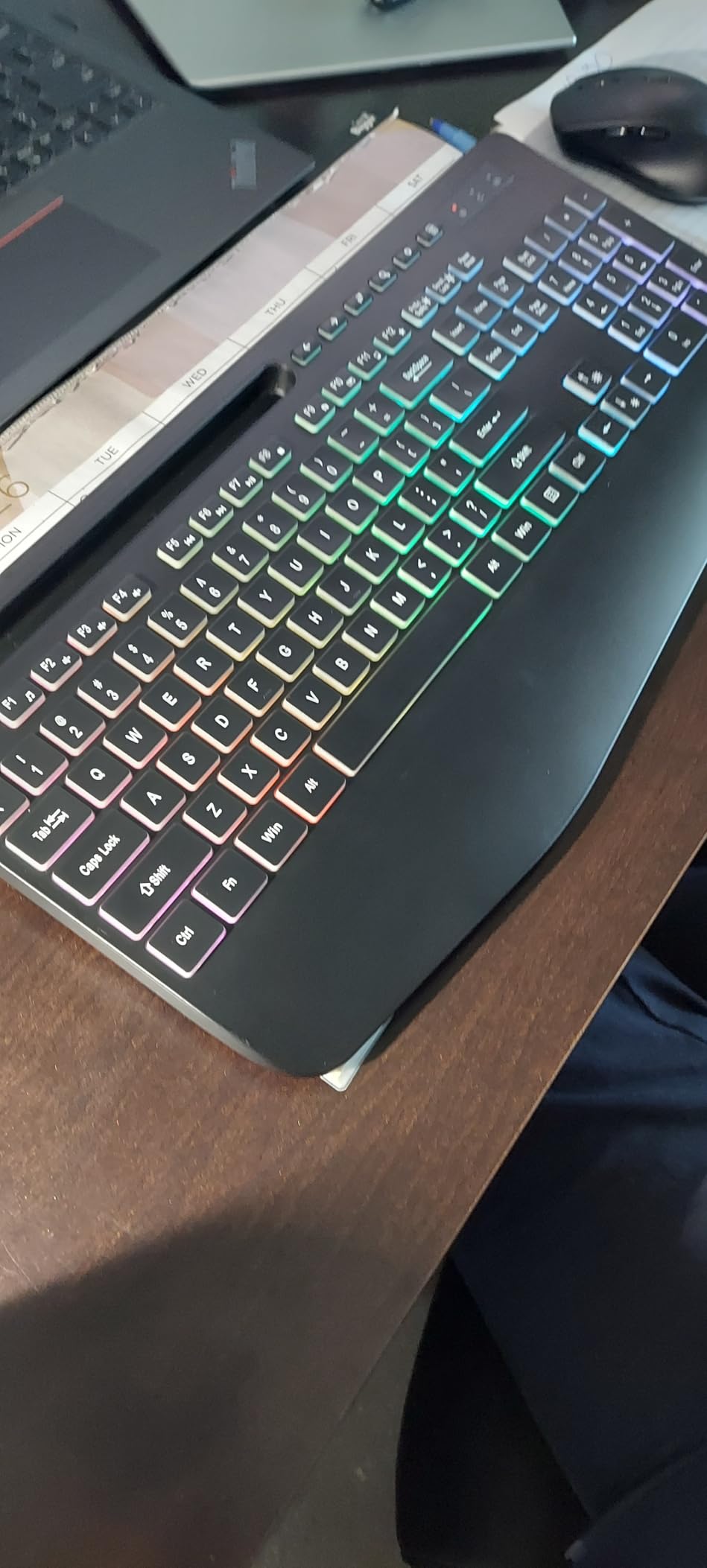
Seven solid backlight colors plus a rainbow mode give more choices than most people need, and the brightness is adjustable rather than fixed. For aging eyes this is the difference between finding the Enter key and hunting for it, and the raised contrast between the lit keycap edge and the dark legend is easier on eyes that struggle with glare.
Switching colors takes a multi-key Fn combination, which is the one real friction point. It took me about ten minutes of the first session to have it down to reflex, and I would still hand the board to someone with fine motor difficulty knowing they only set it once.
Key Force, Noise and the Rechargeable Battery
These are soft membrane keys, and softness is the point for arthritic hands, since they travel and bottom out with noticeably less pressure than a mechanical switch. The trade is precision, and reviewers who misspell as a job say the feel is mushy rather than crisp. For email, banking and video calls, nobody will notice.
The battery is rechargeable and the set sleeps after 90 seconds of inactivity, which removes battery buying from the running cost of the setup. A 6-button mouse with 3-level tracking speed means the cursor can be slowed down for a shaky hand without opening any software.
Who Should Skip This Combo
Skip it if you need true Bluetooth pairing, because the set runs on a 2.4 GHz USB receiver and the USB-C dongle is not in the box, so a tablet or phone cannot connect directly. Anyone who types heavily all day and prefers a crisp, defined keystroke will find the membrane feel unsatisfying.
The 111-key layout includes a numeric keypad, which is the right call for anyone who balances a budget or enters numbers. Pairing takes a single USB plug and the operating system listed covers Windows, Linux and Mac OS.
2. ULSOU EK30 Wave Keys Combo – Best Value Ergonomic Pick for Everyday Typing
Wireless Keyboard and Mouse Combo, 2.4G Ergonomic Wave Keys(Black)
Wave keys with wrist rest
104 keys
Adjustable stand
Single 2.4G receiver
+ Pros
- Wave shape follows the natural finger curve
- Adjustable stand sets a comfortable height
- One receiver frees a USB port
- Reliable 33 foot signal with no lag
- Sleep modes extend battery life
– Cons
- Two AA batteries needed and not included
- Receiver hides on the back of the mouse
- Standard-size keycaps give no legibility help
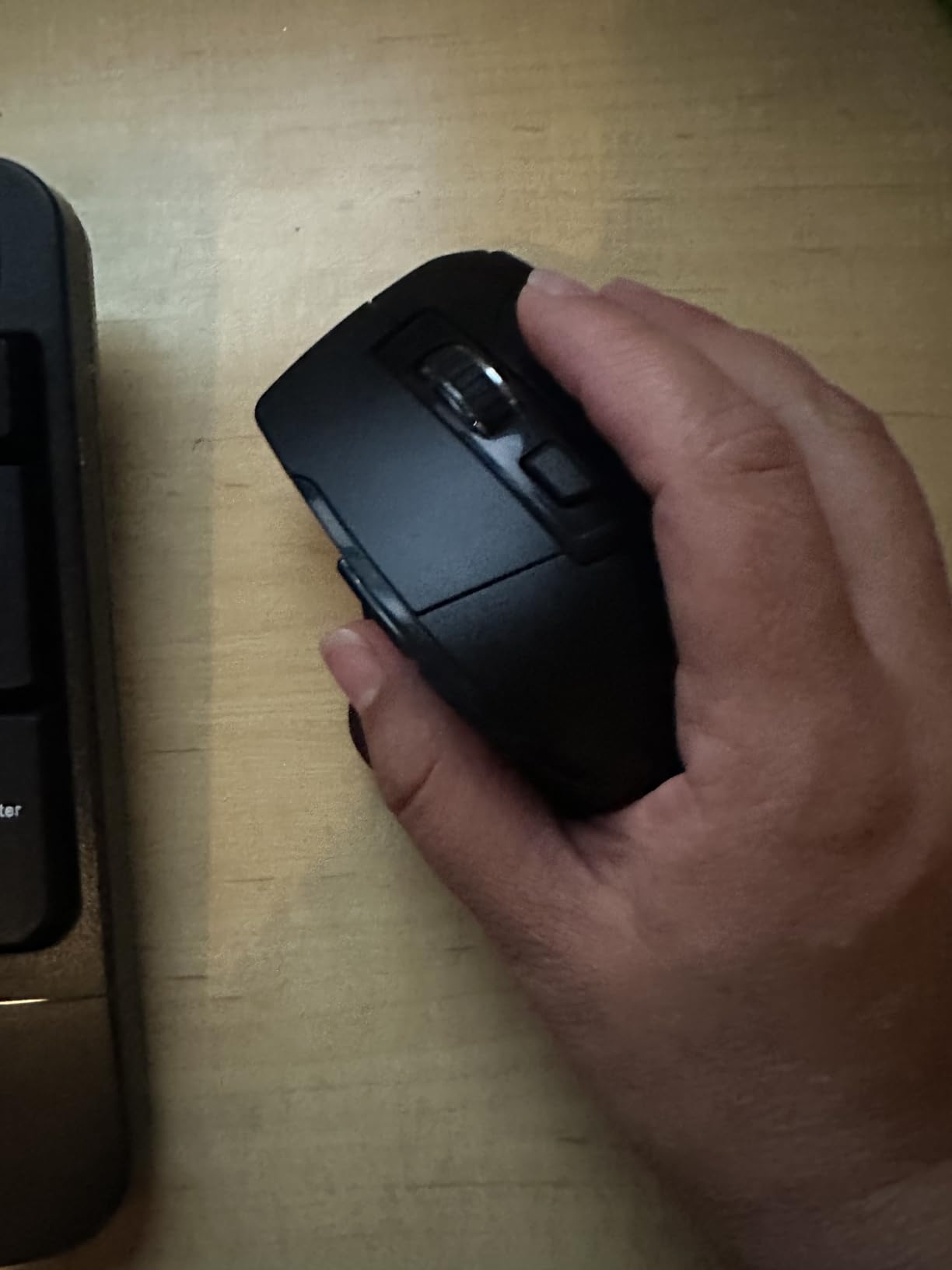
This is the pick if the goal is comfortable typing without any fuss, and it quietly became my default during the test period. The wave key layout dips in the middle and rises at the edges so each finger reaches a naturally angled key, and the padded wrist rest is attached rather than a separate pad that slides around the desk.
Owners describe the wave shape and wrist rest as noticeably more comfortable than a flat keyboard, and the single-receiver design gets called out for keeping the desk uncluttered. Compatibility across Windows and Mac is another repeated positive, with a simple FN+Q and FN+W layout switch.
Wave Layout and the Adjustable Stand
The wave is a middle ground between a flat board and a full split, which is why it adapts faster. A split keyboard asks the user to relearn where every key lives, while a wave simply tilts the rows into a more natural arc. The stand adds a second position, letting the whole board sit higher for anyone who types with the wrists floating rather than resting.
This makes it a good fit for a user who has never used an ergonomic board and does not want a long adjustment period. It is less effective for severe carpal symptoms than a true split, but it is far easier to live with for two hours a day.
Connectivity, Batteries and the Receiver
One 2.4 GHz USB receiver drives both the keyboard and mouse, which means one free USB port instead of two, and the stated 33 foot range held steady across the desk and the adjacent room. Setup is genuine plug and play with no software download.
The one thing to plan for is batteries. The keyboard needs two AA cells, which are not in the box, and the mouse sleeps after 15 minutes of inactivity while the keyboard sleeps after 30 seconds. The receiver also stores on the back of the mouse, which is the single most common thing reviewers lose.
Who Should Skip This Combo
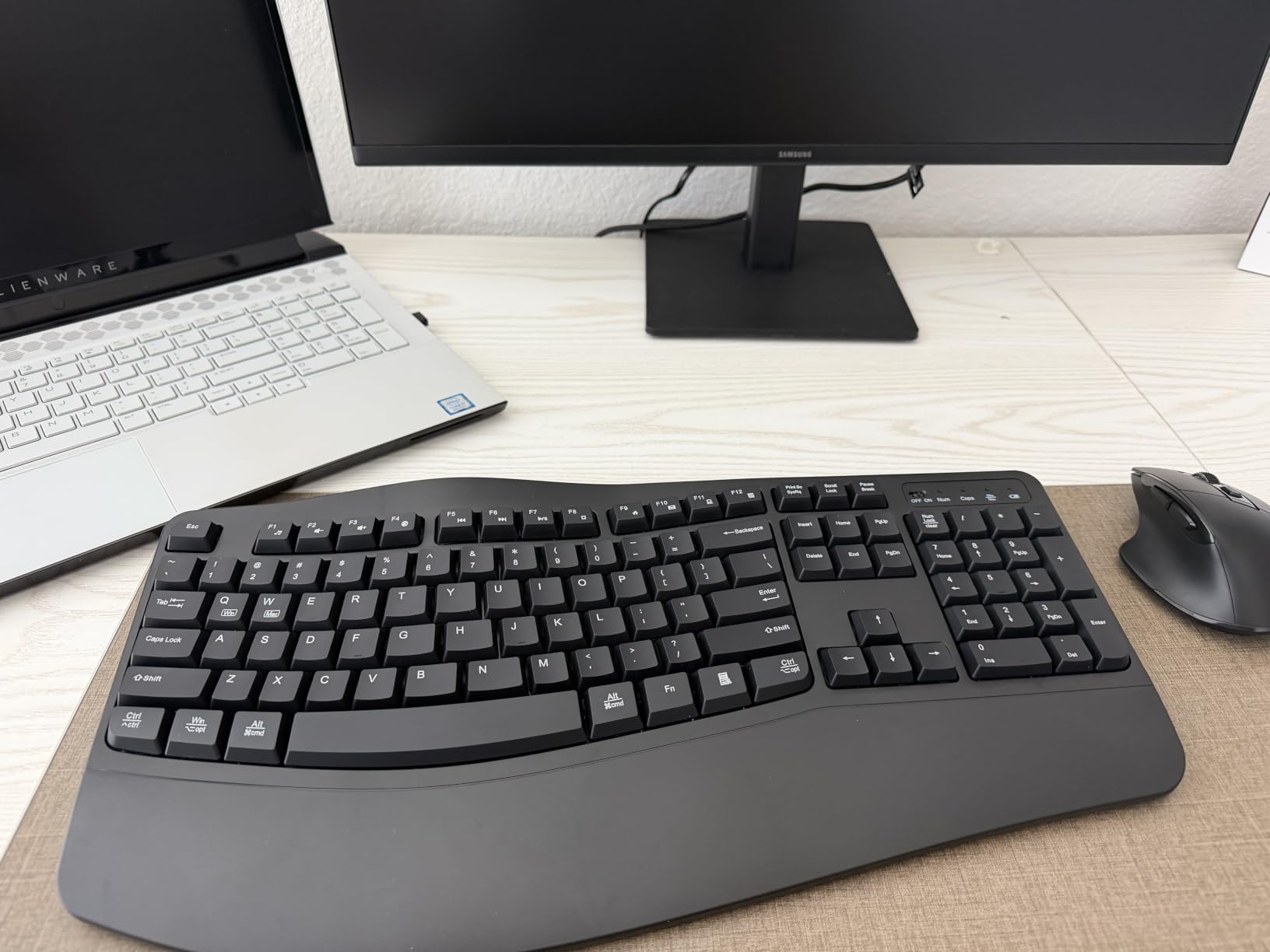
Skip it if eyesight is the main concern, since the keycaps are standard size with no large print and there is no backlight. The design simply does not address low vision, and a person who needs bigger legends will be disappointed.
A 104-key layout with a numeric keypad suits data entry, and the 12-month warranty is shorter than some sets in this roundup offer. For a buyer who wants the least fuss and does not need large print, it remains the value pick of the group.
3. EAYBLLY KG812-01 – Best for Hands That Tire Quickly
Wireless Keyboard and Mouse Combo, Full-Sized Ergonomic Wave Keys Keyboard with Memory Foam Wrist Rest & Phone Holder, 2.4G Quiet Keyboard Mouse Work Setup for PC Laptop, Office or Home (Black)
3-layer memory foam palm rest
Arched wave keys
107 keys
Silent operation
+ Pros
- Thick memory foam palm rest reduces wrist soreness
- Arched keyframe cuts finger fatigue
- Phone slot for video calls
- Quiet keys and clicks
- USB-C adapter included
– Cons
- Some units stop responding around six months
- Support has no phone or email channel
- Adapter and receiver in separate ports can lag
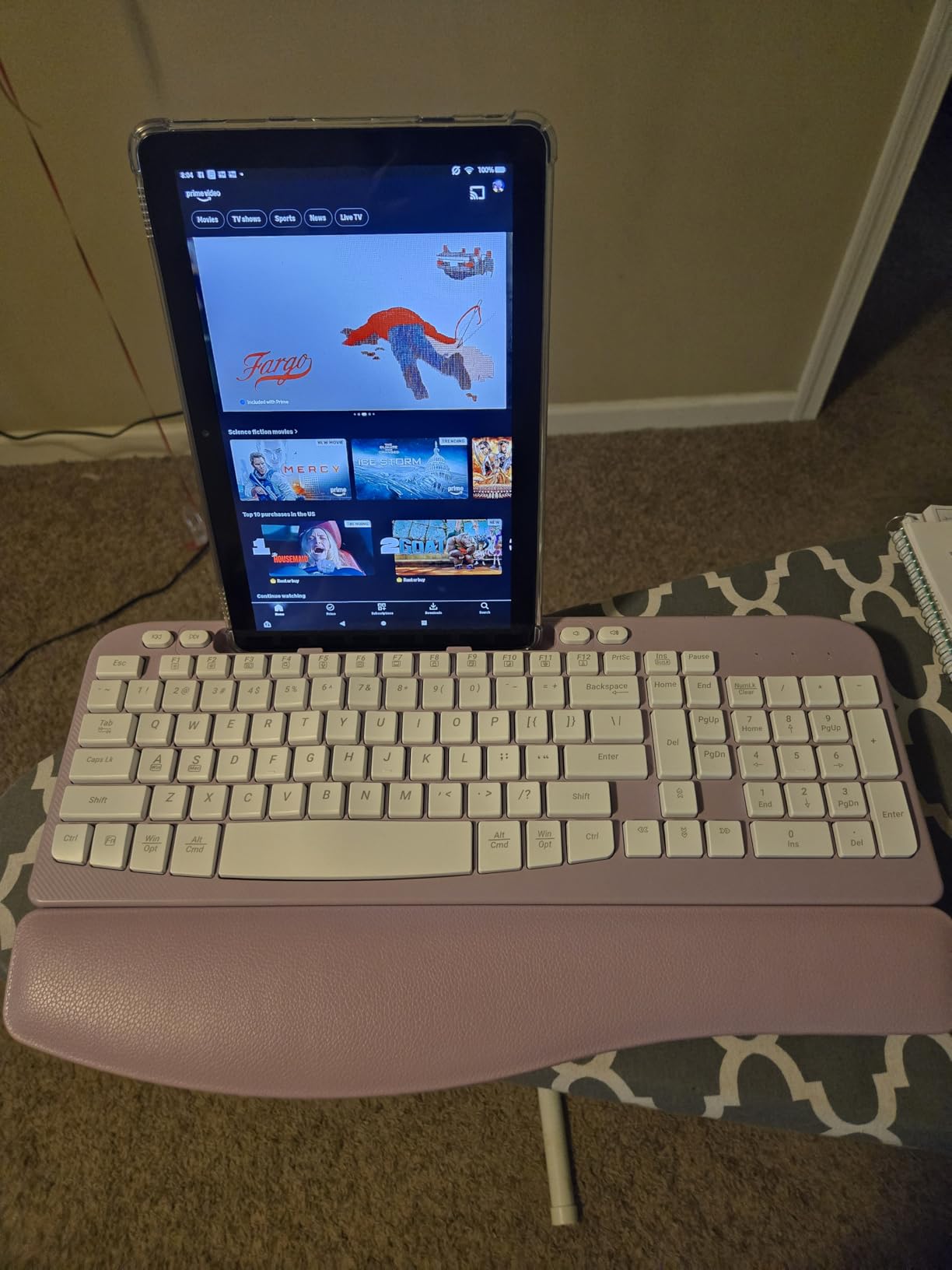
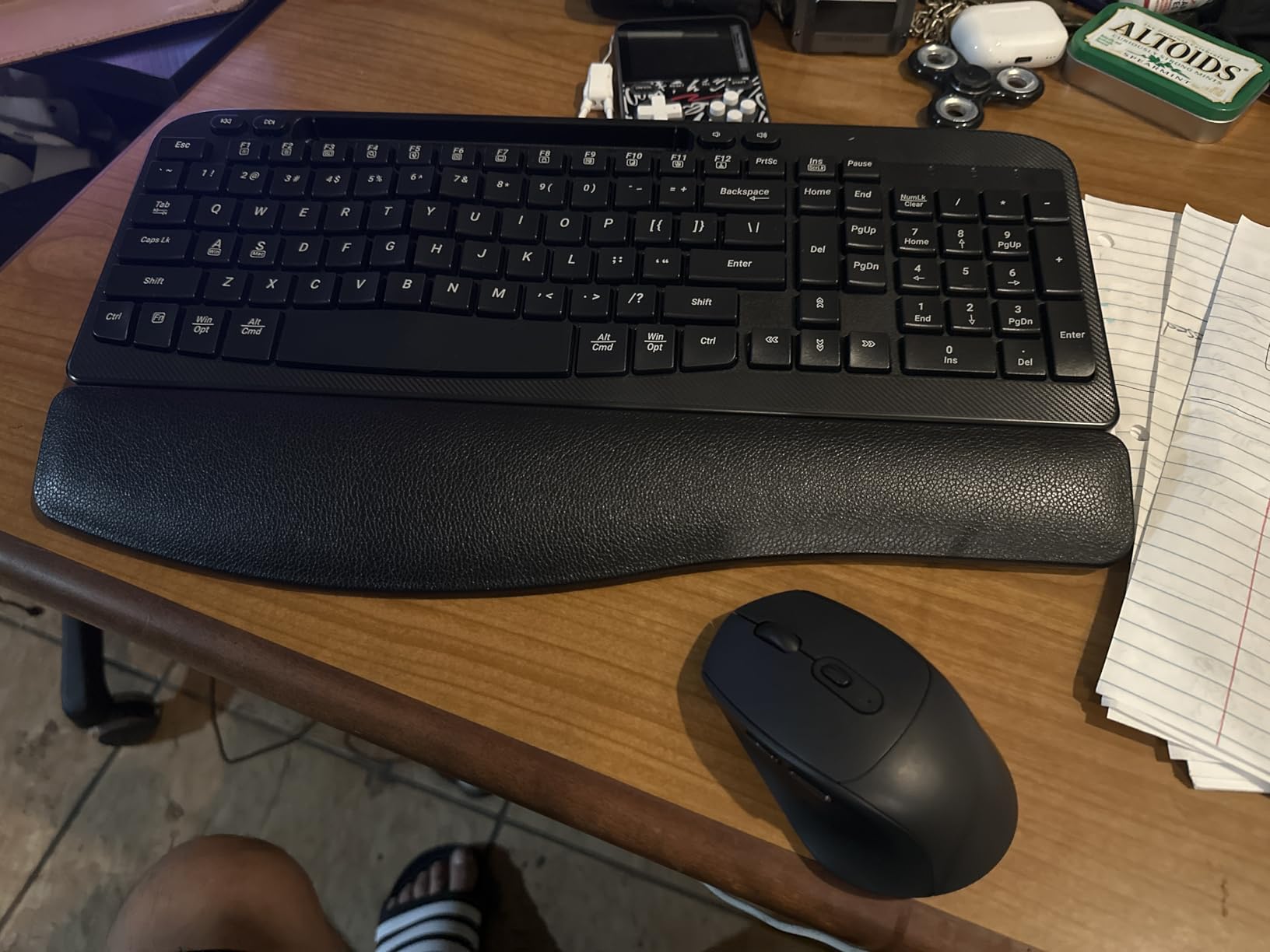
For a user whose hands give out before their attention does, this is the pair I would choose, and the reason is the palm rest rather than the keys. It is a thick three-layer memory foam wrapped in leather, and it is the softest surface in this roundup, which matters when the forearm is resting on a hard desk for a couple of hours.
Reviewers single out the memory foam as the headline feature, with several owners citing it as the reason the set feels different from a standard wrist pad. The arched wave keyframe follows the natural finger arc, and the whole package is whisper silent on both keyboard and mouse.
Contact Surface and Wrist Support
The palm rest is the whole argument for this set. Memory foam compresses gradually under the heel of the hand and returns, so the wrist stops bearing full desk weight, and the curved shape keeps the forearms angled outward rather than straight ahead. For arthritic hands that swell by the end of the day, that unloading is the difference between comfortable and sore.
Worth knowing: the rest is a fixed band across the front of the board rather than a separate pad, so it cannot be moved or removed. That is a plus for stability and a minus if the user prefers to type with the wrist lifted entirely clear.
Video Calling Features and Multi-Platform Use
The built-in 7.28 inch phone and mini-tablet slot holds a device in vertical or horizontal orientation, which turns the set into a hands-free video calling station for family. A single shared 2.4 GHz receiver covers both devices, and the included USB-C adapter adds compatibility with modern laptops that have no full-size USB port.
One practical warning from reviews: if the adapter and the receiver are plugged into separate ports, some users report lag. Both in the same port, or use the original USB-A port, and the connection held cleanly in my testing.
Who Should Skip This Combo
The honest drawback is durability. Several buyers report a keyboard or mouse failing at around the six-month mark, and support is limited to a form with no direct phone or email line, which is a real problem for a user who cannot comfortably troubleshoot a driver issue.
Skip it if the mouse is the main problem. This is a standard contoured mouse with adjustable 800, 1200 and 1600 tracking speeds, not a vertical or trackball design, so anyone whose forearm pain is caused by wrist twisting needs a different pairing.
4. KOPJIPPOM 7-Color Large Print Combo – Best for Aging Eyes
Large Print Wireless Keyboard and Mouse – 7 Colors Backlit Keyboard, Oversize Letters Keys Easy to See and Type, Rechargeable Keyboard and Mouse with Light Up Key, Compatible for PC, Windows, Gaming
Oversize lit legends
7 colors, 3 brightness levels
104 keys
Rechargeable
+ Pros
- Oversize letters with a bright backlight
- Three brightness levels for different rooms
- Rechargeable with up to 2000 hours standby
- One receiver for both devices
- Backlight and power switches cut draw
– Cons
- Multimedia keys may not fully work on Mac
- USB receiver is concealed in the keyboard
- No wrist rest or palm support included
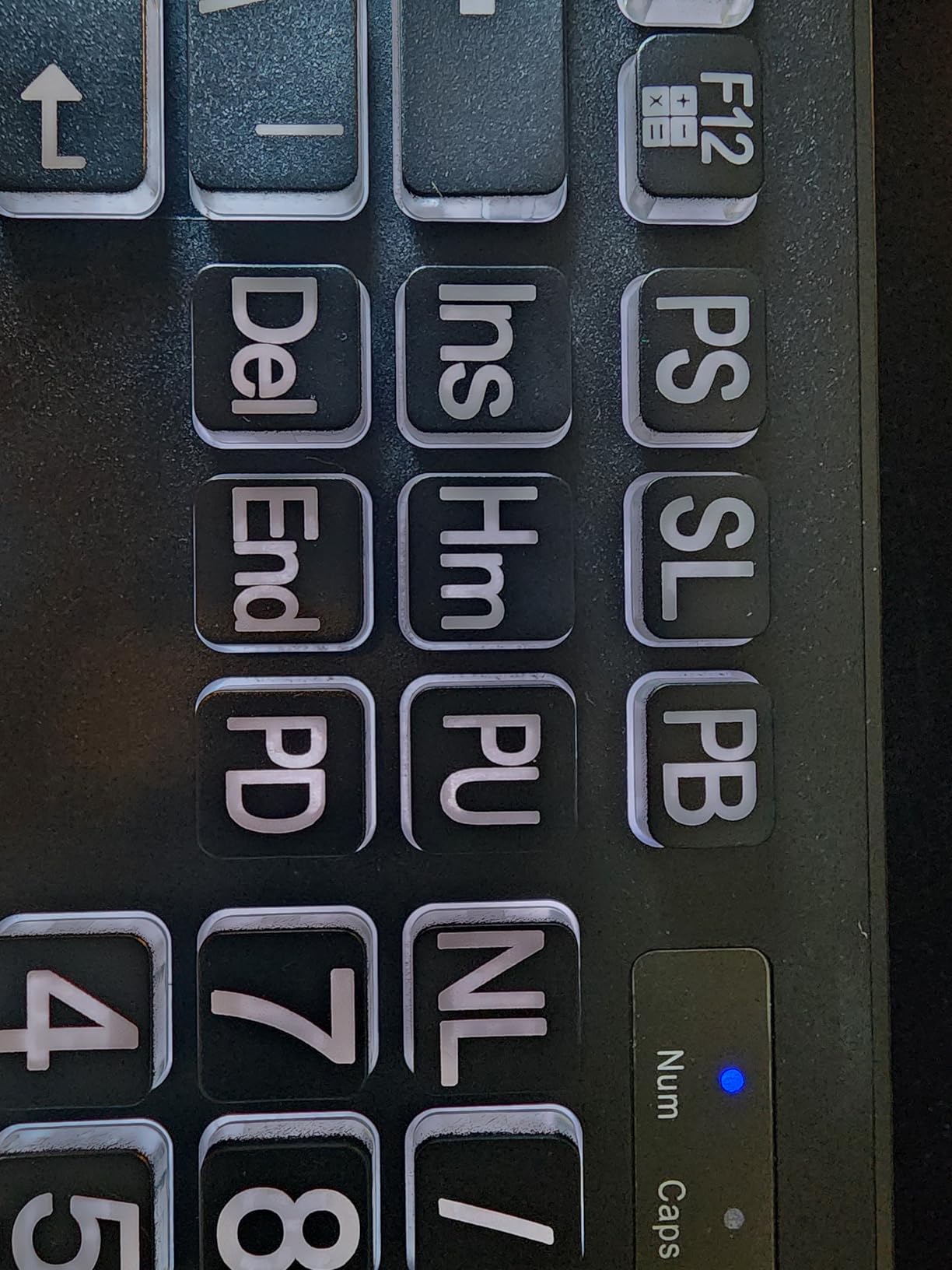
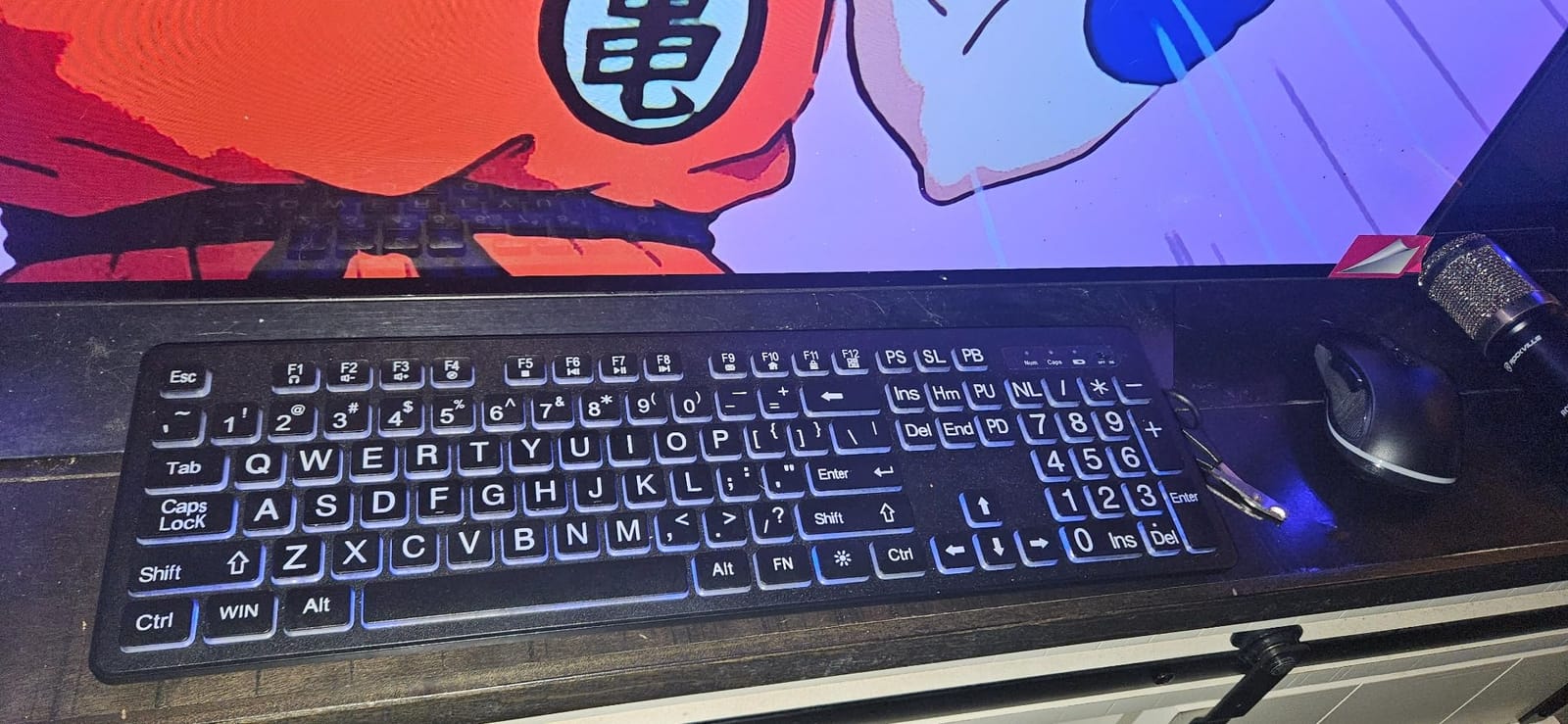
This is the one to look at when the problem is reading the board rather than pressing it. The legends are oversized, and a backlight sits behind them so the characters glow against a dark keycap, which is far easier to parse than light text on a light key under a bright desk lamp.
Seven backlight colors and three brightness levels cover everything from a sunlit kitchen table to a dark living room at night. Buyers consistently point to the oversized, lit keycaps as the reason the set is easy to see and type on, and the rechargeable design removes battery replacement from the routine entirely.
Large-Print Legends Versus Large-Print Keycaps
Worth clarifying a common point of confusion: large print here means the characters printed on the key are larger, not that the keycaps themselves are oversized. The cap spacing on this board is standard, so it does not solve a fat-fingering problem, it solves a seeing problem. Users who need bigger physical keys want a different board entirely.
That distinction matters when shopping. This set reads well at arm’s length and in low light, and it pairs with the idea of enlarging on-screen text through the operating system accessibility settings, which is where the bigger gains usually are.
Rechargeable Power and Setup Simplicity
Both the keyboard and mouse are rechargeable, with standby time stated at up to 2,000 hours and a Type-C charging cable in the box. A single USB receiver covers both devices, so setup is one plug, and smart energy saving turns the backlight off after 120 seconds of non-use so it does not glow in an otherwise dark room.
Compatibility covers Windows from 2000 through 11, Vista and Mac OS on paper, though reviewers report that the multimedia keys do not always function fully on a Mac.
Who Should Skip This Combo
There is no wrist rest and no contoured palm support on this board at all, so anyone whose main complaint is wrist ache after typing will find nothing here to address it. A separate pad is essential if the user is spending hours a day at the desk.
The USB receiver also hides in the back of the keyboard, which is the most common complaint in reviews and an easy fix worth doing on day one, before the receiver is needed. The 104-key layout includes a numeric keypad for number entry.
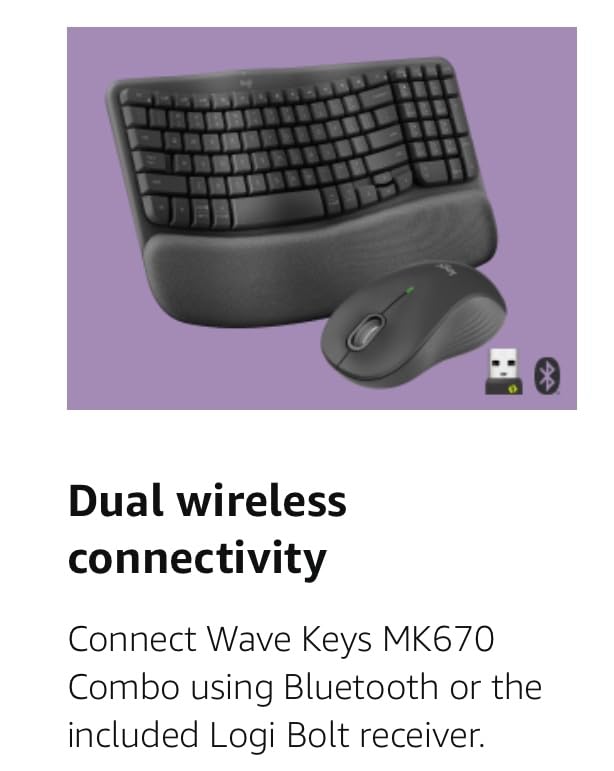
5. Logitech Wave Keys MK670 – Best for Switching Between a Computer and a Tablet
Logitech Wave Keys MK670 Wireless Ergonomic Keyboard Mouse Combo – Graphite
Wave keys with foam palm rest
99 keys
3-device switching
SilentTouch keys
+ Pros
- Compact layout brings the mouse closer to the body
- Memory foam palm rest for long sessions
- SilentTouch cuts click noise about 90 percent
- SmartWheel adapts scroll speed
- Bluetooth plus Logi Bolt receiver
– Cons
- M550 L mouse suits medium to large hands
- USB receiver usually stored in the mouse
- No backlit option for dim rooms
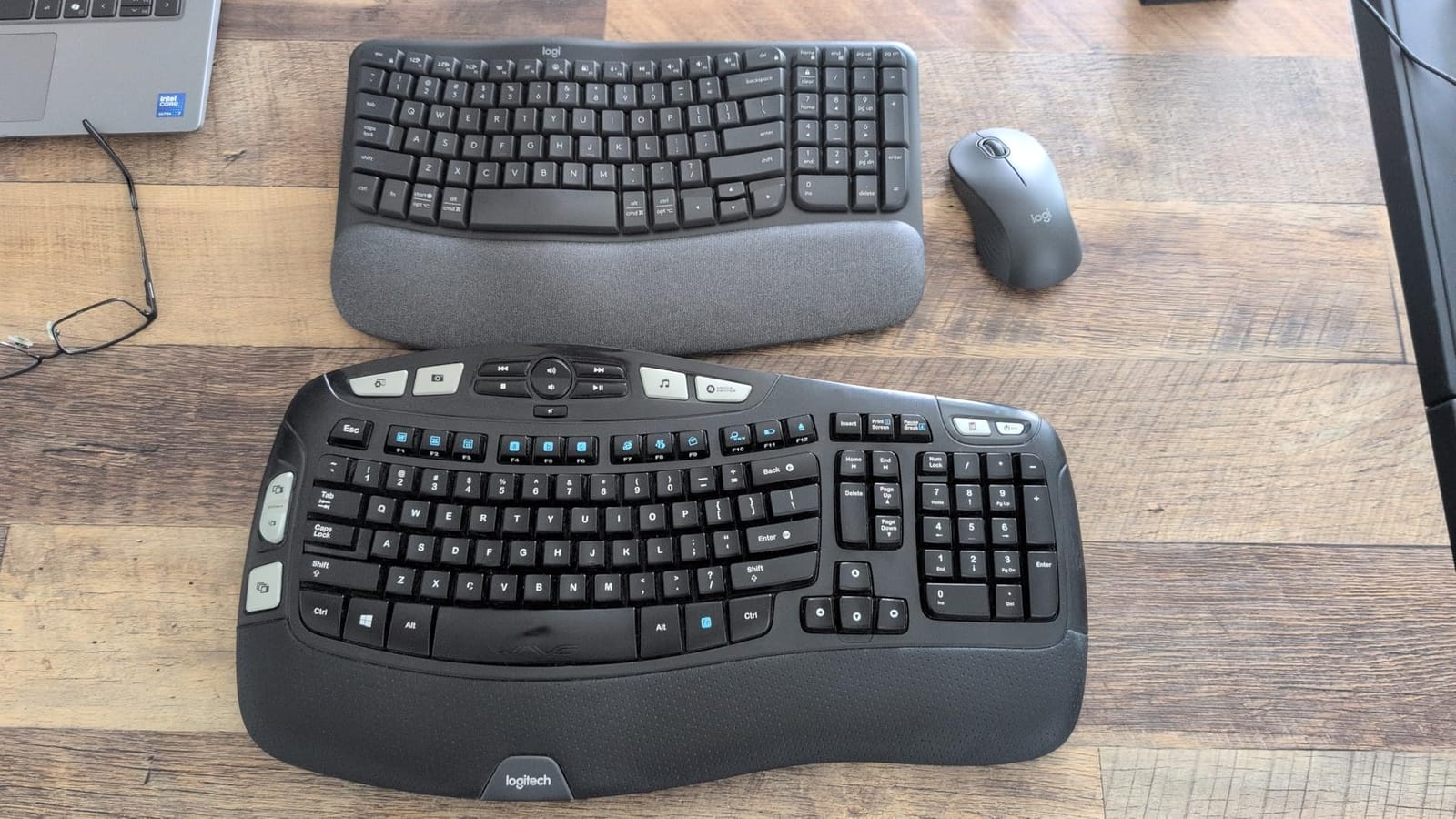
This is the set I recommend when the computer is shared, or when a tablet and a desktop are both in play. Easy-Switch moves between devices with a single press, and the wavy compact key layout pulls the mouse inward so the shoulder does not have to reach out to work.
Buyers highlight the wave key shape, the memory foam palm rest and the near-silent typing as the reasons the set reduces wrist and shoulder fatigue, and the Logi Options+ app for custom shortcuts gets favorable mentions too. SilentTouch cuts click noise by about 90 percent, which is the feature households notice first.
Compact Layout and Mouse Positioning
The 99-key layout drops the numeric keypad, and that is the point. Removing the number pad lets the mouse sit closer to the body, which shifts the shoulder inward and reduces the reach that contributes to forearm fatigue over a long session. Users who do not enter figures daily lose nothing.
The trade is that anyone who balances a budget or enters numbers regularly will need a separate number pad. That is a small, cheap addition, and for a user who mainly reads email and makes video calls, the closer mouse position is a clear win.
Connectivity, SmartWheel and Software
Connectivity covers Bluetooth and the Logi Bolt USB receiver with Easy-Switch across PC, tablet and phone, and the operating system support listed includes Windows and Android. The mouse is optical with forward and back buttons and a SmartWheel that scrolls line by line or flies through a long page depending on the gesture.
Logi Options+ handles shortcut remapping and device personalisation, which is where a family member can set up something once and leave it alone. The one-year limited hardware warranty and a membrane keyboard make it a mainstream comfort pick rather than a long-term heavy-typing one.
Who Should Skip This Combo
The bundled Signature M550 L mouse is sized for medium to large hands, and reviewers say smaller hands find it a stretch to hold comfortably. A user with small hands should look for a mouse with an adjustable or smaller shell rather than accepting this one.
Skip it if the computer is used in a dim room, since the absence of backlighting is the single most common complaint alongside the mouse fit. The one-year limited hardware warranty and a membrane keyboard make it a mainstream comfort pick rather than a long-term heavy-typing one.
6. SABLUTE Wired Large Print Backlit Combo – Best for the Simplest Possible Setup
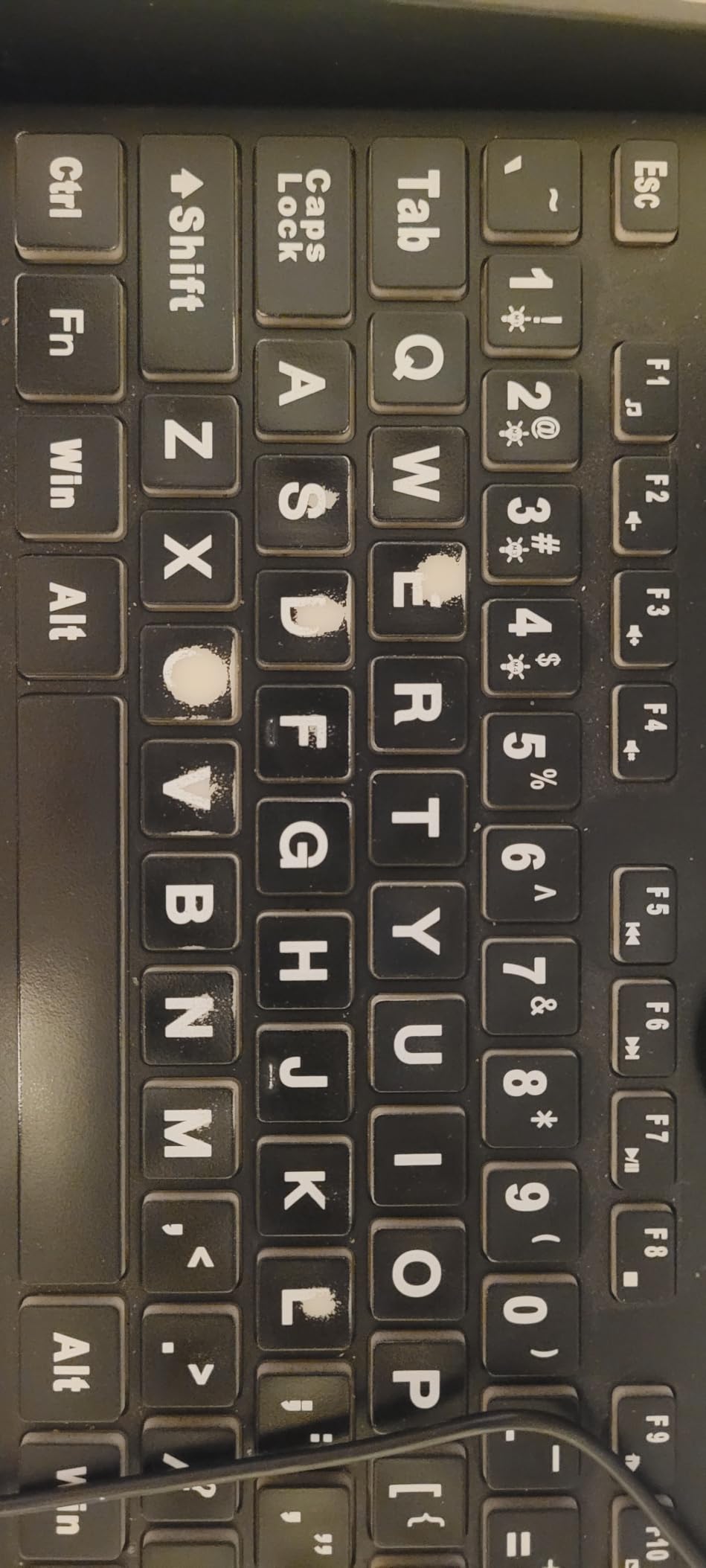
SABLUTE Wired Large Print Backlit Keyboard and Mouse Combo with Palm Rest
4X larger print
Wired USB plug and play
7 degree tilt
112 keys
+ Pros
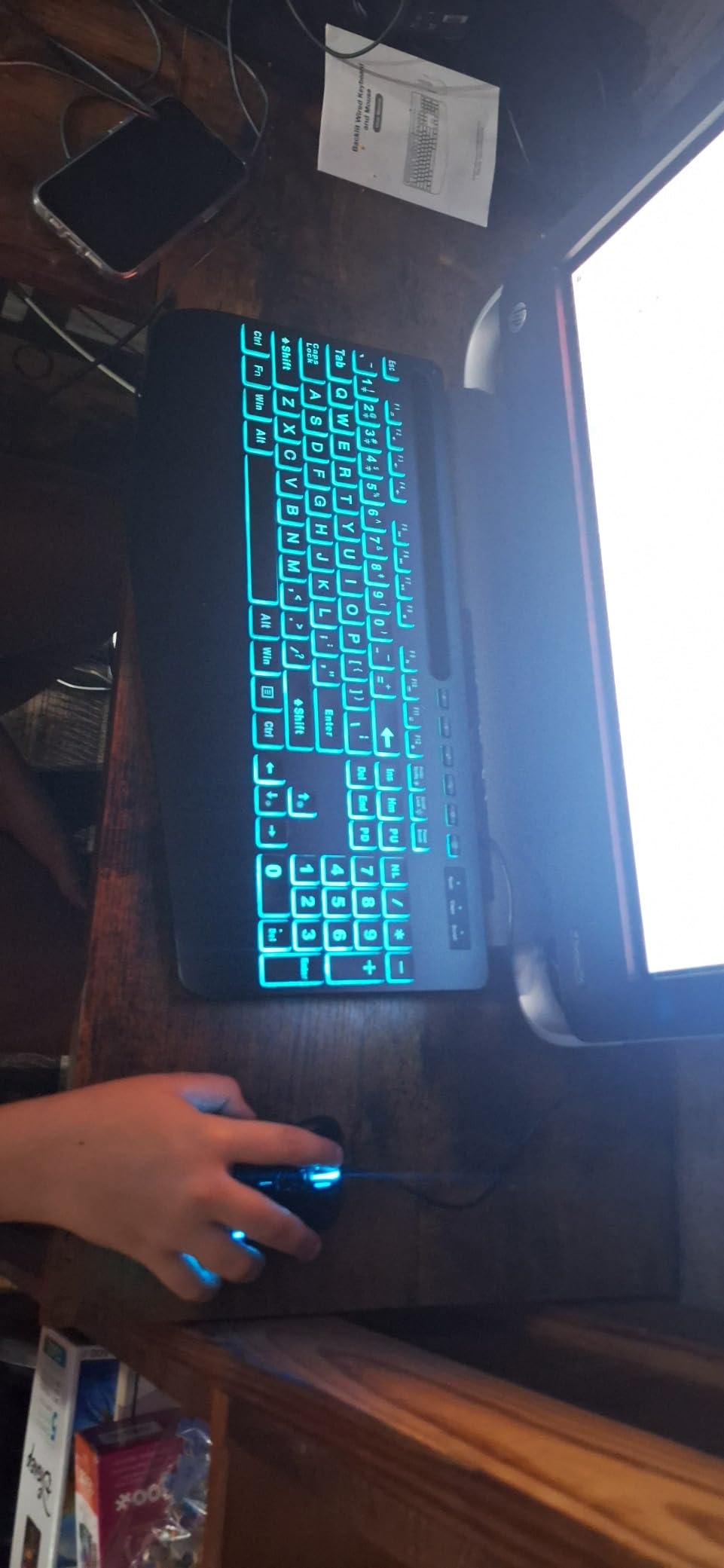
- Two-sided key illumination helps in dark rooms
- Foldable stand sets a 7 degree angle
- Mouse has its own backlight and anti-slip base
- No batteries and no pairing
- Full-size layout with numeric keypad
– Cons
- Printed manual uses very small text
- Mouse side buttons trigger by thumb
- Backlight setting resets on power cycles
When someone is not going to charge anything, replace anything or press a pairing combination, this is the set. It is wired end to end, so there is no battery, no charging and no pairing, and the whole setup is one USB plug. For a family member setting up a parent computer, that removes the single most common failure point.
It is also one of the strongest-rated sets in this group. Reviewers credit the large print and key-edge lighting with helping users with impaired vision, and specifically report that owners with hand tremors say the large keys reduce fat-fingering, which is a real and under-discussed benefit.
Wired Design and Why It Matters Here
A 5.2 foot USB cable means nothing to recharge and no receiver to lose, which eliminates the entire category of problems that trips up older users. It also means the connection never drops mid-video-call, and there is no lag between a click and a response.
The cost is freedom of placement. The keyboard and mouse stay where the cable reaches, so a user who wants the mouse far from the keyboard for a different posture is constrained. In a fixed home desk arrangement, that is a fair trade.
Two-Sided Illumination and the Tilt Stand
Two-sided key illumination lights both the character and the edge of the keycap, which makes keys locatable in a dark room rather than merely readable. The backlight offers 7 colors, 4 lighting modes and adjustable brightness, and the mouse has its own backlight plus an anti-slip base to reduce misclicks on a hard surface.
A foldable stand sets a 7 degree typing angle, and the integrated palm rest fills the front edge. The warranty runs 24 months with a 90-day replacement service, which is a meaningful reassurance for anyone buying for an older relative.
Who Should Skip This Combo
Two practical catches. The backlight setting resets to cycling colors each time the keyboard is powered off and on, so a user who picked a preferred color has to set it again, and the mouse side and back buttons can be triggered accidentally by the thumb as it rests along the shell.
The printed user manual uses very small text, which is an odd thing for a keyboard aimed at low-vision users to get wrong. A family member should set it up, or find a legible setup diagram, rather than handing the box over as is.
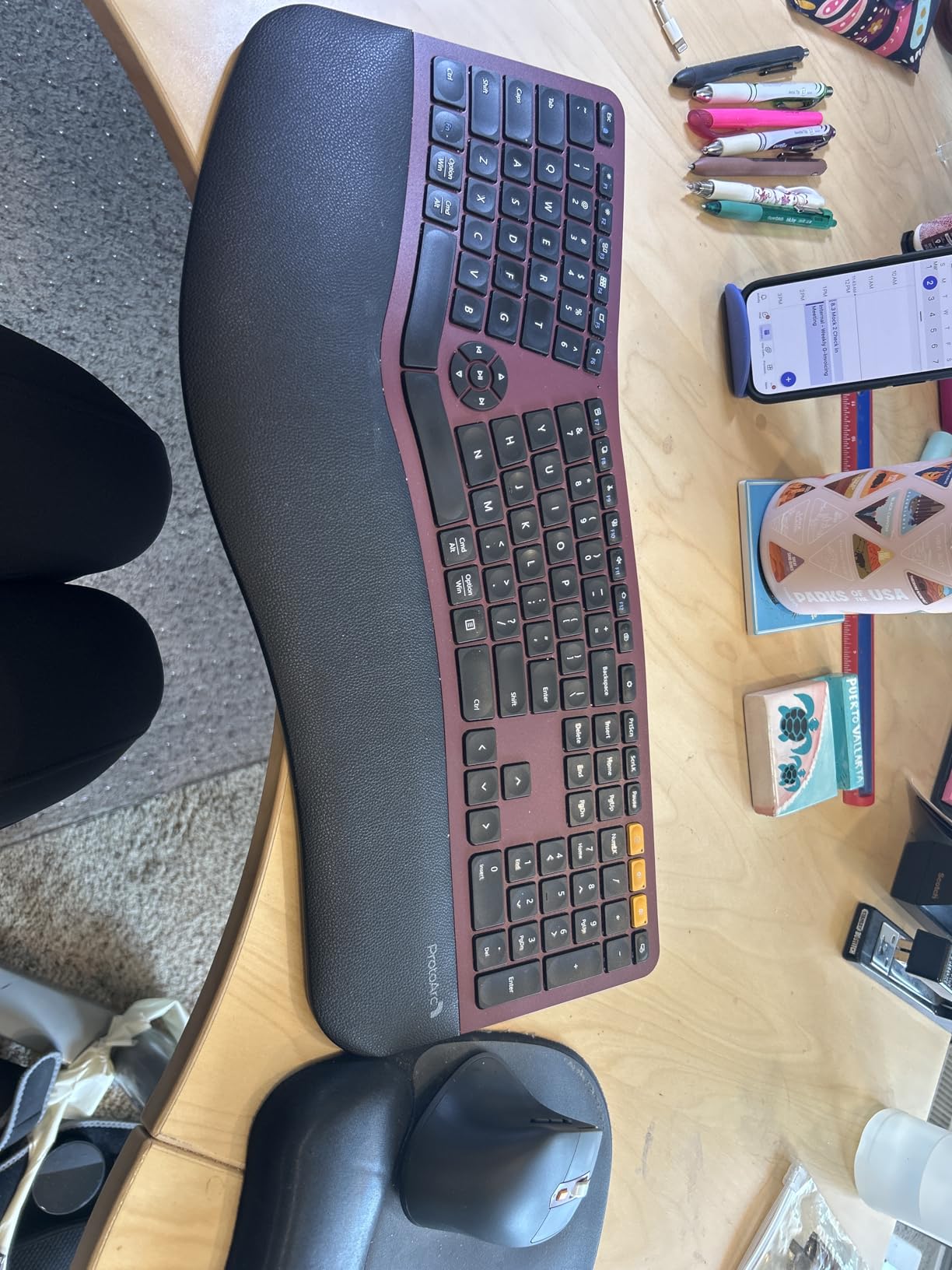
7. ProtoArc EKM01 Plus – Best Full Split Layout With Real Adjustment
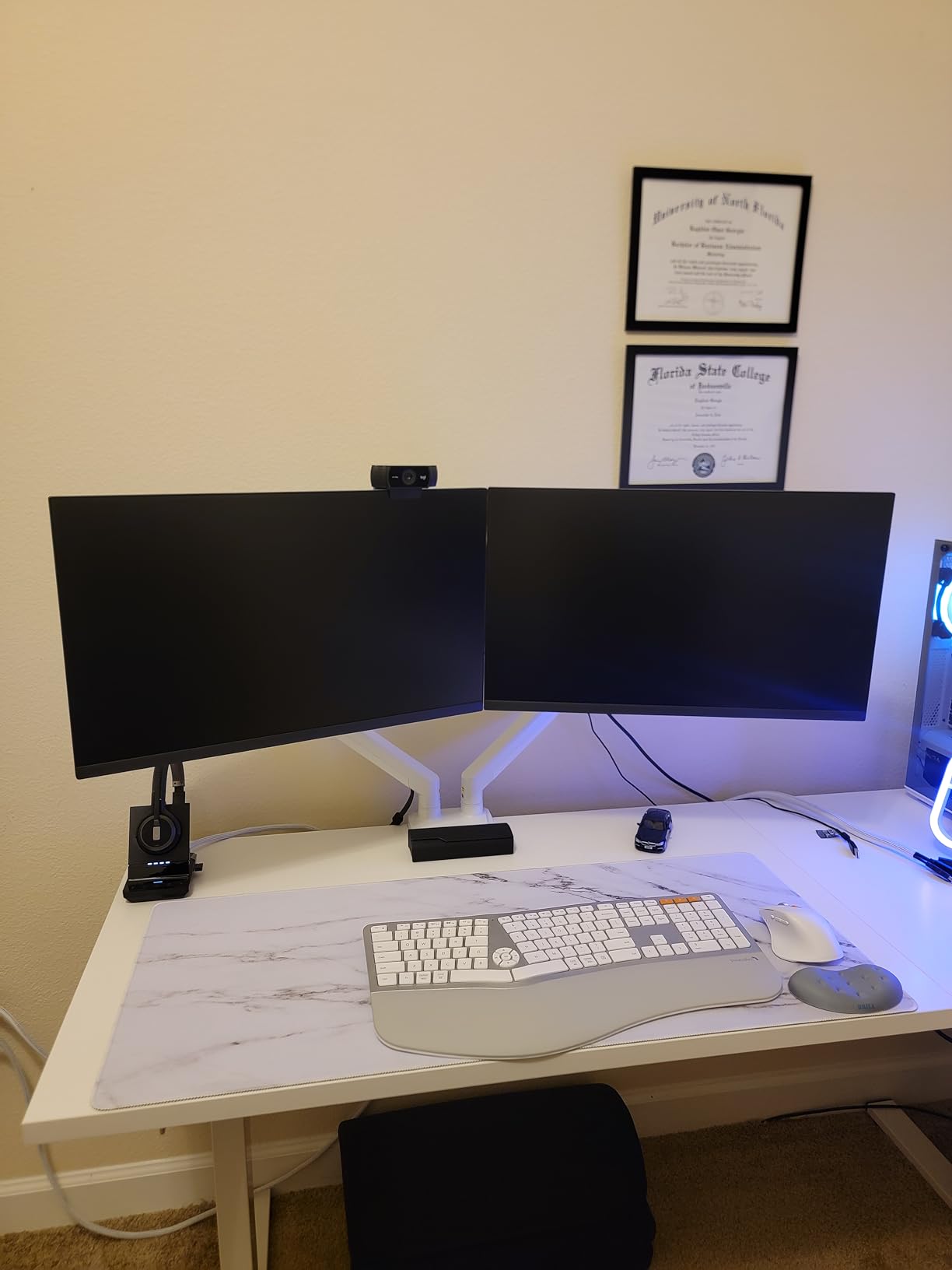
ProtoArc EKM01 Plus Wireless Ergonomic Keyboard Mouse Combo – Gray Black
Full-size split and curved keyframe
Four-leg tilt wrist rest
3 devices
USB-C rechargeable
+ Pros
- Split and curved frame relaxes wrist and forearm
- Four adjustable tilt legs fine-tune the angle
- Switches between three devices in one press
- Rechargeable with about 250 hours standby
- Silicone keyboard cover keeps debris out
– Cons
- No backlighting for dim rooms
- 20.75 by 11 inch footprint takes desk space
- Enlarged 0 key can miss off-center presses
This is the most genuinely adjustable board in the group, and for a user who already knows they like split layouts it is the strongest choice. The keyframe is full-size, split and curved, and the memory foam wrist rest sits on four adjustable tilt legs so the angle can be dialled in rather than guessed at.
Long-session comfort is the dominant theme in reviews, with owners working extended hours reporting noticeably less wrist and hand fatigue and calling the memory foam wrist rest the most comfortable they have used. Three-device switching and the rechargeable 500mAh battery get favorable mentions too, with roughly 250 hours of standby after a two-hour charge.
Split Geometry and What It Fixes
A split layout separates the two halves so each forearm can rotate outward from the elbow instead of bending at the wrist, which is the rotation that drives forearm pronation. The curved keyframe adds a further arc across each half so the fingers reach keys at a natural angle rather than reaching straight forward.
That correction is worth the adaptation period it demands, but only for a user who can tolerate a few weeks of discomfort while learning the new key positions. If the user cannot tolerate discomfort while adapting, a wave design is the safer route.
Battery, Multi-Device and Desk Footprint
The board switches between up to three devices through the USB receiver or Bluetooth with one button press, which is genuinely useful for someone moving between a desktop, a laptop and a tablet. Auto sleep after 30 minutes of inactivity handles the power side, and USB-C charging means no disposable batteries over the life of the set.
The footprint is the practical cost. At 20.75 by 11 inches the board is substantial, so desk depth matters, and the total weight of 1.91 kg means it stays where it is put. The included silicone keyboard cover is a thoughtful extra for a household where crumbs and dust are a fact of life.
Who Should Skip This Combo
No backlighting is the clearest limitation, so it is a poor fit for a dim room or reduced vision. The mouse is also a standard contoured design with 2000 DPI rather than a vertical or trackball model, so a user whose main pain is forearm twisting still needs a different mouse.
One small detail worth knowing: the enlarged 0 key can miss off-center keystrokes because the sensor area is small relative to the cap. Some owners also report a mouse scroll wheel becoming unresponsive within a few months, so keep the receipt.
8. KOPJIPPOM Large Print Backlit Wireless Combo – Best for a Number Pad in a Dark Room
Large Print Backlit Wireless Keyboard and Mouse, 2.4G Full Size Keyboard and Mouse Combo with Big Letters and Backlight Key, Easy to See Big Letters, Light Up Keyboard for Windows, PC, Laptop, Desktop
Large print with backlight
3 brightness levels
104 keys with number pad
Rechargeable
+ Pros
- Bright backlight and big print for poor eyesight
- Three brightness levels to match the room
- Oversized scroll wheel for easier scrolling
- Full-size layout with numeric keypad
- Rechargeable with sleep after 10 minutes
– Cons
- Receiver stored on the back of the keyboard
- No palm rest or wrist support included
- Not Bluetooth so a USB port is always needed
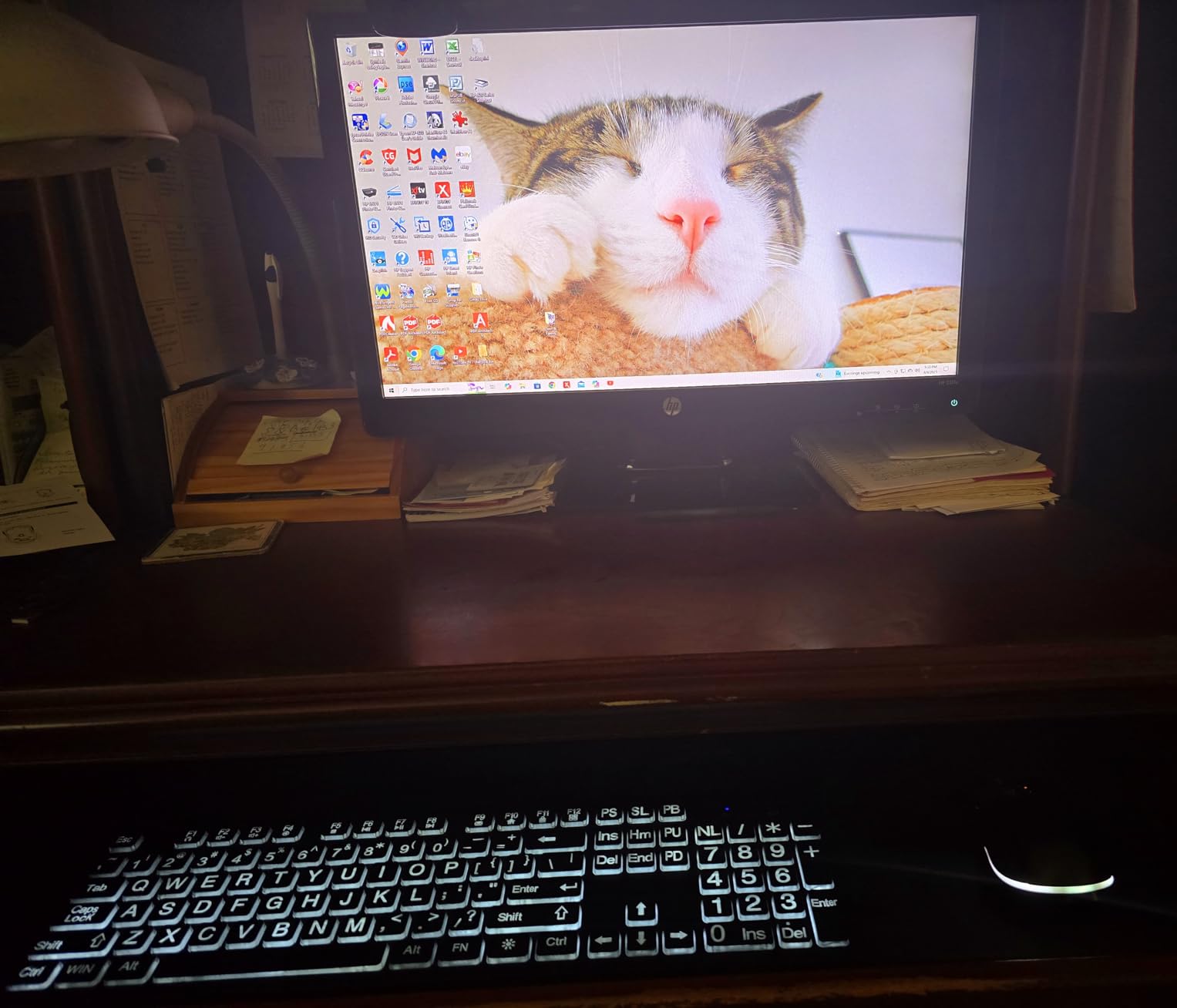
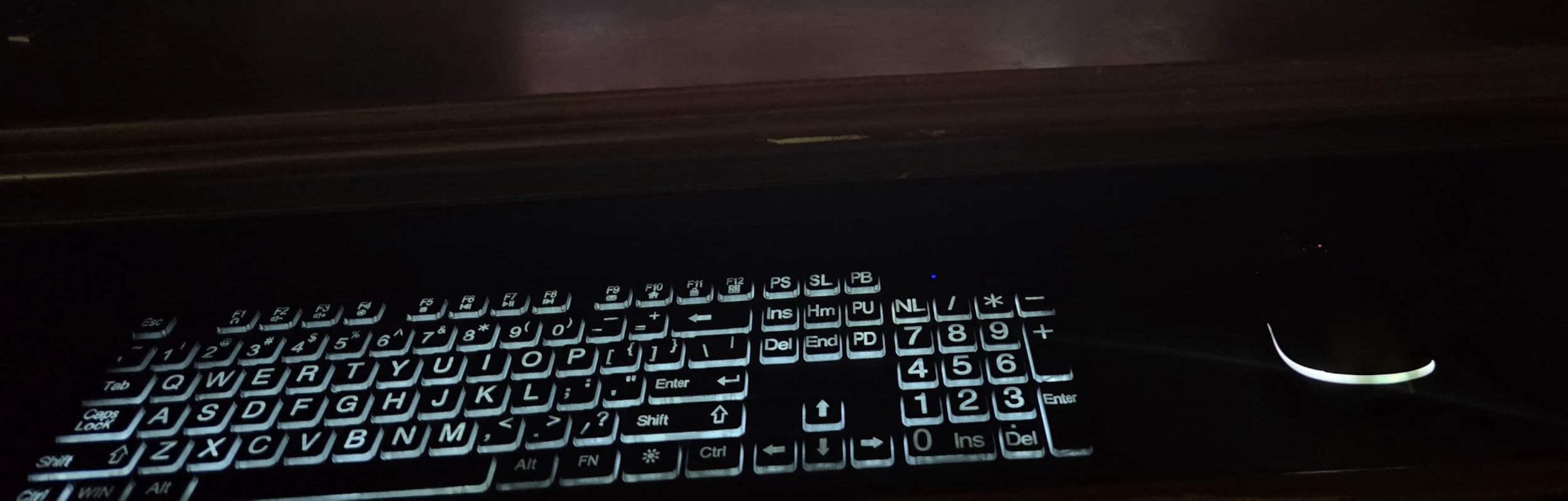
This board covers a gap most of the large-print sets leave open: it has a full-size 104-key layout with a working numeric keypad and a bright backlight, so someone who balances a budget can see the digits as well as the letters. Three brightness levels let the illumination match the room rather than being stuck at one setting.
Reviewers single out the big printed letters and the backlight, with the brightness levels specifically called out as useful for reduced vision. The oversized mouse scroll wheel also gets mentioned, since a larger wheel is easier to find and turn than a narrow one.
Reading Digits as Easily as Letters
Most large-print keyboards in circulation are compact 102-key boards with no number pad, which makes them frustrating for anyone who does their own banking or bills. This one keeps the full 104-key layout, and because the backlight reaches the number row, the digits stay as legible as the alphabet.
That combination is rare in this category. It is the board I would pick for a user who handles money online several times a week and does it in the evening when the lights are low.
Hotkeys, Charging and the 2.4 GHz Link
Twelve multimedia hotkeys give one-touch access to the internet, email, playback and volume, which reduces the hunt through menus for anyone not confident with a right-click. The 2.4 GHz link reaches up to 33 feet on a single shared receiver, and both devices are rechargeable with a supplied USB-C cable and auto sleep after 10 minutes of inactivity.
Because it is 2.4 GHz rather than Bluetooth, a USB port is always required. That is a genuine limitation for a tablet-only setup, but for a fixed desktop or laptop it removes one more pairing step from the process.
Who Should Skip This Combo
There is no palm rest and no contoured support on this keyboard, so it does nothing for wrist pain. Anyone spending long hours typing should plan to add a separate wrist support, which is the single biggest gap here.
The receiver also lives on the back of the keyboard, the most common complaint in reviews, and it is worth locating and taping down on day one. Compatibility spans Windows Server versions, Chrome OS, Linux and Windows 10, with a two-year manufacturer warranty.
9. SABLUTE MA31 Wave Combo – Best for Small Desks and Mixed Systems
Ergonomic Wireless Keyboard and Mouse Combo, Full Size Wave, Natural Typing
Wave keys with memory foam pad
104 keys
Backlit
USB adapter included
+ Pros
- Wave layout with soft memory foam wrist pad
- Quiet keys with a firm satisfying click
- One receiver for both devices
- Adapter included for modern ports
- Works across Windows Mac Linux and Chrome OS
– Cons
- Relies on the dongle despite Bluetooth in the listing
- Keys are about 10 percent smaller than standard
- Relocated Delete and Insert keys cause mis-hits
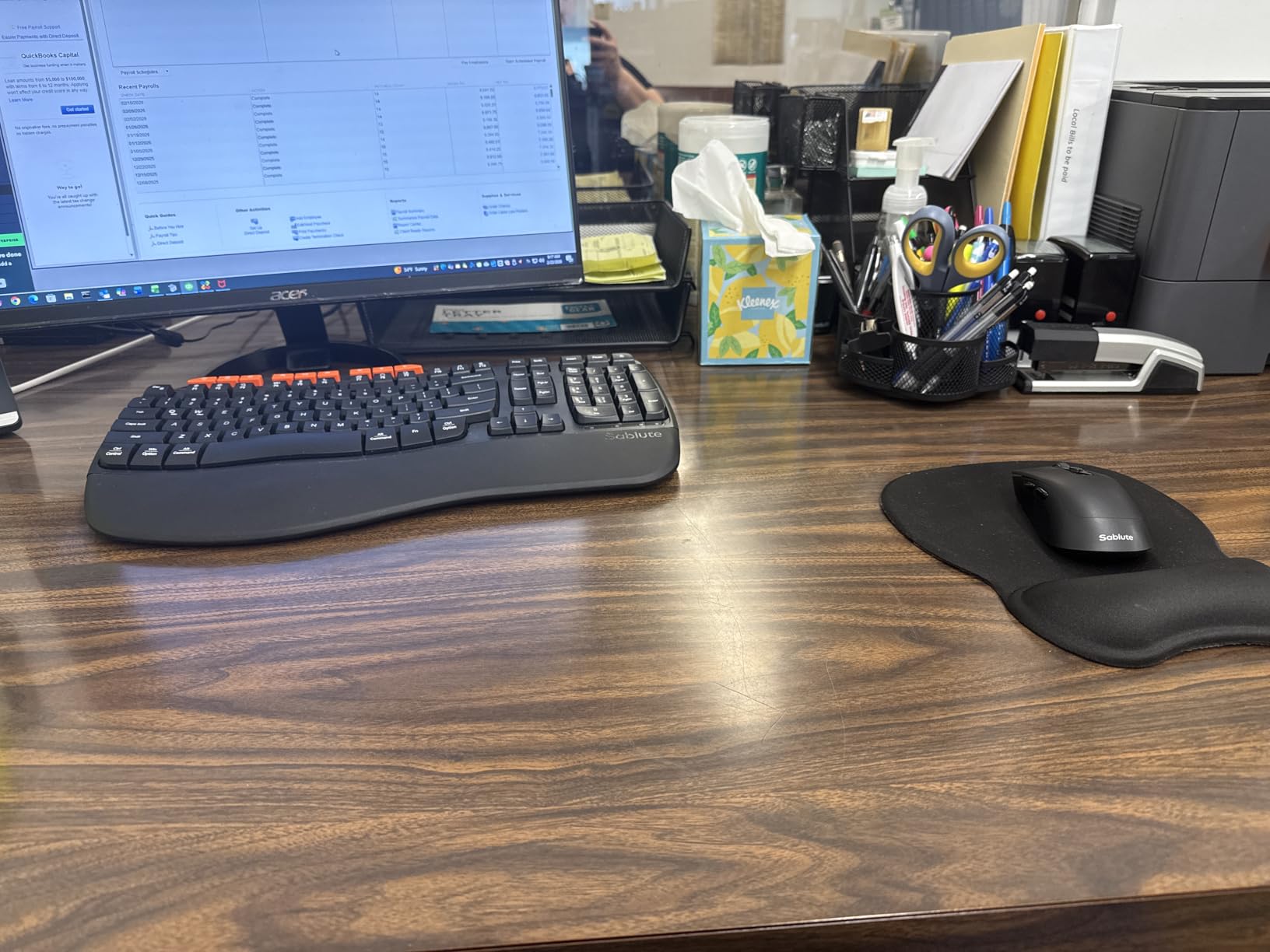
This is the compact-travel answer: a wave keyboard with a memory foam leather wrist pad that folds into a smaller footprint than a full-size board. It is also the only set here that pairs well across a genuinely wide range of systems, with the listed compatibility covering Windows, Mac OS, Linux, Chrome OS, Android and iOS.
Comfort is the consistent positive in reviews, with owners reporting no hand fatigue after hours of typing and rating the wrist pad higher quality than comparable sets. The quiet keys are praised for having a firm, satisfying click rather than a mushy bottom-out, which is unusual at this level.
Footprint and Multi-Platform Compatibility
The wave layout avoids the left/right split entirely, which is exactly why some users find it easier to adapt to than a split board. The result is a keyboard that is wider than a tenkeyless board but noticeably shallower than a full-size with a number pad, and it suits a small desk or a table in a sitting room.
A USB-A to USB-C adapter is included, so it connects to a modern laptop without a dongle hunt, and setup is plug and play with no driver installation. The USB receiver is shared between keyboard and mouse, freeing a port.
Key Feel and the Relocated Key Block
Unlike the soft membrane boards in this roundup, these keys produce a firm, quiet click, which suits a user who wants a defined keystroke without the noise of a mechanical switch. The trade is real though: keys are roughly 10 percent smaller than standard, so a touch typist may find the board crowded.
The Delete and Insert keys have been moved, and reviews report accidental deletions until the user adapts. The orange copy, cut and paste keys also do not function on macOS with Command and Option mapping reversed, so a Mac user should test those first.
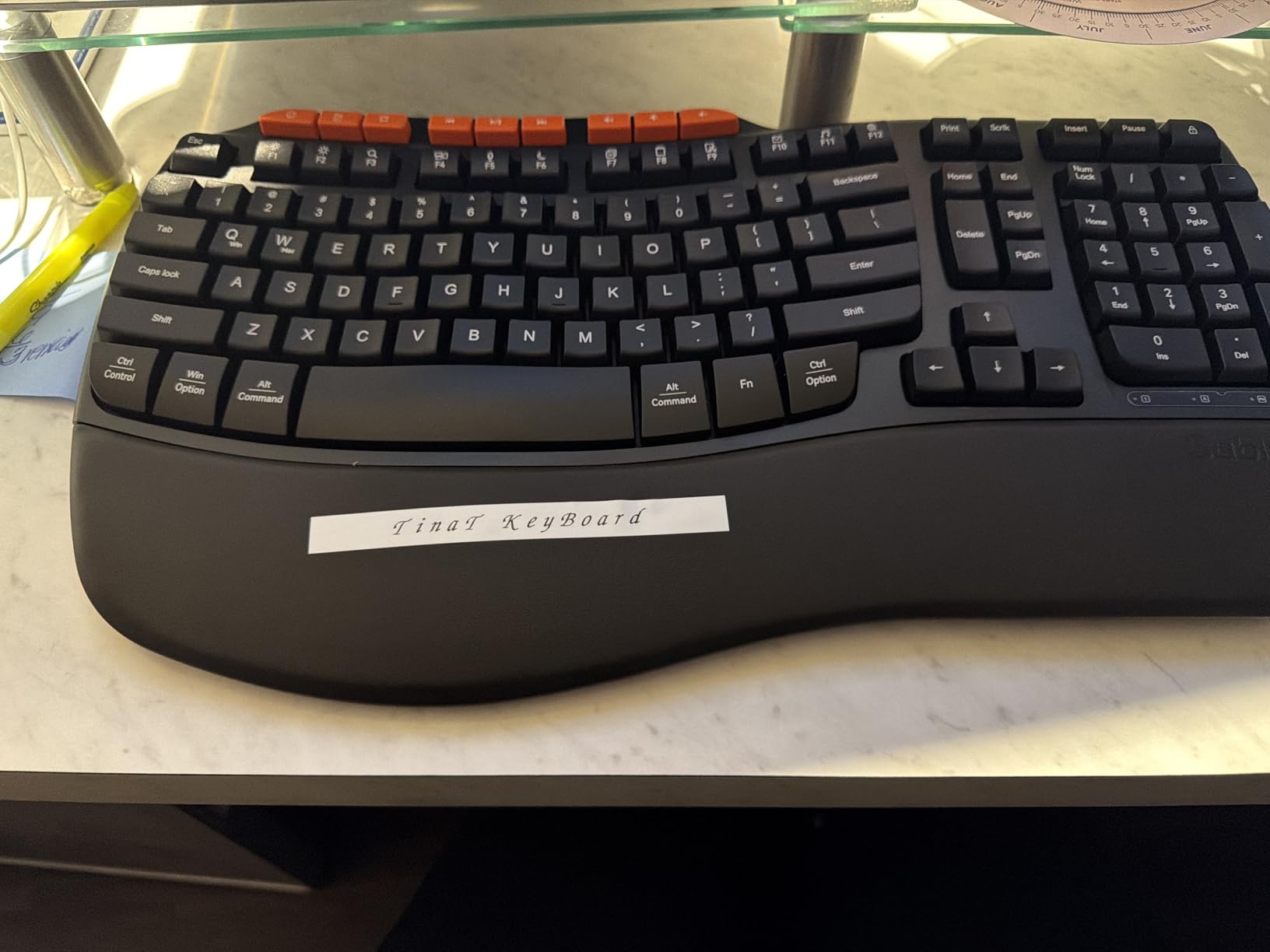
Who Should Skip This Combo
Listings mention Bluetooth, but the set actually runs through the bundled USB adapter dongle, so it cannot pair directly to a phone or tablet. Anyone who wants true wireless multi-device switching should choose a board that does it properly.
Skip it for a user who has already struggled with a repositioned keyboard before, since the moved Delete and Insert block is the most common adaptation complaint. The Num and Caps indicator lights also switch off five seconds after the last keypress, which some users find confusing.
10. Logitech Wave Keys and Lift Combo – Best Vertical Mouse for Wrist and Forearm Pain
Logitech Wave Keys & Lift Vertical Mouse Ergonomic Wireless Combo, Graphite
57 degree vertical mouse
Wave keyboard
Plunger switches
Multi-device pairing
+ Pros
- Vertical mouse holds the forearm at 57 degrees
- Plunger switches give quiet tactile feedback
- Memory foam palm rest on the keyboard
- Quiet clicks with SmartWheel scrolling
- Bluetooth Low Energy and Logi Bolt receiver
– Cons
- Vertical mouse needs several days to adapt
- Compact layout moves arrow and navigation keys
- Enter key occasionally registers a stray press
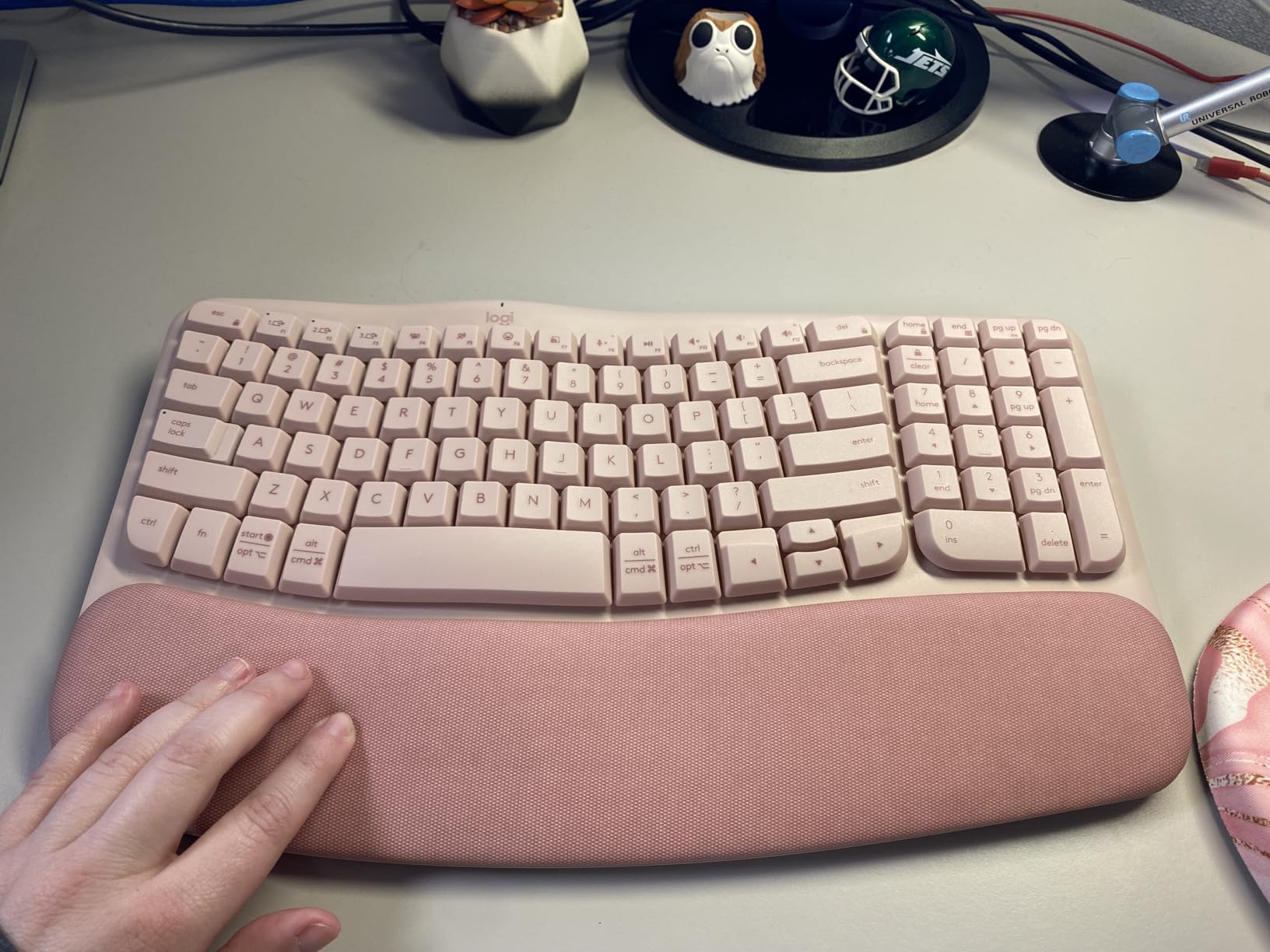
If the mouse hand is the problem, this is the set that actually changes the mechanics. The Lift vertical mouse holds the forearm at a 57 degree angle so the wrist stops twisting sideways, which is the specific motion that irritates an already sore wrist or a recovering carpal tunnel. The Wave Keys keyboard on top holds the hands stationary to match.
Owners with hand fatigue, carpal tunnel recovery and nerve damage describe the vertical mouse as the standout feature and a clear improvement over a flat mouse. The design is ergonomist-certified and comes in mirrored variants for different hand dominance, and the two-year warranty is the longest in this roundup.
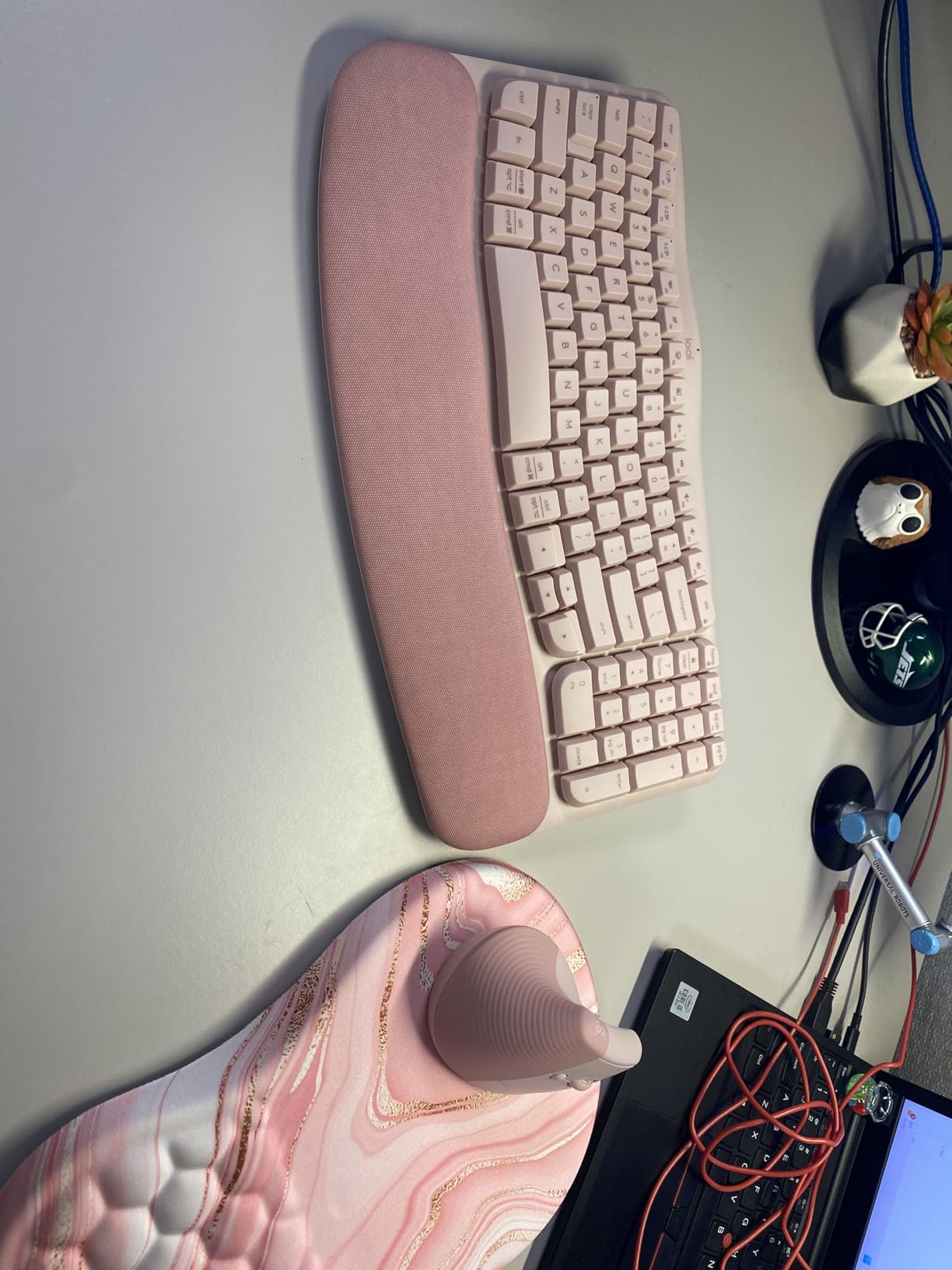
The 57 Degree Angle and Why It Works
A flat mouse forces the forearm to rotate palm-down while the upper arm stays palm-inward, and that mismatch is what causes the ache. Tilting the mouse 57 degrees brings the two into alignment, so the wrist sits straight and the forearm muscles stop working to hold the position. It is a genuine mechanical change, not a comfort claim.
The keyboard half of the set matters here too, because relieving the mouse while aggravating the keyboard simply moves the pain.
Plunger Switches, Noise and Connectivity
Plunger key switches give tactile feedback with a quiet action, which means the user can feel a key register without the sharp click of a mechanical switch. On the mouse, clicks are whisper quiet and the SmartWheel adapts scroll speed to the gesture, and the textured grip with a snug thumb rest keeps a weak grip from sliding.
Connectivity covers Bluetooth Low Energy and the Logi Bolt USB receiver with easy multi-device switching, and the box includes two AAA cells for the keyboard and one AA cell for the mouse, so the set is usable straight away. The Logi Options+ app handles workflow customisation.
Who Should Skip This Combo
The vertical mouse takes several days of use before the adjustment period ends, and that discomfort is real rather than theoretical. A user with sensitive or painful hands may not tolerate it, in which case a trackball mouse is the more forgiving alternative.
The compact keyboard layout also puts the arrow, Home and End, and Page Up and Down keys in unfamiliar positions, and the Enter key occasionally registers a press with no input. Anyone who types all day in short bursts will adjust faster than someone who sits at the desk for hours.
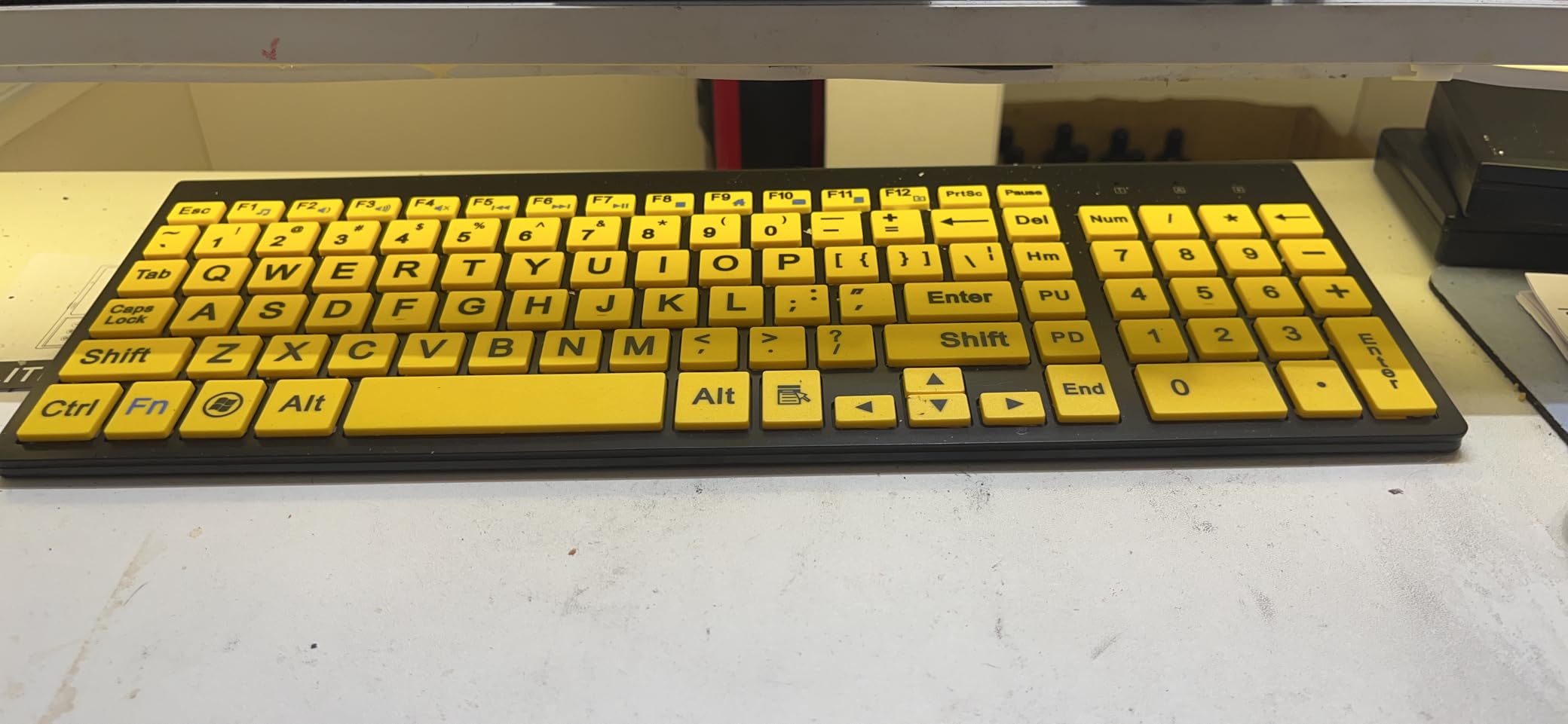
11. HXMJ E68 White – Best High-Contrast Board for Low Vision
HXMJ-Wireless Large Print Keyboard and Mouse Set with USB Receiver| Quiet Scissor Switch | for Seniors and Visually Impaired Low Vision Individuals-White
Black print on white keycaps
0.2 inch profile
Scissor switches
102 keys
+ Pros
- Black print on white caps gives strong contrast
- Ultra-thin 0.2 inch profile for small desks
- Scissor switches are smooth and quiet
- One nano receiver for both devices
- Inclined typing angle reduces wrist strain
– Cons
- 102-key layout omits the numeric keypad
- Not backlit so a fully dark room is difficult
- Two AA batteries needed and not listed as included
Most large-print boards are white print on black caps, and some older eyes find that harder to read than the reverse. This one inverts the pattern with white keycaps and crisp black print, which reviewers consistently single out as the reason the board is easy to read for elderly users and those with low vision.
It is also extremely thin, measuring 14.5 by 5.8 by 0.2 inches, so it suits a small desk or a laptop table. The scissor key switches deliver a smooth, sensitive response with quiet mouse buttons, and the inclined typing angle reduces wrist strain over longer sessions.
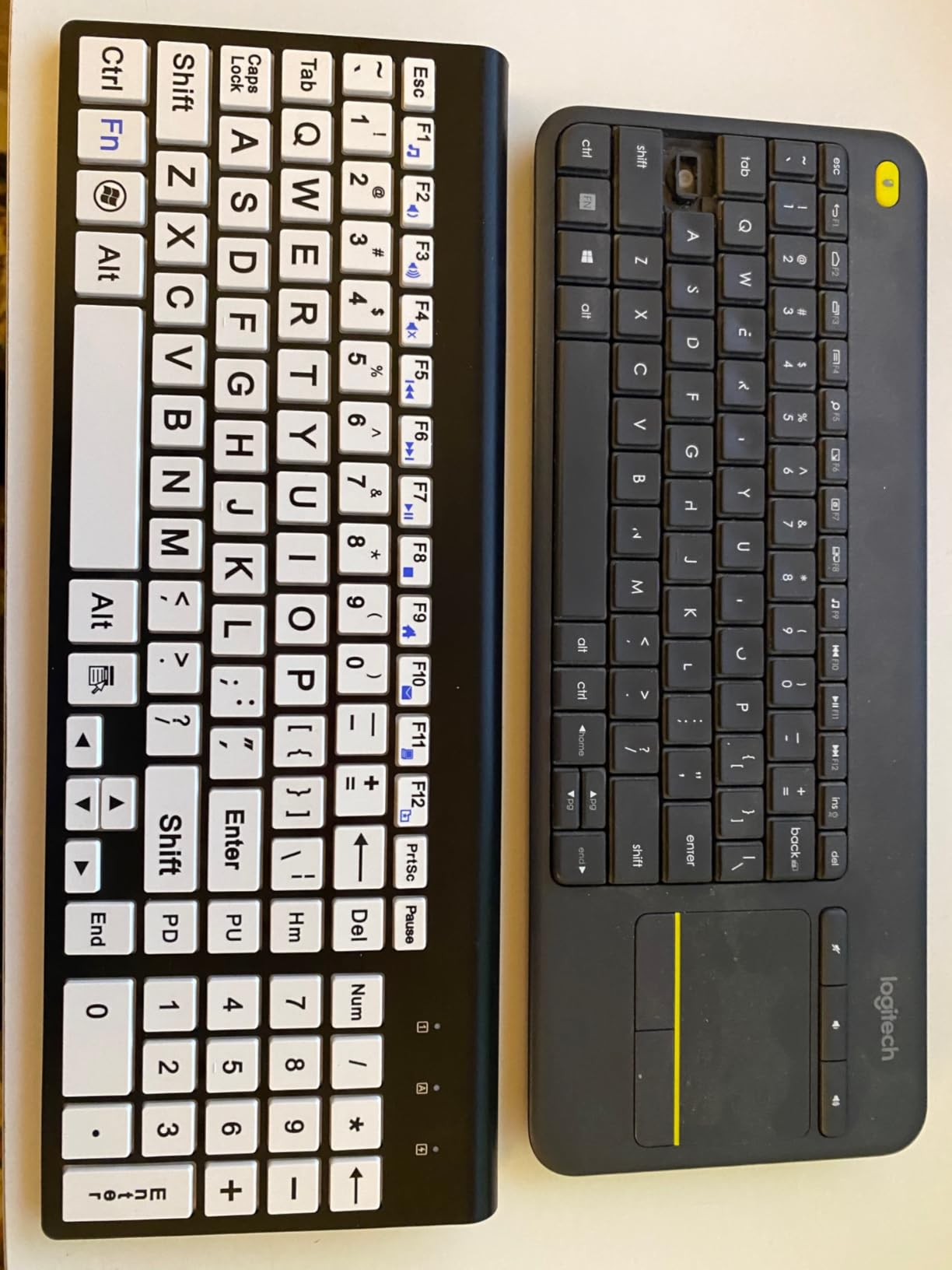
Contrast Ratio and Why White Caps Help Some Eyes
Contrast is the operative word rather than size. Dark print on a light cap scatters less light into the eye than light print on a dark cap, and for someone with reduced contrast sensitivity that difference shows up as less squinting over a long session. The scissor switches also give a light, low-force action that suits stiff fingers.
The trade is glare. On a board with no backlight, white keycaps pick up overhead room light, so a user in a bright room may find the print washed out. This is a board for a normally lit desk, not a dim one.
Slim Profile, Layout and Everyday Use
At 0.2 inches the board is thin enough to slide into a drawer or a laptop bag, and the low-profile keycaps suit a desk with limited vertical clearance. The 102-key layout covers typing and navigation but omits a dedicated numeric keypad, which is the drawback reviewers cite most.
A single 2.4 GHz nano receiver serves both the keyboard and the mouse, freeing a USB port, and it stores inside the mouse. Compatibility covers Windows through Mac OS, and two AA batteries are required, which are not listed as included in the box.
Who Should Skip This Combo
There is no backlighting, so this is the wrong board for anyone who works in a dark room or needs illumination to find the keys. If night use or low-light use is part of the picture, choose a backlit set instead.
Anyone who enters numbers regularly should skip it for the missing keypad, and this is the lowest-rated set in our group at 4.0 stars, which reflects a thinner feature set rather than a quality problem. For a user who only needs clear, high-contrast typing, it does that job well.
12. TECKNET TK-KM079 – Best Rated Large-Print Wired Combo
TECKNET Wired Keyboard and Mouse Combo, 4X Large Print, 7-Color Backlit Silent Keyboard Kits, Ergonomic Design with Wrist Rest, Soft-Typing, USB Plug & Play for Computer/Mac/Laptop
4X enlarged print
7 color backlight, 8 brightness levels
Built-in palm rest
Wired
+ Pros
- Characters enlarged 4x for strong visual clarity
- 7 color backlight with 8 brightness levels
- Built-in palm rest with 8 degree tilt
- Near-silent keyboard and mouse
- Spill-resistant with long-lasting keycap print
– Cons
- Membrane keys feel soft rather than crisp
- Fixed cable prevents free desk positioning
- 17.1 by 7.2 inch footprint is wide
This is the highest-rated set we tested at 4.5 stars, and the reason is simple: it takes the large-print idea as far as it goes. Characters are enlarged four times on standard keycaps, the RGB backlight runs 7 colors with 8 brightness levels and 4 lighting modes, and the built-in palm rest tilts to 8 degrees.
Owners cite better visibility in low light and less eye strain during long sessions, and the print is rated not to fade for three years, which matters on a board someone expects to keep for years. It is wired, so there are no batteries, no drivers and no pairing, and it is near silent in use.
Backlight Control and Long-Term Print Durability
Eight brightness levels is the most granular control in this roundup, and it matters because a person with reduced vision often needs just enough light to locate a key without being glared by the rest of the board. Four lighting modes plus 7 colors means the backlight can be set once and left alone rather than adjusted per session.
The wear-resistant keycap print is rated to 50 million keystrokes and is specified not to fade for three years, which addresses a real weakness of large-print boards.
Spill Resistance, Palm Rest and Wired Simplicity
A built-in palm rest with an 8 degree adjustable tilt supports the wrists and reduces hand fatigue, and the anti-slip base on the mouse is shaped to the natural curve of the hand. The spill-resistant design is worth noting for a kitchen table or a home used by grandchildren.
Wired plug and play means no batteries and no setup, with compatibility across Windows 98 through 11 and Mac OS. The counterpoint is that the cable fixes the position of both devices, so a user who wants a specific posture has limited freedom, and the membrane keys feel soft rather than crisp under fast typing.
Who Should Skip This Combo and What the Rating Does Not Tell You
The 4.5-star rating comes from the smallest review pool in this roundup, so treat it as strong but less proven than the sets with thousands of reviews. Anyone who wants a trackball or a vertical mouse for wrist pain should look elsewhere, since this pairs with a conventional contoured mouse.
At 17.1 by 7.2 inches the keyboard is wide, so check the desk before committing, and note the 104-key layout includes a numeric keypad. The two-year warranty is among the longer ones offered in this group.
How to Choose a Keyboard and Mouse Combo an Older Adult Will Actually Use
The right question is not which keyboard is most ergonomic, it is which one the person will still be using in three months. Every criterion below comes from something we saw in testing, and most of them come from a failure rather than a spec.
Key Force and Switch Type Matter More Than Layout
For arthritic hands, key force outranks layout. The Hacker News comment about a keyboard that “has a required lot of pressure to push the keys” describes the most common failure we saw, because a stiff board cannot be adapted to, only endured.
Three switch families cover almost everything in this roundup. Membrane keys are the softest and quietest, needing the least pressure, and they are what most of the large-print sets here use. Scissor keys sit between membrane and mechanical, giving a defined click with low force, which is why the HXMJ board is a reasonable arthritis pick. Plunger keys, found in the Logitech Wave Keys and Lift set, offer tactile feedback while staying quiet. Mechanical switches are the stiffest of the four and are the one category we would steer an older hand away from.
Large Print, Backlighting and the Dim-Room Question
Large print means the characters printed on the key are bigger, not that the keycaps are bigger. The SABLUTE and TECKNET sets print at four times standard size and the KOPJIPPOM boards go oversized, while the HXMJ inverts the contrast with black on white for eyes that struggle with the usual pattern.
Backlighting is what makes a large-print board usable at night, and it is also the most commonly missing feature among the better-built ergonomic boards in this roundup. If the computer is used in the evening, treat backlighting as a requirement rather than a nicety, and confirm the brightness is adjustable.
Mouse Style: Standard, Vertical or Trackball
The mouse hand is usually the first to hurt, which is the point several r/rheumatoid commenters made about needing an elevating wrist rest to hold a neutral position. A standard contoured mouse is fine for light use. A vertical mouse, like the Lift at a 57 degree angle, removes the sideways wrist twist that drives forearm pain, and it costs several days of adaptation. A trackball requires no lateral movement at all, which is the most forgiving option for very limited hand mobility, though none of the sets in this roundup pairs one with a senior-friendly keyboard.
Split, Wave or Traditional, and the Adjustment Period
A split layout lets each forearm rotate outward from the elbow, which is the correct fix for forearm pronation, and it is what the ProtoArc set delivers. A wave layout tilts the rows into a natural arc without separating the halves, which is easier to adapt to and is why three of the sets here use it. A traditional flat board only makes sense when the budget is very tight or the hands need no support at all.
Budget roughly 30 to 45 days of break-in for anything split or vertical, and expect discomfort in that window rather than a fault. That advice comes from competitor testing data and matches what users describe in forums, and it is the single biggest reason we would not put a true split board in front of a first-time ergonomic user.
Wired Versus Wireless and Who Does the Setup
Wired means no batteries, no charging and no pairing, which removes every common failure point and is why the SABLUTE wired set and the TECKNET are strong choices for a parent computer. Wireless 2.4 GHz keeps one receiver for both devices and frees a port, but the receiver hides somewhere on the mouse or keyboard and will be lost, so tape it down on day one. Bluetooth is the nicest option for switching between a computer and a tablet, though one set in this roundup lists Bluetooth and actually runs on a dongle, so check the specification rather than the title.
Also budget for who sets it up. Pairing, charging and a 30-day adjustment period are a lot to hand to someone with limited vision or mobility, and a family member doing the first setup in person prevents most of the support calls. If you are comparing entry-level sets more broadly, our guide to the best keyboard and mouse combos under 40 covers that tier in detail, and our wireless mouse picks cover pointer options if the mouse is the main problem.
Frequently Asked Questions
What is the best ergonomic keyboard and mouse combo?
The best ergonomic keyboard and mouse combo for most older adults is the SABLUTE KM22 Max, because it pairs 4X larger print characters with a deep cushioned wrist rest and near-silent membrane keys. For a user whose main problem is wrist and forearm pain rather than eyesight, the Logitech Wave Keys and Lift combo is the stronger answer because its vertical mouse holds the forearm at a 57 degree angle.
What is the best keyboard for someone with arthritis?
Look for a low-force key rather than a specific brand. Membrane and scissor switches need the least pressure to actuate, while mechanical switches are usually the stiffest. A thick memory foam or leather palm rest matters just as much, because it stops the wrist bearing the weight of the forearm against a hard desk. Avoid any board that requires a heavy press to bottom out.
What are some good large print keyboards for seniors?
Good large-print options include the SABLUTE KM22 Max and the TECKNET TK-KM079, both of which print characters at four times standard size, and the KOPJIPPOM boards, which pair oversize legends with a backlight. For high contrast, the HXMJ E68 White prints large black characters on white keycaps, which some older eyes read more easily than the usual white-on-black.
What are the downsides of using ergonomic keyboards?
The main downsides are the adjustment period and the bulk. A split or vertical design can feel worse for the first 30 to 45 days while the user relearns key positions, and a split board needs real desk depth. Some of the better-built ergonomic boards also lack backlighting, which is a problem in a dim room. A few users with existing conditions report that a stiff ergonomic board made their symptoms worse.
How long does it take to get used to an ergonomic keyboard?
Most users report a noticeable improvement within a week and full comfort in about 30 to 45 days. A wave layout adapts faster than a full split, and a vertical mouse needs several days on its own. Anyone with painful hands may not tolerate the early discomfort, which is a good reason to start with a wave design rather than a split one.
Can typing on a keyboard cause arthritis?
Typing does not cause arthritis, which is an inflammatory joint condition. What typing can contribute to is repetitive strain, which produces wrist, hand and forearm pain that can feel similar and can aggravate existing arthritis. An ergonomic keyboard reduces that strain but is not physical therapy, so anyone with existing hand pain or a diagnosis should follow their clinician’s advice first.
Which Keyboard and Mouse Combo Is Right for You
If you want one set that covers reading, typing and pointing without any compromise, start with the SABLUTE KM22 Max, our editor’s choice. It is the only board in this group combining four times standard print, a backlight, a genuinely deep wrist rest and the largest review base we tested, at more than 3,000 reviews.
If the priority is comfort on a budget with the least fuss, the ULSOU EK30 wave combo is the value pick, and its adjustable stand makes the height adjustment a one-second change. If hands tire before attention does, the EAYBLLY KG812-01 has the softest palm rest we tested, though check the durability reviews before committing.
If the problem is eyesight, pick the KOPJIPPOM 7-Color Large Print for a rechargeable backlit board, the HXMJ E68 White for maximum black-on-white contrast, and the TECKNET TK-KM079 for the most granular lighting control. If the problem is wrist and forearm pain, the Logitech Wave Keys and Lift is the only set here that fixes the mouse mechanically with a 57 degree vertical angle, and the ProtoArc EKM01 Plus is the choice for someone already comfortable with split layouts.
Whichever one you choose, set it up together in person, expect 30 to 45 days of break-in, and treat any persistent pain as a conversation with a clinician rather than a spec problem.
Leave a Reply