
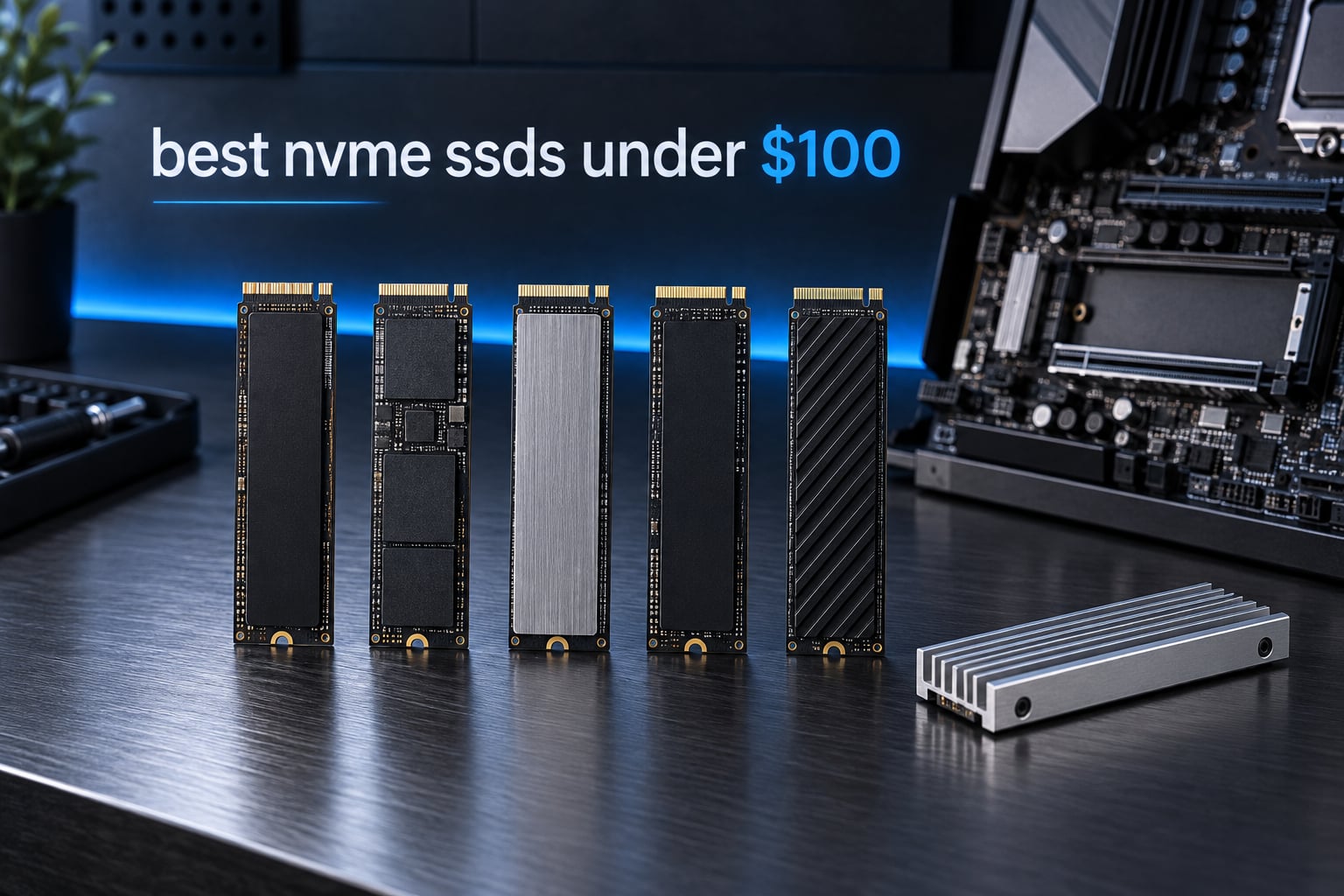
Short answer: the Kingston NV3 500GB is the best NVMe SSD under 100 dollars right now. It is a genuine PCIe 4.0 x4 drive rated at 5,000 MB/s read and 3,000 MB/s write, it carries 13,802 reviews averaging 4.7 stars, and it is the pick we would put in a budget gaming PC without hesitating. Every price and rating below was checked on September 27, 2026.
There is a catch you should know before you read any of it. At a 100 dollar ceiling in 2026, the entire field of sub-500GB drives has been squeezed out of existence. Everything that survives the filter is 480GB, 500GB, or 512GB, and a few of them are discounted within a few dollars of the cap. So this is not a list of bargains, it is a list of the least-bad options at a specific price band, and the honest differentiators are warranty length, NAND type, thermals, and whether a heatsink is included.
We went through eight of them on capacity, interface, cache type, thermal design, and review volume, and the results surprised us a little. Two Gen 3 drives outrank several pricier-looking Gen 4 options, one drive with the biggest headline number in the group is the weakest sustained writer of the lot, and the drive with the shortest track record is one of the cleanest designs. If you would rather see the wider field first, our general NVMe SSD roundup covers the full price spectrum.
Our methodology: we weighted random and sustained behaviour over peak sequential figures, because a drive that reads fast for ten seconds and then collapses is worse than one that reads slightly slower forever. We also read the review data for failure patterns, since a budget tier is exactly where reliability stories get told honestly.
Our Top 3 Picks for NVMe SSDs Under 100 Dollars (October 2026)

Comparing the Best NVMe SSDs Under 100 Dollars in 2026
Every drive below sits under the 100 dollar ceiling at the time of writing. Read the NAND and warranty columns before the speed column; at this budget, those two specs decide whether a drive is a good system disk or a disposable game-library disk.
| Product | Details | Action |
|---|---|---|
|
|
Check Latest Price |
 |
|
Check Latest Price |
 |
|
Check Latest Price |
 |
|
Check Latest Price |
 |
|
Check Latest Price |
 |
|
Check Latest Price |
 |
|
Check Latest Price |
 |
|
Check Latest Price |
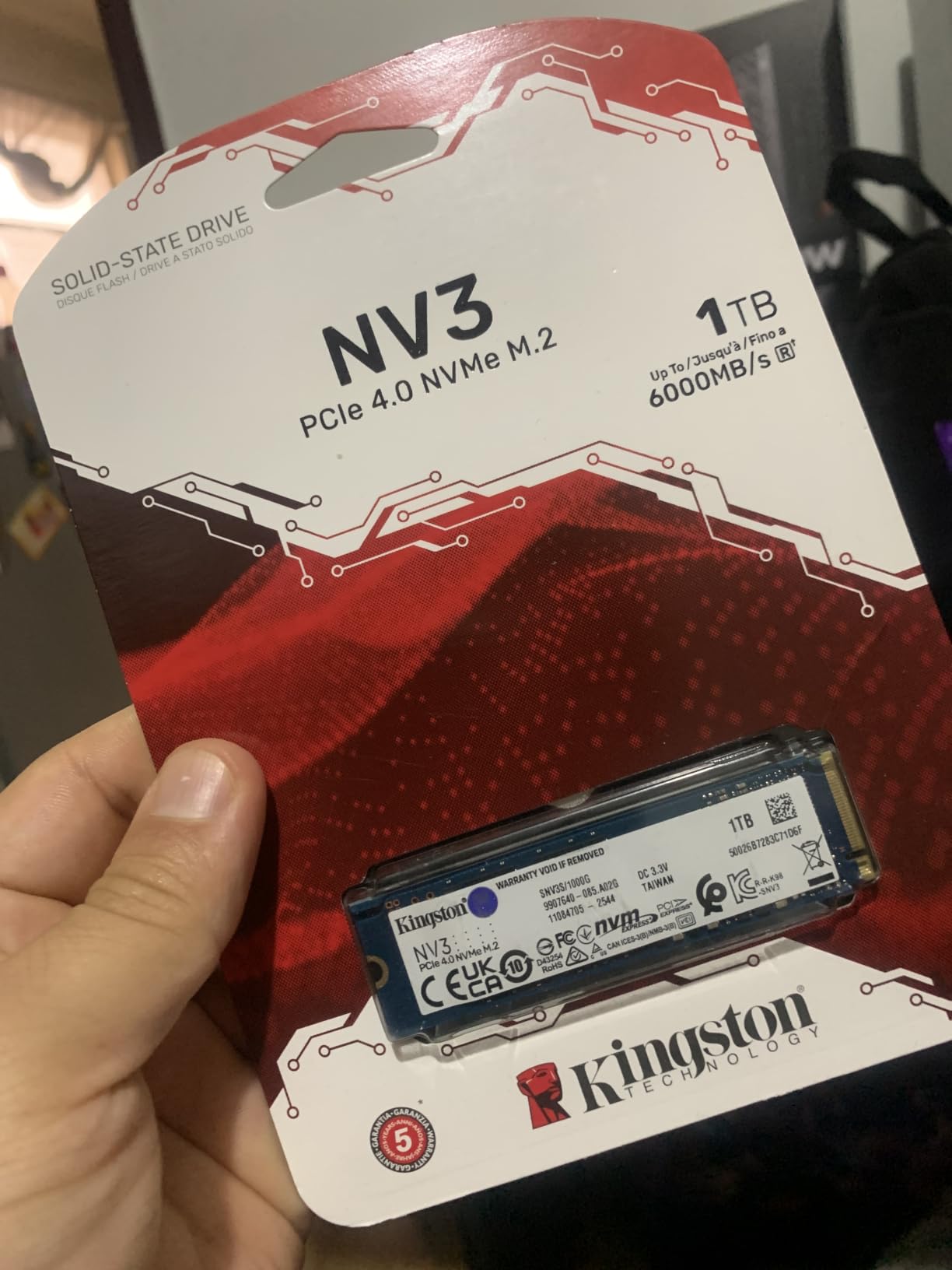
1. Kingston NV3 500GB – The Best Overall NVMe SSD Under 100 Dollars
Kingston NV3 500GB M.2 2280 NVMe SSD | PCIe 4.0 Gen 4×4 | Up to 5000 MB/s | SNV3S/500G
PCIe 4.0 x4
5000 MB/s read
3000 MB/s write
3-year warranty
4.54 g
+ Pros
- 13802 reviews at 4.7 stars give the most stable rating in the group
- Genuine PCIe 4.0 x4 bandwidth at 5000 MB/s read and 3000 MB/s write
- Low power design suits a laptop or handheld upgrade
- Acronis cloning software included for migration
– Cons
- No heatsink included
- 500GB fills quickly with modern game libraries
- 3-year warranty is shorter than some rivals offer
We picked the NV3 first because of what is missing from it: drama. There are no reports of dead drives in the review data, no cache complaints beyond the usual budget-tier grumbling, and no one-star pattern worth worrying about. For a first SSD in a build, that reliability profile matters more than the third digit of a read-speed number.
It is also one of only a handful of drives here that is genuinely Gen 4 x4 across four lanes, which means a current desktop board can actually feed it. At 4.54 g it is light enough for a laptop, and the box includes Acronis if you are cloning an existing system drive rather than doing a clean install.
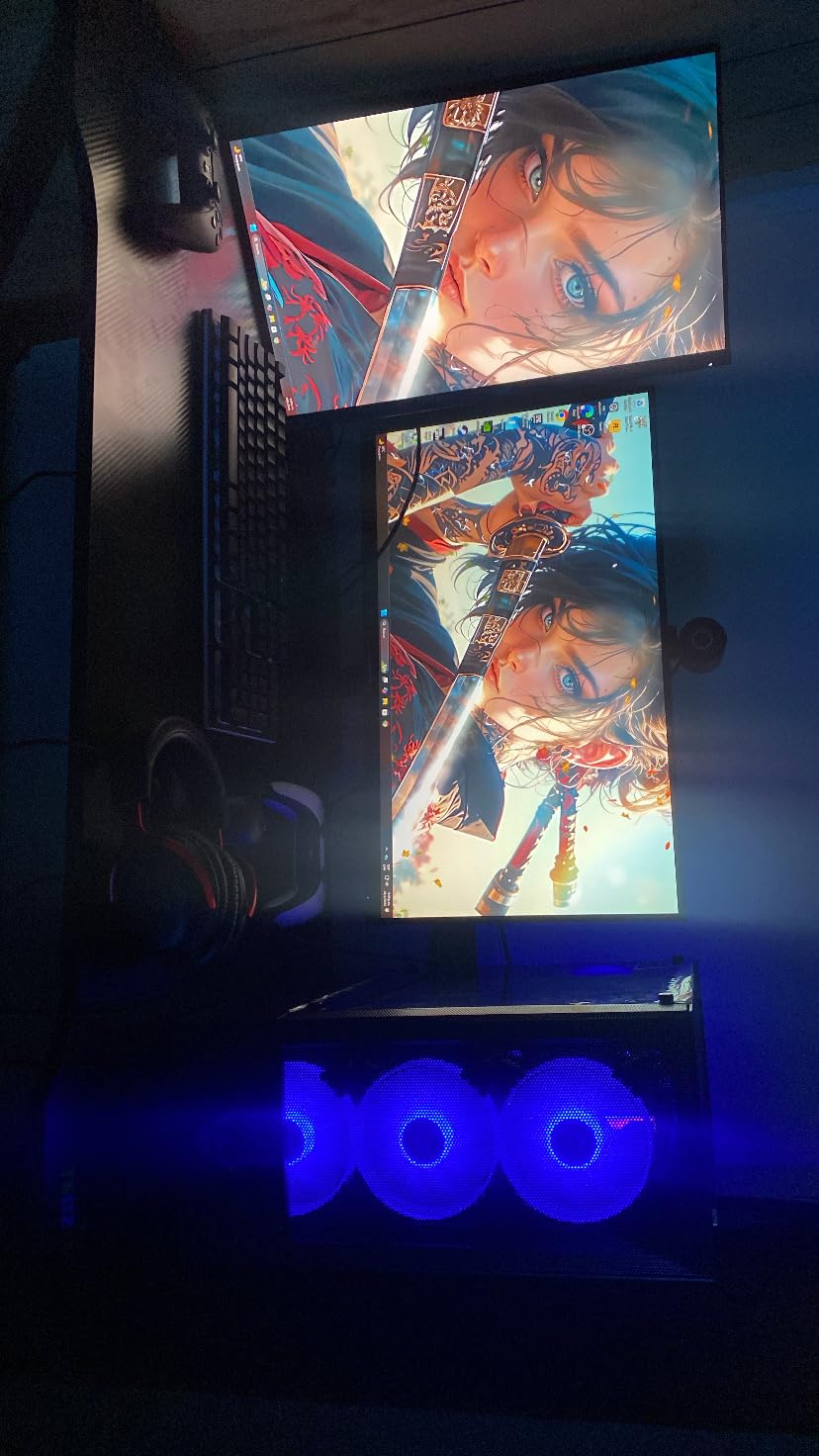
Why the review count is the real selling point
With 13,802 ratings averaging 4.7, this is the largest sample in the group by a wide margin. That matters more than it sounds: a 4.7 from 194 reviews is a promising start, while a 4.7 from 13,802 reviews is a settled characteristic of the product.
When a component fails as a population rather than a defect, thousands of reviews catch it. Here they have not. That is the reason this drive leads the list even though three other options claim higher headline speeds.
Read speed, write speed, and the missing heatsink
The 5,000 MB/s read and 3,000 MB/s write figures are the strong part. The weakness is thermal: there is no heatsink in the box, and the drive sits on a bare PCB. Under sustained heavy writes, budget Gen 4 drives throttle, and a bare drive throttles sooner.
Our advice is to add a small M.2 heatsink if you plan to move large game installs or video files. For an OS drive, the drive will sit near idle most of the time and the absence rarely becomes a problem.
Capacity is the compromise you cannot engineer away
500GB is a workable boot drive. It is a tight game library, and it is tight the moment you keep photos, clips, and a browser profile on the same disk. Format it cleanly, keep your game installs on a second drive, and 500GB stops being a constraint.
If your machine has two M.2 slots, our guide to the best 2TB SSDs is worth reading before you settle, because a second slot filled with more capacity usually beats one slot filled with more speed.
Who should skip it
Skip the NV3 if you run long sustained writes as a daily habit, such as rendering or archiving multi-hundred-gigabyte files, and you have no heatsink available. In that situation a bare-drive Gen 4 option is the wrong shape of tool.
Skip it if you intend to store your only copy of irreplaceable files on it with no backup. The warranty is three years, which is standard for the tier but not generous.
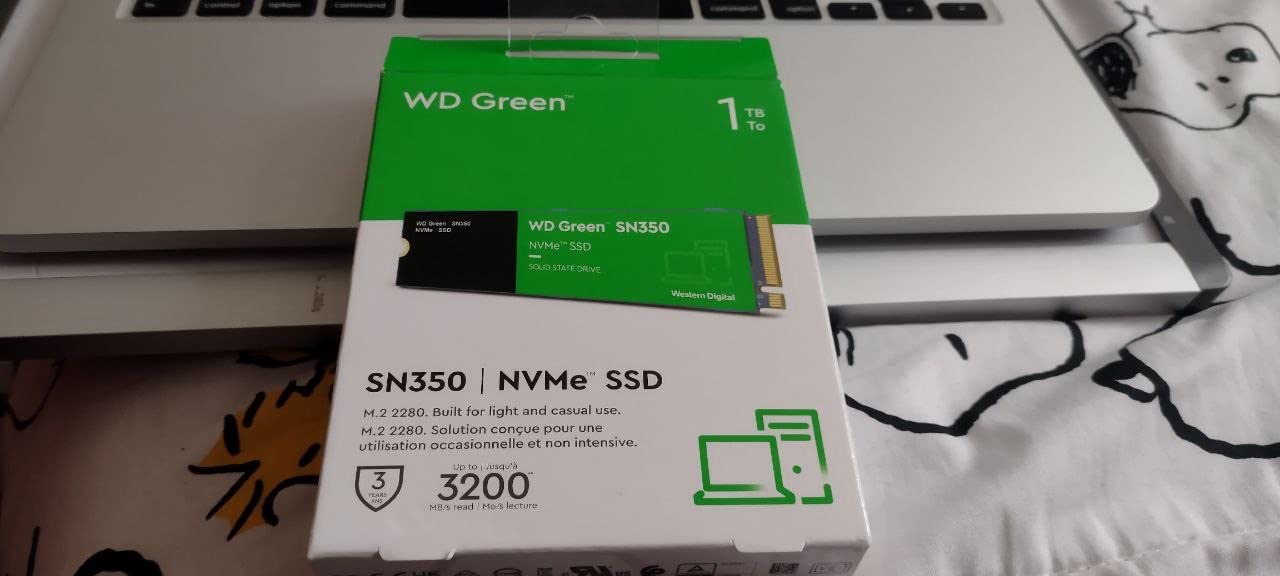
2. WD Green SN350 500GB – The Best Value NVMe SSD Under 100 Dollars
Western Digital 500GB WD Green SN350 NVMe Internal SSD Solid State Drive – Gen3 PCIe, M.2 2280, Up to 2,400 MB/s – WDS500G2G0C
PCIe 3.0
2400 MB/s read
QLC NAND
3-year warranty
9.07 g
+ Pros
- 12976 reviews at 4.7 stars
- Runs cool enough that a heatsink is rarely needed
- Reviewers report it meeting or beating its advertised read speed
- WD SSD Dashboard utility tracks drive health
- M.2 2280 slim form factor fits most slots
– Cons
- Gen 3 bandwidth caps it well below Gen 4 drives
- QLC NAND is weak for sustained write workloads
- Mixed long-term reliability reputation among owners
The SN350 is the pick we recommend when someone asks what to do with the leftover budget. It is a Gen 3 drive, and on paper that makes it the slowest thing on this list, yet for a secondary game-library disk or a PC that is still running a hard drive, it lands harder than its spec sheet suggests.
Sequential reads around 2,400 MB/s are roughly four times what a SATA SSD delivers, and the gap in random performance is far wider. That is where day-to-day responsiveness lives.
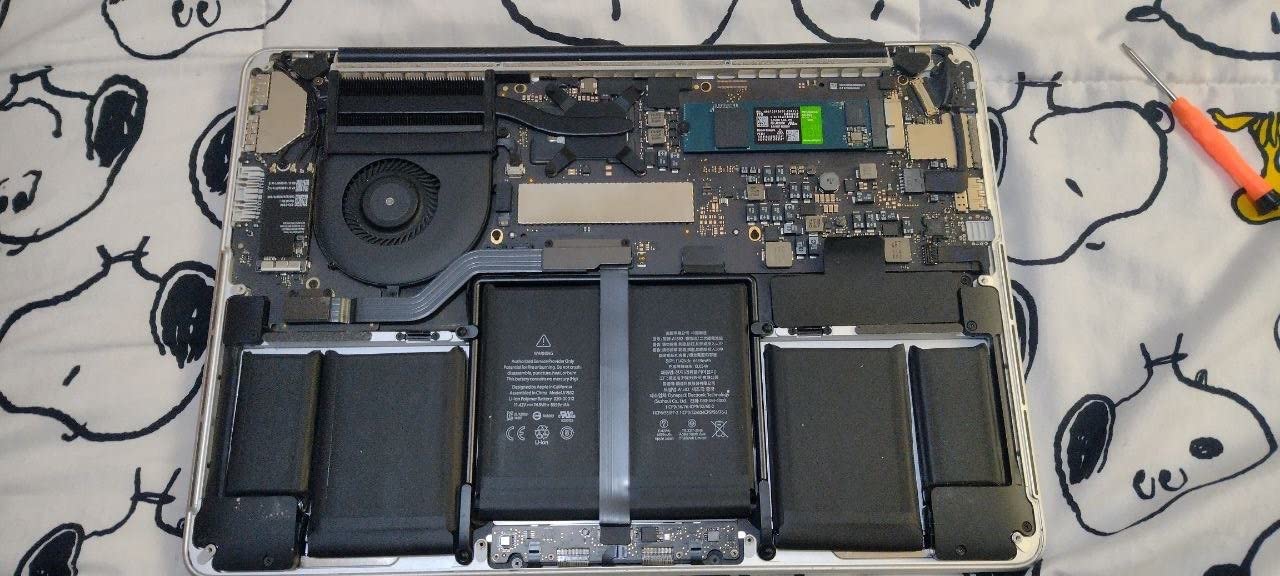
QLC NAND: the honest downside
This drive uses QLC NAND, which stores four bits per cell. It writes more slowly and wears faster than TLC. For reading a game library, that is almost irrelevant. For writing, it is the first thing you feel.
Install games on it, boot from it, stream media from it. Avoid using it as a scratch disk for a video project, where the write endurance shortfall becomes a real constraint.
Thermals without a heatsink
Gen 3 drives move less data per second, which means less heat. Reviewers consistently report the SN350 running cool without any heatsink, which makes it the easiest drop-in in a compact case or a laptop with a tight mounting point.
At 9.07 g it is heavier than most of the group, but that is still well within anything a laptop chassis is designed for.
When a Gen 3 drive is genuinely the right call
If your motherboard or laptop has a PCIe 3.0 M.2 slot, a Gen 4 drive will run at Gen 3 speeds anyway and you pay for headroom you cannot use. In that case the SN350 is not a compromise, it is the correct match for the hardware.
It is also the sensible pick for an older laptop, where thermals and power draw are the binding constraints and raw bandwidth is not.
Reliability reputation, honestly
The reviews carry a 4.7 average, but the review text includes a minority of drives that would not initialize or reported hardware errors. The WD Green line has a mixed long-term reputation among owners, and we would not put irreplaceable data on it without a backup.
Keep a separate backup drive, use this for games and downloads, and it is a strong value choice. Note that the storage capacity in this tier leaves little room for duplication, so plan accordingly.
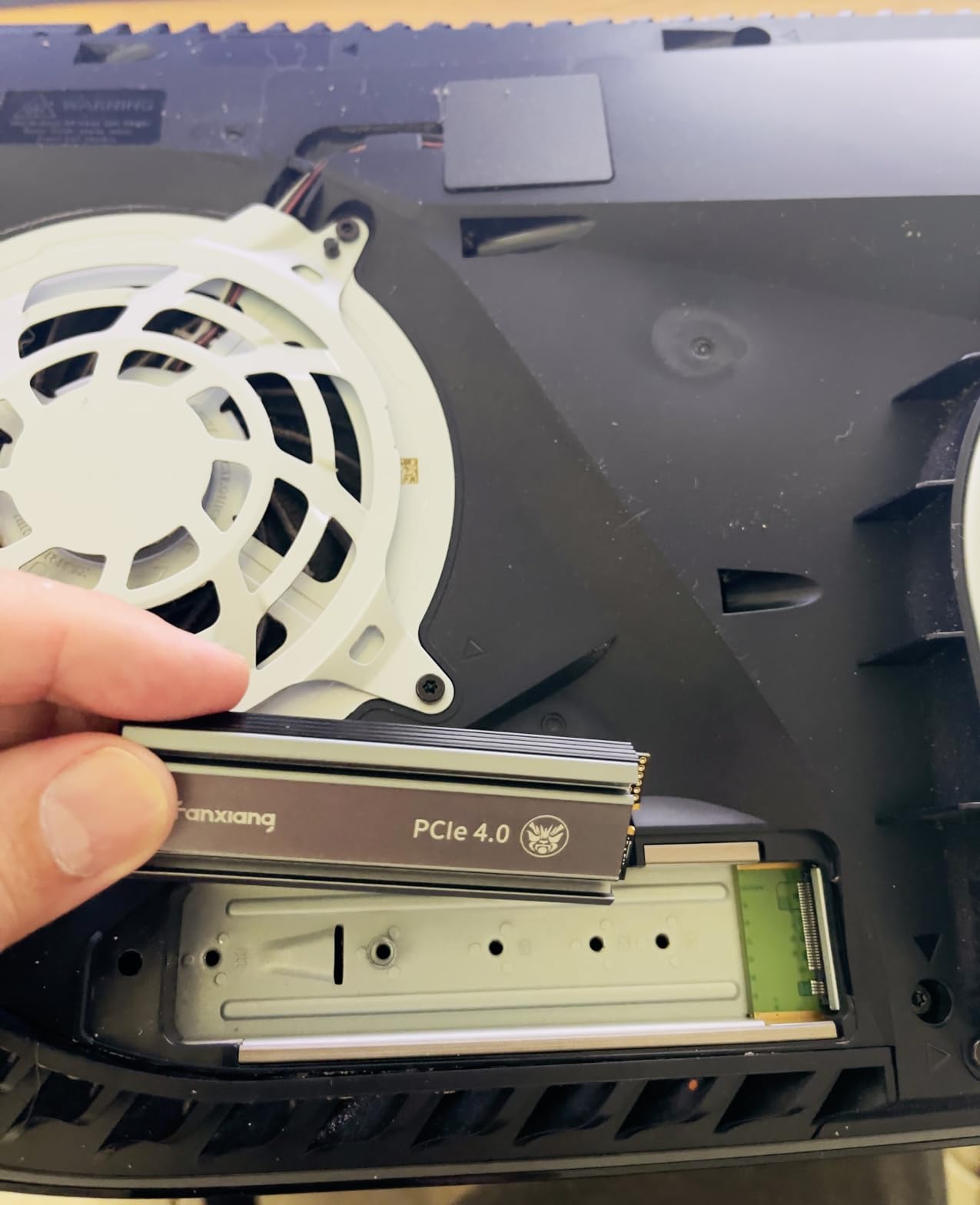
3. fanxiang S660 500GB – The Best NVMe SSD Under 100 Dollars for PS5 and Console Use
fanxiang S660 PCIe 4.0 500GB NVMe M.2 SSD for PS5 with Heatsink, Up to 5000MB/s, Internal Gaming SSD NAND SLC Cache Suitable for PS5 Enthusiasts, Technology Enthusiasts, IT Professionals
PCIe 4.0 x4
5000 MB/s read
TLC NAND
Integrated heatsink
5-year service
+ Pros
- Integrated heatsink keeps temperatures low in long sessions
- TLC NAND holds up better than the QLC budget drives
- 3738 reviews at 4.6 stars
- Five-year quality assurance with responsive after-sales support
– Cons
- Heatsink-equipped body is bulkier and may not clear a tight M.2 slot
- 500GB is the smallest capacity in the S660 range
- Less established brand track record than major storage makers
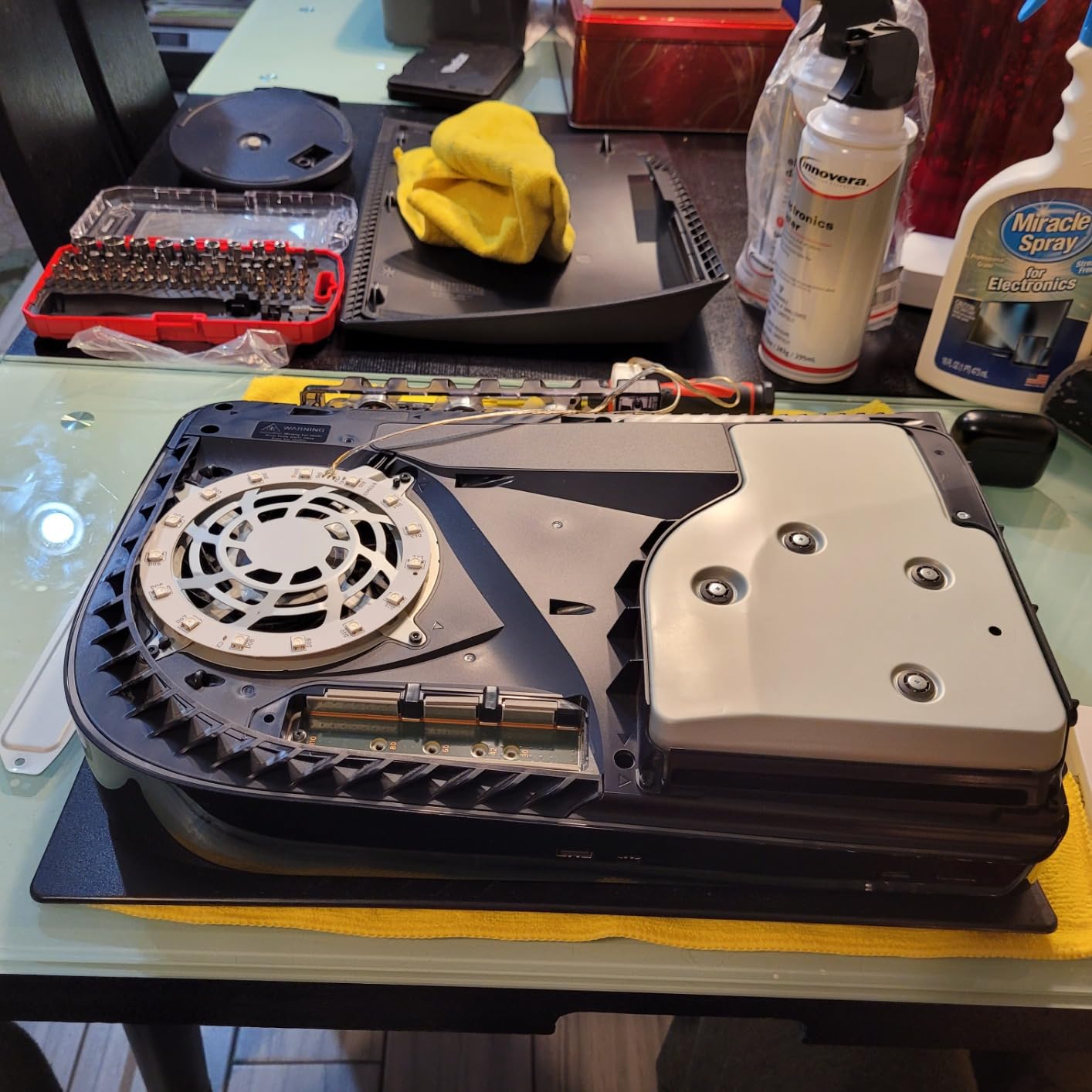
The S660 is the only drive in this group that arrives with a heatsink already attached, and that single fact changes the conversation about sustained performance. A console runs warm, sits in an enclosed bay, and is filled to the brim with write-heavy installs.
That combination is exactly where a bare budget drive struggles, and exactly where a cooled one holds its figures.
TLC NAND in a sub-100-dollar drive
Three bits per cell means better write endurance and better behaviour once the SLC cache fills, which is the failure mode most owners of budget drives complain about. In a 500GB part, TLC is the single most valuable spec you can get.
It also matters for the console use case specifically, because a PlayStation 5 writes constantly as it installs, patches, and rebuilds game data.
Reading the heatsink as a fitment warning
The attached heatsink measures 3.15 by 0.87 by 0.39 inches and adds 30 g. In a console expansion bay or a desktop with clearance, that is fine. Under a laptop M.2 cover, next to a discrete GPU, or in a chassis with a low-profile shroud, it can be the reason the drive does not go in at all.
Measure before you order. A drive you cannot install is worth nothing regardless of its speed.
Console versus PC performance
Rated at 5,000 MB/s read, the S660 sits at the top of this group on headline speed, but console storage is bottlenecked well below the Gen 4 ceiling in most titles, so the gap to the fastest drive here rarely shows up in loading times.
What does show up is thermal stability, and that is where the heatsink earns its place in the box.
Who should skip it
Skip the S660 if your machine has a low-profile M.2 slot or a laptop cover that sits flush against the drive. The heatsink is the reason to buy it, and if the heatsink does not fit, you have bought a heavier drive for nothing.
Skip it if a five-year service term from a lesser-known brand means less to you than a shorter warranty from a major manufacturer. Both are defensible positions; the S690Q in this same list reports premature failure often enough to make that distinction real.
4. Fikwot FX991 500GB – The Fastest Headline Read Speed Under 100 Dollars
Fikwot FX991 M.2 SSD 500GB NVMe SSD M2 2280 PCIe Gen 4×4, Read Up to 6300MB/s, Internal Solid State Drive for PS5 Laptop Desktop 3D QLC NAND
PCIe 4.0 x4
6300 MB/s read
3100 MB/s write
Graphite heatsink
5 years or 300TBW
+ Pros
- 6300 MB/s read is the highest headline figure in this group
- Graphite heatsink and adaptive thermal management hold speed under load
- HMB and smart SLC caching help boot and game load times
- Includes a screw and screwdriver
- TRIM and S.M.A.R.T. support with AES-256 encryption
– Cons
- QLC NAND limits sustained writes and endurance versus TLC
- Peak sequential figures drop noticeably once the SLC cache fills
- Less established brand with a smaller support footprint
The FX991 exists to answer a question most buyers should not be asking: what is the largest number I can get? At 6,300 MB/s read it is the fastest drive here, and the graphite thermal pad plus adaptive temperature control is a better cooling solution than most competitors offer at this budget.
That is where the good news stops.
QLC means the cliff is real on this drive
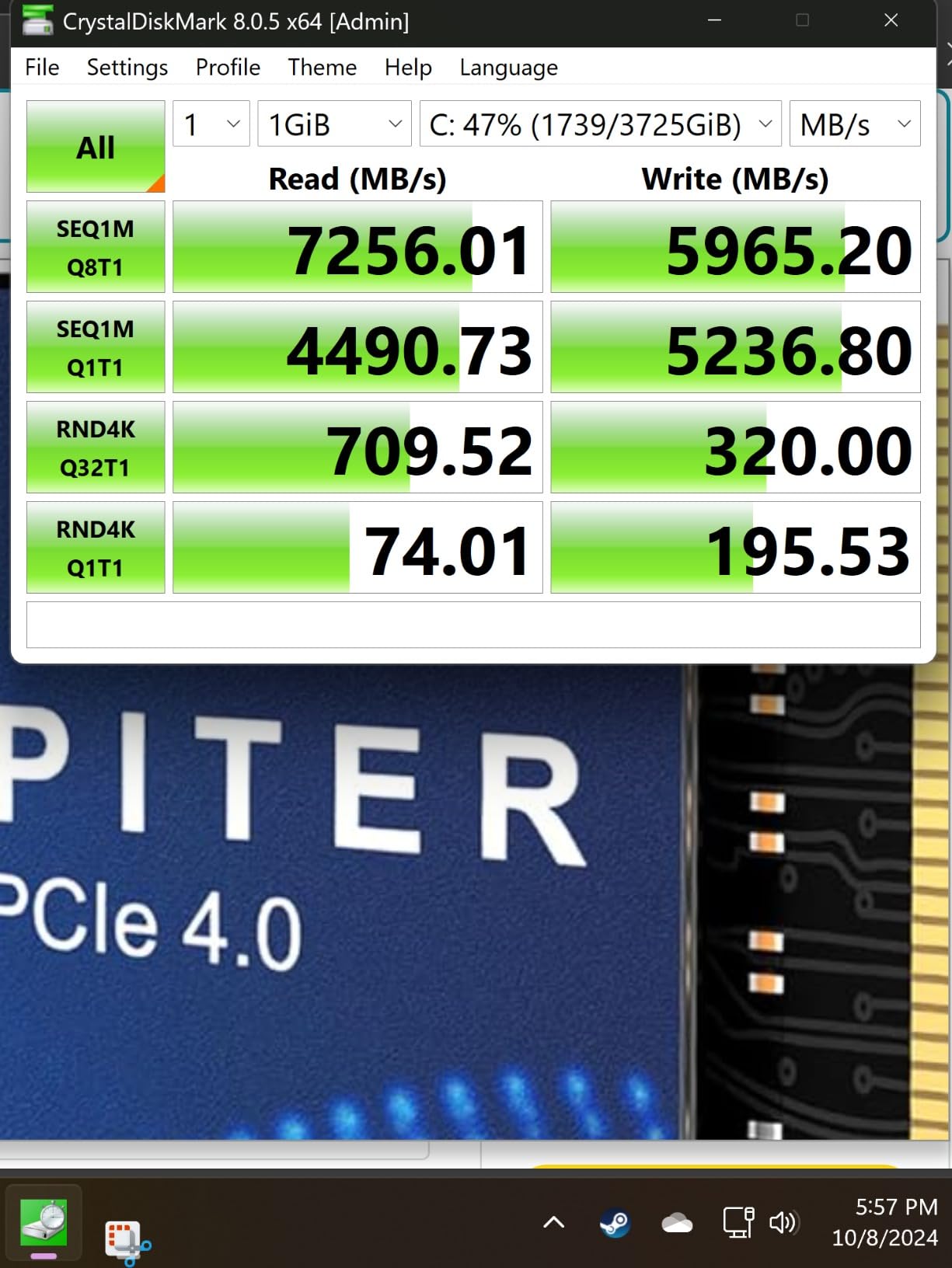
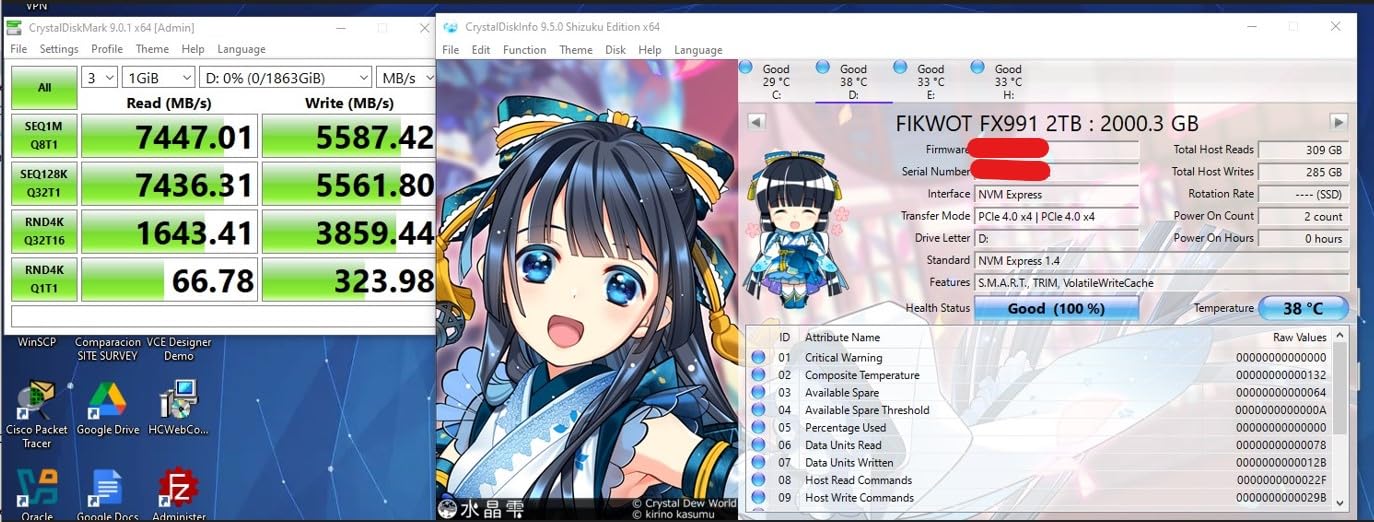
With QLC NAND and an SLC cache in front of it, this drive is at its best during short bursts. Copy a large folder and you will see the write figure fall away once the cache fills, which owners describe plainly in the reviews.
The 3,100 MB/s write rating is measured in the cache, not after it. If your work involves sustained writes, the headline number is misleading you.
HMB instead of a DRAM cache
The drive is DRAM-less and uses a Host Memory Buffer, borrowing a slice of system RAM as a mapping table. HMB works well under normal load, and boot and game-launch times benefit, but a dedicated cache is faster under heavy multitasking.
This is the trade-off that defines the entire budget tier, and it is a smaller penalty than most buyers expect outside of heavy concurrent writing.
300TBW and a five-year service term
Endurance here is specified as 300TBW or five years, whichever comes first. For a gaming or general-use drive, 300TBW translates to a very large daily write allowance over a five-year life, which is more than most people in this price bracket will consume.
The service term is the part to read carefully. Five years is stated, but the enforcement path depends on a regional after-sales operation rather than a large Western support organisation.
Who should skip it
Skip the FX991 if you are drawn to it purely for the 6,300 MB/s figure. On a game library or an OS drive you will not feel the difference against a 5,000 MB/s drive, and you will feel the QLC write slowdown.
Skip it if you want the longest warranty coverage from the most established manufacturer on the list; two Western Digital picks and a Crucial drive offer a more conventional support path.
5. KingSpec 512GB Gen3 – The Most Storage You Can Get Under 100 Dollars
KingSpec SSD 512GB, M.2 NVMe Gen3x4 SSD 2280 – Up to 2400MB/s, Internal Solid State Drive with 3D NAND Flash, Compatible with Desktop and Laptop
PCIe 3.0 x4
2400 MB/s read
3D NAND
512GB
3-year warranty
+ Pros
- Largest usable capacity of any drive in this roundup at 512GB
- Benchmarks land close to the advertised 2400 MB/s read
- Includes a mounting screw so no separate screw kit is needed
- S.M.A.R.T.
- TRIM
- wear levelling
- LDPC ECC and end-to-end data protection
- Owners report passing H2testW full-capacity verification
– Cons
- Gen3x4 is the slowest interface generation here
- No heatsink included for sustained heavy write loads
- Minimal brand-name recognition outside enthusiast circles
At a 100 dollar ceiling, capacity is the scarcest resource, and the KingSpec solves that problem more directly than anything else here. 512GB is 12GB more than the 500GB drives and 32GB more than the Crucial, and at this price that difference is worth more than a generation of interface speed.
With 1,692 reviews at 4.6 stars, it also has more owner history than the newest drive in the roundup, which matters if you are wary of unproven hardware.
3D NAND and what the listing does not tell you
The listing specifies 3D NAND TLC and QLC flash without pinning the exact type, which is common in this price band. Where a buyer is choosing between two otherwise identical drives, an explicitly stated NAND type is a reason to prefer the other one.
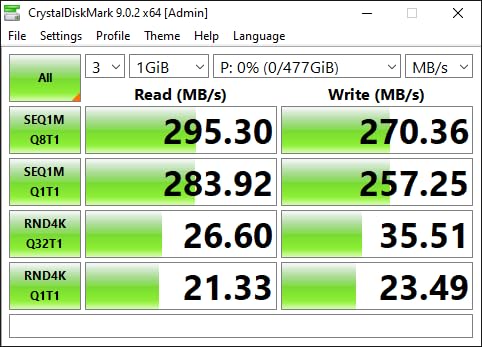
The listed part is rated for up to 2,400 MB/s read, and owners report benchmarks landing close to that figure rather than far below it.
Verifying the drive is genuine
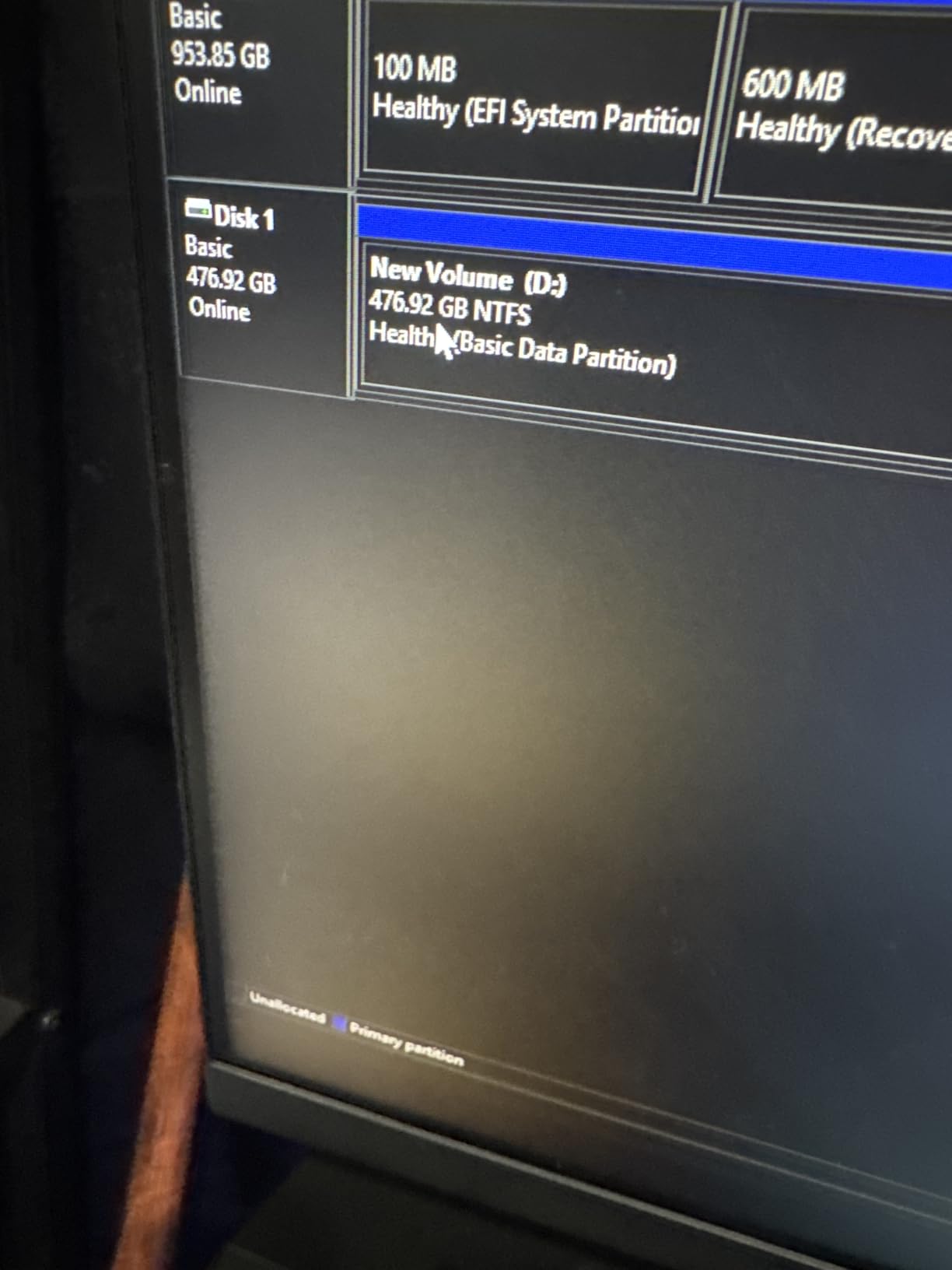
Buyer reports include H2testW full-capacity write testing, which writes the entire drive and checks every block. This is the single most useful thing you can do with an unfamiliar budget drive, because it catches underperforming flash and capacity problems before you trust the disk.
It takes hours. Do it on a weekend, not on the morning you need to install Windows.
Where the speed ceiling actually bites
Gen 3 x4 tops out around 2,400 MB/s, which is fine for boot, launching, and general use, and is the entire reason a SATA drive feels slow by comparison. It is not fine for a multi-terabyte file transfer, because the sustained write behaviour of budget NAND is the limiting factor, not the bus.
On a Gen 3 slot, this drive is correctly matched. On a Gen 4 slot, you are paying for capacity, not speed, and that is a legitimate trade.
Who should skip it
Skip the KingSpec if you want a warranty with a named, easily-reached support organisation behind it. Three-year coverage plus lifetime technical support is stated, but the enforcement experience is different from a large Western or Crucial operation.
Skip it if fast sustained writes matter more to you than raw capacity, and a Gen 4 drive with a heatsink is within reach.
6. Crucial E100 480GB – The Major-Brand NVMe SSD Under 100 Dollars
Crucial E100 SSD 480GB M.2 NVMe PCIe Gen4 Internal SSD, Up to 4,700MB/s, Laptop & Desktop Compatible – CT480E100SSD8
PCIe 4.0 x4
4700 MB/s read
480GB
5.94 g
3-year warranty
+ Pros
- Recognisable major storage brand with a strong reliability record
- Gen4 sequential throughput up to 4700 MB/s
- Silent
- shock-resistant and far cooler than a mechanical hard drive
- Step-by-step installation and cloning guidance in the box documentation
- Backed by a limited 3-year warranty and factory testing
– Cons
- 480GB is a non-standard capacity giving less usable space than 500GB rivals
- No heatsink included
- Entry-level E100 line trades away DRAM caching and sustained write performance
If the deciding factor is not speed, it is what happens when something goes wrong, the E100 is the answer. It is the only drive in this group from a large, established storage manufacturer, and it ships with factory testing plus step-by-step installation and cloning instructions.
That last point sounds minor until you are moving a working system to a new disk at midnight.
Why 480GB rather than 500GB
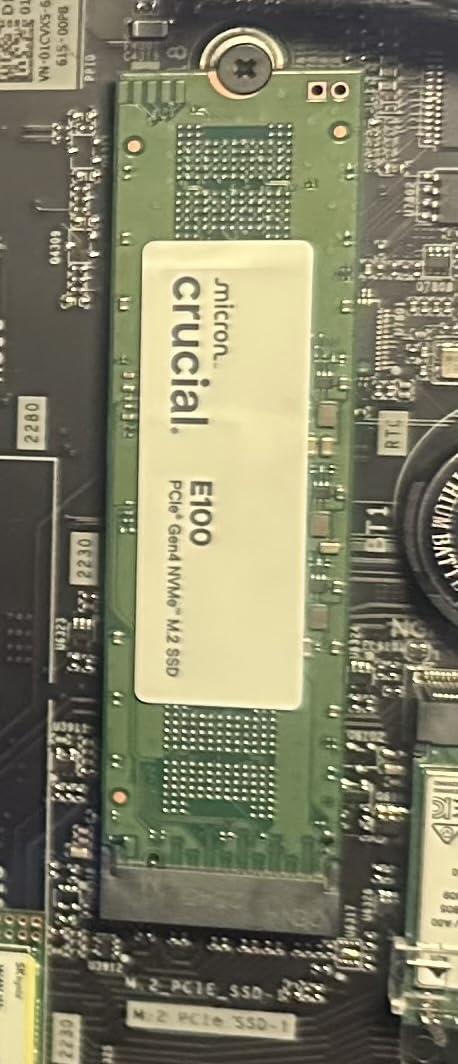
Crucial chose a non-standard capacity, so you get 480GB where the 500GB drives give you 500GB. That is a real 20GB difference against the majority of this list, and 32GB against the 512GB KingSpec.
Capacity is formatted down for overhead in every case, so the practical gap is smaller than the numbers suggest. On a 100 dollar budget, though, every usable gigabyte counts, and this is the one spec where the E100 loses to its competitors.
Entry-level means no DRAM cache
The E100 line is the entry tier, and it uses host memory rather than a dedicated DRAM cache. In normal desktop use the difference is small, particularly on sequential reads and game loads.
Under heavy concurrent random writes, a DRAM-equipped drive pulls ahead. If your machine is doing that constantly, you are past this price bracket.
Thermal profile and fitment
At 5.94 g and 0.09 inches thick, this is a slim, light, single-sided drive. It fits the tightest M.2 positions without a heatsink, and a bare Gen 4 entry drive in a case with airflow will not be a thermal problem in ordinary use.
It does not include a heatsink, so plan for sustained writes with airflow rather than cooling.
Who should skip it
Skip the E100 if capacity is your top priority and 20GB matters to your build. It wins on brand trust and loses on raw storage, which is a defensible trade but a real one.
Skip it if you want the longest coverage in the group. Three years is standard here, and some picks on this list state five.
7. fanxiang S690Q 500GB – The Easiest Budget NVMe SSD to Install
fanxiang 500GB NVMe SSD PCIe Gen4 M.2 SSD, Up to 4700 MB/s, Internal Gaming SSD for PS5, 3D NAND SLC Cache Solid State Drive Upgrade Storage for PC/Laptops S690Q
PCIe 4.0 x4
NVMe 1.4
4300 MB/s read
500GB
5-year service
+ Pros
- Noticeably faster boot and app launches than SATA SSDs
- Includes a screwdriver and the retaining screw in a sealed pack
- Good value as secondary storage or console game-library expansion
- Customer support responded quickly and processed refunds on failed drives
– Cons
- Lowest average rating in the group at 4.4 with 8% one-star feedback
- Multiple owners report drives failing after 13 months to nearly two years
- Some PS5 owners see a write-speed warning and slow loading
- Sustained throughput falls well below headline figures once cache is exhausted
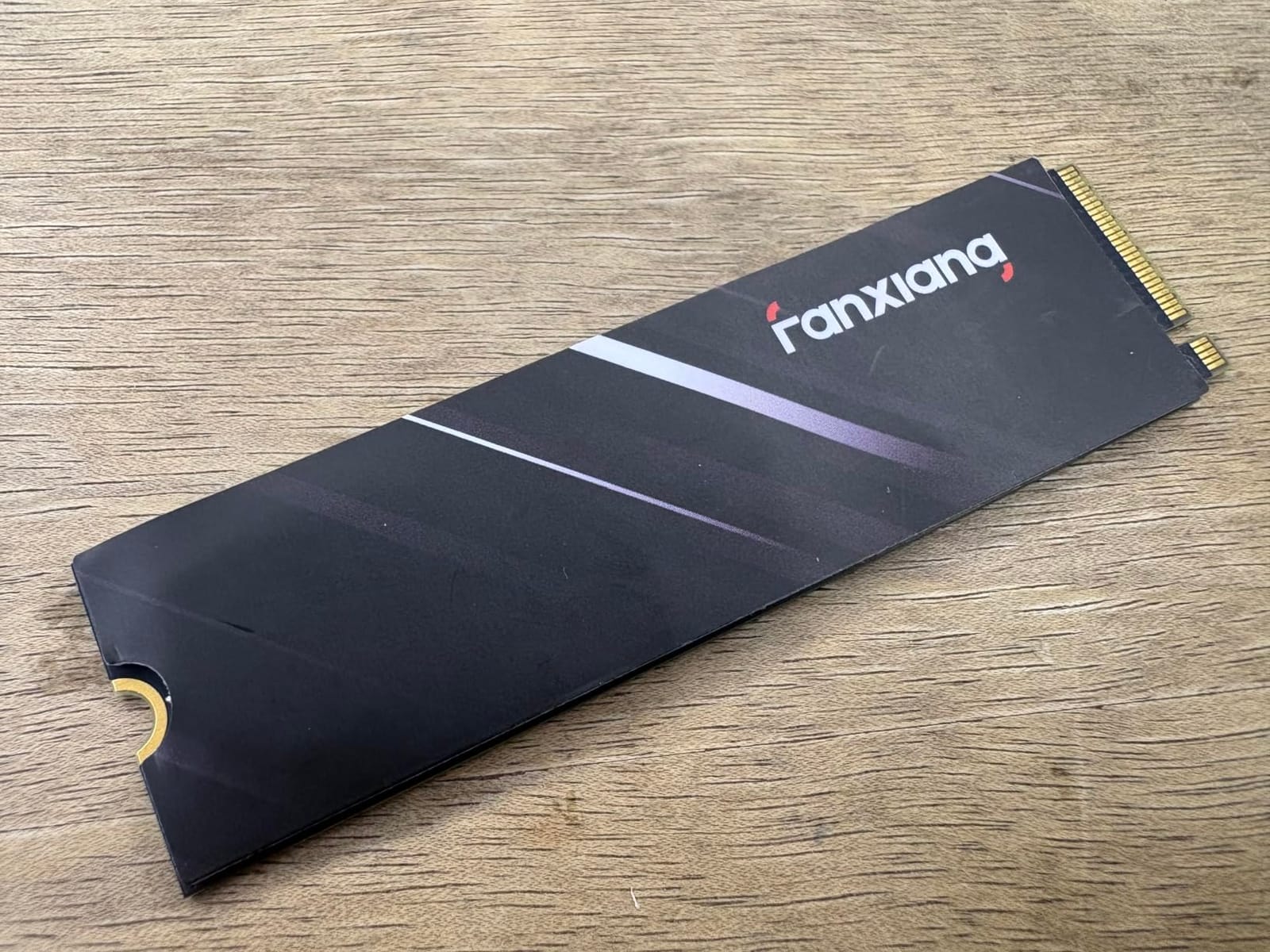
We are including this drive because its failure reports are the clearest warning in the group, not despite them. With 1,475 reviews averaging 4.4 stars, it is the lowest-rated pick here, and 8% one-star feedback is not a rounding error.
Those one-star reviews describe premature failure after 13 months to nearly two years, including sudden read-only states and data loss. That pattern belongs in your decision, not behind it.
Use it for what is replaceable
Because the failure pattern is concentrated in older drives rather than new ones, this is a reasonable choice for a secondary game library, a download cache, or scratch storage where a loss is an inconvenience rather than a disaster.
It is a poor choice for an operating system drive holding the only copy of your work. The same money spent on a drive with a major-brand warranty is the better bet for irreplaceable data.
Installation is genuinely the smoothest here
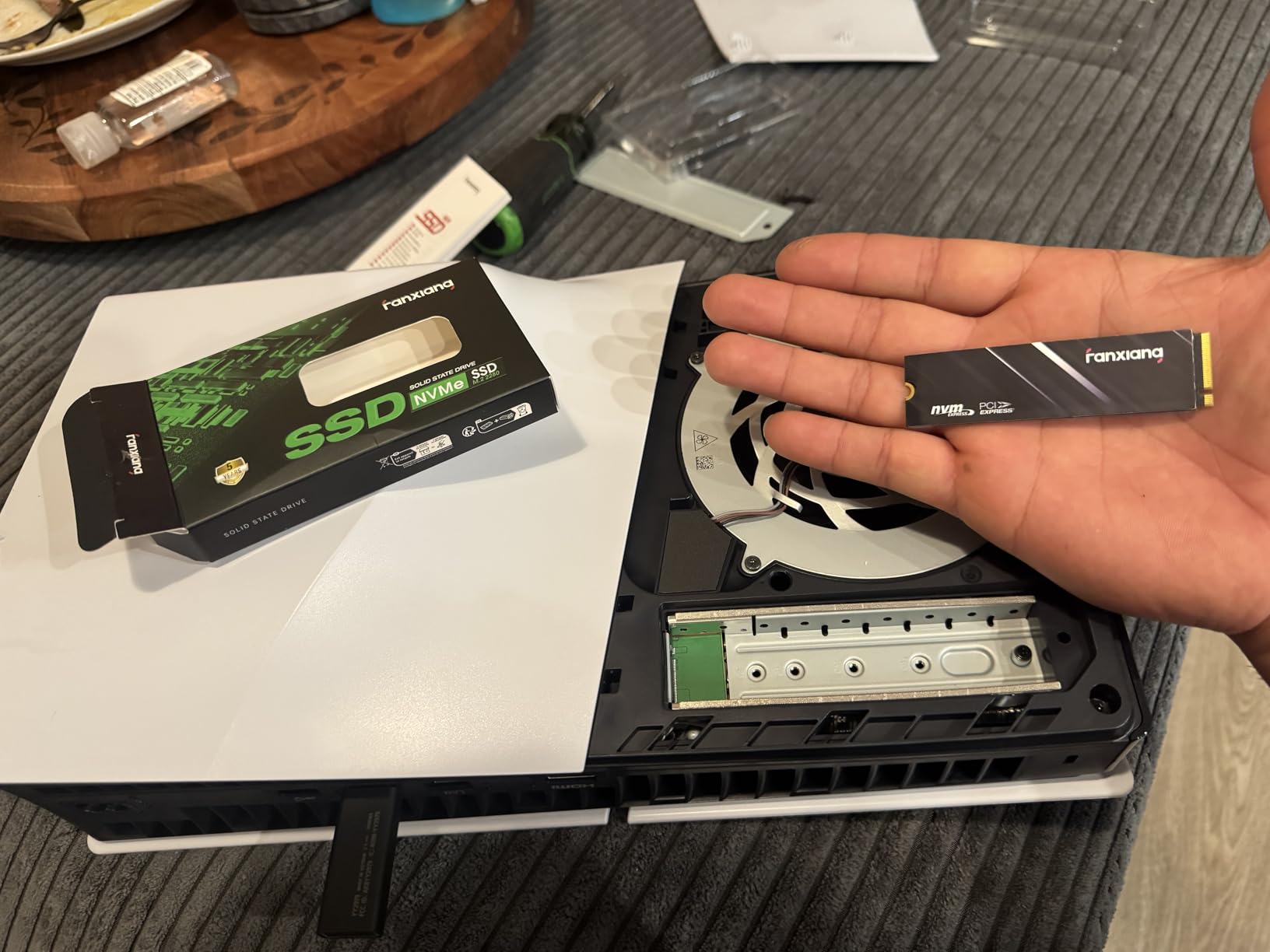
It includes a screwdriver and the retaining screw sealed in the box so it is not lost in packaging, and owners single this out as a first-time-builder experience. NVMe 1.4 on a Gen 4 x4 link keeps boot and launch times well ahead of SATA.
A graphene heat dissipation sticker is included for sustained use, which helps without the bulk of a full heatsink assembly.
Console warnings in the reviews
Some owners on a PlayStation 5 report a write-speed warning message and sluggish loading of demanding titles. That is the same sustained-write story as the QLC and DRAM-less drives, showing up as a visible console notification rather than a benchmark number.
If you plan console use, the S660 earlier in this list is the more coherent choice, because its heatsink and TLC NAND address exactly this.
Who should skip it
Skip the S690Q if the drive will hold anything you cannot replace, and skip it if you have no backup plan for your boot disk. The refunds and support responses described in the reviews are a genuine plus, but a refund is not your files.
Skip it if sustained write performance is a requirement. The gap between the 4,300 MB/s headline figure and real post-cache throughput is the largest complaint in the reviews.
8. WD Green SN3000 500GB – The Best Sub-100-Dollar NVMe for Thin Laptops
Western Digital 500GB WD Green SN3000 NVMe Internal SSD – Solid State Drive – Gen4 PCIe, M.2 2280, Up to 5,000 MB/s – WDS500G4G0E
PCIe 4.0
5000 MB/s read
single-sided 2280
5.4 g
3-year warranty
+ Pros
- Gen4 PCIe performance up to 5000 MB/s shortens boot times and app launches
- Single-sided M.2 2280 design fits thin laptops and small PCs
- nCache 4.0 keeps multitasking and transfers responsive
- Free Acronis True Image download for migrating data
- Backed by an established storage manufacturer
– Cons
- Lowest review count in the roundup at 194
- so long-term history is short
- No heatsink included
- Two-star reviews elevated at 5% versus the rest of the group
The SN3000 is the newest drive on this list, with only 194 reviews, and that is simultaneously its weakness and its opportunity. There is no long-term failure history to worry about yet, and a 5.4 g single-sided design is exactly what a thin laptop slot wants.
If you are replacing a drive in a laptop and want a recent Gen 4 refresh with a major brand behind it, this is the one to look at.
Single-sided design and laptop fitment
Many laptop M.2 slots only accept a single-sided module, and some slim notebooks include a low-profile thermal pad that leaves almost no clearance. A single-sided 2280 board at 5.4 g avoids the double-sided fitment problems that trip people up on ultraportable machines.
It is also backward compatible with Gen 3 slots, so a desktop M.2 slot at PCIe 3.0 will run it without issue, just at reduced speed.
nCache 4.0 and what it does for you
Western Digital’s nCache 4.0 technology uses a portion of the drive as a cache to smooth out writes and keep multitasking responsive. It is not the same as a DRAM cache, and it does not change the sustained behaviour once that cache fills.
For boot times, app launching, and an active desktop, it delivers the responsiveness you notice. For sustained file transfers, the NAND underneath is still the limit.
Read the review volume honestly
194 reviews averaging 4.6 stars with 84% five-star feedback is an encouraging start, and the five-star share is the most favourable in this group. It is also the smallest sample, so the reliability record simply does not exist yet.
Two-star reviews sit at 5%, which is higher than the rest of this roundup. Worth weighing against the 13,802-review history of the Kingston NV3.
Who should skip it
Skip the SN3000 if you want an established failure record, because a year of ownership data simply is not available yet. Buy it for a laptop upgrade where fitment and recency matter more than a long track record.
Skip it if you need a heatsink for sustained writes, since none is included. Adding one is straightforward and inexpensive, and our storage accessory guides cover the options if you need backup or enclosure storage alongside it.
How to Pick a Budget NVMe SSD Without Overthinking It
At a 100 dollar ceiling the meaningful decisions are fewer than the spec sheets suggest. You are choosing between two interface generations, two NAND types, and two cache strategies, and everything else is a consequence of those.
1TB or 2TB: the decision that matters most at this budget
At this price ceiling, a 1TB option is not available to you, which forces the real question: is 500GB enough? Our answer is that 500GB is enough for an operating system plus four to six modern titles, and it becomes painful the moment you add a second, larger library.
If you have a second M.2 slot, fill it rather than overpaying for speed in the first. If you have one slot, capacity wins, because a full disk stutters and a fast disk on a full disk still stutters. The physics favours more gigabytes.
Gen 3 or Gen 4 when the ceiling is fixed
A Gen 4 drive in a Gen 3 slot runs at Gen 3 speeds. A Gen 3 drive in a Gen 4 slot runs at Gen 3 speeds too. The interface generation only pays off when your board, and more importantly your CPU, support it.
On a machine from the last several years with a PCIe 3.0 M.2 slot, buying Gen 4 is paying twice for the same result. Match the drive to the slot.
DRAM versus HMB and what you actually lose
A DRAM cache is a dedicated chip on the drive holding the flash translation table, so the controller never has to touch system RAM to find where your files live. An HMB drive borrows a slice of system RAM for the same job.
In practice, the difference shows up only under heavy concurrent random writes: installing games while copying a work archive, running a RAID rebuild, or a busy virtual machine host. For boot, launch, and single-task gaming, the penalty is small. That is why most of this list is DRAM-less and most of it is still a good buy.
TLC or QLC, and the SLC cache cliff nobody warns you about
TLC stores three bits per cell and tolerates more writes before degrading. QLC stores four, giving higher density at the cost of write speed and endurance. The cheaper the drive, the more likely it is QLC.
The SLC cache is the fast write buffer sitting in front of the flash, and it is finite. Write a burst and the cache absorbs it at headline speed. Fill the cache, as a big folder copy or a multi-game install will, and writes fall to the raw speed of the NAND underneath. On a 500GB budget drive that means copying a 100GB folder can go fast for a while and then crawl. This, not the peak number, is the honest measure of a budget drive.
TBW and warranty translated into years of use
TBW is terabytes written, the drive’s rated write lifetime. A quick calculation: 300TBW over five years allows roughly 164GB written per day every day for five years. A gaming drive typically writes far less than that, since game installs are the bulk of the traffic and they are one-directional.
Three-year warranties are the norm in this tier, with some drives stating five. A longer warranty from an established manufacturer is worth more than a slightly higher headline speed when you are storing the drive you cannot replace.
Form factor, slots, and when to skip NVMe entirely
All eight drives here are M.2 2280 with an M key, which is the standard for NVMe. But M.2 describes the physical shape, not the protocol. Some older desktops and laptops have an M.2 slot that only speaks SATA, and an NVMe drive in that slot will not be detected at all.
Check your motherboard manual for NVMe support before you buy. If your machine has no M.2 slot and only a 2.5-inch bay, a SATA SSD is the correct purchase, and no drive on this list will help you. If you want the capacity of these drives in an external enclosure instead, our NVMe enclosure guide covers that route.
Frequently Asked Questions
What is the best NVMe SSD under 100 dollars?
The Kingston NV3 500GB is the best NVMe SSD under 100 dollars. It is a genuine PCIe 4.0 x4 M.2 2280 drive rated at 5,000 MB/s read and 3,000 MB/s write, weighs 4.54 g, and holds a 4.7 star average across 13,802 reviews, the largest review base of any pick in our roundup. Prices and ratings were checked on September 27, 2026.
Is a cheap NVMe SSD worth buying?
Yes, for most people. Even a 500GB budget NVMe drive delivers roughly four times the sequential throughput of a SATA SSD and far higher random performance, which is what makes boot times, app launches, and game loading feel fast. The caveat is NAND quality: DRAM-less QLC drives lose speed once their SLC cache fills, so use them for reads and installs rather than sustained heavy writing.
Are DRAM-less SSDs with HMB slower than SSDs with DRAM?
Only under specific pressure. A DRAM-less drive uses a Host Memory Buffer carved from system RAM to hold its flash translation table, which is slower for heavy concurrent random writes such as simultaneous game installs and large file copies. For booting, launching applications, and normal gaming, the difference is small enough that most budget drives ship without a DRAM cache.
Is 500GB or 512GB enough for gaming?
A 500GB or 512GB drive holds an operating system plus roughly five to eight modern titles, so it works as a boot drive but gets tight as a full library. At a 100 dollar ceiling these smaller capacities are what is available. If your machine has a second M.2 slot, fill it with more capacity rather than spending more on speed in the first slot.
Will a Gen 4 NVMe SSD work in a Gen 3 M.2 slot?
Yes. NVMe drives are backward compatible, and a Gen 4 drive in a PCIe 3.0 x4 slot will run at Gen 3 speeds, typically around 2,400 MB/s. The reverse is also true: a Gen 3 drive works in a Gen 4 slot at Gen 3 speeds. Check that your motherboard supports NVMe rather than SATA-only M.2 before buying, since an NVMe drive in a SATA-only M.2 slot is not detected at all.
The Only NVMe SSD You Need to Buy Under 100 Dollars
If you want one answer: the Kingston NV3 500GB. It is the best NVMe SSD under 100 dollars because it pairs real Gen 4 bandwidth with the most heavily reviewed rating in this group, and nothing in the review data suggests a reliability problem.
Match it to the job, though, and the rest of this list earns its place. If your slot is Gen 3 or your priority is spending as little as possible, the WD Green SN350 500GB delivers the same 4.7-star satisfaction for less. If you are expanding a console or a thermally enclosed machine, the fanxiang S660 500GB is the only pick with a heatsink in the box and TLC NAND underneath. If TLC matters and thermals are tight, KingSpec 512GB gives you the most usable storage here. If you want a major brand behind the warranty, the Crucial E100 480GB is the conventional choice, accepting a non-standard capacity for it.
The remaining three are narrower: the Fikwot FX991 if you want the biggest headline number and accept QLC, the WD Green SN3000 if you are fitting a thin laptop and value recency, and the fanxiang S690Q only as replaceable secondary storage, given the premature-failure pattern in its reviews.
One last thing. Whatever you buy in 2026, keep a backup of anything you cannot replace. At this price tier, redundancy in your plan matters more than redundancy in your hardware. Check the live price on the buttons above before you order, because sub-100 dollar NVMe pricing moves within days, and we re-verify this list monthly.
Leave a Reply