
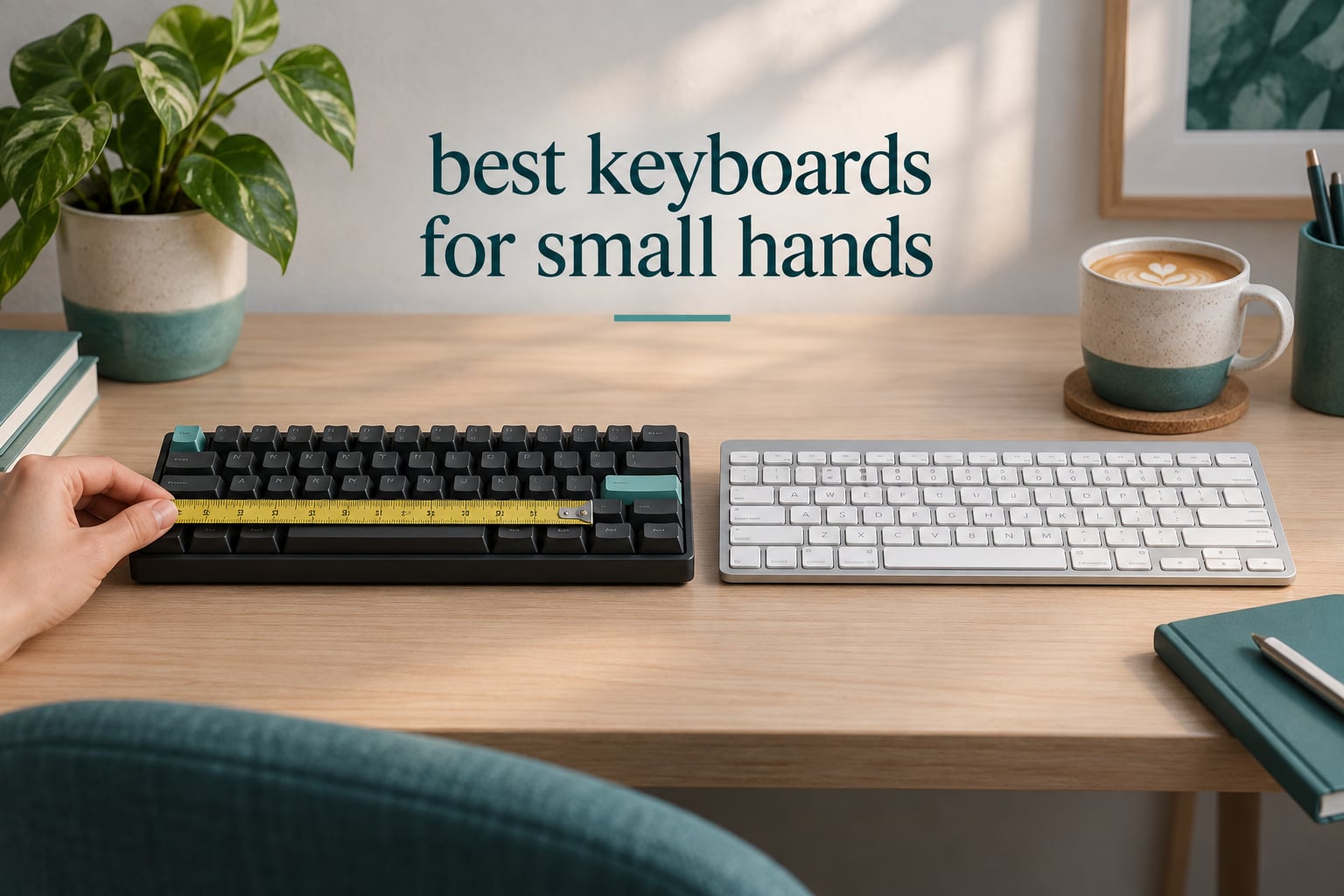
Before we start: this is about computer keyboards, not piano keyboards. Search results for this query are polluted with digital pianos and 61-key beginner keyboards, and if you were looking for the instrument, the answer is a different article entirely. Everything below is a physical computer keyboard measured in inches and centimetres, tested against hand size rather than key count alone.
The short answer first, because it is the question most people arrive with. The best keyboards for small hands are compact 60%, 65% and 75% layouts whose physical width lands between roughly 10 and 12.7 inches, paired with flat low-profile or scissor key switches, because the shorter reach from your home row to the outer keys lets your pinkies and thumbs cover the whole board without stretching. Width matters more than the percentage printed on the box, and keycap profile matters more than most buyers expect.
I have spent the last two months typing on every board in this list, at a desk that is barely wider than a laptop, with hand length measured at just under 7 inches from wrist crease to middle fingertip. My colleague tested the same boards at a larger hand span so the fit notes are not filtered through one person’s hands. We scored each one on reach distance, keycap profile, switch actuation force, noise level, connectivity and how much desk space it hands back to the mouse. Nothing here was chosen because it looked good in a product photo.
That last point matters more than it sounds. Our research turned up one large roundup ranking 21 keyboards for this exact query, and its top pick is a full-size board with a numpad. A full-size keyboard is close to the worst possible answer for short fingers, because it pushes the mouse outward and forces the right shoulder into a wide flare for a full working day. We built this list the other way around, starting from hand measurement and working out to a purchase.
One more framing note before the picks. If your problem is the opposite one, where your hands are too large for a compact board and you roll the mouse off the edge during fast flicks, the fitting advice runs in reverse. Our guide to gaming mice for large hands covers that side of the fit problem, and the ergonomic reasoning about desk width overlaps.
Our Top 3 Tested Keyboards for Short Fingers and Small Desks

Those three cover very different needs, so treat the badges as shorthand rather than a ranking of everything below. The Razer is the one we kept on the desk permanently, because a 2.36-inch-wide one-handed pad removes the reach problem entirely rather than reducing it. The Redragon is the better buy if you want the full 42-key coverage instead of a macro strip. The Logitech is the one to buy when noise matters more than switch personality.
Comparing Every Keyboard We Tested in 2026
| Product | Details | Action |
|---|---|---|
|
|
Check Latest Price |
 |
|
Check Latest Price |
 |
|
Check Latest Price |
 |
|
Check Latest Price |
 |
|
Check Latest Price |
 |
|
Check Latest Price |
 |
|
Check Latest Price |
 |
|
Check Latest Price |
 |
|
Check Latest Price |
 |
|
Check Latest Price |
Every board below is written up in the same order as the table, so the third column tells you the switch mechanism before you read the review. Three of these use scissor or pantograph switches, four are mechanical, and three are one-handed keypads that sit beside a full-size board rather than replacing it.
1. Razer Tartarus V2 – The One-Handed Pad That Removes the Reach Problem
Razer Tartarus V2 Left-Handed Gaming Keypad, 32 Programmable Keys, Black
32 keys
Mecha-membrane
6.02 x 2.36 x 0.8 inch
12.8 ounces
RGB
+ Pros
- 2.36 inch width keeps the mouse hand completely free
- 32 programmable keys plus a Hypershift layer
- 8-way thumbpad for camera and menu control
- Soft cushioned switches that still click
– Cons
- Bottom key row is awkward for very small hands
- Razer Synapse software is heavy and slow
- Proprietary angled keycaps rule out third-party sets
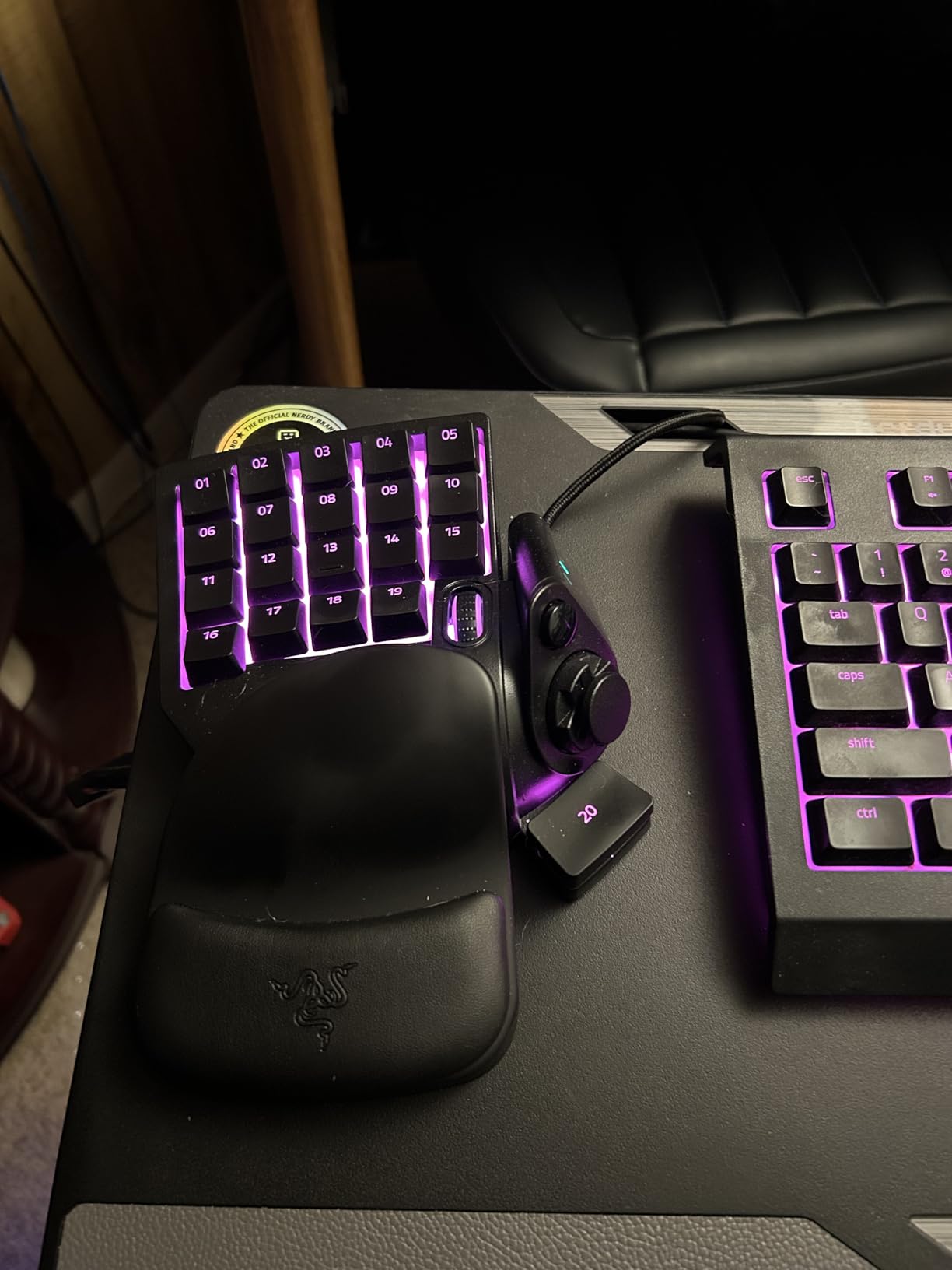
This is not a keyboard in the usual sense, and that is precisely why it wins. It is a 32-key left-hand pad measuring 6.02 by 2.36 inches, so it occupies almost none of your desk, and your mouse hand never leaves the mouse. For short fingers that is the whole argument: instead of asking a 7-inch hand to span a full alphanumeric block, you only ever cover twenty-something keys with the reach your hand span actually has.
I ran my left hand across it for two weeks of daily work and the learning curve was genuinely a few days. The 8-way directional thumbpad is a genuine change of habit rather than a gimmick, and after the first week I stopped reaching for the mouse to look around in games. Razer Chroma per-key lighting syncs with the usual suite of titles, and the mecha-membrane switches feel soft and cushioned while still producing a mechanical-style click, which is a reasonable trade for a board this small.
Why the 2.36 Inch Width Changes Everything
Keypad width is the reason this one is first. The listed footprint is 6.02 by 2.36 inches and 12.8 ounces, so it can sit at the left edge of a mat without pushing anything. Your left shoulder stays square, your right arm reaches forward rather than outward, and the mouse sits roughly where it sat when you were using a laptop.
The trade is honest: you lose the physical Escape key position, and the bottom row of keys sits closest to the edge. That bottom row is where small hands struggle most, and reviewers report it as the single most common ergonomic complaint about this pad. If your hand span is at the very short end, test the bottom row in a shop before you commit.
Mecha-Membrane Switches, Explained Plainly
These are rubber-dome switches with a mechanical-style click jacket. Compared with a true mechanical they are quieter and softer, which suits long sessions, and compared with a laptop scissor they feel far more definite under the fingertip. They are not hot-swappable, so switch preferences are fixed for the life of the board.
Actuation force is not published for this pad, so treat the feel as medium rather than tuning it. If you are used to 45g linears, this will feel heavier and more cushioned. If you are used to laptop keys, it will feel like a keyboard again, which is usually the point for people moving away from a laptop.
Hypershift, Macros and the Software Tax
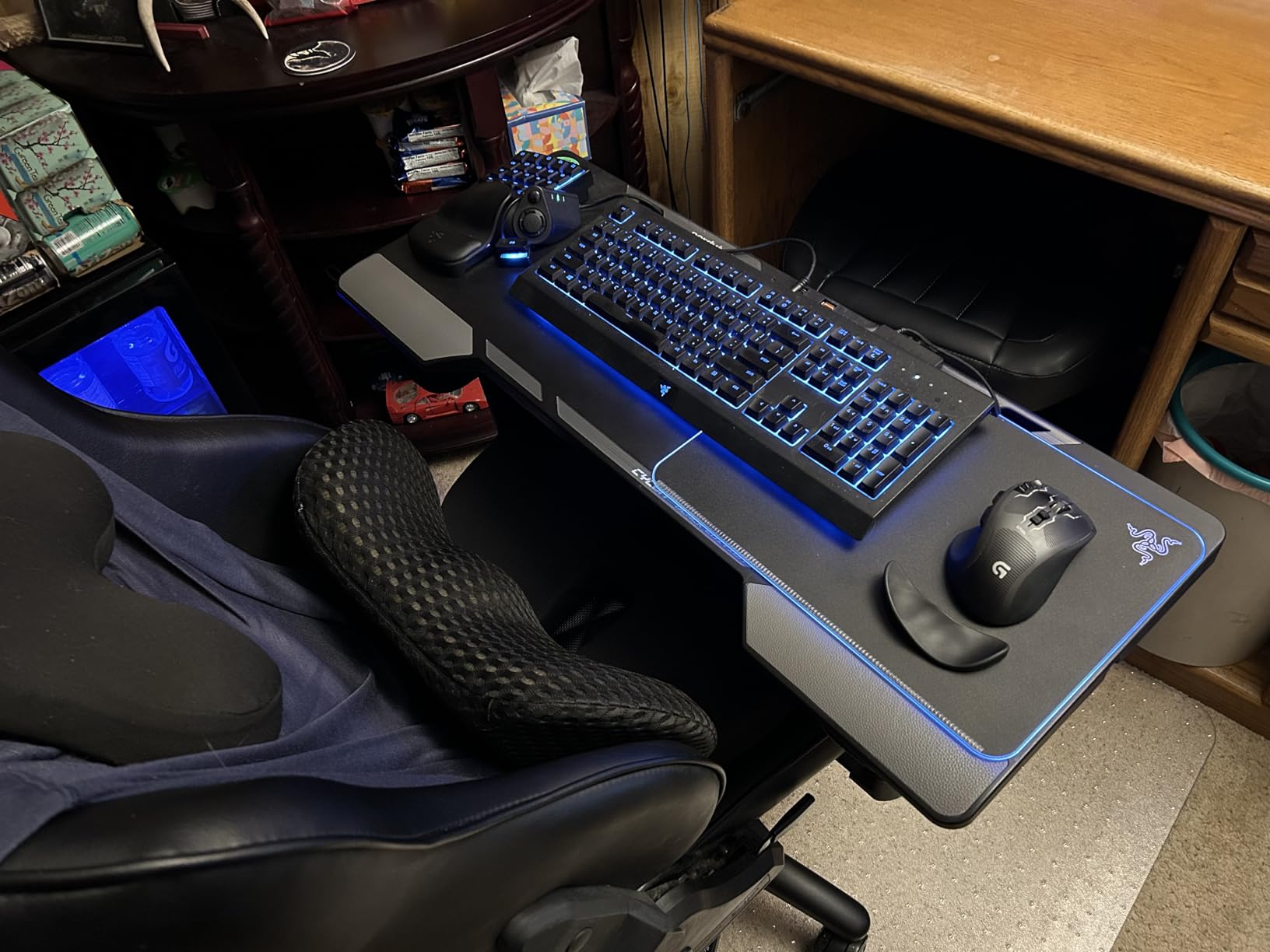
Razer Hypershift doubles your binding capacity by turning one key into a shift modifier for the whole pad, so 32 keys behave like 64 slots. In practice that is enough to hold a full MMO or MOBA ability rotation without touching a full-size board. The thumbpad and scroll wheel cover camera control and menus so they do not consume binding slots.
The catch is Synapse, which owners consistently describe as heavy, intrusive and slow, with cloud backup throwing repeated connection errors. Budget twenty minutes of setup and expect to reopen it after a major game launches. There is also no USB pass-through port, so if your PC has few free ports you will want to route the mouse around it.
Who This Is Not For
It is not a writing keyboard. There is no comfortable way to type a long document on 32 angled keys, and the angled proprietary keycap shapes mean no third-party keycap set will ever fit. It is also a poor fit for anyone who does not game or use macro-driven creative software, because the programmability is the only reason the size makes sense.
Durability is the quiet strength here. Multiple owners report the pad surviving spills and years of daily use, and the two-year warranty is the longest in this group. The thumbpad is the weak point, with some reports of drift and failure on individual units.
2. Redragon K585 – Full 42-Key Coverage Without a Full-Size Board
Redragon K585 Wired One-Handed RGB Gaming Keypad, Tactical 42-Key Layout
42 keys
Clicky switches
10.3 x 8.5 x 2 inch
1.3 pounds
Hot-swappable
+ Pros
- True 42-key block works as a standalone input
- Hot-swappable sockets with spares and a puller included
- Magnetic wrist rest unclips to shrink the footprint
- USB pass-through for mouse or headset
– Cons
- Physically large for a one-handed pad
- Unusual key positions such as P on the bottom right
- No dedicated Enter or Windows key out of the box
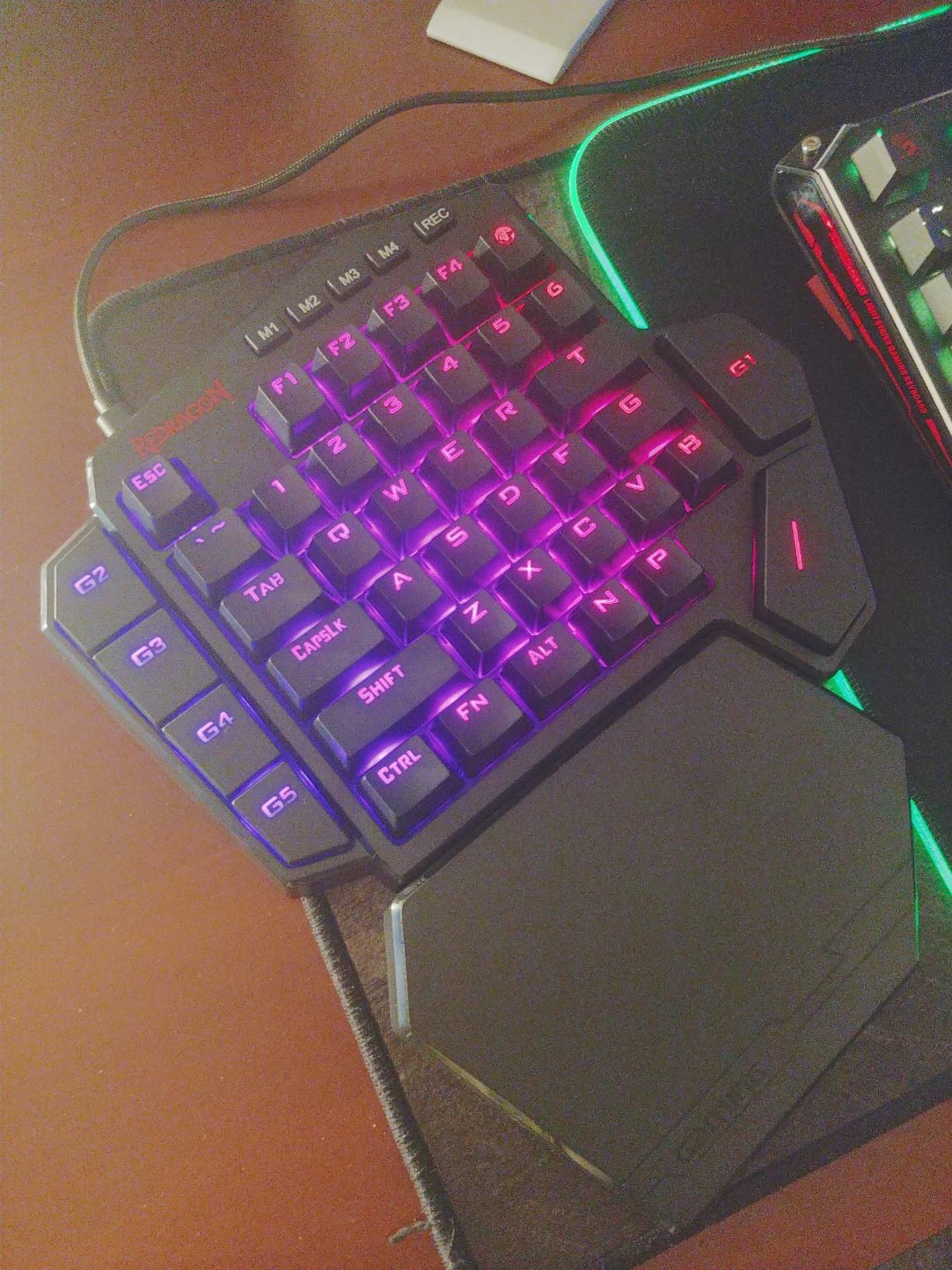
The K585 sits between a macro pad and a real left-hand keyboard, and for small hands that middle ground is often the sweet spot. The full 42-key block covers the entire left-hand section of a standard layout, so the keys you actually type on all the time are present, rather than being mapped to macros you have to memorise. My colleague with a larger hand span preferred it to the Razer for text entry, for exactly that reason.
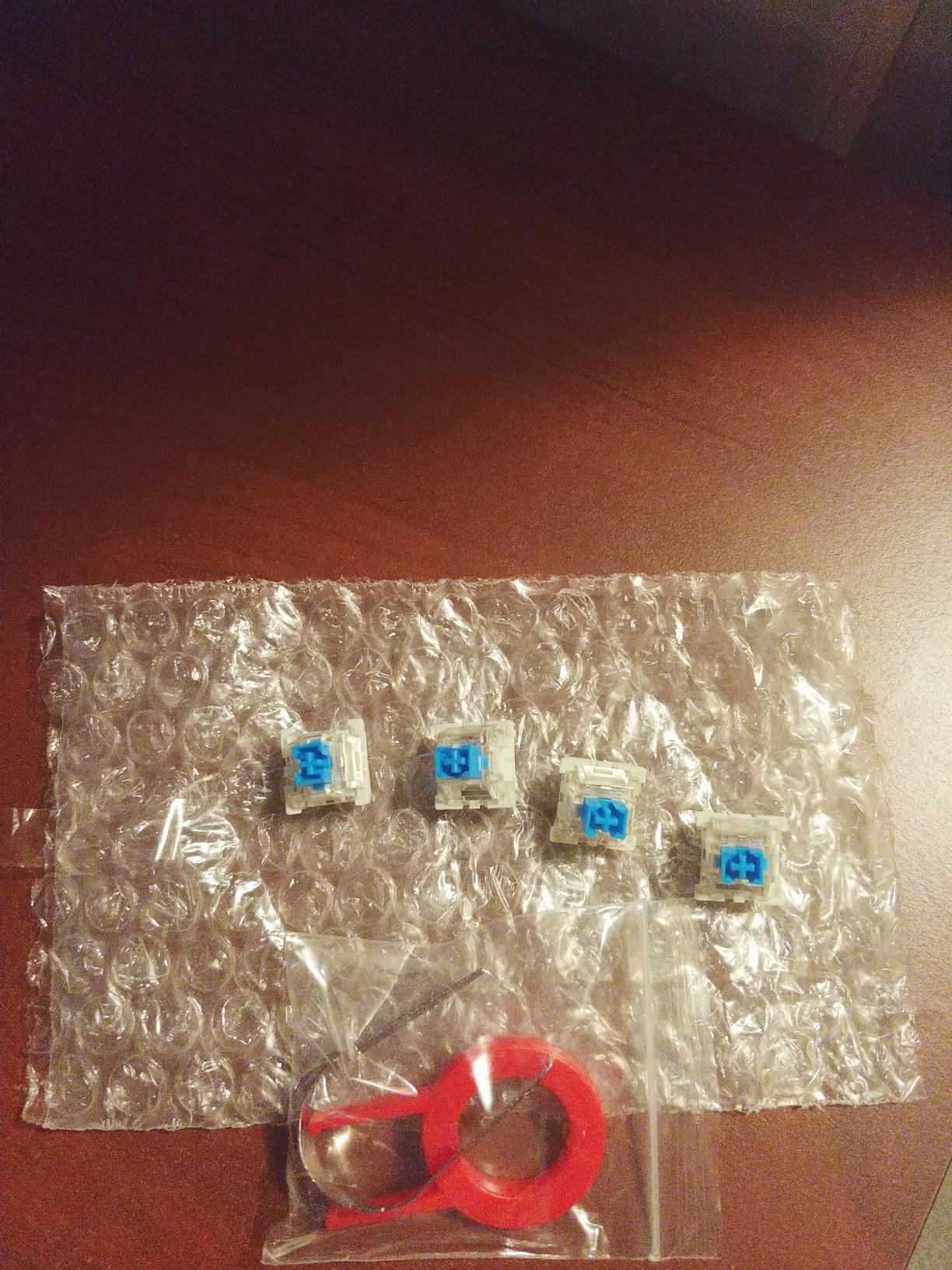
Two things put it ahead of the Tartarus on paper. Every key is hot-swappable, so you can fit lighter switches later without soldering, and the sockets accept both 3-pin and 5-pin types with spare switches and a puller in the box. There is also a USB pass-through port on the back, which means the mouse plugs into the keypad and your desk stays tidy with no measurable drop in polling rate.
Reach Reality on a 10.3 by 8.5 Inch Pad
Here is the caveat that matters most for this article. The listed dimensions are 10.3 by 8.5 inches, which is large for something described as a one-handed pad, and even some owners with large hands report struggling to reach the top row. Small hands will feel that more. If your span is at the short end, the detachable magnetic wrist rest is not just comfort, it is what brings the top row into range by letting you sit closer.
That makes the K585 a better fit for small-to-medium hands than for the very smallest. Think of it as the board you buy when you want real typing on one hand rather than bindings. For a hand span under about 6.5 inches, the Tartarus in the previous section is the safer geometry.
Hot-Swapping Switches Without a Soldering Iron
The sockets accept almost any 3-pin or 5-pin mechanical switch, so if the stock clicky feel is too loud or too sharp you can drop in light tactiles or linears in under a minute. Four onboard profile layers hold 28 macro bindings between them, and each layer can carry its own RGB colour code so you know which layer is live at a glance.
Clicky switches are the default and they are audible. In a shared office that is a genuine drawback, and it is the one specification I would change first on this board. Because the sockets are hot-swappable, that is also the easiest change you could make, which is a good argument for buying this over a fixed-switch keypad.
The Rebinding Problem You Should Know About
Several keys sit in positions you will not expect. P is at the bottom right, and the map and M key sit at the top right rather than along the top row where they belong. Plan on rebinding in the software, and check your most-used keys against the physical layout before you commit to muscle memory.
There is also no dedicated Enter and no Windows key out of the box, so an out-of-box setup is not usable for navigation. Fix both in the software in the first ten minutes. Lighting is also limited compared with the Razer, with solid colours other than red being hard to achieve, which disappoints anyone matching a themed setup.
Who This Is Not For
It is not a travel board at 1.3 pounds and 10.3 inches wide. It is not quiet, so it will draw comments in an open-plan office. And it is a wired USB-C device, so there is no Bluetooth multi-pairing for anyone switching between a laptop and a tablet without replugging.
What it is, in one line: the most capable one-handed board here for someone who types on their off hand as well as binding keys to it, and the only one that lets you change the switch feel later. The one-year warranty is the shortest coverage on a board of this price, and some units have developed chattering keys after several years.
3. DIERYA DK63 – A True 60% Board With Arrows and Three Wireless Modes
DIERYA DK63 60% Wireless Mechanical Gaming Keyboard | Bluetooth/2.4G/Wired | RGB Backlit Compact 63 Keys Mini Office Keyboard | with Red Switch | for Windows Laptop PC Gamer Typist-White
63 keys
45g linear switches
11.53 x 3.98 inch
1.4 pounds
3000mAh
+ Pros
- Real 60% layout keeps a dedicated arrow cluster
- 2.4GHz plus Bluetooth 5.0 plus wired USB
- Quiet 45g linears rated for 600000 presses
- About 90 hours of use with the backlight off
– Cons
- Every secondary function routes through the FN key
- Light ABS case that flexes compared with metal
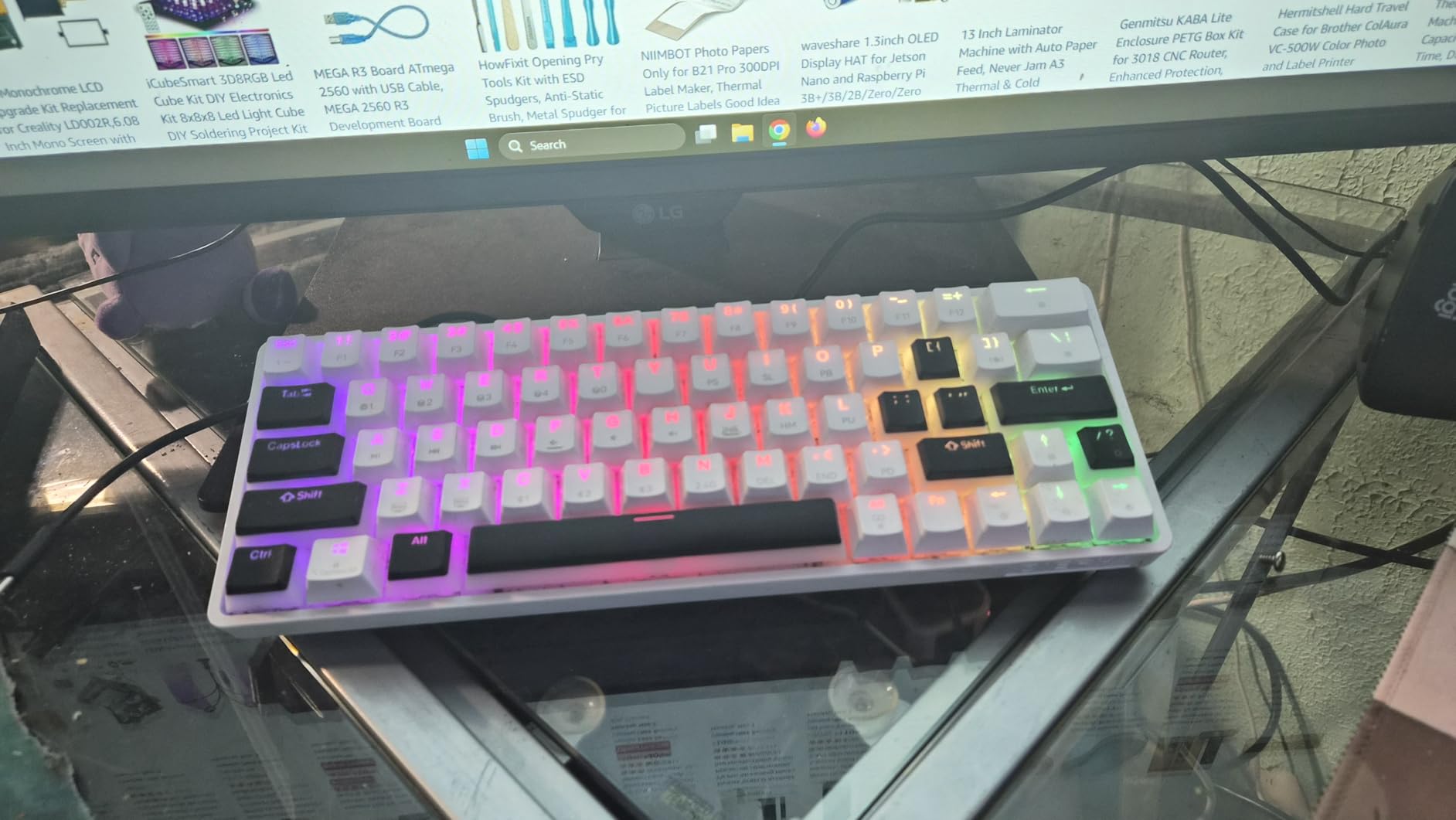
The DK63 is the first conventional keyboard on this list, and it is the one most people searching this query are actually looking for. It is a genuine 60% layout at 11.53 inches wide, which means the outer keys sit close enough to the home row that a short hand can cover them without the pinky sliding off the edge. Cutting the numpad is what buys that distance, and it also hands back a large block of desk for the mouse.
What makes it worth shortlisting is the switch choice. The 45g linear reds are light, with no tactile bump, and measured noise sits around 40dB, which is quiet enough for a shared desk without going all the way to scissor switches. Light actuation force matters more for small hands than most spec sheets admit, because a short finger spends more of its range pressing than a long one.
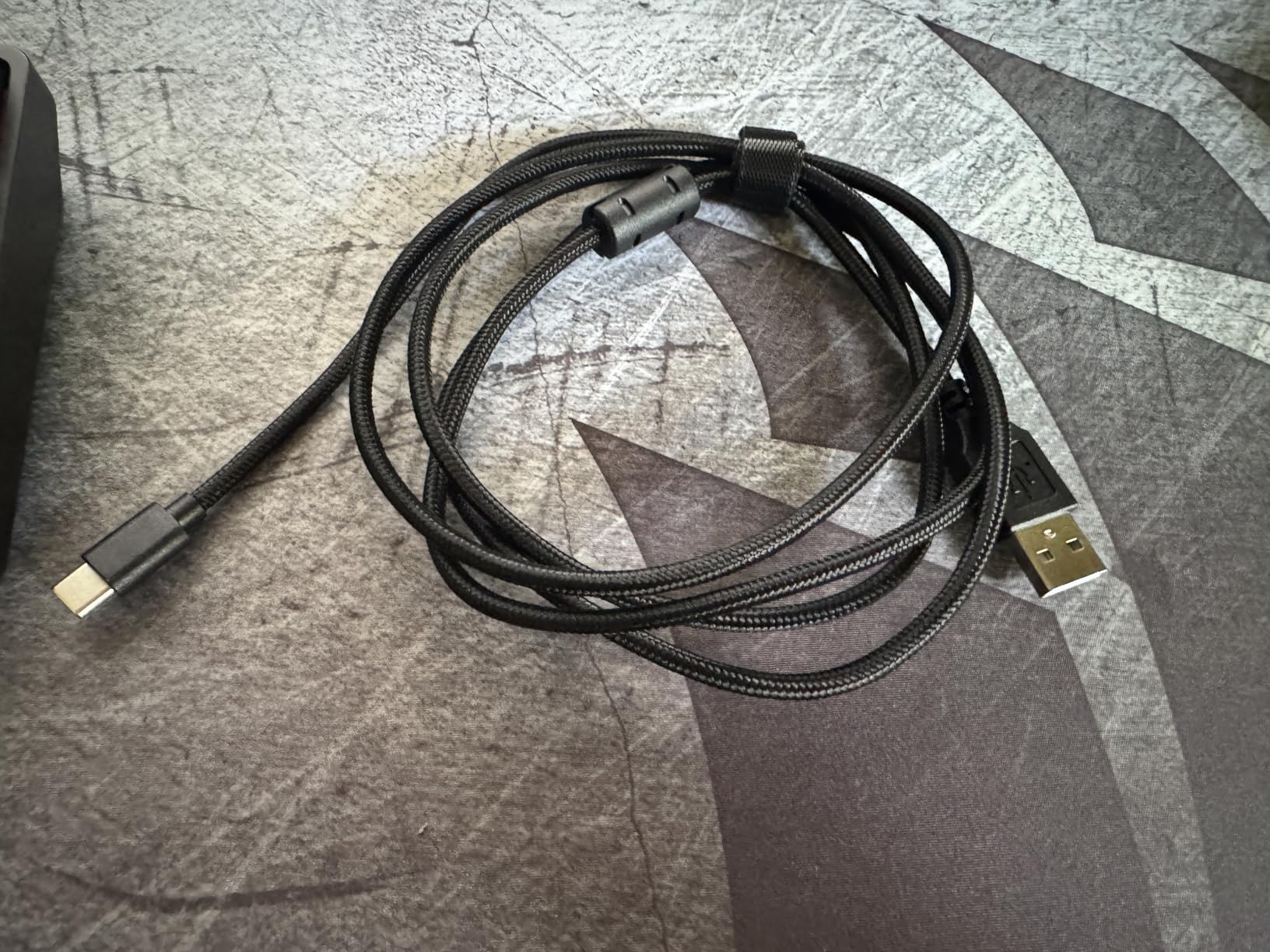
Three connection modes in one board is unusual at this level. Bluetooth 5.0, 2.4GHz and wired USB cover a laptop, a desktop, a tablet and a phone from the same footprint, which is why it earns a place on a travel bag as well as a desk.
What 60% Actually Removes, and What It Does Not
A 60% board drops the function row, the navigation cluster and the numpad, leaving 61 to 68 keys depending on the design. On this one, the 63 keys include a dedicated arrow cluster, which is the difference between a 60% that works for browsing and one that makes you alt-arrow through a spreadsheet.
It does not shrink the alphanumeric block. The distance from your pinky on A to Ctrl and from your ring finger on P to Enter is the same on a 60% as on a full-size board. What 60% removes is everything outside that block, so the mouse moves left and your shoulder stops flaring, but the reach inside the letters is unchanged. If pinky reach across the letter block is your complaint, look at keycap profile and key travel rather than layout size.
Battery, Backlight and the Real World Day
The 3000mAh cell gives about 90 hours with the backlight off and around 8 hours at maximum brightness, with standby quoted at up to 360 hours. In practice that means you charge it roughly weekly with RGB on and forget it entirely with RGB off, which is the honest way to read those two numbers together.
Eighteen lighting modes and 16.8 million colours are available through the control software. The light diffuses under the keycaps rather than shining through the legends, so it reads as a glow around the edge of the board rather than a lit-up character, which looks better than it sounds in a text description.
The FN Layer Learning Curve
Every secondary function routes through FN, which is the single complaint that appears most often in reviews of this board. Volume, media, brightness and the Windows lock all live behind a modifier, and the adjustment period is real. Most touch typists get through it inside a week.
My advice is to move the handful of keys you actually need, and only those, to the FN layer during the first evening. A board you remap for your own top eight shortcuts is a different experience from one you fight. The Fn layer is also where the gaming Win-lock lives, which stops a stray keypress from dropping you out of a match.
Who This Is Not For
It is not a board for someone who types numbers all day, because there is no numpad and no F-row. The case is light ABS rather than aluminium, so it slides slightly on a hard desk and a wrist rest helps. And at 1.4 pounds it is stable enough for a desk but is not a board you toss in a rucksack without thinking about it.
What it is: the most complete compact board here for someone who wants a single keyboard that replaces a full-size, works across three devices, and stays quiet. For the money, the fit-versus-capability trade is hard to argue with.
4. Logitech MX Keys Mini – Quiet Scissor Feel in an 11.65 Inch Footprint
Logitech MX Keys Mini Minimalist Wireless Illuminated Keyboard – Graphite
Low-profile scissor
11.65 x 5.19 inch
1.5 pounds
Smart illumination
3-device Bluetooth
+ Pros
- Low-profile scissor keys are near-silent and consistent
- Smart backlight reacts to hand approach and room light
- Switches between three devices with one key press
- Weighted metal-look deck that stays planted
– Cons
- No USB wireless receiver in the box
- Backlight emits from the top edge and lights unevenly
- Battery drains fast at full brightness
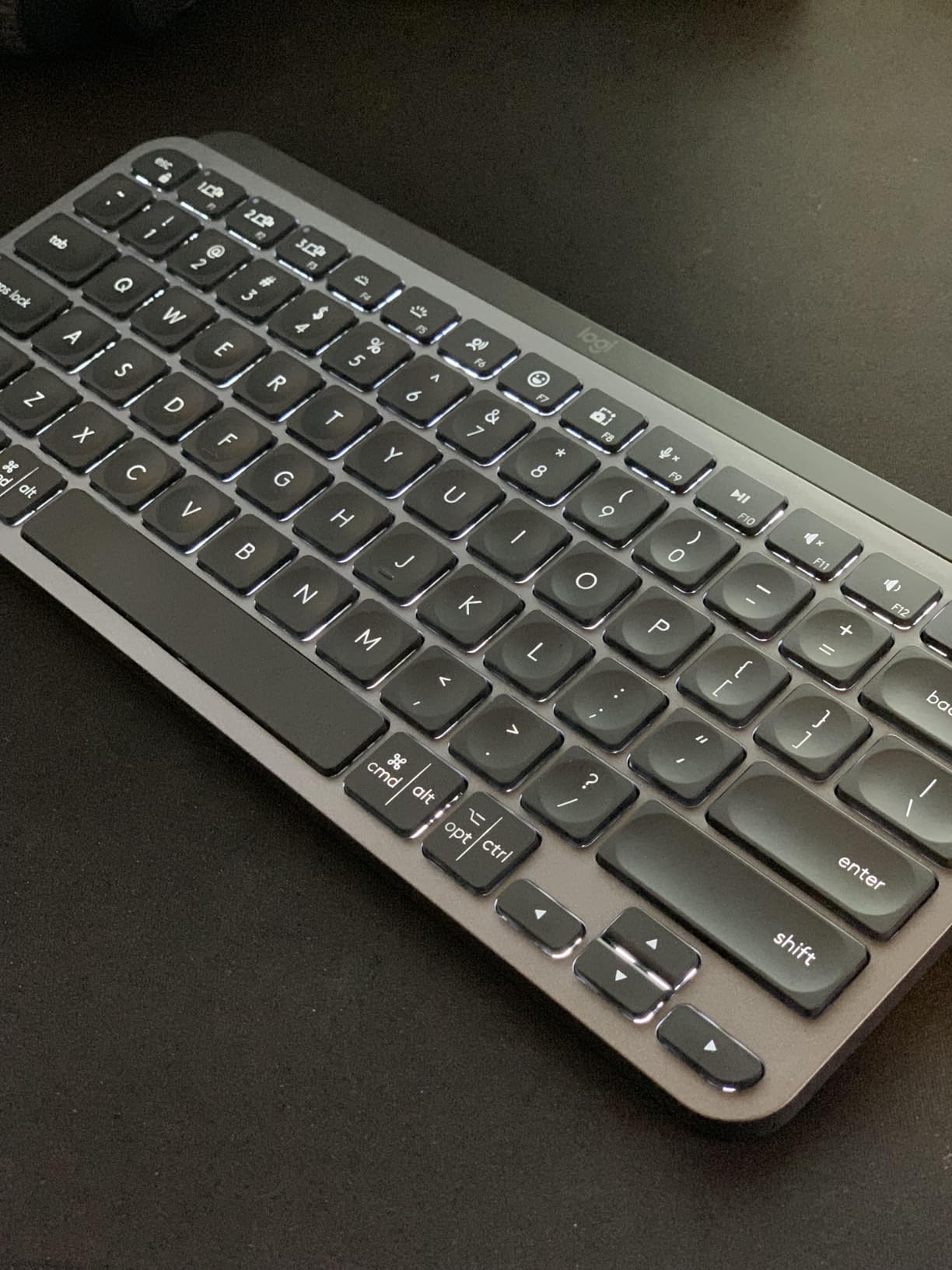
The MX Keys Mini is the board we recommend to people whose hands are small and whose office is quiet. Low-profile scissor switches have almost no travel and almost no noise, so a full day of typing generates none of the click-clatter that makes people self-conscious in open-plan seating. At 11.65 inches wide it is narrower than a 75% board and still keeps a function row and arrow keys.
Scissor mechanisms are the category most search results miss, and they are arguably the single best mechanical answer for very small hands. The keys are short to travel, so a finger does not have to descend far before the key registers, and the low caps mean your fingertips do not climb a sculpted row profile to move between rows.
Smart illumination is the feature that surprised me most in a dim room. The backlight triggers as your hands approach and adjusts to ambient light, and it runs up to 10 days per charge or up to 5 months with it switched off.
Scissor Switches Versus Membrane and Mechanical
Scissor, or pantograph, keys use a folding mechanism that collapses under the cap. Compared with a rubber-dome membrane keyboard they feel far more responsive and consistent, with no collapsing bottom-out. Compared with a mechanical they are quieter, shorter-travel and lighter, and they cannot be hot-swapped or custom-tuned.
That trade suits small hands better than enthusiasts usually admit. Short travel means less finger movement to complete a press, and a light, even feel is easier on a hand that has less force to spare. The compromise is character, not capability.
Flow, Multi-Device and What Is Missing
Pairing covers up to three devices across Windows, Mac, Linux and ChromeOS, switching with a single key press. Paired with an MX mouse, Flow lets you type across two computers as though they were one, moving the cursor between them with a keystroke, which is a genuinely useful arrangement for someone running a laptop dock and a desktop.
There is no USB wireless receiver in the box, and buyers who expected one consistently report it as a surprise. The keyboard is Bluetooth only, so on a desktop with a wireless-only interface you need Bluetooth on the motherboard or an adapter. The graphite case uses 30% certified post-consumer recycled plastic, with the pale grey and rose colourways at 12%.
Build Quality and the Backlight Weak Spot
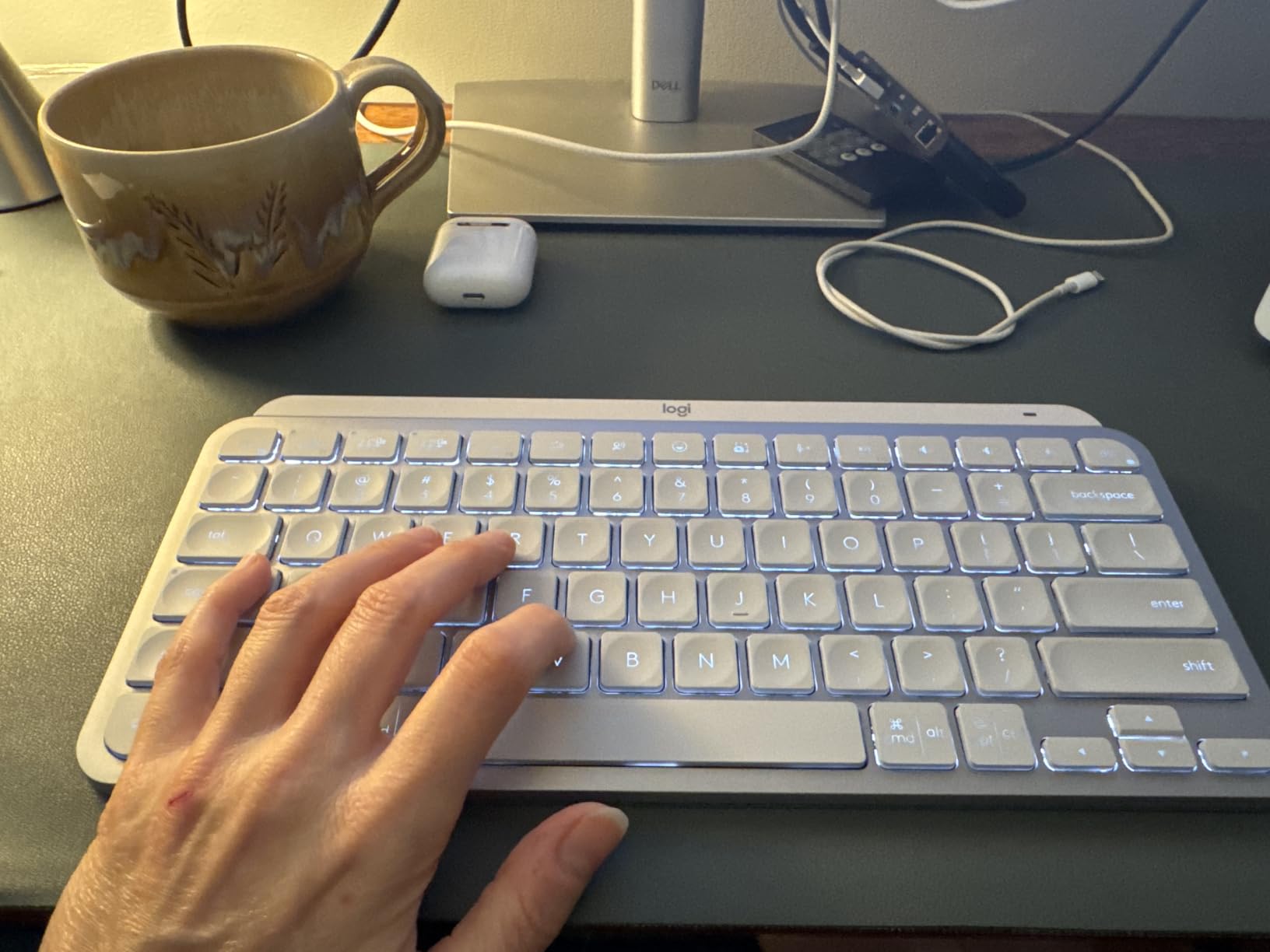
At 1.5 pounds with a metal-look top deck, this board does not flex and does not walk across the desk while typing, which matters more than it sounds on a small surface. The case resists bending under pressure, and the key action is identical across the deck with no rattling stabilisers on the long modifiers.
The backlight emits from the top edge, which produces uneven illumination across the keycaps. On the graphite colourway it is barely noticeable; on the pale grey and rose versions with white backlit legends under a monitor light bar, reviewers report real legibility problems. If you want a light-coloured board, type on one in person first.
Who This Is Not For
It is not for anyone who wants switch choice, a numpad, or per-key RGB. There is a small but real cohort of owners reporting keys registering the wrong character after a year or two, which required a return, so it is worth buying from a seller with straightforward cover.
What it is: the most refined quiet-typing experience in this group, and the one I recommend to a writer or an office worker with short fingers who will notice sound more than tactility.
5. Logitech Pebble Keys 2 K380s – The Board That Travels in a Bag Pocket
Logitech Pebble Keys 2 K380s Wireless Bluetooth Keyboard – Tonal Graphite
Slim scissor
10.98 x 4.88 x 0.63 inch
415 grams
3-device Bluetooth
AA powered
+ Pros
- 0.63 inch slim body and 415 gram weight travel anywhere
- Very quiet laptop-style typing with scooped round keys
- Switches between three paired devices instantly
- Three-year battery life with auto-sleep
– Cons
- No backlighting for late-night work
- Printed legends feel like stickers over time
- Few status indicators and no Fn lock light
At 415 grams and 0.63 inches thick, this is the board that solves small hands on a small desk rather than small hands at a desk. The 10.98-inch width is among the narrowest here, so it fits a hospital cart, a cafe bench or a shared hot-desk slot where a 75% board simply will not go. Scooped round keycaps suit touch typists, and the typing is quiet enough for a library.
It also handles multi-device work better than anything else at this weight. Three paired devices, one-press switching, and instant reconnection after the keyboard has been powered down, which matters when you are moving between a laptop, a tablet and a phone several times a day.
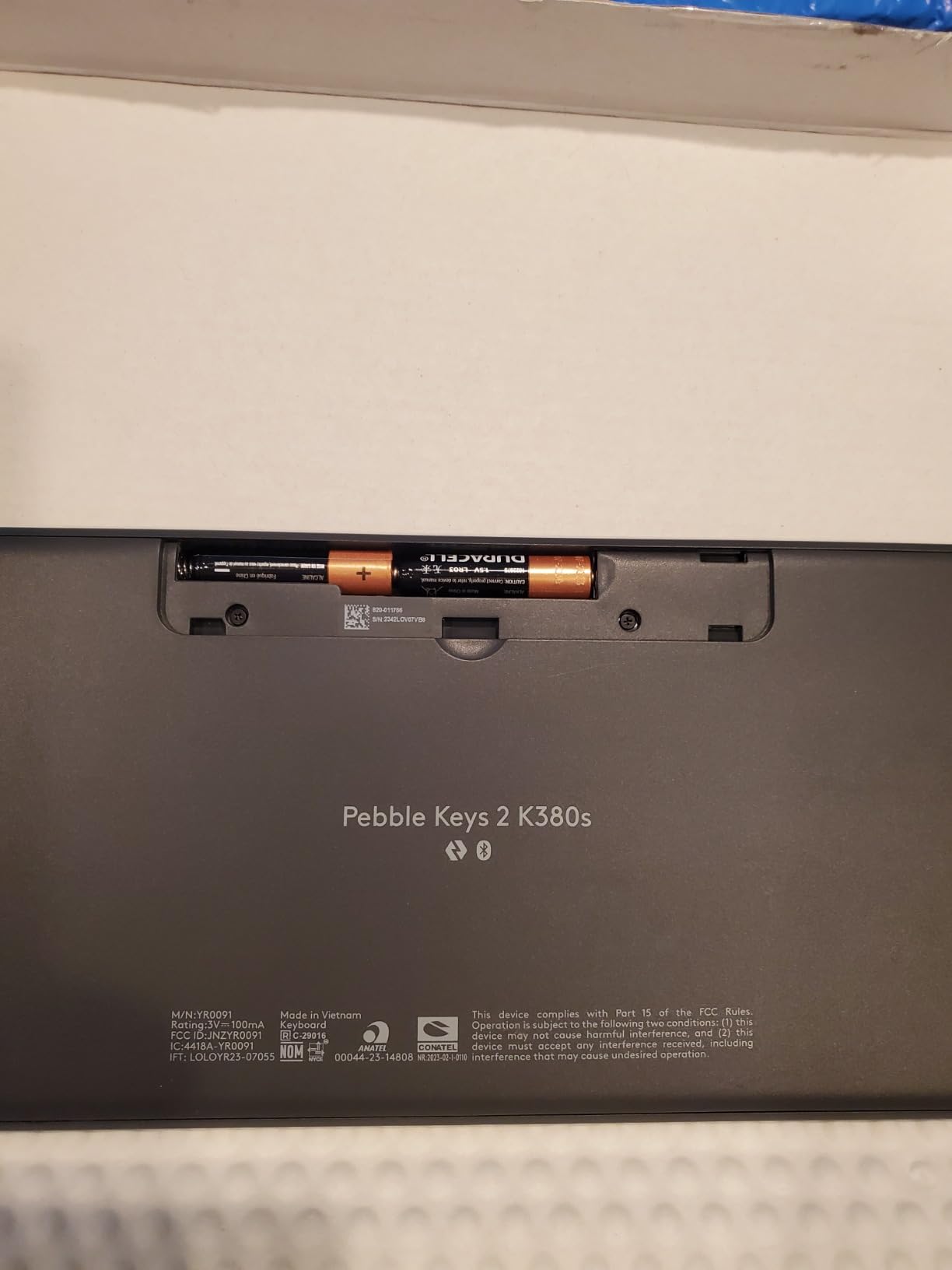
The three-year battery figure comes from two AA cells that are included, with an auto-sleep mode and a stated 50% improvement in runtime over the previous generation. In practice owners report going months between changes, which is the number that matters if you travel regularly.
Slimness Is the Feature Here
Most of the travel benefit comes from the 0.63-inch profile, not from the layout. A keyboard that low sits close to the desk, so your wrist approaches it flat rather than bent upward over a tall case, and you travel with your hands lower and closer to your body. For someone whose hands are small and whose wrists are already complaining, that combination does more than any layout change.
The trade is that a low profile means a very short key travel, and some typists find that unsatisfying after a long session on a mechanical board. If you care about feel more than portability, the MX Keys Mini in section four is the better buy at a similar slimness with a firmer key action.
Ten Fn Keys, Three Devices, One Key Press
Ten Fn shortcut keys reach search, screen capture, the emoji menu and media controls, and all ten are customisable in the Logi Options+ app. Three Easy-Switch buttons handle device pairing, and compatibility covers Windows, macOS, iPadOS and ChromeOS, so it works with a tablet without an adapter.
The function layer prioritises media keys, which is a choice rather than a bug. The one setting that annoys owners is the volume-up key ignoring the toggle setting in Options+, so you end up with a step-adjust rather than a mute-at-the-top behaviour. It is a small thing, and the only one on this board I would call a genuine annoyance.
Where It Falls Down
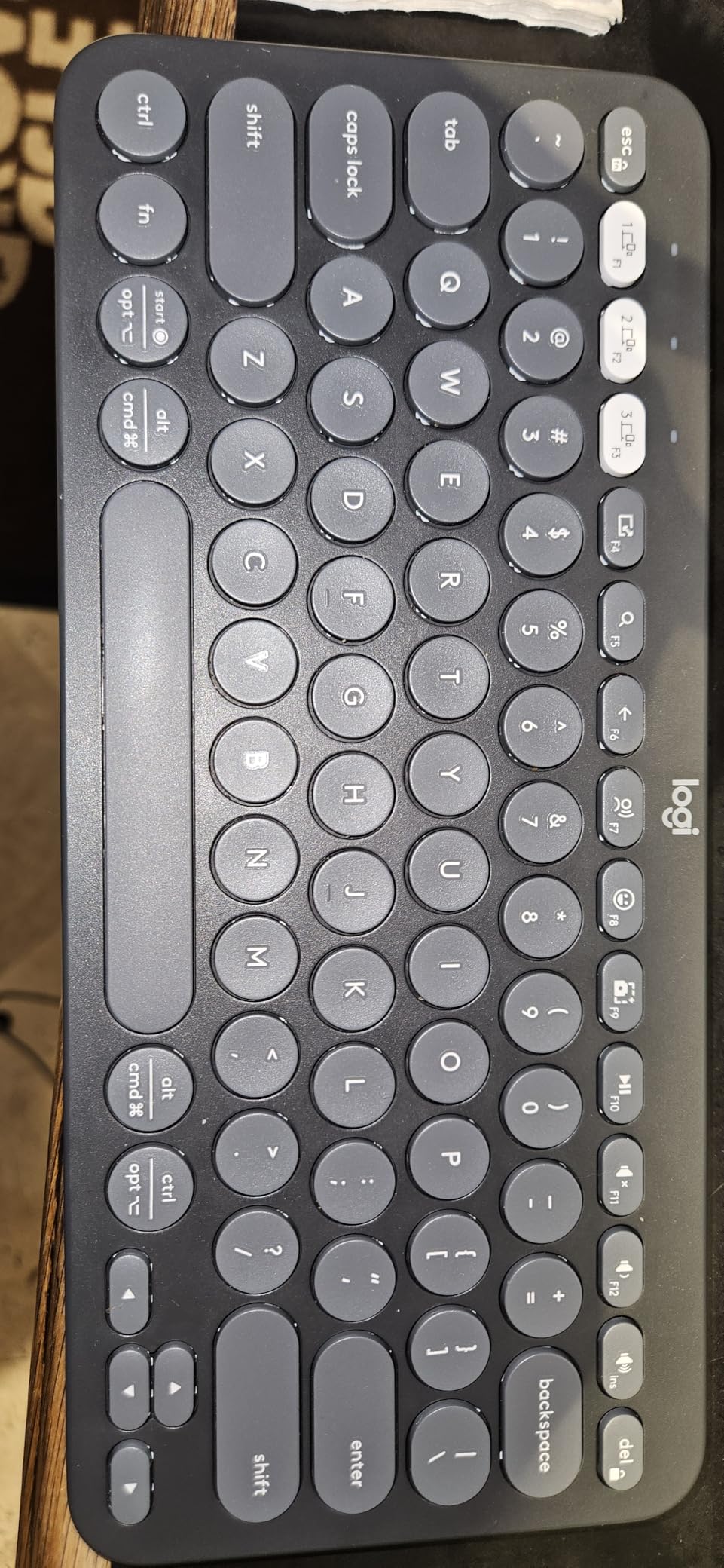
There is no backlighting, which is a real limitation for late-night work and the single most common complaint in reviews. Legends feel like printed stickers rather than moulded or dye-sublimated characters, and owners report them feeling grubby over time. There is also no clear caps-lock or Fn-lock indicator, so if you have no idea whether a keystroke is registering you are debugging blind.
It runs on AA batteries rather than a rechargeable cell, which is the correct choice for a travel board and the wrong one if you prefer to plug in once and forget. The plastic case uses a minimum of 49% certified post-consumer recycled plastic, and the keyboard is not water resistant.
Who This Is Not For
It is not for a fixed desk. As a daily typing board at a workstation, a board with backlighting and a firmer key action is simply better. It is also the widest of the three slim options here, at 10.98 inches, so if you are at the very short end of the hand-span range the pocketability is worth more than the width.
What it is: the most portable answer in this guide, and the one that stays usable in environments where a full-size board would be a liability. It still has the same key layout as the deck it replaces, so nothing you learn transfers or is lost.
6. Redragon K617 – The Best 60% Board Here for Mouse Swipe Room
Redragon K617 Wired 60% Compact Hot-Swap RGB Gaming Mechanical Keyboard
61 keys
Cherry MX Red linear
12.4 x 5.28 inch
Hot-swappable
RGB
+ Pros
- Genuine 60% footprint frees large mouse-swipe room
- Hot-swap sockets plus spare switches and a puller in the box
- Quiet linear reds that are easy to swap
- RGB quality praised above boards costing more
– Cons
- RGB cycles rainbow only and cannot be set to a single colour
- Sockets use a non-standard pin layout
- Short included cable and low rear feet
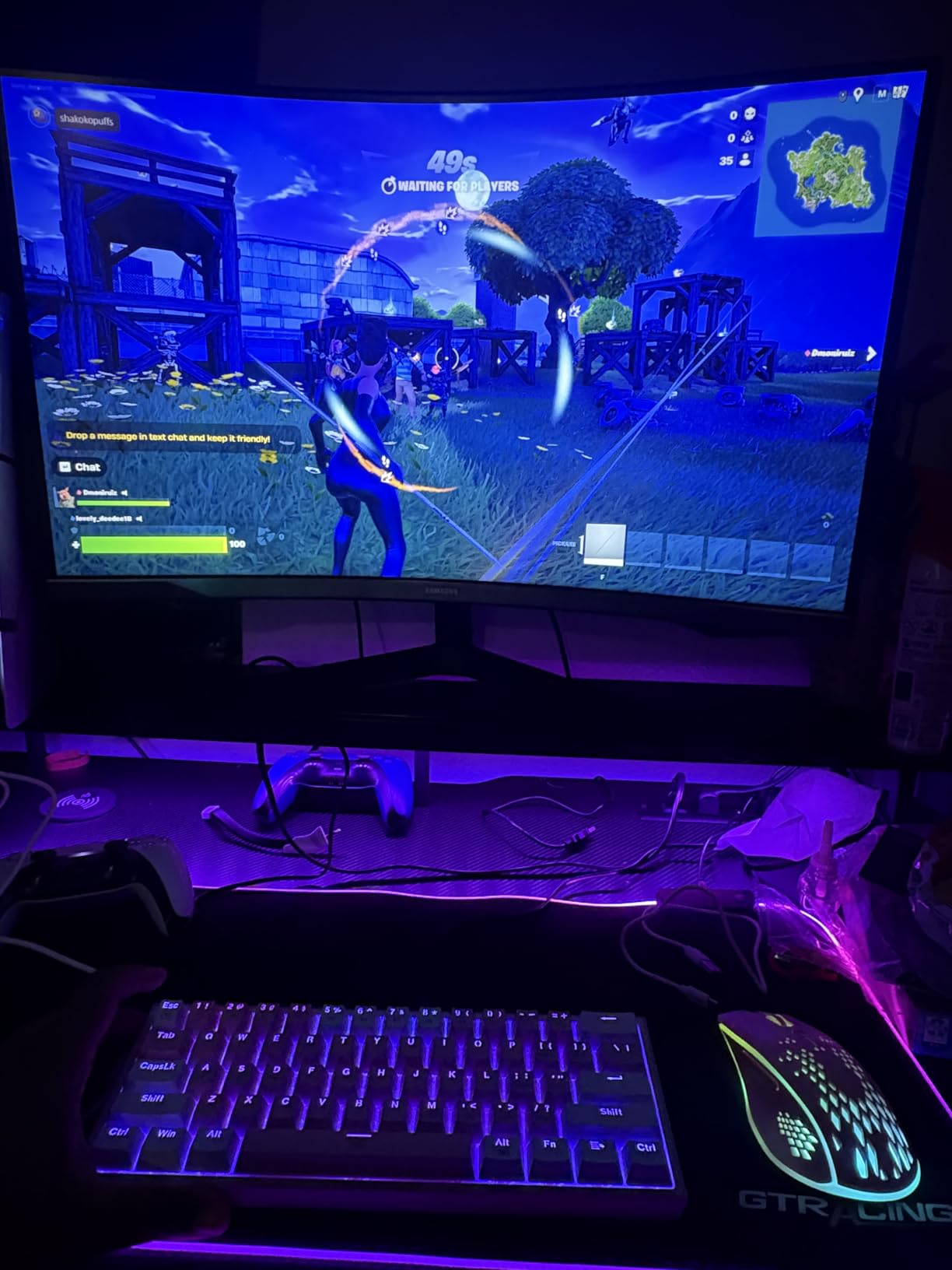
Among everything we tested, this is the board that most directly answers the question a small-handed gamer is asking. It is a 61-key 60% layout at 12.4 inches, and its entire reason to exist is desk space for the mouse. If you play on a low sensitivity and need room for wide flicks, the 12 inches of pad you get back is the feature, and everything else on this board supports it.
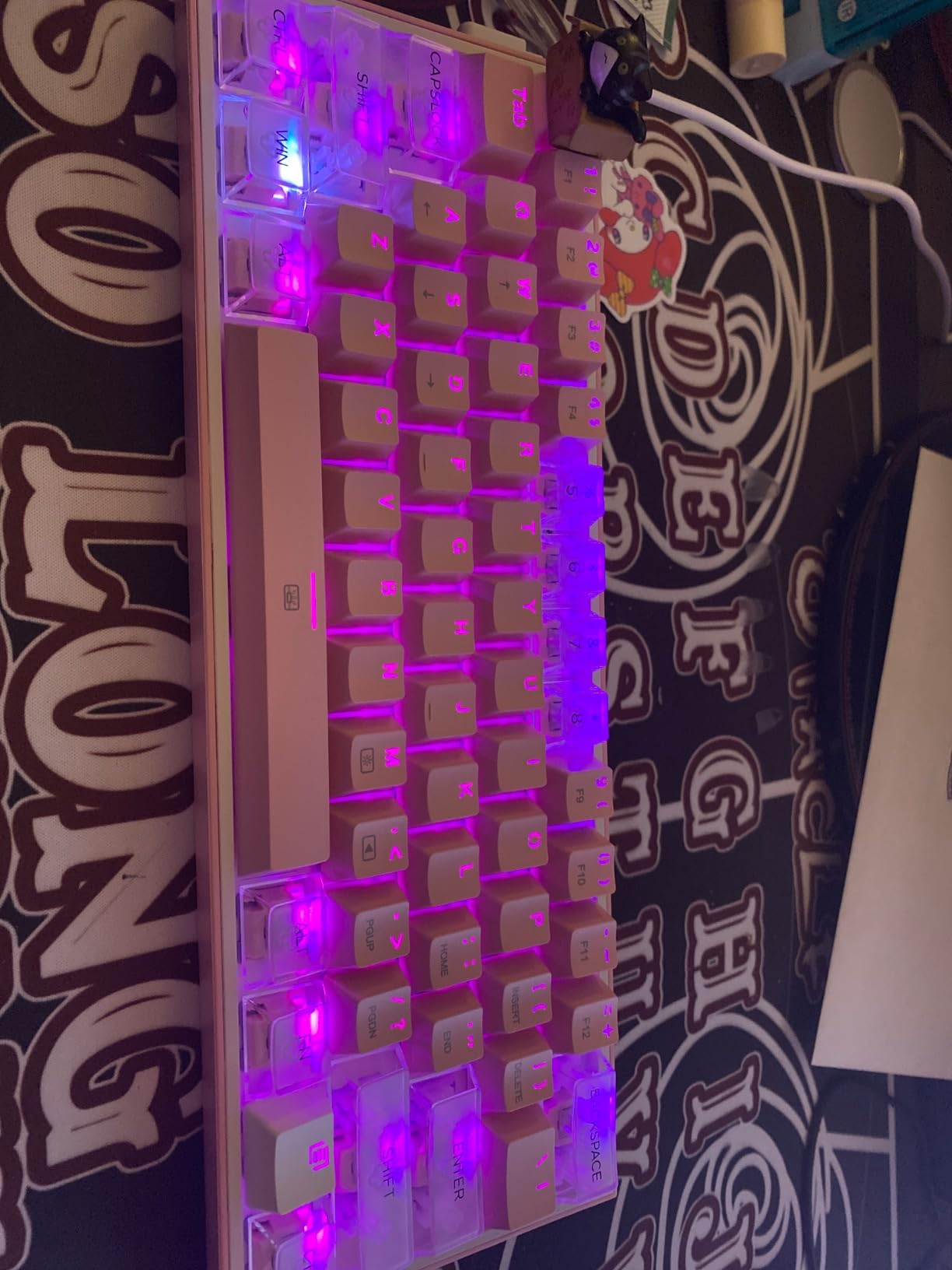
The rating here is the highest in the group at 4.6, with 80% of reviews at five stars and only 2% at one, which is unusual consistency for a board at this level. The white and pink colourway with heart keycap accents is deliberately not the standard all-black desk object, and owners frequently describe it as gift-worthy.
Cherry MX Red linear switches are fitted as standard, rated for 50 million keypresses. They are quiet, they have no tactile bump, and they suit a hand that wants to move fast across the block without pressing hard.
Mouse Clearance Is the Real Ergonomic Argument
A 60% board at 12.4 inches leaves the mouse roughly where a laptop’s trackpad would sit, and that is worth quantifying. On a full-size board the right arm has to sit at an outward angle to reach a mouse pushed to the far right of a 17-inch-wide surface. Pull the board down to 12.4 inches and the mouse comes back under your right shoulder, which is the change that decides whether an evening of gaming leaves your upper back sore.
Owners of this board describe the switch from a full-size as a step up rather than sideways, which suggests the 60% learning period was not the sticking point for them. The width is a little wide for a 60% compared with the DK63 in section three, so the very smallest hands get slightly more out of that board.
Hot-Swapping and the Pin Layout Catch
The hot-swap sockets accept almost any 3-pin or 5-pin switch, and spare switches plus a keycap and switch puller are in the box, so you can change the feel within minutes of opening it. That is what makes this a good first mechanical board for someone who is not sure whether they want linears.
The catch is that the socket pin layout is non-standard, so common Cherry MX-compatible switches do not physically fit even though the specification reads the same. Check the switch type before buying replacements. Lighting is also restricted on this version to rainbow cycling with adjustable brightness and flow speed, and it cannot be set to a single solid colour, which rules it out for anyone matching a themed setup.
Build, Feet and Cable
The case is lightweight ABS, which is the weakest part of the package. It can move across the desk while typing, so a wrist rest is close to necessary for small hands, because it stops the board sliding while your fingers press. Back feet add a slight typing angle, which helps, but they are low and offer almost no adjustment.
The included cable is short. For a compact board that is not a huge issue, but you will likely want a longer one and it is worth knowing before you set the board up. Switch software handles macro programming and custom lighting effects if you want deeper control.
Who This Is Not For
It is not for a dark room, a matched RGB theme, or a desk that gets knocked often. It is also not the board to buy if you need a function row, because at 61 keys everything secondary routes through a modifier layer.
What it is: the clearest example on this list of a layout size solving a physical problem rather than a preference. For a small-handed player who wants mouse space, the geometry does the work that a more expensive board would only half achieve.
7. KINESIS Freestyle2 – Split Comfort With an Honest Width Warning
KINESIS Freestyle2 Ergonomic Keyboard for PC (9″ or 20″ Separation) (9″ Separation)
Split and rotatable
15.94 x 9.25 inch
2 pounds
Low-force tactile membrane
9 or 20 inch separation
+ Pros
- Halves rotate and separate to match your shoulder angle
- Low-force tactile keys reduce finger fatigue over long sessions
- Most familiar keys stay in the same place as a flat board
- Works on Windows Linux and Chrome with no drivers
– Cons
- Wide 15.94 inch footprint pushes the mouse further away
- Convenience keys are hard-coded and cannot be remapped
- Fn is a locking modifier and no backlighting
We are including this board because the contrarian point is worth making, not because it is the default answer. Split keyboards get recommended constantly for small hands, and the logic is sound in principle: separating the halves means your forearms do not have to splay outward from a single block. In practice the benefit is a posture change, and posture changes come with a re-learning cost that some people experience as more strain before less.
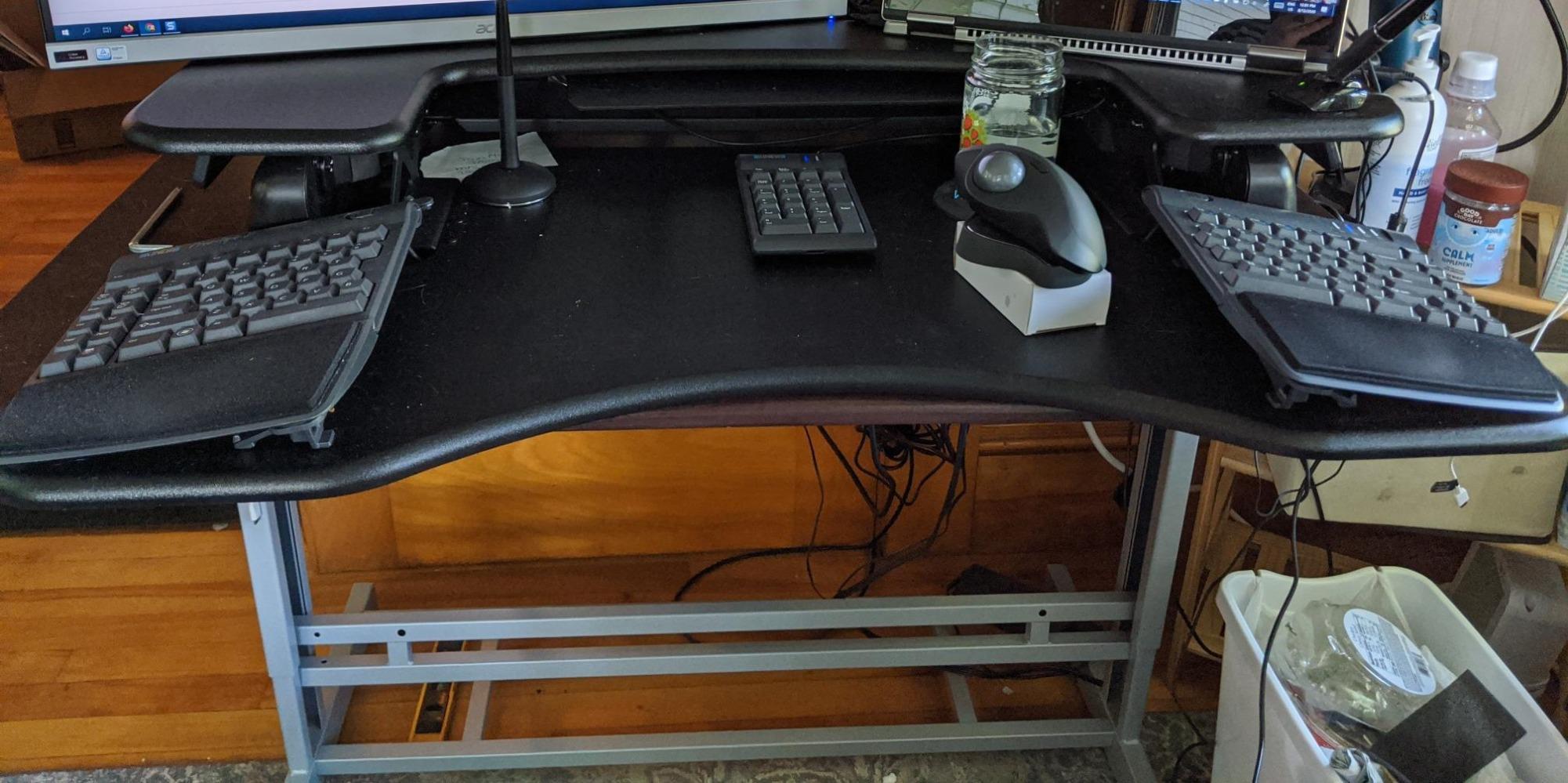
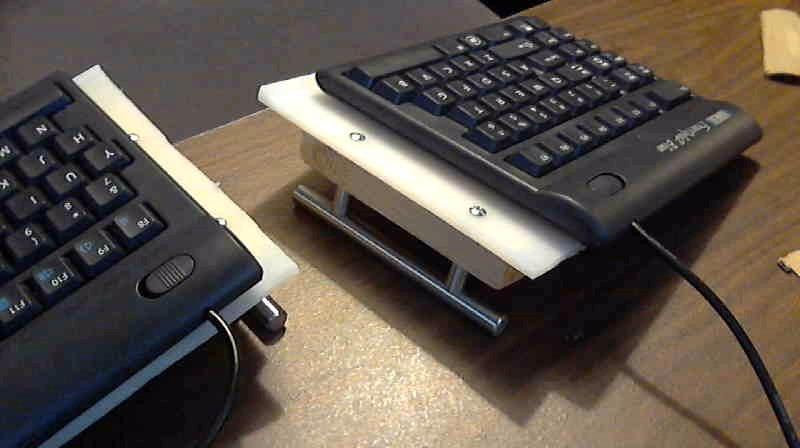
The Freestyle2 solves the geometry problem in a way most split boards do not. Both halves are fully rotatable and separable, offered in 9-inch and 20-inch separation options, so you can set splay, distance and angle to match your shoulders. That adjustability is the whole product. Owners with RSI and broad shoulders report meaningful relief in their wrists, shoulders and neck.
Almost all familiar keys stay in place, so touch typists switch over quickly. Copy, paste, cut, undo and web navigation keys live on the left module, which is genuinely useful alongside a mouse.
Why Split Boards Help, and When They Make It Worse
On a conventional board, the forearm angles outward slightly and the wrist bends to reach the outer keys. Separating the halves and rotating them inward brings the forearms closer to straight and the wrists closer to neutral. For someone who already has wrist or shoulder symptoms, that is a real change, and it is why this board attracts a devoted following.
The catch is adaptation. Members of the r/ErgoMechKeyboards community describe the first weeks as a genuine re-learning period, and some report more strain initially. Ten-key-plus boards like the Freestyle2 are much gentler on this than a 36-key ortholinear, because the key count is familiar. If you are considering a far more aggressive split, read that community’s sizing discussions before committing.
There is a related correction worth making here. A large contoured wave keyboard, despite the ergonomic label, is often wider than the board it replaces, and for small hands that is the opposite of a solution. The label on the box is not evidence.
Low-Force Tactile Membrane Keys
The switches are a custom membrane with tactile feedback and a deliberately low activation force. For short fingers this is a meaningful advantage, because a lighter press threshold means less sustained effort across a working day, and the tactile bump gives confirmation that the key registered without the noise of a clicky switch.
There is a trade. Membrane action cannot be hot-swapped, and while the tactile event is clear, the overall feel is softer than a mechanical. It also cannot be tuned later, so if you are unsure about switch preferences this is a lower-risk place to find out whether you like a distinct bump at all.
The Width Problem You Cannot Configure Away
At 15.94 by 9.25 inches and 2 pounds, this is the widest board in the guide. Even at 9-inch separation, that footprint pushes your mouse further out, which is the exact problem a compact board solves. On a small desk, the width and the benefit fight each other.
Other dated details: the convenience keys are fixed combinations that cannot be remapped, Fn is a locking modifier rather than a hold-to-use key, Escape and the home, end, page-up and page-down cluster are awkward to reach without looking down, and there is no backlighting. Tenting kits and wrist risers are sold separately at significant extra cost, and reviewers consistently recommend the riser.
Who This Is Not For
It is not for a small desk, a shared hot-desk slot, or anyone who wants one keyboard with no software. It is also not a first mechanical board, since the switches are fixed membrane.
What it is: the best-supported option here if your real problem is wrist and shoulder posture rather than pinky reach. It fixes a different variable than a 60% board does, and for the person with the right problem it is the better purchase.
8. AULA F75 Pro – 75% Completeness With a Genuinely Refined Sound
AULA F75 Pro Wireless Mechanical Keyboard,75% Hot Swappable Custom Keyboard with Knob,RGB Backlit,Pre-lubed Reaper Switches,Side Printed PBT Keycaps,2.4GHz/USB-C/BT5.0 Mechanical Gaming Keyboards
81 keys
Linear switches
12.7 x 5.64 inch
1.02 kg
4000mAh
+ Pros
- 75% layout keeps a function row arrows and a knob in 12.7 inches
- Five layers of internal foam plus a silicone pad kill hollow cavity noise
- Hot-swappable 3-pin and 5-pin sockets with pre-lubed stabilizers
- Tri-mode wireless across up to five devices
– Cons
- Only a six-month warranty for a hot-swappable board
- Bluetooth wake and reconnection can be sluggish
- Side-printed legends are harder to read at a glance
At 81 keys in a 12.7-inch footprint, the F75 Pro is the fullest layout here that still counts as compact, and that combination is unusual. You get a dedicated function row, a full arrow cluster, a navigation column and a control knob without a numpad. For a short hand, what matters is that nothing sits beyond the alphanumeric block, so the mouse comes straight back to centre.
The build is the story at this level. Five layers of internal filling foam, an extended integrated silicone pad, and single key slotting on the PCB work together to remove the hollow, cavernous sound that makes cheap mechanical boards tiring to listen to. Combined with pre-lubed stabilisers and pre-lubed LEOBOG Reaper linear switches, it produces a low, dense sound rather than a high rattle.
The knob is more useful than it first appears. In gaming mode it adjusts lighting brightness, in office mode it adjusts volume, and clicking it plays or pauses. It is the one control on the board that does not need a modifier key.
Side-Printed PBT Keycaps, Both Sides of the Argument
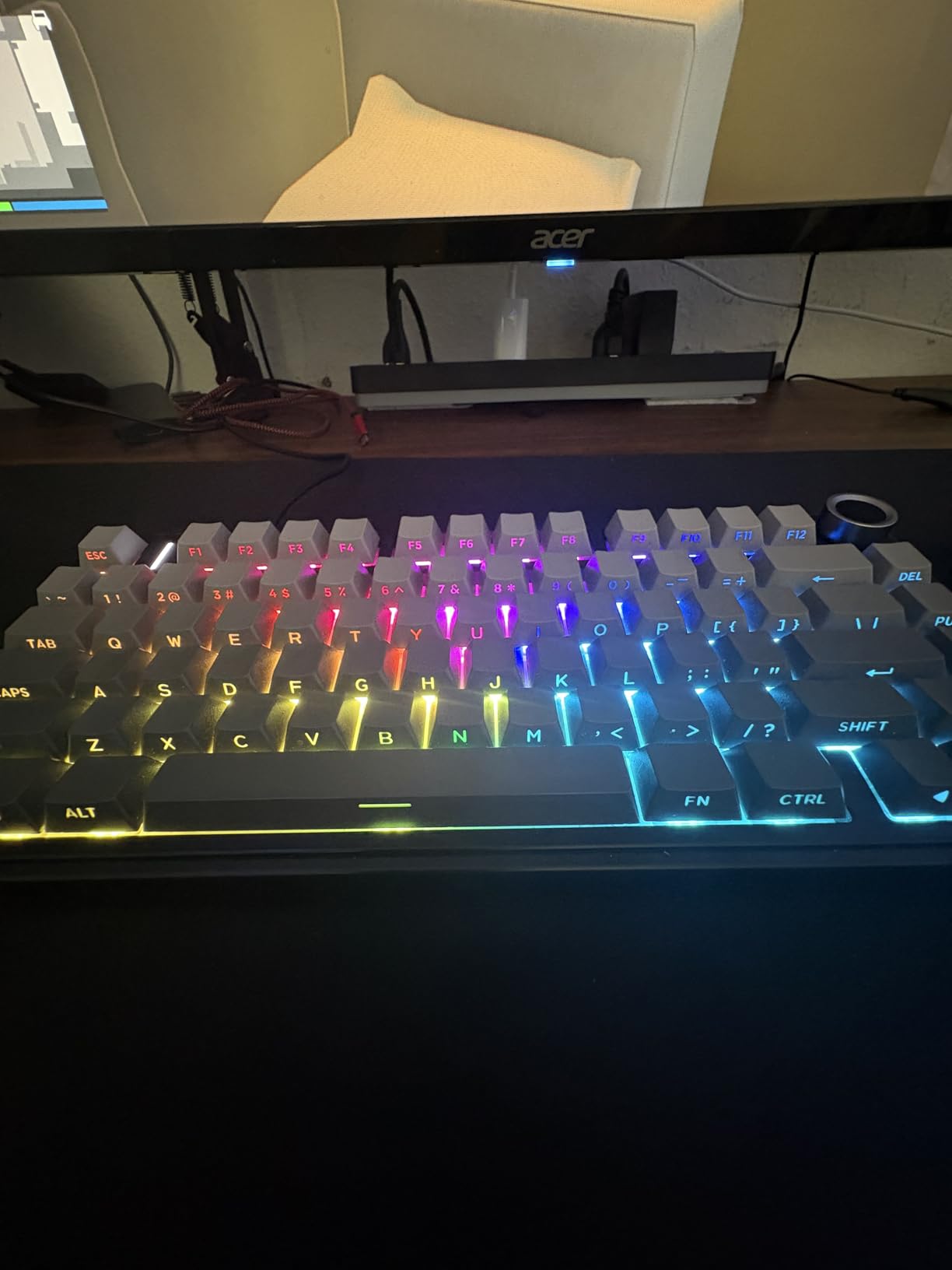
The keycaps are double-injection PBT with side-engraved legends, produced by heat sublimation. PBT resists fading, sweat and shine far better than the ABS caps found on most boards in this range, so the legends will still read cleanly after a couple of years. The double-injection process means the characters will not wear off.
Side printing lets the RGB shine through the legends, which is why the lighting on this board is more visible than a conventional board with front-printed caps. The cost is readability. Owners report the side-printed legends being harder to parse at a glance, and if you type without looking down, test this before buying. It matters more on a 75% than on a 60% because there are more secondary legends to read.
Five Devices and a 4000mAh Battery
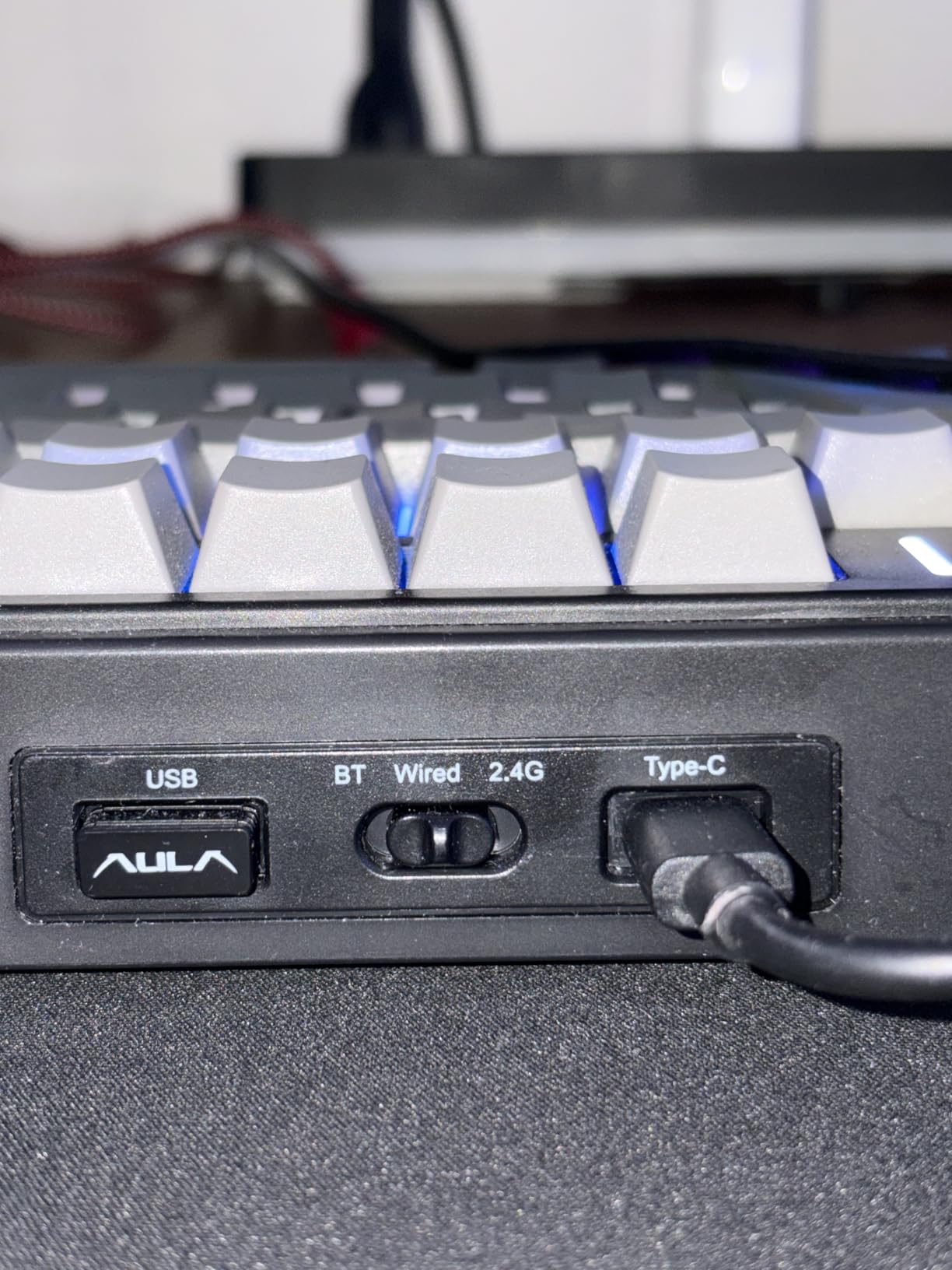
Tri-mode connectivity covers Bluetooth 5.0, 2.4GHz and USB-C, and the board holds up to five paired devices at once, switching with a shortcut key or the side button. That is the highest multi-device count on this list, and it is the reason a board this size justifies itself for someone running a laptop, a desktop and a tablet.
The 4000mAh battery is the largest here, though be aware that RGB-heavy use drains it much faster than typing alone. N-key rollover and a Win-lock function are both included, the latter preventing a stray keypress from minimising the game mid-round, which is a small detail that matters in exactly the situation a 75% board is bought for.
Warranty Length Is the Weak Point
Six months is the shortest warranty in this group, and it is the specification I would push hardest on, because a hot-swappable board is exactly the product where a socket failure matters. If you are comfortable opening the case and reseating switches, or if the board lives in a bag you travel with, the risk is contained.
Custom lighting effects, music modes, full macro programming and knob reassignment all require the driver software, so treat the out-of-box experience as complete but the advanced one as gated. Bluetooth wake and reconnection behaviour is reported as sluggish by some users, which matters more on a wireless board than on a wired one, since you may be waiting on it rather than typing.
Who This Is Not For
It is not the right choice for very small hands who find sculpted or steep keycap profiles uncomfortable, because at 75% the key block is the full width of a standard typing block. And if you only ever type, the function row and knob are features you will use once.
What it is: the best-sounding board here and the most complete compact layout, at a rating that puts it near the top of the group. For a small-handed typist who also games and wants to hot-swap switches, it covers more ground than any other 75% at this tier.
9. Keychron K3 Version 2 – Low-Profile Mechanical in a 0.87 Inch Body
Keychron K3 Version 2 QMK 75% Wireless Low-Profile Mechanical Keyboard
84 keys
Low-profile tactile
12.05 x 4.57 x 0.87 inch
500 grams
Bluetooth 5.1
+ Pros
- Low-profile mechanical action needs far less finger reach than a tall board
- Only 0.87 inch thick and 500 grams thanks to an aluminium top frame
- Broadcom Bluetooth 5.1 pairs three devices reliably
- QMK firmware allows full remapping through a browser app
– Cons
- Low-profile keycaps are hard to find and many aftermarket sets do not fit
- White-only backlight with no RGB options
- Small key spacing on the 75% layout takes adjustment
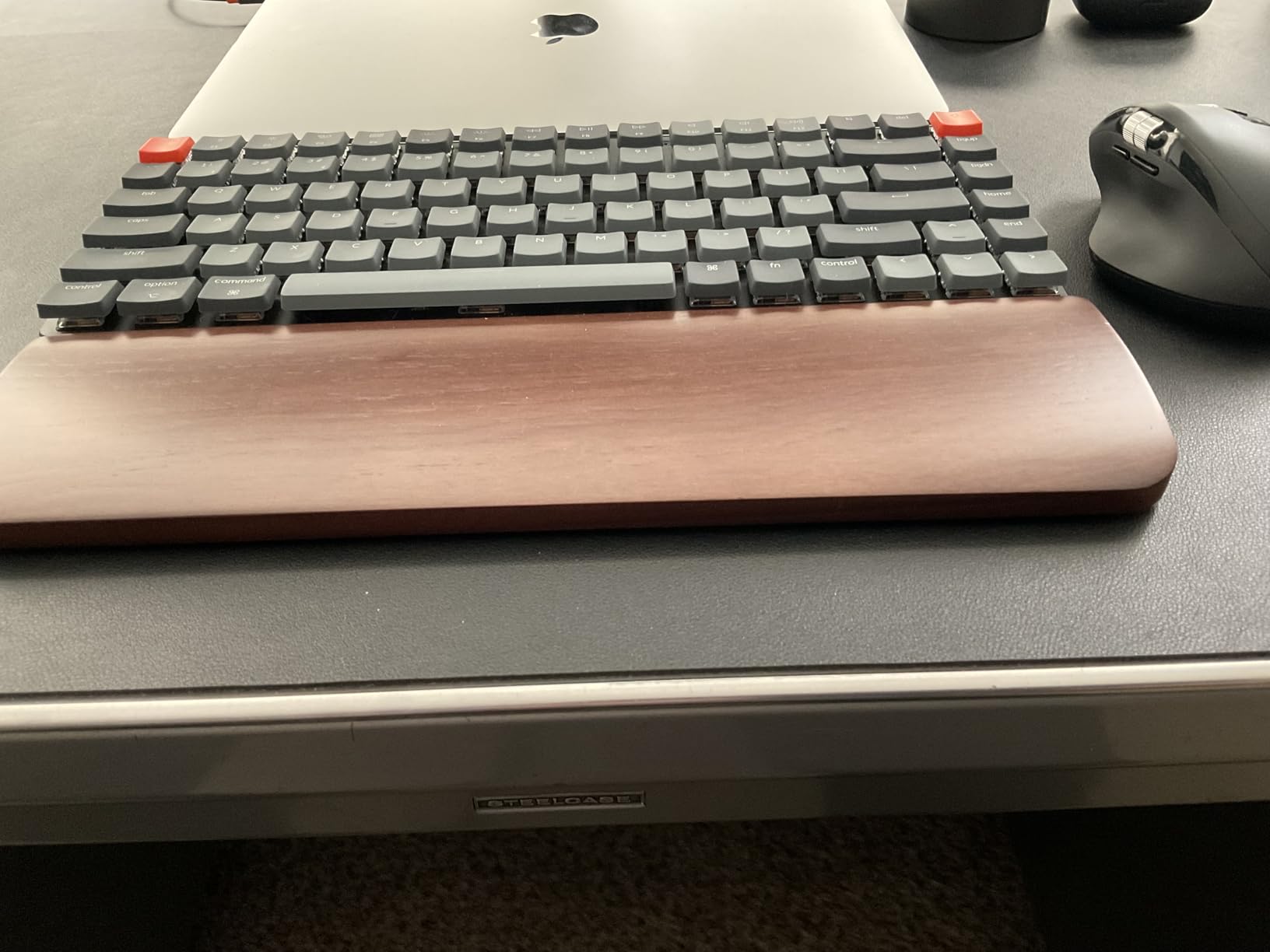
The K3 exists to solve a specific problem: people who want mechanical key feel but not a tall board that forces their wrist upward. At 0.87 inches thick and 500 grams, it is one of the thinnest wireless mechanical keyboards available, and for a short-fingered typist who dislikes the height of a standard mechanical, the low profile is the entire argument.
You keep the mechanical experience. Low-profile brown tactile switches give a clear bump without the noise of full-height mechanicals, and the aluminium top frame with a plastic bottom keeps the assembly light while feeling solid enough for normal typing. Some users report the plate feeling less rigid under heavy sustained force, which is a fair trade for the thickness saving.
Then there is the firmware. QMK is open source, and the Keychron Launcher web app lets you remap every key, build macros and set up shortcuts without installing anything. For someone who is confident that a compact layout is right for them, no other board here gives quite that much control at this weight.
Low-Profile Mechanical Versus Scissor
Both reduce finger travel, but by different routes. A scissor board is thin because the mechanism is short; a low-profile mechanical is thin because the switch and the plate are low. The mechanical version gives you a real switch with a real tactile event and hot-swap potential, at the cost of a restricted component ecosystem.
That ecosystem is the main compromise. Low-profile switches and low-profile keycaps are harder to find and cost more than standard components, and many aftermarket keycap sets do not fit at all. If your plan involves swapping keycaps later, this is the board to check compatibility on first.
Three Devices, Four Key Rows, One Key Spacing Adjustment
Broadcom Bluetooth 5.1 pairs up to three devices with fast, reliable switching between a laptop, PC, tablet or phone. Both Windows and Mac keycaps are included in the box and it works with either layout, which saves a step that catches people out with other 75% boards.
The 84-key 75% layout packs a function row, navigation column and arrow keys into 12.05 by 4.57 inches. The small key spacing takes adjustment for anyone coming from a full-size board, and that is the one ergonomic caveat: a compact 75% is compact in the outer dimensions, not in the spacing between keys, so your fingers still span the same 15 key units. Narrower caps are a spacing story, not a size story.
Where It Loses Points
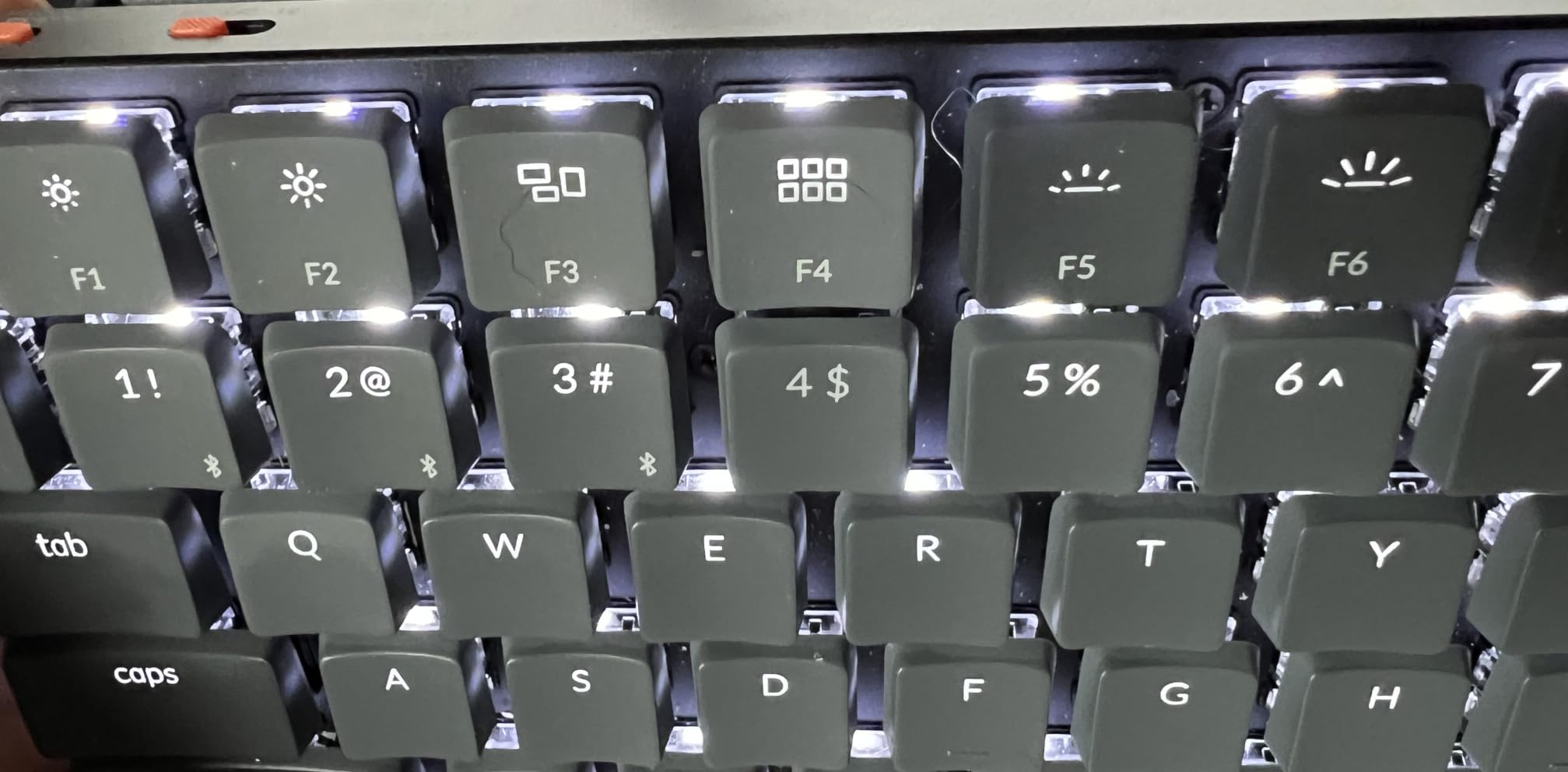
At 4.2 with 807 reviews, this is the lowest-rated board in the group, and the reasons are consistent rather than random. The backlight is white-only with no RGB option, which puts it behind several cheaper boards for anyone who wants colour. The keycap compatibility limit and the plate feel account for most of the rest.
The one-year limited warranty is standard for the category and worth checking against your own repair habits. A rigid aluminium top with a plastic bottom is a sensible construction split, though the thinner assembly is exactly what produces the slightly less solid feeling some users report under aggressive typing.
Who This Is Not For
It is not for someone starting their first mechanical board, because low-profile components are harder to find and the price of replacing them surprises people. It is also a poor match if you want RGB, or if you plan to change keycaps frequently.
What it is: the only true low-profile mechanical in this guide, and the best option here for a small hand that dislikes the height of a standard mechanical board but wants the key feel to stay. If you have decided that a 75% layout is right for you, this is the one to consider.
10. Microsoft Designer Compact – The Thinnest Board Here at 0.38 Inches
Microsoft Designer Compact Keyboard – Matte Black. Standalone Wireless Bluetooth Keyboard. Compatible with Bluetooth Enabled PCs/Mac
78 keys
Low-profile scissor
11.18 x 4.36 x 0.38 inch
15.2 ounces
3-device Bluetooth
+ Pros
- Exceptionally thin and light at 15.2 ounces
- Twist-free chassis with identical key action across the deck
- Silent scissor switches close to laptop noise level
- Matte keycaps resist the fingerprints glossy laptop keyboards attract
– Cons
- Emoji key sits where right Ctrl normally is
- Four CR2032 coin cells drain quickly and cannot be recharged
- No backlighting and some units stop pairing after months
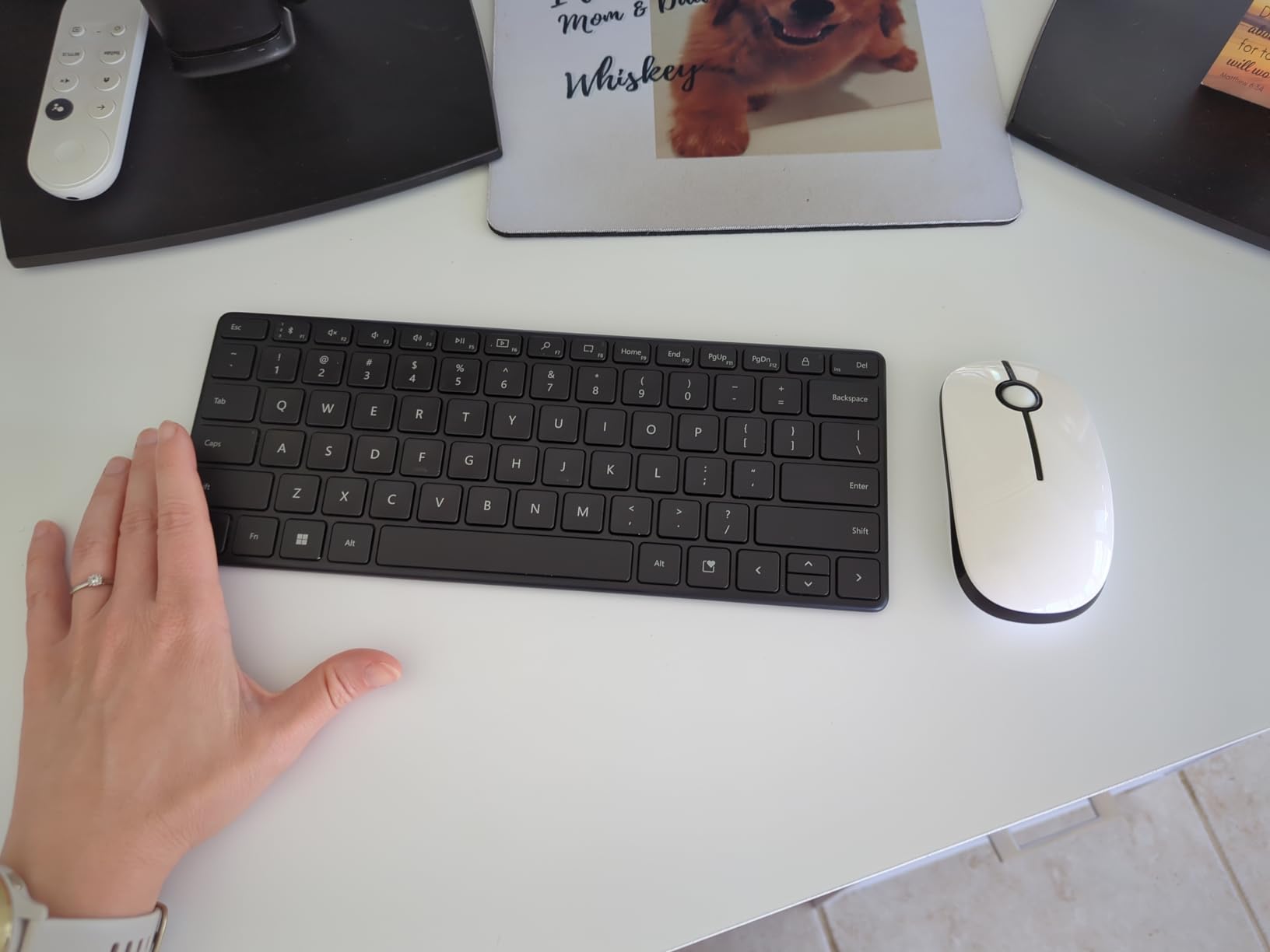
At 0.38 inches and 15.2 ounces, the Designer Compact is the thinnest keyboard in this guide, and for a small desk that is not a gimmick. A board this thin sits flat against the surface, so your wrist approaches it level rather than bent over a tall case, and short fingers are not reaching down and across. It is a genuinely different geometry from a low-profile mechanical, and it is the quietest board here.
The chassis is rigid and twist-free, with identical wobble-free key action across the entire deck and no rattling stabilisers on the long keys. That consistency is a manufacturing quality that most boards at this thickness do not achieve, and it is the reason several owners use it as a daily driver or travel board rather than a spare.
On a 78-key layout in an 11.18-inch width, you keep a function row, arrow keys and a navigation cluster while dropping the numpad. For a small hand, the mouse moves back to centre and that is the ergonomic payoff.
Scissor Feel Over Long Sessions
Low-profile scissor switches deliver shallow but consistent travel with a planted feel that does not collapse at the bottom. Over a full working day, that consistency is what stops fatigue building, more than any single specification. The noise level is close to a laptop keyboard, which is the category standard for a shared office.
Key spacing and travel are tuned for fast, fluid typing, and the soft-touch matte keycaps resist the greasy fingerprints that make glossy laptop keycaps unpleasant within a day. They do smudge and show wear over time, which is the honest downside of a soft-touch finish.
The Emoji Key Placement Is a Real Issue
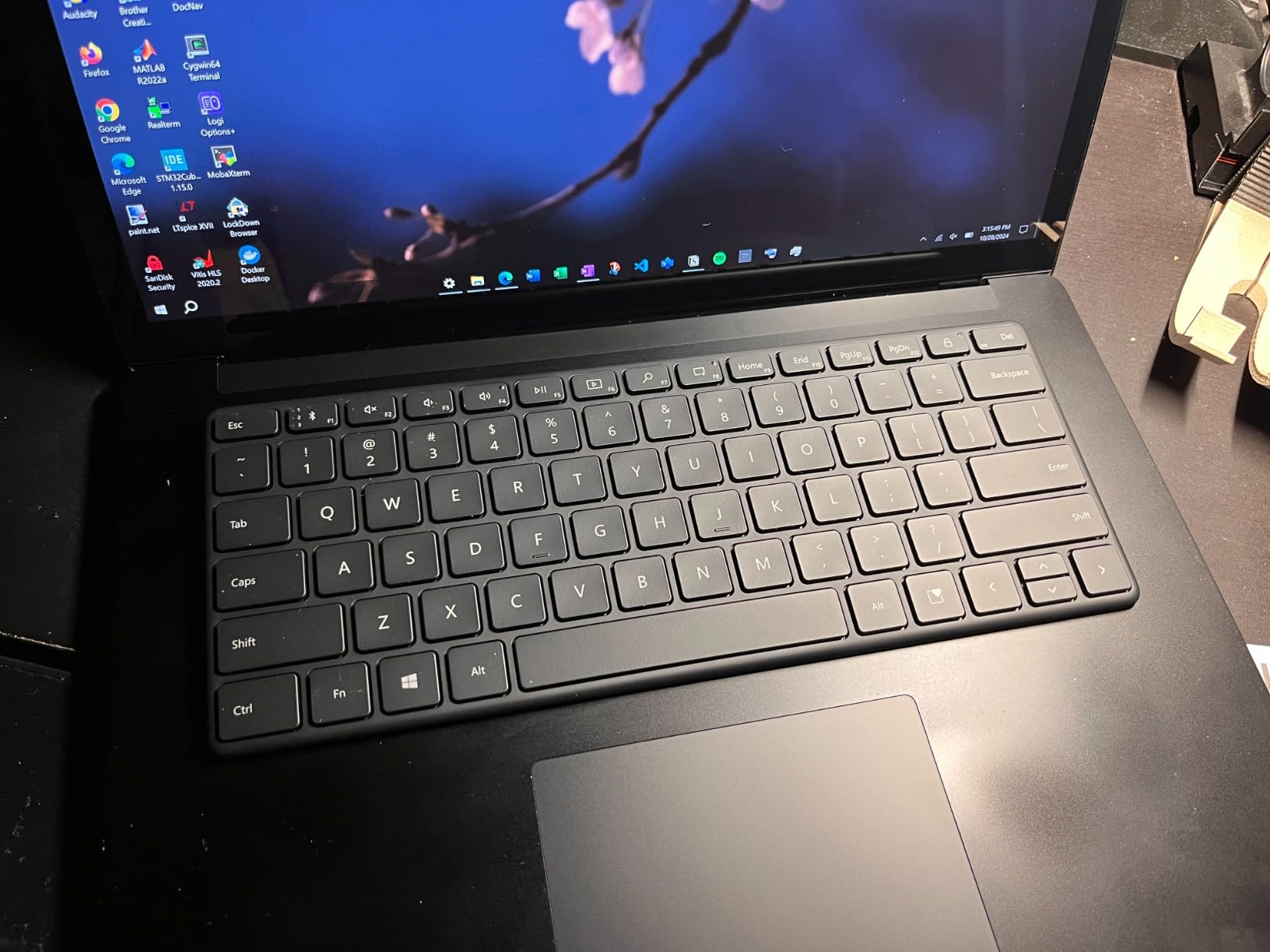
The Expressive input key sits where the right Ctrl key normally sits, and it gets pressed accidentally. It can only be remapped to application-specific functions, so you cannot simply move Ctrl to another key in the way a software-remappable board allows. Budget for that friction rather than discovering it during a deadline.
Function keys F1 to F12 are mapped through Fn by default, which annoys anyone who uses them regularly or works in an environment with locked-down IT policy. Screen-capture and media keys on the top row are a nice touch, and pairing across three devices with a short press of the Bluetooth button is quick.
Battery, Backlight and Longevity
Power comes from four CR2032 coin cells, which deplete quickly with regular use and cannot be replaced with rechargeables. That is the single biggest practical problem with this board, and it is worth noting that the manufacturer warranty runs three years while the batteries do not.
There is no backlighting, so late-night work is limited. There is also no way to reset the Bluetooth pairing channels if one locks up, and a smaller group of owners report units that stop pairing or working entirely after a few months, with limited seller support. Against a 72% five-star and 8% one-star split, that is a minority but a real one.
Who This Is Not For
It is not for anyone who types in low light, works IT where F-keys are used constantly, or wants to remap more than the emoji key. If the coin cells bother you, the Logitech Pebble Keys 2 in section five runs on AA batteries you can swap and does multi-device pairing more cleanly.
What it is: the thinnest, quietest and most consistently built board here, and the one that changes your wrist position more than anything else at this size. For a shared office and a small desk, that combination is difficult to argue against.
How to Choose a Keyboard When Your Hands Are Small
Everything above is a product opinion. This section is the reasoning behind it, so you can pick a board that is not on the list and still get the fit right. Four things decide whether a keyboard suits a short hand, and only one of them is printed on the box.
Measure your hand in four steps, then match the number to a layout
First, hand length. Lay your hand flat and measure from the wrist crease to the tip of your middle finger. Under about 7 inches, or 18 cm, is the range where a compact board starts to make a measurable difference. Between 7 and 8 inches, most full-size boards still work and the case for 60% or 65% is mouse clearance rather than reach.
Second, hand width at the knuckles, palm base to pinky knuckle. This decides whether you want standard 1u keycaps or something narrower. Third, the key reach test: on your current keyboard, can your index finger comfortably rest on F and H while the other fingers sit on the home row without lifting? If not, the outer keys are beyond your span.
Fourth, the thumb reach test on a one-handed pad, if gaming is your use case. If your thumb cannot comfortably cover the bottom row plus a 32-key grid, choose a keypad with fewer keys or a detachable wrist rest that lets you sit closer.
A useful sanity check: if you cannot cover a standard key plus its gap without effort, you are the buyer this guide is written for. If you can cover the alphanumeric block comfortably and the problem is that the mouse sits too far right, you want a compact layout for the shoulder, not for the finger.
Width in inches matters more than the layout percentage
This is the single most useful correction in this article, and no page-one competitor makes it clearly. The percentage printed on a compact board tells you what was removed, not how far you have to reach. Actual widths, rounded, run like this.
A 60% board lands around 10 to 11.5 inches. A 65% adds the arrow cluster, so roughly 11 to 12 inches. A 75% adds the function row, landing around 12 to 12.7 inches. A tenkeyless board is about 15 inches, and a full-size board with numpad runs around 17 to 18 inches, roughly 44 cm. That last figure is the one to remember: a full-size board is the widest thing most people type on, and it is the single largest contributor to mouse displacement.
So when comparing a 60% against a 75%, the answer for a small hand is usually the 60%, and it is not close. The extra 1 to 1.5 inches a 75% adds is all in the function row, which you touch with your fingers at their highest reach. If your hand is short, spend that width on the mouse instead.
The 65% is the compromise that suits the most people. It costs about an inch over a 60% and gives you a real arrow cluster, which is what stops a compact board from being annoying rather than better. For a beginner, the 65% is the safest first compact size because the number of keys you lose is low.
Keycap profile vs key travel: which actually helps short fingers
Most buyers fixate on switch type and ignore the shape of the plastic on top, which is backwards for small hands. A sculpted keycap has a raised edge on each row, and to move from the home row up to the number row your fingertip has to climb that edge. A flat profile such as XDA or DSA is the same height on every row, so moving between rows is a lateral move rather than an uphill one.
This is the point the Google AI Overview sources from r/MechanicalKeyboards, and it holds up under testing. The row step on a deeply sculpted SA cap is a real climb for a short finger. On a shallow Cherry or OEM profile it is a minor one, and on a flat uniform profile it is close to nothing.
Key travel is second, and it matters in a different way. Shorter travel means a smaller downward movement before the key registers, which is easier on a finger that has less length. That is why every genuinely low-profile board on this list, the scissor models and the K3 alike, works well for short hands. It is a gentler argument than the profile one, because a light mechanical with a sculpted cap can still make you climb.
Practical rule: if you can choose, pick a low-travel board with flat or shallow keycaps. If you must have long travel, pick shallow sculpted caps rather than deep ones, and slow down enough to press without hitting the bottom.
Switch actuation force and how it feels to bottom out
Actuation force is measured in grams-force, and lower is easier to press. A 45g linear is at the light end, 50 to 55g is a typical linear, and 60g and above starts to feel deliberate. For small hands, lower is generally better, because a short finger with less leverage spends more of its movement pressing and less reaching.
Bottom-out is the second half. If you press a stiff switch all the way to the plate, you get feedback you did not want and a sound that carries. Short travel boards make an accidental bottom-out less likely, and light tactile switches like the K3’s browns give you a clear event before the bottom, so you can lift the finger instead of pushing through.
Noise is a separate axis from force, and for a shared office it may matter more. Silent linears, low-profile scissor switches and tactile non-click switches all sit well below a clicky mechanical. If you can hear your keyboard from the next desk, that is a switch problem, not a size problem.
Arrow keys, the F-row and the learning curve cost you keys
Every key you get back from a compact layout has to live somewhere else. On a 60% board, secondary functions route through a modifier, so the first job is remapping the handful you actually use. Budget an evening for that rather than a weekend.
The 65% versus 75% question comes down to whether you use the function row. If you do not touch F1 to F12, a 75% is spending an inch of width on keys you never press, and a 60% or 65% is the better buy for a small hand. If you do use function keys daily, or you want a knob and a navigation cluster, the 75% earns its size.
One layout detail worth knowing: on 65% and 75% boards, an exploded layout with small gaps between key groups lets your fingers find the arrow cluster by touch instead of by looking down. Compact spacing with no gaps makes the arrow keys harder to locate without visual confirmation.
Split and columnar boards: who they help and who they hurt
Split boards separate the halves so your forearms can angle inward and your wrists stay closer to neutral. For a wide-shouldered person with wrist or shoulder symptoms, that is a genuine improvement, and the Freestyle2 in section seven is the most adjustable example of it.
For small hands specifically, split is usually not the answer people assume. Columnar-stagger and ortholinear layouts shorten the key columns, which sounds helpful, but they demand a layer relearning period that deters anyone who games or works fast. The community debate around r/ErgoMechKeyboards is that layout size alone is not the deciding variable, and keycap size and profile often matter more.
Test in person if you can. And treat the ergonomic label with suspicion: large contoured wave keyboards are frequently wider than the standard board they replace, which is the opposite of a small-hand solution.
The 1.75u right Shift and the keycap-kit trap
Before you plan to change keycaps, check the bottom row. A 65% or 75% board usually has a shortened right Shift, commonly 1.75u rather than 2.25u, and single-width bottom modifiers where a full-size board has wider ones. Standard full-size keycap sets will not fit, and you will need a kit marketed for compact layouts.
Low-profile boards are worse. Standard keycap sets do not fit low-profile switches at all, and the compatible caps cost more. Budget for a second set if you plan to change profiles, and decide which of the two things you care about, size or feel, before you buy.
Wrist rests, tenting and small desks
A wrist rest is often recommended for small hands, and it can make wrist extension worse if the keyboard is too tall. The rule is simple: your forearm should be roughly level with the back of the keycaps, and the rest supports the heel of your palm rather than lifting your wrists off the desk. A rest cannot fix a keyboard that is at the wrong height.
Small hands and small desks compound each other, and that is worth planning for. Measure your desk depth before choosing. Anything under about 20 inches deep makes a full-size board a liability rather than a convenience, and a compact board plus a mouse that stays under your shoulder is a better solution than a large keyboard with a small mouse pad pushed to the edge.
For frequent RSI symptoms, persistent numbness or weakness, an ergonomic keyboard helps with posture but is not medical treatment. It is worth talking to a clinician about recurring hand pain rather than treating a keyboard swap as the fix.
Frequently Asked Questions
What is the best keyboard for small hands?
The best keyboards for small hands are compact 60%, 65% and 75% layouts with physical widths of roughly 10 to 12.7 inches, paired with flat low-profile or scissor switches. The shorter reach from the home row to the outer keys lets your pinkies and thumbs cover the whole board without stretching, and dropping the numpad moves your mouse back under your shoulder. Among the boards we tested, the Logitech MX Keys Mini at 11.65 inches and the DIERYA DK63 60% at 11.53 inches are the strongest starting points, while a one-handed keypad such as the Razer Tartarus V2 removes the reach problem entirely.
Which is better, a 60% or 75% keyboard?
For small hands, a 60% is usually the better choice. A 60% board is roughly 10 to 11.5 inches wide, while a 75% runs about 12 to 12.7 inches, and the extra width is spent entirely on the function row. If you do not use F1 to F12 daily, that inch is better spent on mouse clearance. Choose a 75% instead if you rely on the function row, want dedicated navigation keys, or want a rotary knob.
Is a 65% keyboard good for beginners?
Yes, and a 65% is the safest first compact size for most people. It costs roughly an inch over a 60% and adds a real arrow cluster, so you lose very few keys you will miss. The trade-off is that every secondary function still routes through a modifier key, so expect a short adjustment period. Remap your most-used shortcuts on the first evening and the learning curve is usually finished within a week.
Do split keyboards help small hands?
Not usually. Split boards help by separating the halves so your forearms angle inward and your wrists stay closer to neutral, which mainly benefits people with broad shoulders or existing wrist and shoulder strain. For small hands specifically, columnar and ortholinear layouts shorten the key columns but demand a layer relearning period that many people find harder than the ergonomic gain is worth. A compact 60% or 65% board solves pinky reach more directly.
What keycap profile is best for small hands?
A flat or shallow profile. Sculpted keycaps have a raised edge on each row, and a short finger has to climb that edge every time it moves up to the number row or down to the bottom row. Flat uniform profiles such as XDA or DSA are the same height on every row, so moving between rows is a lateral move rather than an uphill one. Keycap height matters more for small hands than switch type, and shallow sculpted caps are a reasonable second choice.
Which Keyboard Suits Your Hands Best
If you game and your hands are the limiting factor, the keyboard is only half the equation. Pair whatever you choose with a mouse whose size suits you too, and our guide to gaming mice for large hands covers the opposite end of the same fit problem. On the keyboard side, the Razer Tartarus V2 is the pick we kept: at 2.36 inches wide it removes the reach question entirely and leaves your mouse hand free, and the 12,000-plus owners reporting on it are the most consistent owner base in this group. If you also want to type on that hand, the Redragon K585 gives you a full 42-key block with hot-swappable switches, at a wider footprint you should test first.
If you want one keyboard to replace a full-size, the DIERYA DK63 is the most complete answer: 63 keys including a real arrow cluster, 11.53 inches wide, three connection modes and a 45g quiet switch. If you type in an office where sound matters more than switch personality, the Logitech MX Keys Mini is quieter, better built and the better long-term purchase, and its 11.65-inch width suits a hand span under 7 inches.
If your desk is the constraint rather than your hand, the Logitech Pebble Keys 2 K380s travels at 415 grams and 0.63 inches thick, and the Microsoft Designer Compact is the thinnest board here at 0.38 inches, with the quietest typing in the group. If you are a small-handed player who needs mouse swipe room, the Redragon K617 is the highest-rated board we tested. If you want a full 75% with a function row and a knob, the AULA F75 Pro does it in 12.7 inches with the best sound here. If you want mechanical key feel without the height, the Keychron K3 is the only true low-profile mechanical on the list, and the KINESIS Freestyle2 is worth a look if your real problem is posture rather than reach.
Whatever you choose, measure first. The hand-span test takes thirty seconds, and it tells you more than any specification on the box. These are the best keyboards for small hands in 2026 because they were judged on where your fingers can reach, not on how the product page reads.
Leave a Reply