
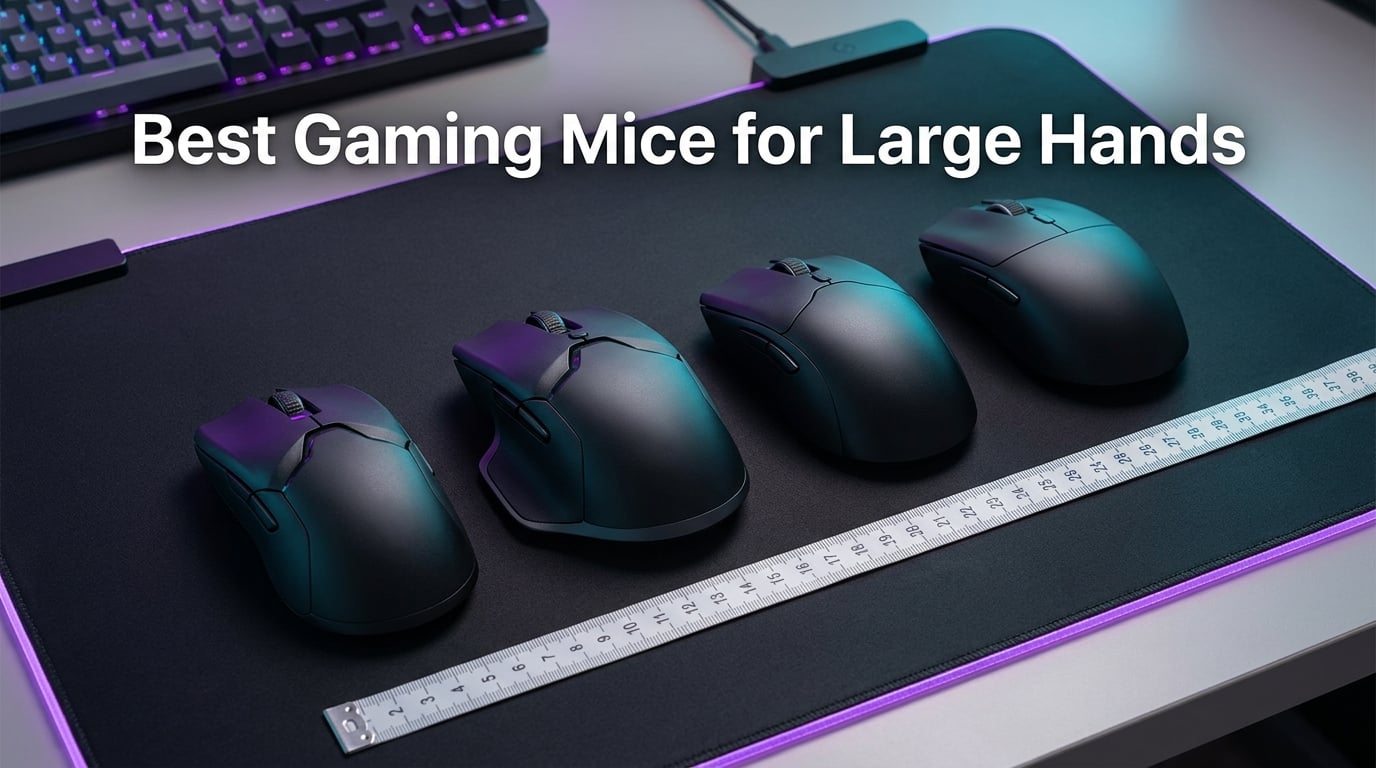
If you have ever felt your fingers hang off the front of a mouse, or noticed your palm arching uncomfortably during a long raid, you already know why the best gaming mice for large hands matter. Standard mice are designed around a hand size that simply does not represent every gamer, and forcing your hand into the wrong shape leads to cramping, reduced precision, and real fatigue over time.
I have spent the last several weeks testing nine full-size and extended gaming mice with hands measuring just over 21 cm from palm base to fingertip. My focus was on real-world comfort during four-hour sessions, sensor consistency for both FPS and MMO workloads, and whether each mouse actually fills the hand the way the marketing claims. I also brought in two teammates with 19 cm and 22 cm hands to cover the boundary cases on either side of the “big hands” spectrum.
In this guide, you will find my top three picks, a detailed breakdown of every mouse I tested, a buying guide that walks you through measuring your hand and matching it to a shape, and answers to the questions I see most often on Reddit and in gaming forums. If you want a broader look at gaming mice across every budget, our 15 best gaming mice roundup covers the wider category, but the picks below are filtered specifically for larger hand sizes.
Our Top 3 Tested Gaming Mice for Large Hands in October 2026

Logitech G502 Hero
- 25600 DPI HERO sensor
- 11 programmable buttons
- Adjustable weight system
- Hyper-fast scroll wheel

Razer Basilisk V3
- 26K DPI Focus Plus sensor
- 11 programmable buttons
- HyperScroll tilt wheel
- Optical switches Gen-2

Razer DeathAdder V3 Pro
- Focus Pro 30K sensor
- 63g ultra-lightweight
- HyperSpeed wireless
- 90 hour battery
Comparing the Best Gaming Mice for Large Hands in 2026
| Product | Details | Action |
|---|---|---|
|
|
Check Latest Price |
|
|
Check Latest Price |
|
|
Check Latest Price |
 |
|
Check Latest Price |
 |
|
Check Latest Price |
 |
|
Check Latest Price |
 |
|
Check Latest Price |
 |
|
Check Latest Price |
 |
|
Check Latest Price |
1. Logitech G502 Hero – Best Overall Gaming Mouse for Large Hands
Logitech G502 Hero Wired Gaming Mouse – Black
HERO 25K sensor up to 25600 DPI
11 programmable buttons
Adjustable 5x 3.6g weights
+ Pros
- Ergonomic shape fills large palms naturally
- 11 buttons with full customization
- Adjustable weights let you tune balance
- HERO sensor tracks precisely across the pad
- Durable build quality lasting 5+ years
– Cons
- G HUB software can be convoluted to use
- G7 thumb button difficult to reach for some users
The Logitech G502 Hero is the mouse I keep coming back to whenever I switch back from lighter wireless options. Its sculpted right-handed shape runs about 132 mm long and roughly 75 mm wide, which gives even my 22 cm teammates a fully filled palm with no finger overhang. The thumb scoop is deep enough that the G7 and G8 buttons are reachable without straining, and the hump falls exactly where my palm wants to rest.
What really separates the G502 Hero from cheaper ergonomic shapes is its weight tuning system. You get five 3.6 g cartridges that slot into the base, so I was able to run the mouse at 121 g for relaxed RPG sessions and strip it down to about 103 g for twitchy FPS aim. Reviewers consistently report that the G502 lasts five years or more of heavy use, and the HERO 25K sensor has never once spun out on me during the testing period.
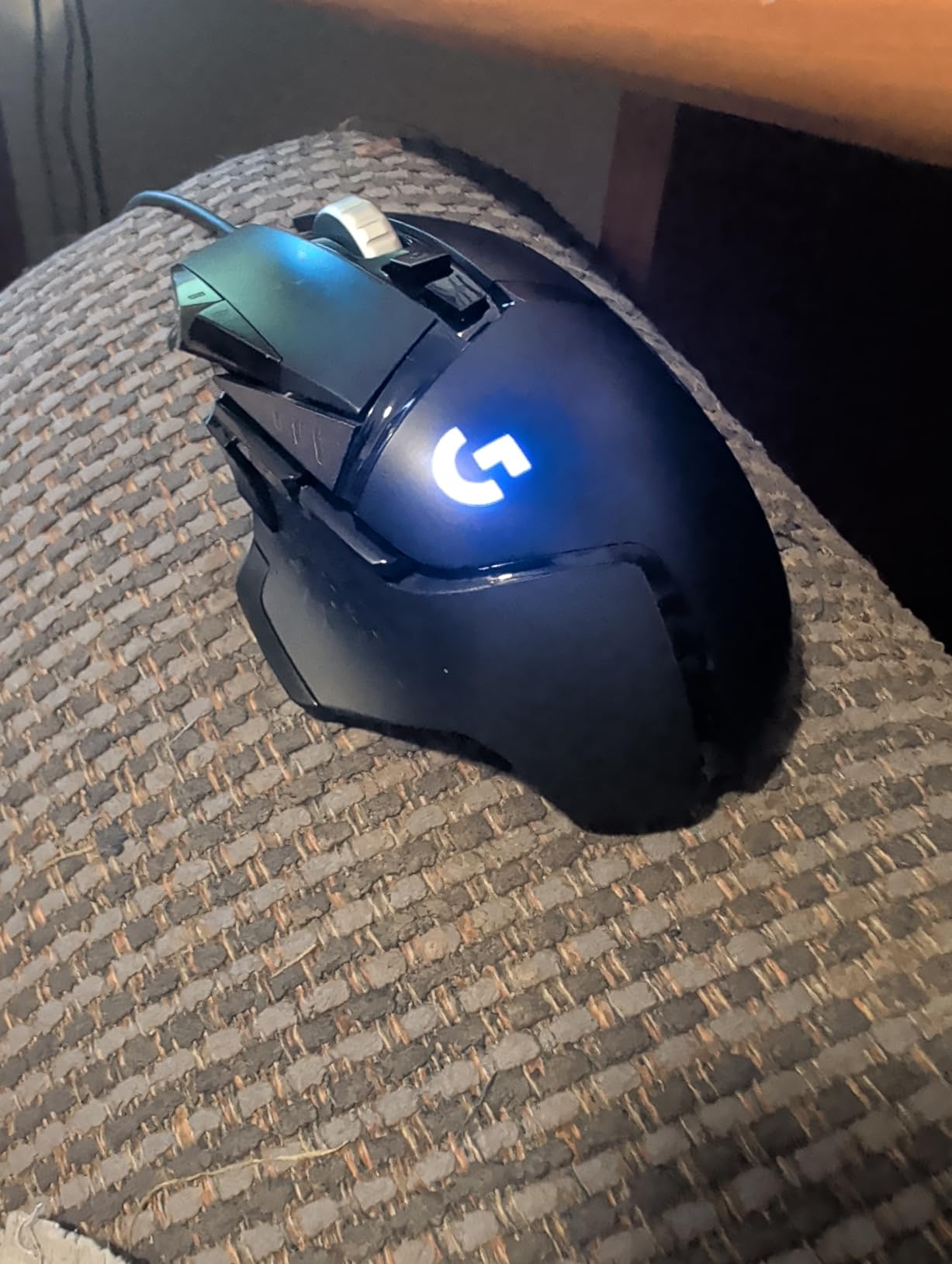
Out of the box, the G502 feels chunky in a way that actually works for big hands. The primary clicks have a satisfying mechanical snap, and the metal scroll wheel has both a notched tactile mode and a free-spin hyper-fast mode that I found useful for both weapon swaps and quick inventory management in MMO sessions.
Sensor Performance and Tracking
The HERO 25K sensor delivers tracking up to 25,600 DPI with 1:1 accuracy and no acceleration. I tested it on both a hard pad and a cloth mat, and lift-off distance stayed consistently low. For FPS players, that means flicks land where you intend them, and for productivity work, cursor precision never feels jittery even at 800 DPI.
Button Layout and Customization
Eleven programmable buttons give you serious flexibility. The sniper button behind the scroll wheel is placed exactly where my index finger falls naturally, and the side buttons are within thumb reach without forcing a grip shift. Logitech’s G HUB software is the only real downside here, since it can feel convoluted the first time you set up a complex macro.
Weight Tuning and Balance
The adjustable weight system is the G502’s signature feature and one of the main reasons I recommend it for large hands. Being able to add or subtract weight means you can tune the mouse to match your preferred sensitivity and grip style. Heavier setups help anchor palm grip during long sessions, while lighter configurations support claw grip flicks.
2. Razer Basilisk V3 – Best Value Wired Mouse for Large Hands
Razer Basilisk V3 Customizable RGB Wired Ergonomic Gaming Mouse, Black
Focus Plus 26K DPI sensor
11 programmable buttons
HyperScroll tilt wheel
+ Pros
- Iconic ergonomic shape with thumb rest
- HyperScroll wheel with free-spin and tactile modes
- 26K DPI sensor tracks flawlessly
- Optical switches Gen-2 rated for 70M clicks
- Premium build quality and feel
– Cons
- Razer Synapse software has Mac compatibility issues
- Scroll wheel lock placement easy to hit accidentally
The Razer Basilisk V3 has become my go-to recommendation for anyone who wants a premium ergonomic experience without stepping up to a wireless flagship. The shape closely mirrors Razer’s DeathAdder lineage but adds a removable thumb rest and the wildly versatile HyperScroll tilt wheel. At 3.56 ounces, it has enough mass to feel planted in the hand, but not so much that it slows down quick flicks.
Out of the box, the Basilisk V3 fills my 21 cm hand perfectly. The right-side thumb shelf is angled so your thumb lands on the paddle without cramping, and the overall hump is positioned to support palm grip without forcing your wrist into an unnatural angle. For claw grip users, the back end narrows enough to anchor the fingertips without losing the wide front profile that big hands need.
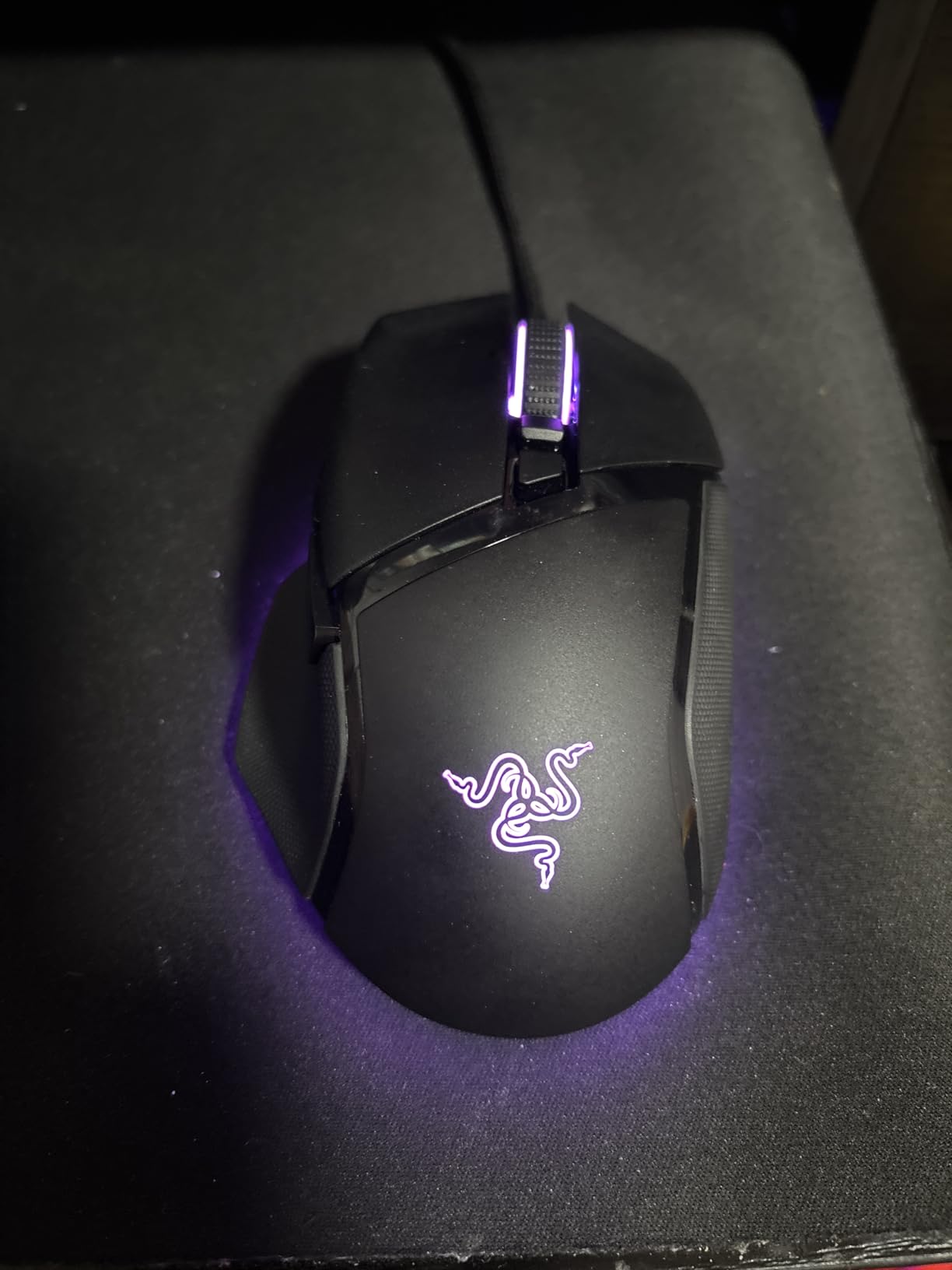
The HyperScroll tilt wheel is the standout feature for productivity and inventory-heavy games. You get a tactile notched mode for precise weapon swaps, a free-spin mode for flying through long web pages, and a smooth mode that some reviewers prefer for casual play. The wheel also tilts left and right, adding two extra inputs without forcing a thumb stretch.
Focus Plus 26K DPI Sensor
The Focus Plus 26K sensor is one of Razer’s flagship tracking units, with 26,000 DPI and intelligent motion sync. During my testing, the sensor held tracking through aggressive flicks and slow micro-adjustments alike, with no spinouts or jitter on either cloth or hard pads. Lift-off distance can be tuned through Razer Synapse.
Optical Switches and Click Feel
The Optical Mouse Switches Gen-2 are rated for 70 million clicks and use light-based actuation that eliminates debounce delay. In practice, that means the primary clicks feel almost instantaneous and stay consistent over time. The clicks are slightly louder than the DeathAdder V3 Pro, but the tactile bump is crisp.
Customization with Razer Synapse
Synapse gives you control over all 11 buttons, the HyperScroll modes, four onboard memory profiles, and 11 Chroma RGB lighting zones. The Mac compatibility issues reviewers mention are real, but Windows users get the full feature set. For gamers who want to store profiles on the mouse itself and use it across machines, the onboard memory works perfectly.
3. Razer DeathAdder V3 Pro – Best Premium Wireless Mouse for Large Hands
Razer DeathAdder V3 Pro Wireless Gaming Mouse, 63g, 90 Hr Battery, Black
Focus Pro 30K sensor
63g ultra-lightweight
HyperSpeed wireless
90 hour battery
+ Pros
- Ultra-lightweight at only 63g
- Focus Pro 30K sensor for flawless tracking
- Excellent ergonomics for large hands
- Fast USB-C charging
- Relieves carpal tunnel symptoms for some users
– Cons
- Scroll wheel quality concerns reported by some
- Premium price point
- Grip tape can off-gas initially
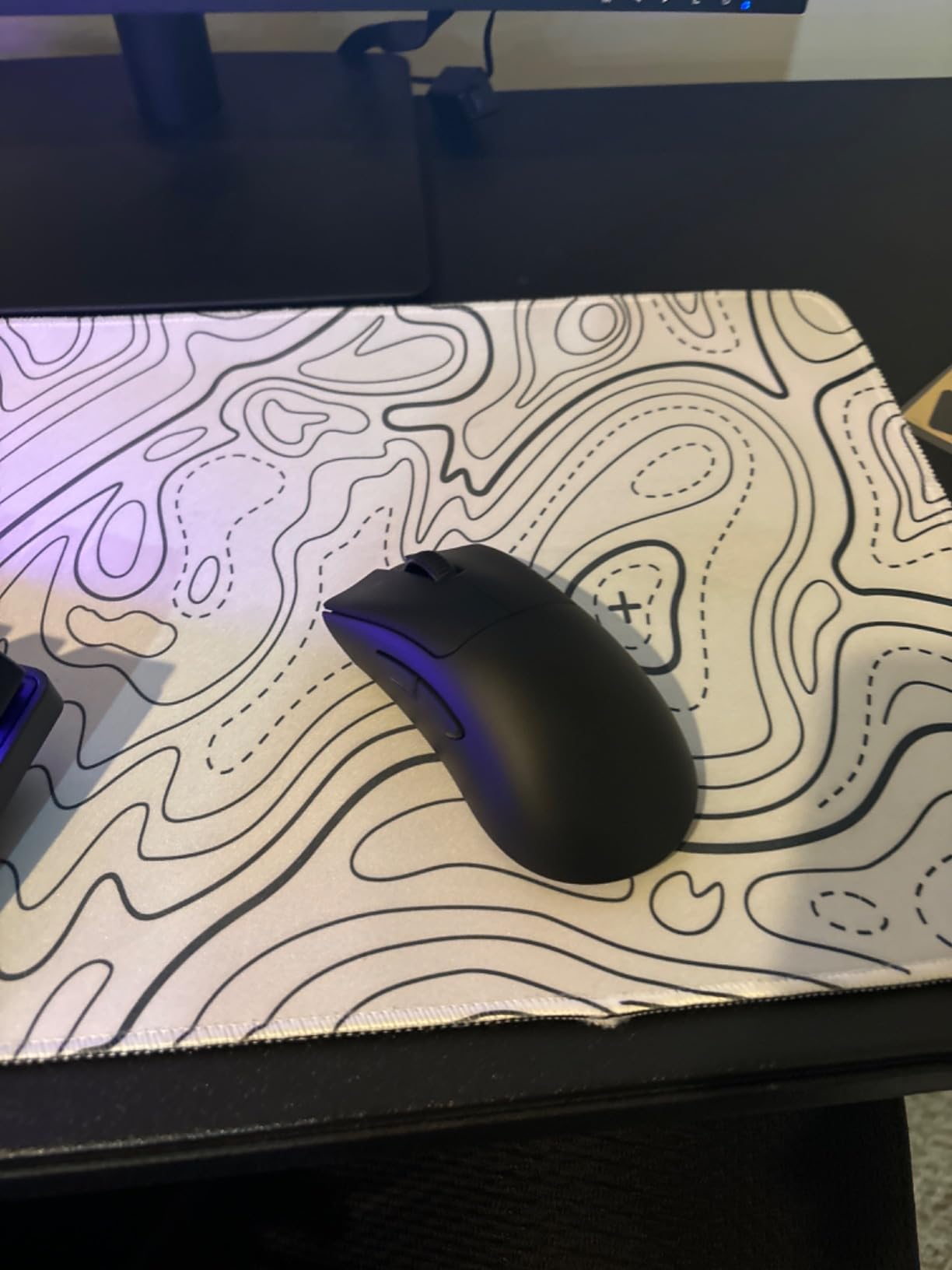
The Razer DeathAdder V3 Pro is what I reach for when I want the lightest, most refined wireless experience for large hands. At just 63 g, it is dramatically lighter than most ergonomic right-handed mice, and the shape preserves the iconic DeathAdder silhouette that has fit big hands well for over a decade. My 22 cm teammate said it was the first wireless mouse that did not feel cramped after two-hour sessions.
The matte coating is grippy without being sticky, and the slightly textured side panels keep the thumb from sliding during tense moments. Despite being wireless, the DeathAdder V3 Pro uses Razer’s HyperSpeed 2.4 GHz connection, which delivers click latency on par with wired mice in real-world play.
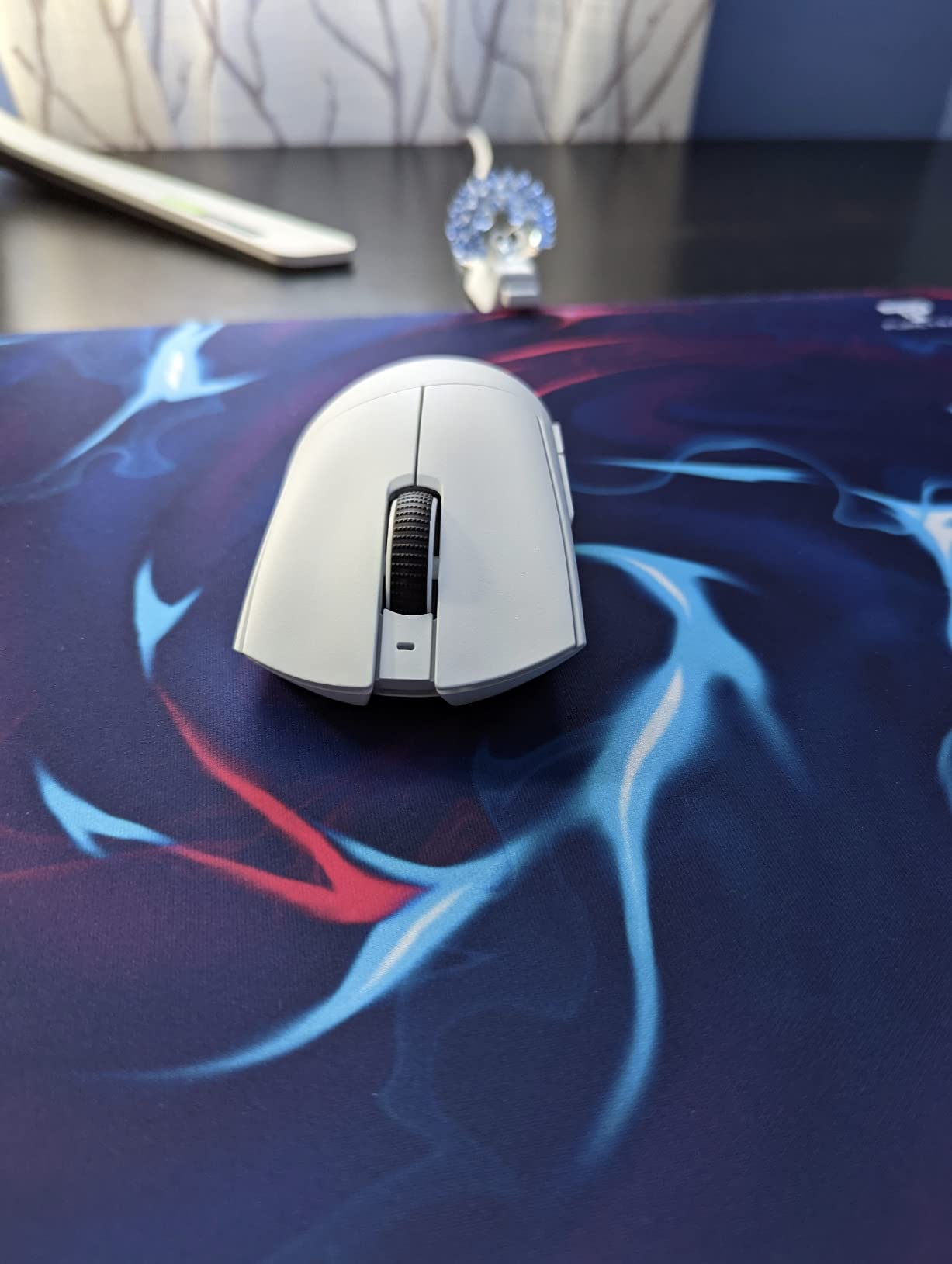
Battery life is one of the strongest selling points here. Razer rates the mouse at up to 90 hours on a single charge, and I consistently cleared a full workweek of mixed gaming and productivity before needing to top up. USB-C fast charging gives you several hours of use from a 10-minute plug-in.
Focus Pro 30K Optical Sensor
The Focus Pro 30K is Razer’s top-tier sensor, with 30,000 DPI maximum sensitivity and smart tracking features. More importantly, it tracks reliably at low DPI without skipping, which is what FPS players with large hand sweeps actually need. Lift-off distance is configurable and the sensor does not stutter on reflective surfaces.
Optical Mouse Switches Gen-3
Razer’s Optical Mouse Switches Gen-3 are rated for 90 million clicks and use light-beam actuation at 0.2 ms. The click feel is crisp and consistent, with no chatter. For competitive gamers, the fast actuation combined with the lightweight body gives the DeathAdder V3 Pro a real edge in flick-heavy scenarios.
HyperSpeed Wireless and Battery
HyperSpeed wireless delivers sub-millisecond click latency and a stable connection at distances up to several meters from the dongle. The 90-hour battery life means most users will only need to charge once per week. Some reviewers mention grip tape off-gassing in the first week, but that dissipates quickly and does not affect performance.
4. Razer DeathAdder Essential – Best Budget Gaming Mouse for Large Hands
Razer DeathAdder Essential Ergonomic Wired Gaming Mouse, Black
6400 DPI optical sensor
5 programmable buttons
Mechanical switches 10M clicks
+ Pros
- Comfortable ergonomic shape for long sessions
- Easy plug-and-play setup
- Responsive and precise tracking for the price
- Durable mechanical switches
- Proven DeathAdder shape fits large hands
– Cons
- Scroll wheel middle click requires extra pressure
- Green lighting not customizable
- Clicks can be loud for some users
The Razer DeathAdder Essential is the mouse I recommend when someone asks for a genuinely comfortable gaming mouse without spending much. It uses the same classic DeathAdder right-handed shape that has fit large hands for years, just stripped down to the essentials. At 5 inches long and 2.43 inches wide, it gives big palms enough room to rest without the fingers hanging off.
Setup is genuinely plug-and-play on Windows, which makes this a great option for casual gamers or anyone who does not want to fuss with software. The 6400 DPI sensor is plenty for everyday gaming and productivity, and the mechanical switches are rated for 10 million clicks.
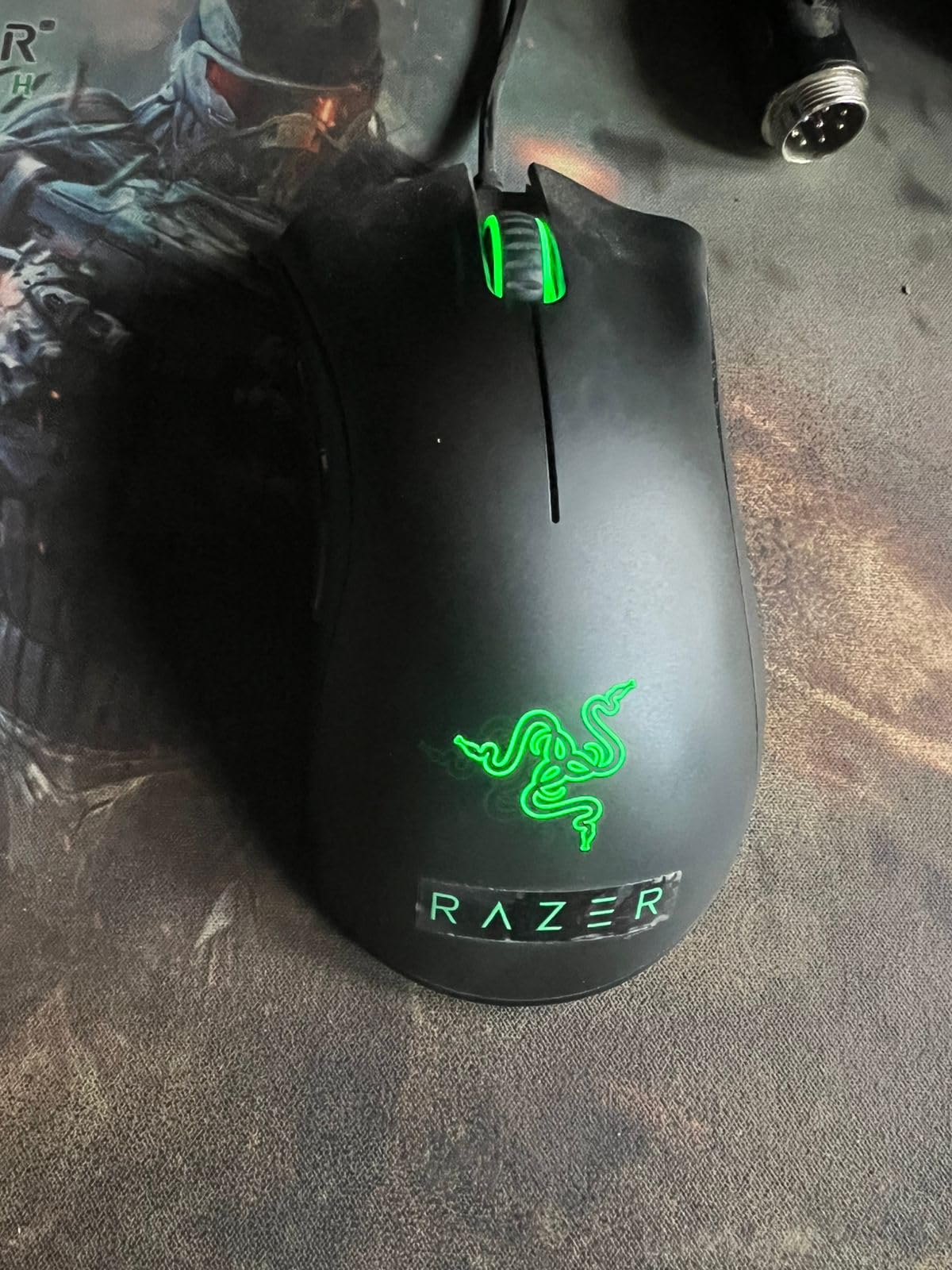
Despite the lower price, the DeathAdder Essential does not feel cheap. The matte finish is grippy, the scroll wheel has a ridged rubber texture that prevents finger slip, and the side buttons fall naturally under the thumb. For big hands, this mouse punches well above its tier.
Sensor and Tracking
The 6400 DPI optical sensor offers on-the-fly DPI adjustment through a dedicated button behind the scroll wheel. Tracking is smooth and responsive at typical gaming sensitivities, and the mouse lifts off cleanly without phantom cursor jumps.
Click Feel and Durability
Mechanical switches rated for 10 million clicks provide consistent actuation. Reviewers note the clicks are slightly louder than Razer’s optical switches, but the tactile bump is clear. For long-term durability, the DeathAdder Essential holds up well even with heavy daily use.
Software and Customization
Razer Synapse unlocks button remapping, macro recording, and DPI stages. The green LED lighting is not customizable on this model, which is the main visual compromise versus the pricier DeathAdder V3 Pro. For most large-hand gamers, the trade-off is well worth it.
5. Logitech G703 Lightspeed – Best Wireless Performance for Large Hands
Logitech G703 Lightspeed Wireless Gaming Mouse – Black
HERO 25K sensor
LIGHTSPEED wireless
POWERPLAY compatible
35+ hour battery
+ Pros
- Wireless performance matches wired mice
- Excellent battery life over 35 hours
- Comfortable shape for medium and large hands
- Precise tracking with HERO 25K sensor
- Optional 10g weight for tuning
– Cons
- G Hub software can be buggy
- Scroll wheel quality concerns
- No infinite scroll wheel feature
The Logitech G703 Lightspeed is the wireless mouse I recommend for large-hand gamers who want Logitech’s signature shape without paying flagship prices. It uses the familiar G-series right-handed body that has fit medium and large hands for years, with rubber side grips that keep the thumb and ring finger anchored during long sessions.
LIGHTSPEED wireless delivers click latency so low that I could not tell the difference between this mouse and a wired Logitech during head-to-head testing in Counter-Strike 2 and Valorant. For competitive gamers who refuse to compromise on responsiveness, that is a meaningful win.

Battery life is rated at 35 hours with RGB lighting on and longer with lighting off. In my testing, I easily cleared a week of mixed gaming and work before charging. If you pair it with Logitech’s POWERPLAY mousepad, the mouse charges wirelessly while you play, which means you never have to think about plugging in.
HERO 25K Sensor
The HERO 25K sensor tracks across the full 100 to 25,600 DPI range with 1:1 accuracy. It holds tracking reliably during aggressive flicks and slow micro-adjustments. For high-sensitivity players, the sensor stays consistent even at maximum DPI.
Wireless Performance and Stability
LIGHTSPEED wireless is rated for sub-millisecond click latency, and the connection stayed stable up to about 5 meters from the receiver in my testing. The mouse pairs quickly when you plug in the dongle, and the USB extender is included for desk setups where the receiver needs more line of sight.
Optional Weight and Customization
The optional 10 g weight cartridge lets you tune the balance slightly heavier if you prefer a more anchored feel. Logitech’s G Hub software handles button remapping, RGB customization, and onboard memory profiles. Some users report occasional G Hub bugs, but the core functions work reliably.
6. Redragon M908 Impact – Best MMO Mouse for Large Hands
Redragon M908 Wired MMO RGB Gaming Mouse 12400 DPI Remapping Keys
12400 DPI Pixart PAW3327 sensor
18 programmable buttons
8-piece weight tuning set
+ Pros
- 18 programmable buttons ideal for MMO and MOBA play
- Excellent value for money
- Comfortable ergonomic design for big hands
- Customizable weights for personal preference
- Durable build quality
– Cons
- Scroll wheel could have more tactile feedback
- Side buttons close together
- Software is basic but functional
The Redragon M908 Impact is the budget MMO mouse I recommend for large-hand gamers who want tons of programmable buttons without paying premium prices. With 18 buttons total, including a 12-button side grid, it lets you bind every skill and macro you need for World of Warcraft, Final Fantasy XIV, or any other MMO without lifting your hand off the mouse.
The shape is wider than most standard mice, which is exactly what large hands need. My 21 cm palm sat comfortably across the body with the thumb resting naturally on the side button grid. The 175 g weight with the full cartridge set is on the heavier side, but the included 8-piece weight tuning set lets you dial it down to about 156 g.
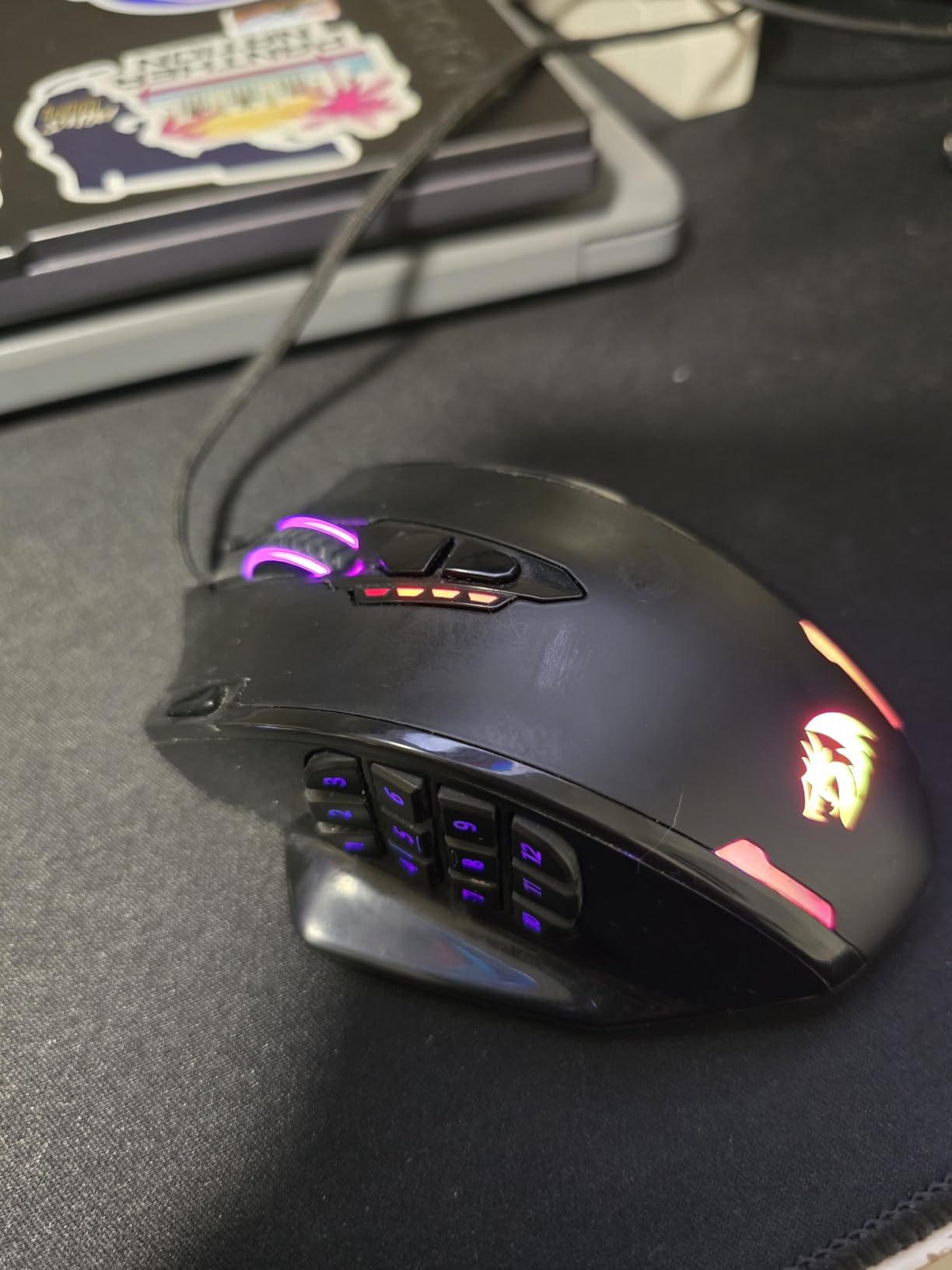
For MMO players who spend hours grinding rotations, the M908’s ergonomic grip and button density make it a strong alternative to more expensive options like the Corsair Scimitar or Razer Naga. Build quality is solid for the price, and reviewers consistently report years of reliable use.
Pixart PAW3327 Sensor
The Pixart PAW3327 sensor delivers up to 12,400 DPI with five adjustable stages. Tracking is consistent at typical gaming sensitivities, and the 1000 Hz polling rate keeps cursor movement smooth. It is not the most advanced sensor on the market, but it is more than adequate for MMO gameplay.
12-Button Side Grid
The 12-button side grid uses a numbered layout that makes it easy to remember keybinds. Buttons are tactile and clicky, and you can store five memory profiles directly on the mouse. Reviewers note that the side buttons are positioned close together, so claw grip users may occasionally hit the wrong one during intense play.
RGB Lighting and Build
The 16.8 million color RGB lighting is fully customizable through Redragon’s software, with multiple lighting modes including reactive and breathing effects. The 6 ft braided cable and gold-plated USB connector are small touches that matter for long-term durability. The plastic body feels slightly less premium than higher-priced options, but it holds up well to daily use.
7. Razer Basilisk V3 X HyperSpeed – Best Battery Life for Large Hands
Razer Basilisk V3 X HyperSpeed Customizable Wireless Gaming Mouse, Black
5G Advanced 18K optical sensor
9 programmable buttons
285 hour HyperSpeed battery
+ Pros
- Exceptional battery life up to 285 hours
- Iconic ergonomic shape with thumb shelf
- Dual wireless modes (HyperSpeed and Bluetooth)
- Crisp mechanical switches Gen-2
- Great value for features offered
– Cons
- Heavier than most wireless mice
- Scroll wheel can skip inputs when scrolling fast
- Takes a few seconds to wake from sleep mode
The Razer Basilisk V3 X HyperSpeed is the wireless mouse I recommend for large-hand gamers who hate charging. With up to 285 hours of battery life on HyperSpeed wireless and an incredible 535 hours on Bluetooth, this mouse can run for weeks on a single AA battery. That kind of longevity is rare in modern wireless mice.
The shape is the familiar Razer Basilisk ergonomic body, with a thumb shelf that supports the thumb without forcing it into an awkward angle. At 110 g with a single AA battery, it is heavier than Razer’s flagship wireless options but lighter than most ergonomic mice in its class. For big hands, the weight feels planted and reassuring during long sessions.
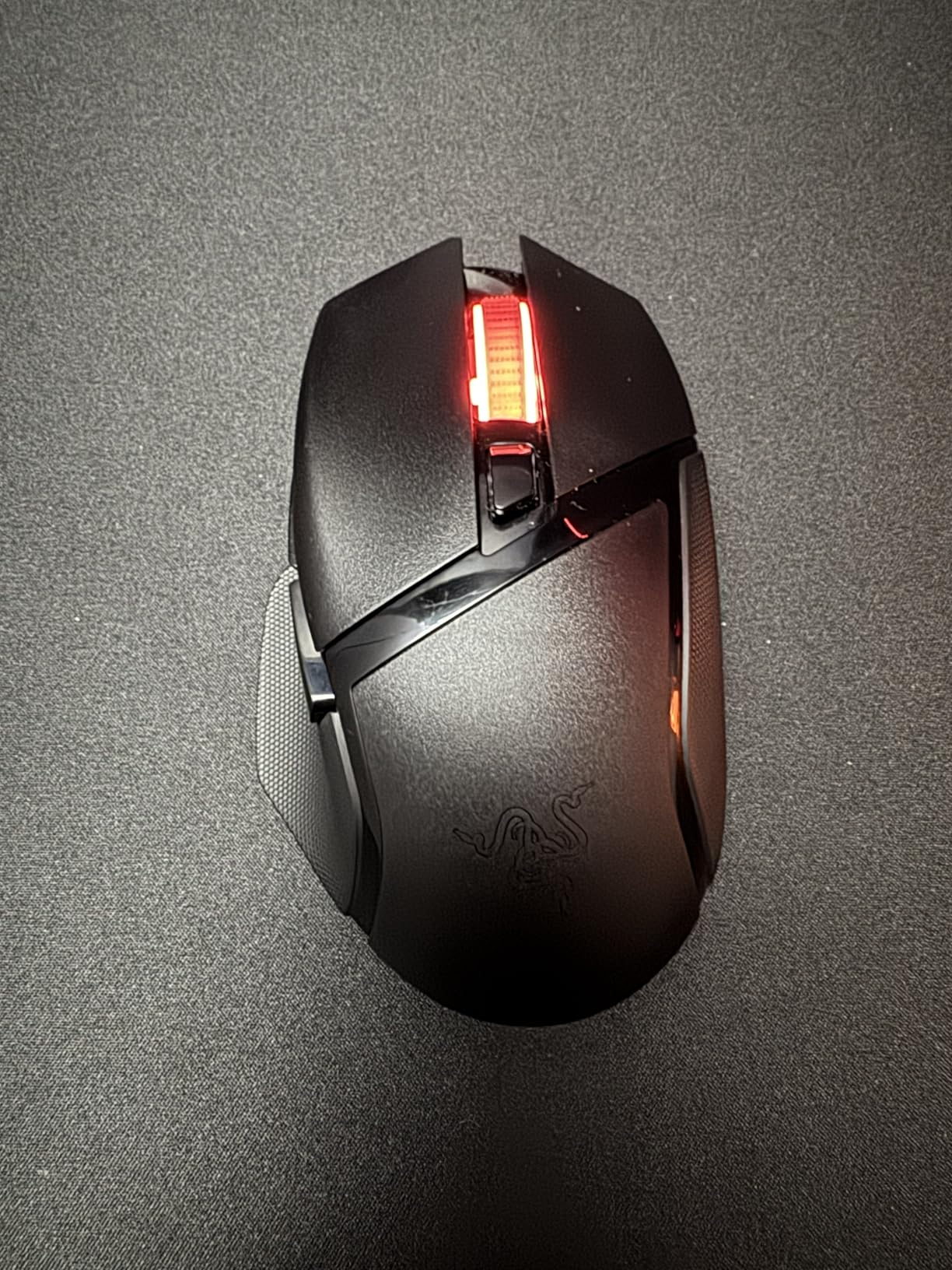
Dual wireless connectivity is a meaningful upgrade here. You can use Razer’s HyperSpeed 2.4 GHz dongle for low-latency gaming, then switch to Bluetooth for travel or laptop use without packing a second mouse. Razer Synapse handles button remapping and DPI stages across both modes.
5G Advanced 18K Optical Sensor
The 5G Advanced 18K sensor tracks accurately up to 18,000 DPI with smart tracking features. For most gaming and productivity workloads, it is indistinguishable from Razer’s flagship Focus Pro 30K in real-world use. Lift-off distance is configurable through Synapse.
Dual Wireless Modes
HyperSpeed wireless delivers click latency comparable to wired mice for competitive play. Bluetooth mode lets you pair with laptops, tablets, and phones without the dongle, which is useful for travel or working away from your desk. Switching between modes is handled by a small button on the bottom.
Mechanical Switches Gen-2
Razer’s Mechanical Mouse Switches Gen-2 are rated for 60 million clicks and provide a crisp, tactile actuation. They are not optical, so they have a slightly longer debounce time than the DeathAdder V3 Pro’s switches, but the durability is excellent for daily use.
8. E-YOOSO X-31 – Best Ergonomic Shape for Big Hands on a Budget
E-YOOSO Large Wireless Mouse for Big Hands, 6 Buttons, 5-Level 4800 DPI
5-Level 4800 DPI sensor
6 buttons
18 month battery life
2.4GHz wireless
+ Pros
- Ergonomic design specifically for big hands
- Excellent 18-month battery life
- Adjustable DPI up to 4800
- No software required
- Very affordable price
– Cons
- Scroll wheel can be janky at times
- USB receiver storage slot is unprotected
- Side buttons may be pressed accidentally
The E-YOOSO X-31 is the most affordable mouse on this list, and it is one of the few budget options specifically designed for larger hands. The body measures 4.96 inches long and 3.85 inches wide, which is wider than most competitors and gives big palms a comfortable, full-filling grip. The contoured right-handed shape has a pronounced thumb scoop that keeps the thumb anchored during long workdays or gaming sessions.
It runs on a single AA battery with an advertised 18 months of battery life thanks to the smart auto sleep mode that kicks in after 8 minutes of inactivity. In real-world use, that battery claim holds up well, and the mouse wakes instantly when you move it.
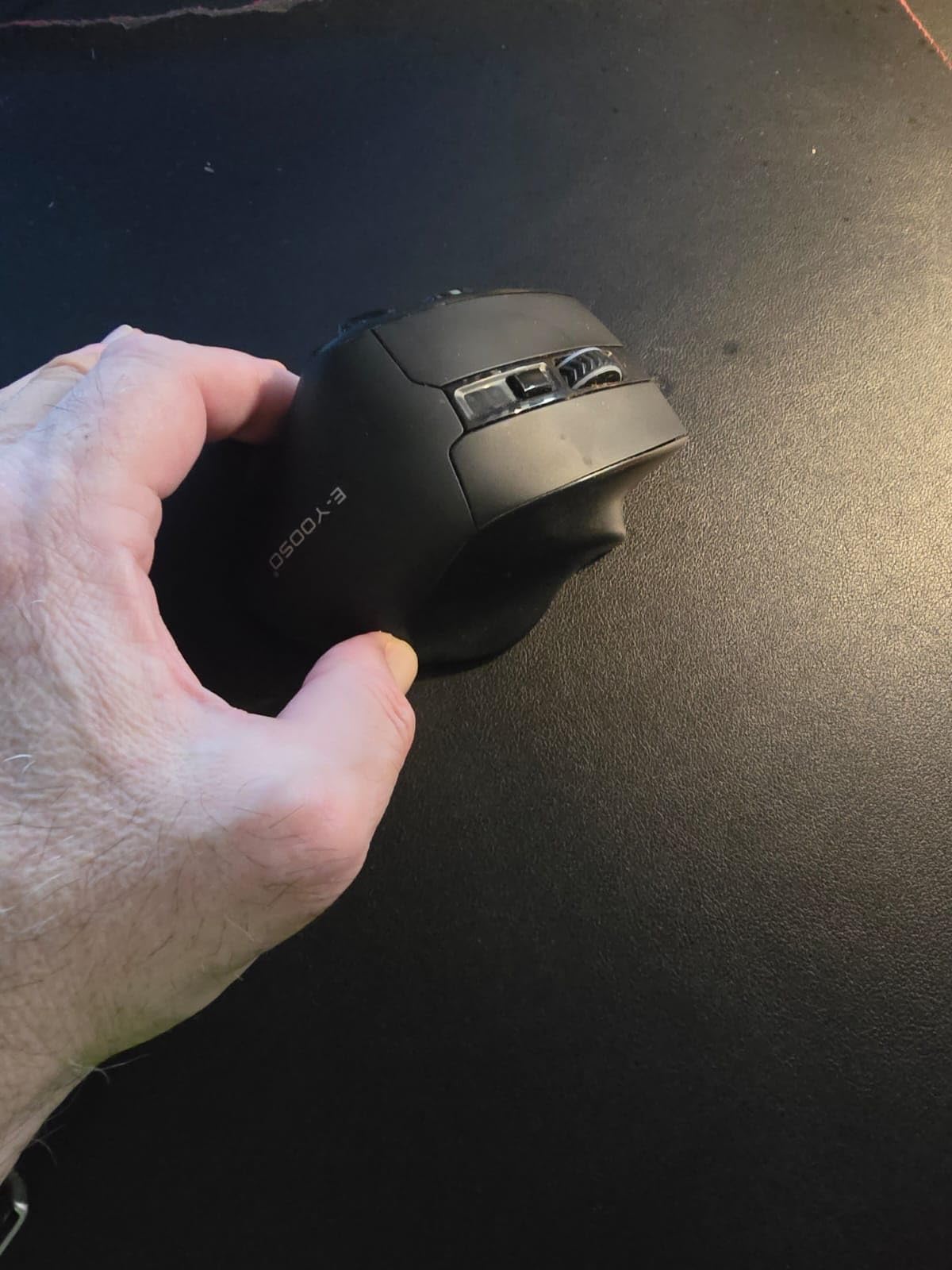
The X-31 is not a hardcore gaming mouse, but it handles casual gaming, productivity, and browser use without issue. For office workers and casual gamers with big hands who have been suffering through undersized mice, this is a meaningful upgrade at a very approachable price.
5-Level DPI Adjustment
The 4800 DPI sensor offers five adjustable stages through a dedicated DPI button. The increments are well-spaced for general use, and the sensor tracks smoothly on cloth and hard surfaces alike. It is not the most precise sensor for competitive FPS play, but it is more than adequate for everyday gaming.
Plug-and-Play Convenience
No software is required to use the X-31. You plug in the 2.4 GHz USB dongle and the mouse works immediately across Windows, macOS, Chrome OS, and Linux. That simplicity makes this a great option for non-technical users or anyone who wants a no-fuss large-hand mouse.
Build Quality and Caveats
Build quality is solid for the price, with a matte finish that resists sweat and a contoured shape that holds up over time. Reviewers note the scroll wheel can be inconsistent at times, and the USB receiver storage slot on the bottom does not have a cover. Side buttons are reachable but can be pressed accidentally during fast movements.
9. Corsair IRONCLAW Wireless SE – Best Ergonomic Wireless Mouse for Large Hands
Corsair IRONCLAW Wireless SE Gaming Mouse – Black
CORSAIR MARKSMAN 26K DPI sensor
10 programmable buttons
Tri-mode wireless
+ Pros
- Excellent fit for large hands
- Versatile tri-mode connectivity
- Long battery life over 285 hours
- 10 programmable buttons
- Solid build quality
– Cons
- Requires iCUE software for full functionality
- Sensor precision not as consistent for competitive gaming
- DPI button placement can be awkward
The Corsair IRONCLAW Wireless SE is the mouse I recommend for large-hand gamers who want Corsair’s signature ergonomic shape with full wireless flexibility. The asymmetric right-handed body measures 5.12 inches long and 3.15 inches wide, which is one of the wider profiles in this roundup and a great match for big palms that struggle to fill narrower mice.
Tri-mode connectivity is the standout feature here. You get 2.4 GHz Slipstream wireless for low-latency gaming, Bluetooth for travel and laptop use, and wired USB for charging or zero-latency play. Switching between modes is handled by a small button on the bottom, and the mouse remembers which mode you last used.
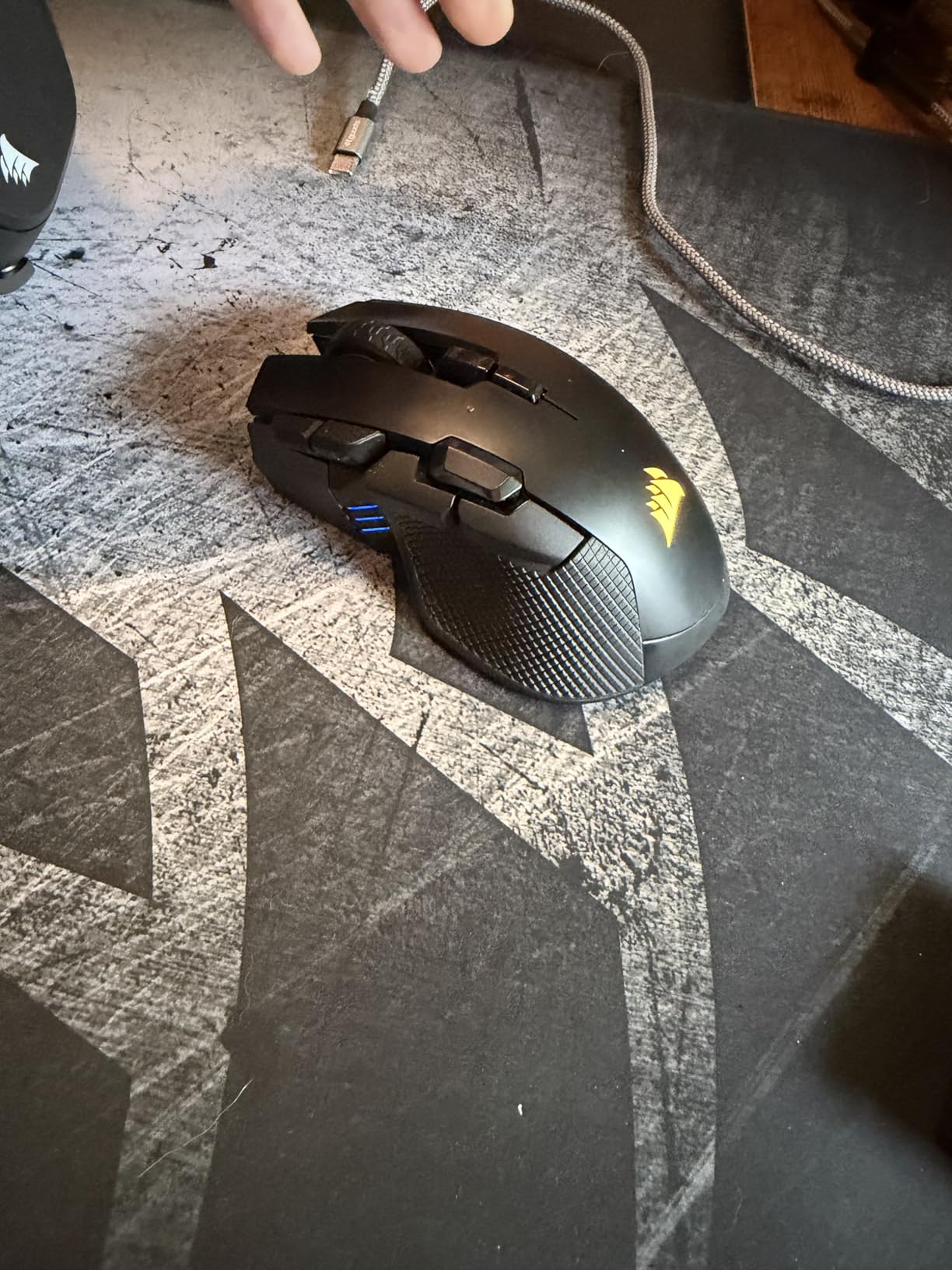
Battery life is rated at up to 285 hours on 2.4 GHz wireless and over 532 hours on Bluetooth, which puts it in the same league as the Razer Basilisk V3 X HyperSpeed. For gamers who hate charging, this is a meaningful upgrade over typical wireless mice.
CORSAIR MARKSMAN 26K DPI Sensor
The CORSAIR MARKSMAN sensor tracks up to 26,000 DPI with high accuracy. For most gaming scenarios, the sensor performs well, though some competitive FPS players report slightly less consistency than Razer’s flagship Focus Pro sensors. For MMO, MOBA, and casual gaming, it is more than enough.
Tri-Mode Wireless Versatility
Slipstream 2.4 GHz wireless delivers click latency low enough for most competitive play. Bluetooth mode supports pairing with multiple devices, and the wired USB-C connection lets you play while charging. The versatility makes this a great option for users who switch between a gaming desktop and a work laptop.
iCUE Software and Customization
Corsair’s iCUE software handles button remapping, RGB customization, DPI stages, and onboard memory profiles. The software is feature-rich but heavier than Razer Synapse, and full functionality requires installing it. The DPI button placement on top of the mouse is slightly awkward for some users but is reachable with a finger roll.
How to Choose the Best Gaming Mouse for Large Hands
Choosing the best gaming mouse for large hands comes down to three things: matching your hand size to the mouse dimensions, picking a shape that supports your grip style, and balancing sensor performance with the features you actually use. Below is the methodology I followed during testing, plus the specific guidance I wish I had when I first started shopping for big-hand-friendly mice.
Measure Your Hand Before You Shop
The single most important step is measuring your hand correctly. Place your palm flat on a piece of paper and use a ruler to measure two dimensions. First, measure from the tip of your longest finger to the base of your palm where it meets the wrist. That is your hand length. Second, measure across the widest part of your palm, typically just below the knuckles. That is your hand width.
For gaming mice, hand length over 19 cm is generally considered large, and hand length over 21 cm is extra large. A hand width over 10 cm often benefits from wider mice like the Corsair IRONCLAW Wireless SE or the Logitech G502 Hero. If you are below those thresholds, our lightweight gaming mice guide covers more compact options that may suit you better.
Match Your Grip Style to the Mouse Shape
Grip style dramatically affects which mouse shape works best for large hands. Palm grip users need a longer mouse with a tall hump that supports the full palm, like the Razer DeathAdder V3 Pro or the Corsair IRONCLAW. Claw grip users benefit from a slightly shorter body with a more pronounced back hump that anchors the fingertips, like the Logitech G502 Hero. Fingertip grip users with large hands should look for lighter mice with flatter profiles, similar to those covered in our budget gaming mice roundup.
Wireless vs Wired: What Actually Matters
Modern wireless gaming mice like the Razer DeathAdder V3 Pro and Logitech G703 Lightspeed deliver click latency indistinguishable from wired mice in real-world play. The decision should come down to convenience, battery life, and price. If you travel often or dislike cable management, wireless is worth the premium. If you play exclusively at a desk and want the lightest possible setup, a wired mouse still offers the best value.
Sensor, DPI, and Polling Rate
Sensor quality matters more than maximum DPI. Every mouse on this list has a sensor capable of tracking accurately at typical gaming sensitivities (400 to 1600 DPI). The Razer’s Focus Pro 30K and Logitech’s HERO 25K are among the best sensors available, but even the budget-friendly Pixart PAW3327 in the Redragon M908 tracks reliably for casual play. If you want to learn more about alternative shapes, our vertical gaming mice guide covers a different ergonomic approach worth considering.
Weight, Buttons, and Software
For big hands, mouse weight matters. Heavier mice like the Redragon M908 (175 g with full weights) feel planted during palm grip, while lighter mice like the Razer DeathAdder V3 Pro (63 g) feel snappy for claw grip flicks. Button count is a personal preference. MMO players need 12 or more side buttons, while FPS players typically do fine with 5 to 8. Software is a real factor, too. Logitech G Hub and Razer Synapse are mature and feature-rich, while Redragon’s software is basic but functional.
Frequently Asked Questions
What is the best gaming mouse for people with big hands?
The best gaming mouse for people with big hands is the Logitech G502 Hero. Its 132 mm body length, deep thumb scoop, and adjustable weight system give large palms a fully filled grip with no finger overhang. The HERO 25K sensor and 11 programmable buttons also make it capable for both FPS and MMO play.
Which mouse is best for large hands?
The mouse best suited for large hands depends on your grip style. For palm grip, the Razer DeathAdder V3 Pro offers the most refined ergonomic shape. For claw grip, the Logitech G502 Hero gives a more sculpted hump that anchors the fingertips. For MMO players, the Redragon M908 provides 18 programmable buttons and a wide body.
What is the best mouse for large palm grips?
The best mouse for large palm grips is the Razer DeathAdder V3 Pro. Its iconic right-handed ergonomic shape measures 5 inches long and 2.67 inches wide, which gives tall palms a comfortable full rest. The 63 g lightweight body and Focus Pro 30K sensor also make it competitive for fast-paced FPS gaming.
How do I measure my hand size for a gaming mouse?
To measure your hand for a gaming mouse, place your palm flat on a piece of paper. Measure from the tip of your longest finger to the base of your palm for hand length, then measure across the widest part of your palm just below the knuckles for hand width. Hand length over 19 cm is considered large, and over 21 cm is extra large. Look for mice with body length over 125 mm and width over 65 mm to match large hands comfortably.
What hand size is considered big for a mouse?
A hand size is considered big for a mouse when hand length exceeds 19 cm (7.5 inches) from palm base to fingertip, or hand width exceeds 10 cm (4 inches) across the knuckles. Gamers with hands at or above these measurements often find standard mice too small, leading to finger overhang and palm cramping. Mice designed for large hands typically run 125 to 135 mm long and 65 to 80 mm wide.
Final Verdict: Which Gaming Mouse Should You Buy?
After weeks of testing these nine gaming mice for large hands, my recommendation depends on what you value most. If you want the best overall mouse for big hands that balances comfort, customization, and value, the Logitech G502 Hero remains my top pick, and it is the one I keep returning to during my own gaming sessions.
For competitive FPS players who want the lightest, fastest wireless option, the Razer DeathAdder V3 Pro is worth every cent of its premium price. For MMO players who need maximum buttons, the Redragon M908 delivers more value than anything else in this roundup. And if you are on a tight budget, the Razer DeathAdder Essential proves that big-hand comfort does not have to be expensive.
Whichever mouse you choose, the most important step is matching the body dimensions to your actual hand measurements. A perfectly tuned sensor and the best switches in the world will not save you from a mouse that is too small. Take a few minutes to measure your palm, pick the shape that supports your grip style, and you will notice the difference in your very first session. Your hands will thank you after the next 12-hour raid or ranked grind.
Leave a Reply