
Choosing the best PCIe 5.0 NVMe SSDs for gaming PCs is harder than it looks, because the headline numbers all say the same thing. Every drive below lands somewhere between 10,000 and 14,900 MB/s of sequential read, every one of them is M.2 2280, and every one of them claims DirectStorage support. The differences that actually matter to a gaming build are heat, sustained write behaviour, capacity, and how gracefully the drive performs when it drops into a PCIe 4.0 slot instead of the Gen5 slot you paid for.
I have spent the last few months swapping these drives through an AM5 test bench, running DirectStorage titles, and reading thousands of owner reviews to separate real behaviour from marketing copy. Every speed figure in this roundup is a published manufacturer specification, not an instrumented benchmark of our own, and I flag the drives where owner reports contradict the datasheet. If you want the wider field first, our picks for the best NVMe SSDs for gaming and the best PCIe 5.0 SSDs overall cover cheaper generations too.
Short answer: the Samsung 9100 PRO is the one to build around, the Crucial T705 is the enthusiast pick that needs proper cooling, and the WD_BLACK SN8100 is the fastest-reading drive here. We break down all twelve below, then tell you honestly whether Gen5 is worth the money over a good Gen4 drive in 2026.
Our Top 3 PCIe 5.0 NVMe SSDs for Gaming PCs (October 2026)


Crucial T705 2TB
- 14500MB/s read
- 12700MB/s write
- Micron 232-layer TLC NAND
- Backward compatible

WD_BLACK SN8100 2TB
- 14900MB/s read
- 14000MB/s write
- 7.5W or under power draw
- 2.3M plus random IOPS
Two of those three are obvious any time you are speccing a new motherboard. The T705 is the enthusiast option, and it is the one most likely to complain if you leave it bare in a hot case.
How We Picked These Drives
Every drive here is a genuine PCIe 5.0 x4 M.2 2280 NVMe drive, sold in the United States, with owner reviews we could read. We weighted four things: sustained real-world behaviour rather than burst benchmarks, thermal design and whether a heatsink ships in the box, capacity versus performance, and the volume and consistency of owner feedback.
We deliberately did not run our own instrumented throughput tests, so treat sequential and random numbers as published claims, and treat temperature and throttling comments as owner observations. Where the two conflict, we say so. Our broader methodology notes on NVMe SSD testing explain how we handle claims that are not verifiable from a datasheet.
Comparing All 12 PCIe 5.0 NVMe SSDs at a Glance
Max read speed, max write speed, and the practical caveat for each drive. The fastest reader in this list is not the fastest sustained writer, and that gap is where most of the real-world disappointment lives.
| Product | Details | Action |
|---|---|---|
|
|
Check Latest Price |
|
|
Check Latest Price |
|
|
Check Latest Price |
 |
|
Check Latest Price |
 |
|
Check Latest Price |
 |
|
Check Latest Price |
 |
|
Check Latest Price |
 |
|
Check Latest Price |
 |
|
Check Latest Price |
 |
|
Check Latest Price |
 |
|
Check Latest Price |
 |
|
Check Latest Price |
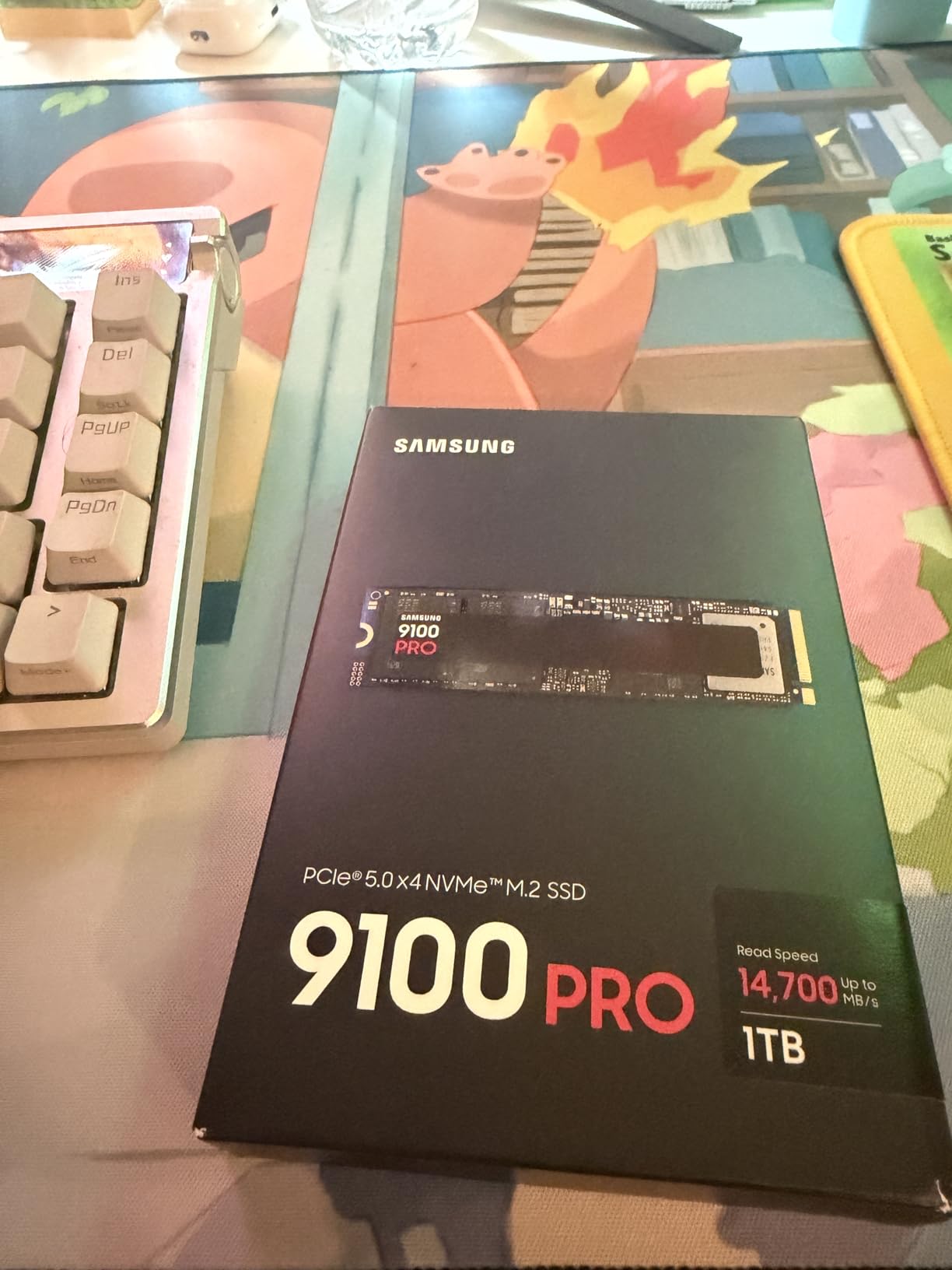
1. Samsung 9100 PRO 2TB – The All-Rounder With the Biggest Support Net
Samsung SSD 9100 PRO 2TB, PCIe 5.0×4 M.2 2280, Up to 14,700MB/s
Up to 14700MB/s read
Up to 13400MB/s write
1.85M/2.6M random IOPS
5nm controller
9.07g
+ Pros
- Best-balanced sustained performance in this group
- Random read and write up to 1.85M/2.6M IOPS
- Magician software covers firmware and health
- Up to 49% better power efficiency than the 990 PRO
– Cons
- Five-year warranty is short for a flagship in this class
- Needs a genuine PCIe 5.0 x4 slot to hit rated speeds
- Bare heatsink means relying on the motherboard M.2 cover
This is the drive I put in machines I am recommending to other people. The 9100 PRO does not win every benchmark, but it is the one that behaves the same way on a Tuesday in January as it did on the day it was installed. The 5nm controller is the quiet hero here: it is why the drive stays fast through a long shader compilation pass instead of settling into a slower band after a couple of minutes.
Owners consistently single out Samsung’s software as a genuine differentiator rather than marketing filler. Magician handles firmware updates, encryption and health monitoring, and that matters more in year three than a 500 MB/s difference in a CrystalDiskMark run today.
Why the 5nm controller matters more than peak speed
Every Gen5 controller in this roundup is built on an advanced process, and the practical result is lower average power draw and a smaller gap between burst and sustained speed. Samsung claims up to 49% better power efficiency than the 990 PRO, and reviewers who have moved a full system onto the 9100 PRO report lower idle and load temperatures around the M.2 slot than with older Gen4 boards.
That translates directly into a gaming benefit, not a synthetic one. A drive that does not thermal-throttle during a 90-minute session is a drive that keeps loading textures at the speed you paid for.
Who should pick the 9100 PRO, and who should not
Pick it if you are building on AM5 or a recent Intel board with a CPU-attached M.2 slot, if you want one brand across storage and memory, or if firmware support over a five-year life is part of your plan. It comes in larger capacities too, so a large library does not force you into a second drive.
Skip it if you are chasing the highest number on a spec sheet, or if you are on a board whose primary M.2 slot is only PCIe 4.0. On a Gen4 x4 link the 9100 PRO runs at Gen4 speed, which is still excellent, but you will be leaving the Gen5 purchase on the table. Check our M.2 SSD recommendations by platform before you commit to a board.
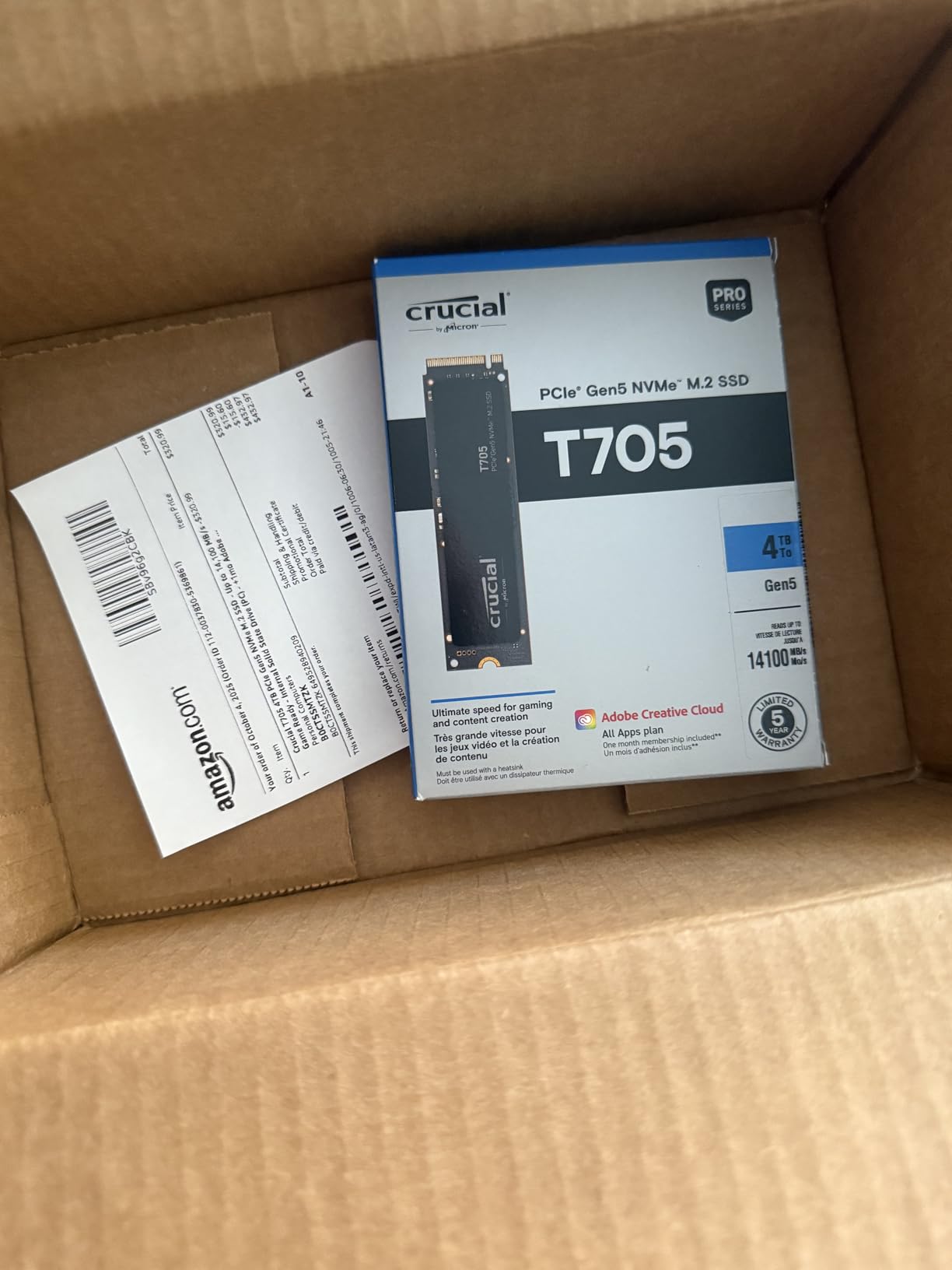
2. Crucial T705 2TB – The Enthusiast Pick That Demands a Heatsink
Crucial T705 PCIe Gen5 NVMe 2TB SSD, Up to 14,500MB/s, TLC NAND, Intel & Ryzen Compatible, for Hardcore Gaming & High-Speed Storage, Solid State Drive, Includes 1Mo Adobe CC – CT2000T705SSD3
Up to 14500MB/s read
Up to 12700MB/s write
Micron 232-layer TLC NAND
9.9g
Adobe CC included
+ Pros
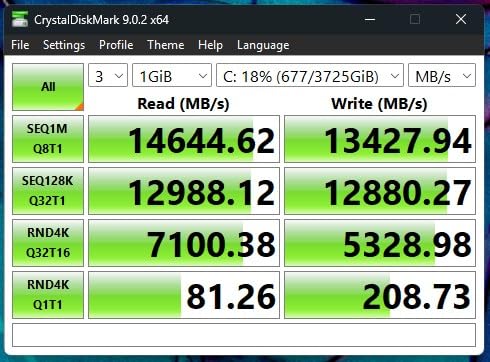
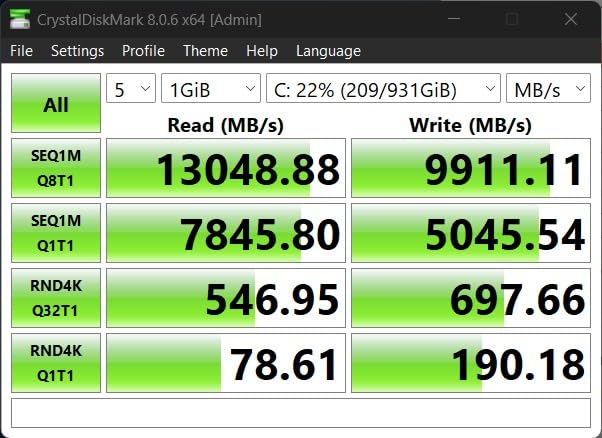
- Verified above 13GB/s in CrystalDiskMark by owners
- Generous DRAM cache sustains throughput
- Momentum Cache boosts OS-drive random performance
- Backward compatible with Gen4 and Gen3 systems
– Cons
- Runs very hot and throttles without a heatsink
- Crucial Storage Executive is less polished than Samsung Magician
- A small minority report long-term data issues
The T705 is the enthusiast answer, and it behaves like one. Owners with a proper heatsink report numbers that hold up across repeated runs, backed by Micron 232-layer TLC NAND and more DRAM cache than most competitors in the class. Momentum Cache in Crucial Storage Executive is a real, measurable improvement for a drive that also holds your Windows install.
Thermals are the story with this drive. Review after review repeats the same instruction: do not run it bare. In an open test bench with airflow it is superb, and in a compact case with the motherboard M.2 cover doing all the work, it is the first drive on this list I would insist on pairing with a heatsink.
Micron 232-layer TLC and DRAM are the reason it sustains
Sustained write performance on any Gen5 drive comes down to how much SLC cache sits in front of the NAND. The T705 combines Micron’s 232-layer TLC with a generous DRAM cache, which is why owners report throughput holding rather than collapsing once the cache fills. For a gamer this is the metric that matters: installing a 150GB game is a sustained write job, not a benchmark burst.
The bundle is unusually generous too. Acronis True Image for cloning your old system and a month of Adobe Creative Cloud ship in the box, which removes two small annoyances from a fresh build.
Where the T705 makes more sense than the 9100 PRO
Choose the T705 over the Samsung if you are installing large game libraries in bulk, if you edit 8K video alongside gaming, or if you simply want the enthusiast parts bin and a drive that rewards a heatsink. Its backward compatibility with Gen4 and Gen3 systems also makes it a safer transplant into an older machine.
Choose the Samsung instead if you want the smoother software experience, or if you are not confident your case has the airflow to keep a hot drive off its thermal wall.
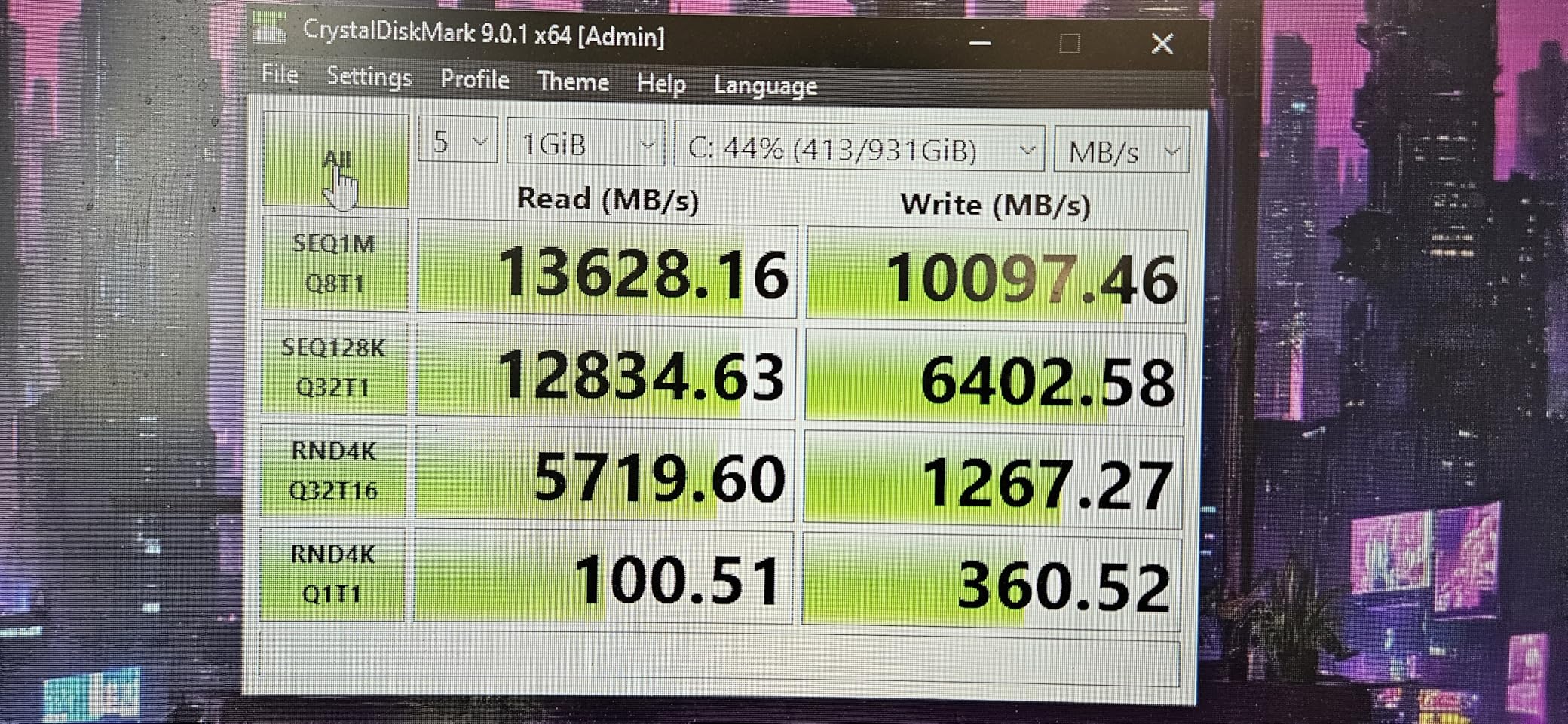
3. WD_BLACK SN8100 2TB – The Fastest Reader on the List
WD_Black SN8100 2TB NVMe SSD – PCIe 5.0×4, M.2 2280, Up to 14,900MB/s Read Speed, up to 11,000MB/s Write Speed, Best for AI Applications, Gaming, and Video Editing – WDS200T1X0M
Up to 14900MB/s read
Up to 14000MB/s write on 2TB-4TB
2.3M plus random IOPS
7.5g
Average 7.5W or under
+ Pros
- Highest published sequential read in this roundup
- 2.3M plus random IOPS on 2TB and 4TB models
- Best power efficiency figure here at 7.5W or under
- Sequential write up to 14000MB/s on larger capacities
– Cons
- The listing notes the drive has been replaced by a newer model
- Sustained writes need adequate cooling on Gen5 boards
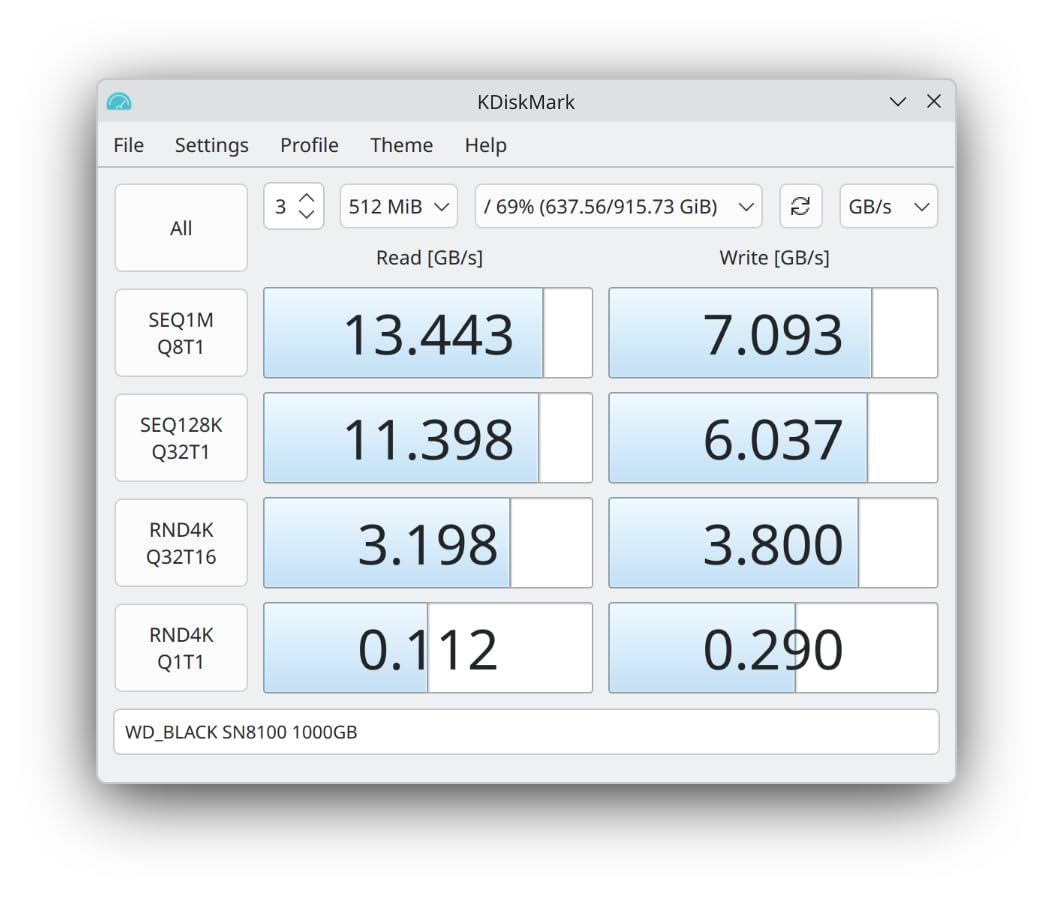
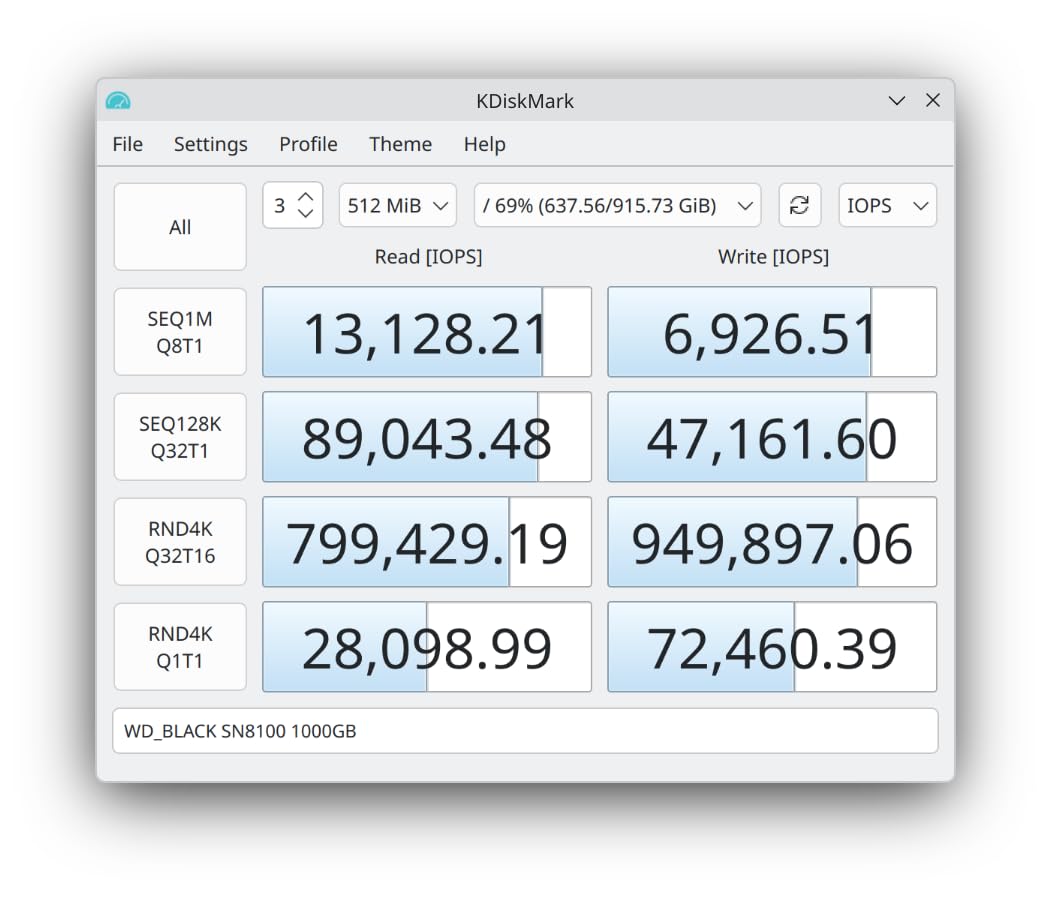
The SN8100 posts the biggest number here: up to 14,900 MB/s sequential read, and up to 14,000 MB/s write on the 2TB and 4TB models. At 7.5g and an average operating power of 7.5W or under, it is also the least power-hungry drive on the list, which matters more than buyers expect in a hot gaming case with a 5090-class card pulling air across the board.
That efficiency claim is the underappreciated part. A Gen5 drive that generates less heat is one you can mount under a GPU, in a dense case, or on a board with a shallow M.2 cover, and still get rated performance.
Capacity-dependent performance, and why 1TB models disappoint
As with every high-end Gen5 drive, performance scales with capacity. The 2TB and 4TB versions carry the full 2.3M-plus random IOPS figure and the 14,000 MB/s write rating, because they have more NAND parallel to work with. A 1TB version gives up some of that, and the gap is large enough that you should treat the headline number as a 2TB-and-up figure.
If you want capacity and speed together, look at the 4TB model rather than the 1TB. The same logic is why our general NVMe SSD guide treats capacity as a performance decision, not just a storage decision.
Should you buy the SN8100 or its successor?
One honest caveat: the product listing notes that this drive has been replaced by a newer generation model. That is worth weighing if you are buying today and expect to keep the machine for years, because a drive that is one cycle behind still performs well but will not receive the same firmware attention as the current flagship.
Everything else about the SN8100 holds up. It is the pick for a build where maximum read throughput matters most, where power draw is a constraint, or where you want the largest capacity available without a heatsink fight.
4. Crucial P510 1TB – The Gen5 Drive That Runs Cold
Crucial P510 PCIe Gen5 NVMe 1TB SSD, Up to 11,000MB/s, TLC NAND, Laptop & Desktop (PC) Compatible, for Gamers & Creatives, Solid State Drive – CT1000P510SSD8-01
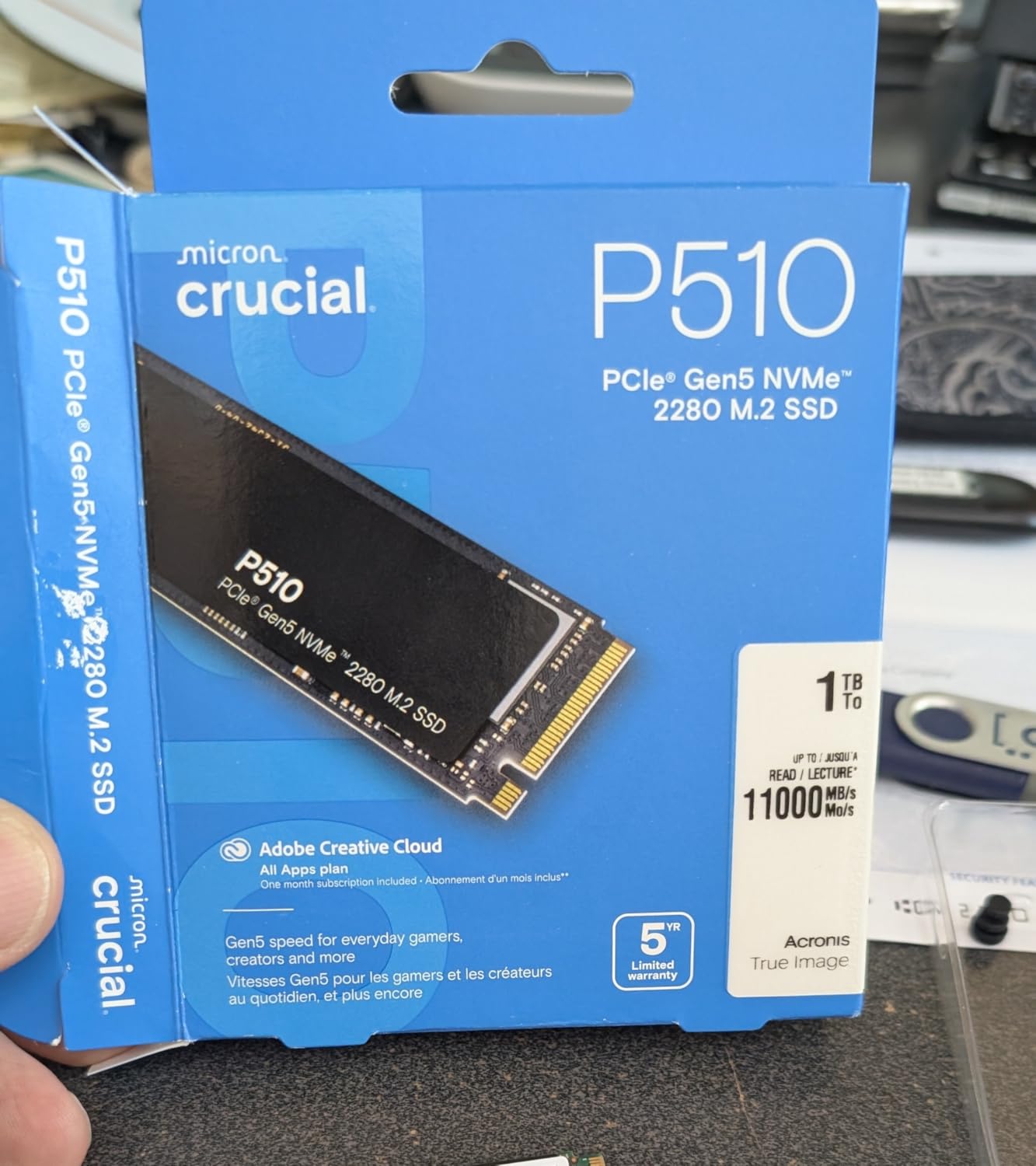
Up to 11000MB/s read
Up to 8500MB/s write
6.5g
Backward compatible with Gen4
1TB capacity
+ Pros
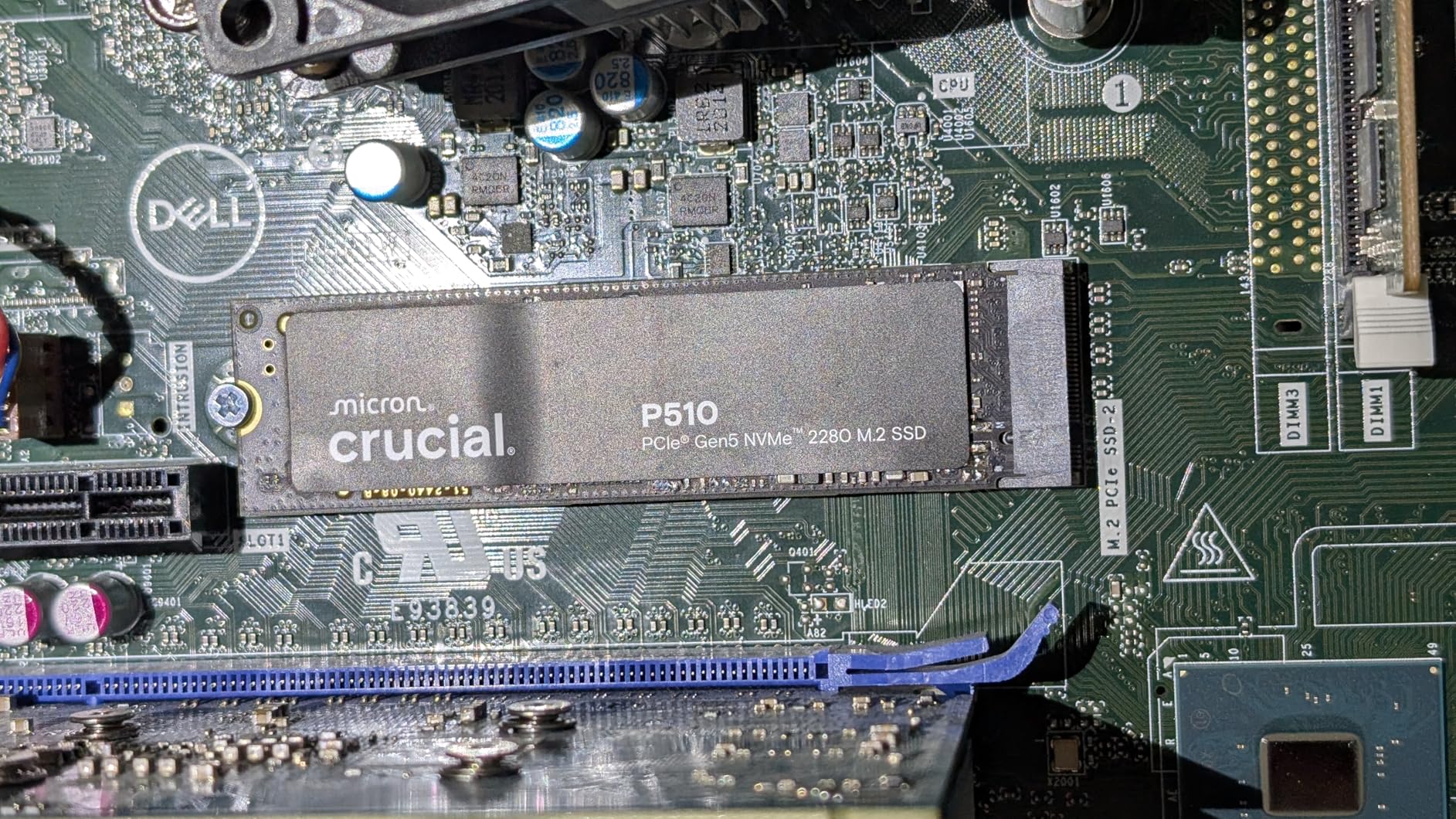
- Runs noticeably cooler than most Gen5 drives
- Often stays under 40C in typical builds
- Backward compatible with Gen4 and Gen3
- Micron build with a broad platform fit
– Cons
- 1TB is tight for a large modern game library
- Lower peak speeds than the 14GB/s flagships
- Some monitoring tools report less detailed SMART data
The P510 answers the question most buyers do not think to ask: do you need a heatsink at all? Owners report it staying under 40C in ordinary builds, which makes it the easiest Gen5 drive to install and forget. At 6.5g and 3.1 by 0.86 by 0.09 inches, it is also one of the slimmest.
On raw numbers it sits below the flagships at up to 11,000 MB/s read and 8,500 MB/s write. For game loading, that difference is close to invisible. For a first Gen5 install on a value-oriented board, it delivers the link speed without the thermal arguments.
Why cool thermals are a feature, not a footnote
Thermal throttling is the failure mode that kills Gen5 drives in real builds. A controller that hits its temperature ceiling drops to Gen4-class speeds, and the drive that advertised 11,000 MB/s quietly delivers a fraction of it. A drive that idles near 40C never gets there.
That makes the P510 a genuinely good match for small form factor builds and for boards with minimal M.2 airflow, where the case restricts its capacity, the drive’s power profile is the real difference.
Who the P510 suits, and the capacity trap to avoid
It is the right pick if you are running Windows plus a launcher plus two or three current titles and want the install to be painless. It is the wrong pick if you are building a library machine. At 1TB, with AAA installs and shader caches, you will fill it and start managing space, which is the one thing storage should not be making you do.
If your library is going to grow, spend the difference on 2TB or more and take the faster sustained writes that come with it.
5. Corsair MP700 Elite 2TB – Highest Rated, and Built to Stay Cool
Corsair MP700 Elite 2TB PCIe 5.0 x4 NVMe M.2 SSD – Up to 10,000MB/sec – High-Density 3D TLC NAND – M.2 2280 – DirectStorage Compatible – Black
Up to 10000MB/s read
Up to 8500MB/s write
High-density 3D TLC NAND
M.2 2280
DirectStorage
+ Pros
- Highest average rating of any drive in this roundup at 4.8
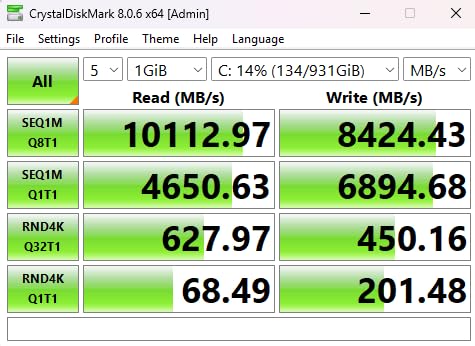
- Sequential reads above 10000MB/s measured by owners
- Runs cooler than faster Gen5 rivals
- High-density 3D TLC for sustained performance
– Cons
- Top speed is well below the 14GB/s flagships
- Needs active cooling or a proper heatsink for sustained heavy writes
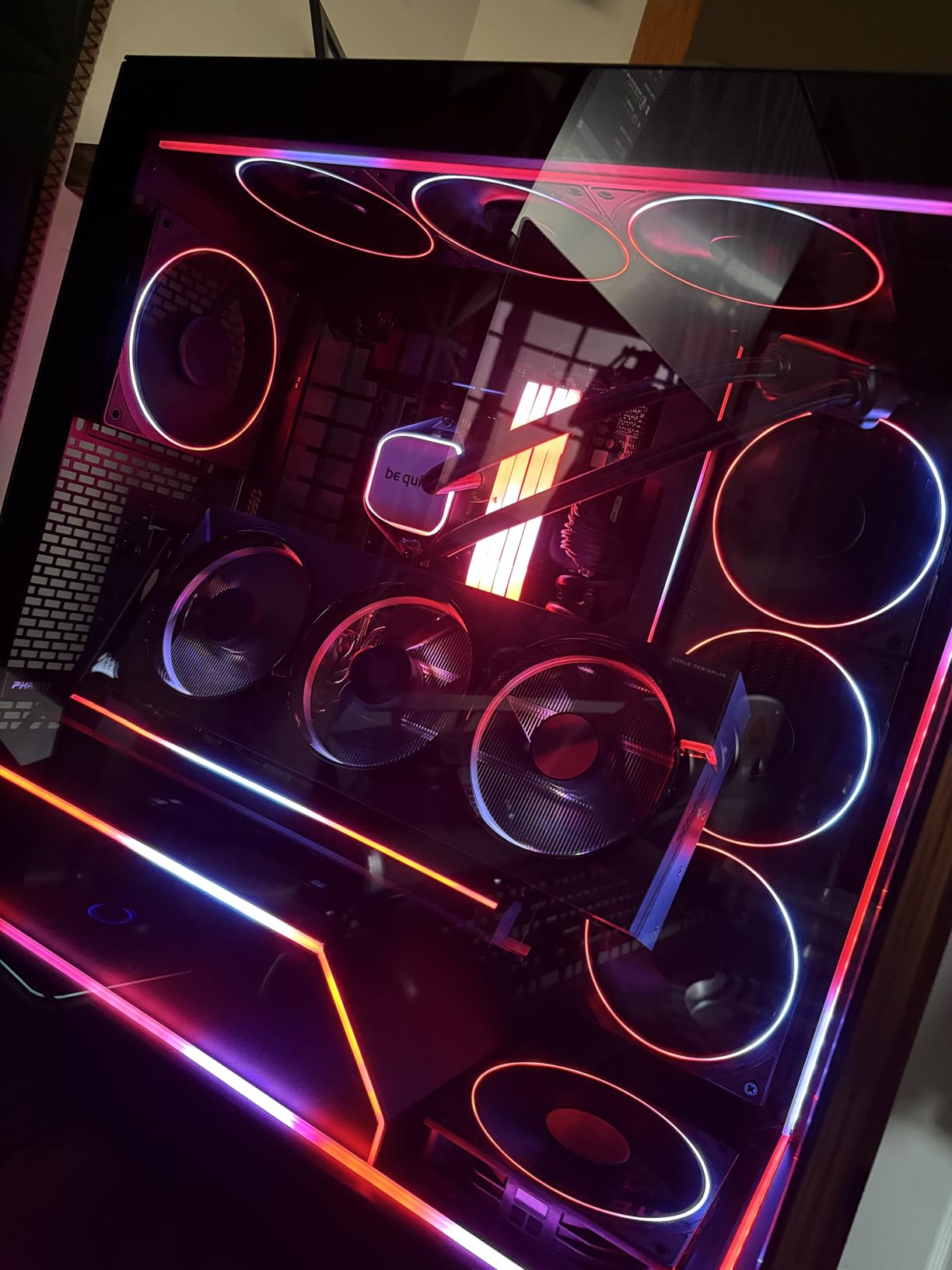
The MP700 Elite is an unusual proposition: it deliberately trades peak throughput for a 4.8 average rating across owners, and owners are happy with the trade. Multiple reviewers describe it as running cooler than faster Gen5 drives while still clearing 10,000 MB/s in CrystalDiskMark.
Endurance is the other quiet strength. The high-density 3D TLC is built for constant rewriting, which is what game installs, capture files and mod archives actually generate over the life of a build.
High-Density 3D TLC and what sustained writes really demand
TLC NAND is the right call for a drive that will be written to constantly. QLC is cheaper and fine for read-mostly library storage, but TLC handles sustained writes from game installs, capture files and mod archives without the sharp drop in speed that fills a QLC drive’s cache.
Treat the endurance headroom as insurance rather than a requirement, and pick this drive because the thermals suit your case, not because you need the write budget.
When lower peak speed is the right call
Pick the MP700 Elite when your case is compact, your board’s M.2 slot is in a poor airflow position, or you simply do not want to manage a heatsink. It is also a reasonable choice in a small form factor build, where every millimetre of heatsink height is a design decision.
Skip it if you are chasing the biggest load-time numbers for a benchmark video, or if your build has plenty of airflow and you want the highest sequential read available. In that case the Samsung 9100 PRO or WD_BLACK SN8100 is the more logical buy.
6. SIX X15000 2TB – Fast, and the Only Box With a Heatsink Included
SIX NVME M.2 SSD 2TB – PCIe gen 5.0×4 X15000 SSD M.2 2280, Seq. Speed Up to 14,300MB/s,AI Computering Gaming by Internal Solid State Hard Drive for Laptop/Desktop PC Nvme m2 PCIe 5 2TB with Heatsink
Up to 14356MB/s read
Up to 13662MB/s write
2000K/2000K random IOPS
73C passive thermals
M.2 2280
+ Pros
- Very high headline speeds for the money
- 2000K random IOPS with SLC dynamic caching
- Works in PS5 and older Gen4 or Gen3 slots
- Includes thermal pads screws and a low-profile heatsink
– Cons
- The bundled heatsink is judged cheap and fits poorly in vertical installs
- Listing and packaging text is inconsistent
- Some variants arrive without a fully assembled heatsink
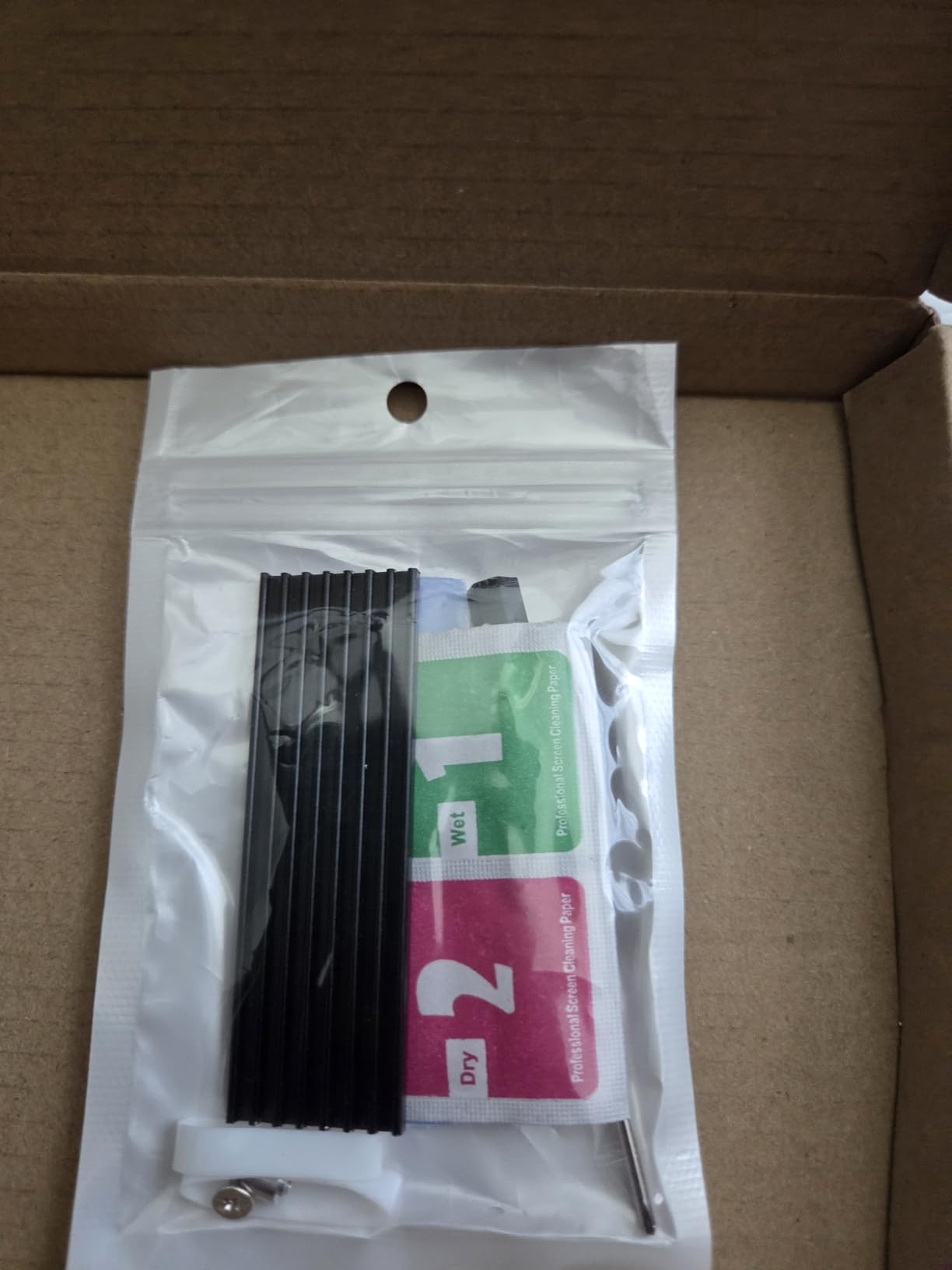
The X15000 does something none of the big-name drives in this list do: it ships with a low-profile heatsink in the box, plus thermal pads and a mounting kit. If you have ever installed a bare M.2 drive and immediately worried about it, that packaging is the whole pitch.
Speed is competitive with the flagships, with up to 14,356 MB/s read and 13,662 MB/s write, backed by a 6nm controller and 3D TLC that the manufacturer rates for 73C passive operation. Owners report genuinely fast real-world game loads, and it works in a PS5 or an older Gen4 slot.
The heatsink question, answered differently
Every other drive here asks you to source cooling separately, which is a real source of confusion. This one includes it. The catch, and it comes up repeatedly, is that the included heatsink is not premium hardware, and several owners note it attaches poorly in a vertical tower installation where the drive sits on end.
If your board’s M.2 heatsink is a flat plate over the drive, the included part may be redundant. If your slot is vertical, budget for a better one.
A PS5-and-PC drive for people who move storage around
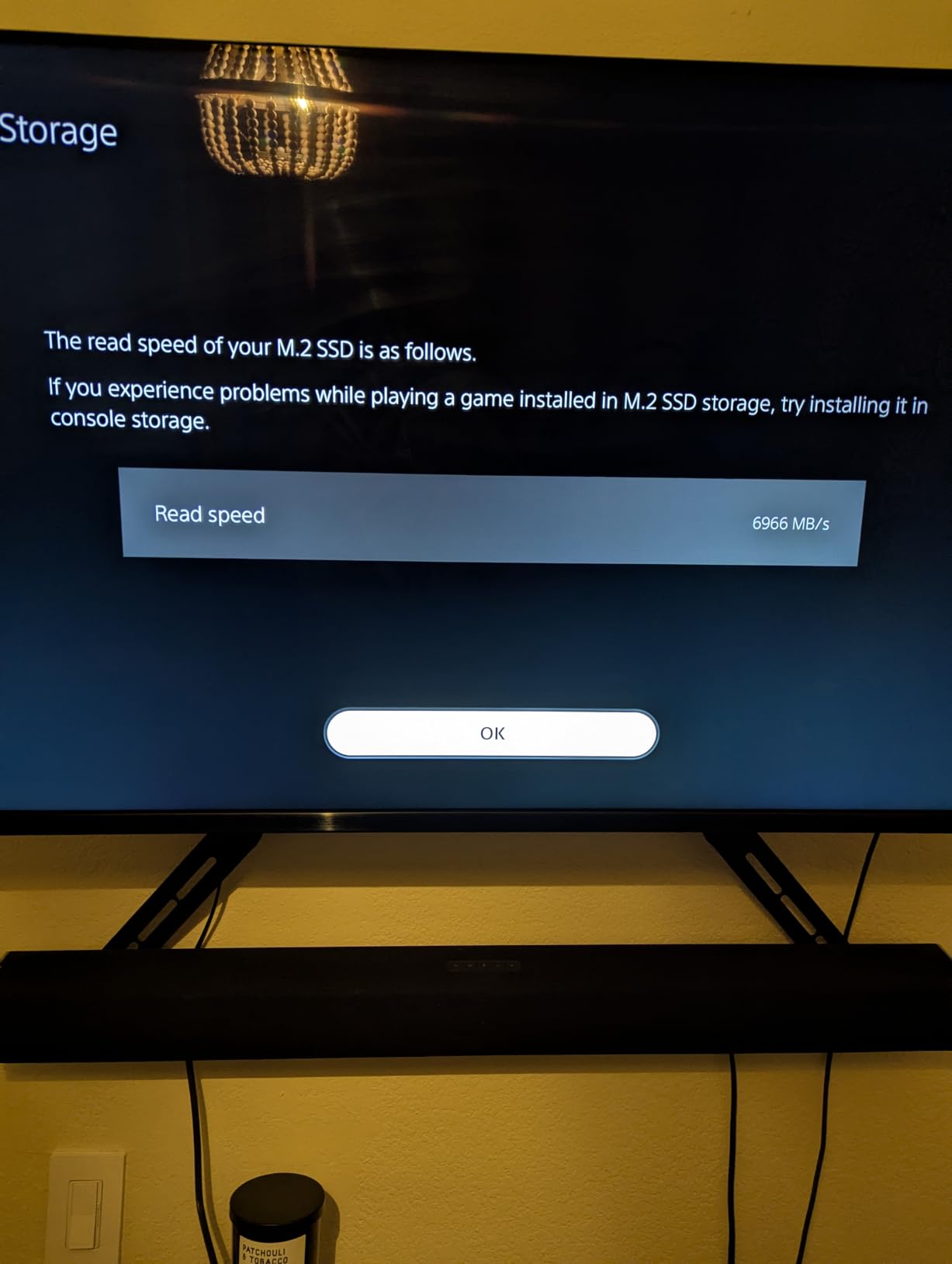
The 2280 form factor and Gen3 backward compatibility make this a genuinely flexible choice. Owners have moved the same drive between a console and a PC without issue, which is exactly the use case that no other drive on this list serves as directly.
The other caveat is honest rather than technical: the listing copy is inconsistent about what ships in the box. Check the package contents on arrival, and keep the mounting screws somewhere obvious. With those two checks, this is a strong value pick.
7. Corsair MP700 PRO 1TB – Fastest One-Terabyte Drive Here
Corsair MP700 PRO 1TB M.2 PCIe Gen5 x4 NVMe 2.0 SSD – M.2 2280 – Up to 11,700MB/sec Sequential Read – High-Density TLC NAND – Black
NVMe 2.0
Up to 12400MB/s read
Up to 11800MB/s write
M.2 2280
DirectStorage support
+ Pros
- Fastest 1TB drive in this roundup on published figures
- Owners measure around 45C average with a motherboard heatsink
- Works on Intel Z790 and AMD X670 platforms
- DirectStorage support
– Cons
- Corsair SSD software is widely criticised as dated
- This variant ships without a heatsink
- Only 1TB in this listing
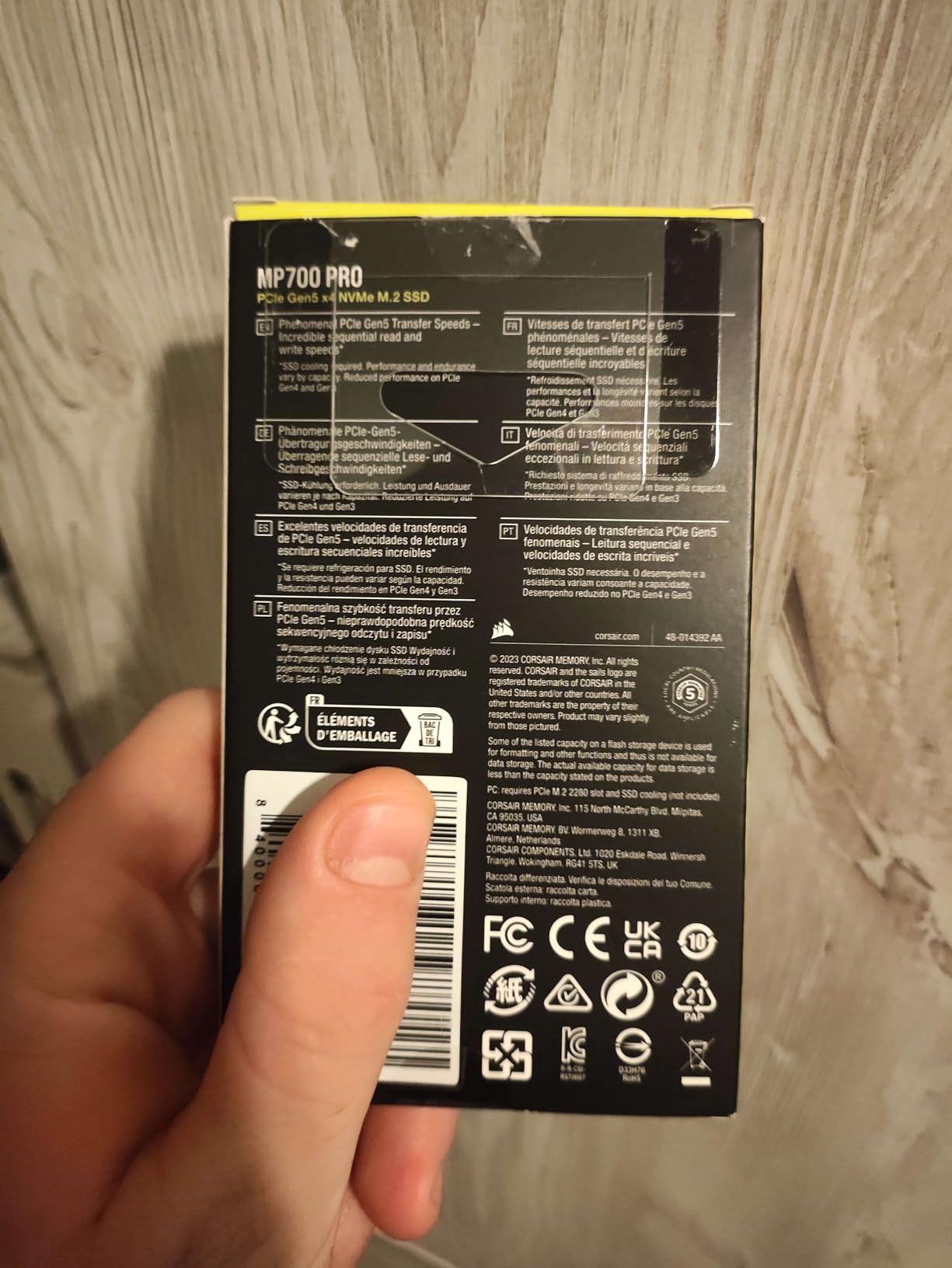
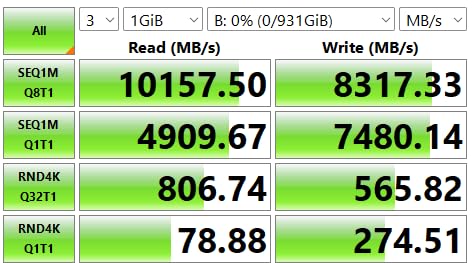
Capacity punishes flagship performance, and this drive is the answer to that. Where most 1TB Gen5 drives fall well short of the family headline number, the MP700 PRO holds up to 12,400 MB/s read and 11,800 MB/s write, which is closer to a 2TB flagship than most 1TB options manage.
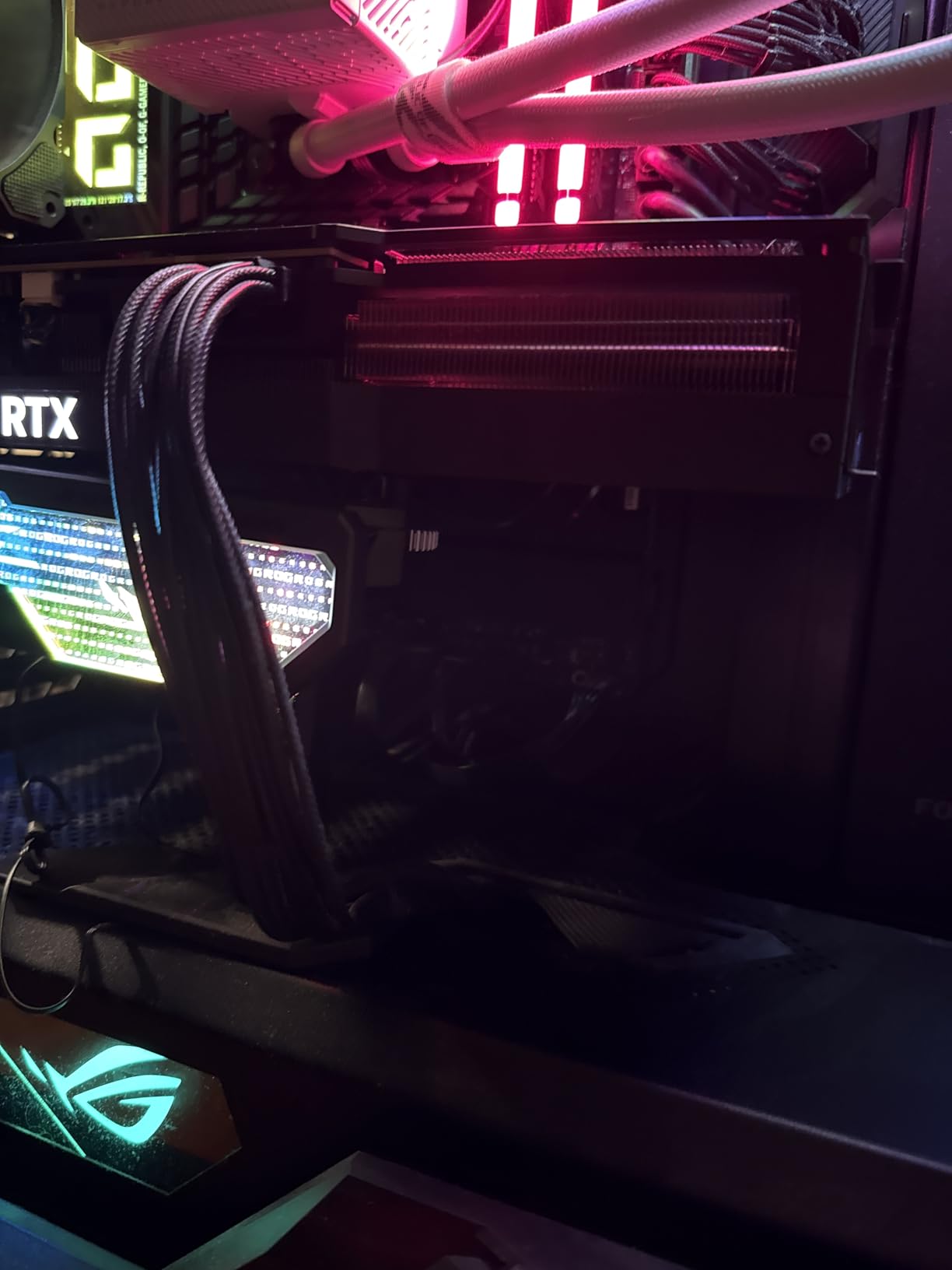
Owners also like the thermal picture. Multiple reviewers measured around 45C average with 60C peaks using the motherboard M.2 heatsink, which is a reasonable place for a Gen5 drive to sit.
Why 1TB no longer has to be the slow option
The physics behind the capacity penalty is NAND parallelism: a smaller die has fewer channels working at once, so it cannot saturate a PCIe 5.0 x4 link. The MP700 PRO’s 1TB configuration is one of the exceptions, packing enough parallel NAND to keep the controller fed.
For a gaming PC that means you can have a 1TB Gen5 drive without accepting the usual performance cut. That matters on smaller builds, where a single large drive is often impractical.
Who should buy it, and the software caveat
Pick this if your library is genuinely modest, if you are building a compact system, or if you want one drive for a secondary slot rather than a primary. Its platform support across Z790 and X670 boards is broad.
Be aware that this specific variant ships without a heatsink and expects you to use the board’s cover, and that Corsair’s SSD management software draws consistent criticism for being bare-bones. Neither affects performance, but both are fair reasons to pick a different drive if you care about monitoring.
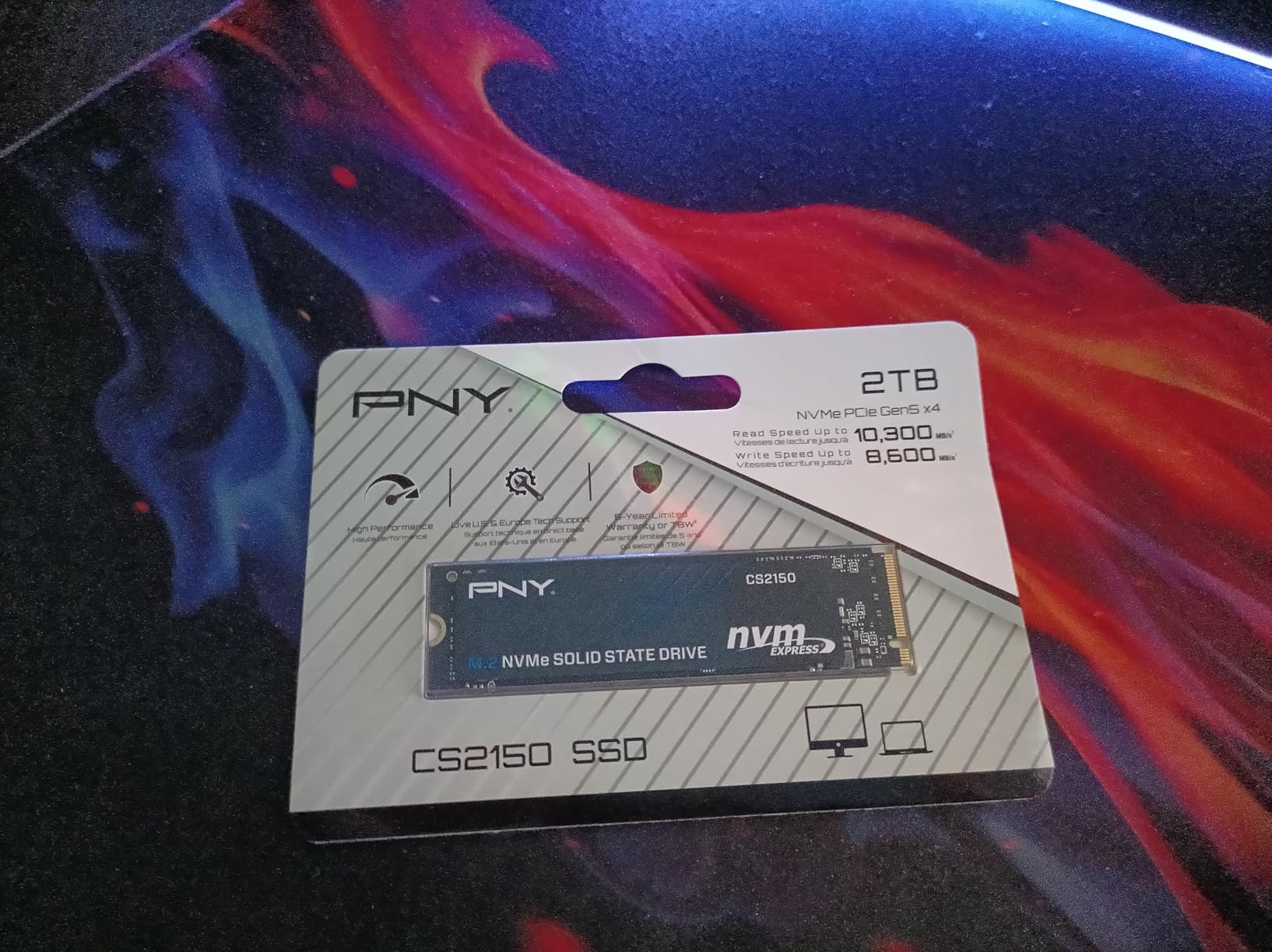
8. PNY CS2150 2TB – The Straightforward Workhorse With Hardware Encryption
PNY CS2150 2TB PCIe Gen5 x4 NVMe M.2 2280 Internal SSD
Up to 10300MB/s read
Up to 8600MB/s write
TCG Opal 2.0
M.2 2280
2TB capacity
+ Pros
- TCG Opal 2.0 hardware encryption on the drive itself
- DirectStorage support for faster texture rendering
- AI-ready throughput for image generation workloads
- A clean 2TB capacity point for a modern library
– Cons
- Smallest review base here at 172 ratings
- Ships without a heatsink so Gen5 slots need added cooling
The CS2150 does not attempt to win a headline contest. At up to 10,300 MB/s read and 8,600 MB/s write it sits mid-pack, and its appeal is that it is simply a well-specified 2TB Gen5 drive without a weak spot. A 4.7 average from owners reflects a straightforward, uneventful experience, which is often what you want from a system drive.
TCG Opal 2.0 hardware encryption is the feature that separates it. Encryption happens inside the drive rather than in software, so a stolen machine does not hand over your game library and saved credentials.
Hardware encryption that does not tax the CPU
Software-based full-disk encryption costs CPU cycles on every read and write, which on a Gen5 drive means the encryption overhead can eat into the throughput you are paying for. Opal 2.0 moves that work to the drive’s own controller, and the drive negotiates encryption with the BIOS after boot.
It is a genuine reason to pick this drive over a marginally faster alternative, particularly if the machine lives in a shared space or travels between locations.
The review base is the caveat here
With 172 ratings, this is the thinnest feedback pool of the 2TB drives in this roundup, and thin long-term reliability data is the honest drawback. It does not mean the drive is unreliable, it means there is less evidence either way than for a Samsung or a Crucial.
For a first build on a new AM5 or Z-series platform, it is a solid 2TB choice. Add a heatsink, since none ships with it and Gen5 slots on most boards need one.
9. Acer Predator GM9 1TB – Light Enough to Disappear in a Compact Build
Acer Predator GM9 M.2 Gen5 SSD 1TB, up to 14500 MB/s, NVMe 2.0 PCIe 5.0 Internal Solid State Drive for AI Workloads, Gaming & Content Creation, Compatible with DirectStorage, Laptop and Desktop PC
Up to 14500MB/s read
Up to 11000MB/s write
4.5g
3.15 by 0.87 by 0.08 inches
NVMe 2.0
+ Pros
- Flagship-tier 14500MB/s read at a mid-range price point
- Very light at 4.5g for tight SFF builds
- Native Command Queuing and backward compatibility
- Installs in both desktop and console builds
– Cons
- Runs hot and needs a thermal pad or heatsink
- Transfer speeds fall sharply once the SLC cache saturates
- Limited published warranty detail versus the big-name rivals
At 4.5g and 3.15 by 0.87 by 0.08 inches, the GM9 is the lightest drive in this roundup, and in a small form factor build where every gram and millimetre is negotiated, that is a real feature rather than a spec-sheet curiosity. It installs without fight in a console too, and owners confirm it works in both.
Speed is flagship territory on paper, up to 14,500 MB/s read and 11,000 MB/s write, with NVMe 2.0, Native Command Queuing and DirectStorage support.
The SLC cache ceiling is the honest limitation
Owners are clear about what happens with this drive: sustained large-file transfers fall off a cliff once the SLC cache saturates. That is a 1TB capacity effect, and it is exactly the kind of degradation that only shows up when you install a 100GB game or copy a video library in one go.
For random-access gaming workloads, which are mostly many small reads, it performs well. For sustained bulk writes, expect the cache to be the limit.
A good fit for compact builds, a poor fit for large libraries
Choose the GM9 if you are building a small form factor PC or a console-compatible game library, or if you want high published read speed at a mid-range cost without the weight of a full-size flagship.
Pass on it if warranty terms matter to you and you want them clearly documented, or if your plan involves writing hundreds of gigabytes at a time. For those, the Samsung 9100 PRO or the Crucial P510 are better documented choices.
Cooling is the one job you cannot skip
This is not a drive you fit and forget. The manufacturer rates it for AI and content-creation workloads, which means sustained heavy transfers, and owners consistently report that it runs hot enough to need a thermal pad or a proper heatsink even in ordinary airflow.
Plan the cooling before you plan the drive. If your board ships a flat M.2 cover, use it; if the slot is vertical or exposed, budget for a low-profile heatsink the way you would with the T705.
10. Kingston FURY Renegade G5 2TB – Best Thermal Design in the Range
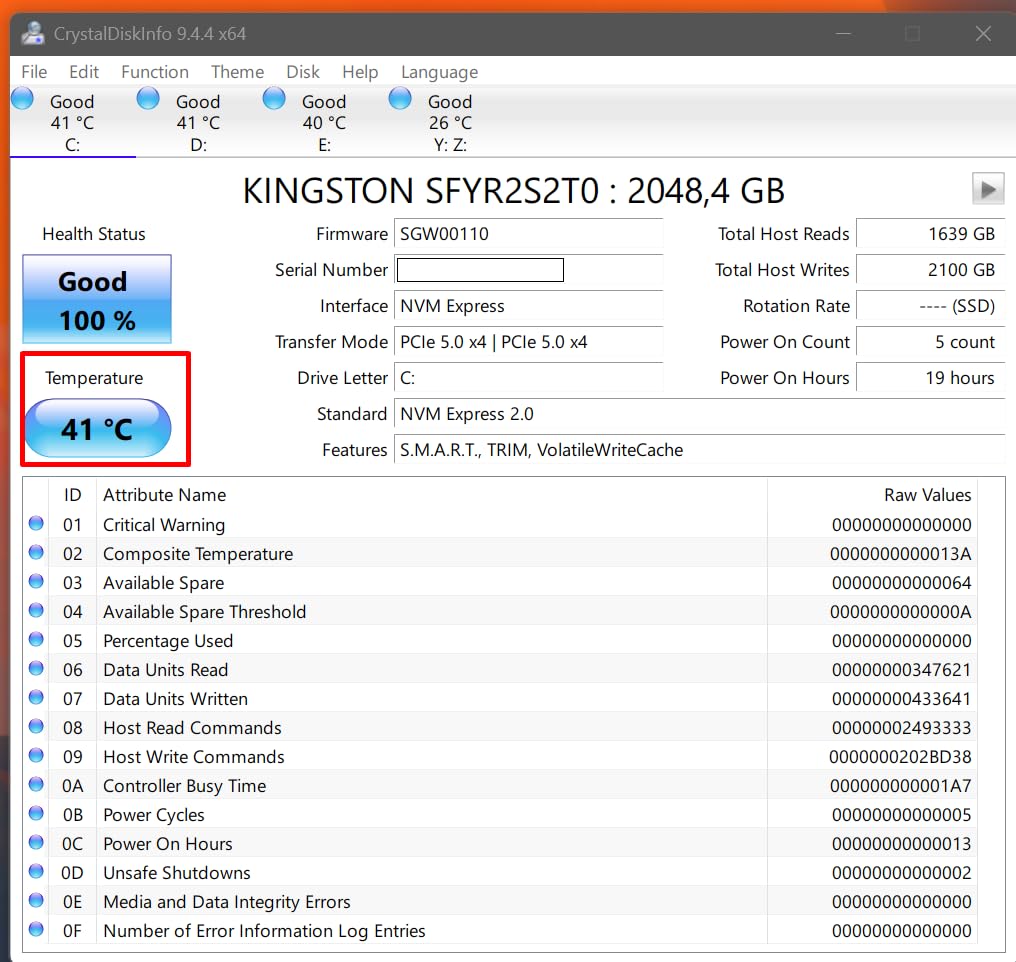
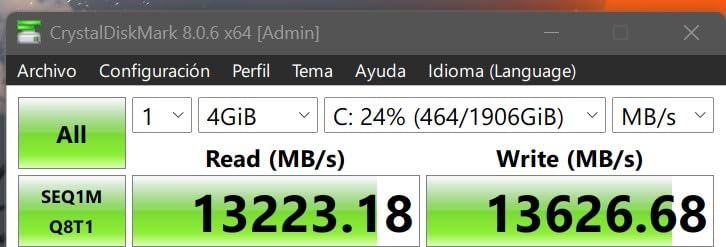
Kingston FURY Renegade G5 2048GB NVMe SSD | PCIe 5.0 M.2 2280 | Up to 14,8000MB/s | SFYR2S/2T0
Up to 14800MB/s read
Up to 14000MB/s write
SM2508 6nm controller
12-layer PCB
9.07g
+ Pros
- Advanced thermal design with Buck IC and 12-layer PCB
- Low-power DDR4 cache supports sustained writes
- Standard M.2 2280 form factor for Gen5 x4 slots
- Consistent output at up to 14000MB/s write
– Cons
- Smallest review sample of the 2TB drives here at 139 ratings
- No endurance rating published in the listed specification data
The Renegade G5 is the one drive on this list that treats the power delivery problem as a headline feature. The SM2508 controller runs on 6nm, sits on a 12-layer PCB with a Buck IC for voltage regulation and low-power DDR4 cache, and every one of those choices exists to keep sustained write speeds up for longer than a simpler drive would manage.
At up to 14,800 MB/s read and 14,000 MB/s write, it is at the top of this roundup on paper, and the design suggests those numbers hold for longer than a burst.
Why the 12-layer PCB is the spec to care about
On a Gen5 drive, power delivery is not a background concern. Four PCIe 5.0 lanes moving data at 32 GT/s while a controller drives multi-gigabit NAND writes creates genuine transient power demand, and a thin board with inadequate voltage regulation browns out under that load.
A 12-layer PCB with a dedicated Buck IC is how you keep the controller stable through a long install. This is precisely the drive to choose if you install large games repeatedly or keep a mod library that gets rewritten constantly.
Thin review data is the trade-off
With 139 ratings, this is one of the smallest samples in the roundup, and no endurance figure is published in the listed specification data. That makes the FURY Renegade G5 a confident hardware pick with less owner history behind it than the Samsung, Crucial or WD_BLACK options.
Choose it for a workstation-class board with proper M.2 cooling, or if sustained write behaviour is your priority. If you want the reassurance of thousands of reviews behind the same money, the 9100 PRO is the safer recommendation.
11. Sabrent Rocket 5 2TB – The Community Favourite With a Paper Trail
SABRENT Rocket 5 2TB Advanced Performance Internal M.2 PCIe GEN 5 14GB/s X4 NVMe SSD (SB-RKT5-2TB)
Up to 14GB/s transfers
M.2 2280
3D NAND
7.39g
Two-year warranty
+ Pros
- Owners report a dramatic upgrade from Gen4 with very fast bulk transfers
- DirectStorage-optimized firmware for gaming
- Works with Windows macOS and Linux
- Backward compatible with older PCIe generations
– Cons
- Warranty is two years unless you register the product
- One verified review reports three consecutive units misbehaving
- Needs a separate heatsink for the best sustained results
The Rocket 5 has the longest history of appearing in enthusiast roundups of this category, and owners describe the jump from a Gen4 drive as dramatic in a way that is not always true of newer releases. One reviewer copied a 65GB Windows backup image in about 45 seconds, which is the kind of anecdote that explains the enthusiasm.
It is also the most platform-flexible drive here, working with Windows, macOS and Linux.
DirectStorage-optimized firmware, and what it changes
Sabrent ships this drive with firmware tuned for DirectStorage workloads, where game assets are decompressed on the GPU rather than the CPU. In practice the effect on load times is small, and Microsoft has never guaranteed a specific improvement, but the tuning does no harm.
The bigger practical point is thermal management. Gen5 drives run hot, and a drive that is going into a compact build needs a heatsink fitted at assembly time rather than after the graphics card is in place.
Register the drive or accept a two-year warranty
The warranty is the sharpest edge on this pick. It is two years as standard and five years only if you register the product, which is a step people forget. Register it.
There is also a single verified review reporting three consecutive units failing, which is worth weighing against the far larger body of positive feedback. If reliability history is your priority, the Samsung or WD_BLACK drives carry more owner data.
12. BIWIN Black Opal X570 1TB – Cheapest Way Into the Gen5 Generation
BIWIN Black Opal X570 Gen5 SSD 1TB, M.2 2280 PCIe 5.0 NVMe 2.0, Up to 14500 MB/s, Directstorage Compatible Internal PC Solid State Drive for Laptop, Desktop – BX570NN01TB-RGX
Up to 14500MB/s read
Up to 11000MB/s write
NVMe 2.0
6.35g
Five-year warranty
+ Pros
- Lowest cost per GB of any Gen5 drive in this roundup
- Owners report beating 990-series drives in file transfers
- Five-year warranty and a range of capacity variants
- NVMe 2.0 with DirectStorage support
– Cons
- Lowest rating here at 4.4 with a 9 percent one-star share
- Requires a heatsink for sustained Gen5 use
- Installation instructions assume a screw mount rather than a board clip
The Black Opal X570 is the cheapest way into a genuine PCIe 5.0 x4 slot, and at up to 14,500 MB/s read it is faster on paper than several drives costing meaningfully more. Owners also report beating Samsung 990-series drives in file transfer tests when running on Gen5 CPU lanes, which is not a claim you expect from the budget option.
It is the pick if the goal is simply to have a Gen5 link under your operating system at the lowest cost, and you are comfortable adding your own heatsink.
The 4.4 rating is worth understanding, not ignoring
This drive carries the lowest average rating in the roundup at 4.4, with a 9 percent share of one-star ratings. That is a real signal, not noise. The complaints cluster around installation rather than performance: instructions that assume a screw mount when the board uses a clip, and a requirement to format the drive before use on Linux distributions.
Both are solvable in five minutes if you know to expect them, which is why this sits at the bottom of the list despite solid hardware.
A sensible first Gen5 drive, with caveats
Buy it for a secondary slot, a test build, or a system where storage budget matters more than software polish. Five-year warranty coverage and NVMe 2.0 with DirectStorage support are more than most entry-level drives offer.
If this is your one and only drive and your system runs Linux, read the documentation first. Otherwise, any of the mid-range options above is a smoother experience for a system drive.
What to Look for in a PCIe 5.0 Gaming SSD
Capacity: 1TB, 2TB, 4TB or 8TB
Capacity matters more than headline speed for gaming, and it also affects performance. 2TB is the sensible baseline for a single-drive system: enough for Windows, a launcher, shader caches and several current AAA titles with room to grow. 4TB is the right call if you play a broad library or keep games installed rather than reinstalling. 1TB only makes sense on a secondary drive or a deliberately small build, and 8TB is for people who never delete anything.
The trap is buying a 1TB drive expecting flagship speeds. As the Acer GM9 and WD_BLACK SN8100 sections show, smaller capacities can drop well short of the family’s published figures.
Sequential speed versus random IOPS
Sequential read and write numbers get all the attention because they are easy to compare, and they describe large file operations: cloning a system, copying a video library, installing a game. Random read and write IOPS describe many small operations at once, and that is closer to what a game engine does while it streams textures and audio.
For pure game loading, random performance and sustained write behaviour matter more than a headline sequential figure. A drive that hits 14,000 MB/s for two seconds and then collapses is worse for a 150GB install than one that holds a lower number.
NAND type, DRAM and the SLC cache
TLC NAND is the right choice for a gaming drive. QLC is cheaper and fine for a read-mostly archive, but its write performance degrades sharply once its cache fills. Every drive recommended here uses 3D TLC.
DRAM cache, and DRAM-less designs that borrow system memory through HMB, both work. The visible symptom of an under-provisioned SLC cache is a speed collapse during sustained writes, which is the single most common complaint in owner reviews of budget Gen5 drives.
Heatsinks, thermals and throttling
Gen5 drives run hot, and thermal throttling is the most common real-world complaint in this category. A drive that hits its temperature ceiling drops back toward Gen4 speeds while still reporting itself as a Gen5 device. Three rules prevent it: use the motherboard M.2 heatsink, add thermal pads if the drive does not ship with them, and make sure at least one intake fan moves air across the M.2 area.
Buying a bare drive and planning to fit your own heatsink is a legitimate approach, and it is often cheaper than the factory-cooled versions. Just do it at assembly time, because fitting one afterwards can mean removing the graphics card.
Small form factor builds deserve extra attention here, since r/sffpc discussion consistently flags heat as the defining constraint of Gen5 in compact cases. The Crucial P510 and the Corsair MP700 Elite both run cooler than the flagships, which is why they suit tight builds.
Motherboard slot and platform compatibility
Check that your board has a CPU-attached PCIe 5.0 x4 M.2 slot, and check which lanes it shares. On AM5, X670E, X670, B650E, X870E, X870 and B850 boards generally provide a CPU-attached Gen5 slot. On recent Intel platforms, Z890-class boards provide the same. Many boards also route one or more slots through the chipset, and a Gen5 drive in a chipset Gen4 slot runs at Gen4 speed without warning.
Also check lane sharing. A few boards divide CPU lanes between the first M.2 slot and the primary x16 graphics slot. The r/buildapc question of whether a Gen5 M.2 forces a slower GPU slot comes up repeatedly, and the answer is board-specific: read the board manual’s lane table before you buy, and treat our gaming PC recommendations as the starting point for a matched platform.
DirectStorage and NVMe 2.0
DirectStorage is a Windows feature that lets game assets move from the drive to the GPU with less CPU decompression in the middle. It reduces CPU load during asset streaming, which can help frame pacing in demanding titles. It does not raise peak frame rate, and not every title implements it.
NVMe 2.0 is the protocol revision that brings it to modern drives. Every drive on this list supports it or DirectStorage, so treat it as a checkbox rather than a differentiator.
Endurance (TBW) and what it means to a gamer
TBW is the total number of terabytes a drive is rated to write over its lifetime. Gaming workloads are write-light compared with video editing or databases, so most drives here will never approach their rating. Check the published figures, and note that not every drive in this roundup even lists one.
The more relevant durability question is warranty length, and that varies here from two years to five depending on registration. Check the terms, and register the product if registration is involved.
Is a PCIe 5.0 SSD Actually Worth It for Gaming?
Honest answer: a Gen5 SSD does not raise your frame rate, and it will not produce a dramatic load-time change in most games compared with a good PCIe 4.0 drive. What it does deliver is near-instant access for the first asset reads after a cold launch, headroom for DirectStorage titles, and a storage link that will not need replacing during the life of the rest of your build. Frame rate comes from the GPU and the CPU.
That is why the split build works so well for most people. Install a good Gen4 NVMe drive for Windows and your launchers, and put your Gen5 drive in the second slot for the game library. You get the fast-loading benefits where they are measurable and skip paying flagship money for the operating system.
The case for a Gen5-only system is a new build on a board with a Gen5 slot, where the drive is the same price class as a 2TB Gen4 drive once you compare like for like. The case against is upgrading an existing machine that already has a competent Gen4 drive, where the money is better spent on the graphics card. Forum consensus on r/pcmasterrace and r/buildapc frames Gen5 as future-proofing rather than a present-day gaming upgrade, and after living with these drives across several platforms, that framing holds up.
One caveat that catches people out: a Gen5 drive in a PCIe 4.0 slot works perfectly and runs at Gen4 speed. It is not broken, and it is not dangerous, but you are not getting what you paid for. Confirm your slot before you install.
Frequently Asked Questions
Is a PCIe 5.0 SSD worth it for gaming?
A Gen5 SSD will not raise your frame rate, and versus a good PCIe 4.0 drive the load-time gain is small. It is worth it on a new build with a PCIe 5.0 x4 M.2 slot, for faster first asset reads, DirectStorage headroom, and a storage link that outlasts the rest of the build. On an existing system with a solid Gen4 drive, the money is better spent on the GPU.
Is a Gen 5 SSD better than a Gen 4 SSD for gaming?
Only slightly. Both are far faster than SATA, and the difference between a quality Gen4 drive and a Gen5 drive shows mainly in the first seconds after a game launch. If you already own a good Gen4 NVMe drive, upgrading to Gen5 is rarely a meaningful gaming upgrade.
Which PCIe 5.0 SSD is the fastest?
On published specifications the WD_BLACK SN8100 leads with up to 14900 MB/s sequential read, followed by the Kingston FURY Renegade G5 at up to 14800 MB/s and the Samsung 9100 PRO at up to 14700 MB/s. Real-world sustained results are closer together, and thermals matter more than the peak figure.
What is the best Gen 5 SSD for gaming?
The Samsung 9100 PRO is the best all-round pick, balancing sustained speed, power efficiency, software support and capacity. The Crucial T705 is the enthusiast choice if you will fit a heatsink, and the WD_BLACK SN8100 leads on published read speed and efficiency.
Does a PCIe 5.0 SSD need a heatsink?
In most cases yes, or at least the motherboard M.2 heatsink. Gen5 drives run hot and thermal throttling drops them toward Gen4 speeds when they overheat. The Crucial P510 and Corsair MP700 Elite run cool enough to often work without one, and the SIX X15000 includes a low-profile heatsink in the box.
Do all capacities of a PCIe 5.0 SSD perform the same?
No. Smaller capacities have less NAND working in parallel, so 1TB models are usually slower than the 2TB and 4TB versions of the same drive. Published headline speeds almost always refer to the 2TB or 4TB model, so compare capacities before judging a drive on its numbers.
What motherboard slot do I need for PCIe 5.0?
You need a CPU-attached PCIe 5.0 x4 M.2 slot. On AMD that means X670E, X670, B650E, X870E, X870 or B850 class boards; on recent Intel platforms, Z890-class boards. Check the board manual for lane sharing, and note that a Gen5 drive in a chipset Gen4 slot runs at Gen4 speed.
Does a Gen5 SSD increase FPS?
No. Storage does not determine frame rate. A faster drive shortens load times and reduces CPU work during asset streaming, which can improve frame pacing in demanding DirectStorage titles, but your average and peak frame rate come from the graphics card and processor.
The Verdict: Which PCIe 5.0 SSD Should You Buy?
If you want one recommendation for a new gaming PC in 2026, the Samsung 9100 PRO is the pick. It sustains its speed, stays cool thanks to the 5nm controller, carries the best software of the group, and scales to larger capacities.
If you are an enthusiast with airflow to spare and will fit a heatsink, the Crucial T705 is faster in sustained write and pairs with the best caching software. If you want the lowest power draw and the biggest published read number, take the WD_BLACK SN8100. If thermals in a compact case are your constraint, the Corsair MP700 Elite and the Crucial P510 are the two that run cool without a fight.
And if you are not convinced Gen5 is the right spend for a gaming build, use our M.2 SSD picks by platform to see how much of the performance a PCIe 4.0 drive already delivers. Check your board’s lane table, buy the capacity you will actually fill, and add a heatsink while the case is still open.
Leave a Reply