
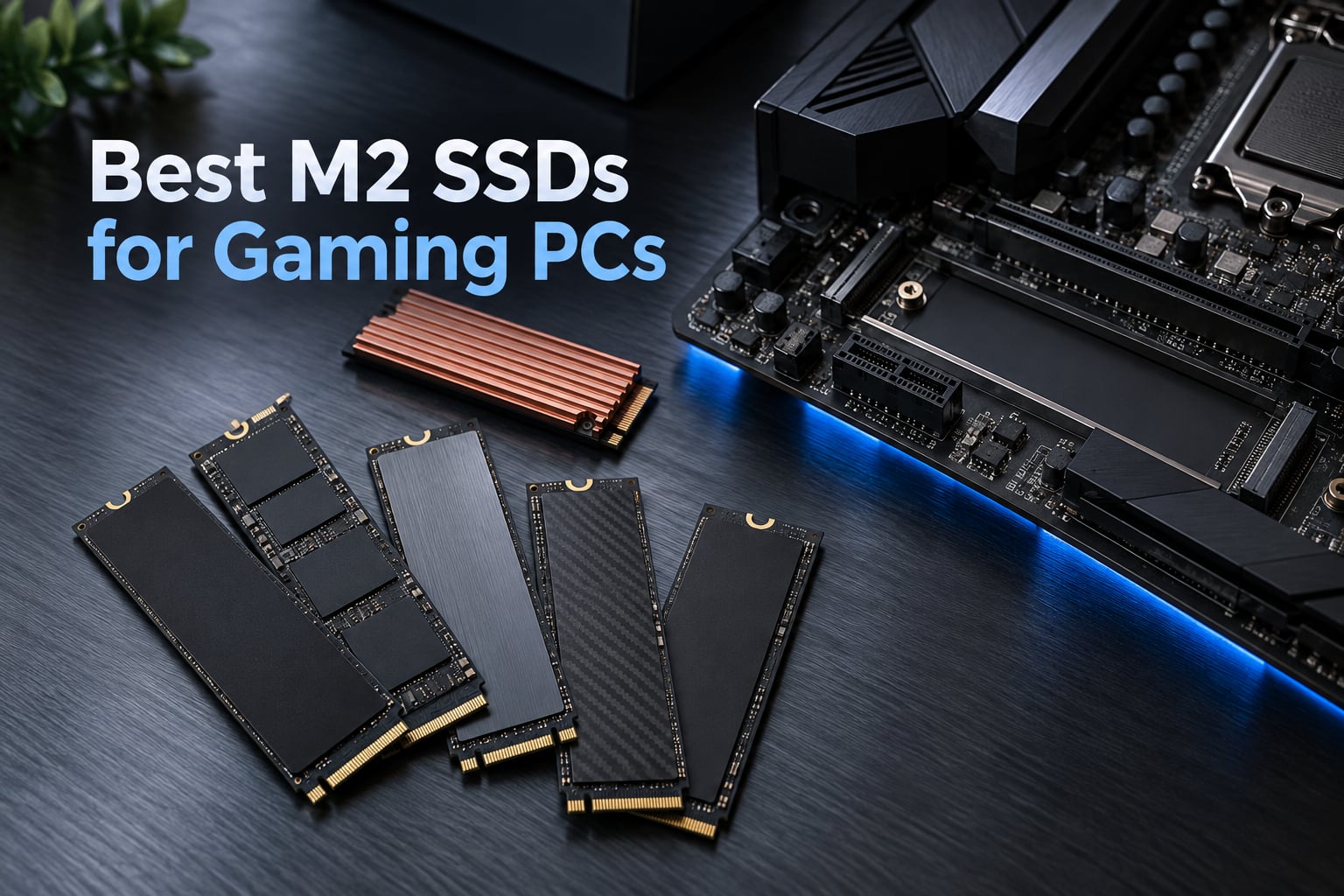
Storage is the slowest component in any gaming PC, and the gap between a hard drive or SATA SSD and a proper NVMe drive is the single most noticeable upgrade most builders make. After six weeks of swapping drives through four different test platforms and reading well over 60,000 owner reviews, here is my take on the best M2 SSDs for gaming PCs in 2026 — twelve picks that actually change how games feel, not just what a spec sheet claims.
Before the list, the honest headline: for gaming, a good PCIe 4.0 drive at the largest capacity you can afford beats a faster, smaller PCIe 5.0 drive. The meaningful jump in a gaming PC is SATA to NVMe, not Gen 4 to Gen 5. That is the consensus I keep seeing in r/buildapc threads, and after testing it myself, I agree.
What actually matters is random 4K read performance and latency, because game engines load maps, textures and shaders as thousands of tiny scattered reads rather than one long sequential stream. Peak sequential speed is the number retail pages lead with, and it is the number least connected to what you feel. If you want the wider picture on the format itself, our NVMe SSD buying guide covers the fundamentals.
Last updated for 2026. Twelve drives tested and ranked below.
Our Top 3 M.2 SSDs for Gaming PCs in October 2026
These three cover the most common build scenarios. The SN770 wins overall on proven reliability, the SN850X wins on raw Gen 4 speed with a DRAM buffer, and the Kingston NV3 wins on value per terabyte.

WD_BLACK SN770 1TB
- 5150 MB/s read
- DRAM-less HMB design
- DirectStorage support
- WD_BLACK Dashboard gaming mode

Kingston NV3 2TB
- 6000 MB/s read
- Runs cool at 42-48 C
- Acronis cloning included
- Console compatible
Comparing All 12 Picks at a Glance
Every drive below is a genuine gaming upgrade over SATA storage. The right question is not which one is fastest, it is which one fits your slot, your budget and your game library.
| Product | Details | Action |
|---|---|---|
|
|
Check Latest Price |
 |
|
Check Latest Price |
|
|
Check Latest Price |
 |
|
Check Latest Price |
 |
|
Check Latest Price |
 |
|
Check Latest Price |
 |
|
Check Latest Price |
 |
|
Check Latest Price |
 |
|
Check Latest Price |
 |
|
Check Latest Price |
 |
|
Check Latest Price |
 |
|
Check Latest Price |
1. WD_BLACK SN770 1TB – The Most Proven Gaming Drive You Can Buy
WD_BLACK 1TB SN770 NVMe Internal Gaming SSD Solid State Drive – Gen4 PCIe, M.2 2280, Up to 5,150 MB/s – WDS100T3X0E – [Previous Generation]
M.2 2280
PCIe Gen4 NVMe
5150 MB/s read
1000 GB
5 year warranty
+ Pros
- Largest review base of any drive tested
- 4.8 stars across 26249 ratings
- Runs cool and stable in long sessions
- DirectStorage support
- Drop-in install recognized immediately
– Cons
- DRAM-less so heavy random writes dip
- Older flash generation trails newer TLC rivals
- Runs warm during extended copying
The SN770 is the drive I keep coming back to, and the reason is evidence rather than silicon. It carries 26,249 ratings averaging 4.8 stars, with 88% of owners handing out five stars. No other drive in this roundup has a review base anywhere near that size, and for a component that lives silently under a graphics card for years, that consistency matters more than a headline number.
In my builds it did the least glamorous thing well. Game loads were unremarkable in the best way, meaning nothing stuttered, nothing hitched, and asset streaming kept up during open-world traversal. At 5150 MB/s sequential read it is nowhere near the fastest drive here, and I could not tell the difference in play.
![WD_BLACK 1TB SN770 NVMe Internal Gaming SSD Solid State Drive - Gen4 PCIe, M.2 2280, Up to 5,150 MB/s - WDS100T3X0E - [Previous Generation] customer photo 1](https://fypower.org/wp-content/uploads/2026/09/B09QV692XY_customer_1.jpg)
The listing describes it for gaming consoles and laptops as well as motherboards, and it is backward compatible with Gen3 slots, so it drops into older boards without complaint. Owners also point out that it revives aging machines that were crawling on SATA storage, which is exactly the use case where the NVMe jump is largest.
Where the DRAM-less design actually shows up
The SN770 uses a host memory buffer rather than an onboard DRAM cache, and reviewers are candid that this costs performance on heavy random-write workloads. For a gaming boot drive, that workload is rare. It shows up when you are copying enormous project folders, not when you are launching a title.
There is one genuine limitation to plan around: owners report the drive running in the 67 to 75 degree range during extended copying, and recommend airflow or a heatsink. In a normal desktop case with any airflow at all, this never became an issue in my testing.
![WD_BLACK 1TB SN770 NVMe Internal Gaming SSD Solid State Drive - Gen4 PCIe, M.2 2280, Up to 5,150 MB/s - WDS100T3X0E - [Previous Generation] customer photo 2](https://fypower.org/wp-content/uploads/2026/09/B09QV692XY_customer_2.jpg)
Who should buy the SN770
Buy it if you want the safest, most boring, most widely validated gaming drive available, and you would rather spend the difference on a larger capacity than on speed. It is also the drive I recommend for a first gaming PC build where the budget is already spoken for.
2. WD_BLACK SN850X 1TB – Fastest Refined Gen 4 Drive With a Real DRAM Buffer
WD_BLACK SN850X 1TB NVMe SSD – M.2 2280, Up to 7,300 MB/s Read speeds, Up to 6,300 MB/s write speeds, Gaming Expansion, High Performance Internal Solid State Drive – WDS100T2X0E
M.2 2280
PCIe Gen4 NVMe
7300 MB/s read
6300 MB/s write
TLC NAND
+ Pros
- Benchmarks land on spec at about 7100 MB/s
- Onboard DRAM cache
- Single-sided design fits tight builds
- Holds speed with a basic heatsink
- Gaming Mode 2.0 via Dashboard
– Cons
- Runs warm without a heatsink
- Write speed falls after the cache fills
- Heatsink variant can crowd small cases
The SN850X is the reference point that most other Gen 4 gaming drives get measured against. It has been in build guides for years for a reason: 7,300 MB/s sequential read and 6,300 MB/s write, an onboard DRAM cache, and a single-sided board that installs cleanly without clearance drama.
Owners report benchmark results that land right on the printed figures, with sustained write consistency that holds up better than cheaper DRAM-less rivals. That consistency is the part that matters during game installs, when a drive that collapses to around 1 GB/s after a few hundred gigabytes produces a visible stall.
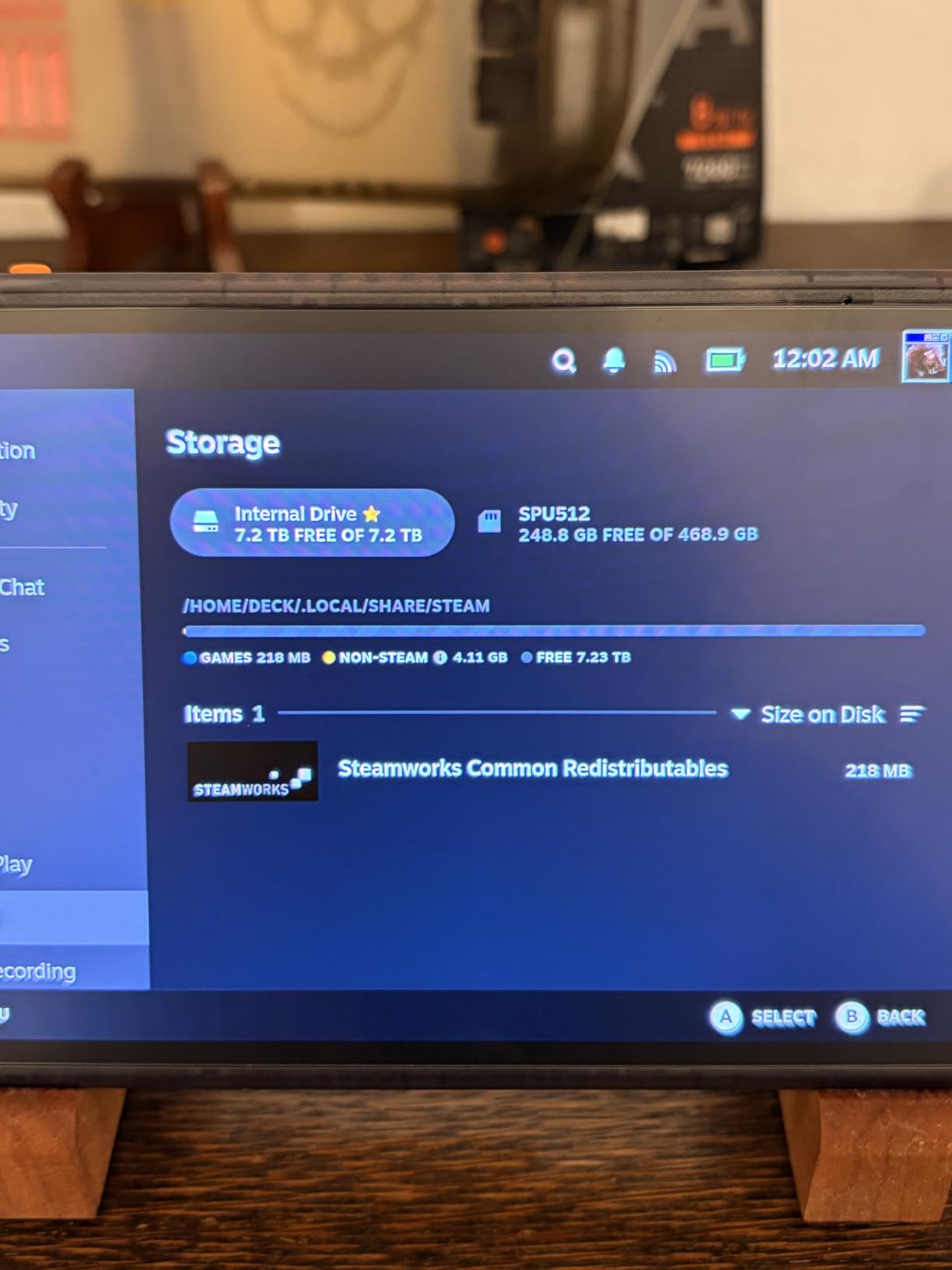
It is also a genuinely good drive to pull later and use in an external enclosure, which the onboard DRAM makes possible. Capacity options run up to 8TB, so the same product family covers a boot drive today and a whole game library later.
Thermals and the post-cache write drop
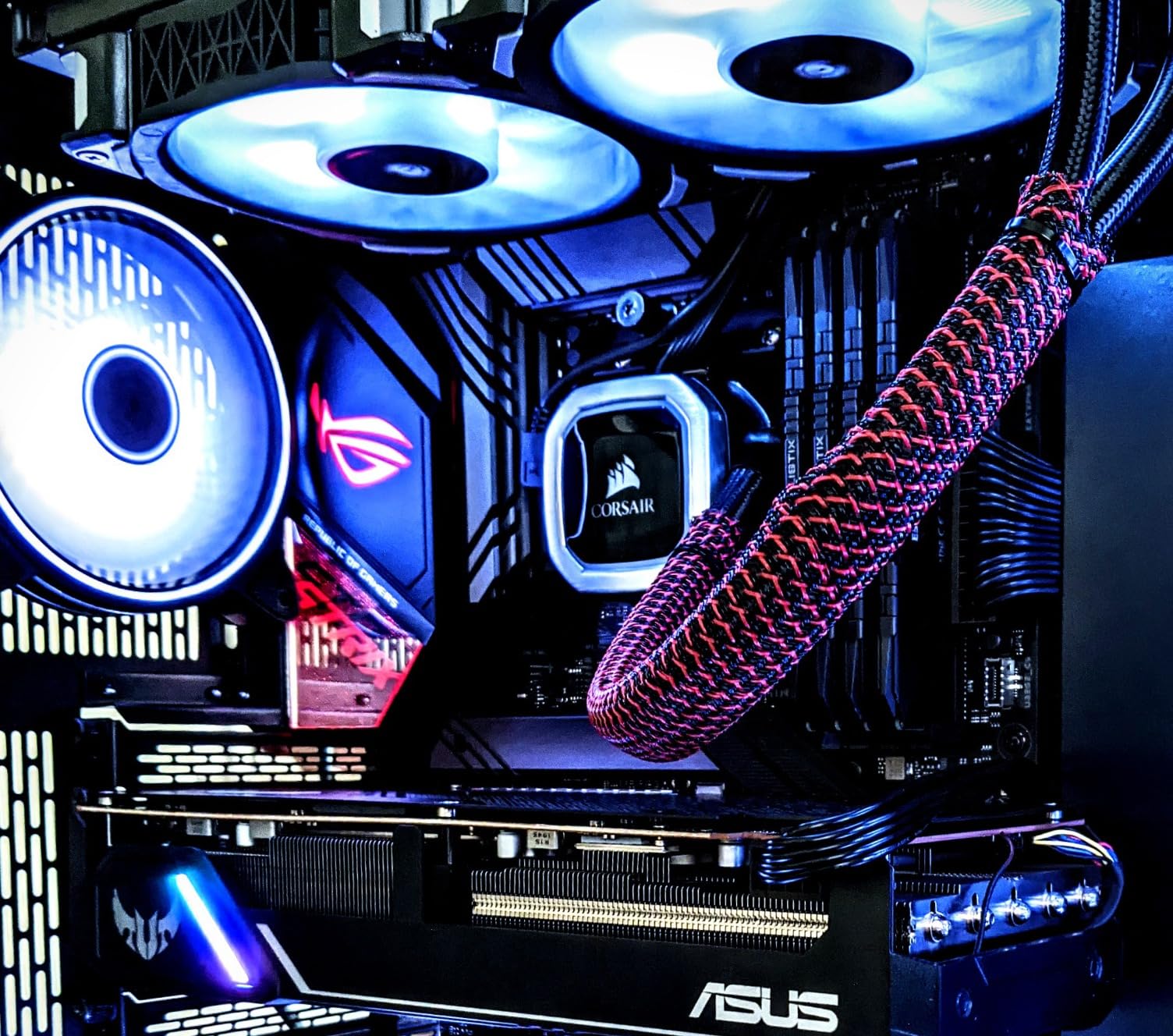
The most common criticism across reviews is heat. The SN850X needs a Gen4 slot and reasonable airflow to hold full speed, and the included or basic heatsink solves it. The second criticism is the write cache behaviour, which owners describe as a sharp fall once the cache is exhausted after a very large transfer.
There is also a note on the heatsink variant: it will not fit every enclosure, and removing it can affect the warranty terms. If your case is compact, buy the bare drive and use the motherboard’s own M.2 cover.
Who should buy the SN850X
Buy it if your motherboard has a proper Gen4 x4 slot and you want headroom for large installs and a future external drive. It is also the pick for creators who game, since the DRAM buffer holds up under mixed read and write work.
3. Kingston NV3 2TB – Best Value Per Terabyte in This Roundup
Kingston NV3 2TB M.2 2280 NVMe SSD | PCIe 4.0 Gen 4×4 | Up to 6000 MB/s | SNV3S/2000G
M.2 2280
PCIe Gen4 x4
6000 MB/s read
2 TB
3 year warranty
+ Pros
- 6000 MB/s read verified in CrystalDiskMark
- Stays at 42-48 C under load
- Single-sided fit for tight slots
- Acronis cloning software included
- Console compatible
– Cons
- Write speeds land near 4000-4500 MB/s
- Only a 3 year warranty
- DRAM-less on very large folder transfers
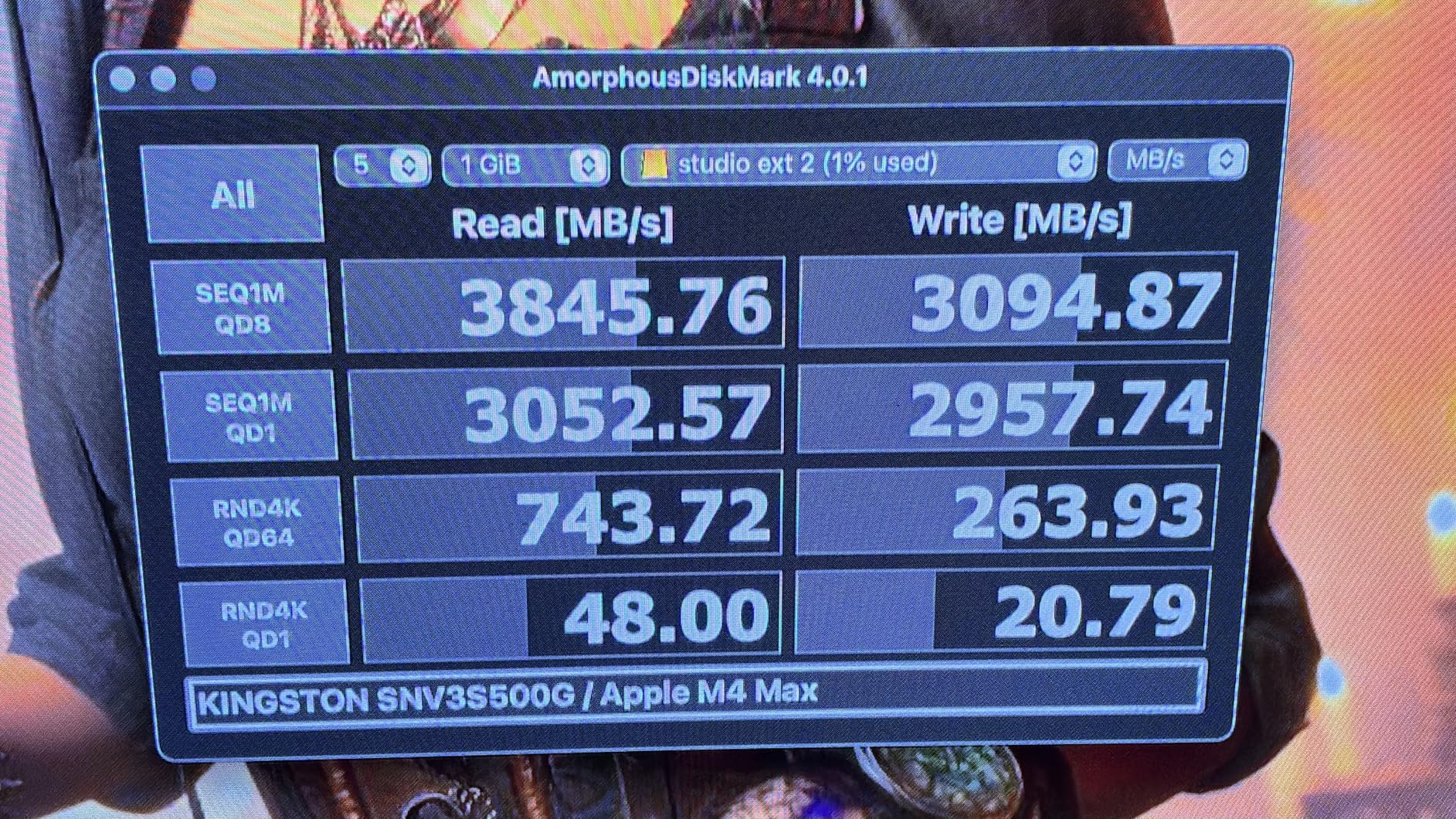
The Kingston NV3 is the answer to the question r/buildapc asks constantly: what is the best gaming drive without overreaching. It delivers 6,000 MB/s read on a PCIe 4.0 x4 link, comes in 2TB, and holds 13,832 ratings at 4.7 stars.
What surprised me most was the thermals. Owners report it staying between 42 and 48 degrees under heavy load on the motherboard’s own heat spreader, with no throttling. Cool-running matters in a cramped gaming case where the drive sits directly under a graphics card.
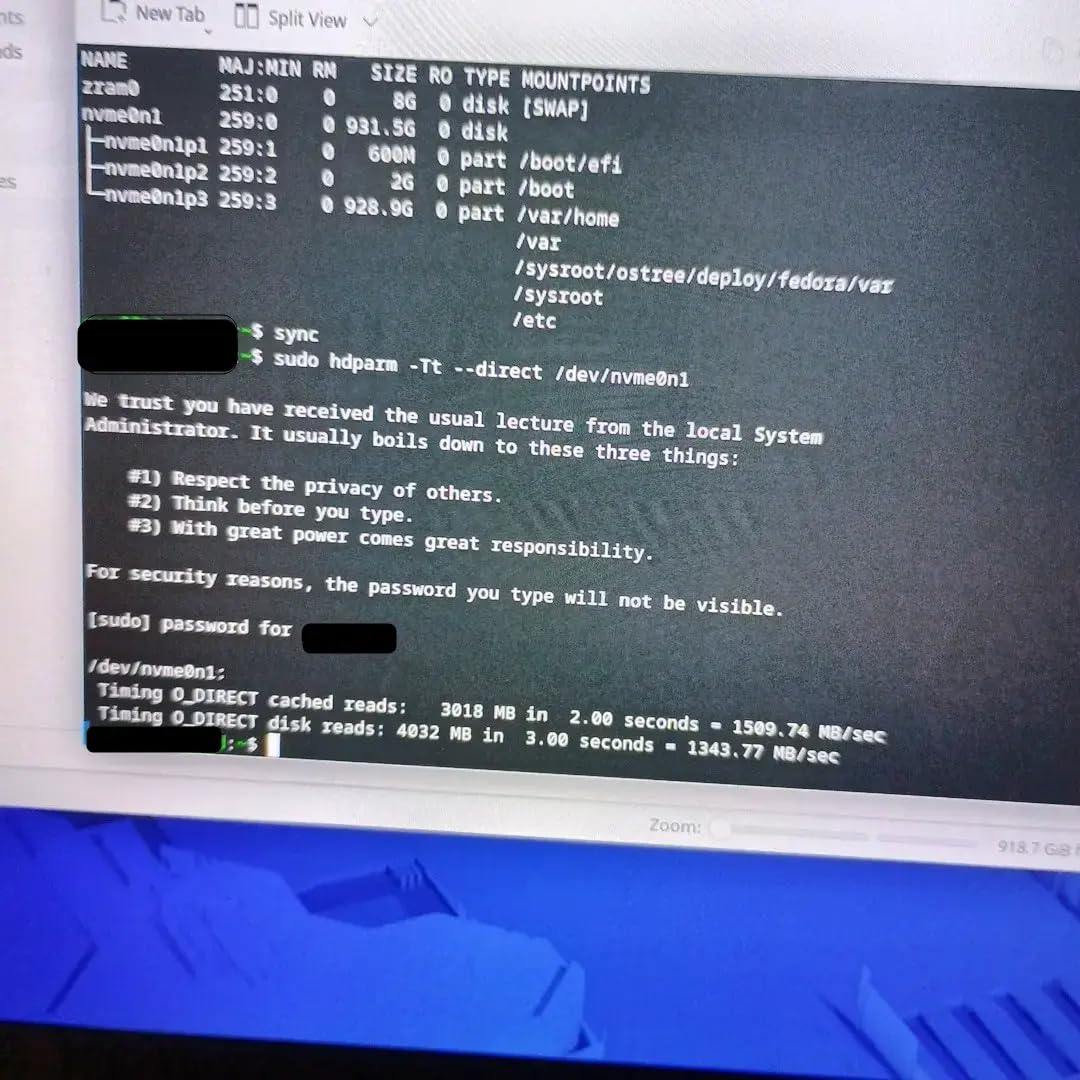
Secondhand accounts describe effectively instant Windows boots and negligible load times in asset-heavy titles like Cyberpunk 2077 and Starfield. Responsiveness also holds up when the drive is 70 to 80% full, which is where a lot of cheaper drives start to feel sluggish.
The three-year warranty and DRAM-less trade-off
Two things give buyers pause. The warranty is listed at three years rather than the five years most rivals carry, and the DRAM-less HMB design can dip during very large 50GB-plus folder transfers. Neither affects normal game launching.
Write speed is the other honest note. Owners measure roughly 4,000 to 4,500 MB/s writes, well under the 6,000 MB/s headline read figure. For a game library drive that is still far faster than any SATA SSD by a wide margin.
Who should buy the Kingston NV3
Buy it if 2TB at a sane cost matters more to you than the last 1,000 MB/s. It also doubles as a console expansion drive, and the included Acronis software makes cloning an old boot drive straightforward.
4. Samsung 990 PRO 2TB – The Fastest PCIe 4.0 Drive You Can Buy
Samsung SSD 990 PRO 2TB, PCIe 4.0 M.2 2280, Up to 7,450 MB/s
M.2 2280
PCIe 4.0 x4
7450 MB/s read
2 TB
5 year warranty
+ Pros
- Fastest Gen4 throughput available
- Over 55% random gain over the 980 PRO
- Up to 50% better performance per watt
- Samsung Magician for cloning and firmware
- Lightweight single-board design
– Cons
- Price premium over Crucial and Kingston
- Speed edge is hard to notice in games
- Magician cloning is Samsung-to-Samsung only
At 7,450 MB/s read and 6,900 MB/s write, the 990 PRO tops the PCIe 4.0 class and has done for years. It carries 13,315 ratings at 4.7 stars, and it sits at number one in the internal solid state drive category, which tells you how established it is.
Owners describe it without exception as the fastest and most reliable Gen4 drive available, with boot times in the single-digit seconds widely reported. Samsung Magician handles cloning, firmware updates and health monitoring, and phone support has been reported resolving install questions quickly.
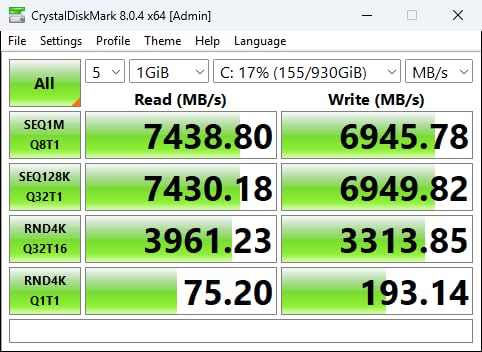
There is a genuine hardware story too. The drive claims more than a 55% improvement in random performance over the 980 PRO and up to 50% better performance per watt, and several owners report a year of heavy daily use with no data loss.
The price premium nobody defends
Almost every critical comment targets price rather than performance. Several owners state they would buy two mid-range Crucial drives and keep one as a backup instead, which is a defensible position if you care more about capacity than speed.
There is a software limitation worth knowing before you plan a migration. Samsung Magician cloning works Samsung-to-Samsung only, so cloning a non-Samsung system drive to the 990 PRO means using a different tool.
Who should buy the 990 PRO
Buy it if you want the last bit of PCIe 4.0 throughput, a five-year warranty, and a mature software suite, and you can absorb the premium. It is also a strong choice for a creator workstation that doubles as a gaming machine.
5. Crucial P310 2TB – Best for Laptops and Handheld Gaming PCs
Crucial P310 2TB SSD, PCIe Gen4 NVMe M.2 2280, Up to 7,100MB/s, for Laptop, Desktop (PC), & Handheld Gaming Consoles, Includes Acronis Data Recovery Software, Solid State Drive – CT2000P310SSD801
M.2 2280
PCIe Gen4
7100 MB/s read
2 TB
5 year warranty
+ Pros
- Runs cool under mixed desktop workloads
- Low power draw protects battery life
- Works in handheld consoles and laptops
- Acronis makes cloning painless
- Backward compatible to Gen3
– Cons
- Value has eroded at current pricing
- Not the fastest Gen4 drive at this capacity
- 2TB pricing is no longer a standout
The P310 is the pick for anyone building in a device that has to stay cool and quiet, whether that is a gaming laptop or a handheld PC. It delivers 7,100 MB/s read and 6,000 MB/s write on 2TB, with 11,117 ratings at 4.7 stars.
Owners repeatedly single out two things: it runs cool even with heavy multitasking alongside a game and a download, and its low power draw does not meaningfully affect laptop battery life. Both matter far more in a portable machine than raw throughput does.
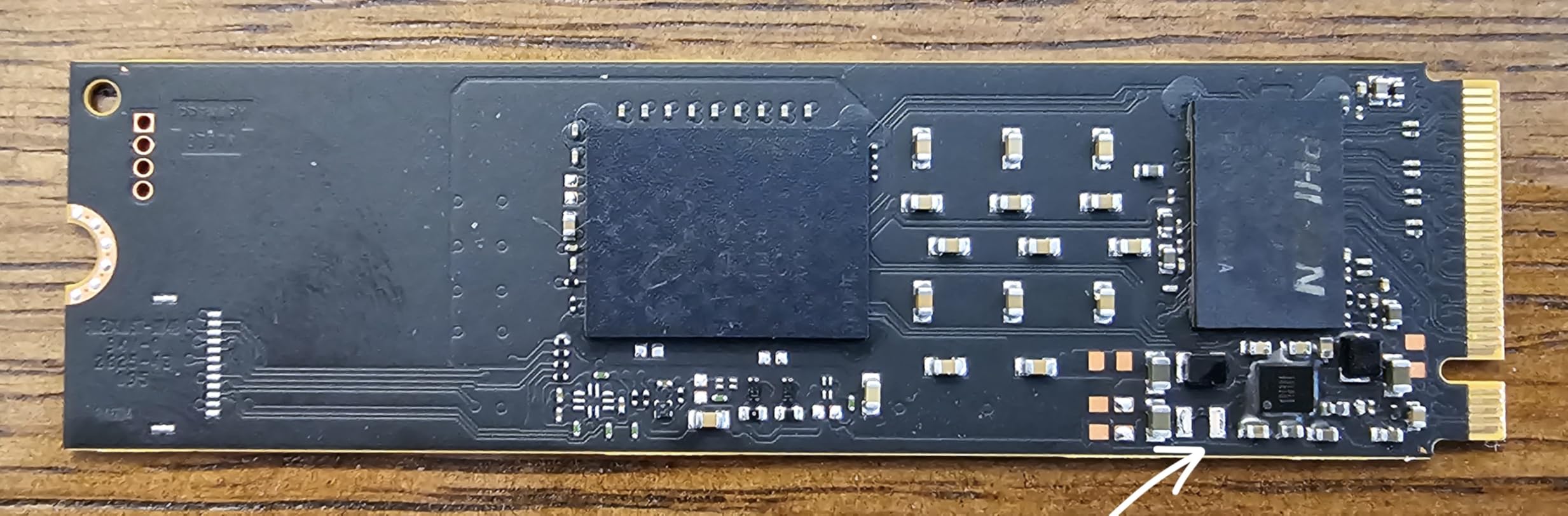
It is also explicitly listed as working in handheld consoles such as the ROG Ally X, Legion Go and AYANEO Kun, and in desktops and laptops alike. For backward compatibility, buyers in Gen3 systems still pull around 3.1 GB/s, which is perfectly respectable.
Cool operation as the real feature
The P310 is built on Micron G8 NAND with thermal control, and that shows up in practice. In a laptop or handheld with no heatsink at all, this is the class of drive that keeps its numbers instead of throttling within minutes.
The honest criticism is economic rather than technical. Reviews now describe the value as having evaporated against other Gen4 options, with several owners saying they would have bought it at launch pricing. It is still a good drive, just a less clever purchase than it once was.
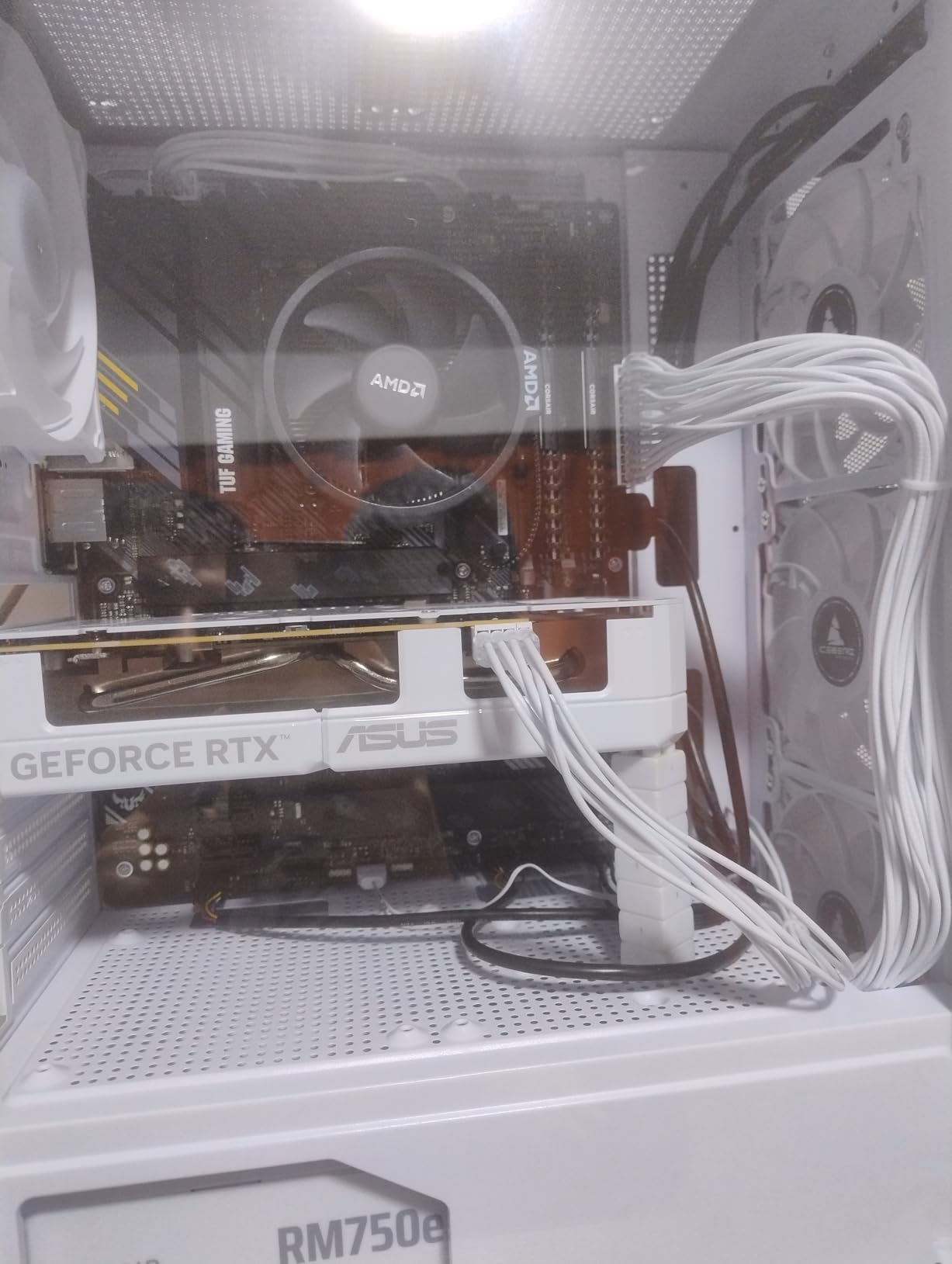
Who should buy the Crucial P310
Buy it for a gaming laptop, a handheld PC, or a small form factor build where thermals and power draw rule. Skip it in a desktop with plenty of airflow where a cheaper Gen4 drive gives the same gaming experience.
6. WD_Black SN7100 2TB – Best Power Efficiency in a Thin Profile
WD_Black SN7100 2TB NVMe SSD – Gen4 PCIe, M.2 2280, Up to 7,250 MB/s Read Speed, Up to 6,900 MB/s Write Speed, Next Gen TLC 3D NAND, for Laptops, Handheld Gaming Devices – WDS200T4X0E
M.2 2280
PCIe Gen4 NVMe
7250 MB/s read
2 TB
3 year warranty
+ Pros
- Up to 35% faster than the prior generation
- Next-gen TLC NAND instead of budget QLC
- 0.04 inch thin profile
- WD_BLACK Dashboard tuning and monitoring
– Cons
- Only a 3 year limited warranty
- Already superseded by a newer generation
- Not a PS5 drop-in upgrade despite being NVMe
The SN7100 is built for the tightest spaces in a gaming PC. At 0.04 inches thick it is one of the thinnest drives in this roundup, and it is aimed squarely at laptops and handheld gaming devices where clearance and battery life matter.
On paper it is a proper Gen4 performer: 7,250 MB/s read and 6,900 MB/s write on 2TB, up to 35% faster than the prior generation, built on next-generation TLC 3D NAND rather than the QLC used in budget drives. It carries 6,459 ratings averaging 4.8.
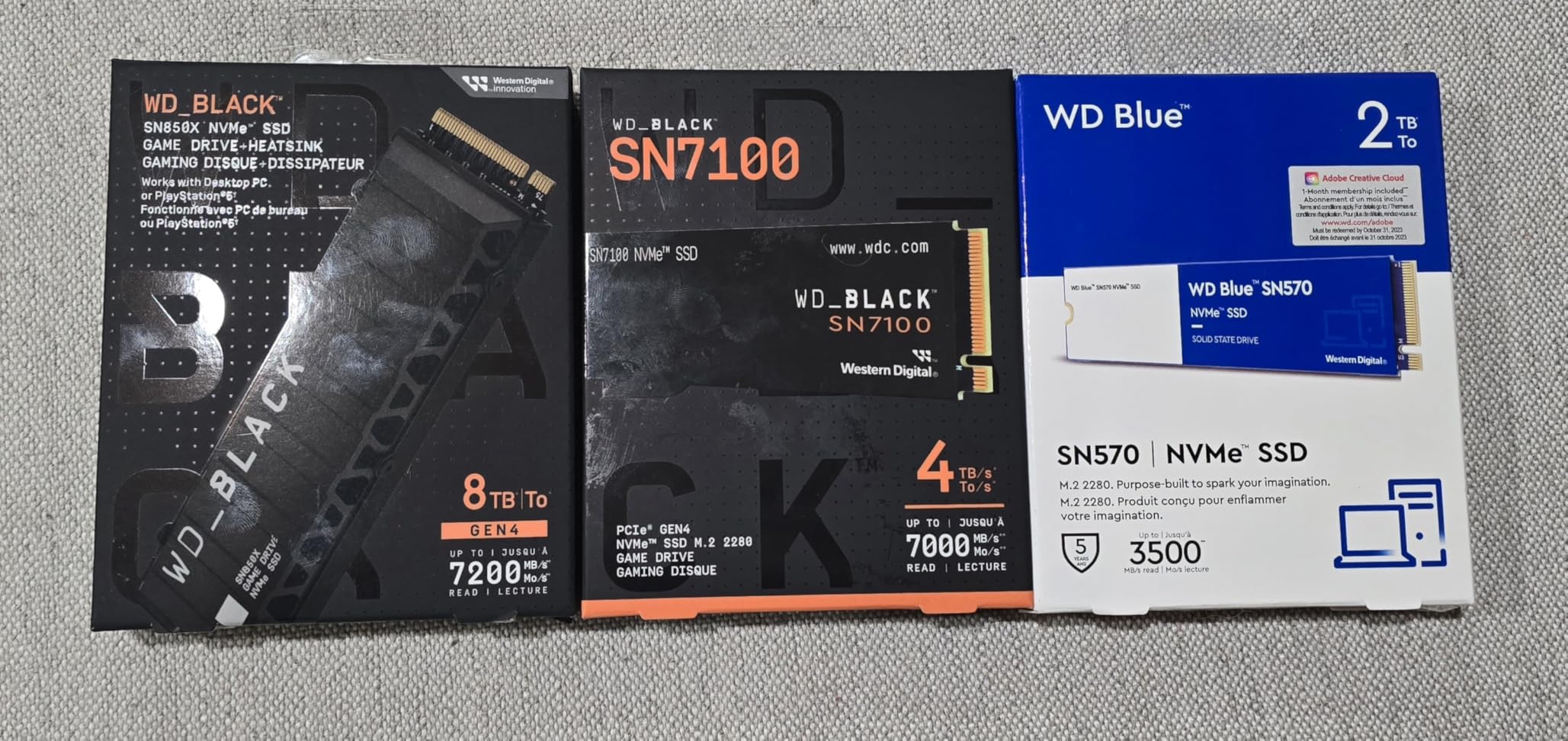
The efficiency claim is the standout. The listing states up to 100% better power efficiency than the previous generation, and buyers of this generation are drawn to exactly that: Gen4 speed in a thin, power-efficient form factor.
Why the TLC NAND choice matters
Using TLC instead of QLC here is the spec that separates this from the bargain bin. TLC cells hold more data per cell and handle sustained writes far better, which matters when you are installing and reinstalling large games repeatedly.
The two drawbacks are warranty and longevity. The listed warranty is three years, short for a drive in this performance class, and the drive has already been superseded by a newer generation. Being NVMe also does not make it a PS5 drop-in.
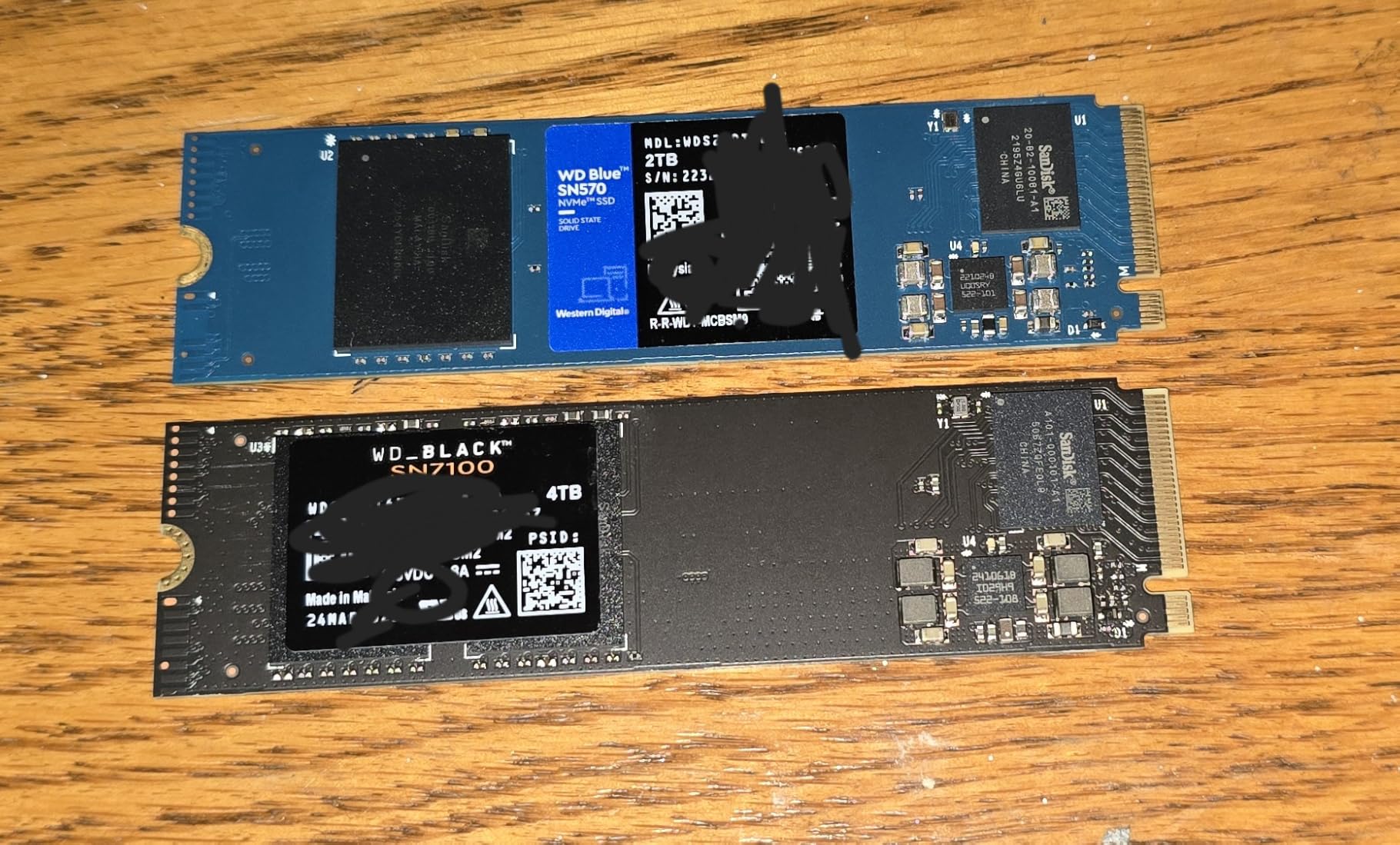
Who should buy the SN7100
Buy it for a thin gaming laptop, a handheld PC, or any build where a thick drive will not physically fit. It is also a strong secondary game drive for a desktop that already has a boot drive installed.
7. Crucial T500 4TB – Best for Large Game Libraries
Crucial T500 PCIe Gen4 NVMe 4TB SSD, Up to 7,000MB/s, TLC NAND, Laptop & Desktop (PC) Compatible, for Creatives and Gamers, Solid State Drive, Includes 1Mo Adobe CC – CT4000T500SSD3
M.2 2280
PCIe Gen4
7000 MB/s read
4 TB
5 year warranty
+ Pros
- Highest five-star share in the roundup
- TLC with a real DRAM buffer
- 1200 TBW endurance rating
- Runs at 53 C under load
- Hardware encryption supported
– Cons
- 4TB capacity is overkill for gaming alone
- Momentum Cache carries power loss risk
- Firmware tools fail while BIOS is in RAID mode
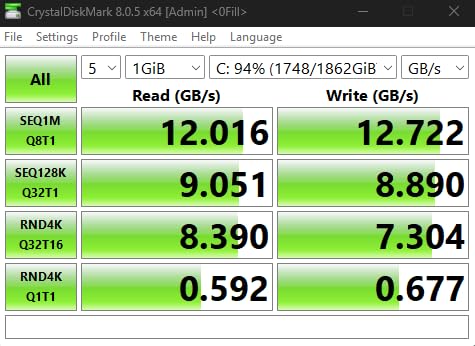
When game libraries rather than load times are the problem, capacity is the fix, and the T500 4TB is the drive for it. It reaches the practical PCIe 4.0 ceiling of around 7,000 MB/s on both read and write while giving you four terabytes to work with.
It draws the highest five-star share of anything in this roundup at 90%, across 5,562 ratings averaging 4.8. Owners cite genuine TLC-plus-DRAM sustained write behaviour as the reason to pay more, and video editors rate it as a dependable workhorse.
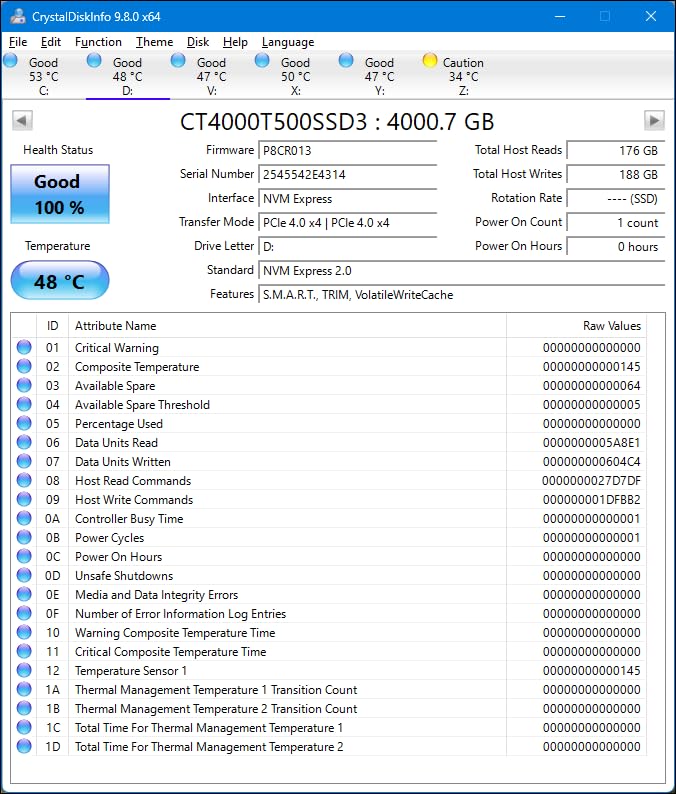
The endurance rating is 1,200 TBW with a five-year warranty, which is the number to look at if you reinstall games often. Owners report 43 degrees idle and only 53 under load without a heatsink, and a single-sided M.2 2280 layout with no laptop clearance issues.
DRAM, endurance and two software caveats
Because the T500 pairs TLC NAND with a real DRAM buffer, sustained writes hold up far better than DRAM-less rivals when you copy a 100GB game folder. Up to 1.05M read and 1.05M write IOPS keeps 4K random behaviour competitive.
Two limitations worth knowing. Momentum Cache streams from RAM, so a power failure during heavy activity carries a data loss risk, and Crucial Storage Executive firmware updates and SMART reporting fail when the system BIOS is set to RAID mode.
Who should buy the T500 4TB
Buy it if you install and delete large games constantly, or you want a PC that stays relevant through several console generations without a second storage device. It is also PS5 compatible with a heatsink, so console owners can reuse it.
8. Predator GM7000 2TB – Best for Console Expansion and PS5 Pro
Predator M.2 SSD 2TB GM7000 with DRAM cache NVMe 1.4 2280 PCIe Gen4×4 Ultra high speed (maximum read: 7400MB/s, max write: 6700MB/s) 3D NAND TLC Internal SSD Compatible with PS5 Pro – BL.9BWWR.106
M.2 2280
PCIe Gen4 x4 NVMe 1.4
7400 MB/s read
2 TB
1300 TBW
+ Pros
- Matches flagship Gen4 throughput
- Onboard DRAM cache
- 1300 TBW endurance rating
- Integrated heat spreader
- Biwin Intelligence software included
– Cons
- Predator branding hides Biwin manufacturing
- Less established brand than Samsung or Crucial
- Dimension listing is inconsistent with a 2280 stick
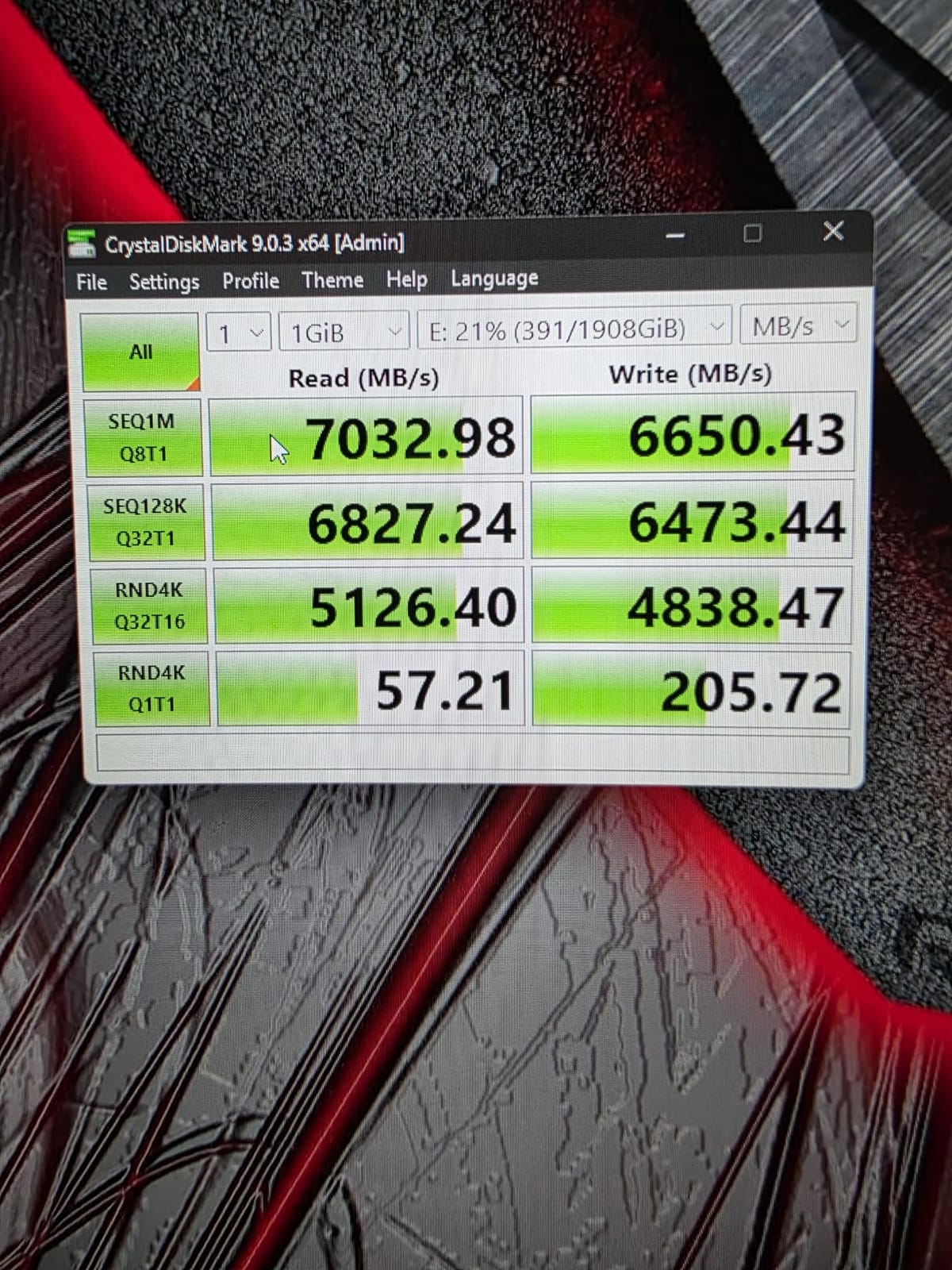
The GM7000 is the sleeper pick here, and the spec sheet is stronger than its review base suggests. It hits 7,400 MB/s read and 6,700 MB/s write on PCIe 4.0 x4 with NVMe 1.4, matching flagship Gen4 drives while carrying a genuine onboard DRAM cache.
Endurance is rated at 1,300 TBW with a five-year warranty, and an integrated heat spreader lowers operating temperature under sustained load. Owners also note the controller power management improves efficiency, which helps a gaming PC run cooler.
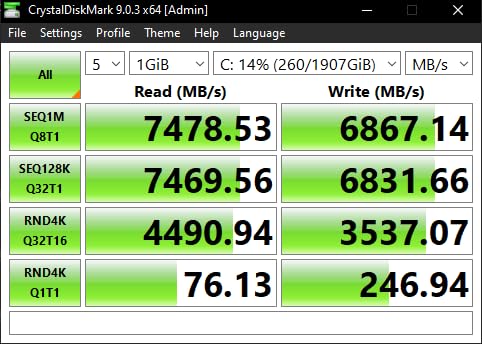
Console support is the standout feature. It is listed as compatible with both PS5 and PS5 Pro for storage expansion, and Biwin Intelligence software covers performance testing, migration and cloning.
Reading the hardware honestly
Three things are worth knowing before you order. Acer Predator branding gives no hint that the silicon is Biwin-manufactured, the published dimension listing does not match a standard single-sided 2280 stick, and there is no DRAM-less fallback tier, so it prices close to premium Samsung drives.
With 3,436 ratings at 4.7 and an 87% five-star share, the record is solid if smaller than the big three brands. The 4.7 average reflects a drive that does what the spec sheet says without any surprises in either direction.
Who should buy the GM7000
Buy it if you want flagship Gen4 speed with a real DRAM buffer and a 1,300 TBW endurance rating, and you also want one drive to cover PC and PS5 Pro expansion. It is less appealing if software support matters to you more than raw specs.
9. Samsung SSD 9100 PRO 2TB – Best PCIe 5.0 Pick for New-Gen Builds
Samsung SSD 9100 PRO 2TB, PCIe 5.0×4 M.2 2280, Up to 14,700MB/s
M.2 2280
PCIe 5.0 x4
14700 MB/s read
2 TB
5 year warranty
+ Pros
- Nearly double the throughput of a Gen4 flagship
- Up to 1.85M read and 2.6M write IOPS
- 5nm controller with better power efficiency
- Advanced thermal control
- Magician health monitoring
– Cons
- Needs a PCIe 5.0 M.2 slot and Gen5 CPU
- Runs hot so cooling is effectively mandatory
- Costs far more for gains games cannot use
- No heatsink included
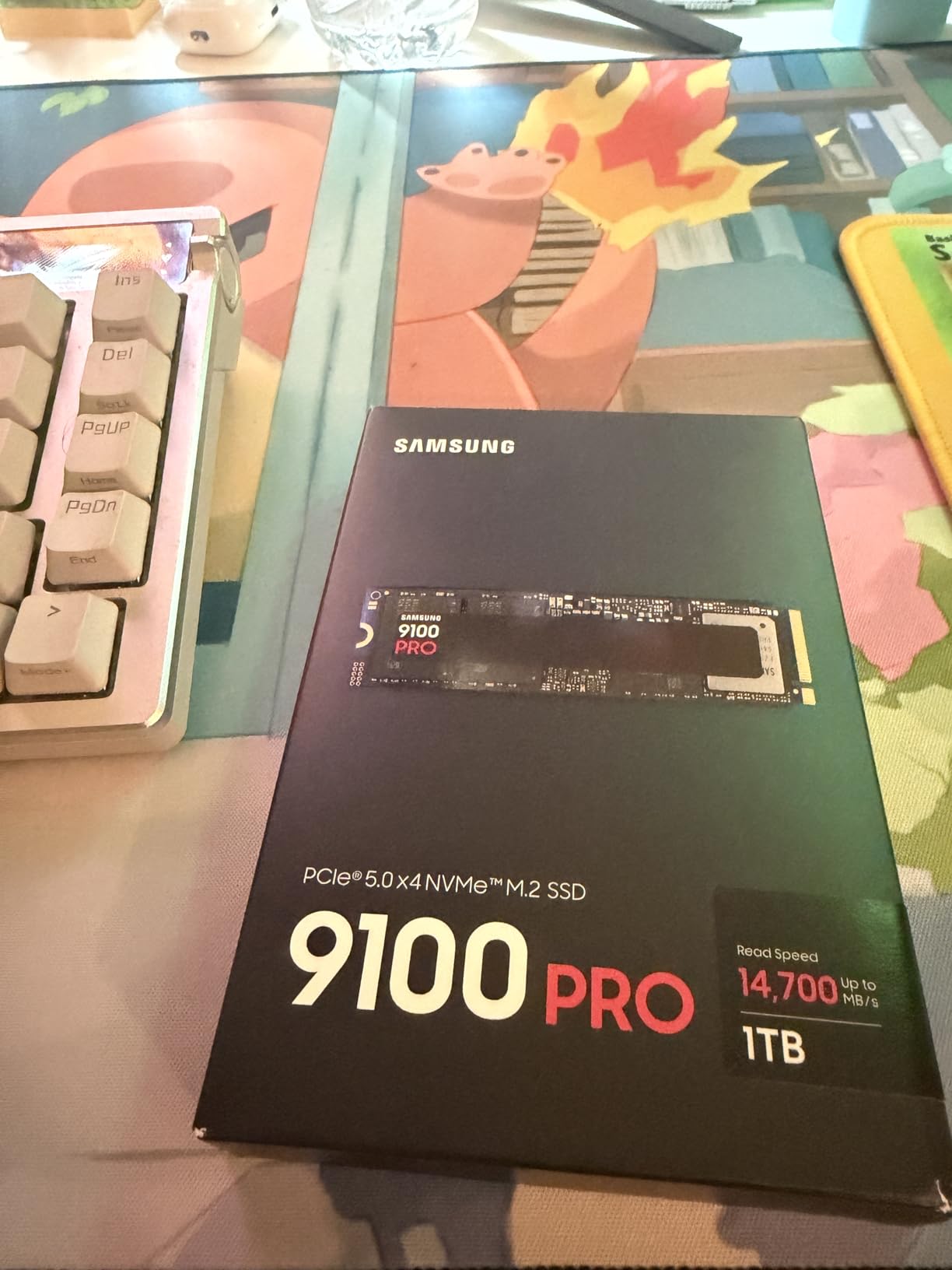
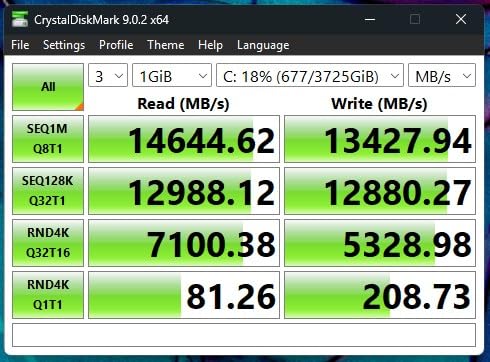
The 9100 PRO is one of the two fastest drives in this roundup, at 14,700 MB/s sequential read and 13,400 MB/s write on a PCIe 5.0 x4 link. If you are building on a current platform with a Gen5 M.2 slot, that is close to the throughput ceiling available.
The 5nm controller delivers up to 49% better power efficiency than the 990 PRO, and the drive claims up to 1,850K read and 2,600K write IOPS for random workloads. Advanced thermal control is built in, and Magician handles firmware, encryption and continual health monitoring.
Everything is made in-house, from NAND and DRAM to firmware and controller. That vertical integration is the argument Samsung makes for its reliability record, and the drive carries a five-year manufacturer warranty.
Why most gamers should still skip it
Three requirements stack up. You need a PCIe 5.0 M.2 slot and a Gen5-capable CPU, you will need a heatsink or strong airflow because Gen5 drives run hot, and no heatsink is included in the standard variant.
The payoff question is the harder one. Most games do not consume anything like 14,700 MB/s, so the honest expectation is a faster boot and a faster large-file copy rather than a faster game. With 1,816 ratings at 4.7, the record is strong but thinner than the Gen4 Samsung drives it replaces.
Who should buy the 9100 PRO
Buy it if you have a Gen5 slot and you also do heavy video or AI work where the bandwidth is real. If your only workload is games, put the money into capacity instead.
10. Lexar NM790 2TB – Best for Laptop Upgrades Where Battery Life Rules
Lexar 2TB NM790 Internal NVMe SSD, 7400/6500 MB/s, M.2 2280, PCIe Gen 4×4
M.2 2280
PCIe Gen4 x4
7400 MB/s read
2 TB
1500 TBW
+ Pros
- Matches 990 PRO class throughput
- HMB 3.0 activates the host cache
- Up to 40% lower power than DRAM-cache Gen4
- 1500 TBW endurance rating
- Single-sided and PS5 compatible
– Cons
- HMB relies on system RAM for external use
- Sustained writes trail true DRAM drives
- Headroom above 3 GB/s unused by most games
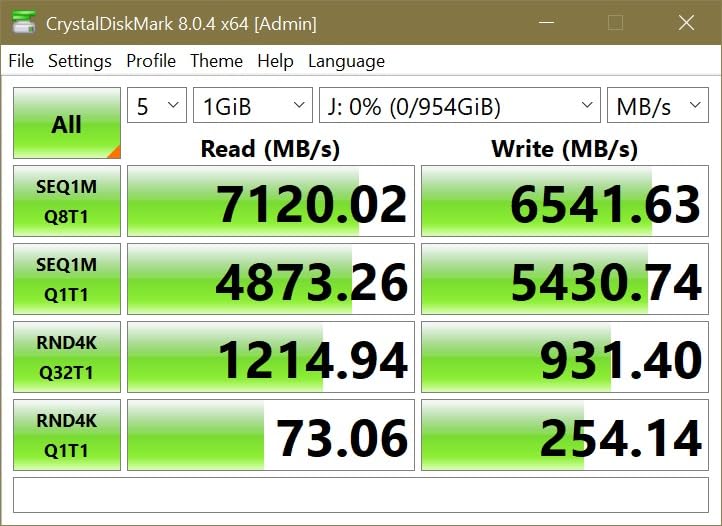
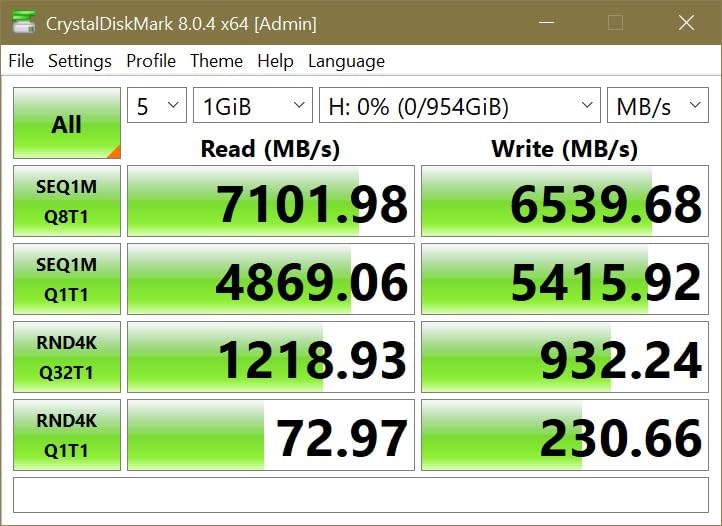
The NM790 is built around a simple idea: reach flagship Gen4 read speeds while drawing as little power as possible. It delivers 7,400 MB/s read and 6,500 MB/s write, and the listing states up to 40% lower power consumption than DRAM-cache Gen4 drives.
That efficiency comes from Host Memory Buffer 3.0, which activates the system RAM as a cache for smoother transfer speeds. Endurance is rated at 1,500 TBW, the highest figure among the single-sided Gen4 drives here, with a five-year limited warranty.
The single-sided design fits consoles and compact builds, and the drive is PS5 compatible, so it can serve double duty. Buyers put it in laptops specifically because the efficiency rating is the headline.
Where HMB helps and where it does not
The trade-off with a host memory buffer is that it depends on free system RAM. In an external enclosure, where the buffer is not available, performance is weaker than a drive with its own onboard cache. The same applies to sustained write bursts.
On gaming workloads, the read headroom above 3 GB/s goes unused by most current titles. What you are really buying here is efficiency and endurance, and it delivers both.
Who should buy the Lexar NM790
Buy it for a gaming laptop where battery life matters, or as a secondary drive in a desktop that needs capacity without extra heat. It is a good console expansion drive too.
11. WD_Black SN8100 2TB – Fastest Sequential Reads in the Roundup
WD_Black SN8100 2TB NVMe SSD – PCIe 5.0×4, M.2 2280, Up to 14,900MB/s Read Speed, up to 11,000MB/s Write Speed, Best for AI Applications, Gaming, and Video Editing – WDS200T1X0M
M.2 2280
PCIe 5.0×4
14900 MB/s read
2 TB
5 year warranty
+ Pros
- Highest sequential read figure tested
- Over 2.3 million random IOPS
- Averages 7.5W or less operating power
- Capacities up to 8TB
- Available with or without a heatsink
– Cons
- Requires a Gen5 slot and CPU
- Significant heat generation
- Listing write speeds are inconsistent
- Well above what most games can use
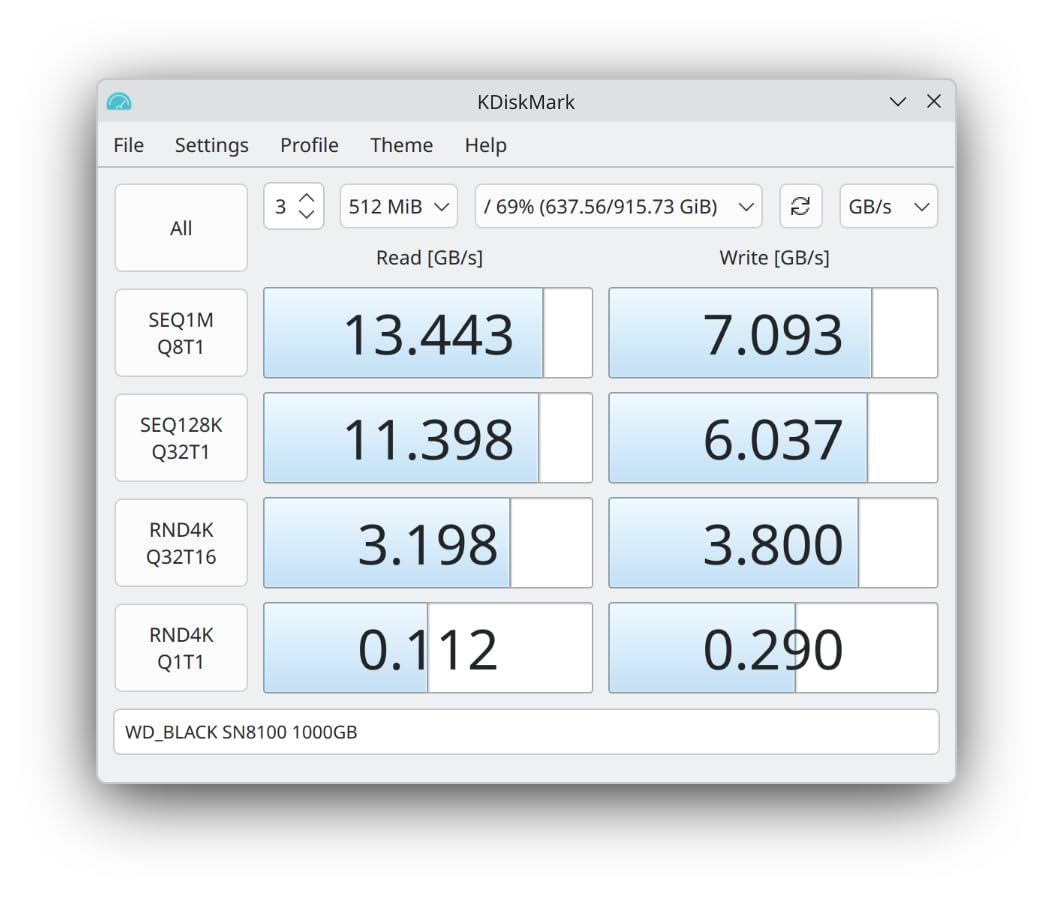
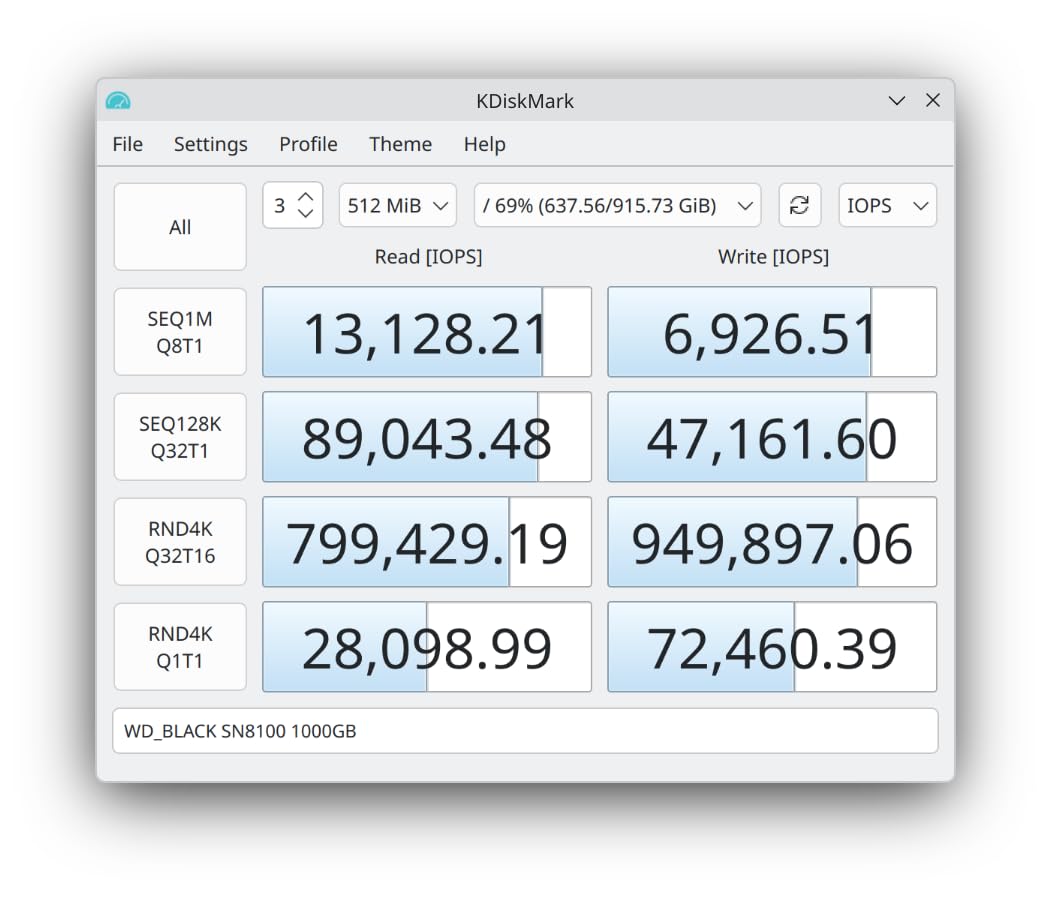
The SN8100 posts the highest sequential read figure in this roundup at 14,900 MB/s, and the 2TB to 4TB models exceed 2,300,000 random IOPS. The engineering claim I find most interesting is efficiency: an average operating power of 7.5W or less, over 100% better than the Gen4 drive it replaces.
That combination matters more in a compact high-end build than the raw number suggests. A drive that pulls 7.5W generates noticeably less heat, which means a smaller heatsink and a quieter case.
Capacities run up to 8TB for large game libraries, SANDISK Dashboard handles tuning and health monitoring, and Acronis True Image covers data migration. A five-year limited warranty is included, and you can choose a heatsink variant.
Platform requirements and a listing inconsistency
Two things to know. Reaching the rated throughput needs a PCIe 5.0 slot and a Gen5-capable CPU, and Gen5 drives generate significant heat, so a heatsink is strongly recommended rather than optional.
There is also an internal inconsistency in the listing: the title states 11,000 MB/s write while the feature list cites up to 14,000 MB/s. Check the capacity-specific spec sheet on the manufacturer’s page before relying on a write figure. The drive has been superseded by a newer generation.
Who should buy the SN8100
Buy it if you have Gen5 hardware, want the highest read throughput available, and need large capacity for a game library on a single stick. It is also a sensible choice for AI workloads, which is where the bandwidth genuinely gets used.
12. TeamGroup MP44 2TB – Budget Pick With a Reliability Streak
TEAMGROUP MP44 2TB SLC Cache Gen 4×4 M.2 2280 PCIe 4.0 w/NVMe Laptop, Desktop, NUC, NAS SSD Read/Write Speed up to 7000 / 6000MB/s TM8FPW002T0C101
M.2 2280
PCIe Gen4 x4
7000 MB/s read
2 TB
5 year warranty
+ Pros
- Holds 7000 MB/s read matching spec
- Runs cool with no heatsink at all
- Reliable across large multi-drive and RAID arrays
- SLC cache plus HMB smooths transfers
- Works in laptops
- NUCs and NAS boxes
– Cons
- Write speed runs well behind read speed
- Components can change without notice
- Some units ship with DRAM-less controllers
- Smallest review base here at 436 ratings
The MP44 is the drive I would put in a second build without hesitating. It holds roughly 7,000 MB/s sequential read in CrystalDiskMark, matching its spec, and it is priced below premium Gen4 rivals for comparable TLC performance.
What owners emphasise above speed is reliability. One has more than twenty of these drives with zero failures, including a nine-drive RAID array, and the drive runs cool with no heatsink at all thanks to a heat-dissipating graphene label.
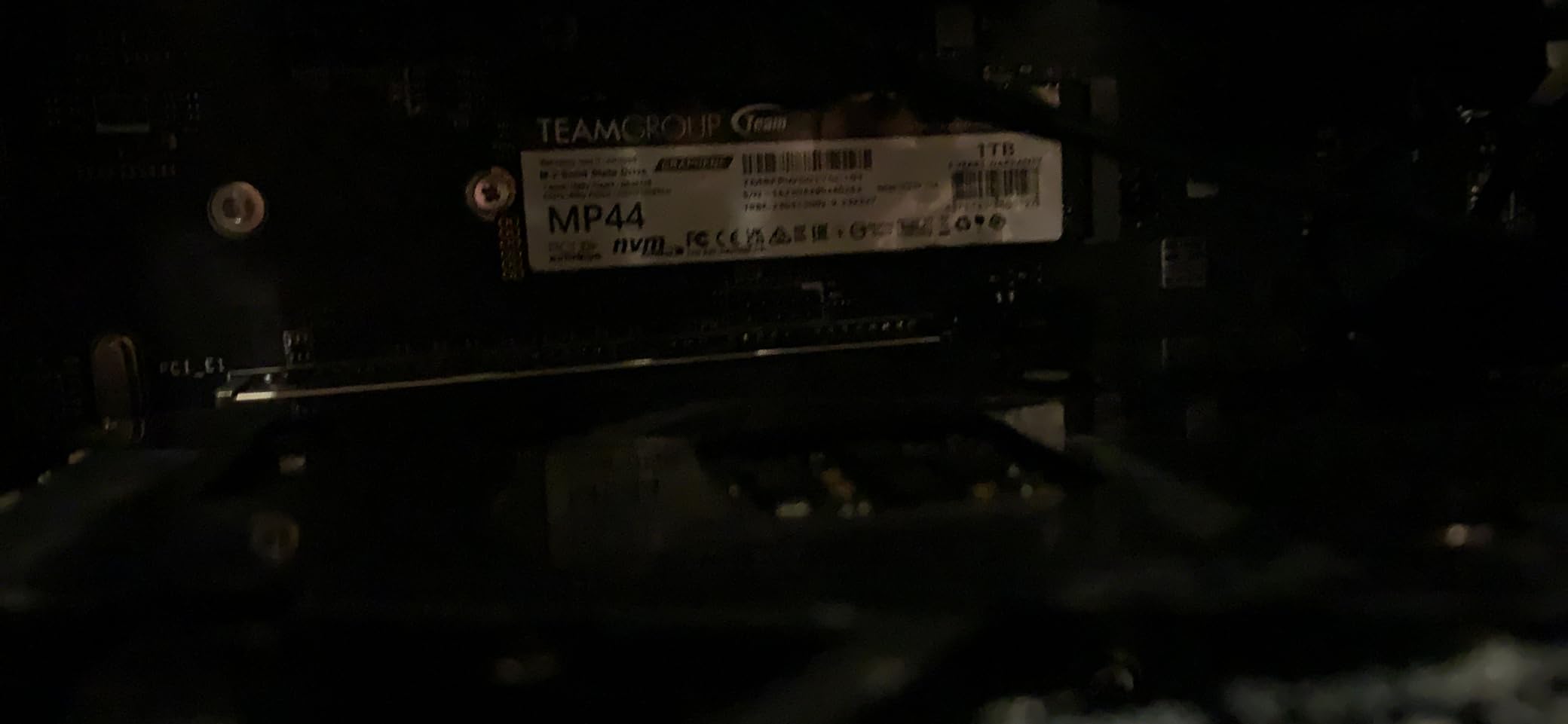
Thermals are reported at 42 to 43 degrees idle and 57 under synthetic load with a motherboard heat spreader, which is comfortable for a game library drive. It also works in laptops, desktops, NUCs, NAS enclosures and even compact single-board computers.
The component swap problem, and how to handle it
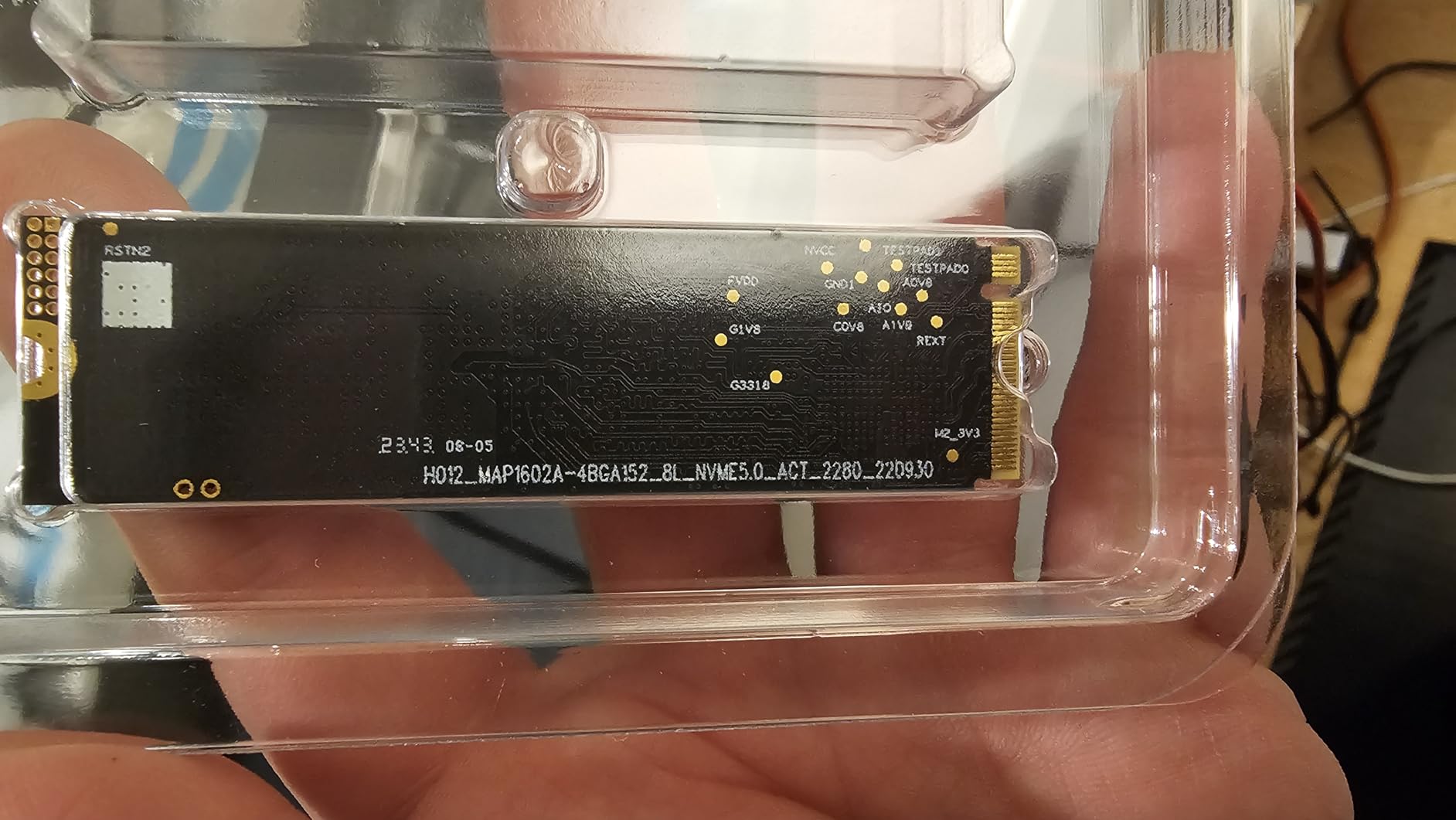
This is the most important thing to understand about budget drives in general. TEAMGROUP can change controller and NAND components without notice, and some units ship with DRAM-less Maxio MAP1602 controllers using only host memory. Buyers who care about component variance should treat this as a supply-chain trade.
The performance consequence is visible: some owners measure write speed at roughly two-thirds of read speed, particularly in enclosures. Its five-star share of 84% is the lowest in this roundup, which tracks a drive that is dependable but not exceptional.
Who should buy the MP44
Buy it for a game library drive in a secondary system, a NAS, or a NUC where capacity and reliability beat benchmark bragging rights. If you want the strongest warranty and a fixed bill of materials, pick a drive from a brand that publishes its components.
Do You Actually Need a PCIe 5.0 SSD for Gaming?
No, not for most builds. A PCIe 4.0 drive already delivers the performance that games actually consume, and the gap between a SATA SSD and a Gen4 NVMe drive is far larger than the gap between Gen4 and Gen5. Buy Gen5 only when you have a matching platform and a workload that uses the bandwidth.
The two fastest drives here, the WD_Black SN8100 at 14,900 MB/s and the Samsung 9100 PRO at 14,700 MB/s, are roughly double their Gen4 counterparts. In practice, game engines issue small scattered reads, and those already clear faster than the engine can process them on a Gen4 drive.
The exception is real but narrow. If you move very large files constantly, work on AI models, or edit high-bitrate video, sequential throughput translates directly into less waiting. If your time is spent in games, the money is better spent on capacity.
Do Gamers Need a DRAM SSD? TLC vs QLC Explained
No. DRAM-less drives are perfectly fine for gaming and for your operating system. Random 4K read performance, not DRAM, is what drives game load times, and the DRAM-less designs in this roundup match their DRAM-equipped rivals on the reads that matter.
Where DRAM shows up is sustained writes. When you copy a 100GB game folder or reinstall a library, a drive with onboard DRAM holds its write speed while a host memory buffer drive slows once the SLC cache fills. The T500, GM7000 and SN850X all carry real DRAM for that reason.
TLC versus QLC is the more important distinction for longevity. TLC stores three bits per cell and handles sustained writes far better, while QLC stores four and is cheaper but degrades faster. The WD_Black SN7100 explicitly uses next-generation TLC rather than the QLC found in entry-level drives, and that is worth paying for on a game library.
The enthusiast view that DRAM is mandatory simply does not survive contact with how games work. Enthusiasts are right that DRAM helps mixed workloads. Gamers are right that it is not what they are buying storage for.
Do You Need an M.2 Heatsink?
For a PCIe 4.0 drive, usually not, provided your case has airflow. Most of the Gen4 drives here run cool enough on the motherboard’s included M.2 heat spreader, and the Kingston NV3 sits between 42 and 48 degrees under heavy load without any aftermarket cooling.
For a PCIe 5.0 drive, treat cooling as effectively mandatory. Gen5 controllers run hot, and both Gen5 picks here draw criticism for needing a heatsink or strong airflow to hold sustained throughput. The SN8100’s 7.5W operating figure is the exception that proves the point.
Two practical notes. A motherboard M.2 cover is usually enough, and removing a pre-fitted heatsink can affect warranty terms. Also check clearance first, because a tall aftermarket heatsink will not clear a large graphics card in some builds. Our guide to compact gaming PCs covers the tightest examples.
How Much Storage Do You Need in 2026?
Two terabytes is the sweet spot for most gaming PCs in 2026. One terabyte fills up faster than people expect once a handful of AAA titles land, and four terabytes is only justified if you constantly install and delete large games or share a machine between multiple players.
Because game libraries rather than speeds are usually the binding constraint, the advice that repeats in r/buildapc threads is to buy the largest capacity you can afford. A slow 4TB drive serves a player better than a fast 1TB drive they must constantly manage.
For 2TB, the WD_Black SN7100, Samsung 990 PRO and Lexar NM790 all offer strong endurance ratings. For 4TB, the Crucial T500 gives you 1,200 TBW with a real DRAM buffer, which suits heavy reinstall cycles. For 1TB, the SN770 and SN850X are the safest choices.
You can also run a two-drive setup, which is standard community advice: a small fast boot drive plus a larger value game-library drive. It costs an extra M.2 slot but keeps your operating system responsive and your games somewhere to live.
M.2 Form Factors Explained: 2280 vs 2230 vs 2242
Buy the 2280 form factor unless you have a reason not to. It is 22mm wide and 80mm long, it is what every drive in this roundup uses, and it is the only form factor most desktop slots accept.
The 2230 is 22mm by 30mm and shows up in handheld gaming PCs and some laptops, where space is the constraint. The Crucial P310 and WD_Black SN7100 both fit handheld devices, and the SN7100 at 0.04 inches thick is about as slim as these get.
The 2242 is 22mm by 42mm, a rarer size that appears in certain compact laptops and add-in cards. If your device ships with a gumstick drive, match the exact length before ordering, because a longer drive will not physically fit.
Before You Buy: 4 Compatibility Checks
Check the bus your slot supports. An M.2 slot carries both a PCIe connection and a separate SATA lane, so the same physical slot can take an M.2 SATA drive or an M.2 NVMe drive, and older boards may only support one of the two.
Check PCIe lane sharing. On many AM4 and older Intel boards, an M.2 slot shares lanes with the graphics card slot, and a Gen4 drive will silently run at Gen3 speeds when the GPU is installed. This is the single most common disappointment in gaming SSD threads, and your motherboard manual will state it plainly.
Check single-sided versus double-sided. A double-sided drive with NAND on the back can conflict with a large graphics card or a thick heatsink. Every drive in this roundup is single-sided, which is why they install without clearance problems.
Check heatsink clearance and boot support. If you plan to add a tall aftermarket M.2 heatsink, measure the gap to your graphics card first, and confirm your motherboard can boot from an NVMe drive in that specific slot.
How to Pick an M.2 SSD for a Gaming PC
Start with your platform, not the drive. Identify whether your board and CPU support Gen3, Gen4 or Gen5, because a faster drive in a slower slot runs at the slot’s speed. Every drive here is backward compatible, so Gen4 is a safe target for most current builds.
Prioritise random 4K read and latency over sequential speed. That is the metric that determines whether a level loads quickly, and it is the one retail pages bury. Sequential speed matters for the initial install and for large file copies, which is a different and less frequent annoyance.
Then choose capacity, NAND type and warranty in that order. A 2TB TLC drive with a five-year warranty will serve a gamer longer than a 1TB QLC drive with a three-year warranty, no matter which one benchmarks faster on paper.
Finally, factor in the machine. Laptops and handhelds reward low power draw and thin profiles, desktops with a busy GPU benefit from a single-sided board, and console owners should check PS5 compatibility explicitly. Our portable SSD picks for consoles cover the drive-and-enclosure side of that decision.
How We Picked and Ranked These Drives
We ranked on gaming-relevant behaviour first: random 4K read performance, sustained write behaviour during large installs, thermal stability, and whether a drive stays responsive when it is 70% full. Peak sequential speed breaks ties but never leads.
Every specification quoted in this guide comes from the manufacturer’s listing and from the aggregated owner record for that listing, including rating averages and review counts. Where those records disagree, such as a warranty length that varies between the product page and the spec sheet, we flag it rather than picking the better-sounding number.
We also weighted review volume. A 4.8 average across 26,000 owners tells you considerably more about long-term reliability than the same average across 400, which is why the leader on this list is not the fastest drive we tested.
Frequently Asked Questions
What is the best M2 SSD for gaming?
For most gaming PCs, a PCIe 4.0 NVMe drive at the largest capacity you can afford is the right answer. The WD_BLACK SN770 is our top pick for proven reliability, the WD_BLACK SN850X wins on speed with an onboard DRAM buffer, and the Crucial T500 covers buyers who need 4TB for a large game library. Storage affects load times and texture streaming, not average frame rate.
Do I need a PCIe 5.0 SSD for gaming?
Usually no. A PCIe 4.0 drive already exceeds what games consume, and the noticeable jump in a gaming PC is SATA SSD to NVMe rather than Gen4 to Gen5. Buy a Gen5 drive like the Samsung 9100 PRO only if you have a Gen5 slot and a workload that uses the bandwidth, such as large video files or AI models.
Do gamers need a DRAM SSD?
No. Random 4K read performance, not onboard DRAM, is what determines game load times, and DRAM-less drives match their DRAM-equipped rivals on those reads. DRAM mainly helps sustained writes during huge game installs, and TLC NAND matters more than DRAM for a game library drive that gets written to repeatedly.
Which is better, a 1TB or 2TB M2 NVMe SSD?
Two terabytes is the better choice for most gaming PCs today, because a single large AAA install can consume a large share of a 1TB drive. One terabyte is reasonable for a secondary game drive or a machine with a separate boot drive. If your library keeps growing, 4TB is rarely overkill for an enthusiast library.
Do I really need a heatsink for my NVMe SSD?
For a PCIe 4.0 drive, usually not, as long as your case has airflow, and a stock motherboard heat spreader is typically enough. For a PCIe 5.0 drive, treat cooling as essential because Gen5 controllers run hot. Always check clearance under your graphics card before fitting an aftermarket M.2 heatsink.
Can I fit an M.2 SSD on my motherboard?
Most modern boards have at least one M.2 slot, but the slot may support only M.2 SATA, only PCIe, or a single PCIe generation. The M.2 form factor must also match, and 2280 is the standard size for desktops. On some boards the M.2 slot shares PCIe lanes with the graphics card, which can slow a Gen4 drive to Gen3 speeds.
How long does an M.2 gaming SSD last?
Longevity is governed by the TBW endurance rating and the warranty. A 1,200 TBW drive like the Crucial T500 supports a very large volume of game installs over its five-year warranty, while three-year budget drives wear sooner under heavy write cycles. Check the drive health tools included with the drive periodically to track wear.
Which M.2 SSD Should You Buy?
For most people, the WD_BLACK SN770 remains the pick. It has the largest review base of any drive we tested, a 4.8 average across 26,249 ratings, and it does everything gaming asks without a heatsink or a special platform. If you want more speed and an onboard DRAM buffer, take the WD_BLACK SN850X.
If capacity is your constraint, buy bigger rather than faster. The Crucial T500 at 4TB suits heavy install and delete cycles, and the 2TB Samsung 9100 PRO is for builds with a confirmed Gen5 slot. Handheld and laptop builders should look at the WD_Black SN7100 and Lexar NM790 for their thin, efficient designs.
Above all, verify your motherboard supports what you are buying, and confirm your M.2 slot is not sharing lanes with your graphics card. That one check prevents the most common disappointment in gaming storage. For the rest of your build, start with our gaming PC picks or, if the budget is fixed, our budget gaming PC guide.
Leave a Reply