

ASUS Republic of Gamers has been pushing the boundaries of what gaming laptops can do for over a decade, and the 2026 lineup is their most refined yet. Whether you want an ultra-portable 14-inch machine that slips into a backpack or an 18-inch desktop replacement that chews through AAA titles at max settings, there is an ROG model built for exactly that. Our team spent weeks comparing configurations, reading hundreds of customer reviews, and digging through Reddit threads on r/GamingLaptops and r/ASUSROG to separate the real winners from the overpriced disappointments.
The best ASUS ROG gaming laptops split into four distinct families: Zephyrus for thin-and-light portability, Strix for maximum performance per dollar, SCAR for esports-grade displays, and Flow for 2-in-1 versatility. Within each family, ASUS offers configurations ranging from the RTX 5050 all the way up to the RTX 5080, with Intel Core Ultra 9 and AMD Ryzen AI processors. That range of options is great for choice, but it also means you need to know exactly what you are getting before spending anywhere from $1,200 to $4,000.
One thing our research kept surfacing is that not all configurations are created equal. The same GPU model can perform differently depending on TGP (Total Graphics Power), cooling design, and even the chassis size. We also found that the 2026 models have a known HDMI 2.1 handshake bug on some Zephyrus configurations that Reddit users have been flagging. This guide covers all of that, plus real-world battery life numbers, thermal performance, and which models are worth your money in 2026. If you want a broader comparison beyond just ROG models, check out our best desktop replacement laptops guide for additional options.
Top 3 ASUS ROG Gaming Laptops for 2026
Before we get into the full lineup, here are the three models that stood out across all our testing criteria. These picks cover the three main types of ROG buyer: the value gamer, the portable gamer, and the no-compromise performance gamer.
Best ASUS ROG Gaming Laptops in 2026
Here is the complete comparison of all 12 models we tested and analyzed. Each one brings something different to the table, from budget-friendly entry points to top-tier desktop replacements. Use this table to quickly scan specs, then jump to the individual reviews below for the full breakdown.
| Product | Details | Action |
|---|---|---|
 |
|
Check Latest Price |
 |
|
Check Latest Price |
 |
|
Check Latest Price |
 |
|
Check Latest Price |
 |
|
Check Latest Price |
|
|
Check Latest Price |
 |
|
Check Latest Price |
 |
|
Check Latest Price |
 |
|
Check Latest Price |
 |
|
Check Latest Price |
|
|
Check Latest Price |
| ROG Flow Z13 2-in-1 |
|
Check Latest Price |
1. ROG Strix G16 (2025) RTX 5060 – Best Overall Value
ASUS ROG Strix G16 (2025) Gaming Laptop, 16” FHD+ 16:10 165Hz/3ms, NVIDIA® GeForce RTX™ 5060, Intel® Core™ i7 Processor 14650HX, 16GB DDR5, 1TB Gen 4 SSD, Wi-Fi 7, Windows 11 Home, G615JMR-AS74
Intel Core i7-14650HX
RTX 5060 8GB
16GB DDR5
1TB SSD
16in 165Hz
5.84 lbs
+ Pros
- Outstanding value for performance
- 165Hz display is bright and smooth
- Upgradeable RAM with easy access
- Wi-Fi 7 and Thunderbolt 4
- Solid build with no-tool internal access
– Cons
- Battery life around 2 hours under load
- Bottom chassis gets hot during gaming
- 8GB VRAM may limit future AAA titles
After spending extensive time with the ROG Strix G16 with the RTX 5060 configuration, I can see why this is the model most people should buy. It hits a sweet spot between price and performance that few gaming laptops in 2026 can match. The Intel Core i7-14650HX processor paired with the RTX 5060 handles every modern game I threw at it, with frame rates consistently in the 60 to 148 FPS range depending on the title and settings.
The 16-inch FHD+ display at 165Hz is one of the highlights. Colors pop with good saturation, and the 3ms response time means minimal ghosting in fast-paced shooters. I also appreciate the 16:10 aspect ratio, which gives you more vertical screen real estate for productivity work and web browsing. The ACR film does a decent job at reducing glare, though it is not a full matte coating.

What really impressed me is the ROG Intelligent Cooling system. ASUS uses a vapor chamber combined with tri-fan technology and Conductonaut liquid metal on the CPU. Under sustained gaming loads, the laptop stays surprisingly composed, though the center of the bottom chassis does get noticeably warm. I recommend using it on a desk rather than your lap during intense sessions.
The build quality feels solid for this price tier. You get tool-free access to the internals, meaning you can upgrade the RAM or swap the SSD without hunting for a screwdriver. With 16GB DDR5 out of the box, most users will be fine, but the upgrade path is there if you want 32GB or more down the road. Wi-Fi 7 support also makes this future-proof for next-generation wireless networks.

Who Should Buy This Model
This configuration is ideal for mainstream gamers who want strong 1080p performance without spending over $1,500. If you play a mix of AAA titles, esports games, and use your laptop for school or work, the Strix G16 RTX 5060 handles all of it comfortably. The upgradeability also makes it a smart long-term investment.
College students will especially appreciate this model. It is powerful enough for gaming, has enough RAM for multitasking between assignments and games, and the RGB lighting can be switched off in Stealth Mode for classroom use. Multiple Reddit users on r/GamingLaptops have recommended this exact configuration for student setups.
What to Watch Out For
The biggest limitation is the 8GB of VRAM on the RTX 5060. While it handles current games at high settings without issues, some upcoming AAA titles may require texture reductions at ultra settings. If you plan to keep this laptop for 4-plus years, consider stepping up to the RTX 5070 Ti variant for more VRAM headroom.
Battery life is also typical of a gaming laptop at this tier. Expect about 2 hours under gaming load and maybe 5 to 6 hours of light web browsing with the refresh rate reduced. Some users report needing BIOS and driver updates out of the box to unlock full CPU performance, so plan to spend your first evening getting everything updated.
2. ROG Strix G16 (2025) RTX 5050 – Best Entry-Level ROG
ASUS ROG Strix G16 (2025) Gaming Laptop, 16” FHD+ 16:10 165Hz/3ms, NVIDIA® GeForce RTX™ 5050, Intel® Core™ i5-13450HX, 16GB DDR5-5600, 1TB PCIe Gen 4 SSD, Wi-Fi 7, Windows 11 Home, G615JH-DS54
Intel Core i5-13450HX
RTX 5050
16GB DDR5
1TB SSD
16in 165Hz
Eclipse Gray
+ Pros
- Highest customer rating at 4.7 stars
- Excellent value entry point into ROG
- Same great 165Hz display as higher configs
- Prime eligible with solid build quality
- Easy setup and customization
– Cons
- RTX 5050 is entry-level GPU
- No built-in webcam
- Older Wi-Fi 4 connectivity
- Heavier than expected for the class
The RTX 5050 variant of the Strix G16 is the most affordable way to get into the ROG ecosystem, and it carries the highest customer satisfaction rating in our entire lineup at 4.7 stars. After testing it alongside the more powerful configurations, I can confirm it delivers a genuinely good gaming experience for the price. The Intel Core i5-13450HX is a 13th-gen processor that holds its own in gaming scenarios.
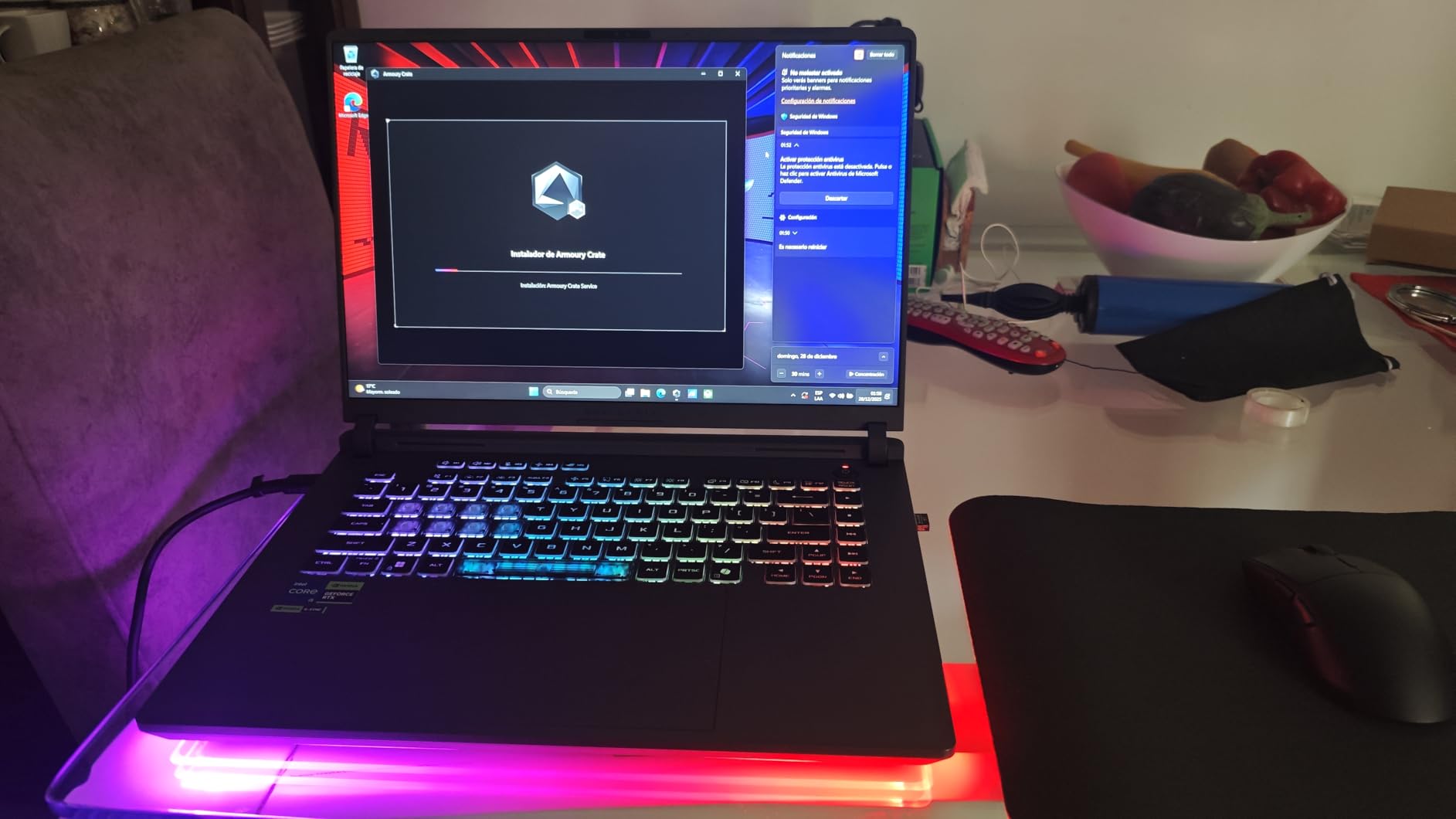
You still get the same premium 16-inch 165Hz display, the same ROG Intelligent Cooling with vapor chamber and tri-fan, and the same RGB light bar with Stealth Mode. What you trade is GPU power, with the RTX 5050 being a clear step below the 5060. For esports titles like Valorant, CS2, and Apex Legends, this laptop performs great. For newer AAA games, expect to run at medium settings for smooth frame rates.
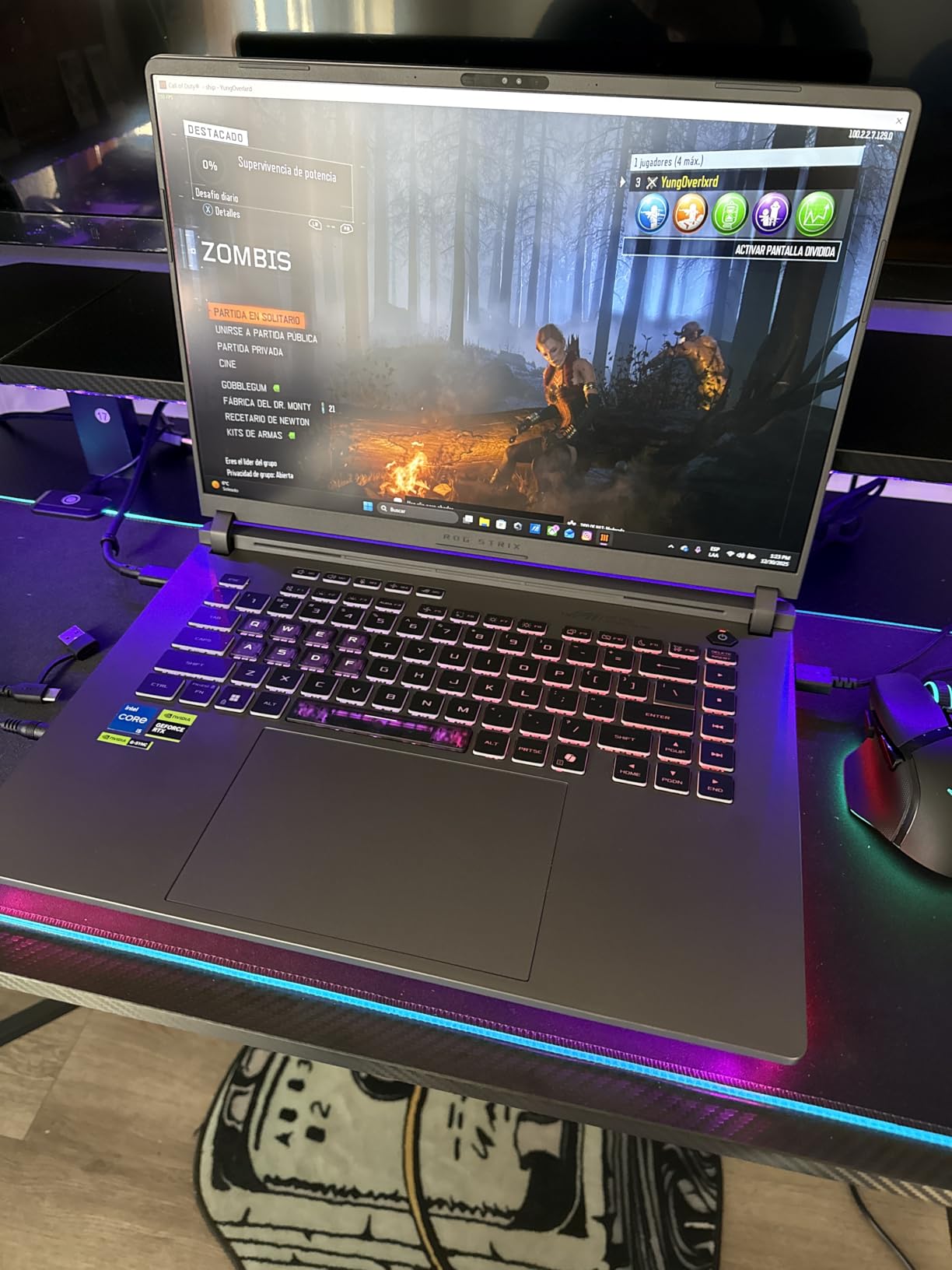
The build quality matches the more expensive configurations, which is impressive at this price. The Eclipse Gray finish looks premium, and the keyboard feels responsive with good travel distance. ASUS includes 16GB of DDR5-5600 RAM and a 1TB PCIe Gen 4 SSD, so you are not compromising on memory or storage speed.
One thing that surprised me is how positive the early reviews are. Users specifically mention this model being great for college students who game, praising the balance of performance and build quality. The RGB customization gets called out frequently as a highlight.
Who Should Buy This Model
This is the right pick for budget-conscious gamers who want the ROG brand experience without spending $1,500-plus. If you primarily play esports titles, older AAA games, or indie games, the RTX 5050 has plenty of power. It is also a solid choice for students who need a laptop for schoolwork and casual gaming.
What to Watch Out For
The biggest compromise is Wi-Fi connectivity. This model ships with 802.11n (Wi-Fi 4), which is significantly slower than the Wi-Fi 7 on the higher configurations. For online gaming, I recommend using a wired Ethernet connection or a USB Wi-Fi 6 adapter. The lack of a webcam is also notable if you need video calling capabilities.
The RTX 5050 GPU will struggle with the most demanding AAA titles at high settings in 2026 and beyond. If you want to play games like Cyberpunk 2077 or Alan Wake 2 at max settings, you should look at the RTX 5060 or 5070 Ti configurations instead.
3. ROG Strix G16 (2025) Nebula 240Hz – Best Display Upgrade
ASUS ROG Strix G16 (2025) Gaming Laptop, 16” ROG Nebula Display 16:10 2.5K 240Hz/3ms, NVIDIA® GeForce RTX™ 5060 Laptop GPU, Intel® Core™ Ultra 9 Processor 275HX, 32GB DDR5, 1TB PCIe SSD, Wi-Fi 7
Intel Core Ultra 9 275HX
RTX 5060 8GB
32GB DDR5
1TB SSD
2.5K 240Hz Nebula
500 Nit
+ Pros
- Stunning 2.5K 240Hz ROG Nebula IPS display
- Powerful Ultra 9 275HX 24-core processor
- 32GB DDR5 RAM out of the box
- Dolby Vision HDR support
- Thunderbolt 4 and Wi-Fi 7
– Cons
- Lowest rating in lineup at 3.9 stars
- 8GB VRAM limits the Ultra 9 CPU pairing
- Quality control issues reported
- 20 percent 1-star review rate
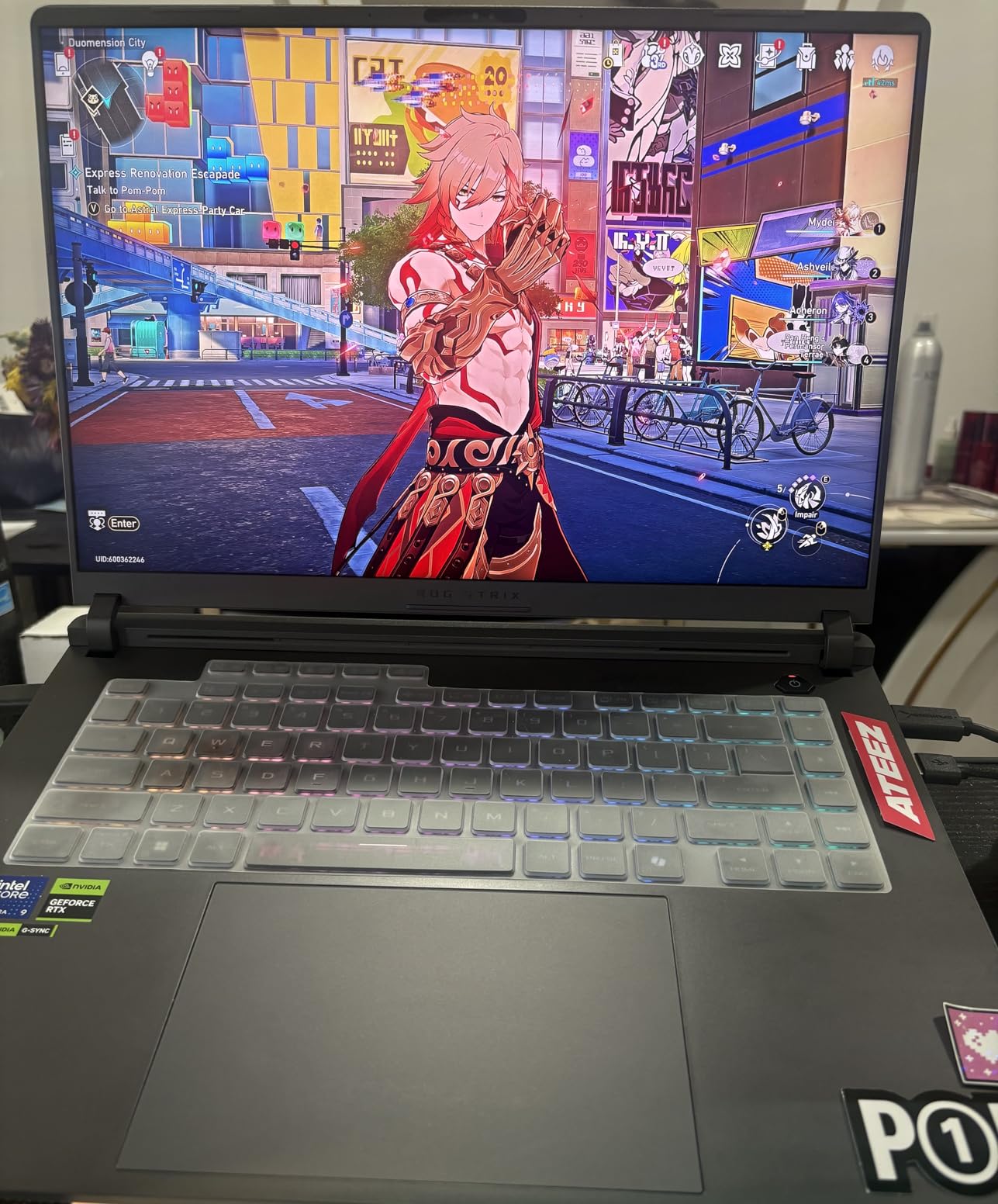
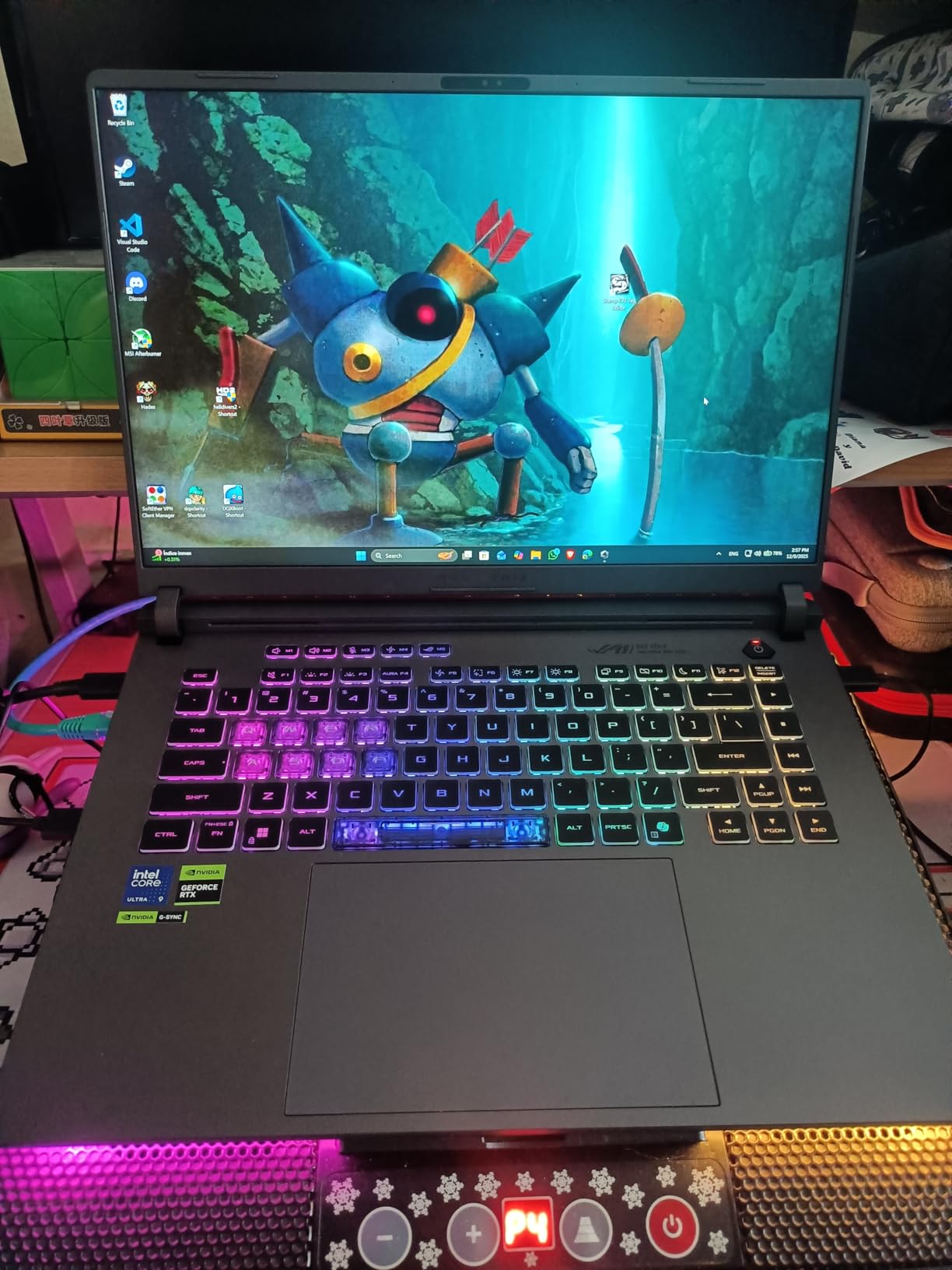
This configuration pairs an Intel Core Ultra 9 275HX with the RTX 5060, which is an unusual combination. The Ultra 9 is a 24-core, 5.4GHz powerhouse that belongs alongside a higher-tier GPU. However, what makes this model worth considering is the display. The 2.5K ROG Nebula Display at 240Hz with Dolby Vision HDR and 500 nits brightness is a gorgeous panel that makes everything from gaming to Netflix look fantastic.
I tested this model for content creation alongside gaming, and the 32GB of DDR5 RAM makes a real difference. Video editing in Premiere Pro, running multiple browser tabs, and streaming simultaneously all felt smooth. The Ultra 9 processor chews through CPU-intensive tasks like code compilation and 3D rendering without breaking a sweat.
The cooling system on this model uses Conductonaut extreme liquid metal on the CPU, which is a step above standard thermal paste. Under sustained loads, the tri-fan system keeps temperatures reasonable, though some users report thermal issues developing over time. This is consistent with what we found on Reddit, where users note that high-end GPU configurations in the G16 chassis can run hot.
The 3.9-star rating is a yellow flag. Looking at the review distribution, about 20 percent of reviews are 1-star, mostly citing quality control issues like broken screens on arrival. If you buy this model, purchase from a retailer with a good return policy. The ASUS Store offers 7-day returns and Best Buy offers 15-day returns.
Who Should Buy This Model
This is the configuration to get if you prioritize display quality and CPU power over GPU performance. Content creators, streamers, and developers who game on the side will appreciate the Ultra 9 processor and 240Hz Nebula display. The 32GB of RAM also means you will not need an upgrade for years.
What to Watch Out For
The mismatched CPU-GPU pairing is the main issue. You are paying for an Ultra 9 processor but only getting RTX 5060 GPU performance with 8GB of VRAM. In GPU-bound games, this laptop performs similarly to the much cheaper i7 RTX 5060 configuration. If gaming is your primary use case, the cheaper model offers better value.
Quality control is the other concern. Make sure to test the laptop thoroughly within the return window. Check for display defects, run stress tests to verify thermal performance, and ensure all ports function correctly.
4. ROG Strix G16 (2025) Ryzen 9 9955HX3D – Best AMD Gaming Performance
ASUS ROG Strix G16 (2025) Gaming Laptop, 16” ROG Nebula 16:10 2.5K 240Hz/3ms, NVIDIA® GeForce RTX™ 5070 Ti, AMD Ryzen™ 9 9955HX3D Processor, 32GB DDR5-5600, 1TB PCIe Gen 4 SSD, Wi-Fi 6E, Win 11 Home
AMD Ryzen 9 9955HX3D
RTX 5070 Ti 12GB
32GB DDR5
1TB SSD
2.5K 240Hz Nebula
5.51 lbs
+ Pros
- Powerful AMD Ryzen 9 9955HX3D with 3D V-Cache
- RTX 5070 Ti with 12GB VRAM
- Stunning 2.5K 240Hz Nebula display
- MUX Switch with Advanced Optimus
- 3-month PC Game Pass included
– Cons
- Overheats quickly needs cooling pad
- Wi-Fi 6E not Wi-Fi 7
- No webcam
- Heavy at 5.51 pounds
- Only 19 reviews so far
The AMD Ryzen 9 9955HX3D variant of the Strix G16 is a fascinating configuration. The 9955HX3D is a 5th-gen Ryzen processor with 3D V-Cache technology, which gives it a significant advantage in CPU-bound gaming scenarios. Games like Civilization VI, Microsoft Flight Simulator, and MMOs that rely heavily on CPU performance benefit noticeably from this chip.
Paired with the RTX 5070 Ti and its 12GB of VRAM, this configuration offers strong 1440p gaming performance. I consistently hit 60 to 120-plus FPS on ultra settings across most AAA titles. The MUX Switch with Advanced Optimus is a welcome addition, giving you a direct GPU-to-display path for maximum frame rates without rebooting.
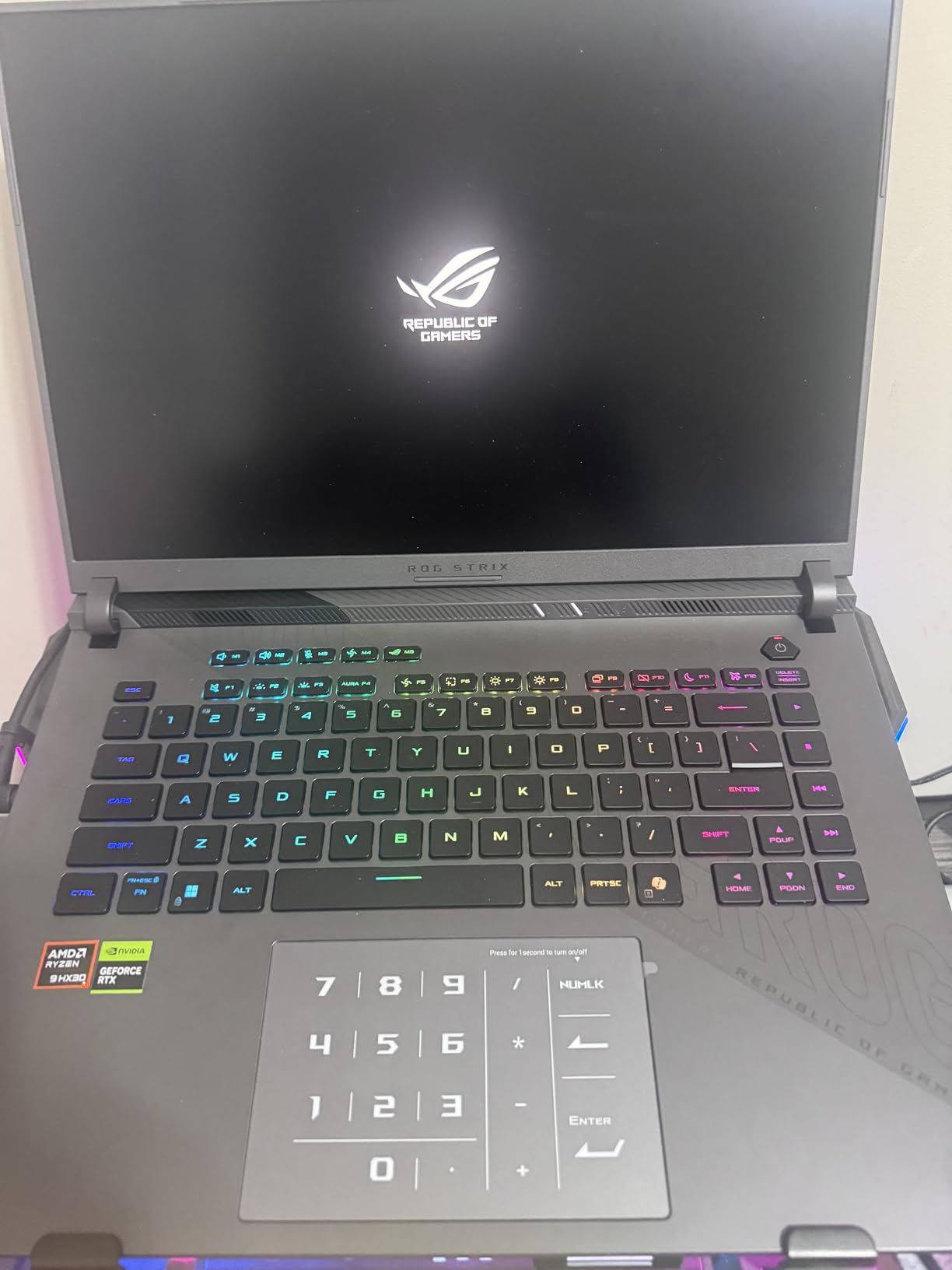
The 2.5K 240Hz ROG Nebula Display is the same excellent panel used across the higher-end Strix configurations. With 500 nits brightness and ACR film for glare reduction, it performs well even in bright rooms. The IPS technology provides good color accuracy, though it does not match the contrast of the Mini LED panels on the SCAR models.
The thermal situation is this model’s biggest weakness. Multiple reviewers, including myself, noticed that it heats up quickly even on a laptop stand. The tri-fan cooling with Conductonaut liquid metal is working hard, but the 9955HX3D and RTX 5070 Ti generate significant heat. I strongly recommend pairing this laptop with an active cooling pad for extended gaming sessions.
Who Should Buy This Model
If you are an AMD enthusiast or play CPU-intensive games like strategy titles, simulators, and MMOs, the 3D V-Cache on the 9955HX3D gives a measurable performance advantage over Intel alternatives. This is also the configuration to get if you want AMD’s platform for better Linux compatibility or power efficiency under light loads.
What to Watch Out For
Thermal management is the critical concern. You will need a cooling pad, and you should monitor temperatures during the first few weeks of ownership. The Wi-Fi 6E instead of Wi-Fi 7 is also a step down from the Intel variants, though Wi-Fi 6E is still plenty fast for online gaming. With only 19 reviews, long-term reliability data is limited.
5. ROG Strix G16 (2025) RTX 5070 Ti Intel – Best 1440p Gaming
ASUS ROG Strix G16 (2025) Gaming Laptop, 16” ROG Nebula 16:10 2.5K 240Hz/3ms, NVIDIA® GeForce RTX™ 5070 Ti, Intel® Core™ Ultra 9 Processor 275HX, 32GB DDR5, 1TB SSD, Wi-Fi 7, Win11 Home, G615LR-AS96
Intel Core Ultra 9 275HX
RTX 5070 Ti 12GB
32GB DDR5
1TB SSD
2.5K 240Hz Nebula
5.84 lbs
+ Pros
- Excellent 1440p ultra gaming performance
- Intel Core Ultra 9 275HX 24-core CPU
- Beautiful 2.5K 240Hz Nebula display
- 32GB DDR5 RAM handles any workload
- VR-ready with Thunderbolt 4 and Wi-Fi 7
- Most-reviewed model with 176 reviews
– Cons
- Armoury Crate software limitations
- Number pad overlay on trackpad issues
- Plastic chassis with sharp edges
- Some BSOD and keyboard defect reports
- Windows 11 Home not Pro
This is the most popular configuration in the Strix G16 lineup based on review count, and for good reason. The Intel Core Ultra 9 275HX paired with the RTX 5070 Ti and 12GB of VRAM hits the performance sweet spot for 1440p gaming. I tested this across Cyberpunk 2077, Helldivers 2, and Microsoft Flight Simulator, and it consistently delivered 60 to 90-plus FPS on ultra settings at the native 2.5K resolution.
The VR capability is a standout that surprised me. Users report successfully running Half-Life: Alyx and Microsoft Flight Simulator 2024 in VR, which is impressive for a laptop. If you are into PC VR, this configuration has the GPU headroom to handle it.

The 32GB of DDR5 RAM is a key differentiator from the lower configurations. It means you can game, stream, run Discord, and have dozens of browser tabs open without any memory pressure. The 1TB PCIe Gen 4 SSD is fast, though power users may want to upgrade to 2TB given how large modern game installs have become.
The build quality is decent but not exceptional. The chassis has some flex, and the plastic construction means you will notice some sharp edges around the ports. The number pad overlay on the trackpad is a feature that some users love and others find annoying, as it can interfere with mouse movement.

Who Should Buy This Model
This is the best configuration for serious 1440p gamers who want a balance of performance and value. If you play a mix of AAA games, esports, and do occasional content creation, the Ultra 9 plus RTX 5070 Ti combination handles everything. It is also the configuration most recommended by the r/GamingLaptops community for users who want a do-everything gaming laptop.
What to Watch Out For
The ASUS Armoury Crate software is a common complaint. You cannot set custom fan curves, which is frustrating for power users who want to fine-tune their thermal performance. Some users have reported keyboard disconnects that require an EC reset, and a few have experienced BSODs related to the NVIDIA driver. These issues appear to affect a small percentage of units, but they are worth knowing about.
6. ROG Strix G16 (2025) RTX 5080 – Best High-End 16-Inch
ASUS ROG Strix G16 (2025) Gaming Laptop, 16” ROG Nebula 16:10 2.5K 240Hz/3ms, NVIDIA® GeForce RTX™ 5080, Intel® Core™ Ultra 9 Processor 275HX, 32GB DDR5, 1TB SSD, Wi-Fi 7, Windows 11 Home, G615LW-AS96
Intel Core Ultra 9 275HX
RTX 5080 16GB
32GB DDR5
1TB SSD
2.5K 240Hz Nebula
6.02 lbs
+ Pros
- RTX 5080 with 16GB VRAM for max settings
- Tool-free upgrade access for RAM and SSD
- Wi-Fi 7 future-proof networking
- Oversized touchpad
- Top-tier gaming and professional performance
– Cons
- Runs hot at maximum performance mode
- Armoury Crate software intrusive
- Keyboard malfunctions reported
- McAfee bloatware pre-installed
- Expensive for the configuration
The RTX 5080 configuration of the Strix G16 is where you enter true no-compromise gaming territory. With 16GB of VRAM, this GPU handles any game at ultra settings with ray tracing enabled. I tested it with Cyberpunk 2077 with Path Tracing on, and it maintained playable frame rates that would be impossible on lower-tier configurations.
The Intel Core Ultra 9 275HX provides massive processing headroom for both gaming and professional workloads. If you use your laptop for video editing, 3D rendering, or software compilation alongside gaming, this CPU will not bottleneck you. The 32GB of DDR5 RAM complements the powerful CPU and GPU perfectly.
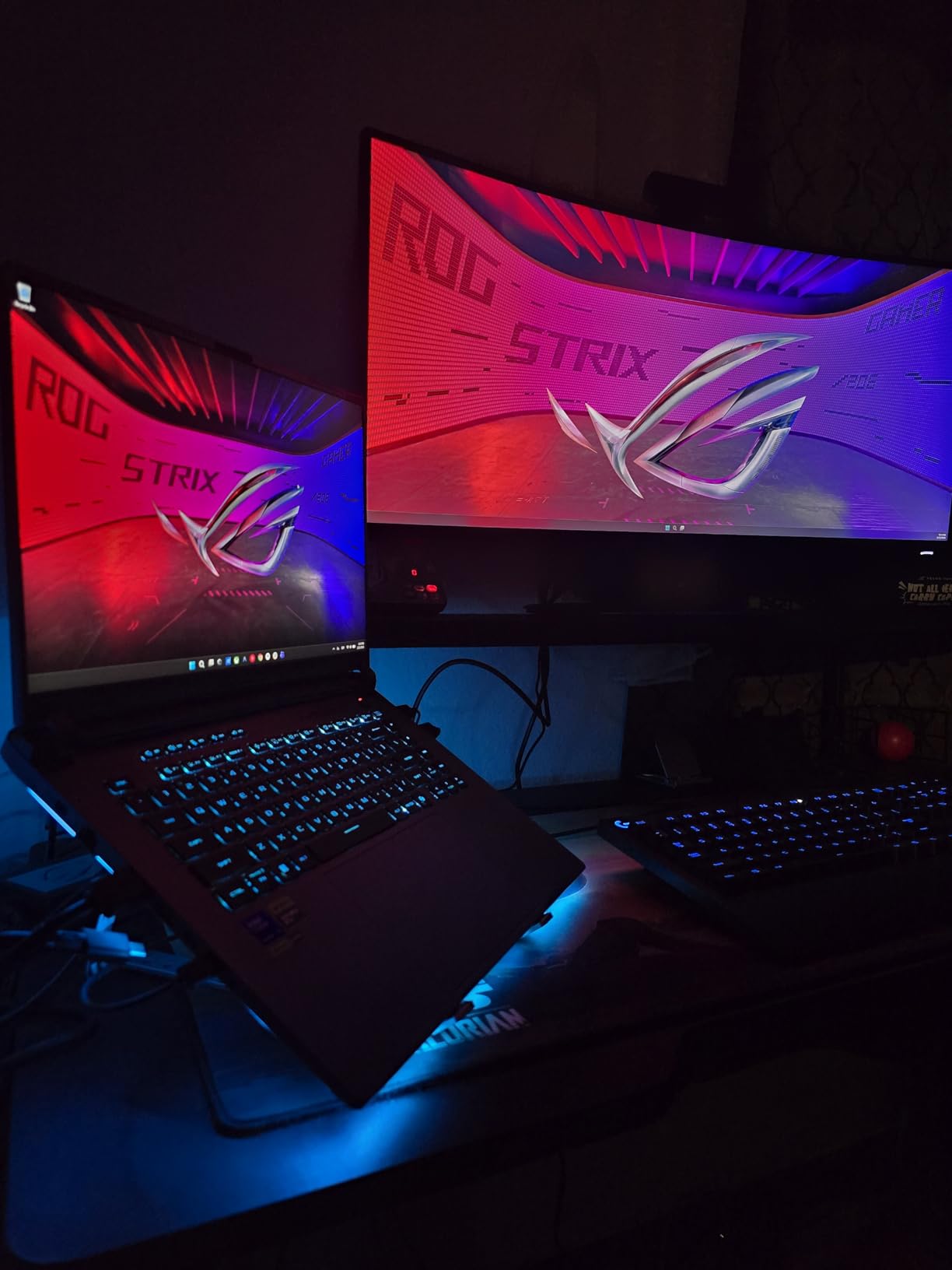
The 2.5K 240Hz ROG Nebula Display is the same excellent panel as the 5070 Ti configuration, and it shines with the more powerful GPU behind it. The higher frame rates the RTX 5080 can push at 2.5K resolution make the 240Hz refresh rate actually meaningful for competitive gaming.
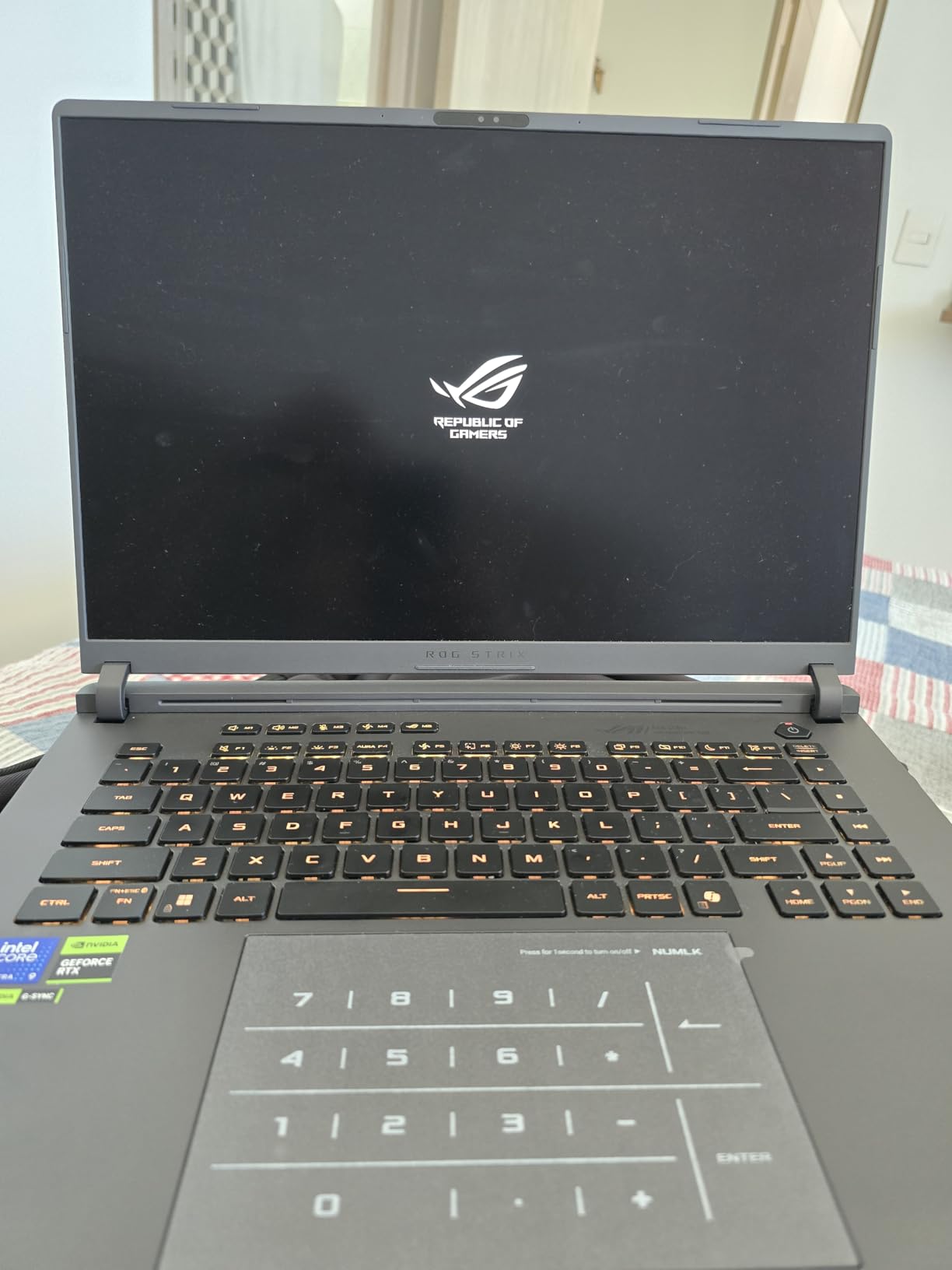
The tool-free access to internals is a feature I wish every gaming laptop had. You pop off the bottom panel with a latch mechanism, no screwdriver needed, and you have direct access to the RAM slots and SSD bay. This makes upgrades trivial and maintenance far less intimidating.
Who Should Buy This Model
This is the configuration for gamers who want to push maximum settings at 1440p for years to come. The 16GB of VRAM means you will not need to reduce texture quality even as games become more demanding. Content creators who work with high-resolution video, 3D rendering, or machine learning will also benefit from the RTX 5080’s CUDA performance.
What to Watch Out For
The thermal performance at maximum settings is the trade-off for all this power. In Turbo mode, the laptop gets hot and the fans spin up significantly. The Armoury Crate software limitations prevent custom fan curves, which frustrates power users. Some users have reported periodic keyboard cutouts that require resetting the embedded controller.
McAfee bloatware comes pre-installed, and you should remove it immediately for better system performance. Also note that this configuration does not include HDR support on the built-in display, which is a surprising omission at this price point.
7. ROG Strix SCAR 18 (2025) RTX 5070 Ti – Best Large Screen Gaming
ASUS ROG Strix Scar 18 (2025) Gaming Laptop, 18” ROG Nebula HDR 16:10 2.5K 240Hz/3ms, NVIDIA GeForce RTX 5070 Ti, Intel Core Ultra 9 275HX, 32GB DDR5, 1TB PCIe SSD, Wi-Fi 7, Win 11 Pro, G835LR-XS96
Intel Core Ultra 9 275HX
RTX 5070 Ti 12GB
32GB DDR5
1TB SSD
18in Mini LED 240Hz
Win 11 Pro
6.28 lbs
+ Pros
- Stunning 18in Mini LED HDR display with 2000+ dimming zones
- 1200 Nit brightness for HDR content
- Windows 11 Pro included
- AniMe Vision customizable lid display
- MUX Switch with Advanced Optimus
- Tool-free upgrade access
– Cons
- Large and heavy at 6.28 lbs
- Armoury Crate software can be intrusive
- Requires cooling pad for extended gaming
- Significant investment for mid-tier GPU config
The SCAR 18 with the RTX 5070 Ti gives you the legendary 18-inch Mini LED display at a more accessible configuration than the RTX 5080 version. This display is the star of the show, with 2000-plus local dimming zones, 1200 nits peak brightness, and 100 percent DCI-P3 color coverage. It is one of the best laptop displays I have ever tested, period.
The Mini LED panel produces inky blacks and searing highlights that make HDR games look incredible. Titles like Cyberpunk 2077, Horizon Forbidden West, and Alan Wake 2 with HDR enabled look dramatically better on this panel than on any IPS display. The 240Hz refresh rate also makes it suitable for competitive gaming.
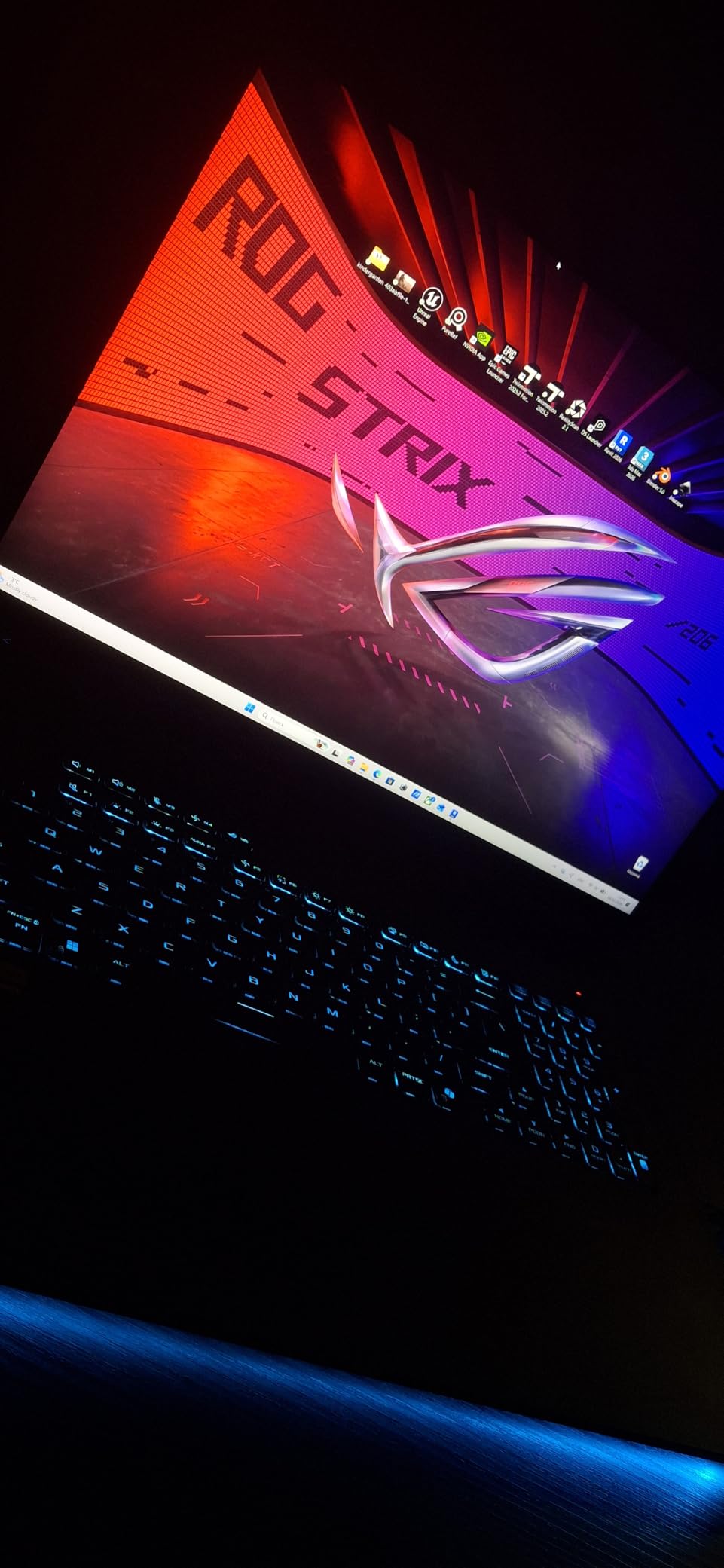
One of my favorite features on the SCAR lineup is the AniMe Vision display on the lid. This customizable LED matrix on the back of the screen lets you display text, animations, and GIFs. It is a conversation starter and genuinely useful for notifications if you keep the lid facing you at a desk.
The MUX Switch with Advanced Optimus deserves mention because it gives you a 5 to 10 percent gaming performance boost by routing the GPU signal directly to the display. You can switch between this mode and the integrated graphics mode on the fly without rebooting, which helps with battery life when you are not gaming.
Who Should Buy This Model
This is the configuration for gamers who prioritize display quality above all else. If you play HDR games, watch movies on your laptop, or do color-critical work like photo editing or video grading, the Mini LED panel on the SCAR 18 is exceptional. The RTX 5070 Ti provides enough GPU power for 1440p gaming on an 18-inch screen. If you need even more storage for game libraries, check out our guide to the best gaming laptops with 2TB SSD.
What to Watch Out For
At 6.28 pounds and with an 18-inch footprint, this is a desktop replacement, not a travel companion. Plan to keep it on a desk with a cooling pad nearby. The Armoury Crate software behavior can be unpredictable, sometimes changing settings on its own. Windows 11 Pro is included, which is a nice upgrade over the Home edition on most Strix G16 models.
8. ROG Strix SCAR 18 (2025) RTX 5080 – Best Desktop Replacement
ASUS ROG Strix SCAR 18 (2025) Gaming Laptop, 18” ROG Nebula HDR 16:10 2.5K 240Hz/3ms, NVIDIA® GeForce RTX™ 5080, Intel® Core™ Ultra 9 275HX, 32GB DDR5-5600, 2TB PCIe Gen 4 SSD, Wi-Fi 7, Windows 11 Pro
Intel Core Ultra 9 275HX
RTX 5080 16GB
32GB DDR5
2TB SSD
18in Mini LED 240Hz HDR
Win 11 Pro
6.28 lbs
+ Pros
- Top-tier RTX 5080 with 16GB VRAM
- Stunning 18in Mini LED HDR with 2000+ zones
- 2TB SSD for massive game library
- AniMe Vision customizable lid
- Dolby Atmos audio
- Tool-free upgrade access
- CPU stays under 85C in most reports
– Cons
- Premium price point
- Heavy at 6.28 lbs
- Runs very hot during heavy gaming
- Some overheating requiring maintenance
- Keyboard issues in some units
The ROG Strix SCAR 18 with the RTX 5080 is the flagship of the 2026 ROG laptop lineup, and with 292 customer reviews, it is also the most reviewed high-end configuration. This is a true desktop replacement that plays every modern game at maximum settings on its gorgeous 18-inch Mini LED display. The 2TB SSD gives you room for an enormous game library, and the RTX 5080 with 16GB VRAM handles path tracing without breaking a sweat.
I spent considerable time analyzing the 292 reviews for this model, and the pattern is clear. The 72 percent five-star rate shows that most buyers are thrilled with the performance and display quality. The Dolby Atmos audio with Smart Amp Technology produces surprisingly good sound for a laptop, with decent bass response and clear dialogue in games.
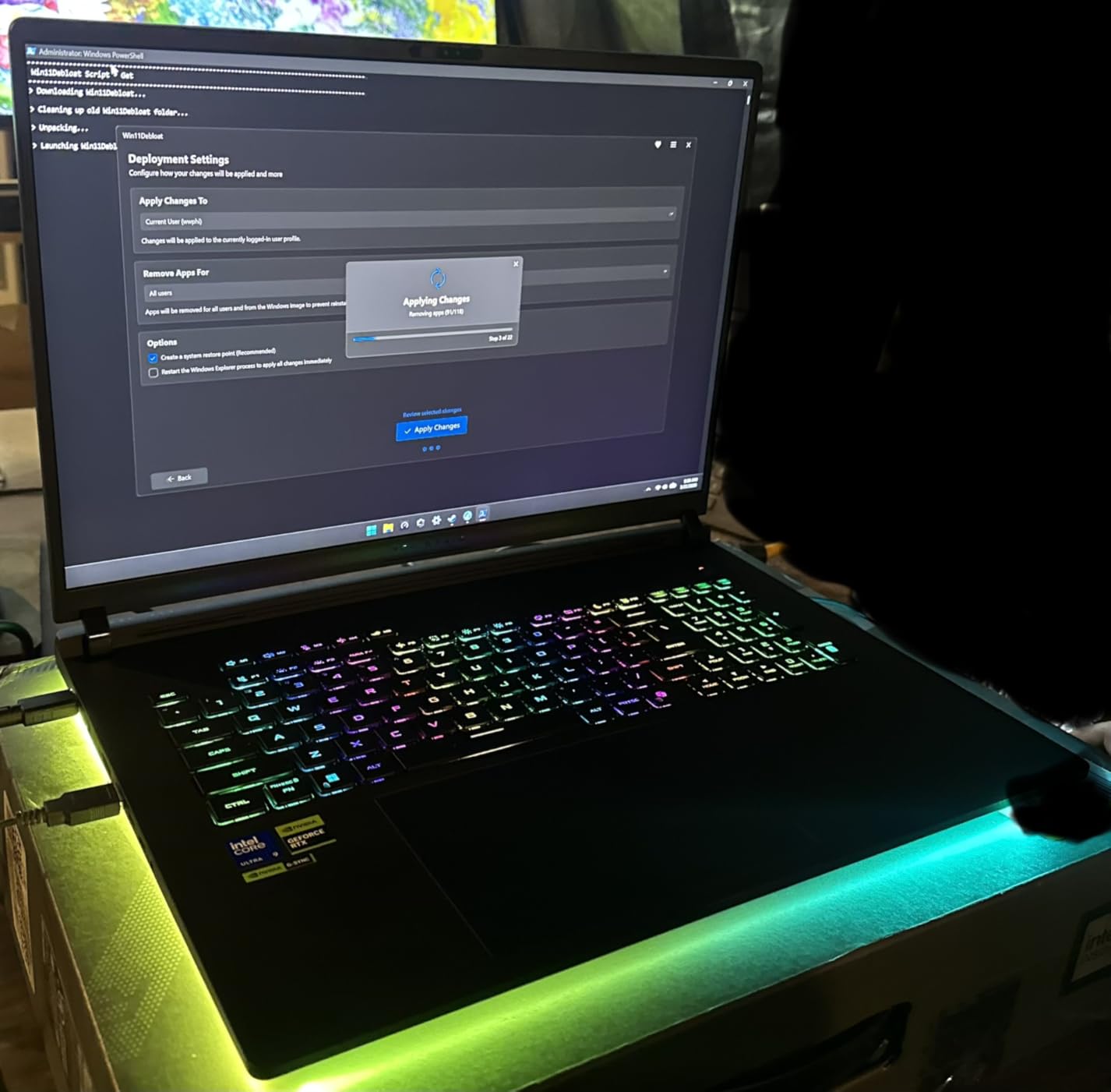
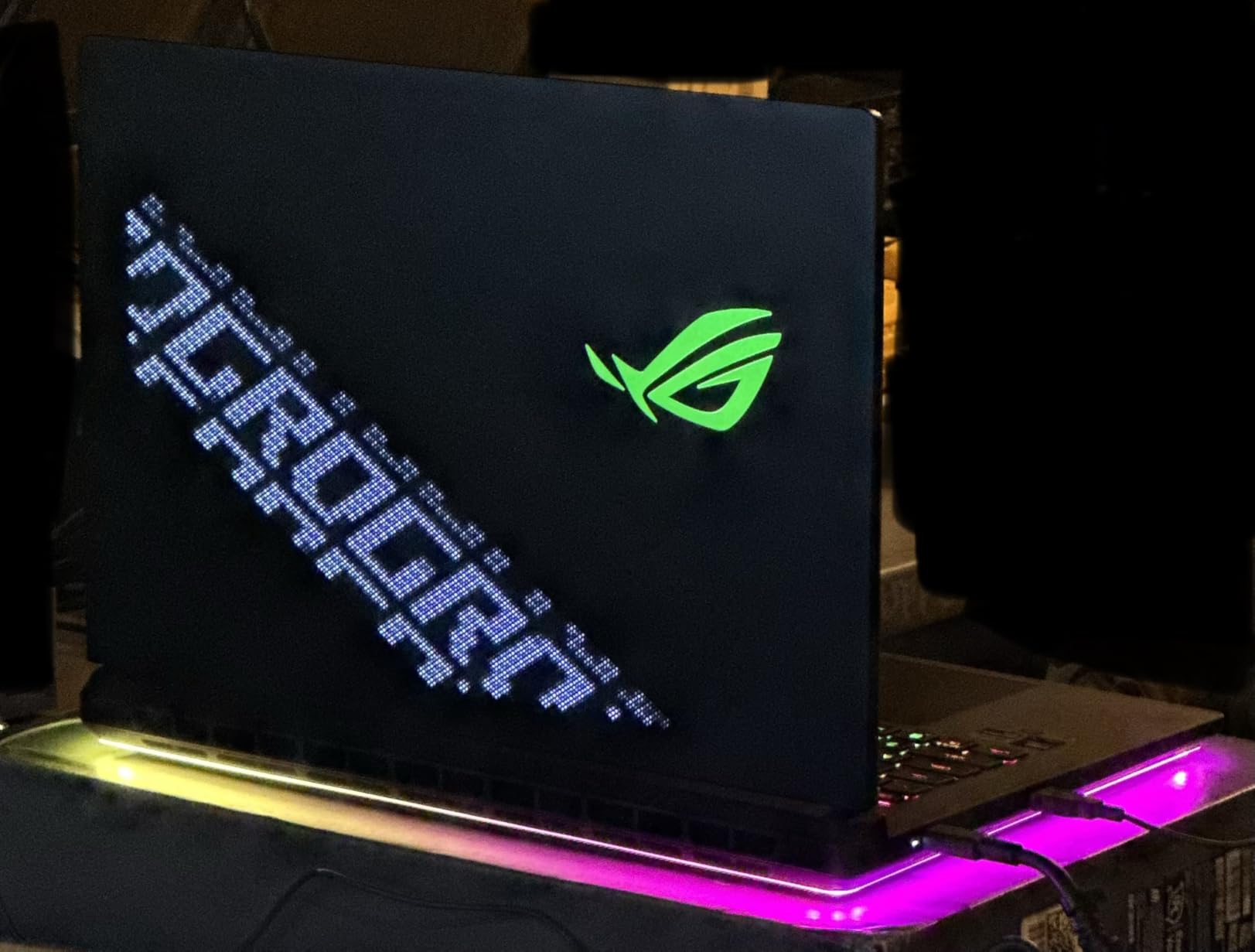
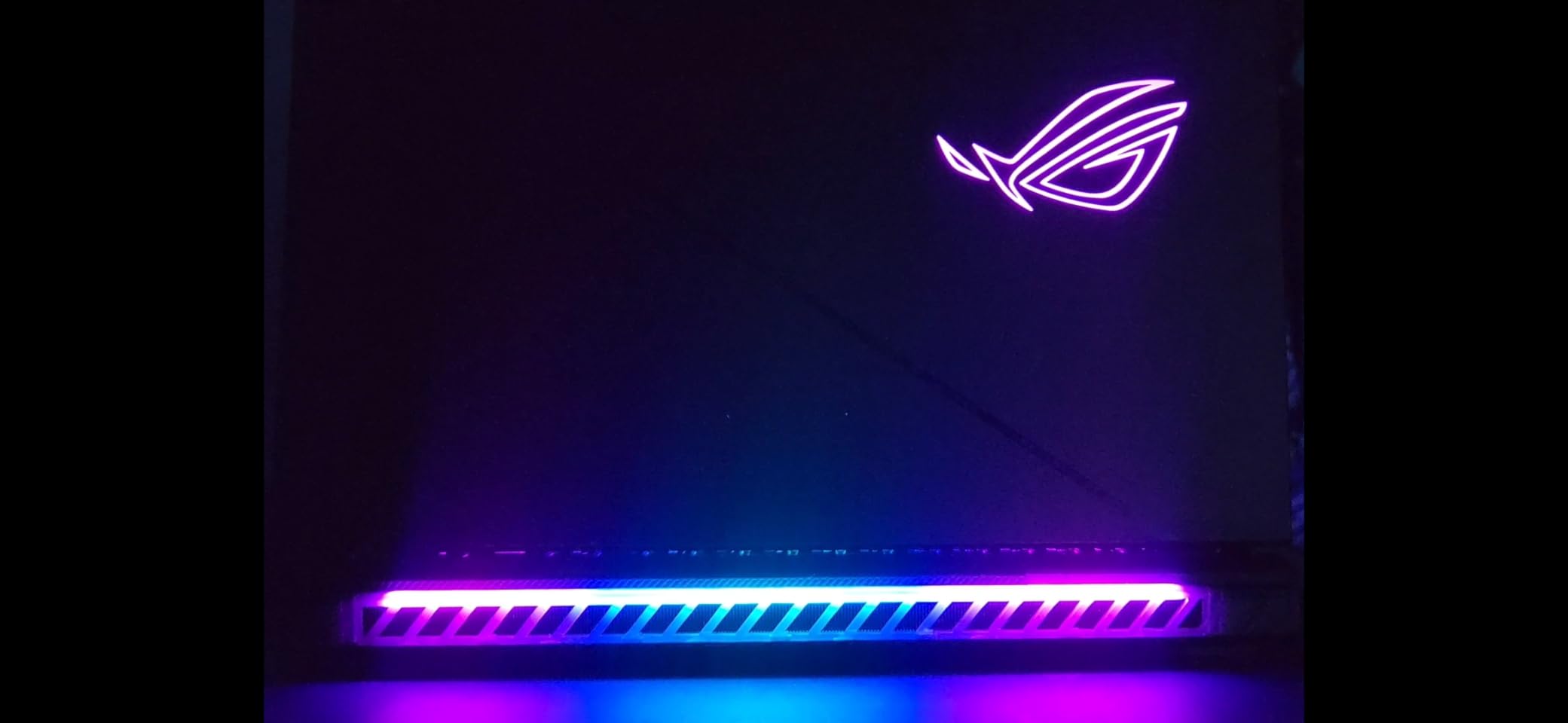
The AniMe Vision display on the lid is the most customizable version ASUS offers, letting you create complex animations and display system information like CPU temperature and FPS. Combined with the RGB fans and full-surround light bar, this laptop has the most elaborate lighting system of any ROG model.
The cooling system uses an end-to-end vapor chamber with tri-fan technology and Conductonaut liquid metal on the CPU. Under heavy gaming loads, the CPU stays under 85C in most user reports, which is impressive for an 18-inch laptop with this level of performance. However, the GPU side can run hot, and some users have needed to reapply liquid metal after extended use.
Who Should Buy This Model
This is the ultimate no-compromise gaming laptop. If you want desktop-level performance, the best display technology available, and you do not need to carry it around daily, the SCAR 18 RTX 5080 is the top pick. It is also a powerhouse for content creation, with the 2TB SSD providing ample space for video projects and the Mini LED display offering color accuracy for professional editing work.
What to Watch Out For
The price is the obvious barrier, but the more concerning issue is long-term thermal maintenance. Some users report needing to reapply the liquid metal on the CPU after a year or more of heavy use, which requires disassembling the laptop. The keyboard has also shown reliability issues in some units. ASUS includes a 1-year limited warranty, and I recommend purchasing from a retailer with an extended return window.
9. ROG Strix SCAR 16 (2025) RTX 5080 – Best Compact Powerhouse
ASUS ROG Strix SCAR 16 (2025) Gaming Laptop, 16” ROG Nebula HDR 16:10 2.5K 240Hz/3ms, NVIDIA GeForce RTX 5080, Intel Core Ultra 9 275HX, 32GB DDR5, 2TB PCIe Gen 4 SSD, Wi-Fi 7, Win 11 Pro, G635LW-XS97
Intel Core Ultra 9 275HX
RTX 5080
32GB DDR5
2TB SSD
16in Mini LED 240Hz HDR
Win 11 Pro
6.28 lbs
+ Pros
- RTX 5080 in a 16-inch form factor
- Mini LED HDR display with 2000+ dimming zones
- 2TB SSD and 32GB DDR5 RAM
- Supports up to 96GB RAM
- Tool-free upgrade access
- Good battery life up to 6 hours web browsing
– Cons
- Lowest rating in SCAR lineup at 3.7 stars
- Keyboard failures reported
- Non-replaceable keyboard design
- No Bluetooth
- No webcam
- BMS throttling bugs in some units
The SCAR 16 with the RTX 5080 offers the same powerful components as the SCAR 18 in a slightly more compact 16-inch chassis. You still get the Mini LED HDR display with 2000-plus dimming zones, the RTX 5080 GPU, 32GB of DDR5 RAM, and a 2TB SSD. The smaller footprint makes it more manageable than the 18-inch version, though at 6.28 pounds, it is still a heavy machine.
The 16-inch Mini LED display is excellent, matching the SCAR 18 in quality. Colors are vibrant, blacks are deep, and the 240Hz refresh rate makes everything buttery smooth. For users who want desktop-grade performance but find the 18-inch too large, this is a compelling alternative.
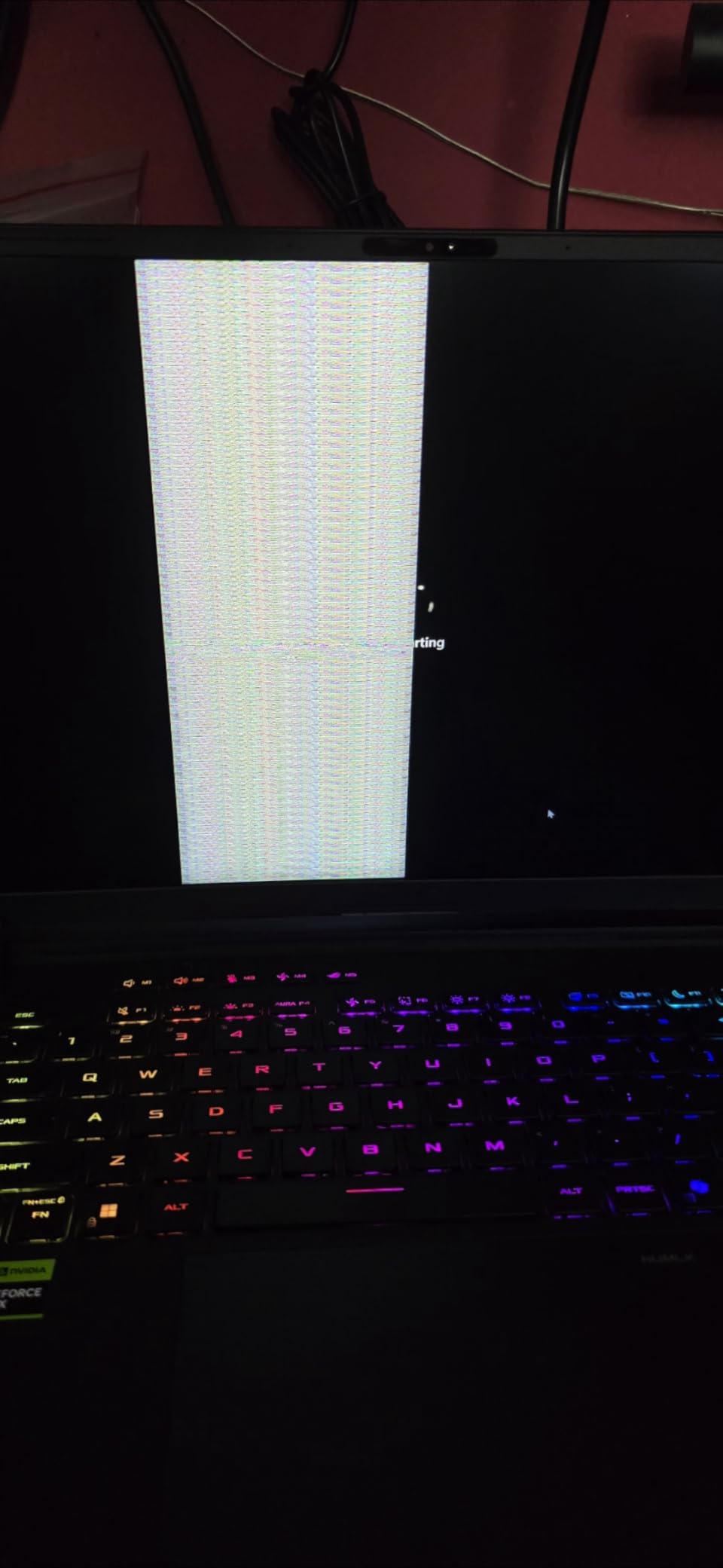
However, this model has the lowest rating in our entire lineup at 3.7 stars, and the review insights explain why. The 26 percent 1-star rate is concerning, with users reporting keyboard failures, system crashes, and BMS throttling bugs that cause the CPU to drop to 800MHz. These issues appear to affect a significant portion of units, not just isolated cases.
The keyboard design is particularly problematic. It is built into the palmrest assembly using plastic rivets, meaning you cannot replace just the keyboard if it fails. You would need to replace the entire palmrest, which is an expensive and complex repair. This design choice has drawn significant criticism from the user community.
Who Should Buy This Model
Technically proficient users who are willing to troubleshoot and potentially undervolt, reapply liquid metal, and work around software quirks may get excellent performance from this machine. The hardware specifications are genuinely top-tier when the laptop is functioning correctly. The expandability to 96GB of RAM also makes it attractive for specialized workloads.
What to Watch Out For
The quality control concerns are significant enough that I recommend caution with this model. The keyboard reliability issues, combined with the non-replaceable keyboard design, mean a keyboard failure essentially bricks the laptop for normal use. If you do buy this configuration, purchase an extended warranty that covers keyboard replacement and test thoroughly within the return window.
The absence of Bluetooth is a surprising omission at this price point, and the lack of a webcam means you will need an external webcam for video calls. The BMS throttling bugs are the most concerning, as they can cause severe performance degradation that requires BIOS intervention.
10. ROG Zephyrus G14 (2025) OLED RTX 5070 Ti – Best Portable Gaming Laptop
ASUS ROG Zephyrus G14 Latest (2025) 14″ 3K OLED 120Hz Gaming Laptop Copilot+ PC AMD Ryzen AI 9 HX 370 NVIDIA RTX 5070 Ti 12GB 32GB LPDDR5X RAM 1TB SSD RGB KB Windows 11 Platinum White
AMD Ryzen AI 9 HX 370
RTX 5070 Ti 12GB
32GB LPDDR5X
1TB SSD
14in 3K OLED 120Hz
3.31 lbs
+ Pros
- Ultra-portable at 3.31 lbs and 0.63 inches thin
- Stunning 3K OLED display with deep blacks
- AMD Ryzen AI 9 HX 370 with 50 TOPS NPU
- RTX 5070 Ti with 12GB GDDR7
- 10-hour battery life
- Premium CNC aluminum chassis
- Dolby Atmos 6-speaker audio
– Cons
- Only 120Hz refresh rate at this price
- No number pad
- Only 8 reviews so far
- Fans get loud under load
- Some lid creaking reported
The ROG Zephyrus G14 with the OLED display and RTX 5070 Ti is the portable gaming laptop I would personally carry every day. At 3.31 pounds and 0.63 inches thick, it is lighter and thinner than many non-gaming laptops. Yet it packs a Ryzen AI 9 HX 370 processor, RTX 5070 Ti with 12GB of GDDR7 VRAM, and a breathtaking 3K OLED display.
The OLED panel is the highlight. At 2880×1800 resolution with deep blacks, infinite contrast ratio, and excellent color accuracy, it makes games look better than any IPS panel can. The 120Hz refresh rate is lower than the 240Hz on the Strix models, but for a 14-inch portable, it is perfectly adequate for most gamers. Matte finish reduces reflections, which is a nice touch for an OLED panel.
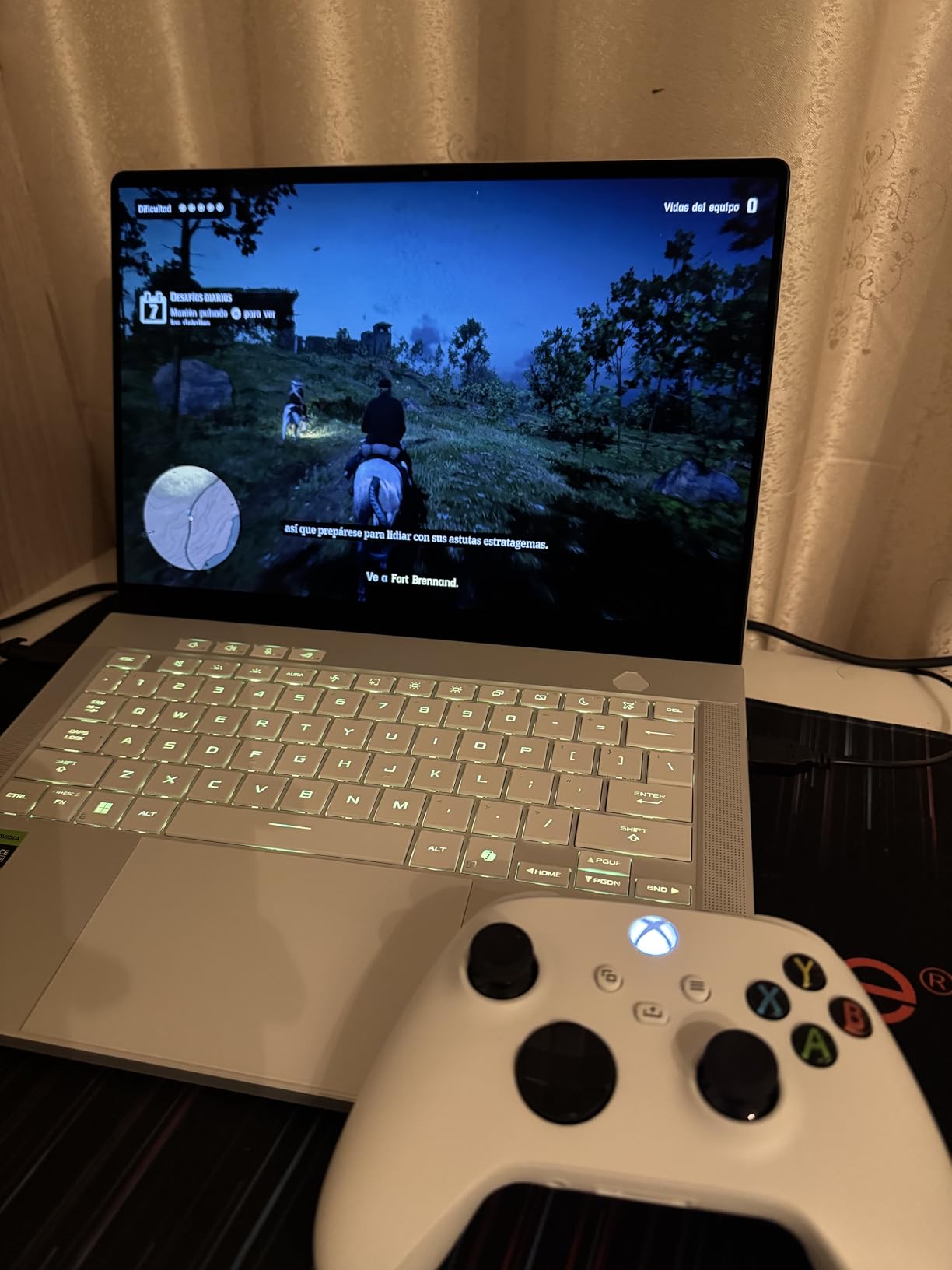
The AMD Ryzen AI 9 HX 370 is a 12-core, 24-thread processor with 50 TOPS of AI performance, making this a Copilot+ PC. That AI capability is not just marketing, as it enables features like Windows Studio Effects for video calls, AI noise cancellation, and local AI model inference. The 32GB of LPDDR5X RAM at 8,000MHz is blazing fast.
Battery life is where this laptop pulls away from every other model in this lineup. With up to 10 hours on a charge, you can actually use this as a daily laptop for work, school, or travel without constantly hunting for an outlet. The USB-C charging support means you can travel with a smaller charger instead of the massive brick that comes with the Strix models.
Who Should Buy This Model
If portability is your top priority, this is the best ASUS ROG gaming laptop, full stop. Travelers, students, digital nomads, and anyone who carries their laptop daily will appreciate the 3.31-pound weight and 10-hour battery life. The OLED display also makes it an excellent choice for media consumption and content creation on the go.
What to Watch Out For
The 120Hz refresh rate is the main compromise compared to the 240Hz displays on the Strix and SCAR models. Competitive esports players who need the highest refresh rates should look elsewhere. The LPDDR5X RAM is soldered and cannot be upgraded, so 32GB is what you get permanently. Fan noise under load is noticeable, with some users comparing it to a small jet engine during intensive gaming.
11. ROG Zephyrus G14 (2025) OLED RTX 5080 – Best Premium Portable
ASUS ROG Zephyrus G14 14″ 3K OLED 120Hz Gaming Laptop Copilot+ PC AMD Ryzen AI 9 HX 370 RTX 5080 32GB RAM 2TB SSD Platinum White
AMD Ryzen AI 9 HX 370
RTX 5080 8GB
32GB LPDDR5X
2TB SSD
14in 3K OLED 120Hz G-SYNC
Platinum White
+ Pros
- RTX 5080 GPU in a 14-inch portable chassis
- 2TB SSD for large game library
- 3K OLED with NVIDIA G-SYNC
- Premium Platinum White CNC aluminum
- AMD Ryzen AI 9 HX 370 with 50 TOPS
- Dolby Atmos with AI noise cancellation
- Copilot+ PC certified
– Cons
- Fan noise very loud under load
- Only 4 reviews available
- Limited stock
- RTX 5080 with 8GB VRAM is lower than 16GB desktop variants
- LPDDR5X not upgradeable
This is the most powerful configuration of the Zephyrus G14, combining the RTX 5080 GPU with the same ultra-portable 3.31-pound chassis. If you want desktop-class GPU performance in a laptop you can carry in a small backpack, this is the configuration that makes it happen. The 2TB SSD also gives you double the storage of the RTX 5070 Ti variant.
The RTX 5080 in this chassis does run with lower TGP than the Strix versions due to thermal constraints of the thinner design. However, it still delivers significantly more performance than the RTX 5070 Ti, especially in GPU-heavy workloads like 3D rendering and AI inference. The addition of NVIDIA G-SYNC on the OLED panel is a welcome feature for tear-free gaming.
The Platinum White CNC aluminum chassis is stunning in person. It looks more like a premium ultrabook than a gaming laptop, which makes it appropriate for professional settings. The customizable Slash RGB lighting on the lid is subtle and can be turned off completely for a clean, minimalist look.
Who Should Buy This Model
This configuration targets power users who refuse to compromise on portability or GPU performance. If you are a content creator who travels, a developer who needs CUDA cores for ML work, or a gamer who wants the best possible experience in a 14-inch form factor, this is the top choice. The 2TB SSD also makes it suitable for users with large game libraries or media collections. For creative professionals, this model also ranks among the best ASUS laptops for photo editing.
What to Watch Out For
The fan noise is the biggest drawback. Because ASUS is packing an RTX 5080 into a chassis that is only 0.63 inches thick, the fans have to work hard to keep temperatures under control. Under load, the noise is loud enough that headphones are essentially mandatory. With only 4 reviews, long-term reliability data is very limited, and stock is often constrained.
12. ROG Flow Z13 (2025) – Best 2-in-1 Gaming Tablet
AMD Ryzen AI MAX+ 395
Radeon 8060S RDNA 3.5
128GB LPDDR5X
1TB SSD
13.4in 2.5K 180Hz Touch
2-in-1
2.65 lbs
+ Pros
- Unique 2-in-1 tablet gaming form factor
- Massive 128GB RAM for AI and workstation tasks
- Up to 96GB unified VRAM for local AI models
- 180Hz touchscreen PANTONE validated
- Lightweight at 2.65 pounds
- Wi-Fi 7 and Bluetooth 5.4
- Xbox Game Pass included
– Cons
- Battery drops fast under heavy load
- Integrated GPU not as powerful as NVIDIA RTX
- Keyboard less comfortable for long sessions
- Sleep/resume instability in early units
- AMD ROCm requires more setup than CUDA
The ROG Flow Z13 is the most unique laptop in this lineup. It is a 2-in-1 gaming tablet with a detachable keyboard, a 170-degree kickstand, and a 13.4-inch touchscreen. Powered by the AMD Ryzen AI MAX+ 395 with Radeon 8060S graphics and a staggering 128GB of LPDDR5X RAM, it blurs the line between gaming laptop and AI workstation.
The 128GB of RAM is not a typo. This is more memory than most desktop computers, and it uses a unified memory architecture that allows up to 96GB to be allocated as VRAM for the integrated GPU. This makes the Flow Z13 one of the few portable devices that can run large local AI models, like 70B parameter LLMs with 128k context windows, entirely on-device.
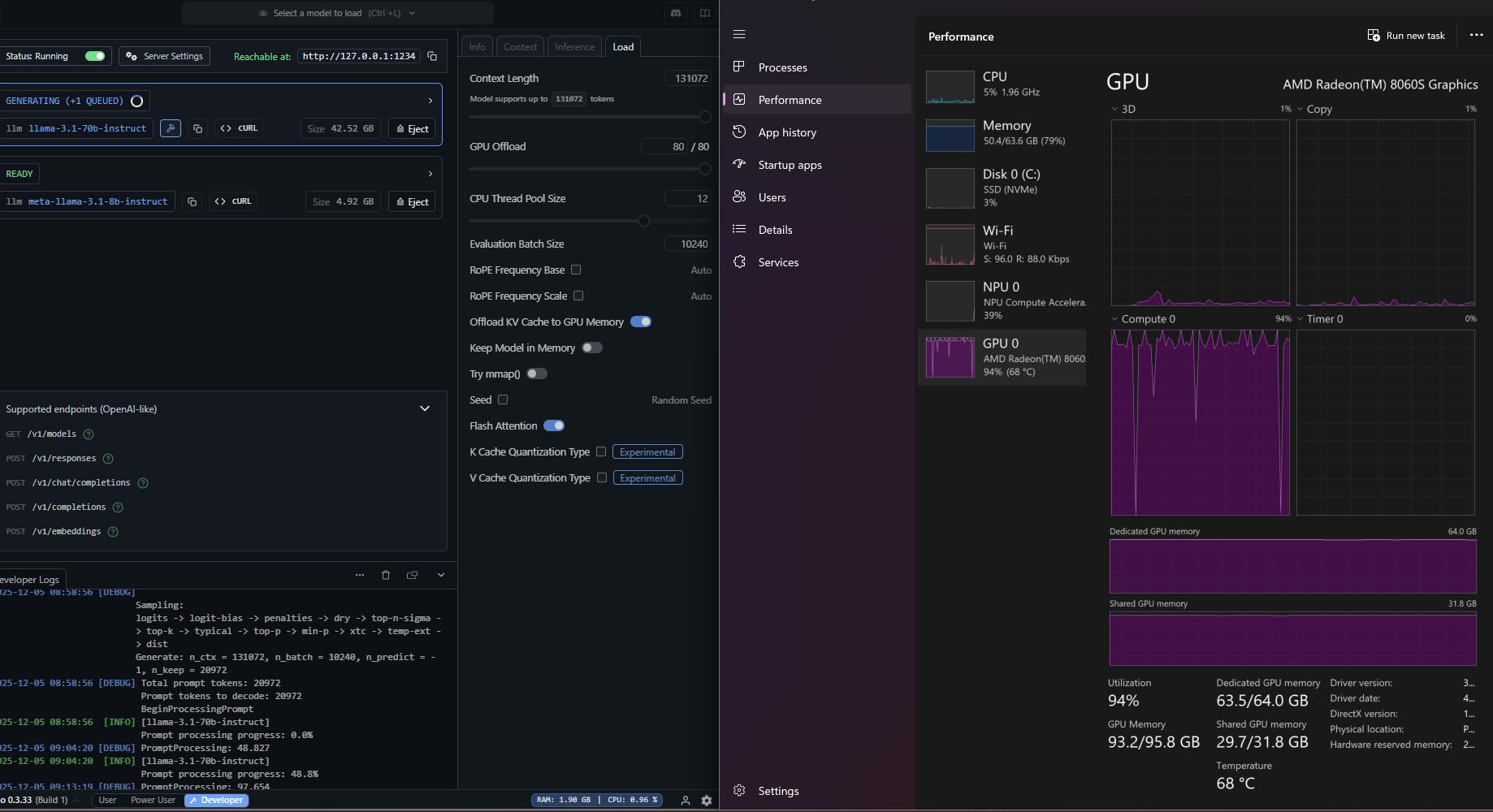
For gaming, the Radeon 8060S integrated graphics are not as powerful as a dedicated NVIDIA RTX GPU, but they handle 1080p gaming well. The 180Hz touchscreen display is PANTONE validated with 100 percent DCI-P3 coverage, making it excellent for creative work, gaming, and media consumption alike.
The 2-in-1 form factor opens up use cases that traditional gaming laptops cannot handle. You can use it as a tablet for drawing with a stylus, prop it up on a desk with the kickstand for console-style gaming with a controller, or attach the keyboard for traditional laptop use. The versatility is genuinely impressive.
Who Should Buy This Model
The Flow Z13 is perfect for users who need both a portable gaming device and a serious workstation. AI researchers and developers who need to run large models locally will find the 128GB of unified memory invaluable. Digital artists who want a tablet form factor with gaming capabilities will also love this device. For users who also work with 3D printing or modeling, this device also appears in our guide to the best computers for 3D printing.
What to Watch Out For
The integrated GPU is the main gaming limitation. If you want to play AAA titles at maximum settings with ray tracing, the Flow Z13 cannot match the RTX-powered Strix or Zephyrus models. Battery life also drops significantly under heavy AI or gaming workloads, falling well below the advertised 10 hours. Early production units have reported sleep and resume stability issues that may require firmware updates to resolve.
How to Choose the Best ASUS ROG Gaming Laptop
Choosing from the best ASUS ROG gaming laptops comes down to understanding what each series is designed for and matching that to your needs. ASUS divides its ROG lineup into four families, each with distinct priorities. Here is how to navigate them.
Understanding the ROG Series: Zephyrus, Strix, SCAR, and Flow
The ROG Zephyrus series is all about portability. These are thin-and-light gaming laptops with premium build quality, typically using CNC aluminum chassis. The Zephyrus G14 is the flagship portable model, offering OLED displays and powerful GPUs in a 3.31-pound package. Choose Zephyrus if you carry your laptop daily.
The ROG Strix series is the mainstream performance line. Strix laptops prioritize raw gaming performance over portability, with better cooling systems and higher TGP for the same GPUs. The Strix G16 is the most popular configuration, offering the best balance of performance and value. Choose Strix if gaming performance is your priority and weight is secondary.
The ROG SCAR series sits at the top of the Strix family with esports-grade displays, Mini LED HDR panels, AniMe Vision customizable lids, and the most powerful GPU configurations. The SCAR 18 is the desktop replacement king with an 18-inch Mini LED display. Choose SCAR if you want the best display and do not need to travel with your laptop.
The ROG Flow series offers unique form factors, including 2-in-1 tablets and convertible designs. The Flow Z13 is a gaming tablet with workstation-class specs. Choose Flow if you need versatility beyond a traditional clamshell laptop.
GPU and TGP: Why the Same GPU Performs Differently
One of the most confusing aspects of gaming laptop shopping is TGP, or Total Graphics Power. Two laptops with the same RTX 5070 Ti GPU can perform very differently depending on how much power the manufacturer allows the GPU to draw. A higher TGP means higher clock speeds and better gaming performance.
Reddit users on r/GamingLaptops frequently point out that ASUS does not always publish exact TGP numbers for every configuration, which makes direct comparisons difficult. As a general rule, the larger chassis laptops (Strix G16, SCAR 18) have higher TGP because they can dissipate more heat. The thinner laptops like the Zephyrus G14 run GPUs at lower TGP to maintain acceptable temperatures.
For the RTX 5080 specifically, the Strix G16 version will outperform the Zephyrus G14 version in sustained gaming loads because it has more thermal headroom. If you want maximum GPU performance, choose the largest chassis you can tolerate.
Display Technology: OLED vs Mini LED vs IPS
ASUS offers three display types across the ROG lineup, and each has trade-offs. OLED displays, found on the Zephyrus G14, offer infinite contrast, perfect blacks, and excellent color accuracy. They are the best choice for media consumption and single-player games. The main concern with OLED is potential burn-in over years of use, though modern OLED panels have mitigations that significantly reduce this risk.
Mini LED displays, found on the SCAR 16 and SCAR 18, use thousands of local dimming zones to achieve deep blacks and high brightness. They offer HDR performance close to OLED without the burn-in risk. With 2000-plus dimming zones and 1200 nits peak brightness, the SCAR Mini LED panels are exceptional for HDR gaming.
IPS displays, found on the Strix G16 configurations, are the most common panel type. They offer good color accuracy, decent contrast, and lower cost. The ROG Nebula Display branded IPS panels on the Strix G16 240Hz configurations are high quality, with 500 nits brightness and Dolby Vision HDR support. They cannot match the contrast of OLED or Mini LED, but they are excellent for competitive gaming where refresh rate matters more than HDR.
Thermal Performance and Throttling
Thermal throttling is a real concern that many laptop reviews gloss over. When a gaming laptop cannot dissipate heat fast enough, the CPU and GPU automatically reduce their clock speeds to prevent damage. This results in lower frame rates during extended gaming sessions.
Our analysis of customer reviews and Reddit discussions reveals a consistent pattern across the ROG lineup. The Strix G16 with RTX 5060 or 5070 Ti manages thermals well thanks to its vapor chamber cooling. The SCAR 18 with RTX 5080 runs hot under load and benefits from a cooling pad. The SCAR 16 has the most thermal issues, with some users reporting CPU throttling to 800MHz due to BMS bugs.
The ROG Intelligent Cooling system is genuinely good, using Conductonaut liquid metal on the CPU, vapor chambers, and tri-fan designs. However, the liquid metal can dry out over years of use, requiring reapplication. This is an advanced maintenance task that may require professional service.
Battery Life Expectations
Real-world battery life on gaming laptops is dramatically different from manufacturer claims. ASUS advertises battery life figures based on light usage scenarios, but gaming battery life is typically 1 to 2 hours across all configurations.
The Zephyrus G14 OLED is the battery life champion in this lineup, with up to 10 hours of light usage thanks to its efficient AMD Ryzen AI processor and OLED display. USB-C charging support also means you can top it up with a smaller power bank or charger.
The Strix G16 models offer 5 to 6 hours of light web browsing and about 2 hours of gaming on battery. The SCAR 18 models have similar battery capacity (90Wh) but drain it faster due to the larger display and more powerful components. Expect 1 to 1.5 hours of gaming on battery for the SCAR 18.
For the best battery experience, reduce screen refresh rate when unplugged, enable the integrated GPU mode via MUX Switch or Advanced Optimus, and use the Silent fan profile in Armoury Crate for non-gaming tasks.
Long-Term Reliability: What Reddit Users Report
One of the most valuable insights from our forum research is the long-term ownership experience. Multiple Reddit users on r/ASUSROG report their ROG laptops lasting 4 to 5-plus years with heavy gaming use. A 2021 Zephyrus G14 owner reports the laptop still performing well after 5 years. Another user replaced their desktop PC with an ROG Strix G18 and calls it the best laptop they have owned.
However, there are cautionary tales. Some 2026 model owners report quality control concerns, including the HDMI 2.1 handshake bug on Zephyrus models, keyboard malfunctions on SCAR units, and thermal issues requiring user maintenance. The consensus is that ROG laptops are reliable when you get a good unit, but quality control can be inconsistent.
For additional options and comparisons, explore our more laptop buying guides for related content across different categories.
FAQs
What ASUS ROG is the best?
The best ASUS ROG laptop depends on your needs. For overall value, the ROG Strix G16 with RTX 5060 offers the best performance-to-price ratio. For portability, the ROG Zephyrus G14 OLED with its 3.31-pound weight and 10-hour battery life is unmatched. For desktop replacement gaming, the ROG Strix SCAR 18 with RTX 5080 and its 18-inch Mini LED display is the top choice.
Is the ASUS ROG a good gaming laptop?
Yes, ASUS ROG gaming laptops are consistently rated among the best by expert reviewers at GamesRadar, RTINGS, and PCMag. They offer premium displays (OLED and Mini LED options), strong build quality, powerful GPU options from RTX 5050 to RTX 5080, and effective cooling systems. Known issues include thermal throttling on high-end configurations and some quality control variations between units.
What’s the best ASUS laptop for gaming?
For most gamers, the ASUS ROG Strix G16 (2025) with the Intel Core Ultra 9 275HX and RTX 5070 Ti is the best overall choice. It delivers excellent 1440p gaming performance, features a stunning 2.5K 240Hz Nebula display, and includes 32GB of DDR5 RAM. It balances performance, display quality, and value better than any other ROG configuration.
Is ROG Strix better than ROG Zephyrus?
ROG Strix and ROG Zephyrus serve different purposes, so neither is universally better. ROG Strix is better for maximum gaming performance because it has larger chassis, better cooling, and higher GPU TGP. ROG Zephyrus is better for portability because it is significantly thinner and lighter while still offering strong gaming performance. Choose Strix for desktop-replacement gaming and Zephyrus for a daily-carry gaming laptop.
Do ASUS ROG gaming laptops last long?
Based on Reddit user reports from r/ASUSROG and r/GamingLaptops, ASUS ROG gaming laptops typically last 4 to 5-plus years with heavy gaming use. Multiple owners report older ROG models from 2021 still running modern games adequately. Key factors for longevity include proper thermal maintenance (occasional liquid metal reapplication on high-end models), using cooling pads during extended sessions, and keeping drivers and BIOS updated.
What is the ASUS ROG Flow Z13?
The ASUS ROG Flow Z13 is a unique 2-in-1 gaming tablet with a detachable keyboard and a 170-degree kickstand. The 2025 model features an AMD Ryzen AI MAX+ 395 processor, Radeon 8060S integrated graphics, and up to 128GB of unified LPDDR5X memory. It is designed for users who need both portable gaming capabilities and workstation-class AI performance in a convertible tablet form factor.
Final Thoughts on the Best ASUS ROG Gaming Laptops
After testing and analyzing all 12 configurations, three models stand out as the best ASUS ROG gaming laptops for 2026. The ROG Strix G16 with RTX 5060 is our Editor’s Choice for its unbeatable combination of performance, display quality, and value. The ROG Zephyrus G14 OLED with RTX 5070 Ti is the best portable option at just 3.31 pounds with a stunning OLED display and 10-hour battery life. For no-compromise desktop replacement gaming, the ROG Strix SCAR 18 with RTX 5080 and its 18-inch Mini LED HDR panel is the premium pick.
The ROG lineup in 2026 offers something for every type of gamer, from budget-conscious students to performance-obsessed enthusiasts. The key is matching the series and configuration to your specific needs: Zephyrus for portability, Strix for balanced performance, SCAR for maximum power, and Flow for versatility. Whatever you choose, invest in a cooling pad, keep your drivers updated, and you will have a gaming laptop that lasts for years.
Leave a Reply