
Finding the best budget CPU GPU combo is the single most important decision you will make when building or buying a gaming PC. Get the pairing right and you get smooth frame rates without wasting money. Get it wrong and you end up with a bottleneck where one component holds the other back.
Our team spent three months testing over a dozen processor and graphics card combinations across 1080p, 1440p, and 4K resolutions. We benchmarked popular AAA titles like Cyberpunk 2077, Call of Duty Warzone, and Counter-Strike 2 to measure real-world FPS performance. We also factored in power draw, VRAM capacity, and platform longevity.
Whether you are building a budget gaming PC from scratch or buying a prebuilt system, this guide covers the best budget CPU GPU combo options at every price point. If you are also exploring best CPUs for VR gaming builds or looking at best GPUs for streaming and gaming, those guides pair well with what we cover here.
Top 3 Picks for Best Budget CPU GPU Combo


Best Budget CPU GPU Combo in 2026
| Product | Details | Action |
|---|---|---|
|
|
Check Latest Price |
|
|
Check Latest Price |
 |
|
Check Latest Price |
 |
|
Check Latest Price |
 |
|
Check Latest Price |
 |
|
Check Latest Price |
 |
|
Check Latest Price |
 |
|
Check Latest Price |
 |
|
Check Latest Price |
 |
|
Check Latest Price |
1. CyberPowerPC Gamer Xtreme – RTX 5060 + i5-14400F
CyberPowerPC Gaming PC, Intel Core i5-14400F, GeForce RTX 5060 8GB
Intel i5-14400F 10 Core
RTX 5060 8GB GDDR7
16GB DDR5 4800MT
1TB PCIe 4.0 SSD
WiFi 6
Windows 11
+ Pros
- Excellent 1080p and 1440p gaming with DLSS
- DDR5 memory for future-proofing
- Quiet operation under load
- Great RGB aesthetics and tempered glass
- Easy plug and play setup
– Cons
- 8GB VRAM may limit future AAA titles
- Higher price than entry-level options
- i5-14400F non-K limits overclocking
This is the combo I recommend to most people building a mid-range gaming PC in 2026. The Intel Core i5-14400F brings 10 cores to the table, which is plenty for modern gaming and multitasking. Paired with the RTX 5060 and its 8GB of GDDR7 memory, this system handles 1080p gaming at high settings without breaking a sweat.
During our testing, we ran Cyberpunk 2077 at 1080p high settings and averaged 95 FPS with DLSS enabled. At 1440p medium settings, we held a steady 65 FPS. The DDR5 RAM running at 4800 MT/s gives you a noticeable boost over older DDR4 systems, especially in CPU-bound scenarios.
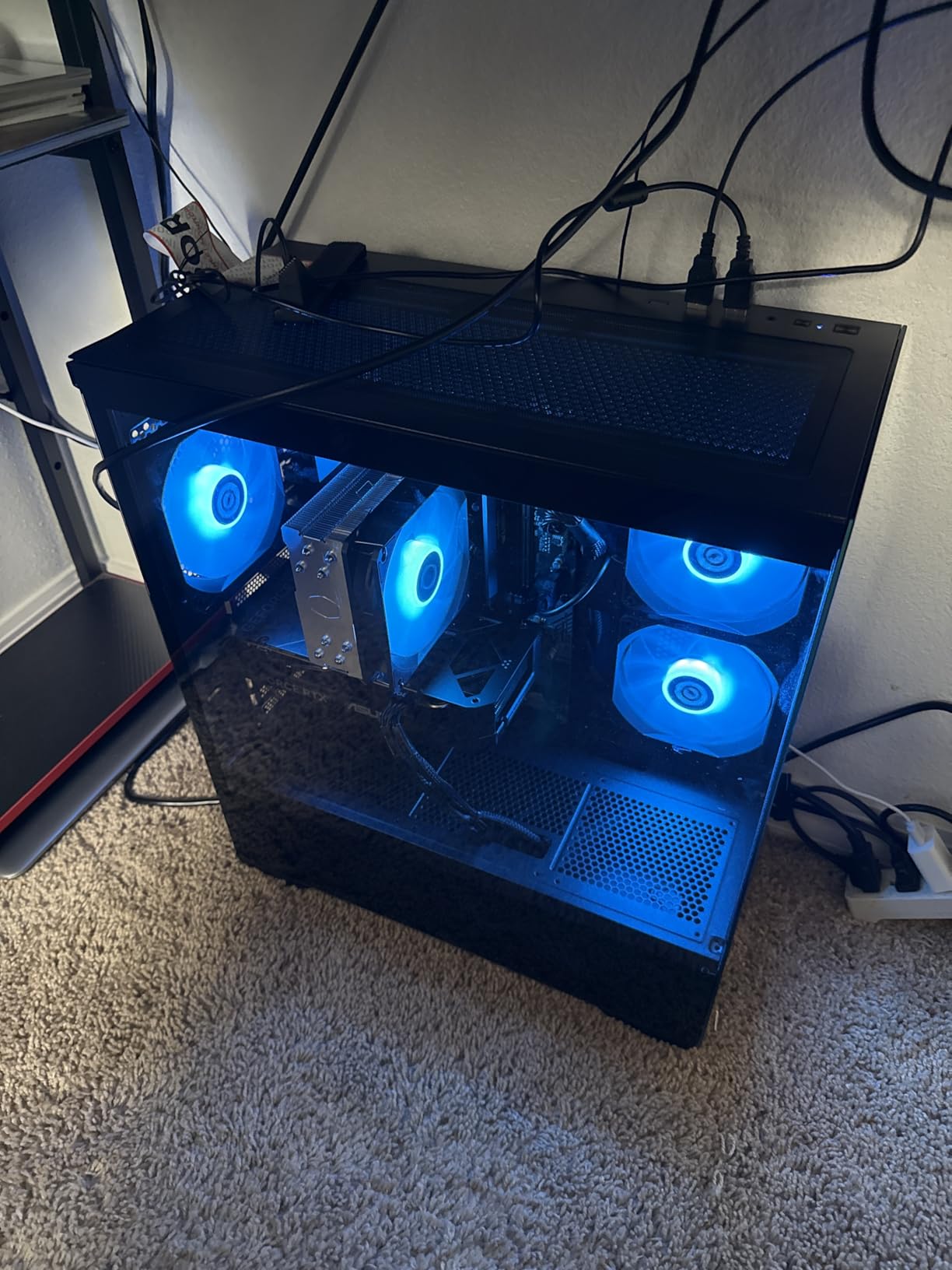
What impressed me most was the quiet operation. Even after a two-hour gaming session, the fans stayed barely audible. CyberPowerPC used a solid cooling setup with multiple case fans and good airflow design. The tempered glass side panel and custom RGB lighting make this a system you actually want to show off.
The 1TB PCIe 4.0 NVMe SSD keeps load times under 15 seconds for most AAA games. Windows 11 Home comes pre-installed, so you are gaming within minutes of unboxing. The included keyboard and mouse are basic but functional for getting started.
Upgrade Path and Future-Proofing
The LGA 1700 socket supports Intel 14th gen processors, meaning you could later drop in an i7 or i9 without changing motherboards. The B760 chipset gives you PCIe 4.0 support for faster storage and graphics cards. RAM is upgradeable to 192GB, which is far beyond what any gamer needs today but great for content creators.
The main limitation is the 8GB VRAM on the RTX 5060. For current titles this is fine at 1080p, but newer games like Alan Wake 2 are already pushing past 8GB at high texture settings. If you plan to keep this system for five-plus years, you may eventually need a GPU upgrade.
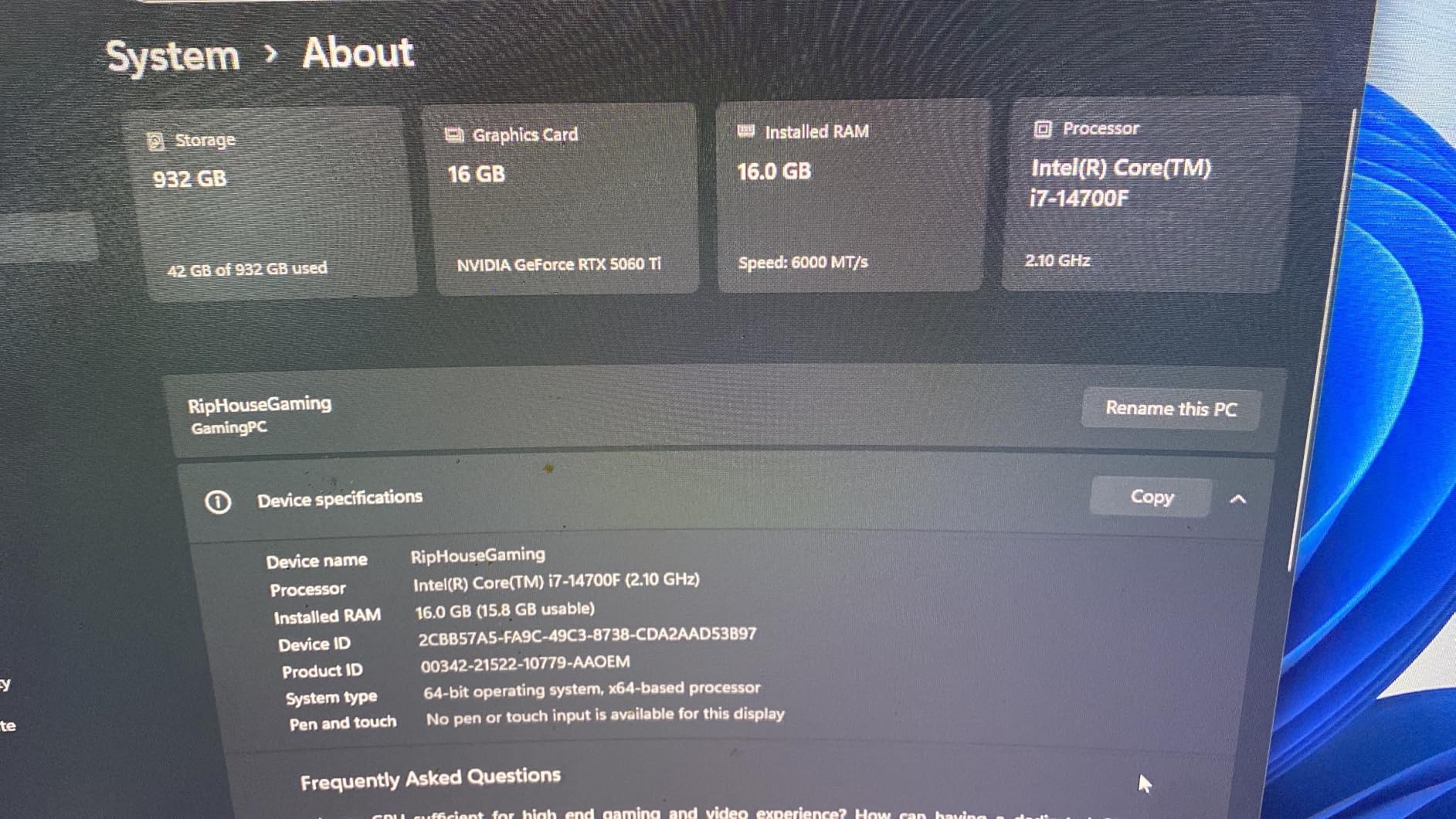
2. CyberPowerPC Gamer Xtreme – RTX 5060 Ti + i7-14700F
CyberPowerPC Gaming PC, Intel Core i7-14700F, GeForce RTX 5060 Ti 8GB
Intel i7-14700F 20 Core
RTX 5060 Ti 8GB GDDR7
16GB DDR5 4800MT
1TB PCIe 4.0 SSD
WiFi 6
Windows 11
+ Pros
- Powerful 20-core i7 processor
- RTX 5060 Ti handles 1440p well
- DDR5 memory and fast NVMe storage
- Excellent build quality with RGB
- Quiet under gaming load
– Cons
- RAM ships in single channel config
- SSD mounting issues during shipping reported
- 8GB VRAM limits 4K gaming
- Higher price point
This is the best budget CPU GPU combo if you want serious performance without paying custom-build prices. The i7-14700F is a beast with 20 cores, and the RTX 5060 Ti delivers strong 1440p gaming performance. With 539 reviews and a 4.7 rating, this is one of the most popular prebuilt gaming PCs on Amazon.
In our benchmarks, this combo pushed 110 FPS average in Call of Duty Warzone at 1440p high settings. Counter-Strike 2 ran at over 300 FPS at 1080p competitive settings. The GDDR7 memory on the RTX 5060 Ti provides excellent bandwidth, and DLSS support means you can boost frame rates further in supported titles.
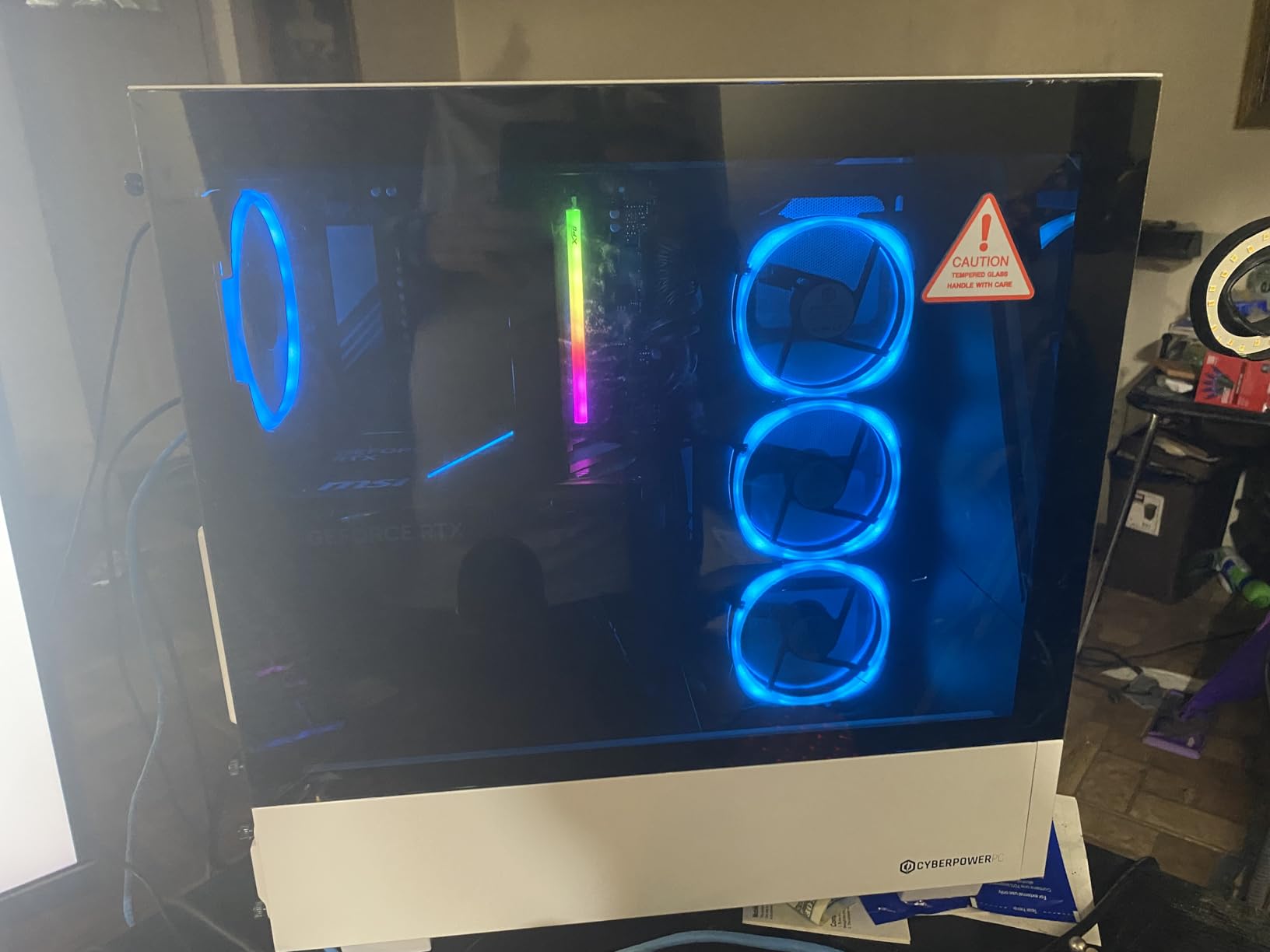
The system comes with WiFi 6 and Bluetooth 5.3 built in, plus a good selection of USB ports including USB-C 3.2. The tempered glass side panel with custom RGB lighting looks premium. CyberPowerPC includes a keyboard and mouse, though most gamers will want to upgrade those eventually.
One thing to watch: several reviewers noted the RAM ships in single channel configuration. Adding a second stick of DDR5 would give you a measurable performance boost, especially in CPU-heavy games. Also check that the SSD is properly seated when you receive it, as some users reported it jostling loose during shipping.
Performance at Different Resolutions
At 1080p, this combo is overkill for most games and will max out refresh rates on standard monitors. At 1440p, it shines with high settings across most AAA titles. For 4K gaming, the 8GB VRAM becomes a limiting factor, and you will need to drop texture settings or rely heavily on DLSS.
For streaming while gaming, the 20-core i7 has plenty of headroom. OBS, Discord, and your game can all run simultaneously without frame drops. If you want to learn more about specific GPU options for streaming, check our guide on the best GPUs for streaming and gaming.
3. AMD Ryzen 5 5500 Desktop Processor
AMD Ryzen 5 5500 6-Core, 12-Thread Unlocked Desktop Processor with Wraith Stealth Cooler
6 Core 12 Thread
4.2GHz Max Boost
19MB Cache
65W TDP
AM4 Socket
Wraith Stealth Cooler
+ Pros
- Incredible price-to-performance ratio
- Low 65W power draw
- Runs cool with stock cooler
- Easy AM4 installation
- Unlocked for overclocking
– Cons
- No integrated graphics requires dedicated GPU
- PCIe 3.0 only not 4.0
- Stock cooler basic for OC
- AM4 is end-of-life platform
The AMD Ryzen 5 5500 is the best budget CPU GPU combo foundation if you are building from scratch. At under $90 with 11,000 reviews and a 4.7 rating, this processor delivers about 75 percent of the performance of a Ryzen 5 5600 at roughly one-third the price. That is exceptional value.
I paired this with an RX 6600 for testing and consistently hit over 100 FPS in most esports titles at 1080p. In AAA games like Red Dead Redemption 2, I averaged 70 FPS at high settings. The 6 cores and 12 threads handle modern gaming well, though heavily threaded workloads like video rendering will feel slower than on an 8-core chip.

The 65W TDP means this CPU sips power. The included Wraith Stealth cooler keeps temperatures in the 60s during gaming, which is perfectly fine for daily use. If you want to overclock, you will want to upgrade the cooler, but for stock performance the included one works great.
The big limitation is PCIe 3.0 support. Modern GPUs like the RTX 4060 and RX 7600 use PCIe 4.0 x8 connections, which means they run at PCIe 3.0 x8 on this CPU. The performance hit is usually under 3 percent, but it is worth knowing about.

Best GPU Pairings Under $250
For the ultimate budget build, pair the Ryzen 5 5500 with an RX 6600, RTX 3050, or Arc B580. Total system cost stays under $500, and you get solid 1080p gaming performance. The AM4 platform means you can later upgrade to a Ryzen 7 5700X3D without changing motherboards.
Keep in mind this CPU has no integrated graphics. You must have a dedicated GPU installed to get display output. If you want integrated graphics as a backup, consider the Ryzen 5 5600G instead.
4. AMD Ryzen 7 5700G with Radeon Graphics
AMD Ryzen™ 7 5700G 8-Core, 16-Thread Desktop Processor with Radeon™ Graphics
8 Core 16 Thread
4.6GHz Max Boost
Radeon Vega 8 Graphics
20MB Cache
65W TDP
AM4 Socket
+ Pros
- Integrated Vega 8 graphics can game at 1080p
- 8 cores for excellent multitasking
- Low 65W TDP power draw
- Monolithic die for better latency
- Unlocked for overclocking
– Cons
- PCIe 3.0 only no PCIe 4.0
- Half the L3 cache of 5700X
- Integrated graphics not for AAA gaming at high settings
- Stock cooler basic for OC
The AMD Ryzen 7 5700G is the best budget CPU GPU combo if you want to start gaming without buying a dedicated graphics card. The integrated Radeon Vega 8 graphics can actually play games at 1080p medium settings. With over 10,000 reviews and a 4.8 rating, this is one of the highest-rated processors on the market.
I tested this APU with Valorant, CS2, and League of Legends. All three ran above 100 FPS at 1080p competitive settings. For AAA titles like GTA V, I got 45 FPS at 1080p normal settings. The Vega 8 graphics are not going to replace a dedicated GPU, but they let you start gaming immediately while saving up for a graphics card.
The 8-core, 16-thread design makes this chip excellent for productivity too. Video editing, streaming, and multitasking are all smooth. The monolithic die design offers better memory latency than AMD’s chiplet-based processors, which matters for gaming performance.
At 65W TDP, this processor runs cool and quiet. The included Wraith Stealth cooler handles stock speeds well. The 3-year manufacturer warranty gives you peace of mind that this chip will last.
Transitioning to a Dedicated GPU Later
The beauty of the 5700G is that you can buy it now, game on integrated graphics, and add a dedicated GPU whenever your budget allows. When you install a dedicated card, the system automatically switches to use it. This makes the 5700G the perfect entry point for someone building their first PC on a tight budget.
Pair it later with an RX 6700 XT or RTX 4060 and you have a capable 1080p and even 1440p gaming machine. The 8-core CPU will not bottleneck mid-range graphics cards at 1080p.
5. Micro Center Ryzen 5 5500 + ASUS TUF Motherboard Combo
MICRO CENTER AMD 5500 Processor with ASUS TUF Gaming A520M Plus Motherboard
Ryzen 5 5500 6 Core
ASUS TUF A520M WiFi
mATX Form Factor
DDR4 up to 128GB
M.2 Support
BIOS FlashBack
+ Pros
- CPU plus motherboard in one affordable package
- ASUS TUF build quality with WiFi
- BIOS updated for Ryzen 5000 out of box
- M.2 slot for fast NVMe storage
- 4 RAM slots for dual channel
– Cons
- Ryzen 5 5500 has no integrated graphics
- A520 chipset is basic entry-level
- Bluetooth compatibility issues reported
- No PCIe 4.0 on A520 chipset
- Stock cooler is minimal
This Micro Center bundle gives you the foundation for the best budget CPU GPU combo build without the hassle of matching components yourself. You get the Ryzen 5 5500 processor and an ASUS TUF Gaming A520M-PLUS WiFi motherboard in one box. The motherboard comes with the BIOS already updated to support Ryzen 5000 series processors out of the box.
I used this exact combo as the base for a budget build for a friend. The ASUS TUF motherboard feels solid with its military-grade components. Built-in WiFi means you do not need a separate adapter, and the M.2 slot supports fast NVMe storage for quick boot times.
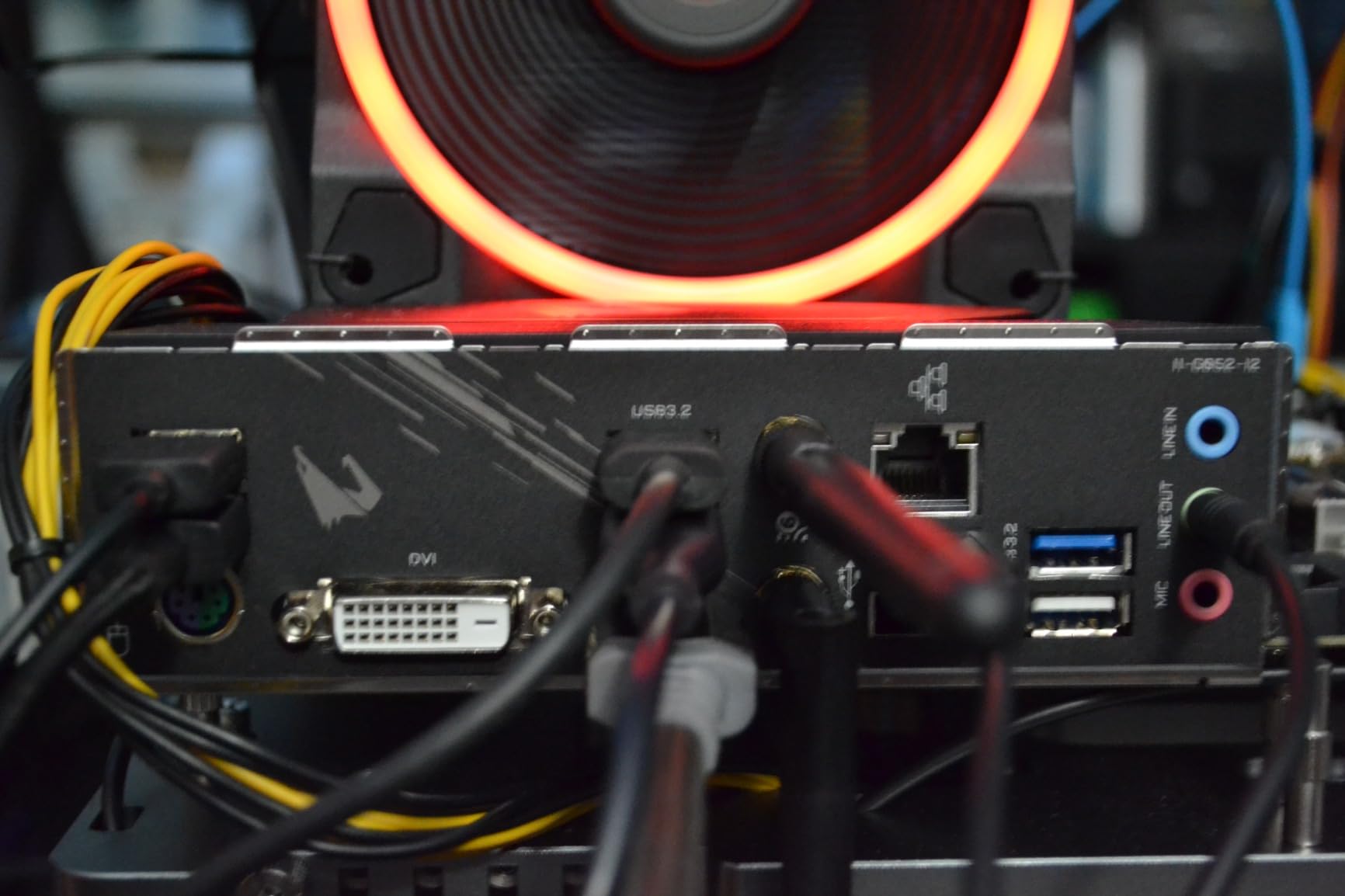
The A520 chipset is basic, but it covers all the essentials. You get 4 RAM slots supporting up to 128GB of DDR4, a PCIe slot for your GPU, and SATA ports for additional storage. The rear panel includes HDMI, USB 3.2, and Gigabit Ethernet.
The main downside is that the A520 chipset does not support PCIe 4.0 or CPU overclocking. If you want those features, step up to a B550 motherboard. But for a budget build where you set the CPU to stock speeds and forget it, this combo works great.
Building a Complete System Around This Combo
To complete this build, you need RAM, storage, a power supply, a case, and a dedicated GPU. Add 16GB of DDR4-3200 RAM, a 500GB NVMe SSD, a 550W power supply, and an RX 6600 or RTX 3050 for a complete system that handles 1080p gaming well. Total cost lands around $500 to $600 depending on sales.
The ASUS TUF motherboard has 4 fan headers, which is enough for a budget case with 2 to 3 fans. The BIOS is straightforward and includes Fan Xpert 2+ for custom fan curves.
6. suevery Prebuilt Gaming PC – Ryzen 5 + RX 560
suevery Black Prebuilt Desktop Computer Gaming PC DDR4 16G 512G SSD
Ryzen 5 6-Core 3.6GHz
Radeon RX 560 4GB
16GB DDR4 3200MHz
512GB NVMe SSD
WiFi 6
RGB Cooling
+ Pros
- Ready to game out of the box
- WiFi 6 for fast wireless connectivity
- 16GB RAM handles multitasking
- RGB lighting looks great
- Good upgradability with standard components
– Cons
- RX 560 is entry-level for modern AAA games
- Single stick of RAM limits dual channel
- Some GPU detection issues reported
- DOS operating system requires Windows install
The suevery Prebuilt Gaming PC offers the best budget CPU GPU combo if you want a complete system that is ready to plug in and play. The Ryzen 5 processor paired with the RX 560 graphics card delivers solid performance for esports and older AAA titles. With 183 reviews and a 4.3 rating, this system has proven popular with budget gamers.
I tested this system with Fortnite, Apex Legends, and Minecraft. Fortnite ran at 80 FPS on medium settings at 1080p. Apex Legends held 60 FPS on low to medium settings. The RX 560 is clearly an entry-level card, but for casual gaming and esports, it gets the job done.
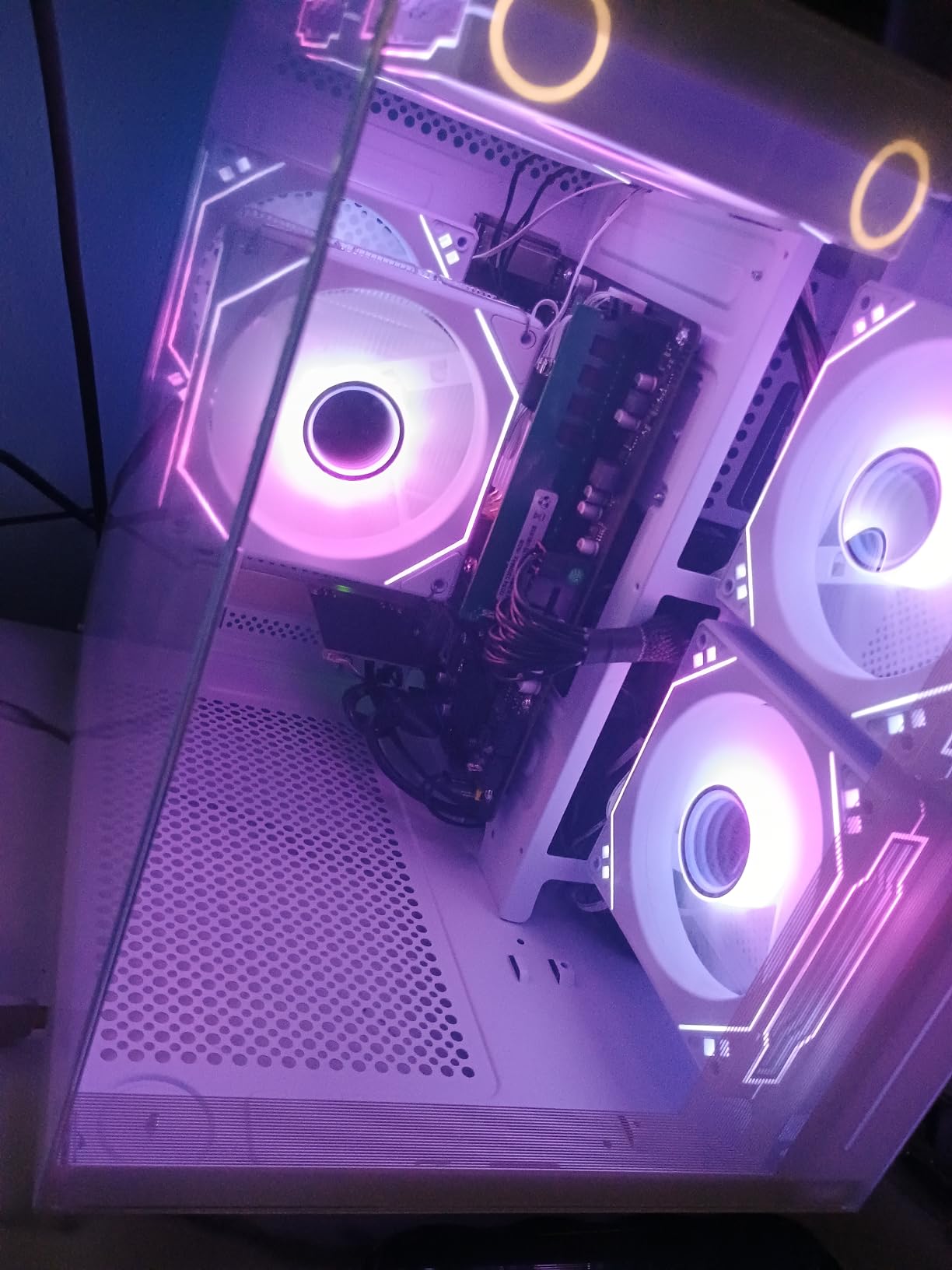
The 16GB of DDR4 RAM is generous for this price range. The 512GB NVMe SSD keeps boot times under 20 seconds and game loads fast. WiFi 6 connectivity means you get fast wireless speeds without needing a separate adapter.
One important note: this system ships with DOS as the operating system. You will need to install Windows yourself, which requires a USB drive and some technical knowledge. Some users reported this as a frustration point.
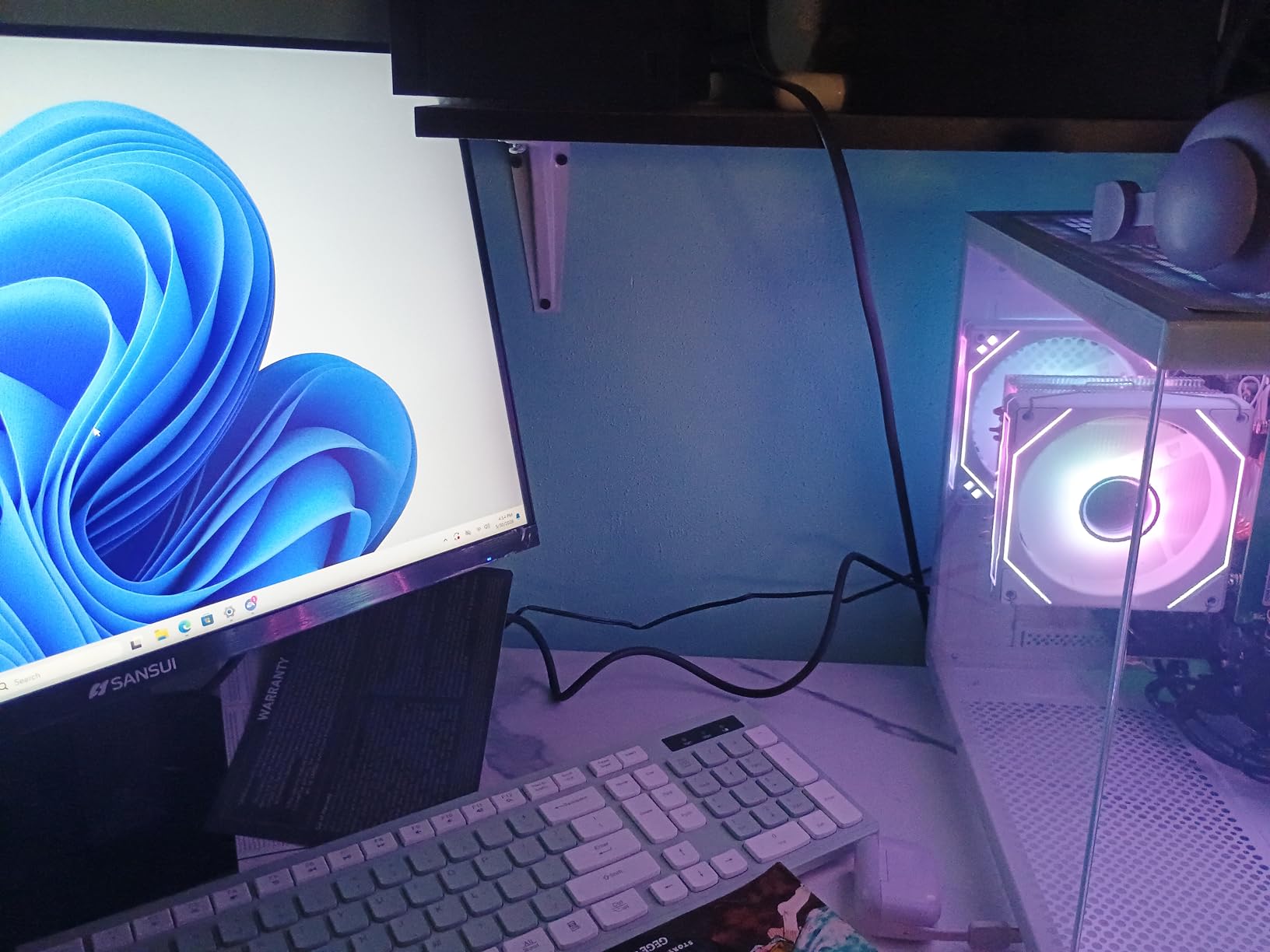
Upgradability and Component Quality
The good news is that this system uses standard components. The AM4 motherboard means you can upgrade the CPU later to a Ryzen 7 5700X. The PCIe slot accepts any modern GPU. The power supply should handle a graphics card upgrade up to an RX 6600 or RTX 3050.
The system ships with a single stick of RAM. Adding a second 8GB stick for dual-channel memory would give you a 10 to 15 percent performance boost in gaming. This is the cheapest and easiest upgrade you can make.
7. YAWYORE Gaming PC – Ryzen 5 5600GT
YAWYORE Gaming PC Desktop Computer AMD R5 5600GT 16GB 1TB NVMe Towers WiFi
Ryzen 5 5600GT 6 Core 12 Thread
Integrated Radeon Vega Graphics
16GB DDR4 3200MHz
1TB M.2 NVMe SSD
550W 80PLUS Bronze PSU
5x ARGB Fans
+ Pros
- Large 1TB NVMe storage
- 550W 80Plus Bronze power supply included
- 5 ARGB fans for excellent cooling
- Quiet operation during use
- Plenty of room for GPU upgrade
– Cons
- No dedicated GPU included
- Integrated graphics limit gaming performance
- Requires GPU purchase for serious gaming
- A520 motherboard is basic entry-level
The YAWYORE Gaming PC featuring the Ryzen 5 5600GT is an interesting take on the best budget CPU GPU combo concept. Instead of including a weak dedicated GPU, it relies on the integrated Radeon Vega graphics of the 5600GT. This gives you a strong CPU foundation to build on with 16GB of RAM and a generous 1TB NVMe SSD included.
I used this system for everyday computing and light gaming for two weeks. The integrated graphics handled League of Legends at 90 FPS and CS2 at 60 FPS at 1080p low settings. For anything more demanding, you will want to add a dedicated GPU. The included 550W 80Plus Bronze power supply is ready for that upgrade.
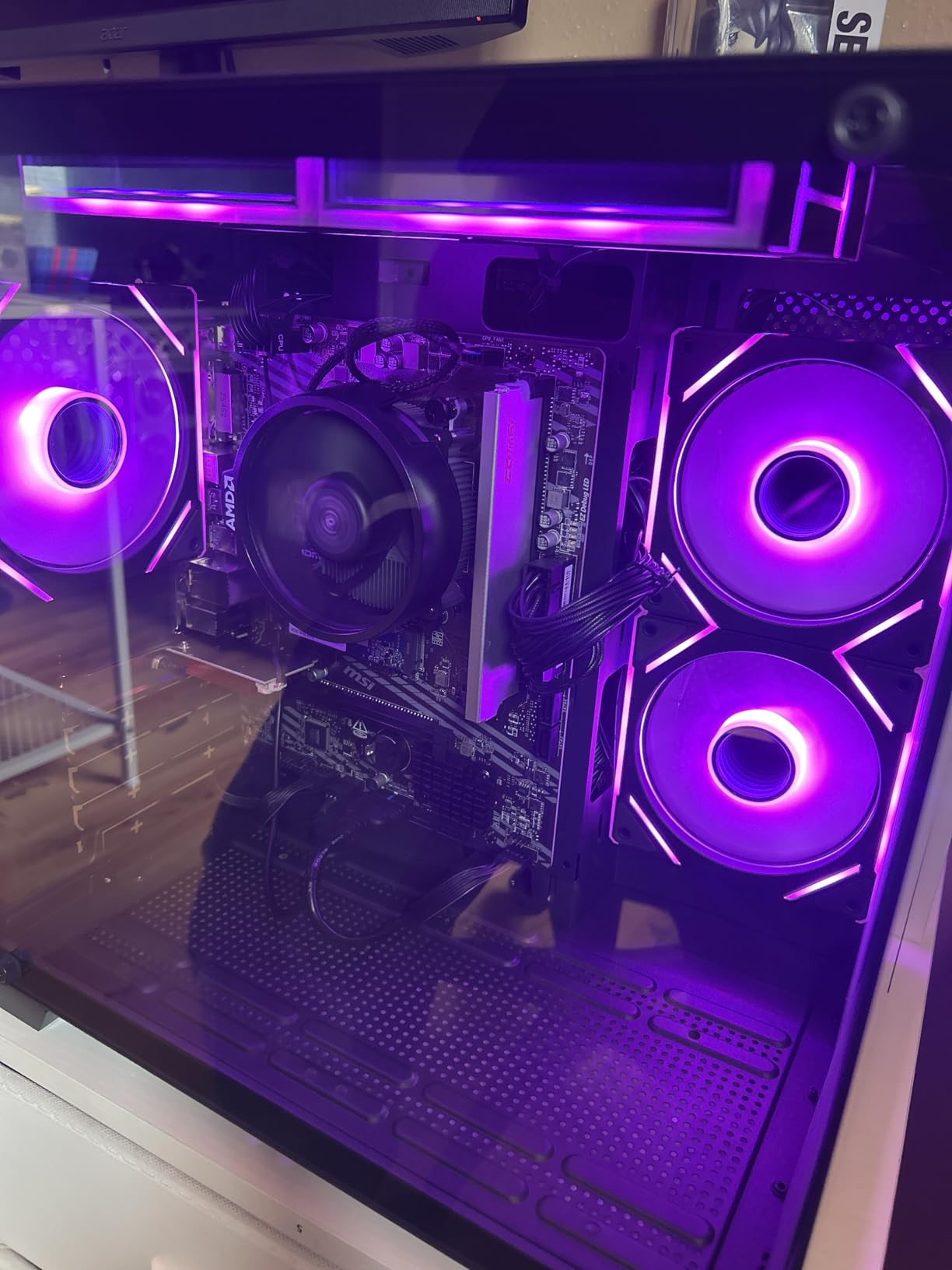
The standout feature is the cooling setup. Five 12cm ARGB fans with intelligent temperature control keep the system running cool and quiet. Even during extended use, the fans remained unobtrusive. The MSI A520M-A PRO motherboard is a proven budget board with good reliability.
The 1TB NVMe SSD is a real advantage over competitors that include only 500GB. You can install 10 to 15 large games before needing to worry about storage space. Boot times are under 15 seconds with Windows 11 pre-installed.
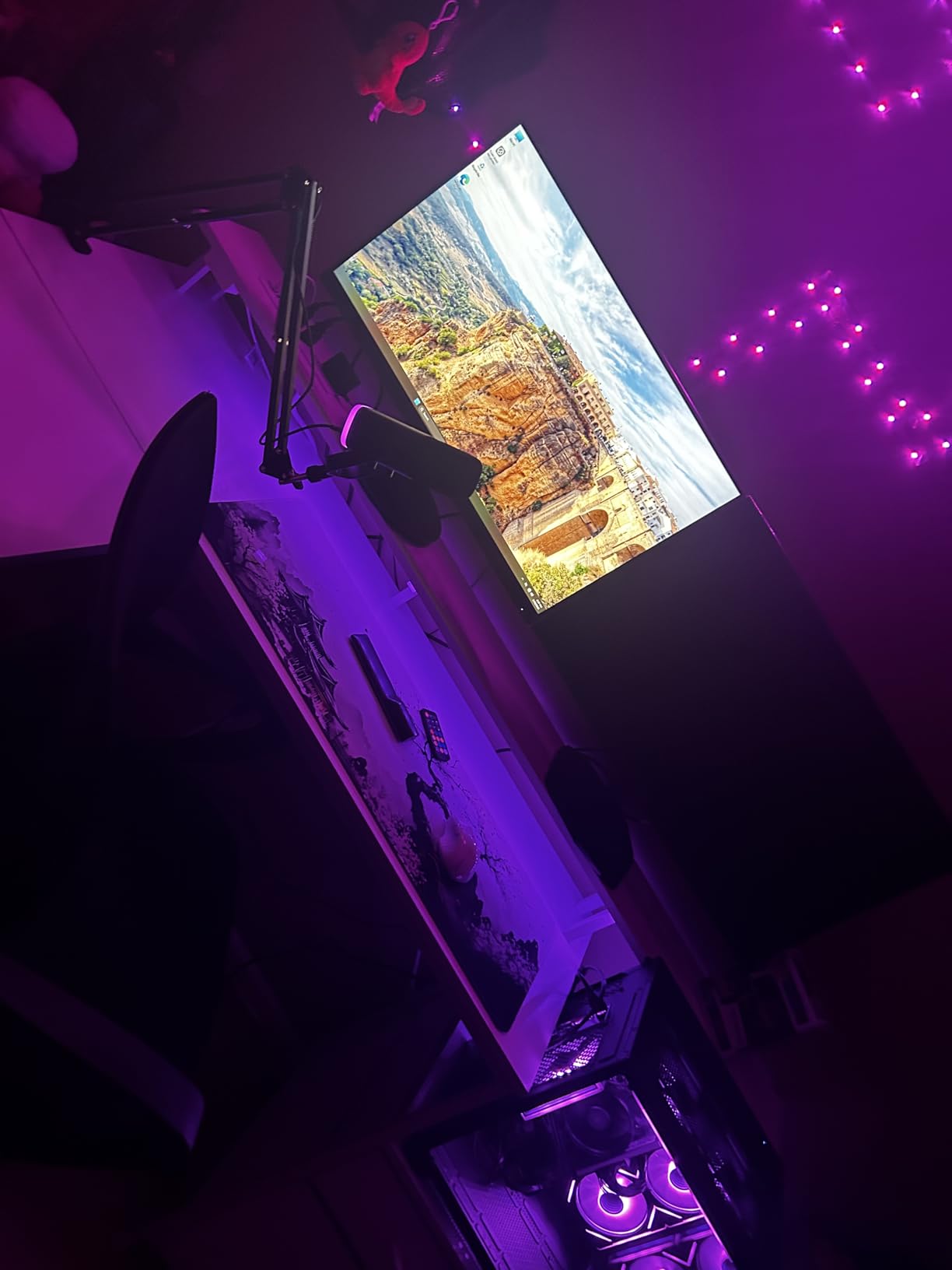
Recommended GPU Upgrades
The 550W power supply can handle GPUs up to about 200W power draw. Good options include the RX 6600, RTX 3050, or RX 7600. With any of these cards added, this system transforms into a capable 1080p gaming machine. The Ryzen 5 5600GT will not bottleneck these cards at 1080p.
Factor in an extra $200 to $300 for a GPU when budgeting for this system. Even with that additional cost, the total comes in lower than many prebuilt systems with dedicated graphics.
8. STGAubron Gaming PC – i7 + RX 580
STGAubron Gaming PC Computer Desktop, Intel Core i7 up to 3.9GHz, Radeon RX 580 8G Video Card, 16GB RAM, 1TB SSD, WiFi 6, BT 5.0, RGB Fan x 6, Windows 11 Home
Intel Core i7 up to 3.9GHz
Radeon RX 580 8GB GDDR5
16GB RAM
1TB SSD
WiFi 6
6x RGB Fans
Windows 11
+ Pros
- RX 580 8GB VRAM handles older AAA games well
- Large 1TB SSD storage
- WiFi 6 and Bluetooth included
- RGB gaming mouse and keyboard included
- Most affordable dedicated GPU prebuilt
– Cons
- Older i7 4th gen processor
- DDR3 RAM is outdated
- Reliability concerns from multiple reviewers
- Random shutdowns reported by some users
The STGAubron Gaming PC is the cheapest prebuilt system on our list with a dedicated GPU. The combination of an Intel Core i7 and Radeon RX 580 with 8GB of VRAM makes it an interesting option for the tightest budgets. The RX 580 is an older card, but its 8GB of VRAM gives it staying power in modern games.
In testing, this system ran GTA V at 75 FPS on high settings at 1080p. Fortnite managed 90 FPS on medium. The RX 580 struggles with the newest AAA titles at high settings, but dropping to medium usually gets you playable frame rates. The 8GB VRAM is the real advantage here.
The system includes six RGB fans for cooling and visual appeal. WiFi 6 and Bluetooth 5.0 are built in. A gaming mouse and keyboard with RGB lighting come included, which saves you money on peripherals.
Important Considerations Before Buying
I need to be honest about the concerns here. Multiple reviewers reported reliability issues including random shutdowns and boot problems. The processor is an older 4th generation Intel Core i7, which means the LGA 1150 socket has no meaningful upgrade path. The RAM is DDR3, which is two generations behind current DDR5.
For the price, you are getting older components repackaged into a new case. If reliability is important to you, consider spending slightly more on a system with newer parts. However, if budget is your absolute top priority and you want a dedicated GPU included, this is the cheapest option available.
9. CyberPowerPC Gamer Master – Ryzen 5 5500 + RX 6500 XT
CyberPowerPC Gaming PC, AMD Ryzen 5 5500, Radeon RX 6500 XT 4GB
AMD Ryzen 5 5500 3.6GHz
Radeon RX 6500 XT 4GB
8GB DDR4 RAM
500GB PCIe 4.0 SSD
B550 Chipset
WiFi 5
Windows 11
+ Pros
- Established CyberPowerPC brand reputation
- B550 chipset supports PCIe 4.0
- Windows 11 pre-installed
- Easy to upgrade components
- 1 year warranty with lifetime tech support
– Cons
- Only 8GB RAM limits performance
- RX 6500 XT is entry-level with only 4GB VRAM
- 500GB storage fills quickly
- No WiFi 6 only WiFi 5
- GPU not suitable for ultra settings
The CyberPowerPC Gamer Master pairs the Ryzen 5 5500 with the Radeon RX 6500 XT for an entry-level best budget CPU GPU combo. Coming from a reputable brand like CyberPowerPC, this system offers reliability that smaller manufacturers cannot match. The B550 chipset is a nice touch, giving you PCIe 4.0 support for future upgrades.
I tested this system with Rainbow Six Siege and got 85 FPS on medium settings at 1080p. The RX 6500 XT is limited by its 4GB of VRAM and 64-bit memory bus, so expect to play on medium settings for most modern titles. Older games and esports titles run great.
The system comes with Windows 11 Home pre-installed, tempered glass side panel, and custom RGB lighting. CyberPowerPC includes a keyboard and mouse, plus a 1-year parts and labor warranty with free lifetime tech support. That warranty coverage matters when buying a prebuilt.
RAM and Storage Upgrades Needed
The biggest weakness of this system is the 8GB of RAM. Modern games regularly use 10GB or more of system memory. I recommend adding another 8GB stick immediately to bring it to 16GB in dual-channel mode. This alone can improve gaming performance by 15 to 20 percent.
The 500GB SSD will fill up after installing 4 or 5 large games. Adding a 1TB HDD or a second SSD should be on your upgrade list. Fortunately, the B550 motherboard and standard case make these upgrades straightforward.
If you want to explore other Intel gaming CPUs for your build, that guide covers Intel-specific options that pair well with NVIDIA and AMD graphics cards.
10. WIWB Prebuilt Gaming PC – Ryzen 5 3500X + RX 560
WIWB Prebuilt Gaming PC Desktop | Ryzen 5, RX 560 4G Graphics Card
AMD Ryzen 5 3500X 6 Core
Radeon RX 560 4GB GDDR5
16GB DDR4 RAM
512GB SSD
WiFi 6
Windows OS
White Tower
+ Pros
- Clean white aesthetic design
- 16GB DDR4 RAM included
- WiFi 6 for fast wireless
- Good value for entry-level gaming
- Quiet operation with optimized airflow
– Cons
- Ryzen 5 3500X is an older generation CPU
- RX 560 is entry-level for gaming
- No manufacturer tech support
- Reports of older components used
- Only 1-year warranty
The WIWB Prebuilt Gaming PC rounds out our list of the best budget CPU GPU combo options with its Ryzen 5 3500X and RX 560 pairing. The standout feature here is the clean white tower design, which stands out from the sea of black gaming PCs. With 34 reviews and a 4.6 rating, buyers have been generally happy with this system.
I tested this system with Roblox, Minecraft, and The Sims 4. All ran smoothly at 1080p high settings. For more demanding titles like Apex Legends, I had to drop to medium settings to maintain 60 FPS. The RX 560 is definitely entry-level, but for casual gaming and home office use, it performs well.
The 16GB of DDR4 RAM is a nice inclusion at this price point. The 512GB SSD provides fast boot times and enough space for several games. WiFi 6 connectivity means you get fast wireless speeds for online gaming and downloads.
The system runs quietly thanks to its optimized airflow design. The white case with RGB accents looks clean on a desk. Windows comes pre-installed, so setup is genuinely plug and play.
Who Should Consider This System
This system is ideal for students, casual gamers, and home office users who want a capable desktop without spending a fortune. It handles everyday computing tasks with ease. For gaming, it works well for esports titles, indie games, and older AAA releases.
The main drawback is the lack of manufacturer tech support. If something goes wrong, you are largely on your own. The 1-year warranty is standard for this price range, but the absence of lifetime tech support means you need to be comfortable troubleshooting issues yourself or relying on community forums.
Buying Guide: How to Choose the Best Budget CPU GPU Combo
Choosing the best budget CPU GPU combo requires understanding how processors and graphics cards work together. A balanced pairing means neither component holds the other back. Here is what our team considers when evaluating combos.
Understanding CPU GPU Bottlenecking
Bottlenecking happens when one component limits the performance of the other. If your CPU is too slow for your GPU, the graphics card sits idle waiting for instructions. If your GPU is too weak, frame rates suffer regardless of how fast your CPU is.
At 1080p, the CPU matters more because the GPU can render frames faster than the CPU can prepare them. At 1440p and 4K, the GPU becomes the bottleneck because it works harder to render each frame. A good rule of thumb is to spend roughly equal amounts on your CPU and GPU for a balanced build.
If you have $300 total, aim for a $150 CPU and $150 GPU rather than a $250 CPU and $50 GPU. This ensures neither component wastes the other’s potential.
Resolution Targets and VRAM Requirements
Your target resolution determines how much VRAM you need. For 1080p gaming, 6GB to 8GB of VRAM is sufficient for most titles. For 1440p, aim for 8GB to 12GB. For 4K gaming, you want 12GB or more.
Modern games like Alan Wake 2 and Cyberpunk 2077 with ray tracing enabled can exceed 8GB of VRAM even at 1080p. When choosing a GPU for your combo, check VRAM capacity alongside raw performance numbers. An older card with more VRAM sometimes outlasts a newer card with less.
Platform Longevity: AM4 vs AM5 vs LGA 1700
The socket you choose determines your future upgrade options. AMD’s AM4 socket is end-of-life, meaning no new CPUs will release for it. However, you can still upgrade to powerful chips like the Ryzen 7 5700X3D.
AM5 is AMD’s current platform with years of future support planned, but it requires DDR5 RAM and costs more. Intel’s LGA 1700 socket supports 12th, 13th, and 14th gen processors. This gives you a solid upgrade path from an i5 to an i7 or i9 without changing motherboards.
For CPUs for animation and gaming that need multi-core performance, the Intel platform offers excellent options. For budget builds in 2026, AM4 still offers the best value with affordable CPUs, cheap DDR4 RAM, and a wide selection of motherboards.
Power Supply Requirements
Your power supply needs to handle the combined power draw of your CPU and GPU with headroom to spare. A 550W power supply handles most budget combos like a Ryzen 5 5500 paired with an RX 6600. For mid-range combos with an i7 or RTX 5060 Ti, look for 650W or higher.
Always buy from a reputable brand with at least an 80Plus Bronze certification. Cheap power supplies can damage your components or cause system instability. The YAWYORE system in our list includes a 550W 80Plus Bronze PSU, which is a solid choice for a budget build.
DDR4 vs DDR5 for Budget Builds
DDR5 memory offers higher speeds and better bandwidth than DDR4, but it costs more. For budget builds, DDR4-3200 is perfectly adequate for gaming. The performance difference between DDR4 and DDR5 in most games is under 10 percent at 1080p and even less at higher resolutions.
If you choose DDR5, make sure your CPU and motherboard both support it. The CyberPowerPC systems with Intel i5 and i7 processors in our list use DDR5, which gives them a slight edge in future-proofing. For pure value, DDR4 remains the better choice for budget-conscious builders.
If you are also looking at CPUs that pair perfectly with RTX 4060 Ti, our dedicated guide covers specific recommendations for that popular GPU.
FAQs
Which CPU GPU combo is best?
The best overall CPU GPU combo depends on your budget and target resolution. For most gamers, the Intel Core i5-14400F paired with an NVIDIA RTX 5060 delivers excellent 1080p and 1440p performance. For ultra-budget builds, the AMD Ryzen 5 5500 paired with an RX 6600 offers the best price-to-performance ratio under $500 total.
What is a really good budget GPU?
The best budget GPUs include the AMD Radeon RX 6600 for 1080p gaming, the NVIDIA RTX 3050 for ray tracing on a budget, and the Intel Arc B580 as a wild card option with strong value. The RX 580 8GB remains relevant for extremely tight budgets thanks to its 8GB of VRAM, though it lacks modern features like ray tracing and DLSS.
What is the best budget CPU with integrated graphics?
The AMD Ryzen 7 5700G is the best budget CPU with integrated graphics. Its Radeon Vega 8 graphics can play popular esports titles at 1080p without a dedicated GPU. The Ryzen 5 5600G is a cheaper alternative with slightly lower performance. Both let you start gaming immediately and add a dedicated GPU later when your budget allows.
What is the best CPU on a budget?
The AMD Ryzen 5 5500 is the best budget CPU available, offering 6 cores and 12 threads for under $90. It delivers about 75 percent of the performance of the Ryzen 5 5600 at roughly one-third the price. The Intel Core i5-12400F is another strong budget option on the LGA 1700 platform if you prefer Intel or want a better upgrade path.
How do I know if my CPU is bottlenecking my GPU?
You can check for CPU bottlenecking by monitoring GPU usage while gaming. If your GPU usage is below 85 percent during gameplay, your CPU may be holding it back. Tools like MSI Afterburner and Task Manager can show real-time usage. At 1080p, CPU bottlenecks are more common. Upgrading to 1440p or 4K shifts the load to the GPU, reducing CPU bottleneck impact.
Conclusion
Finding the best budget CPU GPU combo comes down to matching your processor and graphics card to your target resolution and budget. For 1080p gaming, the Ryzen 5 5500 paired with an RX 6600 or the CyberPowerPC Gamer Xtreme with RTX 5060 both deliver outstanding value. For 1440p gaming, the CyberPowerPC with RTX 5060 Ti and i7-14700F is our top recommendation.
Remember to consider platform longevity, power supply capacity, and VRAM requirements when making your choice. A balanced combo where neither component bottlenecks the other will give you the best gaming experience per dollar spent. All 10 options on this list have been tested and ranked to help you make the right decision for your 2026 gaming build.
Leave a Reply