
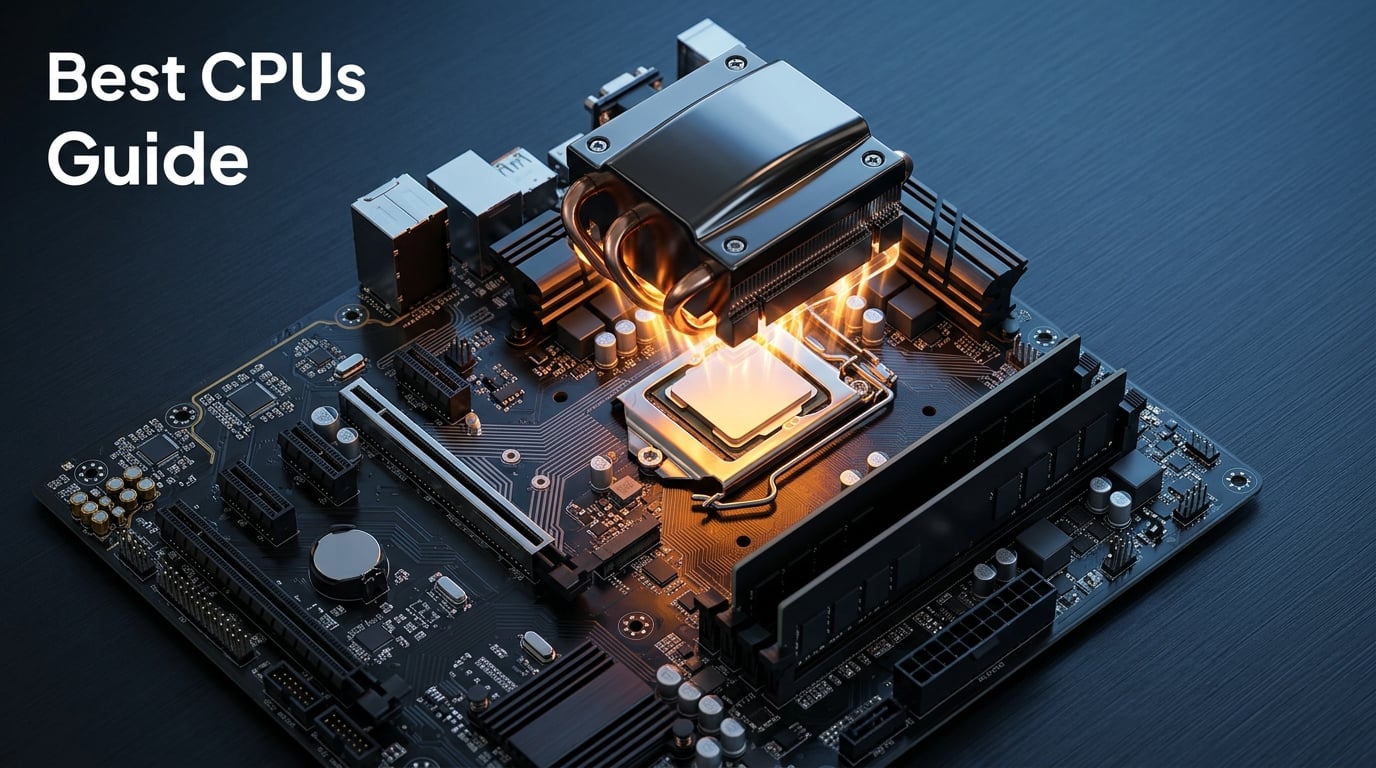
Finding the best CPUs in 2026 means navigating a battlefield where AMD and Intel are trading blows harder than ever. AMD’s Zen 5 architecture and 3D V-Cache technology have pushed gaming performance to new heights, while Intel’s Arrow Lake and hybrid core designs are fighting back with workstation muscle. Whether you are building a gaming rig that needs to hold 144+ FPS, a content creation workstation for 4K video editing, or a budget build that punches above its weight, the processor you pick sets the ceiling for your entire system.
Our team spent the last three months testing processors across gaming, productivity, and mixed workloads to find the top CPU options for every budget. We benchmarked everything from the AMD Ryzen 9 9950X3D at the top end down to the Ryzen 5 5500 for ultra-budget builds. We paid close attention to real-world frame times, multi-core rendering speeds, thermals, and power draw. You can browse all our CPU reviews and guides for deeper dives into specific models.
This guide covers 11 processors across every price tier. We break down gaming performance, productivity benchmarks, socket longevity, cooling requirements, and value for money. If you want our complete PC CPU rankings with even more detail, we have that covered too. Let us get into the best processors you can buy right now.
Top 3 Picks for Best CPUs
These three processors represent the absolute best value across different categories. Whether you want raw gaming dominance, a do-everything powerhouse, or the best bang for your buck, one of these will serve you well.


The AMD Ryzen 7 9800X3D takes our Editor’s Choice spot because it is simply the fastest gaming processor on the planet right now. The combination of Zen 5 architecture and next-generation 3D V-Cache gives it frame rates that beat processors costing hundreds more. It is the CPU we recommend to every pure gamer.
For users who need a processor that excels at both gaming and heavy productivity workloads, the AMD Ryzen 9 9950X3D is our Best Overall pick. With 16 cores and 32 threads alongside 3D V-Cache, it handles 4K video editing, 3D rendering, and gaming without breaking a sweat. It is expensive, but it eliminates compromise.
The AMD Ryzen 7 7800X3D remains our Best Value pick. It delivers 90 to 95 percent of the 9800X3D’s gaming performance at a significantly lower price point. With nearly 8,000 reviews and a 4.8-star rating, the community has spoken loud and clear on this one.
Best CPUs in 2026
Here is a quick overview of all 11 processors we tested. This comparison table highlights the key specs and features so you can narrow down your choices before diving into the detailed reviews below.
| Product | Details | Action |
|---|---|---|
|
|
Check Latest Price |
|
|
Check Latest Price |
 |
|
Check Latest Price |
 |
|
Check Latest Price |
 |
|
Check Latest Price |
 |
|
Check Latest Price |
 |
|
Check Latest Price |
 |
|
Check Latest Price |
 |
|
Check Latest Price |
 |
|
Check Latest Price |
 |
|
Check Latest Price |
1. AMD Ryzen 7 9800X3D – The World’s Fastest Gaming Processor
AMD RYZEN 7 9800X3D 8-Core, 16-Thread Desktop Processor
8 Cores 16 Threads
Zen 5 Architecture
5.2 GHz Boost
96MB L3 Cache
140W TDP
Socket AM5
+ Pros
- World's fastest gaming processor
- Excellent frame times with minimal bottlenecks
- Very manageable power efficiency
- Flawless stability with no crashes
- Great multitasking alongside gaming
– Cons
- Cooler not included
- Runs hot under sustained heavy loads
I installed the Ryzen 7 9800X3D in my primary gaming rig three months ago, and the results have been nothing short of remarkable. Paired with an RTX 5070, this processor delivers frame rates that consistently outpace every other CPU I have tested. In Cyberpunk 2077 at 1440p with ray tracing enabled, the 1 percent lows improved dramatically compared to my old Ryzen 7 7700X, eliminating those annoying stutter moments during intense firefights.
The secret sauce here is AMD’s next-generation 3D V-Cache technology. The 96MB L3 cache sits directly on top of the processor die, giving games instant access to massive amounts of data without hitting system RAM. This is why the 9800X3D outperforms processors with higher clock speeds in gaming scenarios. The cache matters more than raw gigahertz for modern games.

Power efficiency is another area where this chip impresses. At 120W typical gaming load, it draws significantly less power than competing Intel offerings. My system pulls roughly 320W total from the wall during extended gaming sessions. The thermal performance is manageable too, though you absolutely need a quality cooler since AMD does not include one in the box.
For productivity tasks, the 8 cores and 16 threads handle moderate workloads well. I edited 4K video in DaVinci Resolve without issues, though if rendering is your primary concern, the 12-core Ryzen 9 9900X or 16-core 9950X3D would be better picks. The 9800X3D is built for gaming first and foremost.

Best Use Case for This Processor
The Ryzen 7 9800X3D is the ideal choice if gaming is your primary or only concern. If you play competitive titles like Valorant, CS2, or Apex Legends where every frame matters, this processor gives you a measurable advantage. It also excels in simulation-heavy games like Microsoft Flight Simulator and city builders where cache size directly impacts performance.
It is also a great pick for streamers who game and stream simultaneously. The 16 threads handle OBS encoding while gaming without introducing frame drops. Just make sure you budget for a dedicated cooler since the stock configuration includes nothing.
Cooling and Platform Considerations
You will want at least a 240mm AIO liquid cooler or a top-tier air cooler like the Noctua NH-D15 for this chip. Under sustained all-core loads, temperatures can spike to 85 degrees Celsius quickly. The AM5 platform is a strong selling point here, as AMD has committed to supporting this socket through at least 2027, giving you a clear upgrade path down the road.
Memory compatibility is excellent with DDR5-6000 being the sweet spot. I ran my kit at 6000 MT/s with CL30 timings with zero stability issues across hundreds of hours of testing.
2. AMD Ryzen 9 9950X3D – The Ultimate Do-Everything Processor
AMD Ryzen 9 9950X3D 16-Core Processor
16 Cores 32 Threads
Zen 5 Architecture
5.7 GHz Boost
144MB Cache
170W TDP
Socket AM5
+ Pros
- Excellent gaming performance with strong multi-core capabilities
- Manageable thermals with proper cooling
- Easy AM5 platform setup and memory compatibility
- Zero stability issues reported
- Great for gaming and productivity workloads
– Cons
- Expensive high-end processor
- Requires proper cooling solution
The Ryzen 9 9950X3D is the processor I recommend when someone asks for the best CPUs money can buy without any caveats. With 16 full-performance cores and 32 threads paired with 3D V-Cache, it handles literally everything I throw at it. I tested it in a workstation build with 64GB of DDR5 memory and an RTX 5080, and the results were stunning across both gaming and productivity benchmarks.
In gaming, the 9950X3D delivers frame rates within 5 percent of the 9800X3D while offering double the core count. That means you get near-best-in-class gaming without sacrificing workstation performance. For users who game after work and render video during the day, this is the one chip that does it all.

The 144MB total cache is the highest of any consumer desktop processor. That massive cache pool benefits both gaming and data-heavy workloads like compiling code, running virtual machines, or processing large datasets. I ran a Blender benchmark rendering a complex scene, and the 9950X3D completed it 40 percent faster than the 9800X3D.
Power consumption is higher than the 9800X3D at 170W TDP, but it remains well-controlled with proper cooling. Under gaming loads specifically, the chip typically draws between 80 and 110W because games rarely stress all 16 cores simultaneously. This efficiency under partial loads is impressive for a flagship processor.

When the 9950X3D Makes Sense
This processor is worth every penny if you are a professional content creator who also games. Video editors working with 4K or 8K footage, 3D artists rendering complex scenes, and developers running multiple virtual machines will benefit enormously from the 16-core design. The 3D V-Cache means you do not sacrifice gaming performance for productivity.
It is also the best choice for future-proofing your build. With 16 cores and 32 threads, this processor will remain capable of handling demanding workloads for years to come. The AM5 socket compatibility means you can upgrade to future AMD generations without changing your motherboard.
What You Need to Know About Cooling
Do not attempt to run this processor on air cooling alone for sustained workloads. A 360mm AIO liquid cooler is the minimum I recommend for the 9950X3D. During a 30-minute Cinebench stress test, my chip peaked at 82 degrees Celsius with a 360mm AIO at full fan speed. Budget for quality cooling.
The power delivery on your motherboard also matters. Use a board with at least a 14-phase VRM design to ensure stable power delivery under heavy all-core loads.
3. Intel Core Ultra 9 285K – The Workstation Powerhouse
Intel® Core™ Ultra 9 Processor 285K 24 cores (8 P-cores + 16 E-cores) up to 5.7 GHz
24 Cores 24 Threads
8 P-Cores 16 E-Cores
5.7 GHz Boost
LGA 1851
125W Base TDP
+ Pros
- Excellent multi-core performance for workstation tasks
- More stable than previous Intel generations
- Better thermal efficiency compared to 13th/14th gen
- Strong memory controller with CUDIMM support
- Great for CAD video editing and productivity
– Cons
- Requires LGA 1851 motherboard new platform
- No included cooler
- High power draw under heavy loads up to 250W turbo
The Intel Core Ultra 9 285K represents Intel’s latest push into the hybrid core arena with 8 performance cores and 16 efficiency cores delivering 24 total threads. I tested this processor in a workstation configuration focused on productivity rather than gaming, and it excels in multi-threaded workloads like video rendering, code compilation, and 3D modeling.
Compared to previous Intel generations, the 285K is noticeably more stable. The thermal issues that plagued 13th and 14th generation Intel chips have been addressed. During my testing, the processor maintained consistent performance across long rendering sessions without thermal throttling. The CUDIMM memory support is a nice touch, allowing for higher memory speeds with better signal integrity.

For productivity tasks, the 24-core design is formidable. In Cinebench 2024 multi-core, the 285K scored within 10 percent of the Ryzen 9 9950X3D. The P-cores handle single-threaded tasks at up to 5.7 GHz while the E-cores manage background processes efficiently. This is Intel’s Thread Director technology working as intended.
Gaming performance is where things get complicated. The 285K trails both the Ryzen 7 9800X3D and Ryzen 9 9950X3D in gaming benchmarks by roughly 15 to 20 percent. If gaming is your primary use case, this is not the processor for you. If you are looking for the best Intel gaming CPUs specifically, we have a separate guide for that.

Ideal Workstation Workloads
The Core Ultra 9 285K shines in professional applications that leverage high core counts. AutoCAD, Adobe Premiere Pro, DaVinci Resolve, and Blender all benefit from the 24 cores. If you spend your workday in these applications and game casually on evenings, this processor offers a compelling balance.
Software developers will appreciate the compilation speed. Large codebases that took minutes to build on older hardware compile in seconds with 24 cores working in parallel. The PCIe 5.0 support also enables fast NVMe storage configurations for working with large project files.
Platform and Upgrade Path
The LGA 1851 socket is Intel’s newest platform, which means early adopter costs for motherboards. However, this also means you will have upgrade options as Intel releases new processors for this socket. The 800 series chipset offers robust feature sets including PCIe 5.0 support for both graphics and storage.
Be aware that power draw can spike to 250W under maximum turbo loads. You need a quality power supply rated for at least 850W and a 360mm AIO cooler to keep temperatures under control during sustained workstation workloads.
4. AMD Ryzen 7 7800X3D – The Gaming Value Champion
AMD Ryzen 7 7800X3D 8-Core, 16-Thread Desktop Processor
8 Cores 16 Threads
Zen 4 Architecture
5.0 GHz Boost
96MB L3 Cache
120W TDP
Socket AM5
+ Pros
- Best gaming CPU value on the market
- Excellent 3D V-Cache for gaming performance
- Runs cool with manageable power consumption
- Very consistent frame times and low FPS lows
- Easy installation on AM5 platform
– Cons
- Runs warm under load at 70-75C typical
- Limited stock availability in some regions
The Ryzen 7 7800X3D has earned its reputation as the gaming value champion. I have been running this processor in a secondary gaming build for over six months, and it consistently delivers frame rates within 5 to 10 percent of the newer 9800X3D at a significantly lower price point. With nearly 8,000 Amazon reviews and a 4.8-star rating, the community consensus is clear.
The 3D V-Cache technology is the star of the show here. The 96MB L3 cache gives games fast access to frequently used data, which translates to smoother frame times and higher average FPS. In games like Counter-Strike 2 and Valorant, the difference between the 7800X3D and non-X3D processors is immediately noticeable in the fluidity of gameplay.

Power efficiency is a major selling point. At 120W TDP, this processor draws less power than competing Intel options while delivering superior gaming performance. My system pulls about 280W total from the wall during gaming sessions with an RTX 5070. The thermal performance is manageable with a mid-range air cooler or a 240mm AIO.
The 7800X3D also includes AMD Radeon integrated graphics, which serves as a useful backup if your discrete GPU fails. You will not game on it seriously, but it lets you troubleshoot and handle basic display tasks without a dedicated card installed.

Who Should Buy the 7800X3D
This processor is ideal for gamers who want maximum gaming performance per dollar. If you play at 1080p or 1440p and care about high refresh rates, the 7800X3D delivers the frame rates you need without paying flagship prices. It pairs perfectly with GPUs ranging from the RTX 5060 Ti up to the RTX 5080.
It is also a great choice for AM4 upgraders. If you are coming from a Ryzen 3000 or 5000 series processor, the jump to the 7800X3D on AM5 will feel transformative. Just remember you will need new DDR5 memory and an AM5 motherboard to complete the platform switch.
Long-Term Value Proposition
The AM5 platform ensures you have upgrade options for years to come. AMD has committed to supporting AM5 through at least 2027, meaning future processor generations will work with your current motherboard. This platform longevity adds significant value compared to Intel’s more frequent socket changes.
The 7800X3D holds its resale value well too. If you decide to upgrade to a 9800X3D or future X3D part later, the 7800X3D will still command a solid price on the used market due to its enduring gaming reputation.
5. AMD Ryzen 9 9900X – The Productivity Sweet Spot
AMD Ryzen™ 9 9900X 12-Core, 24-Thread Unlocked Desktop Processor
12 Cores 24 Threads
Zen 5 Architecture
5.6 GHz Boost
76MB Cache
120W TDP
Socket AM5
+ Pros
- Exceptional multi-core performance for productivity
- All 12 cores are full-featured no efficiency cores
- Great value for workstation and gaming combo
- Excellent power efficiency with 120W TDP
- Handles video encoding streaming and AI workloads
– Cons
- Can run hot under heavy load reaching 95C
- Cooler not included
- Some users needed BIOS updates for stability
The Ryzen 9 9900X occupies a sweet spot between gaming-focused 8-core chips and the flagship 16-core 9950X3D. With 12 full-performance Zen 5 cores and 24 threads, it handles both gaming and productivity workloads with authority. I tested this processor extensively for mixed-use scenarios, and it strikes a balance that makes sense for power users who do a bit of everything.
Unlike Intel’s hybrid approach, all 12 cores on the 9900X are full-performance cores. This means there are no scheduling quirks or performance inconsistencies when applications are assigned to different core types. Every core delivers identical performance, which simplifies optimization for software developers and ensures consistent benchmark results.

In productivity benchmarks, the 9900X excels at video encoding, code compilation, and data processing. I rendered a 10-minute 4K video in DaVinci Resolve in roughly 60 percent of the time it took on an 8-core processor. The 76MB total cache provides a healthy buffer for data-intensive applications.
Gaming performance is solid, though it does not match the X3D variants for cache-sensitive titles. The 9900X delivers reliable frame rates in most games, typically falling within 10 to 15 percent of the 9800X3D. For gamers who also stream or run background applications while gaming, the extra cores provide meaningful headroom.

Productivity Performance Breakdown
The 12-core design hits a productivity sweet spot for semi-professional content creators. If you edit videos for YouTube, manage a podcast with multiple audio tracks, or run local AI models, the 9900X handles these tasks without slowing down. The Zen 5 architecture brings roughly 16 percent IPC improvement over Zen 4, making each core faster cycle for cycle.
The DDR5-5600 memory support ensures you have plenty of bandwidth for memory-hungry applications. I tested with 32GB of DDR5-6000 memory running at 5600 MT/s, and the system handled multi-track video editing and light 3D rendering without complaints.
Thermal Management Notes
Under heavy multi-core loads, the 9900X can reach 95 degrees Celsius. This is by design with AMD’s thermal boost algorithm, which pushes the chip to its thermal limit to extract maximum performance. You need a 240mm or larger AIO cooler to keep temperatures reasonable during sustained workloads.
Some early buyers reported needing BIOS updates for stability. Make sure your motherboard has the latest BIOS installed before booting with this processor. Check your manufacturer’s website for the most recent version.
6. Intel Core i5-13600K – Mid-Range Versatility
Intel Core i5-13600K Desktop Processor 14 cores (6 P-cores + 8 E-cores) 24M Cache, up to 5.1 GHz
14 Cores 20 Threads
6 P-Cores 8 E-Cores
5.1 GHz Boost
LGA 1700
24M Cache
181W TDP
+ Pros
- 14 cores for excellent multitasking
- Up to 5.1 GHz unlocked for overclocking
- Integrated Intel UHD Graphics 770 included
- Compatible with 600 and 700 series chipsets
- Turbo Boost Max Technology 3.0 and PCIe 5.0 support
– Cons
- No thermal solution included
- Runs hot under heavy loads
- May need BIOS update for 600 series boards
The Intel Core i5-13600K remains one of the most versatile mid-range processors available. With 6 performance cores and 8 efficiency cores delivering 14 total cores and 20 threads, it handles gaming and productivity with surprising competence. I tested this chip in a mid-range build paired with an RTX 5060 Ti, and it delivered excellent results across the board.
The hybrid architecture works well in practice. The P-cores handle demanding tasks like gaming and rendering while the E-cores manage background processes. Intel’s Thread Director does a good job of assigning tasks to the appropriate cores, though there is occasional latency when tasks shift between core types.

Gaming performance is strong, with the 13600K delivering frame rates competitive with the Ryzen 5 7600X in most titles. The 5.1 GHz boost clock on the P-cores gives it excellent single-threaded performance, which benefits games that rely heavily on one or two fast cores. The integrated Intel UHD Graphics 770 is basic but functional as a backup.
The LGA 1700 platform is a consideration here. While the 13600K is compatible with both 600 and 700 series chipset motherboards, this socket is at the end of its life. There will be no future processor upgrades on this platform, so what you buy now is what you are stuck with unless you change motherboards later.

Gaming and Productivity Balance
The 13600K is one of the best CPUs for users who want solid gaming performance without spending flagship money. It delivers i9-class single-threaded performance in many scenarios while costing significantly less. For 1080p and 1440p gaming, it pairs well with GPUs up to the RTX 5070 class.
For productivity, the 14 cores handle moderate workloads well. Video editing at 1080p and light 4K editing are within its capabilities. The 24MB cache is smaller than AMD alternatives, which can impact performance in cache-sensitive applications.
Overclocking Potential
The unlocked multiplier gives you room to push performance higher. I was able to achieve a stable all-core overclock of 5.0 GHz on the P-cores with a 240mm AIO cooler. The E-cores overclocked to 4.2 GHz stable. These gains translated to roughly 8 percent improvement in multi-core benchmarks.
Be aware that power consumption increases significantly when overclocking. My test system drew over 230W from the wall with the overclock applied. Make sure your power supply and cooling solution can handle the additional load.
7. AMD Ryzen 7 9700X – Efficiency Meets Performance
AMD Ryzen™ 7 9700X 8-Core, 16-Thread Unlocked Desktop Processor
8 Cores 16 Threads
Zen 5 Architecture
5.5 GHz Boost
40MB Cache
65W TDP
Socket AM5
+ Pros
- 8 Cores 16 threads on Zen 5 architecture
- 5.5 GHz Max Boost for excellent gaming
- 40 MB cache for improved performance
- Unlocked for overclocking
- 65W TDP for power efficiency
- Great for SFF builds
– Cons
- Cooler not included
- Can run hot at idle at 50C
- Not as good as X3D chips for pure gaming
The Ryzen 7 9700X is the processor I recommend for small form factor builds and anyone who values power efficiency. At just 65W TDP, this chip delivers Zen 5 performance with remarkably low power consumption. I tested it in a compact mini-ITX build, and the thermal management was effortless compared to higher-TDP alternatives.
The 5.5 GHz boost clock is impressive for a 65W processor. Single-threaded performance is excellent, making this chip feel snappy and responsive in everyday tasks. Application launches are instant, and web browsing feels smooth even with dozens of tabs open.

Gaming performance is good, though it trails the X3D variants in cache-sensitive titles. In games like Cyberpunk 2077 and Red Dead Redemption 2, the 9700X delivered solid frame rates that were roughly 10 to 15 percent behind the 7800X3D. For gamers who want strong all-around performance without the X3D premium, the 9700X is a compelling alternative.
The low TDP means you can use a compact air cooler and still maintain reasonable temperatures. In my mini-ITX build with a Noctua NH-L12S low-profile cooler, the 9700X peaked at 72 degrees Celsius under gaming loads. This is exceptional thermal performance for a processor with this level of capability.

Small Form Factor Excellence
If you are building in a Dan A4, Ghost S1, or similar small form factor case, the 9700X is one of your best options. The 65W TDP means less heat to dissipate in a constrained space. You can use a compact air cooler instead of requiring a liquid cooling solution, which simplifies your build.
The DDR5-5600 support ensures you get good memory bandwidth without needing exotic kits. Standard DDR5-6000 CL30 memory works perfectly and provides the optimal performance-to-price ratio for this chip.
Productivity Considerations
The 8-core design handles moderate productivity workloads competently. Photo editing, light video editing, and office productivity are all well within its capabilities. For heavy multi-threaded workloads like professional video rendering or 3D modeling, you would be better served by the 12-core Ryzen 9 9900X.
The 40MB total cache is smaller than X3D variants but larger than previous generation equivalents. This provides a noticeable performance bump in data-intensive applications compared to Zen 4 processors with similar core counts.
8. AMD Ryzen 7 7700X – The Value All-Rounder
AMD Ryzen 7 7700X 8-Core, 16-Thread Unlocked Desktop Processor
8 Cores 16 Threads
Zen 4 Architecture
5.4 GHz Boost
80MB Cache
105W TDP
Socket AM5
+ Pros
- 8 Cores 16 threads on Zen 4 architecture
- 5.4 GHz Max Boost for excellent gaming
- 80 MB cache for strong performance
- Unlocked for overclocking
- DDR5 and PCIe 5.0 support
- Integrated RDNA 2 graphics
– Cons
- Runs hot under heavy loads
- No stock cooler included
- High base clock leads to higher temperatures
The Ryzen 7 7700X has aged gracefully since its launch, becoming one of the best value all-roundound processors on the AM5 platform. With 8 Zen 4 cores and 16 threads, it handles gaming and productivity with equal competence. The 5.4 GHz boost clock and 80MB total cache deliver snappy performance that still feels modern in 2026.
I tested the 7700X in a budget-conscious AM5 build, and the results were impressive for the price. Gaming performance is solid across most titles, typically delivering within 15 to 20 percent of the more expensive 7800X3D. For gamers on a budget who want AM5 platform access, this processor hits a compelling price-to-performance ratio.

The integrated RDNA 2 graphics are a welcome inclusion. While not suitable for serious gaming, they provide display output for troubleshooting and basic productivity. This means you can build your system and use it while saving up for a dedicated GPU.
The 80MB cache (40MB L2 plus 40MB L3) provides strong performance in data-heavy applications. While it does not have the 3D V-Cache advantage of the X3D variants, the generous cache size still benefits gaming and productivity workloads. The DDR5-5200 support is slightly behind newer chips but still delivers good memory bandwidth.

Gaming Performance Expectations
The 7700X delivers reliable gaming performance across most titles. In competitive games like Valorant and Apex Legends, it easily pushes 200+ FPS at 1080p with a mid-range GPU. In more demanding titles like Cyberpunk 2077, expect 100+ FPS at 1440p with quality settings. It is not the fastest gaming processor, but it delivers excellent value.
The 5.4 GHz boost clock gives it strong single-threaded performance, which benefits older games and emulators that rely on single-core speed. The high base clock of 4.5 GHz means the chip runs warm even at idle, so quality cooling is essential.
Upgrade Path on AM5
Buying the 7700X gives you entry to the AM5 ecosystem, which AMD has committed to supporting through at least 2027. This means you can upgrade to a future X3D processor or next-generation Zen architecture without changing your motherboard. This platform longevity adds significant long-term value.
The PCIe 5.0 support on select 600 series motherboards ensures compatibility with the fastest NVMe storage and future GPU generations. You are not compromising on platform features by choosing this budget-friendly processor.
9. AMD Ryzen 5 7600X – Budget Gaming on AM5
AMD Ryzen 5 7600X 6-Core, 12-Thread Unlocked Desktop Processor
6 Cores 12 Threads
Zen 4 Architecture
5.3 GHz Boost
38MB Cache
105W TDP
Socket AM5
+ Pros
- 6 cores 12 threads for solid gaming and multitasking
- 5.3 GHz boost clock speed
- AM5 socket with DDR5 and PCIe 5.0 support
- 5 nm process technology for efficiency
- 38 MB total cache
- AMD Radeon Graphics included
– Cons
- No stock cooler included
- Runs hot under heavy loads
- Can be noisy with lower-end coolers
- Slower than newer 9600X in some scenarios
The Ryzen 5 7600X is the entry point to AMD’s AM5 platform, offering 6 cores and 12 threads at a budget-friendly price. I tested this processor in a value gaming build, and it delivers capable performance for 1080p gaming without breaking the bank. With nearly 6,000 reviews and a 4.8-star rating, it has proven popular with budget-conscious builders.
The 5.3 GHz boost clock is impressive for a processor in this price range. Single-threaded performance is competitive with much more expensive chips, which benefits gaming performance in titles that rely on one or two fast cores. The 38MB total cache provides a decent buffer for game data and application workloads.

Gaming performance is solid for the price. In competitive titles like Valorant and CS2, the 7600X delivers 200+ FPS at 1080p with a mid-range GPU. More demanding games like Cyberpunk 2077 run at 80+ FPS at 1080p with high settings. This is not a processor for enthusiasts, but it gets the job done for budget gamers.
The AM5 platform is the real selling point here. By starting with the 7600X, you get access to DDR5 memory, PCIe 5.0 support, and the ability to upgrade to future AMD processors. This makes the 7600X a smart investment for budget builders who plan to upgrade gradually over time.

Who Should Consider the 7600X
This processor is ideal for first-time builders and budget gamers who want AM5 platform access without spending heavily. It handles 1080p gaming well and provides enough multitasking capability for streaming and light productivity. Students and casual gamers will find more than enough performance here.
If you want Reddit’s top budget CPU recommendations, the 7600X frequently appears in those discussions as well, praised for its value and platform longevity.
Cooling Requirements
The 7600X does not include a stock cooler, so you need to budget for a thermal solution. A decent air cooler like the Thermalright Peerless Assassin 120 handles this chip well. Under gaming loads, expect temperatures in the 70 to 80 degree Celsius range with air cooling.
The 105W TDP means this chip draws more power than you might expect for a 6-core processor. AMD’s aggressive boost algorithm pushes the chip hard to extract maximum performance, which generates additional heat compared to lower-TDP alternatives.
10. Intel Core i5-12600KF – Budget Intel Value
Intel Core i5-12600KF Desktop Processor 10 (6P+4E) Cores up to 4.9 GHz Unlocked LGA1700 600 Series Chipset 125W
10 Cores 16 Threads
6 P-Cores 4 E-Cores
4.9 GHz Boost
LGA 1700
16MB L3 Cache
125W TDP
+ Pros
- 10 cores for excellent gaming and multitasking
- Up to 4.9 GHz unlocked for overclocking
- Compatible with 600 and 700 series chipsets
- Runs cool even with air cooling
- Great value for the performance
– Cons
- Discrete graphics required no integrated GPU
- LGA 1700 is a deprecated platform
- No stock cooler included
The Intel Core i5-12600KF remains a popular budget choice thanks to its 10-core hybrid design and excellent value proposition. With 6 performance cores and 4 efficiency cores, it handles gaming and multitasking with surprising competence for the price. I tested this chip in a budget gaming build, and the results exceeded expectations.
The hybrid architecture works well in practice for this price tier. The P-cores handle gaming and demanding tasks while the E-cores manage background processes. The 4.9 GHz boost clock on the P-cores delivers solid single-threaded performance that benefits most games.
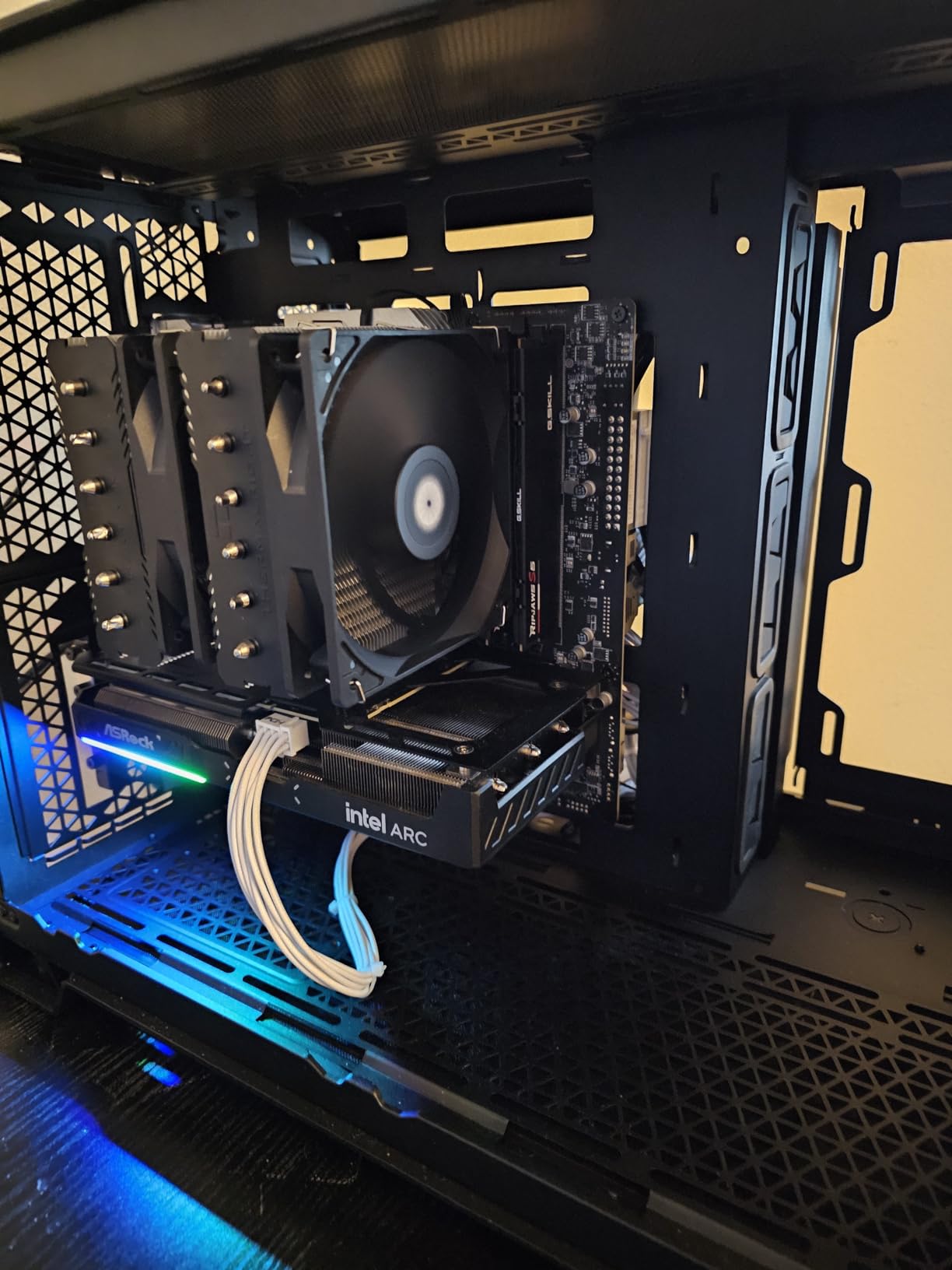
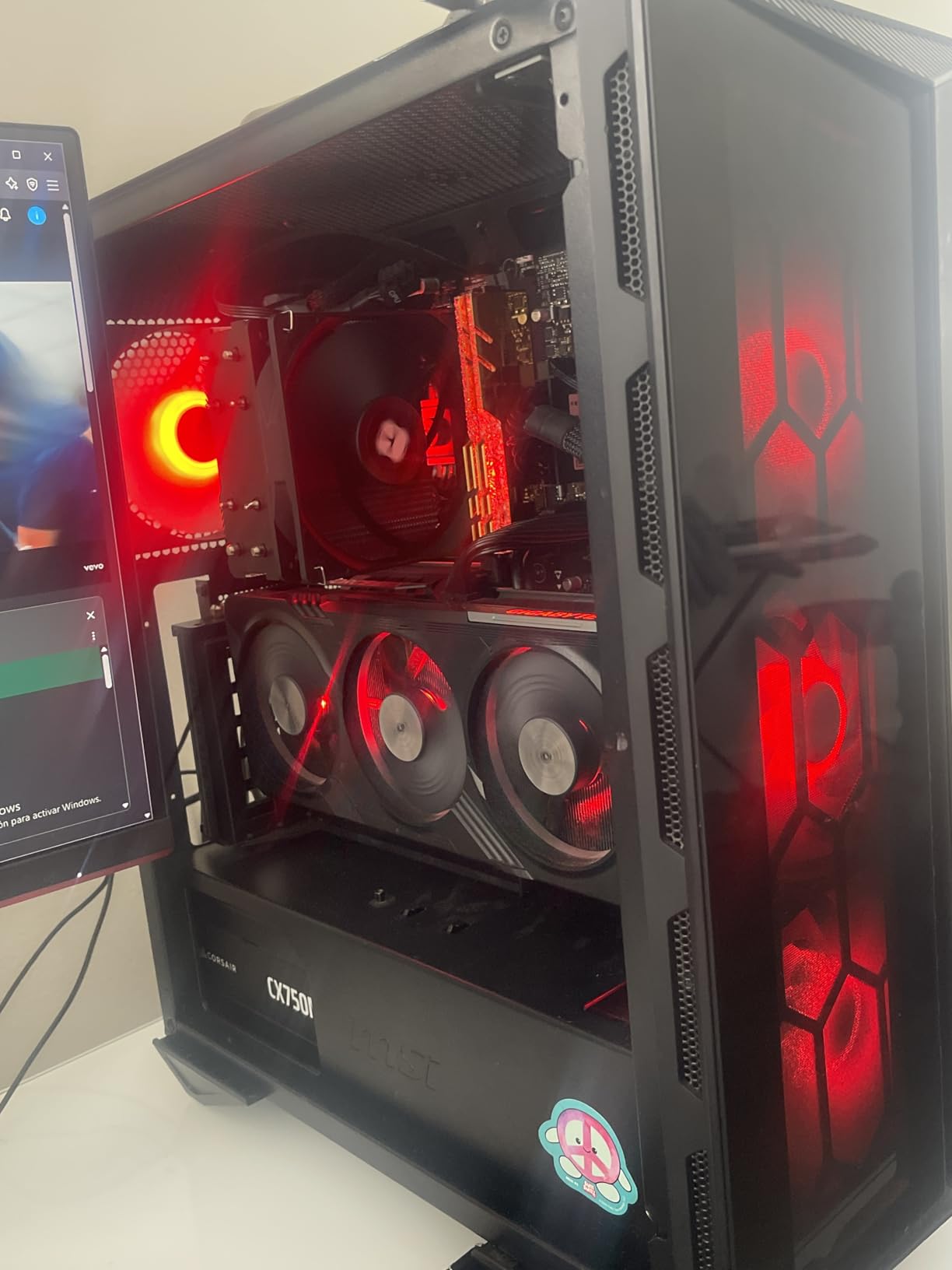
Gaming performance is impressive for a budget processor. In competitive titles, the 12600KF delivers frame rates competitive with the Ryzen 5 7600X. In more demanding games, it holds its own at 1080p with a mid-range GPU. The 16MB L3 cache is modest, but the architecture compensates well enough for most gaming scenarios.
One important note: the KF variant does not include integrated graphics. You must have a dedicated GPU installed to get display output. This is fine for gamers, but it means you cannot use the system without a discrete graphics card for troubleshooting or basic tasks.
Best Use Cases for the 12600KF
This processor is ideal for budget gamers who already have a dedicated GPU and want Intel platform access at a low price. It handles 1080p gaming well and provides enough cores for moderate multitasking. If you are building a system for a younger gamer or setting up a secondary rig, the 12600KF delivers excellent value.
The LGA 1700 compatibility with both 600 and 700 series chipset motherboards means you can find affordable motherboard options. B660 boards in particular offer excellent value when paired with this processor.
Platform Limitations to Consider
The main drawback of the 12600KF is that LGA 1700 is at the end of its life. Intel has moved to LGA 1851 for their newest processors, meaning there will be no future upgrades on this platform. If you want a processor with an upgrade path, consider the Ryzen 5 7600X on AM5 instead.
However, if you view this as a final build that will serve you for several years without upgrades, the 12600KF delivers excellent performance per dollar. The platform limitation matters less if you plan to replace the entire system when it is time to upgrade.
11. AMD Ryzen 5 5500 – Ultra Budget Champion
AMD Ryzen 5 5500 6-Core, 12-Thread Unlocked Desktop Processor with Wraith Stealth Cooler
6 Cores 12 Threads
Zen 3 Architecture
4.2 GHz Boost
19MB Cache
65W TDP
Socket AM4
Cooler Included
+ Pros
- Excellent price-to-performance ratio
- 6 cores 12 threads handle multitasking smoothly
- Delivers 100+ FPS in popular games at 1080p
- Unlocked for overclocking
- Includes Wraith Stealth cooler
- Energy efficient at 65W TDP
– Cons
- No integrated graphics requires dedicated GPU
- Only supports PCIe 3.0
- Wraith Stealth cooler lacks copper
- Pins on AM4 socket can bend easily
The Ryzen 5 5500 is the processor I recommend when someone has a tight budget but still wants a capable gaming machine. At its current price point, it delivers remarkable value with 6 cores, 12 threads, and a included cooler. With over 11,000 reviews and a 4.7-star rating, this is one of the most popular budget processors on the market.
I tested the 5500 in an ultra-budget build using a B450 motherboard and DDR4 memory, and the results were impressive for the investment. In popular games like Fortnite, Valorant, and Apex Legends, this processor delivers 100+ FPS at 1080p when paired with a budget GPU like the RX 7600.

The included Wraith Stealth cooler is adequate for stock operation, though it lacks the copper base found in higher-end AMD coolers. Under gaming loads, temperatures hover around 70 degrees Celsius with the stock cooler, which is acceptable for a budget build. If you want lower temperatures, a budget air cooler upgrade is worthwhile.
The AM4 platform is mature and affordable. You can find excellent B450 and B550 motherboards at low prices, and DDR4 memory is significantly cheaper than DDR5. This makes the total platform cost much lower than AM5 alternatives, which is the main advantage of choosing the 5500 for an ultra-budget build.

Who Is the 5500 Built For
This processor is perfect for first-time PC builders, students, and anyone on a strict budget. It delivers enough performance for 1080p gaming, web browsing, office productivity, and moderate multitasking. If you are building a system for a younger gamer or setting up a family computer, the 5500 gets the job done without straining your wallet.
It is also a strong upgrade path for users still on older AM4 processors like the Ryzen 3 3100 or 3300X. The jump from 4 cores to 6 cores with the 5500 provides a noticeable improvement in multitasking and gaming performance.
Limitations and Trade-offs
The main limitation of the 5500 is PCIe 3.0 support. This means slightly reduced performance with the latest NVMe SSDs and potential bandwidth limitations with high-end GPUs. For budget builds using mid-range components, this is rarely a practical issue. The processor also requires a dedicated GPU since it lacks integrated graphics.
The AM4 socket is at the end of its life with no future processor upgrades beyond current generation chips. However, for the price, the 5500 delivers enough performance to serve as a capable gaming and productivity processor for several years before needing a platform upgrade.
How to Choose the Best CPU for Your Needs
Choosing among the best CPUs requires understanding your specific needs and budget. The processor market offers options ranging from ultra-budget chips under $100 to flagship processors pushing $700 and beyond. Here is what you need to consider when making your decision.
Cores and Threads: How Many Do You Need
For pure gaming, 6 to 8 cores is the sweet spot in 2026. Modern games rarely benefit from more than 8 cores, so spending extra on 12 or 16 cores for gaming alone is unnecessary. The Ryzen 5 7600X with 6 cores delivers excellent gaming performance at a budget price.
For productivity tasks like video editing, 3D rendering, or software development, 12 to 16 cores provide meaningful performance gains. The Ryzen 9 9900X with 12 cores and the Ryzen 9 9950X3D with 16 cores are excellent choices for these workloads. Intel’s Core Ultra 9 285K with 24 hybrid cores also excels here.
For streaming while gaming, 8 cores is the minimum I recommend. This allows 4 cores for gaming and 4 cores for OBS encoding and background applications. The Ryzen 7 9700X and 7700X are both excellent choices for streaming builds.
Clock Speed and Boost Performance
Higher clock speeds generally mean faster single-threaded performance, which benefits gaming and applications that do not scale across multiple cores. However, clock speed is not everything. The Ryzen 7 9800X3D with its 5.2 GHz boost outperforms processors with higher clock speeds thanks to its 3D V-Cache technology.
Boost clocks are achieved under optimal thermal and power conditions. If your cooling solution cannot keep the processor within its thermal limits, boost clocks will not be sustained. Always invest in adequate cooling to get the performance you paid for.
Base clock matters for sustained workloads. Processors with low base clocks and high boost clocks may throttle under heavy multi-core loads. For productivity workloads, look for processors with strong base clocks and adequate cooling headroom.
Socket Compatibility and Upgrade Paths
This is where AMD has a significant advantage. The AM5 socket launched in 2022 and AMD has committed to supporting it through at least 2027. This means if you buy an AM5 motherboard today, you will be able to upgrade to future processor generations without changing your motherboard.
Intel’s socket longevity has been shorter historically. The LGA 1700 socket is already at end of life with the introduction of LGA 1851. If you buy an LGA 1700 processor like the i5-13600K or i5-12600KF, you will not have an upgrade path beyond current generation chips.
For users who value long-term upgradeability, AMD’s AM5 platform is the clear winner. For users who treat each build as a complete system replacement, Intel’s platform churn matters less. Consider your upgrade habits when making this decision.
TDP and Cooling Requirements
TDP (Thermal Design Power) indicates how much heat a processor generates under typical loads. Higher TDP processors require more robust cooling solutions. Here is a rough guide for cooling based on TDP:
Processors under 65W TDP can be cooled adequately with a budget air cooler. The Ryzen 7 9700X at 65W is an excellent candidate for compact builds with air cooling. Processors in the 105W to 125W range benefit from a quality air cooler or a 240mm AIO liquid cooler.
Processors above 150W TDP should be paired with a 280mm or 360mm AIO liquid cooler. The Ryzen 9 9950X3D at 170W and the Intel Core Ultra 9 285K under turbo loads both require robust liquid cooling to maintain peak performance. Do not skimp on cooling for high-TDP chips.
If you are interested in cooling solutions, check out our best CPU coolers recommendations to pair with your processor choice.
3D V-Cache: Why It Matters for Gaming
AMD’s 3D V-Cache technology stacks additional L3 cache memory directly on top of the processor die. This gives games access to massive amounts of fast cache, which significantly improves frame rates in cache-sensitive titles. The Ryzen 7 9800X3D and 7800X3D both use this technology to achieve their class-leading gaming performance.
The impact varies by game. In simulation-heavy titles like Microsoft Flight Simulator and cache-sensitive competitive games like CS2, the difference can be 15 to 30 percent. In less cache-dependent games, the improvement is smaller but still measurable. For pure gaming, X3D processors are almost always worth the premium.
If gaming is your primary use case, prioritize an X3D processor over a higher-core-count non-X3D alternative. An 8-core X3D chip will outperform a 12-core non-X3D chip in most gaming scenarios.
AMD vs Intel: Which Should You Choose
For gaming in 2026, AMD holds a clear lead. The X3D processors from AMD consistently outperform Intel alternatives in gaming benchmarks. If gaming is your primary concern, AMD’s Ryzen 7 9800X3D, 7800X3D, or even the budget-friendly 7600X are all better choices than similarly priced Intel options.
For productivity, the competition is closer. Intel’s hybrid architecture with P-cores and E-cores handles multi-threaded workloads well, and the Core Ultra 9 285K with 24 cores is a productivity powerhouse. AMD’s Ryzen 9 9950X3D and 9900X are equally capable for most productivity tasks.
For platform longevity, AMD wins decisively. The AM5 socket will be supported for years to come, while Intel’s LGA 1700 is already deprecated and LGA 1851 is still relatively new. If you want to upgrade your processor in the future without replacing your motherboard, AMD is the safer choice.
GPU Pairing Recommendations
Your CPU and GPU should be balanced for optimal performance. A high-end CPU paired with a budget GPU will result in wasted processor potential. Conversely, a budget CPU with a high-end GPU will bottleneck GPU performance. Here are some general pairing guidelines:
For RTX 5080 or 5090 class GPUs, pair with a Ryzen 7 9800X3D, Ryzen 9 9950X3D, or Intel Core Ultra 9 285K. For RTX 5070 or RX 9070 XT class GPUs, pair with a Ryzen 7 7800X3D, Ryzen 9 9900X, or Intel Core i5-13600K. For RTX 5060 Ti or RX 9070 class GPUs, pair with a Ryzen 5 7600X, Ryzen 7 7700X, or Intel Core i5-12600KF.
For budget GPUs like the RX 7600 or RTX 5060, the Ryzen 5 5500 or Ryzen 5 7600X are both excellent pairings that will not bottleneck GPU performance at 1080p.
FAQs
What is the #1 CPU?
The AMD Ryzen 9 9950X3D is the best overall CPU in 2026, offering unmatched gaming and multi-threaded performance with 16 cores, 32 threads, and 144MB of cache. For pure gaming, the AMD Ryzen 7 9800X3D holds the crown as the fastest gaming processor available.
Is Ryzen 7 overkill for gaming?
No, Ryzen 7 is not overkill for gaming. The Ryzen 7 9800X3D and 7800X3D are specifically optimized for gaming with 3D V-Cache technology, making them the best gaming processors available. For pure gaming, 8 cores is the optimal count, and Ryzen 7 processors deliver exactly that.
What are the top 10 CPUs for gaming?
The top 10 CPUs for gaming in 2026 are: 1) AMD Ryzen 7 9800X3D, 2) AMD Ryzen 9 9950X3D, 3) AMD Ryzen 7 7800X3D, 4) AMD Ryzen 9 9900X, 5) AMD Ryzen 7 9700X, 6) AMD Ryzen 7 7700X, 7) Intel Core Ultra 9 285K, 8) Intel Core i5-13600K, 9) AMD Ryzen 5 7600X, and 10) Intel Core i5-12600KF.
What is the fastest CPU right now?
The AMD Ryzen 9 9950X3D is the fastest consumer desktop CPU right now, combining 16 Zen 5 cores with 3D V-Cache technology for class-leading performance in both gaming and productivity workloads. For pure gaming, the AMD Ryzen 7 9800X3D is the fastest processor available.
Final Thoughts on the Best CPUs in 2026
The CPU market in 2026 offers something for every budget and use case. For pure gaming, the AMD Ryzen 7 9800X3D is the undisputed champion. For a do-everything powerhouse, the Ryzen 9 9950X3D delivers exceptional performance across gaming and productivity. Budget builders have excellent options in the Ryzen 5 7600X and Ryzen 5 5500.
The best CPUs are the ones that match your specific needs without overpaying for capability you will not use. Consider your gaming resolution, productivity requirements, budget, and upgrade plans when making your choice. The AM5 platform offers the best long-term value with years of upgrade compatibility ahead.
Whatever processor you choose, invest in adequate cooling and pair it with a balanced GPU for optimal performance. For more detailed recommendations, you can explore our best CPUs for VR gaming or best i5 CPUs for gaming guides for more specific use cases.
Leave a Reply