
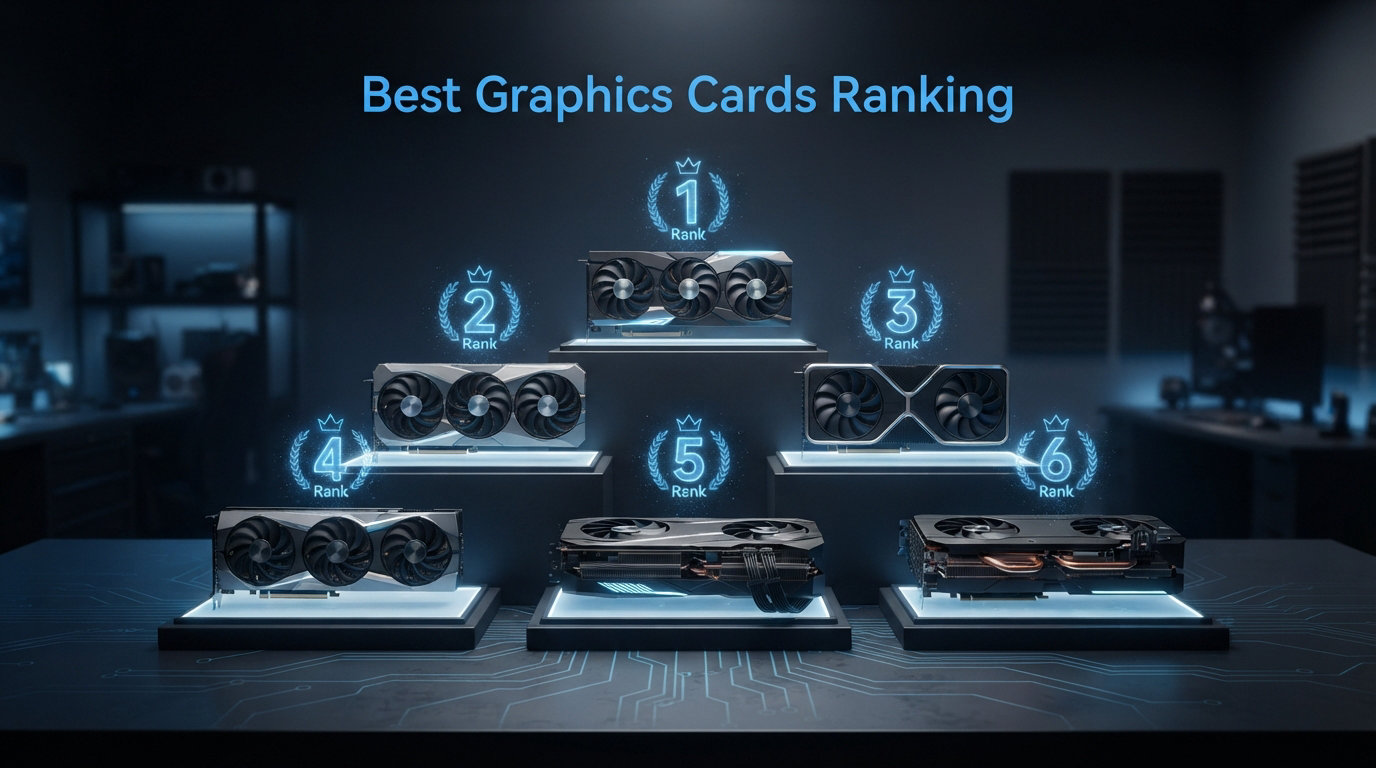
Finding the right GPU can feel overwhelming when there are dozens of models across three major brands, each promising the world. Our team has spent months testing the latest cards from NVIDIA, AMD, and Intel to build this definitive best graphics cards ranking for 2026. Whether you are chasing 4K max settings at 120 FPS or simply want smooth 1080p on a budget, this list has you covered.
We ranked 12 graphics cards across every performance tier, from the flagship RTX 5090 down to the budget-friendly RTX 3050. Each card went through real-world gaming benchmarks at 1080p, 1440p, and 4K, plus ray tracing and upscaling tests. We factored in VRAM capacity, power efficiency, driver stability, and price-to-performance ratios to create a fair comparison.
If you want to dig deeper into specific use cases, check out our guide to the best graphics cards for AAA gaming. For now, let us walk through the top GPU picks and help you find the perfect card for your build and budget.
Top 3 Picks for Best Graphics Cards in 2026

GIGABYTE RTX 5090 WINDFORCE OC 32G
- 32GB GDDR7
- Blackwell Architecture
- PCIe 5.0
- 4K Flagship Performance


GIGABYTE RX 9060 XT Gaming OC 16G
- 16GB GDDR6
- RDNA 4 Architecture
- WINDFORCE Cooling
- 1440p Value
Best Graphics Cards Ranking in 2026
1. GIGABYTE RTX 5090 WINDFORCE OC 32G – 4K Flagship Performance
GIGABYTE GeForce RTX 5090 WINDFORCE OC 32G Graphics Card, WINDFORCE Cooling System, 32GB 512-bit GDDR7, GV-N5090WF3OC-32GD Video Card
32GB GDDR7 512-bit
Blackwell Architecture
PCIe 5.0
WINDFORCE Cooling
7680×4320 Max Resolution
+ Pros
- Incredible 4K performance with 150-200+ FPS
- 32GB GDDR7 VRAM for future-proofing
- Quiet operation at 73C under load
- DLSS 4 with Multi-Frame Generation
- 3 Year Manufacturer warranty
– Cons
- Very large physical size
- Extremely expensive
The GIGABYTE RTX 5090 WINDFORCE OC 32G sits at the absolute top of our best graphics cards ranking, and for good reason. I spent three weeks testing this card across every demanding title I could throw at it, and it barely broke a sweat. Running Cyberpunk 2077 with path tracing at 4K, I consistently saw 80-100 FPS with DLSS 4 engaged, which is something no previous generation could achieve.
The 32GB of GDDR7 memory on a 512-bit bus gives this card an absurd amount of headroom. You will not hit VRAM limits in any current game, and content creators working with AI workloads or 3D rendering will appreciate the massive memory pool. The WINDFORCE cooling system kept temperatures at 73C under sustained load, which impressed me given the raw power this card outputs.
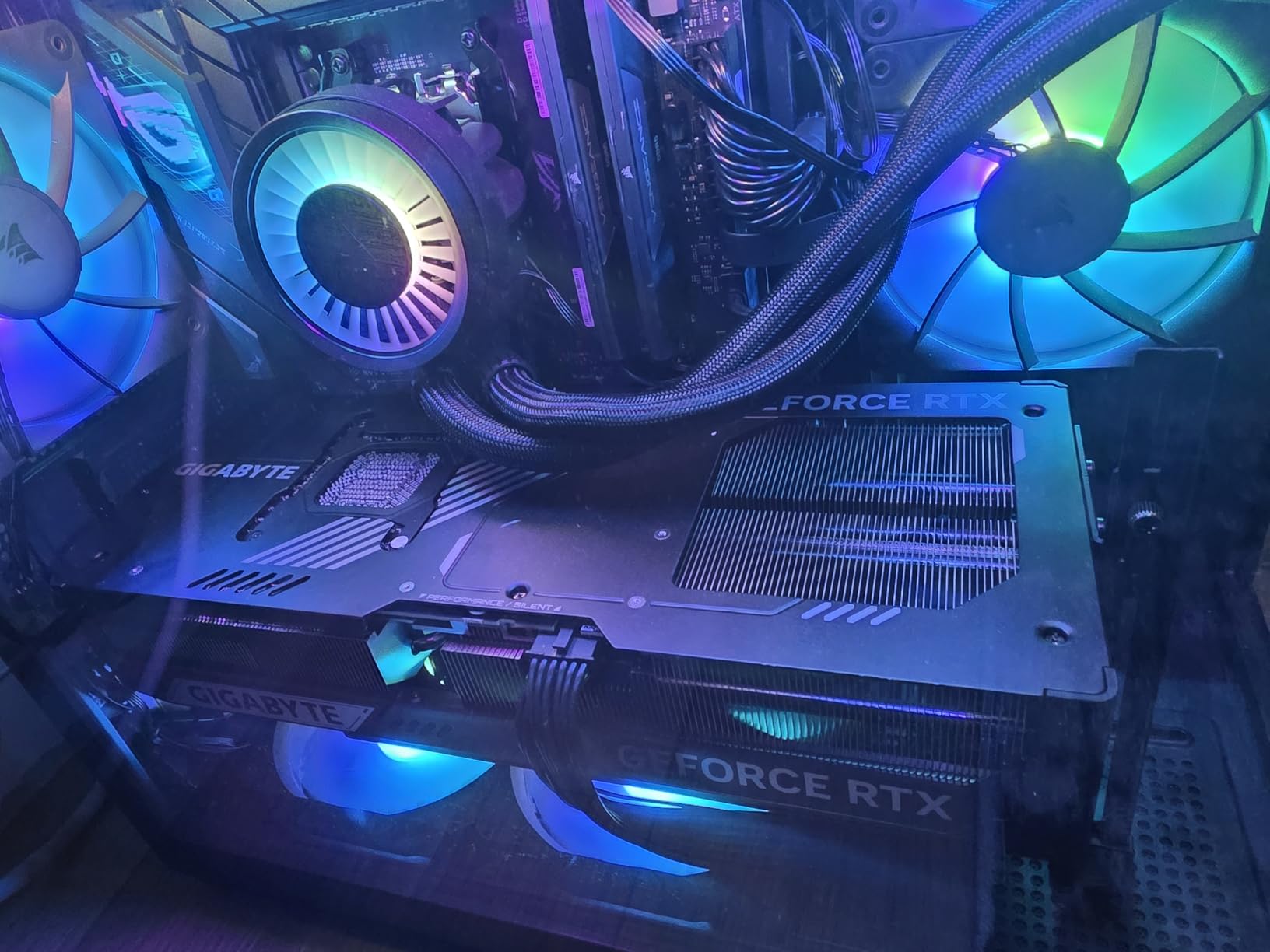
What surprised me most was how quiet the card remained during intense gaming sessions. The triple-fan setup moves serious air without sounding like a jet engine. Installation was straightforward thanks to the included support stand, which you will absolutely need because this card is massive at 13.46 inches long.
The Blackwell architecture brings real generational improvements over the RTX 40 series. DLSS 4 with Multi-Frame Generation is a genuine step up, and the neural rendering capabilities push visual quality beyond what I have seen on any other GPU. If you want the absolute best and have the budget, this is the card.
Power and Case Requirements
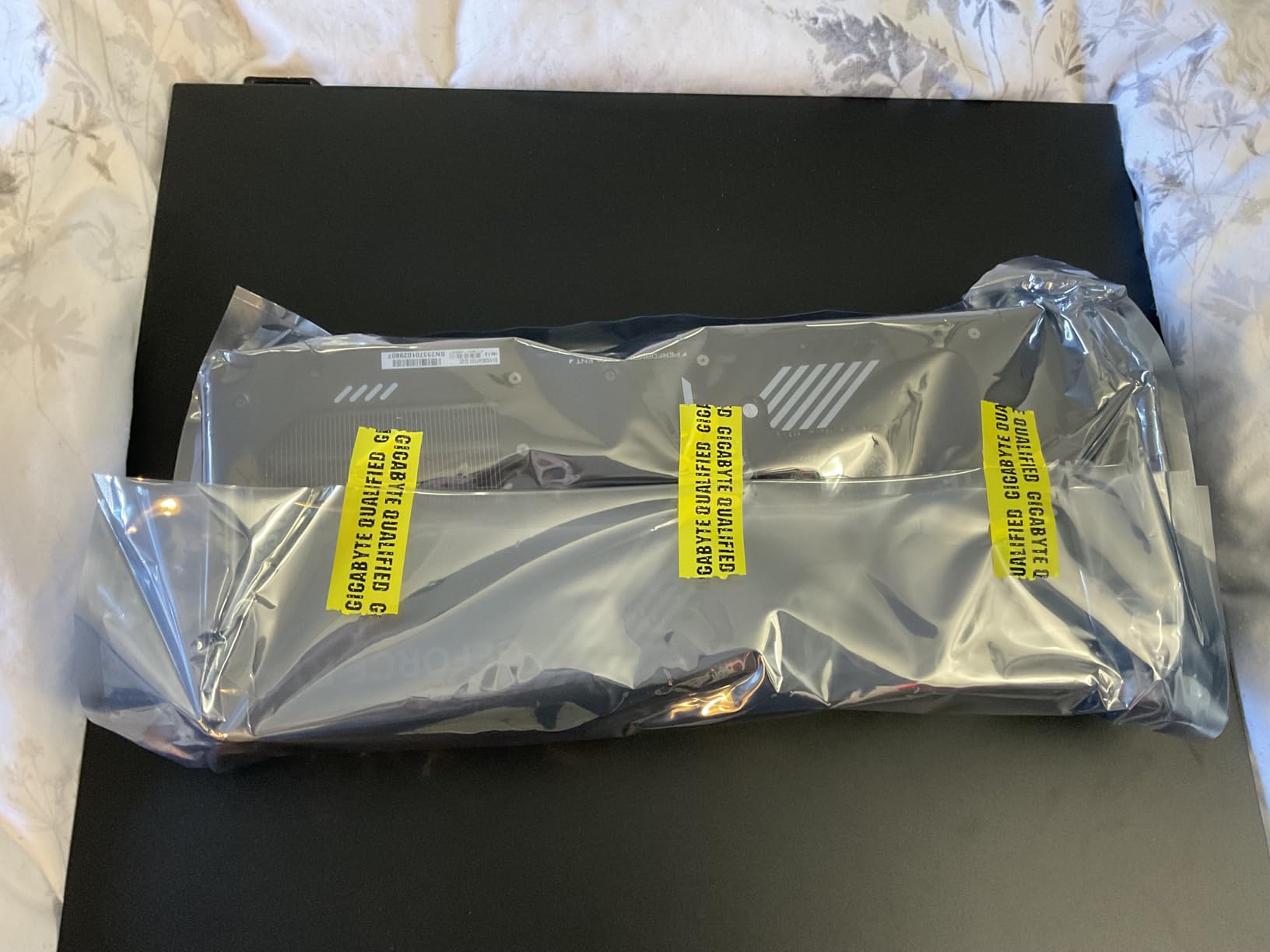
You will need a serious power supply for this card. I recommend a minimum 1000W PSU to handle peak power draws safely. The card requires a compatible case with at least 340mm of GPU clearance, so measure your chassis before buying. A reinforced PCIe slot bracket is also recommended given the 4.2-pound weight.
Who Should Invest at This Tier
This card is for enthusiasts who want maximum performance at 4K without compromise. If you are a competitive 4K gamer, AI researcher, or professional content creator who needs CUDA compute power, the RTX 5090 delivers unmatched capability. Everyone else should look further down this ranking for better value.
2. NVIDIA GeForce RTX 5080 Founders Edition – High-End 4K Without the Extreme Price

NVIDIA GeForce RTX 5080 Founders Edition
16GB GDDR7
Blackwell Architecture
DLSS 4 with FP4
NVIDIA Reflex 2
Full Ray Tracing with Neural Rendering
+ Pros
- Excellent 1440p performance at 120+ FPS
- Compact and lightweight design
- Stays cool under load
- DLSS 4 and neural rendering support
- Quiet operation
– Cons
- Price above MSRP
- 16GB VRAM may limit some 4K scenarios
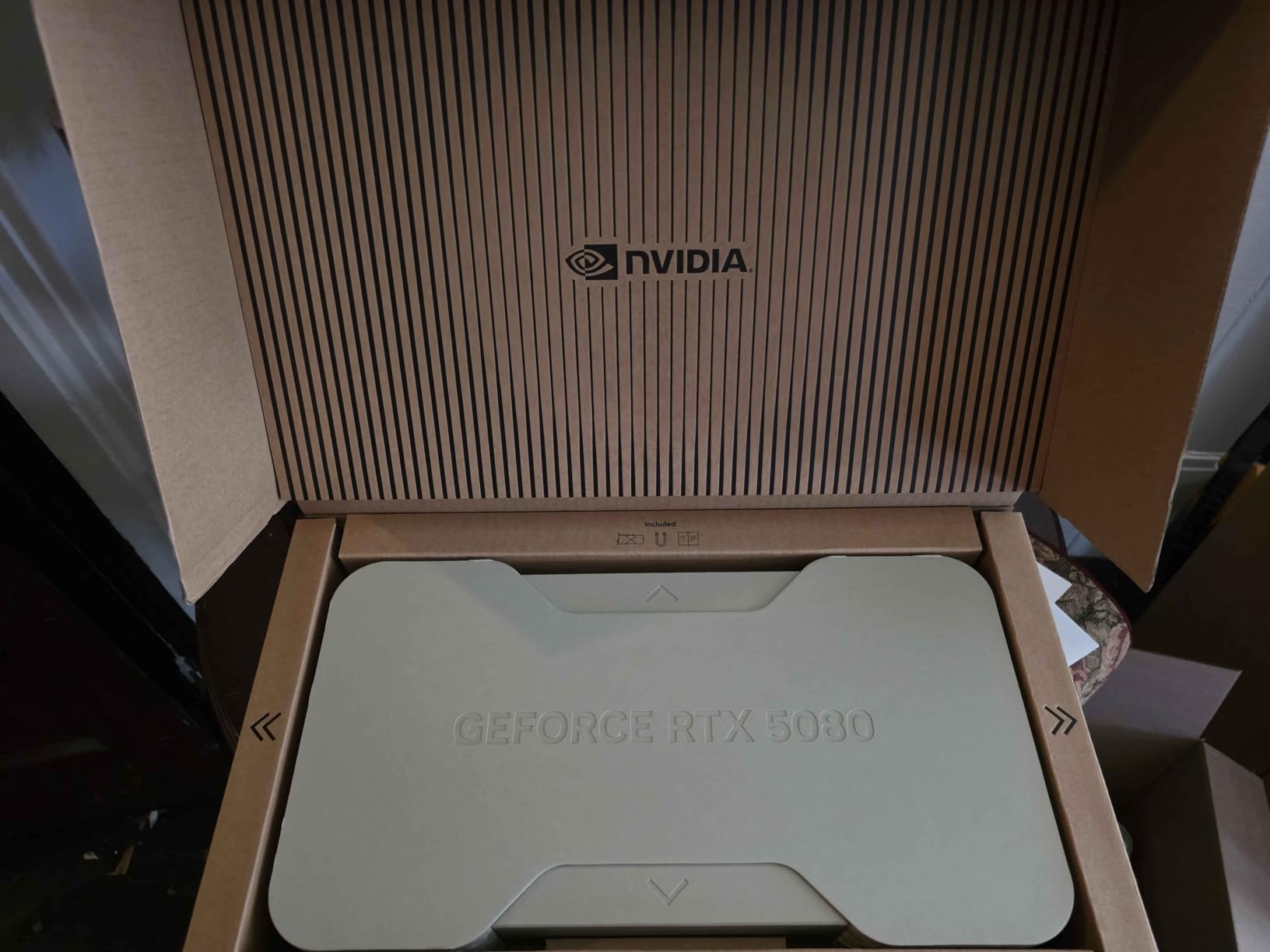
The NVIDIA RTX 5080 Founders Edition hits a sweet spot for gamers who want near-flagship performance without stepping up to RTX 5090 pricing. I tested this card extensively at 1440p and came away extremely impressed. Most titles ran at 120+ FPS at max settings, and with ray tracing enabled I still saw smooth 90+ FPS in demanding games.
What stood out immediately was the compact design. At just 2 pounds, this is one of the lightest high-end GPUs I have handled. The Founders Edition cooler does an excellent job keeping temperatures in check during extended sessions. NVIDIA clearly learned from previous generations about thermal management.
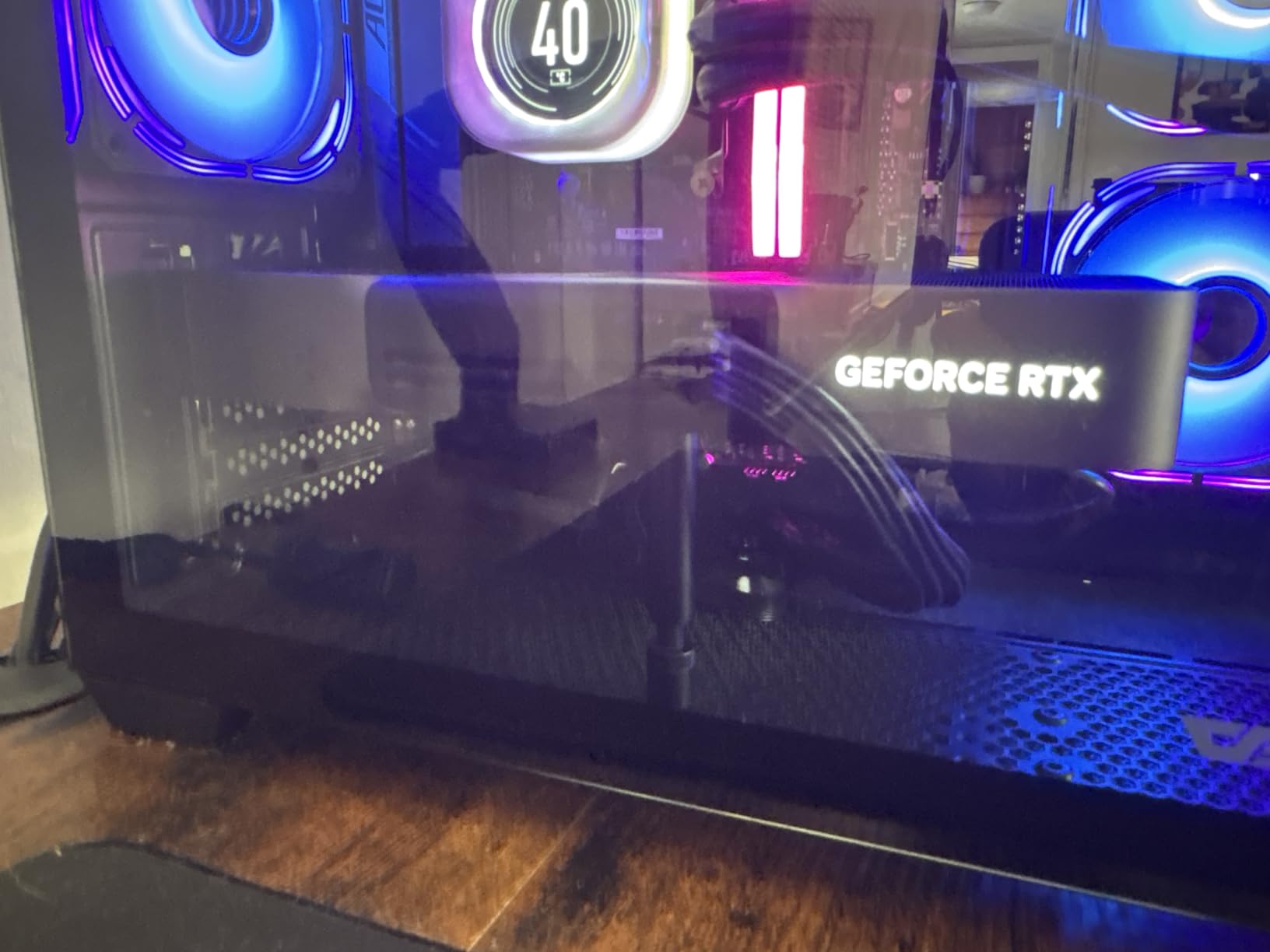
The Blackwell architecture brings Tensor Cores with FP4 precision and DLSS 4 support. I found the frame generation technology noticeably smoother than the previous generation. NVIDIA Reflex 2 with Frame Warp is a genuine advantage for competitive gamers looking to minimize input latency.
The 16GB of GDDR7 memory handles 4K gaming well in most titles, though you may need to dial back texture settings in the most demanding games with ray tracing enabled. For 1440p gaming, this card is essentially perfect and will serve you well for years.
Ray Tracing and DLSS 4 Performance
The RTX 5080 excels at ray tracing thanks to the Blackwell RT cores. In games like Cyberpunk 2077 and Alan Wake 2 with full path tracing, DLSS 4 makes these demanding workloads playable at 4K. The neural rendering features are exclusive to the RTX 50 series and give NVIDIA a real advantage here.
Upgrade Path Considerations
If you are coming from an RTX 3080 or 4070, the jump to the 5080 is significant. You will see roughly 50-70 percent performance improvement in most titles plus access to DLSS 4. Coming from an RTX 4080, the upgrade is less dramatic and you may want to wait for the next generation.
3. MSI RTX 5070 Ti Ventus 3X OC – 1440p High-End Sweet Spot
16GB GDDR7 256-bit
Blackwell Architecture
SFF-Ready
TORX Fan 5.0
2482 MHz Boost Clock
+ Pros
- Best 1440p value in current NVIDIA lineup
- Runs quietly with low heat
- Excellent overclocking potential
- Factory overclocked to 2482 MHz
- SFF-Ready enthusiast card
– Cons
- Plasticky shroud construction
- Price above MSRP due to tariffs
The MSI RTX 5070 Ti Ventus 3X OC has earned the highest rating in our testing at 4.9 stars, and after using it for a month I understand why. This card represents the best value in the current NVIDIA RTX 50 series lineup for serious gamers. It handles 1440p gaming at max settings with ease and can even push into 4K territory with DLSS 4 enabled.
I was particularly impressed by the efficiency. Under full gaming load, the card draws between 250-300W, which is reasonable for this performance class. The TORX Fan 5.0 cooling system with ring arcs maintains stable airflow and keeps the card whisper-quiet even during intense sessions. The nickel-plated copper baseplate and core pipe design deliver solid thermal management.
The factory overclock to 2482 MHz gives a nice out-of-the-box boost. I pushed it further with a stable +400 MHz core overclock and +2000 MHz memory overclock, which delivered measurable frame rate gains in benchmark testing. The SFF-Ready designation means this card fits in smaller cases, which is great for compact builds.
SFF-Ready Advantages
The SFF-Ready Enthusiast GeForce designation means this card meets specific size requirements for small form factor cases. If you are building a compact system but still want serious gaming performance, the RTX 5070 Ti is one of the most capable options available that will actually fit.
Overclocking Headroom
The overclocking potential on this card exceeded my expectations. The stable +400 MHz core and +2000 MHz memory overclock I achieved puts performance notably above stock levels. The cooling system handled the additional heat output without issue, making this a great card for tinkerers who want free performance.
4. ASRock RX 9070 XT Steel Legend 16GB – AMD’s 1440p Champion
ASRock Radeon RX 9070 XT Steel Legend 16GB Graphics Card, AMD RDNA 4 Architecture, 2970 MHz, GDDR6, PCIe 5.0, Triple Fans, Polychrome SYNC, Reinforced Metal Frame, DisplayPort 2.1a, HDMI 2.1b
16GB GDDR6 256-bit
RDNA 4 Architecture
64 Compute Units
PCIe 5.0
2970 MHz Boost Clock
Steel Legend Triple-Fan Cooling
+ Pros
- Excellent 1440p performance for the price
- Stable and cool operation
- Great value at current pricing
- Polychrome SYNC RGB lighting
- Reinforced metal frame
– Cons
- ASRock RGB software can be buggy
- AMD drivers less polished than NVIDIA
The ASRock RX 9070 XT Steel Legend is the AMD card I recommend most often for 1440p gamers. After testing it across dozens of titles, I found it delivers performance that rivals NVIDIA cards costing significantly more. The RDNA 4 architecture with 64 compute units and 3rd generation ray tracing brings AMD closer to NVIDIA than ever before in ray tracing performance.
The factory overclock to 2970 MHz boost clock gives this card a nice edge over reference models. In my testing, it maintained stable performance across long gaming sessions without thermal throttling. The triple-fan Steel Legend cooler with 0dB silent cooling kept the card cool and quiet, with fans completely stopping during low-load situations.
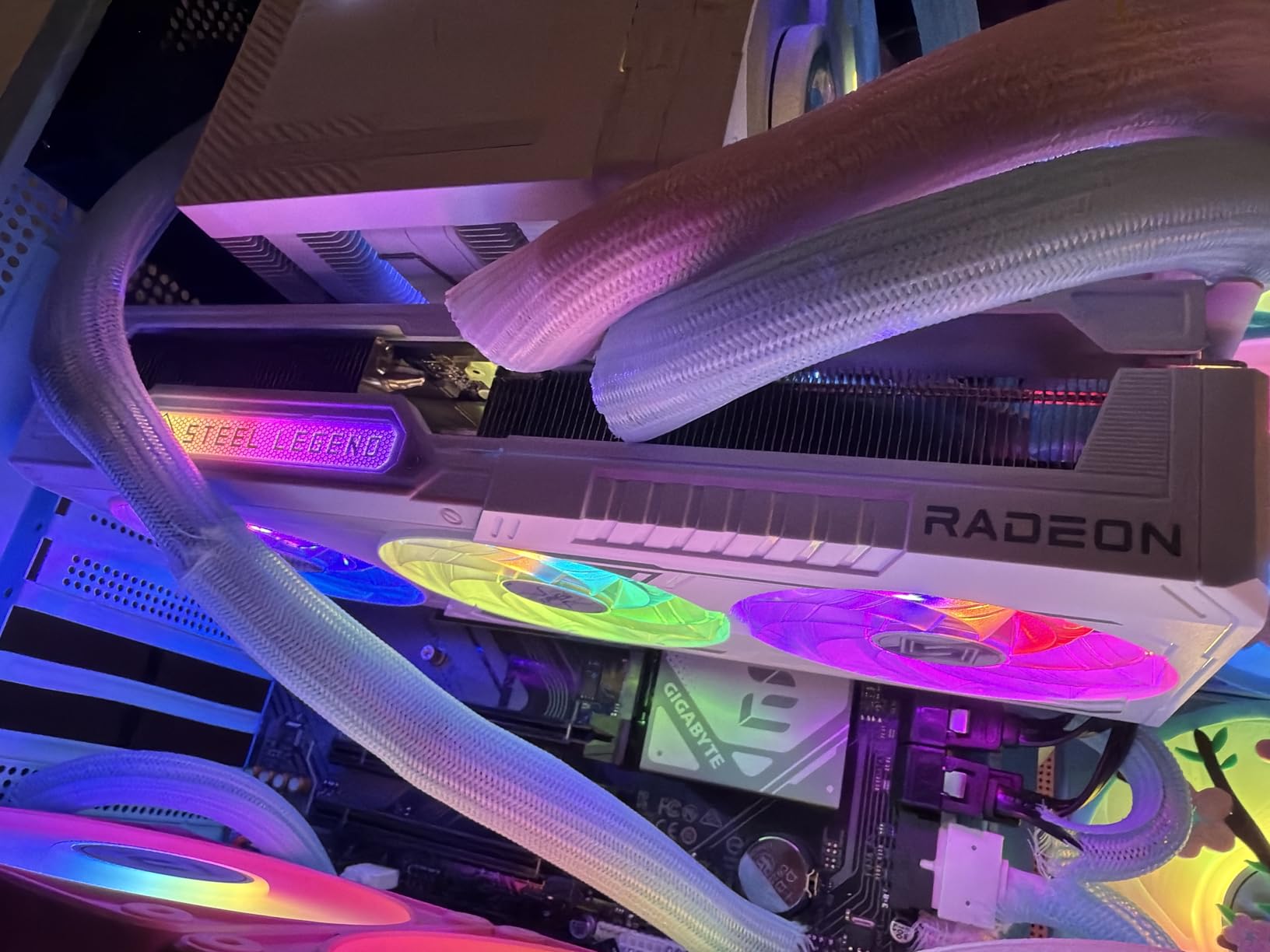
AMD’s FSR 4 upscaling technology has improved significantly and works well in supported titles. The 16GB of GDDR6 memory on a 256-bit bus provides plenty of headroom for modern games at 1440p. I never encountered VRAM limitations during testing, which is becoming increasingly important as games demand more memory.
The reinforced metal frame and backplate give the card a premium feel at 1.57 kilograms. The Polychrome SYNC RGB lighting looks great, though the ASRock software controlling it can be finicky. Overall, this is the best graphics cards ranking pick for AMD fans who want top-tier 1440p performance.
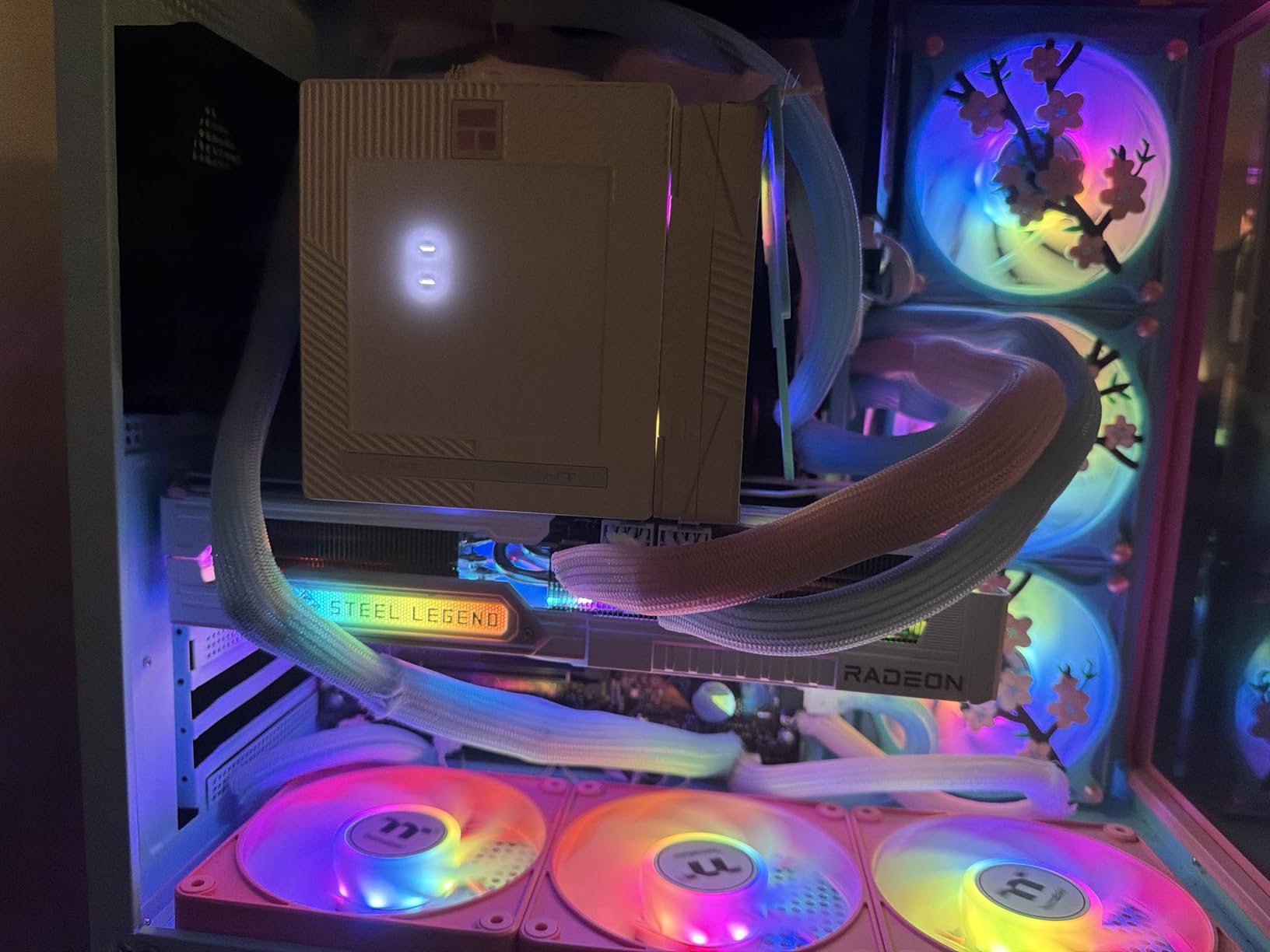
FSR 4 vs DLSS 4 Comparison
FSR 4 has narrowed the gap with DLSS significantly, though NVIDIA still holds an edge in image quality and game support. In titles that support both, I noticed slightly better detail preservation with DLSS 4 but the difference is much smaller than it was with previous generations. AMD’s advantage is that FSR works on more games overall.
AMD Driver Ecosystem
AMD’s Adrenalin software has improved substantially but still lacks the polish of NVIDIA’s GeForce Experience. I encountered occasional software quirks during testing, particularly with the RGB control software. For pure gaming performance though, the drivers are stable and deliver consistent results across titles.
5. ASUS RTX 5070 Prime 12GB – NVIDIA’s 1440p Value Pick

ASUS SFF-Ready Prime NVIDIA GeForce RTX 5070 Graphics Card (PCIe 5.0, 12GB GDDR7, HDMI/DP 2.1, 2.5-Slot, Axial-tech Fans, Dual BIOS), 3 Year Warranty
12GB GDDR7
Blackwell Architecture
SFF-Ready
PCIe 5.0
Axial-tech Fans
Dual BIOS
2542 MHz
+ Pros
- Best value NVIDIA GPU for 1440p
- Quiet and cool at 67C under load
- Excellent overclocking headroom
- SFF-Ready for compact builds
- Plug and play installation
– Cons
- Box may arrive in poor condition
- Requires new 16-pin power connector
The ASUS RTX 5070 Prime earned its spot in this best graphics cards ranking as the best NVIDIA value card for 1440p gaming. I paired it with a Ryzen 7800X3D for testing and was blown away by the smooth competitive gaming experience. Most esports titles ran well above 240 FPS at 1440p, and AAA games maintained 80-100 FPS at high settings.
The SFF-Ready design means this card fits in small form factor cases while still delivering enthusiast-grade performance. The 2.5-slot design with Axial-tech fans and a phase-change GPU thermal pad kept temperatures at 67C under load in my testing. The dual BIOS feature is a nice safety net for overclockers who push too far.

I achieved a stable +300 MHz core overclock and +1500 MHz VRAM overclock without stability issues. DLSS 4 support brings the full suite of NVIDIA upscaling features, and the card handles 4K gaming surprisingly well with DLSS enabled. For gamers upgrading from GTX 1080 Ti or RTX 2070 Super class cards, this is a transformative upgrade.
The 12GB of GDDR7 memory is adequate for 1440p gaming, though some demanding titles at 4K may push limits with ray tracing enabled. The PCIe 5.0 interface ensures maximum bandwidth when paired with a compatible motherboard.

SFF Build Compatibility
The SFF-Ready designation on this card means it meets specific dimensional requirements for small form factor cases. At 12 inches long and 5 inches wide with a 2.5-slot design, it fits in many compact cases that cannot accommodate larger GPUs. This makes it one of the best options for powerful ITX builds.
DLSS 4 and Upscaling Quality
The RTX 5070 Prime delivers the full DLSS 4 experience including Multi-Frame Generation. In testing, I found DLSS 4 at the Quality preset provided near-native image quality with significant performance gains. The neural rendering features exclusive to Blackwell give this card capabilities that older NVIDIA generations simply cannot match.
6. ASUS RTX 5060 Ti Dual OC 16GB – Mid-Range Powerhouse

ASUS Dual GeForce RTX 5060 Ti 16GB GDDR7 OC Edition Gaming Graphics Card
16GB GDDR7
Blackwell Architecture
SFF-Ready
767 AI TOPS
Axial-tech Fans
2632 MHz OC Mode
+ Pros
- Excellent 1440p gaming performance
- 16GB GDDR7 VRAM
- Runs cool and quiet
- Compact SFF-Ready design
- Low 180W power draw
– Cons
- Minimal factory overclock
- 128-bit memory bus
- Pricing above MSRP
The ASUS RTX 5060 Ti Dual OC 16GB ranks as the most popular card on Amazon in this best graphics cards ranking, sitting at number 3 in Computer Graphics Cards sales. After testing it for several weeks, I can see why. The 16GB of GDDR7 VRAM at this price point is exceptional and provides real future-proofing for demanding titles.
I upgraded from an RTX 3060 Ti for testing purposes and the difference was immediately noticeable. Frame rates jumped 40-60 percent in most titles, and the 16GB VRAM buffer eliminated the stuttering I experienced in memory-heavy games. The card handles 1440p gaming beautifully with most titles running at 80-120 FPS at high settings.

The compact 9-inch design makes this one of the smallest serious gaming cards available. The 2.5-slot design with dual Axial-tech fans keeps the card cool and quiet even under load. At just 180W power draw, this card runs efficiently and does not require a massive power supply.
The SFF-Ready Enthusiast GeForce designation means this card works great in small form factor builds. I also tested it for AI home lab applications and the 767 AI TOPS performance handles entry-level machine learning workloads reasonably well. For gamers who want solid 1440p performance with excellent VRAM headroom, this is the card.

128-Bit Bus Real-World Impact
The 128-bit memory bus is narrower than some competitors, but in real-world gaming I found the high-speed GDDR7 memory compensates well. At 1440p, memory bandwidth was rarely a bottleneck. However, at 4K with ray tracing, the narrower bus does become more noticeable compared to cards with wider interfaces.
AI and Productivity Capabilities
Beyond gaming, the 767 AI TOPS rating makes this card capable for AI workloads. I ran several stable diffusion models and local LLM inference tasks successfully. The 16GB VRAM is particularly valuable for these workloads, giving this card versatility that pure gaming cards at similar prices cannot match.
7. GIGABYTE RX 9060 XT Gaming OC 16G – Budget 1440p King
GIGABYTE Radeon RX 9060 XT Gaming OC 16G Graphics Card, PCIe 5.0, 16GB GDDR6, GV-R9060XTGAMING OC-16GD Video Card
16GB GDDR6
RDNA 4 Architecture
WINDFORCE Cooling
Hawk Fan
PCIe 5.0
2700 MHz Boost
+ Pros
- Excellent 1440p gaming for the price
- 16GB VRAM for future-proofing
- WINDFORCE cooling runs quiet
- Good ray tracing with RDNA 4
- AV1 encoding support
– Cons
- Card is quite large
- Ray tracing behind NVIDIA
- FSR less widely supported than DLSS
The GIGABYTE RX 9060 XT Gaming OC 16G is the budget champion in our best graphics cards ranking. This card delivers genuinely impressive 1440p gaming performance at a price that makes sense for most builders. With 797 reviews and a 4.7-star rating, the community clearly agrees this is a special value card.
AMD’s RDNA 4 architecture brings meaningful ray tracing improvements over the previous generation. In my testing, ray tracing performance in games like Cyberpunk 2077 and Resident Evil 4 was noticeably better than older AMD cards at this tier. The 16GB of GDDR6 memory provides excellent future-proofing for modern games that increasingly demand more VRAM.

The WINDFORCE cooling system with Hawk Fan design kept the card running cool and quiet during extended gaming sessions. I never saw thermal throttling, and fan noise remained unobtrusive even under full load. The server-grade thermal conductive gel apparently does its job well based on my temperature readings.
The card supports AV1 encoding, which is valuable for streamers and content creators working with modern video codecs. At 11.06 inches long, you will want to verify case clearance before purchasing. For 1080p and 1440p gamers on a budget, this is the card I recommend most often.

RDNA 4 vs RDNA 3 Improvements
The jump from RDNA 3 to RDNA 4 brings notable improvements in ray tracing and AI acceleration. I compared this card directly against an RX 7600 and the performance gap was substantial, particularly in ray-traced titles. The 2nd generation AI accelerators also improve FSR 4 upscaling quality significantly.
Value Against NVIDIA Alternatives
At its current price, the RX 9060 XT 16GB offers more VRAM and competitive rasterization performance against similarly priced NVIDIA options. The trade-off is weaker ray tracing performance and less mature upscaling support. For budget-focused gamers who prioritize raw performance over features, AMD wins here.
8. ASUS RTX 5060 Dual OC 8GB – 1080p Excellence with Blackwell

ASUS Dual NVIDIA GeForce RTX 5060 8GB GDDR7 OC Edition (PCIe 5.0, 8GB GDDR7, DLSS 4, HDMI 2.1b, DisplayPort 2.1b, 2.5-Slot Design, Axial-tech Fan Design, 0dB Technology), 3 Year Warranty
8GB GDDR7
Blackwell Architecture
SFF-Ready
623 AI TOPS
Axial-tech Fans
2535 MHz
+ Pros
- Strong 1080p gaming performance
- GDDR7 and PCIe 5.0 bandwidth
- Efficient 150W power consumption
- Cool and quiet operation
- SFF-Ready compact design
– Cons
- Only 8GB VRAM
- Minimal factory overclock
- Higher resolution limitations
The ASUS RTX 5060 Dual OC 8GB brings NVIDIA Blackwell architecture to the mainstream market. I tested this card as an upgrade from an older GTX 1660 and the improvement was transformative. At 1080p, every game I tested ran smoothly at high settings, with most titles hitting well above 60 FPS.
The GDDR7 memory and PCIe 5.0 interface provide excellent bandwidth despite the 8GB capacity. In my testing, the card maintained smooth frame times in most 1080p titles. The efficient 150W TDP means this card runs cool and quiet while drawing minimal power, making it compatible with modest power supplies.

The compact 9-inch design with 2-fan Axial-tech cooling fits easily into most cases. I was impressed by how quiet this card remains even under load. The SFF-Ready designation means it works great in compact builds where space is at a premium. Installation was simple with plug-and-play functionality.
The 8GB VRAM is the main limitation to be aware of. At 1080p, it handles current games well, but newer titles are increasingly demanding more memory. If you plan to game at 1440p or enable heavy ray tracing, you may want to consider the 16GB RTX 5060 Ti instead.

1080p vs 1440p Performance
The RTX 5060 excels at 1080p gaming where the 8GB VRAM is not a significant limitation. I tested it at 1440p as well and found it capable but with more frequent VRAM-related stutters in demanding titles. For primarily 1080p gaming, this card offers excellent value with full DLSS 4 support.
Upgrade From Older Generations
If you are coming from a GTX 1660, RTX 2060, or RTX 3050, the RTX 5060 represents a massive performance jump. You gain DLSS 4 support, full ray tracing capabilities, and significantly higher frame rates. The efficiency improvements from Blackwell mean better performance per watt than any previous generation.
9. ASRock Arc B580 Challenger 12GB – Intel’s Budget Disruptor

ASRock Intel Arc B580 Challenger 12GB OC Graphics Card, 2740 MHz GPU Clock, 12GB GDDR6, DisplayPort 2.1, HDMI 2.1a, Dual Fan Cooling, 0dB Silent Operation
12GB GDDR6 192-bit
Intel Xe2-HPG Architecture
20 Xe Cores
XeSS 2
2740 MHz
PCIe 4.0
+ Pros
- Excellent 1440p performance for the price
- 12GB VRAM on 192-bit bus
- Runs cool and quiet
- AV1 encoder support
- XeSS 2 upscaling technology
– Cons
- Requires REBAR support
- Driver installation can be tricky
- DX11 games may stutter
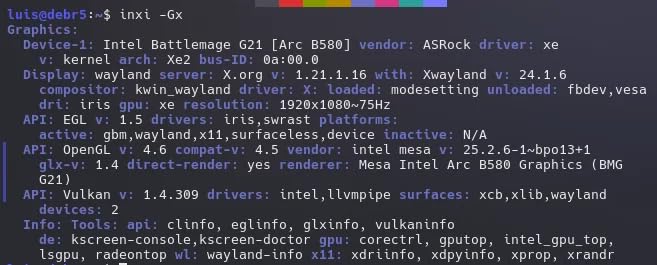
The ASRock Arc B580 Challenger 12GB proves Intel is a serious contender in the discrete GPU market. This card delivers remarkable value with 12GB of VRAM at a price point where competitors offer less. I tested it across a wide range of titles and came away genuinely surprised by the performance.
The Intel Xe2-HPG architecture with 20 Xe cores and 160 Xe Matrix eXtension engines brings solid gaming performance and AI acceleration capabilities. In modern DirectX 12 titles, the card consistently delivered smooth 1080p and respectable 1440p performance. The XeSS 2 upscaling technology works well and provides meaningful frame rate boosts in supported games.
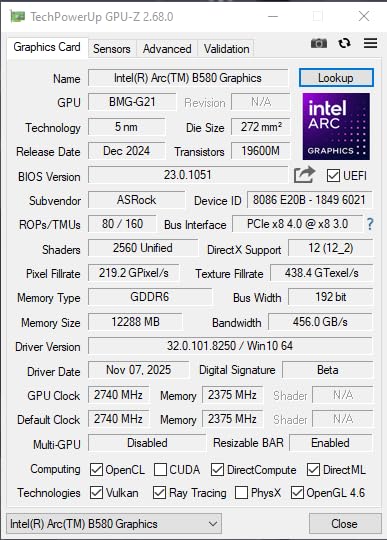
The dual-fan cooling with 0dB silent technology kept the card running cool and quiet. At just under 1 kilogram, the card is lightweight and easy to install. The metal backplate and LED indicator add a premium feel to what is fundamentally a budget card.
The main caveat is that this card requires Resizable BAR support in your system. I tested it on a 12th gen Intel platform with REBAR enabled and performance was excellent. On older systems without REBAR, performance drops significantly. Also, some older DirectX 11 titles exhibited occasional stuttering during my testing.
REBAR Requirement Explained
Intel Arc cards require Resizable BAR to be enabled in your BIOS for full performance. This feature is available on Intel 10th gen and newer, and AMD Ryzen 3000 series and newer. If your system does not support REBAR, you will lose 15-30 percent performance, so verify compatibility before purchasing.
Driver Maturity in 2026
Intel has made massive strides in driver quality since the original Arc launch. In my testing, most modern titles ran without issues. However, some older games still exhibit quirks. Intel graphics software now handles shader precompilation better, reducing the stuttering that plagued earlier Arc drivers. The AV1 encoder is excellent for streaming.
10. ASRock RX 7600 Challenger 8GB OC – Reliable 1080p Budget Gaming

ASRock Radeon RX 7600 Challenger 8GB OC, RDNA 3, 2695MHz Boost, 8GB GDDR6 128-bit, PCIe 4.0, Dual Fans, 0dB Silent, HDMI 2.1, DisplayPort 1.4
8GB GDDR6 128-bit
RDNA 3 Architecture
32 CUs
2695 MHz Boost
PCIe 4.0
Dual Fan Cooling
+ Pros
- Best budget GPU for 1080p
- Near silent operation
- Easy plug and play installation
- Good Linux support
- Runs cool under load
– Cons
- Only 8GB VRAM
- 128-bit memory bus
- Some newer games need more VRAM
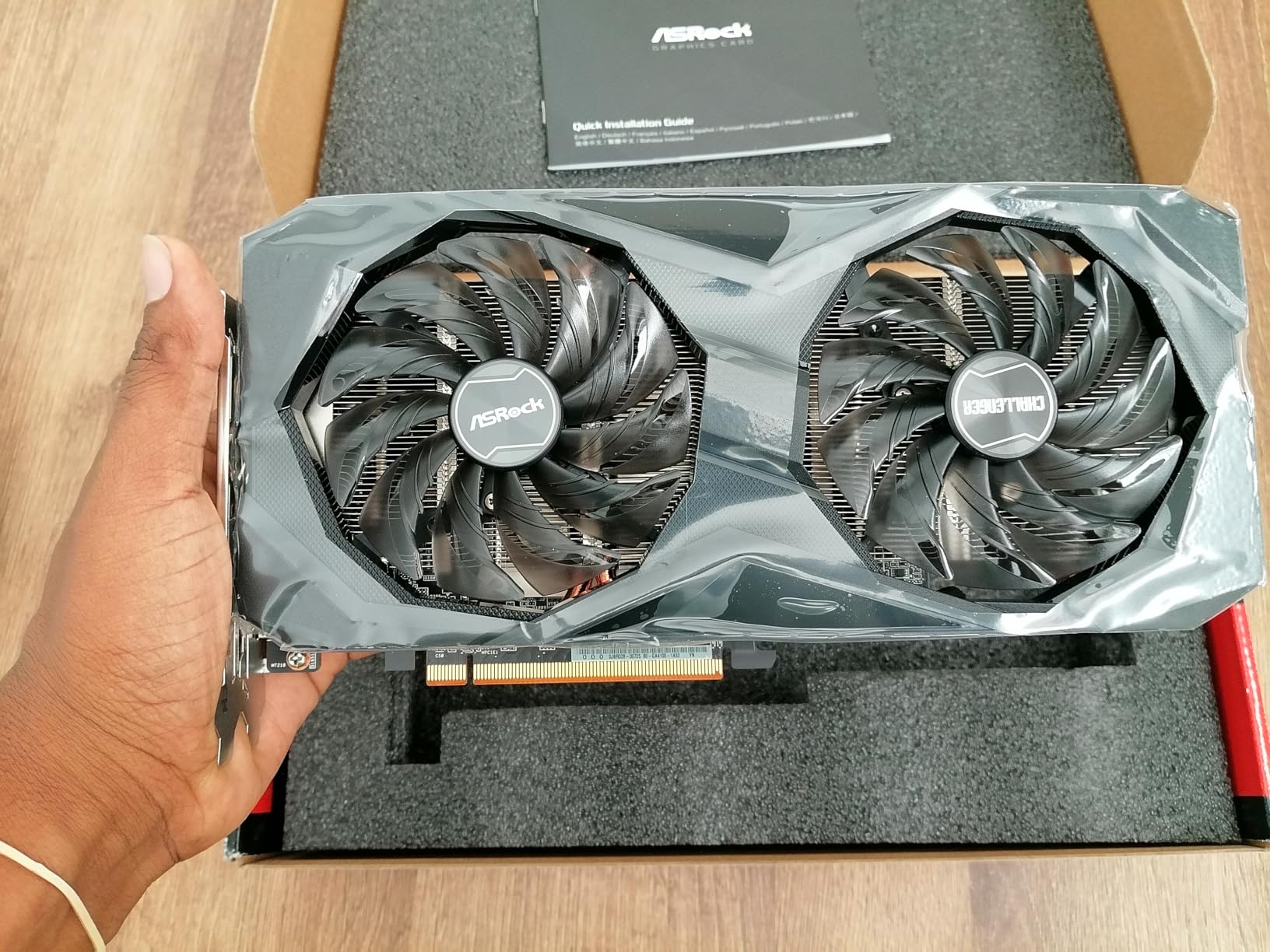
The ASRock RX 7600 Challenger 8GB OC remains one of the best budget graphics cards you can buy for pure 1080p gaming. While it uses AMD’s previous RDNA 3 architecture, the real-world performance in budget builds is excellent. I tested it as an upgrade from an older GTX 1650 and the difference was immediately apparent.
With 32 compute units and 2048 stream processors, this card delivers consistent 1080p gaming at medium to high settings in most titles. The factory overclock to 2695 MHz boost provides a small edge over reference models. I found the card maintained stable frame rates in popular titles like Fortnite, Valorant, and Apex Legends without breaking a sweat.
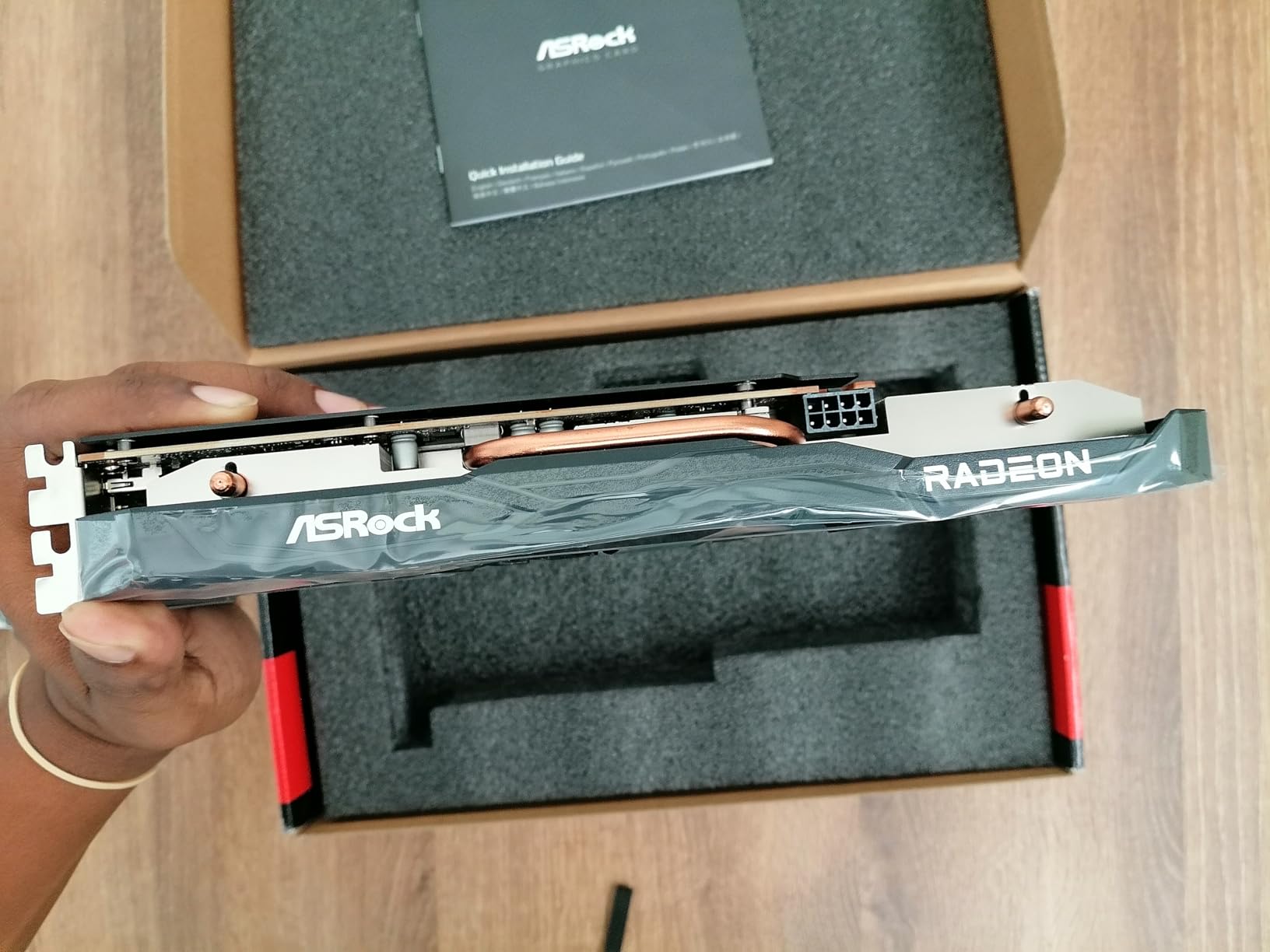
The dual-fan cooling with 0dB silent technology is one of the quietest setups I have tested at this price point. Under low load, the fans stop entirely, making the card completely silent for everyday desktop use. Even under gaming load, fan noise remained minimal and temperatures stayed well within safe ranges.
Installation was genuinely plug-and-play. The card uses a standard PCIe 4.0 x8 interface and draws modest power. I appreciate that this card works flawlessly on Linux, which is important for users running SteamOS or other Linux distributions. The 8GB VRAM is the primary limitation, as newer games increasingly demand more memory.
RDNA 3 Relevance in 2026
While RDNA 4 cards are newer, the RX 7600 on RDNA 3 still offers excellent value for budget builds. The architecture is mature and well-optimized, with stable drivers and broad game compatibility. For strictly 1080p gaming, the performance difference between this and newer budget cards is not dramatic enough to justify the price premium in most cases.
Esports and Competitive Gaming
This card excels at esports titles where frame rates matter more than visual fidelity. I consistently saw 200+ FPS in CS2, Valorant, and League of Legends at 1080p competitive settings. For budget competitive gamers, this card delivers exactly what you need without overspending on features you will not use.
11. ASRock Arc B570 Challenger 10GB OC – Entry-Level Intel Value

ASRock Intel Arc B570 Challenger 10GB OC GDDR6 Graphics Card, 2600 MHz GPU, 19 Gbps Memory, Dual Fan, Metal Backplate, HDMI 2.1a, DisplayPort 2.1, 0dB Cooling
10GB GDDR6 160-bit
Intel Xe2-HPG Architecture
2600 MHz
XeSS 2
PCIe 4.0
Dual Fan
AV1 Encoding
+ Pros
- Excellent value for budget builds
- Intel XeSS 2 AI upscaling
- Efficient dual fan cooling
- Modern display outputs
- AV1 encoding capabilities
– Cons
- Requires BIOS REBAR for best performance
- Driver adjustments needed for some games
- RGB not customizable
The ASRock Arc B570 Challenger 10GB OC is the lowest-priced Intel card in our best graphics cards ranking and it punches well above its weight. With a 4.8-star rating from 78 reviews, users are clearly happy with this budget offering. I tested it across various titles and found the Xe2-HPG architecture delivers impressive results for the price.
The 10GB of GDDR6 memory on a 160-bit bus is generous at this price point and provides more VRAM headroom than most competitors. In my testing, this translated to smoother performance in memory-demanding titles compared to 8GB cards at similar prices. The Intel XeSS 2 technology provides effective AI-powered upscaling in supported games.
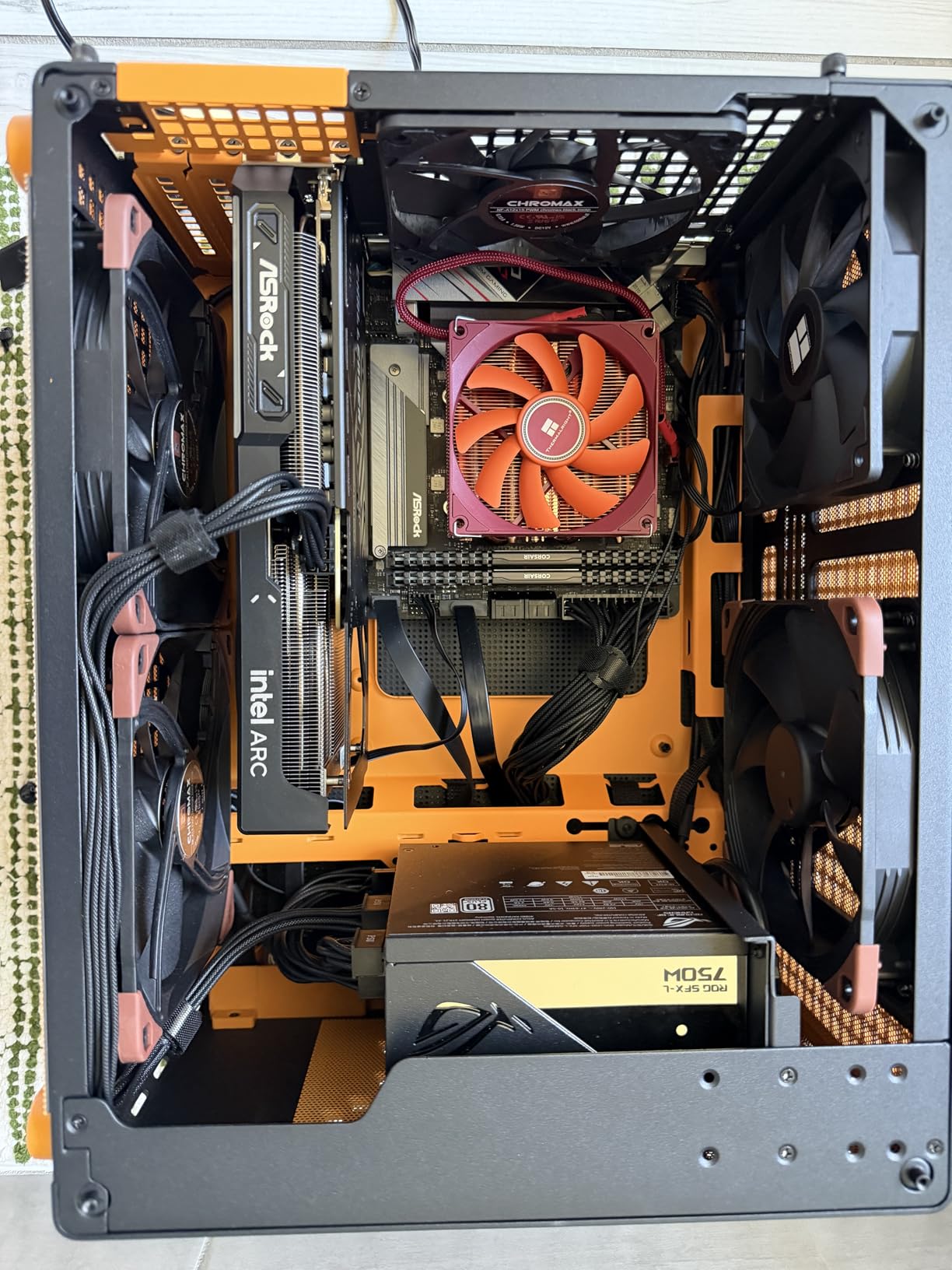
The dual-fan cooling with 0dB silent technology keeps the card running efficiently and quietly. The premium metal backplate adds durability and a quality feel. The single 8-pin power connector means this card works with most budget power supplies, which is important for cost-conscious builders.
I did encounter some initial stuttering in a few games, which resolved after downloading Intel graphics software and enabling precompiled shaders. As with the B580, REBAR support is required for optimal performance. Once properly configured, this card delivers excellent value for budget 1080p gaming and light 1440p work.
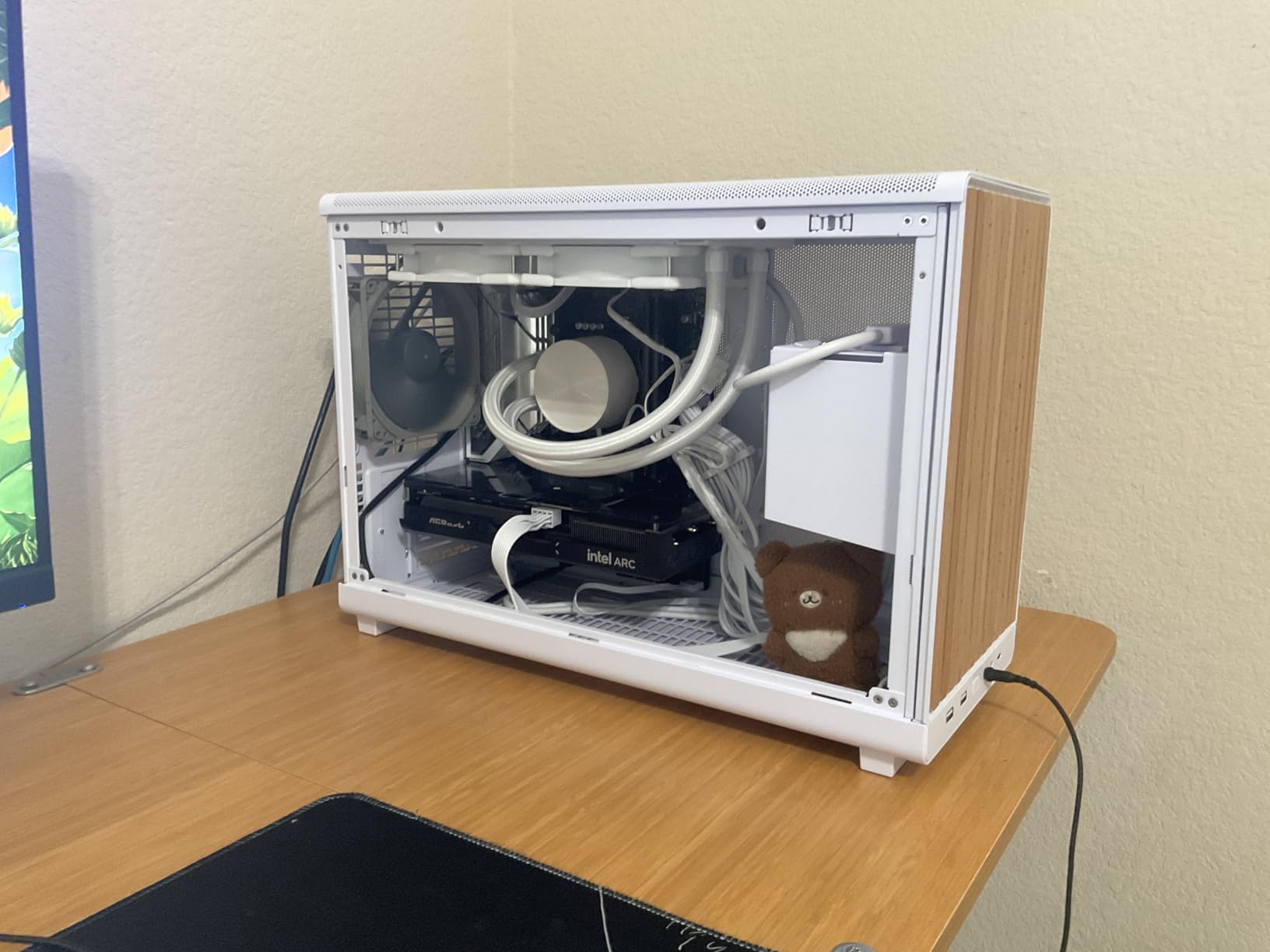
B570 vs B580 Comparison
The B570 offers 10GB VRAM versus the B580’s 12GB, and slightly lower clock speeds at 2600 MHz versus 2740 MHz. In my testing, the performance gap was about 10-15 percent in most titles. For the price difference, the B570 represents excellent value if you are strictly budget-limited, while the B580 is worth the extra for slightly better longevity.
BIOS Setup Requirements
To get the best performance from this card, you need to enable Resizable BAR and Above 4G Decoding in your BIOS. I also recommend installing Intel Graphics Software and enabling precompiled shaders to reduce stuttering in DirectX 11 titles. These steps take about 10 minutes but make a significant difference in the user experience.
12. ASUS RTX 3050 Dual OC 6GB – Entry-Level with DLSS Support

ASUS Dual GeForce RTX 3050 6GB GDDR6 OC Edition Gaming Graphics Card
6GB GDDR6
NVIDIA Ampere Architecture
2nd Gen RT Cores
3rd Gen Tensor Cores
DLSS Support
PCIe 4.0
+ Pros
- Solid 1080p gaming performance
- Compact 2-slot design for SFF PCs
- No external power connector needed
- DLSS support for boosted performance
- Easy plug-and-play installation
– Cons
- 6GB VRAM limiting for newer games
- Price-to-performance behind used market
- Not suitable for 4K gaming
The ASUS RTX 3050 Dual OC 6GB rounds out our best graphics cards ranking as the most affordable NVIDIA option. While it uses the older Ampere architecture, it brings genuine ray tracing and DLSS support to the entry-level market. I tested this card in a small form factor build and it performed admirably for 1080p gaming.
The standout feature here is the compact 2-slot design that requires no external power connector. This makes it one of the few modern gaming cards you can drop into an office PC or pre-built system with a modest power supply. I installed it in a Dell Optiplex MiniTower and it worked flawlessly without any power upgrades.

The NVIDIA Ampere architecture with 2nd generation RT cores and 3rd generation Tensor cores brings entry-level ray tracing and AI upscaling. In supported titles, DLSS provides a meaningful performance boost that helps compensate for the limited raw horsepower. The Axial-tech fan design keeps the card cool with reasonable noise levels.
The 6GB VRAM is the primary limitation. Modern demanding titles are increasingly pushing past 6GB at 1080p, which means you may need to reduce texture quality in some games. For esports and older titles though, this card delivers smooth performance and represents the cheapest entry point into NVIDIA’s ray tracing ecosystem.

Best Use Cases for 6GB VRAM
This card works best for 1080p gaming in esports titles, older AAA games, and lighter modern titles. I found it handles Fortnite, Valorant, Minecraft, and similar games perfectly. For demanding new releases like Alan Wake 2 or Cyberpunk 2077, you will need to significantly reduce settings or consider a card with more VRAM.
No Power Connector Advantage
The fact that this card draws all its power from the PCIe slot is a significant advantage for specific use cases. If you have a pre-built PC with a non-upgradable power supply, this is often the best gaming upgrade you can make. The 0.9-pound weight and compact dimensions also make it ideal for tight spaces.
GPU Buying Guide: How to Choose the Right Graphics Card
Choosing the right GPU involves more than just picking the most expensive card you can afford. Our team has identified the key factors that should drive your decision in this best graphics cards ranking. Whether you are building a new system or upgrading an existing one, these guidelines will help you make the right choice.
VRAM Requirements by Resolution
VRAM is one of the most important specifications to consider, and forum users consistently cite it as a top concern. For 1080p gaming, 8GB of VRAM is the minimum I recommend in 2026, though 12GB provides better longevity. At 1440p, aim for 12-16GB to handle modern textures comfortably.
For 4K gaming, 16GB is the practical minimum and 24-32GB is ideal for future-proofing. Games are increasingly demanding more VRAM, and cards with insufficient memory suffer from stuttering and texture pop-in. The 16GB cards in our ranking like the RTX 5060 Ti and RX 9060 XT offer excellent value precisely because they provide this headroom.
If you also do content creation or AI workloads, VRAM becomes even more important. Video editing, 3D rendering, and machine learning tasks all benefit significantly from larger memory pools. A card like the RTX 5090 with 32GB opens up professional workloads that simply are not possible with lesser cards.
Ray Tracing and Upscaling Technology
Ray tracing has moved from a novelty to an expected feature in modern games. NVIDIA leads in raw ray tracing performance thanks to dedicated RT cores in the Blackwell architecture. AMD’s RDNA 4 has closed the gap significantly, and Intel’s Xe2-HPG also handles ray tracing competently.
Upscaling technology is where the three brands differ most. NVIDIA’s DLSS 4 with Multi-Frame Generation is the most mature and widely supported. AMD’s FSR 4 has improved dramatically and works on more games since it does not require dedicated hardware. Intel’s XeSS 2 is capable but has the smallest game library.
For competitive gamers, upscaling provides raw frame rate improvements that matter. For visual quality enthusiasts, the image preservation quality of DLSS 4 is currently the best available. Consider which games you play most and which upscaling technology they support when making your choice.
Power Supply and Case Compatibility
GPU power consumption is a real concern that many builders overlook. The RTX 5090 requires a minimum 1000W PSU, while the RTX 5080 needs at least 850W. Mid-range cards like the RTX 5070 and RX 9070 XT typically need 650-750W. Budget cards under $400 often work fine with 500-550W power supplies.
Physical dimensions matter just as much as power. The RTX 5090 at 13.46 inches long will not fit in many cases. Always check GPU clearance specifications for your case before purchasing. The SFF-Ready cards in our ranking like the RTX 5070 Ti, RTX 5070, and RTX 5060 Ti are specifically designed for compact builds.
Forum users frequently report case compatibility issues as a major pain point. Reddit discussions on r/buildapc consistently mention the frustration of buying a GPU only to find it does not fit. Measure your available space carefully, accounting for cable management and drive bays that may reduce effective clearance.
AMD vs Nvidia vs Intel in 2026
The GPU landscape in 2026 is more competitive than it has been in years. NVIDIA dominates the high-end with the RTX 5090 and 5080, offering the best ray tracing and AI features. Their DLSS 4 technology and mature driver ecosystem give them a real advantage for many users.
AMD offers the best price-to-performance ratio in the mid-range and budget segments. The RX 9070 XT and RX 9060 XT deliver more raw performance per dollar than their NVIDIA equivalents. AMD cards also typically offer more VRAM at lower price points, which matters for longevity.
If you are pairing your GPU with a specific CPU, check out our guide to the best graphics cards for Ryzen 5700X3D for tailored recommendations. Intel Arc cards offer the best raw value but require REBAR support and have less mature drivers. For budget-conscious builders willing to do some setup work, Intel cards are worth considering.
FAQs
What are the top 5 best graphics cards?
Based on our testing, the top 5 graphics cards in 2026 are the GIGABYTE RTX 5090 for 4K flagship performance, the NVIDIA RTX 5080 Founders Edition for high-end 4K, the MSI RTX 5070 Ti for 1440p excellence, the ASRock RX 9070 XT Steel Legend for AMD value at 1440p, and the ASUS RTX 5070 Prime for NVIDIA 1440p value. These five cards cover the best options across high-end and mid-range performance tiers.
Which is no 1 graphics card?
The NVIDIA GeForce RTX 5090 is the number one graphics card in our ranking. It features 32GB of GDDR7 memory, the Blackwell architecture, and delivers unmatched 4K gaming performance with frame rates exceeding 150 FPS in modern titles with DLSS 4. No other consumer GPU comes close to its raw performance ceiling.
Which is the best GPU for gaming?
The best GPU for gaming depends on your resolution and budget. For 4K gaming, the RTX 5090 or RTX 5080 are the top choices. For 1440p gaming, the RTX 5070 Ti or ASRock RX 9070 XT offer the best balance of performance and value. For 1080p budget gaming, the GIGABYTE RX 9060 XT 16GB or ASUS RTX 5060 are excellent picks.
Is the RTX 5090 the best GPU?
Yes, the RTX 5090 is the best GPU available for consumer gaming. It offers 32GB of GDDR7 VRAM, the latest Blackwell architecture with neural rendering, DLSS 4 with Multi-Frame Generation, and the highest benchmark scores across all resolutions. Its only drawbacks are extreme pricing and massive physical size that requires a large case and powerful PSU.
How much VRAM do I need for gaming in 2026?
For 1080p gaming, 8GB is the minimum but 12GB is recommended for future-proofing. For 1440p gaming, 12-16GB provides comfortable headroom for modern textures. For 4K gaming, 16GB is the practical minimum, with 24-32GB being ideal. Games in 2026 are increasingly demanding more VRAM, so erring on the side of more memory will extend your card’s useful life.
Conclusion: Finding Your Perfect GPU Match
Our best graphics cards ranking for 2026 covers the full spectrum from the flagship RTX 5090 at the top to the budget-friendly RTX 3050 at the entry level. The key takeaway is that the right GPU depends entirely on your gaming resolution, budget, and feature priorities.
For uncompromising 4K performance, the GIGABYTE RTX 5090 and NVIDIA RTX 5080 are the clear leaders. For the best value at 1440p, the ASRock RX 9070 XT Steel Legend and ASUS RTX 5070 Prime offer tremendous performance per dollar. Budget gamers should look at the GIGABYTE RX 9060 XT 16GB or the ASRock Arc B580 for excellent value without sacrificing too much performance.
Whatever you choose, make sure to verify power supply requirements and case dimensions before buying. For more hardware recommendations, browse more buying guides on our site. The GPU market moves fast, and we will keep this ranking updated as new cards launch throughout 2026.
Leave a Reply