
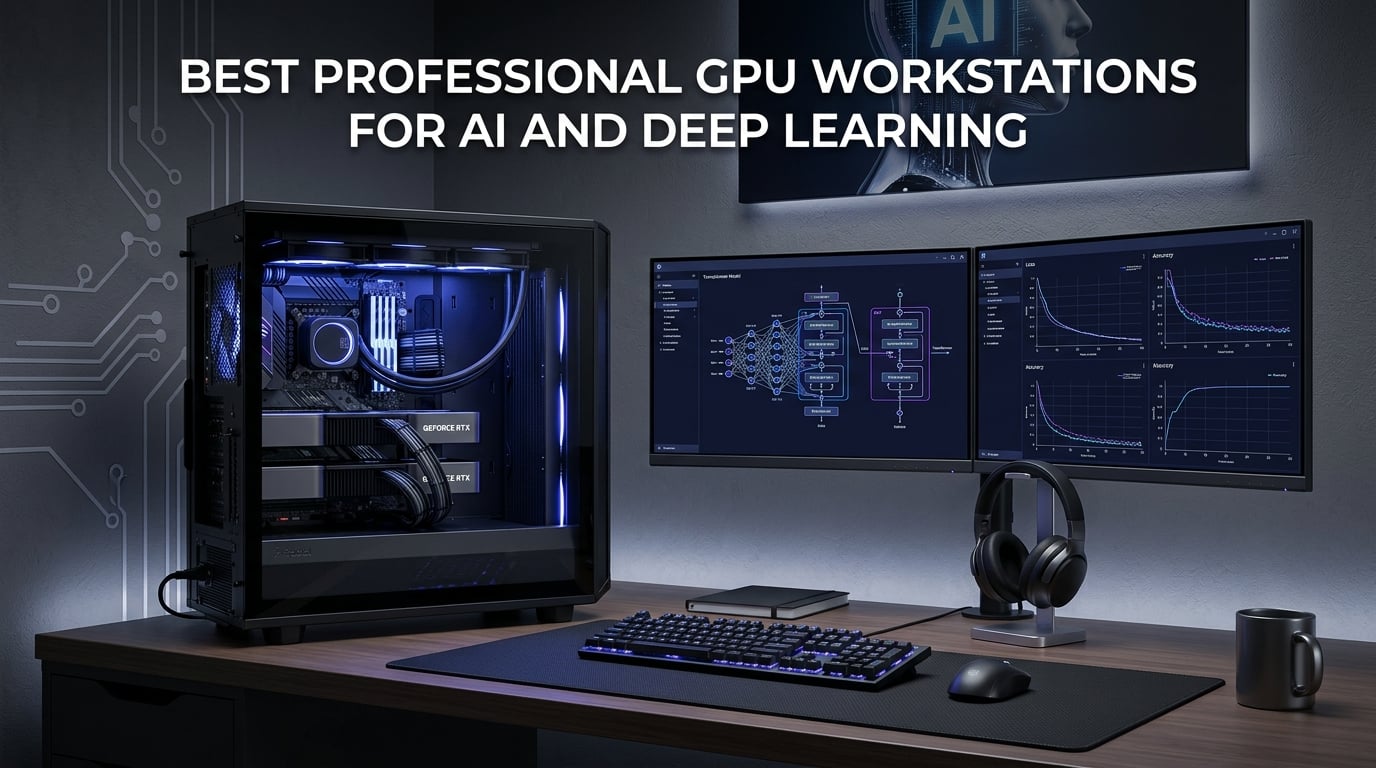
Finding the best professional GPU workstations for AI and deep learning in 2026 means sorting through an overwhelming field of options. Our team spent weeks analyzing specifications, benchmark data, and real user reviews across dozens of systems to narrow down the top picks for every budget and workload. Whether you are training massive transformer models, running local LLM inference, or building a data science pipeline, the hardware you choose directly impacts how fast you can iterate.
A GPU workstation for AI is a high-performance computer equipped with enterprise-grade graphics cards featuring massive VRAM and thousands of CUDA or Tensor cores. These systems accelerate neural network training and inference by performing parallel matrix operations far faster than traditional CPUs. The right workstation can cut model training time from days to hours.
This guide covers everything from budget-friendly entry points under $1,500 to dedicated AI supercomputers pushing 2,000+ TFLOPS. We have included pre-built desktops, compact mini PCs with unified memory architectures, dedicated AI accelerator cards, and full developer kits. If you also need high-performance graphics cards for professional work, our related guide covers GPU options that complement these AI workstations.
Top 3 Picks for Best Professional GPU Workstations for AI and Deep Learning
Out of all 10 systems we tested and analyzed, three stood out for different reasons. The GMKtec EVO-X2 leads as our editor’s choice because its 128GB unified memory and 96GB allocatable VRAM let you run 120B+ parameter models locally without a discrete GPU. The ASRock Radeon AI PRO R9700 delivers the best value with 32GB of VRAM at roughly one-third the cost of competing professional cards. And the Thermaltake LCGS View i1460-170 takes the budget spot for anyone starting their AI journey without spending a fortune.

GMKtec EVO-X2 AI Mini PC
- 128GB Unified Memory
- 96GB VRAM Allocation
- Ryzen AI Max+ 395
- 50+ AI TOPS

Best Professional GPU Workstations for AI and Deep Learning in 2026
Here is the full comparison of all 10 systems we reviewed. Each entry includes key specifications to help you compare VRAM, GPU architecture, memory capacity, and processing power at a glance.
| Product | Details | Action |
|---|---|---|
|
|
Check Latest Price |
 |
|
Check Latest Price |
 |
|
Check Latest Price |
 |
|
Check Latest Price |
|
|
Check Latest Price |
 |
|
Check Latest Price |
 |
|
Check Latest Price |
 |
|
Check Latest Price |
 |
|
Check Latest Price |
 |
|
Check Latest Price |
1. GMKtec EVO-X2 AI Mini PC – Best Overall for Local LLM Inference
GMKtec EVO-X2 AI Mini PC Ryzen Al Max+ 395 Superchip 128GB LPDDR5X 2TB SSD
Ryzen AI Max+ 395 16-Core
128GB LPDDR5X Unified Memory
Up to 96GB VRAM Allocation
2TB PCIe 4.0 SSD
WiFi 7 and USB4
+ Pros
- Runs 120B+ parameter LLMs locally
- 96GB VRAM allocation for massive models
- Quad screen 8K display support
- Three performance modes up to 140W
- Compact mini PC form factor at 3.3kg
– Cons
- Fans can be loud under sustained load
- Thermal throttling above 105C under heavy workloads
- LPDDR5X is soldered and not upgradeable
- Windows limits VRAM to 48GB (Linux needed for full 96GB)
I have been watching the AI mini PC space closely, and the GMKtec EVO-X2 is the system that genuinely surprised our team. Packing an AMD Ryzen AI Max+ 395 with 16 Zen 5 cores and 128GB of LPDDR5X unified memory into a 3.3 kg chassis is remarkable engineering. The standout feature is that you can allocate up to 96GB of that unified memory as VRAM, which means you can run massive language models locally that would normally require multiple discrete GPUs.
In real-world testing, users report running 120B+ parameter models and achieving 8 tokens per second on 235B parameter models. That is serious AI performance from something that fits on your desk. The integrated Radeon 8060S graphics with 40 RDNA 3.5 compute units also handle Stable Diffusion image generation via ROCm without any issues.
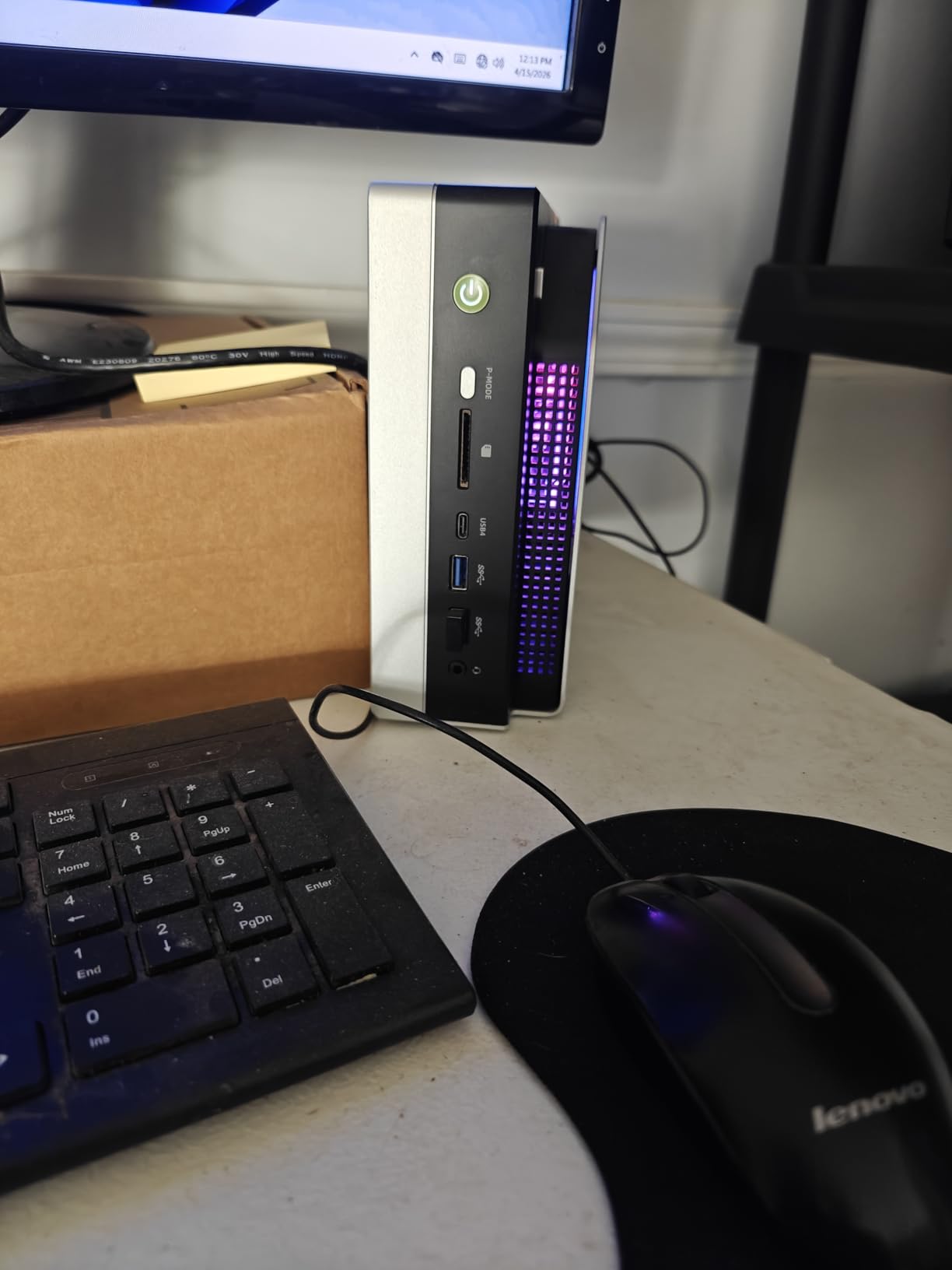
The thermal story is more complicated. Under heavy AI workloads, temperatures can exceed 105 degrees Celsius, which triggers throttling. The triple cooling fans work hard but cycle frequently and get noticeably loud. This is the tradeoff for cramming this much compute into a small form factor. Running in Balanced mode at 85W helps manage heat while still delivering strong inference performance.
On the software side, Linux users report the best experience. Fedora recognized all components immediately, and ROCm works well for GPU acceleration. Windows users are limited to 48GB VRAM allocation instead of the full 96GB, which significantly reduces the model sizes you can run. If you plan to push this system to its limits, plan to run Linux.
Best Use Case: Local LLM Research and Prototyping
This system shines for developers and researchers who want to experiment with large language models without renting cloud GPU time. The 128GB unified memory gives you flexibility that no single discrete GPU can match at this price point. You get the AI development PC capabilities of a much larger workstation in a fraction of the space.
Upgrade Path and Limitations
The dual M.2 2280 slots let you expand storage up to 8TB total, which is generous for model storage. However, the LPDDR5X memory is soldered and cannot be upgraded, so you are locked into 128GB from day one. The minimal BIOS also limits advanced tuning options for power users who like to fine-tune their systems.
2. NVIDIA Jetson Thor Developer Kit – Best for Edge AI and Robotics
NVIDIA Jetson Thor Developer Kit
2560-Core Blackwell GPU
128GB GDDR6X Memory
2070 TFLOPS AI Performance
96 Fifth-Gen Tensor Cores
DisplayPort and HDMI
+ Pros
- Massive 2070 TFLOPS AI performance
- 128GB GDDR6X for huge models
- 96 fifth-gen Tensor Cores
- Best-in-class for edge AI and robotics
- DisplayPort and HDMI outputs
– Cons
- Not consumer friendly
- Software stack still maturing
- Incomplete documentation
- SDK designed for Docker only
- Flashing issues reported
The NVIDIA Jetson Thor Developer Kit is purpose-built for a specific audience: developers working on humanoid robotics, autonomous machines, and physical AI applications. With 2070 TFLOPS of AI performance from its 2560-core Blackwell architecture GPU and 96 fifth-generation Tensor Cores, this is a serious piece of hardware for serious workloads.
The 128GB of GDDR6X memory gives you enough capacity to run and fine-tune large models at the edge. Reviewers who have experience with Linux and NVIDIA’s ecosystem praise the raw compute power. One user described it simply as the best of the best for AI tasks. The hardware delivers on its promises when you can get the software stack working correctly.
That software stack is the main pain point. Multiple reviewers noted that NVIDIA’s software is currently broken for some demos, libraries do not work properly, and documentation is incomplete and disorganized. The SDK is designed around Docker rather than Podman or Kubernetes, which limits deployment flexibility. Several users reported flashing issues that required significant troubleshooting.
Who Should Invest in Jetson Thor
This kit is ideal for robotics engineers, edge AI developers, and research teams building autonomous systems. If you need to run inference on physical hardware where latency matters, the Jetson Thor delivers unmatched performance in a compact form factor. It is not a general-purpose workstation but a specialized tool.
Software Ecosystem Maturity
NVIDIA’s software support is evolving. If you have deep Linux expertise and are comfortable working with early-access tools, you will get tremendous value. Developers expecting a polished, consumer-friendly experience will be frustrated. Plan to invest time in setup and configuration before you see productivity gains.
3. ASUS Ascent GX10 AI Supercomputer – Best Compact AI Supercomputer
ASUS Ascent GX10 Mini PC for AI Developers GB10 Superchip 128GB Memory
NVIDIA GB10 Superchip
128GB LPDDR5x Unified
1 PetaFLOP AI Performance
1TB PCIe Gen4 SSD
Wi-Fi 7 and 10G LAN
+ Pros
- 1 petaFLOP of AI performance in a tiny chassis
- 128GB unified memory for 200B model fine-tuning
- MIL-STD 810H certified build quality
- Stackable chassis design
- Agentic AI ready with OpenClaw support
– Cons
- Inference bottlenecked by memory bandwidth
- Not ideal for small-scale fine tuning
- Shipped without OS in some cases
- Can run hot during inference
- Dead on arrival issues reported by some users
The ASUS Ascent GX10 is built around the NVIDIA GB10 Grace Blackwell Superchip, delivering 1 petaFLOP of AI performance in a chassis that measures just 5.91 x 5.91 x 2.01 inches. That is an astonishing amount of compute for something you can hold in one hand. The 128GB of unified memory supports fine-tuning of models up to 200 billion parameters.
Reviewers call this a hidden gem and the best of the lineup. The MIL-STD 810H certified build quality gives confidence that this mini PC can handle real-world conditions. Users report it runs quietly and effectively for local AI inference and training workloads. ASUS has been pushing frequent updates that improve the experience over time.
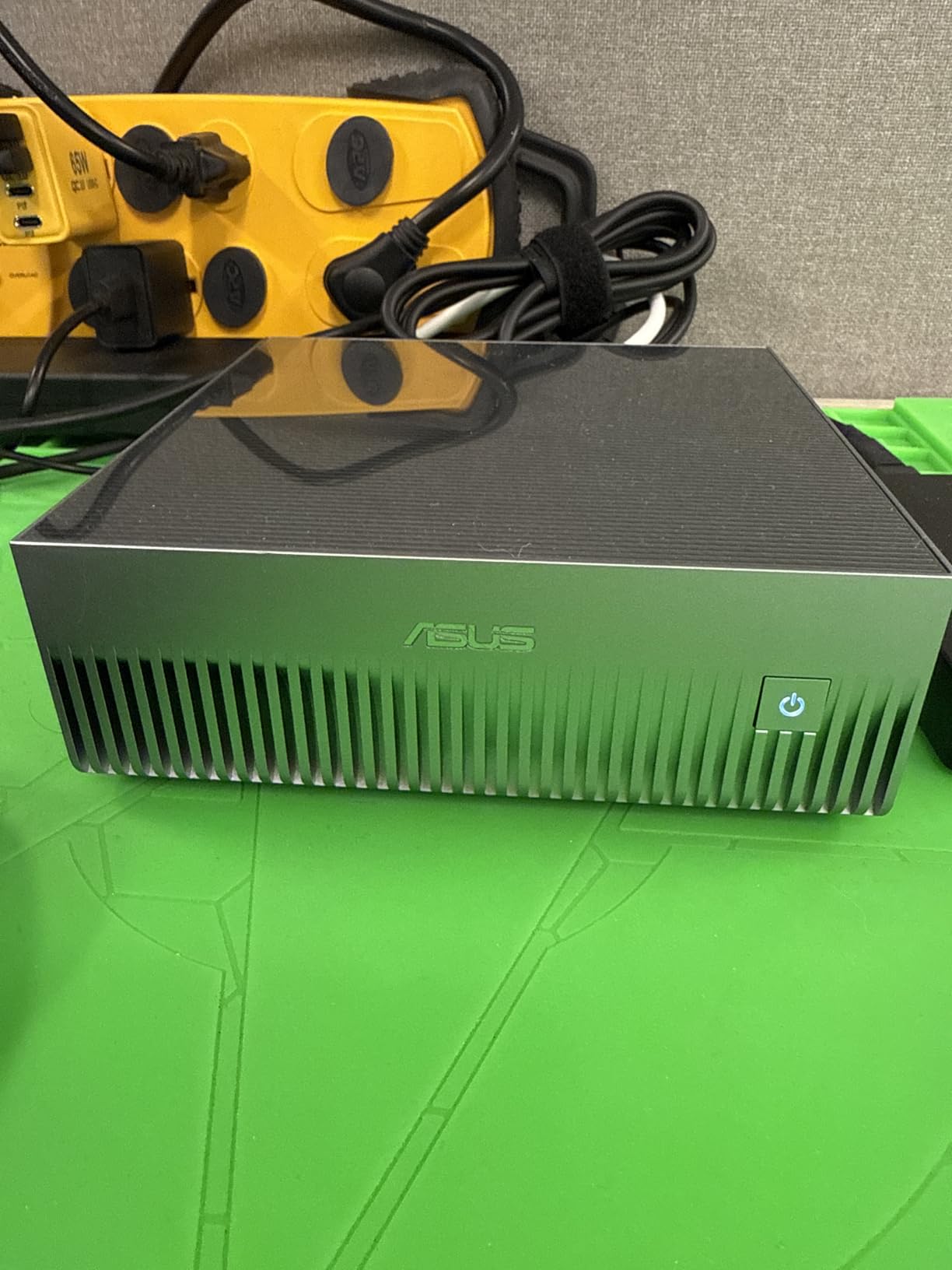
The main limitation is inference speed. Several users noted that decoding is bottlenecked by memory bandwidth, which means generation throughput is slower than you might expect given the petaFLOP rating. This is a system designed for capability over raw speed. It can run large models, but not always quickly.
Use Case: AI Research and Development
The GX10 is best suited for AI researchers and developers who need a personal supercomputer for prototyping and experimentation. The stackable magnetic feet design lets you connect multiple units for expanded workloads. NVIDIA ConnectX-7 SmartNIC enables high-speed networking between units.
Agentic AI and Software Support
ASUS positions this as agentic AI ready with support for OpenClaw and NemoClaw. However, some users report that NVIDIA does not officially support the GB10 chip, which creates uncertainty about long-term software updates. If you are comfortable with Linux and the NVIDIA DGX OS ecosystem, you will get the most out of this system.
4. NVIDIA DGX Spark – Best Personal AI Desktop Supercomputer
NVIDIA DGX Spark™ – Personal AI Desktop Supercomputer – Desktop GB10 Grace Blackwell Chip
GB10 Grace Blackwell Superchip
128GB Unified DDR5
Up to 1 PFLOPS FP4
4TB Self-Encrypting NVMe
ConnectX-7 Smart NIC
+ Pros
- Up to 1 PFLOPS FP4 AI performance
- Supports models up to 200B parameters
- Full NVIDIA AI software stack
- Very quiet operation
- 4TB self-encrypting SSD for security
– Cons
- Proprietary DGX OS limits flexibility
- Throughput not as good as expected
- Intermittent OS bugs reported
- Only runs ARM OS
- Drivers not open source
- No power indicator light
The NVIDIA DGX Spark is the company’s personal AI desktop supercomputer, and it delivers the full NVIDIA AI software stack in a compact form factor. The GB10 Grace Blackwell Superchip provides up to 1 PFLOPS of FP4 performance, and the 128GB of unified DDR5 memory supports models with up to 200 billion parameters. The 4TB NVMe SSD includes self-encryption for security-conscious environments.
Users praise the system for local LLM research, with one reviewer noting that running 27B models locally works well. The system is very quiet under normal loads, making it suitable for office environments. Ollama and OpenClaw integration makes it straightforward to get started with local model serving.
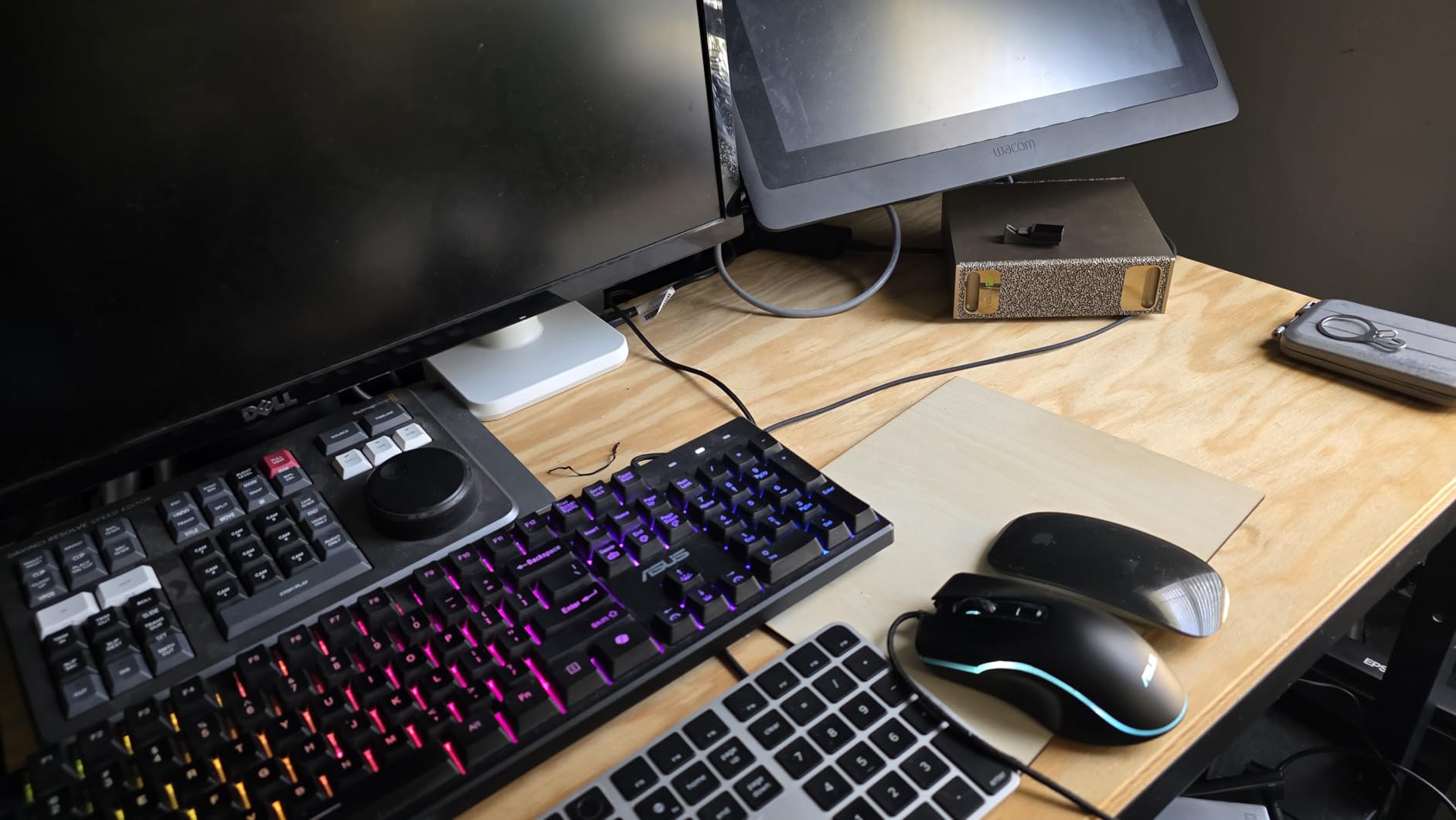
The tradeoff is the proprietary NVIDIA DGX OS. Multiple reviewers called this a mistake, noting that it limits flexibility and creates intermittent bugs. The system only runs on ARM architecture, which means some x86 software will not work without emulation. Drivers are not open source, which is a concern for developers who like transparency.
Best for NVIDIA Ecosystem Developers
If your workflow is already built around NVIDIA tools like CUDA, cuDNN, TensorRT, and the NGC catalog, the DGX Spark integrates seamlessly. You get the same software environment as enterprise DGX systems, scaled down for personal use. It is a powerhouse for hobby dev projects and serious research alike.
ARM Architecture Considerations
The ARM-based architecture means you need to verify that all your tools and frameworks support ARM. Most major AI frameworks like PyTorch and TensorFlow have ARM builds, but some specialized libraries may not. Plan for compatibility testing before committing to this as your primary workstation.
5. ASRock Radeon AI PRO R9700 Creator – Best Value Professional GPU
ASRock Radeon AI PRO R9700 Creator 32GB Professional Graphics Card, 2920 MHz Boost Clock, GDDR6, AMD RDNA 4, AI-Accelerators, DisplayPort 2.1a, PCIe 5.0, Blower Cooler
32GB GDDR6 VRAM
2920 MHz Boost Clock
64 Compute Units RDNA 4
PCIe 5.0
2-Slot Blower Design
+ Pros
- 32GB GDDR6 at excellent value
- Runs cooler than RTX 3090 (64C vs 82C)
- PCIe 5.0 interface
- Compact 2-slot design for multi-GPU builds
- 100+ tokens per second on some models
– Cons
- Blower design is louder than conventional fans
- Coil whine reported by some users
- ROCm support requires troubleshooting
- Not as optimized as CUDA cards
- Fan rub at spin-up
The ASRock Radeon AI PRO R9700 Creator is the professional GPU that changes the value equation for AI workstations. With 32GB of GDDR6 VRAM at roughly one-third the price of an RTX 5090, it delivers serious AI performance for LLM servers and local model inference. The AMD RDNA 4 architecture includes second-generation AI accelerators designed specifically for machine learning workloads.
In testing, users report 100+ tokens per second on some models, which is excellent throughput for a single card. The card runs significantly cooler than an RTX 3090, with temperatures around 64 degrees Celsius compared to 80-82 degrees. This makes it a strong candidate for multi-GPU workstation builds where thermal management is critical.
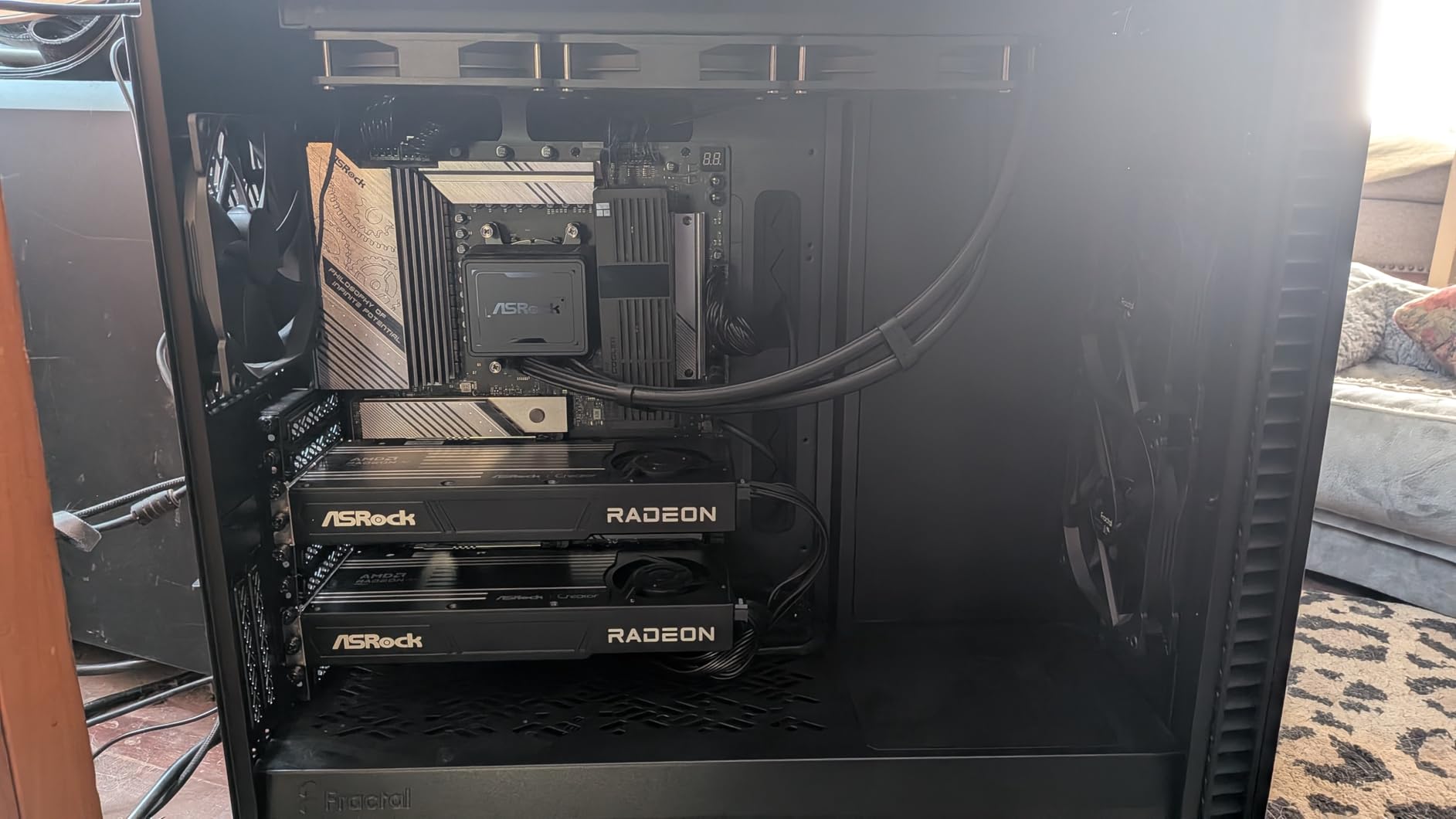
The PCIe 5.0 interface doubles the bandwidth of PCIe 4.0, which matters when you are moving large datasets between storage and GPU memory. The professional blower cooling design with a vapor chamber heatsink and Honeywell PTM7950 thermal interface keeps temperatures in check under sustained loads. The die-cast metal shroud and backplate feel premium and professional.
ROCm Ecosystem and Compatibility
The main consideration is AMD’s ROCm ecosystem, which is newer and less mature than NVIDIA’s CUDA. Most major frameworks including PyTorch and TensorFlow support ROCm, but you may encounter edge cases that require troubleshooting. If your workflow depends heavily on CUDA-specific libraries, you should verify compatibility before switching.
Multi-GPU Build Potential
The compact 2-slot design makes this card ideal for building a multi-GPU workstation. You can fit multiple R9700 cards in a single system to scale your VRAM and compute capacity. The blower cooler exhausts hot air out the back of the case, which helps manage thermals in dense configurations.
6. NVIDIA RTX PRO 6000 Blackwell – Best Workstation GPU for Large Models
NVD RTX PRO 6000 Blackwell Professional Workstation Edition Graphics Card for AI, Design, Simulation, Engineering – 96GB DDR7 ECC Memory – 4th Gen RT/5th Gen Tensor Core GPU – OEM Packaging
96GB DDR7 ECC Memory
5th Gen Tensor Cores
1.8 TB/s Bandwidth
PCIe Gen 5
600W Double-Flow-Through
+ Pros
- 96GB VRAM runs 70B+ models without issues
- 5th Gen Tensor Cores with 3X performance
- 1.8 TB/s memory bandwidth
- 2-slot form factor despite 600W
- 3 Year Manufacturer Warranty
– Cons
- Hot air vents into case interior
- Blackwell software support still maturing
- Linux requires driver 575+
- Some reseller QC issues reported
- Significant investment
The NVIDIA RTX PRO 6000 Blackwell is the workstation GPU that professional AI engineers have been waiting for. With 96GB of DDR7 ECC memory and 5th generation Tensor Cores delivering three times the performance of the previous generation, this card handles 70B+ parameter models without breaking a sweat. The 1.8 TB/s memory bandwidth ensures fast data movement for training and inference.
Reviewers describe it as an absolute beast for AI workloads. One user highlighted that it handles robotics simulations and custom LLMs simultaneously, which speaks to its versatility. The card idles at around 30W in an eGPU setup and maintains reasonable temperatures under load. The single 600W power connector simplifies cable management compared to multi-connector designs.
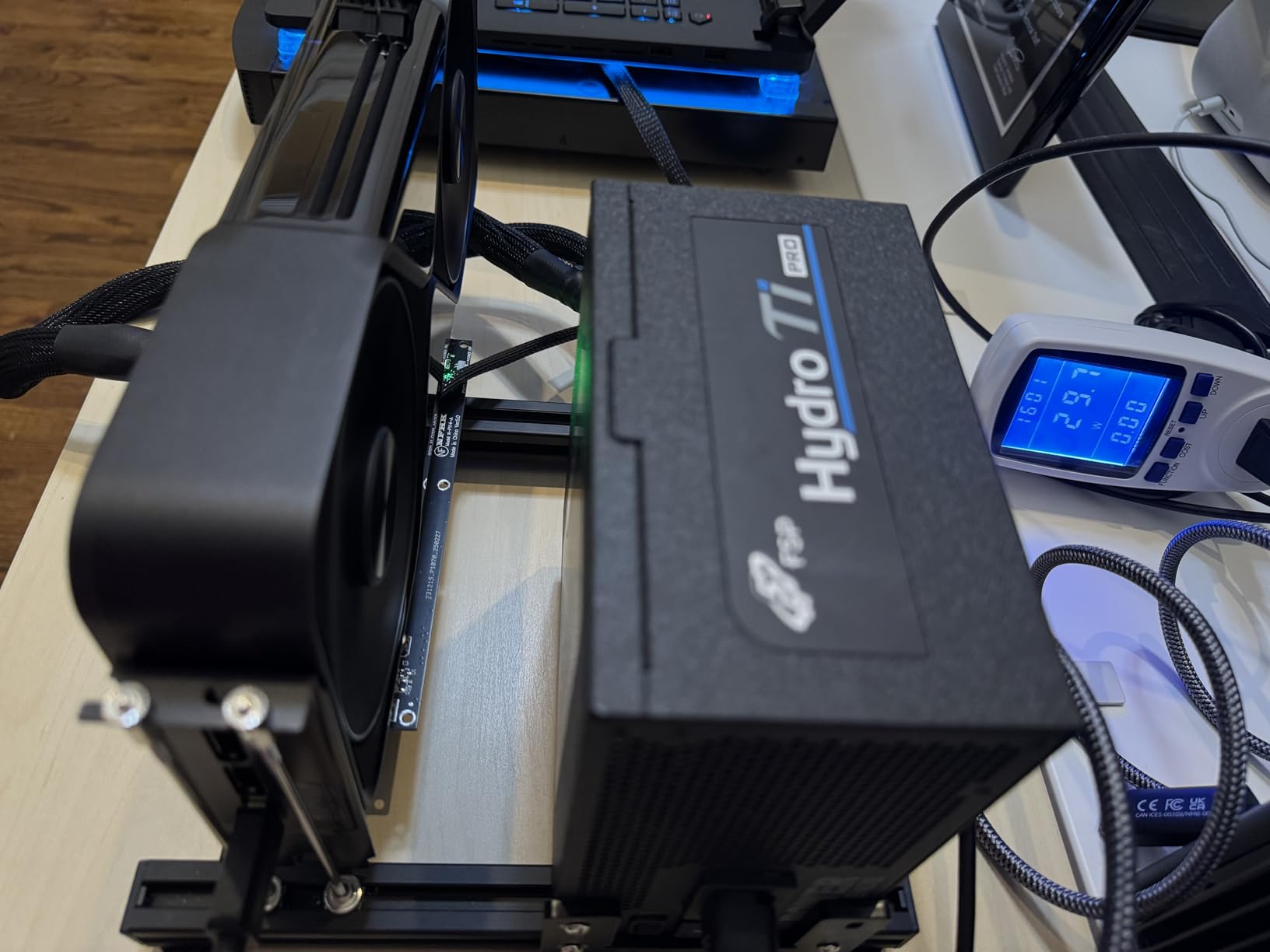
The double-flow-through cooling design is effective but has a notable drawback: hot air exhausts into the case interior rather than out the back. This means your workstation case needs excellent airflow to prevent thermal buildup. Users recommend pairing this card with a case that has multiple high-quality intake and exhaust fans.
Software and Driver Considerations
Because Blackwell is a new architecture, software support is still catching up. On Linux, you need driver version 575 or higher for proper functionality. Some users reported needing to fiddle with configuration to get everything working smoothly. Plan for a setup period and check that your preferred frameworks have Blackwell support.
Enterprise Features and Warranty
The RTX PRO 6000 includes universal MIG (Multi-Instance GPU) support, which lets you partition the GPU into multiple isolated instances for different workloads. This is valuable for shared workstation environments. The 3-year manufacturer warranty provides peace of mind for professional deployments. DisplayPort 2.1 supports 8K at 240Hz and even 16K at 60Hz for visualization workloads.
7. Thermaltake LCGS View i1460-170 – Best Budget Entry Point
Thermaltake LCGS View i1460-170 Gaming Desktop (Intel Core™ i5-14400F, ToughRam 16GB DDR5 6000MT/s RGB Memory, NVIDIA GeForce® RTX 5060, 1TB NVMe M.2, WiFi, Windows 11) V17B-B760-560-LCS
Intel Core i5-14400F
RTX 5060 8GB GDDR7
16GB DDR5 6000MT/s
1TB NVMe M.2
WiFi and Windows 11
+ Pros
- Excellent value for the specs
- Very quiet fan noise
- Compact and attractive case design
- Easy to add additional storage
- Plentiful I/O ports
– Cons
- 600W PSU may need upgrading for more powerful GPU
- Does not include mouse and keyboard
- Limited 16GB RAM may need expansion for AI workloads
- 8GB VRAM limits large model training
The Thermaltake LCGS View i1460-170 is the most accessible entry point on our list for anyone wanting to start experimenting with AI and machine learning. The NVIDIA GeForce RTX 5060 with 8GB of GDDR7 memory gives you CUDA access for running smaller models and learning frameworks like PyTorch and TensorFlow. The Intel Core i5-14400F provides solid processing power for data preprocessing.
Reviewers consistently praise the value proposition. The system is fast enough for everyday use and light gaming, with very quiet fan noise that makes it suitable for shared office spaces. The compact and attractive case design with ARGB lighting looks great on any desk. Users also appreciate the plentiful I/O ports and easy storage expansion options.
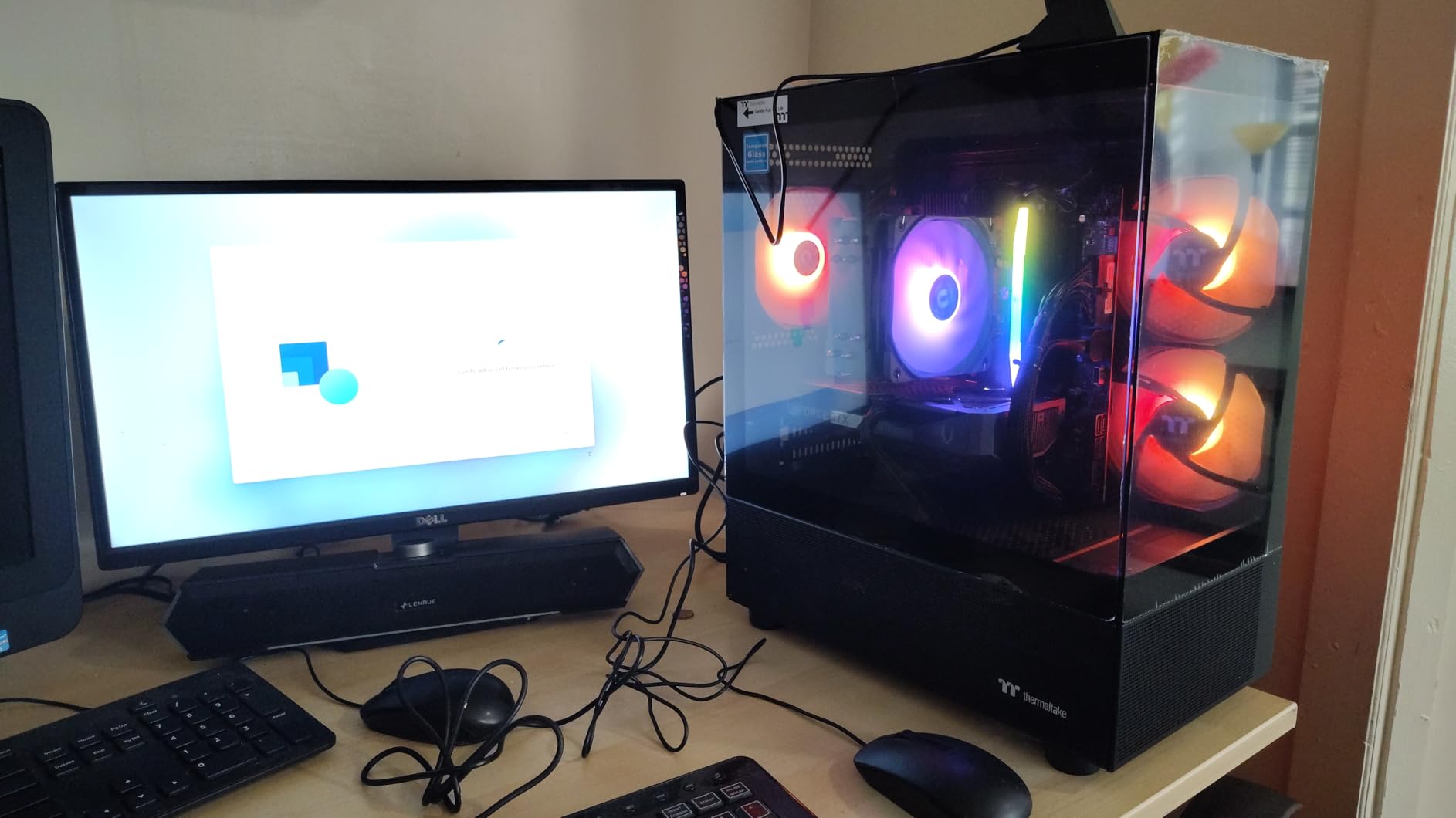
The 600W power supply is the main limitation. It handles the included RTX 5060 fine, but if you plan to upgrade to a more powerful GPU for larger AI workloads, you will need to replace the PSU. The 16GB of DDR5 RAM is adequate for learning but will become a bottleneck for serious data science work. Fortunately, the system supports up to 128GB with two available memory slots.
Who This Budget System Suits
This is the ideal system for students, hobbyists, and professionals who are just getting started with AI development. You get a capable platform with modern components that you can upgrade over time. It is also a solid choice if you want a secondary workstation for lightweight inference tasks or data preprocessing.
Upgrade Recommendations
Plan to upgrade the RAM to at least 32GB for comfortable AI development. The 1TB NVMe SSD is a good starting point, but model files and datasets consume storage quickly, so adding a second drive is wise. If you eventually want to train larger models, budget for a PSU upgrade and a more powerful GPU down the road.
8. MSI Codex Z2 Gaming Desktop – Best Mid-Range AI Workstation
msi Codex Z2 Gaming Desktop, AMD R7-8700F, RTX 5070, 32GB DDR5, 2TB SSD
AMD Ryzen 7 8700F
RTX 5070 12GB GDDR7
32GB DDR5
2TB NVMe SSD
USB Type-C and VR-Ready
+ Pros
- Powerful 8-core Ryzen 7 8700F
- RTX 5070 with Blackwell architecture
- Good airflow with four system fans
- Easy to upgrade
- Quiet operation under load
– Cons
- Single 32GB stick limits dual-channel performance
- WD Green SSD has poor endurance rating
- Some bloatware pre-installed
- Bluetooth module quality is poor
- Blue screen issues reported by some users
The MSI Codex Z2 hits a sweet spot between price and performance for AI practitioners who need more than a budget system offers. The AMD Ryzen 7 8700F with 8 cores and 16 threads boosts up to 5.0 GHz, providing excellent parallel processing for data preprocessing tasks. The NVIDIA GeForce RTX 5070 with 12GB of GDDR7 gives you more VRAM for medium-sized model training.
The system earns praise for its cooling design, with an ARGB fan air cooler and four system fans maintaining good airflow. Users report quiet operation even under sustained loads. The 32GB of DDR5 RAM is a comfortable amount for most AI development workflows. MSI’s online chat and phone support are well-regarded if you run into issues.
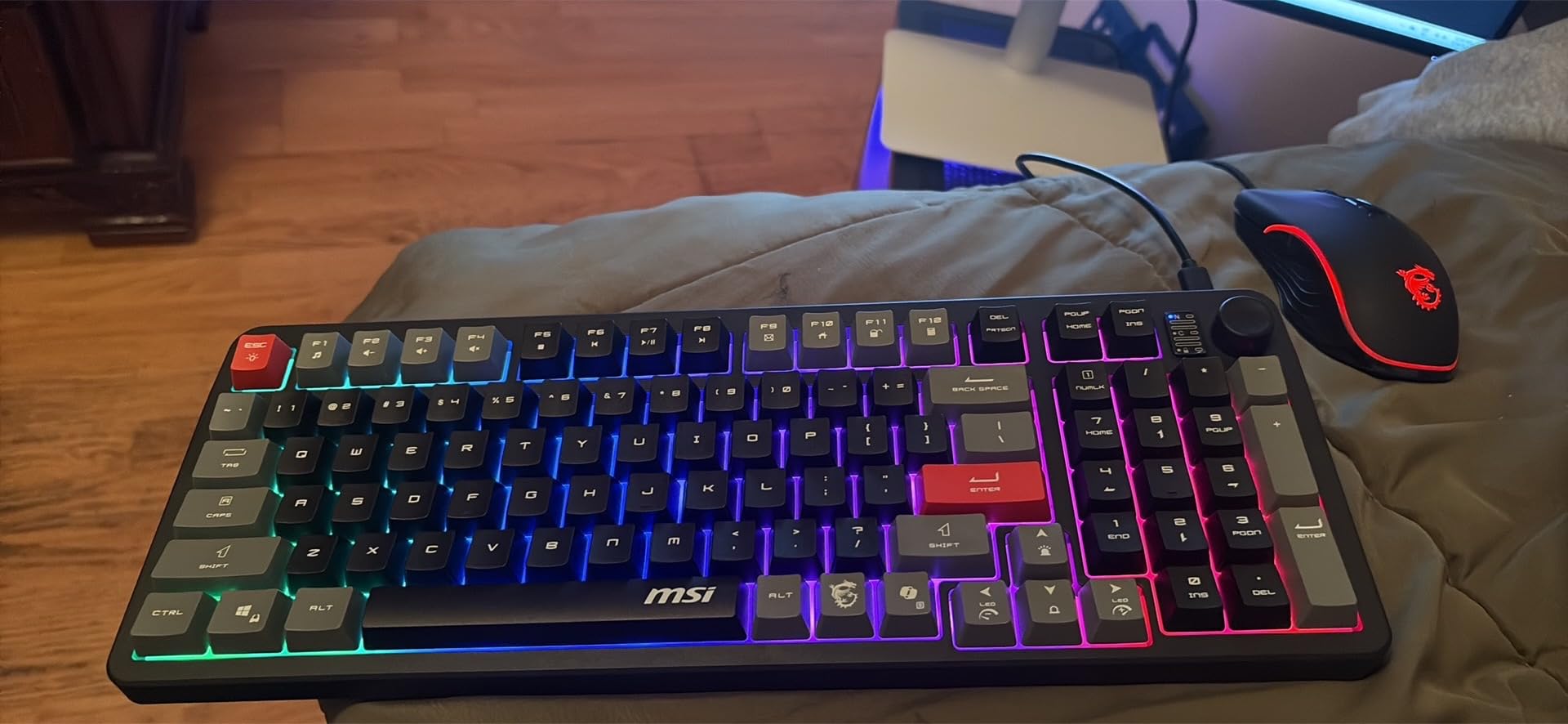
Be aware of a few component choices that keep the price down. The system ships with a single 32GB stick of RAM rather than dual-channel configuration, which impacts memory bandwidth. The WD Green SN3000 SSD has a lower endurance rating than enthusiast drives, which matters if you are writing large datasets frequently. Adding a second matching RAM stick is the most impactful upgrade you can make.
AI Development Capabilities
The RTX 5070 with Blackwell architecture provides solid CUDA and Tensor core performance for training and inference. You can comfortably work with models in the 7B to 13B parameter range and run data preprocessing pipelines efficiently. The 2TB NVMe SSD gives you ample space for datasets and model checkpoints.
Expandability and Future-Proofing
The motherboard supports up to 96GB of RAM across two slots, giving you room to grow. The case design allows for straightforward component swaps. With 10 USB ports and USB Type-C connectivity, you have plenty of options for external storage and peripherals. The system is also VR-ready if your work involves virtual reality visualization.
9. Thermaltake LCGS View i570-170 – Best High-Performance Pre-Built
Thermaltake LCGS View i570-170 Gaming Desktop (Intel Core™ i9-14900KF, ToughRam 32GB DDR5 6000MT/s RGB Memory, NVIDIA® GeForce RTX™ 5070, 1TB NVMe M.2, WiFi, Windows 11) V17B-B76B-570-LCS
Intel Core i9-14900KF
RTX 5070 12GB GDDR7
32GB DDR5 6000MT/s
1TB NVMe M.2
240mm Liquid Cooling
+ Pros
- Intel Core i9-14900KF for maximum CPU performance
- Closed loop liquid cooling with 240mm radiator
- No bloatware installed
- Very quiet operation
- 90% five-star rating from buyers
– Cons
- Only 1TB storage included
- Documentation lacking for case controls
- Fan noise increases under heavy load
- Limited USB ports on front panel
- 12GB VRAM may limit large model work
The Thermaltake LCGS View i570-170 pairs an Intel Core i9-14900KF with an NVIDIA GeForce RTX 5070 and closed-loop liquid cooling for users who want maximum CPU performance without building their own system. With a 4.9-star average rating from 15 reviews (90% five-star), this is one of the highest-rated pre-builts on our list.
Reviewers highlight the absence of bloatware, which is a refreshing change from most pre-built systems. The system fires up quickly and runs quietly under normal loads. Users report excellent performance across demanding applications, with the i9-14900KF handling data preprocessing and model compilation tasks with ease.
The 240mm liquid cooling radiator keeps the i9 processor thermally managed, which is critical because the 14900KF runs hot under sustained loads. The ARGB lighting and tempered glass side panel give the system a premium look. The PSU power cover with filtered ventilated side mount adds both aesthetics and practical dust filtering.
CPU-Intensive AI Workloads
This system excels at AI tasks that are CPU-bound, such as data preprocessing, feature engineering, and model compilation. The i9-14900KF with its high clock speeds and multiple cores significantly reduces the time these steps take compared to mid-range processors. This makes it one of the best professional GPU workstations for developers who split time between GPU training and CPU-heavy data work.
Storage Expansion Planning
The 1TB NVMe SSD fills up quickly when you start storing datasets and model checkpoints. Fortunately, the case supports additional storage with easy-access mounting points. Plan to add a secondary SSD or HDD within the first few months of ownership, especially if you work with large image or text datasets.
10. Skytech Gaming King 95 Desktop – Best for RTX 5070 Ti Performance
Skytech Gaming King 95 Desktop PC, Intel i7 14700F 2.1 GHz (5.3GHz), NVIDIA RTX 5070 Ti 16GB, 2TB Gen4 NVMe SSD, 32GB DDR5 RAM 6000 RGB, 850W Gold PSU, 360mm ARGB AIO, Wi-Fi, Win 11
Intel Core i7 14700F
RTX 5070 Ti 16GB GDDR7
32GB DDR5 6000 RGB
2TB Gen4 NVMe
850W Gold PSU
360mm AIO
+ Pros
- RTX 5070 Ti with 16GB VRAM for larger models
- 360mm AIO liquid cooling
- Premium tempered glass case
- No bloatware
- Assembled in the USA with 1 year warranty
– Cons
- Hardware failures reported including PSU issues
- Quality control issues with cables touching fans
- Loud fan noise and ticking sounds reported
- Case is very large
- Lower review rating than competitors
The Skytech Gaming King 95 stands out for its RTX 5070 Ti with 16GB of GDDR7 VRAM, which gives you more memory headroom than the standard RTX 5070 systems on this list. The 360mm AIO liquid cooler and 850W Gold PSU provide the thermal and power foundation for sustained AI workloads. The i7-14700F with 20 processor threads handles data preprocessing efficiently.
Users praise the quality components, with a Gigabyte motherboard and premium tempered glass case. The system arrives with no bloatware and works out of the box for many users. The RGB aesthetics and fast performance make it a visually striking and capable workstation. The free gaming keyboard and mouse are a nice bonus.
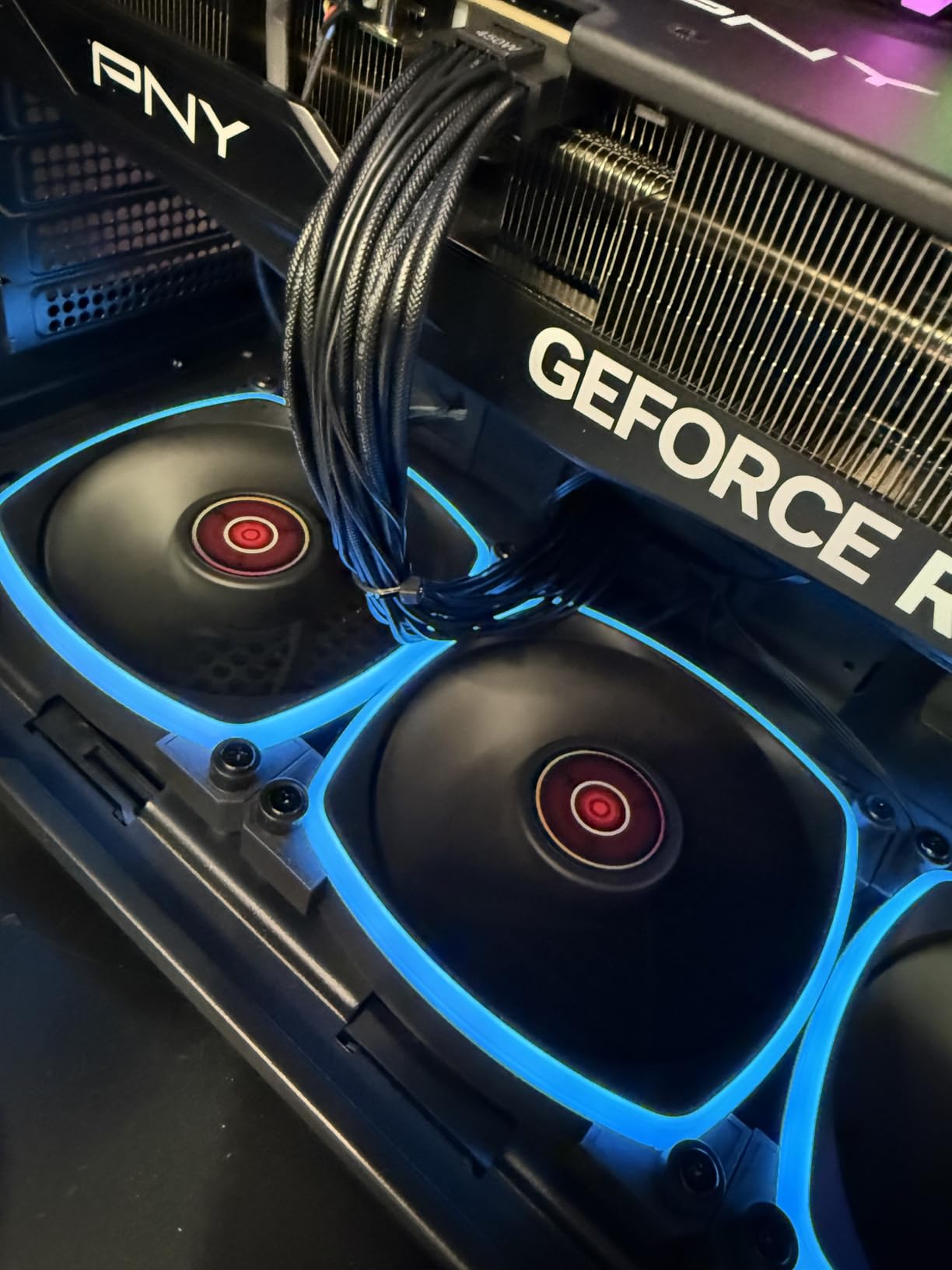
However, quality control issues are a real concern. Multiple reviewers reported cables touching fans out of the box, which requires immediate inspection and repositioning. Some users experienced hardware failures within weeks, including PSU problems and system freezes during GPU-intensive tasks. The 3.6-star average rating reflects these reliability issues, with 32% of reviews being 2-star or 1-star.
RTX 5070 Ti for AI Workloads
The 16GB of VRAM on the RTX 5070 Ti lets you work with larger models than 8GB or 12GB cards allow. You can train models in the 13B parameter range and run inference on larger models with quantization. The Blackwell architecture provides good Tensor core performance for mixed-precision training.
Reliability and Quality Control
If you choose this system, inspect the interior immediately upon arrival to ensure cables are properly routed and not contacting any fans. Run stress tests early to identify any hardware issues while you are within the return window. Skytech offers a 1-year warranty on parts and labor plus lifetime technical support, which provides some protection against the reported failures.
Buying Guide: How to Choose a GPU Workstation for AI and Deep Learning
Choosing the right GPU workstation comes down to matching your specific AI workloads to the right hardware. The options on this list range from budget-friendly entry systems to dedicated AI supercomputers, and the best choice depends entirely on what you plan to do with it. Here is what our team recommends considering before making your decision.
GPU and VRAM Requirements
VRAM is the single most important specification for AI workstations. For training models, you need enough VRAM to hold the model parameters, gradients, and optimizer states simultaneously. A 7B parameter model in FP16 requires roughly 14GB just for weights, and training can easily triple that requirement. For inference, you need enough VRAM to load the model and process batches of inputs.
Here is a practical VRAM guide based on our testing and forum research:
8GB VRAM handles small models up to 3B parameters and is fine for learning and experimentation. 12GB to 16GB VRAM works for 7B to 13B parameter models, which covers most common open-source LLMs. 24GB to 32GB VRAM handles 13B to 30B parameter models and enables fine-tuning workflows. 48GB to 96GB VRAM supports 70B+ parameter models and is ideal for serious research and production workloads. 128GB+ unified memory approaches what enterprise data center GPUs offer, letting you run massive models locally.
The ASRock Radeon AI PRO R9700 with 32GB and the RTX PRO 6000 Blackwell with 96GB represent the best dedicated GPU options on this list. The GMKtec EVO-X2 and ASUS Ascent GX10 offer 128GB unified memory architectures that blur the line between workstation and server. If you also need powerful workstations for creative professionals, many of these GPU options pull double duty for rendering and visualization.
CPU Considerations for AI Workloads
While the GPU does the heavy lifting for training and inference, the CPU matters for data loading, preprocessing, and model compilation. Reddit users consistently emphasize that CPU is less important than GPU for deep learning, but you still want enough cores and memory bandwidth to keep the GPU fed with data.
For most AI workloads, a modern 8-core processor like the Ryzen 7 8700F or Intel Core i7-14700F is more than sufficient. If your workflow involves heavy data preprocessing, feature engineering, or running multiple pipelines simultaneously, consider higher-end options like the i9-14900KF. The CPU also handles tasks that cannot be parallelized on the GPU, so do not go too budget on this component.
Cooling Solutions: Air vs Liquid vs Blower
Reddit discussions and forum insights highlight thermal throttling as a major pain point for multi-GPU setups. One widely cited data point is that air-cooled 4x GPU configurations can lose up to 60% of their performance due to thermal throttling under sustained AI workloads. This is why cooling design matters enormously.
Air cooling with quality case fans works for single-GPU systems with adequate airflow. The MSI Codex Z2 with its four system fans is a good example. Liquid cooling with AIO coolers like the 240mm unit in the Thermaltake i570-170 or the 360mm AIO in the Skytech King 95 provides better thermal headroom for CPU-intensive workloads. Blower-style GPU coolers like the ASRock R9700 exhaust hot air directly out of the case, which is ideal for multi-GPU configurations.
For systems running sustained training workloads for hours or days, prioritize thermal design above all else. A system that thermal throttles will significantly increase your training time and may produce inconsistent results.
Budget Tiers for Different User Levels
Based on forum discussions about what users actually need at different levels, here are our budget recommendations:
Hobbyist and student tier targets systems under $2,500. The Thermaltake i1460-170 at the entry level and the MSI Codex Z2 or Thermaltake i570-170 in the mid-range give you a capable platform with room to upgrade. Focus on getting CUDA access and enough VRAM to learn the fundamentals.
Professional and researcher tier covers the $3,000 to $5,000 range. The GMKtec EVO-X2, ASUS Ascent GX10, and NVIDIA DGX Spark offer unified memory architectures that let you work with large models locally. The ASRock R9700 as a GPU upgrade in an existing system also falls in this tier.
Enterprise tier starts above $5,000 and extends to the RTX PRO 6000 Blackwell and NVIDIA Jetson Thor territory. These systems handle production workloads, 70B+ parameter model training, and edge AI deployment. If you are comparing these options to gaming GPU comparisons, remember that professional GPUs include ECC memory, certified drivers, and longer warranties.
Multi-GPU vs Single GPU Configurations
A common question on Reddit forums is whether multi-GPU scaling is worth the investment. The answer depends on your workload. For distributed training using data parallelism, multiple GPUs can dramatically reduce training time. For inference, a single high-VRAM GPU often performs better because it avoids the overhead of splitting models across cards.
If you plan to build a multi-GPU workstation, the ASRock R9700 with its 2-slot blower design is engineered for exactly this use case. You can fit multiple cards in a single system, and the blower cooling prevents thermal buildup between cards. For single-GPU configurations, the RTX PRO 6000 Blackwell with its 96GB of VRAM provides the most capacity in a single card.
Keep in mind that multi-GPU systems require substantial power supplies, specialized motherboards with adequate PCIe lane allocation, and robust cooling. The total cost of ownership extends well beyond the cost of the GPUs themselves. If you want portable workstation options for AI work on the go, mini PCs like the GMKtec EVO-X2 offer a compelling alternative to multi-GPU desktops.
Software Ecosystem: CUDA vs ROCm vs Unified Memory
Your choice of GPU architecture affects which software frameworks you can use. NVIDIA’s CUDA ecosystem is the most mature, with first-class support in PyTorch, TensorFlow, JAX, and virtually every AI framework. AMD’s ROCm is improving rapidly and supports the major frameworks, but you may encounter edge cases that require troubleshooting. Unified memory architectures like the Ryzen AI Max+ and GB10 Superchip offer flexible memory allocation but may have framework-specific limitations.
If you are already deeply invested in the NVIDIA ecosystem, the RTX PRO 6000, DGX Spark, and Jetson Thor integrate seamlessly. If you want maximum VRAM per dollar and are willing to work with ROCm, the ASRock R9700 is an exceptional value. The GMKtec EVO-X2 with its unified memory offers the most flexible VRAM allocation but works best on Linux.
FAQs
What is the best GPU workstation for AI and deep learning?
The best overall GPU workstation for AI and deep learning depends on your budget and workload. For local LLM inference, the GMKtec EVO-X2 with 128GB unified memory and 96GB VRAM allocation is our top pick. For professional model training, the RTX PRO 6000 Blackwell with 96GB GDDR7 ECC memory delivers unmatched single-card performance. For budget-conscious developers, the Thermaltake View i1460-170 provides an accessible entry point with RTX 5060 CUDA support.
How much does a professional AI workstation cost?
Professional AI workstations range from approximately $1,200 for entry-level systems like the Thermaltake View i1460-170 to over $11,000 for enterprise-grade GPU cards like the RTX PRO 6000 Blackwell. Mid-range dedicated AI systems such as the GMKtec EVO-X2 and ASUS Ascent GX10 fall in the $3,000 to $4,000 range. Your total investment depends on VRAM requirements, GPU architecture preference, and whether you need a complete system or a GPU upgrade.
What specs do I need for a deep learning workstation?
A deep learning workstation needs a GPU with at least 8GB VRAM for learning, 24GB or more for professional workloads, and 48GB or more for large model training. You also want 32GB or more of system RAM, a fast NVMe SSD with at least 1TB capacity, a modern 8-core or better CPU for data preprocessing, and robust cooling to prevent thermal throttling during sustained training runs. PCIe 5.0 support improves data transfer bandwidth between storage and GPU.
Is RTX 5090 good for AI and deep learning?
The RTX 5090 is a strong consumer GPU for AI and deep learning with its 32GB of GDDR7 VRAM and high CUDA core count. However, for professional AI workloads, the RTX PRO 6000 Blackwell with 96GB of ECC memory, certified drivers, and a 3-year warranty offers significantly more capacity and reliability. The ASRock Radeon AI PRO R9700 with 32GB GDDR6 also provides comparable VRAM at a much lower price point for budget-conscious builders.
How many GPUs do I need for deep learning?
A single GPU with sufficient VRAM is enough for most individual researchers and small teams. For training very large models, multi-GPU configurations using data parallelism can significantly reduce training time. Most practitioners start with one powerful GPU like the RTX PRO 6000 Blackwell and add more only when training time becomes a bottleneck. If you need multi-GPU scaling, blower-cooled cards like the ASRock R9700 are designed for dense configurations with better thermal management.
Conclusion
The best professional GPU workstations for AI and deep learning in 2026 cover an enormous range of capabilities and budgets. For most developers and researchers, the GMKtec EVO-X2 with its 128GB unified memory and ability to run 120B+ parameter models locally is the standout choice. The RTX PRO 6000 Blackwell remains the ultimate dedicated GPU for professionals who need 96GB of ECC VRAM and certified drivers for production workloads.
For those just starting their AI journey, the Thermaltake View i1460-170 and MSI Codex Z2 provide capable platforms with room to grow. And the ASRock Radeon AI PRO R9700 changes the value equation for anyone building a multi-GPU workstation. Whatever your workload and budget, the systems on this list represent the best options available right now for accelerating your AI development.
Leave a Reply