
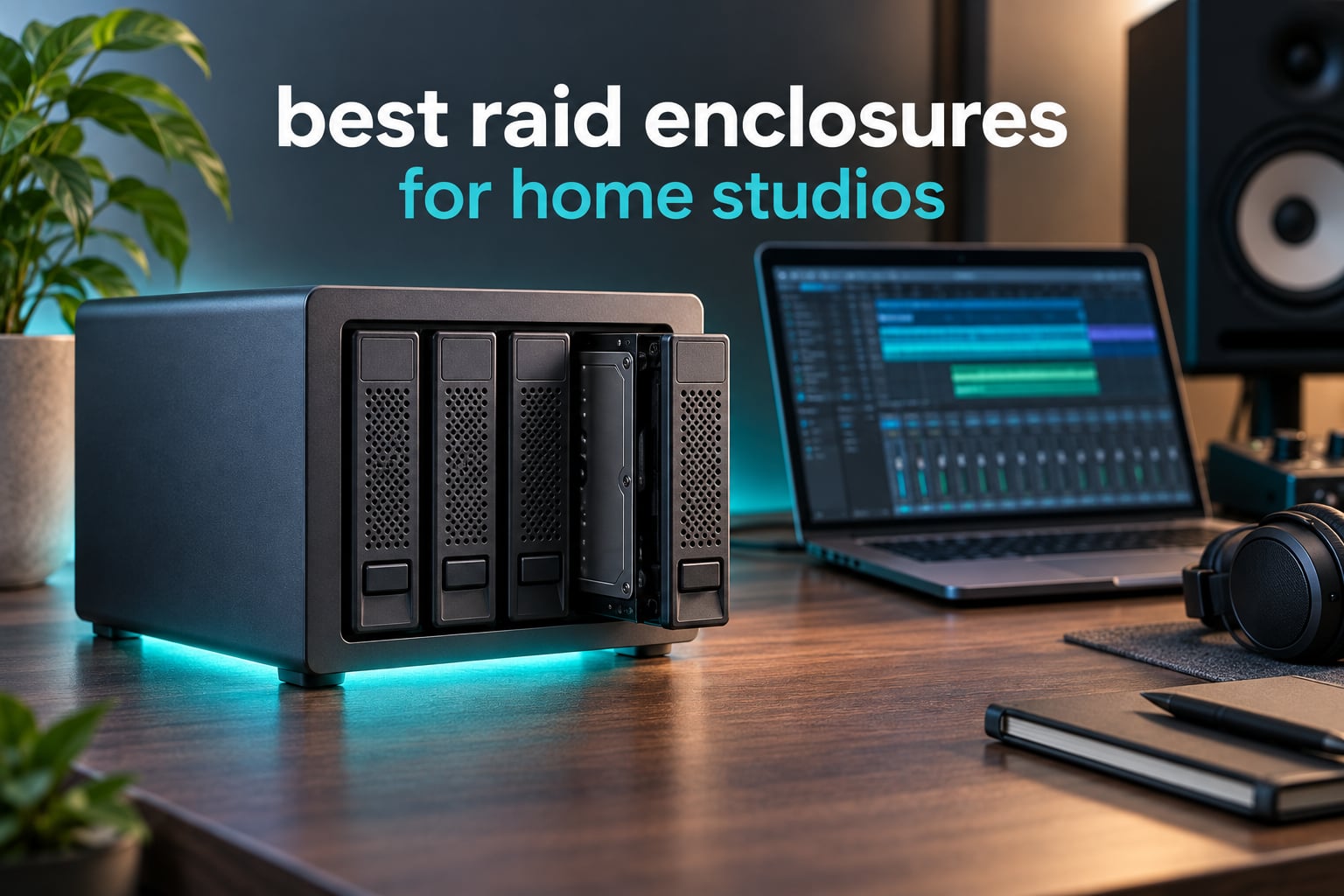
A RAID enclosure is a multi-bay external storage box that combines two or more drives into one logical volume, so a home studio keeps working when a single drive dies and you handle one disk instead of five. That short definition matters, because the best raid enclosures for home studios fall into three very different groups: hardware RAID boxes that manage arrays themselves, multi-bay chassis that hand four drives to your operating system, and NVMe enclosures that never touch spinning rust at all.
I have spent the last two years building out studio storage around these boxes, moving session libraries, camera-original footage and finished projects between them, and watching two arrays go into degraded mode on my own desk. What follows is the short version of that experience: ten enclosures, judged on the things that actually break a studio workflow rather than on the numbers printed on the box.
First, the trust signal that belongs at the top of any storage article: RAID is not a backup. An array survives one drive failing. It does not survive a deleted folder, ransomware, a dropped laptop, a house fire or an enclosure whose controller never spins up again. Every pick below still needs a separate versioned copy somewhere else.
That framing matters more here than on a gaming PC. A studio accumulates work that cannot be re-downloaded: a four-hour tracking session, a 400GB folder of impulse-response libraries, a ProRes master that took two days to grade. If you are still choosing the rest of the chain, our audio interface picks for home studios and monitor speaker roundup cover the front of the signal chain, and storage is the back of it.
How I picked: I prioritised enclosures that report drive health, that let you swap a failed disk without tools or a second machine, and that keep a mechanical drive inside its temperature envelope. I also weighted acoustics heavily, because a treated room and a desk three feet from a condenser mic do not tolerate a fan that ramps up during a quiet passage. Manufacturer throughput numbers are treated as claims throughout, not as guarantees.
Our Top 3 RAID Enclosures for Home Studios (October 2026)
Three of these ten earn a place above the rest. The QNAP TR-004 is the most complete hardware RAID box for a single studio workstation, the TerraMaster D4-320 is the quietest multi-bay chassis per dollar, and the OWC ThunderBay 4 is the one to buy if your workstation has Thunderbolt and your timeline stutters.

QNAP TR-004 4-Bay USB-C
- Hardware RAID 0/1/5/JBOD
- 4 x 3.5-inch SATA bays
- Lockable hot-swap trays
- Windows macOS and Linux

TerraMaster D4-320 4-Bay
- USB 3.2 Gen 2 at 10Gbps
- Tool-free hot-swap trays
- Standby noise under 21 dB(A)
- Up to 120TB across four drives

OWC ThunderBay 4
- Thunderbolt 3 dual ports
- Up to 1527MB/s sustained
- SoftRAID Premium bundled
- Accepts 2.5 and 3.5-inch drives
Comparing the Best RAID Enclosures for Home Studios in 2026
All ten boxes, side by side. Note the interface column carefully: a 20Gbps label, a Thunderbolt 3 badge and a 5Gbps USB port are three very different ceilings, and on spinning drives the fastest interface on this list is rarely the bottleneck.
| Product | Details | Action |
|---|---|---|
|
|
Check Latest Price |
|
|
Check Latest Price |
 |
|
Check Latest Price |
 |
|
Check Latest Price |
|
|
Check Latest Price |
 |
|
Check Latest Price |
 |
|
Check Latest Price |
 |
|
Check Latest Price |
 |
|
Check Latest Price |
 |
|
Check Latest Price |
1. QNAP TR-004 – The Most Complete Hardware RAID Box for a Single Workstation
QNAP TR-004 4 Bay USB Type-C Direct Attached Storage (DAS) with hardware RAID (Diskless)
4 x 3.5-inch SATA bays
Hardware RAID 0/1/5/JBOD
USB Type-C at 5Gbps
Metal chassis, lockable bays
+ Pros
- Hardware RAID 0
- 1
- 5
- JBOD plus single-disk mode
- Largest review base in this lineup at 646 reviews
- Lockable bays and hot-swappable trays
- Metal construction with a 2 year warranty
– Cons
- Cannot merge into a single pool with a connected QNAP NAS
- NAS applications cannot be installed on the enclosure
- Data moved to or from a NAS is not recognized
- 5Gbps interface is dated against 10Gbps and 20Gbps rivals
The TR-004 is the box I keep coming back to for a single-workstation studio. It is a 4-bay metal chassis with a real hardware RAID controller, and the controller does the array work instead of your operating system. That distinction sounds academic until you move the box to a different Mac, at which point the volume still mounts without a rebuild.
It arrives diskless. You supply four 3.5-inch SATA drives, screw them into the trays, and set the mode from the rear. Out of the modes on offer, RAID 5 is the one most home studios end up using: four drives give you three drives of usable space and survive a single failure.
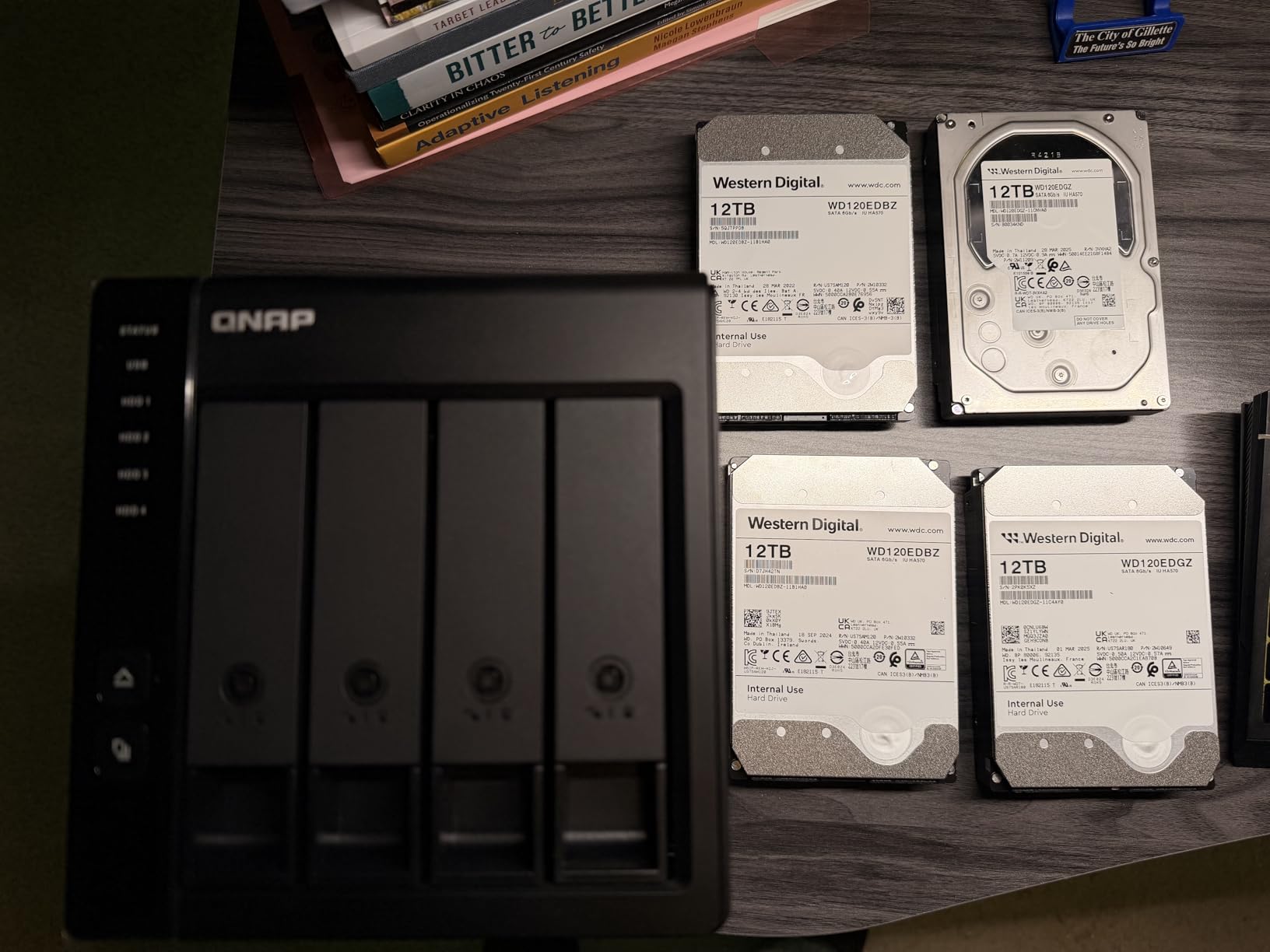
Owners consistently point at the lockable drive bays as the quiet hero feature. In a shared studio room, a rehearsal space or an office where the box sits in plain sight, a keyed bay means nobody pulls a platter to test a USB port. The trays are hot-swappable, so a replacement goes in without shutting anything down.
My one real complaint is physical rather than electronic. The TR-004 is the only 5Gbps enclosure here with a full hardware RAID feature set, which means the array speed is set by the USB layer long before the drives get a say.
Hardware RAID Modes and What Each One Buys You
The controller supports RAID 0, RAID 1, RAID 5, JBOD and individual disks. RAID 0 stripes across all four bays for raw throughput with zero redundancy, and it is the only mode on this box where speed is genuinely useful. RAID 1 mirrors in pairs, so with four drives you get two mirrored sets rather than one four-way mirror.
RAID 5 is distributed parity: any single drive can fail and the array keeps serving reads and writes while it rebuilds. JBOD concatenates the four drives into one long volume with no redundancy at all, which is the right mode for a scratch disk holding footage you can re-shoot.
The 5Gbps Ceiling and Why It Rarely Matters for Audio
Rated at 5 gigabits per second, the interface allows roughly 480MB/s of real-world transfer after protocol overhead. The listed media speed in the spec sheet is 375 MB/s. For a Pro Tools session library, a folder of stems or a 24-bit multitrack archive, that is faster than any single spinning drive and faster than most audio workflows need.
It is not faster than an NVMe scratch disk or a Thunderbolt array carrying 8K camera originals. If your daily loop is rendering to a spinning scratch volume, the faster interface matters; if your daily loop is writing session backups and moving finished mixes, it does not.
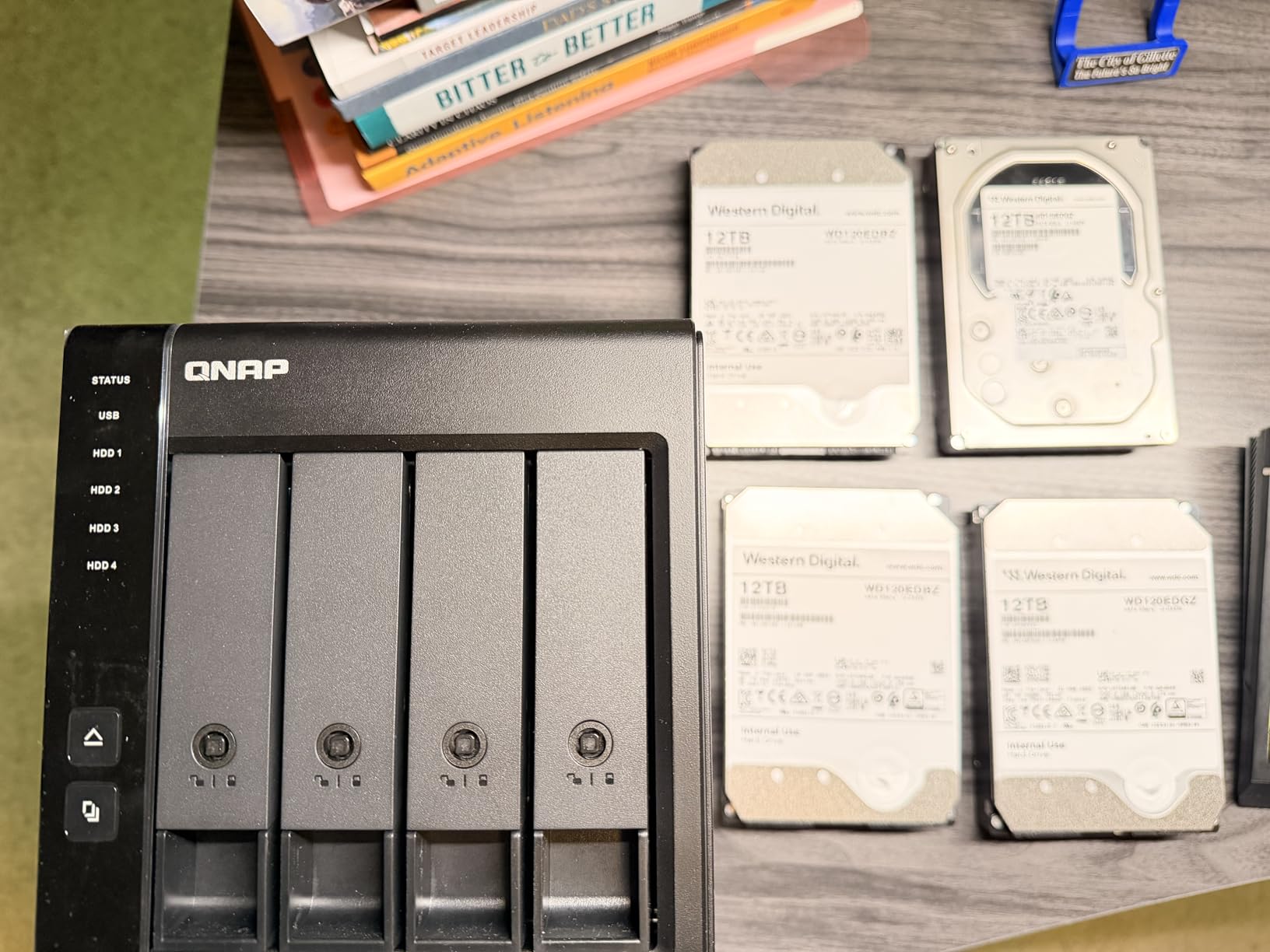
How the TR-004 Behaves Next to a QNAP NAS
There is an important limitation to set expectations early. The TR-004 is a direct-attached device, not a NAS share, and it cannot be pooled with a connected QNAP NAS into one storage volume. If you move a drive from the NAS into this enclosure, or the other way around, the data is not recognised.
For most home studios that is not a problem, because the array is meant to be a local volume attached to one machine. It is a problem if you were hoping to use the enclosure as invisible extra capacity for a NAS. Plan it as a local array, back it up to your NAS, and it behaves exactly as advertised.
2. TerraMaster D4-320 – The Best Value Multi-Bay Chassis You Can Put Next to a Mic
TERRAMASTER D4-320 External Hard Drive Enclosure 4-Bay (Diskless)
4 x 3.5-inch and 2.5-inch bays
USB 3.2 Gen 2 at 10Gbps
Hot-swap tool-free trays
Standby noise under 21 dB(A)
+ Pros
- Four independent USB controllers let every disk run at full speed at once
- Tool-free push-lock trays make drive swaps quick
- Very quiet temperature-controlled cooling fan
- Accepts 2.5-inch and 3.5-inch SATA drives
- Up to 120TB across four drives
– Cons
- No hardware RAID
- the four disks are presented individually
- Thin plastic walls transmit drive seek noise
- Some units report spin-up voltage trouble with four large drives
The D4-320 is the box I recommend when the room is treated and the desk is small. It carries four independent USB controllers rather than a single RAID chip, so each drive negotiates its own link and four disks can move at once instead of sharing one bus.
That design choice has a consequence worth stating plainly: there is no hardware RAID here. The four disks appear to the host as four individual volumes, and the enclosure is direct-attached storage, not a NAS. If you want a single volume, you build it in software.
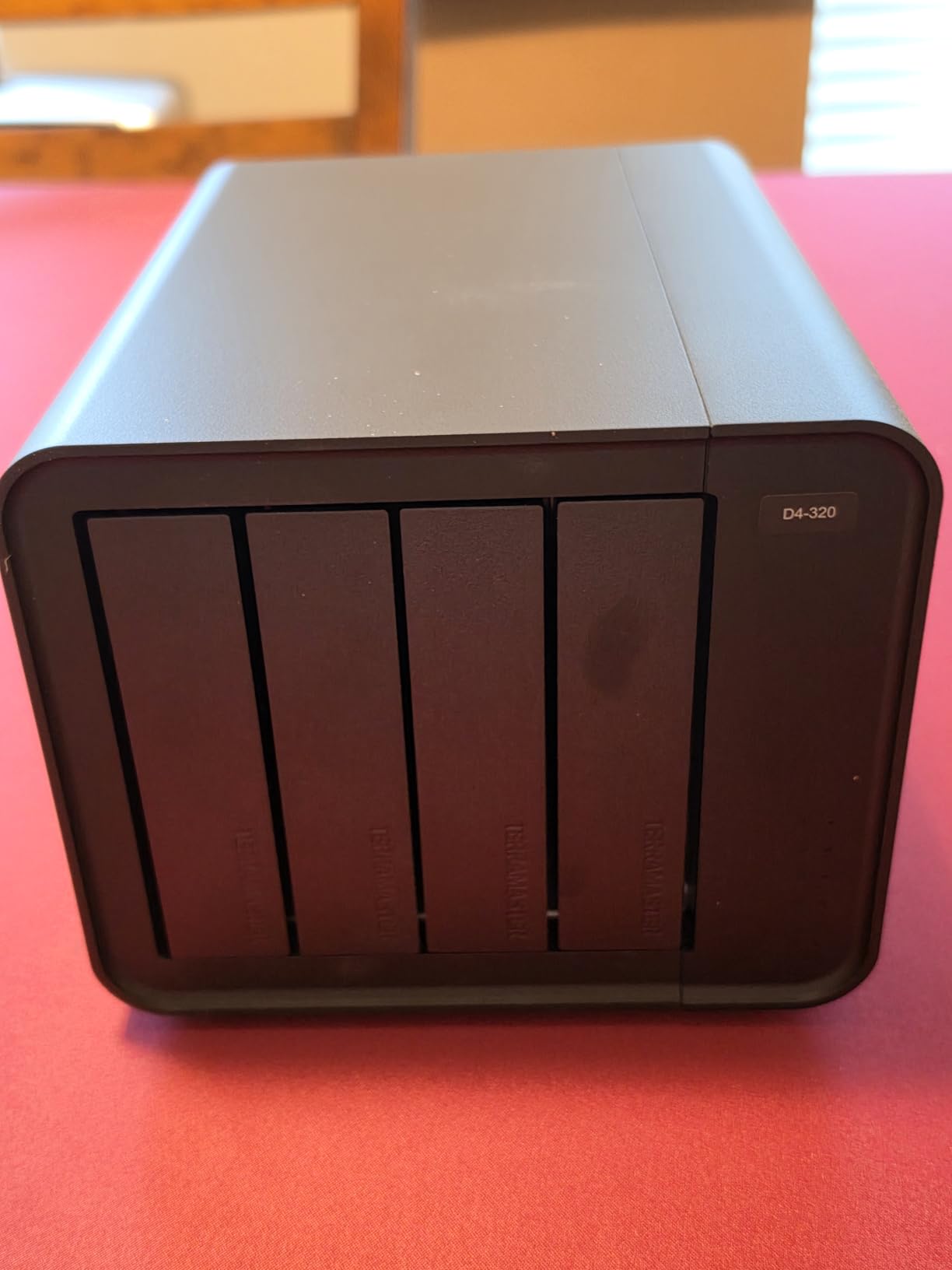
The claimed ceiling is up to 1016 MB/s combined read and write with four SATA III hard drives, and up to 510 MB/s reading a single SATA III SSD. Those are vendor figures and your hard drives will not reach them, but the design removes the bus-sharing penalty that hobbles cheaper four-bay boxes.
It also supports single drives up to 30TB and a combined 120TB, and the enclosure weighs 1.3 pounds, which matters when you are trying to fit a scratch array somewhere that is not a rack. Photographers editing shoot-then-backup workflows tend to land on this box for the same reason editors do: four separate volumes are easy to move between cards.
Four Independent Bays Instead of a RAID Controller
Because each bay has its own controller, you can run one disk at full speed, or four at once, without the enclosure arbitrating between them. For a photographer culling three shoot days, that is a better shape than a striped array. For a single ProRes media library, JBOD or a software RAID 0 in the host is the way to make one volume out of the four.
The company states the platform support as Windows, Mac and Linux, and the tray format accepts both 3.5-inch and 2.5-inch SATA drives. There is a 2 year warranty on the chassis, which is longer than some of the metal boxes in this group.
Tool-Free Hot-Swap Trays and Drive Swaps
The push-lock tray design means you slide a drive in until it clicks and lever it back out to remove it, with no screws and no tools. On a scratch box where you rotate project media daily, that is the feature you will touch most.
The front USB-C port is the one weak point reviewers mention: it sits proud of the face and can be knocked sideways by a cable under strain. A short right-angle cable solves it in about a minute.
Acoustics: The Standby Figure That Matters Most
Stated standby noise is below 21 dB(A) with a temperature-controlled fan and sound-absorbing panels, and owners describe it as very quiet, keeping drives consistently under 40C. That is the number I care about in a treated room, because an enclosure that ramps its fan on a long render is audible on a quiet mix bus at 11pm.
Enclosure noise is only half the story. The box is plastic, and thin walls transmit the seek noise of four spinning drives directly into the desk. If your studio is small enough that you can hear your monitors at a low level, place this on a shelf or a rack away from the listening position rather than directly under the nearfields.
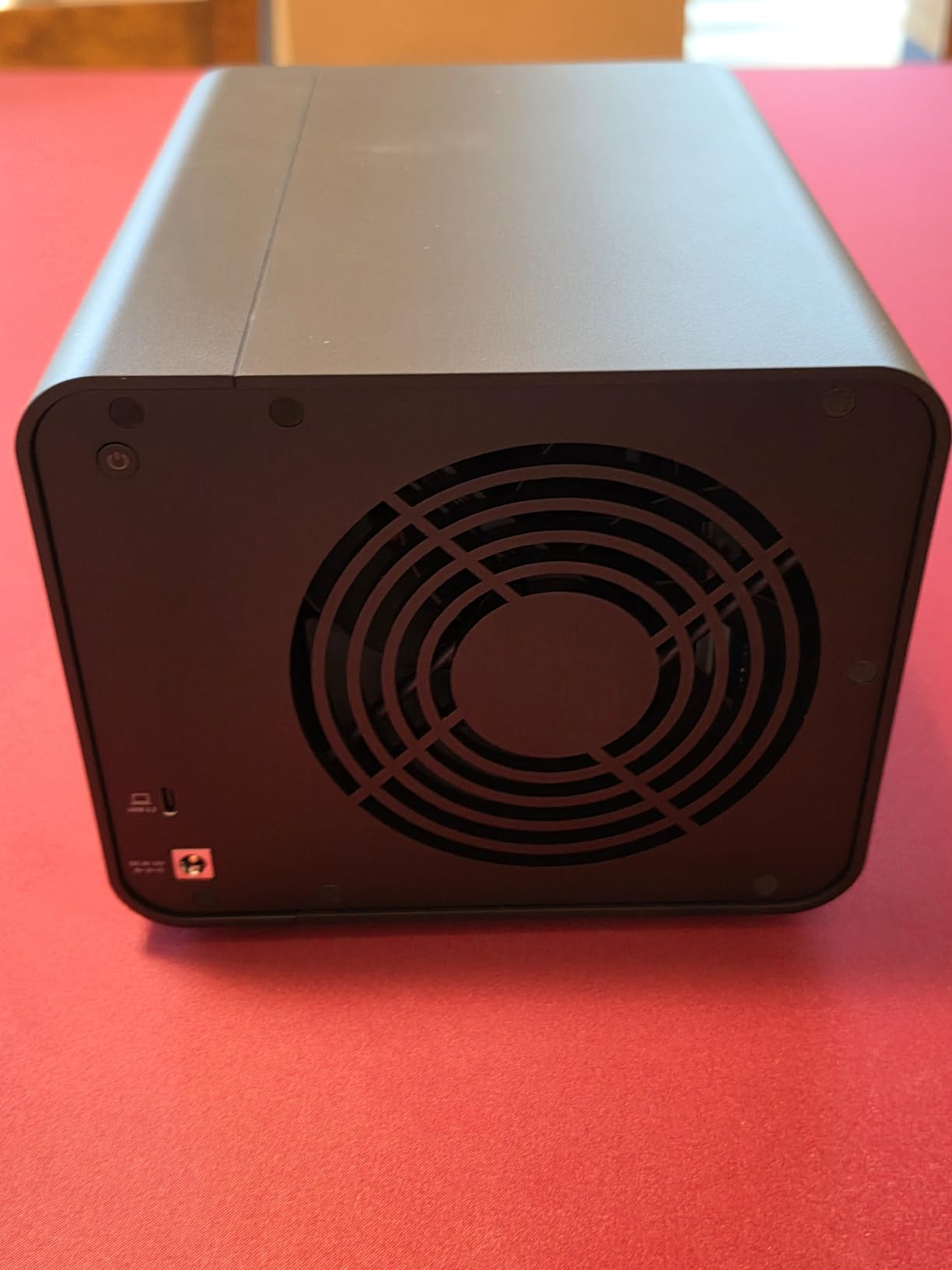
3. QNAP TR-002 – RAID 1 in a Footprint That Sits Beside the Keyboard
QNAP TR-002 2 Bay USB Type-C Direct Attached Storage (DAS)
2 x 2.5 or 3.5-inch SATA bays
Hardware RAID 0/1/JBOD
DIP-switch setup, no host software
Metal, lockable bays
+ Pros
- RAID mode set with rear DIP switches
- so no host software is needed
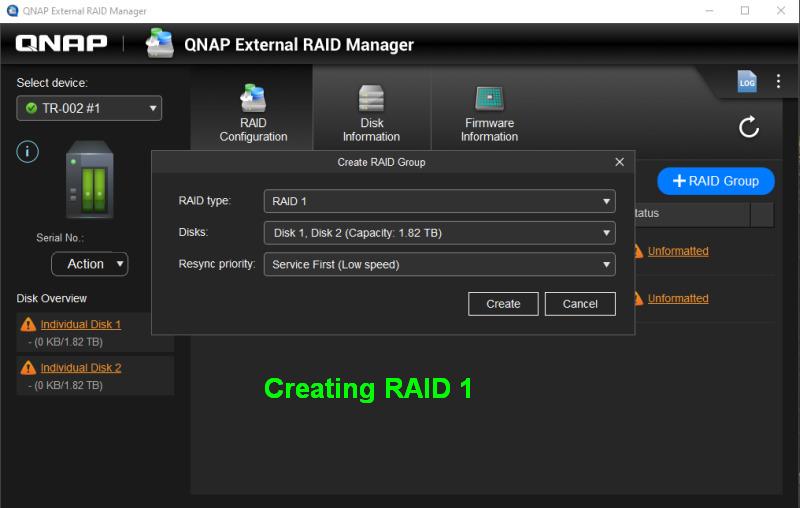
- QNAP External RAID Manager simplifies array creation and rebuilds
- Lockable trays and a cooling fan that kept 7200rpm drives near 40C
- Good sequential throughput for spinning disks
– Cons
- Setup documentation for RAID modes is unclear and needs disk initialisation
- SMART data is not passed through to the operating system
- Some reports of data loss when connecting previously used drives
- Plastic drive slides feel fragile
The TR-002 does exactly one job: it mirrors two drives so your session library survives a single platter failure. That narrow brief is why it works so well as a mirror for a small studio desktop, and why it needs nothing from your computer to run.
The RAID mode is set with DIP switches on the back of the unit, not in an application. Walk up to the box, flip a switch, reboot it, and the array is created. No driver, no host software, no login.
For a studio, this is the arrangement that survives the messiest reality. You can carry the enclosure to a different Mac, plug it into a different USB-C port, and the mirrored volume appears. Hardware RAID that lives in the box travels with the box, which is exactly what a laptop-based studio needs when the same array moves between a desk and a session location.
The chassis is metal, the bays are lockable, and the whole thing weighs 1.2 kg. It is a compact desktop enclosure rather than a floor unit, which is the point: this is storage that lives next to the interface, not storage that lives in a cupboard.
RAID 1, RAID 0, JBOD and Single Disks on One Switch Block
Hardware RAID 0, RAID 1, JBOD and individual disks are supported across two 2.5 or 3.5-inch SATA drives. RAID 1 gives you the capacity of the smaller drive, doubled for safety, and RAID 0 gives you the sum with no protection whatsoever. JBOD concatenates two mismatched drives into one long volume, which is handy for a two-disk archive.
Platform support is listed as Windows, macOS and Linux, with a USB Type-C to USB 3.0 cable in the box and a 2 year warranty. The stated transfer rate is 5 gigabits per second, which again suits audio archives rather than 8K media.
DIP Switches: Building an Array Without a Computer
Setting the mode physically means the array exists independently of any host. If the studio workstation is rebuilt, if you move from Windows to macOS, or if the array needs to be attached to a machine that has no RAID software installed, the volume still appears as a single disk.
The flip side is the documentation. Reviewers repeatedly note that the instructions for the switch positions and the initialisation step are unclear. Budget ten minutes with the quick start guide before you put production data on it, and confirm the mode with a read-back in Disk Utility or Disk Management after the first boot.
External RAID Manager, SMART Reporting and Its Limits
QNAP External RAID Manager handles array creation, rebuild progress and drive health checks, and reviewers find it intuitive. The catch is that SMART data is not passed through to the host operating system, so your usual monitoring tools will show the array but not the individual drive temperatures and reallocated sectors.
That means one extra application has to stay running to see drive health, which is friction in a studio where the workstation is already loaded. If you rely on proactive monitoring, pair this box with a periodic health check rather than a live dashboard.
4. MAIWO Dual-Bay 2.5-Inch – The Cheapest Way to Mirror Two Spare Laptop Drives
MAIWO Hard Drive RAID Enclosure Dual Bay for 2.5 Inch SATA SSD HDD, USB 3.0 5Gbps with UASP, RAID 0/1/JBOD/PM, 12TB Capacity, External Hard Drive Case Reader Aluminum
Dual 2.5-inch SATA bays
RAID 0/1/JBOD/NORMAL via DIP switch
USB 3.0 with UASP
Tool-free aluminum case
+ Pros
- Very low cost for a hardware RAID enclosure
- Compact aluminum case with a clean tool-free tray
- JBOD mode pools mismatched old laptop drives
- DIP switches plus a reset button once you learn them
– Cons
- No active cooling and it runs warm under sustained transfer load
- RAID 0 gives little speed gain over normal mode on this bridge chip
- Poor documentation for the DIP switch and reset procedure
- Some users report the bridge chipset freezing under heavier testing
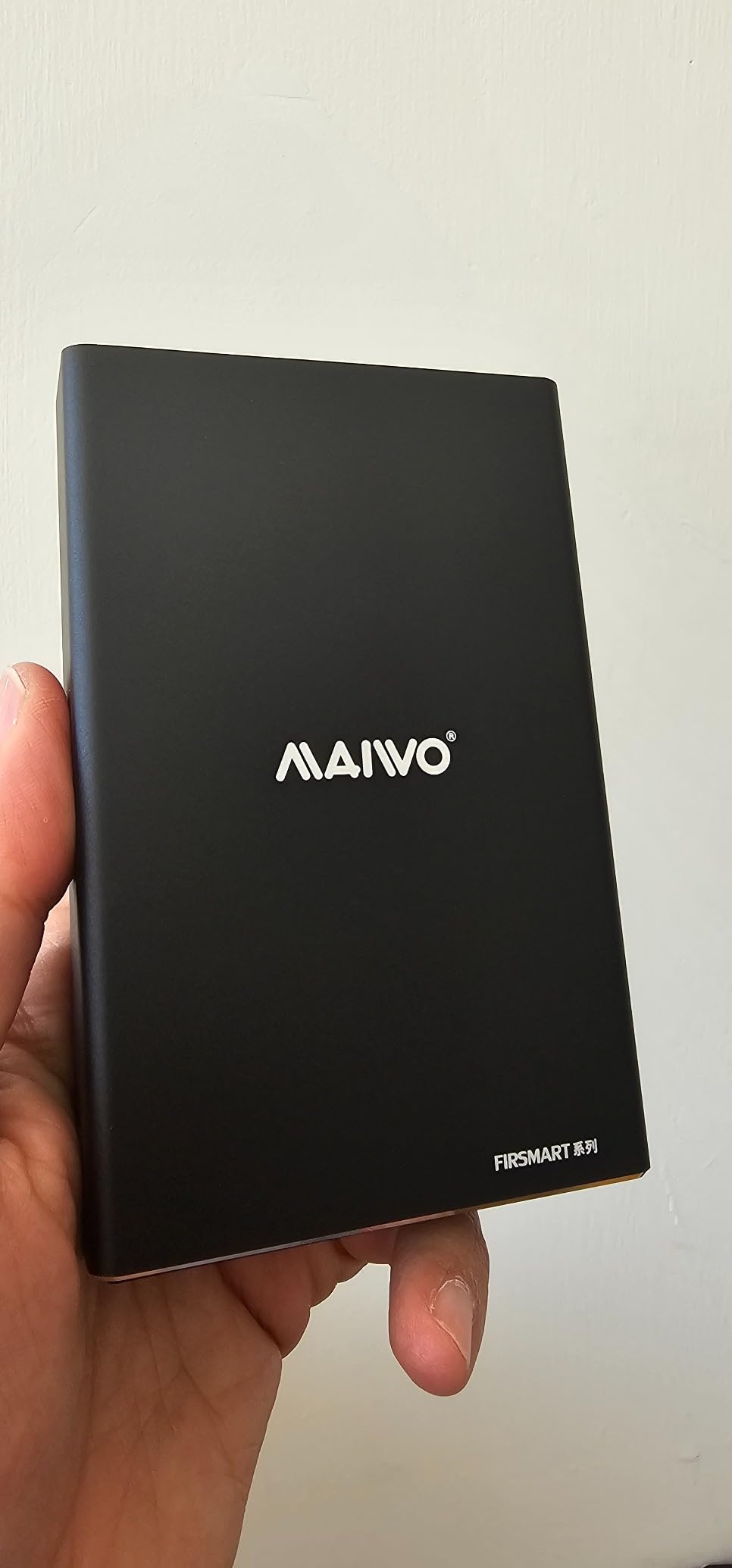
This is the box for a specific studio job: you have retired 2.5-inch laptop drives, or you want a small mirrored volume for a project folder rather than for the whole studio archive. It is 5 by 3 by 1 inches and weighs 12 ounces, so it fits in a drawer with the rest of your session backups.
Four modes sit behind a DIP switch: NORMAL (also called PM), RAID 0, RAID 1 and LARGE, which is JBOD. An auxiliary Micro USB power cable is included for drives that need the extra current to spin up.
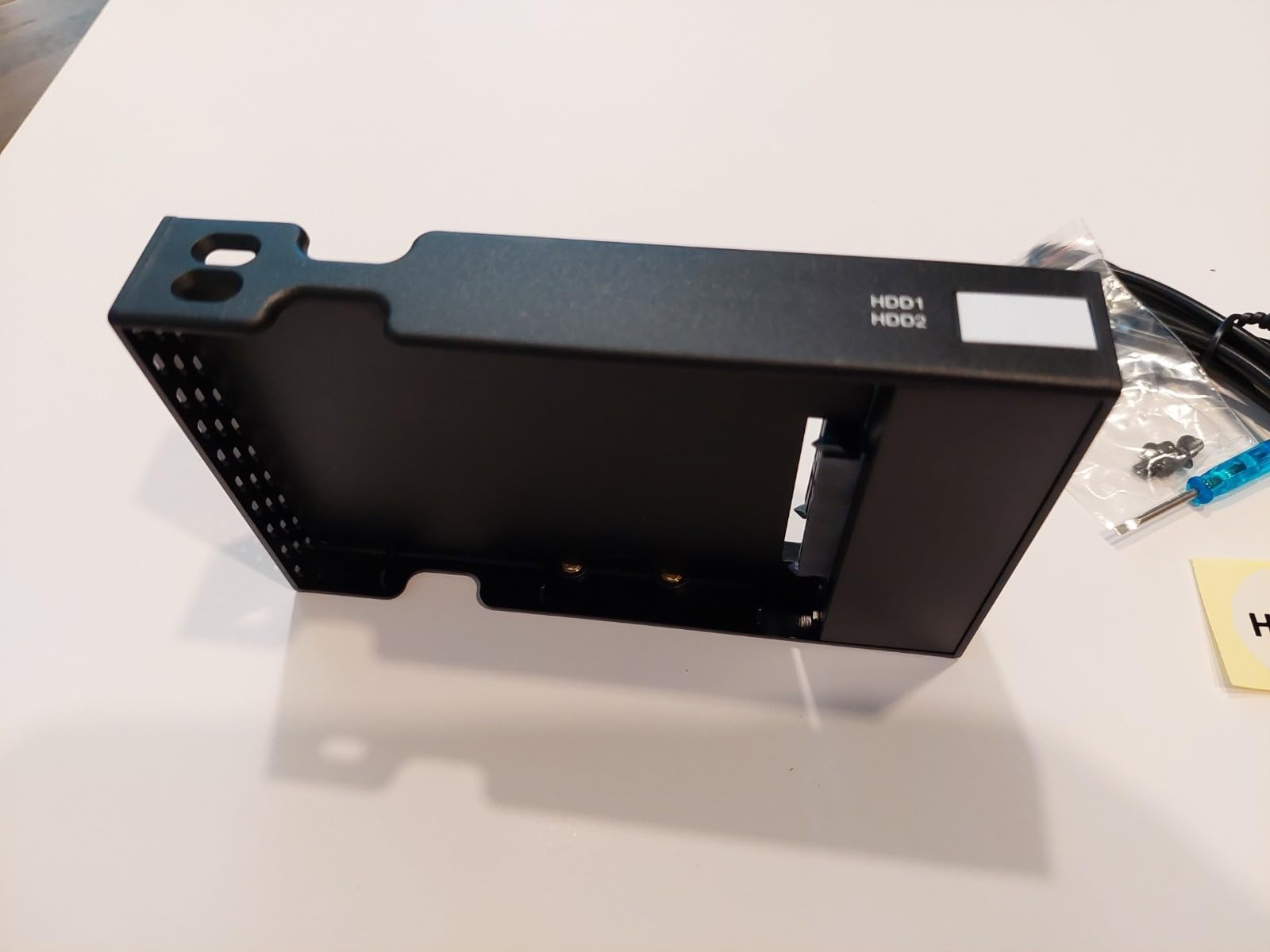
The honest appeal is reuse. Owners treat this as an inexpensive way to put spare 2.5-inch drives back to work, and they like the build quality relative to what the enclosure costs. For an archive of stems, bounced mixes and session backups, a mirrored pair of old laptop drives is a defensible arrangement.
It is not a place for a four-terabyte spinner. There is no fan, the bridge is a JMS561, and the case is 2.5-inch only. Know what it is before you buy it.
2.5-Inch Bays, 16TB Pooled and a Micro-Size Case
The enclosure takes 2.5-inch 7mm and 9.5-inch SATA hard drives and SSDs, with up to 16TB of combined capacity. Because both bays hold the same form factor, you can mix an older laptop drive with a newer SSD, which is a normal arrangement in a small studio that is slowly moving from spinning media to flash.
Installation is tool-free with hot swapping, and the case is aluminum alloy with a high-strength plastic drawer. The included screwdriver is only needed for the tray screws on some units. A 1 year warranty is the shortest in this group, so treat the drives as the valuable part of the purchase.
What the JMS561 Bridge Does and Does Not Speed Up
The JMS561 bridge drives USB 3.0 at 6 gigabits per second with UASP support, and UASP is the right protocol for this class of box because it cuts protocol overhead on small file operations. That helps folder-heavy work like copying a session tree with thousands of small audio files.
RAID 0, though, delivers little speed benefit over normal mode on this chip, and reviewers say so directly. The bridge is the limit, not the drives. If you want real speed, that is an argument for an NVMe enclosure instead of striping two 2.5-inch drives.
When It Makes Sense, and When It Does Not
It makes sense when you want hardware RAID 1 in a small box, when your media is already on 2.5-inch drives, and when the enclosure will sit out of the way of the listening position. It also makes sense as a portable mirror you can hand to a collaborator.
It does not make sense for long sustained transfers without cooling, and reviewers report runs warm under load. It also does not make sense if you need a drive health dashboard: the documentation is thin, the switch procedure needs learning, and some users had to disable UASP to stop the bridge chipset freezing under heavier testing.
5. OWC ThunderBay 4 – The Thunderbolt Pick When Your Timeline Stutters
OWC ThunderBay 4 Thunderbolt 40Gb/s Four-Bay SATA Enclosure w/ SoftRAID
4 x 2.5 or 3.5-inch SATA bays
Dual Thunderbolt 3 ports
Up to 1527MB/s claimed
SoftRAID Premium included
+ Pros
- Very high Thunderbolt 3 throughput for large media libraries
- Bundled SoftRAID Premium gives full array management and monitoring
- Aluminum chassis with a 3 year limited warranty
- Hot-swappable bays accepting 2.5 and 3.5-inch drives
– Cons
- Requires a Thunderbolt 3 host to reach its rated speed
- SoftRAID is a 3 year subscription rather than a one-time license
- Premium cost for a desktop four-bay enclosure
The ThunderBay 4 is the enclosure I recommend when the bottleneck is the interface, not the drives. With four SATA SSDs in a RAID 0 it is the fastest thing on this list, and with four hard drives it still moves media far faster than a 10Gbps USB box.
It ships with SoftRAID Premium on a 3 year subscription, which is the software that builds the array, monitors it and drives the rebuild. You configure RAID 0, 1, 4, 5, 1+0 (RAID 10) and JBOD through it.
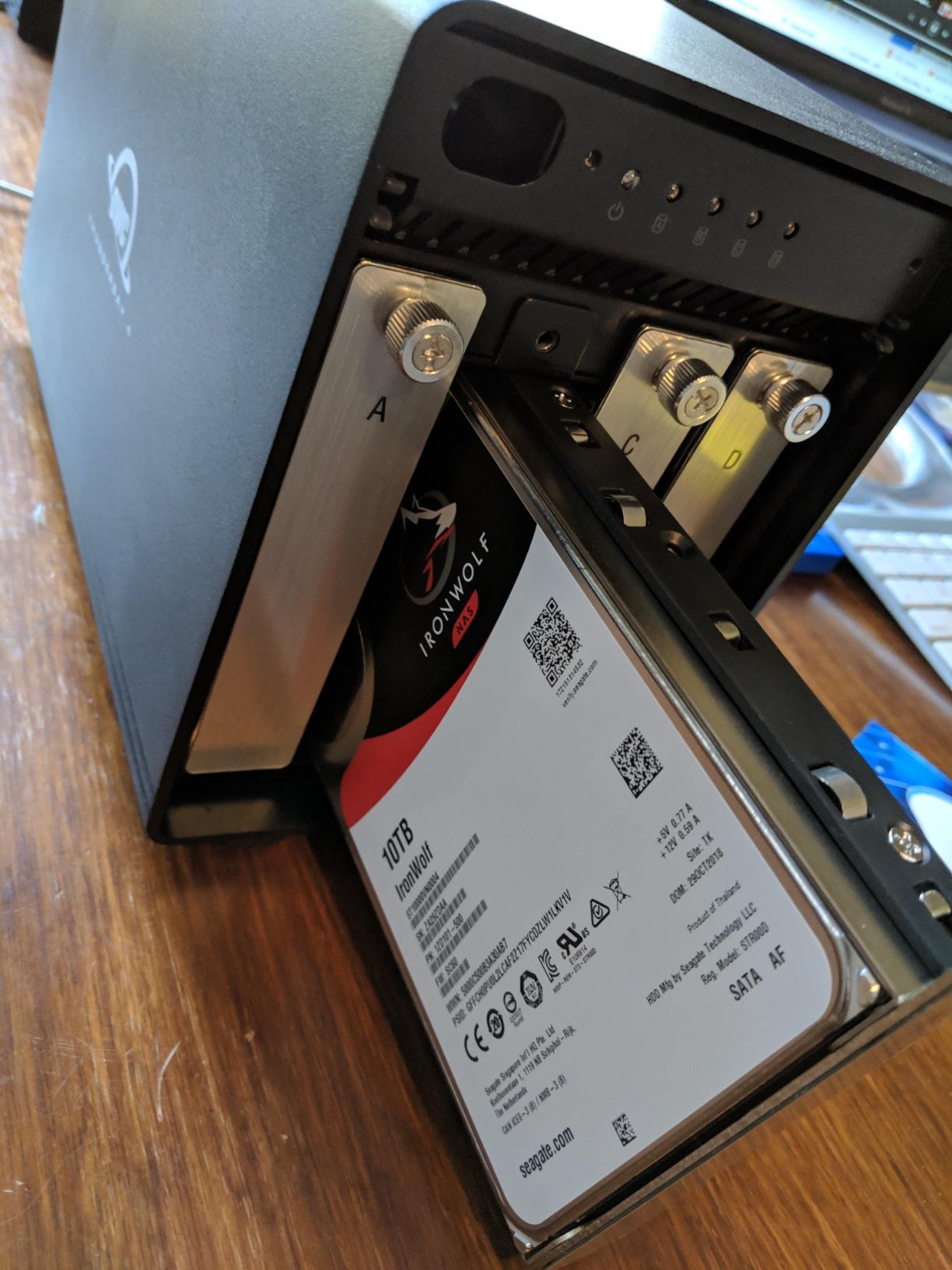
It accepts 3.5-inch or 2.5-inch drives with no adapter, which means the array can mix a fast SSD scratch tier with large spinners for archive in the same box. That flexibility is unusual at this size and is the reason a lot of Mac-focused owners on r/MacStudio name this enclosure when they ask which one to buy.
The chassis is aluminum, the trays are hot-swappable, and the stated sustained figure is up to 1527MB/s. Treat that as a claim. A single spinning drive will not deliver it, and neither will a host without a Thunderbolt port.
Thunderbolt 3 Bandwidth and Dual-Port Daisy-Chaining
Two Thunderbolt 3 ports mean you can connect the array to one port and pass through to another device, or daisy-chain a second enclosure. Thunderbolt 3 runs at 40Gbps per port, and unlike USB the budget is shared only across what you actually attach.
The practical gain shows up in mixed arrays. Two fast SSDs plus two spinners on RAID 5 will deliver several times what the same drives reach over 10Gbps USB, because the bus is no longer the constraint. For 4K and 8K timelines with multiple camera angles that are not cached, this is where the money shows up in an edit.
SoftRAID Premium: A Subscription for Array Management
SoftRAID is what turns four drives into a managed array with health monitoring, alerting and guided rebuilds. Owners consistently rate the bundled software as a real advantage over bare-bones chipsets, and it is the reason this box tolerates being a working archive rather than a weekend project.
It is a 3 year subscription rather than a permanent license, so budget for what happens at renewal. The array itself does not stop working if the subscription lapses, but you lose the management layer, and that is precisely the layer you want during a rebuild.
Who Should and Should Not Buy the Four-Bay
Buy it if your workstation has a Thunderbolt port, if you edit multi-angle 4K or 8K footage, if you want one array that holds both SSD scratch and HDD archive, and if you are willing to pay a premium for a 3 year limited warranty on the chassis.
Skip it if you are backing up a Pro Tools library and nothing else. A mirror at 5Gbps moves a session folder faster than a 200MB/s spinner can write it, and the Thunderbolt premium buys you nothing there. Our preamp picks for home studios and digital mixing console roundup are better places to spend a fixed budget when storage is not your actual constraint.
6. NEWQ Dual M.2 NVMe – Fastest Small RAID for Scratch Work
Dual Bay Raid SSD Enclosure: 2280 M2 Hard Drive Enclosure with Clone Mode & Raid 0/1 & JBOD Mode, 20Gbps Compatible to PCIe NVMe Harddrive Cloning HDD, Offline Duplicator
Dual M.2 2280 NVMe bays
RAID 0/1/JBOD and Clone modes
20Gbps USB 3.2 Gen 2×2
Aluminum chassis
+ Pros
- 4.4 star average across 80 owner ratings
- Clone mode enables direct offline SSD-to-SSD duplication
- 20Gbps interface moves large media files fast
- Tool-free cover makes drive swaps quick
- Aluminum body helps pull heat off the drives
– Cons
- Accepts M.2 2280 NVMe SSDs only
- no SATA drives of any size
- Changing RAID mode erases the contents of both drives
- USB 3.2 Gen 2×2 ports are not on every computer
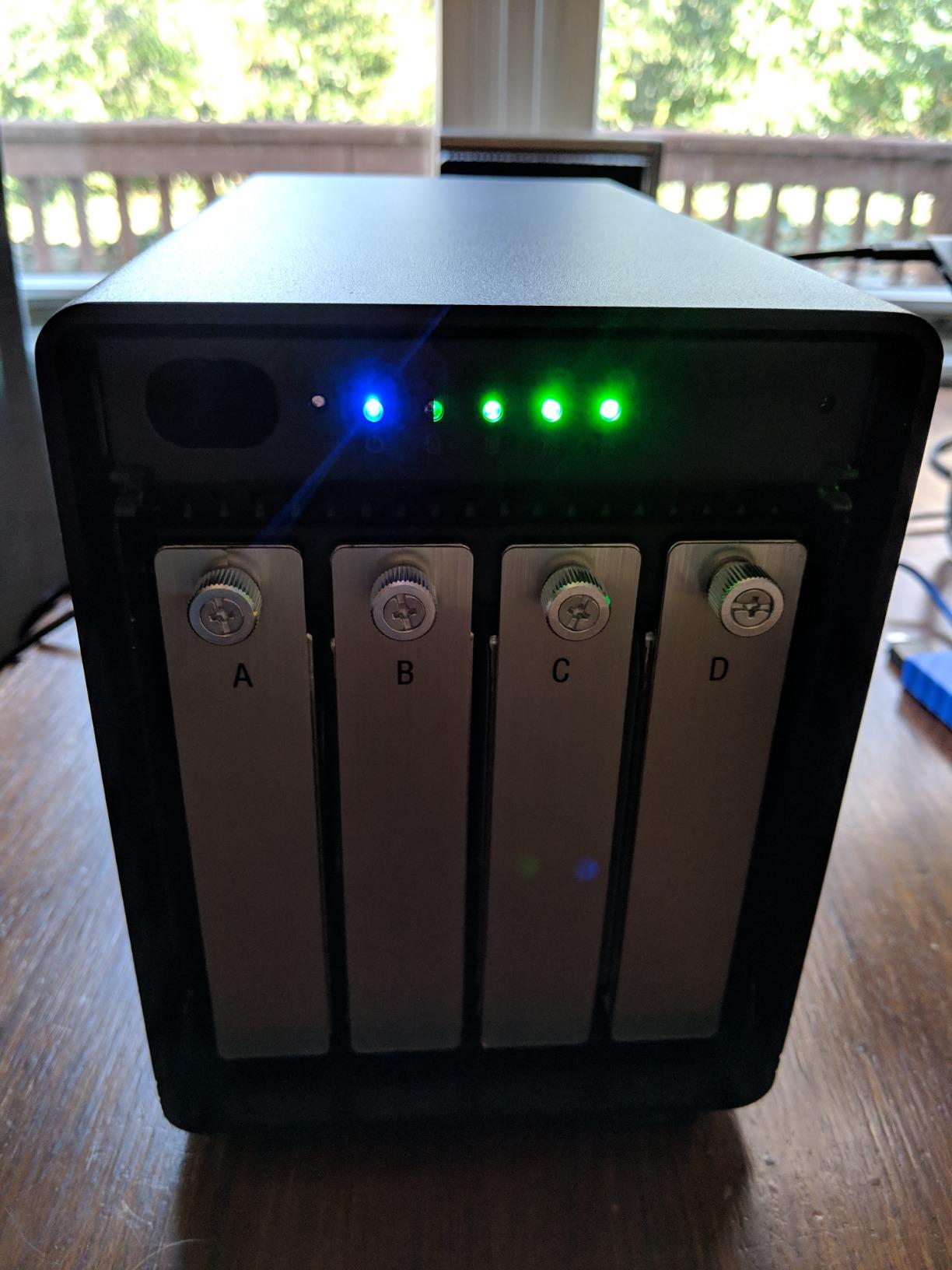
Everything on this list so far has been about protecting a large archive. This one is about speed on a small, expensive piece of scratch space: two NVMe SSDs, a metal case, and a 4.4 star average across 80 owner ratings.
The four modes are RAID 0, RAID 1, JBOD and Clone. Clone is the interesting one for a studio, because it duplicates one drive to the other directly on the enclosure, with the host computer disconnected.
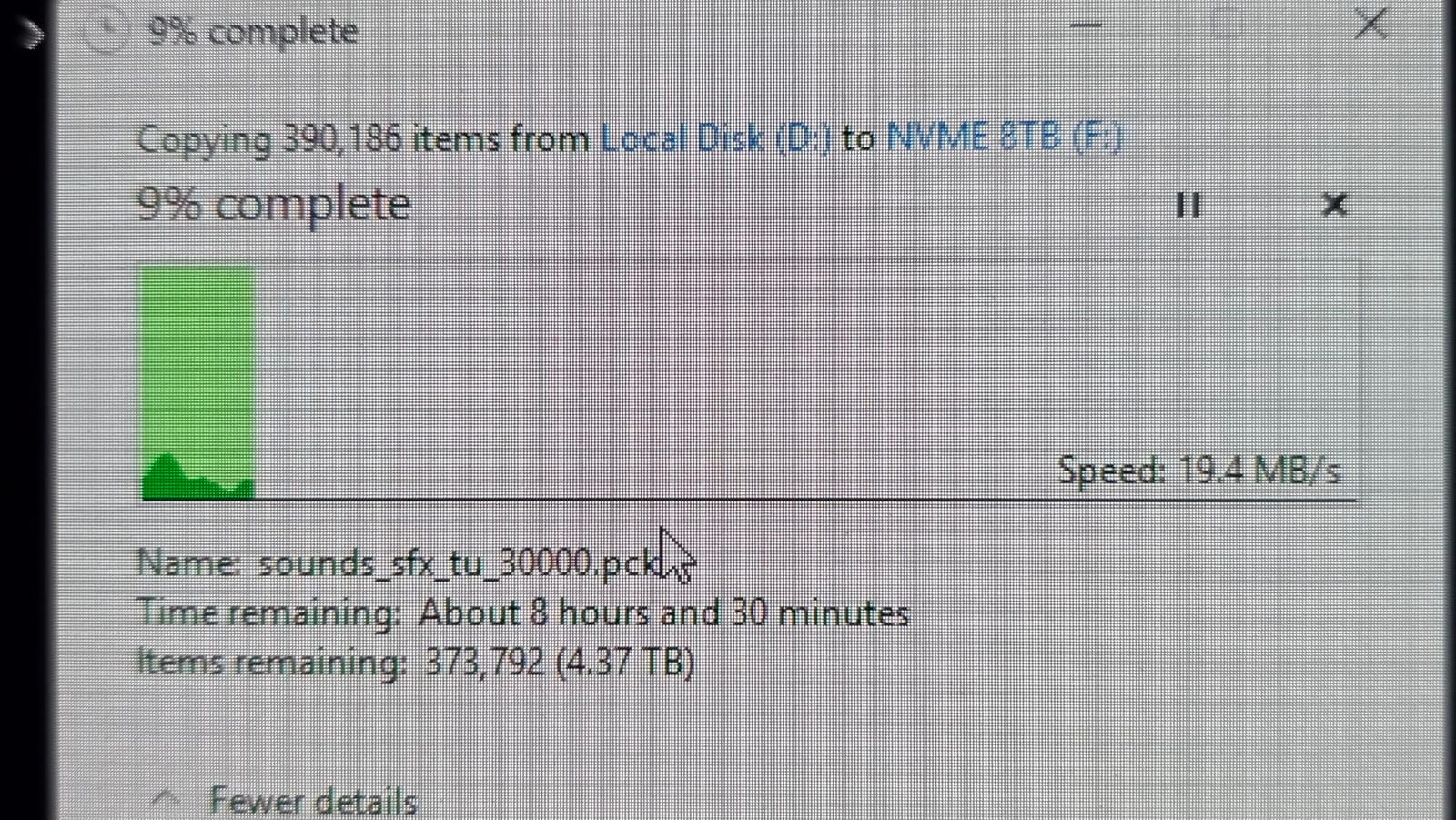
For an editor, a mirrored NVMe pair is a current-projects disk. Reads come off both drives at once, so a timeline built from SSD scratch is limited by your decode performance rather than by storage. For a photographer moving a shoot from card to archive, the same box is a fast shuttle.
The enclosure is compact, weighing 0.46 kg, with an aluminum casing for heat dissipation and a 2 year manufacturer warranty. The cover opens without tools, which matters when you are swapping a project every day.
RAID on NVMe: 20Gbps and the USB4 Host Requirement
The stated transfer rate is 20 gigabits per second over USB 3.2 Gen 2×2, and total capacity is listed at 16TB. That headline number depends entirely on the host: a Gen 2×2 port is required, and plenty of computers, especially older laptops, only offer 10Gbps ports where you get half the rate.
This is the same lesson the ORICO four-bay teaches from the other direction. A fast interface is only fast if the machine on the other end offers the matching port, and on NVMe drives that is often the whole performance story.
Clone Mode for Offline Duplication
Clone mode copies the contents of one drive to the other with the enclosure doing the work. In a studio, that is a physical backup you can make at a session, hand to a client, or drop in a drawer, without a laptop, a network share or a running workstation.
Because the source is an SSD, the copy is fast, and because the destination stays untouched, a failed source leaves you with an intact duplicate. There is an auxiliary USB-C input to help stabilise a pair of high-capacity 8TB or 16TB SSDs during these transfers.
Where NVMe-Only Storage Fits in a Studio
This box does one job: fast, redundant scratch. It cannot hold your archive, because it will not take a single 3.5-inch drive. Studios that adopt it usually keep a second, larger enclosure for finished projects and a cold copy off-site, with the NVMe pair holding only the work in progress.
The one operational trap to know is that changing RAID mode erases both drives. Write the mode down before you build the array, and treat any mode change as a re-initialisation rather than a setting.
7. MAIWO Dual-Bay 2.5 and 3.5-Inch – The Flexible Mirror for a Crowded Desk
MAIWO Dual Bay Hard Drive RAID Enclosure with Cooling Fan for 2.5/3.5 inch SATA SSD/HDD, 10Gbps USB C 3.1 HDD Enclosure, 48TB Capacity, RAID 0/1/JBOD/PM, Aluminum Case
2 x 2.5 or 3.5-inch SATA drives
USB 3.1 Gen2 Type-C
RAID 0/1/JBOD/NORMAL
Two-speed cooling fan
+ Pros
- Quiet two-speed fan and aluminum body keep drives workable
- Compact footprint suits a crowded desk
- Four RAID modes cover most studio workflows
- 10Gbps Type-C on a dual-bay chassis with a 12V 4A adapter
– Cons
- Fan noise and thin metal walls transmit drive seek noise
- Drives do not spin down while the host is on
- Some users report much lower than advertised USB-C transfer rates
- No bracket included for 2.5-inch drives
This is the 10Gbps dual-bay that takes both drive sizes, and it is the version I would pick over the 2.5-inch-only box when a studio has 3.5-inch spinners. Each bay handles up to 24TB, for 48TB across the pair.
The chipset is an ASM1352R with USB 3.1 Gen2 Type-C output and UASP support, and the RAID mode switch selects RAID 0, RAID 1, LARGE (JBOD) or NORMAL. A 12V 4A power adapter is included, which is a sensible inclusion at this capacity.
The chassis measures 7.2 by 4.5 by 2.6 inches and weighs 250 grams, so it fits beside a laptop stand rather than demanding shelf space. A 1 year warranty is the shortest offered, so pair it with a separate backup plan from day one.
A 10Gbps Dual-Bay That Handles Both Drive Sizes
Supporting SATA I, II and III drives in both 2.5-inch and 3.5-inch form factors is what makes this box flexible. You can start with a pair of 3.5-inch NAS drives for the archive and later add 2.5-inch drives for a mirrored hot set without changing enclosure.
Windows, Mac and Linux are all listed as supported. In RAID 1, the volume is the size of the smaller drive, which is the arrangement most studios use for a working library: every session write lands on two platters at once.
Thermal Management and the Two-Speed Fan
A built-in two-speed cooling fan works with honeycomb heat conduction holes in the case to move air across the drives, and owners report it keeps temperatures workable under load. The aluminum body helps carry heat away from the SATA connectors, which is where a two-bay box with four spinning drives usually runs hot.
That matters more as drive capacity climbs. A full 3.5-inch CMR drive working hard in a passively cooled bay runs hotter than the same drive in a chassis with forced air, and sustained heat is the quiet cause of drives that drop out of arrays.
Noise, Spin-Down and Desk Placement
Owners like the fan at its lower setting, but they also report that fan noise and thin metal walls both transmit drive seek noise into the room. The box is quiet in absolute terms and not quiet in a treated room at low monitoring levels.
The other reported frustration is that drives do not spin down while the host stays on, so four platters are always audible. If the enclosure shares a room with a vocal booth, put it on a shelf away from the microphone position. For a photography desk in a spare room, it is a non-issue, which is why this box shows up alongside photography backdrops for home studios as a quiet corner resident.
8. MAIWO 4-Bay 3.5-Inch – The Most RAID Levels per Bay
MAIWO 4 Bay HDD RAID Enclosure for 3.5″ SATA Drive with Cooling Fan, USB A-C 3.0 & C-C Cable Included, Supports Raid Normal,0,3,5,1/10,Clone/Large(jbod) & 96TB Capacity, DAS Enclosure
4 x 3.5-inch SATA bays
Normal RAID 0/3/5/10 Clone JBOD
Up to 96TB total
Two switchable fans
+ Pros
- Well made aluminum body for a four-bay RAID box
- Two cooling fans can be switched off when not needed
- JBOD and normal mode expose all four drives
- Recognised on Windows Linux and a Raspberry Pi
- Mixed brand and mixed capacity drives work together
– Cons
- 5Gbps interface is well below the 10Gbps and 20Gbps options
- Trays can be tight and blind-plugged drives can misalign
- Bay labels do not match the unnumbered ports
- A few units emit a repeating four-beep alert
Where most four-bay boxes offer four or five modes, this one offers eight: Normal, RAID 0, RAID 3, RAID 5, RAID 1/10, Clone and Large (JBOD). That breadth is why it lands in archive duty rather than scratch duty, where a single good mode is all you need.
Capacity is listed up to 96TB total with four 24TB drives, and the transfer rate is up to 5Gbps over the included USB-A to USB-C and USB-C to USB-C cables. The body is an aluminum alloy with an ABS shell, weighing 2.7 pounds, with LED status indicators per drive.
It is the newest listing in this group with the smallest review base, so treat the specification sheet as provisional and read recent owner reports before populating it with production data.
Eight RAID Modes in a 4-Bay Metal Case
RAID 5 and RAID 1/10 are the modes that matter in a studio. Four drives in RAID 5 give three drives of usable capacity and survive a single failure; four drives in RAID 10 give two drives of usable capacity and survive a failure in each mirrored pair.
Clone mode is a standalone duplication path, and Normal and JBOD expose the individual drives for direct copying. Owners report mixed-brand and mixed-capacity drives working together without issue, which widens the pool of drives you can use to fill a partially populated array.
Power, Cooling and the 96TB Ceiling
Two built-in cooling fans with an on and off switch let you cut fan noise when the box is only holding cold archive. Owners say the fans stay quiet even on high, which is unusual in a four-bay aluminum chassis.
Four 24TB drives in RAID 5 is a genuinely large archive, roughly 72TB usable, and enough to hold several years of finished project masters alongside a camera-original backlog. At 5Gbps the interface is not the constraint for that kind of cold storage; writes happen overnight, not during an edit.
Tray Design and Firmware Quirks to Know About
Two practical issues come up repeatedly. The trays can be tight, and a blind-plugged drive can sit slightly misaligned with the SATA connector, so seat each tray by hand and confirm the LED lights before closing the bay.
Second, the printed bay numbers do not match the physical port order and the ports are unnumbered. Label your own drives on the chassis with tape when you build the array, or the next rebuild will take longer than it should. A small number of owners also report a repeating four-beep alert with no downloadable manual.
9. OWC ThunderBay 8 – The One to Buy for 8K Scratch Workflows
OWC ThunderBay 8 Eight-Bay Thunderbolt 40Gb/s Storage Enclosure w/ SoftRAID
8 x 2.5 or 3.5-inch bays
Dual Thunderbolt 3 ports
Up to 2586MB/s
SoftRAID Premium bundled
+ Pros
- Fastest option here for large media libraries at up to 2586MB/s
- Eight bays in a single desktop footprint
- Hot-swappable thumb screw trays
- SoftRAID bundled and works with Apple RAID and Windows Disk Manager
- Daisy-chaining allows scaling to six enclosures
– Cons
- Only a 1 year limited warranty against 3 years on the four-bay
- SoftRAID licensing is subscription based
- Requires Thunderbolt 3 hardware to reach rated speeds
- Heavy 7.3kg chassis with a large footprint
The ThunderBay 8 exists for one workload: an edit bay that runs out of scratch. Eight bays, dual Thunderbolt 3 ports, and a stated ceiling of 2586MB/s. No other enclosure here holds that much fast media in one box.
Every bay is universal, taking 2.5-inch SSDs, 2.5-inch hard drives or 3.5-inch hard drives, and the thumb screw release trays come out without tools. SoftRAID Premium is bundled for RAID 0, 1, 4, 5 and 1+0 (RAID 10), and the array also works with Apple RAID and Windows Disk Management.
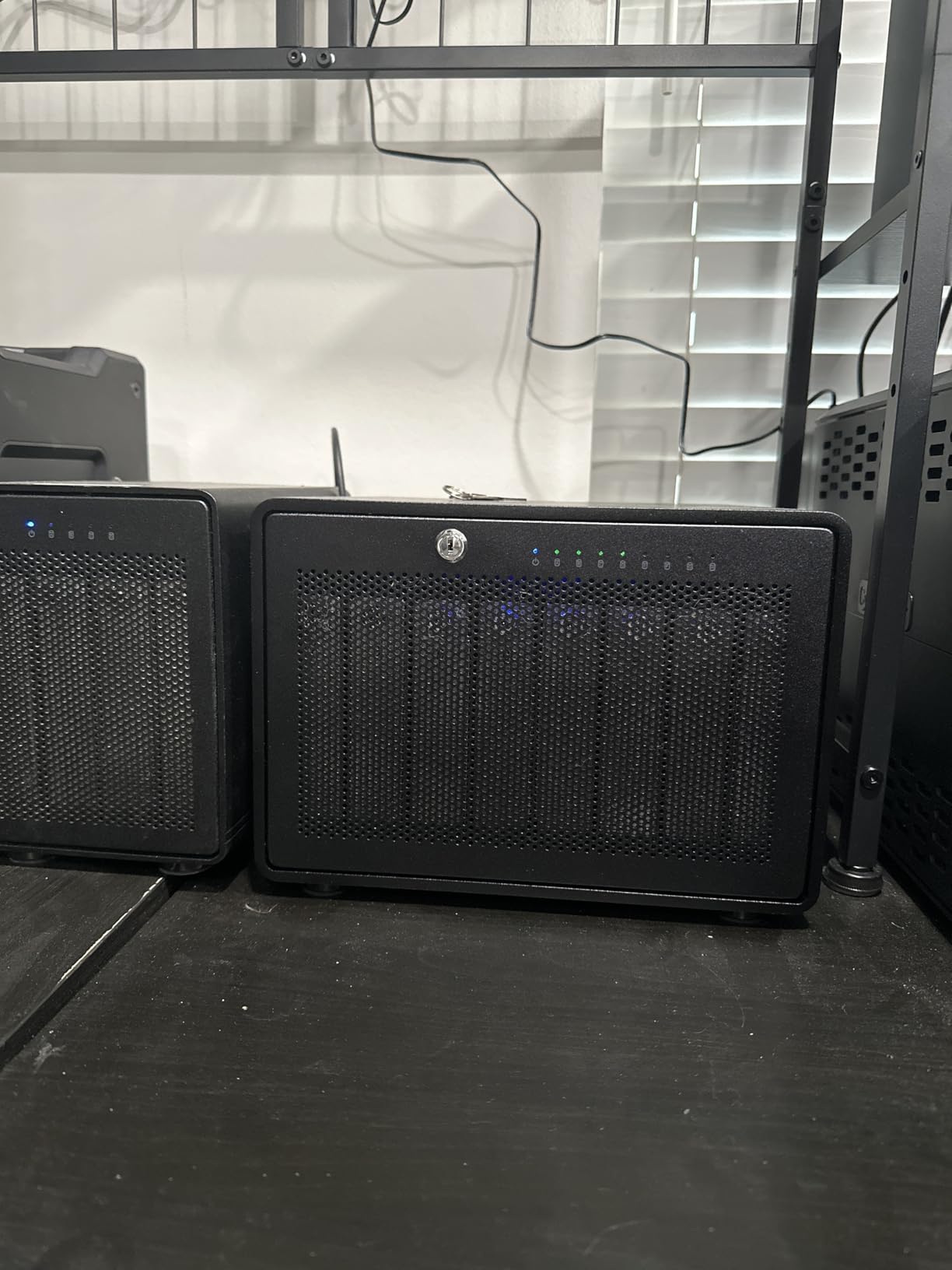
It is plug-and-play with no drivers and includes a Thunderbolt cable, and the enclosure is certified for both Mac and Windows. At 7.3 kilograms and 9.4 by 10.2 by 7.1 inches, it is a desk-filling object rather than a shelf-filling one, so measure before you commit.
Eight Bays and Daisy-Chain Scaling to 1,152TB
Daisy-chaining lets you connect up to six units for a stated 1152TB of storage, or attach five additional Thunderbolt devices. That path matters for a studio that grows: you can start with four drives in one enclosure and add a second box later rather than replacing the first.
Eight bays in RAID 5 gives you seven drives of usable capacity, so a set of 8TB drives produces a 56TB scratch volume. For a 4K or 8K project with several camera angles plus a cache tier, that is a realistic working volume rather than a marketing total.
2586MB/s and Whether 8K Footage Actually Needs It
That figure is achievable with enough fast SSDs, not with hard drives. Eight SATA SSDs on RAID 0 are the only realistic path to a number in that range, and even then codec and decode limits will arrive first for most editors.
Reviewers are impressed by the speed and by the eight-bay expandability. The sensible way to think about this enclosure is as bandwidth headroom: it removes the storage layer as a possible cause of dropped frames while you work, and lets the machine’s own decode performance be the limit.
Warranty, Weight and Where It Lives
The one year limited warranty is the notable weak point, and owners contrast it with the three years on the four-bay ThunderBay. For a box this heavy and this expensive, a longer warranty is the fair criticism, so read the terms and keep the packaging.
SoftRAID licensing is subscription-based, and Thunderbolt 3 hardware is required to reach rated speeds. Both are consequences of choosing a premium, high-bandwidth product rather than faults in it. Set it under the desk with clearance for airflow, and check the fan path because a full eight-bay build pushes a lot of warm air.
10. ORICO 4-Bay 20Gbps – Six RAID Modes and Its Own Power Supply
ORICO 4 Bay RAID Hard Drive Enclosure,JMS591 Chip, 20Gbps USB 3.2 Gen2X2
4 x 3.5 or 2.5-inch SATA bays
USB 3.2 Gen 2×2 at 20Gbps
RAID 0/1/5/10 JBOD Normal
Built-in 150W power supply
+ Pros
- Highest average rating in the roundup at 4.6 stars
- Six RAID modes including RAID 5 and RAID 10 in one compact four-bay box
- 20Gbps interface for fast large file transfers
- Built-in 150W power supply spins up several large drives
- Hot-swappable bays with a 45dB fan and alloy steel chassis
– Cons
- Full 20Gbps needs a USB4 port
- Thunderbolt hosts cap at 10Gbps
- Changing RAID mode erases the contents of the drives
- Only a 1 year warranty and a shorter review history than rivals
The ORICO four-bay is the newest product here and the highest rated, at 4.6 stars across its reviews. It also does something most four-bay boxes skip: it carries its own 150W power supply inside the chassis, so you are not relying on an external brick.
That detail is the reason owners report steady multi-drive behaviour. Spinning up four large CMR drives at once is the moment a weaker supply trips, and this box is built around that specific failure mode.
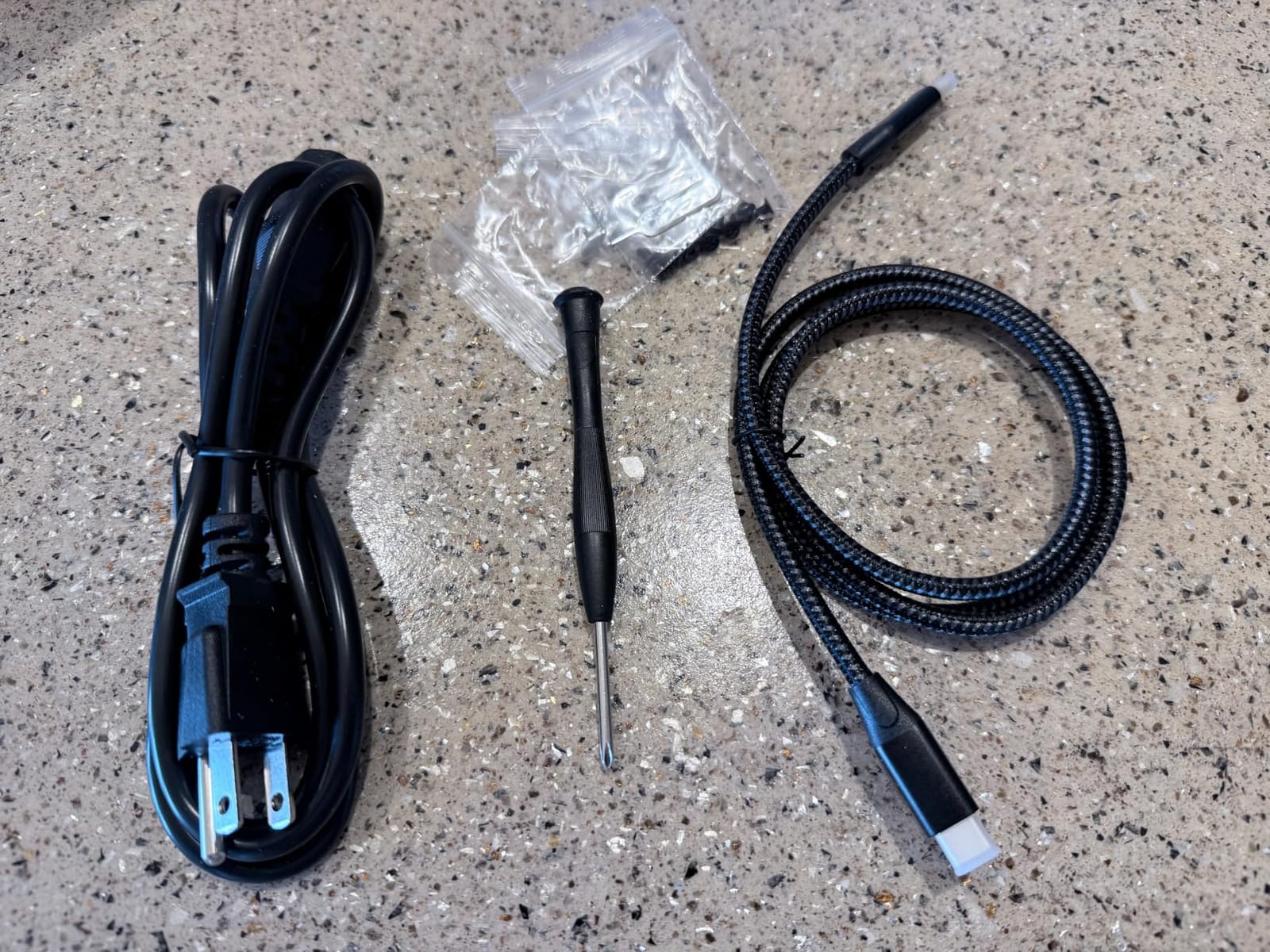
The bridge chip is an upgraded JMS591, moving the SATA side from 2.0 to 3.0, and the enclosure is compatible with arrays created on older chipsets for migration without a rebuild. If you are moving an existing array to new hardware, that compatibility claim is worth checking against your old box first.
Capacity is listed at up to 26TB per drive and 104TB total, and the body is alloy steel with an aluminum cooling path, a large-area grille and hot-swappable bays. Windows, macOS and Linux are all supported, with 2.5-inch and 3.5-inch SATA drives.
Six RAID Modes and a 20Gbps Gen 2×2 Interface
RAID 0, RAID 1, RAID 5, RAID 10, JBOD and Normal cover everything a four-bay studio box should do. RAID 5 on four drives is the archive mode, giving three drives of usable capacity and one drive of fault tolerance, which is the arrangement most editors here would choose.
The 20Gbps figure comes with a condition that the box itself states: full 20Gbps requires a USB4 port, and Thunderbolt hosts cap at 10Gbps. On a Thunderbolt 3 or 4 workstation, you get the 10Gbps tier, which is still roughly double what a 5Gbps enclosure delivers.
Power Delivery: The Built-In 150W Supply
Most four-bay enclosures take external power, which adds a brick to the cable run and creates a second failure point behind the drive bays. The internal 150W supply removes the brick entirely and gives the spin-up headroom for several large drives at once.
It also has a quieter thermal story than the plastic competitors: a stated 45dB low-noise fan, an aluminum alloy body and a large cooling grille. In a small room that combination is the difference between an array you leave running and one you switch off.
Rating, Review Base and the Mode-Change Trap
At 4.6 stars this is the highest-rated enclosure in the roundup, and the review distribution is unusually clean, with no one-star ratings recorded. Be aware that the review count is small compared with the established boxes, so the rating reflects fewer owners rather than a much longer history.
Two practical warnings. Changing RAID mode erases the drives, so set the mode once and write it down. And the warranty is one year, the shortest here, which is the one place this otherwise strong box falls short of the QNAP and OWC three-year commitments.
How to Choose a RAID Enclosure for a Home Studio
Storage decisions go wrong when people buy the bay count first and the workload second. Work backwards from what the box has to do, then the hardware follows. These are the decisions that actually change what you buy.
Start With the RAID Level, Not the Bay Count
RAID 1 mirrors drives and needs two bays. RAID 5 uses distributed parity, so three drives give you two drives of usable space and survive a single failure, and four drives give you three. RAID 10 needs at least four drives and gives you two drives of usable space with better write performance than RAID 5.
Worked example, because this trips people up constantly: four 8TB drives in RAID 5 give you 24TB usable, not 32TB. The question about running four 8TB drives in RAID 5 comes up constantly, and the answer is yes, with one drive’s worth of capacity spent on parity. Keep the lost drive’s capacity in mind when you size the array against a media library.
For most home studios the answer is a two-bay mirror for the working library and a four-bay RAID 5 for finished projects. Adding bays to a RAID 1 later is not possible, so buy for the archive only once you know how much you are making.
USB 3.2 Gen 2, Gen 2×2 or Thunderbolt: The Label Is Not the Speed
There are three interface tiers in this roundup and they are not close. A 5Gbps USB port allows roughly 400 to 480MB/s of real transfer, a 10Gbps port doubles that, and a 20Gbps Gen 2×2 port doubles it again, but only on a host with a matching port.
Now add the drive side of the equation. A single spinning drive tops out well below 400MB/s, so a 10Gbps port is already more than one hard drive can use, and a fifth- or sixth-generation interface only pays off with SSDs. Thunderbolt 3 and 4 at 40Gbps per port is where multiple fast drives finally have somewhere to go.
So match the interface to the workload. Audio session backups and an archive of finished mixes are interface-light. Multi-angle 4K or 8K editing with an SSD scratch tier is interface-heavy, and that is the only scenario where the expensive boxes earn their place.
Noise, Spin-Up and Where the Box Lives in Your Room
Are RAID enclosures loud? The honest answer is that the drives are louder than the fans. Spinning platters produce seek noise that thin or plastic walls transmit straight into your desk, and four of them are meaningfully louder than one. Fan noise is a secondary consideration, but the published standby figure of under 21 dB(A) on the TerraMaster D4-320 is the only quiet-by-the-numbers claim in this group.
Fan curves matter more than peak noise. An enclosure that runs its fan on a temperature curve stays silent during a mix and gets loud during a long render, which is when nobody is listening. Units with switchable fans, like the four-bay MAIWO and the ORICO with its stated 45dB fan, let you choose the curve yourself.
Placement rules I use in my own room: enclosures go on a shelf or a rack, never directly under a monitor; a minimum of a foot of clearance in front of the intake; and anything that spins up gets a listen during a quiet passage before it earns a permanent spot. If a condenser mic is within a few feet of the box, test the render noise floor before committing.
Hardware RAID vs Software RAID and Why It Matters for Recovery
Hardware RAID runs on a chip inside the enclosure and presents a single volume to the host. Software RAID runs in the operating system and sees the individual disks. Hardware RAID wins on portability, since the array moves between machines with the box, and on a clean single-volume presentation.
Software RAID wins on flexibility, because you can change levels later, and it is the only option in boxes like the TerraMaster D4-320 that have no RAID controller at all. Several enclosures also offer a software RAID path as a fallback when you move to a new box.
The trade-off is recovery. A hardware array carries its RAID metadata on the drives, but the controller has to be compatible with it. This is the fear that dominates the forum threads: an array may not mount in a different brand’s enclosure. Document the model, the RAID level, the bay order and the drive models, and keep them with your backup records.
Drive Selection: CMR NAS Drives, Not SMR Desktop Drives
Inside a RAID array, use NAS-oriented CMR drives. NAS-rated drives such as the WD Red and Seagate IronWolf families are built for sustained multi-drive workloads and vibration tolerance, and the manufacturer compatibility lists tell you which enclosures they have been tested with.
Avoid SMR drives in any array. Shingled magnetic recording is fine for a single drive holding files you rarely rewrite, and wrong for a RAID volume, where the sustained write pattern and the rebuild load make its rewriting behaviour punishing. If a drive does not say CMR or NAS on the label, assume it is not.
Capacity math is the next trap. RAID 1 gives you the size of the smaller drive. RAID 5 gives you the sum of the drives minus one. Windows editions that are not Server editions impose a 63TB single-volume limit on some arrays, so a large RAID 5 volume may need to be split into multiple partitions or presented as a Storage Spaces pool.
DAS vs NAS for a Single-Workstation Studio
Direct-attached storage plugs into one machine and needs no network. That is the right answer for a single-workstation studio, and the answer long-running forum threads keep arriving at: USB-attached RAID is fine for one machine, and a NAS is needed the moment you have a second computer.
The downsides of a NAS in a home studio are real. It is another device to administer, another failure point, and it adds network latency to every render and every sample load. It also shares a disk with an operating system and an app ecosystem, which is fine until it is not. A DAS that you back up to a NAS gives you local speed and off-box copies, which is the combination most single-room studios want.
Move to a NAS when you need multi-machine collaboration, snapshot protection against accidental deletion, or a shared sample library that two people access at once. Until then, a 10Gbps or Thunderbolt DAS is simpler and faster.
RAID Is Not a Backup: What the Array Will Not Save
This is the statement to repeat to anyone who shares your room. RAID protects against exactly one event: a single drive failing. A two-bay RAID 1 mirror keeps working when one platter dies, and that is the entire guarantee.
RAID does not protect against deleted files, because a delete is a delete on every copy in the array. It does not protect against ransomware, because encrypted files are faithfully mirrored. It does not protect against corruption, fire, theft, flood, or a controller that never spins up again, and it does not protect against the array itself being dropped off a desk.
The layering that does protect you: drive redundancy inside the array, a versioned backup elsewhere, an offline or off-site copy, integrity checking, power protection, and a recovery plan you have actually tested. One of those is RAID. You need the rest.
Rebuild Time, Degraded Arrays and the 63TB Limit
A rebuild is the moment of maximum risk, because the array is running on parity or a mirror with no redundancy left. Rebuilding a multi-terabyte array from a 3.5-inch drive takes many hours, and a second failure during that window destroys the volume.
So budget the rebuild window as a real risk, keep a known good backup before you start one, and use drive health monitoring rather than waiting for a failure to reveal a problem. Longer rebuilds are also the practical argument for faster drives and for not populating a four-bay box to its ceiling.
Power loss during a rebuild is the other risk to plan around. A UPS with enough runtime to see the array through a rebuild keeps a power cut from turning a degraded array into a lost one, and a surge protector on the mains feed covers the ordinary case of a switch or a storm.
What Studio Owners Actually Report on the Forums
The forum consensus, which matches my experience, is that no brand of single external drive is safe. Failures happen in every manufacturer, which is exactly why redundancy exists. Independent owners on r/DataHoarder report running hardware RAID in a home setup for years with no incidents, treating it purely as availability insurance rather than as a backup.
On recommendations, r/MacStudio threads skew to premium hardware RAID for premium budgets and to Orico or TerraMaster for value, with OWC enclosures frequently named by Mac-focused users. Apple Discussions threads around MacBook Pro workstations come back to the same question: users want hardware RAID specifically because it makes the array portable across machines, which software RAID on the host does not.
And on the skeptic side, long-running Tom’s Hardware forum threads question whether USB-attached RAID is reliable in the first place. That skepticism is reasonable, and the honest answer is that a USB DAS is fine for one machine, but a NAS arrives as soon as multiple computers or network access are needed.
Frequently Asked Questions
Does anyone use RAID anymore?
Yes, and the case for it has changed. A RAID enclosure is no longer about raw speed, which SSDs now handle, but about surviving a single drive failure without stopping work. Studios use a two-bay mirror for the working session library and a four-bay RAID 5 for finished projects, so a platter failure becomes a swap rather than a lost week. The important caveat is that RAID handles one event only: a failing drive. It does not protect against deletion, ransomware, fire or enclosure failure, so it must sit alongside a separate versioned backup.
Which brand of hard drive enclosure is best?
It depends on the interface your workstation offers. QNAP is the most complete hardware RAID option in a compact desktop box, with lockable bays and RAID 0, 1, 5 and JBOD modes. OWC leads on speed with Thunderbolt enclosures for 4K and 8K editing. TerraMaster and Orico deliver multi-bay chassis with the quietest and most capable value, while MAIWO covers small-footprint mirroring. Match the brand to the workload and the ports on your machine rather than to a brand loyalty answer.
Is HDD still worth it for studio storage?
Yes, for capacity and for archives. Spinning drives deliver far more terabytes per dollar than flash and are the right medium for finished projects, camera-original footage and sample libraries you write rarely. Solid state is the right medium for scratch disks, current projects and anything your timeline reads repeatedly. Most studios end up with both: a small fast SSD tier for work in progress and a larger HDD array for everything finished.
Is it possible to run 4 8TB drives in RAID 5?
Yes, and the result is 24TB usable rather than 32TB. RAID 5 stores distributed parity across the array, so one drive’s worth of raw capacity is spent on recovery data and any single drive can fail without losing the volume. That is enough capacity for several years of finished masters. Two cautions: a rebuild of a 24TB volume takes many hours with the array degraded, so back up before you start one, and keep a second backup because RAID protects against a single failure only.
Are NAS drives typically loud?
NAS-rated hard drives are audible, and the sound is mostly platter seek rather than the enclosure fan. Four spinning drives in a small room are clearly noticeable, and thin or plastic cases transmit that noise into your desk. Placement helps more than any single product choice: keep the enclosure off the listening position, leave airflow clearance, and test it during a quiet passage. Among the enclosures here, the TerraMaster D4-320 publishes the quietest standby figure, under 21 dB(A).
Which RAID Enclosure Fits Your Studio
If you run one workstation and want real hardware RAID without leaving the desk, the QNAP TR-004 is the pick. It has the largest review base of anything here, lockable hot-swap bays and RAID 5, so four CMR drives give you three drives of usable space that survive a single failure.
If your studio is a treated room and the enclosure will sit near the listening position, the TerraMaster D4-320 is the quiet one, with a published standby figure under 21 dB(A) and independent controllers on all four bays. Pair it with four NAS-rated CMR drives and build the array in software, since it has no RAID controller.
If your timeline stutters on multi-angle footage and your workstation has Thunderbolt, the OWC ThunderBay 4 is the right four-bay, and the ThunderBay 8 is the right answer for 8K scratch work at a larger footprint. If you want fast mirrored scratch rather than archive, the NEWQ dual NVMe enclosure does that job in a small case, provided your machine has a USB 3.2 Gen 2×2 port.
Whichever you choose, remember what the box is and is not. It keeps the studio running through a disk failure. It does not keep the studio running through a deleted folder, and the backup plan is the part of this purchase that actually protects your work in 2026 and every year after.
Leave a Reply