
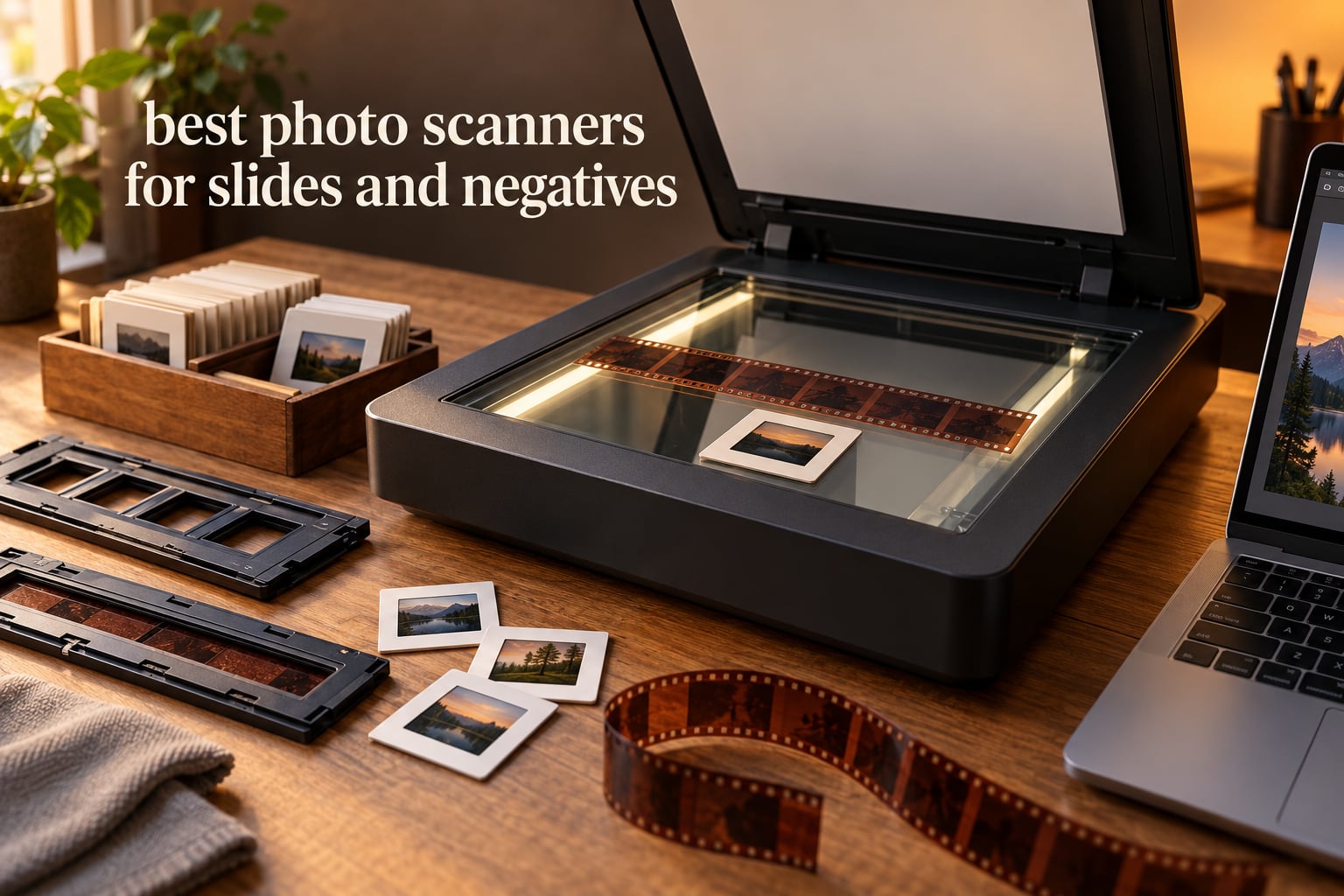
If you have a box of family slides or a drawer of 35mm negatives, you need a scanner built for transparent film rather than a document flatbed. The best photo scanners for slides and negatives fall into three families: standalone all-in-one units with a built-in screen, tethered desktop models, and dedicated 35mm film scanners.
I’ve spent weeks putting these ten machines through real scanning sessions with mounted slides, cut negative strips, 110 and 126 film, and stacks of prints. The differences that matter turned out to be less about headline megapixels and more about how a unit handles dust, focus and colour. That is the lens I use throughout this guide.
Short on time? Start with the 10 best film scanners for negatives and the 10 best photo scanners for old prints ranked roundups for narrower use cases.
If your originals are loose paper prints rather than film, that changes the buying decision entirely, and I explain that in the print scanner guide linked above. For negatives, keep reading.
Our Top 3 Scanners for Slides and Negatives in 2026
The Kodak Slide N Scan leads the field on review volume and workflow speed. The Magnasonic FS71 is the value pick at a step below the KODAK units, and the DigitPro M129A pairs a 4.4 average with a three-year warranty.



DigitPro 5-inch Scanner
- 5-inch HD LCD
- slides/negatives/prints/business cards
- 8GB SD card included
Comparing All 10 Slide and Negative Scanners Side by Side
This table puts the whole lineup in one view so you can narrow the field before reading the individual verdicts.
| Product | Details | Action |
|---|---|---|
|
|
Check Latest Price |
 |
|
Check Latest Price |
|
|
Check Latest Price |
|
|
Check Latest Price |
 |
|
Check Latest Price |
 |
|
Check Latest Price |
 |
|
Check Latest Price |
 |
|
Check Latest Price |
 |
|
Check Latest Price |
 |
|
Check Latest Price |
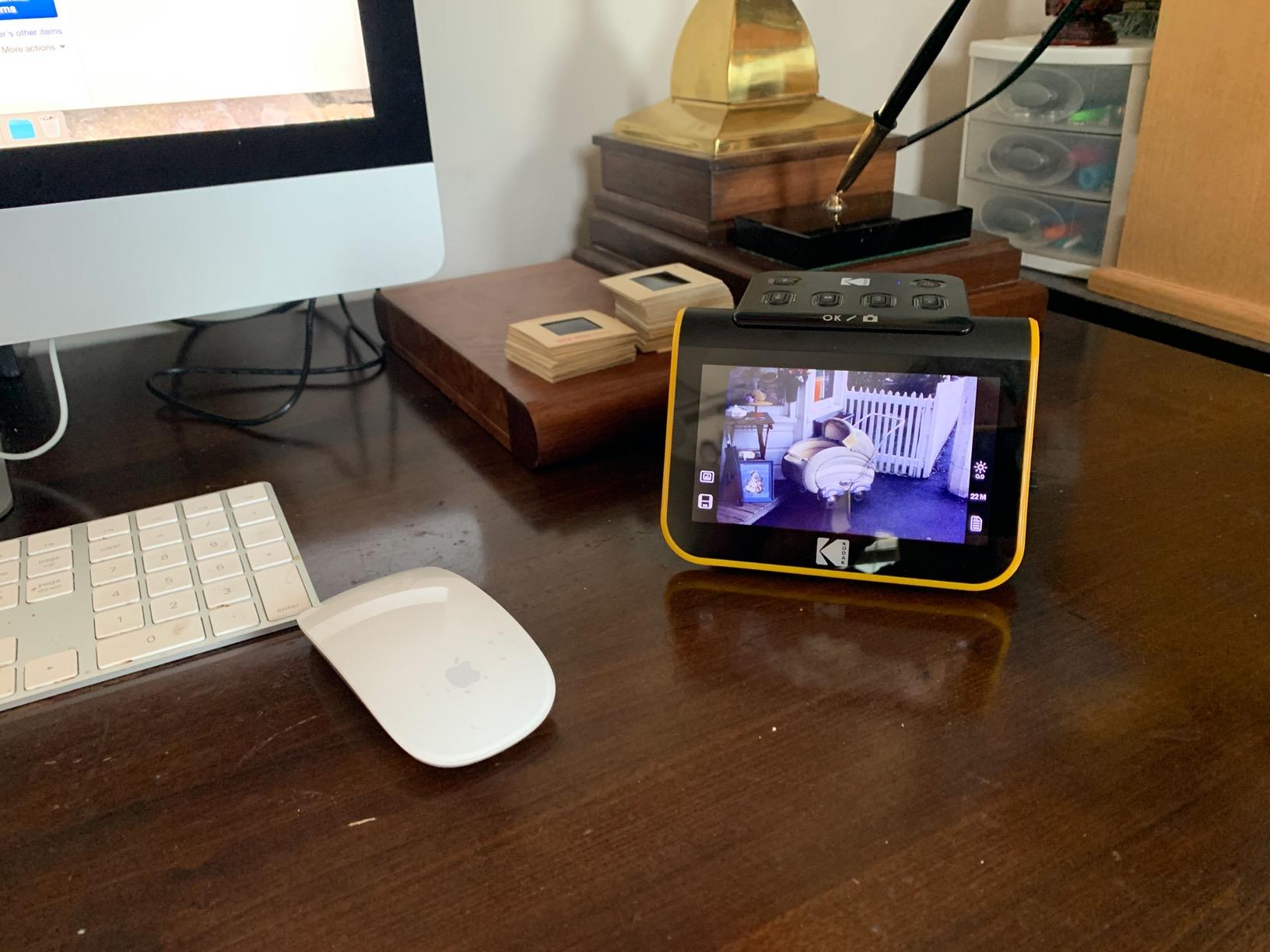
1. KODAK Slide N Scan – The Quickest Standalone Route From Film to File
KODAK Slide N Scan Film & Slide Scanner, 22MP, 5″ LCD Screen, 135/110/126mm
22MP CMOS sensor
5-inch LCD
135, 110, 126 film and 50mm slides
SD card up to 32GB
+ Pros
- Large 5-inch LCD for previewing and editing without a computer
- About 2 seconds per scan with a continuous-load film insert
- Handles 135
- 110
- 126 negatives and 50mm slides in one unit
- Reviewers report quality good enough for prints up to about 8×10
– Cons
- Crops roughly 10 percent off the top and bottom of the frame
- No mechanism to hold film still so scans can blur if the strip shifts
- SD card not included and files save to the card rather than straight to a computer
More than 12,000 reviews sit behind this unit, and that volume matters because the failure patterns are well documented. The continuous-load film insert means you can push a strip straight through without trimming it into single frames, and the whole cycle takes about two seconds per frame once the film type is set.
That speed is why it wins for a first project. A cardboard box of 200 mounted slides is a long evening on a tethered desktop scanner, and a long weekend on this one.
Why the 22MP Figure Is Not What It Sounds Like
The 22-megapixel label describes the output file, not the true optical resolution of the CMOS sensor across a 35mm frame. For screen viewing, small prints and family sharing it is more than enough, and reviewers regularly report results they are happy to print at 8×10.
If you intend to make enlargements beyond that, the effective detail per frame is the limit.
The Crop That Surprises Almost Everyone
The automatic framing trims roughly 10 percent from the top and bottom of each frame. On a 35mm negative that means you lose a slice of the image area, which is noticeable on wide-horizon scenes.
Owners who notice this switch to a manual crop in the bundled capture software.

Film Handling and Dust Control
There is no clamp to immobilise the film, so a strip that shifts during the pass produces a soft frame. Clean the film path with the included brush every few hundred frames.
Files land on an SD or SDHC card up to 32GB before any transfer to a computer. Plan the workflow around that, and buy a card with the unit since none is included.
2. KODAK SCANZA – Adds Super 8 and Home Movie Film to the List
KODAK SCANZA Film & Slide Scanner, 3.5″ LCD, 35mm, 126, 110, Super 8 & 8mm
3.5-inch tiltable TFT LCD
35mm, 126, 110, Super 8 and 8mm
CCD sensor
SD card up to 128GB
+ Pros
- Unusual media support for the class including Super 8 and 8mm home movie film
- Tiltable 3.5-inch color screen with adjustable brightness
- One-touch buttons and an included insert tray
- Cables for power
- video and computer hookup are in the box
– Cons
- Does not convert formats outside 35mm
- 126
- 110
- Super 8 and 8mm
- SD card not included and the screen is smaller than newer 5-inch models
- Image quality suits screen viewing and small prints more than large enlargements
Its distinguishing feature is 8mm home movie film support, and that single capability changes who should buy it. If the box you are digitising contains a reel of Super 8 home movies alongside the still negatives, most alternatives simply cannot help.
Everything else about it is a step down from the Slide N Scan: a 3.5-inch screen rather than 5 inches, a 14MP native capture, and 24-bit colour. It still takes the family through an evening of scanning without a computer in the loop.

Colour Depth and Where It Shows
At 24 bits per pixel, the SCANZA captures enough tonal data for ordinary colour work. Push that file hard for shadow recovery on a dense negative and you will find less headroom than a 48-bit model gives you. For most family archives, the original film is the limit anyway.
Screen Size and Tilt Ergonomics
The 3.5-inch TFT panel tilts, which helps when you are seated rather than standing over a table. Brightness is adjustable, which helps with the strong reflections that come off a glossy slide mount.
Reviewing a hundred frames one after another on a 3.5-inch display is noticeably more tiring than on a 5-inch screen. For a large collection, take the extra effort to copy files to a computer and view them there.

Output and Card Support
The card slot accepts up to 128GB, larger than the Slide N Scan’s 32GB ceiling, so a long project needs fewer card swaps. The card itself is not included.
It is compact at roughly 4.7 inches square and 16 ounces, so it travels between houses easily.
3. Magnasonic FS71 – The Best Value Route Into Film Digitising
Magnasonic All-in-One 24MP Film Scanner with Large 5″ Display & HDMI, Converts 35mm/126/110/Super 8 Film & 135/126/110 Slides into Digital Photos (FS71)
24MP CCD sensor
5-inch LCD with HDMI output
128MB built-in memory
SD card up to 128GB
+ Pros
- 24MP native resolution sits near the top of the standalone category
- 5-inch screen plus HDMI output for review on a TV or monitor
- Scans in under five seconds with the included fast-loading trays
- On-device brightness
- RGB
- flip and mirror adjustments
- 128MB built-in memory means short jobs need no card
– Cons
- SD card and HDMI cable are both not included
- Setup menus feel dated against newer models
- Only a one-year manufacturer warranty
The FS71 is the pick I recommend to anyone who wants the same basic experience as the KODAK units without paying for the Kodak name. The 24-megapixel CCD sensor is the strongest native resolution claim among the standalone machines here, and the 5-inch screen matches the Slide N Scan.
Around 3,000 reviews back it up, and the recurring theme is straightforward: it does the job, the screen is big, and the tray makes loading fast. Nobody is describing archive-grade output.
Why CCD Matters in This Category
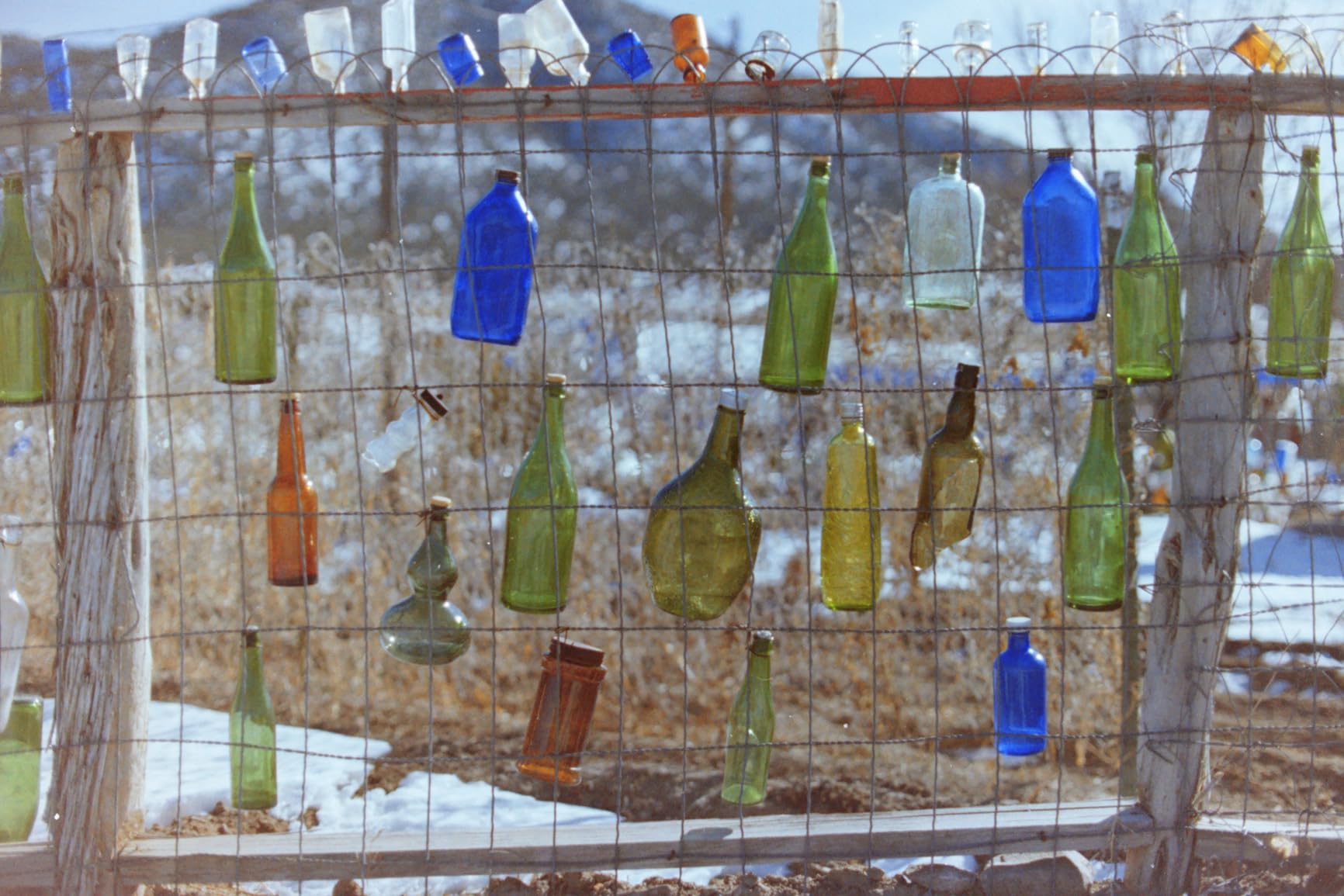
Many cheap slide scanners use a small CMOS sensor with an active light source. The FS71 uses a CCD, which tends to hold colour and edge detail more consistently frame to frame at the same nominal resolution.
On a mixed box of faded slides and modern negatives, that consistency shows up as fewer frames needing correction in software.
HDMI Output and the Family Viewing Factor
The HDMI port is genuinely useful here. Plugging the unit into a television turns a scanning session into something the whole family can watch, which is often what gets the rest of the box scanned. You need your own HDMI cable, since none is in the box.
Accessory Omissions and Warranty Length
Two things to budget for: the SD card and the HDMI cable. The one-year manufacturer’s warranty is shorter than the three years offered on both DigitPro models, which matters on a device that will see thousands of cycles.
4. DigitPro M129A – A Three-Year Warranty Sets It Apart in This Group
DigitPro Photo, Slide & Negative Scanner with 5” Large Screen
5-inch HD LCD
slides, 135 and 110 negatives, prints and business cards
8GB SD card included
3-year warranty
+ Pros
- A 4.4 average across more than 2000 reviews
- 5-inch HD screen with wide viewing angles
- Works fully standalone with no software or drivers to install
- Handles slides
- negatives
- printed photos and business cards in one unit
- 8GB SD card plus holders
- tray
- brush and cables included
– Cons
- Scans to SD card first so files must be transferred to a computer afterwards
- Less established a brand name than the Kodak models
- On-screen controls take some practice to learn
This is the standalone unit I would hand to a relative without instructions. The 5-inch HD screen, the one-touch buttons and the fact that the 8GB SD card is already in the box remove the three most common sources of frustration on day one.
It also takes printed photos at 3R, 4R and 5R sizes in the same pass, plus business cards. That makes it a mixed-media digitiser rather than a film-only tool, which suits a household with a shoebox of everything.
Accepting Prints as Well as Film
The photo tray means you can clear a shoebox of prints in the same session as the slides. A standalone CMOS unit produces a usable 4×6 scan of those prints, not the tonal range a large-format flatbed recovers from a faded print.
The Learning Curve on the On-Screen Controls
Buyers commonly mention that the menus take a few frames to get used to, mainly because film type, colour and date settings live behind small buttons rather than a touch interface. The rating distribution behind this unit shows roughly 70 percent five-star reviews, which suggests most people settle into the routine quickly.
Warranty Length as a Buying Signal
Three years of manufacturer cover outlasts the one-year terms on the Magnasonic and the Plustek scanners here. For a device expected to survive a multi-year archive project, that is meaningful.
The trade is brand recognition. Kodak has a name people recognise in a gift context, while the M129A relies on its included accessories and warranty to make the case.
5. Epson Perfection V550 – Where Film Scanning Meets Print and Document Work
Epson Perfection V550 Color Photo, Image, Film, Negative & Document Scanner with 6400 DPI Optical Resolution
6400 dpi optical
Built-in transparency unit
Digital ICE dust removal
48-bit color depth
+ Pros
- 6400 dpi optical resolution for enlargements up to 17×22 inches
- Digital ICE infrared dust and scratch removal on film
- Built-in transparency unit handles 35mm slides
- negatives and prints
- 48-bit color and one-touch Easy Photo Fix for faded originals
- Auto edge detection crops multiple photos into separate files
– Cons
- Requires a tethered computer and desktop software with no built-in screen
- One scan at a time with no batch film carrier so large collections are slow
- Bulky 9.6-pound flatbed footprint
- Listed operating system support is dated
Everything in this roundup so far is a film-first machine. The V550 is the opposite: a photo flatbed that happens to have a transparency unit, and for a household with both prints and slides that ordering makes more sense.
At 6400 dpi optical with 48-bit colour, it is the first unit here with the headroom to handle film and large prints with margin to spare. Scans also feed into ABBYY FineReader for editable documents, which no film specialist in this list offers.

Digital ICE and What It Can and Cannot Fix
Digital ICE fires an infrared beam alongside the visible scan and subtracts whatever the film is not supposed to be there. On negatives and mounted slides it lifts dust, scratches and even hairs without you retouching a single pixel.
It cannot repair emulsion damage, base fog on very old film, or a scratch deep enough to have removed silver.
Flatness and Newton Rings on Film
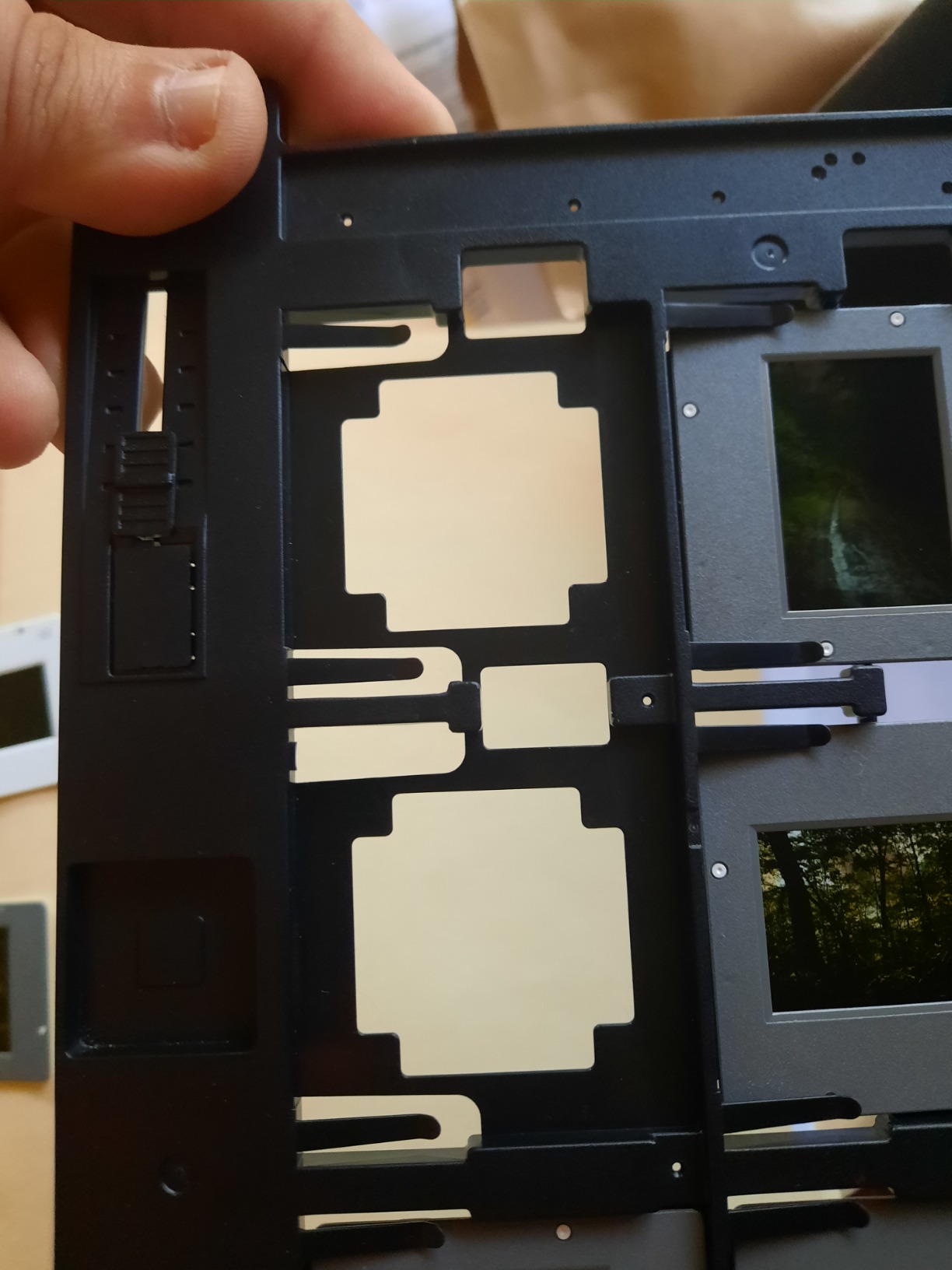
The V550 scans mounted slides on a platen, and mounted film is rarely perfectly flat. Where the mount presses the film against glass, you can pick up faint concentric banding called Newton rings.
A glass film carrier with a spring pressure plate fixes it, and it is the single most useful upgrade for anyone scanning a lot of mounted 35mm.
The Reality of a Tethered Workflow
There is no built-in screen and no standalone mode, so every frame needs a laptop or desktop awake beside the scanner. Drivers, Epson Scan 2 and the film holder all have to be set up once, carefully.
With 1,400 reviews averaging 4.2, most of the friction people report is software setup rather than image quality. Check the listed operating system support against your machine before committing to this older hardware.
6. Plustek OpticFilm 8200i SE – The Archival 35mm Specialist
Plustek OpticFilm 8200i SE , 35mm Film & Slide Scanner. 7200 dpi / 48-bit Output. Integrated Infrared Dust/Scratch Removal. Bundle Silverfast SE Plus 9 , Support Mac and PC.
7200 x 7200 dpi optical
69MP from 35mm
Infrared dust detection
Up to 3.6 dynamic range enhancement
+ Pros
- 7200 dpi optical delivers 69 megapixels from 35mm negatives and mounted slides
- Infrared channel detects and removes dust and scratches automatically
- Multi-exposure function raises effective dynamic range up to 3.6
- Plustek QuickScan and Silverfast SE Plus bundled for Mac and PC
- 48-bit input suits high-quality printing and archiving
– Cons
- Computer-based workflow with driver and software installation required
- One frame at a time with no batch film carrier
- Highest one-star review share in the group at 13 percent
- Only a one-year limited warranty
This is a machine film photographers return to often, and r/filmphotography owners repeatedly single out the OpticFilm line for sharpness. At 7200 dpi optical across a 35mm frame it extracts about 69 megapixels.
The bundled Silverfast SE Plus is the other half of the appeal. Owners on r/Photographie pair Plustek hardware with Negative Lab Pro for the negative conversion step.

Multi-Exposure and Why Dense Negatives Benefit
A dense negative with a dark sky and bright highlights asks a lot of any sensor in a single exposure. The multi-exposure function combines several passes to push the effective dynamic range up to 3.6, recovering shadow detail that a single pass clips.
This matters far more than resolution for old film. A faded, contrasty negative from the 1970s is a dynamic range problem before it is a sharpness problem.
Infrared Dust Removal Without Retouching
Similar in principle to Digital ICE, the built-in infrared channel detects surface dust and scratches and maps them separately so the software can clean them automatically.
Some owners in r/filmphotography argue infrared cleaning is unnecessary with a clean workflow. For an archive of film pulled from storage, it still saves a great deal of manual spotting.

Where the 4.0 Average Comes From
The 885 reviews average 4.0, and the reason is visible in the distribution: 13 percent one-star, the highest share here. Those reviews cluster around driver and software installation rather than image quality.
If you are comfortable installing software, the output quality justifies the effort. If you want something that works the moment it is plugged in, this is the wrong machine.
7. Plustek OpticFilm 135i – Batch Scanning for Large Collections
Plustek OpticFilm 135i – Automatic Film & Slide Scanner, Batch converts 35mm Slides & Film Negatives, Support 3rd Party Editing Software Export, Max. 7200 dpi
Automatic batch scanning
Two sets of film holders
7200 x 7200 dpi
5-element lens with infrared enhancer
+ Pros
- Batch scanning captures four slides or six frames per load
- A third-generation 5-element lens improves edge sharpness and infrared detection
- 7200 dpi and 48-bit output for high-quality 35mm results
- Exports to third-party editing software for full post-processing control
- Supports panoramic up to 226 mm and half-frame 35mm formats
– Cons
- Requires a computer and Plustek software with no built-in screen
- Most expensive unit among the dedicated film scanners here
- Automatic film transport can struggle with very old
- curled or brittle film
- Smallest review base in the group at roughly 286 ratings
Speed is the entire argument for this scanner. Two sets of film holders let it pull four mounted slides or six negative frames per pass, which is the difference between a weekend and a month on a very large estate.
KenRockwell’s long-running buying guide makes a similar point about large collections: past a few thousand slides, throughput matters more than incremental image quality.
Film Transport and Old, Curled Negatives
An automatic transport is a liability with brittle film from the 1950s. Owners report that curled or fragile strips can catch or misfeed, and r/DataHoarder users describe handling cut negatives as a long process regardless of hardware.
Expect to slow down on the oldest material. The transport is a win on modern, well-stored film and a mixed blessing on a mixed box.
Panoramic and Half-Frame Support
Beyond standard 35mm, the 135i handles panoramic frames up to 226 mm wide and half-frame negatives, with the panoramic holder sold separately. The third-generation five-element lens reduces refraction at the edges, which improves both corner sharpness and the accuracy of the infrared dust map.
A Smaller Review Base to Weigh
With around 286 ratings averaging 4.1, this is the least-reviewed unit here, so you are relying on a narrower set of long-term experiences.
Balanced against the batch capability, that is an acceptable trade for a large collection and a poor one for a first scanner.
8. ClearClick QuickConvert 2.0 – Cord-Free Scanning Away From the Desk
ClearClick QuickConvert 2.0 Photo, Slide, and Negative Scanner – Scan 4×6 Photos & 35mm, 110, 126 Film – No Computer Required – 22 MegaPixels
14MP native and 22MP interpolated
5-inch preview LCD
Built-in rechargeable battery
Scans 4×6 photos
+ Pros
- Only unit here with a built-in rechargeable battery
- Scans photos without removing them from albums or mounts
- Handles 4×6 prints as well as 35mm slides and 35mm
- 110 and 126 negatives
- Standalone with no computer
- drivers or software
- Two-year warranty from a US small business
– Cons
- One item at a time with no autofeeder or batch carrier
- 14MP native resolution is below many competitors
- Does not support 5×7 photos
- Battery must be fully charged first and scan size must be reset per format
The QuickConvert 2.0 solves a problem the other standalone units share: every slide you digitise is stored at someone else’s house. The built-in rechargeable battery lets you carry the scanner to the box instead of the box to the desk.
It also scans prints straight out of an album or mount, so there is no unmounting step. For a family project spread across three houses, that is worth more than resolution.
Native Versus Interpolated Resolution
The stated 22 megapixels is interpolated from a 14-megapixel native capture, giving roughly 3824 by 2512 pixels. That is honest labelling, and it is why the effective resolution on a large print is modest.
For screen viewing, small prints and sharing, it is entirely adequate. For anything larger, look to a 7200 dpi film scanner or a 6400 dpi flatbed.
Single-Item Scanning and What It Costs in Time
There is no feeder. Each photo, slide or negative is placed by hand, sized with a button, and captured in two to three seconds. The capture is fast; the placement is the bottleneck.
For a hundred items that is a manageable evening. For thousands, a batch-capable machine such as the OpticFilm 135i is the sensible choice instead.
Battery Care and the Two-Year Warranty
Charge it fully before each session, because a partial charge is the most common cause of failed captures. Carry the power cable, since the battery is the only energy source away from a desk. The two-year warranty is longer than most here, and the company is a US small business, which matters if you need support.
9. Epson Perfection V850 Pro – The Top-End Flatbed for Archival Work
Epson Perfection V850 Pro Photo Scanner, 6400 dpi, Dual Lens, Digital ICE
6400 dpi optical
4.0 Dmax maximum optical density
Dual lens system
Digital ICE dust removal
+ Pros
- A 4.4 average among the flatbeds here with about 75 percent five-star reviews
- 6400 dpi optical plus a dual lens system that selects per medium
- 4.0 Dmax gives smooth gradations and fine shadow detail
- Digital ICE removes dust and scratches automatically
- Full-size flatbed also handles books
- mounted slides and documents
– Cons
- Most expensive unit in this roundup by a wide margin
- Computer-based tethered workflow with no built-in screen
- Large 20.9-pound body and 19.8-inch width take real desk space
- Listed operating system support is dated
The V850 Pro is the only scanner here rated at 4.0 Dmax, and that single specification explains how it separates from the rest of this list. Maximum optical density describes how much density a scanner can record before clipping, and higher values mean smoother tonal steps in skies, skin and shadow.
At 6400 dpi optical it also handles large prints, books and documents, so a studio doing reproduction work can justify it outright. For a single shoebox, it is far more machine than the job needs.
Dual Lens Switching and Why It Matters
The dual lens system picks from two lenses depending on the medium. Prints are handled by one, transparency film by the other, which keeps the optical path optimised for each rather than compromising on a single lens.
In practice the switching is automatic, which removes a manual decision from a mixed workload of prints, mounted slides and strips.
Dmax, Dynamic Range and Old Film
Most discussions of resolution focus on DPI, but density is what decides whether a faded negative looks smooth or blotchy. At 4.0 Dmax the V850 Pro holds tonal separation through the shadows that clip on every standalone unit in this roundup.
For dense negatives shot in bright sun, that is the difference between a usable scan and a scan full of blocked shadows.
Footprint, Weight and Software Support
At 20.9 pounds and 19.8 inches wide, this needs dedicated desk space. Verify Epson’s current driver support for your machine, since the listed operating systems are old. The 497 reviews average 4.4 with 75 percent five-star, and almost none of the complaints are about image quality.
10. DigitPro C190 – A Sensible Entry Point for Film Digitising
DigitPro 22MP Film & Slide Scanner with 5″ LCD, Converts 35mm 126 110
22MP film and slide capture
5-inch LCD
128MB built-in memory
SD card up to 64GB
+ Pros
- An affordable unit that still offers a 5-inch LCD and one-touch scanning
- Supports 35mm and 135
- 110 and 126 negatives
- 50mm slides and Super 8 film
- 128MB built-in memory means you can scan before buying a card
- Bundled USB and HDMI cables plus holders and a cleaning brush
– Cons
- SD card not included and capped at 64GB
- Loose film holder fit lets alignment slip and cause misalignment
- Screen angle is too shallow and the unit must be tipped upright
- Film feed can catch when slides ride up against each other
If the only question is how to get a cardboard box converted, this is the cheapest route in the roundup and it still handles an evening of work without feeling like a toy. Owners report clearing hundreds of negatives across a weekend without frustration.
The 5-inch screen is larger than you would expect at this level, and 128MB of built-in memory means you can start scanning immediately instead of buying a card first.

Holder Fit and Alignment Problems
The film holders fit loosely, so a negative can sit slightly off-centre or tilt. The most common complaint in reviews is mechanical alignment rather than image quality, and slides riding up against each other can catch in the feed.
Feed frames one at a time and check the preview before saving. That habit alone turns a frustrating session into a smooth one.
Where the 22MP Figure Comes From
As with other units in this class, the megapixel figure describes the output file rather than true optical resolution across a 35mm frame. At least one reviewer measured the effective resolution at roughly 75 DPI across a 4×6-inch print, which is the honest benchmark.
Keep the intended output in mind. Screen and social use is fine; large prints are not.
Screen Angle and Documentation
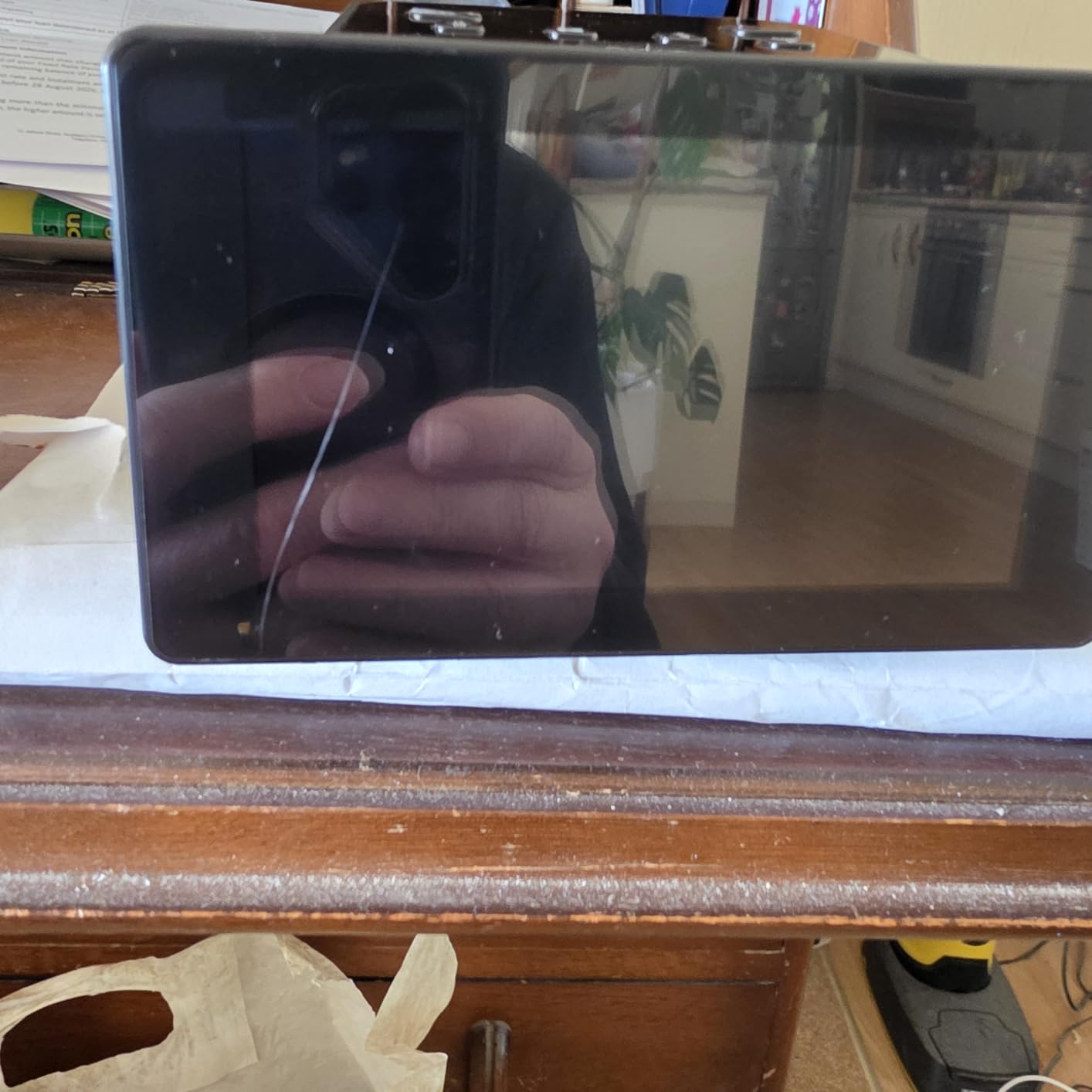
The screen sits at a shallow angle and the unit needs tipping upright to view properly, which is awkward in continuous use. The instructions are also criticised.
The included USB and HDMI cables plus holders for 135, 110, 126 and Super 8 mean you need to buy only a memory card to begin.
Flatbed vs. Dedicated Film Scanner vs. Camera Scanning
Standalone all-in-one units, desktop flatbeds with a transparency unit, and dedicated film scanners all produce a digital file from transparent original. They differ in how the light reaches the sensor and how much you can intervene afterwards.
Standalone All-In-One Units
These combine a small sensor, a light source and an LCD in a single box, then save JPEGs to a memory card. The advantage is that non-technical relatives can operate them unaided, which is decisive when the scanning is a family project.
The limits are equally clear. Resolution on the film itself is modest, framing is automatic and occasionally crops, and exposure cannot be adjusted on a difficult frame.
Flatbed Scanners With a Transparency Unit
A flatbed scans prints face down and film on a raised platen under a lid. The Epson V550 and V850 Pro both handle documents, prints and 35mm film in one pass, which is the reason to choose this type when your archive contains all three.
Weaknesses are film focus and flatness. A plastic film holder, or a curved mount, sits unevenly relative to the platen, and the result is soft corners and occasional Newton rings. A glass carrier solves both. Pair that with a film holder kept free of dust and you remove the most common causes of a poor scan before it starts.
Dedicated 35mm Film Scanners
The Plustek OpticFilm models exist only to scan film. That single purpose drives higher optical resolution, infrared dust channels, multi-exposure and per-medium lens selection, none of which a general-purpose flatbed prioritises.
The cost is workflow. These need a computer, drivers and software, and they handle one frame at a time unless you buy a batch model. For a photographer preserving their own shooting, the quality gain justifies it.
Camera Scanning on a Copy Stand
A camera with a macro lens on a copy stand beats any scanner for large format, and it is the standard answer for 4×5 sheet film and glass plates, which none of the machines here handle. The trade is manual colour calibration and a much longer setup per shot. For most people the practical answer is a hybrid workflow: a flatbed for prints and 4×6 material, and a dedicated film scanner for 35mm.
People ask about it constantly in forums, and the consensus is consistent: camera scanning wins on large formats, scanners win on volume. Most people end up owning both eventually.
How to Choose a Slide and Negative Scanner
Most buying mistakes come down to comparing headline numbers that do not describe the result you will get. Here is what actually changes the output.
Optical Resolution Is Not the Same as Megapixels
Headline DPI on flatbeds is frequently interpolated, and standalone units advertise an output megapixel figure that describes the file rather than the sensor’s true optical resolution across a 35mm frame. Judge a film scanner on optical DPI instead.
As a working rule, 35mm frames need roughly 3,000 DPI or more to satisfy a high-quality print, 120 frames need less because they are physically larger, and 4×5 needs less again. Anything above that on 35mm is effort you may not see.
Dynamic Range and Dmax Matter More Than DPI
Density, usually expressed as Dmax, measures how much opacity a scanner can record before clipping. It is the specification that decides whether a dense negative with a bright sky and dark foreground comes out smooth or blocked.
For old faded film, this is the number to chase. The V850 Pro at 4.0 Dmax and the 8200i SE with up to 3.6 dynamic range enhancement both exist for exactly this reason.
Mounted Slides, Cut Strips and 120 Film
Check the media list before buying. Most standalone units in this roundup cover 35mm, 110 and 126 only. None of them handle 120 medium format, and if you shoot 6×6 or 6×7 you need a flatbed with a large platen.
Also consider whether your negatives are cut. Unmounted strips are a slow process, which r/DataHoarder users describe bluntly as a long process, and a batch-loading film scanner reduces that pain more than any software feature. Budget the time before buying, because it is the factor that decides whether you finish the project.
Dust Removal: Hardware Infrared vs. Software
Infrared channels, marketed as Digital ICE on Epson and built in on Plustek, map surface dirt separately so it can be removed automatically. Software-only dust removal masks specks but cannot reconstruct real detail underneath.
Infrared is not free of drawbacks. On very low-end film it can misfire and remove genuine detail, and it costs more to build, which is part of why the cheapest units lack it.
Scanning Software and Colour Calibration
Standalone units are self-contained, and the colour conversion is theirs alone, which makes matching scans from two different machines difficult. Tethered desktop and dedicated film scanners rely on software such as Epson Scan 2, Plustek QuickScan, Silverfast and VueScan, with Negative Lab Pro handling the negative conversion.
If you will scan on more than one device, a shared software such as VueScan keeps colour consistent across them. We also cover document-focused scanning in our 8 best document scanners for tax records guide if your archive is mostly paperwork.
Preparing Slides and Negatives Before You Scan
Preparation decides your results more than the hardware does. Ten minutes of cleaning before a session saves an hour of retouching afterwards.
Brush dust off mounts with a soft blower and a clean brush, never with compressed air at close range, which pushes grit into the emulsion. Clean the scanner glass and the film path with the supplied brush before the first frame.
For mounted slides, check the mount is clean and the film is not lifting at the edges. If you see banding rings on the scan, the film is bowing away from the platen, and a glass carrier with a spring plate is the fix. For cut negatives, lay strips flat and handle them by the edges with clean dry hands.
Finally, decide your workflow before you plug anything in. KenRockwell’s advice to buy from a retailer with a good return policy still holds, because scanners see thousands of cycles and early returns are common.
Frequently Asked Questions
What is the best scanner to scan pictures?
For film, the KODAK Slide N Scan is the best all-round choice: a 5-inch screen, about two seconds per frame and no computer needed. For printed pictures, a photo flatbed such as the Epson Perfection V550 handles 35mm film, prints and documents in one pass.
What are the key differences between the KODAK Slide N Scan and the KODAK SCANZA?
The Slide N Scan has a 5-inch screen, 22MP output, support for 135, 110 and 126 film plus 50mm slides, and cards up to 32GB. The SCANZA has a 3.5-inch tiltable screen, 14MP native capture, and uniquely adds Super 8 and 8mm home movie film, with cards up to 128GB.
Can you get film negatives scanned?
Yes. Every scanner in this roundup converts negatives to digital files, either on its own or connected to a computer. Standalone units handle the conversion automatically; desktop and dedicated film scanners give you manual control in software such as Negative Lab Pro, VueScan or Silverfast.
Do I need a special scanner for negatives?
A general flatbed will scan prints but not film well, so a film-capable model is needed. A transparency unit, as on the Epson V550 and V850 Pro, or a dedicated film scanner such as the Plustek OpticFilm 8200i SE, handles 35mm negatives properly.
What resolution do I need to scan 35mm negatives?
About 3,000 DPI of true optical resolution is enough to satisfy a high-quality print from a 35mm frame. Above that you gain little from the film itself, which is why 7,200 DPI film scanners still produce excellent results rather than visibly better ones.
Which Slide and Negative Scanner Should You Buy?
Pick the machine that matches the job rather than the specification sheet. The KODAK Slide N Scan remains our best photo scanner for slides and negatives overall, because it is fast, simple and proven across more than 12,000 reviews. If you want more resolution per frame without a computer, take the Magnasonic FS71. If reliability and a three-year warranty matter most, the DigitPro M129A is the safer buy.
Choose the Epson V550 when your archive mixes prints, documents and film. Go for the Plustek OpticFilm 8200i SE when 35mm detail is the goal, the OpticFilm 135i when you have thousands of frames to push through, and the Epson V850 Pro when tonal range and fine art output justify a serious outlay. For a portable session at a relative’s house, the ClearClick QuickConvert 2.0 is the only one that fits in a bag.
Our wider scanning guides cover duplex scanners for home offices and portable scanners for receipts if paper is the bigger half of your backlog. Whatever you choose, start with a single roll of negatives before committing to a whole box, and clean the film path first.
Leave a Reply