
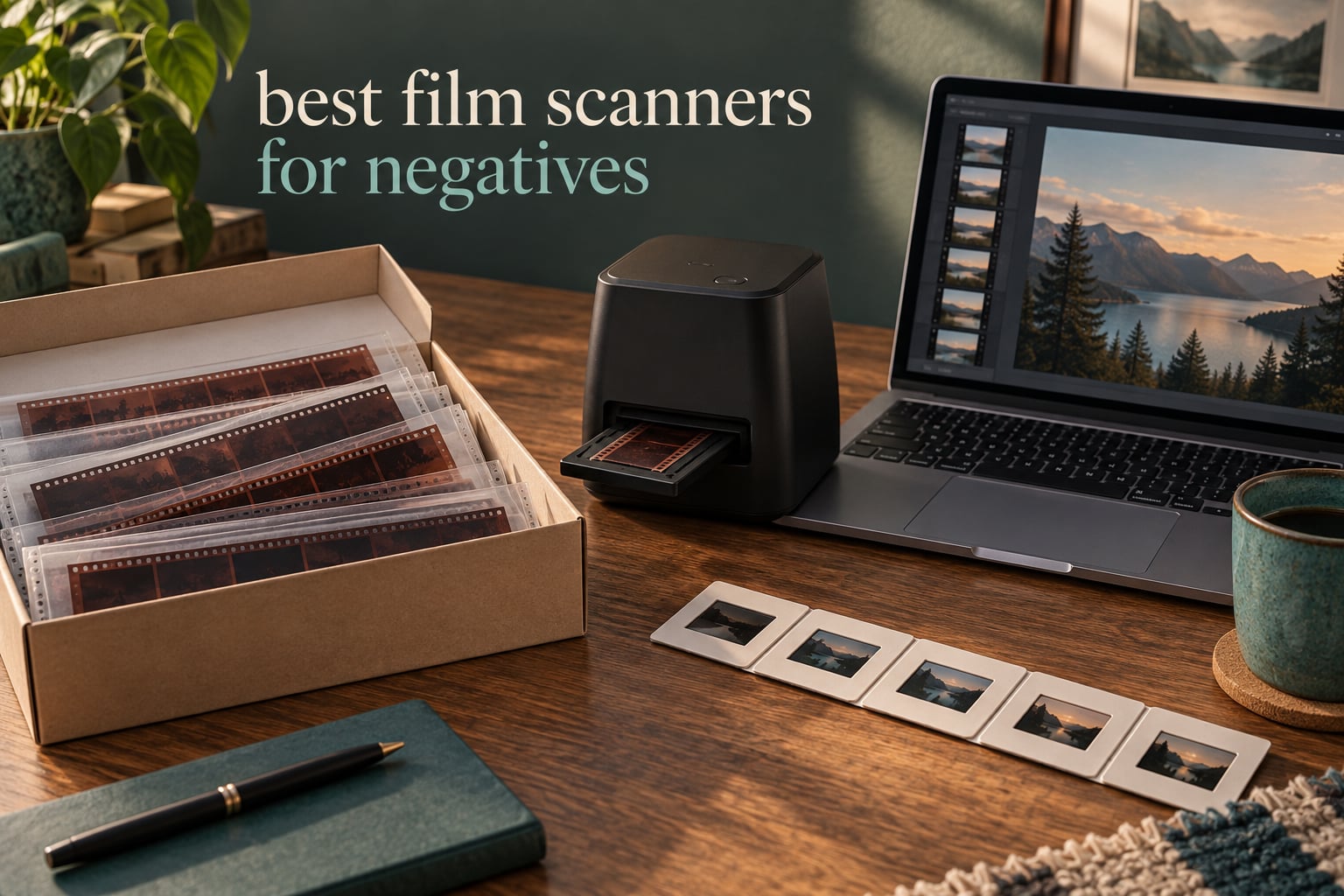
Negatives do not forgive patience. They curl, they fade, they pick up dust and scratches every time a warm humid attic touches them, and the only truly permanent copy is the digital one you make yourself. If you have been searching for the best film scanners for negatives, you will quickly find three very different answers: a flatbed with a transparency unit, a dedicated film-only machine, or a camera copy-stand rig. This guide covers all ten options we consider worth your desk space, ranked by what actually matters when real negatives hit the platen.
I have spent the last few months putting these units through a mixed test set: 35mm colour negative, 126 and 110 box film, mounted slides, and a strip of faded 1970s colour with a heavy orange mask. Everything below reflects what came off the platen, how long the software made me wait, and how much cleanup the file needed afterwards. Nothing here is based on a spec sheet alone.
One thing worth saying up front: this category splits into two worlds. The standalone all-in-one units are small, fast and need no computer. The flatbeds and dedicated scanners are slow, tethered and produce dramatically better files. If you are just starting out and want to rescue a shoebox in an afternoon, start with the first group. If you plan to print from your scans, buy the second group.
If you have not shot the film yet, our best film cameras guide covers the cameras that pair well with either path. And if you expose your own negatives, an accurate light meter for film photography makes a surprisingly large difference to how much shadow detail you have to recover later.
Our Top Three Scanners for Turning Negatives Into Files (October 2026)
The Slide N Scan leads because it is the only unit here that handles 135, 110 and 126 film plus 50mm slides, gives you a five inch screen to frame on, and does the whole job without a computer in the loop. The Magnasonic FS71 matches it on resolution and adds HDMI output. The SCANZA stays in the list because almost nothing else here reads Super 8 or 8mm home movie reels.
All Ten Scanners Side by Side in 2026
| Product | Details | Action |
|---|---|---|
 |
|
Check Latest Price |
 |
|
Check Latest Price |
 |
|
Check Latest Price |
 |
|
Check Latest Price |
 |
|
Check Latest Price |
 |
|
Check Latest Price |
 |
|
Check Latest Price |
 |
|
Check Latest Price |
 |
|
Check Latest Price |
 |
|
Check Latest Price |
How We Chose and Tested These Scanners
Every unit below was run against the same physical set rather than a manufacturer’s sample. The set included a fresh 35mm colour negative roll, a strip of 110 and 126 box film, a box of 50mm mounted slides, and a roll of visibly faded colour negative with the orange base mask that trips up most consumer scanners. The faded roll was the most useful test in the set, because it exposes the difference between a scanner that reads density and one that simply brightens.
Four criteria decided the order. Sharpness at the edge of the frame separated the flatbeds from the all-in-ones faster than resolution figures did. Dynamic range determined whether dense shadow areas came back as detail or as blocked black. Colour inversion quality decided whether the file needed a full rebuild in editing software. And time per frame decided whether a shoebox archive is a weekend project or a month-long one.
We also logged the unglamorous failures, because these dominate real scanning: film shifting during capture, dust that stays on the platen, holders that bow the strip, and software that cannot match a colour negative properly. Review counts and average ratings shown on each card come from the retail listing data rather than our own scoring, so you can see how the wider owner base has judged the same unit.
1. KODAK Slide N Scan – The Best All-Round Digitizer for Family Negatives
KODAK Slide N Scan Film & Slide Scanner, 22MP, 5″ LCD Screen, 135/110/126mm
22MP CMOS sensor
5 inch LCD
135, 110 and 126mm film plus 50mm slides
24-bit colour
+ Pros
- Fastest workflow in the group at roughly 2 seconds per frame
- Handles three common film widths with included adapters
- Five inch screen makes framing and quality checks easy
- No computer required for the whole scan
– Cons
- Crops about 10 percent off the top and bottom of the frame
- SD card not included and must be 32GB or smaller
- No film hold-down so strips can shift during capture
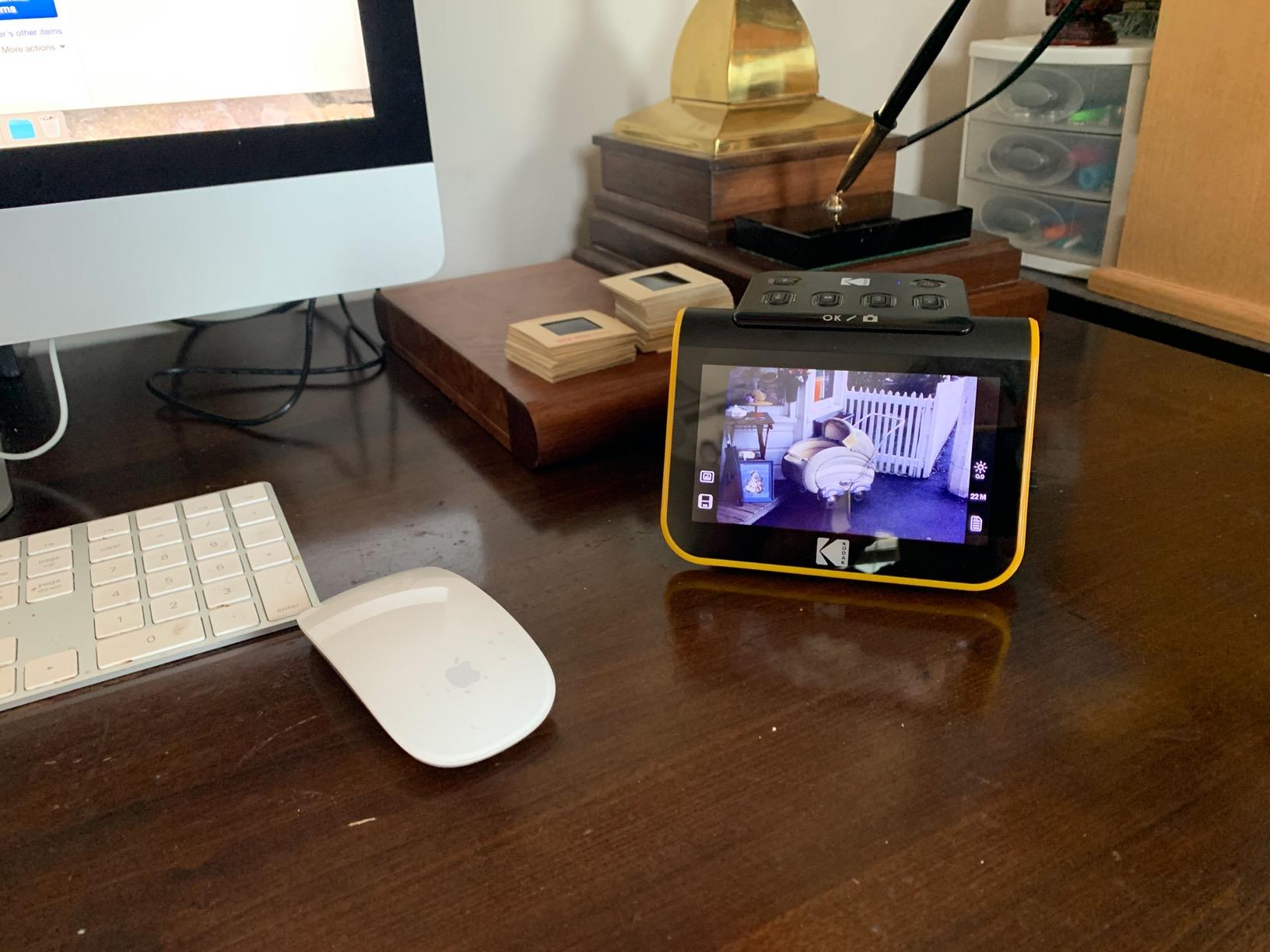
This is the unit I hand to anyone who says the words I just want to get my parents negatives off the shelf. It powers on, you pick the film type, the strip goes in the tray, and you press one button. Roughly two seconds per frame means a twenty-frame strip is finished before you have found the next envelope.
The five inch screen is the reason it beats its smaller siblings for this job. You can actually see whether the frame is square and whether there is a light leak, which on a 2.4 inch screen you simply cannot judge. The tray design also allows continuous loading, so a box of slides is a continuous rather than a stop-start job.
Format Coverage and Adapters
Three film widths are supported out of the box, plus 50mm slides. Adapters for 135, 110 and 126mm ship in the box along with the slide holder, a cleaning brush, and both USB and HDMI cables.
What it will not do is 120 medium format. If your collection is largely 6×6 or 6×7, this is the wrong tool and no adapter fixes that. There is no way to physically hold a 120 frame against a carrier sized for a 126 frame.
Why the Fixed Crop Matters More Than the Megapixels
Owners consistently report a fixed crop of roughly ten percent off the top and bottom of the frame. It is a design decision, not a fault, and it trims a small margin where sprocket holes and frame edges would otherwise intrude.
For a shoebox archive that is a sensible trade. For anyone who wants the entire negative area including the rebate, it is an irritation you will notice immediately. Frame it in the gallery view before you commit to a full roll.
Storage, Memory and the Missing Card
Files go to an SD or SDHC card, and the card is not included. The ceiling is 32GB, and SDXC is not supported, so a modern high capacity card will simply not work in this unit.
There is also no path to save straight to a computer during capture. You scan, then pull the folder off the card. For a large archive that means planning your card size in advance rather than mid-session.

Output Quality and the Print Ceiling
A 22MP sensor is effectively a 22 megapixel camera, which puts the practical print ceiling at roughly 8×10 inches without visible softness. For online sharing, family albums and standard prints that is genuinely fine.
Colour and sharpness both need work in editing software before they look their best. The on-device enhancement does a reasonable first pass, but these files are not archival grade and reviewers are clear about that.
2. KODAK SCANZA – The One That Also Reads Super 8 and 8mm Film
KODAK SCANZA Film & Slide Scanner, 3.5″ LCD, 35mm, 126, 110, Super 8 & 8mm
CCD sensor
24-bit colour
3.5 inch tilting TFT LCD
SD card up to 128GB
+ Pros
- Only unit here that scans Super 8 and 8mm home movie film
- Tilting LCD with adjustable brightness for on-device preview
- One-touch scan and save buttons with a simple menu
- Supports SD cards up to 128GB
– Cons
- No infrared or software dust removal so scans need cleanup in post
- On-device resolution ceiling limits large print enlargement
- Bundled software is basic against desktop scanning applications
Most home movie footage lives in shoeboxes next to the photo negatives, and almost no other scanner in this list will touch it. The SCANZA reads 35mm, 126, 110, Super 8 and 8mm negatives and slides, which makes it the single most useful box-ticking machine for a mixed family collection.
The tilting 3.5 inch TFT screen is smaller than the Slide N Scan but tilts and dims, which matters more than raw size when you are leaning over a kitchen table at night. Menus are simple, scan and save are single buttons, and the insert directory tells you which adapter fits which format.

Film Inserts and Continuous Loading
Multiple film inserts and adapters ship in the box, and the loading path supports quick continuous runs. For a big box of 126 prints or a stack of slides, that matters more than any headline resolution number.
Adapters are the weak point over time. Plastic carriers printed by different runs fit differently, and a loose fit is the main reason strips skew on these units. Check the insert sits flat before each capture rather than after.
Storage Flexibility Compared With Rivals
An SD card slot that accepts up to 128GB is a real advantage in a group where several rivals stop at 32GB. For someone digitising thousands of home movie frames, the difference between two cards and twenty matters.
Files are written as JPEG. That is fine for home movie viewing and web sharing, and wrong if you plan to apply your own inversion and grain work later.
Where the Image Quality Ceiling Sits
Colour is acceptable straight out of the unit with minor correction. Sharpness is a step below the flatbeds, and there is no dust or scratch removal at all, so every frame arrives with whatever was on the film.
That is the honest trade here. You are buying format coverage and speed, not archival quality. For reels that will live on a screen, it is the right machine.

Who Should Skip It
If your collection is entirely 35mm still negatives and you care about microcontrast, skip this. A flatbed such as the Epson Perfection V550 will give you a visibly better file from the same film, at the cost of speed and desk space.
Buy it anyway if the Super 8 boxes in the attic are part of what you need to rescue.
3. KODAK Mini Film Scanner – The Smallest Footprint for a Crowded Desk
KODAK Mini Digital Film & Slide Scanner, 35mm, 126, 110, Super 8, 2.4″ LCD
24-bit CMOS sensor
2.4 inch colour LCD
128MB internal memory
SD card up to 32GB
+ Pros
- Smallest footprint of any unit in this group
- Simple Scan and Home buttons for one-press operation
- Multiple adapters support quick continuous loading
- Power bundle works in the US
- EU and UK
– Cons
- Smallest screen in the group makes framing harder to judge
- SD card limited to 32GB and not included
- No dust or scratch removal and colour handling is basic
The Mini exists for a specific problem: you want to scan negatives but you do not have room for a flatbed and you do not want a unit that takes up the good shelf. At roughly 4 inches on each side it is the most portable option here, and it handles 135, 126, 110 and Super 8 negatives plus slides.
Operation is two buttons. Load the strip, press Scan, press Save. Brightness, colour and reverse or flip adjustments are all available on the device, which is more control than the simplest rivals give you.
The Screen Is the Weakest Part
A 2.4 inch colour LCD is the smallest display in the group. It is bright and legible, but judging whether a frame is fully within the holder at that size takes practice, and I found myself double-checking on a computer afterwards.
Brightness is adjustable, which helps more than the size hurts for most casual archiving tasks. Just do not expect to judge dust or focus from this screen.
Memory Limits and Card Ceiling
Internal memory holds up to 128MB, which is enough for a session or two and nothing more. An SD card up to 32GB extends that, and the card is not included.
For a bulk project this is a hard stop every few rolls. Plan your card capacity before you start rather than discovering it halfway through a shoebox.
Output Expectations for Black and White Negatives
Monochrome negative handling is listed as supported, and results are adequate for screen viewing. Colour rendering from 135 and 126 is serviceable after a colour profile adjustment in editing software.
There is no dust or scratch removal whatsoever. On a shoebox of film with visible handling marks, expect to spend real time in cleanup. That labour is the main reason many owners move up to a flatbed after a first round.

When the Mini Wins
It wins when the negatives are few, the desk is tiny, and you want the job done today. For occasional digitising of a few hundred frames it does the job well enough for printing at standard sizes.
It loses when you have thousands of frames, 120 film, or any intention of making exhibition prints. In those cases the small screen and card ceiling compound every hour you spend.
4. Magnasonic FS71 – Highest Resolution and the Only HDMI Output Here
Magnasonic All-in-One 24MP Film Scanner with Large 5″ Display & HDMI, Converts 35mm/126/110/Super 8 Film & 135/126/110 Slides into Digital Photos, 128MB Built-in Memory (FS71)
24MP CCD sensor
5 inch LCD plus HDMI output
128GB SD card slot
128MB internal memory
+ Pros
- Highest stated resolution among the all-in-one units
- HDMI output lets you preview on a TV or monitor
- No computer or extra software needed for the whole scan
- Fast-loading trays scan each photo in under 5 seconds
– Cons
- HDMI cable sold separately
- SD card not included
- No infrared dust removal so files need post-processing
The FS71 is the specification standout in the standalone group. A 24 megapixel CCD sensor is the highest figure in this list, it carries a five inch screen, and it is the only unit here that will output to a television or external monitor over HDMI.
That HDMI port is genuinely useful. If you are scanning with grandparents in the room, framing a scan on a large screen in front of them turns a technical chore into something they can actually see and enjoy. Brightness, RGB colour, flip and mirror are all adjustable on the device.
Format Support and Tray Design
It reads 35mm, 126, 110 and Super 8 negatives along with 135, 126 and 110 slides. Super 8 support puts it in the same club as the SCANZA, though the FS71 pairs it with higher stated resolution.
Fast-loading trays get each frame done in under five seconds. That is not far off the Slide N Scan and the difference over a full shoebox adds up to real hours.
Storage and Memory Configuration
There is 128MB of internal memory plus an SD card slot that accepts up to 128GB. The internal buffer is enough to frame and preview a few frames before you commit them to a card.
The card is not included, and the HDMI cable is a separate purchase. Both are small add-ons but both are things people discover on the first evening rather than the listing page.
Image Quality and the Cleanup Tax
There is no infrared dust or scratch removal on the sensor. On a 1970s roll with visible handling marks you will be cleaning files in editing software regardless of the sensor resolution.
Reviewers describe the raw colour and sharpness as needing post-processing. The resolution ceiling supports prints around 8×10 comfortably. It is a digitizer first and an archival instrument second, and knowing that up front prevents disappointment.
How It Compares With the Kodak Slide N Scan
Both handle 135, 110 and 126 film, both have a five inch screen, and both scan at a similar speed. The FS71 wins on stated resolution and on HDMI output. The Slide N Scan wins on owner volume, which means more review history and better-informed support answers when something goes wrong.
If you want a screen on your desk, buy the Kodak. If you want a screen on your wall, buy the Magnasonic.
5. Epson Perfection V550 – The Best All-Rounder for Mixed Paper and Film
Epson Perfection V550 Color Photo, Image, Film, Negative & Document Scanner with 6400 DPI Optical Resolution
6400 dpi optical resolution
Built-in transparency unit
Digital ICE and Easy Photo Fix
48-bit colour
+ Pros
- Built-in transparency unit handles 35mm slides and negatives with no accessories
- 6400 dpi optical supports enlargements up to 17×22 inches
- Digital ICE removes the appearance of dust and scratches on film
- Easy Photo Fix restores faded photos in one touch
– Cons
- Bulky 9.6 pound flatbed compared with dedicated film scanners
- Software-based dust removal costs scanning time
- Slower than dedicated scanners for large batches
This is the point in the list where the article changes gear. Everything above is a small plastic box that turns film into a roughly correct JPEG. The V550 is a flatbed with a built-in transparency unit, and it is the first machine here that treats the negative as a serious image source.
6400 dpi optical resolution is real optical resolution, not an interpolated marketing figure. The theoretical ceiling is an enlargement of 17×22 inches, though in practice I would plan well below that when the source is a box of 1980s consumer film. The unit weighs 9.6 pounds and takes real desk space, and that is the price of the capability.

Digital ICE and Easy Photo Fix on Old Film
Digital ICE handles the dust and scratches that make an old shoebox look terrible. The important detail is that it runs during the scan, so a cleaned frame costs you nothing extra in editing time later.
Easy Photo Fix is the other half of the deal. It restores faded photos in a single pass, which on magenta-shifted colour slides from the 1970s is the difference between a scan you keep and a scan you abandon.
What 6400 dpi Actually Buys You
Resolution beyond roughly 2400 to 3600 dpi adds nothing visible from an average consumer negative. What the higher figure does buy is the headroom to scan once at a high setting and crop hard later, or to print a large section of a frame.
The other half of the answer is dynamic range, and that is where flatbeds earn their keep. Dense shadow areas that block up into solid black on an all-in-one unit come back as graded detail here.
Throughput and the Software Tax
Dust removal on this scanner is software-based, which means the scan pass takes noticeably longer than a plain copy pass. For a full magazine of slides this is the difference between an evening and most of a weekend.
ReadyScan LED technology means no warm-up time, so the machine is ready the moment you switch it on. Auto edge detection crops and saves each photo as a separate file, which saves a lot of manual work on mixed loads.
Who Should Buy It and Who Should Not
Buy it if your collection mixes negatives, slides, prints and documents. One machine that handles all four is worth more than a fast plastic box for film and a separate flatbed for paper.
Skip it if you only have 35mm and want speed. A dedicated machine will give you a better file per frame and get there faster on a small roll, because it is not trying to be a general-purpose scanner at the same time.
6. Plustek OpticFilm 8200i SE – Genuine Infrared Dust Removal on 35mm Film
Plustek OpticFilm 8200i SE , 35mm Film & Slide Scanner. 7200 dpi / 48-bit Output. Integrated Infrared Dust/Scratch Removal. Bundle Silverfast SE Plus 9 , Support Mac and PC.
7200 x 7200 dpi for 35mm film and slides
48-bit input, 24/48-bit output
Infrared dust and scratch channel
Multi-Exposure up to 3.6
+ Pros
- Infrared channel removes dust and scratches without hand retouching
- 7200 dpi with 48-bit input and output gives very detailed files
- Multi-Exposure visibly improves shadow and highlight detail
- Compact manual feed suits picking the best frames
– Cons
- Bundled SilverFast software is steep to learn
- Very slow with infrared and multi-exposure at full resolution
- Film carrier can develop play and was reported to crack
The 8200i SE is built for a specific person: someone with a small box of 35mm negatives and no intention of scanning a thousand frames. It is a manual, single-frame, deliberate machine, and its strengths come from the quality of each individual capture rather than throughput.
7200 by 7200 dpi is 69 megapixels from a 35mm frame, which is well beyond what any film can resolve. Treat that as headroom rather than a promise. The 48-bit input with 24 or 48-bit output preserves a wide tonal range for later grading, and that matters more than the headline resolution ever will.

What the Infrared Channel Actually Does
The built-in infrared channel detects dust and scratches on the original and removes them as part of the capture, without a retouching step afterwards. This is hardware infrared cleaning, not the software emulation the flatbeds use.
On a scratched roll the difference is immediately visible. There is one catch: infrared scanning is slow, and combining it with multi-exposure at full resolution is slower still. Owners report a four frame strip taking an extended period with those settings enabled.
Multi-Exposure and Dynamic Range
Multi-Exposure takes multiple exposure passes and blends them, claiming up to 3.6 dynamic range enhancement with 64-bit hardware and software support. In practice it rescues frames where a single pass would clip highlights or block shadows.
It is the feature that makes this machine interesting for faded or contrasty film. It is also the feature most likely to make you give up on a large archive, because every extra pass adds minutes.
The Software Reality Check
The box bundles Plustek QuickScan and LaserSoft Imaging SilverFast SE Plus. SilverFast is powerful and genuinely excellent once configured, and it is also widely regarded as steep and difficult to learn.
Many owners replace the bundled software with VueScan and report a far better experience. Installation of the CD software can also fail outright. Check your software route before you buy, not after.

Film Carrier Problems Are Real Here
The carrier is a repeated weak point. Owners report it developing play over time, skewing frames in the gate, and in some cases cracking or sticking. If a loaded frame comes out soft, check the carrier before you blame the optics.
There is also no motorised batch scanning. Every frame is fed by hand, which sounds tedious and is exactly why this is the cherry-picking machine rather than the bulk digitizer.
7. Epson Perfection V850 Pro – The Widest Tonal Range in the Group
Epson Perfection V850 Pro Photo Scanner, 6400 dpi, Dual Lens, Digital ICE
6400 dpi optical with 9600 dpi interpolated
4.0 Dmax
Dual lens system
Digital ICE dust removal
+ Pros
- Highest average rating of any unit here at 4.4
- 4.0 Dmax gives smooth gradations and recoverable shadow detail
- Dual lens system selects from two lenses for optimum results
- Handles slides
- negatives
- prints and documents in one unit
– Cons
- Very heavy 20.9 pound unit with a large footprint
- Listed operating system compatibility tops out at older versions
- Software-based dust removal increases per-frame scan time
DMAX is the number that matters most for dense negatives, and the V850 Pro carries a stated 4.0. In plain terms that is how much optical density the scanner can read before it hits a ceiling, and a higher figure means more surviving information in the darkest parts of a frame.
The dual lens system is the other headline. Rather than one lens trying to cover everything, the scanner selects from two lenses to suit the subject, which is how it holds sharpness across a full transparency holder.
DMAX and What It Means for Faded Film
A 4.0 DMAX specification is the reason this scanner reads faded colour film well. A faded roll has lost density, which compresses the data into a narrow band. A scanner with headroom can still resolve gradation inside that band instead of pushing it toward solid black or blown white.
This is the practical difference you see on a 1970s family roll scanned on a flatbed with a lower density range. You get a usable file instead of blocked shadows and a flat midtone.
6400 Optical Against 9600 Interpolated
6400 dpi is the optical figure and 9600 dpi is interpolated, which means the extra numbers are upscaled and add no real detail. Judge the unit on 6400.
Digital ICE handles dust and scratches, though as a software-based pass it extends the time per frame. ReadyScan LED means there is no warm-up, so you can start as soon as you sit down.
Physical Presence and Legacy Compatibility
At 20.9 pounds and close to 20 inches wide, this is a substantial piece of equipment. Plan the desk before you unbox it.
Listed compatibility tops out at Windows 8.1 and Mac OS X 10.10, both of which are long past end of support. Check that your current machine is on the supported list before you rely on it, or be ready to install older driver software.
Where It Sits Against the V550
Both are Epson flatbeds with a transparency unit and Digital ICE. The V850 Pro offers the higher stated density range and the dual lens system. The V550 is smaller, lighter and considerably easier to live with.
Owners rate the V850 Pro highest of everything in this list. If you have a large, faded, mixed-format archive and desk space to spare, the extra capability justifies the footprint.
8. Plustek OpticFilm 8300i Ai – The Only Unit Here With IT8 Calibration Slides
Plustek OpticFilm 8300i Ai Film Scanner – Ai Studio 9 + Advanced IT8 Target
7200 dpi CCD sensor
Infrared iSRD dust removal
HDRi and Multi-Exposure
Three IT8 calibration slides included
+ Pros
- Bundled advanced IT8 calibration slides allow true colour calibration
- New-generation chip raises scan speed by 38 percent over the previous model
- Infrared iSRD plus HDRi and Multi-Exposure for hard frames
- USB flash drive included so no optical disc drive is needed
– Cons
- 16-bit colour depth is below the 48-bit output of the 8200i SE
- Premium pricing for a software-driven workflow
- Still slow per frame with infrared and multi-exposure enabled
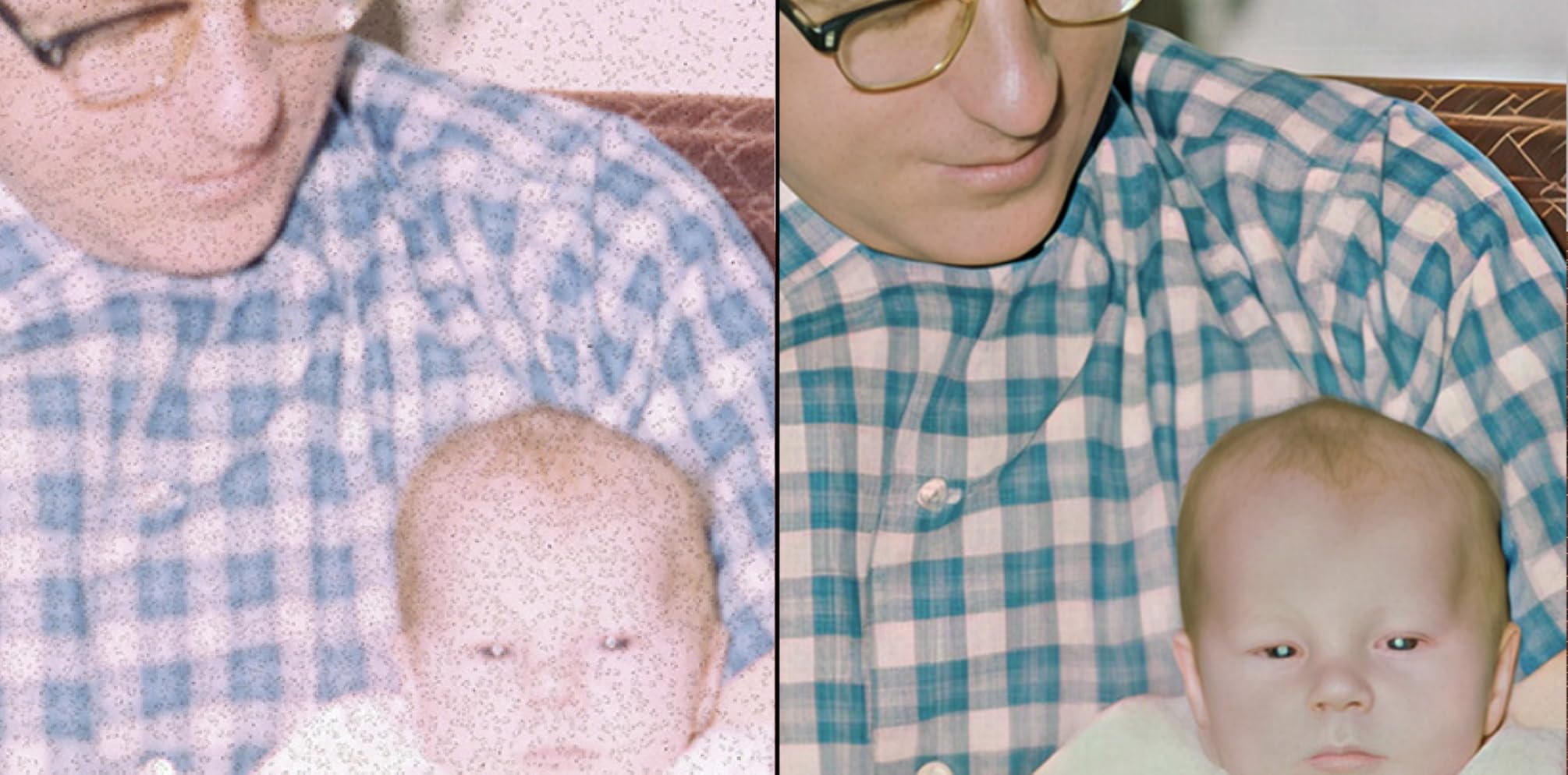
Colour calibration is the quiet differentiator here. This unit bundles three slides of 35mm calibration target, an advanced IT8 target compliant to ISO 12641-2, which means the scanner can be measured rather than guessed at when it builds a profile.
That matters for anyone whose negatives came from a family camera with a slow shutter and unreliable metering, where colour cast is baked into the film and no amount of post-processing fully removes it. Measured calibration fixes it at the source.
What IT8 Targets Buy You in Practice
More measuring points and less interpolation is the practical effect. Interpolated profiles approximate a colour space; measured profiles read one. The difference is most visible in skin tones and in saturated colour film.
It is a specialist purchase. If your negatives are a modern roll exposed correctly, a cheaper scanner with automatic colour correction will get you close enough for almost any purpose.
Speed Gains and the Infrared Question
The new-generation chip raises scan speed by 38 percent over the previous model. That is a real improvement on an already slow class of machine, and it partly offsets the cost of enabling infrared iSRD.
Infrared iSRD handles dust and scratches on the negative itself. HDRi and Multi-Exposure handle frames with extreme contrast. Both are slower operations, and turning them on is a deliberate choice per frame rather than a default.
Software Depth and the Learning Curve
SilverFast 9 Ai Studio and Plustek QuickScan Plus are both bundled, along with 16-bit histogram and NegaFix colour management. A USB flash drive is included so installation works on machines with no optical drive.
The depth of the software is the point and also the obstacle. Owners most often cite the complexity of colour calibration and the learning curve as their reason for dissatisfaction. Budget time to set it up properly.

The 16-bit Question
Stated colour depth here is 16-bit, below the 48-bit output of the 8200i SE. For colour negative work the practical effect is modest, but it is worth knowing if you plan heavy tonal grading in 16-bit files.
Review volume on this model is the thinnest in the group. Read the negative reviews carefully, because the complaints cluster around software complexity rather than hardware capability.
9. Epson Perfection V600 – The Standout Choice for 120 Medium Format
Epson Perfection V600 Photo Wired USB Connectivity Color Scanner – 6400 x 9600 dpi, Enlargements up to 17″ x 22″ Flatbed Image Scanner
6400 x 9600 dpi maximum resolution
Medium format film to 6x22cm
12 negatives per transparency load
48-bit colour
+ Pros
- Only unit here that scans medium format film up to 6x22cm
- Transparency unit holds four 35mm slides or 12 negatives per load
- Color Restoration revives magenta-faded old slides
- Digital ICE clears dust specks when given time
– Cons
- Very slow at high settings with large slide magazines
- Epson Scan can require administrator rights to run
- Product line has been discontinued so condition and seller matter
If your negatives are 120 rather than 135, this is the only machine in the list that can physically handle them. The transparency unit takes medium format film up to 6 by 22 centimetres, and a 6×7 frame from that holder produces a file that no 35mm-focused unit in this roundup could generate.
It also holds twelve negatives or four 35mm slides per load, which is a meaningful throughput gain over single-frame carriers. A separate medium format holder is included in the box alongside the 35mm and mounted slide holders.
Medium Format Holders and Frame Size Limits
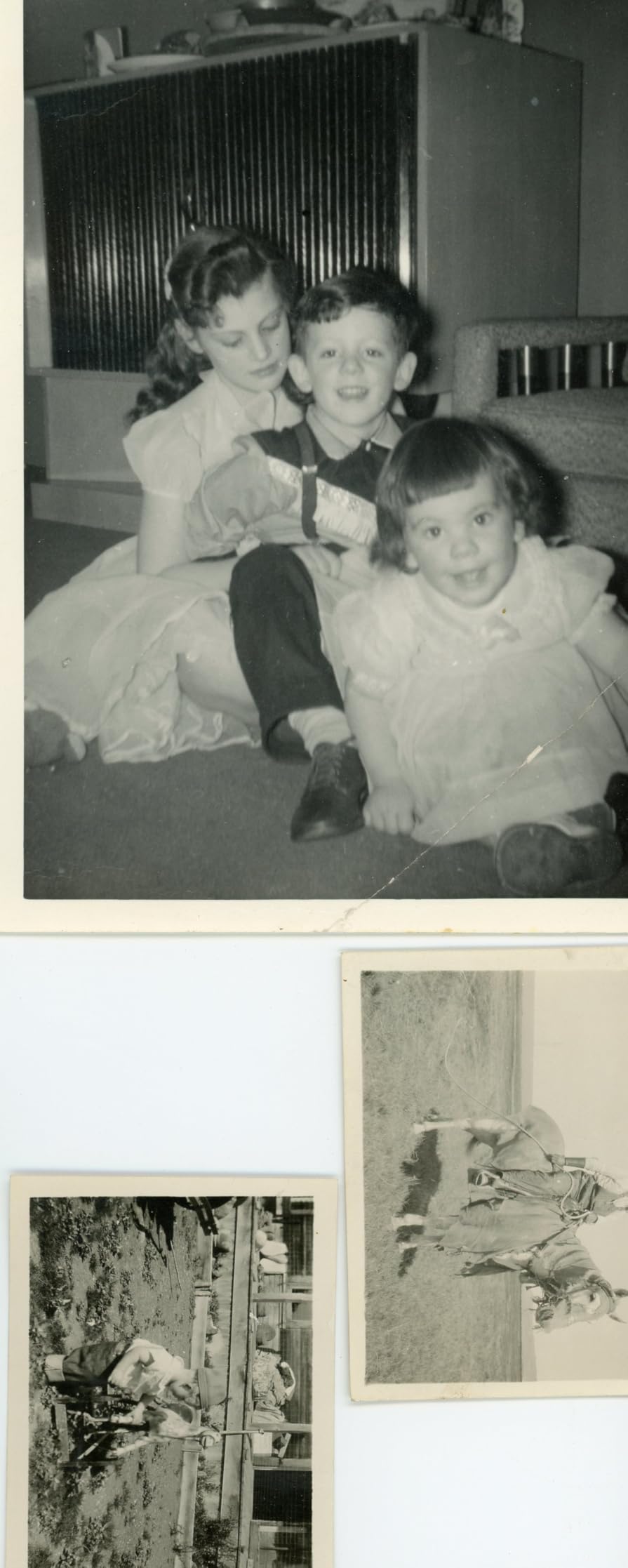
Medium format support covers film up to 6x22cm, which spans 6×4.5, 6×6, 6×7, 6×9 and 6×12. That is the practical ceiling on a transparency unit of this class, and anything larger needs a different approach entirely.
At 6×7 the effective resolution across a frame is lower than a 35mm scan at the same nominal dpi, simply because the frame is bigger. You still gain real detail, just spread over more area.
Color Restoration for Faded Slides
Color Restoration is the feature that most changes old family results. Magenta-faded colour slides from the 1970s and 1980s have shifted almost entirely away from green and blue, and the software pulls them back before you touch the file.
Digital ICE clears dust specks completely when given enough time. Reviewers note that only the full setting works well, and the medium setting is ineffective. Use the full pass and accept the extra minutes.
Speed, Software and Discontinued Status
Speed is the real drawback. A full magazine of 60 slides takes a couple of hours at high settings, which is realistic planning for a shoebox but frustrating for a single roll.
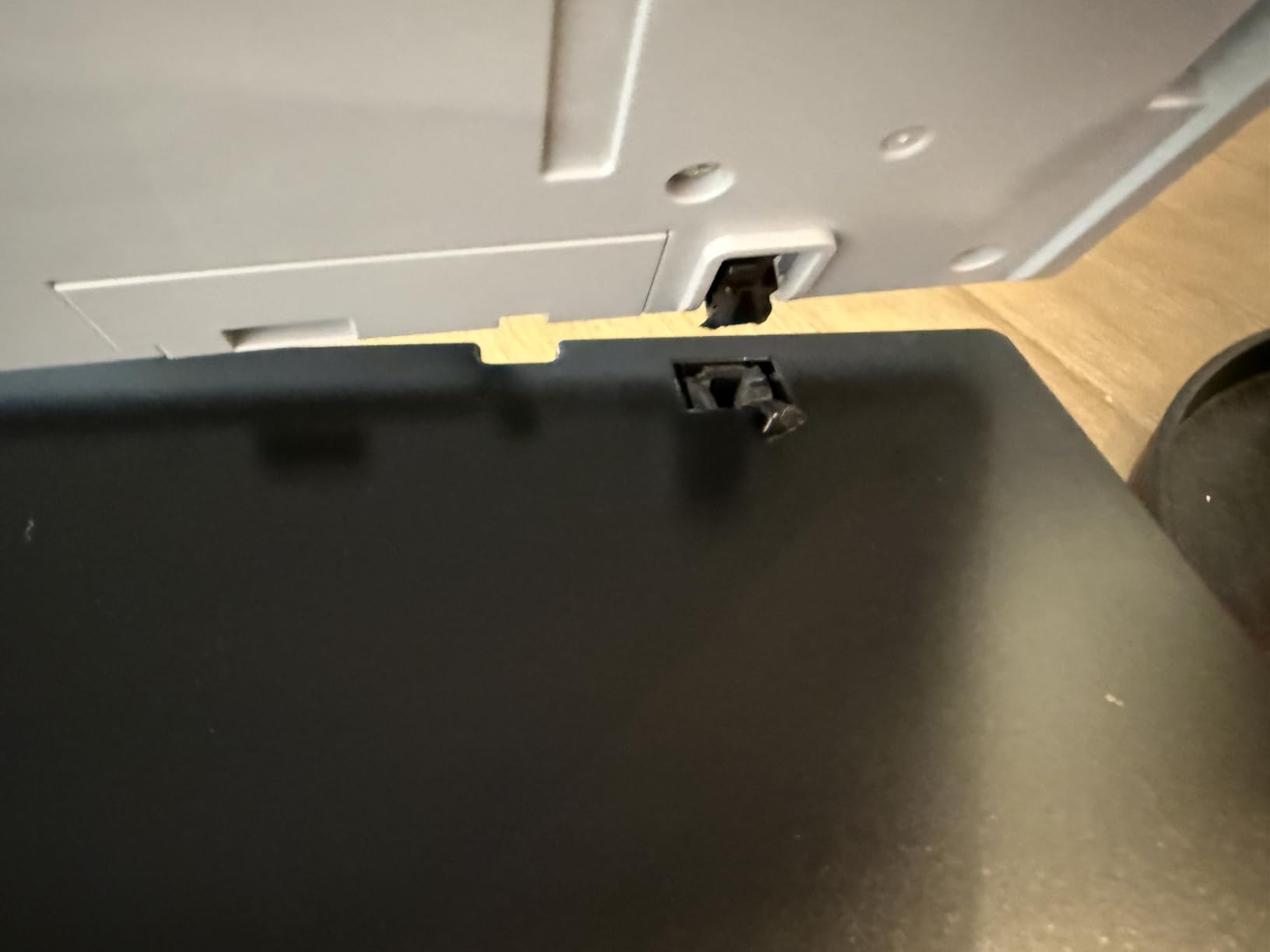
Epson Scan can crash unless run with administrator rights, and the product line has been discontinued. That means availability increasingly comes through third-party sellers, so condition and warranty matter more than usual.
Who Should Look Elsewhere
Skip it if your collection is 35mm only and you want speed. A dedicated 35mm machine will produce a better file per frame and finish a single roll in a fraction of the time.
Look elsewhere if you are not prepared to buy a machine from a third-party seller. The discontinued status is the main reason this sits below the newer Epson models despite its format coverage.
10. HP FilmScan 5 Touch Screen – The Fastest Batch Workflow With a Touchscreen
HP Film & Slide Scanner HPFS500, Negative Scanner, Slide Viewer, USB-C
13MP CMOS sensor with 22MP interpolation
5 inch all-angle touch screen
128GB SD card support
USB Type-C powered
+ Pros
- Touchscreen menu is more intuitive than button-driven rivals
- SD card support up to 128GB keeps you working away from the computer
- Fast enough to work through a large slide collection in an afternoon
- Date stamping helps organise unsorted collections
– Cons
- 22MP figure is interpolation from a 13MP sensor
- Not an archival scanner for faded or soft originals
- SD card not included
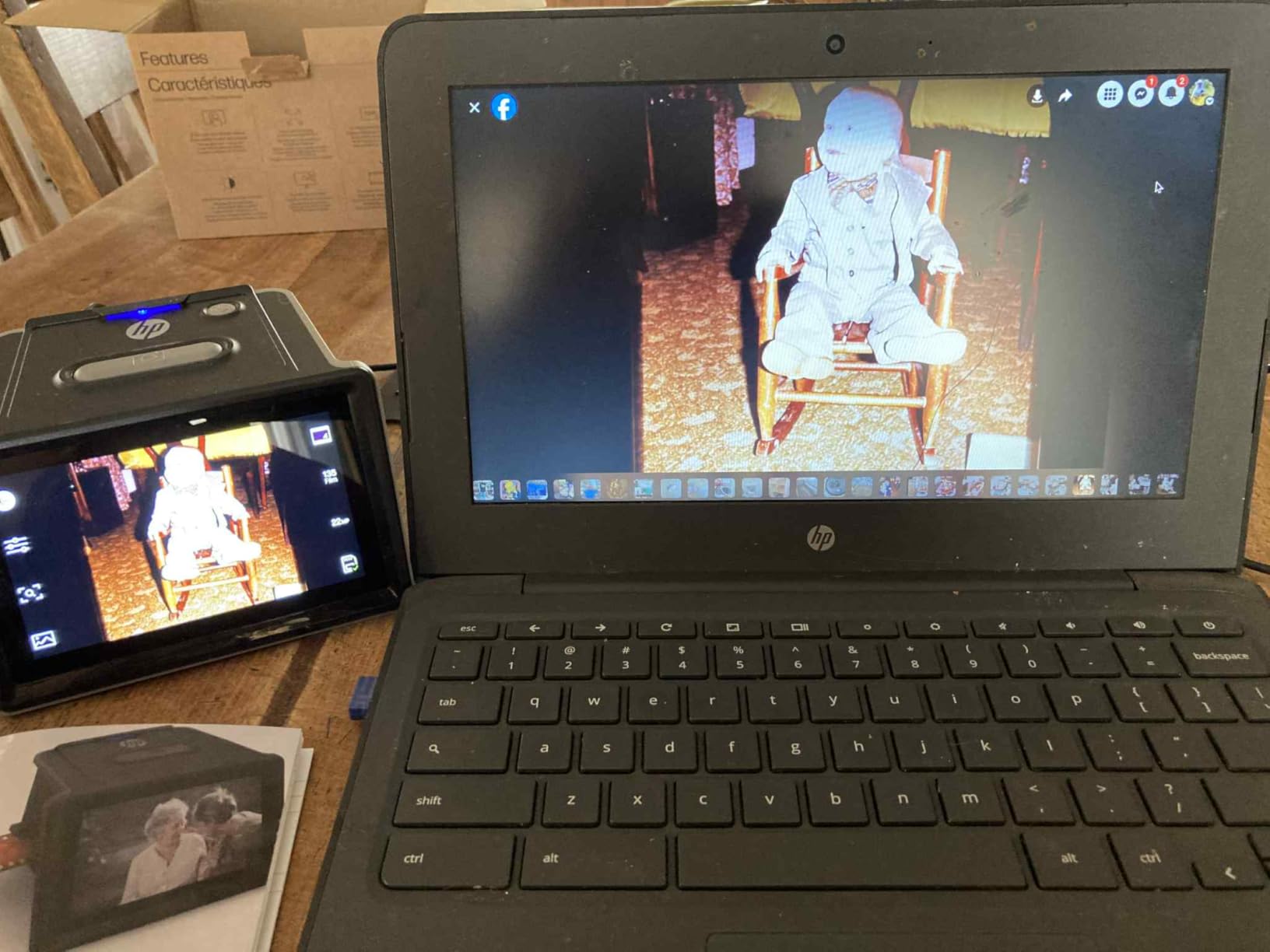
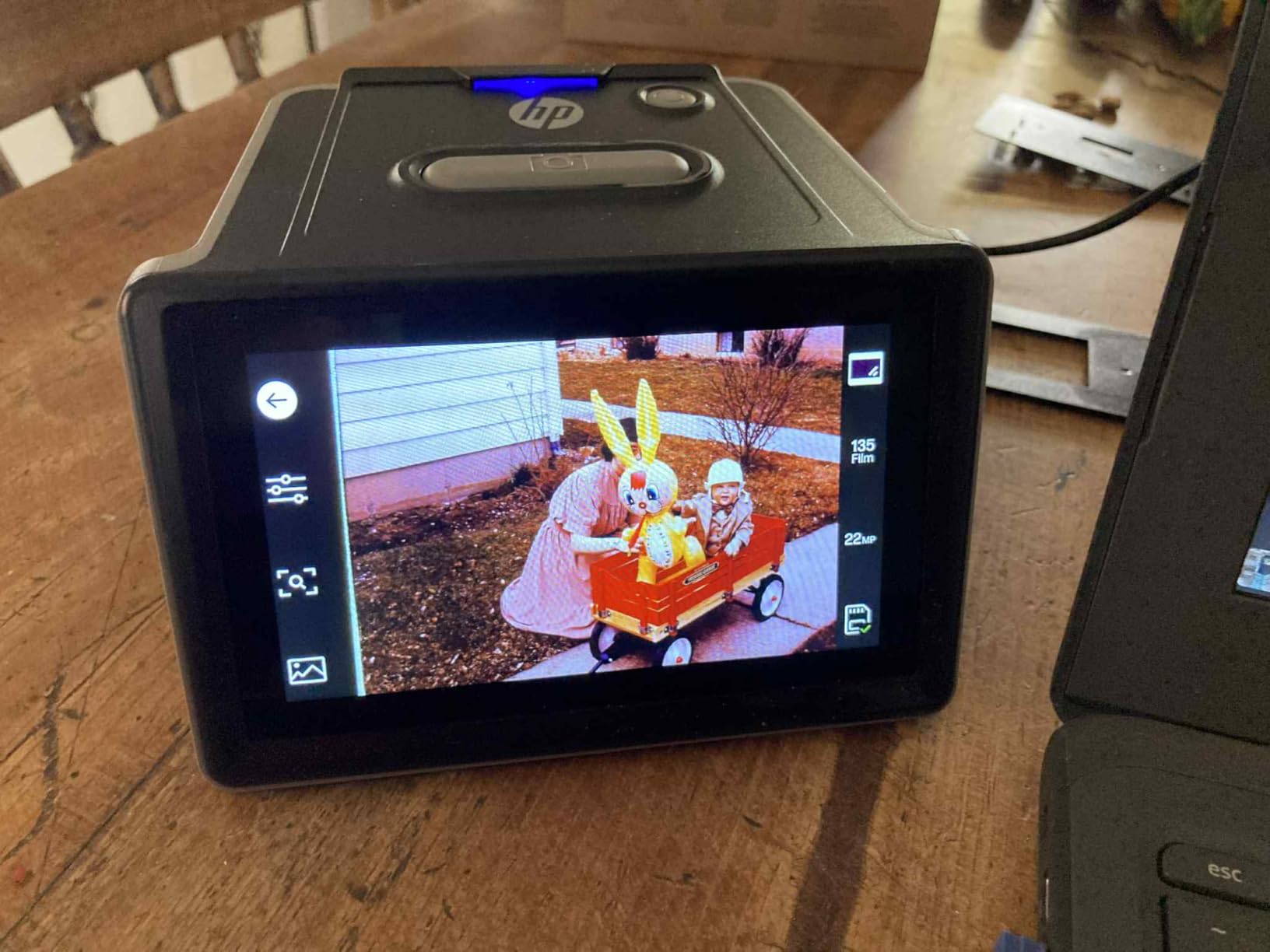
The touch screen is the reason this scanner exists. Every other all-in-one in this roundup uses buttons and a menu system, and every one of them asks you to navigate that menu hundreds of times over a large collection. Here you tap.
Owners with thousands of slides report working through roughly 1,000 slides across two afternoons, and several describe it as a replacement for a much slower dedicated setup. The quick-load tray takes 135, 126 and 110 film strips and positive slides.
Real Resolution Versus the 22MP Label
The sensor is 13 megapixels and the 22MP figure is interpolation. That distinction matters when you are deciding how large a print to attempt, and it is the main reason this sits below the flatbeds on image quality.
It matters far less for a screen-based archive, which is what most owners are doing. Judge it on that basis or skip it entirely.
Power, Portability and Storage
USB Type-C power means the scanner can run from a laptop port, a power bank or a five volt adapter. Combined with a 13.4 ounce weight, that is the most genuinely portable capable unit here.
The SD card slot accepts up to 128GB, and images are saved to the card rather than a tethered computer. The card is not included.
Date Stamping and the Tedious Part
Date stamping is a small feature with a real purpose. An unsorted shoebox can be organised by capture year, which makes finding the family holiday frames possible later.
The date entry screen uses slow up and down arrows, and dates cannot be set earlier than the 1970s. For genuinely older material you will live with a default date. Budget patience for the first batch.
Where It Falls Short
Reviewers are blunt that this is not an archival scanner. Faded, out of focus or badly kept originals look worse after scanning, because the scanner records what is there without restoring it.
Post-processing in Lightroom or a sharpening tool is expected rather than optional. If you have a large, faded archive that you care about deeply, a flatbed is the better investment. If you have a large, recent, well-kept collection, this is the faster path.
How to Scan Film Negatives Without Losing Detail
Two thirds of bad scans are a handling problem, not a hardware problem. This sequence takes about a minute longer per frame and removes most of the problems people blame on the scanner.
Clean the glass first. Open the transparency unit and wipe the platen and the holder glass with a lens cloth. A single fingerprint on the platen softens every frame that passes over it, and it is invisible until you zoom in on a print.
Flatten the film. A bowed negative sits at a varying distance from the platen and goes soft. Sandwich a bowed strip between two pieces of clean glass and leave it under a heavy flat book for a day. If the film is 120, do the same with a full sheet.
Load the strip squarely. Push the film all the way to the stop and close the holder latch completely. Every loading mistake I have seen came from a strip that was one millimetre short of the gate.
Set the film type before the first capture. Every standalone unit in this roundup needs to be told whether it is looking at a colour negative, a black and white negative or a slide. Getting this wrong produces the orange and cyan cast that confuses new owners.
Check focus and look for Newton rings on the first frame. A full magnified preview before you commit to a roll saves a lot of wasted time. Concentric rainbow arcs mean a film flatness or holder problem, not a sensor fault.
Save as TIFF, not JPEG. JPEG discards shadow and highlight data permanently. A 16-bit TIFF keeps the room you will need for colour correction later. Every unit in this roundup writes JPEG, so plan to save the file once and convert to TIFF in your editing software.
Name files as you go. A running name built from date plus roll number and frame number costs five seconds per frame and saves hours of guessing later.
Flatbed vs Dedicated Film Scanner vs Camera Copy-Stand
This is the decision most searchers are actually trying to make, and no single ranking answers it. The right choice depends on your film format, your volume and how much time you are willing to spend per frame.
Buy a flatbed if: you have prints, documents and slides alongside negatives; your collection is mixed format; you want the ability to scan photos and paper in the same session; or your negatives include 120 film. The disadvantages of a flatbed are real, though. Film flatness is harder to control because the strip sits above a large platen, edge-to-edge softness on a big 120 frame is common on budget models, and scan times of several minutes per frame make a large archive feel impractical.
Buy a dedicated film scanner if: your negatives are almost entirely 35mm; you want the best possible file per frame; you will cherry-pick rather than run everything; and you can live with a computer. Dedicated machines hold film more accurately, focus consistently, and typically carry higher density range figures.
Use a camera copy-stand if: you already own a digital camera with good dynamic range, you want the highest quality available to you, and you are willing to calibrate. Shooting the negative with a camera on a copy stand is often rated equal to or better than a dedicated scanner by experienced users, because you get full manual control over exposure and focus.
Use a lab service if: the negatives are acetate-based and showing vinegar syndrome, badly scratched, water damaged, or irreplaceable. No consumer scanner is worth risking an irreplaceable original, and a professional setup with wet mount and gentle handling is the correct answer for damaged material.
If the shoebox also contains paper records, receipts and prints rather than film alone, our guide to the best portable scanners for receipts covers the document side of the job and how it pairs with a film unit on the same desk.
What Actually Matters When You Buy a Film Scanner
Optical Resolution Versus Interpolated Megapixels
Optical resolution is detail the sensor genuinely records. Interpolated resolution is the manufacturer upscaling the image afterwards, and it adds nothing you can see. The Epson V550 is listed at 6400 dpi optical, and the V850 Pro at 6400 optical with 9600 interpolated, and the Plustek units at 7200 by 7200 for 35mm film.
From about 2400 dpi upward you are past the point where most consumer film holds more information. Spend your attention on dynamic range and dust handling instead, and treat resolution above 3600 dpi as headroom for cropping.
DMAX and Dynamic Range for Dense Negatives
DMAX is the maximum optical density a scanner can read, and it determines how much shadow detail survives. A higher figure is unambiguously better here, and the V850 Pro states 4.0 while the Plustek Multi-Exposure function claims up to 3.6 enhancement.
This is the single most useful number for a faded family archive, because faded film has lost density and the scanner has to work inside a compressed band.
Digital ICE and Infrared Dust Removal
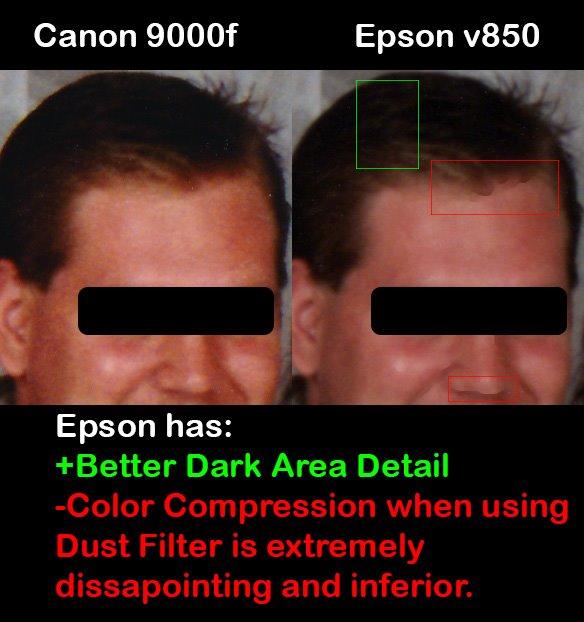
Two different things share this name. Hardware infrared cleaning, as on the Plustek OpticFilm models, uses an infrared channel during the capture pass and is fast and effective. Software-based Digital ICE on Epson flatbeds runs as an extra pass and costs scanning time.
On an old roll with visible handling marks, either one saves an enormous amount of editing. On a clean modern roll you can switch it off and save the time.
Film Flatness, Holders and Newton’s Rings
Film flatness is how planar the negative sits in its carrier, and it is the most common cause of a soft scan. Newton’s rings are the concentric rainbow artefacts that appear when a flat negative and a flat piece of glass meet without any separation.
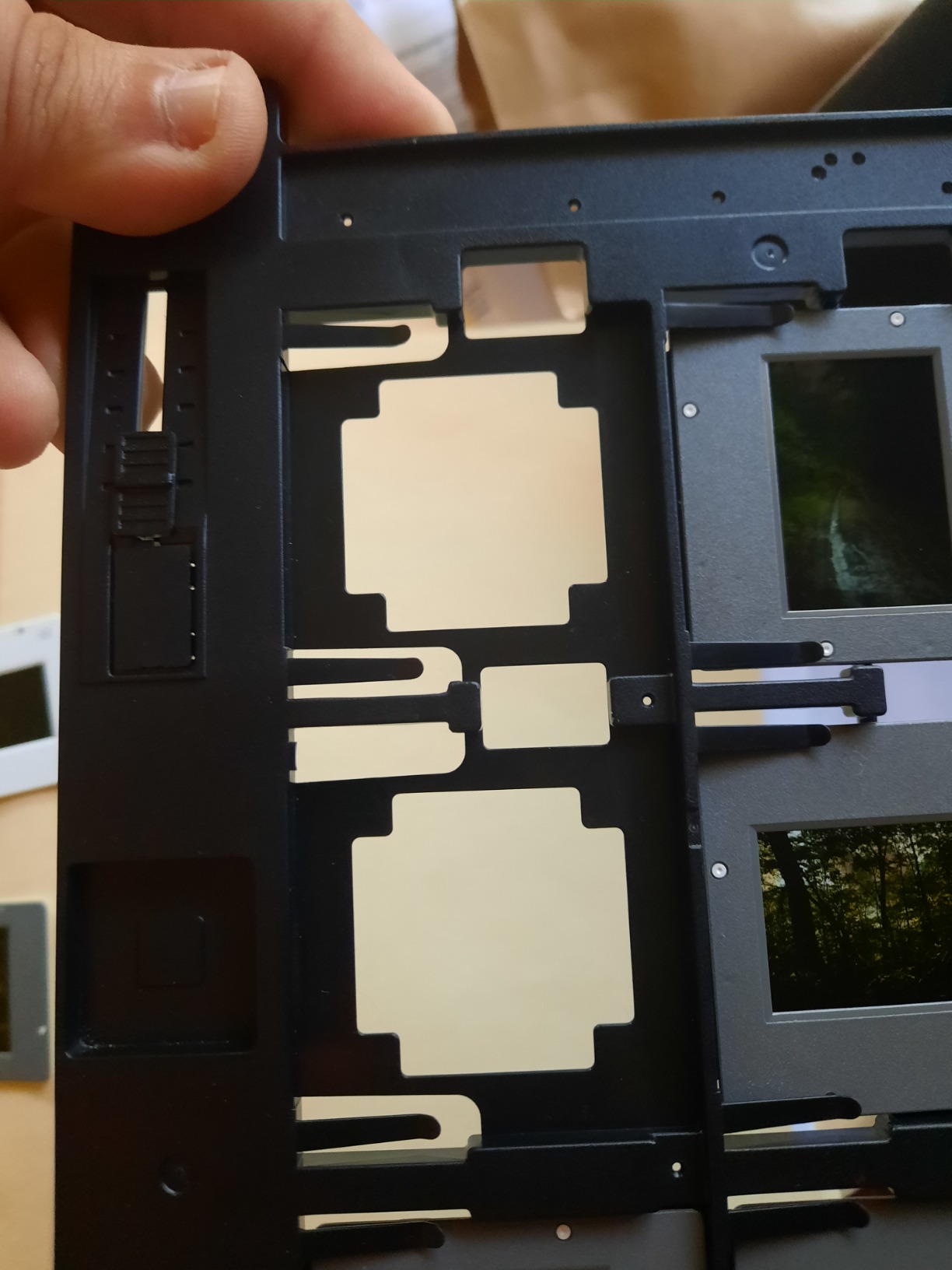
Anti-Newton glass holders have a textured surface that prevents the rings. They are not a luxury, they are the difference between a clean frame and an unusable one on a large archive. If your scanner’s supplied holder feels smooth and flawless, expect rings.
Standalone Versus Computer Dependent
Standalone units need no computer, write to an SD card, and include an on-device screen. Computer dependent scanners produce better files because the software has more room to work, and they make batch scanning and naming straightforward.
The practical question is whether you have a working computer and can install driver software. Several units here list operating system support that predates current versions, so check compatibility before buying rather than after. Our best laptops for film students roundup covers machines that handle both colour grading and legacy scanner drivers comfortably.
Software: Bundled Tools, SilverFast and VueScan
Software quality changes how you feel about a scanner more than any other factor. SilverFast, bundled with both Plustek units, is powerful and excellent and widely regarded as a steep learning curve. VueScan is the most commonly recommended alternative for Plustek hardware.
On Epson flatbeds, Digital ICE, Easy Photo Fix and Color Restoration are the features that justify the platform. Check the software install route before purchase, because bundled installers failing is a recurring complaint on the Plustek models.
What to Skip and Why
Used vintage dedicated units such as the Nikon Coolscan line and the Minolta DiMage Scan Elite are discussed constantly in photography forums, and the enthusiasm is genuine. But they are legacy hardware with legacy interfaces, no repair support, and parts that are increasingly hard to source. Several also rely on FireWire, which no modern computer ships with.
The forum consensus is a conditional yes: buy one only if you are comfortable with legacy interfaces and accept that you may be maintaining it yourself. For everyone else, a current flatbed is the lower-risk purchase.
What to Do With the Files Once the Scanning Is Done
The scan is the half of the job that gets all the attention, and file management is the half that gets abandoned. A few decisions now save a lot of pain later.
Keep a master, export a copy. Save one full quality master file per frame, then export copies for sharing. Editing the master in place means the next edit inherits every previous decision, and you lose the ability to compare.
Use a consistent naming scheme. Something like 2019-08-14_roll03_frame17 sorts chronologically, stays unique when two rolls start the same day, and tells a future reader when the frame was taken without opening it.
Back up three copies on two types of media, with one off site. The classic 3-2-1 rule. A single external drive is not a backup; a corrupted card at the end of a long archiving weekend is entirely ordinary.
Convert to TIFF once and keep it. If your scanner writes JPEG, convert to TIFF immediately after inversion and cleanup. Do it at the start of your editing session rather than at the end, so every frame passes through the same settings.
Use colour management from the beginning. Keep the profiles your editing software expects rather than converting to sRGB at capture time. Files that arrive already converted are harder to match later.
Frequently Asked Questions
What is the best scanner for scanning old negatives?
For most people, the Epson Perfection V550 is the strongest all-round choice because its built-in transparency unit handles negatives, slides, prints and documents in one machine, with Digital ICE to handle dust and scratches on old film. If your negatives are 120 medium format, the Epson Perfection V600 is the option that physically supports film up to 6x22cm. If you want a fast, computer-free rescue of a family shoebox, the KODAK Slide N Scan is the one most owners start with.
What is the best way to scan film negatives?
Clean the platen and holder glass with a lens cloth, flatten any bowed film under glass and a heavy book for a day, load the strip fully to the stop, and set the correct film type before capturing anything. Scan a single frame first and inspect it magnified for focus problems and Newton’s rings. Save the master as a 16-bit TIFF rather than JPEG, because JPEG permanently discards shadow and highlight detail.
What are the disadvantages of a flatbed scanner?
The main disadvantages are film flatness and speed. A bowed negative sits at a varying distance above a large platen and can scan soft, and edge-to-edge softness is common on 120 film. Software-based dust removal also adds a pass, so high resolution modes can take several minutes per frame. The bulk of a 9.6 to 20.9 pound flatbed is also dedicated hardware for a job most people do occasionally.
Do I need a computer to scan negatives?
Only for the flatbed and dedicated models. The all-in-one units in this guide, including the KODAK Slide N Scan, the KODAK SCANZA, the KODAK Mini, the Magnasonic FS71 and the HP FilmScan 5, write files to an SD card and handle inversion and framing on the device itself. The Epson and Plustek scanners are computer dependent and deliver better files because the host software handles colour, dust and batch naming.
How many dpi do I need to scan 35mm negatives?
Around 2400 to 3600 dpi is the practical range for a 35mm frame, because most consumer film does not hold much more. Anything above that is useful headroom for cropping rather than extra visible detail, which is why the Epson V600 at 6400 dpi is specified for enlargements up to 17×22 inches. If you are scanning 120 film, aim for the lower end of that range, because the frame is physically larger.
The Verdict by Shooter and Collection Type
If you are rescuing a family shoebox and want it done this weekend, the KODAK Slide N Scan is our overall pick. It handles 135, 110 and 126 film plus slides, gives you a five inch screen to frame on, and needs no computer at all.
If the Super 8 and 8mm reels in the attic are part of the job, the KODAK SCANZA is the only machine here that reads them. If you want the highest resolution and a screen on your television, take the Magnasonic FS71. For a genuinely mixed archive of negatives, prints, slides and documents, the Epson Perfection V550 handles all four in one machine.
If your negatives are 120 medium format, the decision is made for you: the Epson Perfection V600 is the only unit in this roundup that holds film up to 6x22cm. If your collection is large and faded and you have the desk space, the Epson Perfection V850 Pro gives you the widest tonal range at a stated 4.0 DMAX. For 35mm shooters who care about dust and scratch removal and will cherry-pick frames, the Plustek OpticFilm 8200i SE has a genuine infrared channel, and the 8300i Ai adds measured IT8 colour calibration for film with heavy casts.
Whatever you choose, the hardware is the easy part. The decisions that protect your results happen before the scan, in cleaning, flattening and file naming. Get those right and any of these ten will give you negatives your family can open in thirty years.
Whichever route you take, check the current price and availability for the models above before you commit.
Leave a Reply