
If your fingers run out of room on a normal mouse, or your wrist complains before lunch, the problem is almost never your hands. It is the shell. Most mice are drawn to an average hand, and an average hand is smaller than yours.
After testing ten wireless mice shaped and sized for bigger hands over several weeks of office and gaming sessions, the Logitech Signature M650 L is the one I keep reaching for. It carries a 4.65 inch long, 111.2 g body that fills a large palm, a soft thumb area, rubber side grips, and a single AA battery rated for up to 24 months. If you want a silent daily driver for a shared desk, that is the answer.
The short version by use case: the Razer Basilisk V3 X HyperSpeed is the pick for gaming, with nine programmable controls and an 18000 DPI sensor. The ProtoArc EM11 NL is the pick if wrist comfort matters more than gaming sensors, since its vertical angle holds the forearm straighter. The Lekvey is the vertical option with the deepest owner feedback behind pain relief.
A note on what this guide does not do. I have left out every mouse shaped for small hands, every wired-only option, and every left-hand shape, because all three dilute the answer. If you do need a trackball instead, our best trackball mice for designers guide covers that category. For a wider look at gaming shapes, see our picks for gaming mice for large hands.
Our Top 3 Tested Wireless Mice for Large Hands in 2026


Razer Basilisk V3 X HyperSpeed
- 18000 DPI sensor
- 9 programmable controls
- 285-hour HyperSpeed battery

Lekvey Ergonomic Vertical Mouse
- 5.0 x 3.0 x 2.5 inch shell
- 150+ hour rechargeable battery
- 2.4GHz plug and play
These three cover the widest range of needs in the roundup. The M650 L is the one to buy if you just want a large mouse that disappears into a workday. The Basilisk V3 X HyperSpeed wins on sensor ceiling and button count for competitive play. The Lekvey sits in a category of its own, because a vertical shell changes how your forearm rests rather than just how big the mouse is.
Every mouse below was assessed on the same three things: physical shell size against a large hand, wireless connection behaviour over a normal workday, and how well the weight distributes during long sessions. Software was checked too, though the gap between brands there is wider than the gap between the shells.
Comparing All Wireless Mice for Large Hands in 2026
| Product | Details | Action |
|---|---|---|
|
|
Check Latest Price |
 |
|
Check Latest Price |
 |
|
Check Latest Price |
|
|
Check Latest Price |
 |
|
Check Latest Price |
 |
|
Check Latest Price |
 |
|
Check Latest Price |
 |
|
Check Latest Price |
 |
|
Check Latest Price |
|
|
Check Latest Price |
Two patterns jump out of that table. First, the big shells are rarely light, so you choose between a 111 g Logitech body and a 250 g vertical frame rather than having both. Second, the vertical designs in this category top out around 2400 DPI, which is fine for office work and light editing but not for competitive shooters.
1. Logitech Signature M650 L – The Best Wireless Mouse for Large Hands Overall
Logitech Signature M650 L Full Size Wireless Mouse Large Sized – Black
111.2 g
4.65 inch L x 2.58 inch W
4000 DPI max
1 AA, up to 24 months
+ Pros
- Explicit large (L) sizing with soft thumb area and rubber side grips
- SilentTouch cuts roughly 90% of click noise
- Up to 24 months of battery on one AA
- Bluetooth LE plus Logi Bolt receiver
- SmartWheel switches line-by-line scrolling to free spin
– Cons
- Only three buttons with no side controls
- Right-handed shape only
- No horizontal scroll or tilt wheel
The M650 L is the mouse I put on every desk where the last person had small hands. Its 4.65 inch length is what does the work here. A standard compact mouse is roughly four inches long, and once your palm runs out of shell, the mouse starts pulling against you on every long reach.
What I like most is the rubber side grip combined with the soft thumb area. Large hands tend to grip harder because the shell offers less give, and over a full day that extra tension is what people notice first. The contours here sit the thumb in a defined pocket rather than on a flat plane.
It is also the quietest large mouse in this group. SilentTouch claims roughly 90% less click noise, and in a shared office the difference is obvious within a few minutes. You do not need a gaming headset to stay on a call with this thing.
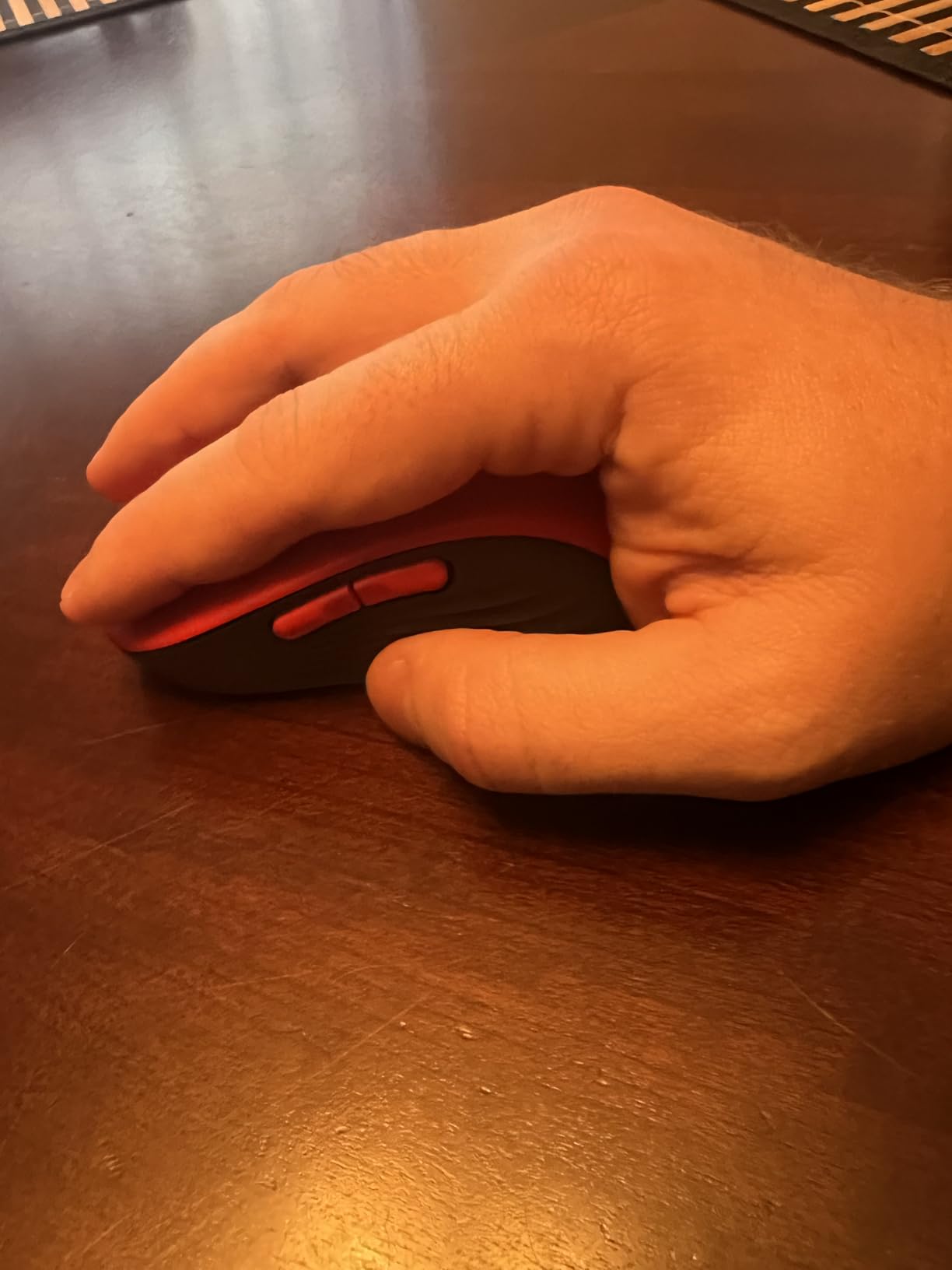
Shell Size and Palm Support: 111.2 g Across a 4.65 Inch Body
Weight matters more than buyers expect on large mice. At 111.2 g this sits in the middle of the pack, heavy enough to track straight without fighting, light enough to move without a wrist flick. Compare that to the 250 g vertical frame later in this guide and you can feel the difference after an hour of continuous movement.
The 4000 DPI ceiling is modest next to the gaming mice here, but it is a deliberate choice for office and productivity work. Nobody raises or lowers sensitivity mid-spreadsheet, and a 4000 DPI cap keeps small hand motions from becoming twitchy.
SmartWheel Scrolling and SilentTouch: Built for a Shared Desk
SmartWheel is the feature I did not expect to care about and now miss on other mice. It runs line-by-line for reading long documents, then flips into fast scrolling when you flick hard. On a large shell the wheel is easier to reach with your middle finger, so the two modes actually get used.
The absence of a tilt wheel or horizontal scroll is the one upgrade I would like to see. If you work in wide spreadsheets, that is worth checking against our wireless mice travel picks, where some models lean harder on productivity features.
Battery, Connectivity and Software: One AA and No Fuss
One AA battery rated for up to 24 months removes charging from the equation entirely. Range is listed at 30 feet, and the mouse pairs over Bluetooth Low Energy or through the Logi Bolt receiver, so you can hop between a laptop and a desktop without replugging anything.
Logitech Options+ handles the side button customisation and SmartWheel behaviour. Three buttons is a thin feature set, but the software itself is among the more stable suites in this roundup, which matters if you are the kind of person who does not want a background utility running.
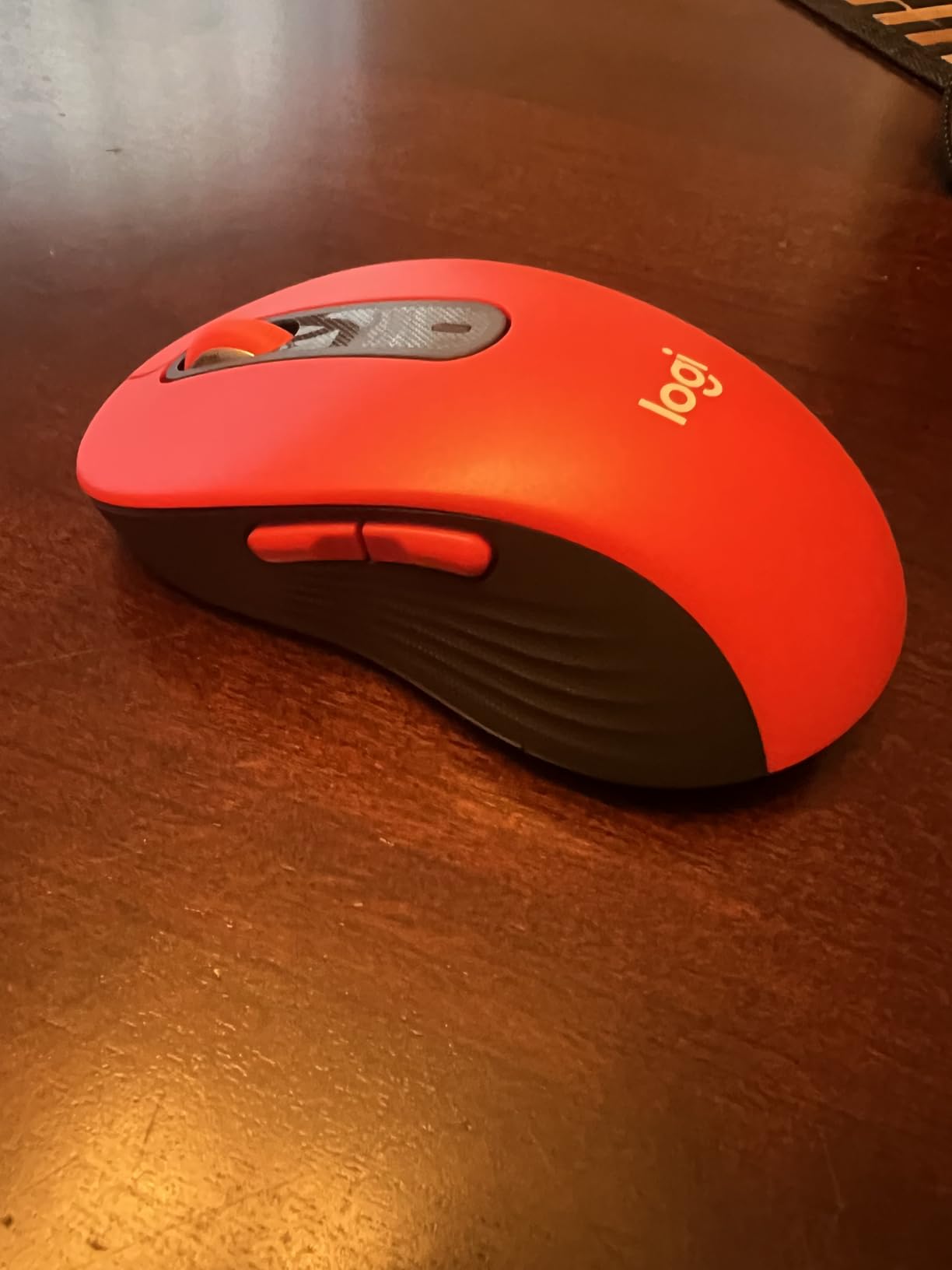
Who It Suits and Who It Does Not
This is the pick if you want one mouse for everything and your day is documents, email, and spreadsheets. Silent clicks, a year-plus battery, and a shell that does not fight your palm make it the lowest-effort choice here.
It is the wrong pick if you game competitively, need more than three buttons, or use a trackpad-style fingertip grip with small, precise movements. The M750 L below adds the buttons while keeping the same footprint.
2. Logitech Signature Plus M750 L – Best Multi-Device Wireless Mouse for Large Hands
Logitech Signature Plus M750 L Wireless Mouse – for Large Hands, SmartWheel, Bluetooth, Multi Device, 24-Month Battery, Silent Clicks, Customizable Side Buttons, Contoured Shape – Graphite
111.2 g
4.67 inch L x 2.61 inch W
2000 DPI max
1 AA, 24 months
+ Pros
- Built for large hands with a contoured shell and rubber grip
- Easy-Switch across up to three Bluetooth devices
- Flow moves text and files between Windows and macOS
- SilentTouch cuts about 90% of click noise
- Six buttons configurable in Logitech Options+
– Cons
- 2000 DPI maximum is low for gaming
- Right-handed shape only
- Smaller review base than the M650 L
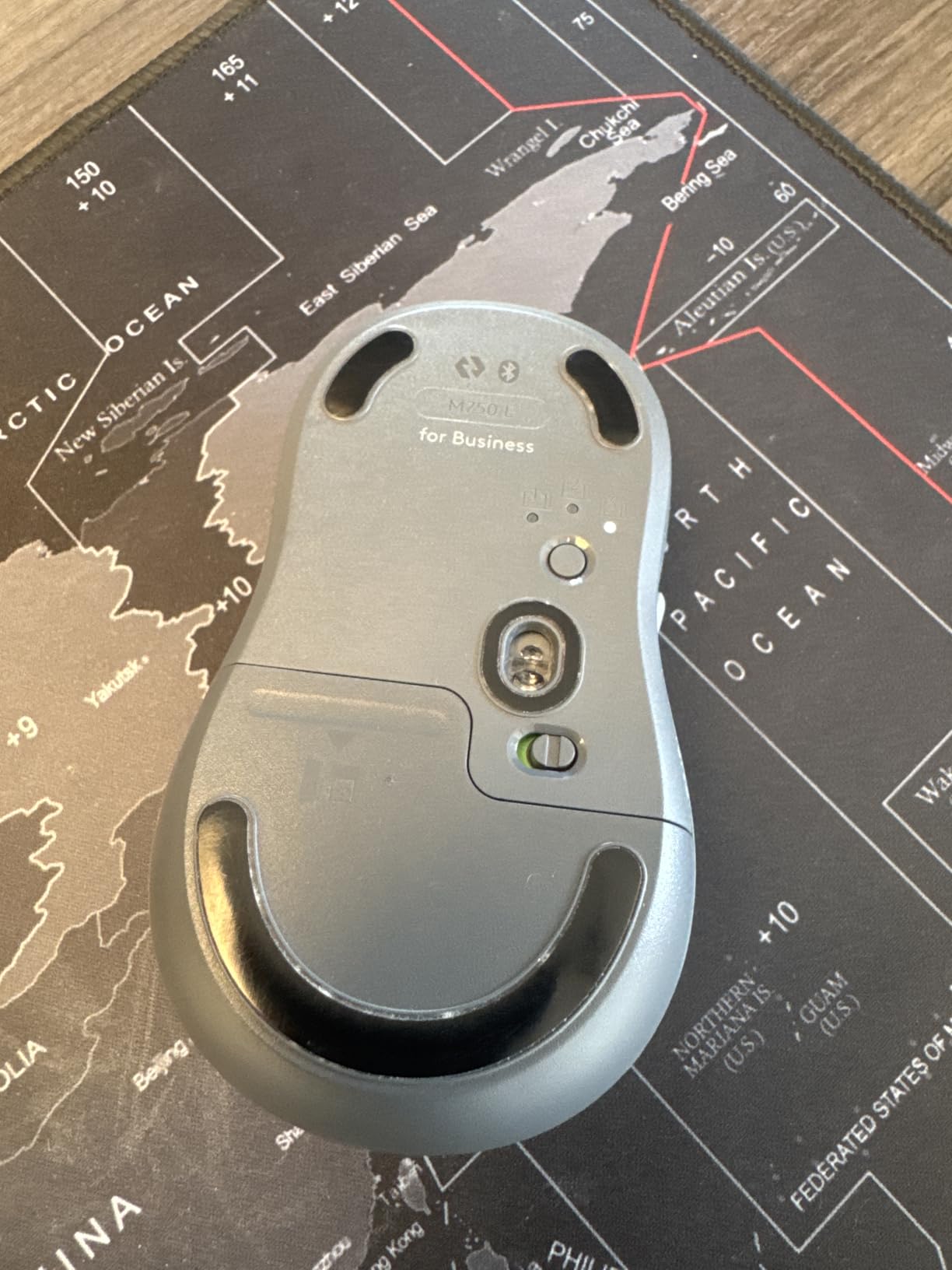
The M750 L is the M650 L with the productivity layer added, and for a lot of people that is the more useful version. Same 111.2 g weight, slightly longer at 4.67 inches, and the same large sizing. What changes is the button count, which goes from three to six.
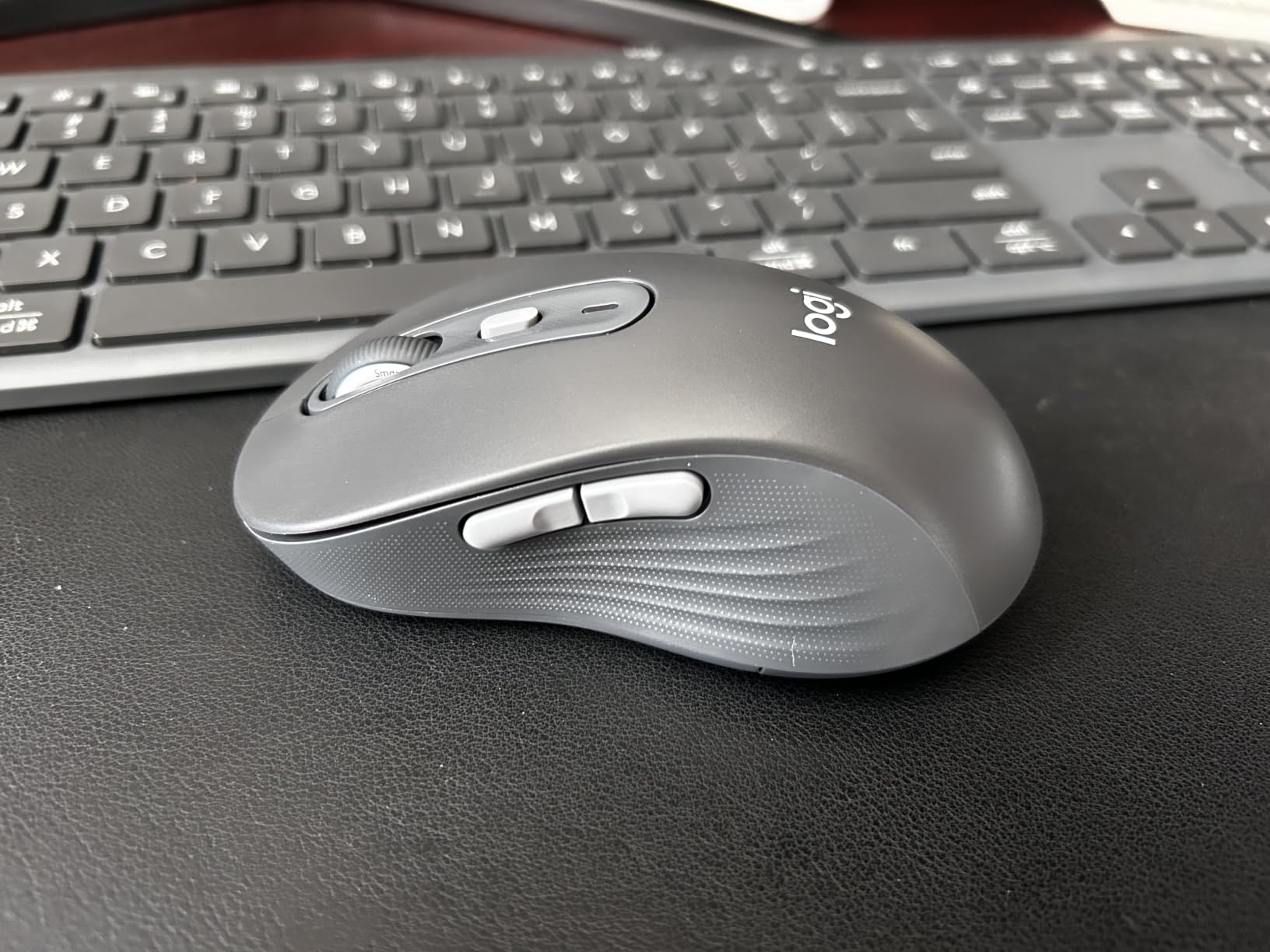
Those extra three buttons are the side pair plus forward and back, all assignable through Logitech Options+. For a large hand that is meaningful, because a bigger shell means the buttons land where your ring finger rests instead of where your knuckles skim past.
Multi-device work is the other half. Easy-Switch cycles between up to three paired Bluetooth devices, and Flow moves text, images, and files between Windows and macOS. If you jump between a work laptop and a personal machine all day, that is a real time saver rather than a spec sheet item.
Large-Hand Contouring at 4.67 Inches Long
At 4.67 by 2.61 inches, the shell is the longest of the Logitech models here and gives your palm a defined landing zone. The soft thumb area carries over from the M650 L, which is the part that keeps a relaxed grip relaxed over hours.
Two-year limited hardware warranty is a longer commitment than the one-year cover on the M550 L, and it is worth factoring in if you replace mice on a three-year cycle rather than annually.
Six Buttons and What They Replace
The forward and back pair handles browser navigation and tab switching directly. The two side buttons are the ones you will remap first, typically to undo or to application switching, because holding a modifier and reaching a menu is a wasted motion in a large shell.
None of that works without Options+, so factor in one software install. On macOS and Linux the app handles remapping, though on Linux support tends to be narrower than on the two main platforms.
Flow, Easy-Switch and the 2000 DPI Limit
Easy-Switch uses a single button on the underside to cycle between three remembered devices. Flow then handles the clipboard bridge between a Windows machine and a Mac, which is the feature most competitors in this roundup do not attempt at all.
The 2000 DPI ceiling is the trade-off. It is plenty for design and office work, and it will feel slow in a competitive shooter. Nothing in the spec sheet lets you raise it, so treat this as a productivity mouse that happens to be wireless, not a gaming one.
Who It Suits and Who It Does Not
Pick the M750 L if you juggle devices, remap buttons daily, or want the large-hand fit with a fuller layout. The Flow clipboard bridge alone justifies it for anyone alternating between operating systems.
Skip it if your review of 2000 DPI ever falls short, or if you only ever use one computer. The M650 L covers that case with a much larger body of owner feedback behind it.
3. Logitech Signature M550 L – Best Quiet Wireless Mouse for Large Hands on a Budget
Logitech Signature M550 L Full Size Wireless Mouse Large Sized – Black
111.2 g
Large (L) right-hand size
4000 DPI class optical
1 AA, 24 months
+ Pros
- Purpose-built large-hand sizing with contoured shape and rubber grips
- SilentTouch technology for about 90% less click noise
- Up to 24 months of battery life on one AA
- Bluetooth Low Energy plus Logi Bolt receiver
- Post-consumer recycled plastic in some parts
– Cons
- Only three buttons
- no side or forward and back controls
- Right-handed only
- Fewer customisation options than the M750 L
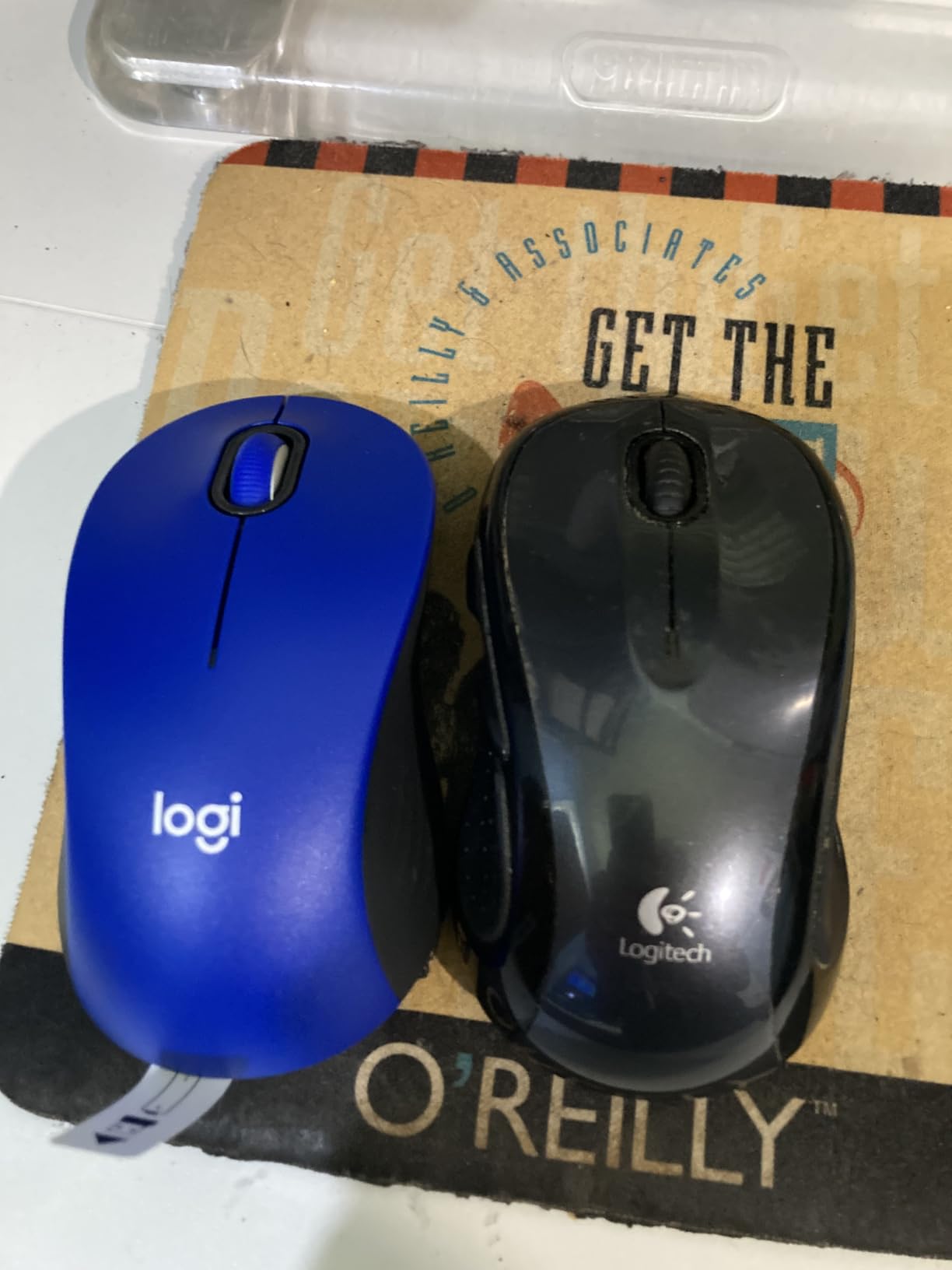
The M550 L exists because a lot of people want the M650 L without paying for the SmartWheel refinement, and that is a reasonable trade. The large sizing, rubber side grips, and soft thumb area are all still here, with the same 111.2 g weight.
Where it differs is control count and polish. Three buttons, one-year limited hardware warranty, and no published dimensions in the spec sheet beyond the size name. In practice the shell still reads as a full-size large body when you sit down with it.
Owners consistently point at two things: the fit for bigger hands, and the silence. The complaints cluster on missing side buttons rather than on build quality, which tells you the shape is doing its job even where the feature set stops short.
What You Give Up Compared With the M650 L
SmartWheel is the headline difference. Without it, the wheel is a plain notched scroll, which is fine for ordinary document work and frustrating in very long spreadsheets where the M650 L free-spins.
Everything else is close. Bluetooth Low Energy and the Logi Bolt receiver both work here, and the single AA still runs up to 24 months. The recycled plastic content sits at 66% for the Graphite colourway.
Connectivity Across Windows, macOS, Linux and iPadOS
Cross-platform support is genuinely broad here, covering Windows, macOS, Linux, ChromeOS, iPadOS, and Android. That makes it a reasonable second mouse for a laptop that travels between home and office setups.
Range matches the M650 L at around 30 feet. In practice Bluetooth Low Energy is the connection you will use at a shared desk, since the dongle option eats a USB port you may want for something else.
Who It Suits and Who It Does Not
This is the sensible choice for a large-handed office worker who wants silence and a multi-year battery and does not need remappable buttons. Three is enough for writing, browsing, and spreadsheets.
It is the wrong choice for anyone who reaches for the middle button constantly, or who wants to bind a key to a side button. Those habits need the M750 L. Right-handed sizing is the only orientation offered, which is a limitation shared across most of this roundup.
4. Razer Basilisk V3 X HyperSpeed – Best Wireless Gaming Mouse for Large Hands
Razer Basilisk V3 X HyperSpeed Customizable Wireless Gaming Mouse, Black
110 g
5.12 inch L x 2.96 inch W
18000 DPI max
285 hrs HyperSpeed
+ Pros
- Long 5.12 inch body with a thumb shelf that fills a large hand
- Nine customisable controls with HyperShift for a second binding layer
- 5G Advanced 18000 DPI optical sensor
- Gen-2 mechanical switches rated to 60 million clicks
- 535 hours of battery over Bluetooth
– Cons
- Scroll wheel can skip inputs during fast scrolling
- Auto-sleep takes several seconds to wake and HyperSpeed can drop
- Flatter palm hump than premium productivity mice
- Single AA battery rather than rechargeable
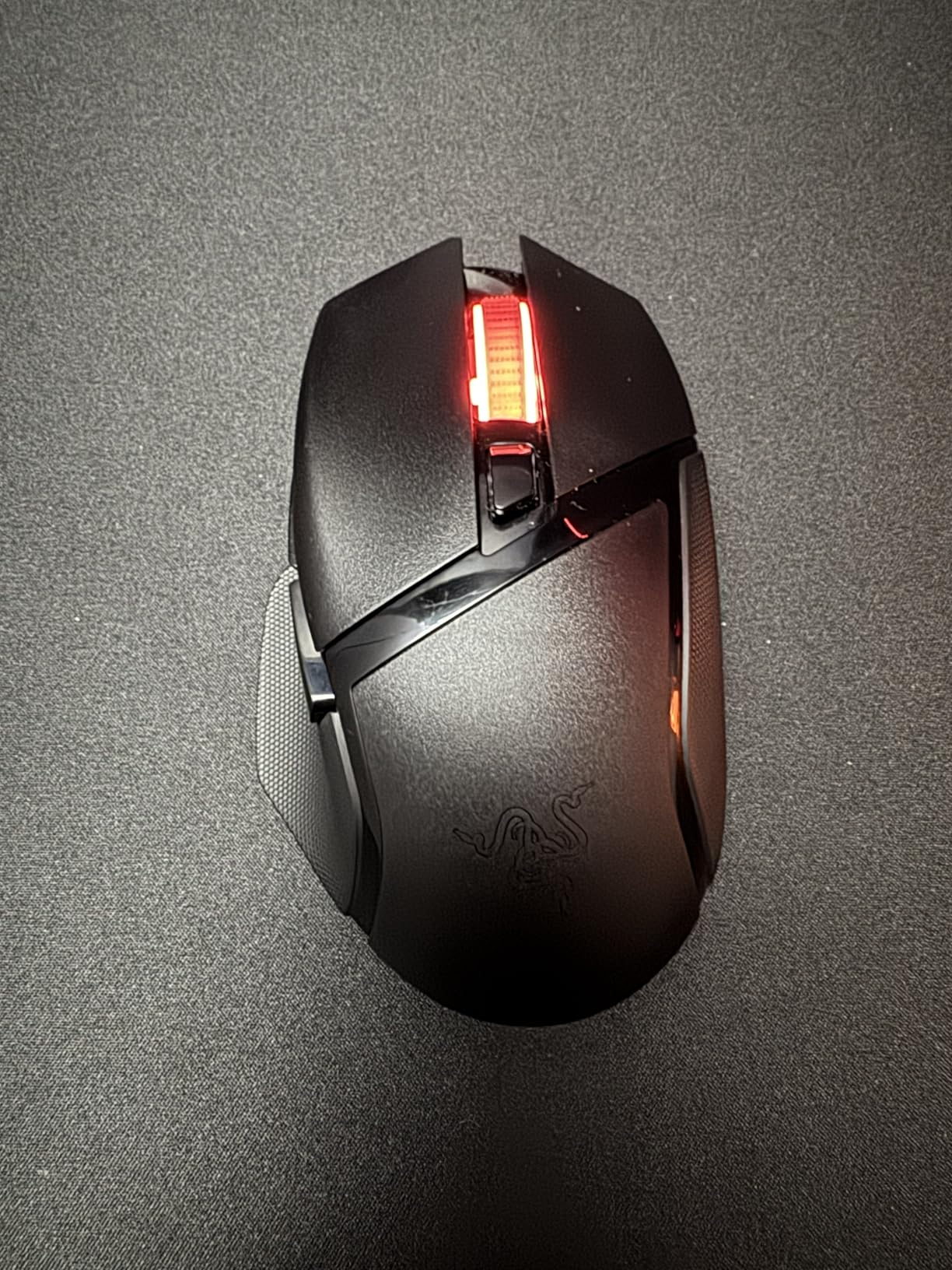
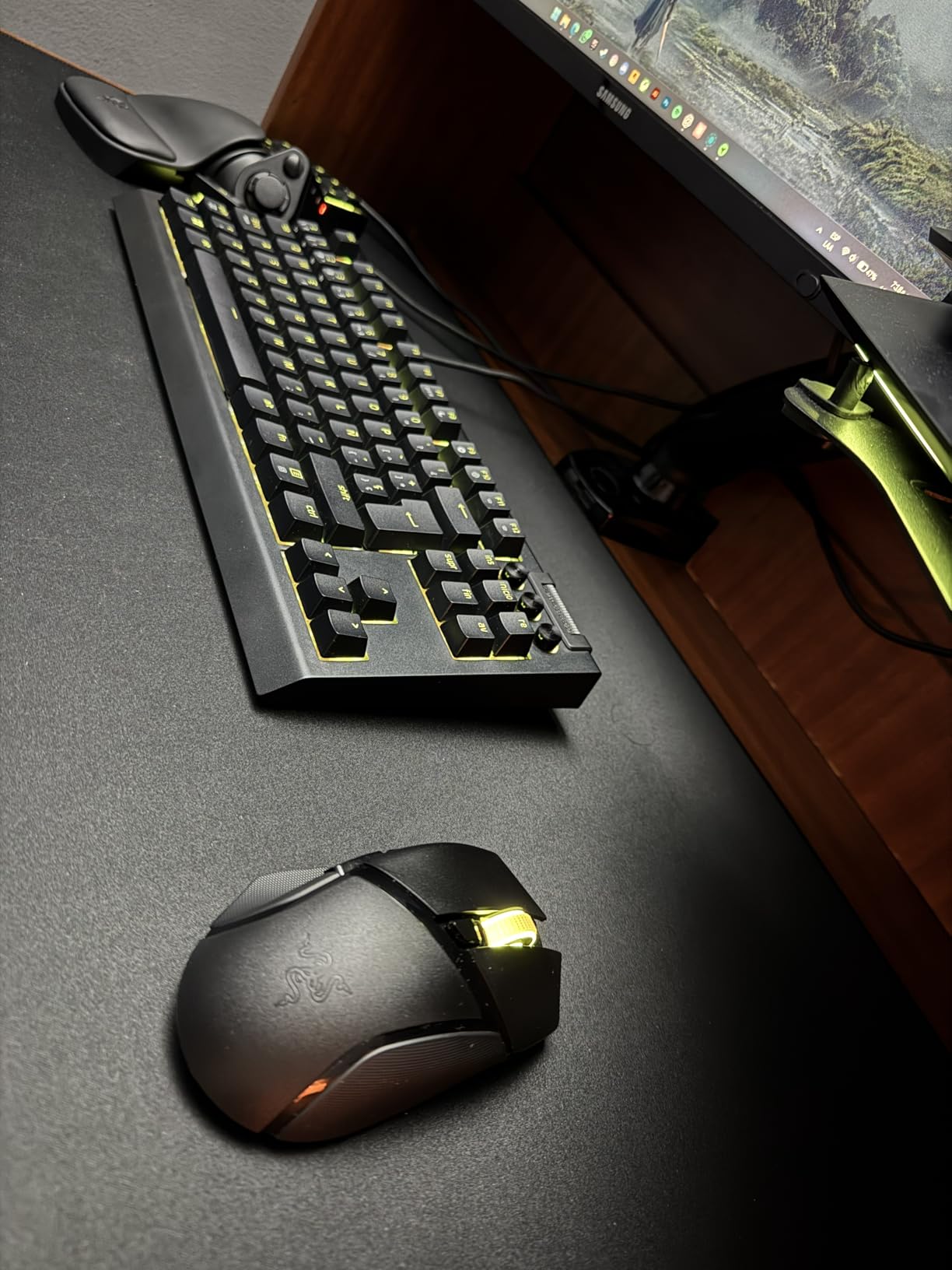
Among the wireless mice here, the Basilisk V3 X HyperSpeed is the one built for a large hand that also plays. At 5.12 inches long and 2.96 inches wide, it is the biggest shell in this roundup apart from the vertical frames, and the thumb shelf underneath gives you somewhere to rest that most gaming mice simply omit.
At 110 g it stays lighter than most large gaming mice, which matters during a long match because a heavy shell plus a wide frame is where hand fatigue shows up first. The shape supports both a relaxed palm and a claw grip, which is unusual at this length.
Then there are the controls. Nine programmable inputs with HyperShift giving you a second binding layer means the thumb shelf button is not decorative. Razer Synapse covers macros, app launching, and text pasting across the board.
Sensor Ceiling and Switches for Competitive Play
The 5G Advanced 18000 DPI sensor covers the range competitive shooters ask for without landing in absurd territory. Tracking stays predictable on a large mat, and the wide DPI range means one mouse handles both an office desktop and a match.
Gen-2 mechanical switches are rated to 60 million clicks, which is a longer published figure than the optical alternatives in the vertical mice further down. Mechanical switches do need a heavier press than optical ones, so expect some audible feedback.
Battery Life, Sleep Behaviour and Range
One AA gives up to 285 hours on HyperSpeed and 535 hours on Bluetooth. That Bluetooth figure is the best in this roundup, and it reflects a power draw that suits a desk-bound mouse well.
The catch is the sleep behaviour. Owners report several seconds to wake from auto-sleep, and the wheel can skip or drop inputs when flicked hard. HyperSpeed connections also drop occasionally according to reviews, so keep the dongle in a front USB port rather than behind a hub.
Chroma Lighting and Software Depth
Chroma RGB covers the scroll wheel and accent zones. Worth knowing that the wheel lighting sits under your hand, so most of the effect is invisible during play and the customisation options are thinner than they appear.
Synapse is the most capable software suite in this group for competitive work, and also the one that draws the most system attention. If you dislike background utilities, the M750 L is a calmer experience.
Who It Suits and Who It Does Not
Choose this if you game seriously, want a sensor ceiling above 5000 DPI, and need a mouse that will not run out of buttons. The thumb shelf and long body also make it a strong productivity choice for a large hand that likes a palm hump.
Skip it if you work in silence-sensitive environments, since the Gen-2 mechanical switches are not quiet. Right-handed only, and the flatter hump means it will not feel like an MX Master to someone who prefers a sculpted productivity shape.
5. ProtoArc EM11 NL – Best Rechargeable Vertical Wireless Mouse for Large Hands
ProtoArc EM11 NL Wireless Ergonomic Vertical Mouse, Rechargeable, Black
250 g
5.43 inch L x 2.72 inch W
2400 DPI max
500mAh rechargeable
+ Pros
- Vertical angle several owners call the best in its class
- Rechargeable 500mAh battery lasting weeks to months between charges
- Connects to three devices over dual Bluetooth and 2.4GHz
- Wide body that suits a natural grip with big hands
- Works with no software or drivers
– Cons
- Scroll wheel misses and runs at about half speed when flicked
- Buttons are not programmable and side buttons fail on macOS
- Glossy surface can feel slippery in a large hand
- Maker states it targets hands under 7.5 inches
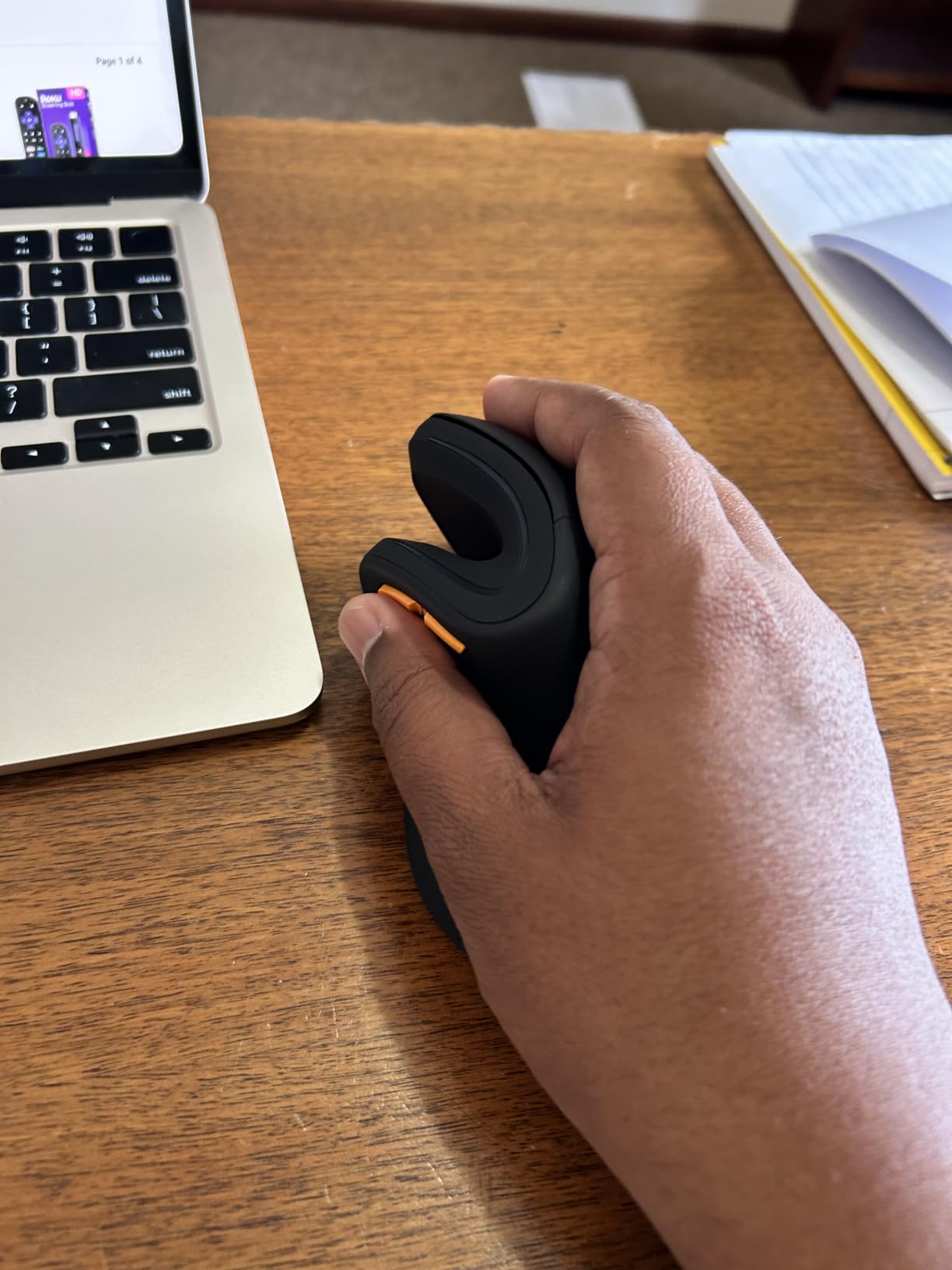
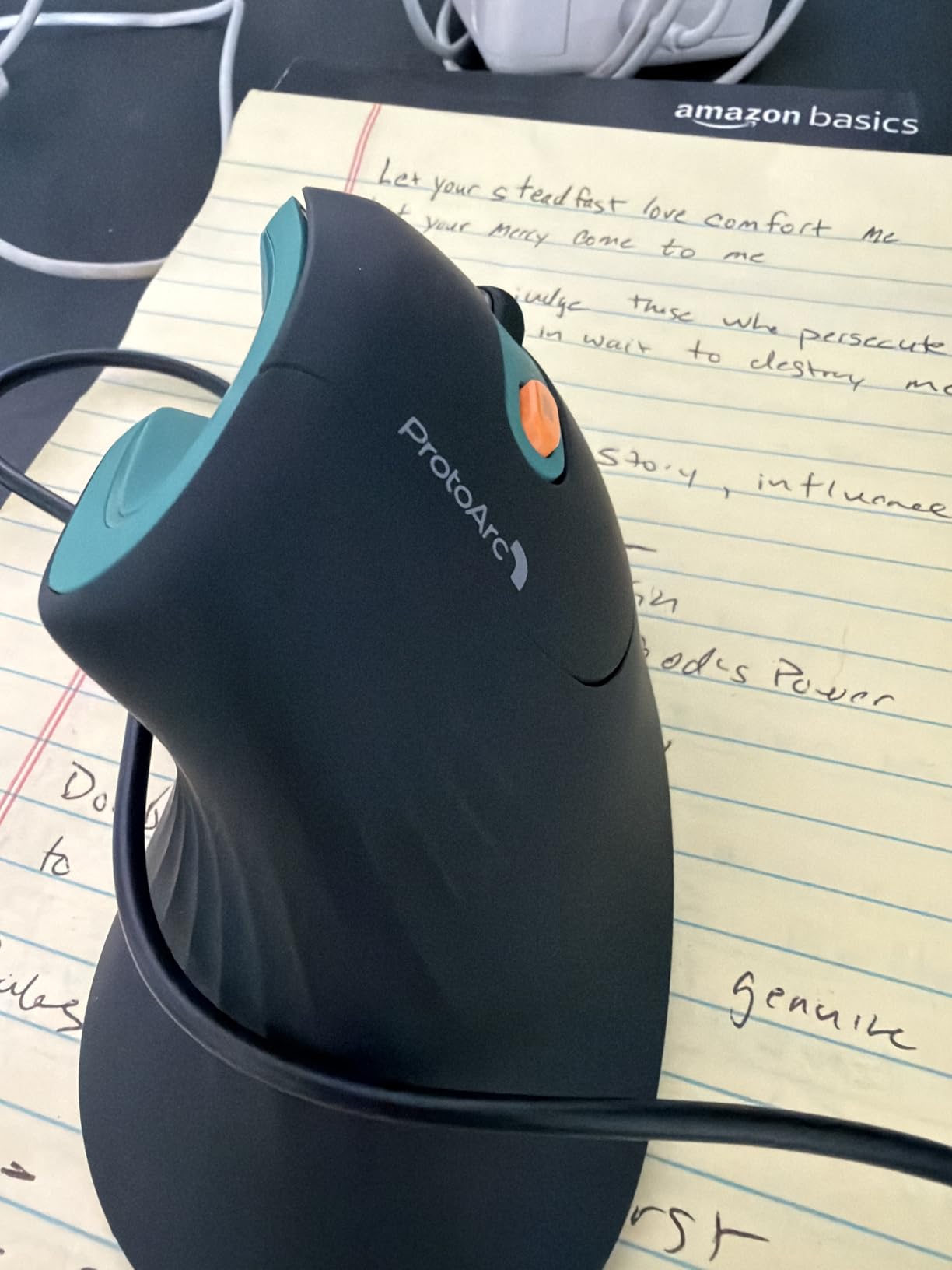
The EM11 NL is the vertical option I would point a large-handed office worker toward first. It is the longest shell in this roundup at 5.43 inches, the widest at 2.72 inches, and by far the heaviest at 250 g, and all three of those facts work in your favour when a vertical shape has to stay put during fast corrective movements.
That weight is a double-edged detail. It stops the mouse wandering while your hand moves in a handshake arc, which lighter vertical frames struggle with. It also means your forearm carries more mass through a full day, so this suits desk work rather than long gaming sessions.
Owners repeatedly mention replacing a pricier Logitech with this one, which tells you how much the shape alone is worth. The vertical angle is the reason to buy it, and the rest of the specification set is secondary.
Why a 250 g Vertical Frame Behaves Differently
A vertical mouse moves your hand through a handshake arc rather than a straight push, so the body needs mass to avoid drifting. At 250 g the EM11 NL stays planted through fast flicks in a way that the 85 g TECKNET later in this guide does not.
The trade is fatigue over long hours. If you are using this for eight hours of spreadsheets, the mass adds up. If you are alternating between typing and pointing in shorter blocks, it is a fair bargain.
Rechargeable Battery, Three Devices, No Software
The built-in 500mAh battery charges over the included Type-C cable and typically runs weeks to a few months between charges, which is a real change from swapping AA cells. The cable is charge-only, so the mouse stays wireless in daily use.
Dual Bluetooth plus 2.4GHz covers up to three devices, and the whole thing works with no drivers at all. That simplicity is genuinely valuable, and it is also the reason the buttons are fixed.
Scroll Wheel Performance and the Sizing Caveat
The most common complaint is the wheel. It misses steps and scrolls at roughly half speed when flicked quickly, which makes fast navigation through long documents a compromise rather than a pleasure.
Second, the manufacturer states the design targets hand lengths under 7.5 inches, and some owners with very large hands report the glossy shell feeling slippery. If your hands are at the far end of large, the Lekvey and Anker vertical shells are the safer bets.
Who It Suits and Who It Does Not
Pick this if your wrist or forearm aches after long stretches of conventional mouse use, and you want the vertical angle plus multi-device switching and a rechargeable battery in one package.
Avoid it for gaming, since 2400 DPI is well below what competitive shooters want, and for anyone needing remappable buttons. The glossy finish and the 250 g mass are the two details worth thinking hardest about before committing.
6. Anker 2.4G Wireless Vertical Mouse – Best Simple Vertical Starter for Large Hands
Anker 2.4G Wireless Ergonomic Mouse, Right Hand Vertical Mouse USB Receiver
120 x 62.8 x 74.8 mm
1600 DPI max
2.4GHz USB receiver
2 AAA, not included
+ Pros
- Scientifically angled vertical shell holding the wrist in a neutral handshake position
- Full-size body that fills a large palm
- 800
- 1200 and 1600 DPI optical tracking
- Forward and back buttons for web browsing
- Plug and play receiver stored inside the mouse
- 18-month warranty and a very large review base
– Cons
- 2.4GHz only with no Bluetooth or multi-device support
- 1600 DPI maximum
- Requires two AAA batteries which are not included
- Clicks are audible rather than silent
- Deep power-save sleep after 8 minutes
The Anker is the most proven vertical mouse in this roundup by a wide margin, with more than 53000 reviews behind it. That volume matters in a category where shape fit is personal, because it means the fit is well tested rather than assumed.
At 4.72 by 2.94 inches it is a full-size body that fills a large palm, and the scientific angle puts the wrist into a neutral handshake position. Several buyers describe it as the first vertical mouse they could adapt to without a second purchase.
Range is 5 meters over 2.4GHz with the receiver stowed inside the shell, so there is nothing to lose. It works across Windows, Linux, and Mac with no configuration step at all.
Angle, Fill and the Value Argument
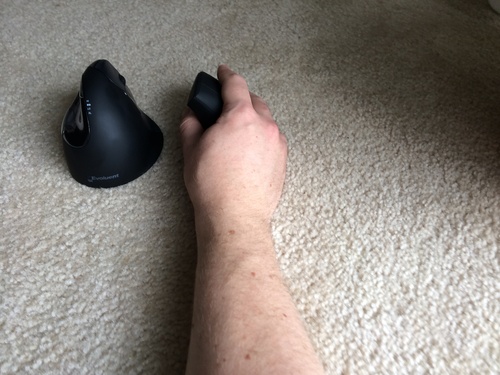
The 2.94 inch width is what makes this feel large. A narrow vertical mouse can feel smaller than the horizontal one you replaced, which defeats the purpose, and this one keeps enough width that your palm and pinky both have surface.
For someone unsure whether a vertical shape suits them, the logic is simple. Nothing needs configuring, nothing needs charging, and the receiver goes back inside the mouse when you are done. That is a low-risk way to find out.
Where the Feature Set Stops
1600 DPI is the hard limit, and it shows the moment you try to game or do pixel-precise work. There is no Bluetooth, so multi-device use means physically moving the receiver between machines, which is why we still recommend the ProtoArc for anyone with several computers.
Two AAA batteries are required and not included, which is an annoying first-week detail. The clicks are audible, and the auto power-save drops into a deep sleep after 8 minutes of inactivity, so expect a moment of unresponsiveness before it wakes.
Who It Suits and Who It Does Not
This is the pick for a large hand that wants a proven vertical angle with zero setup, and for anyone building their first ergonomic setup on a limited budget. The 18-month warranty is respectable for the segment.
It is the wrong choice if you need programmable buttons, Bluetooth, or a sensor above 1600 DPI. Right-handed only, and the deep sleep is genuinely annoying when you step away for a few minutes mid-task.
7. E-YOOSO X-31 Large Wireless Mouse – Best Budget Wireless Mouse for Extra Large Hands
E-YOOSO Large Wireless Mouse for Big Hands, 6 Buttons, 5-Level 4800 DPI
168 g
4.96 inch L x 3.85 inch W
4800 DPI max
1 AA, 18 months
+ Pros
- Explicitly sized for big hands with a wide body that fills the whole palm
- Finger rests on both sides plus a thumb fin for a relaxed grip
- 168 g weight gives a solid stable feel reviewers praise
- Five DPI levels up to 4800 with two polling rates
- Up to 18 months of battery on one AA
- No software or drivers needed
– Cons
- Scroll wheel can be inaccurate and jumpy with no state indicator
- Large forward and back side buttons are easy to press by accident
- Open storage slot for the nano receiver lets it fall out
- Side buttons do not function on Mac
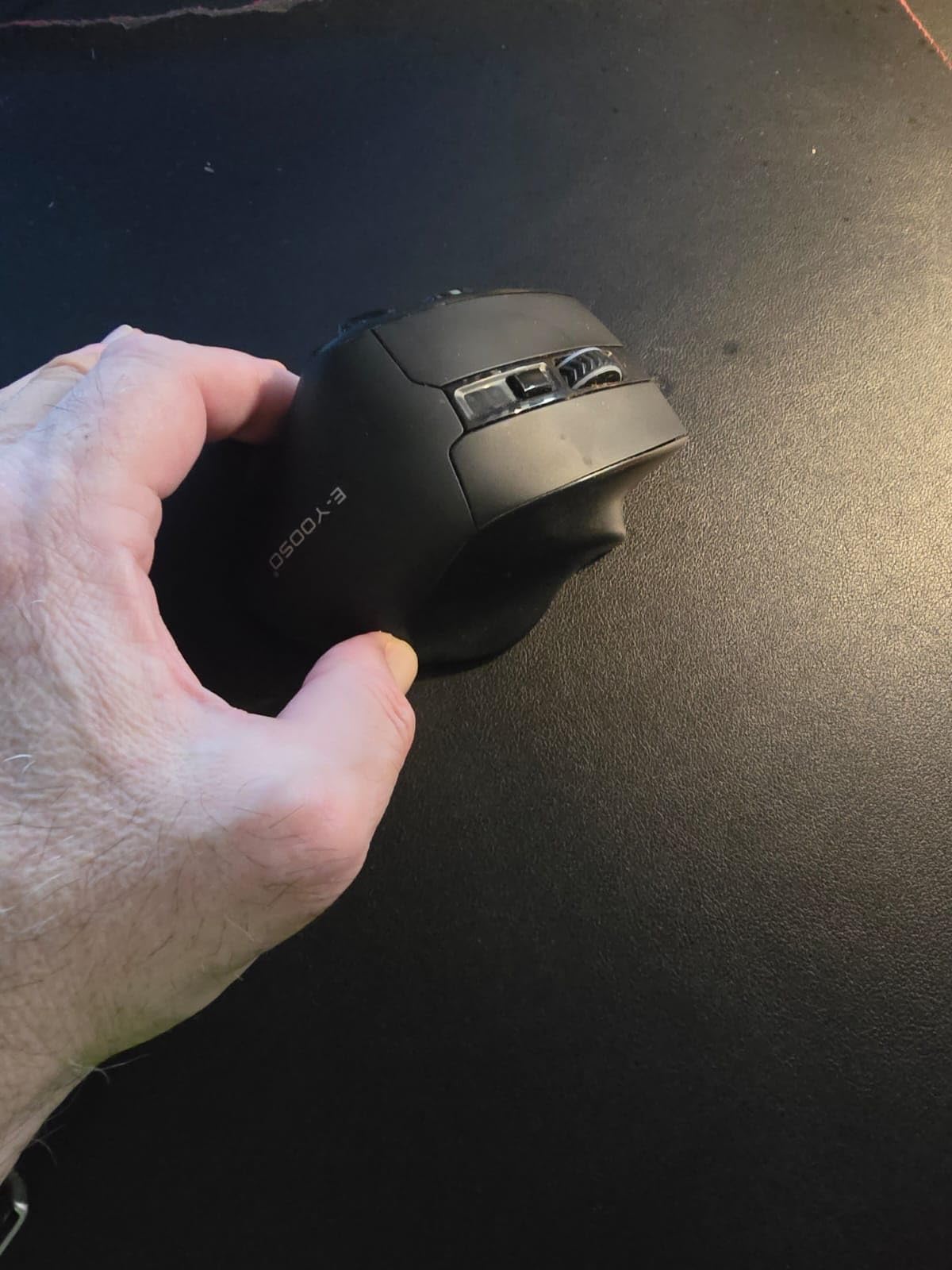
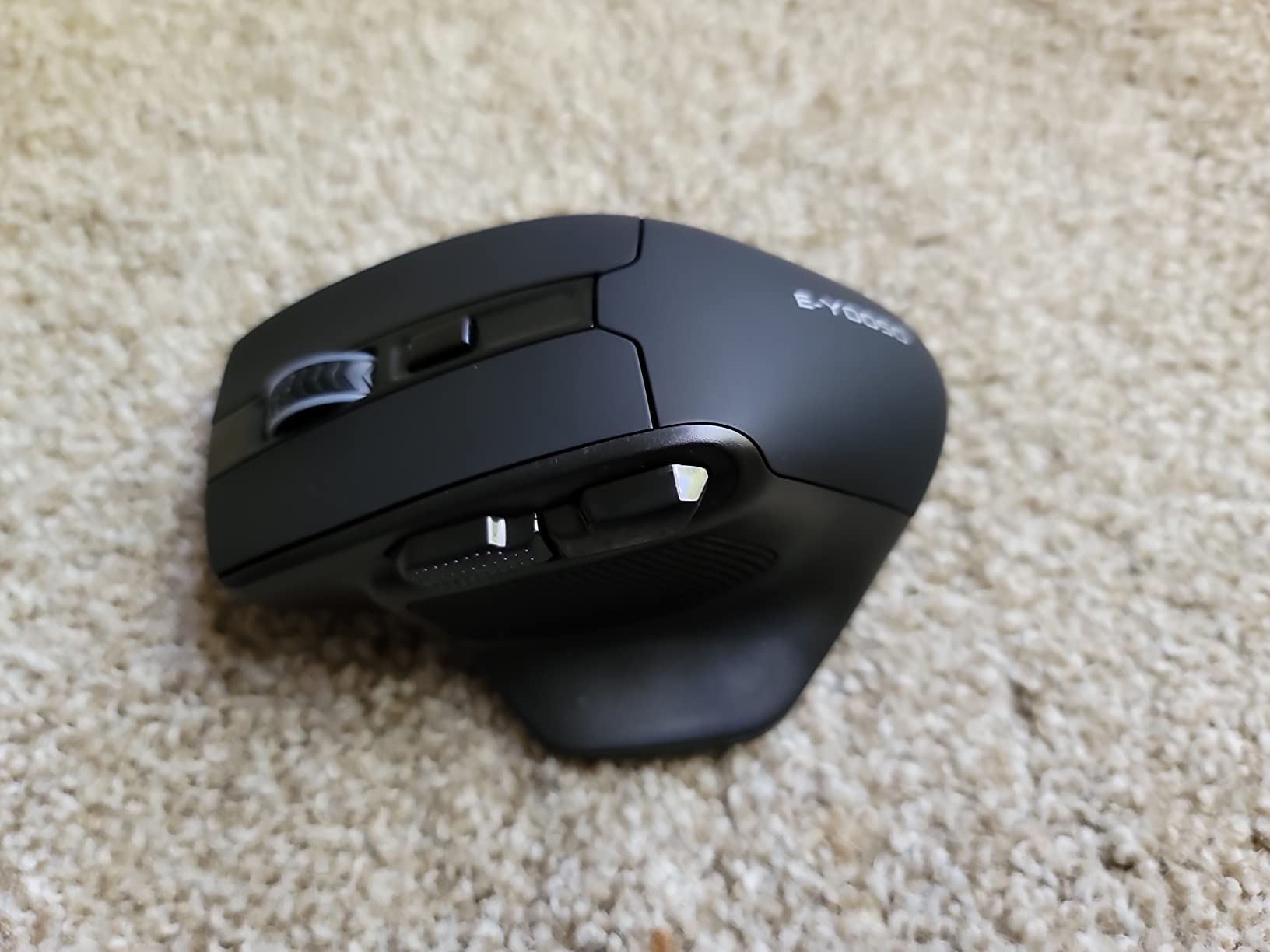
The E-YOOSO X-31 is the widest mouse in this roundup at 3.85 inches, and that measurement is the whole pitch. Several owners describe it as the only mouse whose body reaches the back of their palm, which is precisely the problem a large hand runs into with a narrow shell.
At 168 g it is the heaviest conventional horizontal mouse here, and reviewers treat that as a positive. The weight keeps the wide body stable on the desk, which matters because a wide mouse that slides around is worse than a narrow one that does not.
Finger rests on both sides plus a thumb fin give you a defined place for every finger, which is the ergonomic argument for a body this wide. It is a horizontal shape, not a vertical one, so the wrist angle stays conventional.
Why Extra Wide Beats Extra Long for Some Hands
Hand width and hand length are different measurements, and the mouse that fixes one may not fix the other. A wide hand that keeps running out of body needs breadth, which is what the 3.85 inch width delivers, while a long hand reaching past the shell needs length instead.
If your fingers feel cramped rather than your palm feeling short, width is the dimension to chase. The X-31 is the widest option in this guide, and it is the one to measure against your own hand before anything else.
DPI Levels, Polling Rates and Battery
Five DPI levels run 800, 1200, 1600, 2000, and 4800, switched by a button combination. Two polling rates at 125Hz and 250Hz are available the same way, though the current state is not indicated anywhere on the shell, so you learn it by feel.
One AA battery runs up to 18 months and range is listed at 33 feet. No software, drivers, or configuration is required, which means nothing runs in the background and nothing breaks after an update.
Hardware Rough Edges Worth Knowing
The scroll wheel is the most common complaint, described as inaccurate and jumpy. The side buttons are also large enough to trigger by accident during a drag, which is a real problem in a game or during a file move.
Two more details: the nano receiver sits in an open, unprotected slot on the underside and falls out easily, and the side buttons do nothing on Mac. Take a photo of the slot position before first use.
Who It Suits and Who It Does Not
Choose the X-31 if width is your problem, you like a heavy plant on the desk, and you want something that works immediately with no software. Six buttons and 4800 DPI give it more range than most mice in this segment.
Pass on it if you are on a Mac and want the side buttons, if you need a top-tier sensor for competitive gaming, or if a jumpy scroll wheel would drive you mad during long document work.
8. Redragon BM-2995 Tri-Mode – Best RGB Wireless Mouse for Large Hands
Redragon Large Wireless Gaming Mouse for Big Hands, Tri-Modes 2.4G/Bluetooth/Wired Rechargeable Ergo RGB Mouse with 2 Side Buttons, 6 Backlit Modes, Programmable Macro Gamer Mouse
4.96 inch L x 3.85 inch W
12800 DPI max
1000Hz polling
1000mAh rechargeable
+ Pros
- Full-size contoured body with finger rests on both sides for medium to large hands
- Tri-mode connectivity covering Bluetooth
- 2.4GHz receiver and Type-C wired
- Built-in 1000mAh rechargeable battery usable while charging
- Up to 12800 DPI in the driver with 1000Hz polling rate
- Six backlit modes plus programmable buttons and macros
– Cons
- Programming software is hard to find and the driver page loads slowly
- Some USB 3.2 ports and hubs will not accept the 2.4GHz dongle reliably
- Scroll wheel light cannot be turned off
- One owner reported the mouse failing after about two months
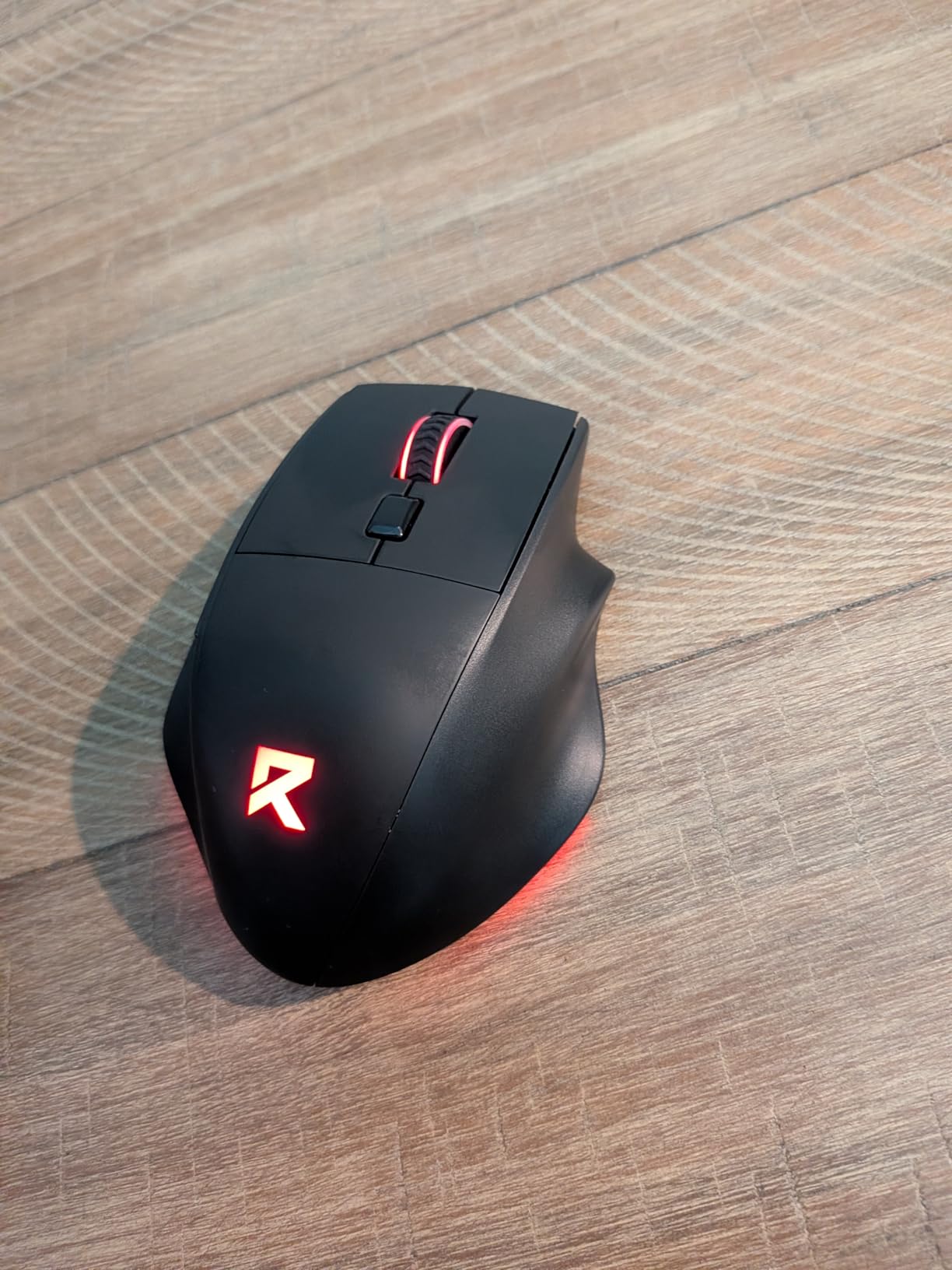
The Redragon BM-2995 shares the extra-wide footprint of the E-YOOSO at 3.85 inches, and adds the feature set that gaming setups expect. Six backlit modes, programmable buttons, and macros are all there, plus tri-mode connectivity that includes a wired Type-C option.
That third mode is the underrated part. When the battery runs low or you are playing on a desktop where latency matters, plugging in the cable keeps everything working instead of forcing a recharge mid-session.
The review base is the smallest here at 225, so the long-term durability picture is thinner than the numbers elsewhere suggest. Shape and features look right for a large hand, but treat the data as newer.
Tri-Mode Connectivity and Battery Life in Practice
Bluetooth, 2.4GHz, and wired in one body covers every desk arrangement. Bluetooth pairs to phones and tablets, the dongle handles gaming latency, and the cable covers charging and low-battery scenarios.
The 1000mAh rechargeable battery works while charging, so a flat mouse is a two-minute problem rather than an evening one. Smart sleep engages after 2 minutes of inactivity, which is short enough to interrupt a coffee run.
DPI, Polling Rate and Driver Setup
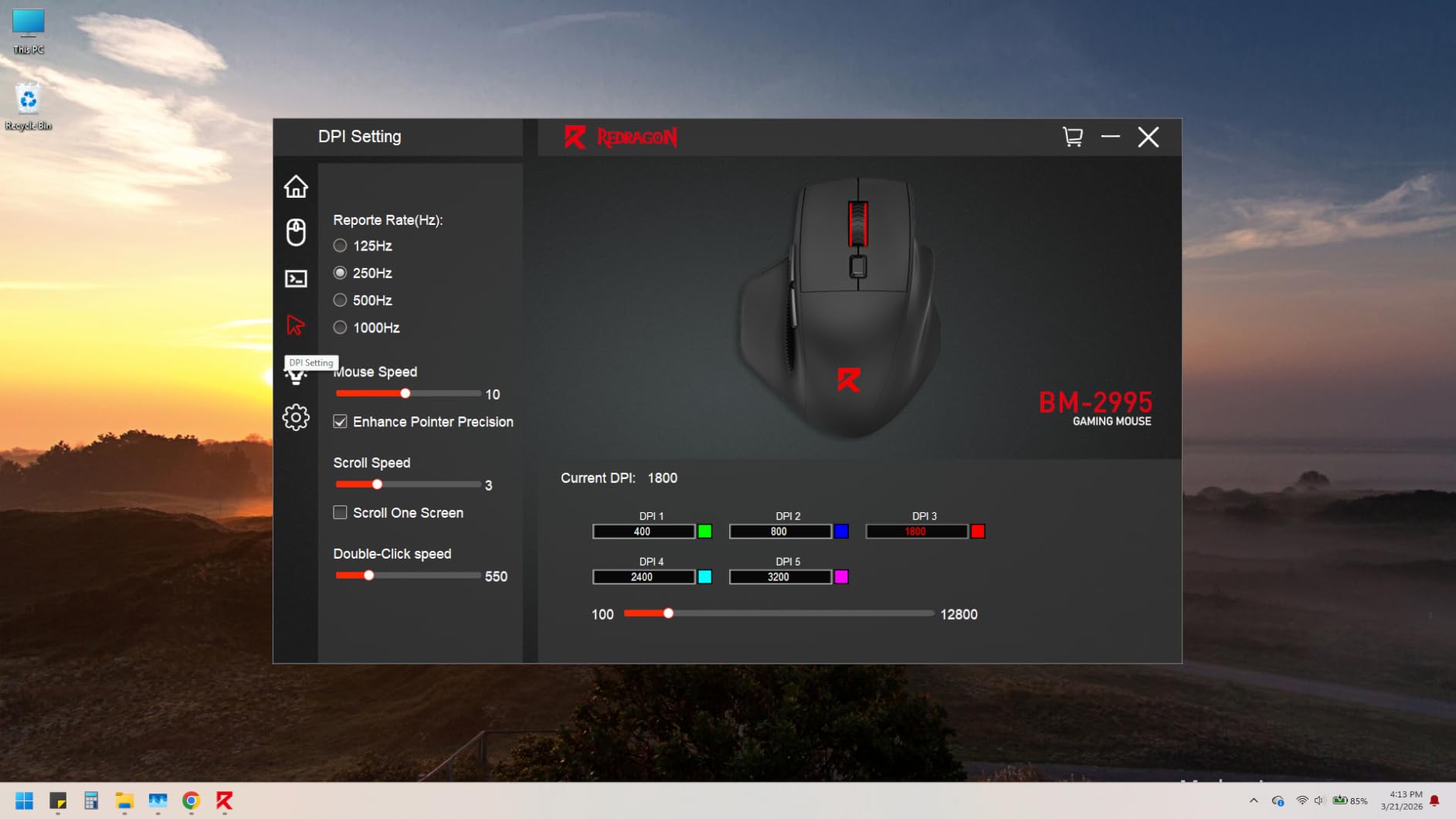
Up to 12800 DPI is available in the driver, with a 1000Hz polling rate and 25G acceleration. That is a competitive specification on paper, and a large hand has the leverage to use it without the twitchiness a small hand would get.
The friction is software. Owners report difficulty locating the RedragonZone driver and slow page loads, and the driver only handles 2.4GHz and wired modes on Windows. Budget time for that setup.
Lighting, Ports and Known Issues
Six switchable backlight modes look good in a dark room, though the scroll wheel light cannot be switched off or altered. That is a dealbreaker for some setups and a non-issue for others.
Some USB 3.2 ports and hubs will not accept the 2.4GHz dongle reliably, so test the dongle in a different port before you rely on it. One owner also reported a failure at around two months, and the bottom glide skates need a short break-in period before they move freely.
Who It Suits and Who It Does Not
Pick the BM-2995 if you want a wide large-hand body, RGB lighting, and the flexibility of three connection types on one desk. Gaming sessions where a flat battery would be annoying are its strongest case.
Look elsewhere if software setup frustration is a dealbreaker, or if you need Bluetooth on a platform other than Windows with full remapping. The small review base also means less evidence about long-term switch and scroll wheel life.
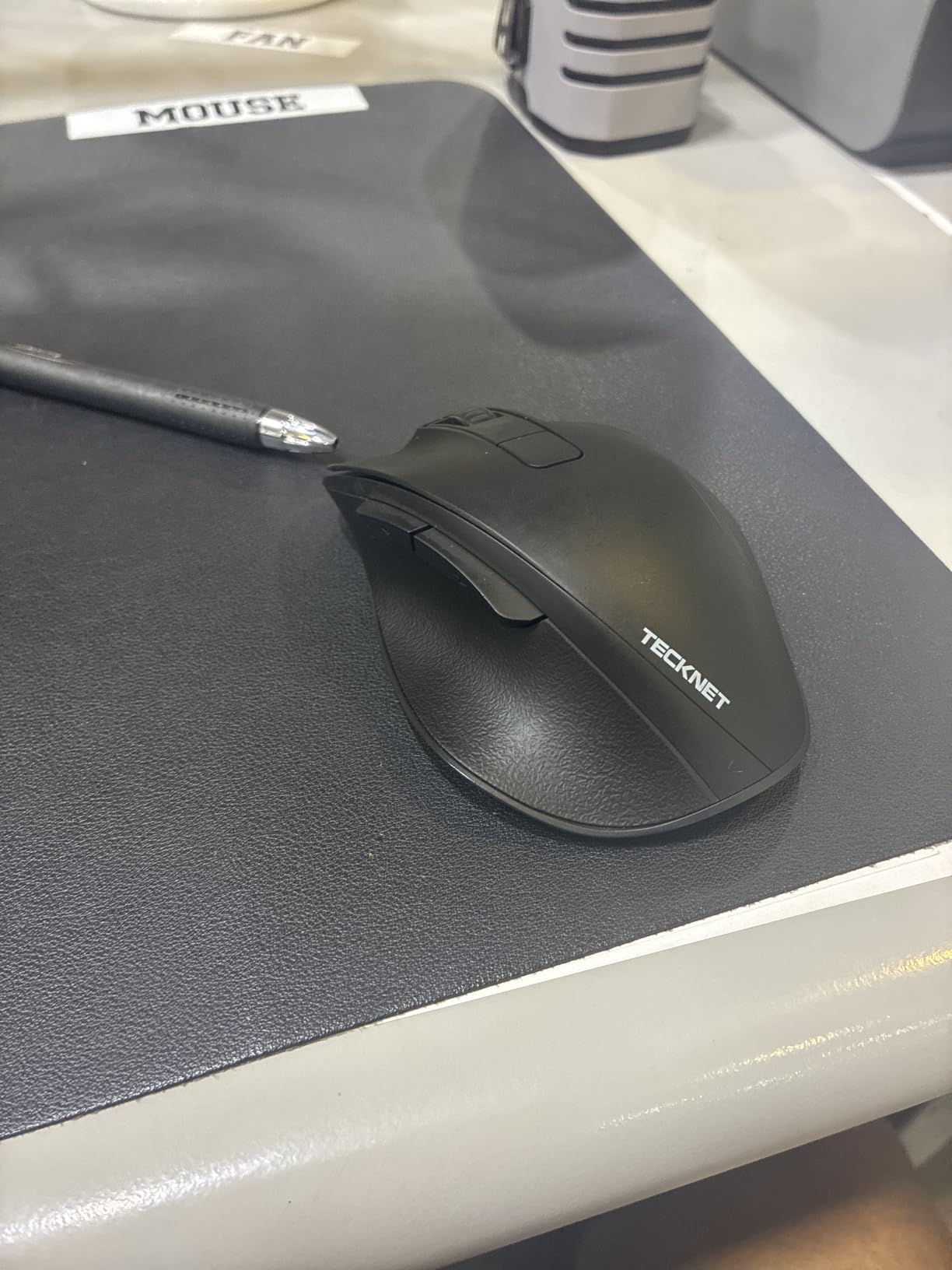
9. TECKNET TK-MS060 – Best Lightweight Wireless Mouse for Large Hands
TECKNET Wireless Mouse, Bluetooth Mouse (BT5.0/3.0 & 2.4G) Rechargeable 4800 DPI Silent Mice, Computer Mice with USB A Receiver,Large Sized Ergo Grips Optical Cordless Mice for Laptop/Mac/PC,Gray
85 g
4.7 inch L x 3.2 inch W
4800 DPI max
700mAh, up to 90 days
+ Pros
- Thumb rest and widened palm support marketed for larger hands
- Rechargeable 700mAh battery rated for up to 90 days per charge
- 2.4GHz plus dual Bluetooth 5.0 and 3.0 for three paired devices
- Near-silent main clicks
- Six DPI levels from 800 to 4800
- 36-month manufacturer warranty
– Cons
- Lightweight 85 g plastic build feels less solid than metal-bodied options
- No companion software for button remapping
- Silent clicks apply only to the main buttons
- Not the wheel or side buttons
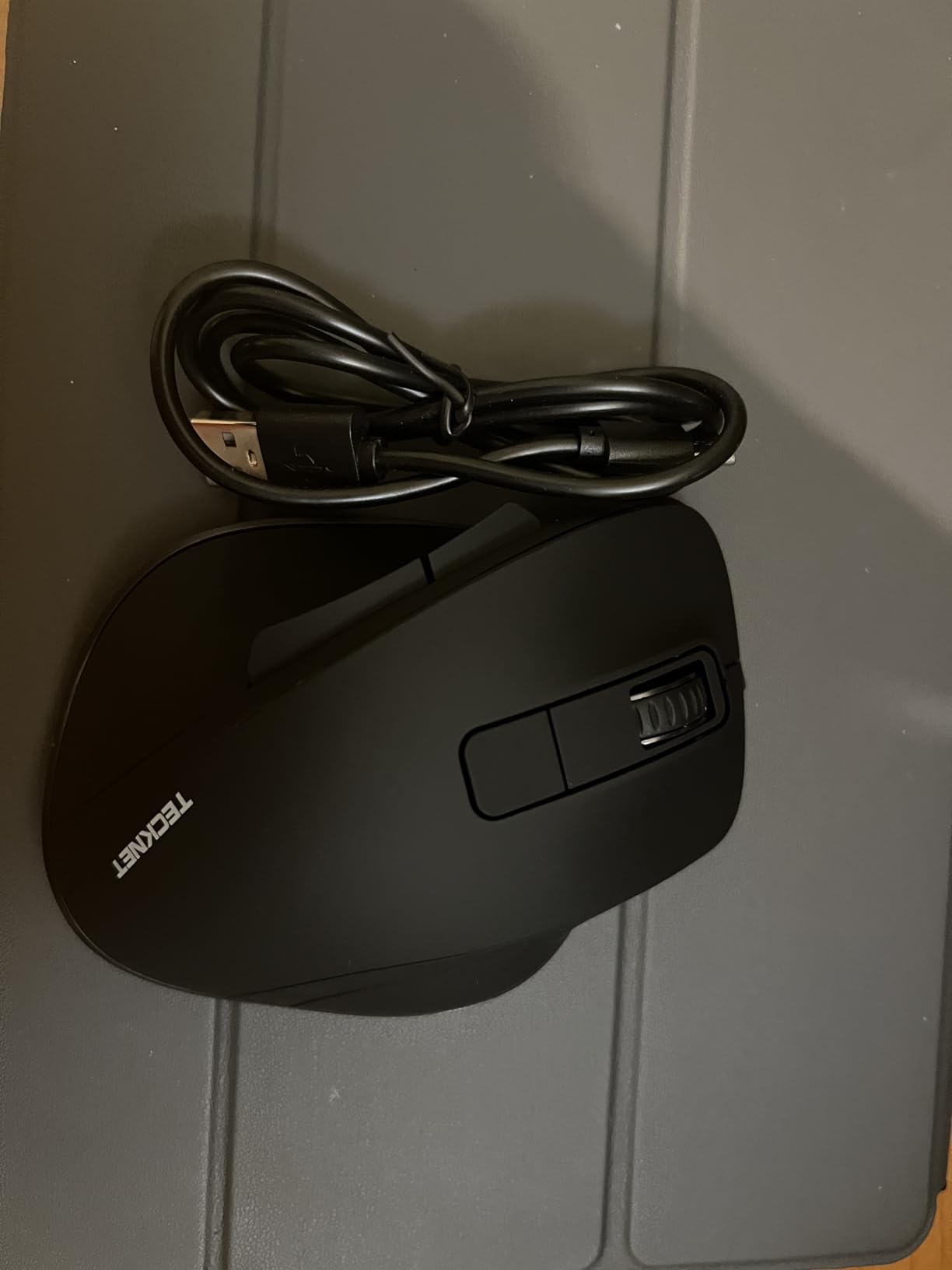
At 85 g, the TECKNET TK-MS060 is the lightest large-hand mouse in this roundup, and that single number changes how it feels. A big shell at a low weight gives you a wide mouse that does not fatigue the arm during long sessions, which is the usual trade-off in this category.
Shape is still designed for bigger hands. The thumb rest and widened palm support are the features the manufacturer leads with, and the 3.2 inch width is wider than the Logitech bodies above despite the lower mass.
It also pairs up to three devices over 2.4GHz and dual Bluetooth at 5.0 and 3.0, which makes it a natural fit for someone carrying one mouse between a laptop, a desktop, and a tablet. The 700mAh rechargeable battery is rated for up to 90 days per charge.
Lightness Versus Stability in a Large Shell
85 g is light for a 3.2 inch wide body, and that is the appeal. Wide mice tend to feel planted because of mass, and taking that mass away means the shell moves more readily under quick flicks.
For most desk work, that is a good trade. For competitive play, a heavier body like the E-YOOSO at 168 g stays more consistent. You are choosing between all-day comfort and planted tracking.
Battery, Wireless Modes and Cross-Platform Use
Dual Bluetooth at both 5.0 and 3.0 alongside 2.4GHz covers a wide range of older and newer devices. Compatibility spans Windows, Android, macOS, and Linux, and there is no companion app to install.
Up to 90 days of use per charge is the strongest battery claim in this roundup for a rechargeable mouse. The 36-month warranty is the longest here too, though it requires registration.
Build Quality and the Missing Software Layer
The 85 g plastic shell feels less solid in the hand than metal-bodied options, and reviews carry the highest one-star share in this group at 10%. The negative comments centre on that light, slightly hollow feel and the absence of configuration software.
Without companion software, the six buttons are fixed, and the near-silent clicking applies only to the two main buttons. The wheel and side buttons stay audible, which matters if noise is your main reason for going large and quiet.
Who It Suits and Who It Does Not
Choose the TK-MS060 if you want a wide large-hand body without the arm fatigue that heavy mice cause, plus three-device pairing and a battery you rarely think about. Travelling between machines suits it well.
Skip it if you need remappable buttons, if a light plastic feel bothers you, or if you want silence across every control. For gaming polling rates and macros, the Redragon is a better fit despite the heavier body.
10. Lekvey Ergonomic Vertical Mouse – Best Vertical Wireless Mouse for Large Hands and Wrist Relief
Lekvey Ergonomic Mouse, Rechargeable Vertical Wireless Mouse, Comfort Grip
5.0 x 3.0 x 2.5 inch
1600 DPI max
150+ hours rechargeable
2.4GHz
+ Pros
- Scientific vertical angle that owners credit with less wrist and forearm strain
- Sized at 5.0 by 3.0 by 2.5 inches and recommended for medium or large hands
- Rechargeable battery delivering 150+ hours per charge
- No drivers or pairing needed
- just the nano receiver
- Page back and page forward buttons plus three DPI levels
- 36-month manufacturer warranty
– Cons
- 1600 DPI maximum
- Takes roughly 3 to 5 days to adapt to the vertical shape
- 2.4GHz only with no Bluetooth or multi-device support
- Side buttons not remappable without third-party software
- Light body may feel less stable than heavier vertical mice
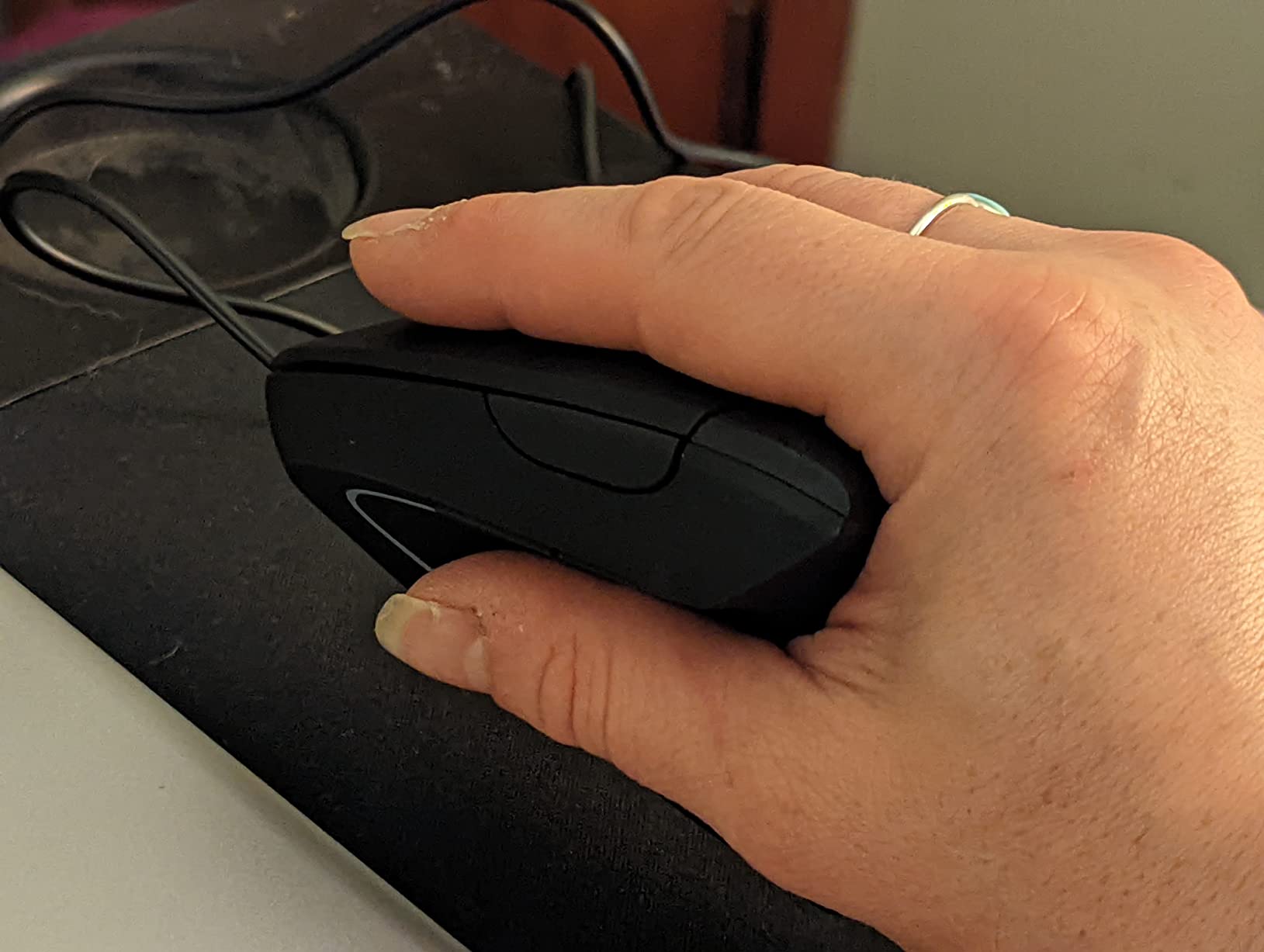
The Lekvey is the vertical mouse with the most owner feedback in this roundup after the Anker, and the reviews are unusually consistent about one thing: people report less wrist, forearm, and shoulder strain once they are past the adjustment period.
That adjustment period is real. Owners describe roughly 3 to 5 days of adaptation, and during that window the handshake arc feels awkward. If you give up in the first two days you will conclude the shape does not work for you, which is the single most common reason vertical mice end up unused.
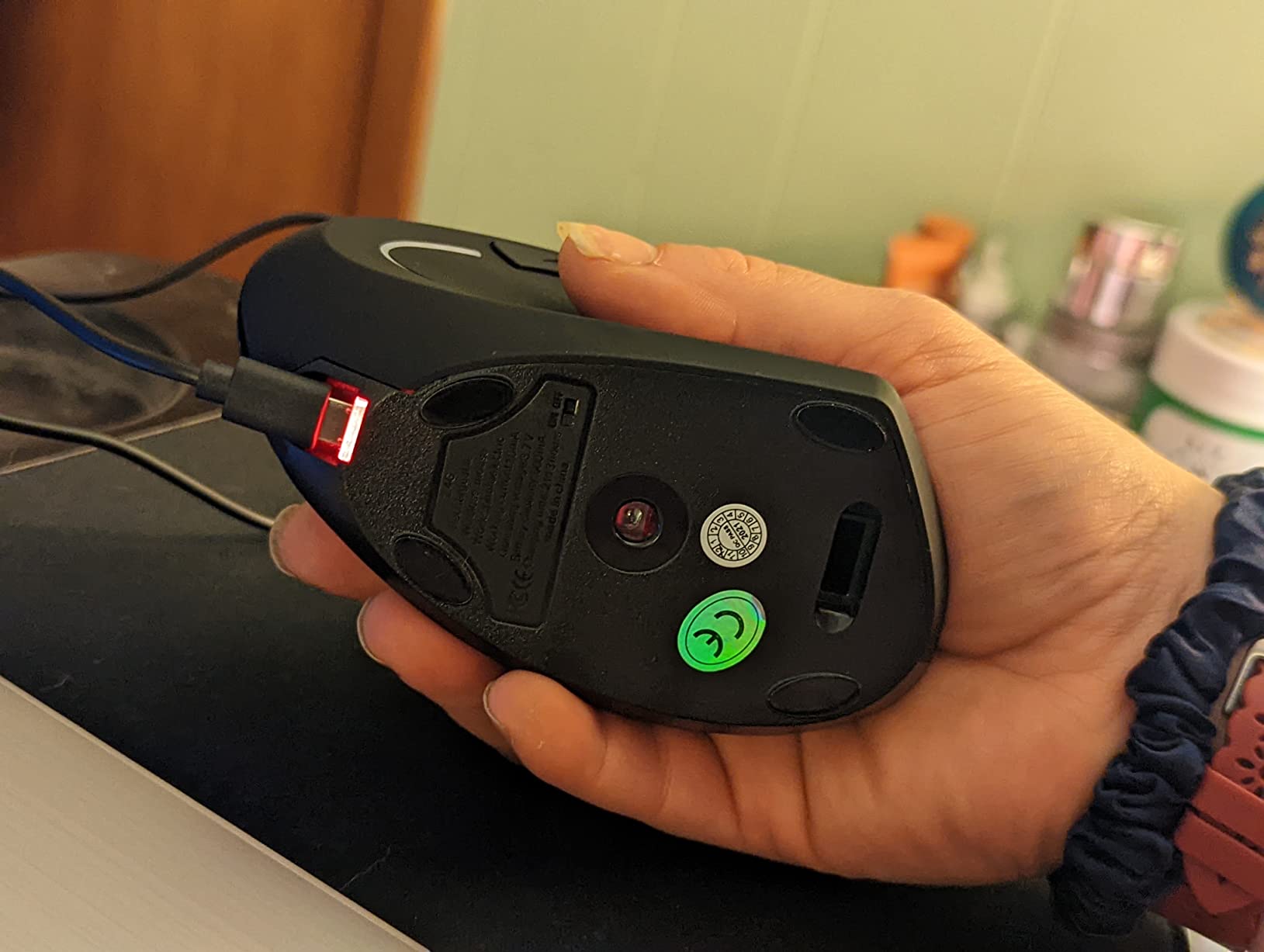
At 5.0 by 3.0 by 2.5 inches it is explicitly recommended for medium or large hands, and the rechargeable battery runs 150+ hours per charge. Setup is a nano receiver and nothing else.
Pain Relief Evidence and the Adjustment Window
Across more than 15000 reviews, the recurring positive theme is reduced strain rather than performance. Nobody is describing this as a fast mouse. They are describing a mouse that let them finish a workday without thinking about their wrist.
Plan for the 3 to 5 day break-in. Muscle memory is what actually carries the benefit, and a few hours of use will not tell you whether the angle suits your forearm.
Size, Rechargeable Battery and Everyday Handling
The 3.0 inch width gives a large palm real surface, and the vertical angle is steep enough to matter without becoming a handshake caricature. At 3.36 ounces it is light for a frame this size, which keeps fatigue down during long sessions.
Battery life of 150+ hours per charge removes weekly charging from the routine, and the Type-C cable is 150cm, long enough for a desk with a monitor arm. The 36-month warranty is among the longer ones here.
Where It Falls Short
1600 DPI is the ceiling, which rules it out for gaming. There is no Bluetooth, so the receiver has to move between machines, and side buttons are not remappable without installing separate software.
The light body is the other complaint, since a vertical shell at 3.36 ounces can wander during fast movements. The ProtoArc EM11 NL addresses that with weight, at the cost of a glossy finish and a higher sensor ceiling you may not need.
Who It Suits and Who It Does Not
Pick the Lekvey if wrist discomfort is the reason you are reading this, you can commit to a few days of adaptation, and you work on one machine at a time. The evidence base behind pain relief is the strongest in this roundup.
Pass if you need Bluetooth multi-device switching, want a sensor above 1600 DPI, or expect to want remappable buttons. Those needs point to the ProtoArc, the Redragon, or the Logitech M750 L instead.
How to Measure Your Hands and Pick the Right Shape
Most sizing advice for large hands is wrong because it treats every hand as the same shape. Width and length are separate measurements, and the mouse that fixes a cramped feeling in one may do nothing for the other. Measure before you buy.
Place your hand flat on a sheet of paper. Measure from the crease where your wrist meets your palm to the tip of your middle finger, and write that number down. Then measure across the widest point of your palm, knuckle to knuckle. You now have both numbers, and you can match them against the widths in this roundup.
For context on the range here, the Logitech Signature bodies sit around 2.58 to 2.61 inches wide, the Razer Basilisk V3 X HyperSpeed is 2.96 inches, and the E-YOOSO and Redragon are the widest at 3.85 inches. If your palm measures more than 3 inches across, a narrow productivity mouse will feel small no matter how long it is.
Grip Style Changes Everything
Palm grip means the whole palm rests on the shell with the fingers relaxed along the body. This is the easiest grip for large hands, and it is why the wide mice here work so well. You need length under the palm and width under the fingers.
Claw grip means the palm sits near the rear hump while the fingers arch. A tall rear hump helps here, and the Razer Basilisk V3 X HyperSpeed supports both palm and claw styles at its 5.12 inch length.
Fingertip grip means only the fingertips touch, and the mouse is essentially a lever. This grip prefers lighter mice with fast sensors, which is a poor match for most extra-large shells. If this is your style, the TECKNET at 85 g is the closest fit in this group.
Battery Type Decides How Often You Think About Charging
Replaceable batteries and rechargeable cells are the two camps. The AA cells here are rated from 18 months on the E-YOOSO up to 24 months on the three Logitech Signature models, and none of them ever need a cable.
Rechargeable options range from 150+ hours per charge on the Lekvey to 90 days per charge on the TECKNET. A 500mAh cell in the ProtoArc covers a laptop bag better than any AA setup, which is why it suits travel. More details on this category are in our best wireless mice for travel guide.
Wireless Tech: 2.4GHz, Bluetooth, and Why It Matters
2.4GHz through a USB dongle gives the lowest latency and is the right choice for gaming. Bluetooth gives you multi-device pairing at the cost of some latency, which is why office mice lean on it. Several mice here offer both.
Two practical warnings. Some USB 3.2 ports and hubs will not accept a 2.4GHz dongle reliably, so test in a different port before relying on it. And a mouse with a deep auto-sleep, such as the Anker at 8 minutes, will feel unresponsive for a moment every time you return to the desk.
DPI and Polling Rate: What Actually Matters
Polling rate is how often the mouse reports its position to the computer, measured in hertz. A 1000Hz mouse reports a thousand times per second, and doubling that to 2000Hz doubles the number of reports. The practical difference shows up as slightly smoother motion at the cost of more power and more demanding sensor hardware.
For office work, the polling rate on any of these mice is irrelevant. For competitive shooters, 1000Hz is the established baseline and higher figures produce diminishing returns for most players. Focus on DPI instead, where the spread in this roundup runs from 1600 on the vertical models up to 18000 on the Razer.
DPI matters more for a large hand than for a small one. A longer reach covers more physical distance per input, so a large hand often prefers a lower sensitivity setting for the same accuracy. The vertical mice at 1600 DPI suit that naturally, while the 18000 DPI ceiling on the Basilisk is there for people who need the opposite.
Vertical Versus Horizontal, and the Left-Hand Problem
A vertical mouse changes the angle of your forearm rather than the size of the mouse. If your discomfort comes from wrist extension over a long day, a vertical shape addresses the cause. If your discomfort comes from a cramped grip on a small shell, a wider horizontal mouse is the simpler fix.
Every mouse in this roundup is right-handed only. That is a genuine gap in the category, and if you are a southpaw with a large hand your options are narrow. Spending a week verifying handedness in person is more reliable than a specification table.
Software Ecosystems Compared
Logitech Options+ covers the three Signature models and is among the calmer suites, with sensible defaults and stable behaviour across Windows and macOS. Razer Synapse offers the deepest control for competitive play, including HyperShift bindings, and draws the most system attention of the group.
RedragonZone handles the BM-2995 macros and DPI settings, and owners report difficulty finding it plus a slow driver page. The remaining mice here, including the E-YOOSO, Anker, Lekvey, and TECKNET, need no software at all, which is a genuine benefit if you dislike background utilities. If you want a deeper look at gaming shapes, our wireless gaming mice guide covers the software side in more depth.
Frequently Asked Questions
What is the best wireless mouse for people with big hands?
The Logitech Signature M650 L is the best overall pick for large hands, with a 4.65 inch long, 111.2 g shell, a soft thumb area, rubber side grips, and up to 24 months of battery on a single AA. For gaming, the Razer Basilisk V3 X HyperSpeed adds nine programmable controls and an 18000 DPI sensor. For wrist comfort, the ProtoArc EM11 NL uses a vertical angle and a rechargeable battery.
What are some alternatives to the Logitech MX Master?
The Razer Basilisk V3 X HyperSpeed is the closest alternative, offering a 5.12 inch long thumb-shelf shape, nine programmable controls, and 535 hours of battery over Bluetooth. The Logitech Signature Plus M750 L is a quieter option with six buttons and three-device Bluetooth switching. The ProtoArc EM11 NL suits buyers who want a vertical angle and a rechargeable cell instead of AA batteries.
Is 4000Hz better than 1000Hz?
A 4000Hz mouse reports its position four times more often than a 1000Hz mouse, which produces marginally smoother motion. The practical difference matters in competitive shooters and is invisible in office work. It also draws more power and needs more sensor headroom, so most wireless mice ship at 1000Hz. For large hands, DPI matters far more than polling rate.
Are vertical mice better for large hands?
Vertical mice help when discomfort comes from wrist extension, because the handshake angle keeps the forearm straighter. The ProtoArc EM11 NL, the Lekvey, and the Anker are the vertical options in this roundup. If your problem is a cramped grip on a narrow shell, a wider horizontal mouse such as the E-YOOSO X-31 at 3.85 inches wide will help more. Vertical shapes also need 3 to 5 days of adaptation.
How do I measure my hand size for a mouse?
Lay your hand flat on paper and measure from the wrist crease to the tip of your middle finger, then measure across the widest part of your palm. Compare the width figure against mouse body width, not length. Models around 2.6 inches wide suit most large hands, while the E-YOOSO and Redragon at 3.85 inches suit extra-wide palms. Length matters more for palm grip, width for claw grip.
Final Verdict: Which Wireless Mouse Fits Your Hand
If you want one mouse that fits a large hand without thinking about it, the Logitech Signature M650 L is the answer. It is quiet, it runs for up to 24 months on a single AA, and its 4.65 inch shell stops your palm from running off the back.
If you need programmable buttons across several devices, the M750 L adds six buttons and Flow clipboard transfer at the cost of a 2000 DPI ceiling. If you game, the Razer Basilisk V3 X HyperSpeed takes the sensor ceiling to 18000 DPI and gives you nine controls on a 5.12 inch frame.
If your wrist is the problem rather than your grip, start with the Lekvey for the strongest pain-relief record, or the ProtoArc EM11 NL if you also want Bluetooth switching and a rechargeable battery. If your palm is simply too wide for anything else, the E-YOOSO X-31 at 3.85 inches across is the broadest shell here.
Measure your hand first, then pick. Ten minutes with a tape measure beats a week of readjusting to the wrong shape. When you are ready, compare the current details for each of these best wireless mice for large hands and pick the one that matches your measurements.
Leave a Reply